
Intro to Ethical Hacking MIS 5211.001 Week 2 Site:
DJ
Published · 95 slides · 0 views

1 / 1


Description
Intro to Ethical Hacking MIS 5211.001 Week 2 Site: https:community.mis.temple.edumis5211sec001fall2019 1 Tonights Plan Continue Intro Network Components and their impact on penetration testing Google Hacking Linux fundamentals (Will
Related Topics
Share
Embed code
Download this presentation From Below
"Intro to Ethical Hacking MIS 5211.001 Week 2 Site:" is the property of its rightful owner. Permission is granted to download and print the materials on this website for personal, non-commercial use only, and to display it on your personal computer provided you do not modify the materials and that you retain all copyright notices contained in the materials. By downloading content from our website, you accept the terms of this agreement.
Presentation Transcript
01
Intro to Ethical Hacking MIS 5211.001
Week 2
Site:
https://community.mis.temple.edu/mis5211sec001fall2019/ 1<br>
Week 2
Site:
https://community.mis.temple.edu/mis5211sec001fall2019/ 1<br>
02
Tonight's Plan Continue Intro
Network Components and their impact on penetration testing
Google Hacking
Linux fundamentals (Will not cover in class, review if you need it) 2<br>
Network Components and their impact on penetration testing
Google Hacking
Linux fundamentals (Will not cover in class, review if you need it) 2<br>
03
Infrastructure Firewalls Firewalls may block or minimize the capabilities of penetration testing.
Pen testing activity, especially scanning, can cause performance issues in firewalls
HTTP Proxies may alter encoding
Next Generation firewalls (Like PaloAlto) may perform analysis and drop packets that are not well formed. MIS 5211.001 3<br>
Pen testing activity, especially scanning, can cause performance issues in firewalls
HTTP Proxies may alter encoding
Next Generation firewalls (Like PaloAlto) may perform analysis and drop packets that are not well formed. MIS 5211.001 3<br>
04
Host Firewalls Avoid using firewalls on your test network and attack machines
May block activity before it ever leaves your systems
Since this exposes test machines to attack, use a separate, off-network machine to take notes.
Utilize USB drives to transfer information MIS 5211.001 4<br>
May block activity before it ever leaves your systems
Since this exposes test machines to attack, use a separate, off-network machine to take notes.
Utilize USB drives to transfer information MIS 5211.001 4<br>
05
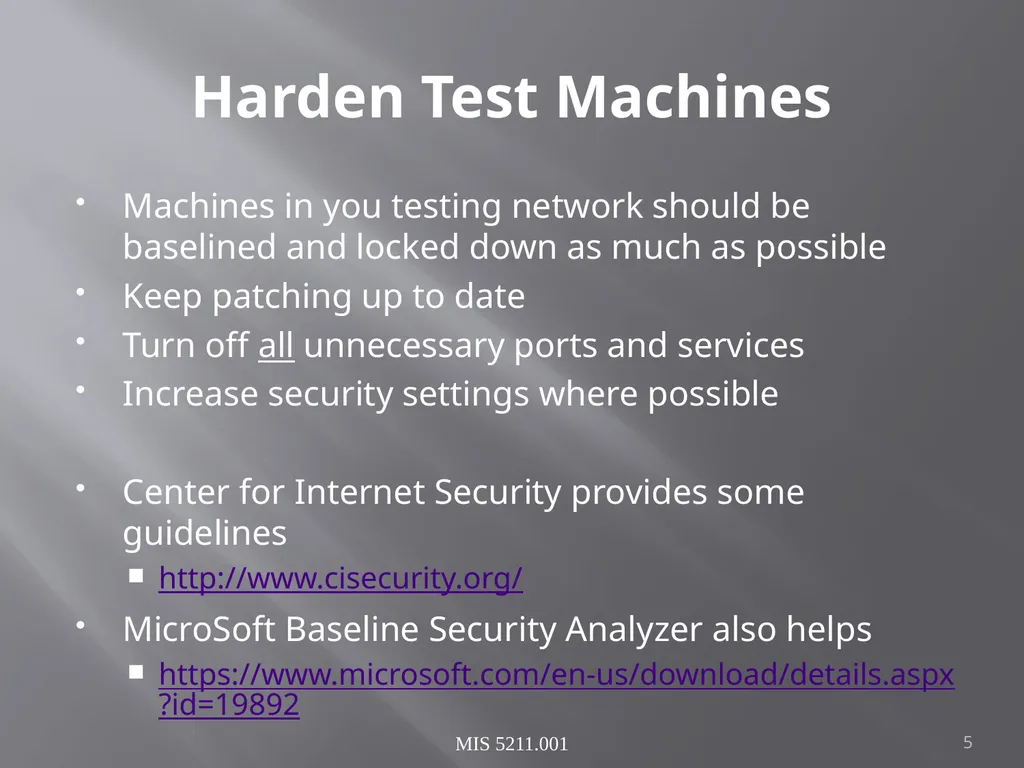
Harden Test Machines Machines in you testing network should be baselined and locked down as much as possible
Keep patching up to date
Turn off all unnecessary ports and services
Increase security settings where possible
Center for Internet Security provides some guidelines
http://www.cisecurity.org/
MicroSoft Baseline Security Analyzer also helps
https://www.microsoft.com/en-us/download/details.aspx?id=19892 MIS 5211.001 5<br>
Keep patching up to date
Turn off all unnecessary ports and services
Increase security settings where possible
Center for Internet Security provides some guidelines
http://www.cisecurity.org/
MicroSoft Baseline Security Analyzer also helps
https://www.microsoft.com/en-us/download/details.aspx?id=19892 MIS 5211.001 5<br>
06
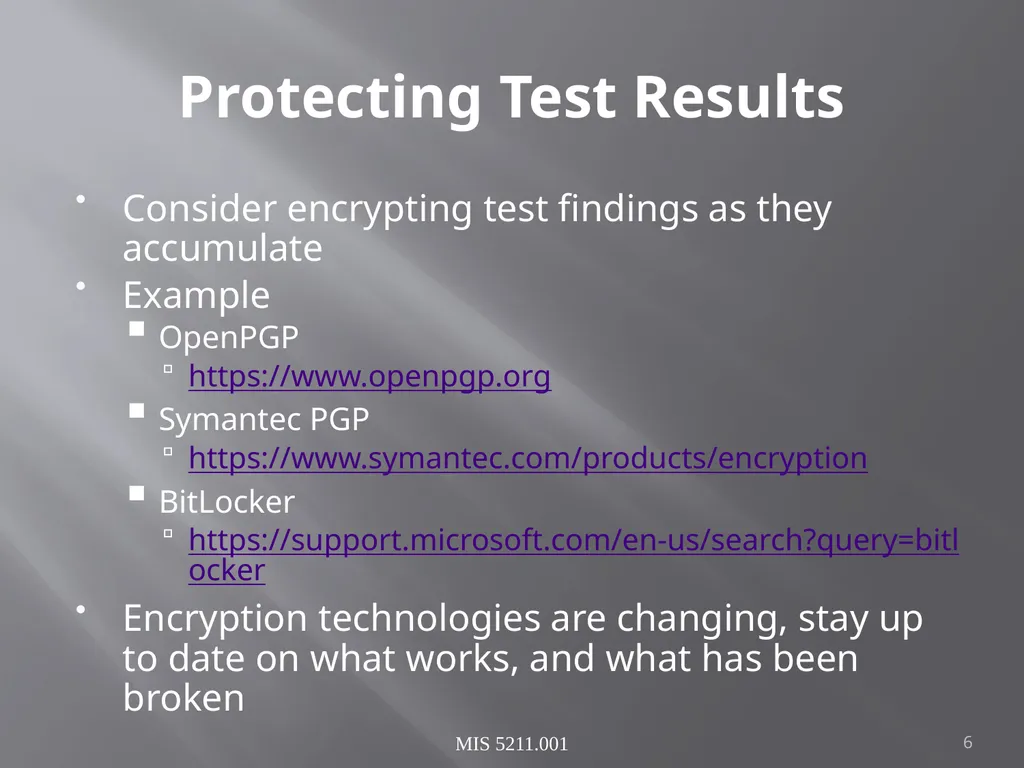
Protecting Test Results Consider encrypting test findings as they accumulate
Example
OpenPGP
https://www.openpgp.org
Symantec PGP
https://www.symantec.com/products/encryption
BitLocker
https://support.microsoft.com/en-us/search?query=bitlocker
Encryption technologies are changing, stay up to date on what works, and what has been broken MIS 5211.001 6<br>
Example
OpenPGP
https://www.openpgp.org
Symantec PGP
https://www.symantec.com/products/encryption
BitLocker
https://support.microsoft.com/en-us/search?query=bitlocker
Encryption technologies are changing, stay up to date on what works, and what has been broken MIS 5211.001 6<br>
07
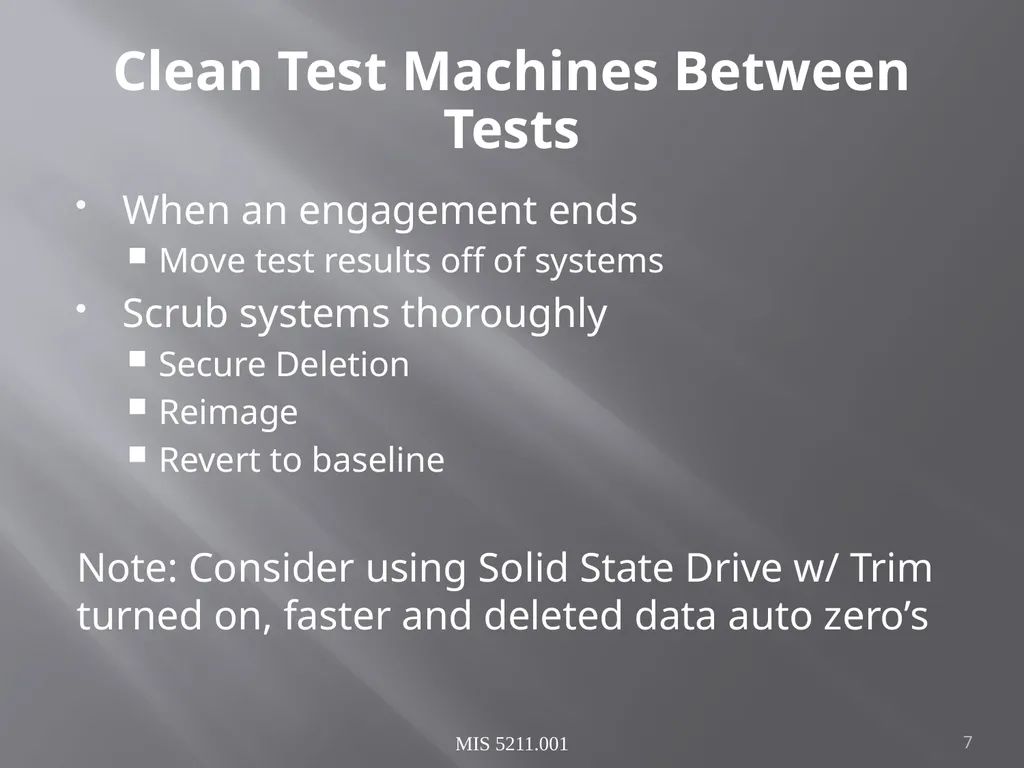
Clean Test Machines Between Tests When an engagement ends
Move test results off of systems
Scrub systems thoroughly
Secure Deletion
Reimage
Revert to baseline
Note: Consider using Solid State Drive w/ Trim turned on, faster and deleted data auto zero’s MIS 5211.001 7<br>
Move test results off of systems
Scrub systems thoroughly
Secure Deletion
Reimage
Revert to baseline
Note: Consider using Solid State Drive w/ Trim turned on, faster and deleted data auto zero’s MIS 5211.001 7<br>
08
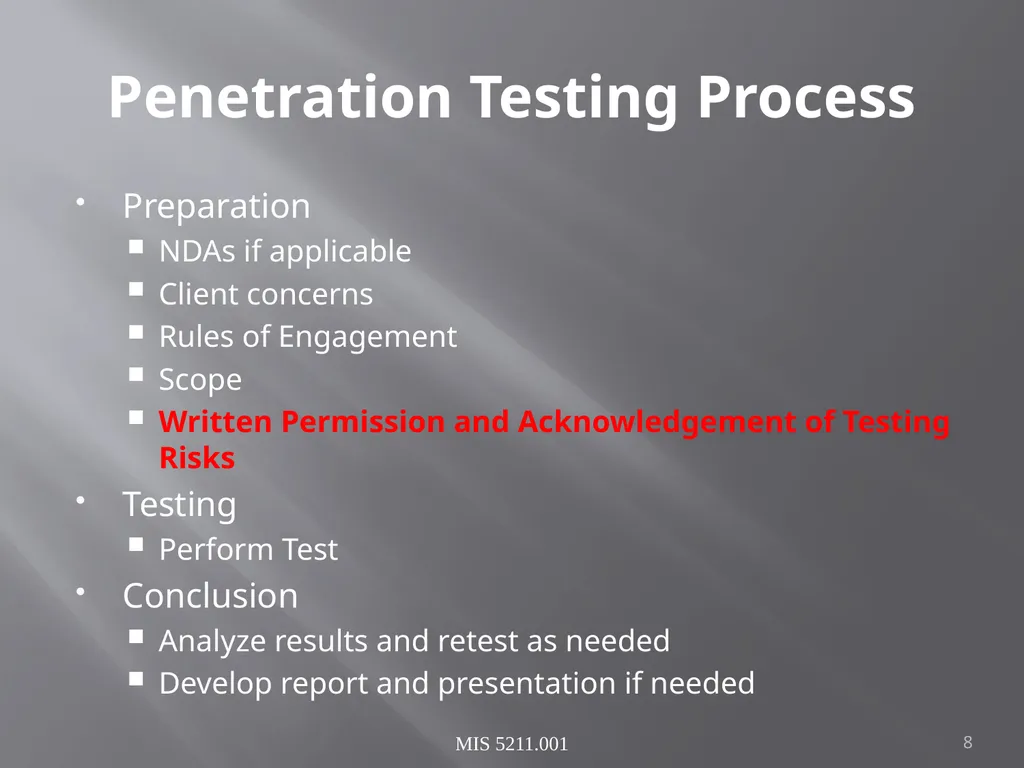
Penetration Testing Process Preparation
NDAs if applicable
Client concerns
Rules of Engagement
Scope
Written Permission and Acknowledgement of Testing Risks
Testing
Perform Test
Conclusion
Analyze results and retest as needed
Develop report and presentation if needed MIS 5211.001 8<br>
NDAs if applicable
Client concerns
Rules of Engagement
Scope
Written Permission and Acknowledgement of Testing Risks
Testing
Perform Test
Conclusion
Analyze results and retest as needed
Develop report and presentation if needed MIS 5211.001 8<br>
09
Permissions Vital that written permission be obtained
Without this you could be held criminally responsible
Good intentions are no defense
Ensure individual granting permission has the authority to do so
Corporate Officer
Director
P&L Responsibility MIS 5211.001 9<br>
Without this you could be held criminally responsible
Good intentions are no defense
Ensure individual granting permission has the authority to do so
Corporate Officer
Director
P&L Responsibility MIS 5211.001 9<br>
10
Insurance & Limitation of Liability Permission alone is not sufficient
If you are not working “In-House”
Contract language needs Limitation of Liability language
Time to call in the lawyers
You, or the company you work for will also need liability insurance MIS 5211.001 10<br>
If you are not working “In-House”
Contract language needs Limitation of Liability language
Time to call in the lawyers
You, or the company you work for will also need liability insurance MIS 5211.001 10<br>
11
Rules of Engagement At a minimum
Contact Information
Periodic Debriefing (Daily?)
Dates and Times for Testing
When to start
When to stop
Hours when testing is acceptable
Announced or Unannounced MIS 5211.001 11<br>
Contact Information
Periodic Debriefing (Daily?)
Dates and Times for Testing
When to start
When to stop
Hours when testing is acceptable
Announced or Unannounced MIS 5211.001 11<br>
12
Shunning What if Sys Admins detect testing and attempt to block.
Is this good, or bad?
Stop test, or remove blocks and keep testing?
Verify if client IDS, IPS, or WAF may block attacks
This may be OK if test was focused on effectiveness of these systems
However:
Could cause Denial of Service
Resource consumption
May need to get you traffic excluded from protections to test systems behind these controls MIS 5211.001 12<br>
Is this good, or bad?
Stop test, or remove blocks and keep testing?
Verify if client IDS, IPS, or WAF may block attacks
This may be OK if test was focused on effectiveness of these systems
However:
Could cause Denial of Service
Resource consumption
May need to get you traffic excluded from protections to test systems behind these controls MIS 5211.001 12<br>
13
Black Box vs Crystal Box Black Box:
No data provided to tester other than target IP Address or URL
Mimics malicious attackers vantage point
Time and resource consuming
Crystal Box:
Tester provided detailed data on systems and architecture
Allows tester to quickly move to value added work
May not uncover data leaked into public space that would have been found during reconnaissance phase MIS 5211.001 13<br>
No data provided to tester other than target IP Address or URL
Mimics malicious attackers vantage point
Time and resource consuming
Crystal Box:
Tester provided detailed data on systems and architecture
Allows tester to quickly move to value added work
May not uncover data leaked into public space that would have been found during reconnaissance phase MIS 5211.001 13<br>
14
Data on Compromised Systems How far should test team go?
Configuration Data
User Info
PII
Should likely stop at configuration data
Testers do have a responsibility to not go past agreed to boundaries
Also applies to sniffer data
Will explain this in detail later in the course MIS 5211.001 14<br>
Configuration Data
User Info
PII
Should likely stop at configuration data
Testers do have a responsibility to not go past agreed to boundaries
Also applies to sniffer data
Will explain this in detail later in the course MIS 5211.001 14<br>
15
Observed Tests Is a client representative going to observe all testing
Ensure client data is protected
Inform testers that some area may be off limits
Is client staff going to work with testing team
Client may want their staff to become familiar with tolls and methodology MIS 5211.001 15<br>
Ensure client data is protected
Inform testers that some area may be off limits
Is client staff going to work with testing team
Client may want their staff to become familiar with tolls and methodology MIS 5211.001 15<br>
16
Completing Planning Establish agreement on handling issues prior to starting
Document the agreement and get sign-off from all parties
Congratulations – You now have your Rules of Engagement MIS 5211.001 16<br>
Document the agreement and get sign-off from all parties
Congratulations – You now have your Rules of Engagement MIS 5211.001 16<br>
17
Scope Identify Client Security Concerns
Disclosure?
Availability?
Reputation?
Financial Loss?
Other?
Only the client can tell you what they are really worried about MIS 5211.001 17<br>
Disclosure?
Availability?
Reputation?
Financial Loss?
Other?
Only the client can tell you what they are really worried about MIS 5211.001 17<br>
18
Additional Scope Questions Identify known issues
Do you need to verify them?
Identify likely threats
State Actors
Disgruntled Employees
Determine what to focus on MIS 5211.001 18<br>
Do you need to verify them?
Identify likely threats
State Actors
Disgruntled Employees
Determine what to focus on MIS 5211.001 18<br>
19
What to Test Determine clear and explicit scope
What to test
Which systems?
Which address space?
Individual hosts?
What to stay away from
Known “brittle” systems
Critical systems MIS 5211.001 19<br>
What to test
Which systems?
Which address space?
Individual hosts?
What to stay away from
Known “brittle” systems
Critical systems MIS 5211.001 19<br>
20
Third Parties If third parties are to be tested, they need to provide written permission
If out of scope, need to know who and what they are to avoid them
This is a particular concern in web application testing as sites routinely link or have content hosted form third parties MIS 5211.001 20<br>
If out of scope, need to know who and what they are to avoid them
This is a particular concern in web application testing as sites routinely link or have content hosted form third parties MIS 5211.001 20<br>
21
Production vs Test Test environments offer lower risk of impact
May not match production
May respond slower, impacting test efficiency
May not be possible, as only a production system exists MIS 5211.001 21<br>
May not match production
May respond slower, impacting test efficiency
May not be possible, as only a production system exists MIS 5211.001 21<br>
22
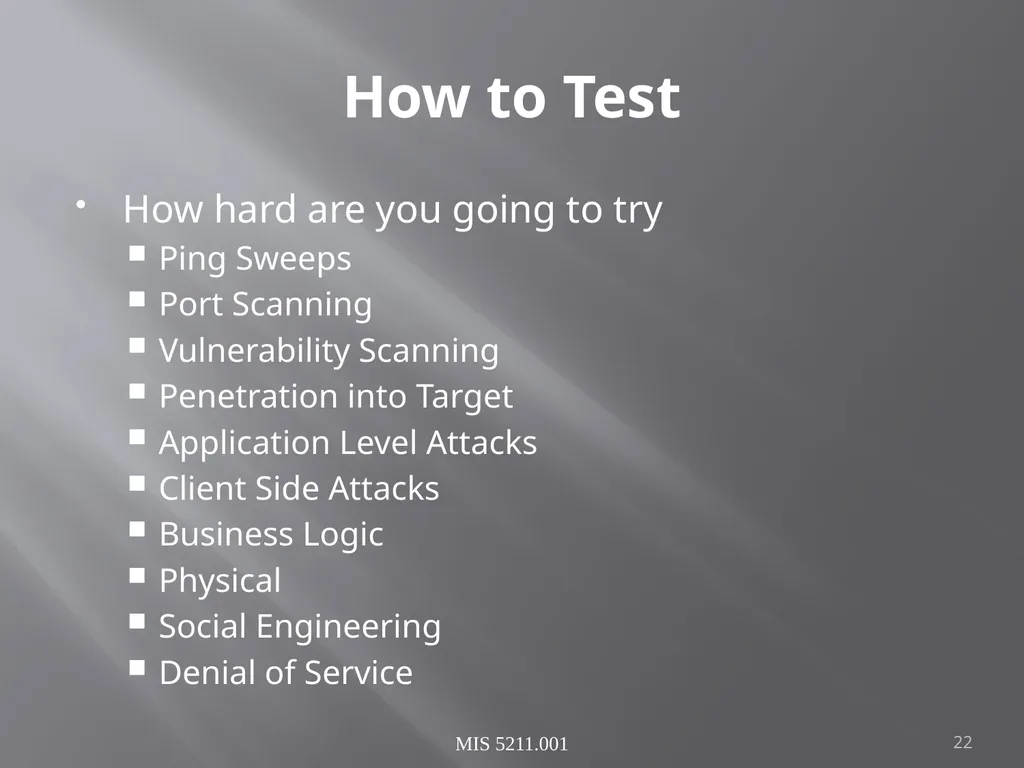
How to Test How hard are you going to try
Ping Sweeps
Port Scanning
Vulnerability Scanning
Penetration into Target
Application Level Attacks
Client Side Attacks
Business Logic
Physical
Social Engineering
Denial of Service MIS 5211.001 22<br>
Ping Sweeps
Port Scanning
Vulnerability Scanning
Penetration into Target
Application Level Attacks
Client Side Attacks
Business Logic
Physical
Social Engineering
Denial of Service MIS 5211.001 22<br>
23
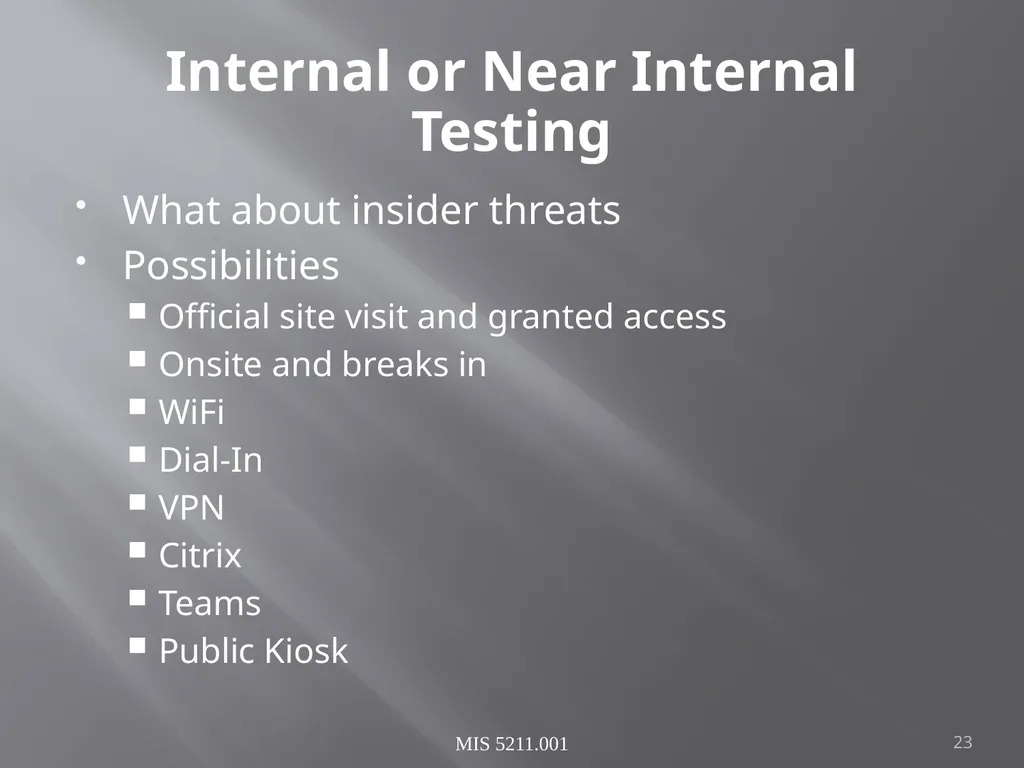
Internal or Near Internal Testing What about insider threats
Possibilities
Official site visit and granted access
Onsite and breaks in
WiFi
Dial-In
VPN
Citrix
Teams
Public Kiosk MIS 5211.001 23<br>
Possibilities
Official site visit and granted access
Onsite and breaks in
WiFi
Dial-In
VPN
Citrix
Teams
Public Kiosk MIS 5211.001 23<br>
24
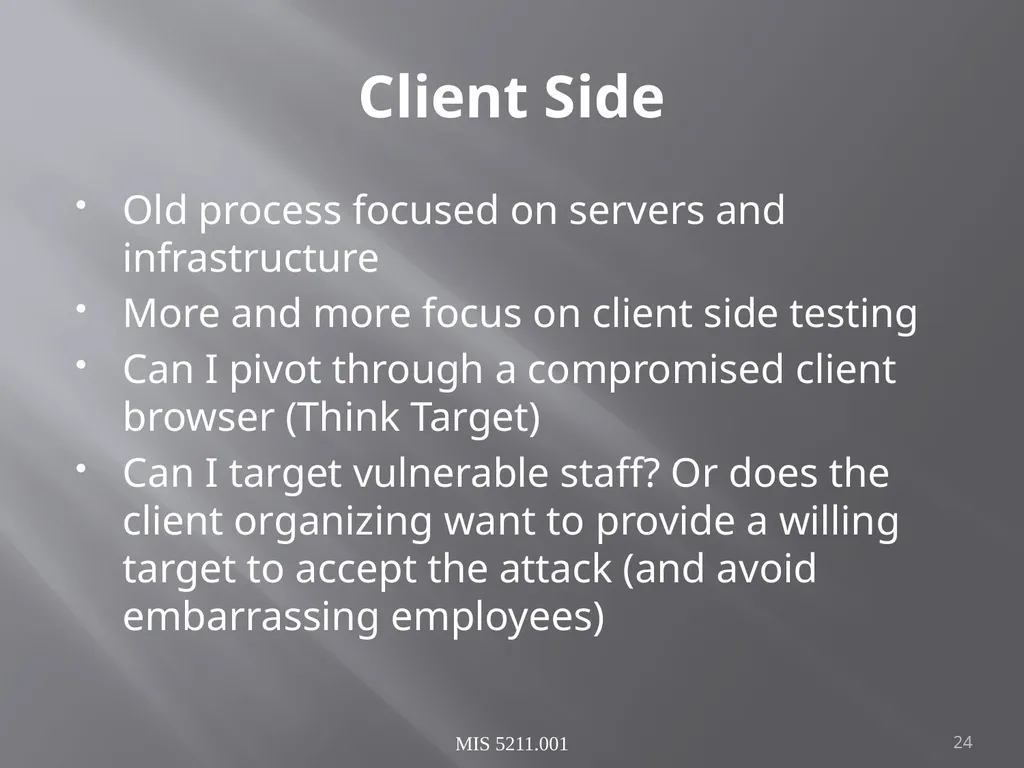
Client Side Old process focused on servers and infrastructure
More and more focus on client side testing
Can I pivot through a compromised client browser (Think Target)
Can I target vulnerable staff? Or does the client organizing want to provide a willing target to accept the attack (and avoid embarrassing employees) MIS 5211.001 24<br>
More and more focus on client side testing
Can I pivot through a compromised client browser (Think Target)
Can I target vulnerable staff? Or does the client organizing want to provide a willing target to accept the attack (and avoid embarrassing employees) MIS 5211.001 24<br>
25
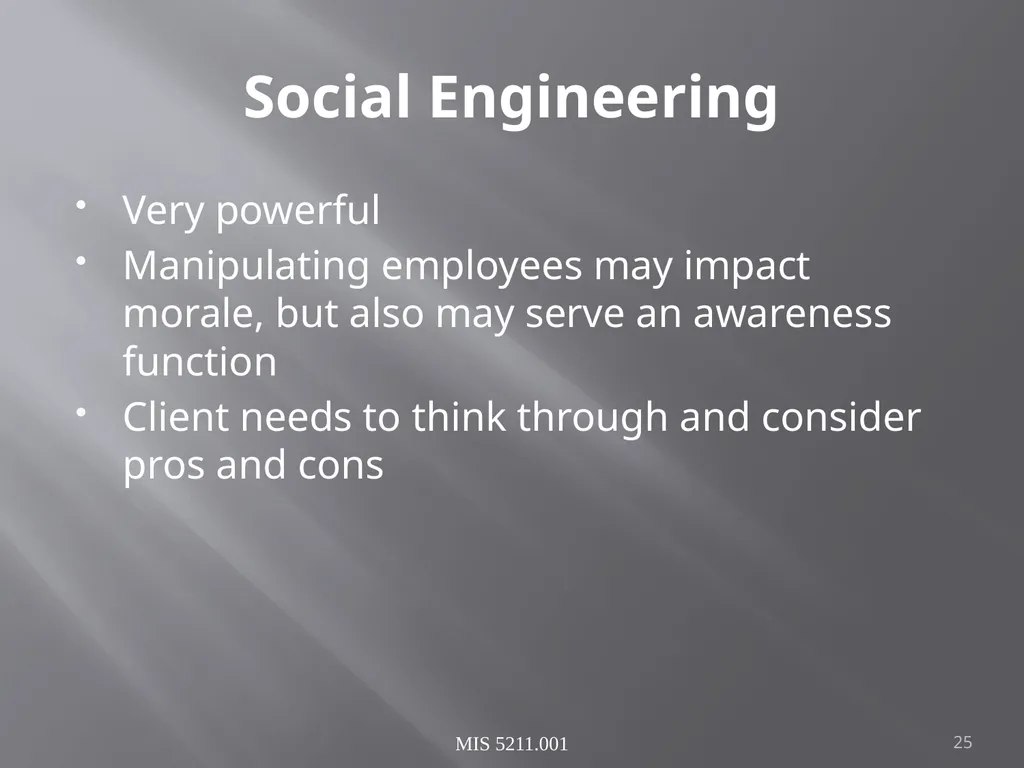
Social Engineering Very powerful
Manipulating employees may impact morale, but also may serve an awareness function
Client needs to think through and consider pros and cons MIS 5211.001 25<br>
Manipulating employees may impact morale, but also may serve an awareness function
Client needs to think through and consider pros and cons MIS 5211.001 25<br>
26
Conducting a Social Engineering Test Explicit written permissions
Defined goal, what are you after?
Develop several scripts and get them vetted by client
Select the right tester
People person
Someone others want to help
Sympathetic MIS 5211.001 26<br>
Defined goal, what are you after?
Develop several scripts and get them vetted by client
Select the right tester
People person
Someone others want to help
Sympathetic MIS 5211.001 26<br>
27
Denial of Service Dangerous to test
Often not done because it is already known that systems can be knocked down
If in scope, ensure specifically documented as “in scope”
Consider carving out a subsystem to test so as not to take down entire client MIS 5211.001 27<br>
Often not done because it is already known that systems can be knocked down
If in scope, ensure specifically documented as “in scope”
Consider carving out a subsystem to test so as not to take down entire client MIS 5211.001 27<br>
28
Dangerous Exploits Some tests are known to be dangerous
Nessus has separate category of vulnerabilities it can scan for that are known to knock targets of line
Some Metasploit attacks will either succeed or crash the target system
Access testing can lock out users inadvertently MIS 5211.001 28<br>
Nessus has separate category of vulnerabilities it can scan for that are known to knock targets of line
Some Metasploit attacks will either succeed or crash the target system
Access testing can lock out users inadvertently MIS 5211.001 28<br>
29
Reporting Results Always create a report
It may be the only evidence you where there
Will likely be around a long time
Therefore, make sure it is clean, correct, and reflects well on the effort you put in
Report may make the difference between repeat engagement or no more engagements
Even if “In-House” create the report
Brands your team and their effort MIS 5211.001 29<br>
It may be the only evidence you where there
Will likely be around a long time
Therefore, make sure it is clean, correct, and reflects well on the effort you put in
Report may make the difference between repeat engagement or no more engagements
Even if “In-House” create the report
Brands your team and their effort MIS 5211.001 29<br>
30
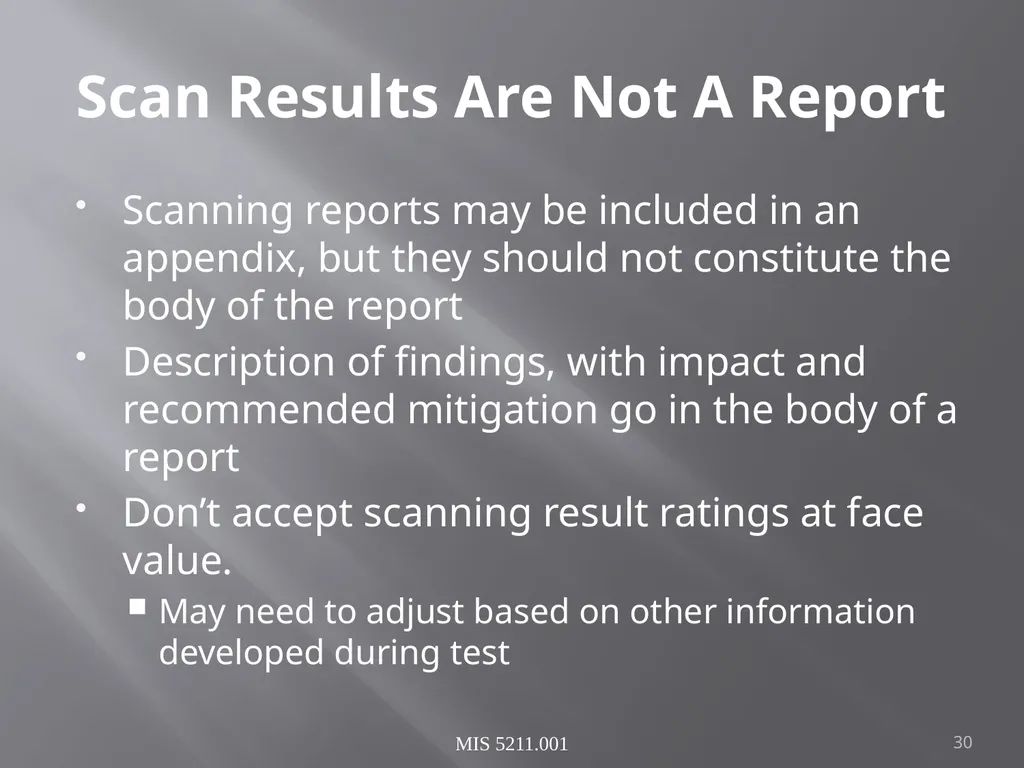
Scan Results Are Not A Report Scanning reports may be included in an appendix, but they should not constitute the body of the report
Description of findings, with impact and recommended mitigation go in the body of a report
Don’t accept scanning result ratings at face value.
May need to adjust based on other information developed during test MIS 5211.001 30<br>
Description of findings, with impact and recommended mitigation go in the body of a report
Don’t accept scanning result ratings at face value.
May need to adjust based on other information developed during test MIS 5211.001 30<br>
31
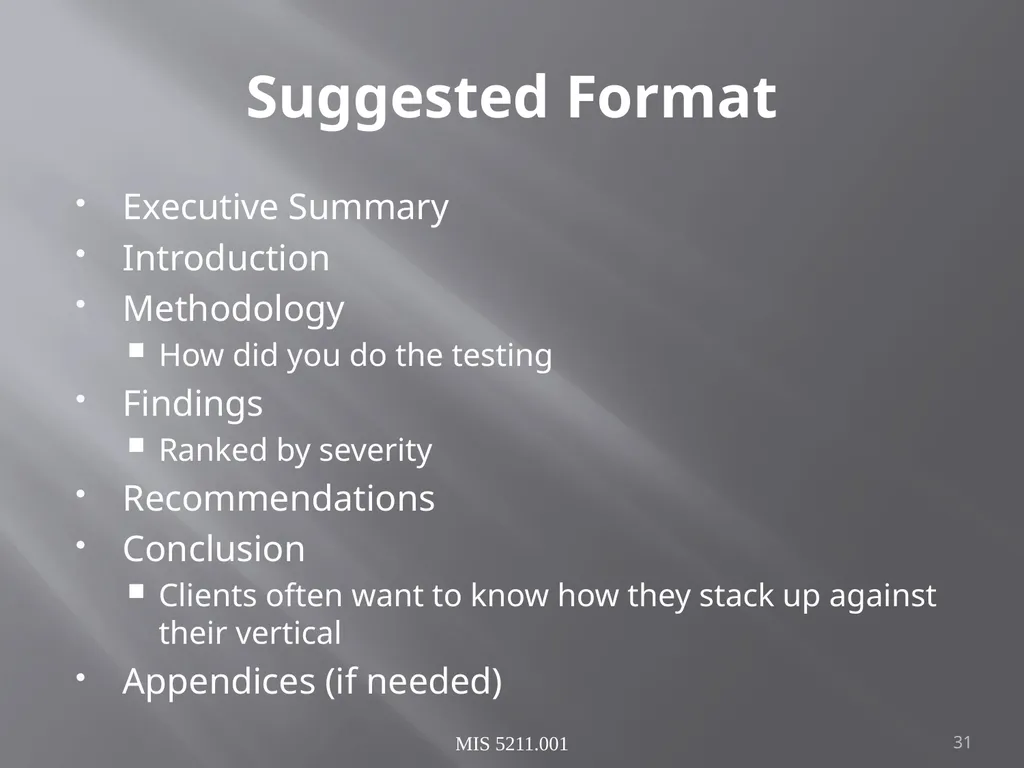
Suggested Format Executive Summary
Introduction
Methodology
How did you do the testing
Findings
Ranked by severity
Recommendations
Conclusion
Clients often want to know how they stack up against their vertical
Appendices (if needed) MIS 5211.001 31<br>
Introduction
Methodology
How did you do the testing
Findings
Ranked by severity
Recommendations
Conclusion
Clients often want to know how they stack up against their vertical
Appendices (if needed) MIS 5211.001 31<br>
32
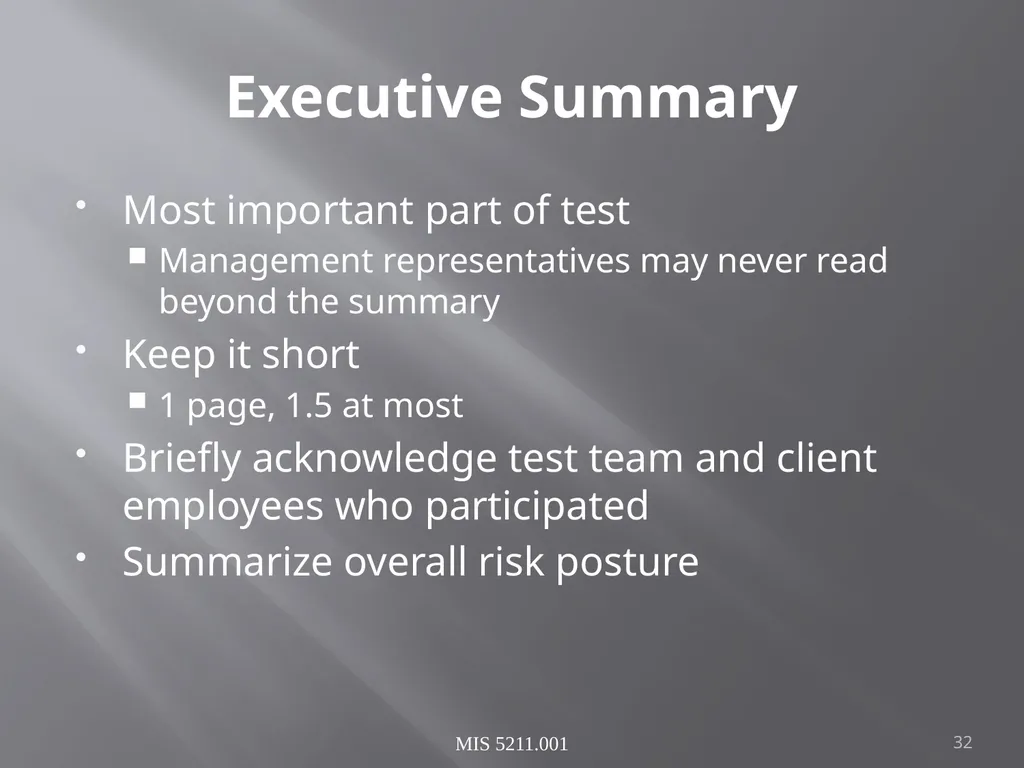
Executive Summary Most important part of test
Management representatives may never read beyond the summary
Keep it short
1 page, 1.5 at most
Briefly acknowledge test team and client employees who participated
Summarize overall risk posture MIS 5211.001 32<br>
Management representatives may never read beyond the summary
Keep it short
1 page, 1.5 at most
Briefly acknowledge test team and client employees who participated
Summarize overall risk posture MIS 5211.001 32<br>
33
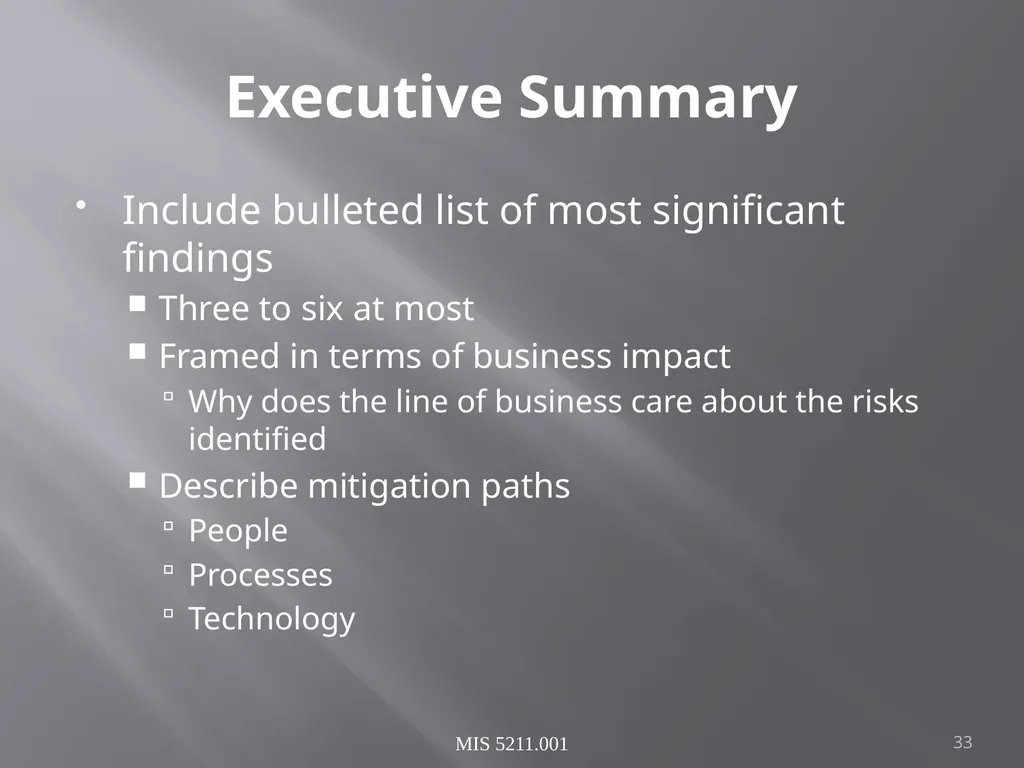
Executive Summary Include bulleted list of most significant findings
Three to six at most
Framed in terms of business impact
Why does the line of business care about the risks identified
Describe mitigation paths
People
Processes
Technology MIS 5211.001 33<br>
Three to six at most
Framed in terms of business impact
Why does the line of business care about the risks identified
Describe mitigation paths
People
Processes
Technology MIS 5211.001 33<br>
34
Screenshots and Illustrations Screenshots or illustrations help capture audience attention and make findings more “real”
Only include “useful” screenshots
Focus on important area, zoom in
Use mask to exclude sensitive information
Passwords
User Names
Employee or Customer Data MIS 5211.001 34<br>
Only include “useful” screenshots
Focus on important area, zoom in
Use mask to exclude sensitive information
Passwords
User Names
Employee or Customer Data MIS 5211.001 34<br>
35
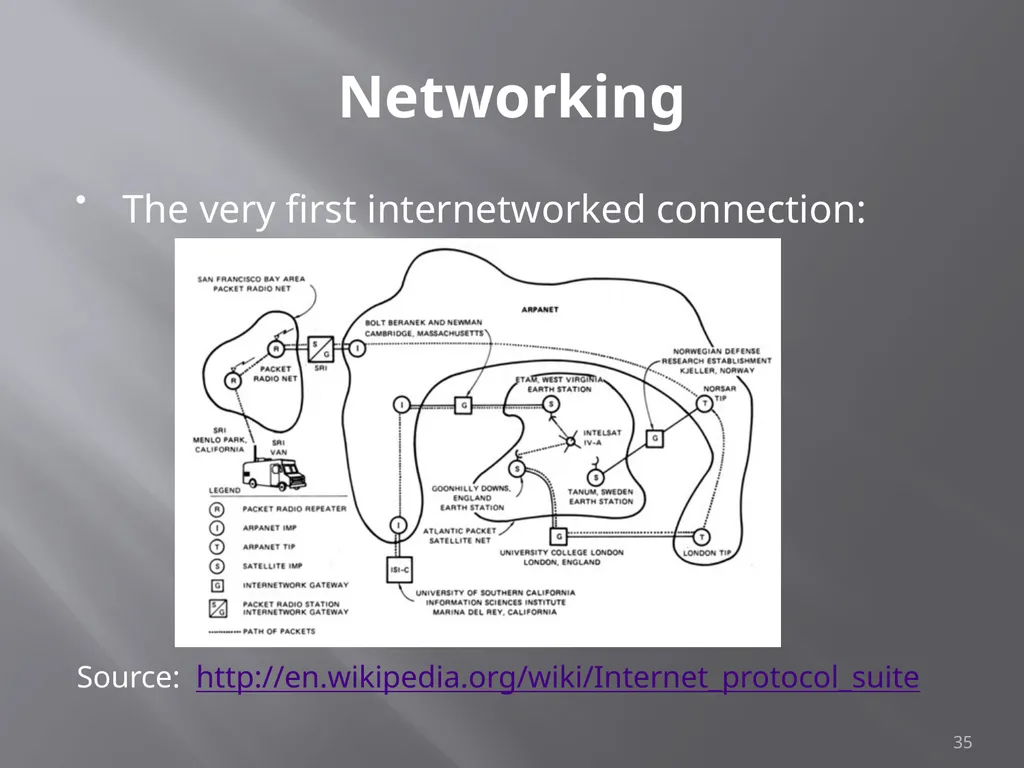
Networking The very first internetworked connection:
Source: http://en.wikipedia.org/wiki/Internet_protocol_suite 35<br>
Source: http://en.wikipedia.org/wiki/Internet_protocol_suite 35<br>
36
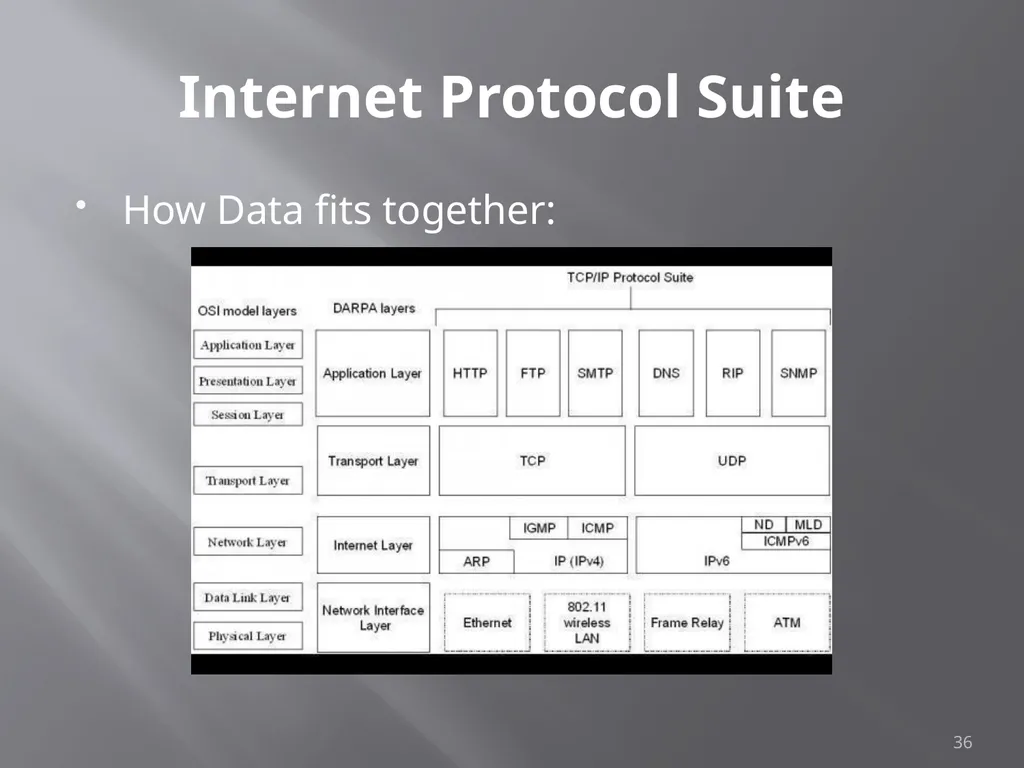
Internet Protocol Suite How Data fits together: 36<br>
37
A word about Ports Ports – logical assignment to packets of data
Used to distinguish between different services that run over transport protocols such as TCP and UDP
IANA Registry:
http://www.iana.org/assignments/service-names-port-numbers/service-names-port-numbers.xhtml?&page=1 37<br>
Used to distinguish between different services that run over transport protocols such as TCP and UDP
IANA Registry:
http://www.iana.org/assignments/service-names-port-numbers/service-names-port-numbers.xhtml?&page=1 37<br>
38
Protocols What we will cover
IP
ICMP
UDP
TCP
ARP 38<br>
IP
ICMP
UDP
TCP
ARP 38<br>
39
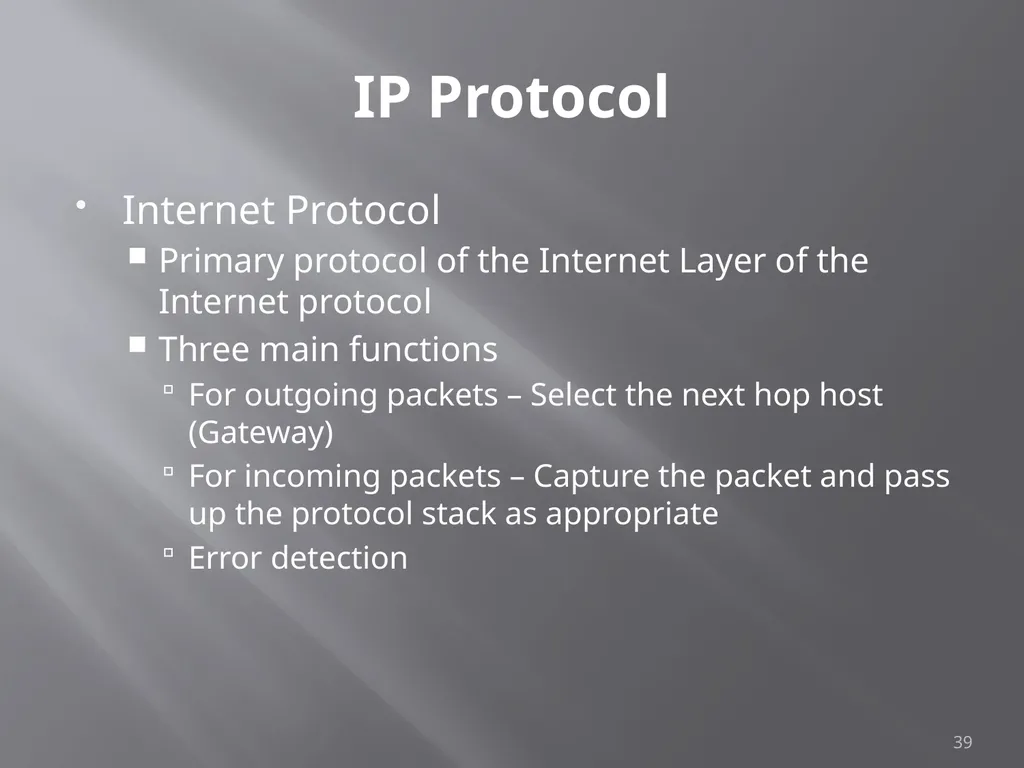
IP Protocol Internet Protocol
Primary protocol of the Internet Layer of the Internet protocol
Three main functions
For outgoing packets – Select the next hop host (Gateway)
For incoming packets – Capture the packet and pass up the protocol stack as appropriate
Error detection 39<br>
Primary protocol of the Internet Layer of the Internet protocol
Three main functions
For outgoing packets – Select the next hop host (Gateway)
For incoming packets – Capture the packet and pass up the protocol stack as appropriate
Error detection 39<br>
40
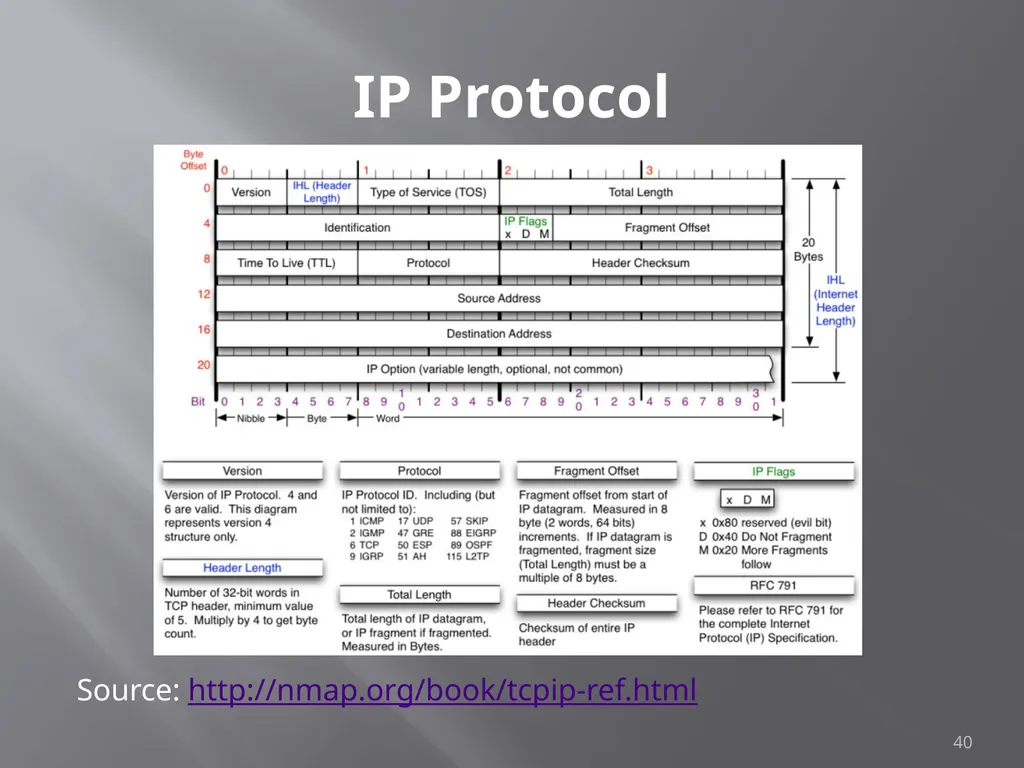
IP Protocol Source: http://nmap.org/book/tcpip-ref.html 40<br>
41
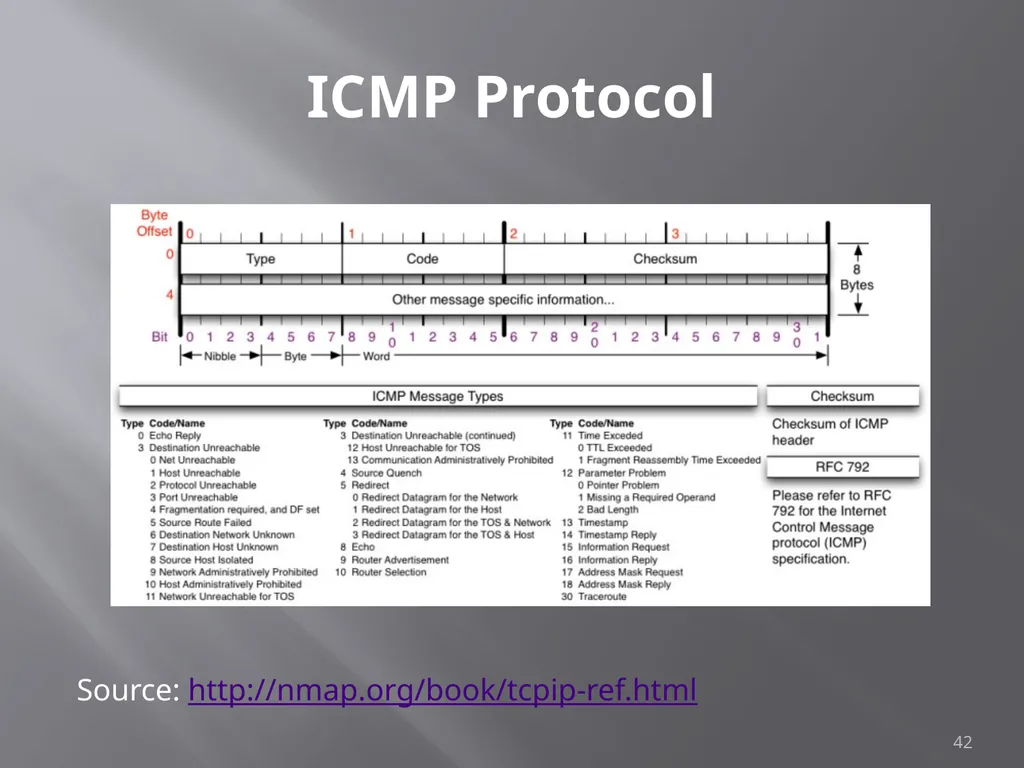
ICMP Protocol Internet Control Message Protocol
Used by network devices to communicate status
Not “typically” used to exchange data
Does not have a “port” assignment
Not usually accessed by end-users accept for:
ping
traceroute 41<br>
Used by network devices to communicate status
Not “typically” used to exchange data
Does not have a “port” assignment
Not usually accessed by end-users accept for:
ping
traceroute 41<br>
42
ICMP Protocol 42 Source: http://nmap.org/book/tcpip-ref.html<br>
43
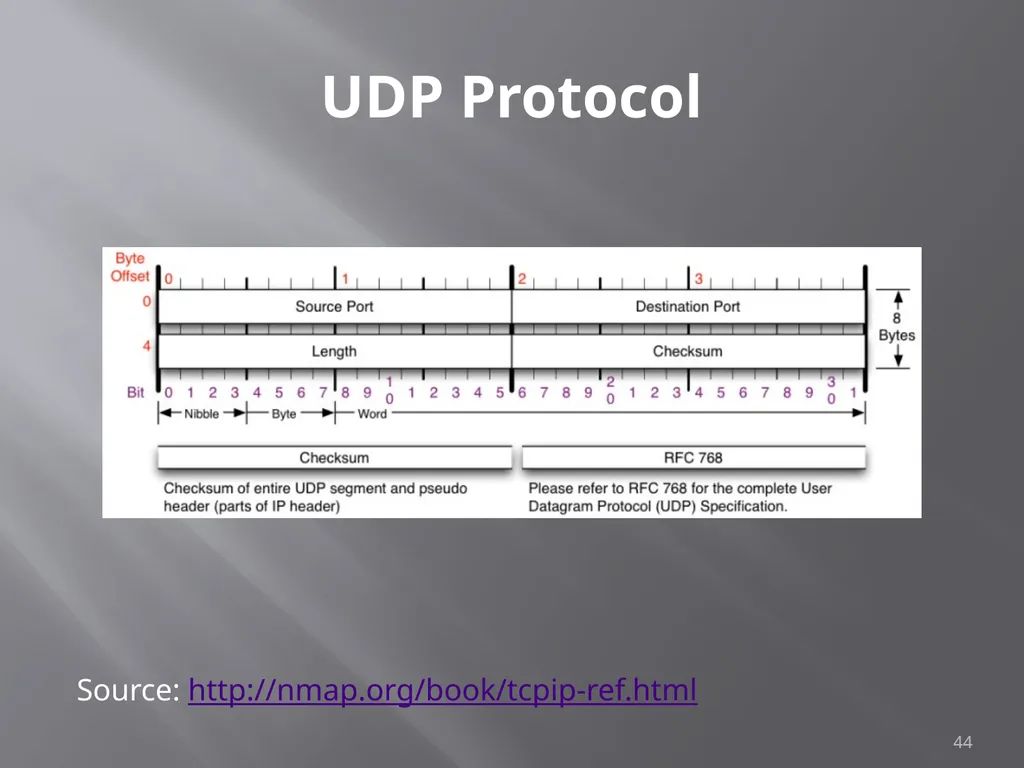
UDP Protocol User Datagram Protocol
Simple transmission model with limited mechanisms
No guarantee of delivery
No acknowledgement of receipt
Does include checksum and port numbers 43<br>
Simple transmission model with limited mechanisms
No guarantee of delivery
No acknowledgement of receipt
Does include checksum and port numbers 43<br>
44
UDP Protocol 44 Source: http://nmap.org/book/tcpip-ref.html<br>
45
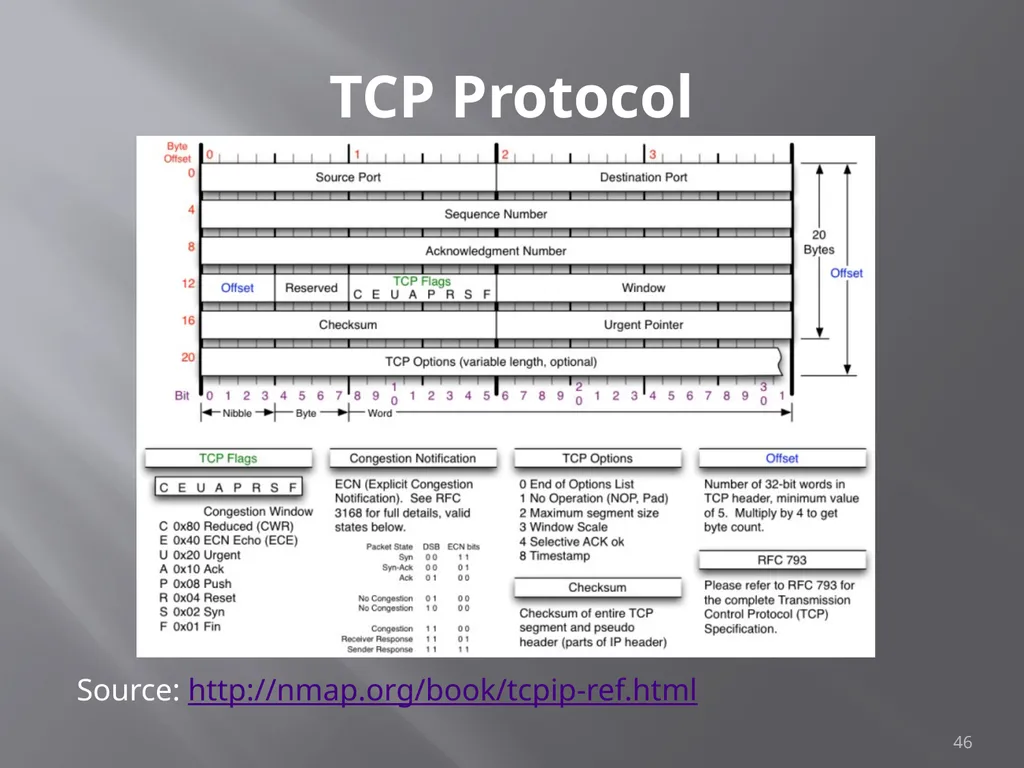
TCP Protocol Transmission Control Protocol
Sometimes called TCP/IP
Provides reliable, ordered and error checked delivery of a stream of data (or Octets) across local area networks, intranets, and public internet
This is the protocol used for HTTP, HTTPS, SMTP, POP3, IMAP, SSH, FTP, Telnet, and others 45<br>
Sometimes called TCP/IP
Provides reliable, ordered and error checked delivery of a stream of data (or Octets) across local area networks, intranets, and public internet
This is the protocol used for HTTP, HTTPS, SMTP, POP3, IMAP, SSH, FTP, Telnet, and others 45<br>
46
TCP Protocol 46 Source: http://nmap.org/book/tcpip-ref.html<br>
47
ARP Protocol Address Resolution Protocol
Used to convert an IP address to a MAC Address
MAC Address is the unique hardware address written into the hardware of every network card
Example: 6C-62-6D-05-F9-18
Tells me my Network Card comes from Micro-Star INTL CO., LTD in Taiwan (based on 6C-62-6D)
Can be altered by software 47<br>
Used to convert an IP address to a MAC Address
MAC Address is the unique hardware address written into the hardware of every network card
Example: 6C-62-6D-05-F9-18
Tells me my Network Card comes from Micro-Star INTL CO., LTD in Taiwan (based on 6C-62-6D)
Can be altered by software 47<br>
48
Network Components Switches
Routers
Firewalls
Standard
Next Generation
Web Application Load Balancers
Proxies
Reverse Proxies
DNS 48<br>
Routers
Firewalls
Standard
Next Generation
Web Application Load Balancers
Proxies
Reverse Proxies
DNS 48<br>
49
Switches Used to connect devices together on a network
Depending on functionality can operate at different layers of the OSI model
“Layer 1” – Hub – Traffic is not managed – Every packet repeated to every port
“Layer 2” – Data Link Layer – Some management – Switch knows MAC Address of locally connected devices and sends appropriate packets
“Layer 3” – Switch understands “routing” and knows what packets to pass out of the local segment
Microsoft Explanation of OSI Model : http://technet.microsoft.com/en-us/library/cc959881.aspx 49<br>
Depending on functionality can operate at different layers of the OSI model
“Layer 1” – Hub – Traffic is not managed – Every packet repeated to every port
“Layer 2” – Data Link Layer – Some management – Switch knows MAC Address of locally connected devices and sends appropriate packets
“Layer 3” – Switch understands “routing” and knows what packets to pass out of the local segment
Microsoft Explanation of OSI Model : http://technet.microsoft.com/en-us/library/cc959881.aspx 49<br>
50
Routers Forwards packets between computer networks
Works to keep localized traffic inside and only passes traffic intended for targets outside the local network
Boundary between “Routable” and “Non-Routable” IP addressing 50<br>
Works to keep localized traffic inside and only passes traffic intended for targets outside the local network
Boundary between “Routable” and “Non-Routable” IP addressing 50<br>
51
Non-Routable Addressing
(Private) 10.0.0.0 to 10.255.255.255
Class A
16,777,216 addresses
172.16.0.0 to 172.31.255.255
Class B
1,048,576 addresses
192.168.0.0 to 192.168.255.255
Class C
65,536 addresses 51<br>
Class A
16,777,216 addresses
172.16.0.0 to 172.31.255.255
Class B
1,048,576 addresses
192.168.0.0 to 192.168.255.255
Class C
65,536 addresses 51<br>
52
Firewalls (Standard) Standard Enterprise Firewalls are “2nd Generation”, implies stateful
Filters traffic based on:
Address
Port
Stateful: Retains enough data about previous packets to understand connection state 52<br>
Filters traffic based on:
Address
Port
Stateful: Retains enough data about previous packets to understand connection state 52<br>
53
Firewalls (Next Generation) Extend operation into the Application layer
Provides for Application layer filtering
Understands certain applications and protocols
Can determine if data inside a packet is consistent with the application or protocol 53<br>
Provides for Application layer filtering
Understands certain applications and protocols
Can determine if data inside a packet is consistent with the application or protocol 53<br>
54
Firewalls (Web Application) Similar to Next Generation, but retains even more information around “normal” web site activity
Builds a profile of how users interact with a website, and what the traffic should look like
Generates alerts when patterns change
Can generate false positives if web site undergoes high volumes of change 54<br>
Builds a profile of how users interact with a website, and what the traffic should look like
Generates alerts when patterns change
Can generate false positives if web site undergoes high volumes of change 54<br>
55
Network Address Translation
(NAT) Modifies network addresses in the IP datagram
Translation – Replaces the IP address in the packet with another address
Obscures addressing behind the NAT device, typically a firewall
Can convert non-routable addresses to routable addresses
Means the address you see is not necessarily the address of the target device 55<br>
Translation – Replaces the IP address in the packet with another address
Obscures addressing behind the NAT device, typically a firewall
Can convert non-routable addresses to routable addresses
Means the address you see is not necessarily the address of the target device 55<br>
56
Load Balancers Distributes sessions across multiple server
User does not “Know” what server is in use
May terminate SSL connection for server, improving server performance
May apply additional SSL restrictions outside of certification rules
Internal tester can usually direct access to a particular machine or cell via alternate port 56<br>
User does not “Know” what server is in use
May terminate SSL connection for server, improving server performance
May apply additional SSL restrictions outside of certification rules
Internal tester can usually direct access to a particular machine or cell via alternate port 56<br>
57
Google Hacking Search Bar Commands
-
Site:
Filetype:
Inurl:
Intitle:
Intext:
Allinurl:
Allintext:
Search Terms MIS 5211.001 57<br>
-
Site:
Filetype:
Inurl:
Intitle:
Intext:
Allinurl:
Allintext:
Search Terms MIS 5211.001 57<br>
58
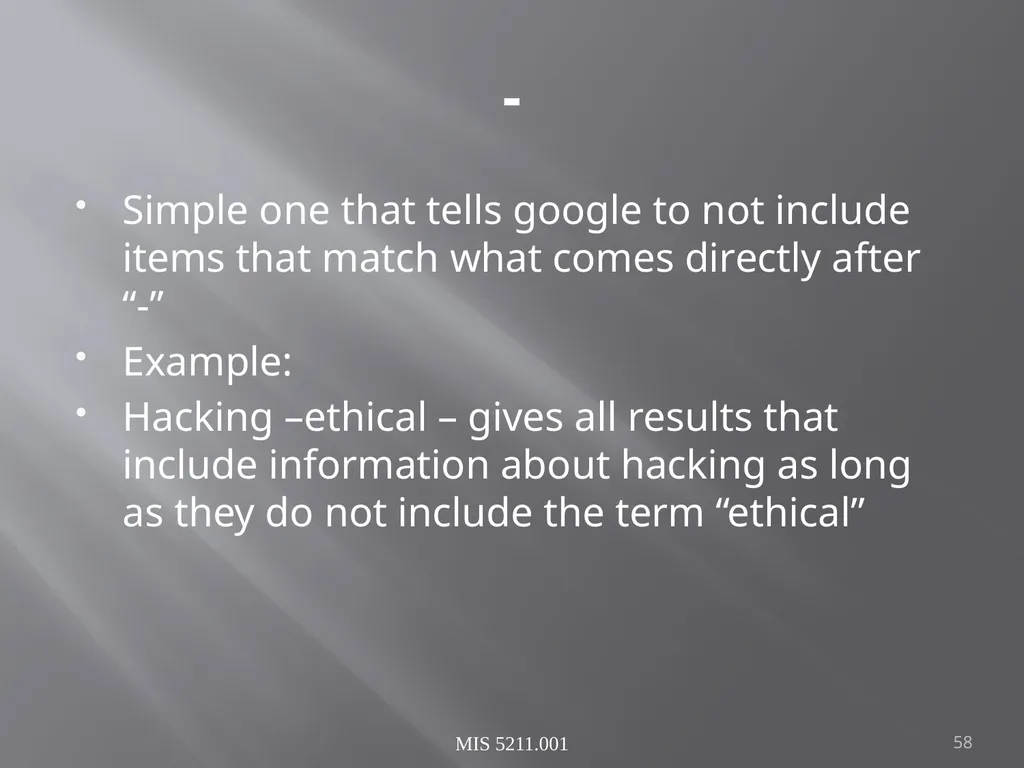
- Simple one that tells google to not include items that match what comes directly after “-”
Example:
Hacking –ethical – gives all results that include information about hacking as long as they do not include the term “ethical” MIS 5211.001 58<br>
Example:
Hacking –ethical – gives all results that include information about hacking as long as they do not include the term “ethical” MIS 5211.001 58<br>
59
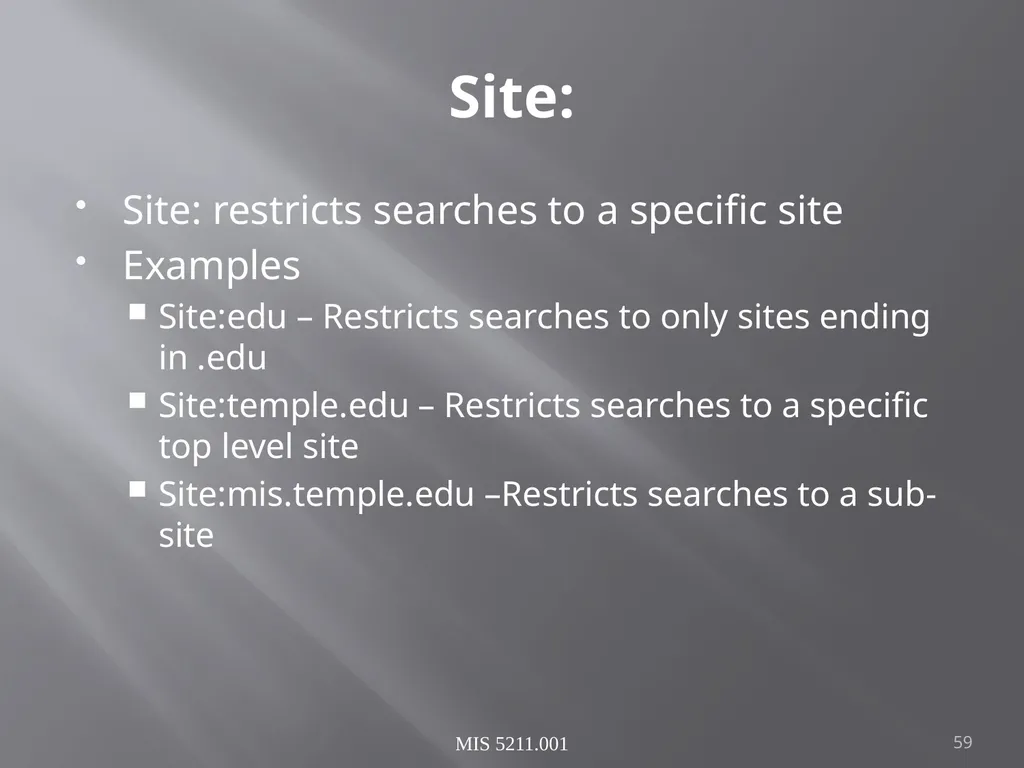
Site: Site: restricts searches to a specific site
Examples
Site:edu – Restricts searches to only sites ending in .edu
Site:temple.edu – Restricts searches to a specific top level site
Site:mis.temple.edu –Restricts searches to a sub-site MIS 5211.001 59<br>
Examples
Site:edu – Restricts searches to only sites ending in .edu
Site:temple.edu – Restricts searches to a specific top level site
Site:mis.temple.edu –Restricts searches to a sub-site MIS 5211.001 59<br>
60
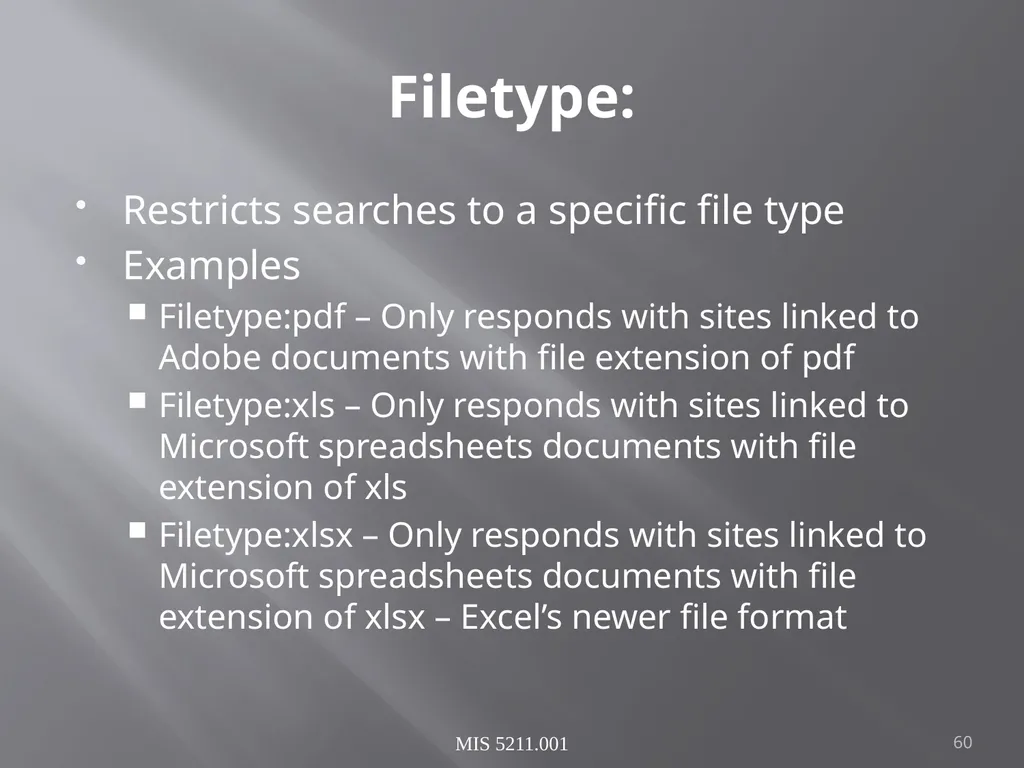
Filetype: Restricts searches to a specific file type
Examples
Filetype:pdf – Only responds with sites linked to Adobe documents with file extension of pdf
Filetype:xls – Only responds with sites linked to Microsoft spreadsheets documents with file extension of xls
Filetype:xlsx – Only responds with sites linked to Microsoft spreadsheets documents with file extension of xlsx – Excel’s newer file format MIS 5211.001 60<br>
Examples
Filetype:pdf – Only responds with sites linked to Adobe documents with file extension of pdf
Filetype:xls – Only responds with sites linked to Microsoft spreadsheets documents with file extension of xls
Filetype:xlsx – Only responds with sites linked to Microsoft spreadsheets documents with file extension of xlsx – Excel’s newer file format MIS 5211.001 60<br>
61
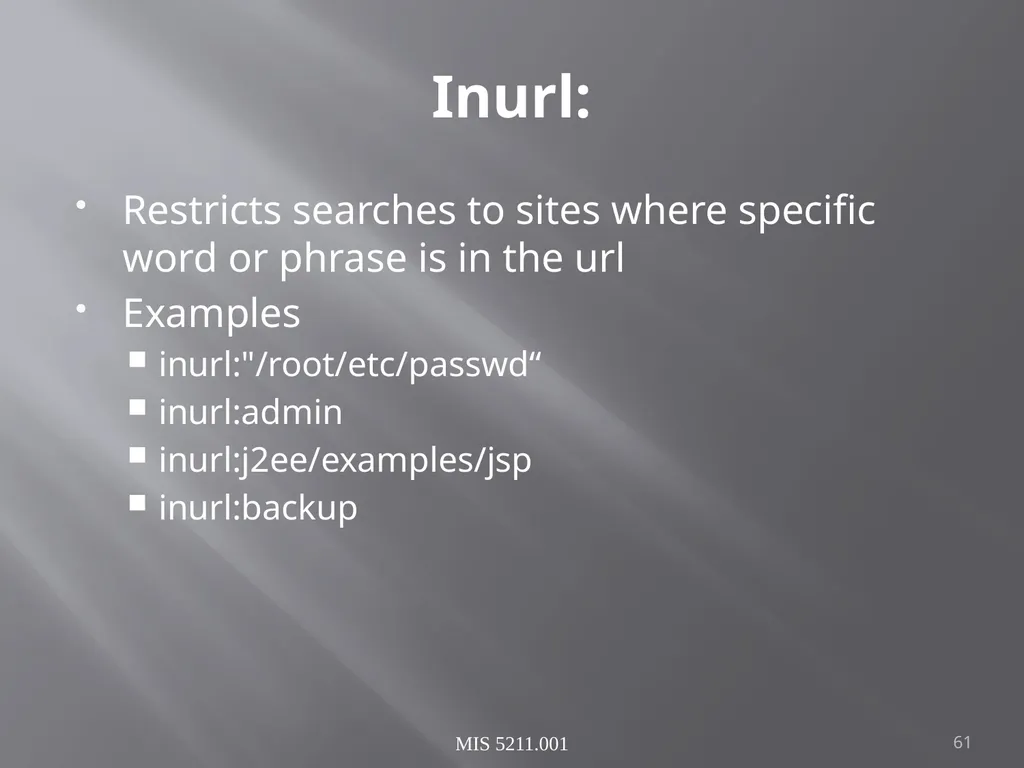
Inurl: Restricts searches to sites where specific word or phrase is in the url
Examples
inurl:"/root/etc/passwd“
inurl:admin
inurl:j2ee/examples/jsp
inurl:backup MIS 5211.001 61<br>
Examples
inurl:"/root/etc/passwd“
inurl:admin
inurl:j2ee/examples/jsp
inurl:backup MIS 5211.001 61<br>
62
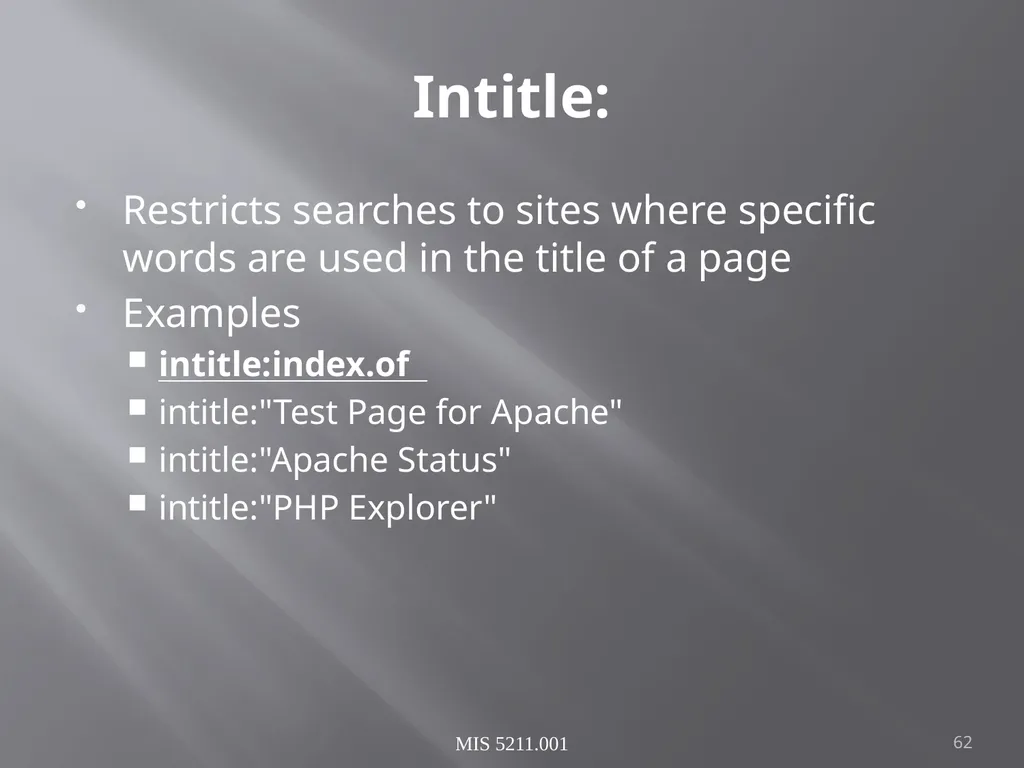
Intitle: Restricts searches to sites where specific words are used in the title of a page
Examples
intitle:index.of
intitle:"Test Page for Apache"
intitle:"Apache Status"
intitle:"PHP Explorer" MIS 5211.001 62<br>
Examples
intitle:index.of
intitle:"Test Page for Apache"
intitle:"Apache Status"
intitle:"PHP Explorer" MIS 5211.001 62<br>
63
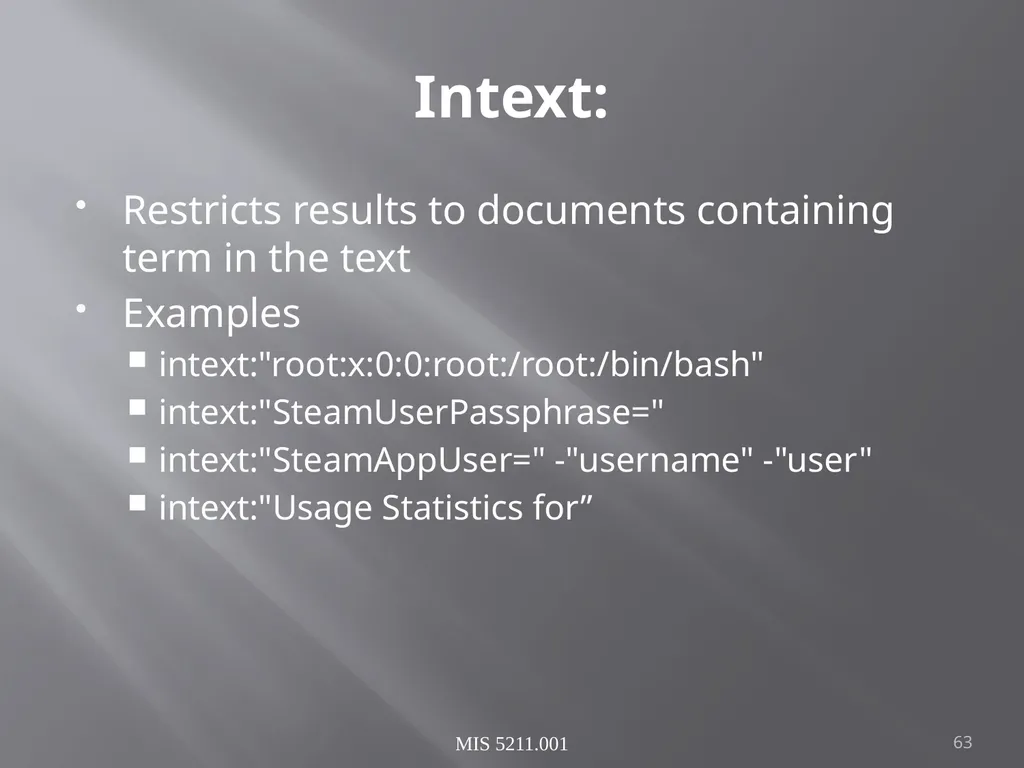
Intext: Restricts results to documents containing term in the text
Examples
intext:"root:x:0:0:root:/root:/bin/bash"
intext:"SteamUserPassphrase="
intext:"SteamAppUser=" -"username" -"user"
intext:"Usage Statistics for” MIS 5211.001 63<br>
Examples
intext:"root:x:0:0:root:/root:/bin/bash"
intext:"SteamUserPassphrase="
intext:"SteamAppUser=" -"username" -"user"
intext:"Usage Statistics for” MIS 5211.001 63<br>
64
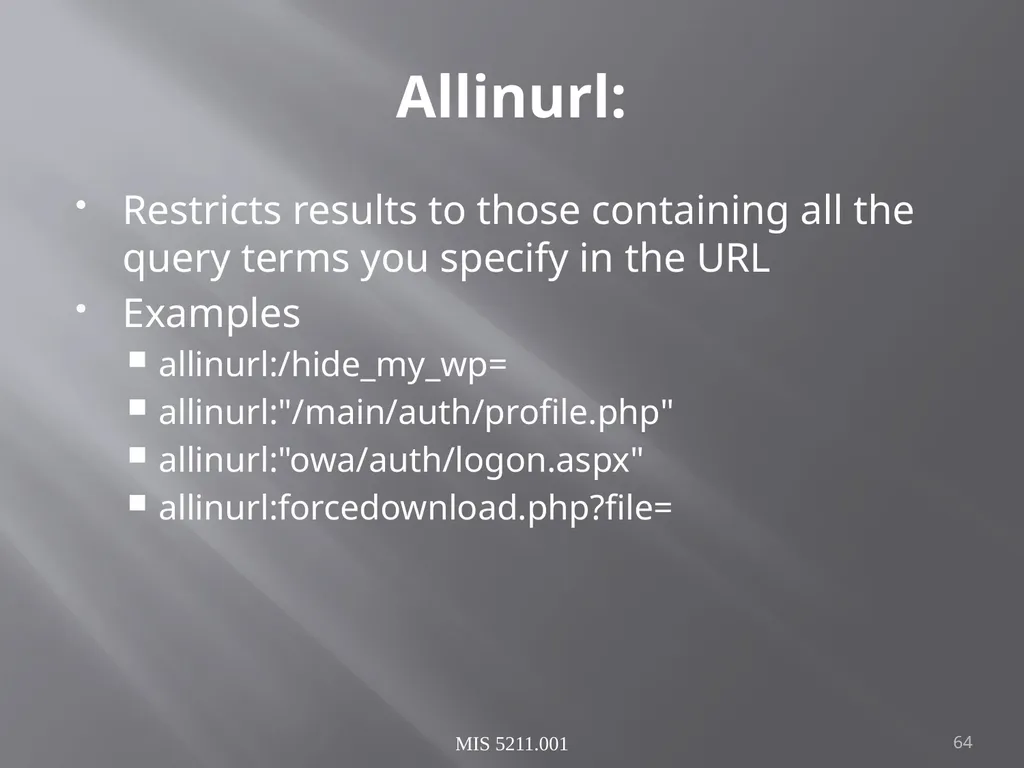
Allinurl: Restricts results to those containing all the query terms you specify in the URL
Examples
allinurl:/hide_my_wp=
allinurl:"/main/auth/profile.php"
allinurl:"owa/auth/logon.aspx"
allinurl:forcedownload.php?file= MIS 5211.001 64<br>
Examples
allinurl:/hide_my_wp=
allinurl:"/main/auth/profile.php"
allinurl:"owa/auth/logon.aspx"
allinurl:forcedownload.php?file= MIS 5211.001 64<br>
65
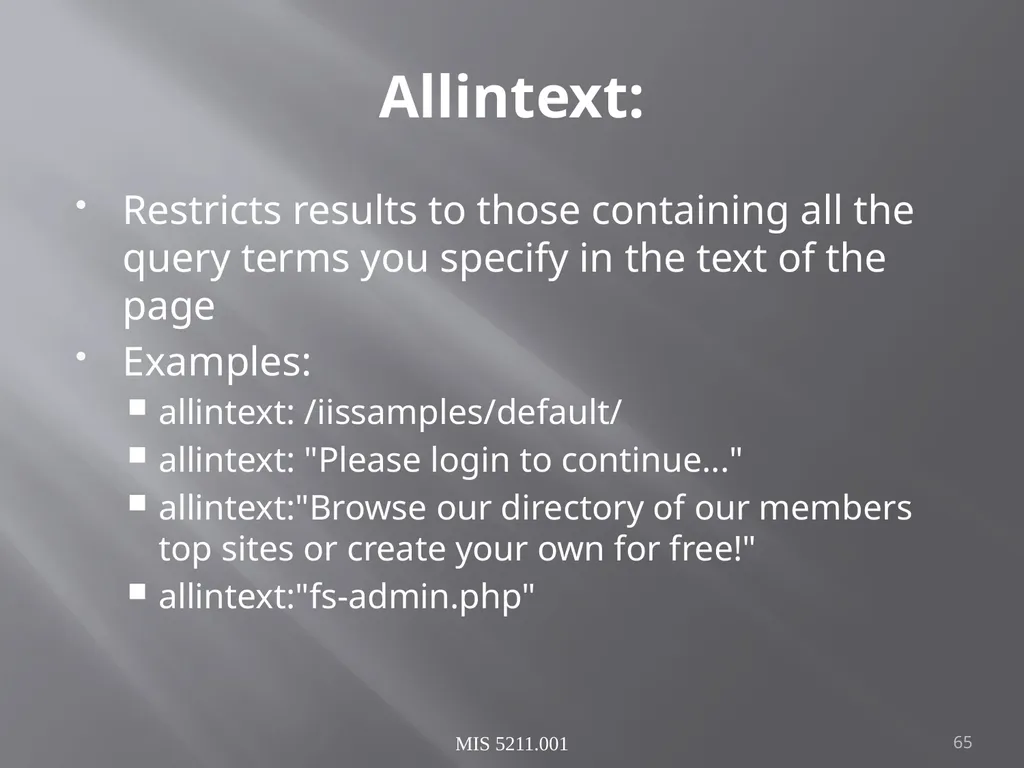
Allintext: Restricts results to those containing all the query terms you specify in the text of the page
Examples:
allintext: /iissamples/default/
allintext: "Please login to continue..."
allintext:"Browse our directory of our members top sites or create your own for free!"
allintext:"fs-admin.php" MIS 5211.001 65<br>
Examples:
allintext: /iissamples/default/
allintext: "Please login to continue..."
allintext:"Browse our directory of our members top sites or create your own for free!"
allintext:"fs-admin.php" MIS 5211.001 65<br>
66
Search Terms Key search terms
“index of /”
“Please re-enter your password it must match” MIS 5211.001 66<br>
“index of /”
“Please re-enter your password it must match” MIS 5211.001 66<br>
67
Google Hacking References GoogleGuide
http://www.googleguide.com/advanced_operators_reference.html
Exploit Database
http://www.exploit-db.com/
Wikipedia
http://en.wikipedia.org/wiki/Google_hacking
Google Hacking Volume 3
https://www.amazon.com/Google-Hacking-Penetration-Testers-Third/dp/0128029641/ref=dp_ob_title_bk MIS 5211.001 67<br>
http://www.googleguide.com/advanced_operators_reference.html
Exploit Database
http://www.exploit-db.com/
Wikipedia
http://en.wikipedia.org/wiki/Google_hacking
Google Hacking Volume 3
https://www.amazon.com/Google-Hacking-Penetration-Testers-Third/dp/0128029641/ref=dp_ob_title_bk MIS 5211.001 67<br>
68
Questions ? 68<br>
69
Next Week Reconnasaince MIS 5212.001 69<br>
70
Linux What is Linux
Open source operating system
Many similarities with UNIX
Why do we care
Some tools only available in Linux
Some tools work better in Linux
Best open source attack suites are built on Linux
Kali
Samurai WTF (Web Testing Framework)
SIFT (SANS Investigative Forensic Toolkit) 70<br>
Open source operating system
Many similarities with UNIX
Why do we care
Some tools only available in Linux
Some tools work better in Linux
Best open source attack suites are built on Linux
Kali
Samurai WTF (Web Testing Framework)
SIFT (SANS Investigative Forensic Toolkit) 70<br>
71
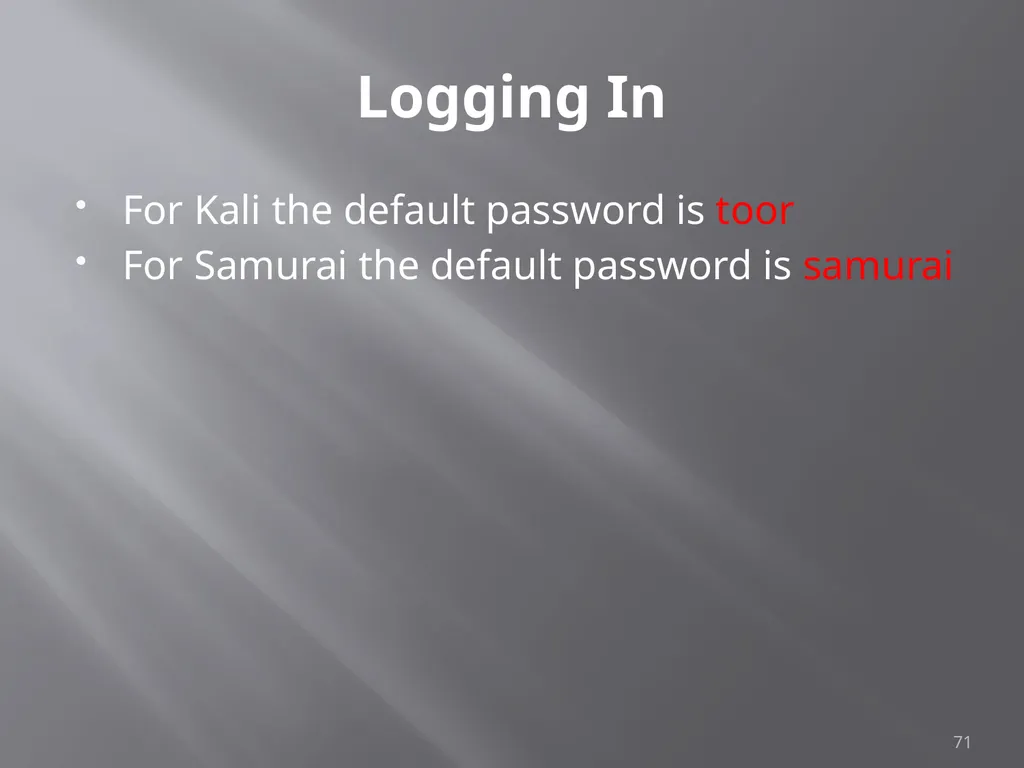
Logging In For Kali the default password is toor
For Samurai the default password is samurai 71<br>
For Samurai the default password is samurai 71<br>
72
root “root” is the base admin account on a Linux system.
Should not be used for routine operations 72<br>
Should not be used for routine operations 72<br>
73
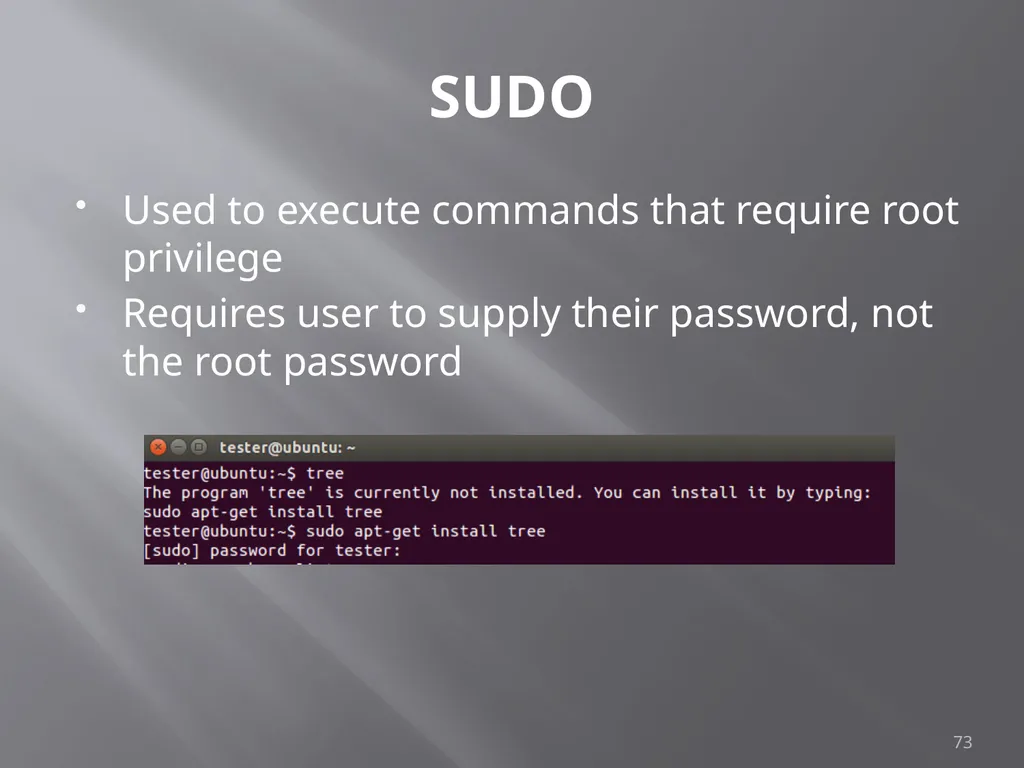
SUDO Used to execute commands that require root privilege
Requires user to supply their password, not the root password 73<br>
Requires user to supply their password, not the root password 73<br>
74
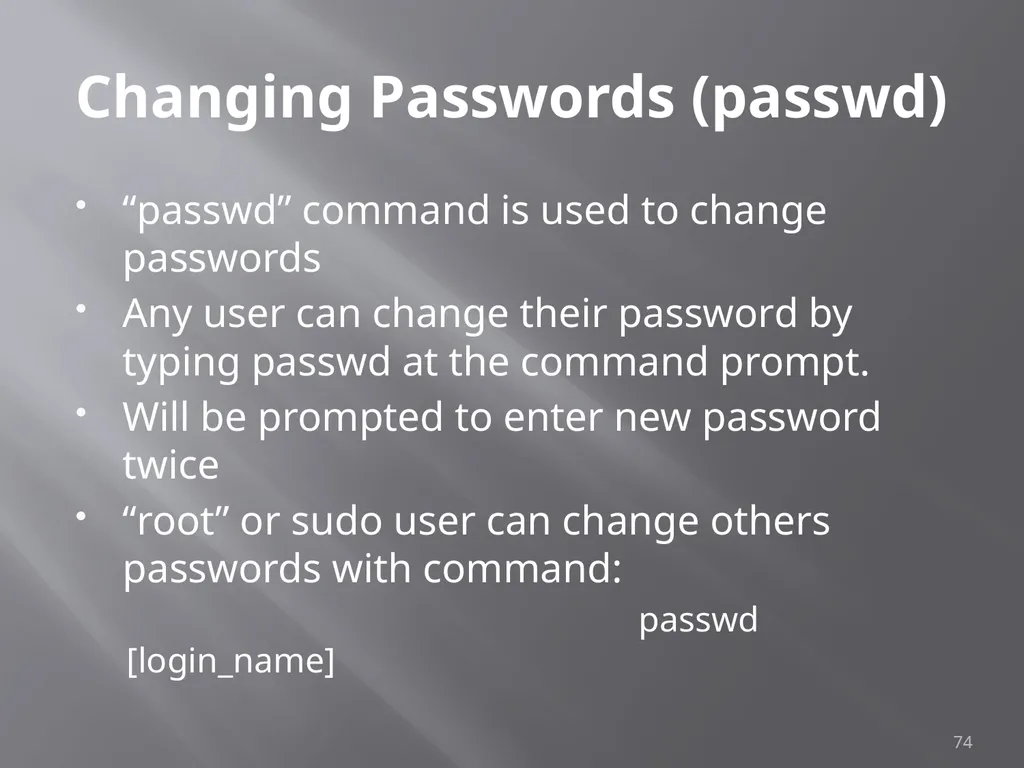
Changing Passwords (passwd) “passwd” command is used to change passwords
Any user can change their password by typing passwd at the command prompt.
Will be prompted to enter new password twice
“root” or sudo user can change others passwords with command:
passwd [login_name] 74<br>
Any user can change their password by typing passwd at the command prompt.
Will be prompted to enter new password twice
“root” or sudo user can change others passwords with command:
passwd [login_name] 74<br>
75
Changing Accounts “su” command allows you to jump to another user account (with appropriate password of course)
“whoami” command tells you who you are logged in as 75<br>
“whoami” command tells you who you are logged in as 75<br>
76
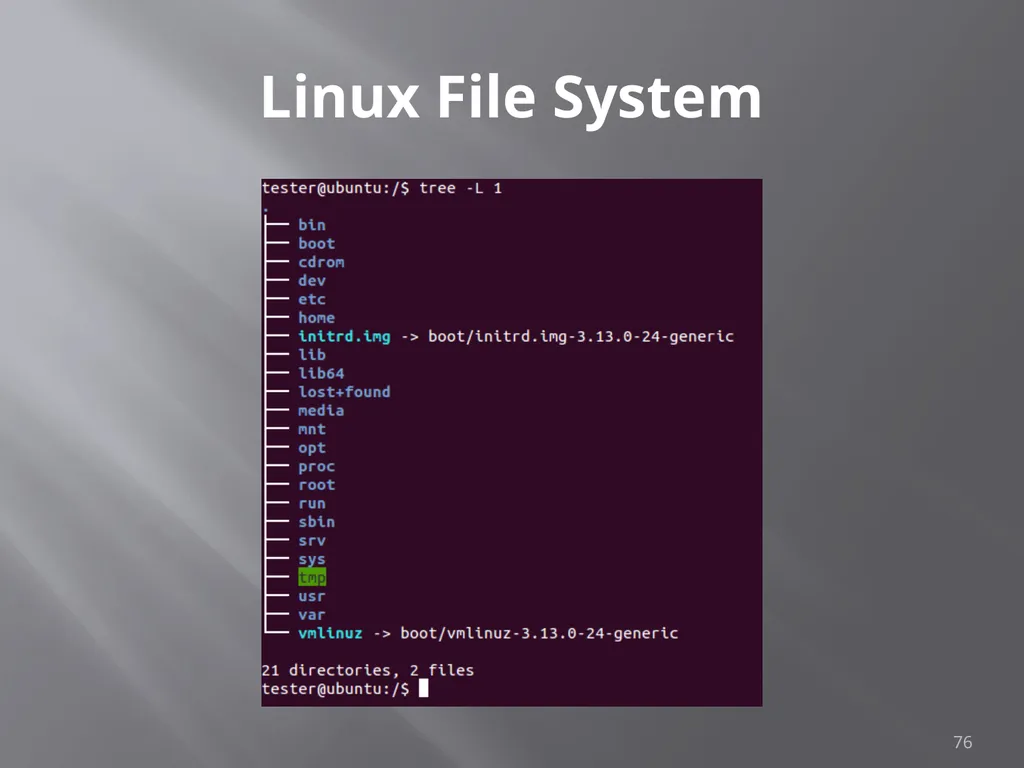
Linux File System 76<br>
77
Navigating File System Command cd [directory_name] changes directory
Command cd.. Moves up one level
Command pwd tells you were you are
Command cd by itself takes you to your home directory 77<br>
Command cd.. Moves up one level
Command pwd tells you were you are
Command cd by itself takes you to your home directory 77<br>
78
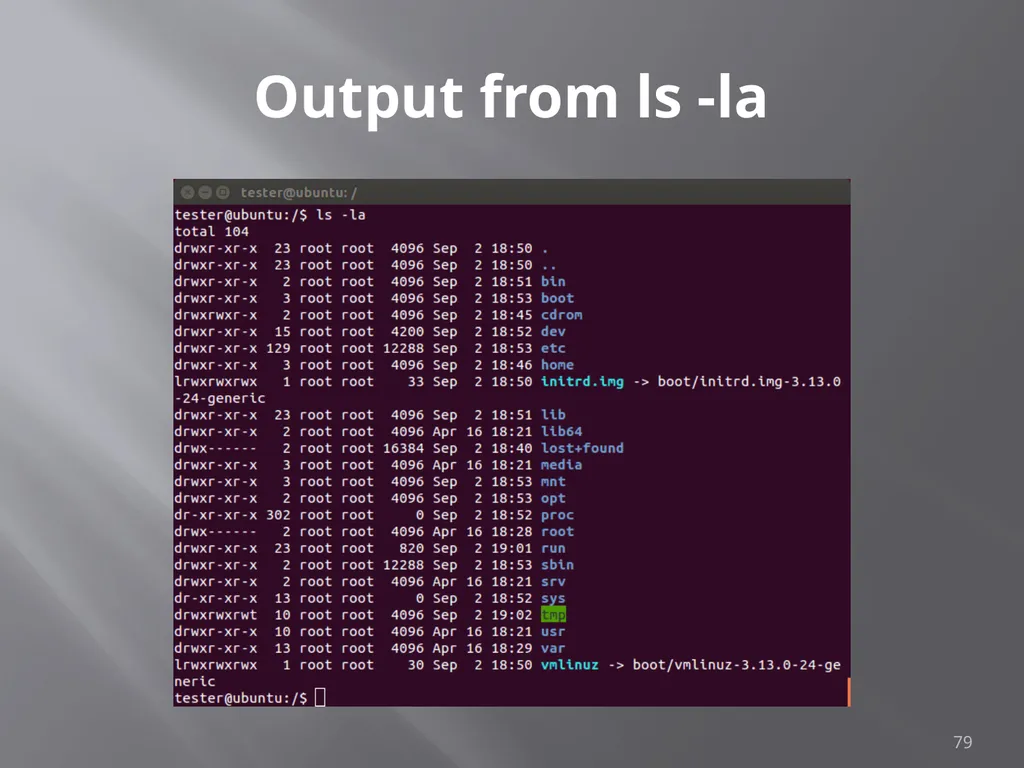
Viewing Directories Command ls lists directory content
Flags
-l – details including permissions
-a – shows all files
When in doubt use command “man ls”, this gives you the manual or man page for the command 78<br>
Flags
-l – details including permissions
-a – shows all files
When in doubt use command “man ls”, this gives you the manual or man page for the command 78<br>
79
Output from ls -la 79<br>
80
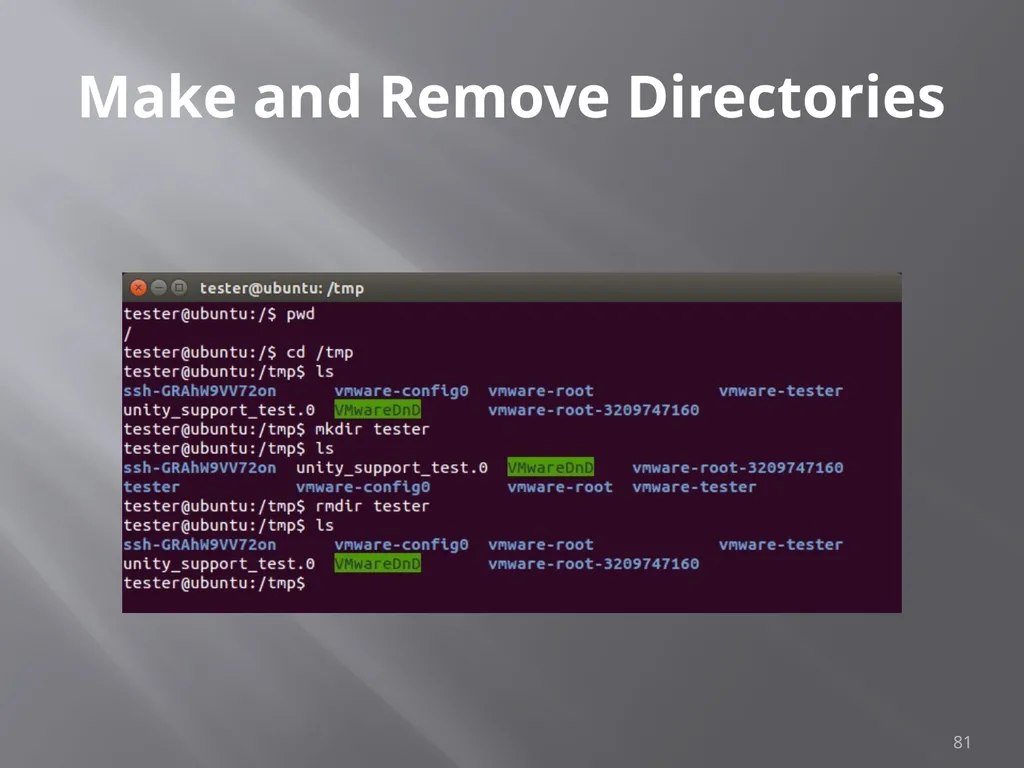
Make and Remove Directories Command mkdir creates directory
As before man mkdir gives you the manual
Command rmdir removes directory 80<br>
As before man mkdir gives you the manual
Command rmdir removes directory 80<br>
81
Make and Remove Directories 81<br>
82
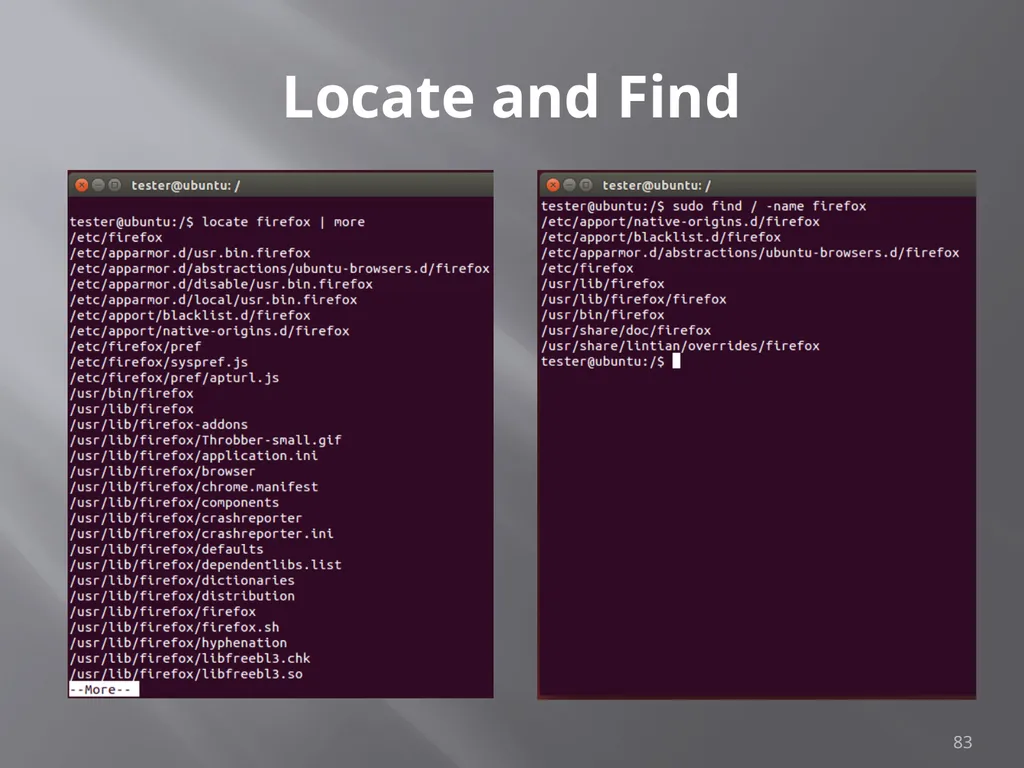
Locate and Find Command locate checks an index on system to look for common items
Command find searches file system
On my test implementation, find required sudo privileges 82<br>
Command find searches file system
On my test implementation, find required sudo privileges 82<br>
83
Locate and Find 83<br>
84
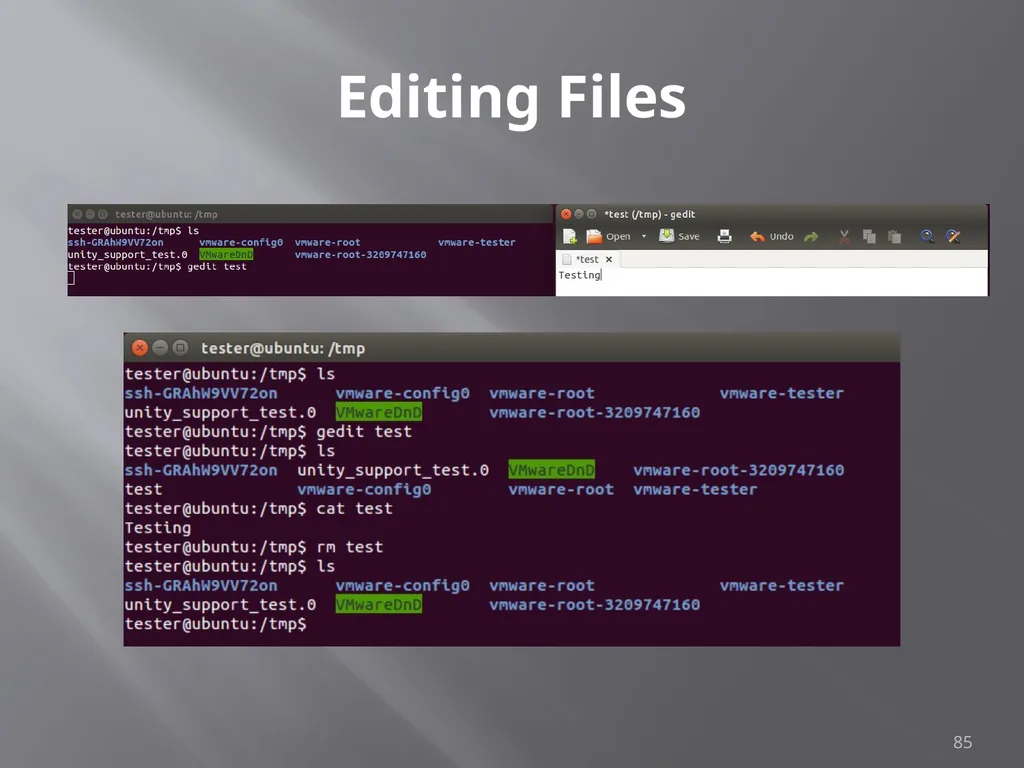
Editing Files Lots of choices, lets keep it simple
Command gedit opens a text editor
Command gedit test opens an existing file named test. If no such file exists, the file is created
Edit as wish, save when done 84<br>
Command gedit opens a text editor
Command gedit test opens an existing file named test. If no such file exists, the file is created
Edit as wish, save when done 84<br>
85
Editing Files 85<br>
86
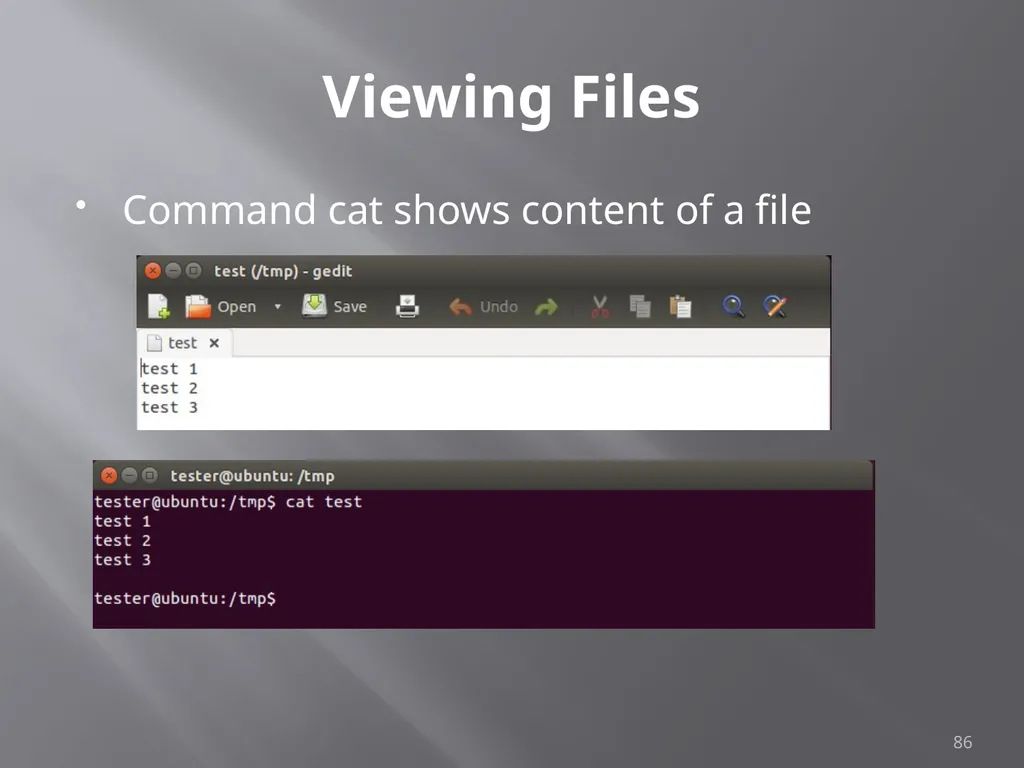
Viewing Files Command cat shows content of a file 86<br>
87
Looking at Output Output often larger then screen
Commands less and more
Work similarly
less requires you hit q when done to return to command prompt
more dumps to command prompt when last screen is completed 87<br>
Commands less and more
Work similarly
less requires you hit q when done to return to command prompt
more dumps to command prompt when last screen is completed 87<br>
88
Miscellaneous Commands Command ps shows running processes
Lots of switches to refine results
Command CTRL-z interrupts running com
Command bg restores interrupted command to run in background
Command & tells job to run in background from the beginning
Command jobs shows jobs running
Command fg moves job to foreground 88<br>
Lots of switches to refine results
Command CTRL-z interrupts running com
Command bg restores interrupted command to run in background
Command & tells job to run in background from the beginning
Command jobs shows jobs running
Command fg moves job to foreground 88<br>
89
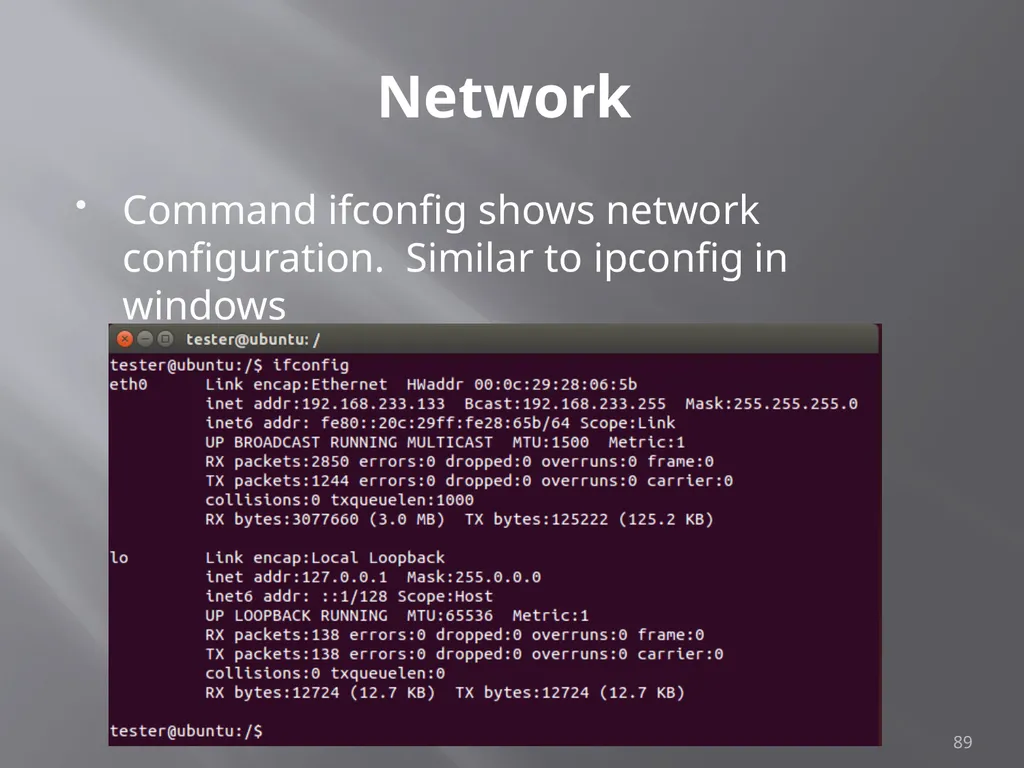
Network Command ifconfig shows network configuration. Similar to ipconfig in windows 89<br>
90
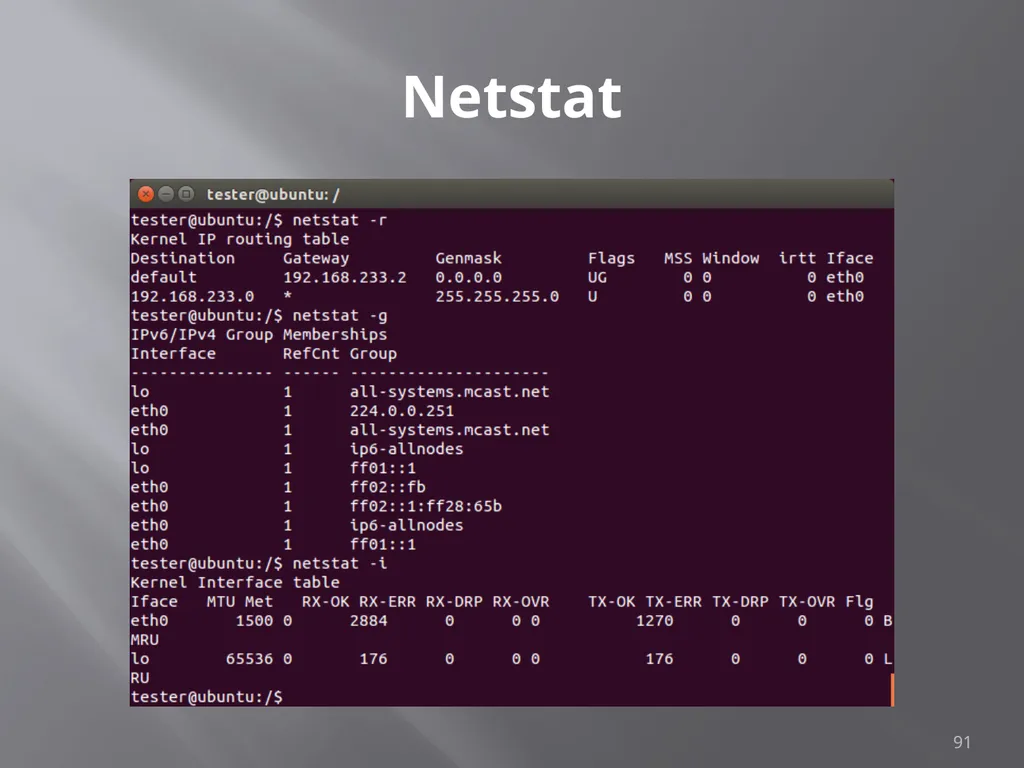
Netstat Netstat prints information about the Linux networking subsystem. The type of information printed is controlled by the first argument, as follows:
(none) – By default, netstat displays a list of open sockets. If you don't specify any address families, then the active sockets of all configured address families will be printed.
--route , -r – Display the kernel routing tables. See the description in route(8) for details. netstat -r and route -e produce the same output.
--groups , -g – Display multicast group membership information for IPv4 and IPv6.
--interfaces, -I – Display a table of all network interfaces.
--masquerade , -M – Display a list of masqueraded connections.
--statistics , -s – Display summary statistics for each protocol. 90<br>
(none) – By default, netstat displays a list of open sockets. If you don't specify any address families, then the active sockets of all configured address families will be printed.
--route , -r – Display the kernel routing tables. See the description in route(8) for details. netstat -r and route -e produce the same output.
--groups , -g – Display multicast group membership information for IPv4 and IPv6.
--interfaces, -I – Display a table of all network interfaces.
--masquerade , -M – Display a list of masqueraded connections.
--statistics , -s – Display summary statistics for each protocol. 90<br>
91
Netstat 91<br>
92
grep grep searches the named input FILEs for lines containing a match to the given PATTERN. By default, grep prints the matching 92<br>
93
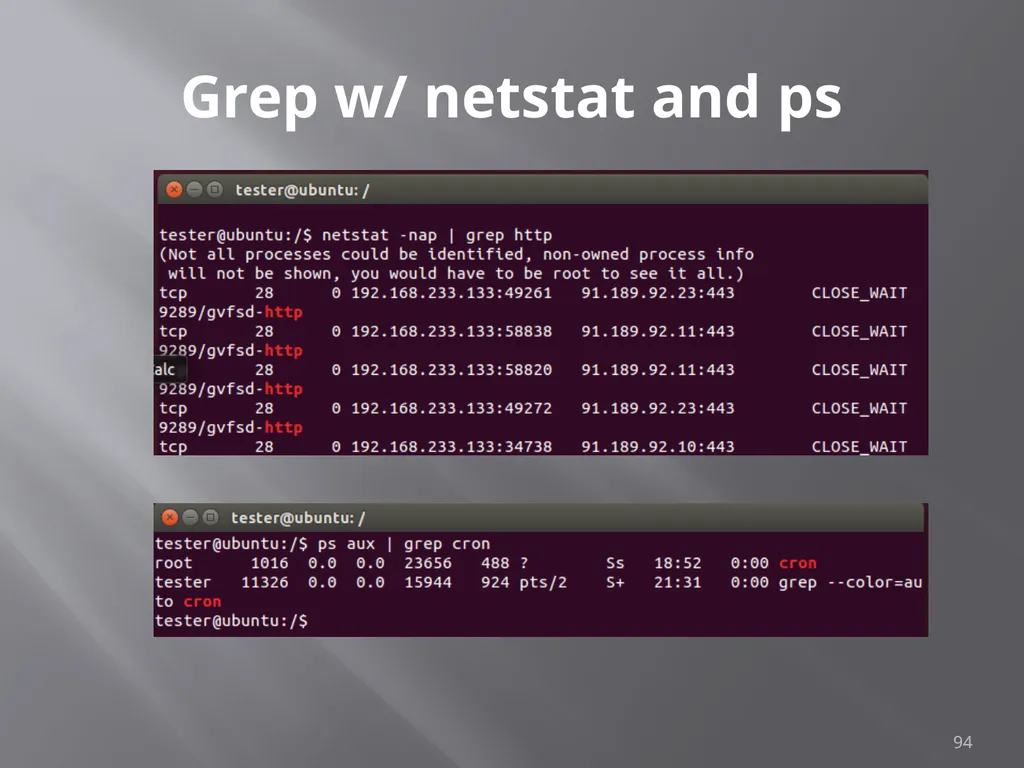
Grep w/ netstat and ps Try grep with netstat to see what is using http
netstat -nap | grep http
Try grep with ps to see if cron is running
ps aux | grep cron 93<br>
netstat -nap | grep http
Try grep with ps to see if cron is running
ps aux | grep cron 93<br>
94
Grep w/ netstat and ps 94<br>
95
Going Further Get VMWare and a Linux ISO
Kali
http://www.kali.org/downloads/
Ubuntu
http://www.ubuntu.com/download/desktop
Samurai
http://www.samurai-wtf.org
Give it a try
All examples here where created in a clean, plain vanilla Ubuntu install 95<br>
Kali
http://www.kali.org/downloads/
Ubuntu
http://www.ubuntu.com/download/desktop
Samurai
http://www.samurai-wtf.org
Give it a try
All examples here where created in a clean, plain vanilla Ubuntu install 95<br>