
1 Chapter 10 Objects and Classes CS1: Java

Description: 1 Chapter 10 Objects and Classes CS1: Java Programming Colorado State University Original slides by Daniel Liang Modified slides by Kris Brown 2 Motivations Suppose you want to develop a graphical user interface as shown below. How do you
Related Topics
Download Presentation
"1 Chapter 10 Objects and Classes CS1: Java" is the property of its rightful owner. Permission is granted to download and print the materials on this website for personal, non-commercial use only, and to display it on your personal computer provided you do not modify the materials and that you retain all copyright notices contained in the materials. By downloading content from our website, you accept the terms of this agreement.
Presentation Transcript
slide1. 1 Chapter 10 Objects and Classes CS1: Java Programming
Colorado State University
Original slides by Daniel Liang
Modified slides by Kris Brown<br>
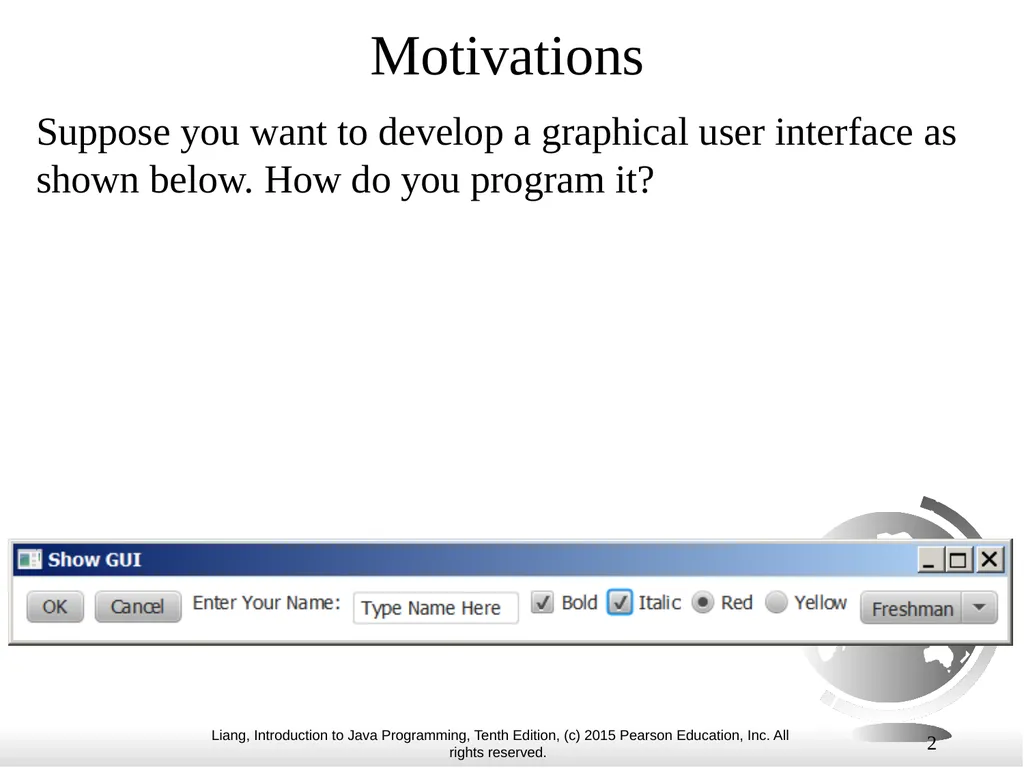
slide2. 2 Motivations Suppose you want to develop a graphical user interface as shown below. How do you program it?<br>
slide3. 3 OO Programming Concepts Object-oriented programming (OOP) involves programming using objects.
An object represents an entity in the real world that can be distinctly identified.
For example, a student, a desk, a circle, a button, and even a loan can all be viewed as objects.<br>
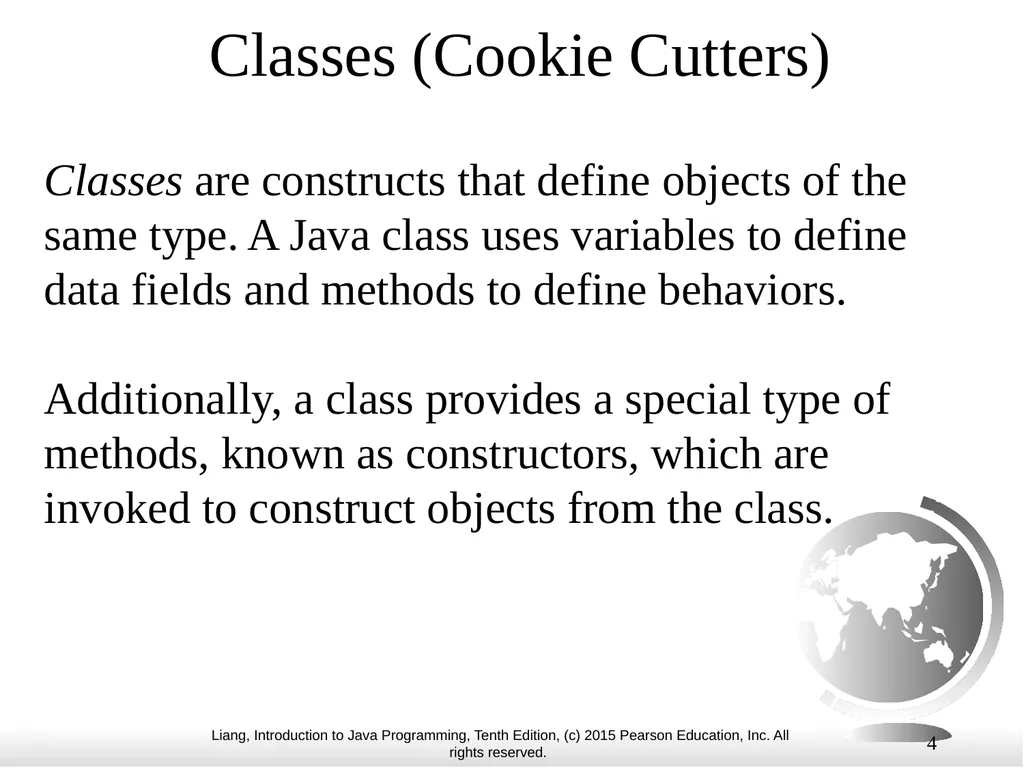
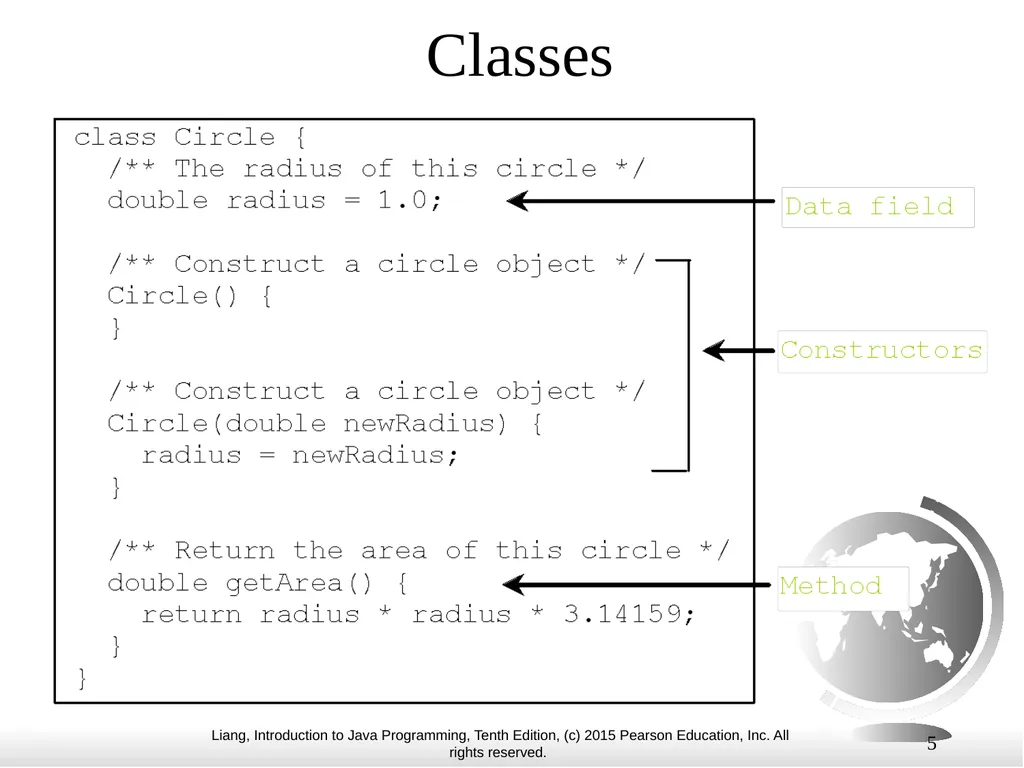
slide4. 4 Classes (Cookie Cutters) Classes are constructs that define objects of the same type. A Java class uses variables to define data fields and methods to define behaviors.
Additionally, a class provides a special type of methods, known as constructors, which are invoked to construct objects from the class.<br>
slide5. 5 Classes<br>
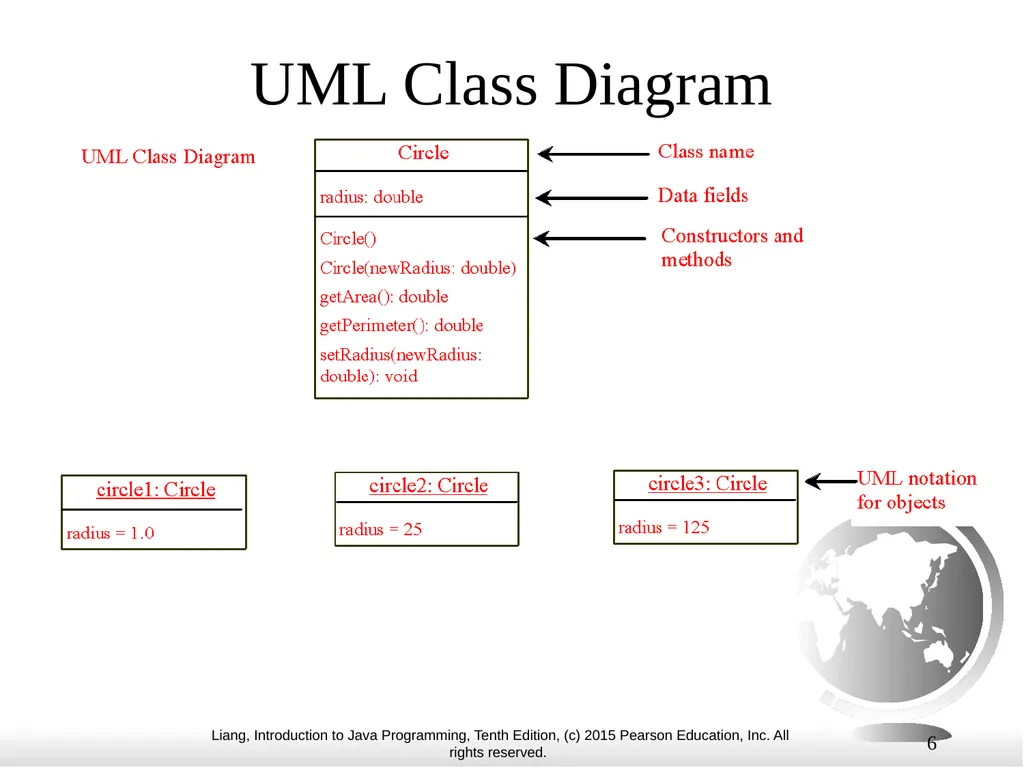
slide6. 6 UML Class Diagram<br>
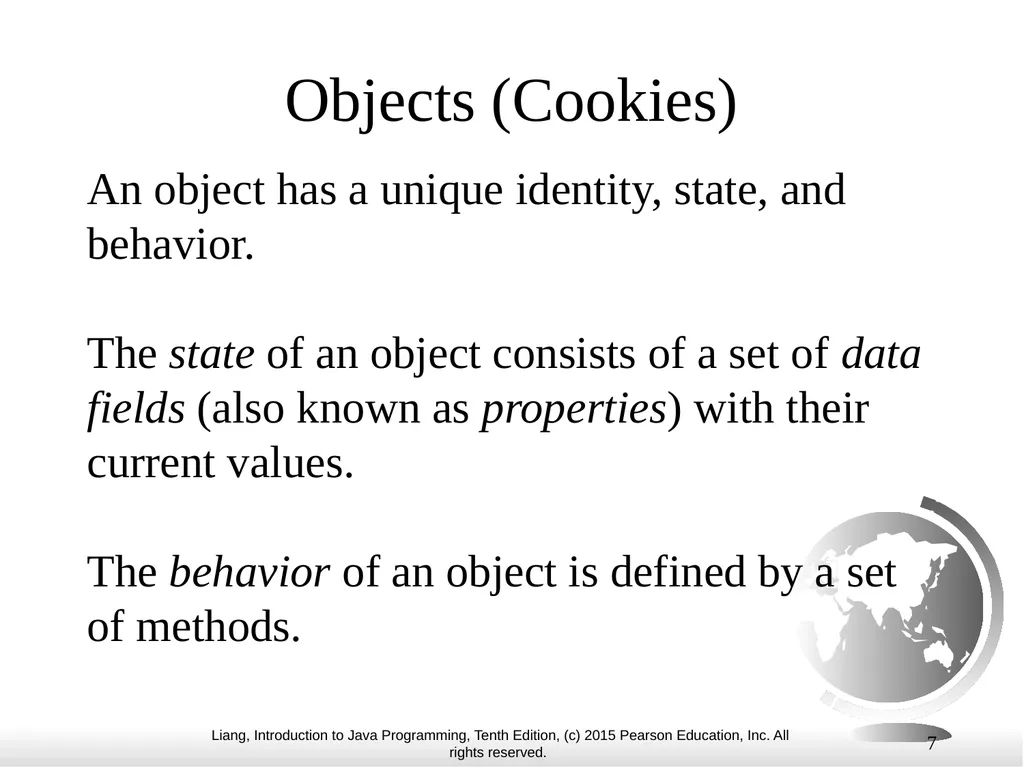
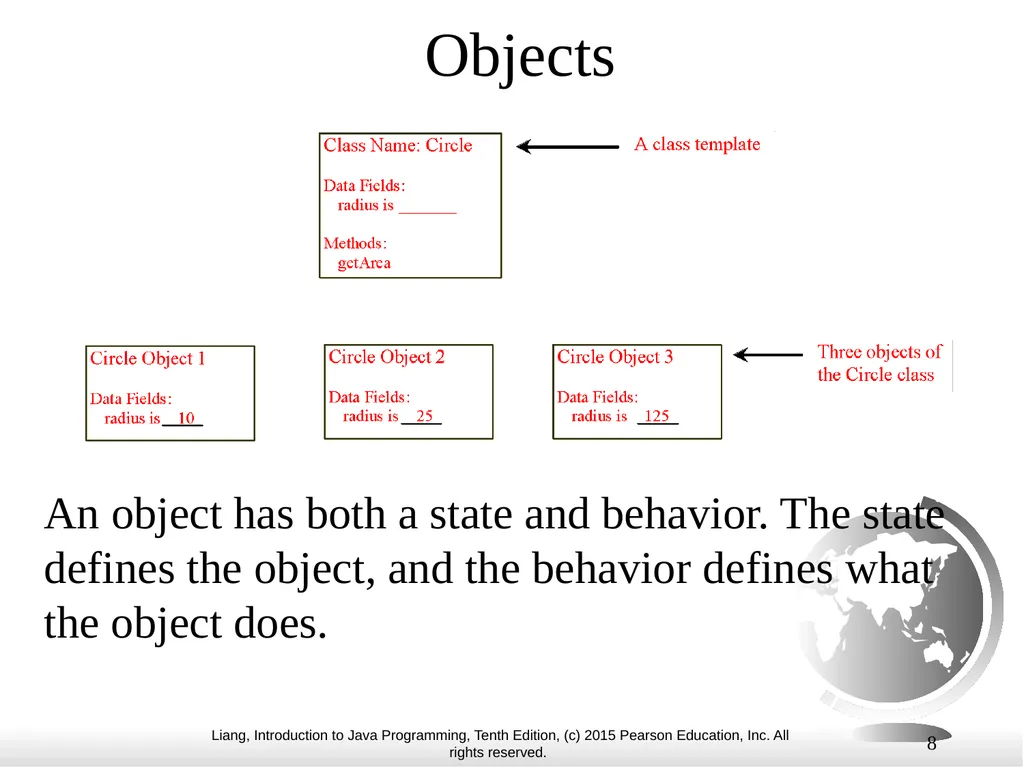
slide7. Objects (Cookies) An object has a unique identity, state, and behavior.
The state of an object consists of a set of data fields (also known as properties) with their current values.
The behavior of an object is defined by a set of methods. 7<br>
slide8. 8 Objects An object has both a state and behavior. The state defines the object, and the behavior defines what the object does.<br>
slide9. Your turn! Write 1 class describing something in the classroom
Write 1 class describing something on campus 9<br>
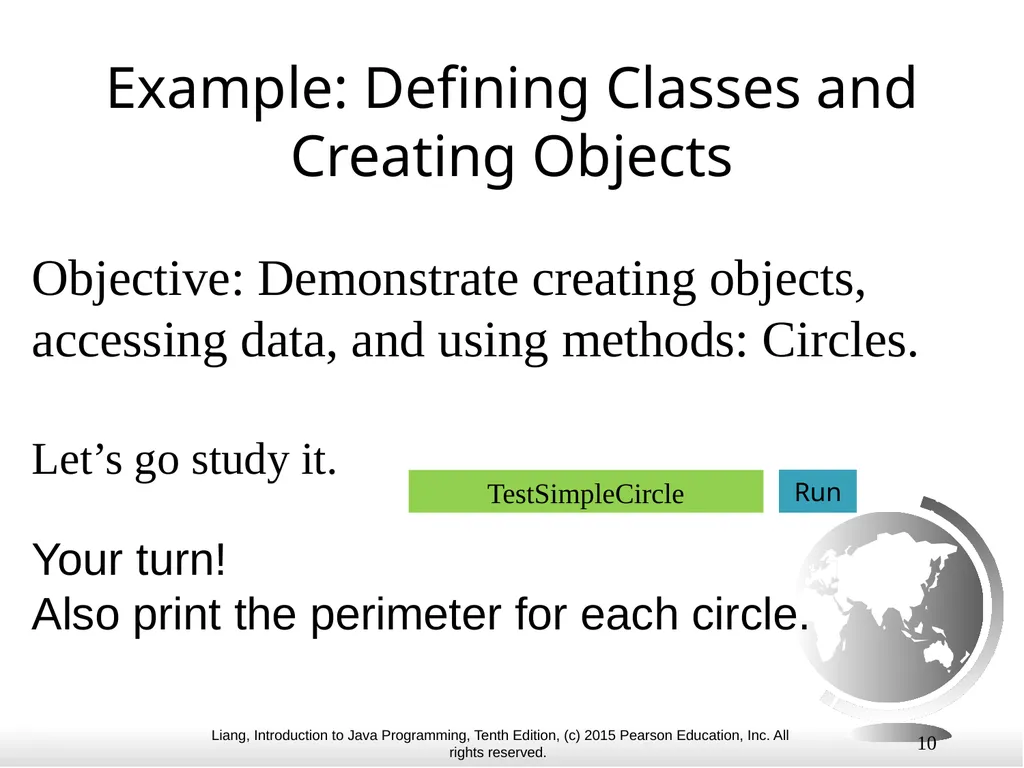
slide10. 10 Example: Defining Classes and Creating Objects Objective: Demonstrate creating objects, accessing data, and using methods: Circles.
Let’s go study it. Your turn!
Also print the perimeter for each circle. TestSimpleCircle Run<br>
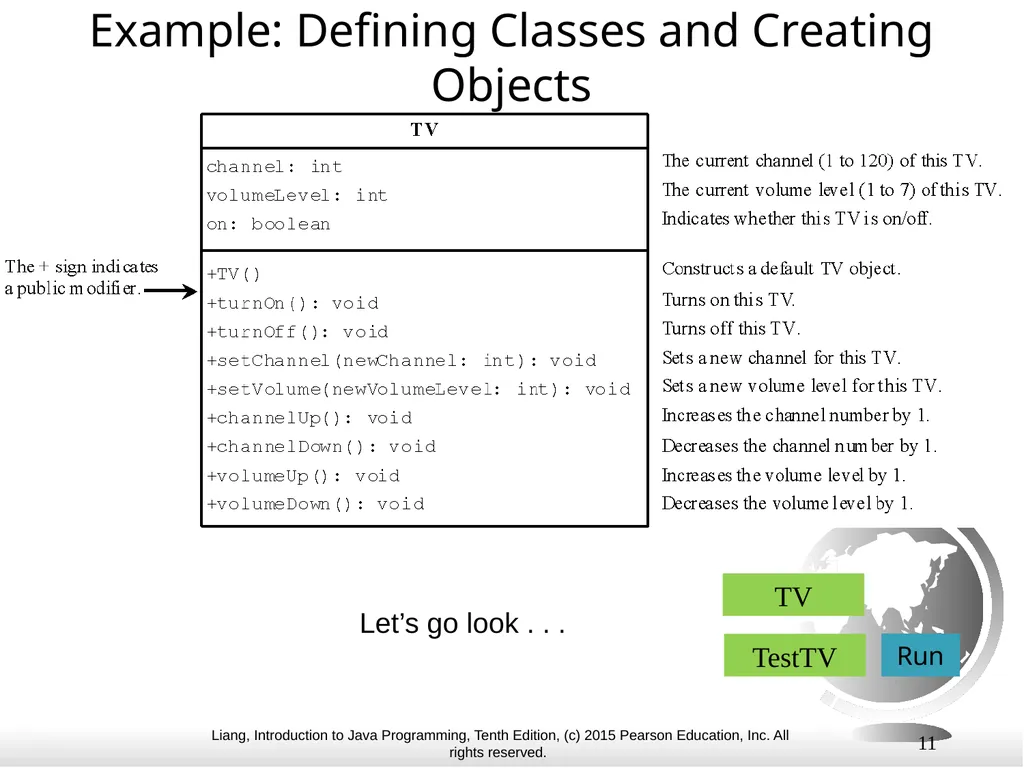
slide11. 11 Example: Defining Classes and Creating Objects Let’s go look . . . TV Run TestTV<br>
slide12. Lecture 2 12<br>
slide13. 13 Constructors, cont. A constructor with no parameters is referred to as a no-arg constructor or default constructor.
· Constructors must have the same name as the class itself.
· Constructors do not have a return type—not even void.
· Constructors are invoked using the new operator when an object is created. Constructors play the role of initializing objects.<br>
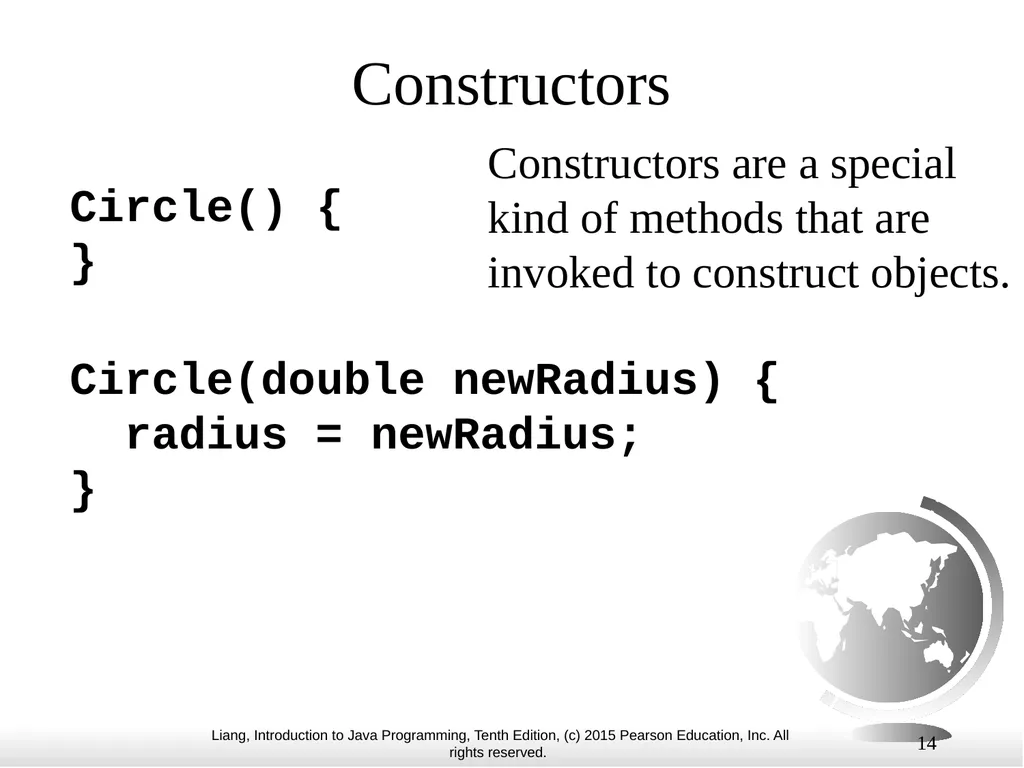
slide14. 14 Constructors Circle() {
}
Circle(double newRadius) {
radius = newRadius;
} Constructors are a special kind of methods that are invoked to construct objects.<br>
slide15. 15 Default Constructor A class may be defined without constructors. In this case, a no-arg constructor with an empty body is implicitly defined in the class. This constructor, called a default constructor, is provided automatically only if no constructors are explicitly defined in the class.<br>
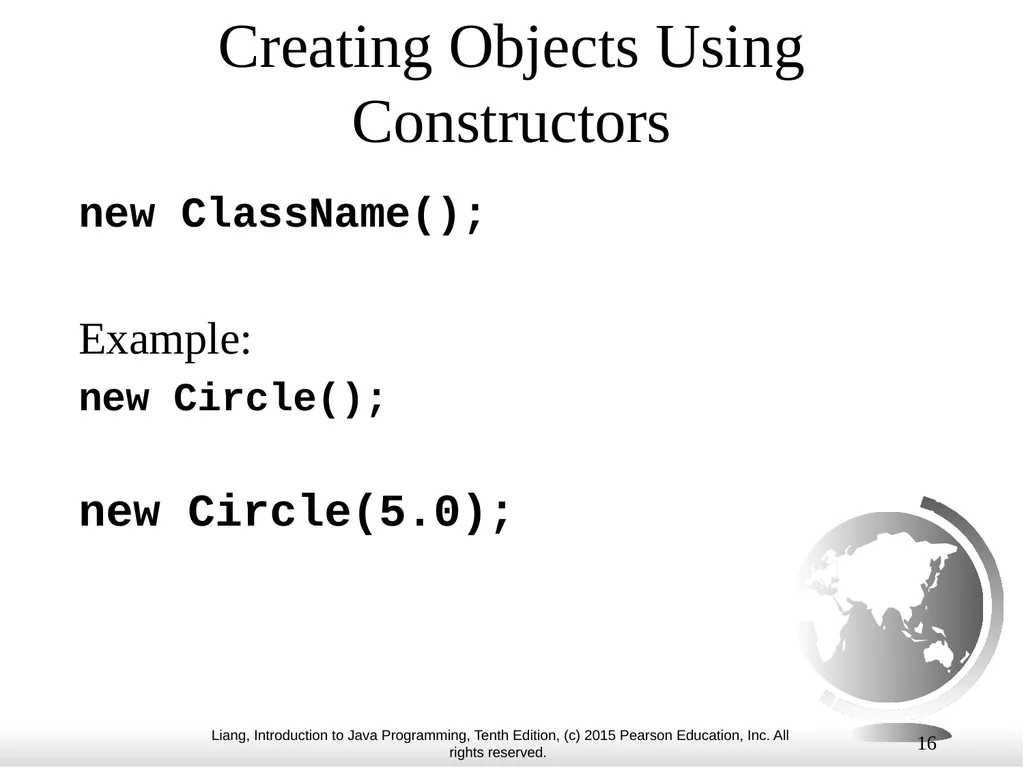
slide16. 16 Creating Objects Using Constructors new ClassName();
Example:
new Circle();
new Circle(5.0);<br>
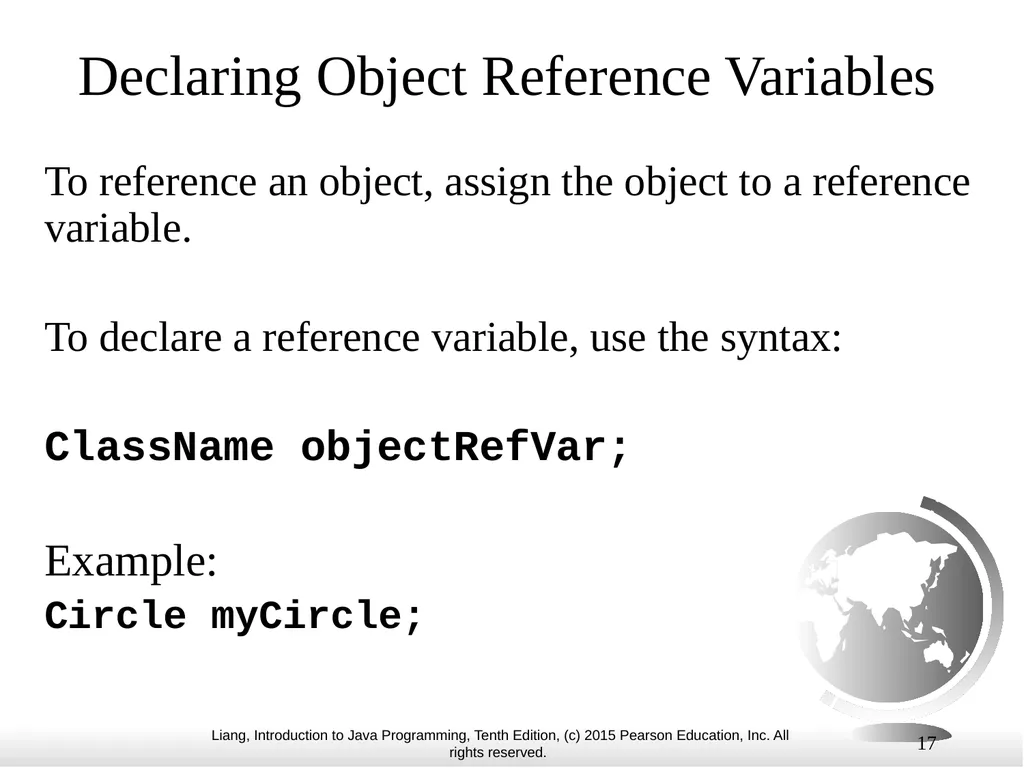
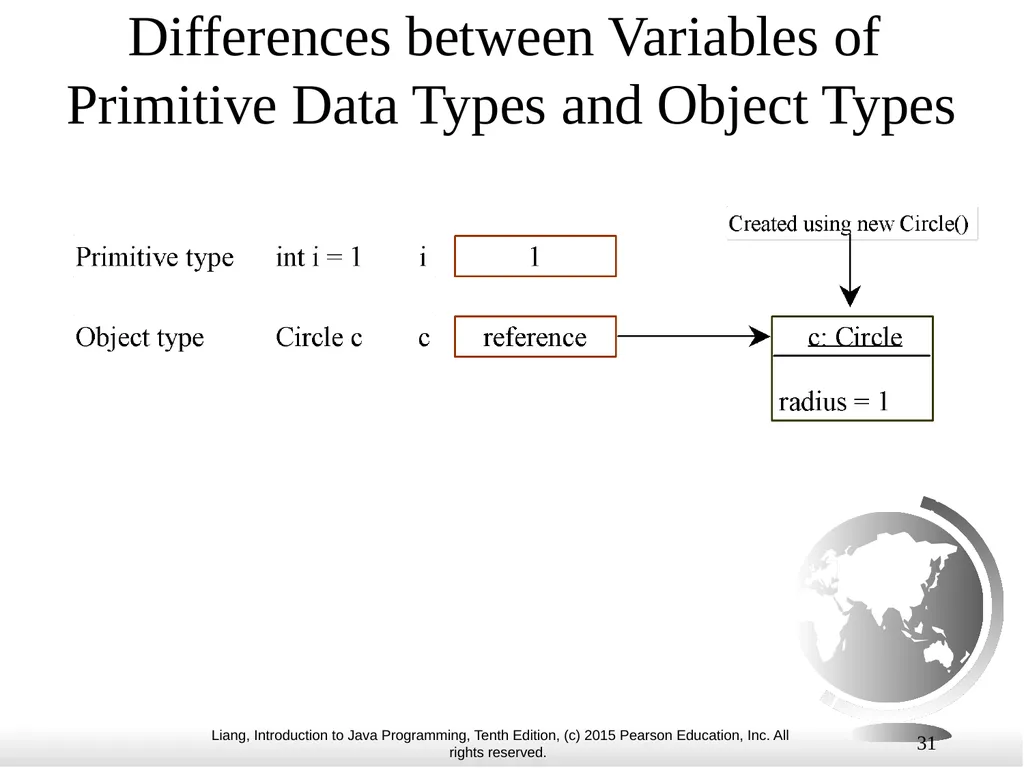
slide17. 17 Declaring Object Reference Variables To reference an object, assign the object to a reference variable.
To declare a reference variable, use the syntax:
ClassName objectRefVar;
Example:
Circle myCircle;<br>
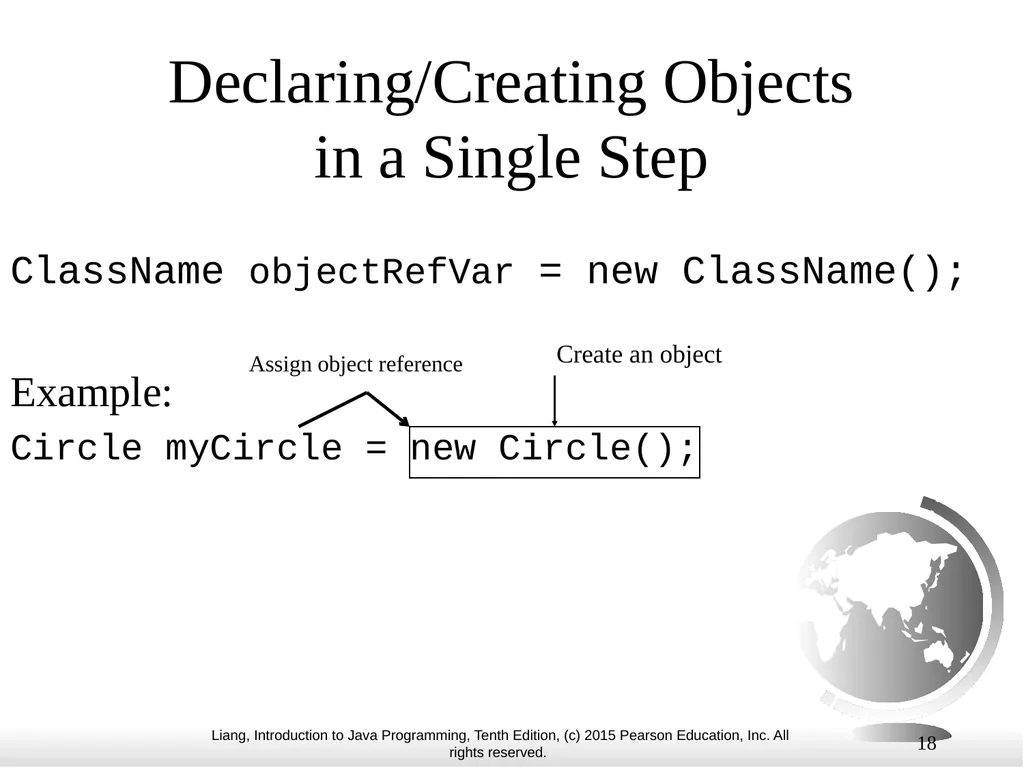
slide18. 18 Declaring/Creating Objects in a Single Step ClassName objectRefVar = new ClassName();
Example:
Circle myCircle = new Circle(); Create an object Assign object reference<br>
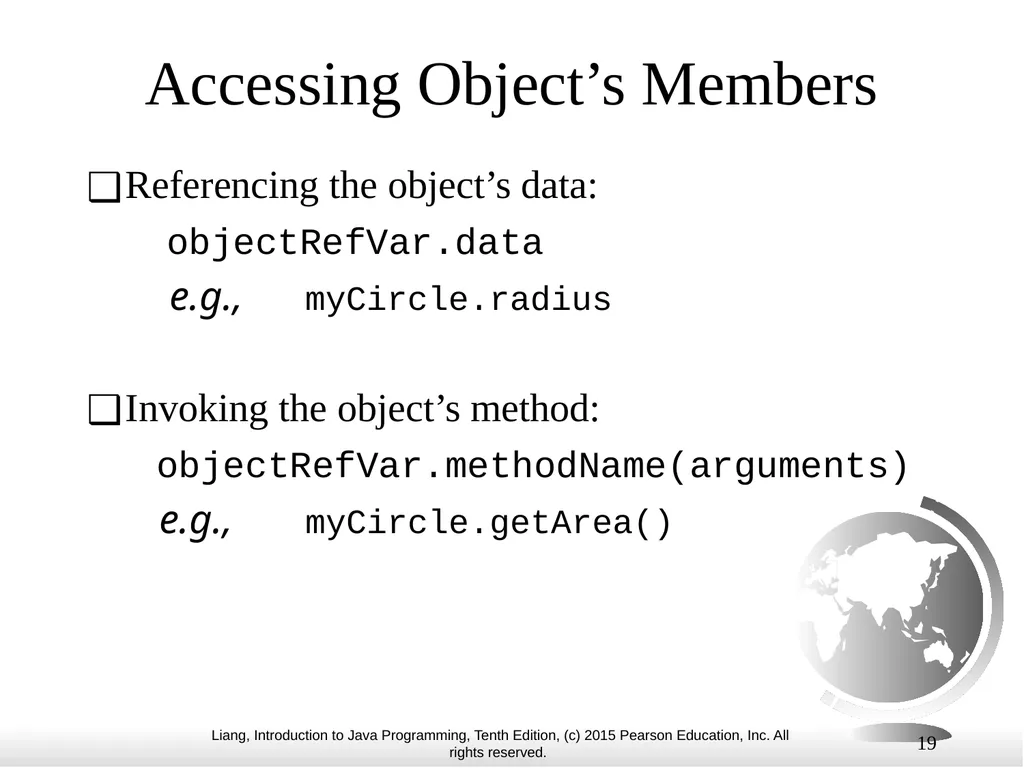
slide19. 19 Accessing Object’s Members Referencing the object’s data:
objectRefVar.data
e.g., myCircle.radius
Invoking the object’s method:
objectRefVar.methodName(arguments)
e.g., myCircle.getArea()<br>
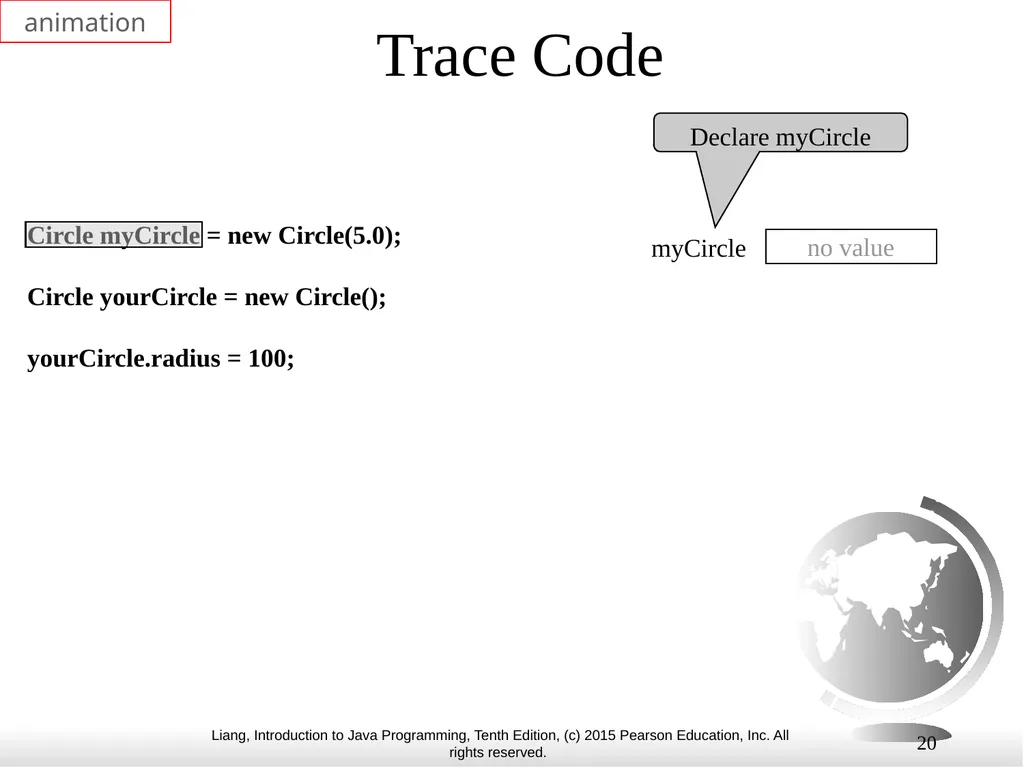
slide20. 20 Trace Code Circle myCircle = new Circle(5.0);
Circle yourCircle = new Circle();
yourCircle.radius = 100; Declare myCircle no value myCircle animation<br>
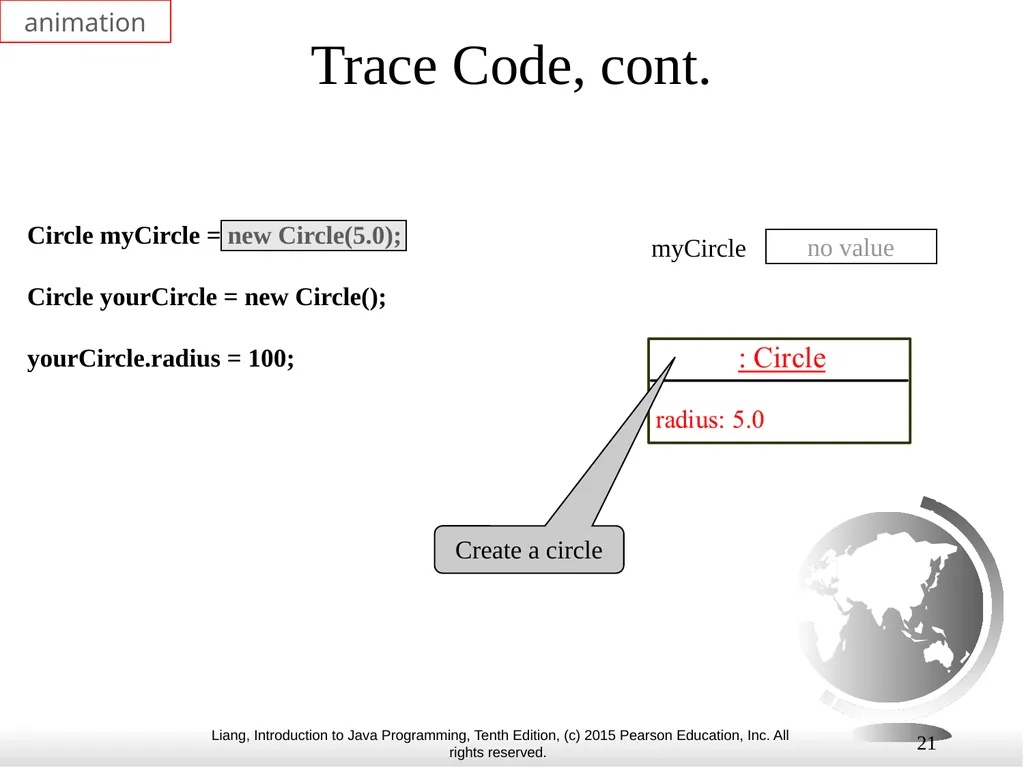
slide21. 21 Trace Code, cont. Circle myCircle = new Circle(5.0);
Circle yourCircle = new Circle();
yourCircle.radius = 100; no value myCircle Create a circle animation<br>
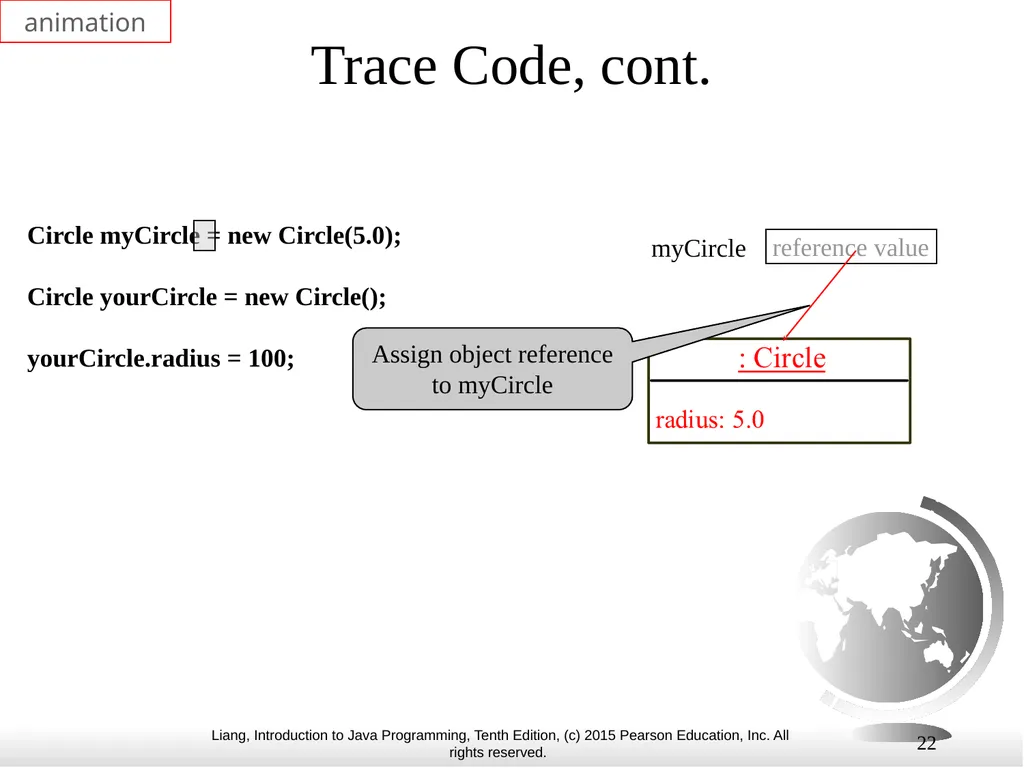
slide22. 22 Trace Code, cont. Circle myCircle = new Circle(5.0);
Circle yourCircle = new Circle();
yourCircle.radius = 100; reference value myCircle Assign object reference to myCircle animation<br>
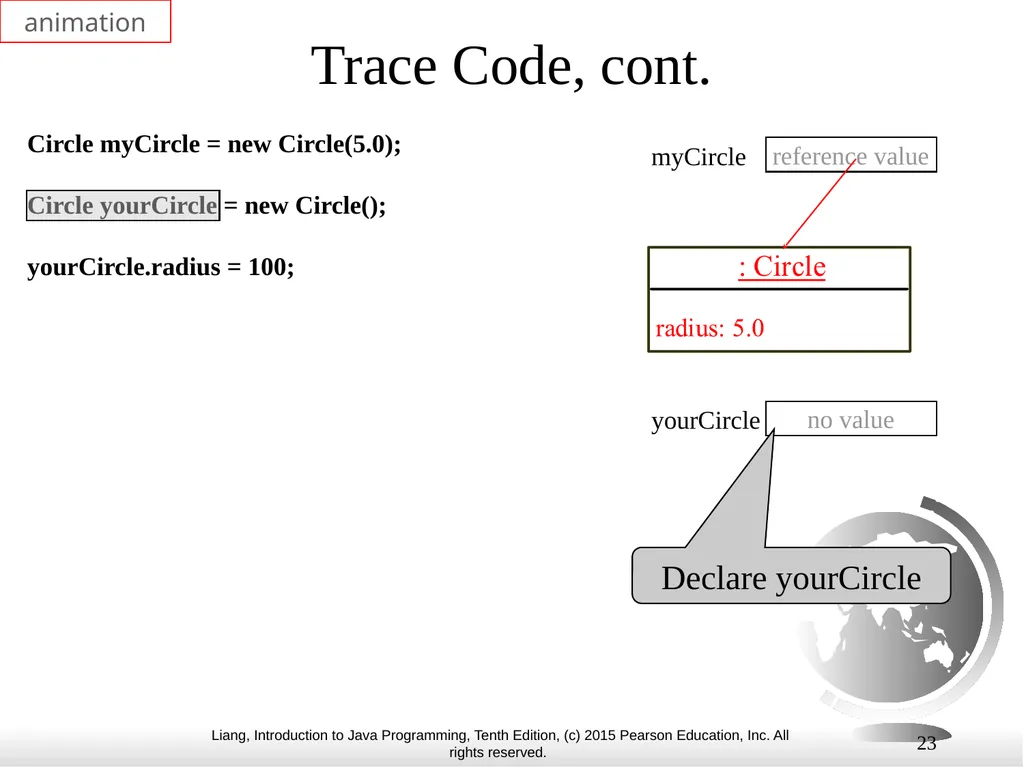
slide23. 23 Trace Code, cont. Circle myCircle = new Circle(5.0);
Circle yourCircle = new Circle();
yourCircle.radius = 100; reference value myCircle no value yourCircle Declare yourCircle animation<br>
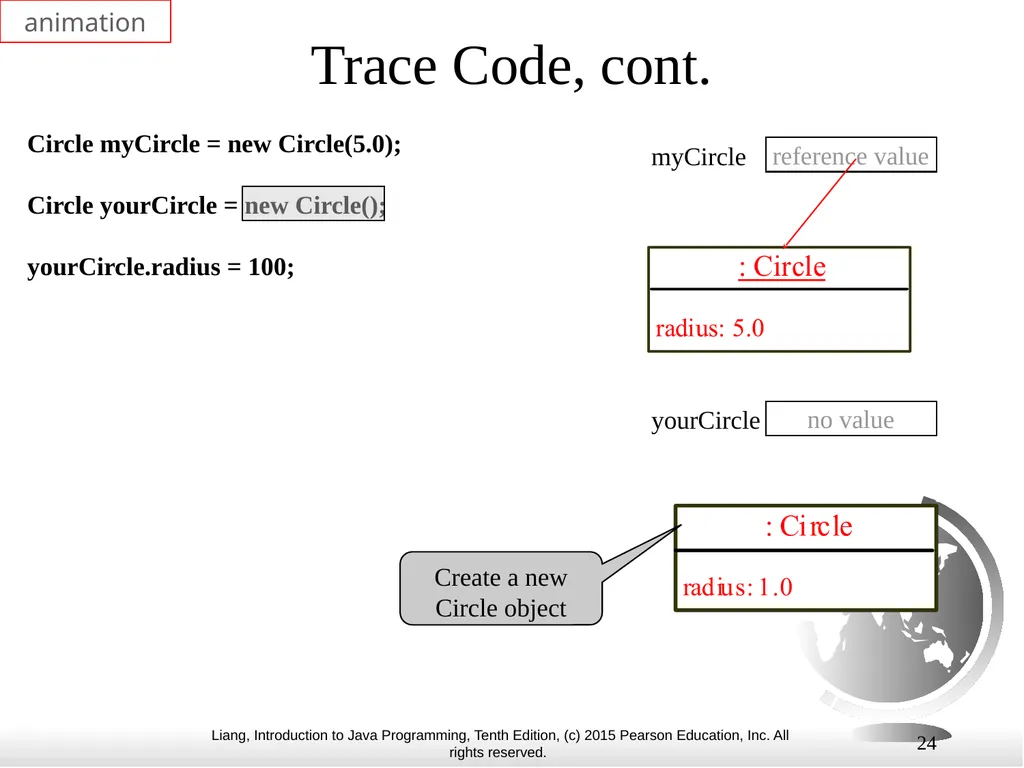
slide24. 24 Trace Code, cont. Circle myCircle = new Circle(5.0);
Circle yourCircle = new Circle();
yourCircle.radius = 100; reference value myCircle no value yourCircle Create a new Circle object animation<br>
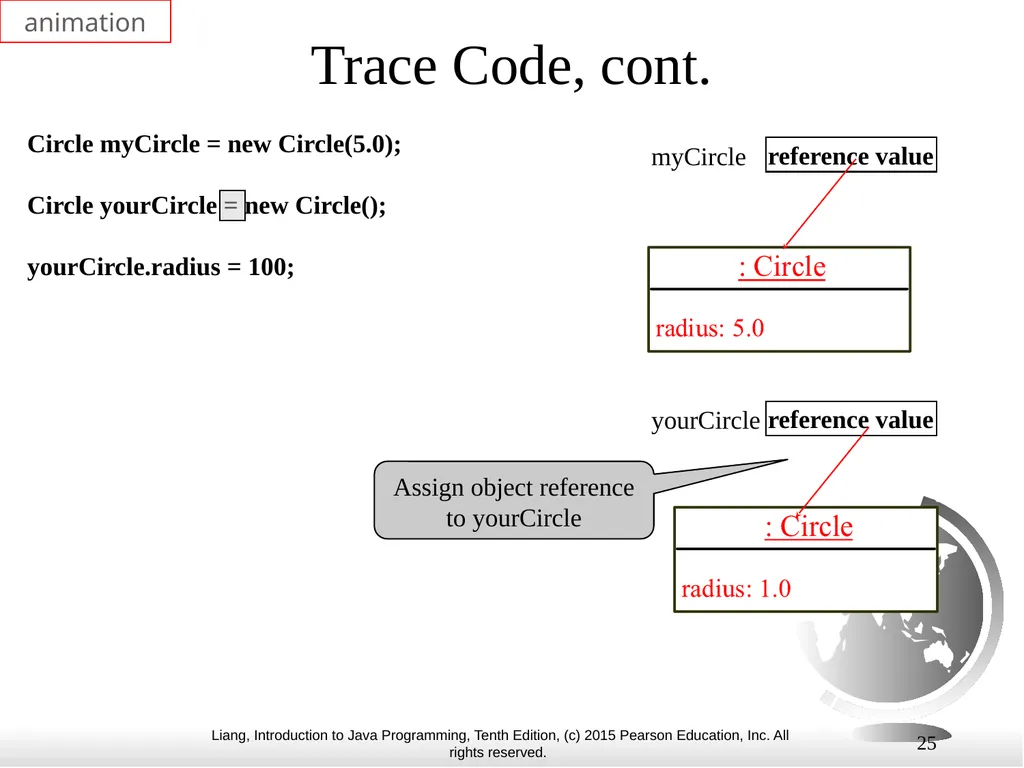
slide25. 25 Trace Code, cont. Circle myCircle = new Circle(5.0);
Circle yourCircle = new Circle();
yourCircle.radius = 100; reference value myCircle reference value yourCircle Assign object reference to yourCircle animation<br>
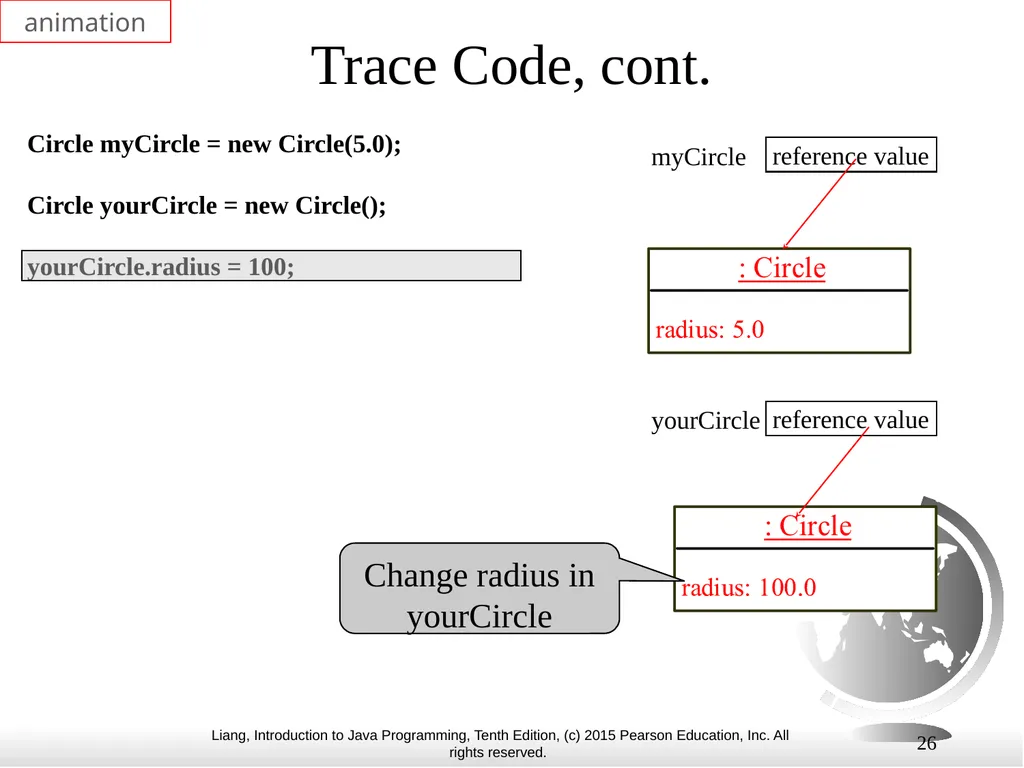
slide26. 26 Trace Code, cont. Circle myCircle = new Circle(5.0);
Circle yourCircle = new Circle();
yourCircle.radius = 100; reference value myCircle reference value yourCircle Change radius in yourCircle animation<br>
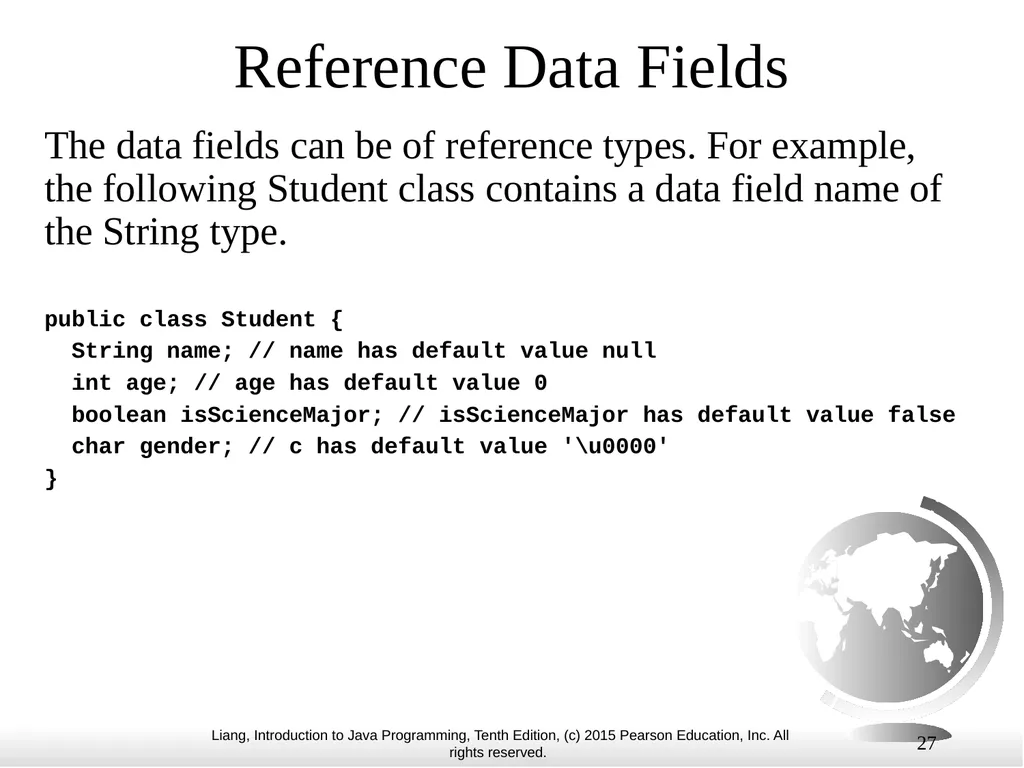
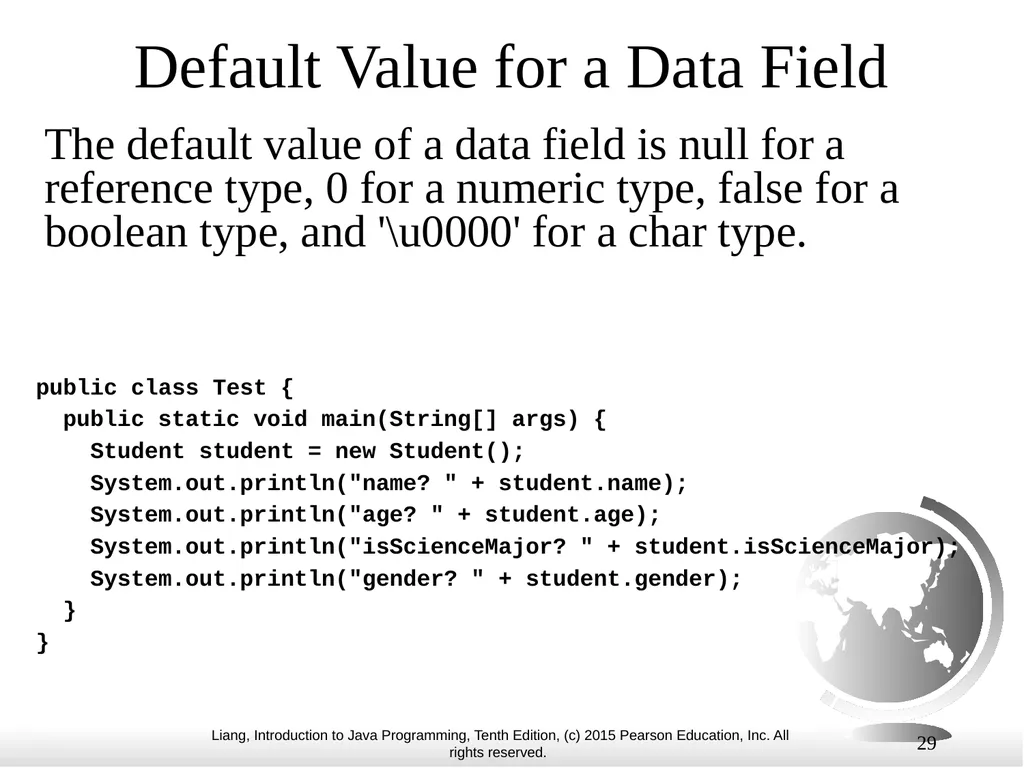
slide27. 27 Reference Data Fields The data fields can be of reference types. For example, the following Student class contains a data field name of the String type. public class Student {
String name; // name has default value null
int age; // age has default value 0
boolean isScienceMajor; // isScienceMajor has default value false
char gender; // c has default value '\u0000'
}<br>
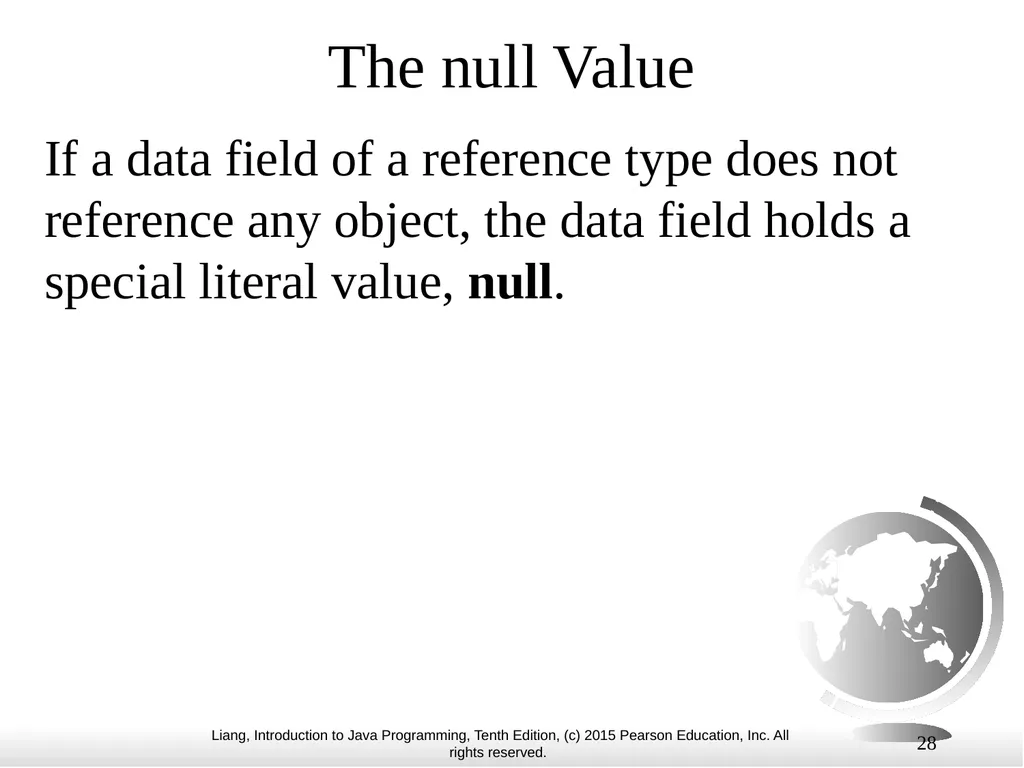
slide28. 28 The null Value If a data field of a reference type does not reference any object, the data field holds a special literal value, null.<br>
slide29. 29 Default Value for a Data Field The default value of a data field is null for a reference type, 0 for a numeric type, false for a boolean type, and '\u0000' for a char type. public class Test {
public static void main(String[] args) {
Student student = new Student();
System.out.println("name? " + student.name);
System.out.println("age? " + student.age);
System.out.println("isScienceMajor? " + student.isScienceMajor);
System.out.println("gender? " + student.gender);
}
}<br>
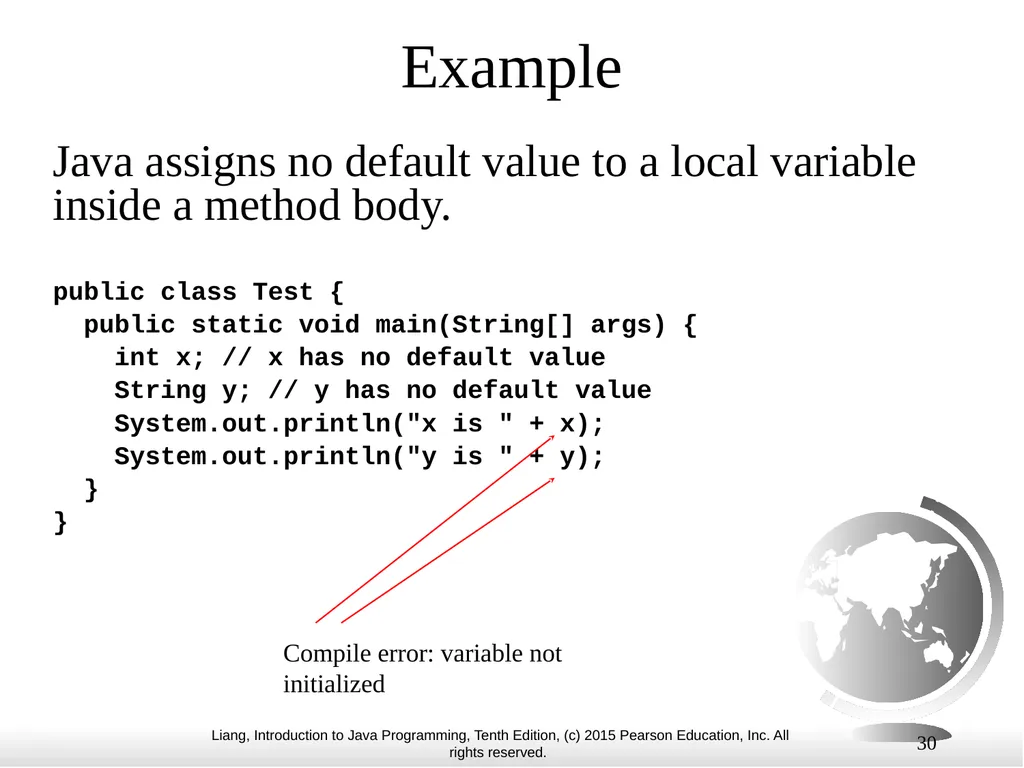
slide30. 30 Example public class Test {
public static void main(String[] args) {
int x; // x has no default value
String y; // y has no default value
System.out.println("x is " + x);
System.out.println("y is " + y);
}
} Compile error: variable not initialized Java assigns no default value to a local variable inside a method body.<br>
slide31. 31 Differences between Variables of Primitive Data Types and Object Types<br>
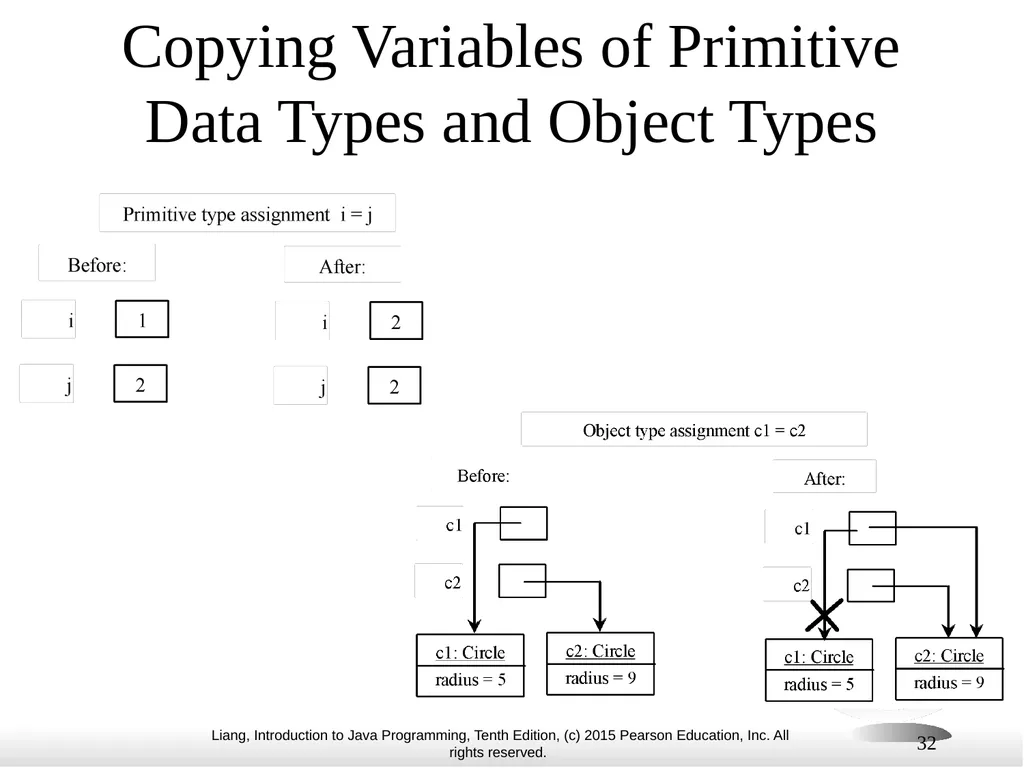
slide32. 32 Copying Variables of Primitive Data Types and Object Types<br>
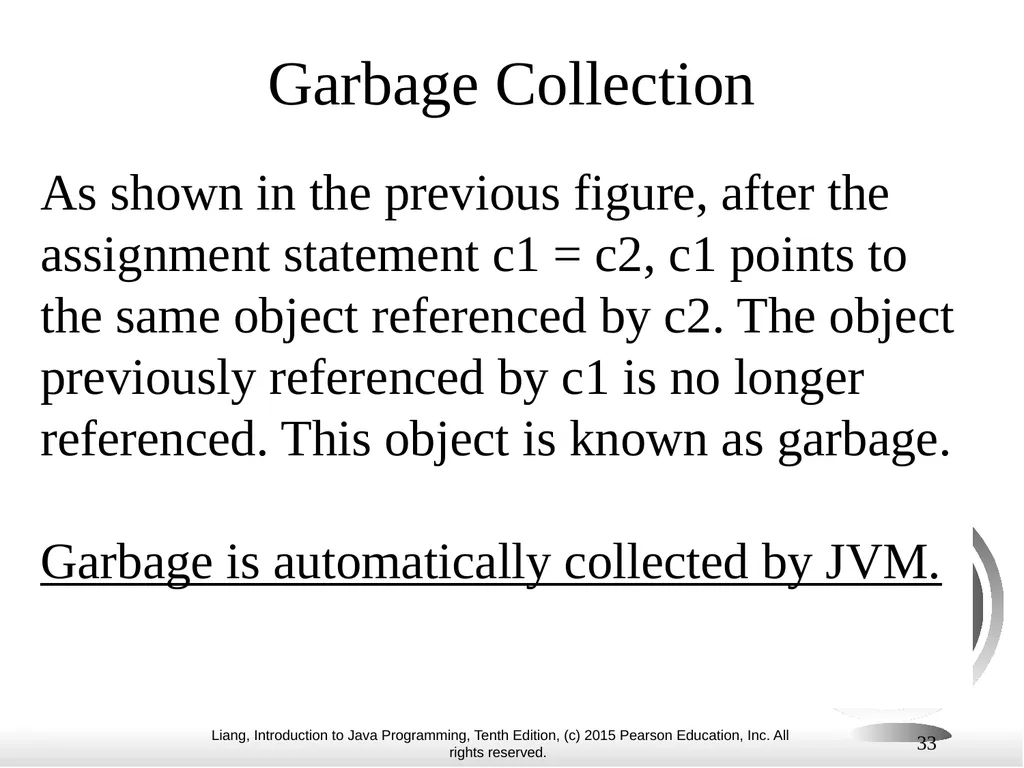
slide33. 33 Garbage Collection As shown in the previous figure, after the assignment statement c1 = c2, c1 points to the same object referenced by c2. The object previously referenced by c1 is no longer referenced. This object is known as garbage.
Garbage is automatically collected by JVM.<br>
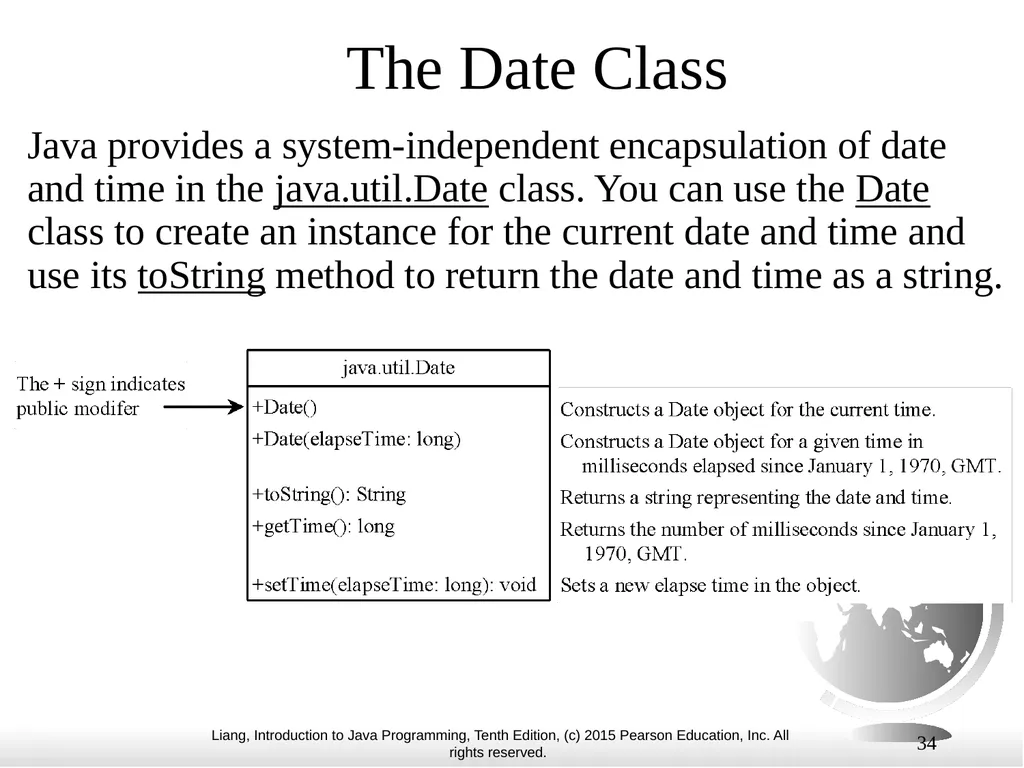
slide34. 34 The Date Class Java provides a system-independent encapsulation of date and time in the java.util.Date class. You can use the Date class to create an instance for the current date and time and use its toString method to return the date and time as a string.<br>
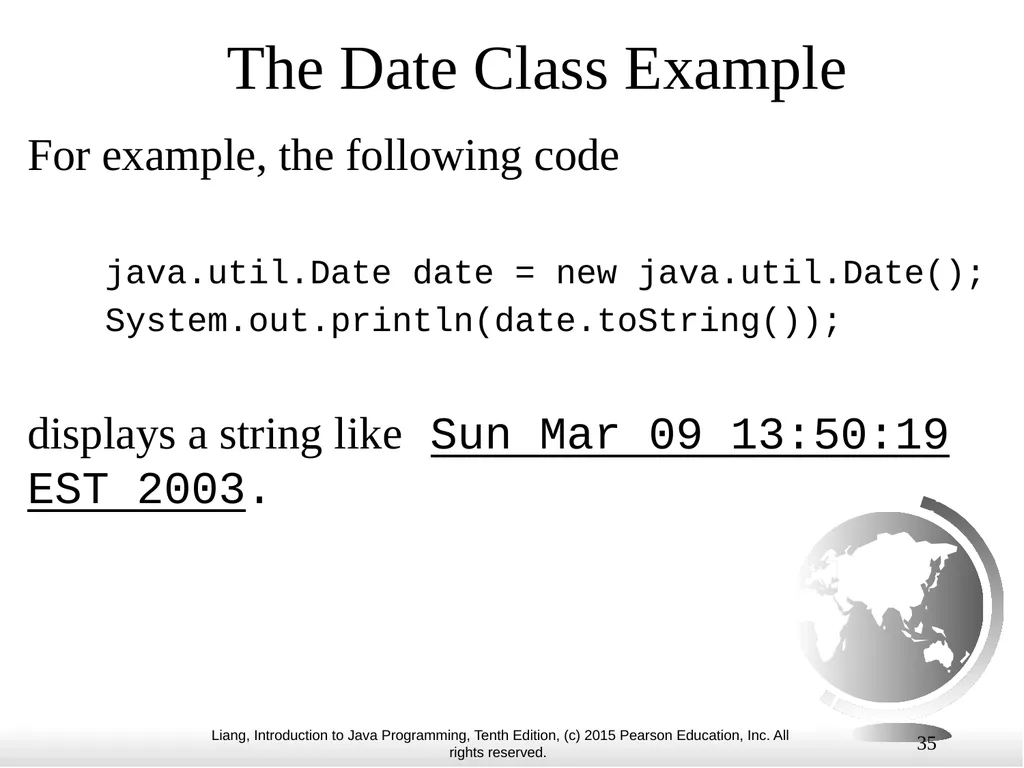
slide35. 35 The Date Class Example For example, the following code
java.util.Date date = new java.util.Date();
System.out.println(date.toString());
displays a string like Sun Mar 09 13:50:19 EST 2003.<br>
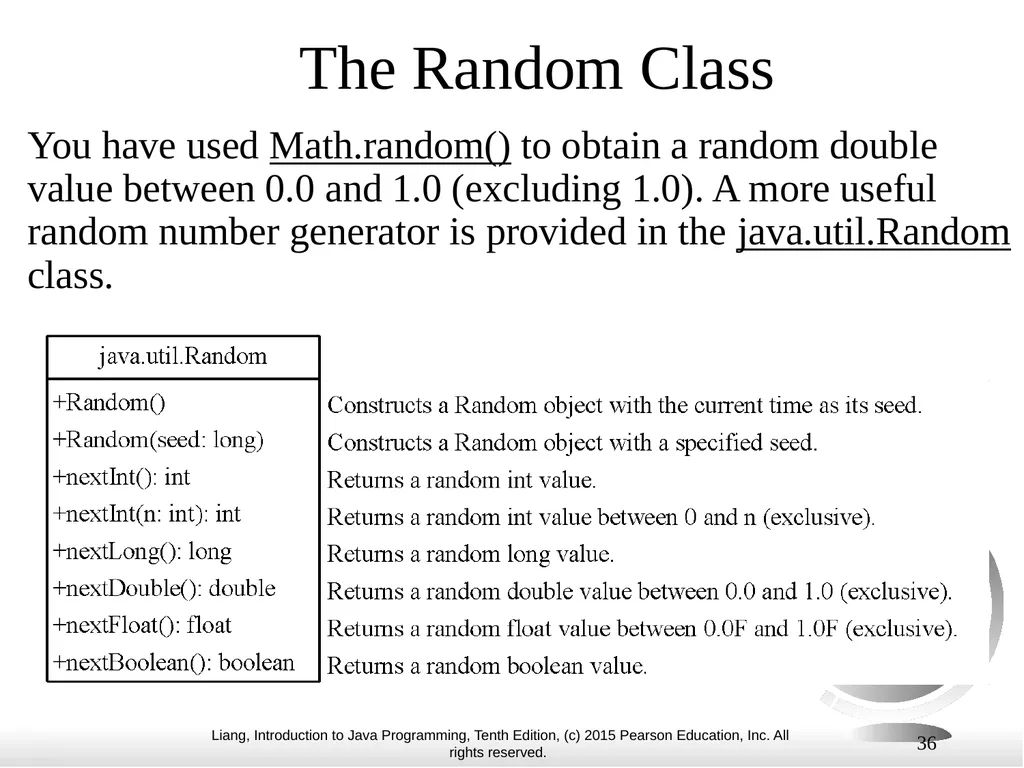
slide36. 36 The Random Class You have used Math.random() to obtain a random double value between 0.0 and 1.0 (excluding 1.0). A more useful random number generator is provided in the java.util.Random class.<br>
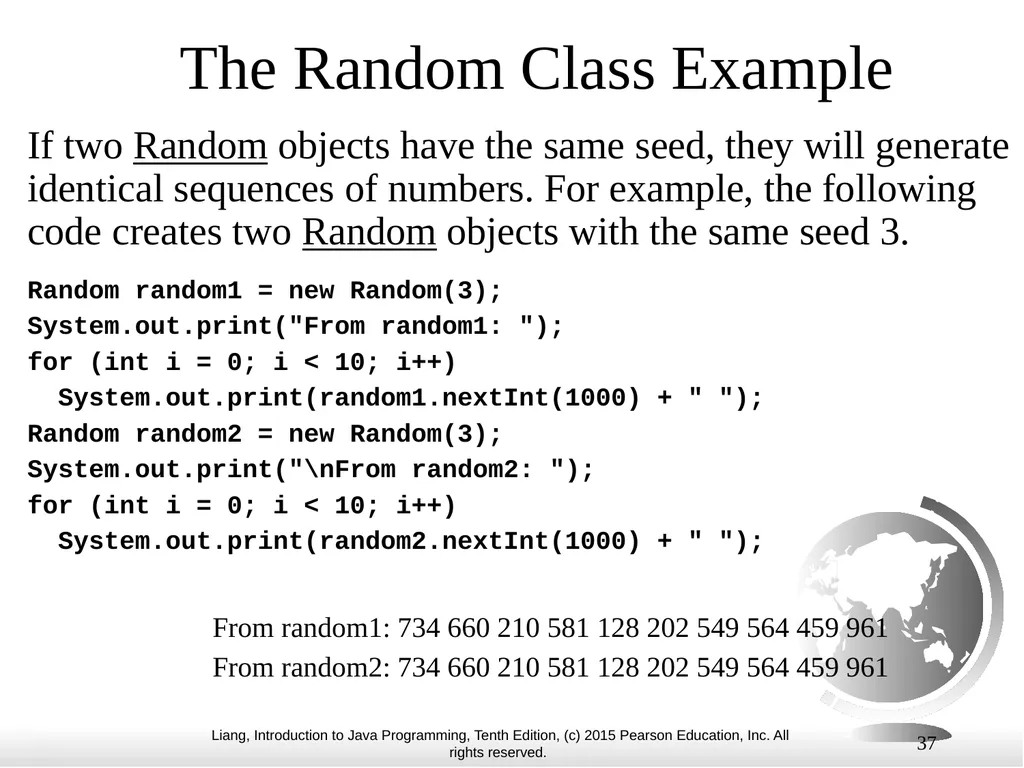
slide37. 37 The Random Class Example If two Random objects have the same seed, they will generate identical sequences of numbers. For example, the following code creates two Random objects with the same seed 3. Random random1 = new Random(3);
System.out.print("From random1: ");
for (int i = 0; i < 10; i++)
System.out.print(random1.nextInt(1000) + " ");
Random random2 = new Random(3);
System.out.print("\nFrom random2: ");
for (int i = 0; i < 10; i++)
System.out.print(random2.nextInt(1000) + " "); From random1: 734 660 210 581 128 202 549 564 459 961
From random2: 734 660 210 581 128 202 549 564 459 961<br>
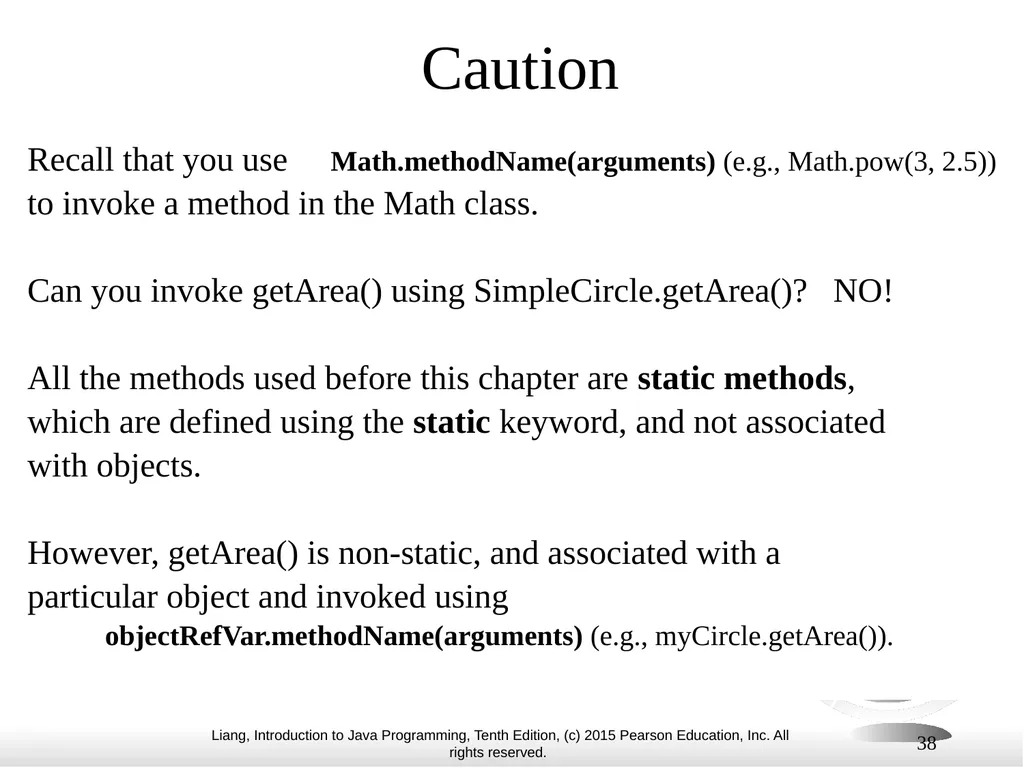
slide38. 38 Caution Recall that you use Math.methodName(arguments) (e.g., Math.pow(3, 2.5))
to invoke a method in the Math class.
Can you invoke getArea() using SimpleCircle.getArea()? NO!
All the methods used before this chapter are static methods,
which are defined using the static keyword, and not associated
with objects.
However, getArea() is non-static, and associated with a
particular object and invoked using
objectRefVar.methodName(arguments) (e.g., myCircle.getArea()).<br>
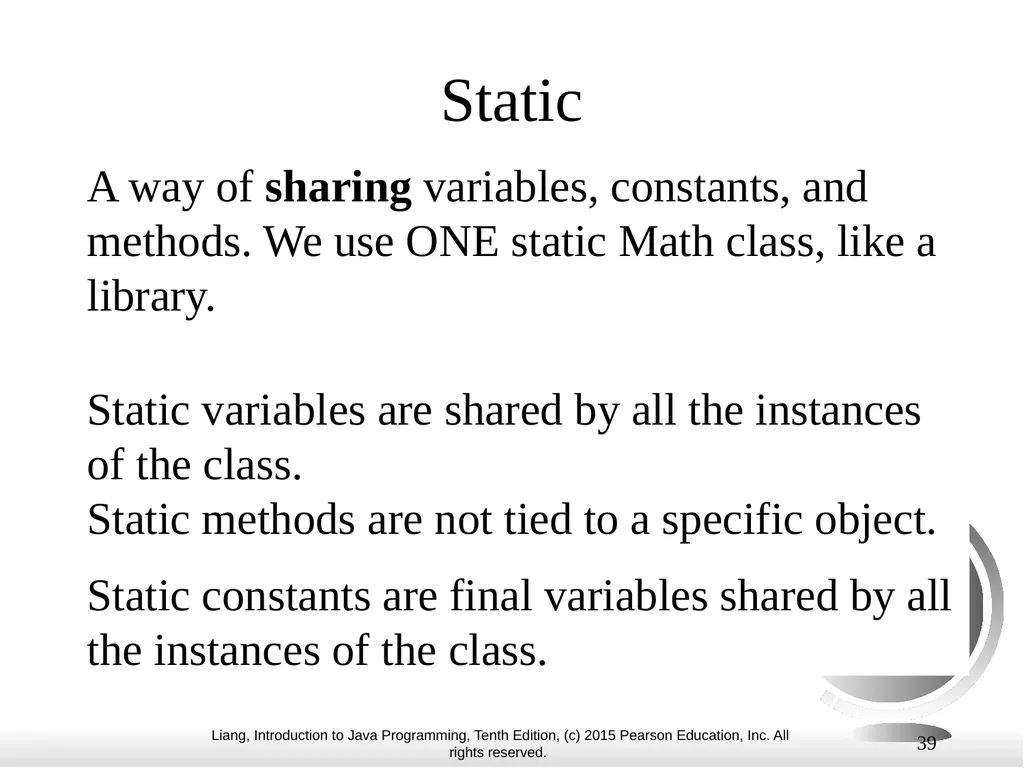
slide39. Static A way of sharing variables, constants, and methods. We use ONE static Math class, like a library.
Static variables are shared by all the instances of the class. Static methods are not tied to a specific object.
Static constants are final variables shared by all the instances of the class. 39<br>
slide40. 40 Static Variables, Constants, and Methods, cont. To declare static variables, constants, and methods, use the static modifier.<br>
slide41. 41 Objects: Instance Variables, and Methods Instance variables belong to a specific object. Instance methods are invoked by an instance of the class.
Instance variables and methods are specified by omitting the static keyword.<br>
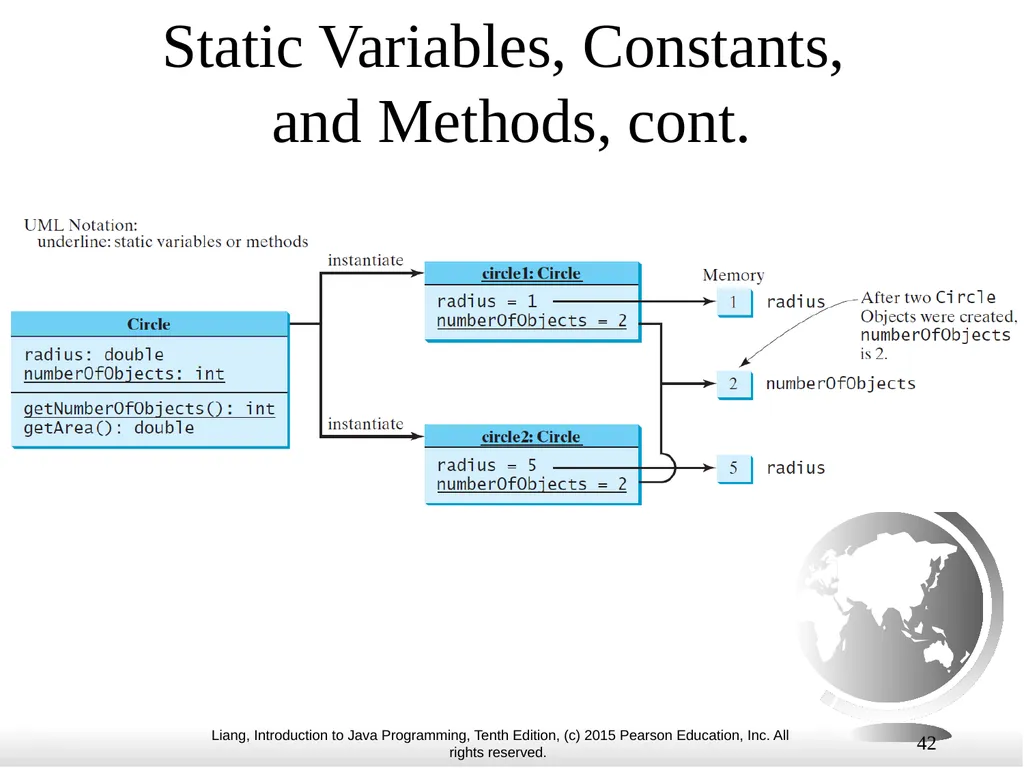
slide42. 42 Static Variables, Constants, and Methods, cont.<br>
slide43. 43 Example of Using Instance and Class Variables and Method Objective: Demonstrate the roles of instance and class variables and their uses. This example adds a class variable numberOfObjects to track the number of Circle objects created. Run CircleWithStaticMembers TestCircleWithStaticMembers<br>
slide44. Static numberOfObjects is shared by ALL objects because it is specified as static; whereas, radius is an instance variable that is only used in the instance of an object to store the value for that object. 44<br>
slide45. Modifiers 45<br>
slide46. 46 Visibility Modifiers and Accessor/Mutator Methods By default, the class, variable, or method can be accessed by any class in the same package. public
The class, data, or method is visible to any class in any package.
private
The data or methods can be accessed only by the declaring class.
The get and set methods are used to read and modify private properties.<br>
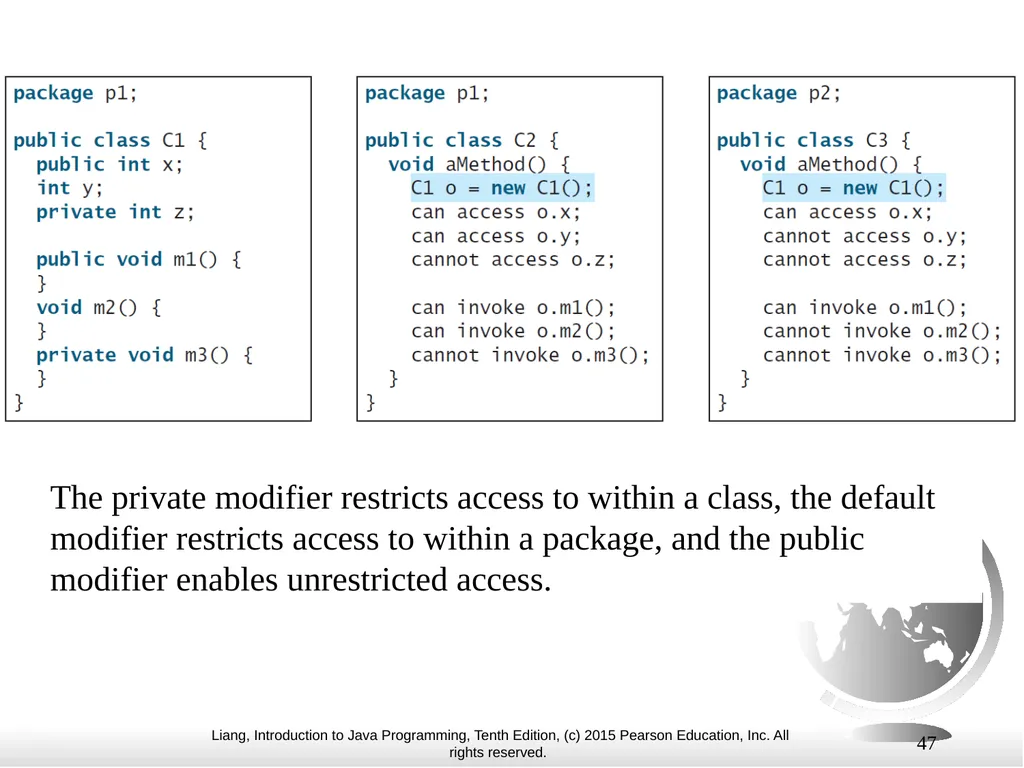
slide47. 47 The private modifier restricts access to within a class, the default modifier restricts access to within a package, and the public modifier enables unrestricted access.<br>
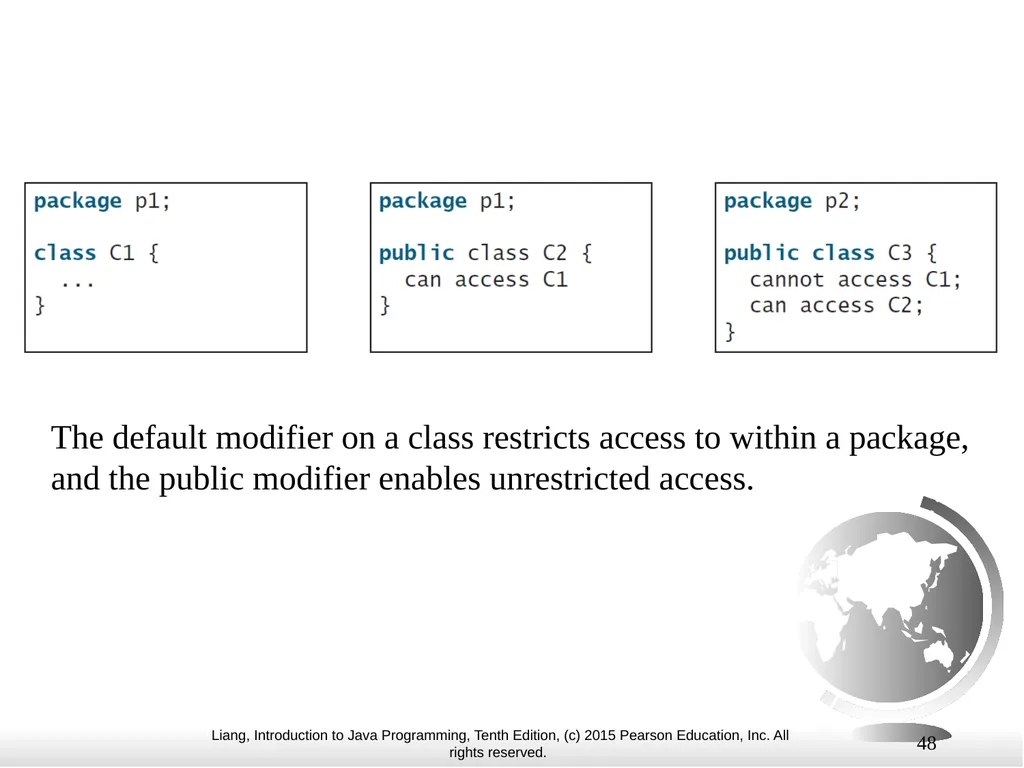
slide48. 48 The default modifier on a class restricts access to within a package, and the public modifier enables unrestricted access.<br>
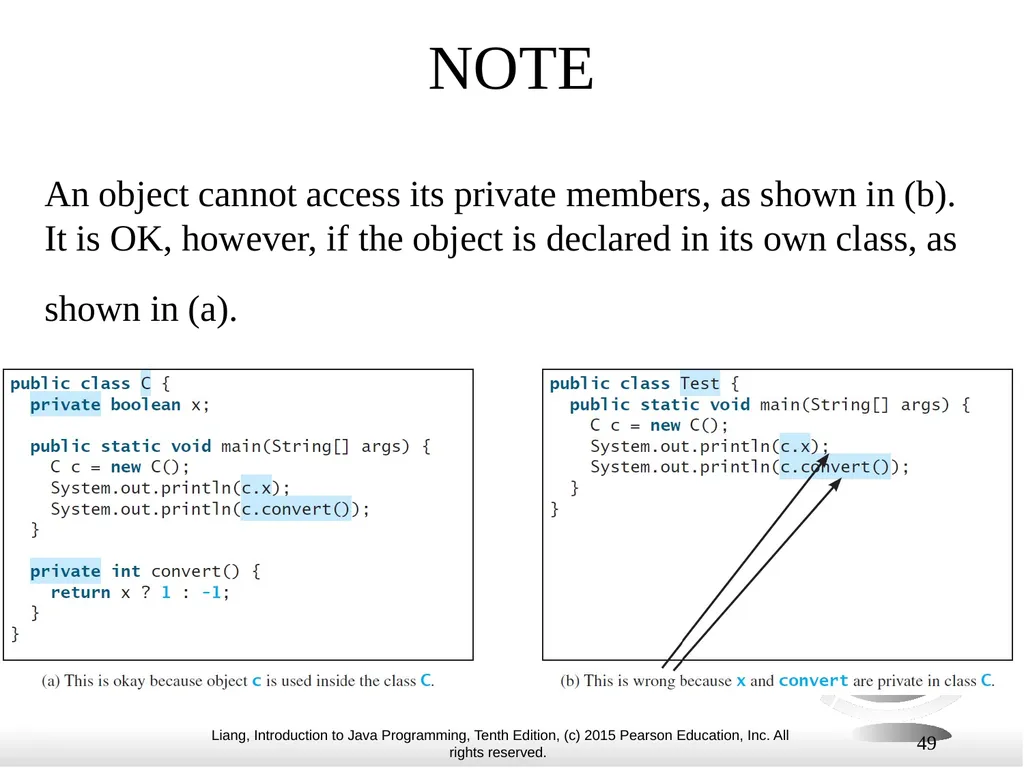
slide49. 49 NOTE An object cannot access its private members, as shown in (b). It is OK, however, if the object is declared in its own class, as shown in (a).<br>
slide50. 50 Why Data Fields Should Be private? To protect data.
To make code easy to maintain.<br>
slide51. Lecture 3 51<br>
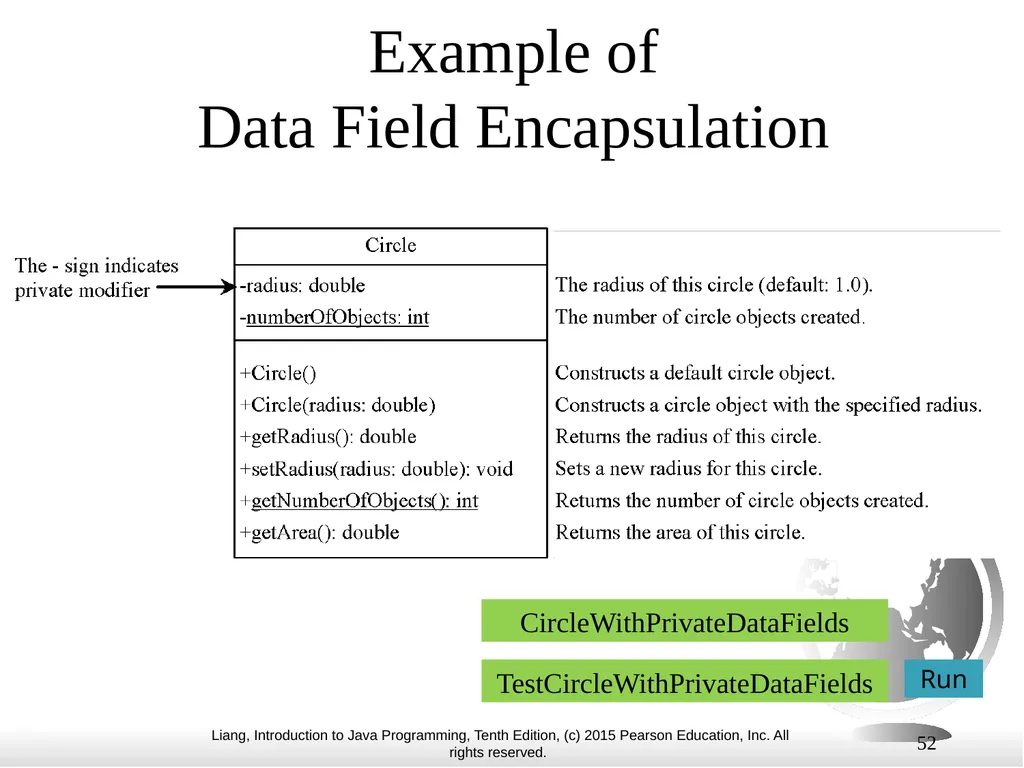
slide52. 52 Example of Data Field Encapsulation Run CircleWithPrivateDataFields TestCircleWithPrivateDataFields<br>
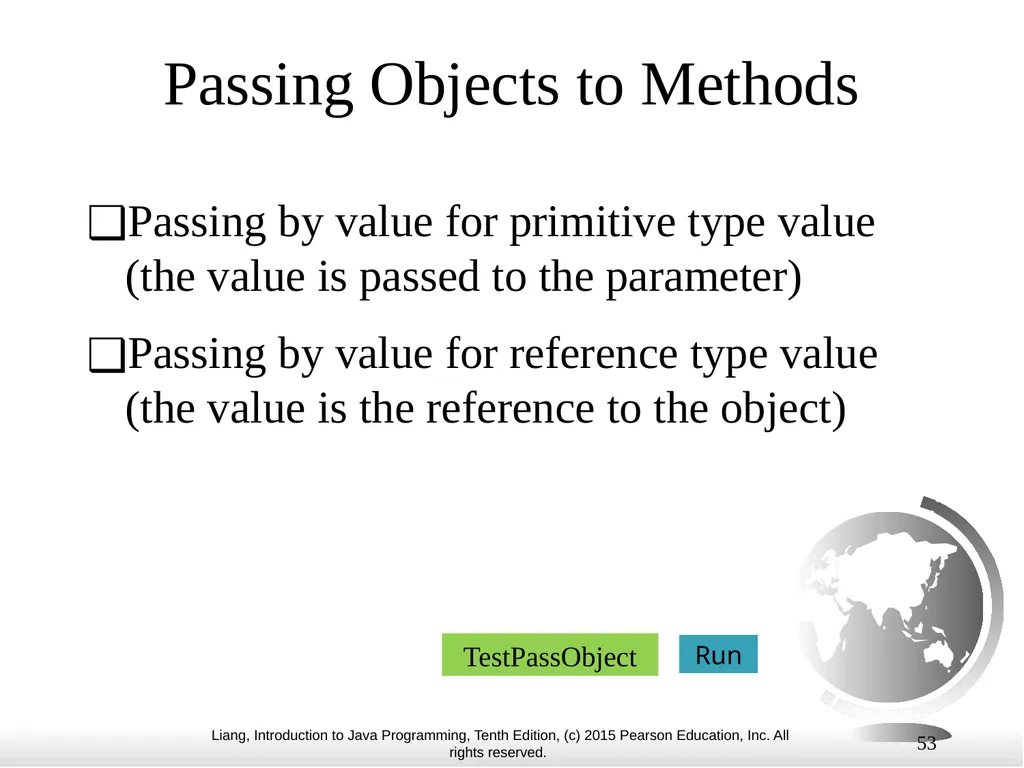
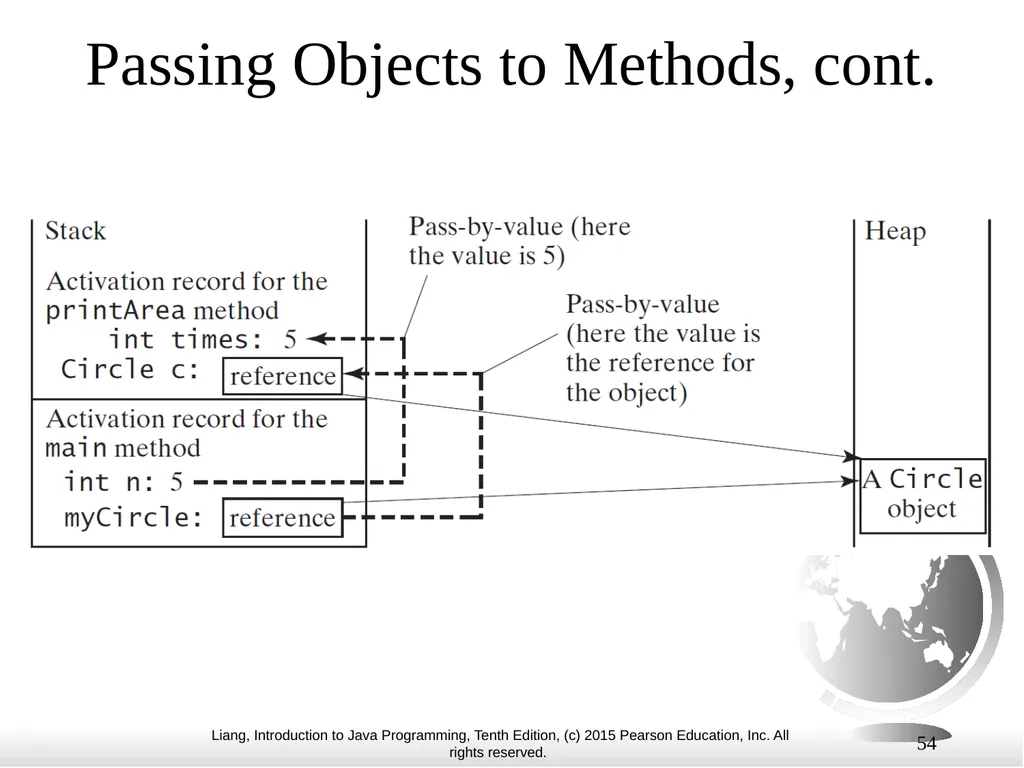
slide53. 53 Passing Objects to Methods Passing by value for primitive type value (the value is passed to the parameter)
Passing by value for reference type value (the value is the reference to the object) Run TestPassObject<br>
slide54. 54 Passing Objects to Methods, cont.<br>
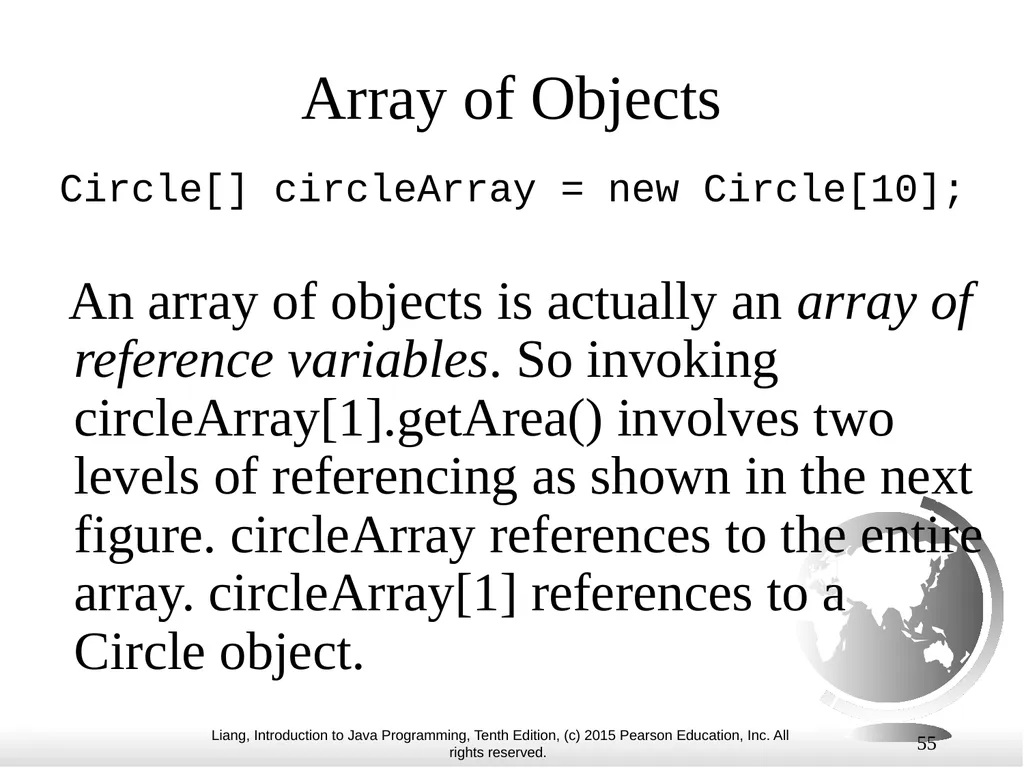
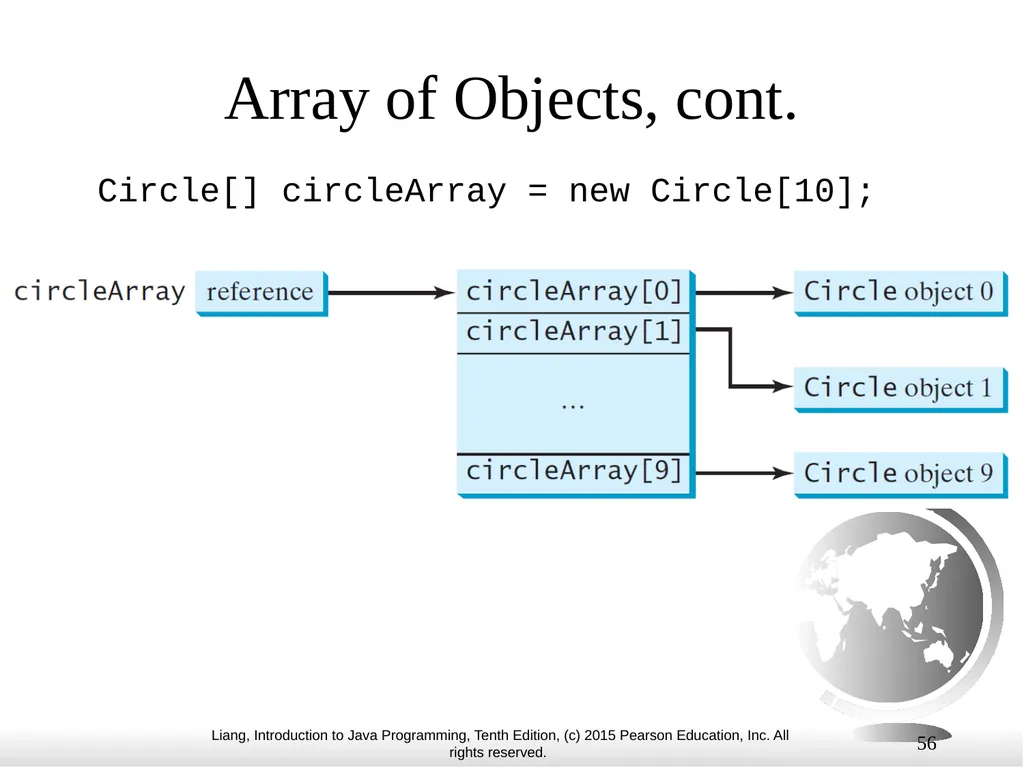
slide55. 55 Array of Objects Circle[] circleArray = new Circle[10];
An array of objects is actually an array of reference variables. So invoking circleArray[1].getArea() involves two levels of referencing as shown in the next figure. circleArray references to the entire array. circleArray[1] references to a Circle object.<br>
slide56. 56 Array of Objects, cont. Circle[] circleArray = new Circle[10];<br>
slide57. 57 Array of Objects, cont. Summarizing the areas of the circles Run TotalArea<br>
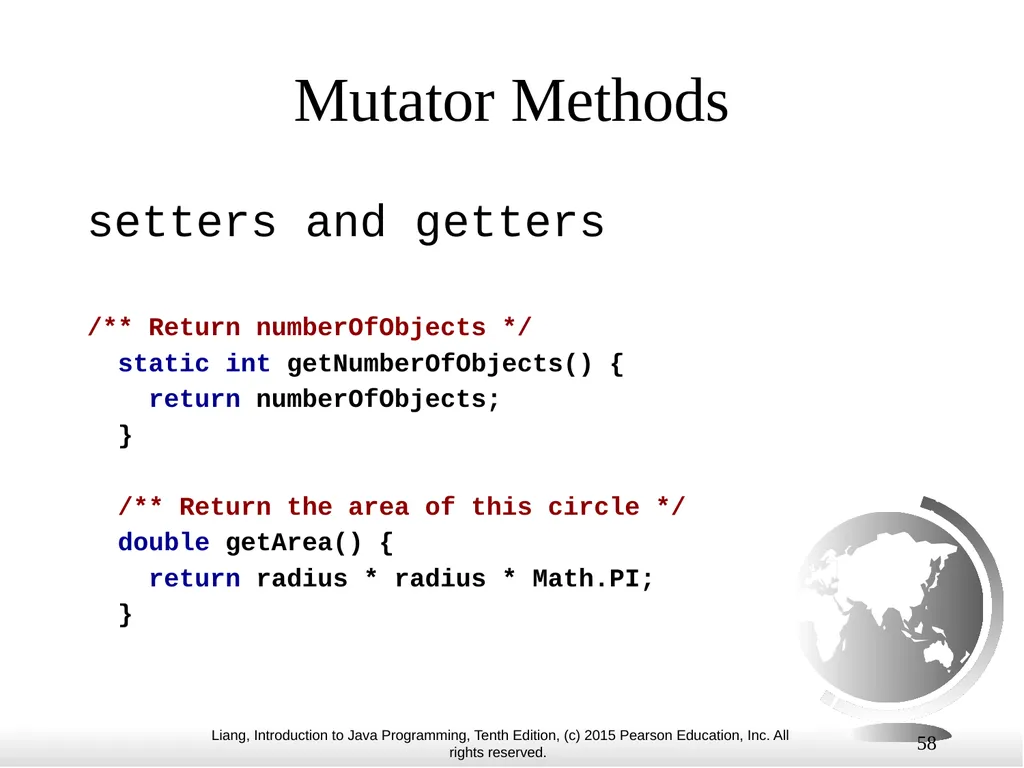
slide58. Mutator Methods setters and getters
/** Return numberOfObjects */
static int getNumberOfObjects() {
return numberOfObjects;
}
/** Return the area of this circle */
double getArea() {
return radius * radius * Math.PI;
} 58<br>
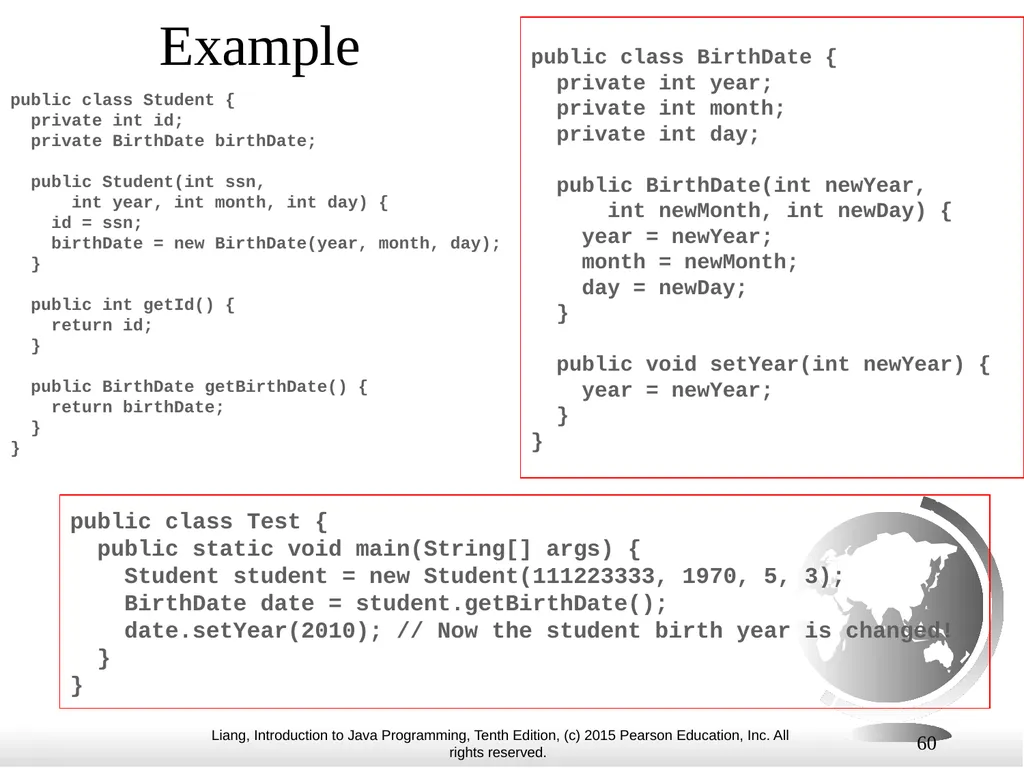
slide59. 59 Immutable Objects and Classes If the contents of an object cannot be changed once the object is created, the object is called an immutable object and its class is called an immutable class. If you delete the set method in the Circle class in Listing 8.10, the class would be immutable because radius is private and cannot be changed without a set method. A class with all private data fields and without mutators is not necessarily immutable. For example, the following class Student has all private data fields and no mutators, but it is mutable.<br>
slide60. 60 Example public class Student { private int id; private BirthDate birthDate; public Student(int ssn, int year, int month, int day) { id = ssn; birthDate = new BirthDate(year, month, day); } public int getId() { return id; } public BirthDate getBirthDate() { return birthDate; } } public class BirthDate { private int year; private int month; private int day; public BirthDate(int newYear, int newMonth, int newDay) { year = newYear; month = newMonth; day = newDay; } public void setYear(int newYear) { year = newYear; } } public class Test { public static void main(String[] args) { Student student = new Student(111223333, 1970, 5, 3); BirthDate date = student.getBirthDate(); date.setYear(2010); // Now the student birth year is changed! } }<br>
slide61. 61 What Class is Immutable? For a class to be immutable, it must mark all data fields private and provide no mutator methods and no accessor methods that would return a reference to a mutable data field object.<br>
slide62. 62 Scope of Variables The scope of instance and static variables is the entire class. They can be declared anywhere inside a class.
The scope of a local variable starts from its declaration and continues to the end of the block that contains the variable. A local variable must be initialized explicitly before it can be used.<br>
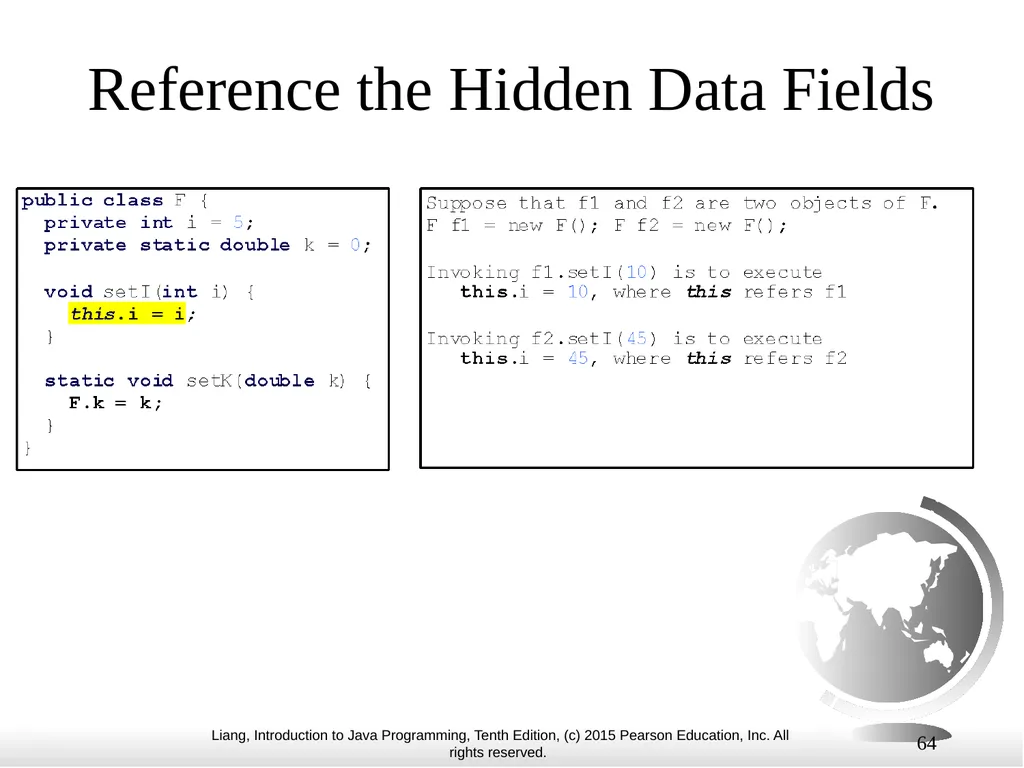
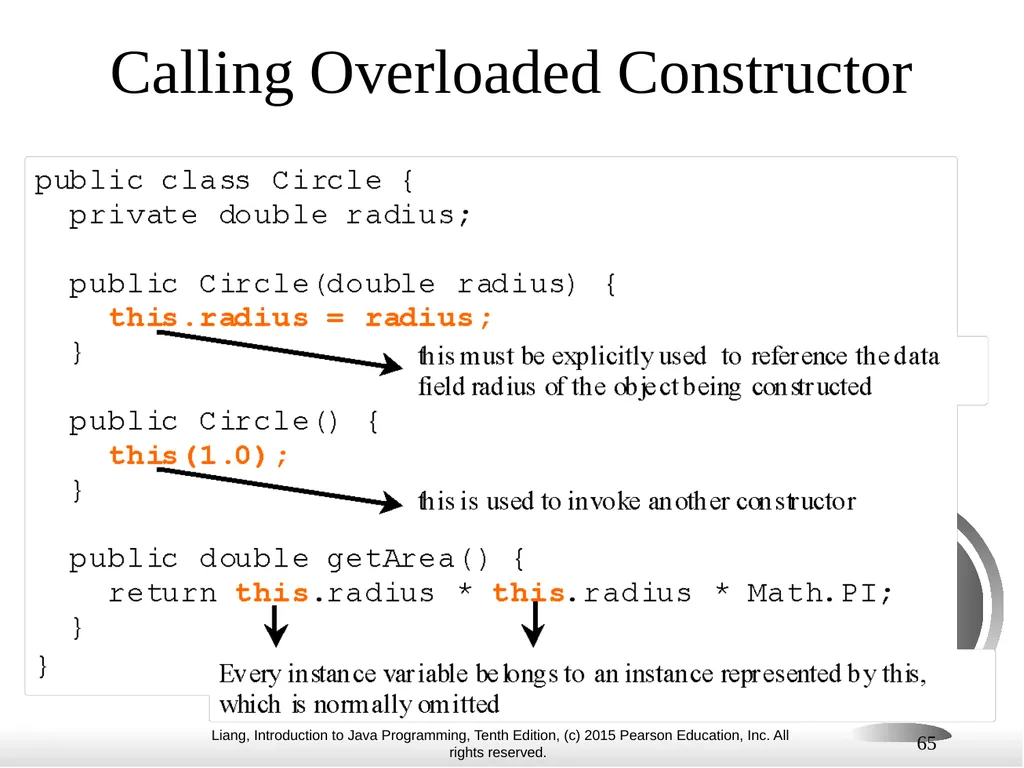
slide63. 63 The this Keyword The this keyword is the name of a reference that refers to an object itself. One common use of the this keyword is to reference a class’s hidden data fields.
Another common use of the this keyword to enable a constructor to invoke another constructor of the same class.<br>
slide64. 64 Reference the Hidden Data Fields<br>
slide65. 65 Calling Overloaded Constructor<br>
slide66. 66 The Point2D Class Java API has a convenient Point2D class in the javafx.geometry package for representing a point in a two-dimensional plane. Run TestPoint2D<br>
Colorado State University
Original slides by Daniel Liang
Modified slides by Kris Brown<br>
slide2. 2 Motivations Suppose you want to develop a graphical user interface as shown below. How do you program it?<br>
slide3. 3 OO Programming Concepts Object-oriented programming (OOP) involves programming using objects.
An object represents an entity in the real world that can be distinctly identified.
For example, a student, a desk, a circle, a button, and even a loan can all be viewed as objects.<br>
slide4. 4 Classes (Cookie Cutters) Classes are constructs that define objects of the same type. A Java class uses variables to define data fields and methods to define behaviors.
Additionally, a class provides a special type of methods, known as constructors, which are invoked to construct objects from the class.<br>
slide5. 5 Classes<br>
slide6. 6 UML Class Diagram<br>
slide7. Objects (Cookies) An object has a unique identity, state, and behavior.
The state of an object consists of a set of data fields (also known as properties) with their current values.
The behavior of an object is defined by a set of methods. 7<br>
slide8. 8 Objects An object has both a state and behavior. The state defines the object, and the behavior defines what the object does.<br>
slide9. Your turn! Write 1 class describing something in the classroom
Write 1 class describing something on campus 9<br>
slide10. 10 Example: Defining Classes and Creating Objects Objective: Demonstrate creating objects, accessing data, and using methods: Circles.
Let’s go study it. Your turn!
Also print the perimeter for each circle. TestSimpleCircle Run<br>
slide11. 11 Example: Defining Classes and Creating Objects Let’s go look . . . TV Run TestTV<br>
slide12. Lecture 2 12<br>
slide13. 13 Constructors, cont. A constructor with no parameters is referred to as a no-arg constructor or default constructor.
· Constructors must have the same name as the class itself.
· Constructors do not have a return type—not even void.
· Constructors are invoked using the new operator when an object is created. Constructors play the role of initializing objects.<br>
slide14. 14 Constructors Circle() {
}
Circle(double newRadius) {
radius = newRadius;
} Constructors are a special kind of methods that are invoked to construct objects.<br>
slide15. 15 Default Constructor A class may be defined without constructors. In this case, a no-arg constructor with an empty body is implicitly defined in the class. This constructor, called a default constructor, is provided automatically only if no constructors are explicitly defined in the class.<br>
slide16. 16 Creating Objects Using Constructors new ClassName();
Example:
new Circle();
new Circle(5.0);<br>
slide17. 17 Declaring Object Reference Variables To reference an object, assign the object to a reference variable.
To declare a reference variable, use the syntax:
ClassName objectRefVar;
Example:
Circle myCircle;<br>
slide18. 18 Declaring/Creating Objects in a Single Step ClassName objectRefVar = new ClassName();
Example:
Circle myCircle = new Circle(); Create an object Assign object reference<br>
slide19. 19 Accessing Object’s Members Referencing the object’s data:
objectRefVar.data
e.g., myCircle.radius
Invoking the object’s method:
objectRefVar.methodName(arguments)
e.g., myCircle.getArea()<br>
slide20. 20 Trace Code Circle myCircle = new Circle(5.0);
Circle yourCircle = new Circle();
yourCircle.radius = 100; Declare myCircle no value myCircle animation<br>
slide21. 21 Trace Code, cont. Circle myCircle = new Circle(5.0);
Circle yourCircle = new Circle();
yourCircle.radius = 100; no value myCircle Create a circle animation<br>
slide22. 22 Trace Code, cont. Circle myCircle = new Circle(5.0);
Circle yourCircle = new Circle();
yourCircle.radius = 100; reference value myCircle Assign object reference to myCircle animation<br>
slide23. 23 Trace Code, cont. Circle myCircle = new Circle(5.0);
Circle yourCircle = new Circle();
yourCircle.radius = 100; reference value myCircle no value yourCircle Declare yourCircle animation<br>
slide24. 24 Trace Code, cont. Circle myCircle = new Circle(5.0);
Circle yourCircle = new Circle();
yourCircle.radius = 100; reference value myCircle no value yourCircle Create a new Circle object animation<br>
slide25. 25 Trace Code, cont. Circle myCircle = new Circle(5.0);
Circle yourCircle = new Circle();
yourCircle.radius = 100; reference value myCircle reference value yourCircle Assign object reference to yourCircle animation<br>
slide26. 26 Trace Code, cont. Circle myCircle = new Circle(5.0);
Circle yourCircle = new Circle();
yourCircle.radius = 100; reference value myCircle reference value yourCircle Change radius in yourCircle animation<br>
slide27. 27 Reference Data Fields The data fields can be of reference types. For example, the following Student class contains a data field name of the String type. public class Student {
String name; // name has default value null
int age; // age has default value 0
boolean isScienceMajor; // isScienceMajor has default value false
char gender; // c has default value '\u0000'
}<br>
slide28. 28 The null Value If a data field of a reference type does not reference any object, the data field holds a special literal value, null.<br>
slide29. 29 Default Value for a Data Field The default value of a data field is null for a reference type, 0 for a numeric type, false for a boolean type, and '\u0000' for a char type. public class Test {
public static void main(String[] args) {
Student student = new Student();
System.out.println("name? " + student.name);
System.out.println("age? " + student.age);
System.out.println("isScienceMajor? " + student.isScienceMajor);
System.out.println("gender? " + student.gender);
}
}<br>
slide30. 30 Example public class Test {
public static void main(String[] args) {
int x; // x has no default value
String y; // y has no default value
System.out.println("x is " + x);
System.out.println("y is " + y);
}
} Compile error: variable not initialized Java assigns no default value to a local variable inside a method body.<br>
slide31. 31 Differences between Variables of Primitive Data Types and Object Types<br>
slide32. 32 Copying Variables of Primitive Data Types and Object Types<br>
slide33. 33 Garbage Collection As shown in the previous figure, after the assignment statement c1 = c2, c1 points to the same object referenced by c2. The object previously referenced by c1 is no longer referenced. This object is known as garbage.
Garbage is automatically collected by JVM.<br>
slide34. 34 The Date Class Java provides a system-independent encapsulation of date and time in the java.util.Date class. You can use the Date class to create an instance for the current date and time and use its toString method to return the date and time as a string.<br>
slide35. 35 The Date Class Example For example, the following code
java.util.Date date = new java.util.Date();
System.out.println(date.toString());
displays a string like Sun Mar 09 13:50:19 EST 2003.<br>
slide36. 36 The Random Class You have used Math.random() to obtain a random double value between 0.0 and 1.0 (excluding 1.0). A more useful random number generator is provided in the java.util.Random class.<br>
slide37. 37 The Random Class Example If two Random objects have the same seed, they will generate identical sequences of numbers. For example, the following code creates two Random objects with the same seed 3. Random random1 = new Random(3);
System.out.print("From random1: ");
for (int i = 0; i < 10; i++)
System.out.print(random1.nextInt(1000) + " ");
Random random2 = new Random(3);
System.out.print("\nFrom random2: ");
for (int i = 0; i < 10; i++)
System.out.print(random2.nextInt(1000) + " "); From random1: 734 660 210 581 128 202 549 564 459 961
From random2: 734 660 210 581 128 202 549 564 459 961<br>
slide38. 38 Caution Recall that you use Math.methodName(arguments) (e.g., Math.pow(3, 2.5))
to invoke a method in the Math class.
Can you invoke getArea() using SimpleCircle.getArea()? NO!
All the methods used before this chapter are static methods,
which are defined using the static keyword, and not associated
with objects.
However, getArea() is non-static, and associated with a
particular object and invoked using
objectRefVar.methodName(arguments) (e.g., myCircle.getArea()).<br>
slide39. Static A way of sharing variables, constants, and methods. We use ONE static Math class, like a library.
Static variables are shared by all the instances of the class. Static methods are not tied to a specific object.
Static constants are final variables shared by all the instances of the class. 39<br>
slide40. 40 Static Variables, Constants, and Methods, cont. To declare static variables, constants, and methods, use the static modifier.<br>
slide41. 41 Objects: Instance Variables, and Methods Instance variables belong to a specific object. Instance methods are invoked by an instance of the class.
Instance variables and methods are specified by omitting the static keyword.<br>
slide42. 42 Static Variables, Constants, and Methods, cont.<br>
slide43. 43 Example of Using Instance and Class Variables and Method Objective: Demonstrate the roles of instance and class variables and their uses. This example adds a class variable numberOfObjects to track the number of Circle objects created. Run CircleWithStaticMembers TestCircleWithStaticMembers<br>
slide44. Static numberOfObjects is shared by ALL objects because it is specified as static; whereas, radius is an instance variable that is only used in the instance of an object to store the value for that object. 44<br>
slide45. Modifiers 45<br>
slide46. 46 Visibility Modifiers and Accessor/Mutator Methods By default, the class, variable, or method can be accessed by any class in the same package. public
The class, data, or method is visible to any class in any package.
private
The data or methods can be accessed only by the declaring class.
The get and set methods are used to read and modify private properties.<br>
slide47. 47 The private modifier restricts access to within a class, the default modifier restricts access to within a package, and the public modifier enables unrestricted access.<br>
slide48. 48 The default modifier on a class restricts access to within a package, and the public modifier enables unrestricted access.<br>
slide49. 49 NOTE An object cannot access its private members, as shown in (b). It is OK, however, if the object is declared in its own class, as shown in (a).<br>
slide50. 50 Why Data Fields Should Be private? To protect data.
To make code easy to maintain.<br>
slide51. Lecture 3 51<br>
slide52. 52 Example of Data Field Encapsulation Run CircleWithPrivateDataFields TestCircleWithPrivateDataFields<br>
slide53. 53 Passing Objects to Methods Passing by value for primitive type value (the value is passed to the parameter)
Passing by value for reference type value (the value is the reference to the object) Run TestPassObject<br>
slide54. 54 Passing Objects to Methods, cont.<br>
slide55. 55 Array of Objects Circle[] circleArray = new Circle[10];
An array of objects is actually an array of reference variables. So invoking circleArray[1].getArea() involves two levels of referencing as shown in the next figure. circleArray references to the entire array. circleArray[1] references to a Circle object.<br>
slide56. 56 Array of Objects, cont. Circle[] circleArray = new Circle[10];<br>
slide57. 57 Array of Objects, cont. Summarizing the areas of the circles Run TotalArea<br>
slide58. Mutator Methods setters and getters
/** Return numberOfObjects */
static int getNumberOfObjects() {
return numberOfObjects;
}
/** Return the area of this circle */
double getArea() {
return radius * radius * Math.PI;
} 58<br>
slide59. 59 Immutable Objects and Classes If the contents of an object cannot be changed once the object is created, the object is called an immutable object and its class is called an immutable class. If you delete the set method in the Circle class in Listing 8.10, the class would be immutable because radius is private and cannot be changed without a set method. A class with all private data fields and without mutators is not necessarily immutable. For example, the following class Student has all private data fields and no mutators, but it is mutable.<br>
slide60. 60 Example public class Student { private int id; private BirthDate birthDate; public Student(int ssn, int year, int month, int day) { id = ssn; birthDate = new BirthDate(year, month, day); } public int getId() { return id; } public BirthDate getBirthDate() { return birthDate; } } public class BirthDate { private int year; private int month; private int day; public BirthDate(int newYear, int newMonth, int newDay) { year = newYear; month = newMonth; day = newDay; } public void setYear(int newYear) { year = newYear; } } public class Test { public static void main(String[] args) { Student student = new Student(111223333, 1970, 5, 3); BirthDate date = student.getBirthDate(); date.setYear(2010); // Now the student birth year is changed! } }<br>
slide61. 61 What Class is Immutable? For a class to be immutable, it must mark all data fields private and provide no mutator methods and no accessor methods that would return a reference to a mutable data field object.<br>
slide62. 62 Scope of Variables The scope of instance and static variables is the entire class. They can be declared anywhere inside a class.
The scope of a local variable starts from its declaration and continues to the end of the block that contains the variable. A local variable must be initialized explicitly before it can be used.<br>
slide63. 63 The this Keyword The this keyword is the name of a reference that refers to an object itself. One common use of the this keyword is to reference a class’s hidden data fields.
Another common use of the this keyword to enable a constructor to invoke another constructor of the same class.<br>
slide64. 64 Reference the Hidden Data Fields<br>
slide65. 65 Calling Overloaded Constructor<br>
slide66. 66 The Point2D Class Java API has a convenient Point2D class in the javafx.geometry package for representing a point in a two-dimensional plane. Run TestPoint2D<br>