
1 PROGRAMMING IN PYTHON PYTHON VARIABLES AND
MT
Published · 85 slides · 0 views
1 / 1




Description
1 PROGRAMMING IN PYTHON PYTHON VARIABLES AND OPERATORS Mrs. C.SHYAMALADEVI M.C.A., M.Phil., B.Ed., ASSISTANT PROFESSOR, DEPARTMENT OF COMPUTER SCIENCE, SHRIMATI INDIRA GANDHI COLLEGE, TRICHY-2. Appreciate the use of Graphical User Interface
Related Topics
Share
Embed code
Download this presentation From Below
"1 PROGRAMMING IN PYTHON PYTHON VARIABLES AND" is the property of its rightful owner. Permission is granted to download and print the materials on this website for personal, non-commercial use only, and to display it on your personal computer provided you do not modify the materials and that you retain all copyright notices contained in the materials. By downloading content from our website, you accept the terms of this agreement.
Presentation Transcript
01
1 PROGRAMMING IN PYTHON
PYTHON VARIABLES AND OPERATORS Mrs. C.SHYAMALADEVI M.C.A., M.Phil., B.Ed.,
ASSISTANT PROFESSOR,
DEPARTMENT OF COMPUTER SCIENCE,
SHRIMATI INDIRA GANDHI COLLEGE,
TRICHY-2.<br>
PYTHON VARIABLES AND OPERATORS Mrs. C.SHYAMALADEVI M.C.A., M.Phil., B.Ed.,
ASSISTANT PROFESSOR,
DEPARTMENT OF COMPUTER SCIENCE,
SHRIMATI INDIRA GANDHI COLLEGE,
TRICHY-2.<br>
02
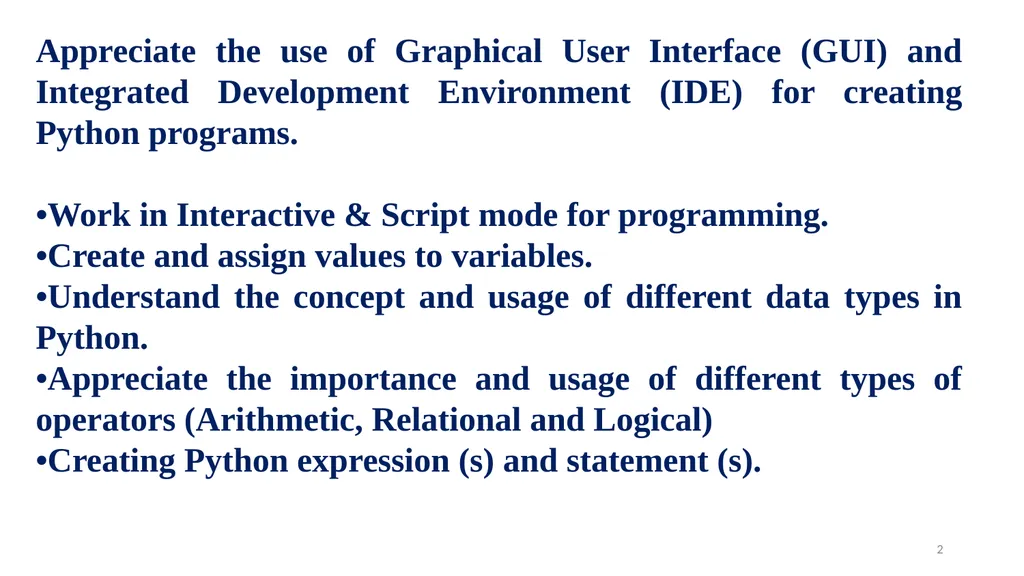
Appreciate the use of Graphical User Interface (GUI) and Integrated Development Environment (IDE) for creating Python programs.
•Work in Interactive & Script mode for programming.
•Create and assign values to variables.
•Understand the concept and usage of different data types in Python.
•Appreciate the importance and usage of different types of operators (Arithmetic, Relational and Logical)
•Creating Python expression (s) and statement (s). 2<br>
•Work in Interactive & Script mode for programming.
•Create and assign values to variables.
•Understand the concept and usage of different data types in Python.
•Appreciate the importance and usage of different types of operators (Arithmetic, Relational and Logical)
•Creating Python expression (s) and statement (s). 2<br>
03
Python is a general purpose programming language
Created by Guido Van Rossum from CWI (Centrum Wiskunde & Informatica) which is a National Research Institute for Mathematics and Computer Science in Netherlands. 3<br>
Created by Guido Van Rossum from CWI (Centrum Wiskunde & Informatica) which is a National Research Institute for Mathematics and Computer Science in Netherlands. 3<br>
04
The language was released in I991.
Python got its name from a BBC comedy series from seventies- “Monty Python’s Flying Circus”.
Python supports both Procedural and Object Oriented programming approaches. 4<br>
Python got its name from a BBC comedy series from seventies- “Monty Python’s Flying Circus”.
Python supports both Procedural and Object Oriented programming approaches. 4<br>
05
Key features of Python 5<br>
06
It is a general purpose programming language which can be used for both scientific and non-scientific programming
It is a platform independent programming language.
The programs written in Python are easily readable and understandable. 6<br>
It is a platform independent programming language.
The programs written in Python are easily readable and understandable. 6<br>
07
Programming in Python 7<br>
08
In Python, programs can be written in two ways namely
Interactive mode
Script mode
The Interactive mode allows us to write codes in Python command prompt (>>>)
In script mode programs can be written and stored as separate file with the extension .py and executed.
Script mode is used to create and edit python source file. 8<br>
Interactive mode
Script mode
The Interactive mode allows us to write codes in Python command prompt (>>>)
In script mode programs can be written and stored as separate file with the extension .py and executed.
Script mode is used to create and edit python source file. 8<br>
09
Interactive mode Programming
In interactive mode Python code can be directly typed and the interpreter displays the result(s) immediately.
The interactive mode can also be used as a simple calculator. 9<br>
In interactive mode Python code can be directly typed and the interpreter displays the result(s) immediately.
The interactive mode can also be used as a simple calculator. 9<br>
10
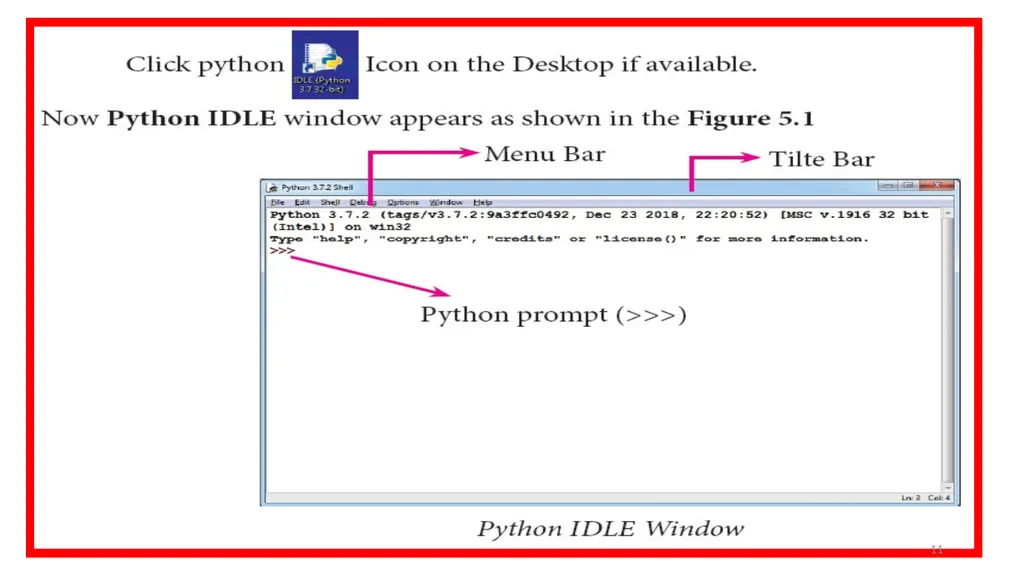
Invoking Python IDLE 10<br>
11
11<br>
12
The prompt (>>>) indicates that Interpreter is ready to acceptations. Therefore, the prompt on screen means IDLE is working in interactive mode. 12<br>
13
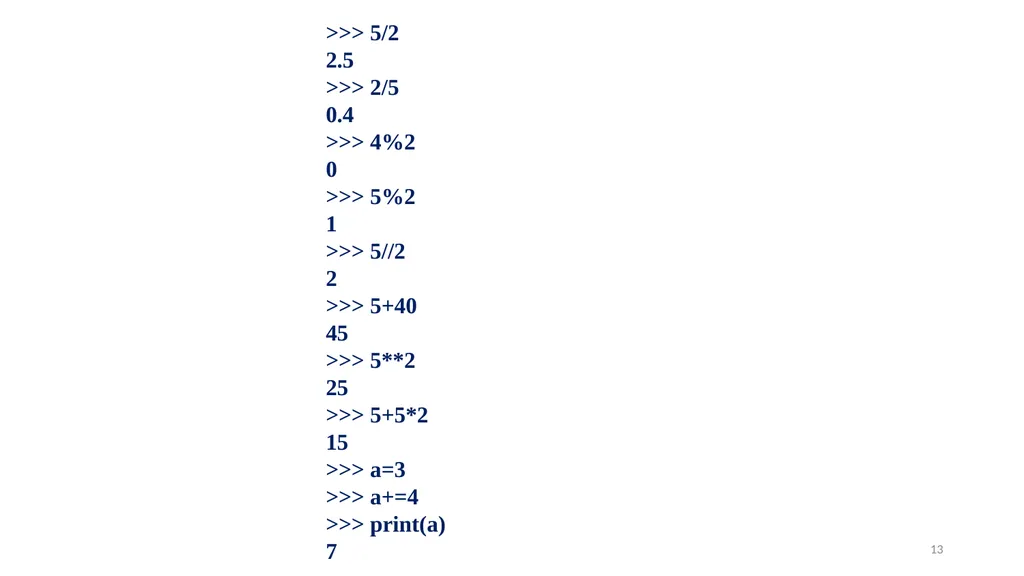
>>> 5/2
2.5
>>> 2/5
0.4
>>> 4%2
0
>>> 5%2
1
>>> 5//2
2
>>> 5+40
45
>>> 5**2
25
>>> 5+5*2
15
>>> a=3
>>> a+=4
>>> print(a)
7 13<br>
2.5
>>> 2/5
0.4
>>> 4%2
0
>>> 5%2
1
>>> 5//2
2
>>> 5+40
45
>>> 5**2
25
>>> 5+5*2
15
>>> a=3
>>> a+=4
>>> print(a)
7 13<br>
14
Script mode Programming
A script is a text file containing the Python statements.
Python Scripts are reusable code.
Once the script is created, it can be executed again and again without retyping.
The Scripts are editable. 14<br>
A script is a text file containing the Python statements.
Python Scripts are reusable code.
Once the script is created, it can be executed again and again without retyping.
The Scripts are editable. 14<br>
15
Input and Output Functions 15<br>
16
A program needs to interact with the user to accomplish the desired task; this can be achieved using Input-Output functions.
The input() function helps to enter data at run time by the user.
The output function print() is used to display the result of the program on the screen after execution. 16<br>
The input() function helps to enter data at run time by the user.
The output function print() is used to display the result of the program on the screen after execution. 16<br>
17
The print() function
In Python, the print() function is used to display result on the screen. 17<br>
In Python, the print() function is used to display result on the screen. 17<br>
18
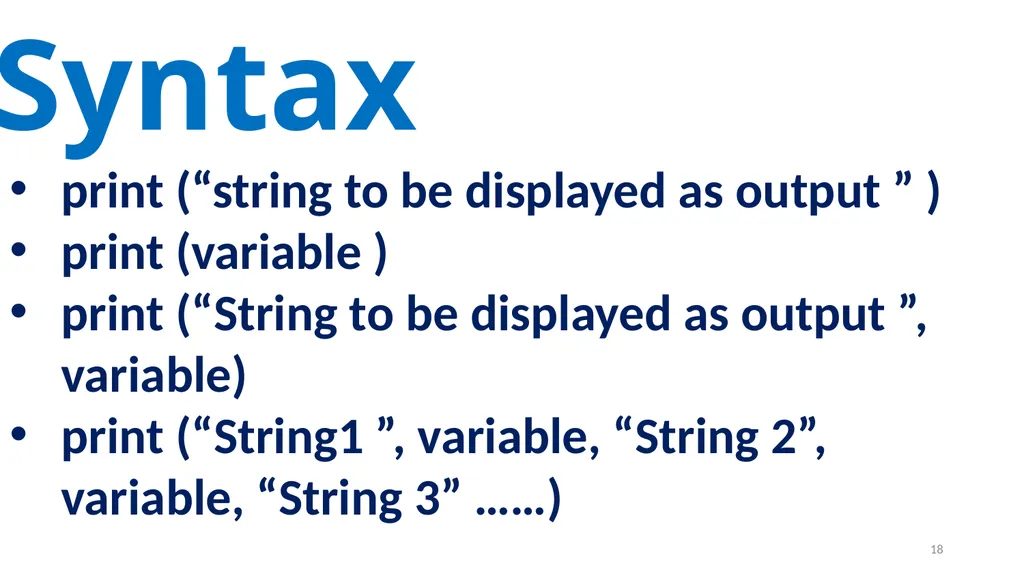
Syntax print (“string to be displayed as output ” )
print (variable )
print (“String to be displayed as output ”, variable)
print (“String1 ”, variable, “String 2”, variable, “String 3” ……) 18<br>
print (variable )
print (“String to be displayed as output ”, variable)
print (“String1 ”, variable, “String 2”, variable, “String 3” ……) 18<br>
19
19<br>
20
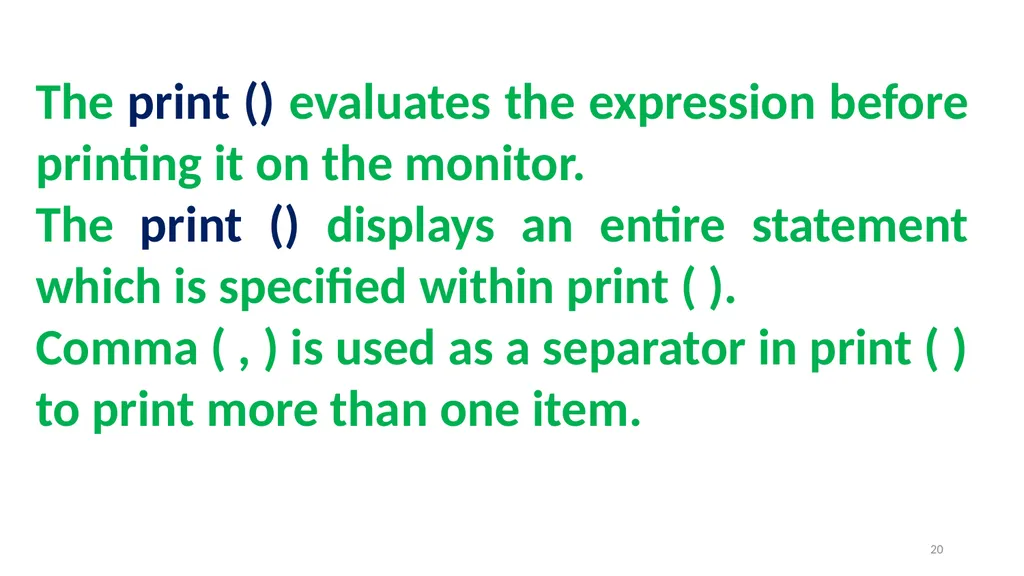
The print () evaluates the expression before printing it on the monitor.
The print () displays an entire statement which is specified within print ( ).
Comma ( , ) is used as a separator in print ( ) to print more than one item. 20<br>
The print () displays an entire statement which is specified within print ( ).
Comma ( , ) is used as a separator in print ( ) to print more than one item. 20<br>
21
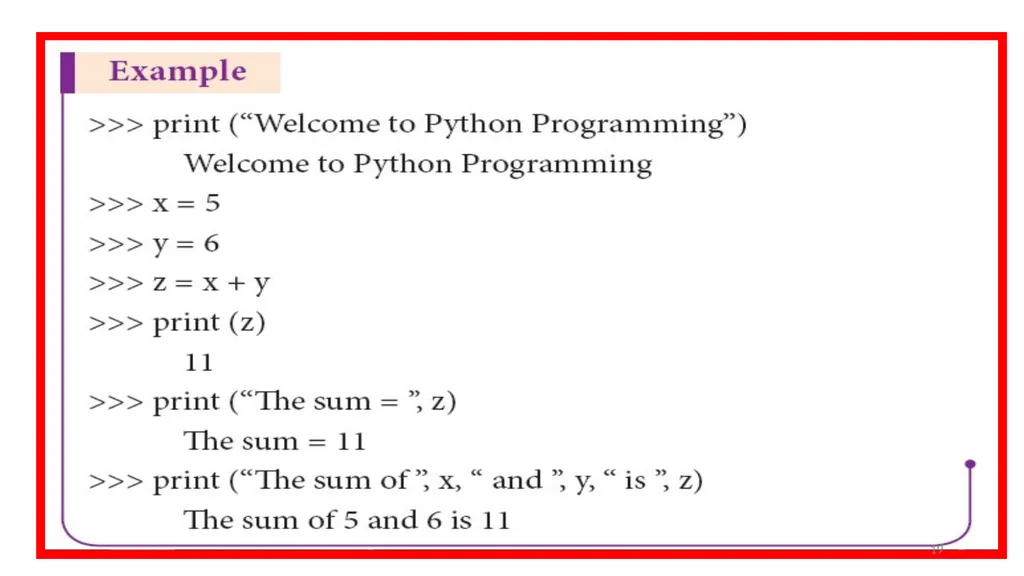
>>> x=5
>>> y=5
>>> z=x+y
>>> print("The sum of ", x," and" , y," is “ ,z)
The sum of 5 and 5 is 10 Example 21<br>
>>> y=5
>>> z=x+y
>>> print("The sum of ", x," and" , y," is “ ,z)
The sum of 5 and 5 is 10 Example 21<br>
22
input( ) function
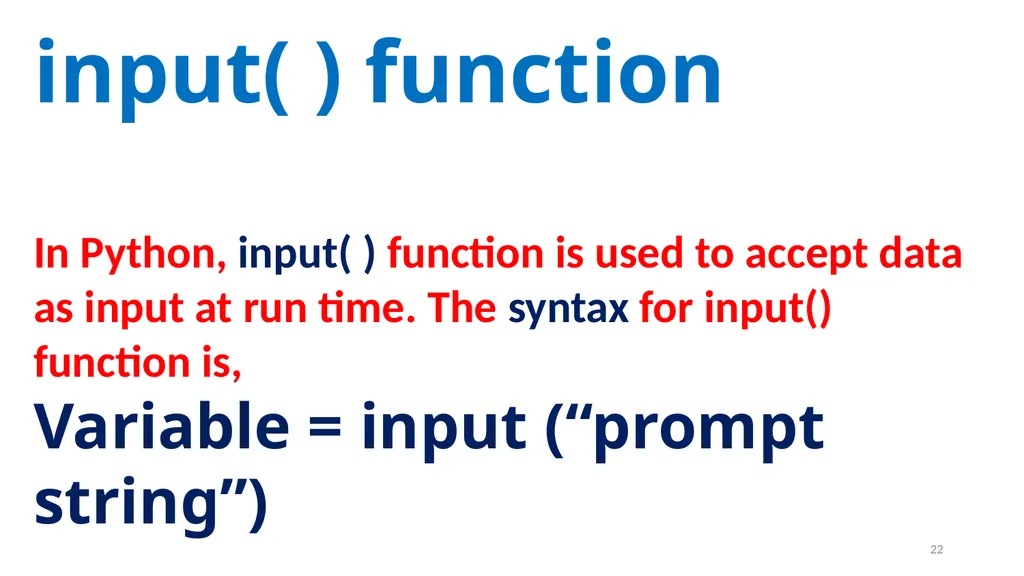
In Python, input( ) function is used to accept data as input at run time. The syntax for input() function is,
Variable = input (“prompt string”) 22<br>
In Python, input( ) function is used to accept data as input at run time. The syntax for input() function is,
Variable = input (“prompt string”) 22<br>
23
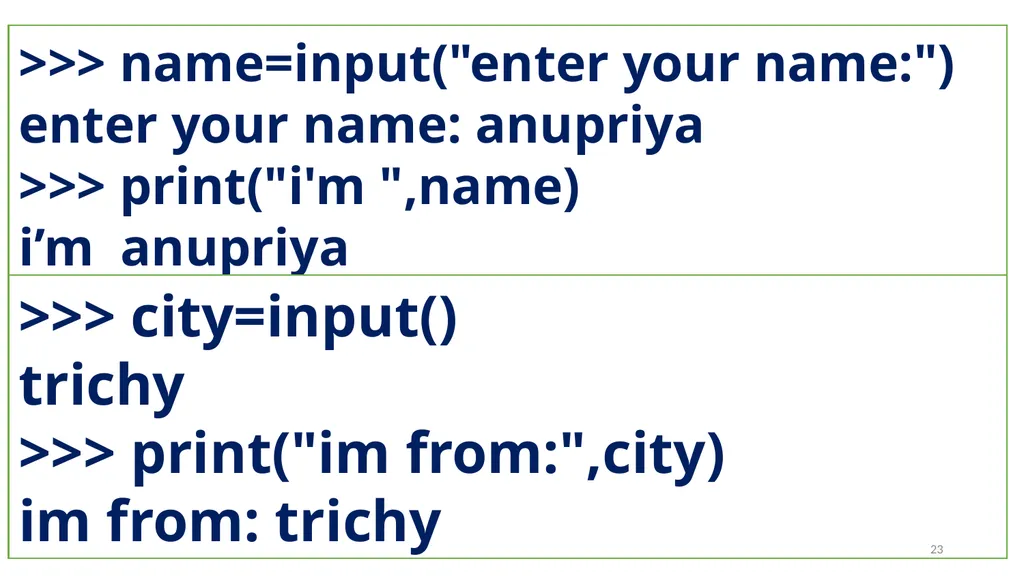
>>> name=input("enter your name:")
enter your name: anupriya
>>> print("i'm ",name)
i’m anupriya >>> city=input()
trichy
>>> print("im from:",city)
im from: trichy 23<br>
enter your name: anupriya
>>> print("i'm ",name)
i’m anupriya >>> city=input()
trichy
>>> print("im from:",city)
im from: trichy 23<br>
24
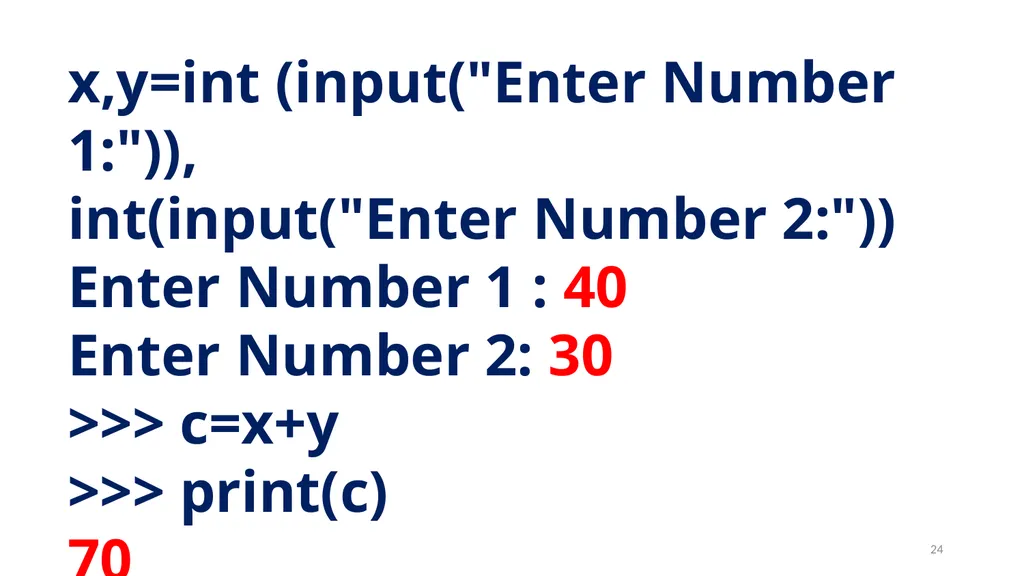
x,y=int (input("Enter Number 1:")),
int(input("Enter Number 2:"))
Enter Number 1 : 40
Enter Number 2: 30
>>> c=x+y
>>> print(c)
70 24<br>
int(input("Enter Number 2:"))
Enter Number 1 : 40
Enter Number 2: 30
>>> c=x+y
>>> print(c)
70 24<br>
25
Comments in Python 25<br>
26
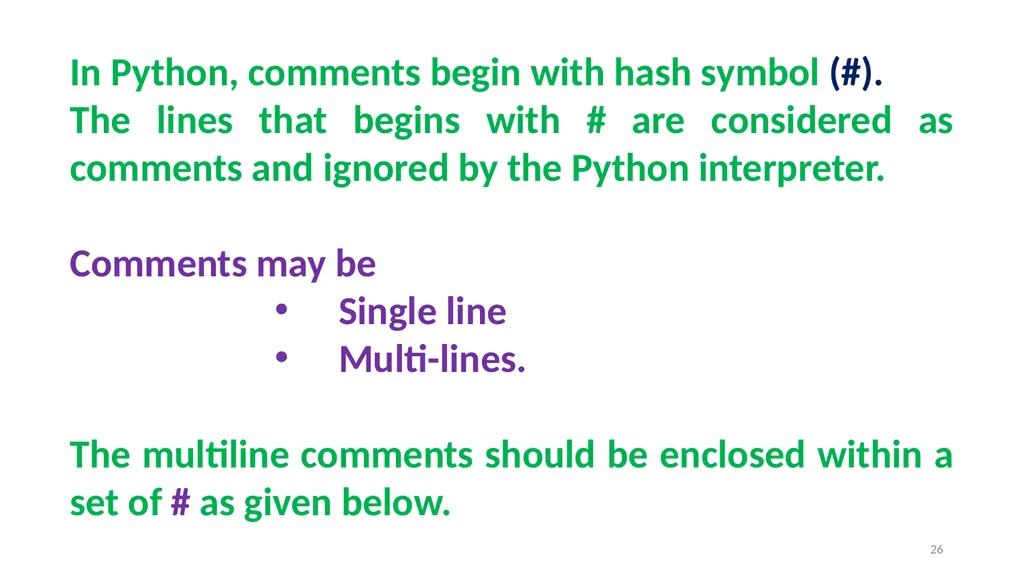
In Python, comments begin with hash symbol (#).
The lines that begins with # are considered as comments and ignored by the Python interpreter.
Comments may be
Single line
Multi-lines.
The multiline comments should be enclosed within a set of # as given below. 26<br>
The lines that begins with # are considered as comments and ignored by the Python interpreter.
Comments may be
Single line
Multi-lines.
The multiline comments should be enclosed within a set of # as given below. 26<br>
27
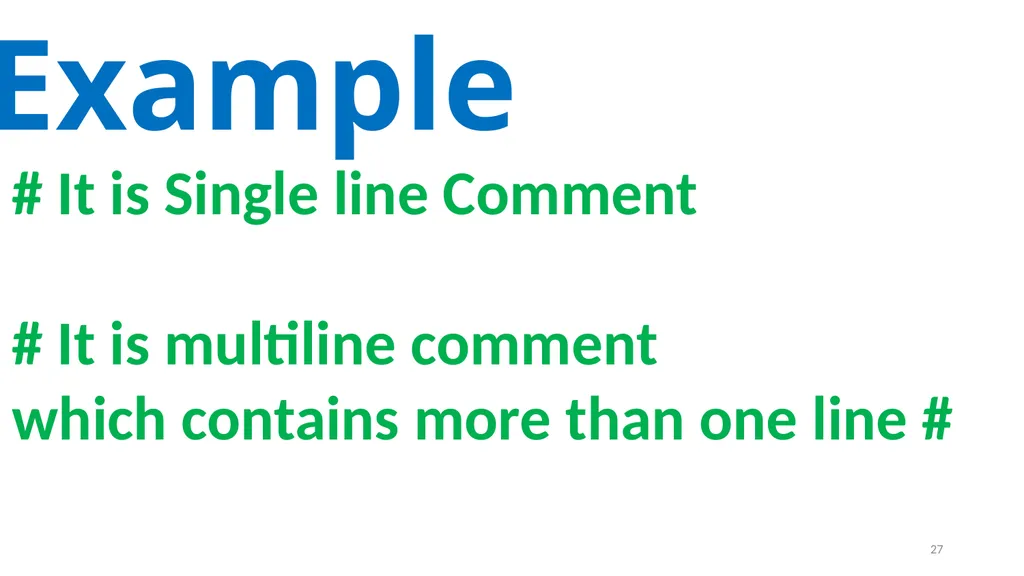
# It is Single line Comment
# It is multiline comment
which contains more than one line # Example 27<br>
# It is multiline comment
which contains more than one line # Example 27<br>
28
Tokens 28<br>
29
Python breaks each logical line into a sequence of elementary lexical components known as Tokens. 29<br>
30
1) Identifiers
2) Keywords
3) Operators
4) Delimiters
5) Literals 30<br>
2) Keywords
3) Operators
4) Delimiters
5) Literals 30<br>
31
Identifiers 31<br>
32
An Identifier is a name used to identify a variable, function, class, module or object. 32<br>
33
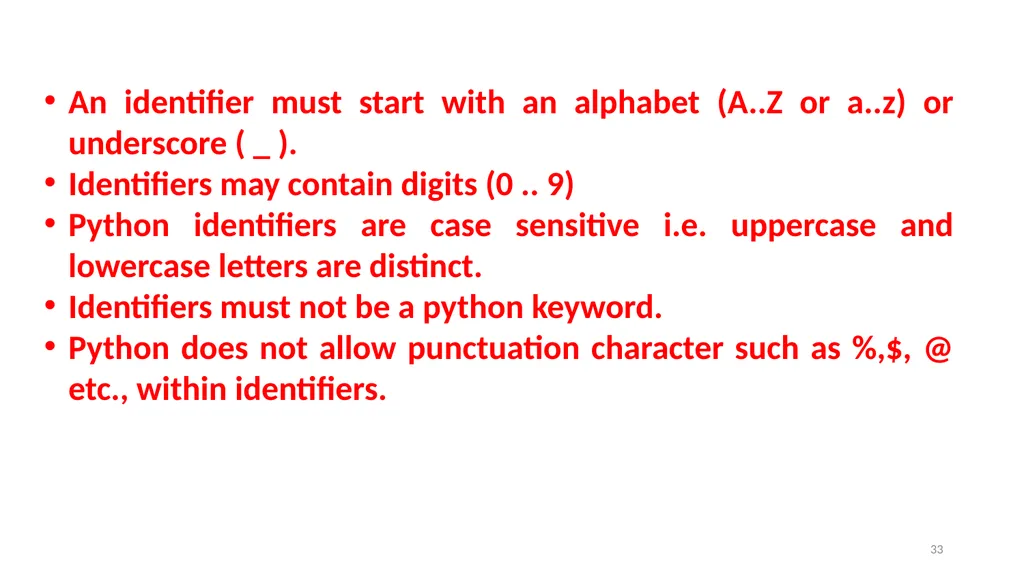
An identifier must start with an alphabet (A..Z or a..z) or underscore ( _ ).
Identifiers may contain digits (0 .. 9)
Python identifiers are case sensitive i.e. uppercase and lowercase letters are distinct.
Identifiers must not be a python keyword.
Python does not allow punctuation character such as %,$, @ etc., within identifiers. 33<br>
Identifiers may contain digits (0 .. 9)
Python identifiers are case sensitive i.e. uppercase and lowercase letters are distinct.
Identifiers must not be a python keyword.
Python does not allow punctuation character such as %,$, @ etc., within identifiers. 33<br>
34
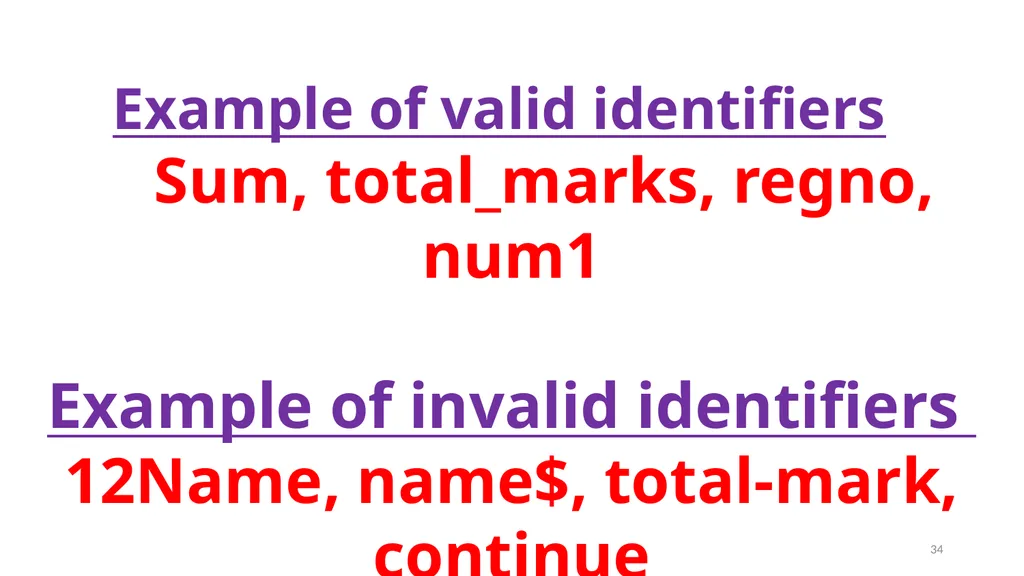
Example of valid identifiers
Sum, total_marks, regno, num1
Example of invalid identifiers
12Name, name$, total-mark, continue 34<br>
Sum, total_marks, regno, num1
Example of invalid identifiers
12Name, name$, total-mark, continue 34<br>
35
Keywords 35<br>
36
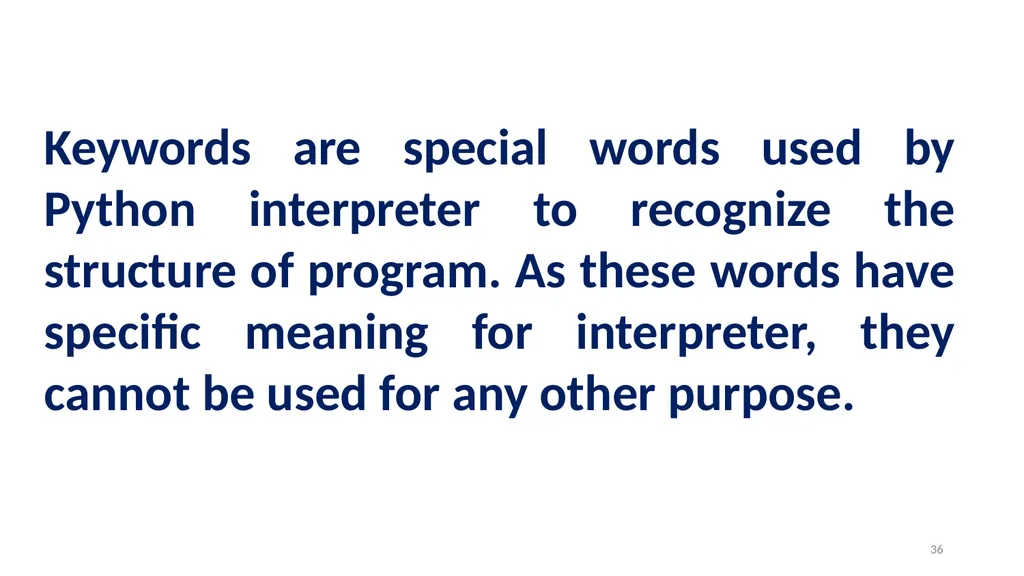
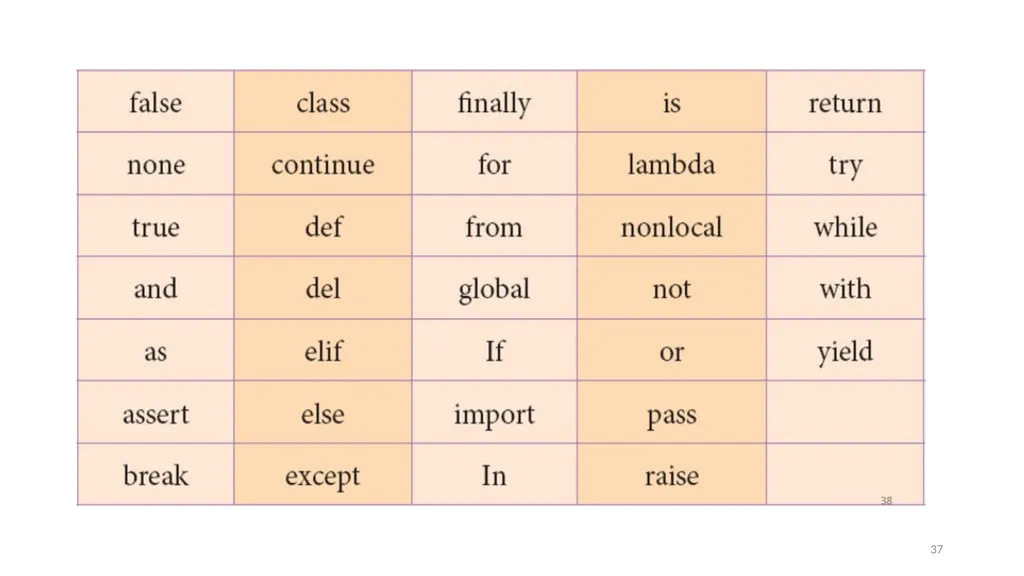
Keywords are special words used by Python interpreter to recognize the structure of program. As these words have specific meaning for interpreter, they cannot be used for any other purpose. 36<br>
37
37<br>
38
Operators 38<br>
39
In computer programming languages operators are special symbols which represent computations, conditional matching etc. 39<br>
40
The value of an operator used is called operands.
Operators are categorized as Arithmetic, Relational, Logical, Assignment etc. Value and variables when used with operator are known as operands. 40<br>
Operators are categorized as Arithmetic, Relational, Logical, Assignment etc. Value and variables when used with operator are known as operands. 40<br>
41
Arithmetic operators 41<br>
42
An arithmetic operator is a mathematical operator that takes two operands and performs a calculation on them. They are used for simple arithmetic. 42<br>
43
Most computer languages contain a set of such operators that can be used within equations to perform different types of sequential calculations. 43<br>
44
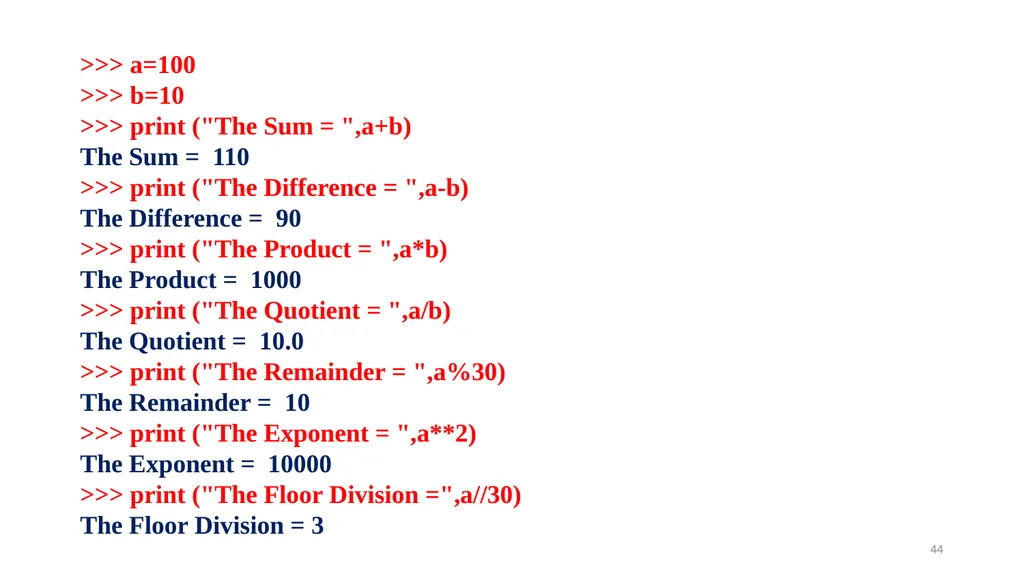
>>> a=100
>>> b=10
>>> print ("The Sum = ",a+b)
The Sum = 110
>>> print ("The Difference = ",a-b)
The Difference = 90
>>> print ("The Product = ",a*b)
The Product = 1000
>>> print ("The Quotient = ",a/b)
The Quotient = 10.0
>>> print ("The Remainder = ",a%30)
The Remainder = 10
>>> print ("The Exponent = ",a**2)
The Exponent = 10000
>>> print ("The Floor Division =",a//30)
The Floor Division = 3 44<br>
>>> b=10
>>> print ("The Sum = ",a+b)
The Sum = 110
>>> print ("The Difference = ",a-b)
The Difference = 90
>>> print ("The Product = ",a*b)
The Product = 1000
>>> print ("The Quotient = ",a/b)
The Quotient = 10.0
>>> print ("The Remainder = ",a%30)
The Remainder = 10
>>> print ("The Exponent = ",a**2)
The Exponent = 10000
>>> print ("The Floor Division =",a//30)
The Floor Division = 3 44<br>
45
Relational or
Comparative operators 45<br>
Comparative operators 45<br>
46
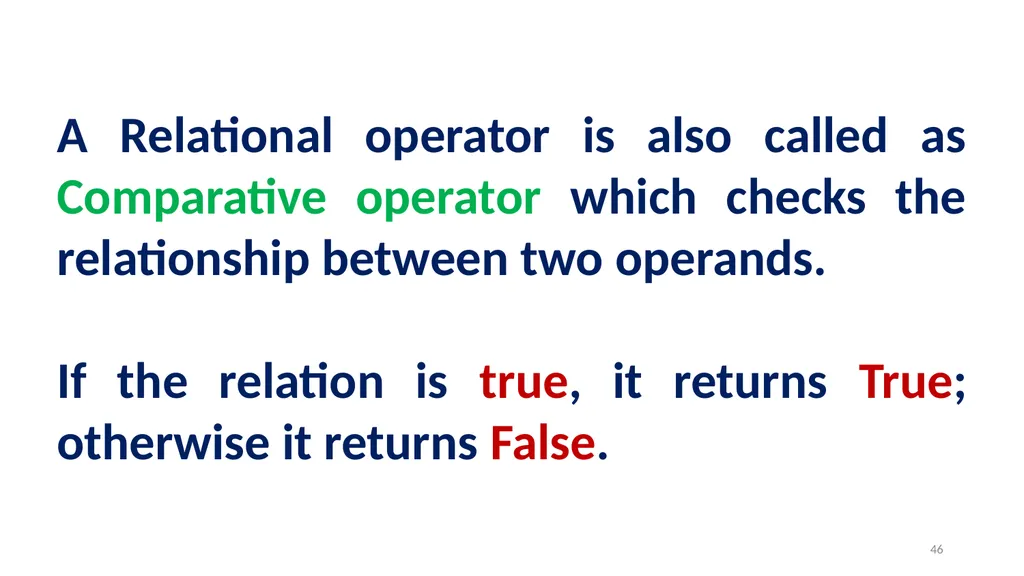
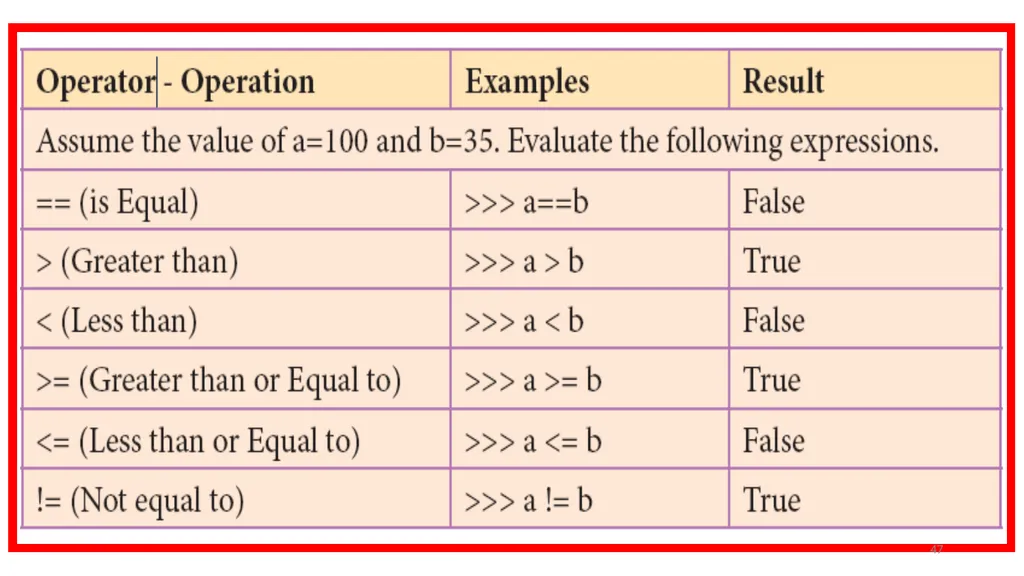
A Relational operator is also called as Comparative operator which checks the relationship between two operands.
If the relation is true, it returns True; otherwise it returns False. 46<br>
If the relation is true, it returns True; otherwise it returns False. 46<br>
47
47<br>
48
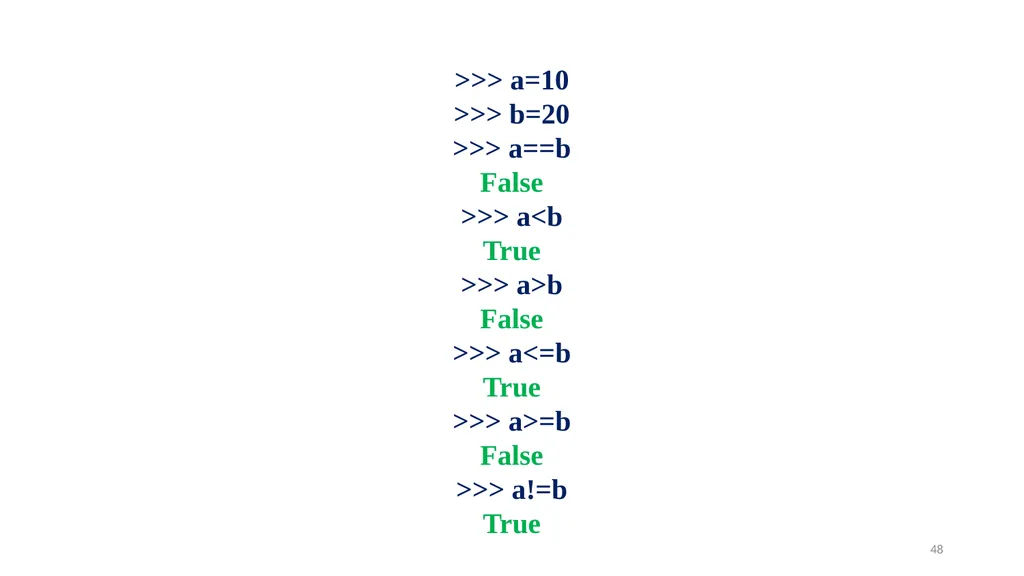
>>> a=10
>>> b=20
>>> a==b
False
>>> a<b
True
>>> a>b
False
>>> a<=b
True
>>> a>=b
False
>>> a!=b
True 48<br>
>>> b=20
>>> a==b
False
>>> a<b
True
>>> a>b
False
>>> a<=b
True
>>> a>=b
False
>>> a!=b
True 48<br>
49
Logical operators 49<br>
50
In python, Logical operators are used to perform logical operations on the given relational expressions. There are three logical operators they are and, or and not. 50<br>
51
Assignment operators 51<br>
52
In Python, = is a simple assignment operator to assign values to variable.
Let a = 5 and b = 10 assigns the value 5 to a and 10 to b these two assignment statement can also be given as a,b=5,10 that assigns the value 5 and 10 on the right to the variables a and b respectively. There are various compound operators in Python like +=, -=, *=, /=, %=, **= and //= are also available. 52<br>
Let a = 5 and b = 10 assigns the value 5 to a and 10 to b these two assignment statement can also be given as a,b=5,10 that assigns the value 5 and 10 on the right to the variables a and b respectively. There are various compound operators in Python like +=, -=, *=, /=, %=, **= and //= are also available. 52<br>
53
x=int (input("Type a Value for X : "))
print ("X = ",x)
x+=2
print ("X = ",x)
x-=2
print ("X = ",x)
x*=2
print ("X = ",x)
x/=2
print ("X = ",x)
x%=2
print ("X = ",x)
x**=2
print ("X = ",x)
x//=2
print ("X = ",x) Type a Value for X : 10
X = 10
X = 12
X = 10
X = 20
X = 10.0
X = 0.0
X = 0.0
X = 0.0 53<br>
print ("X = ",x)
x+=2
print ("X = ",x)
x-=2
print ("X = ",x)
x*=2
print ("X = ",x)
x/=2
print ("X = ",x)
x%=2
print ("X = ",x)
x**=2
print ("X = ",x)
x//=2
print ("X = ",x) Type a Value for X : 10
X = 10
X = 12
X = 10
X = 20
X = 10.0
X = 0.0
X = 0.0
X = 0.0 53<br>
54
Conditional operator 54<br>
55
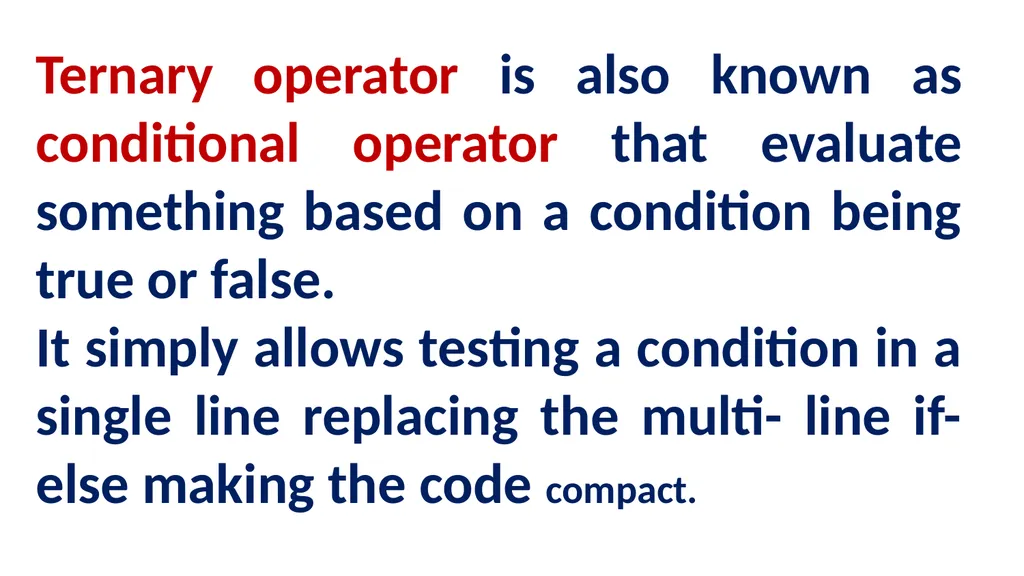
Ternary operator is also known as conditional operator that evaluate something based on a condition being true or false.
It simply allows testing a condition in a single line replacing the multi- line if-else making the code compact.<br>
It simply allows testing a condition in a single line replacing the multi- line if-else making the code compact.<br>
56
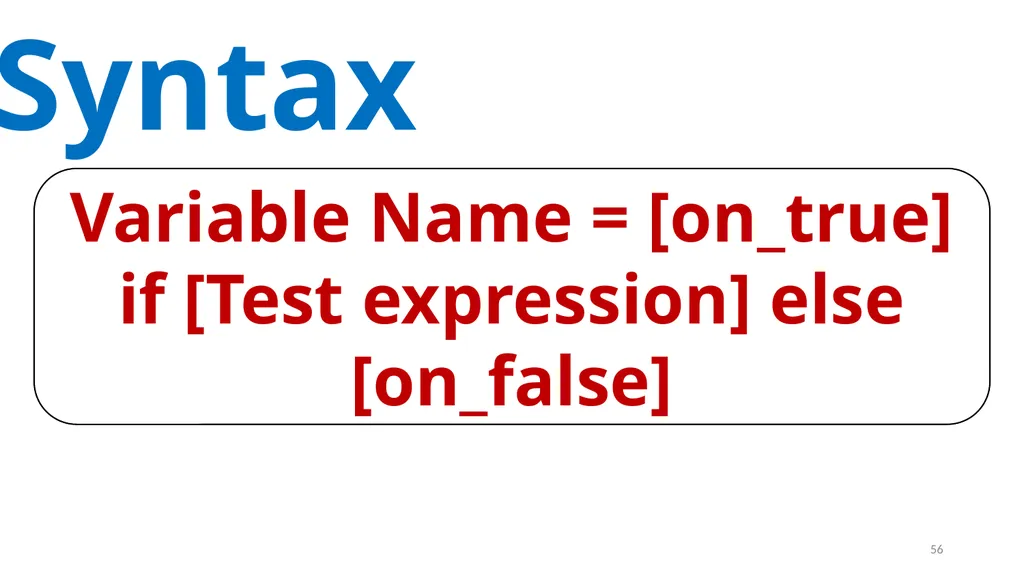
Syntax Variable Name = [on_true] if [Test expression] else [on_false] 56<br>
57
a=10
b=20
min = a if a < b else b
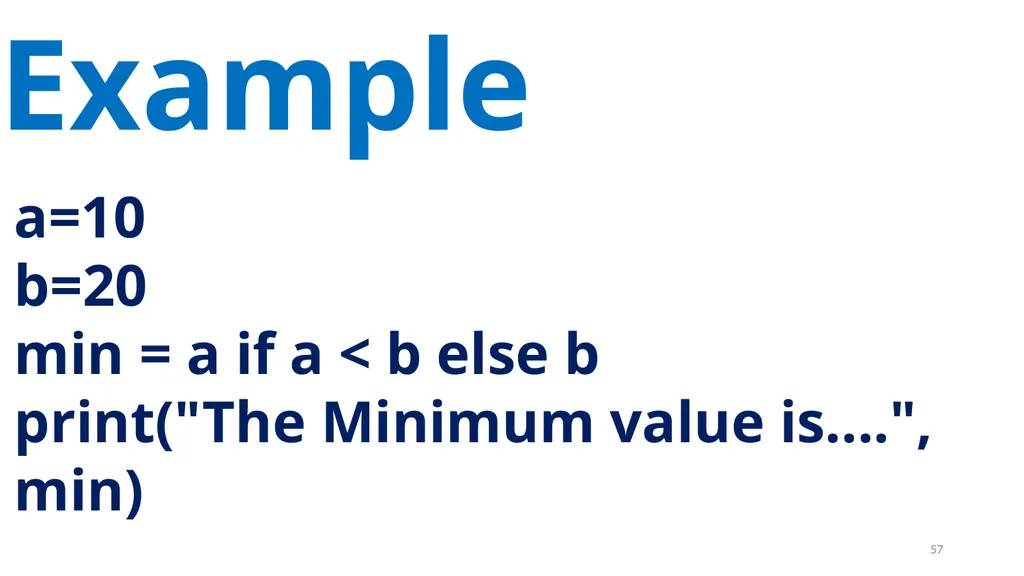
print("The Minimum value is....", min) Example 57<br>
b=20
min = a if a < b else b
print("The Minimum value is....", min) Example 57<br>
58
Delimiters 58<br>
59
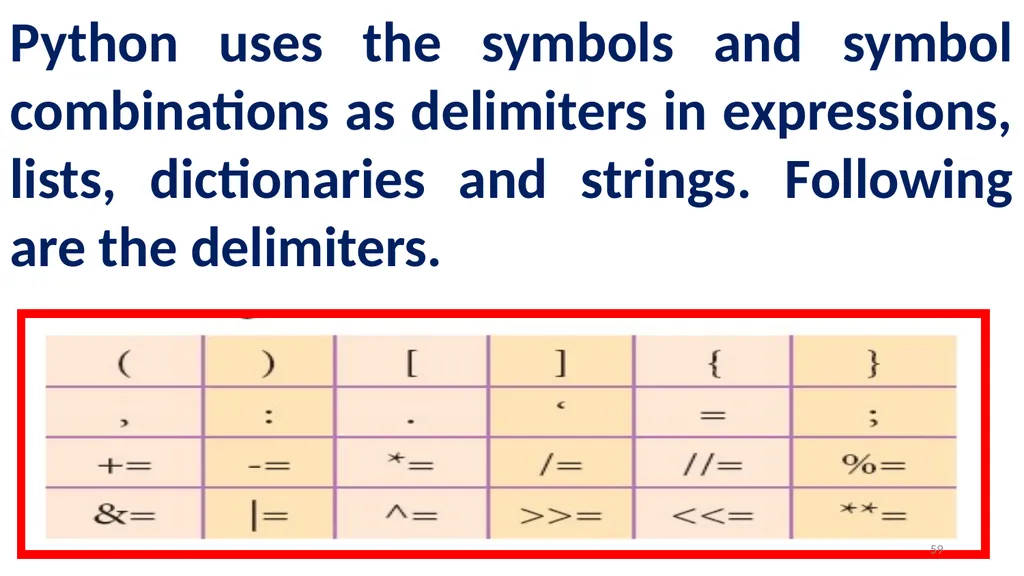
Python uses the symbols and symbol combinations as delimiters in expressions, lists, dictionaries and strings. Following are the delimiters. 59<br>
60
Literals 60<br>
61
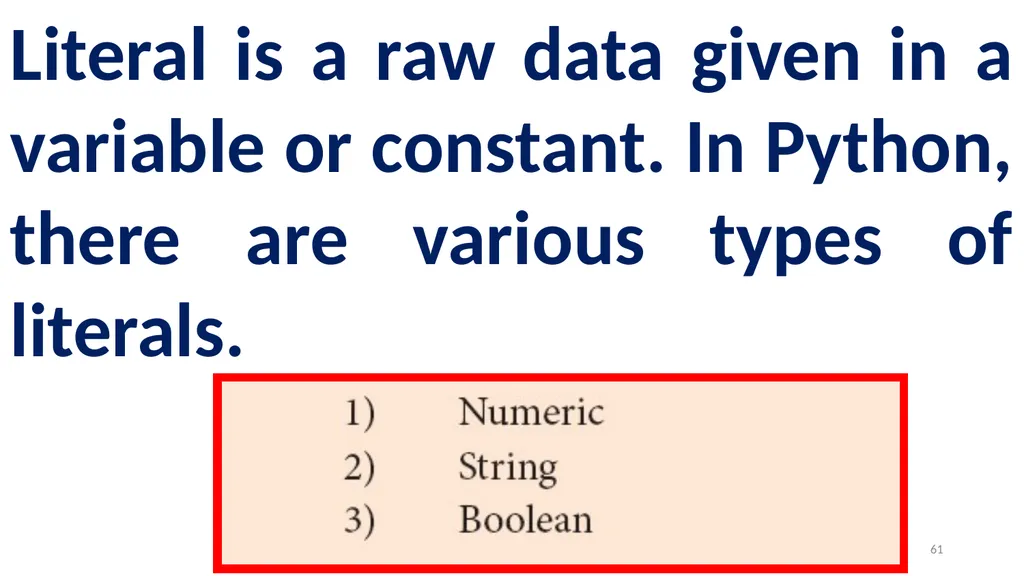
Literal is a raw data given in a variable or constant. In Python, there are various types of literals. 61<br>
62
Numeric Literals 62<br>
63
Numeric Literals consists of digits and are immutable (unchangeable).
Numeric literals can belong to 3 different numerical types Integer, Float and Complex. 63<br>
Numeric literals can belong to 3 different numerical types Integer, Float and Complex. 63<br>
64
String Literals 64<br>
65
In Python a string literal is a sequence of characters surrounded by quotes.
Python supports single, double and triple quotes for a string.
A character literal is a single character surrounded by single or double quotes.
The value with triple-quote "' '" is used to give multi-line string literal. 65<br>
Python supports single, double and triple quotes for a string.
A character literal is a single character surrounded by single or double quotes.
The value with triple-quote "' '" is used to give multi-line string literal. 65<br>
66
Boolean Literals 66<br>
67
A Boolean literal can have any of the two values: True or False. 67<br>
68
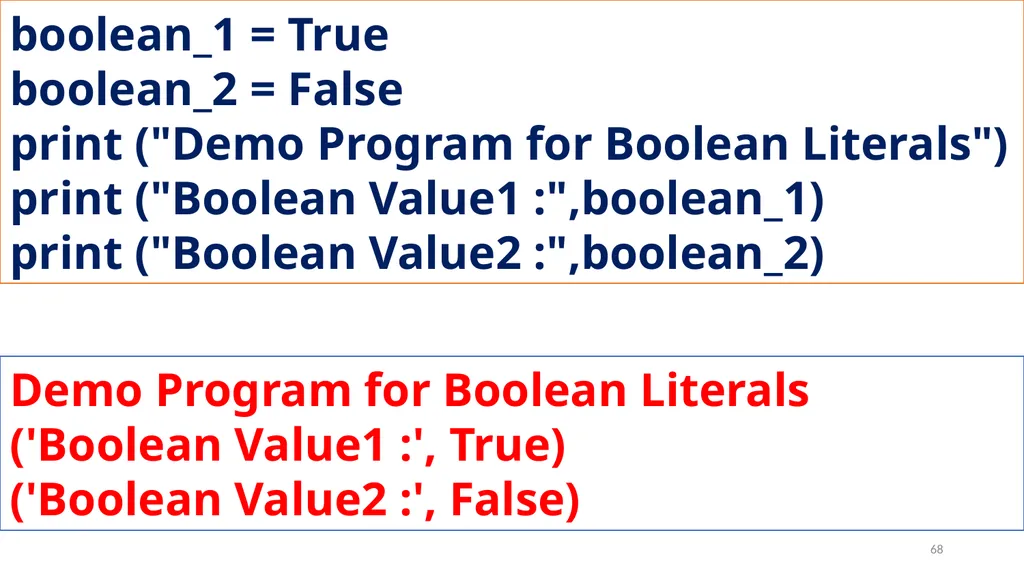
boolean_1 = True
boolean_2 = False
print ("Demo Program for Boolean Literals")
print ("Boolean Value1 :",boolean_1)
print ("Boolean Value2 :",boolean_2) Demo Program for Boolean Literals
('Boolean Value1 :', True)
('Boolean Value2 :', False) 68<br>
boolean_2 = False
print ("Demo Program for Boolean Literals")
print ("Boolean Value1 :",boolean_1)
print ("Boolean Value2 :",boolean_2) Demo Program for Boolean Literals
('Boolean Value1 :', True)
('Boolean Value2 :', False) 68<br>
69
Escape Sequences 69<br>
70
In Python strings, the backslash "\" is a special character, also called the "escape" character.
It is used in representing certain whitespace characters: "\t" is a tab, "\n" is a newline, and "\r" is a carriage return. 70<br>
It is used in representing certain whitespace characters: "\t" is a tab, "\n" is a newline, and "\r" is a carriage return. 70<br>
71
Python Data types 71<br>
72
All data values in Python are objects and each object or value has type. Python has Built-in or Fundamental data types such as Number, String, Boolean, tuples, lists and dictionaries. 72<br>
73
Number Data type 73<br>
74
The built-in number objects in Python supports integers, floating point numbers and complex numbers.
Integer Data can be decimal, octal or hexadecimal.
Octal integer use O (both upper and lower case) to denote octal digits and hexadecimal integer use OX (both upper and lower case) and L (only upper case) to denote long integer. 74<br>
Integer Data can be decimal, octal or hexadecimal.
Octal integer use O (both upper and lower case) to denote octal digits and hexadecimal integer use OX (both upper and lower case) and L (only upper case) to denote long integer. 74<br>
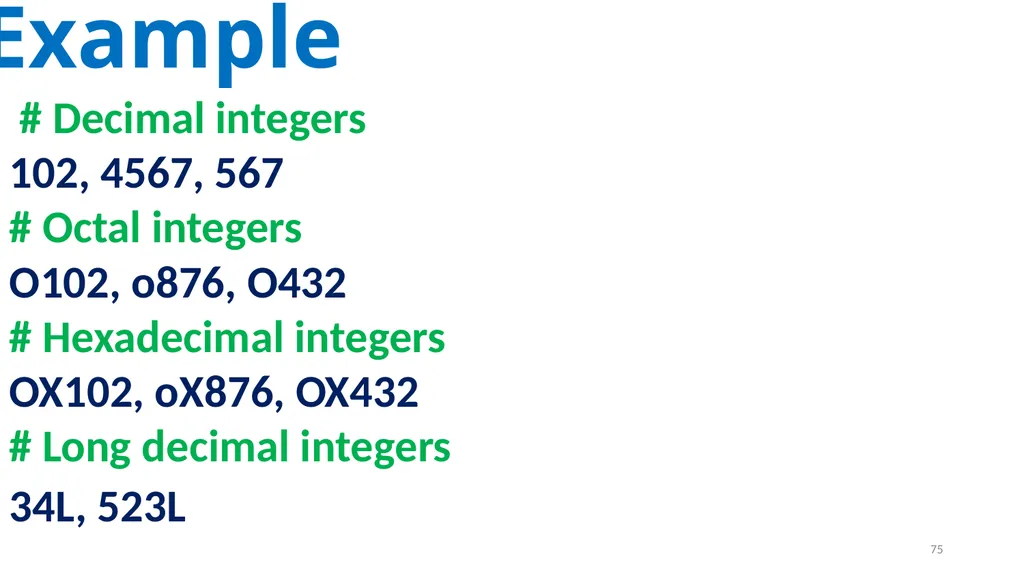
75
Example # Decimal integers
102, 4567, 567
# Octal integers
O102, o876, O432
# Hexadecimal integers
OX102, oX876, OX432
# Long decimal integers
34L, 523L 75<br>
102, 4567, 567
# Octal integers
O102, o876, O432
# Hexadecimal integers
OX102, oX876, OX432
# Long decimal integers
34L, 523L 75<br>
76
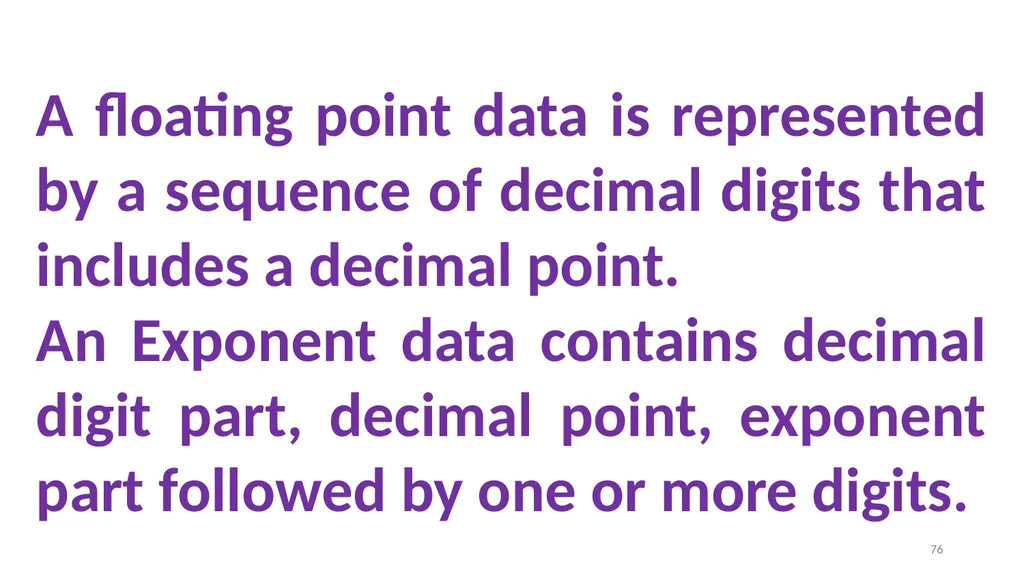
A floating point data is represented by a sequence of decimal digits that includes a decimal point.
An Exponent data contains decimal digit part, decimal point, exponent part followed by one or more digits. 76<br>
An Exponent data contains decimal digit part, decimal point, exponent part followed by one or more digits. 76<br>
77
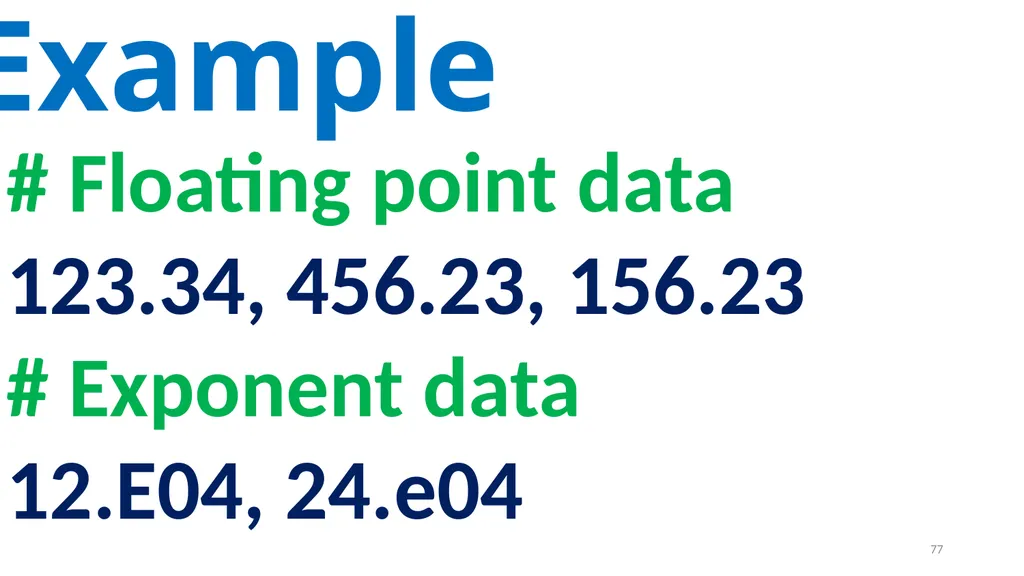
Example # Floating point data
123.34, 456.23, 156.23
# Exponent data
12.E04, 24.e04 77<br>
123.34, 456.23, 156.23
# Exponent data
12.E04, 24.e04 77<br>
78
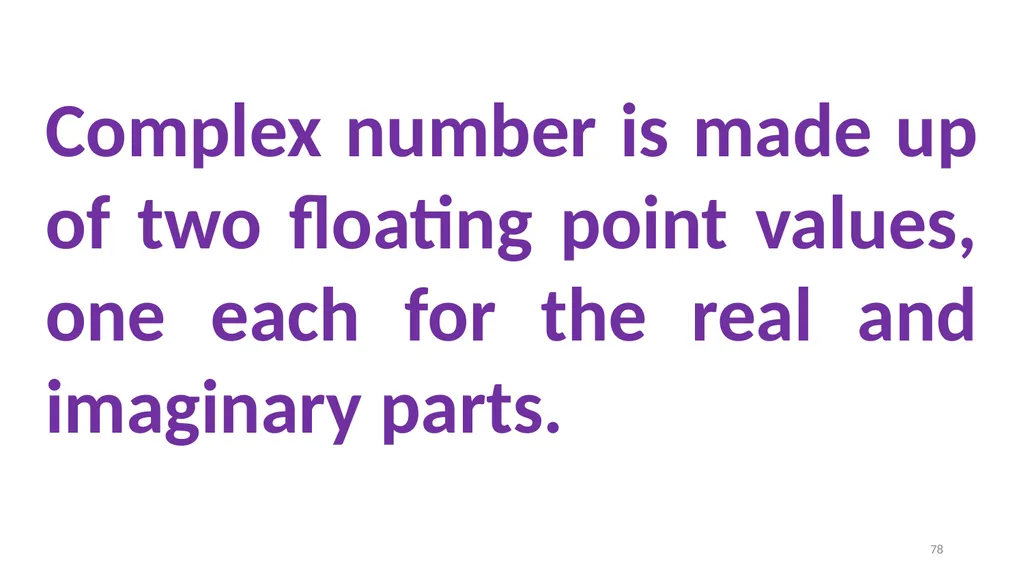
Complex number is made up of two floating point values, one each for the real and imaginary parts. 78<br>
79
Boolean Data type 79<br>
80
A Boolean data can have any of the two values: True or False. 80<br>
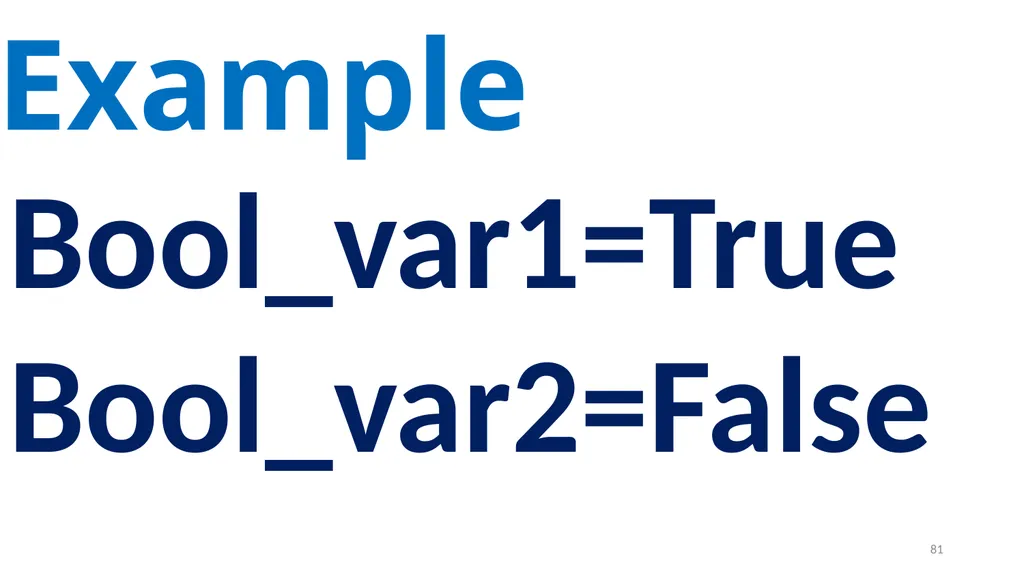
81
Example Bool_var1=True
Bool_var2=False 81<br>
Bool_var2=False 81<br>
82
String Data type 82<br>
83
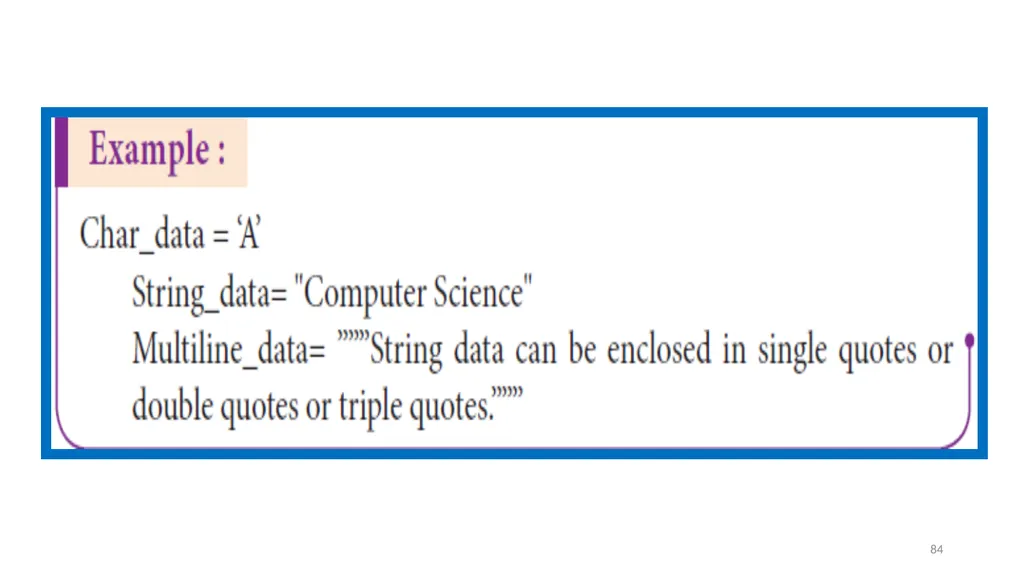
String data can be enclosed with single quote or double quote or triple quote. 83<br>
84
84<br>
85
Thank you 85<br>