2016 OSUCCC James Research Template (16:9 widescreen format) Create New Slides: Click on Home Tab Click New Slide (in slides group) Select best layout for your content Click on Home tab Select Layout Choose relevant layout for each
"2016 OSUCCC – James Research Template (16:9" is the property of its rightful owner. Permission is granted to
download and print the materials on this website for personal, non-commercial use only, and to display it
on your personal computer provided you do not modify the materials and that you retain all copyright
notices contained in the materials. By downloading content from our website, you accept the terms of this
agreement.
Presentation Transcript
01
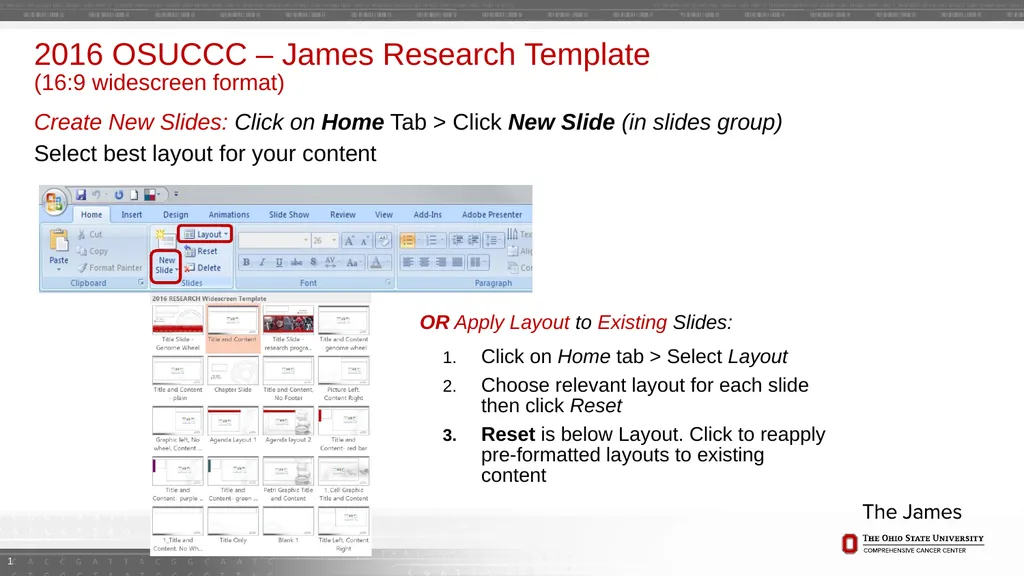
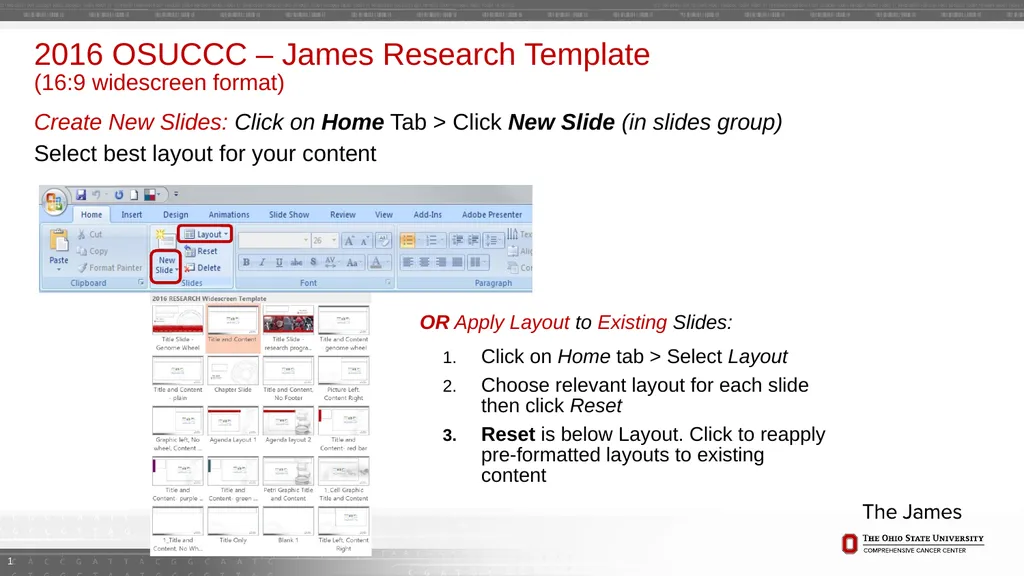
2016 OSUCCC – James Research Template (16:9 widescreen format) Create New Slides: Click on Home Tab > Click New Slide (in slides group)
Select best layout for your content Click on Home tab > Select Layout
Choose relevant layout for each slide then click Reset
Reset is below Layout. Click to reapply pre-formatted layouts to existing content OR Apply Layout to Existing Slides: 1<br>
02
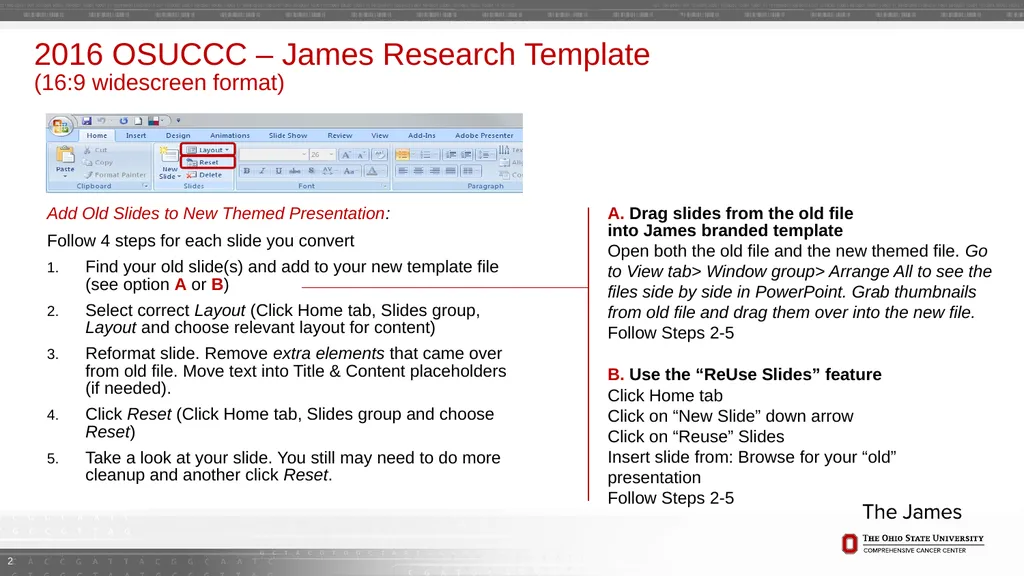
2016 OSUCCC – James Research Template (16:9 widescreen format) Follow 4 steps for each slide you convert
Find your old slide(s) and add to your new template file (see option A or B)
Select correct Layout (Click Home tab, Slides group, Layout and choose relevant layout for content)
Reformat slide. Remove extra elements that came over from old file. Move text into Title & Content placeholders (if needed).
Click Reset (Click Home tab, Slides group and choose Reset)
Take a look at your slide. You still may need to do more cleanup and another click Reset. Add Old Slides to New Themed Presentation: B. Use the “ReUse Slides” feature
Click Home tab
Click on “New Slide” down arrow
Click on “Reuse” Slides
Insert slide from: Browse for your “old” presentation
Follow Steps 2-5 A. Drag slides from the old file into James branded template
Open both the old file and the new themed file. Go to View tab> Window group> Arrange All to see the files side by side in PowerPoint. Grab thumbnails from old file and drag them over into the new file.
Follow Steps 2-5 2<br>
03
Research Presentation Presenter’s name
Date<br>
04
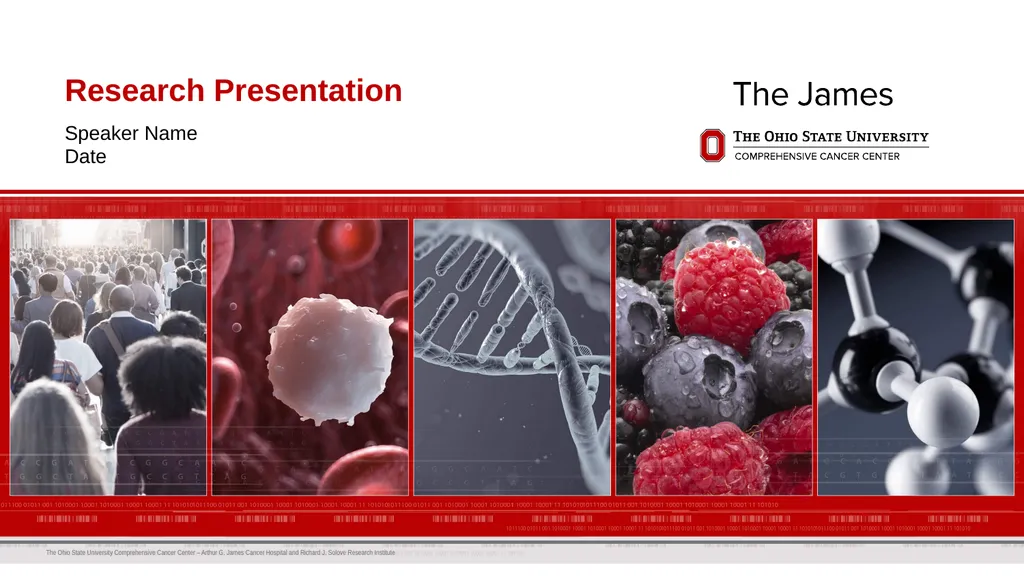
Research Presentation Speaker Name
Date<br>
05
Slide Title Basic content placeholder 5<br>
06
Slide Title Basic content placeholder with corner design
For this slide option, the background design has decorative genome map 6<br>
07
Slide Title Basic content placeholder
For this slide option, the genome map and footer have been removed to accommodate complicated or detailed content
Do not allow content to go over the logo 7<br>
08
picture picture Slide Title Basic content placeholder 8<br>
09
Slide Title Basic content placeholder 9 Picture goes here,
From just below the gray bar to bottom (over the footer).<br>
10
Agenda Item One
Agenda Item Two
Agenda Item Three
Agenda Item Four
Agenda Item Five 10 Agenda<br>
11
Agenda Item One
Agenda Item Two
Agenda Item Three
Agenda Item Four
Agenda Item Five Agenda 11<br>
12
Chapter / Divider slide 12<br>
13
Point one
Point two
Point three Slide Title Goes here 13<br>
14
Point one
Point two
Point three Slide Title Goes here 14<br>
15
Point one
Point two
Point three Slide Title Goes here 15<br>
16
Slide Title Point one
Point two
Point three 16<br>
17
Slide Title Point one
Point two
Point three 17<br>
18
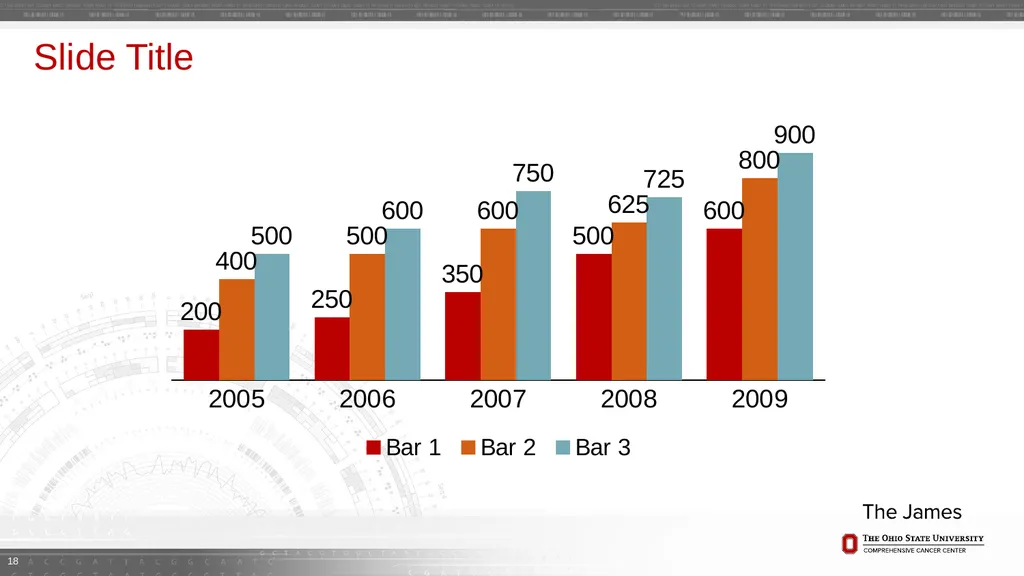
Slide Title 18<br>
19
Thank You To learn more about Ohio State’s cancer program, please visit cancer.osu.edu or follow us in social media: 19<br>