
A Level Computer Science Topic 3: Advanced
Description: A Level Computer Science Topic 3: Advanced Programming in Python Teaching London Computing William Marsh School of Electronic Engineering and Computer Science Queen Mary University of London Aims Further topics in programming Some
Related Topics
Download Presentation
"A Level Computer Science Topic 3: Advanced" is the property of its rightful owner. Permission is granted to download and print the materials on this website for personal, non-commercial use only, and to display it on your personal computer provided you do not modify the materials and that you retain all copyright notices contained in the materials. By downloading content from our website, you accept the terms of this agreement.
Presentation Transcript
slide1. A Level Computer Science
Topic 3: Advanced Programming in Python Teaching London Computing William Marsh
School of Electronic Engineering and Computer Science
Queen Mary University of London<br>
slide2. Aims Further topics in programming
Some Python-specific
Representing information
Arrays of multiple dimensions
Python built-in types: tuples, dictionaries; sequences
Exceptions: dealing with errors<br>
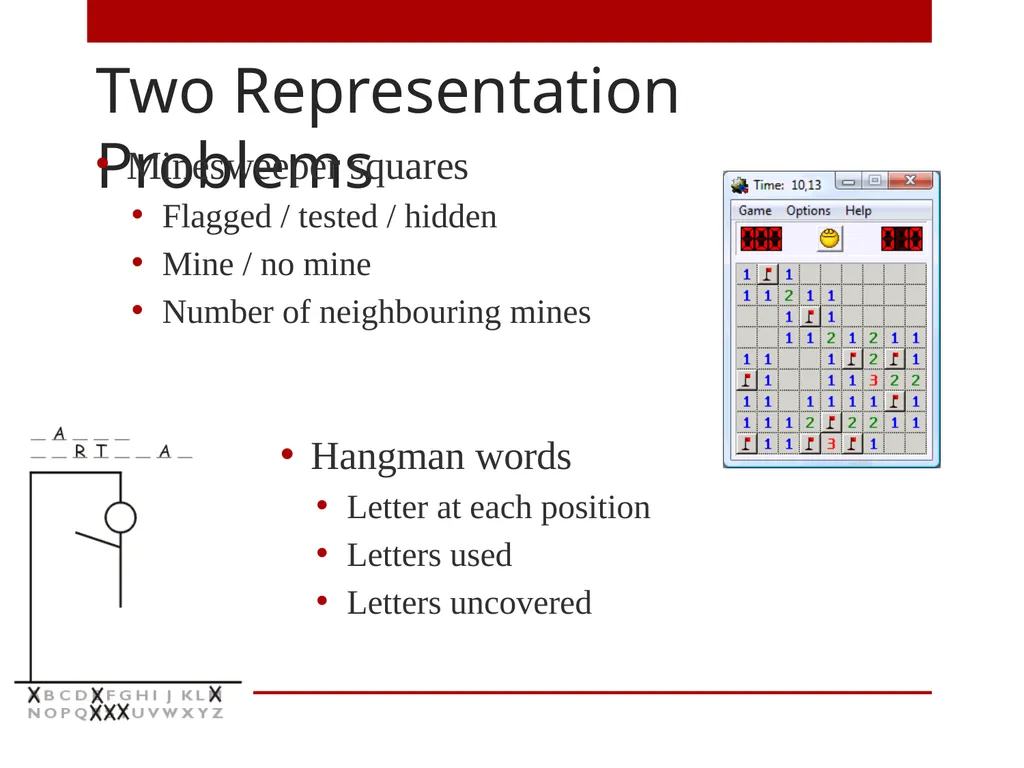
slide3. Two Representation Problems Minesweeper squares
Flagged / tested / hidden
Mine / no mine
Number of neighbouring mines Hangman words
Letter at each position
Letters used
Letters uncovered<br>
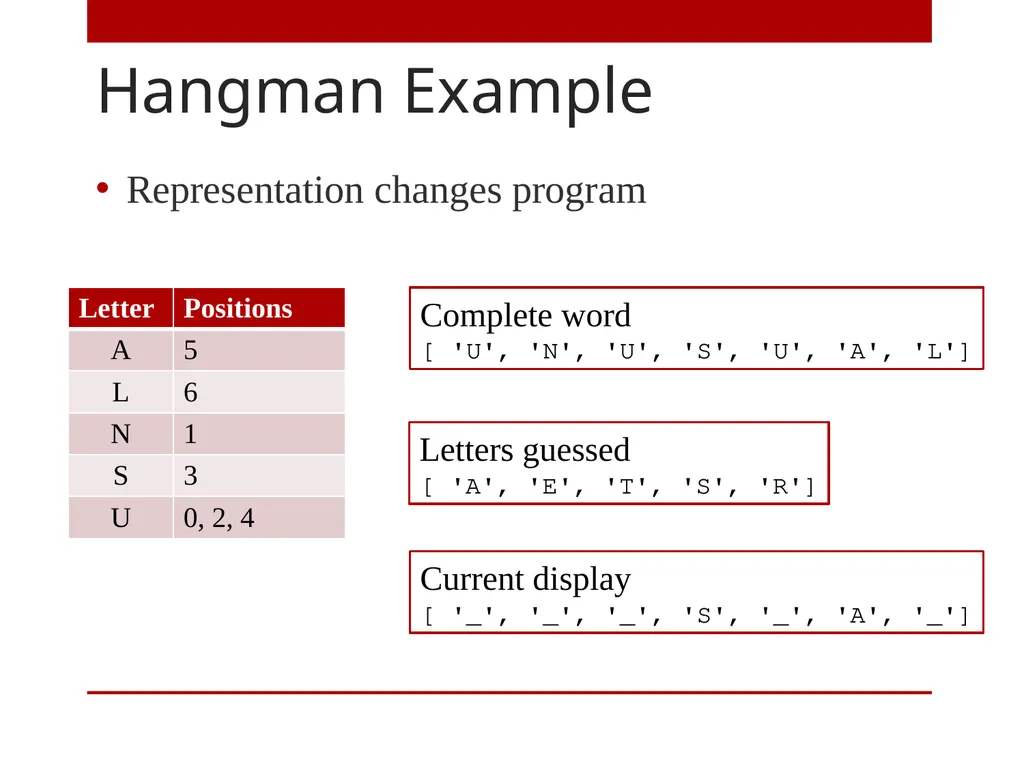
slide4. Hangman Example Complete word
[ 'U', 'N', 'U', 'S', 'U', 'A', 'L'] Letters guessed
[ 'A', 'E', 'T', 'S', 'R'] Current display
[ '_', '_', '_', 'S', '_', 'A', '_'] Representation changes program<br>
slide5. Arrays of Multiple Dimensions Standard part of A Level<br>
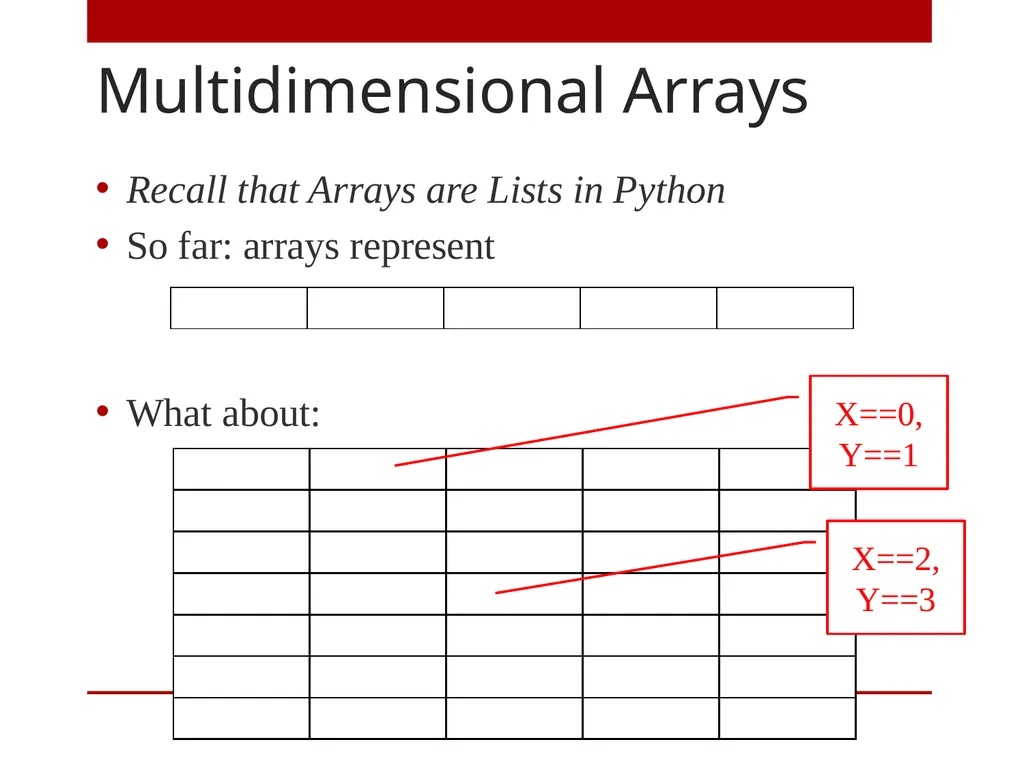
slide6. Multidimensional Arrays Recall that Arrays are Lists in Python
So far: arrays represent
What about: X==0, Y==1 X==2, Y==3<br>
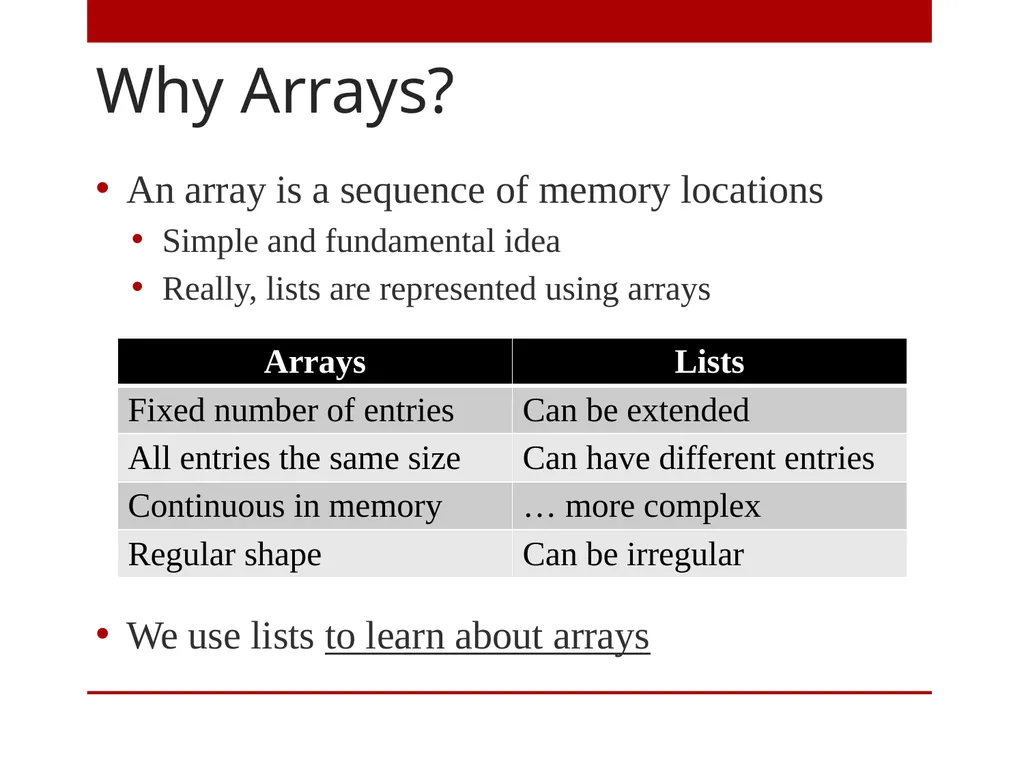
slide7. Why Arrays? An array is a sequence of memory locations
Simple and fundamental idea
Really, lists are represented using arrays
We use lists to learn about arrays<br>
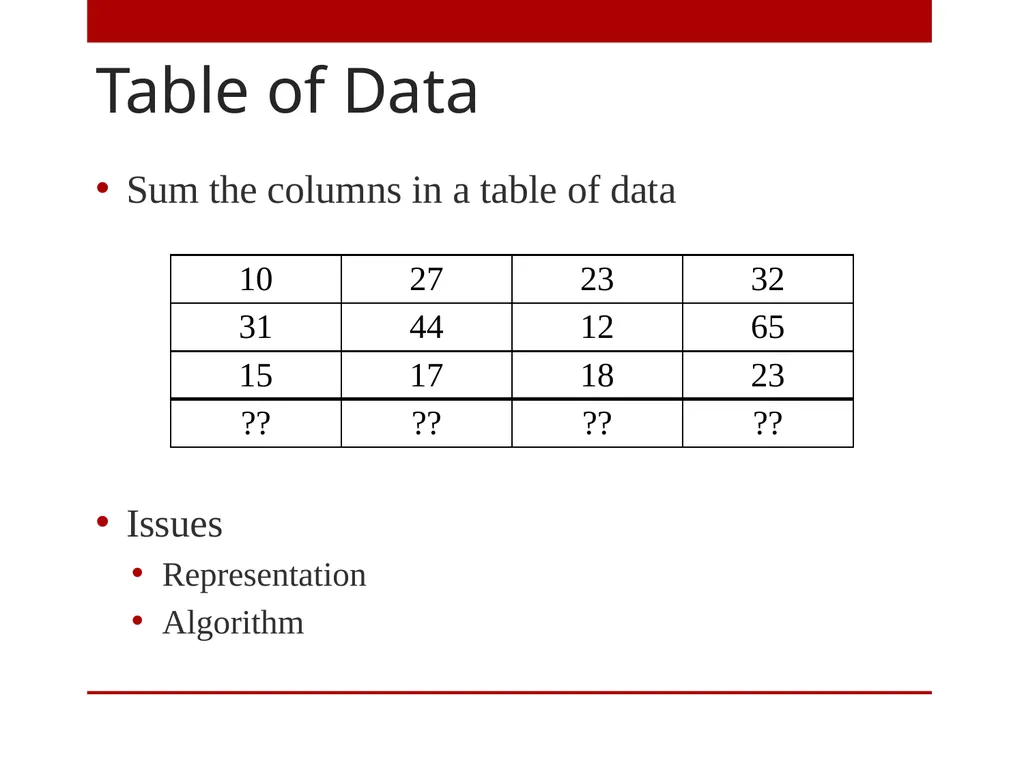
slide8. Table of Data Sum the columns in a table of data
Issues
Representation
Algorithm<br>
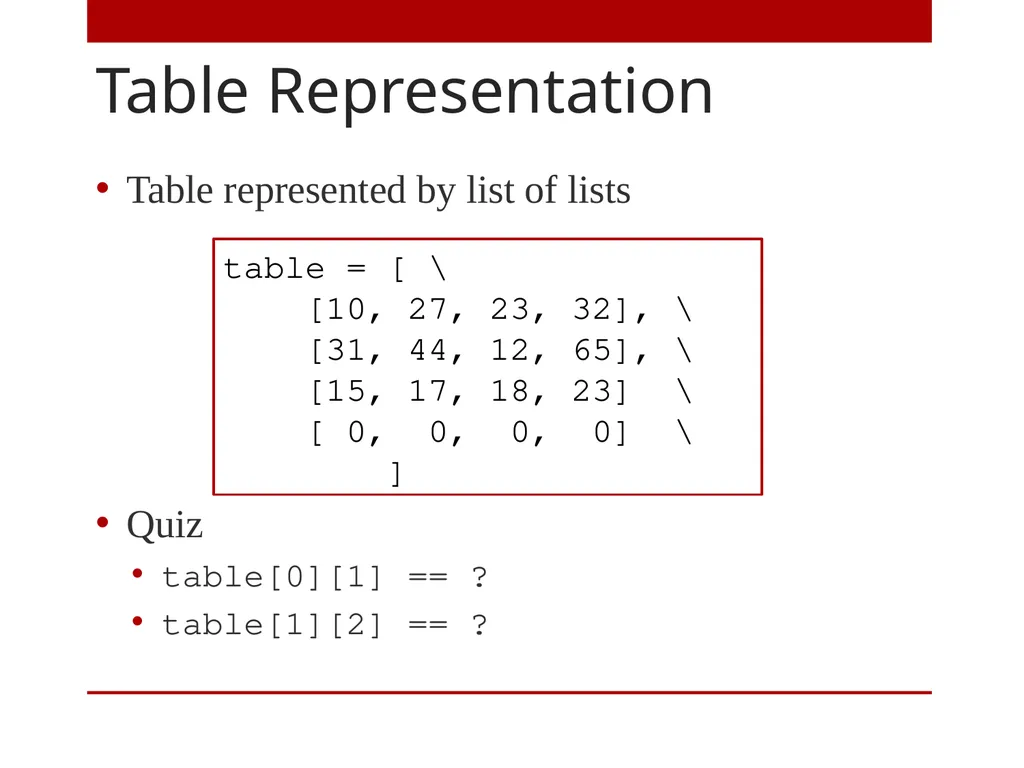
slide9. Table Representation Table represented by list of lists
Quiz
table[0][1] == ?
table[1][2] == ? table = [ \
[10, 27, 23, 32], \
[31, 44, 12, 65], \
[15, 17, 18, 23] \
[ 0, 0, 0, 0] \
]<br>
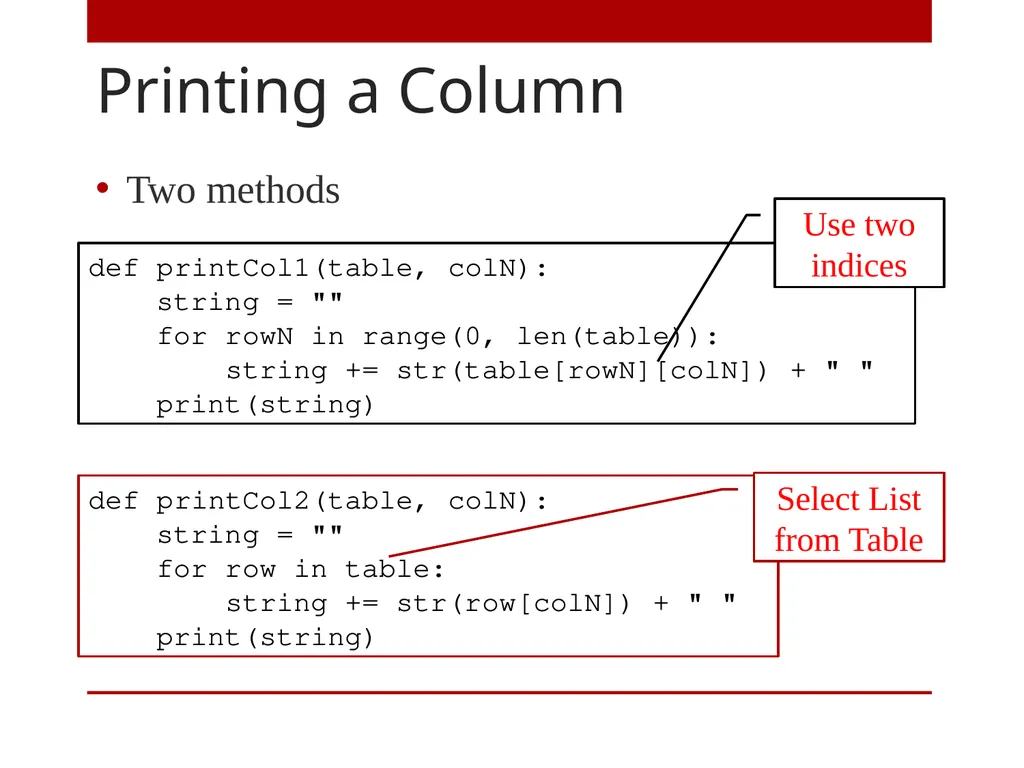
slide10. Printing a Column Two methods<br>
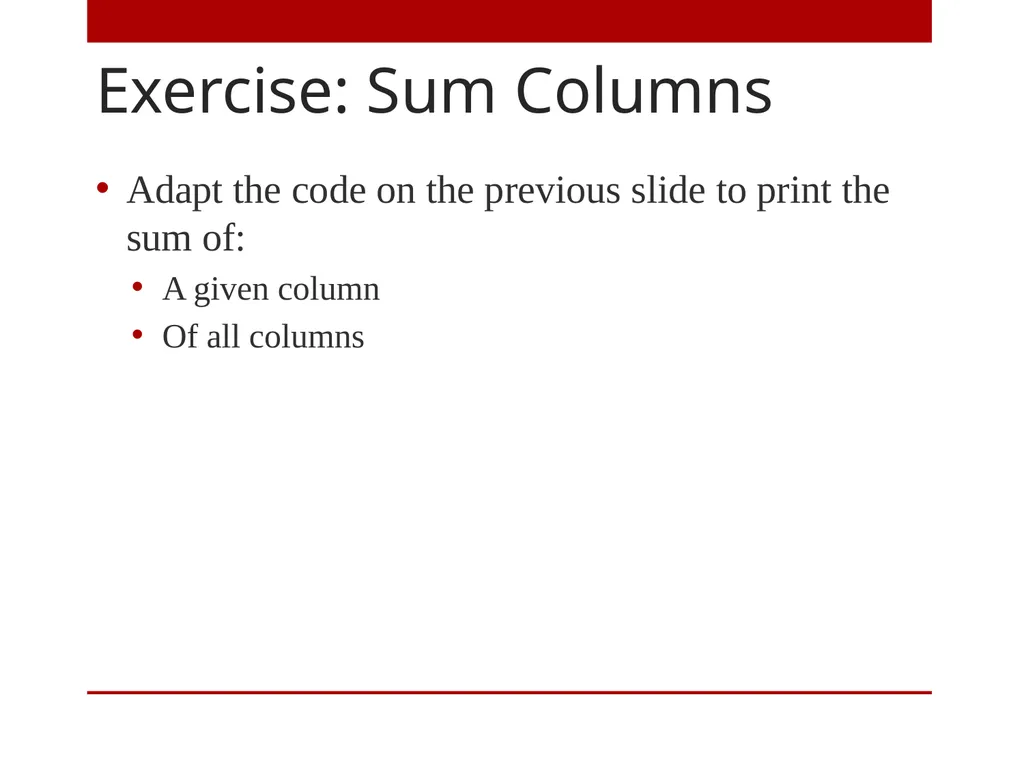
slide11. Exercise: Sum Columns Adapt the code on the previous slide to print the sum of:
A given column
Of all columns<br>
slide12. Built in Types in Python Important in Python programming
Very useful
Details specific to Python; related concepts elsewhere<br>
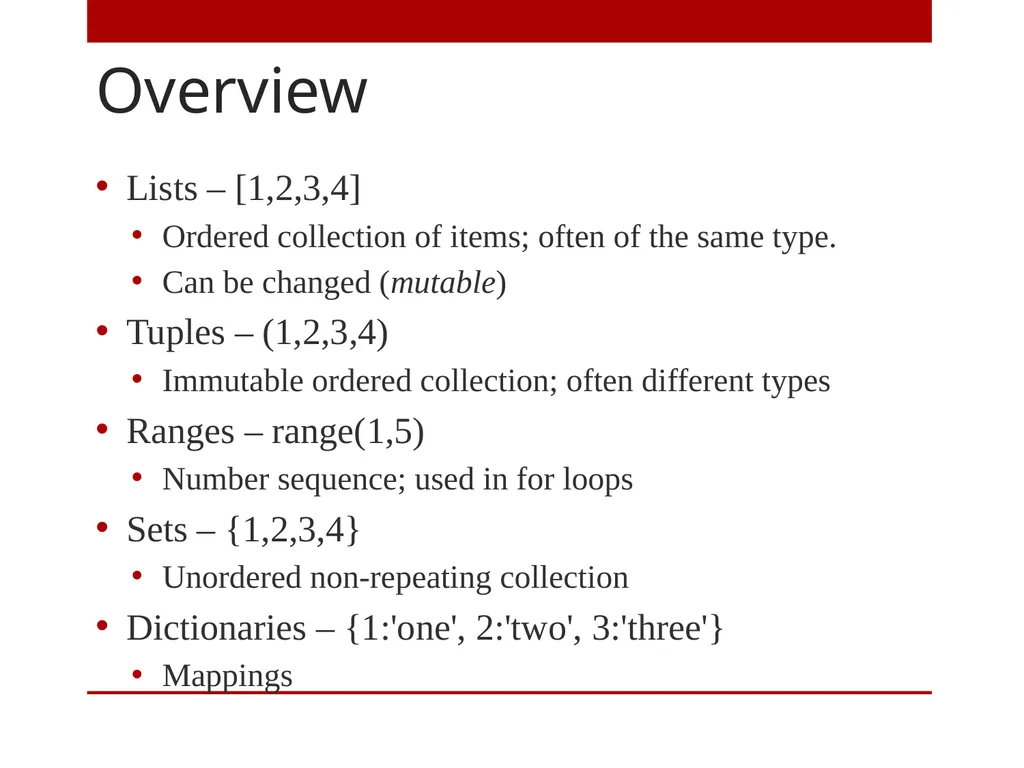
slide13. Overview Lists – [1,2,3,4]
Ordered collection of items; often of the same type.
Can be changed (mutable)
Tuples – (1,2,3,4)
Immutable ordered collection; often different types
Ranges – range(1,5)
Number sequence; used in for loops
Sets – {1,2,3,4}
Unordered non-repeating collection
Dictionaries – {1:'one', 2:'two', 3:'three'}
Mappings<br>
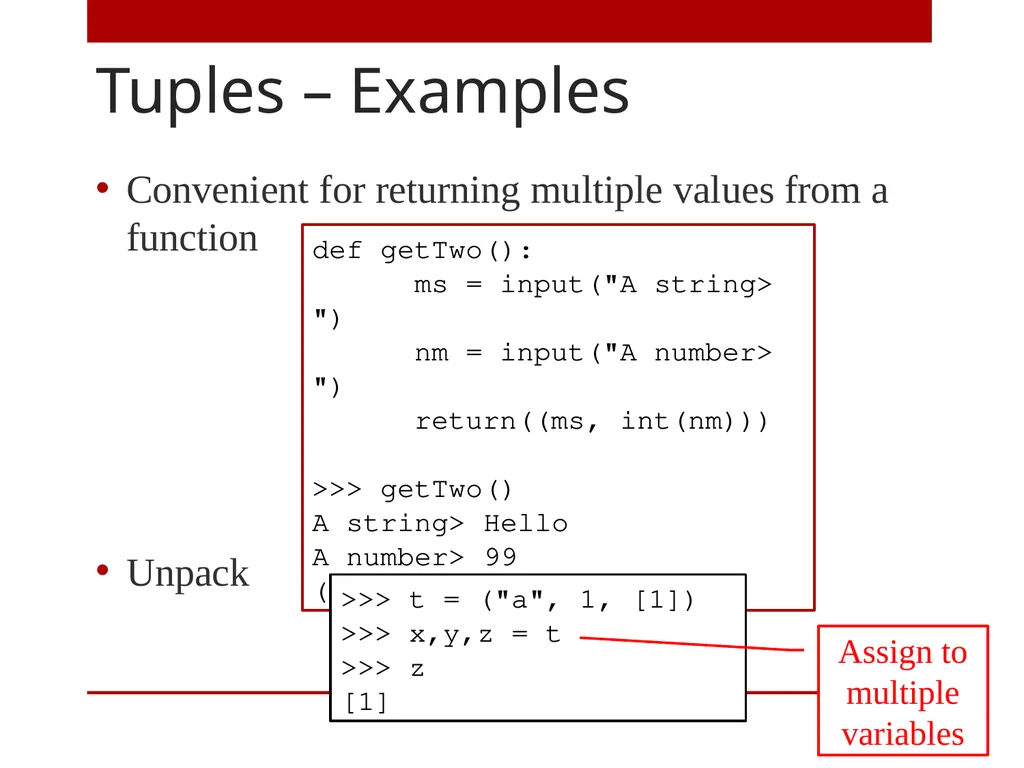
slide14. Tuples – Examples Convenient for returning multiple values from a function
Unpack def getTwo():
ms = input("A string> ")
nm = input("A number> ")
return((ms, int(nm)))
>>> getTwo()
A string> Hello
A number> 99
('Hello', 99) >>> t = ("a", 1, [1])
>>> x,y,z = t
>>> z
[1] Assign to multiple variables<br>
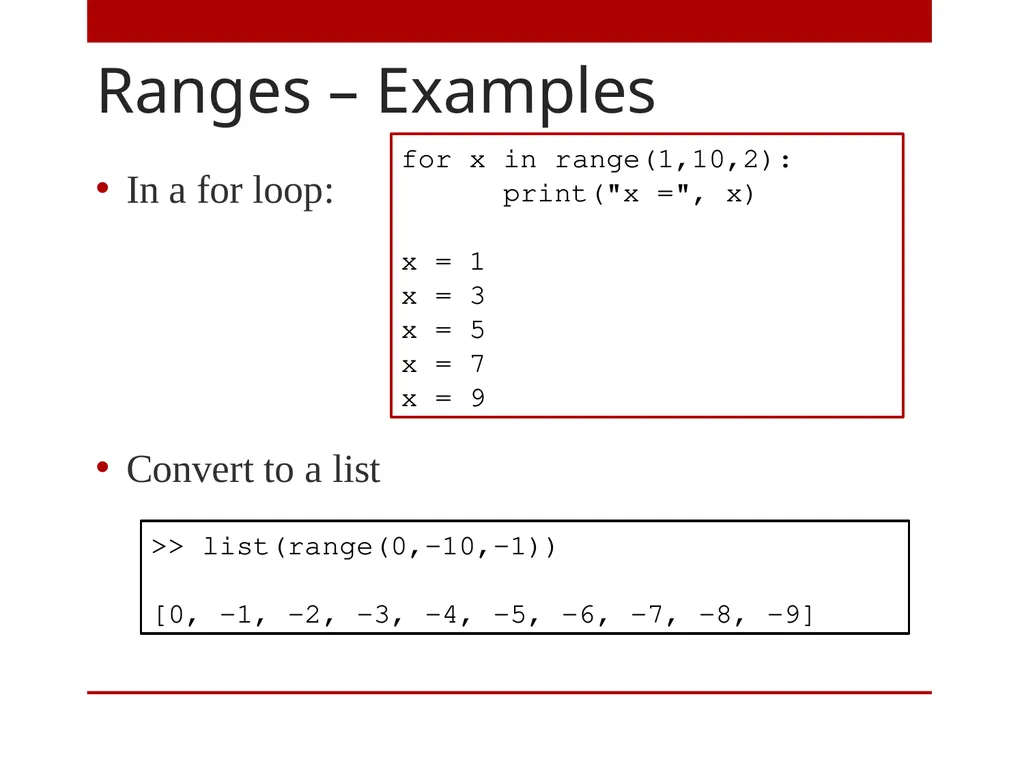
slide15. Ranges – Examples In a for loop:
Convert to a list for x in range(1,10,2):
print("x =", x)
x = 1
x = 3
x = 5
x = 7
x = 9 >> list(range(0,-10,-1))
[0, -1, -2, -3, -4, -5, -6, -7, -8, -9]<br>
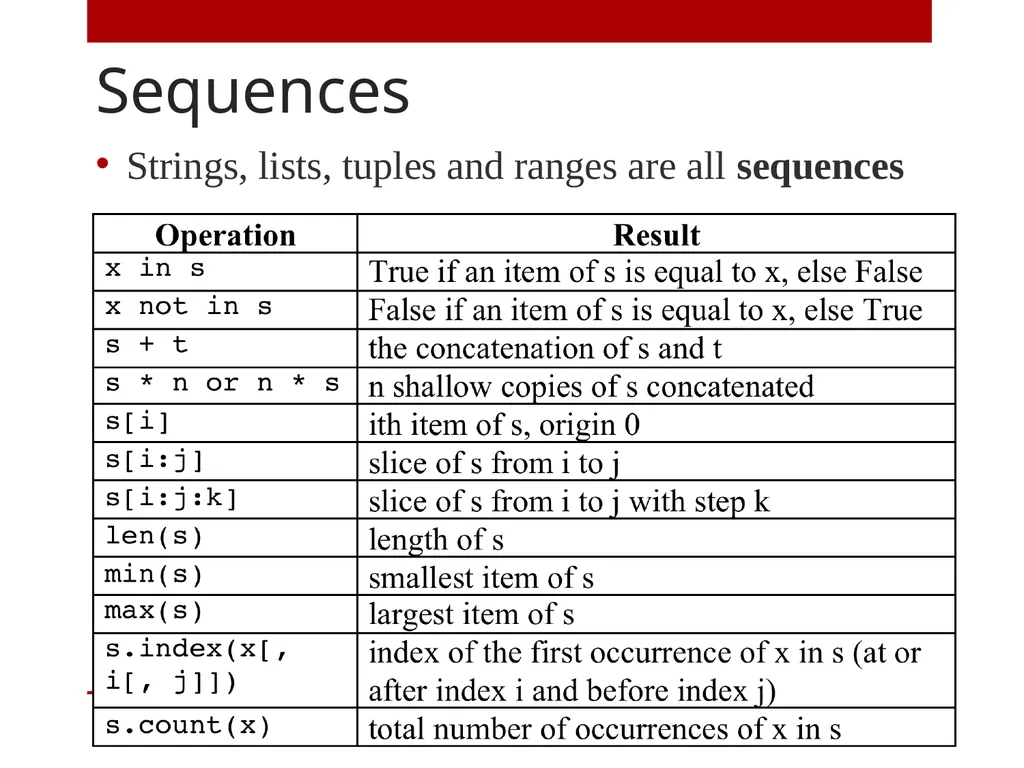
slide16. Sequences Strings, lists, tuples and ranges are all sequences<br>
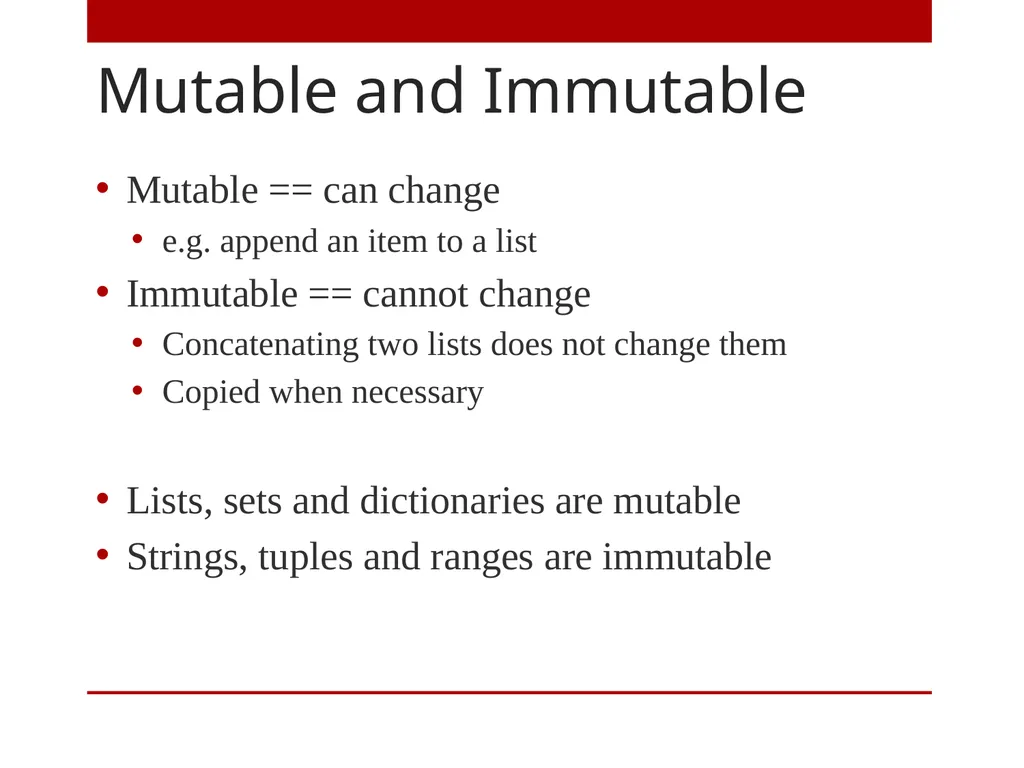
slide17. Mutable and Immutable Mutable == can change
e.g. append an item to a list
Immutable == cannot change
Concatenating two lists does not change them
Copied when necessary
Lists, sets and dictionaries are mutable
Strings, tuples and ranges are immutable<br>
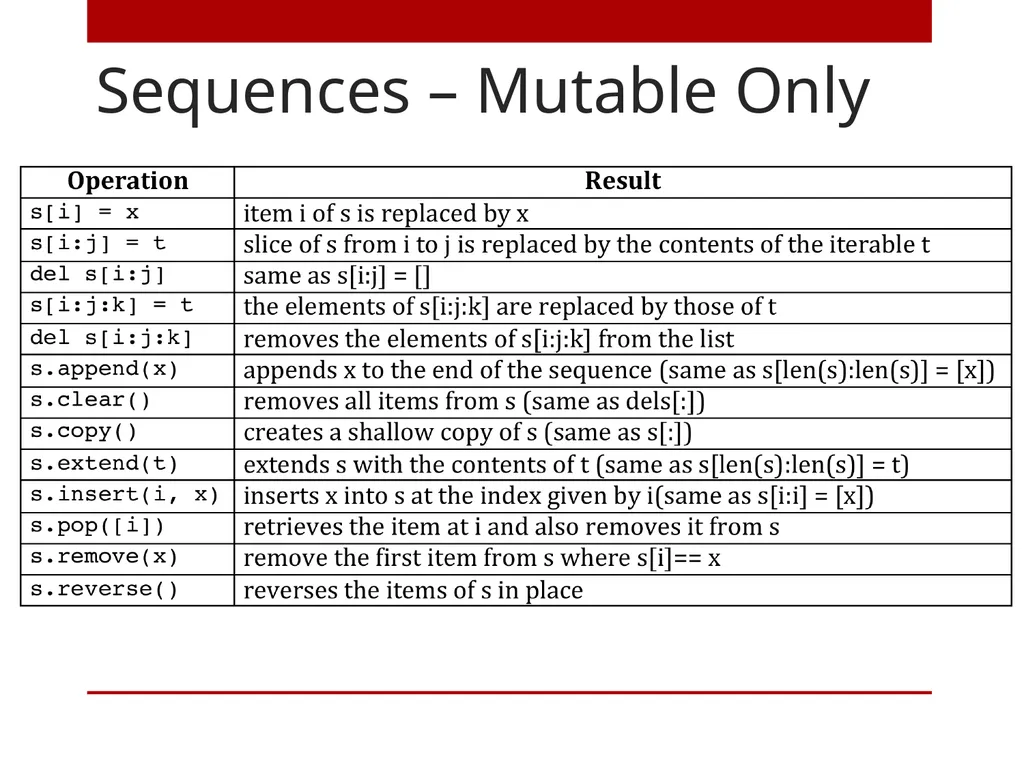
slide18. Sequences – Mutable Only<br>
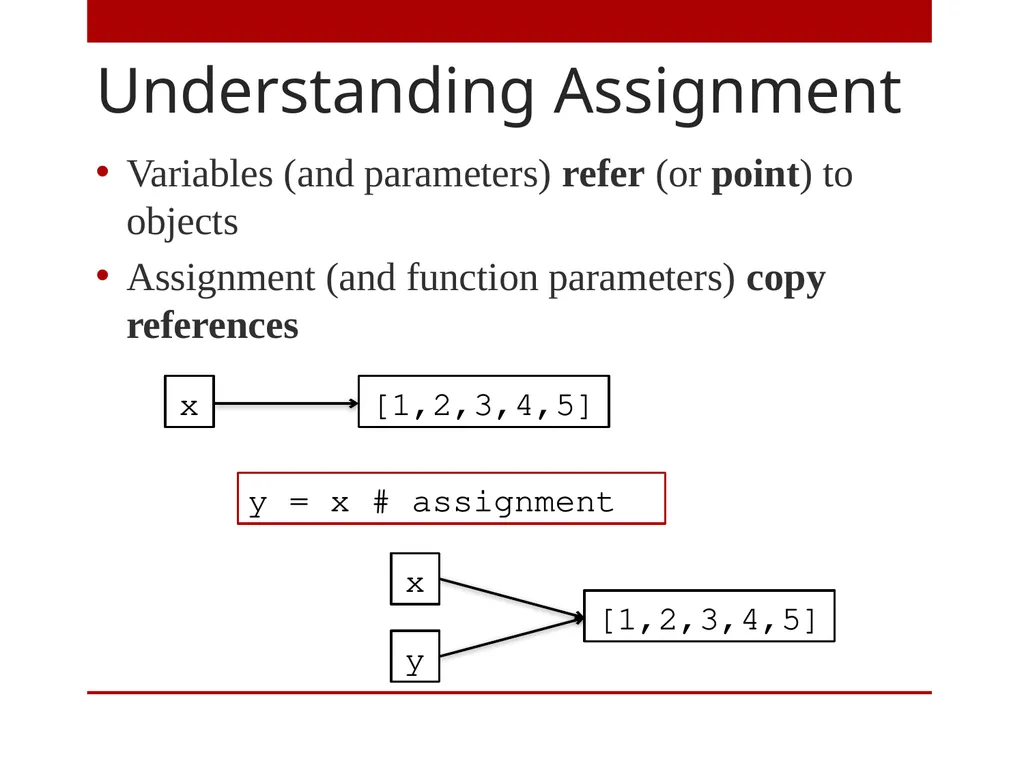
slide19. Understanding Assignment Variables (and parameters) refer (or point) to objects
Assignment (and function parameters) copy references y = x # assignment<br>
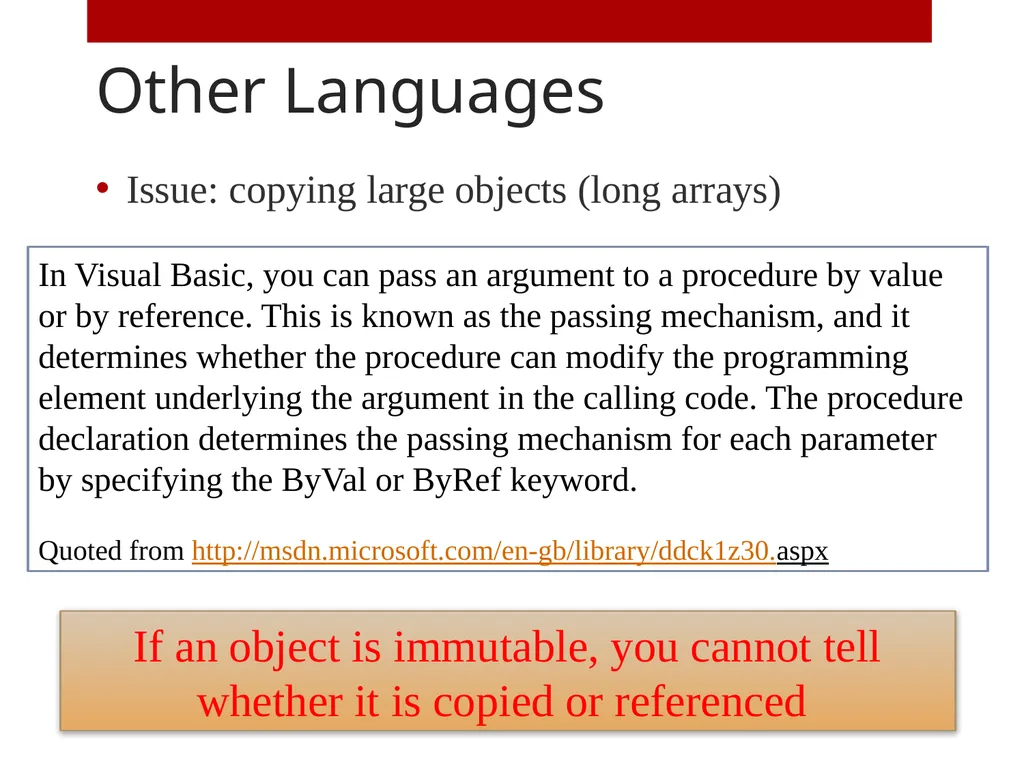
slide20. Other Languages Issue: copying large objects (long arrays) In Visual Basic, you can pass an argument to a procedure by value or by reference. This is known as the passing mechanism, and it determines whether the procedure can modify the programming element underlying the argument in the calling code. The procedure declaration determines the passing mechanism for each parameter by specifying the ByVal or ByRef keyword.
Quoted from http://msdn.microsoft.com/en-gb/library/ddck1z30.aspx If an object is immutable, you cannot tell whether it is copied or referenced<br>
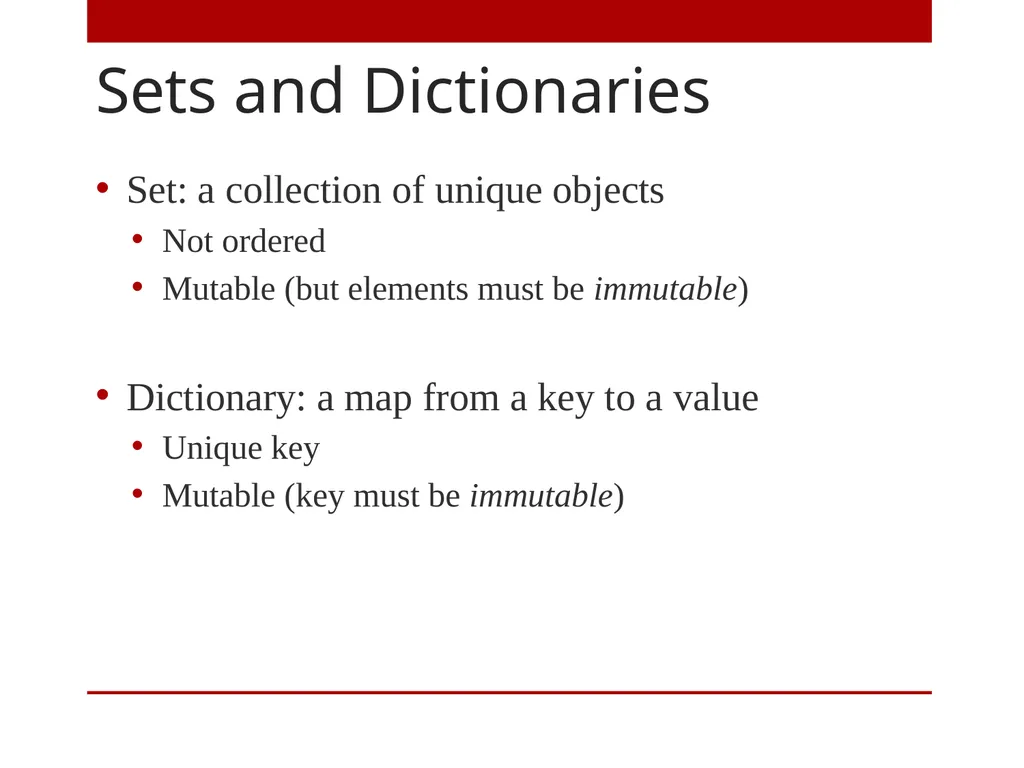
slide21. Sets and Dictionaries Set: a collection of unique objects
Not ordered
Mutable (but elements must be immutable)
Dictionary: a map from a key to a value
Unique key
Mutable (key must be immutable)<br>
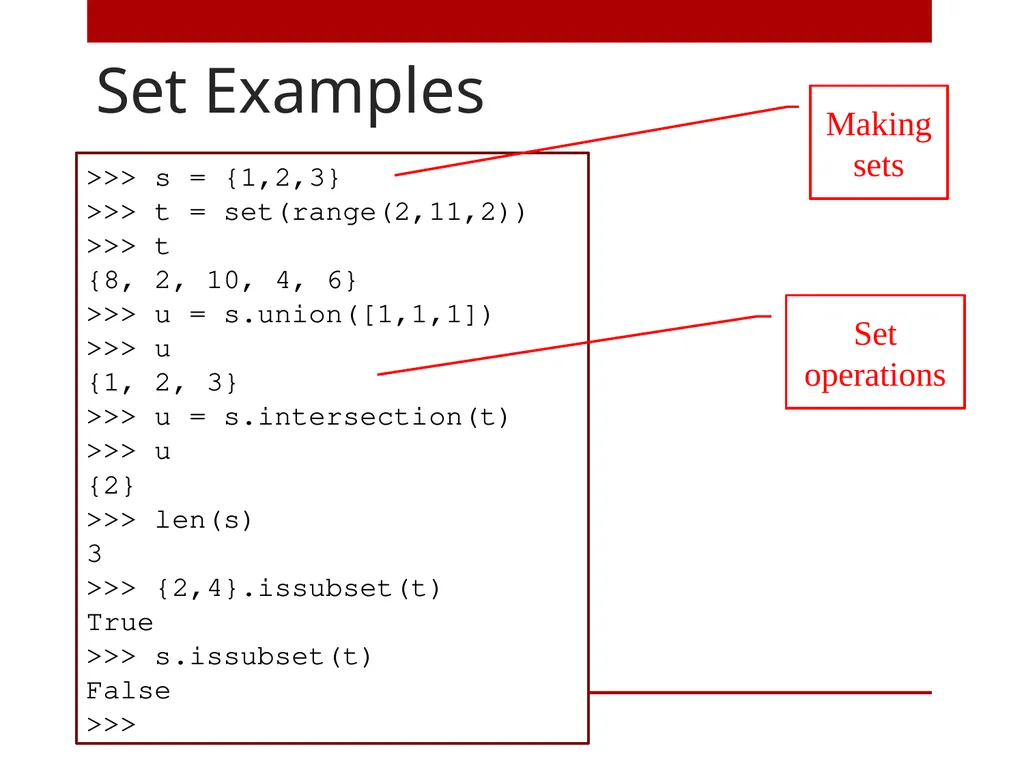
slide22. Set Examples >>> s = {1,2,3}
>>> t = set(range(2,11,2))
>>> t
{8, 2, 10, 4, 6}
>>> u = s.union([1,1,1])
>>> u
{1, 2, 3}
>>> u = s.intersection(t)
>>> u
{2}
>>> len(s)
3
>>> {2,4}.issubset(t)
True
>>> s.issubset(t)
False
>>> Making sets Set operations<br>
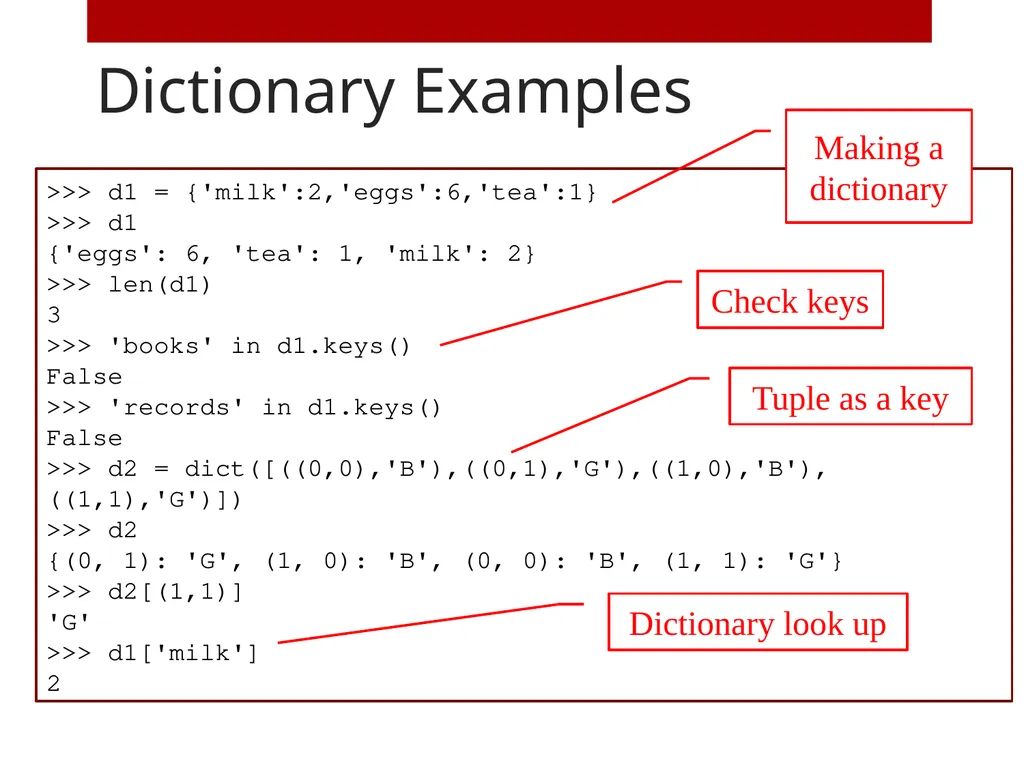
slide23. Dictionary Examples >>> d1 = {'milk':2,'eggs':6,'tea':1}
>>> d1
{'eggs': 6, 'tea': 1, 'milk': 2}
>>> len(d1)
3
>>> 'books' in d1.keys()
False
>>> 'records' in d1.keys()
False
>>> d2 = dict([((0,0),'B'),((0,1),'G'),((1,0),'B'),((1,1),'G')])
>>> d2
{(0, 1): 'G', (1, 0): 'B', (0, 0): 'B', (1, 1): 'G'}
>>> d2[(1,1)]
'G'
>>> d1['milk']
2 Making a dictionary Check keys Tuple as a key Dictionary look up<br>
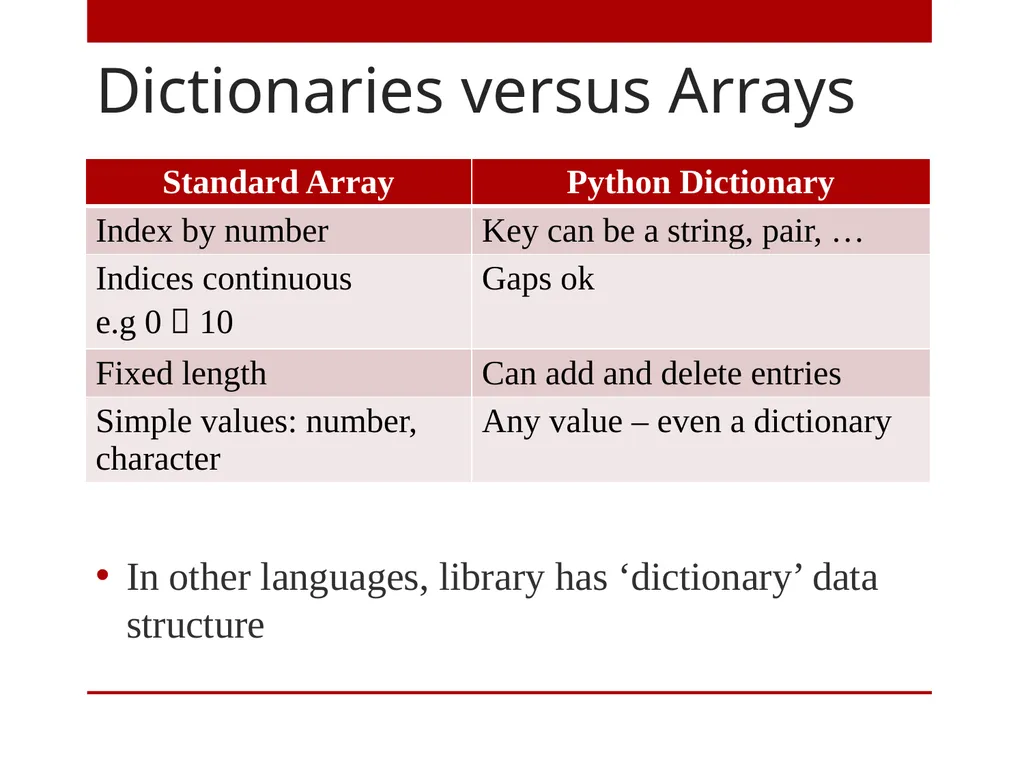
slide24. Dictionaries versus Arrays In other languages, library has ‘dictionary’ data structure<br>
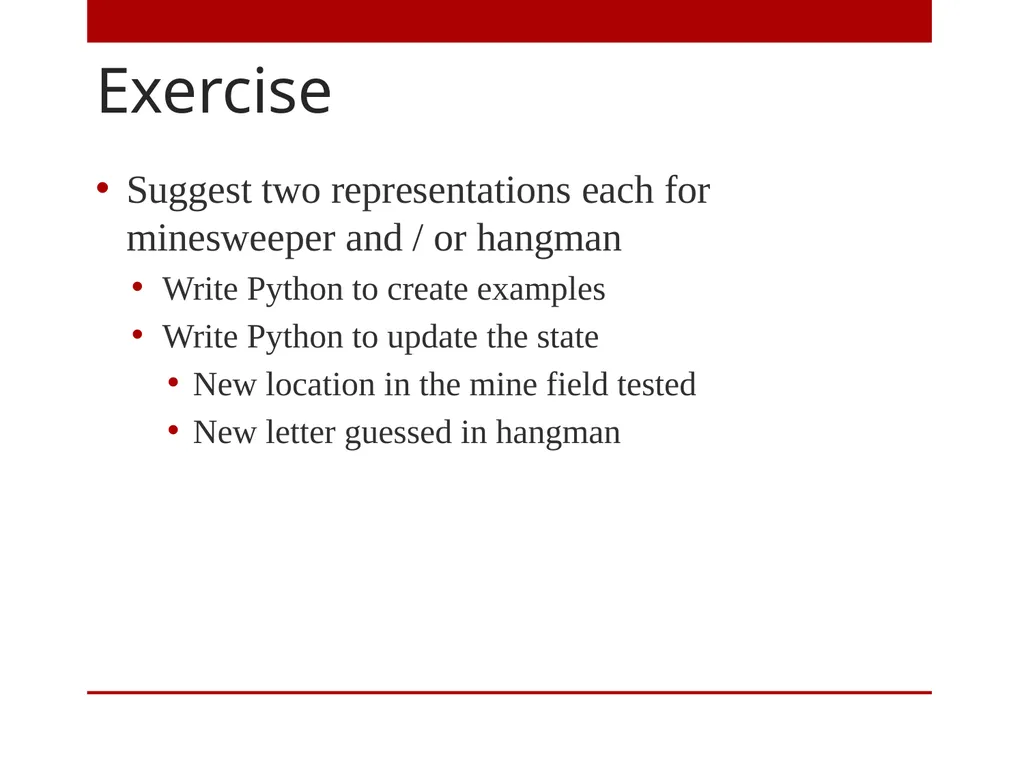
slide25. Exercise Suggest two representations each for minesweeper and / or hangman
Write Python to create examples
Write Python to update the state
New location in the mine field tested
New letter guessed in hangman<br>
slide26. Exceptions What Happens When a Problem Occurs<br>
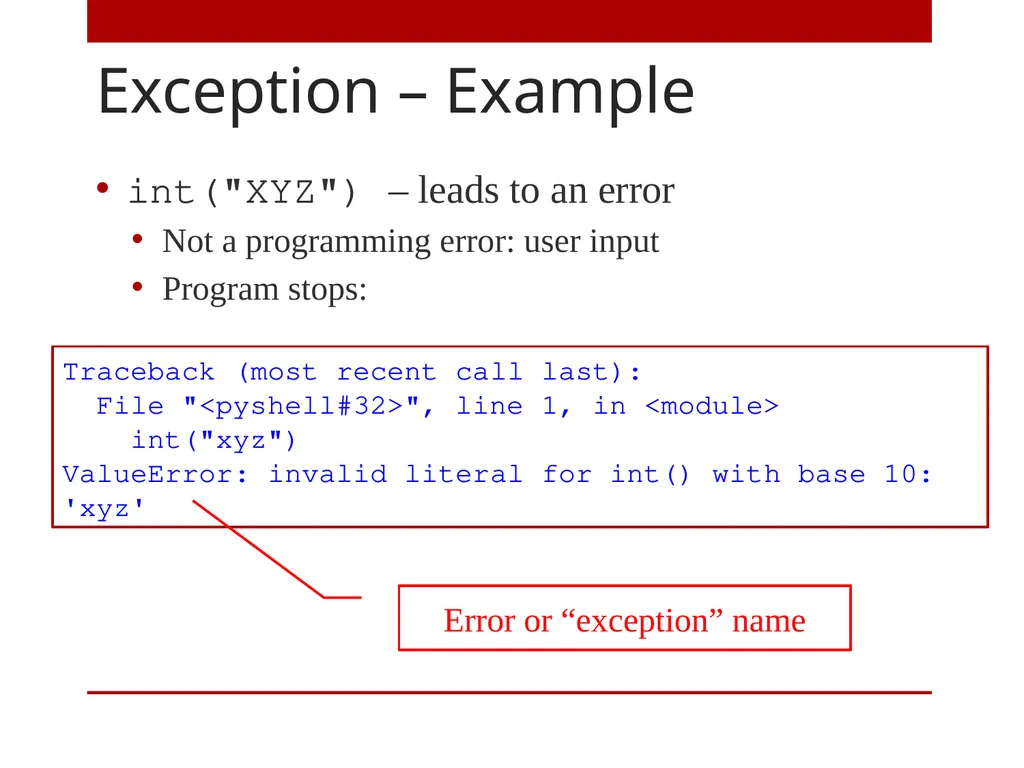
slide27. Exception – Example int("XYZ") – leads to an error
Not a programming error: user input
Program stops: Traceback (most recent call last):
File "<pyshell#32>", line 1, in <module>
int("xyz")
ValueError: invalid literal for int() with base 10: 'xyz' Error or “exception” name<br>
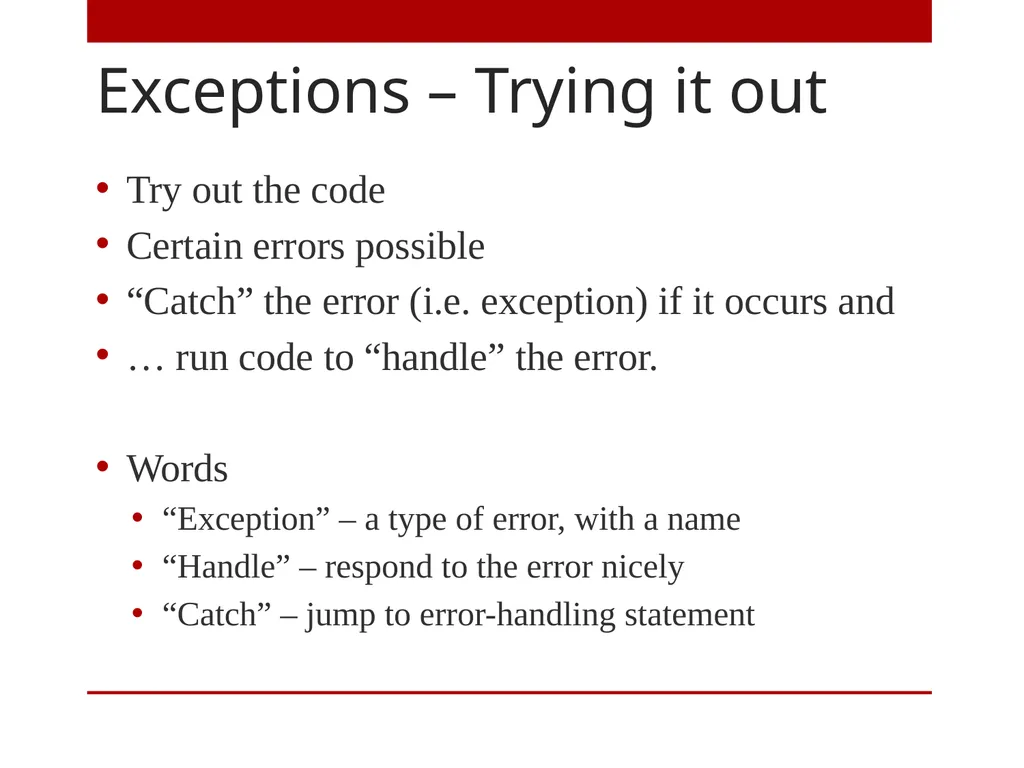
slide28. Exceptions – Trying it out Try out the code
Certain errors possible
“Catch” the error (i.e. exception) if it occurs and
… run code to “handle” the error.
Words
“Exception” – a type of error, with a name
“Handle” – respond to the error nicely
“Catch” – jump to error-handling statement<br>
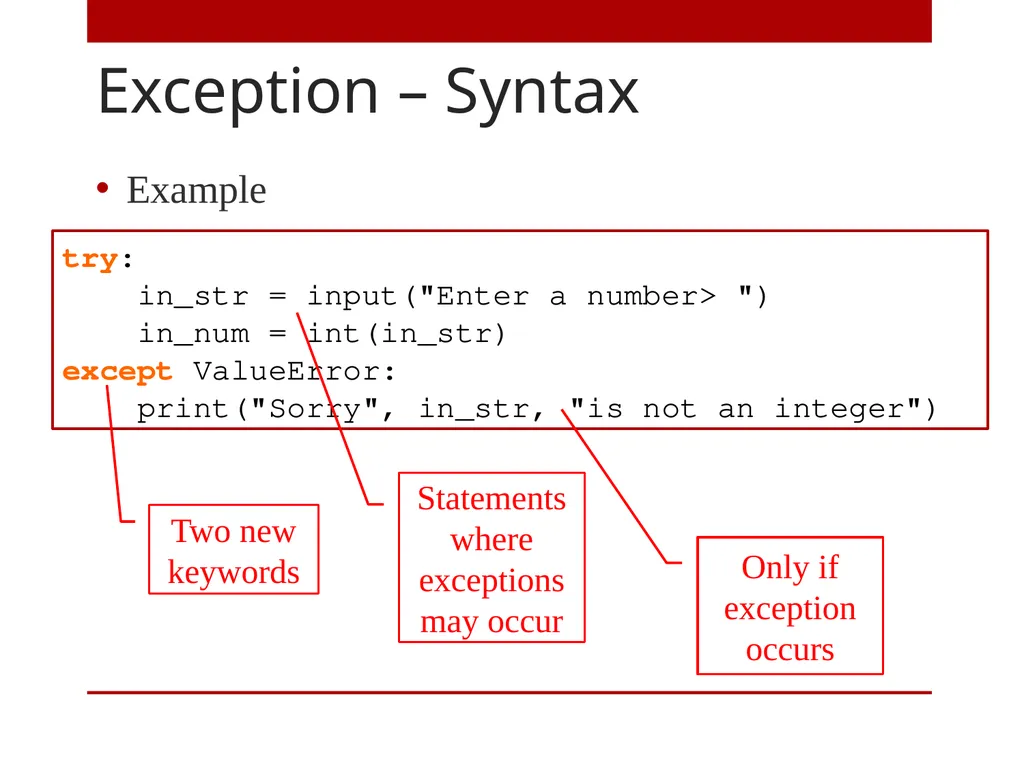
slide29. Exception – Syntax Example try:
in_str = input("Enter a number> ")
in_num = int(in_str)
except ValueError:
print("Sorry", in_str, "is not an integer") Two new keywords Statements where exceptions may occur Only if exception occurs<br>
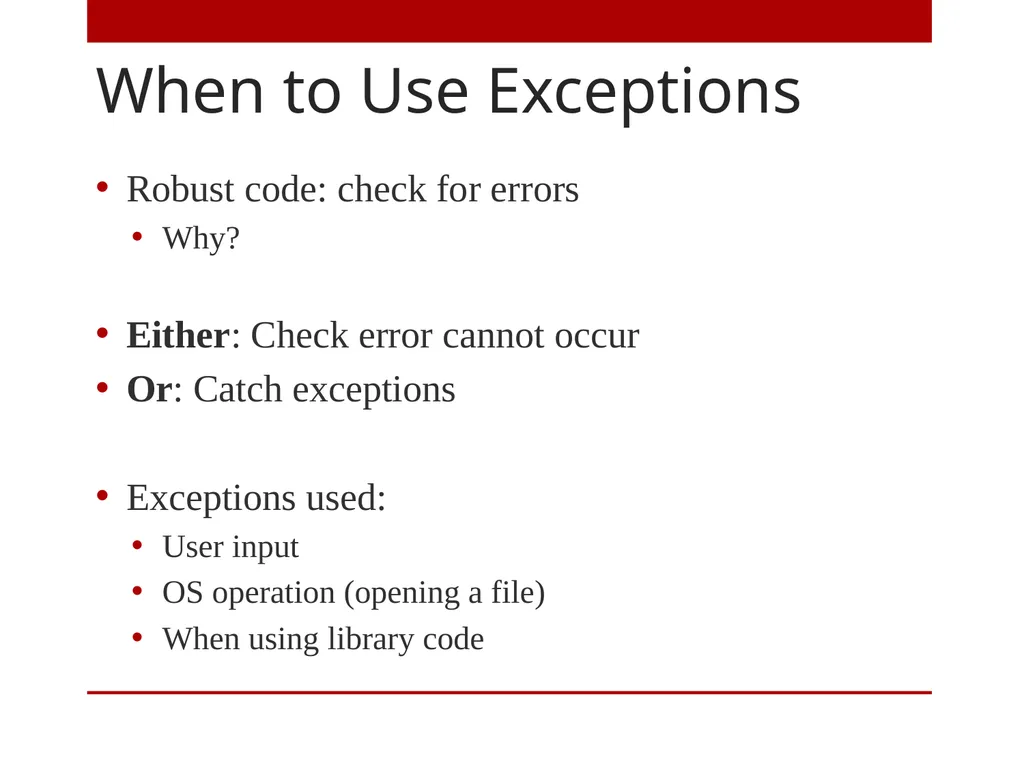
slide30. When to Use Exceptions Robust code: check for errors
Why?
Either: Check error cannot occur
Or: Catch exceptions
Exceptions used:
User input
OS operation (opening a file)
When using library code<br>
slide31. Summary Representing data
Aspect of problem solving
Easier in Python: build in ‘data structures’
Handle exceptions for robust code<br>
School of Electronic Engineering and Computer Science
Queen Mary University of London<br>
slide2. Aims Further topics in programming
Some Python-specific
Representing information
Arrays of multiple dimensions
Python built-in types: tuples, dictionaries; sequences
Exceptions: dealing with errors<br>
slide3. Two Representation Problems Minesweeper squares
Flagged / tested / hidden
Mine / no mine
Number of neighbouring mines Hangman words
Letter at each position
Letters used
Letters uncovered<br>
slide4. Hangman Example Complete word
[ 'U', 'N', 'U', 'S', 'U', 'A', 'L'] Letters guessed
[ 'A', 'E', 'T', 'S', 'R'] Current display
[ '_', '_', '_', 'S', '_', 'A', '_'] Representation changes program<br>
slide5. Arrays of Multiple Dimensions Standard part of A Level<br>
slide6. Multidimensional Arrays Recall that Arrays are Lists in Python
So far: arrays represent
What about: X==0, Y==1 X==2, Y==3<br>
slide7. Why Arrays? An array is a sequence of memory locations
Simple and fundamental idea
Really, lists are represented using arrays
We use lists to learn about arrays<br>
slide8. Table of Data Sum the columns in a table of data
Issues
Representation
Algorithm<br>
slide9. Table Representation Table represented by list of lists
Quiz
table[0][1] == ?
table[1][2] == ? table = [ \
[10, 27, 23, 32], \
[31, 44, 12, 65], \
[15, 17, 18, 23] \
[ 0, 0, 0, 0] \
]<br>
slide10. Printing a Column Two methods<br>
slide11. Exercise: Sum Columns Adapt the code on the previous slide to print the sum of:
A given column
Of all columns<br>
slide12. Built in Types in Python Important in Python programming
Very useful
Details specific to Python; related concepts elsewhere<br>
slide13. Overview Lists – [1,2,3,4]
Ordered collection of items; often of the same type.
Can be changed (mutable)
Tuples – (1,2,3,4)
Immutable ordered collection; often different types
Ranges – range(1,5)
Number sequence; used in for loops
Sets – {1,2,3,4}
Unordered non-repeating collection
Dictionaries – {1:'one', 2:'two', 3:'three'}
Mappings<br>
slide14. Tuples – Examples Convenient for returning multiple values from a function
Unpack def getTwo():
ms = input("A string> ")
nm = input("A number> ")
return((ms, int(nm)))
>>> getTwo()
A string> Hello
A number> 99
('Hello', 99) >>> t = ("a", 1, [1])
>>> x,y,z = t
>>> z
[1] Assign to multiple variables<br>
slide15. Ranges – Examples In a for loop:
Convert to a list for x in range(1,10,2):
print("x =", x)
x = 1
x = 3
x = 5
x = 7
x = 9 >> list(range(0,-10,-1))
[0, -1, -2, -3, -4, -5, -6, -7, -8, -9]<br>
slide16. Sequences Strings, lists, tuples and ranges are all sequences<br>
slide17. Mutable and Immutable Mutable == can change
e.g. append an item to a list
Immutable == cannot change
Concatenating two lists does not change them
Copied when necessary
Lists, sets and dictionaries are mutable
Strings, tuples and ranges are immutable<br>
slide18. Sequences – Mutable Only<br>
slide19. Understanding Assignment Variables (and parameters) refer (or point) to objects
Assignment (and function parameters) copy references y = x # assignment<br>
slide20. Other Languages Issue: copying large objects (long arrays) In Visual Basic, you can pass an argument to a procedure by value or by reference. This is known as the passing mechanism, and it determines whether the procedure can modify the programming element underlying the argument in the calling code. The procedure declaration determines the passing mechanism for each parameter by specifying the ByVal or ByRef keyword.
Quoted from http://msdn.microsoft.com/en-gb/library/ddck1z30.aspx If an object is immutable, you cannot tell whether it is copied or referenced<br>
slide21. Sets and Dictionaries Set: a collection of unique objects
Not ordered
Mutable (but elements must be immutable)
Dictionary: a map from a key to a value
Unique key
Mutable (key must be immutable)<br>
slide22. Set Examples >>> s = {1,2,3}
>>> t = set(range(2,11,2))
>>> t
{8, 2, 10, 4, 6}
>>> u = s.union([1,1,1])
>>> u
{1, 2, 3}
>>> u = s.intersection(t)
>>> u
{2}
>>> len(s)
3
>>> {2,4}.issubset(t)
True
>>> s.issubset(t)
False
>>> Making sets Set operations<br>
slide23. Dictionary Examples >>> d1 = {'milk':2,'eggs':6,'tea':1}
>>> d1
{'eggs': 6, 'tea': 1, 'milk': 2}
>>> len(d1)
3
>>> 'books' in d1.keys()
False
>>> 'records' in d1.keys()
False
>>> d2 = dict([((0,0),'B'),((0,1),'G'),((1,0),'B'),((1,1),'G')])
>>> d2
{(0, 1): 'G', (1, 0): 'B', (0, 0): 'B', (1, 1): 'G'}
>>> d2[(1,1)]
'G'
>>> d1['milk']
2 Making a dictionary Check keys Tuple as a key Dictionary look up<br>
slide24. Dictionaries versus Arrays In other languages, library has ‘dictionary’ data structure<br>
slide25. Exercise Suggest two representations each for minesweeper and / or hangman
Write Python to create examples
Write Python to update the state
New location in the mine field tested
New letter guessed in hangman<br>
slide26. Exceptions What Happens When a Problem Occurs<br>
slide27. Exception – Example int("XYZ") – leads to an error
Not a programming error: user input
Program stops: Traceback (most recent call last):
File "<pyshell#32>", line 1, in <module>
int("xyz")
ValueError: invalid literal for int() with base 10: 'xyz' Error or “exception” name<br>
slide28. Exceptions – Trying it out Try out the code
Certain errors possible
“Catch” the error (i.e. exception) if it occurs and
… run code to “handle” the error.
Words
“Exception” – a type of error, with a name
“Handle” – respond to the error nicely
“Catch” – jump to error-handling statement<br>
slide29. Exception – Syntax Example try:
in_str = input("Enter a number> ")
in_num = int(in_str)
except ValueError:
print("Sorry", in_str, "is not an integer") Two new keywords Statements where exceptions may occur Only if exception occurs<br>
slide30. When to Use Exceptions Robust code: check for errors
Why?
Either: Check error cannot occur
Or: Catch exceptions
Exceptions used:
User input
OS operation (opening a file)
When using library code<br>
slide31. Summary Representing data
Aspect of problem solving
Easier in Python: build in ‘data structures’
Handle exceptions for robust code<br>