
A UBA-driven change auditor Keep your Active


Description: A UBA-driven change auditor Keep your Active Directory, Microsoft Entra ID (formerly Azure AD), Windows servers, file servers, and workstations secure and compliant What is ADAudit Plus? ManageEngine ADAudit Plus is real-time change
Related Topics
Download Presentation
"A UBA-driven change auditor Keep your Active" is the property of its rightful owner. Permission is granted to download and print the materials on this website for personal, non-commercial use only, and to display it on your personal computer provided you do not modify the materials and that you retain all copyright notices contained in the materials. By downloading content from our website, you accept the terms of this agreement.
Presentation Transcript
slide1. A UBA-driven
change auditor Keep your Active Directory, Microsoft Entra ID (formerly Azure AD), Windows servers, file servers, and workstations secure and compliant<br>
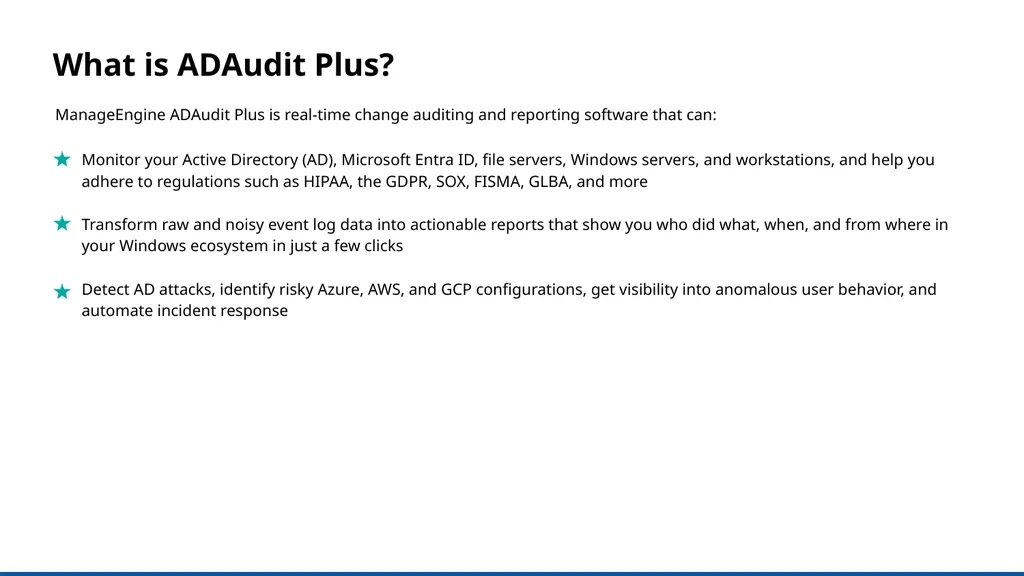
slide2. What is ADAudit Plus? ManageEngine ADAudit Plus is real-time change auditing and reporting software that can: Monitor your Active Directory (AD), Microsoft Entra ID, file servers, Windows servers, and workstations, and help you adhere to regulations such as HIPAA, the GDPR, SOX, FISMA, GLBA, and more
Transform raw and noisy event log data into actionable reports that show you who did what, when, and from where in your Windows ecosystem in just a few clicks
Detect AD attacks, identify risky Azure, AWS, and GCP configurations, get visibility into anomalous user behavior, and automate incident response<br>
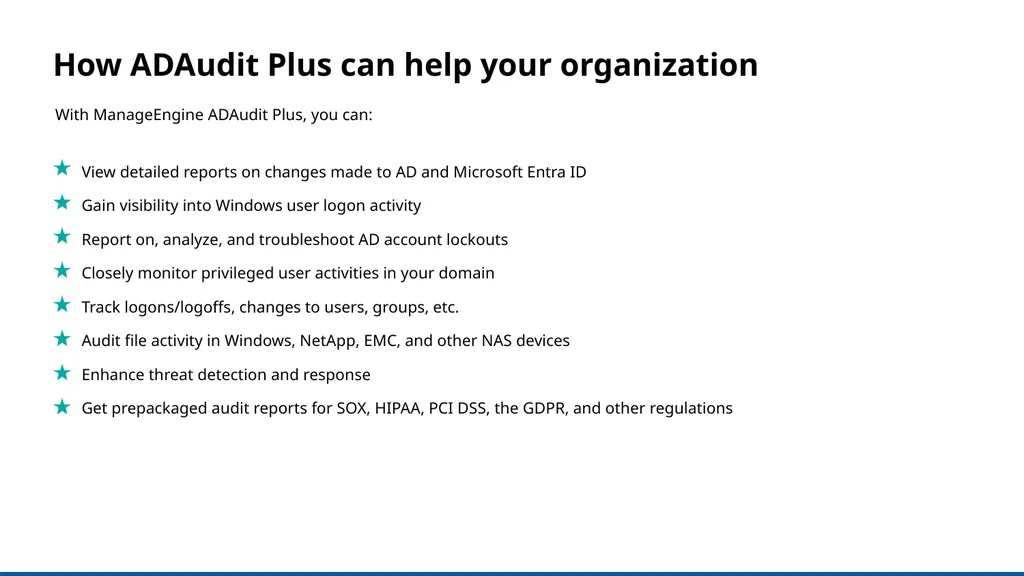
slide3. View detailed reports on changes made to AD and Microsoft Entra ID
Gain visibility into Windows user logon activity
Report on, analyze, and troubleshoot AD account lockouts
Closely monitor privileged user activities in your domain
Track logons/logoffs, changes to users, groups, etc.
Audit file activity in Windows, NetApp, EMC, and other NAS devices
Enhance threat detection and response
Get prepackaged audit reports for SOX, HIPAA, PCI DSS, the GDPR, and other regulations With ManageEngine ADAudit Plus, you can: How ADAudit Plus can help your organization<br>
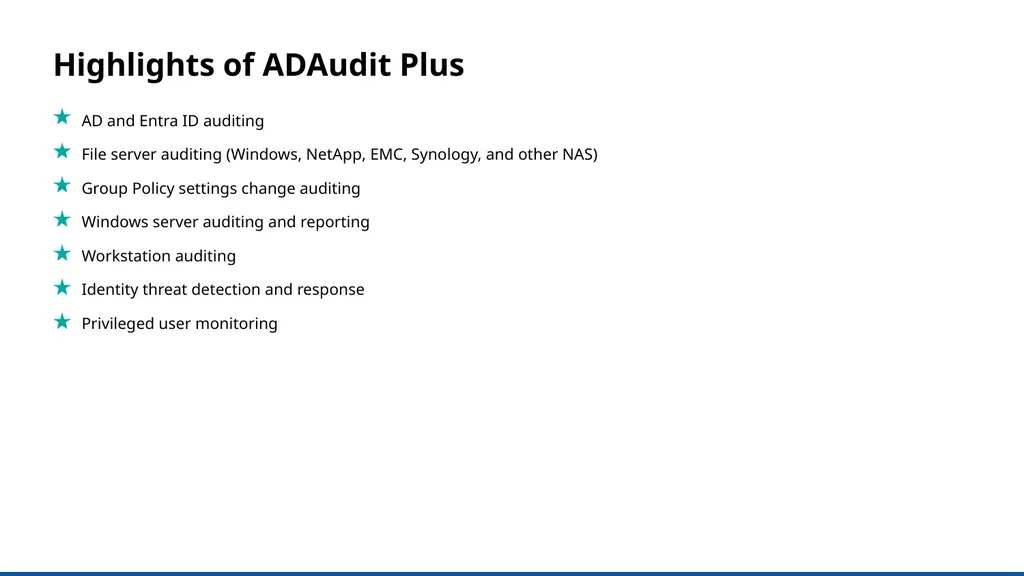
slide4. AD and Entra ID auditing
File server auditing (Windows, NetApp, EMC, Synology, and other NAS)
Group Policy settings change auditing
Windows server auditing and reporting
Workstation auditing
Identity threat detection and response
Privileged user monitoring Highlights of ADAudit Plus<br>
slide5. Active Directory auditing Report on changes made to AD objects and GPOs; track user logon activity, analyze account lockouts, and more<br>
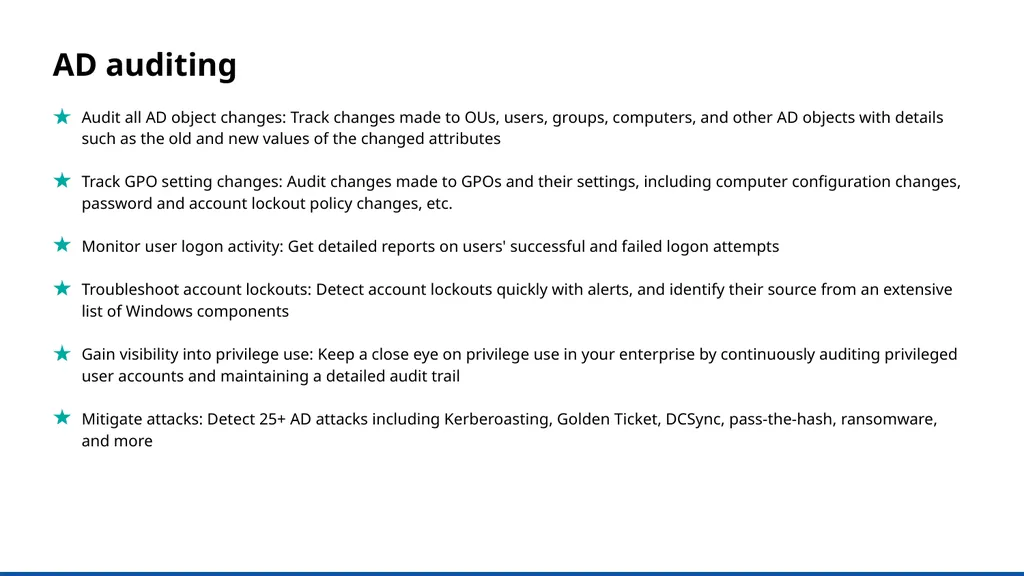
slide6. AD auditing Audit all AD object changes: Track changes made to OUs, users, groups, computers, and other AD objects with details such as the old and new values of the changed attributes
Track GPO setting changes: Audit changes made to GPOs and their settings, including computer configuration changes, password and account lockout policy changes, etc.
Monitor user logon activity: Get detailed reports on users' successful and failed logon attempts
Troubleshoot account lockouts: Detect account lockouts quickly with alerts, and identify their source from an extensive list of Windows components
Gain visibility into privilege use: Keep a close eye on privilege use in your enterprise by continuously auditing privileged user accounts and maintaining a detailed audit trail
Mitigate attacks: Detect 25+ AD attacks including Kerberoasting, Golden Ticket, DCSync, pass-the-hash, ransomware, and more<br>
slide7. Entra ID
auditing Audit sign-ins, account lockouts, changes to users, groups, roles, devices, applications, conditional policies, and more<br>
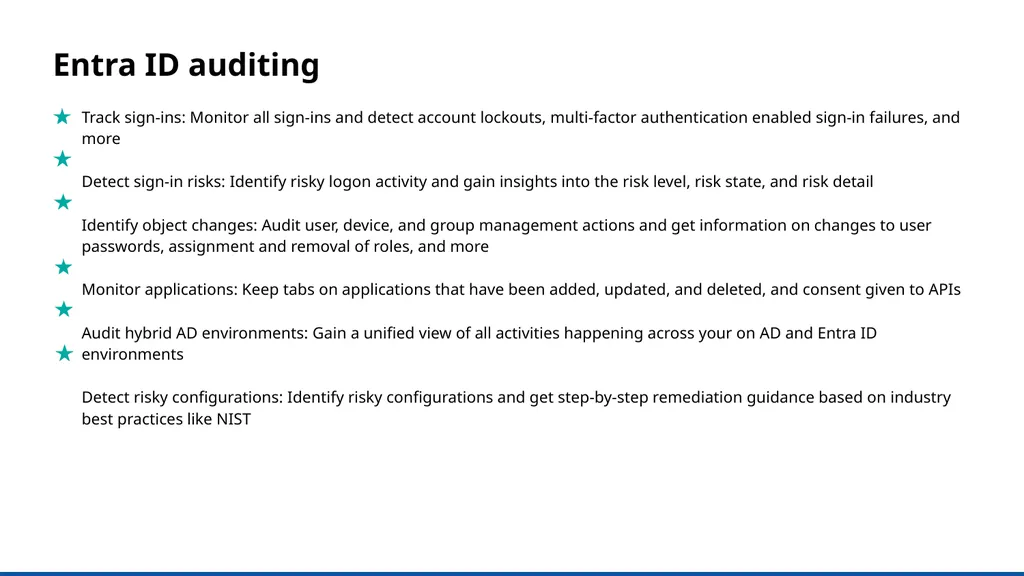
slide8. Entra ID auditing Track sign-ins: Monitor all sign-ins and detect account lockouts, multi-factor authentication enabled sign-in failures, and more
Detect sign-in risks: Identify risky logon activity and gain insights into the risk level, risk state, and risk detail
Identify object changes: Audit user, device, and group management actions and get information on changes to user passwords, assignment and removal of roles, and more
Monitor applications: Keep tabs on applications that have been added, updated, and deleted, and consent given to APIs
Audit hybrid AD environments: Gain a unified view of all activities happening across your on AD and Entra ID environments
Detect risky configurations: Identify risky configurations and get step-by-step remediation guidance based on industry best practices like NIST<br>
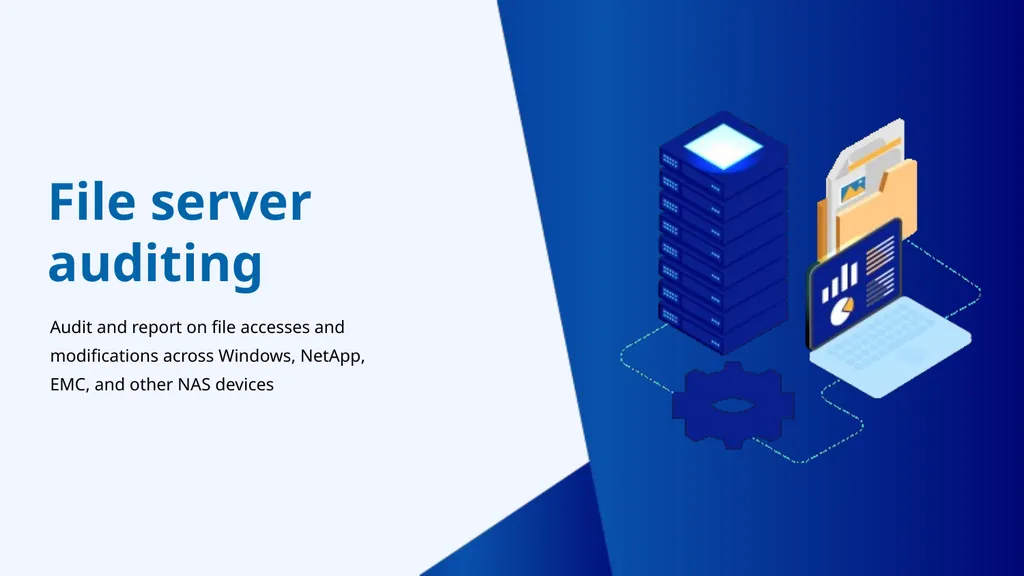
slide9. Audit and report on file accesses and modifications across Windows, NetApp, EMC, and other NAS devices File server auditing<br>
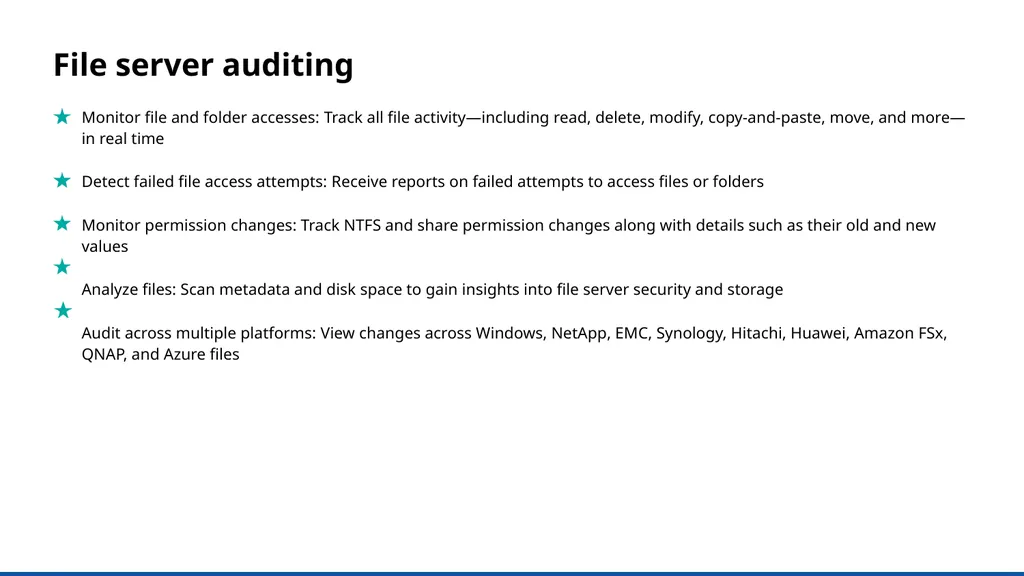
slide10. Monitor file and folder accesses: Track all file activity—including read, delete, modify, copy-and-paste, move, and more—in real time
Detect failed file access attempts: Receive reports on failed attempts to access files or folders
Monitor permission changes: Track NTFS and share permission changes along with details such as their old and new values
Analyze files: Scan metadata and disk space to gain insights into file server security and storage
Audit across multiple platforms: View changes across Windows, NetApp, EMC, Synology, Hitachi, Huawei, Amazon FSx, QNAP, and Azure files File server auditing<br>
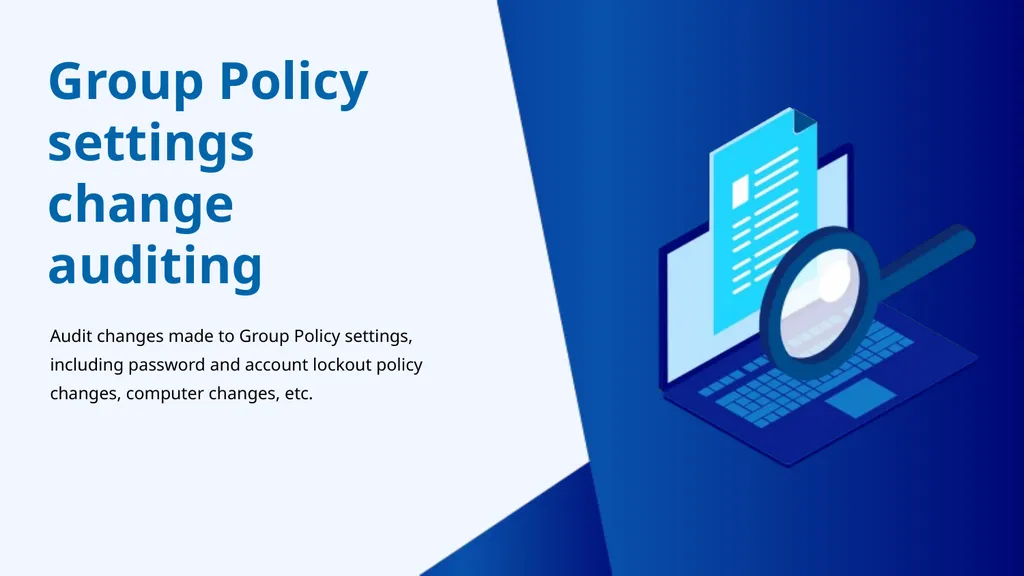
slide11. Group Policy settings change auditing Audit changes made to Group Policy settings, including password and account lockout policy changes, computer changes, etc.<br>
slide12. Group Policy settings change auditing Audit Group Policy Objects: Audit and report on Group Policy Object (GPO) creation, deletion, modification, and more
Track changes to GPO settings: Keep a close eye on who changes what GPO settings, when, and from where with comprehensive reports
Configure alerts for critical changes: Receive instant email and SMS alerts for critical changes, such as computer configuration changes, password and account lockout policy changes, etc.
Maintain an audit trail: Generate reports on the values of GPO settings before and after every change to instantly spot unwanted changes<br>
slide13. Windows
server auditing Monitor member servers with real-time reports and alerts to keep a close eye on activity in your Windows network<br>
slide14. Windows server auditing Audit Windows servers: Monitor changes to local administrative group memberships, local users, user rights, local policies, and more
Track scheduled tasks and processes: Audit the creation, deletion, and modification of scheduled tasks and processes
Monitor removable device usage: Identify USB plug-ins and file transfer activities to removable storage devices
Audit PowerShell processes: Monitor PowerShell processes that run on your Windows servers along with the commands executed in them
Audit AD federation services (ADFS): Report on successful and failed ADFS authentication attempts in real time<br>
slide15. Workstation auditing Track users' logon and logoff information, productive hours, logon history details, removable storage use, and more<br>
slide16. Workstation auditing Audit logon and logoff activity: Track logon and logoff activity across your Windows and Mac workstations
Track user logon history: Record every logon activity, identify users logged on to multiple machines, monitor RADIUS logons, and more
Identify logon failures: Track all failed logon attempts with information on who attempted to log on, what machine they attempted to log on to, when, and the reason for the failure
Monitor file integrity: Receive detailed reports on all changes made to system and program files
Measure employee productivity: Track employees' idle time and actual work hours to ensure high productivity across your enterprise<br>
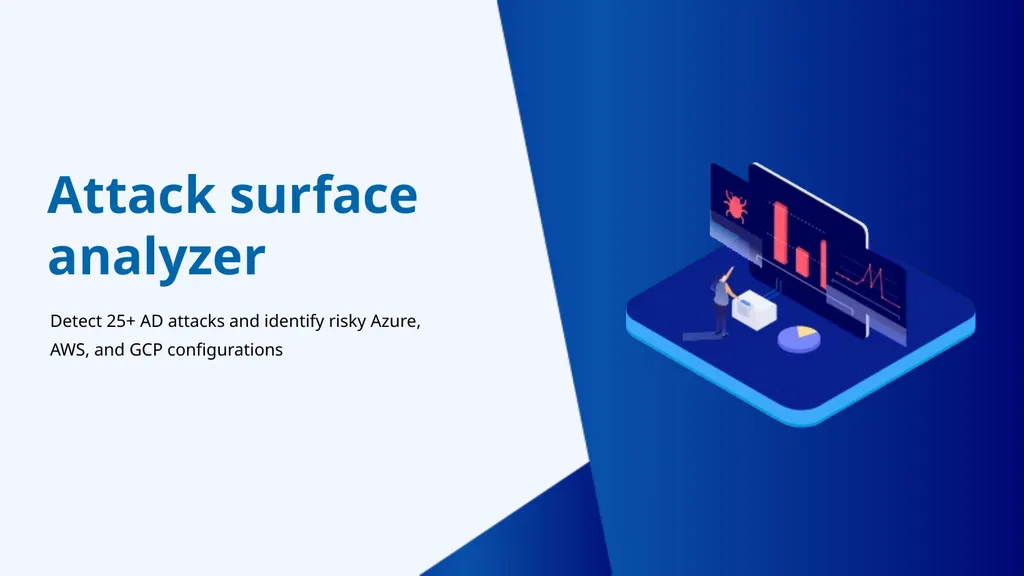
slide17. Attack surface analyzer Detect 25+ AD attacks and identify risky Azure, AWS, and GCP configurations<br>
slide18. Identity threat detection and response Mitigate attacks: Detect 25+ AD attacks including Kerberoasting, Golden Ticket, DCSync, pass-the-hash, ransomware, and more
Remediate risky cloud configurations: Identify risky configurations in Azure, AWS, and GCP; and receive remediation guidance based on industry best practices
Automate AD backup and recovery: Automate backup and recovery for AD objects (including GPOs, group memberships, and more) and rollback unwanted changes
Detect anomalous activities: Quickly spot repeated logon failures, user activity anomalies, privilege escalations, data exfiltration, and more with UBA
Respond to threats instantly: Automatically execute scripts to shut down machines, end user sessions, or carry out other tailor-made responses to mitigate threats<br>
slide19. Privileged user monitoring Audit privileged user accounts across your domain and maintain an audit trail to quickly detect suspicious behavior<br>
slide20. Privileged user monitoring Audit administrator activity: Track administrative user actions on AD schema, configuration, users, groups, OUs, GPOs, and more
Review privileged user activity: Comply with various IT regulations by maintaining an audit trail of activities performed by privileged users in your domain
Detect privilege escalation: Identify privilege escalation with reports documenting users' first-time use of privileges, and verify if they are necessary for the user’s role and duties
Spot behavioral anomalies: Identify actions deviating from normal access patterns to find attackers using the stolen or shared credentials of privileged accounts
Receive alerts on suspicious activity: Rapidly spot and respond to critical events, such as the clearing of audit logs or accessing critical data outside business hours, by configuring alerts<br>
slide21. Most popular features A birds-eye view of the features that our customers love<br>
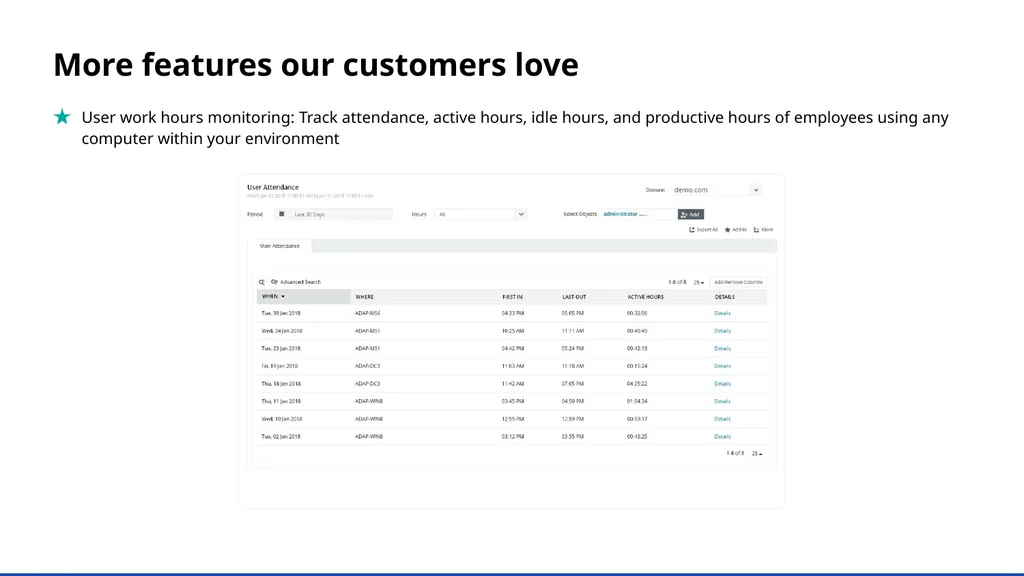
slide22. More features our customers love User work hours monitoring: Track attendance, active hours, idle hours, and productive hours of employees using any computer within your environment<br>
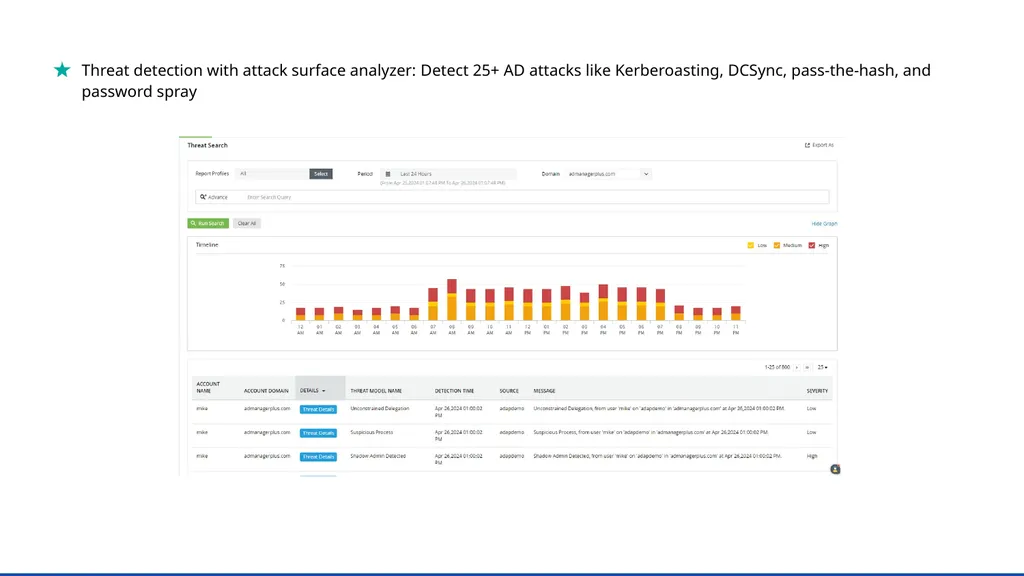
slide23. Threat detection with attack surface analyzer: Detect 25+ AD attacks like Kerberoasting, DCSync, pass-the-hash, and password spray<br>
slide24. Why ADAudit Plus stands out Instant alerts: Receive instant email and SMS notifications about critical events or activities by a critical user
Threat detection and response: Detect AD attacks, identify risky Azure, AWS, and GCP configurations, get visibility into anomalous user behavior, and automate incident response
Over 250 reports: Streamline compliance with multiple regulations, including PCI DSS, HIPAA, SOX, GDPR, GLBA, ISO 27001, and more with audit-ready reports
Log archiving and forensic analysis: Archive audit data at a user-defined location, and generate reports based on it when needed
Top-notch customer team: Our efficient support team is only an email, phone call, or chat away<br>
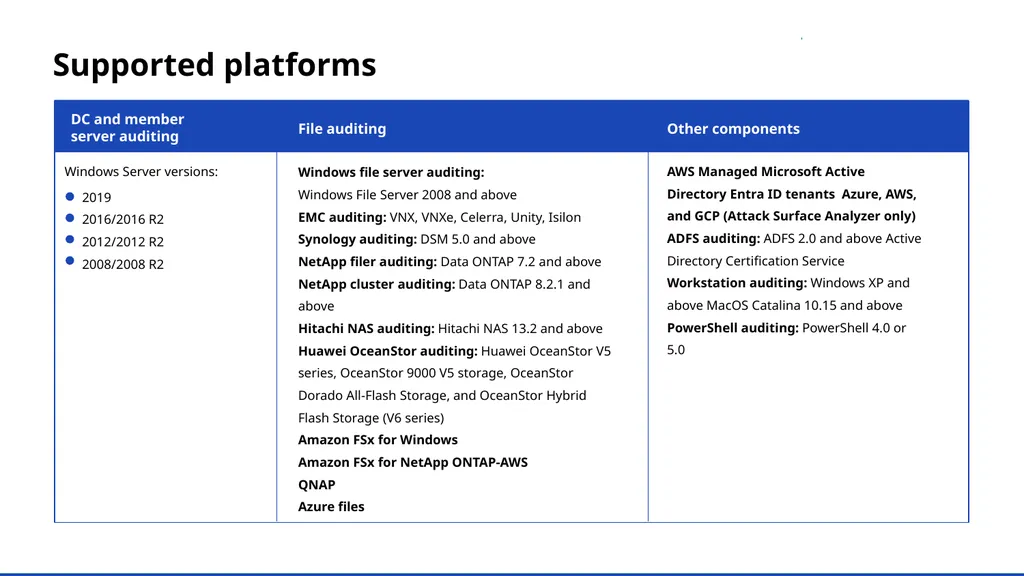
slide25. a Supported platforms DC and member
server auditing File auditing Other components Windows Server versions: 2019
2016/2016 R2
2012/2012 R2
2008/2008 R2 Windows file server auditing:
Windows File Server 2008 and above
EMC auditing: VNX, VNXe, Celerra, Unity, Isilon
Synology auditing: DSM 5.0 and above
NetApp filer auditing: Data ONTAP 7.2 and above
NetApp cluster auditing: Data ONTAP 8.2.1 and above
Hitachi NAS auditing: Hitachi NAS 13.2 and above
Huawei OceanStor auditing: Huawei OceanStor V5 series, OceanStor 9000 V5 storage, OceanStor Dorado All-Flash Storage, and OceanStor Hybrid Flash Storage (V6 series)
Amazon FSx for Windows
Amazon FSx for NetApp ONTAP-AWS
QNAP
Azure files AWS Managed Microsoft Active Directory Entra ID tenants Azure, AWS, and GCP (Attack Surface Analyzer only)
ADFS auditing: ADFS 2.0 and above Active Directory Certification Service
Workstation auditing: Windows XP and above MacOS Catalina 10.15 and above PowerShell auditing: PowerShell 4.0 or 5.0<br>
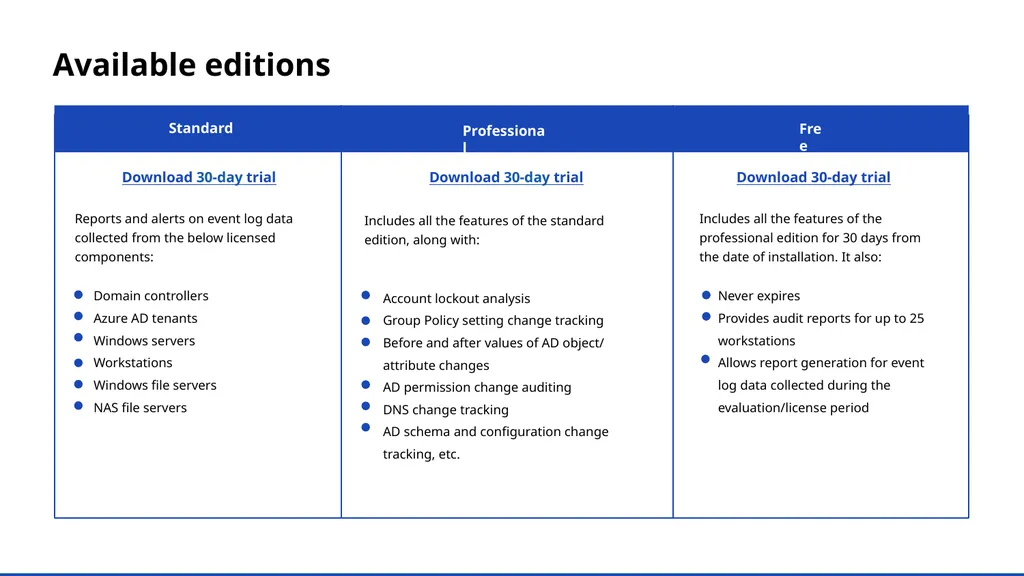
slide26. a Free Professional Available editions Standard Download 30-day trial Download 30-day trial Download 30-day trial Reports and alerts on event log data collected from the below licensed components: Includes all the features of the standard edition, along with: Includes all the features of the professional edition for 30 days from the date of installation. It also: Domain controllers
Azure AD tenants
Windows servers
Workstations
Windows file servers
NAS file servers Account lockout analysis
Group Policy setting change tracking
Before and after values of AD object/ attribute changes
AD permission change auditing
DNS change tracking
AD schema and configuration change tracking, etc. Never expires
Provides audit reports for up to 25 workstations
Allows report generation for event log data collected during the evaluation/license period<br>
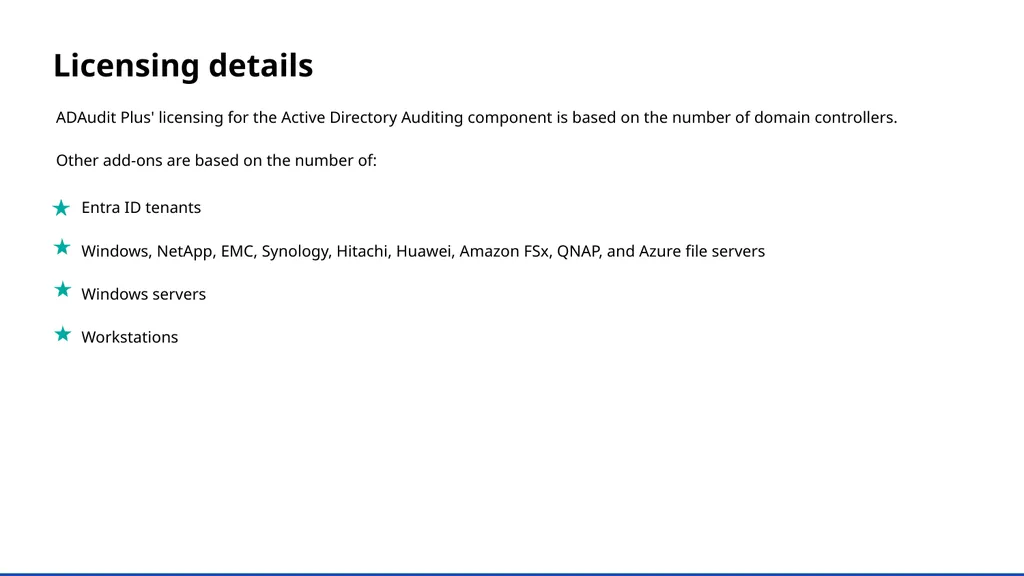
slide27. Licensing details ADAudit Plus' licensing for the Active Directory Auditing component is based on the number of domain controllers.
Other add-ons are based on the number of: Entra ID tenants
Windows, NetApp, EMC, Synology, Hitachi, Huawei, Amazon FSx, QNAP, and Azure file servers
Windows servers
Workstations<br>
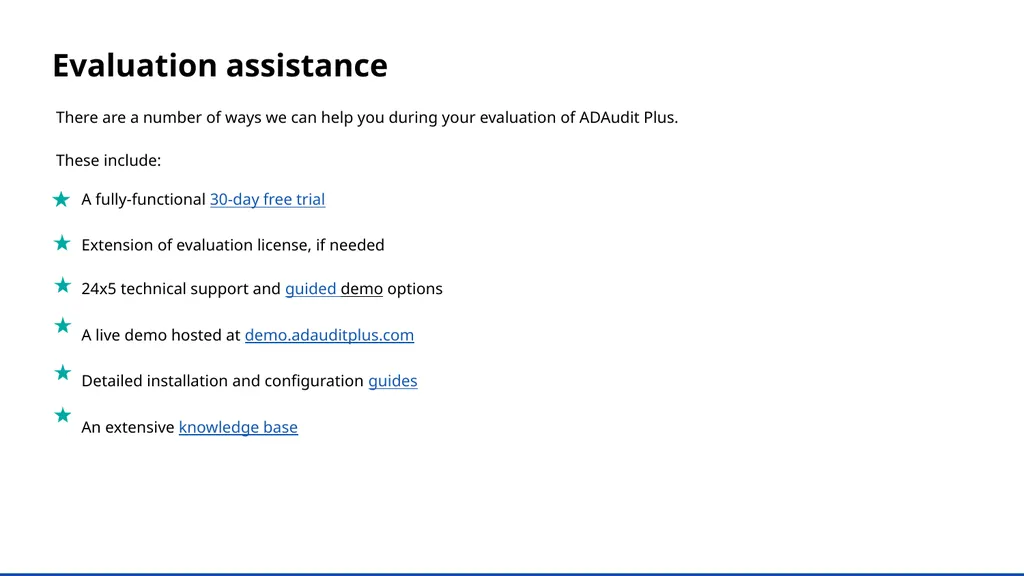
slide28. Evaluation assistance There are a number of ways we can help you during your evaluation of ADAudit Plus.
These include: A fully-functional 30-day free trial
Extension of evaluation license, if needed
24x5 technical support and guided demo options
A live demo hosted at demo.adauditplus.com
Detailed installation and configuration guides
An extensive knowledge base<br>
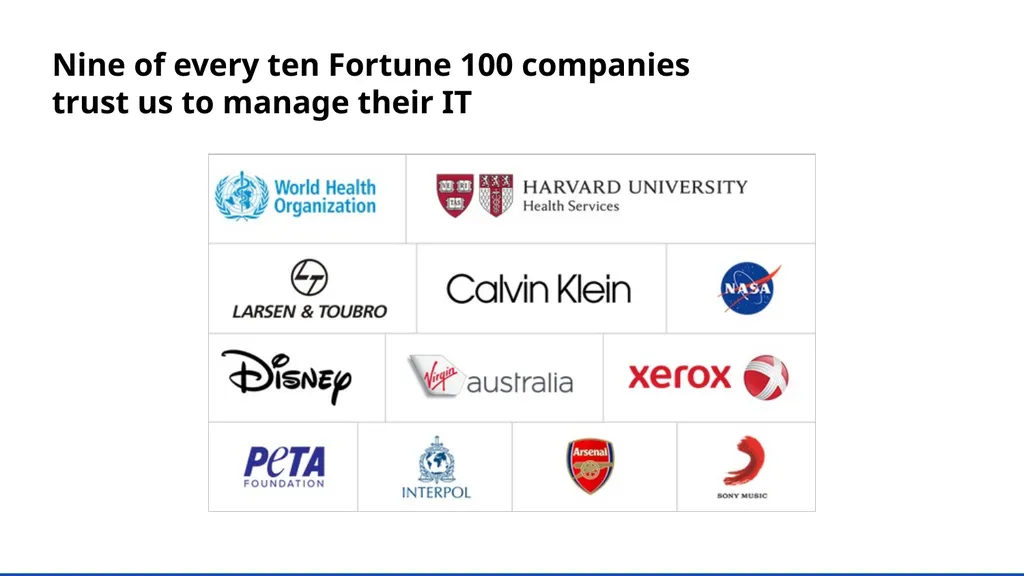
slide29. Nine of every ten Fortune 100 companies
trust us to manage their IT<br>
slide30. ADAudit Plus has been recognized as a Gartner Peer Insights Customer's Choice for SIEM for four years in a row—2019, 2020, 2021, and 2023. And we have the credentials to prove it<br>
slide31. A good web based and cost effective solution. We like the auditing option on NetApp Filer. Also, it has partially to do with our satisfaction with other products that ManageEngine has excelled in.
Ricky Chand
Systems Engineer, Bank of South Pacific, Fiji In their own words Prior to ADAudit Plus, we had no visibility into our AD infrastructure. Now we’re able to monitor all AD transactions as far as group changes, User creation, security, authentication logs and much more.
Callixtus Muanya,
Windows administrator, Harvard Medical School Read more of our customers' testimonials here.<br>
slide32. Available editions Telephone
+1-925-924-9500 Email the support team support@adauditplus.com Visit our website www.adauditplus.com Mailing address
ZOHO Corporation 4141 Hacienda Drive, Pleasanton, CA 94588, USA Get a fully-functional, 30-day free trial Download now<br>
change auditor Keep your Active Directory, Microsoft Entra ID (formerly Azure AD), Windows servers, file servers, and workstations secure and compliant<br>
slide2. What is ADAudit Plus? ManageEngine ADAudit Plus is real-time change auditing and reporting software that can: Monitor your Active Directory (AD), Microsoft Entra ID, file servers, Windows servers, and workstations, and help you adhere to regulations such as HIPAA, the GDPR, SOX, FISMA, GLBA, and more
Transform raw and noisy event log data into actionable reports that show you who did what, when, and from where in your Windows ecosystem in just a few clicks
Detect AD attacks, identify risky Azure, AWS, and GCP configurations, get visibility into anomalous user behavior, and automate incident response<br>
slide3. View detailed reports on changes made to AD and Microsoft Entra ID
Gain visibility into Windows user logon activity
Report on, analyze, and troubleshoot AD account lockouts
Closely monitor privileged user activities in your domain
Track logons/logoffs, changes to users, groups, etc.
Audit file activity in Windows, NetApp, EMC, and other NAS devices
Enhance threat detection and response
Get prepackaged audit reports for SOX, HIPAA, PCI DSS, the GDPR, and other regulations With ManageEngine ADAudit Plus, you can: How ADAudit Plus can help your organization<br>
slide4. AD and Entra ID auditing
File server auditing (Windows, NetApp, EMC, Synology, and other NAS)
Group Policy settings change auditing
Windows server auditing and reporting
Workstation auditing
Identity threat detection and response
Privileged user monitoring Highlights of ADAudit Plus<br>
slide5. Active Directory auditing Report on changes made to AD objects and GPOs; track user logon activity, analyze account lockouts, and more<br>
slide6. AD auditing Audit all AD object changes: Track changes made to OUs, users, groups, computers, and other AD objects with details such as the old and new values of the changed attributes
Track GPO setting changes: Audit changes made to GPOs and their settings, including computer configuration changes, password and account lockout policy changes, etc.
Monitor user logon activity: Get detailed reports on users' successful and failed logon attempts
Troubleshoot account lockouts: Detect account lockouts quickly with alerts, and identify their source from an extensive list of Windows components
Gain visibility into privilege use: Keep a close eye on privilege use in your enterprise by continuously auditing privileged user accounts and maintaining a detailed audit trail
Mitigate attacks: Detect 25+ AD attacks including Kerberoasting, Golden Ticket, DCSync, pass-the-hash, ransomware, and more<br>
slide7. Entra ID
auditing Audit sign-ins, account lockouts, changes to users, groups, roles, devices, applications, conditional policies, and more<br>
slide8. Entra ID auditing Track sign-ins: Monitor all sign-ins and detect account lockouts, multi-factor authentication enabled sign-in failures, and more
Detect sign-in risks: Identify risky logon activity and gain insights into the risk level, risk state, and risk detail
Identify object changes: Audit user, device, and group management actions and get information on changes to user passwords, assignment and removal of roles, and more
Monitor applications: Keep tabs on applications that have been added, updated, and deleted, and consent given to APIs
Audit hybrid AD environments: Gain a unified view of all activities happening across your on AD and Entra ID environments
Detect risky configurations: Identify risky configurations and get step-by-step remediation guidance based on industry best practices like NIST<br>
slide9. Audit and report on file accesses and modifications across Windows, NetApp, EMC, and other NAS devices File server auditing<br>
slide10. Monitor file and folder accesses: Track all file activity—including read, delete, modify, copy-and-paste, move, and more—in real time
Detect failed file access attempts: Receive reports on failed attempts to access files or folders
Monitor permission changes: Track NTFS and share permission changes along with details such as their old and new values
Analyze files: Scan metadata and disk space to gain insights into file server security and storage
Audit across multiple platforms: View changes across Windows, NetApp, EMC, Synology, Hitachi, Huawei, Amazon FSx, QNAP, and Azure files File server auditing<br>
slide11. Group Policy settings change auditing Audit changes made to Group Policy settings, including password and account lockout policy changes, computer changes, etc.<br>
slide12. Group Policy settings change auditing Audit Group Policy Objects: Audit and report on Group Policy Object (GPO) creation, deletion, modification, and more
Track changes to GPO settings: Keep a close eye on who changes what GPO settings, when, and from where with comprehensive reports
Configure alerts for critical changes: Receive instant email and SMS alerts for critical changes, such as computer configuration changes, password and account lockout policy changes, etc.
Maintain an audit trail: Generate reports on the values of GPO settings before and after every change to instantly spot unwanted changes<br>
slide13. Windows
server auditing Monitor member servers with real-time reports and alerts to keep a close eye on activity in your Windows network<br>
slide14. Windows server auditing Audit Windows servers: Monitor changes to local administrative group memberships, local users, user rights, local policies, and more
Track scheduled tasks and processes: Audit the creation, deletion, and modification of scheduled tasks and processes
Monitor removable device usage: Identify USB plug-ins and file transfer activities to removable storage devices
Audit PowerShell processes: Monitor PowerShell processes that run on your Windows servers along with the commands executed in them
Audit AD federation services (ADFS): Report on successful and failed ADFS authentication attempts in real time<br>
slide15. Workstation auditing Track users' logon and logoff information, productive hours, logon history details, removable storage use, and more<br>
slide16. Workstation auditing Audit logon and logoff activity: Track logon and logoff activity across your Windows and Mac workstations
Track user logon history: Record every logon activity, identify users logged on to multiple machines, monitor RADIUS logons, and more
Identify logon failures: Track all failed logon attempts with information on who attempted to log on, what machine they attempted to log on to, when, and the reason for the failure
Monitor file integrity: Receive detailed reports on all changes made to system and program files
Measure employee productivity: Track employees' idle time and actual work hours to ensure high productivity across your enterprise<br>
slide17. Attack surface analyzer Detect 25+ AD attacks and identify risky Azure, AWS, and GCP configurations<br>
slide18. Identity threat detection and response Mitigate attacks: Detect 25+ AD attacks including Kerberoasting, Golden Ticket, DCSync, pass-the-hash, ransomware, and more
Remediate risky cloud configurations: Identify risky configurations in Azure, AWS, and GCP; and receive remediation guidance based on industry best practices
Automate AD backup and recovery: Automate backup and recovery for AD objects (including GPOs, group memberships, and more) and rollback unwanted changes
Detect anomalous activities: Quickly spot repeated logon failures, user activity anomalies, privilege escalations, data exfiltration, and more with UBA
Respond to threats instantly: Automatically execute scripts to shut down machines, end user sessions, or carry out other tailor-made responses to mitigate threats<br>
slide19. Privileged user monitoring Audit privileged user accounts across your domain and maintain an audit trail to quickly detect suspicious behavior<br>
slide20. Privileged user monitoring Audit administrator activity: Track administrative user actions on AD schema, configuration, users, groups, OUs, GPOs, and more
Review privileged user activity: Comply with various IT regulations by maintaining an audit trail of activities performed by privileged users in your domain
Detect privilege escalation: Identify privilege escalation with reports documenting users' first-time use of privileges, and verify if they are necessary for the user’s role and duties
Spot behavioral anomalies: Identify actions deviating from normal access patterns to find attackers using the stolen or shared credentials of privileged accounts
Receive alerts on suspicious activity: Rapidly spot and respond to critical events, such as the clearing of audit logs or accessing critical data outside business hours, by configuring alerts<br>
slide21. Most popular features A birds-eye view of the features that our customers love<br>
slide22. More features our customers love User work hours monitoring: Track attendance, active hours, idle hours, and productive hours of employees using any computer within your environment<br>
slide23. Threat detection with attack surface analyzer: Detect 25+ AD attacks like Kerberoasting, DCSync, pass-the-hash, and password spray<br>
slide24. Why ADAudit Plus stands out Instant alerts: Receive instant email and SMS notifications about critical events or activities by a critical user
Threat detection and response: Detect AD attacks, identify risky Azure, AWS, and GCP configurations, get visibility into anomalous user behavior, and automate incident response
Over 250 reports: Streamline compliance with multiple regulations, including PCI DSS, HIPAA, SOX, GDPR, GLBA, ISO 27001, and more with audit-ready reports
Log archiving and forensic analysis: Archive audit data at a user-defined location, and generate reports based on it when needed
Top-notch customer team: Our efficient support team is only an email, phone call, or chat away<br>
slide25. a Supported platforms DC and member
server auditing File auditing Other components Windows Server versions: 2019
2016/2016 R2
2012/2012 R2
2008/2008 R2 Windows file server auditing:
Windows File Server 2008 and above
EMC auditing: VNX, VNXe, Celerra, Unity, Isilon
Synology auditing: DSM 5.0 and above
NetApp filer auditing: Data ONTAP 7.2 and above
NetApp cluster auditing: Data ONTAP 8.2.1 and above
Hitachi NAS auditing: Hitachi NAS 13.2 and above
Huawei OceanStor auditing: Huawei OceanStor V5 series, OceanStor 9000 V5 storage, OceanStor Dorado All-Flash Storage, and OceanStor Hybrid Flash Storage (V6 series)
Amazon FSx for Windows
Amazon FSx for NetApp ONTAP-AWS
QNAP
Azure files AWS Managed Microsoft Active Directory Entra ID tenants Azure, AWS, and GCP (Attack Surface Analyzer only)
ADFS auditing: ADFS 2.0 and above Active Directory Certification Service
Workstation auditing: Windows XP and above MacOS Catalina 10.15 and above PowerShell auditing: PowerShell 4.0 or 5.0<br>
slide26. a Free Professional Available editions Standard Download 30-day trial Download 30-day trial Download 30-day trial Reports and alerts on event log data collected from the below licensed components: Includes all the features of the standard edition, along with: Includes all the features of the professional edition for 30 days from the date of installation. It also: Domain controllers
Azure AD tenants
Windows servers
Workstations
Windows file servers
NAS file servers Account lockout analysis
Group Policy setting change tracking
Before and after values of AD object/ attribute changes
AD permission change auditing
DNS change tracking
AD schema and configuration change tracking, etc. Never expires
Provides audit reports for up to 25 workstations
Allows report generation for event log data collected during the evaluation/license period<br>
slide27. Licensing details ADAudit Plus' licensing for the Active Directory Auditing component is based on the number of domain controllers.
Other add-ons are based on the number of: Entra ID tenants
Windows, NetApp, EMC, Synology, Hitachi, Huawei, Amazon FSx, QNAP, and Azure file servers
Windows servers
Workstations<br>
slide28. Evaluation assistance There are a number of ways we can help you during your evaluation of ADAudit Plus.
These include: A fully-functional 30-day free trial
Extension of evaluation license, if needed
24x5 technical support and guided demo options
A live demo hosted at demo.adauditplus.com
Detailed installation and configuration guides
An extensive knowledge base<br>
slide29. Nine of every ten Fortune 100 companies
trust us to manage their IT<br>
slide30. ADAudit Plus has been recognized as a Gartner Peer Insights Customer's Choice for SIEM for four years in a row—2019, 2020, 2021, and 2023. And we have the credentials to prove it<br>
slide31. A good web based and cost effective solution. We like the auditing option on NetApp Filer. Also, it has partially to do with our satisfaction with other products that ManageEngine has excelled in.
Ricky Chand
Systems Engineer, Bank of South Pacific, Fiji In their own words Prior to ADAudit Plus, we had no visibility into our AD infrastructure. Now we’re able to monitor all AD transactions as far as group changes, User creation, security, authentication logs and much more.
Callixtus Muanya,
Windows administrator, Harvard Medical School Read more of our customers' testimonials here.<br>
slide32. Available editions Telephone
+1-925-924-9500 Email the support team support@adauditplus.com Visit our website www.adauditplus.com Mailing address
ZOHO Corporation 4141 Hacienda Drive, Pleasanton, CA 94588, USA Get a fully-functional, 30-day free trial Download now<br>