Advanced SQL Type II (Correlated) Subquery 1 Microsoft Enterprise Consortium Microsoft Enterprise Consortium: http:enterprise.waltoncollege.uark.edu Microsoft Faculty ConnectionFaculty Resource Center http:www.facultyresourcecenter.com
"Advanced SQL Type II (Correlated) Subquery 1" is the property of its rightful owner. Permission is granted to
download and print the materials on this website for personal, non-commercial use only, and to display it
on your personal computer provided you do not modify the materials and that you retain all copyright
notices contained in the materials. By downloading content from our website, you accept the terms of this
agreement.
Presentation Transcript
01
Advanced SQL Type II (Correlated) Subquery 1 Microsoft Enterprise Consortium Microsoft Enterprise Consortium: http://enterprise.waltoncollege.uark.edu
Microsoft Faculty Connection/Faculty Resource Center http://www.facultyresourcecenter.com<br>
02
What you’ll need … Log in to MEC for this lesson and into MSSMS (Microsoft SQL Server Management Studio).
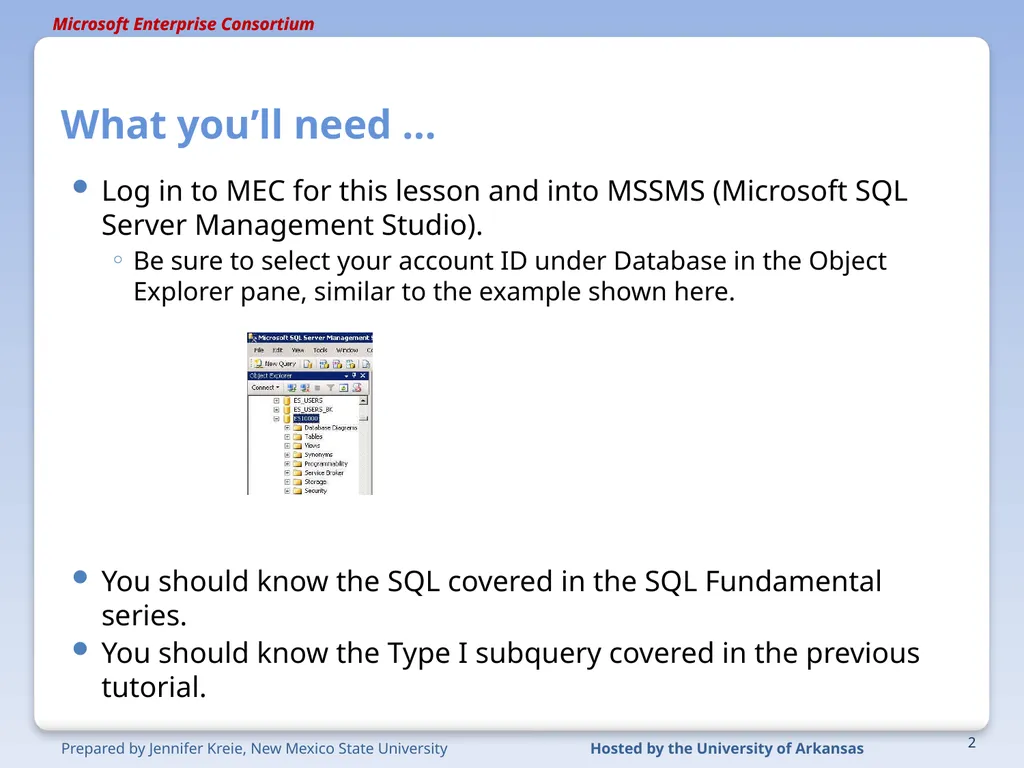
Be sure to select your account ID under Database in the Object Explorer pane, similar to the example shown here.
You should know the SQL covered in the SQL Fundamental series.
You should know the Type I subquery covered in the previous tutorial. 2<br>
03
Type II Subquery (Correlated) You saw that the Type I subquery executes independently from the outer query. The subquery executes then the outer query uses that temporary data set. This is the key difference between Type I and Type II.
A Type II subquery references one or more columns in the outer query. The Type II subquery executes once for EACH row in the outer query.
Type II subqueries are used for “difference” problems: What data in the outer query does NOT exist in the subquery?
As with Type I, the Type II query output should NOT show any columns in the subquery. 3<br>
04
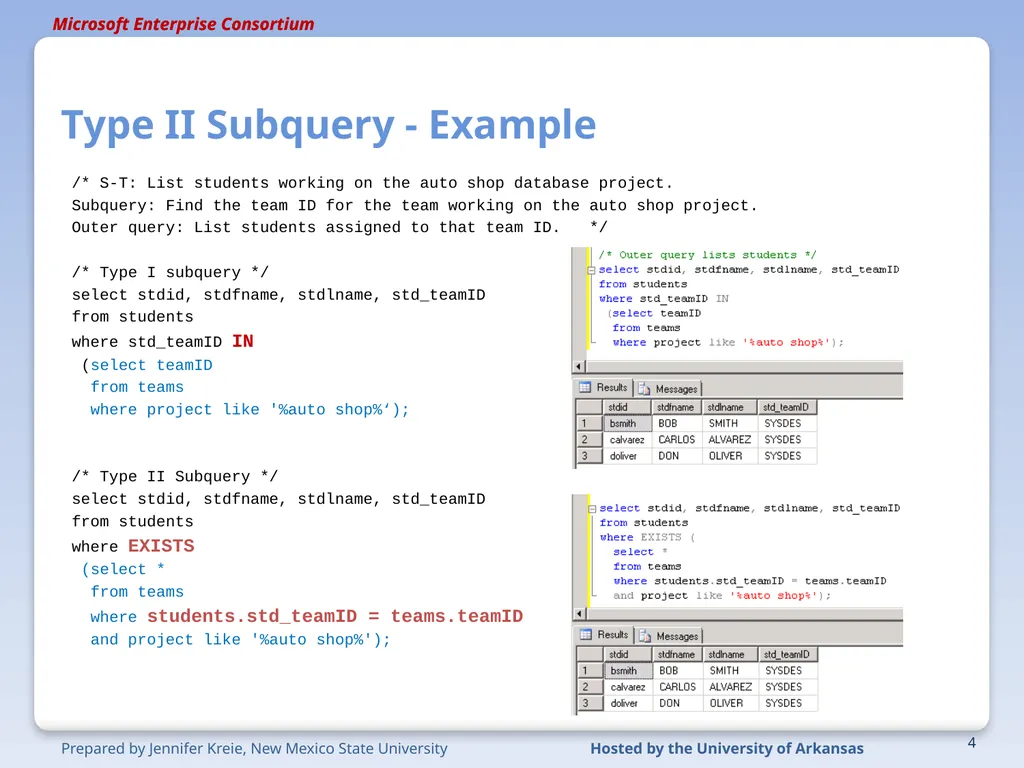
Type II Subquery - Example /* S-T: List students working on the auto shop database project.
Subquery: Find the team ID for the team working on the auto shop project.
Outer query: List students assigned to that team ID. */
/* Type I subquery */
select stdid, stdfname, stdlname, std_teamID
from students
where std_teamID IN
(select teamID
from teams
where project like '%auto shop%‘);
/* Type II Subquery */
select stdid, stdfname, stdlname, std_teamID
from students
where EXISTS
(select *
from teams
where students.std_teamID = teams.teamID
and project like '%auto shop%'); 4<br>
05
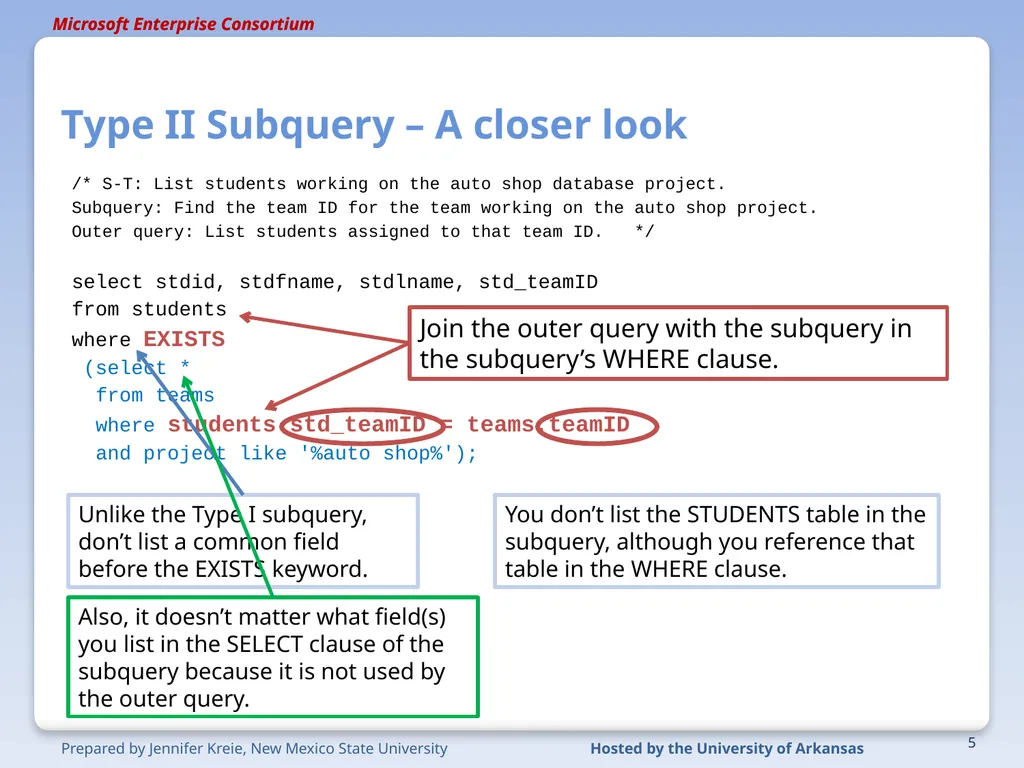
Type II Subquery – A closer look /* S-T: List students working on the auto shop database project.
Subquery: Find the team ID for the team working on the auto shop project.
Outer query: List students assigned to that team ID. */
select stdid, stdfname, stdlname, std_teamID
from students
where EXISTS
(select *
from teams
where students.std_teamID = teams.teamID
and project like '%auto shop%'); 5 Join the outer query with the subquery in the subquery’s WHERE clause. You don’t list the STUDENTS table in the subquery, although you reference that table in the WHERE clause. Unlike the Type I subquery, don’t list a common field before the EXISTS keyword. Also, it doesn’t matter what field(s) you list in the SELECT clause of the subquery because it is not used by the outer query.<br>
06
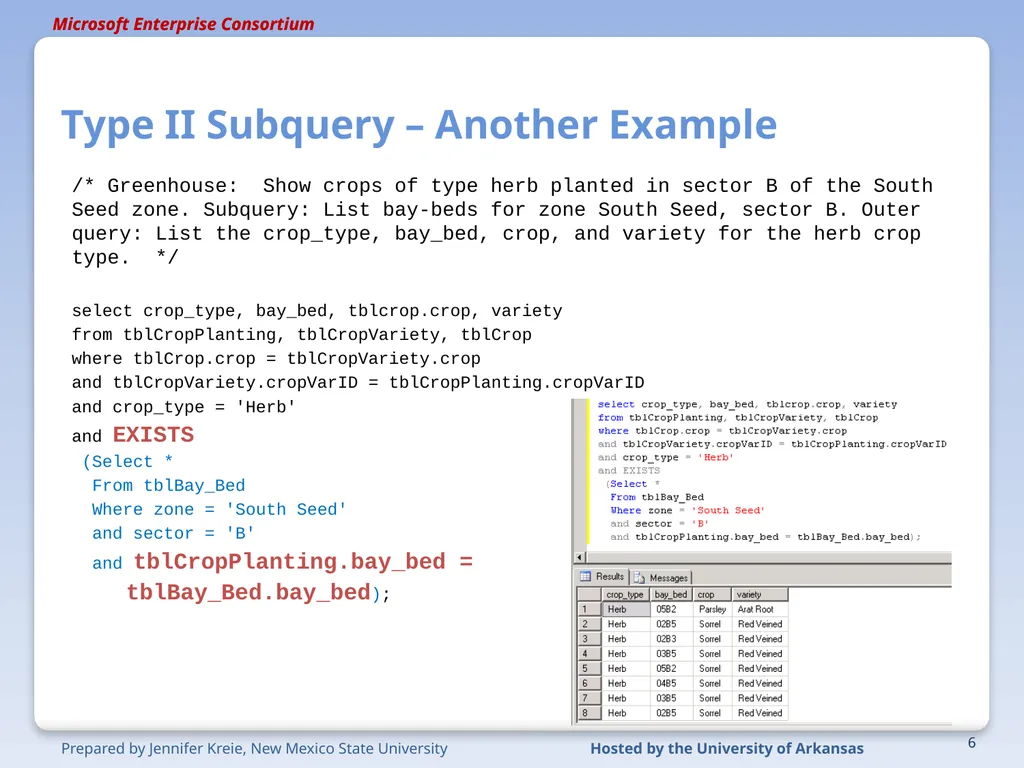
Type II Subquery – Another Example /* Greenhouse: Show crops of type herb planted in sector B of the South Seed zone. Subquery: List bay-beds for zone South Seed, sector B. Outer query: List the crop_type, bay_bed, crop, and variety for the herb crop type. */
select crop_type, bay_bed, tblcrop.crop, variety
from tblCropPlanting, tblCropVariety, tblCrop
where tblCrop.crop = tblCropVariety.crop
and tblCropVariety.cropVarID = tblCropPlanting.cropVarID
and crop_type = 'Herb'
and EXISTS
(Select *
From tblBay_Bed
Where zone = 'South Seed'
and sector = 'B'
and tblCropPlanting.bay_bed =
tblBay_Bed.bay_bed); 6<br>
07
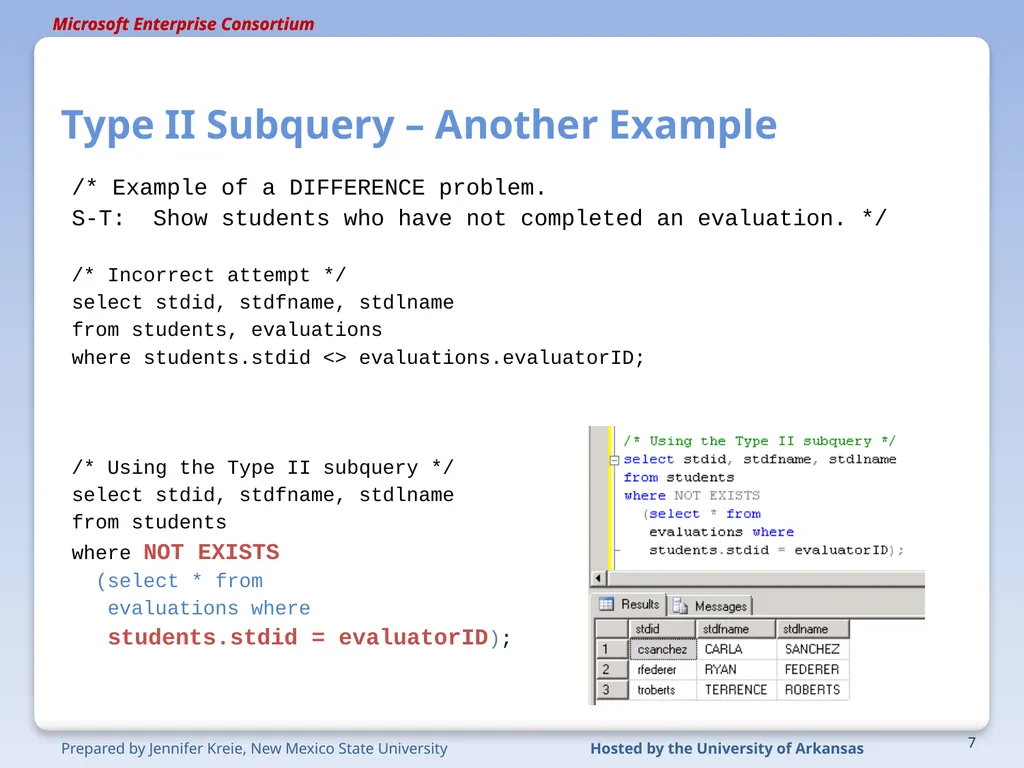
Type II Subquery – Another Example /* Example of a DIFFERENCE problem.
S-T: Show students who have not completed an evaluation. */
/* Incorrect attempt */
select stdid, stdfname, stdlname
from students, evaluations
where students.stdid <> evaluations.evaluatorID;
/* Using the Type II subquery */
select stdid, stdfname, stdlname
from students
where NOT EXISTS
(select * from
evaluations where
students.stdid = evaluatorID); 7<br>
08
What was covered … Type II (correlated) subquery.
Example of Type I and Type II solutions.
Solving a “difference” problem with a Type II subquery. 8<br>
09
Resources http://enterprise.waltoncollege.uark.edu/mec.asp
Microsoft Faculty Connection—Faculty Resource Center http://www.facultyresourcecenter.com/
Microsoft Transact-SQL Reference
http://msdn.microsoft.com/en-us/library/aa299742(v=SQL.80).aspx
AdventureWorks Sample Database
http://msdn.microsoft.com/en-us/library/ms124659%28v=sql.100%29.aspx 9<br>