
algorithms (SORTING) CITS1001 Listen to the sound
A
Published · 67 slides · 0 views
1 / 1
Description
algorithms (SORTING) CITS1001 Listen to the sound of sorting Various algorithms http:www.youtube.comwatch?vt8g-iYGHpEA Quicksort http:www.youtube.comwatch?vm1PS8IR6Td0 All together now https:www.youtube.comwatch?vBeoCbJPuvSE Or
Related Topics
Share
Embed code
Download this presentation From Below
"algorithms (SORTING) CITS1001 Listen to the sound" is the property of its rightful owner. Permission is granted to download and print the materials on this website for personal, non-commercial use only, and to display it on your personal computer provided you do not modify the materials and that you retain all copyright notices contained in the materials. By downloading content from our website, you accept the terms of this agreement.
Presentation Transcript
01
algorithms (SORTING) CITS1001<br>
02
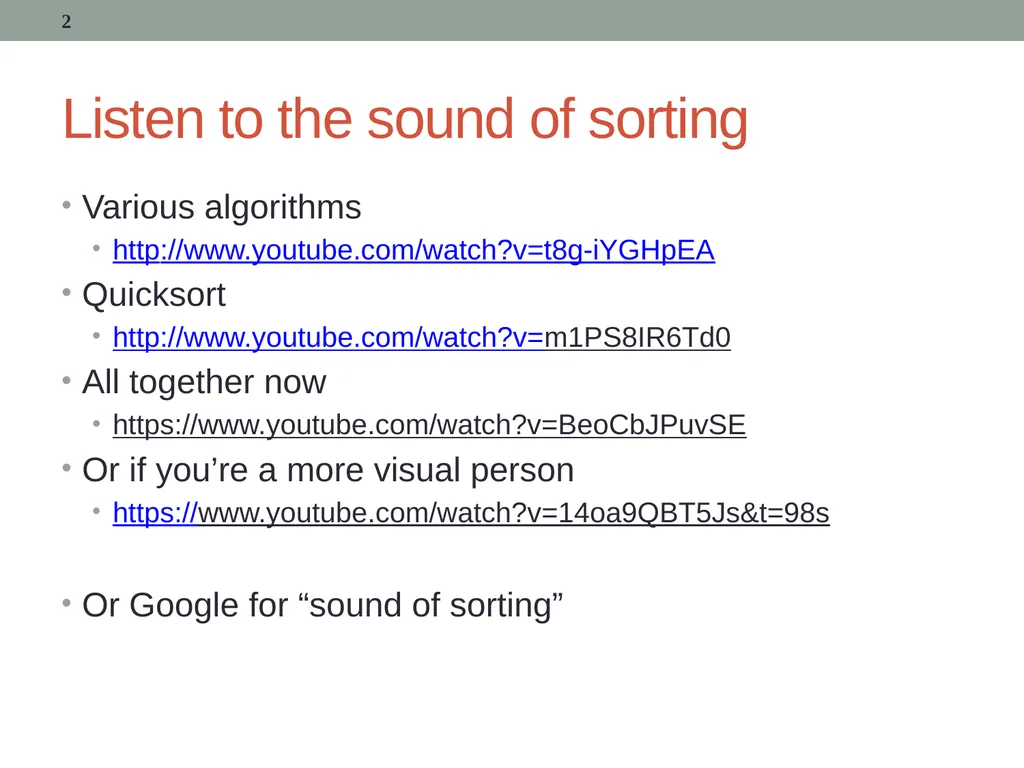
Listen to the sound of sorting Various algorithms
http://www.youtube.com/watch?v=t8g-iYGHpEA
Quicksort
http://www.youtube.com/watch?v=m1PS8IR6Td0
All together now
https://www.youtube.com/watch?v=BeoCbJPuvSE
Or if you’re a more visual person
https://www.youtube.com/watch?v=14oa9QBT5Js&t=98s
Or Google for “sound of sorting” 2<br>
http://www.youtube.com/watch?v=t8g-iYGHpEA
Quicksort
http://www.youtube.com/watch?v=m1PS8IR6Td0
All together now
https://www.youtube.com/watch?v=BeoCbJPuvSE
Or if you’re a more visual person
https://www.youtube.com/watch?v=14oa9QBT5Js&t=98s
Or Google for “sound of sorting” 2<br>
03
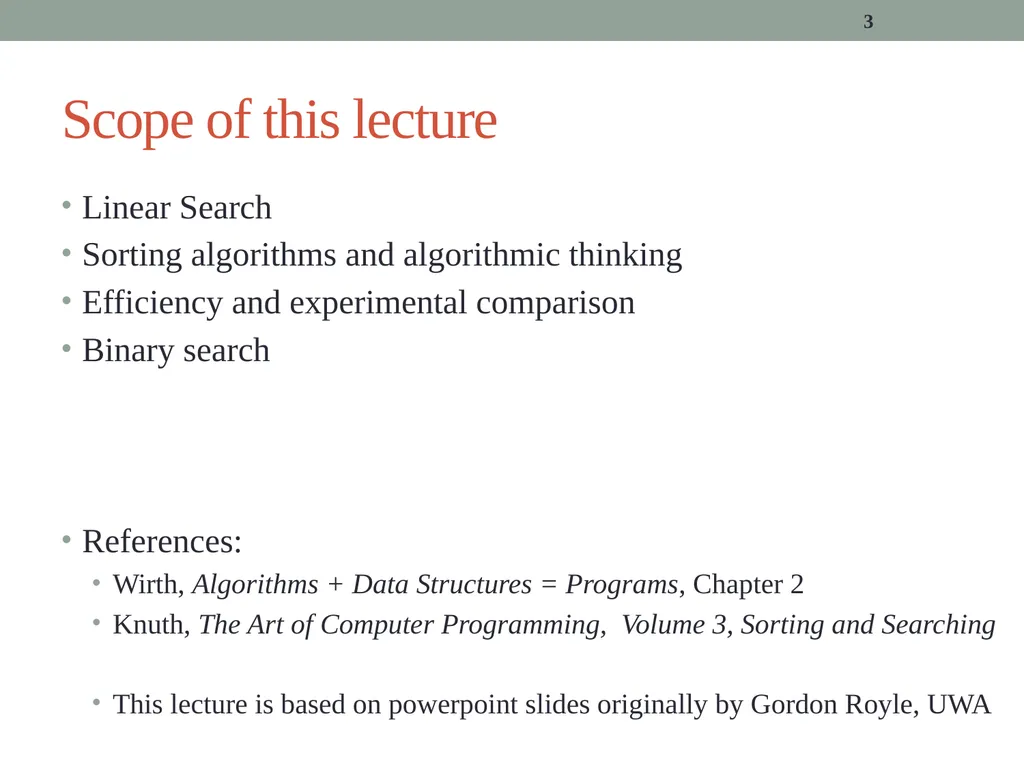
3 Scope of this lecture Linear Search
Sorting algorithms and algorithmic thinking
Efficiency and experimental comparison
Binary search
References:
Wirth, Algorithms + Data Structures = Programs, Chapter 2
Knuth, The Art of Computer Programming, Volume 3, Sorting and Searching
This lecture is based on powerpoint slides originally by Gordon Royle, UWA<br>
Sorting algorithms and algorithmic thinking
Efficiency and experimental comparison
Binary search
References:
Wirth, Algorithms + Data Structures = Programs, Chapter 2
Knuth, The Art of Computer Programming, Volume 3, Sorting and Searching
This lecture is based on powerpoint slides originally by Gordon Royle, UWA<br>
04
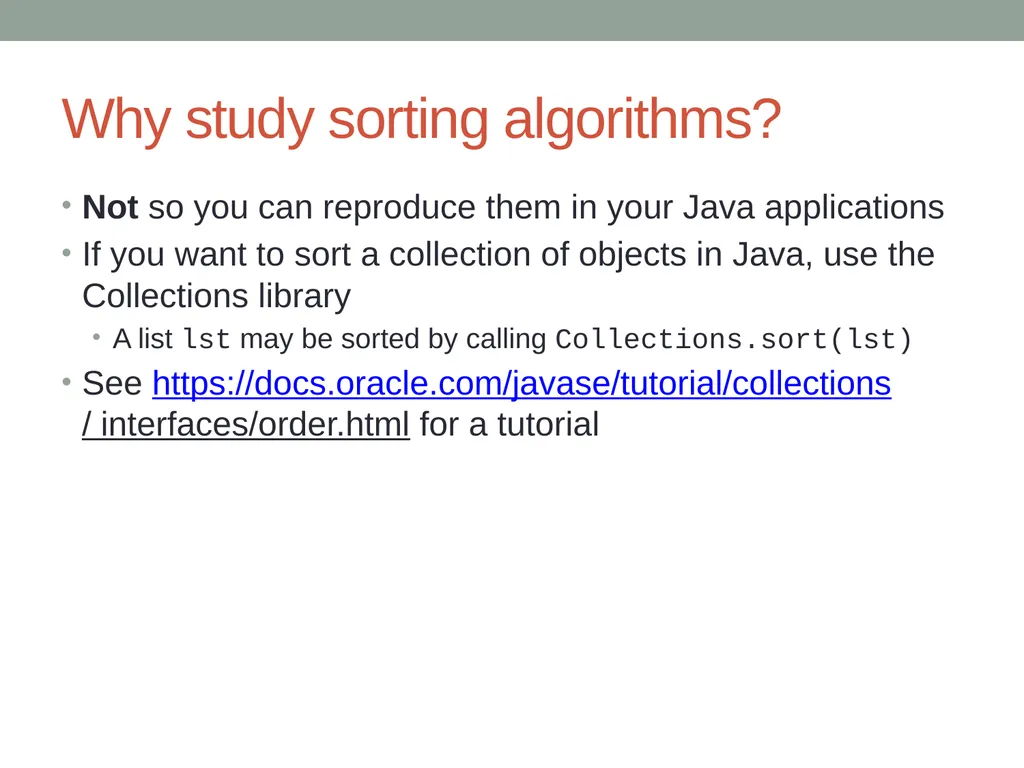
Why study sorting algorithms? Not so you can reproduce them in your Java applications
If you want to sort a collection of objects in Java, use the Collections library
A list lst may be sorted by calling Collections.sort(lst)
See https://docs.oracle.com/javase/tutorial/collections/ interfaces/order.html for a tutorial<br>
If you want to sort a collection of objects in Java, use the Collections library
A list lst may be sorted by calling Collections.sort(lst)
See https://docs.oracle.com/javase/tutorial/collections/ interfaces/order.html for a tutorial<br>
05
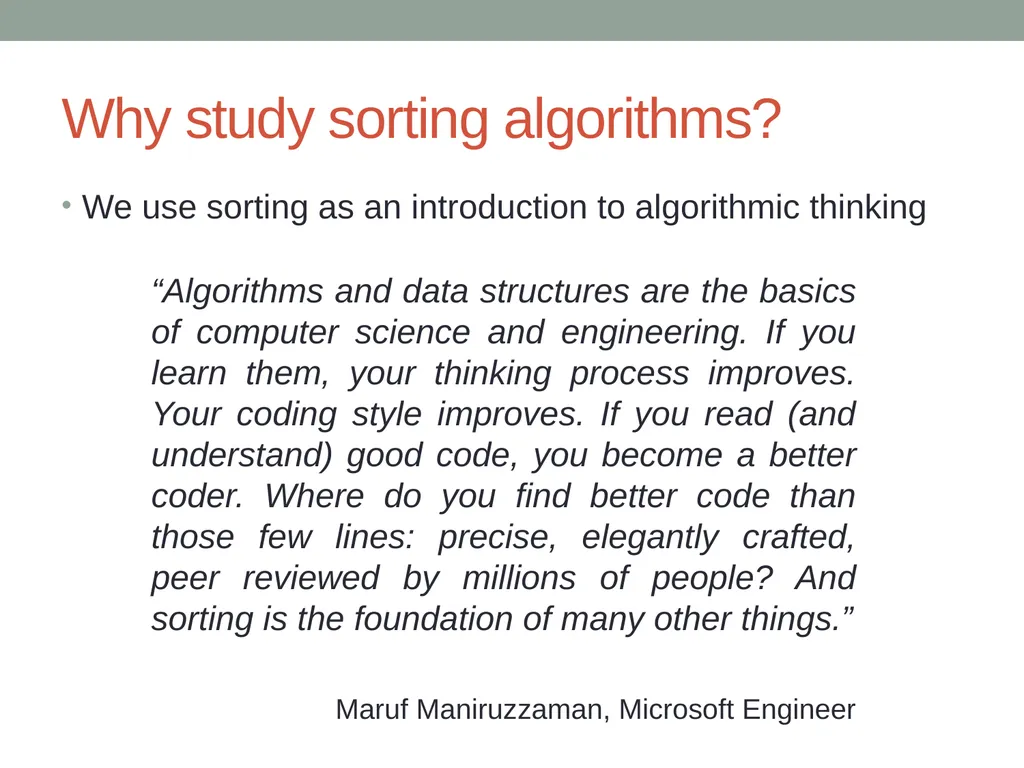
Why study sorting algorithms? We use sorting as an introduction to algorithmic thinking “Algorithms and data structures are the basics of computer science and engineering. If you learn them, your thinking process improves. Your coding style improves. If you read (and understand) good code, you become a better coder. Where do you find better code than those few lines: precise, elegantly crafted, peer reviewed by millions of people? And sorting is the foundation of many other things.”
Maruf Maniruzzaman, Microsoft Engineer<br>
Maruf Maniruzzaman, Microsoft Engineer<br>
06
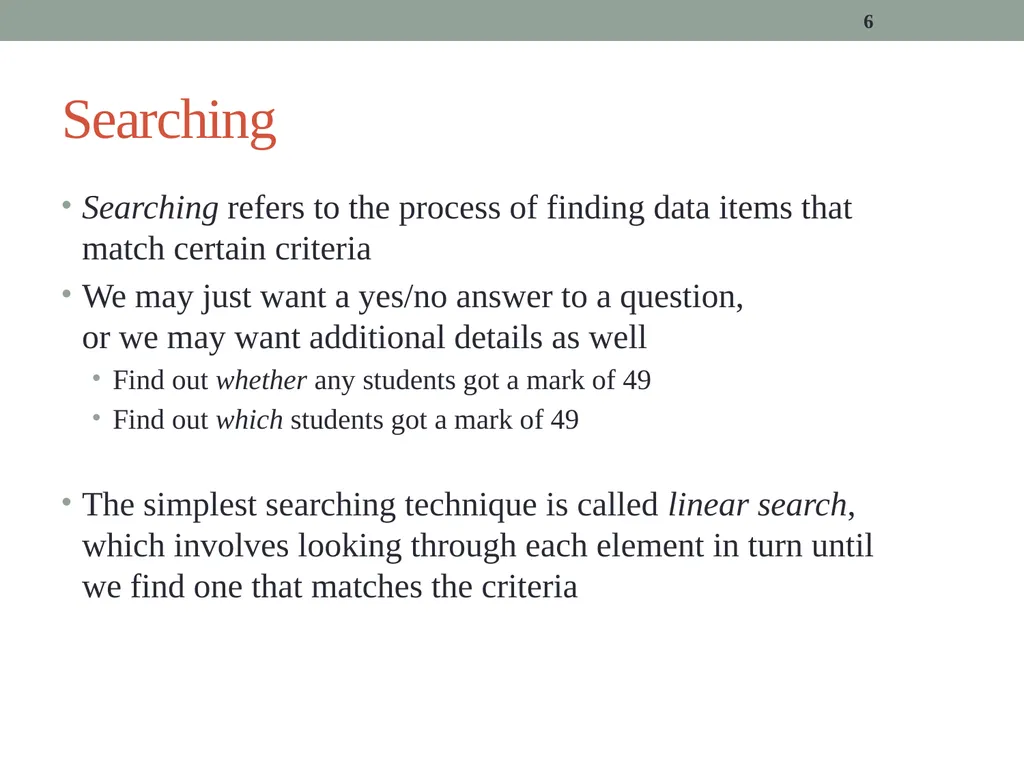
6 Searching Searching refers to the process of finding data items that match certain criteria
We may just want a yes/no answer to a question, or we may want additional details as well
Find out whether any students got a mark of 49
Find out which students got a mark of 49
The simplest searching technique is called linear search, which involves looking through each element in turn until we find one that matches the criteria<br>
We may just want a yes/no answer to a question, or we may want additional details as well
Find out whether any students got a mark of 49
Find out which students got a mark of 49
The simplest searching technique is called linear search, which involves looking through each element in turn until we find one that matches the criteria<br>
07
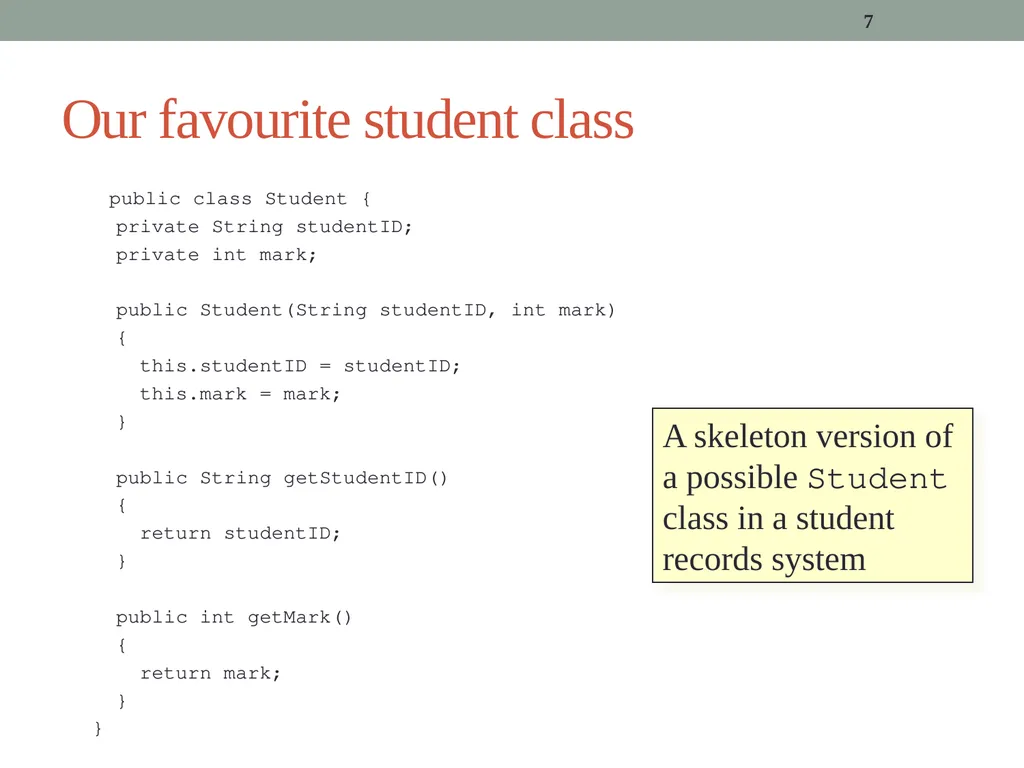
7 Our favourite student class public class Student {
private String studentID;
private int mark;
public Student(String studentID, int mark)
{
this.studentID = studentID;
this.mark = mark;
}
public String getStudentID()
{
return studentID;
}
public int getMark()
{
return mark;
}
} A skeleton version of a possible Student class in a student records system<br>
private String studentID;
private int mark;
public Student(String studentID, int mark)
{
this.studentID = studentID;
this.mark = mark;
}
public String getStudentID()
{
return studentID;
}
public int getMark()
{
return mark;
}
} A skeleton version of a possible Student class in a student records system<br>
08
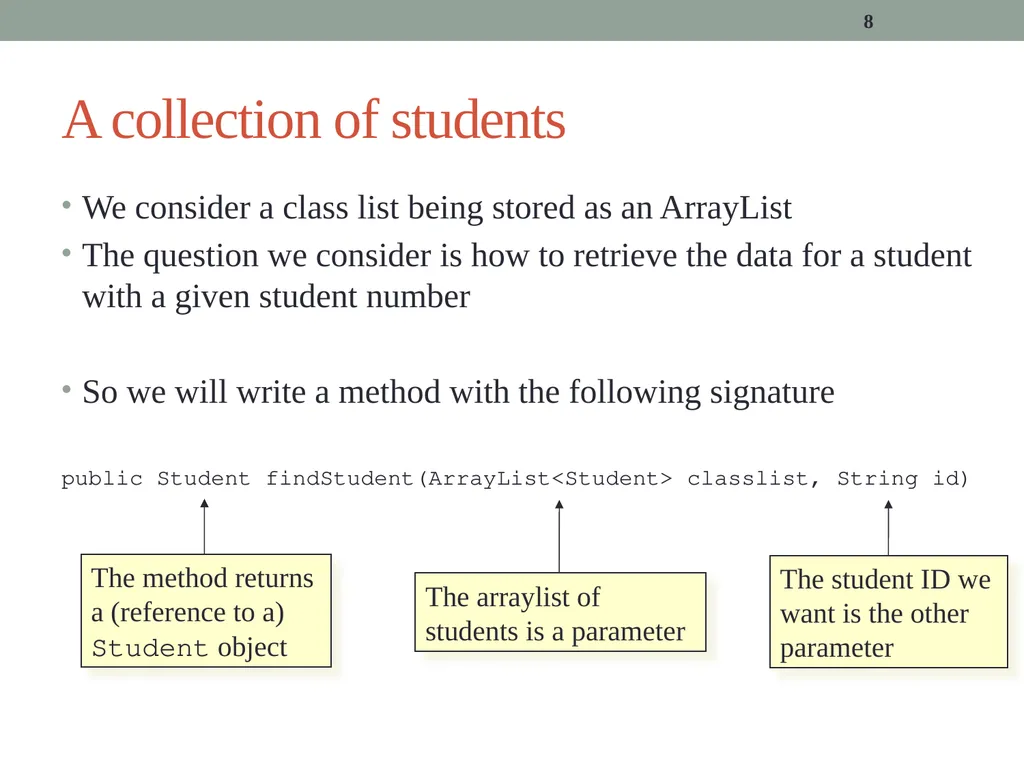
We consider a class list being stored as an ArrayList
The question we consider is how to retrieve the data for a student with a given student number
So we will write a method with the following signature
public Student findStudent(ArrayList<Student> classlist, String id) 8 A collection of students The method returns a (reference to a) Student object The student ID we want is the other parameter The arraylist of students is a parameter<br>
The question we consider is how to retrieve the data for a student with a given student number
So we will write a method with the following signature
public Student findStudent(ArrayList<Student> classlist, String id) 8 A collection of students The method returns a (reference to a) Student object The student ID we want is the other parameter The arraylist of students is a parameter<br>
09
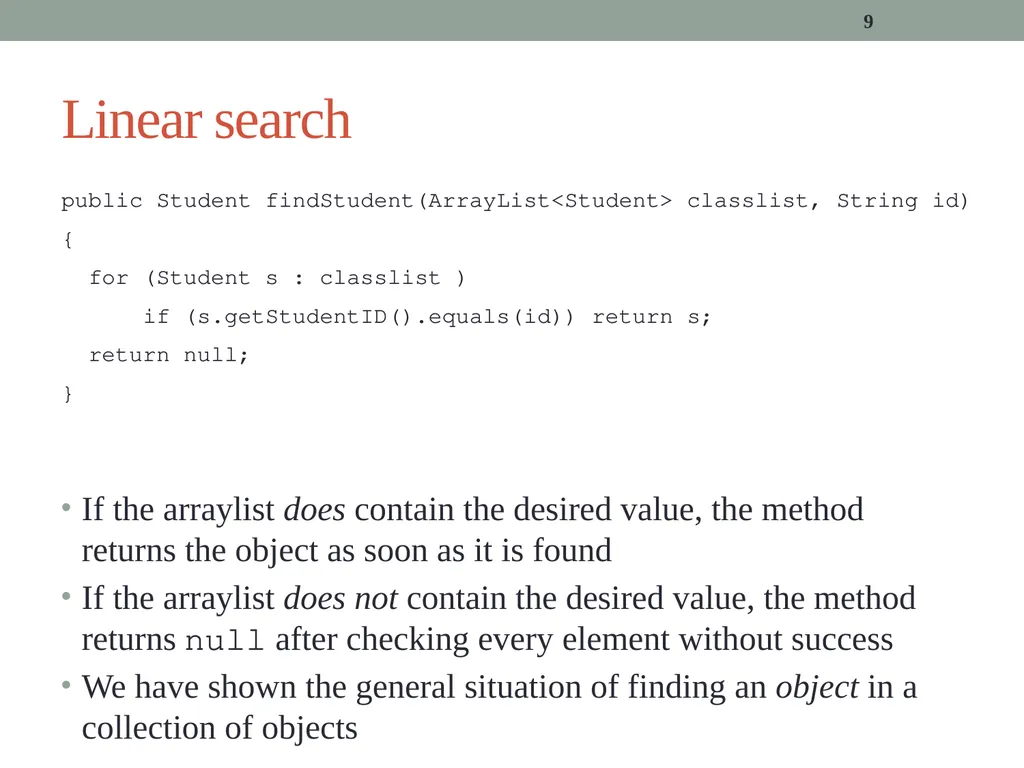
9 Linear search public Student findStudent(ArrayList<Student> classlist, String id)
{
for (Student s : classlist )
if (s.getStudentID().equals(id)) return s;
return null;
} If the arraylist does contain the desired value, the method returns the object as soon as it is found
If the arraylist does not contain the desired value, the method returns null after checking every element without success
We have shown the general situation of finding an object in a collection of objects<br>
{
for (Student s : classlist )
if (s.getStudentID().equals(id)) return s;
return null;
} If the arraylist does contain the desired value, the method returns the object as soon as it is found
If the arraylist does not contain the desired value, the method returns null after checking every element without success
We have shown the general situation of finding an object in a collection of objects<br>
10
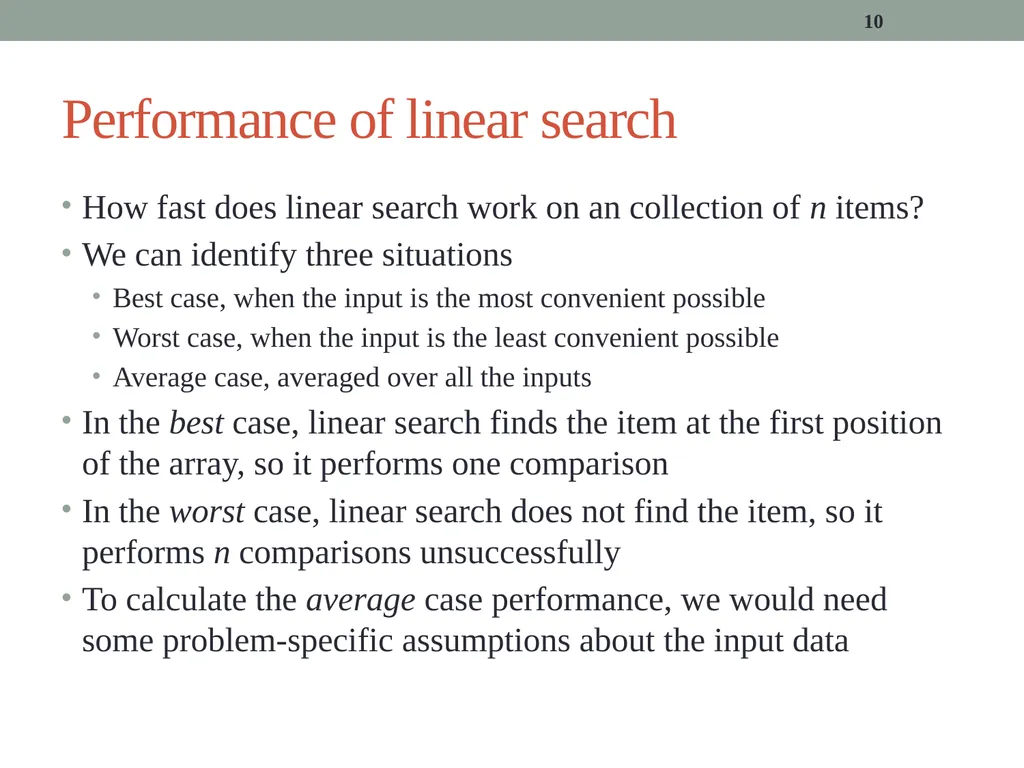
10 Performance of linear search How fast does linear search work on an collection of n items?
We can identify three situations
Best case, when the input is the most convenient possible
Worst case, when the input is the least convenient possible
Average case, averaged over all the inputs
In the best case, linear search finds the item at the first position of the array, so it performs one comparison
In the worst case, linear search does not find the item, so it performs n comparisons unsuccessfully
To calculate the average case performance, we would need some problem-specific assumptions about the input data<br>
We can identify three situations
Best case, when the input is the most convenient possible
Worst case, when the input is the least convenient possible
Average case, averaged over all the inputs
In the best case, linear search finds the item at the first position of the array, so it performs one comparison
In the worst case, linear search does not find the item, so it performs n comparisons unsuccessfully
To calculate the average case performance, we would need some problem-specific assumptions about the input data<br>
11
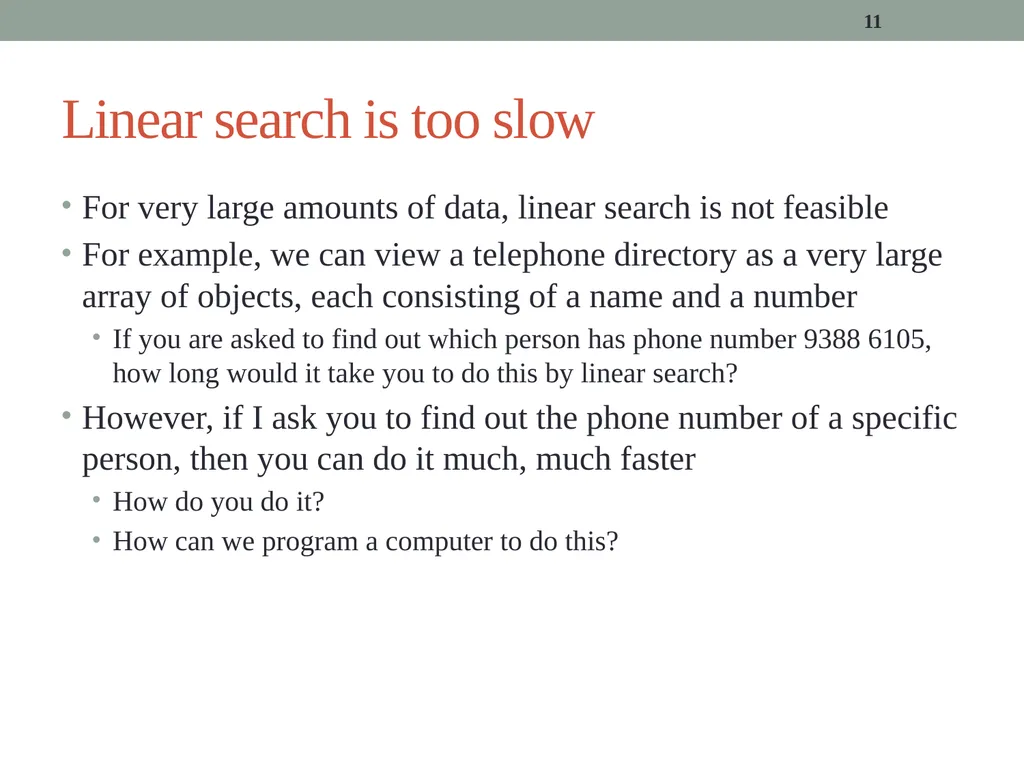
11 Linear search is too slow For very large amounts of data, linear search is not feasible
For example, we can view a telephone directory as a very large array of objects, each consisting of a name and a number
If you are asked to find out which person has phone number 9388 6105, how long would it take you to do this by linear search?
However, if I ask you to find out the phone number of a specific person, then you can do it much, much faster
How do you do it?
How can we program a computer to do this?<br>
For example, we can view a telephone directory as a very large array of objects, each consisting of a name and a number
If you are asked to find out which person has phone number 9388 6105, how long would it take you to do this by linear search?
However, if I ask you to find out the phone number of a specific person, then you can do it much, much faster
How do you do it?
How can we program a computer to do this?<br>
12
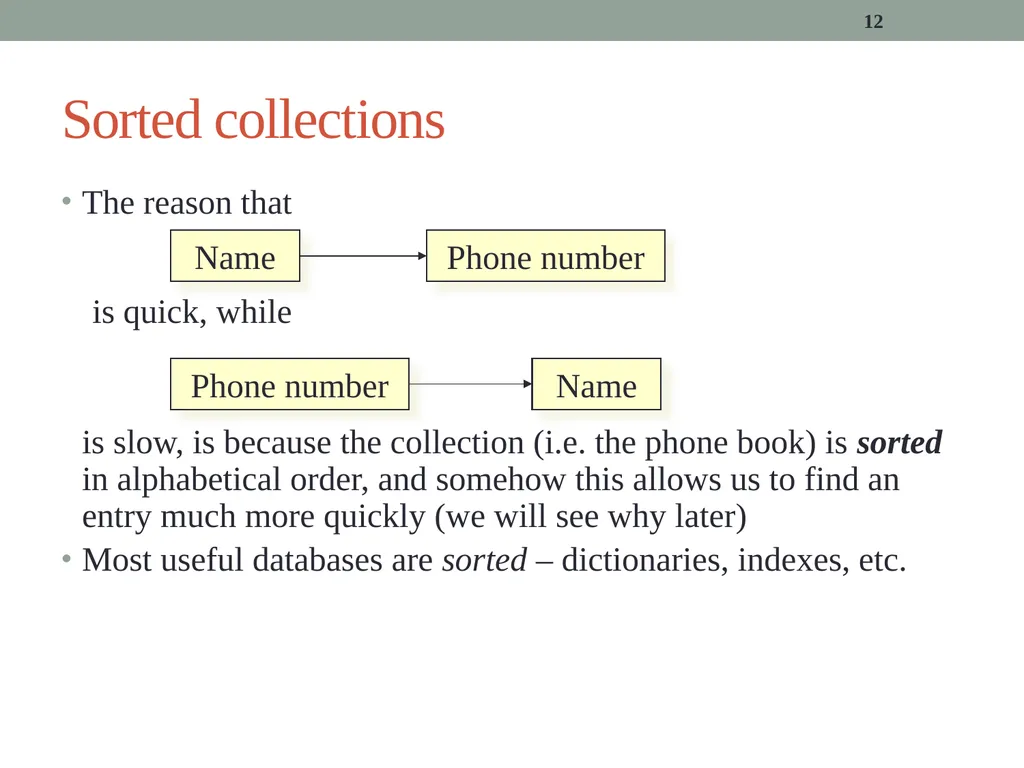
12 Sorted collections The reason that
is quick, while
is slow, is because the collection (i.e. the phone book) is sorted in alphabetical order, and somehow this allows us to find an entry much more quickly (we will see why later)
Most useful databases are sorted – dictionaries, indexes, etc. Name Phone number Name Phone number<br>
is quick, while
is slow, is because the collection (i.e. the phone book) is sorted in alphabetical order, and somehow this allows us to find an entry much more quickly (we will see why later)
Most useful databases are sorted – dictionaries, indexes, etc. Name Phone number Name Phone number<br>
13
13 Sorting Before we examine how to efficiently search in a sorted collection, we consider how to sort the collection
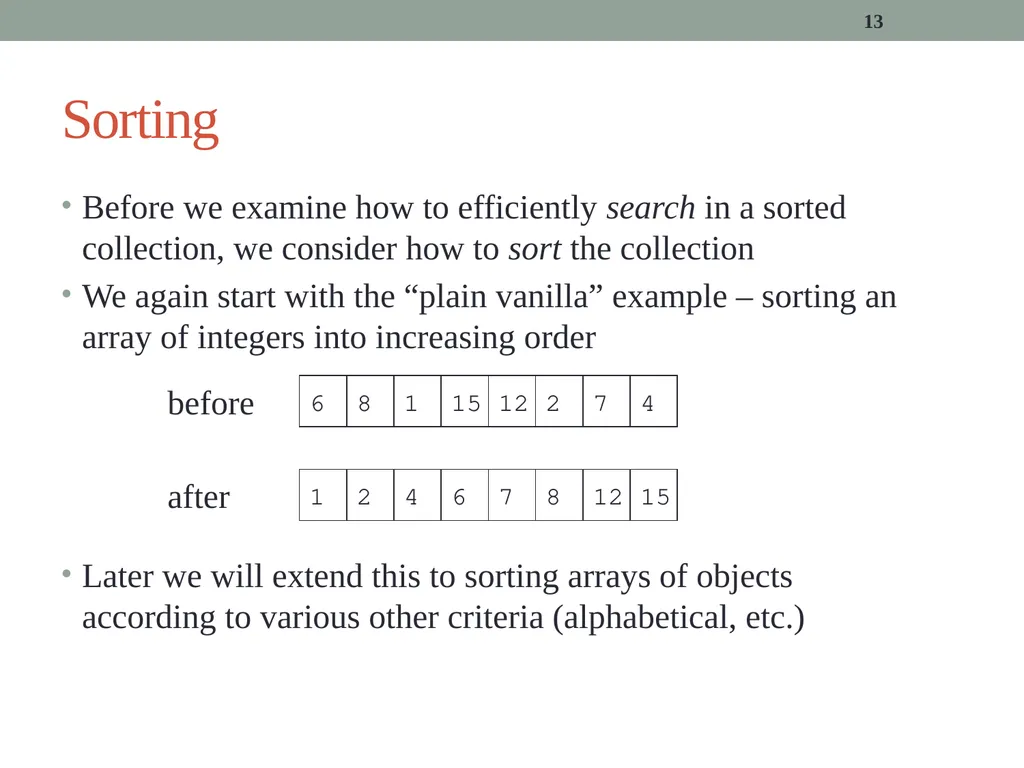
We again start with the “plain vanilla” example – sorting an array of integers into increasing order
Later we will extend this to sorting arrays of objects according to various other criteria (alphabetical, etc.) 6 8 1 15 12 2 7 4 1 2 4 6 7 8 12 15 before after<br>
We again start with the “plain vanilla” example – sorting an array of integers into increasing order
Later we will extend this to sorting arrays of objects according to various other criteria (alphabetical, etc.) 6 8 1 15 12 2 7 4 1 2 4 6 7 8 12 15 before after<br>
14
14 The basic set up We will implement a number of sorting methods, all of which operate on an array of integers
We will develop these as a utility class called Sorter – a class with no instance variables, but just static methods (cf. Math)
Each method will have a similar signature, where the only thing that will vary is the name of the sorting technique
public static void nameSort(int[] a)
Each method receives an array as a parameter, and will sort that array “in place”
i.e. the method returns nothing, but a gets updated<br>
We will develop these as a utility class called Sorter – a class with no instance variables, but just static methods (cf. Math)
Each method will have a similar signature, where the only thing that will vary is the name of the sorting technique
public static void nameSort(int[] a)
Each method receives an array as a parameter, and will sort that array “in place”
i.e. the method returns nothing, but a gets updated<br>
15
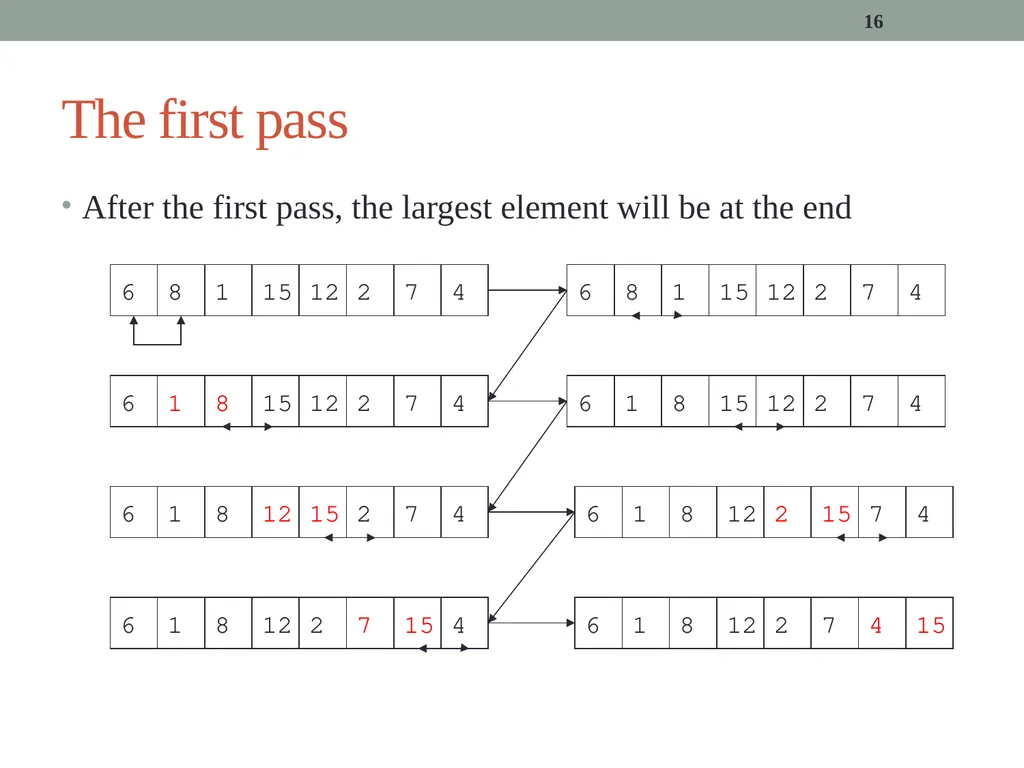
15 bubbleSort The idea behind bubbleSort is to systematically compare pairs of elements, exchanging them if they are out of order
If the array contains n elements, then we view the algorithm as consisting of n–1 “passes”
In the first pass we compare
Element 0 with Element 1, exchange if necessary
Element 1 with Element 2, exchange if necessary
…
Element n-2 with Element n-1, exchange if necessary<br>
If the array contains n elements, then we view the algorithm as consisting of n–1 “passes”
In the first pass we compare
Element 0 with Element 1, exchange if necessary
Element 1 with Element 2, exchange if necessary
…
Element n-2 with Element n-1, exchange if necessary<br>
16
16 The first pass After the first pass, the largest element will be at the end<br>
17
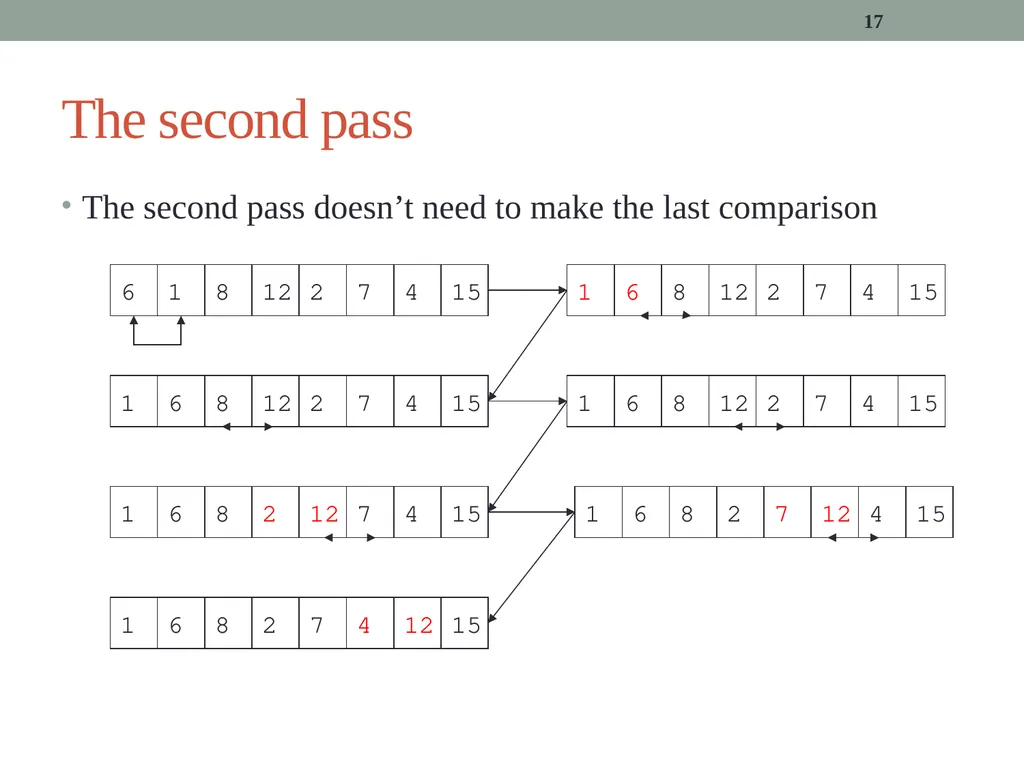
17 The second pass The second pass doesn’t need to make the last comparison<br>
18
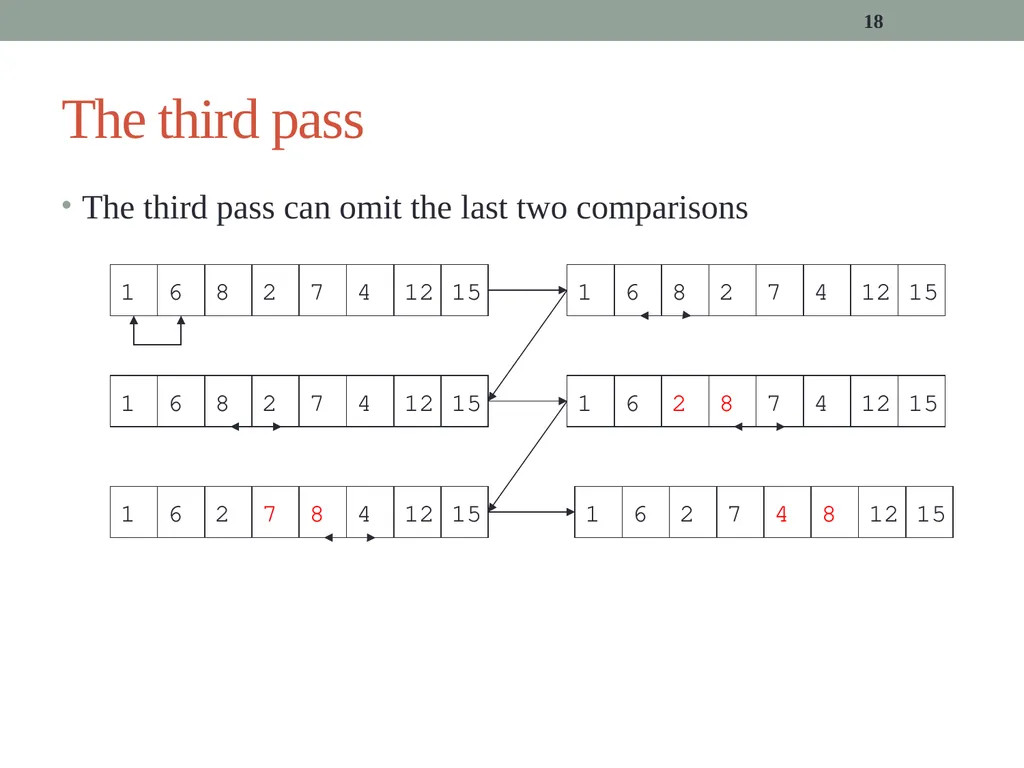
18 The third pass The third pass can omit the last two comparisons<br>
19
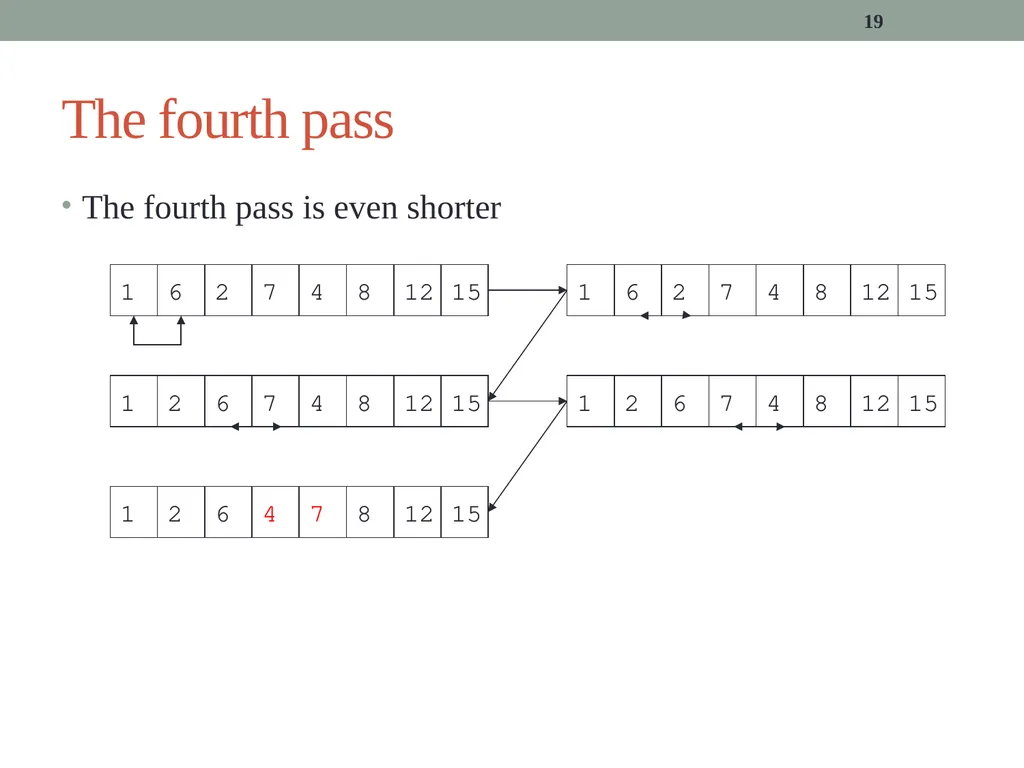
19 The fourth pass The fourth pass is even shorter<br>
20
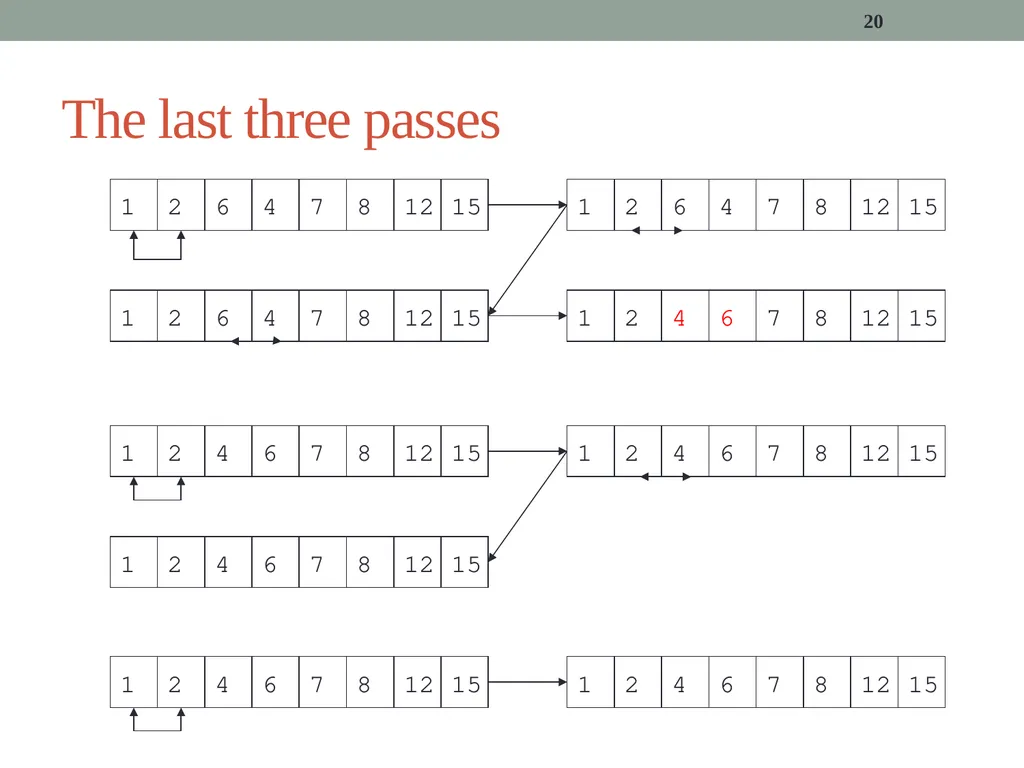
20 The last three passes<br>
21
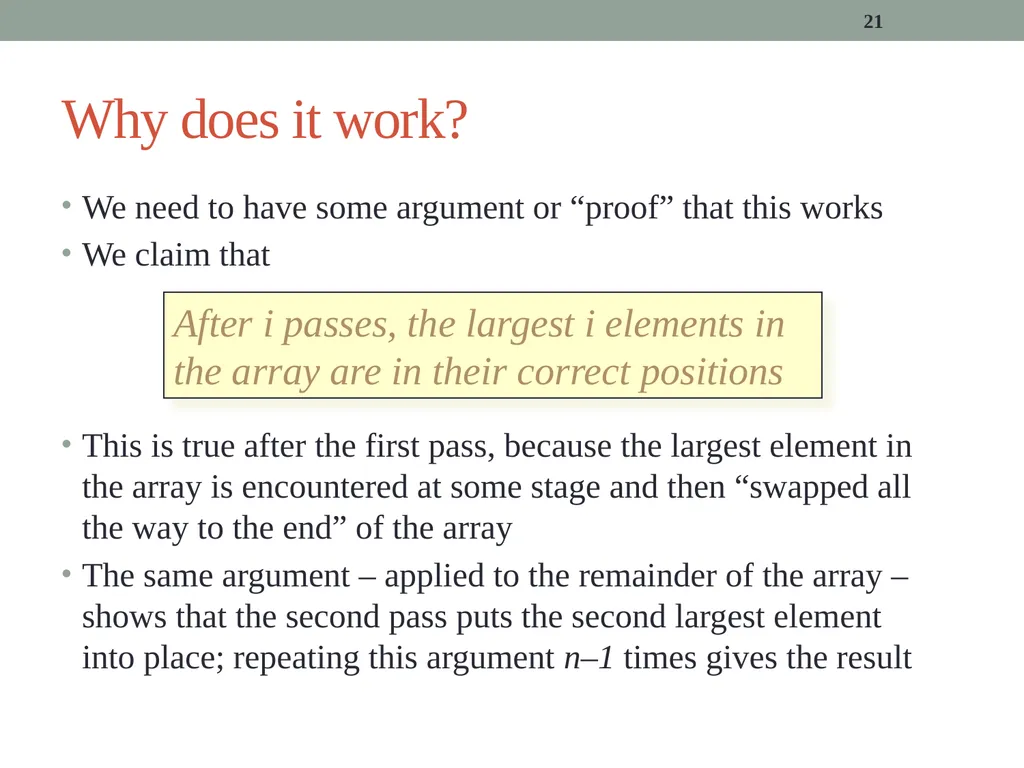
21 Why does it work? We need to have some argument or “proof” that this works
We claim that
This is true after the first pass, because the largest element in the array is encountered at some stage and then “swapped all the way to the end” of the array
The same argument – applied to the remainder of the array – shows that the second pass puts the second largest element into place; repeating this argument n–1 times gives the result After i passes, the largest i elements in the array are in their correct positions<br>
We claim that
This is true after the first pass, because the largest element in the array is encountered at some stage and then “swapped all the way to the end” of the array
The same argument – applied to the remainder of the array – shows that the second pass puts the second largest element into place; repeating this argument n–1 times gives the result After i passes, the largest i elements in the array are in their correct positions<br>
22
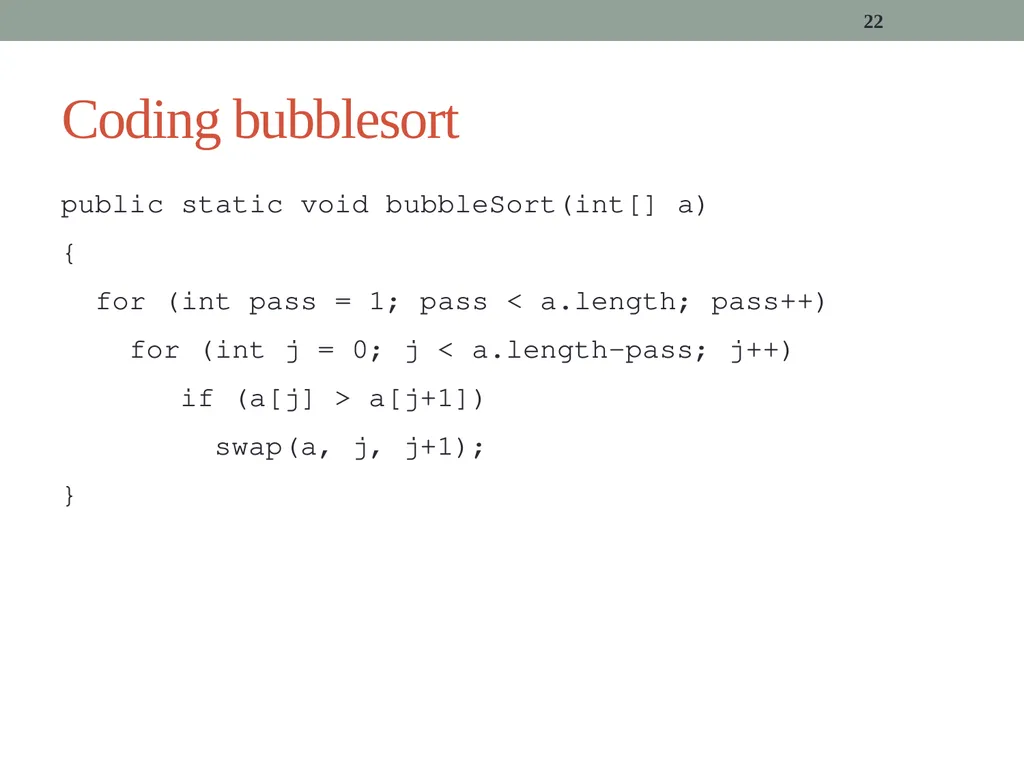
22 Coding bubblesort public static void bubbleSort(int[] a)
{
for (int pass = 1; pass < a.length; pass++)
for (int j = 0; j < a.length-pass; j++)
if (a[j] > a[j+1])
swap(a, j, j+1);
}<br>
{
for (int pass = 1; pass < a.length; pass++)
for (int j = 0; j < a.length-pass; j++)
if (a[j] > a[j+1])
swap(a, j, j+1);
}<br>
23
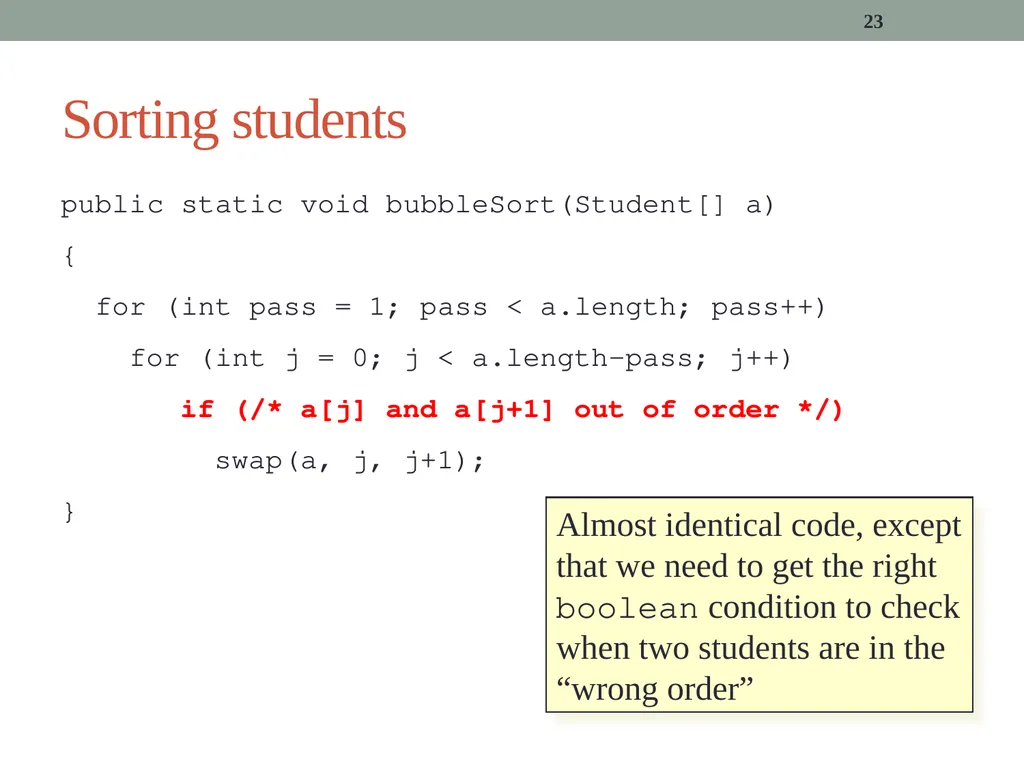
23 Sorting students public static void bubbleSort(Student[] a)
{
for (int pass = 1; pass < a.length; pass++)
for (int j = 0; j < a.length-pass; j++)
if (/* a[j] and a[j+1] out of order */)
swap(a, j, j+1);
} Almost identical code, except that we need to get the right boolean condition to check when two students are in the “wrong order”<br>
{
for (int pass = 1; pass < a.length; pass++)
for (int j = 0; j < a.length-pass; j++)
if (/* a[j] and a[j+1] out of order */)
swap(a, j, j+1);
} Almost identical code, except that we need to get the right boolean condition to check when two students are in the “wrong order”<br>
24
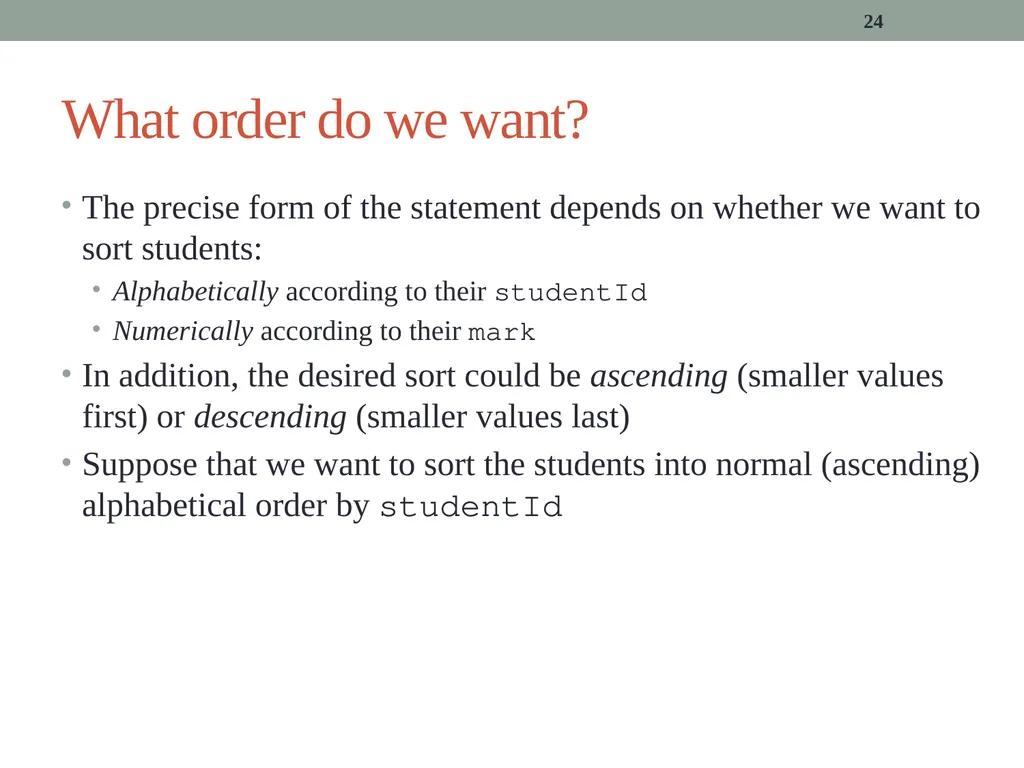
24 What order do we want? The precise form of the statement depends on whether we want to sort students:
Alphabetically according to their studentId
Numerically according to their mark
In addition, the desired sort could be ascending (smaller values first) or descending (smaller values last)
Suppose that we want to sort the students into normal (ascending) alphabetical order by studentId<br>
Alphabetically according to their studentId
Numerically according to their mark
In addition, the desired sort could be ascending (smaller values first) or descending (smaller values last)
Suppose that we want to sort the students into normal (ascending) alphabetical order by studentId<br>
25
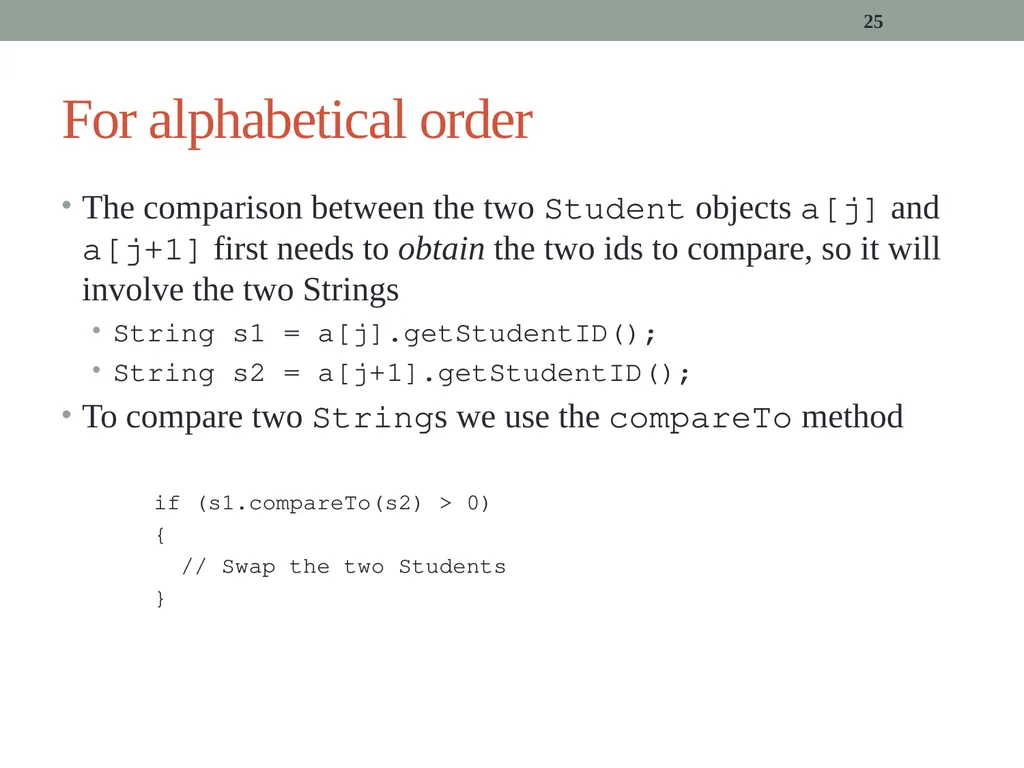
25 For alphabetical order The comparison between the two Student objects a[j] and a[j+1] first needs to obtain the two ids to compare, so it will involve the two Strings
String s1 = a[j].getStudentID();
String s2 = a[j+1].getStudentID();
To compare two Strings we use the compareTo method
if (s1.compareTo(s2) > 0)
{
// Swap the two Students
}<br>
String s1 = a[j].getStudentID();
String s2 = a[j+1].getStudentID();
To compare two Strings we use the compareTo method
if (s1.compareTo(s2) > 0)
{
// Swap the two Students
}<br>
26
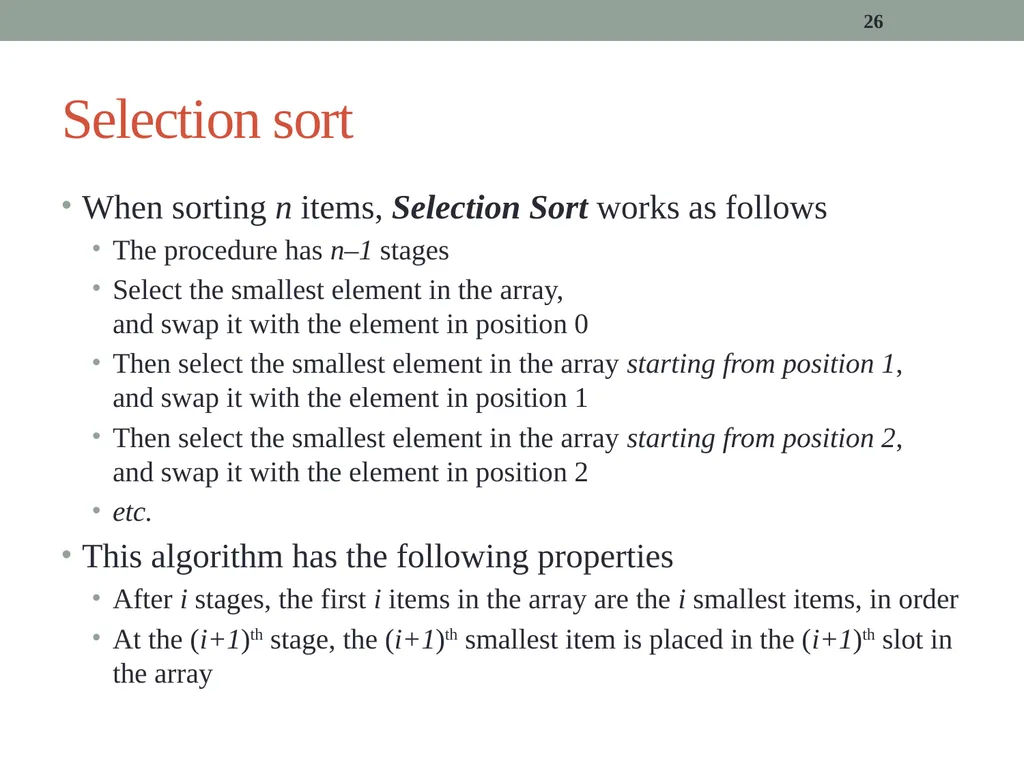
26 Selection sort When sorting n items, Selection Sort works as follows
The procedure has n–1 stages
Select the smallest element in the array, and swap it with the element in position 0
Then select the smallest element in the array starting from position 1, and swap it with the element in position 1
Then select the smallest element in the array starting from position 2, and swap it with the element in position 2
etc.
This algorithm has the following properties
After i stages, the first i items in the array are the i smallest items, in order
At the (i+1)th stage, the (i+1)th smallest item is placed in the (i+1)th slot in the array<br>
The procedure has n–1 stages
Select the smallest element in the array, and swap it with the element in position 0
Then select the smallest element in the array starting from position 1, and swap it with the element in position 1
Then select the smallest element in the array starting from position 2, and swap it with the element in position 2
etc.
This algorithm has the following properties
After i stages, the first i items in the array are the i smallest items, in order
At the (i+1)th stage, the (i+1)th smallest item is placed in the (i+1)th slot in the array<br>
27
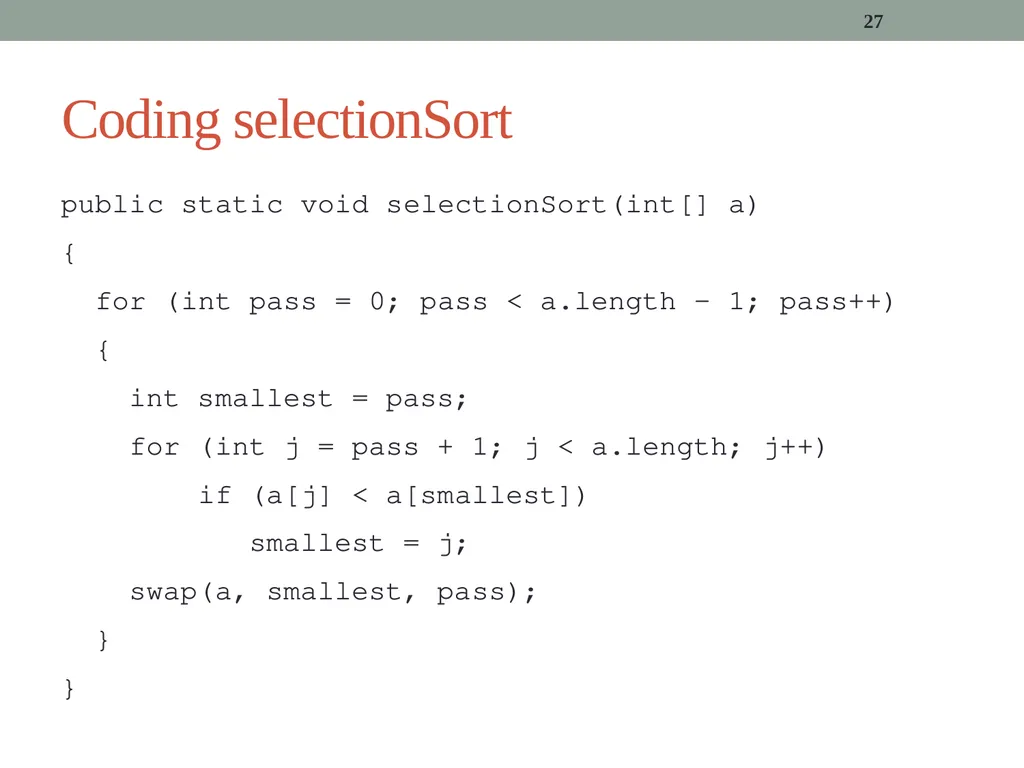
27 Coding selectionSort public static void selectionSort(int[] a)
{
for (int pass = 0; pass < a.length – 1; pass++)
{
int smallest = pass;
for (int j = pass + 1; j < a.length; j++)
if (a[j] < a[smallest])
smallest = j;
swap(a, smallest, pass);
}
}<br>
{
for (int pass = 0; pass < a.length – 1; pass++)
{
int smallest = pass;
for (int j = pass + 1; j < a.length; j++)
if (a[j] < a[smallest])
smallest = j;
swap(a, smallest, pass);
}
}<br>
28
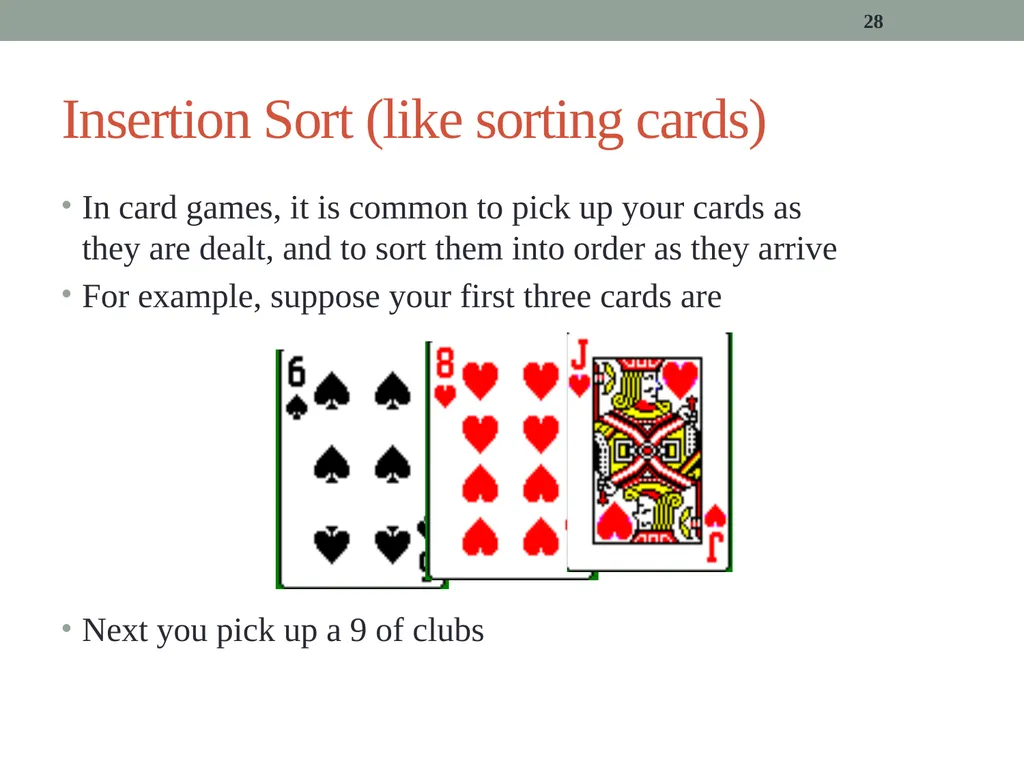
28 Insertion Sort (like sorting cards) In card games, it is common to pick up your cards as they are dealt, and to sort them into order as they arrive
For example, suppose your first three cards are
Next you pick up a 9 of clubs<br>
For example, suppose your first three cards are
Next you pick up a 9 of clubs<br>
29
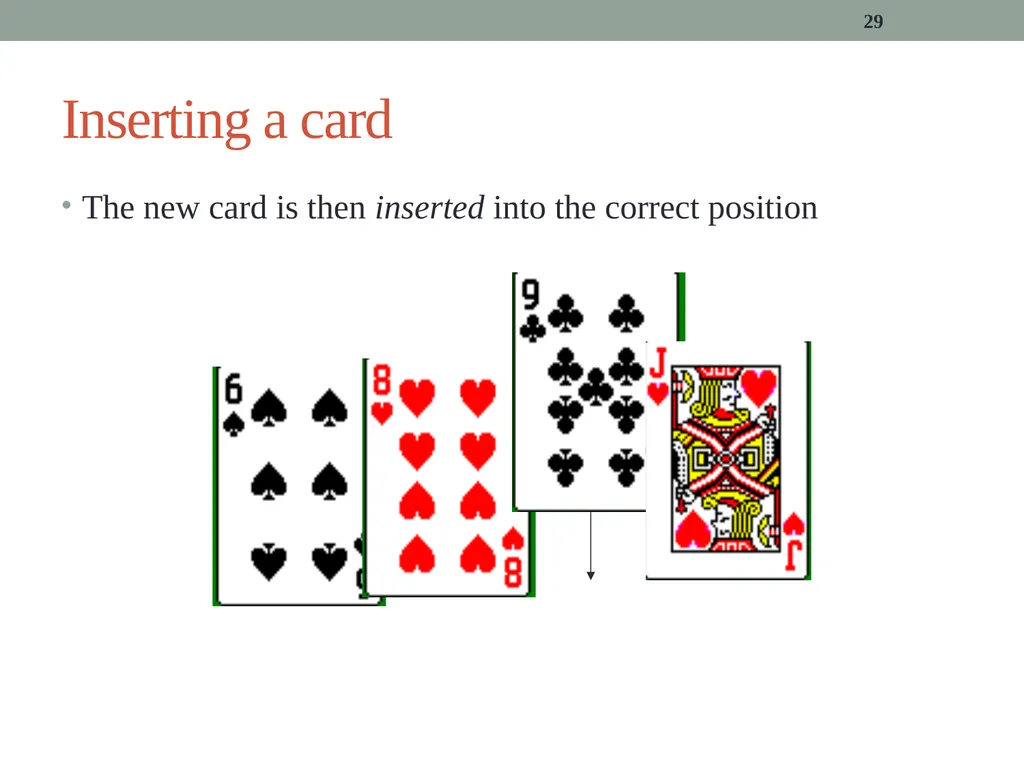
29 Inserting a card The new card is then inserted into the correct position<br>
30
30 Insertion sort We can develop this idea into an algorithm called Insertion Sort
When sorting n items, Insertion Sort works as follows
The procedure has n–1 stages
Compare the second item in the array with the first item; make them ordered
Compare the third item in the array with the first two items; make them ordered
Etc.
This algorithm has the following properties
After i stages, the first i+1 items are sorted although they aren’t the smallest
At the (i+1)th stage, the item originally in position i+2 is placed in its correct position relative to the first i+1 items<br>
When sorting n items, Insertion Sort works as follows
The procedure has n–1 stages
Compare the second item in the array with the first item; make them ordered
Compare the third item in the array with the first two items; make them ordered
Etc.
This algorithm has the following properties
After i stages, the first i+1 items are sorted although they aren’t the smallest
At the (i+1)th stage, the item originally in position i+2 is placed in its correct position relative to the first i+1 items<br>
31
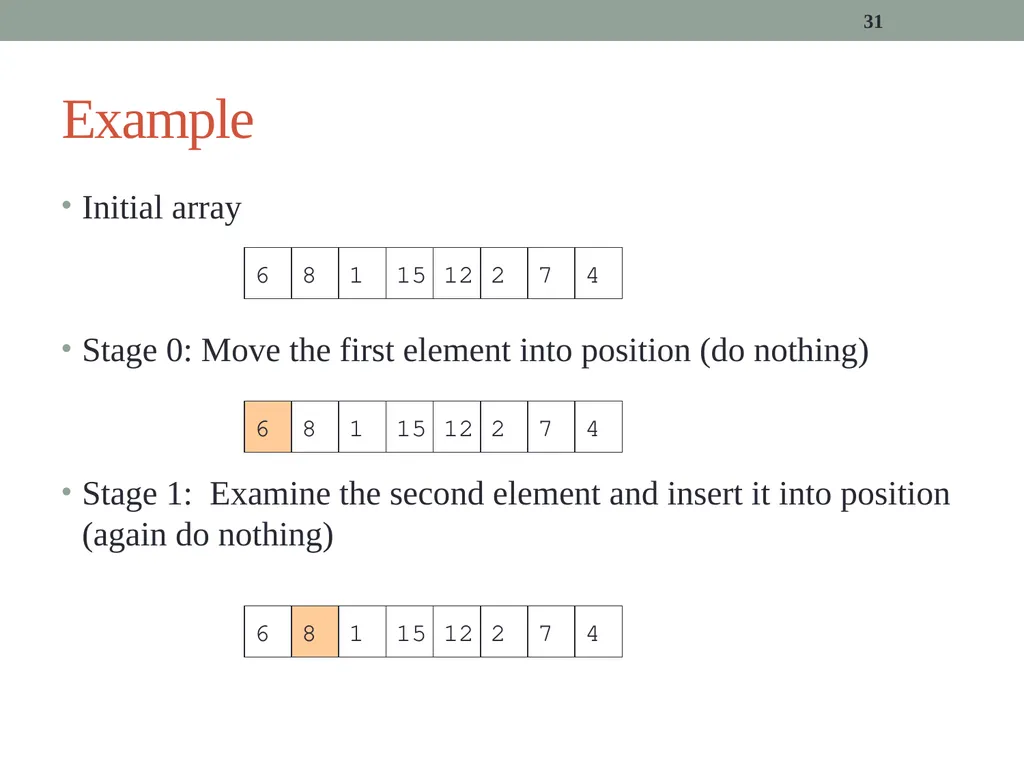
31 Example Initial array
Stage 0: Move the first element into position (do nothing)
Stage 1: Examine the second element and insert it into position (again do nothing) 6 8 1 15 12 2 7 4 6 8 1 15 12 2 7 4<br>
Stage 0: Move the first element into position (do nothing)
Stage 1: Examine the second element and insert it into position (again do nothing) 6 8 1 15 12 2 7 4 6 8 1 15 12 2 7 4<br>
32
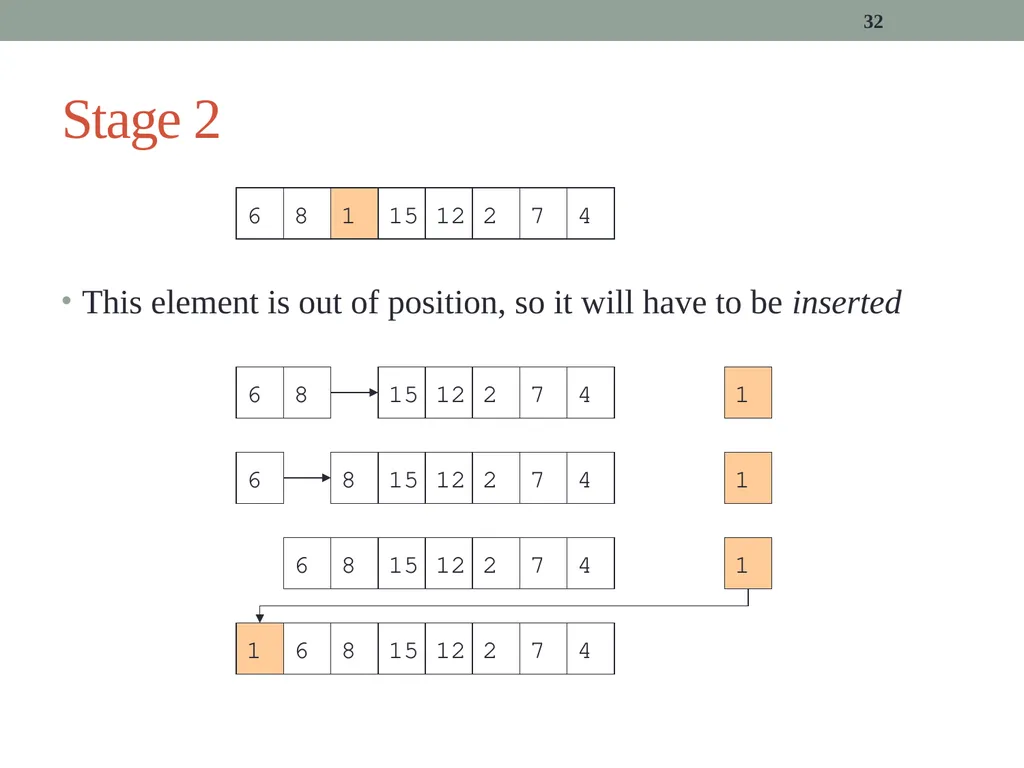
32 Stage 2 This element is out of position, so it will have to be inserted 6 8 1 15 12 2 7 4 6 8 1 15 12 2 7 4 6 8 1 15 12 2 7 4 6 8 1 15 12 2 7 4 6 8 1 15 12 2 7 4<br>
33
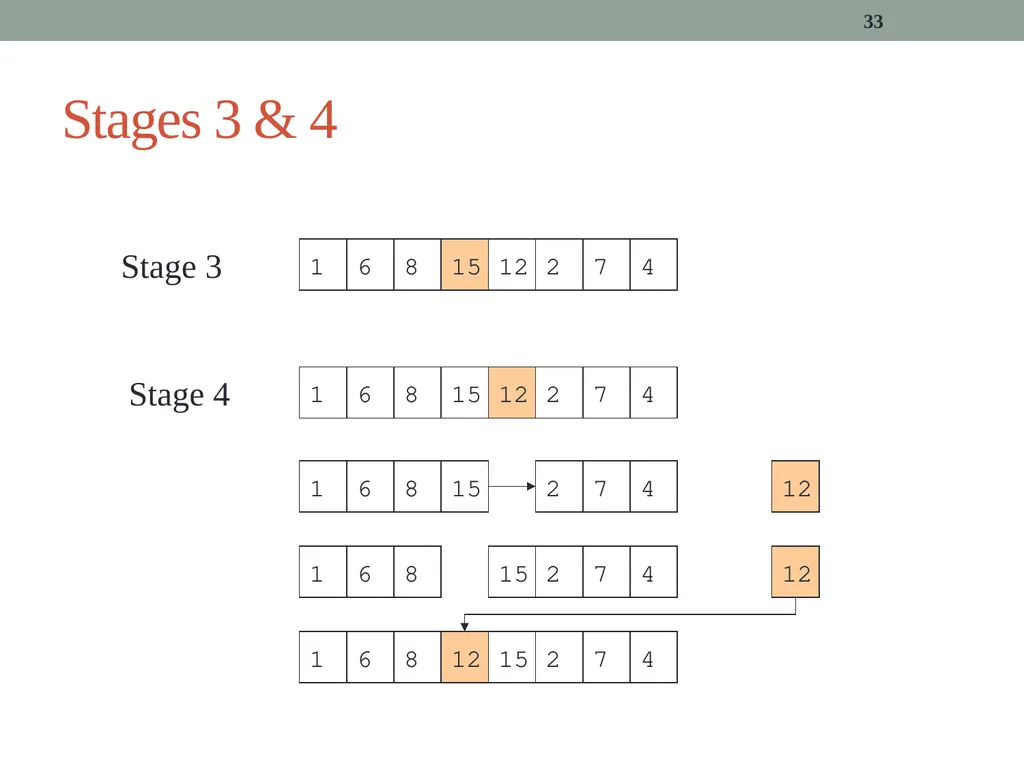
33 Stages 3 & 4 6 8 1 15 12 2 7 4 6 8 1 15 12 2 7 4 6 8 1 15 12 2 7 4 6 8 1 15 12 2 7 4 6 8 1 15 12 2 7 4 Stage 3 Stage 4<br>
34
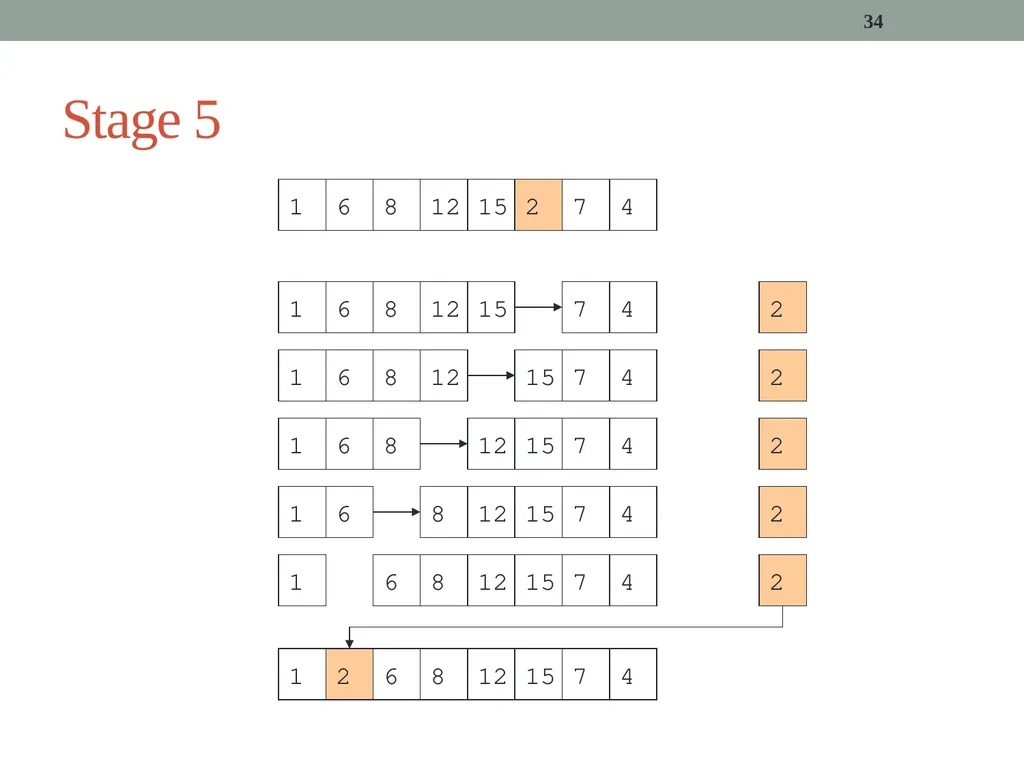
34 Stage 5 6 8 1 15 12 2 7 4 6 8 1 15 12 2 7 4 6 8 1 15 12 2 7 4 6 8 1 15 12 2 7 4 6 8 1 15 12 2 7 4 6 8 1 15 12 2 7 4 6 8 1 15 12 2 7 4<br>
35
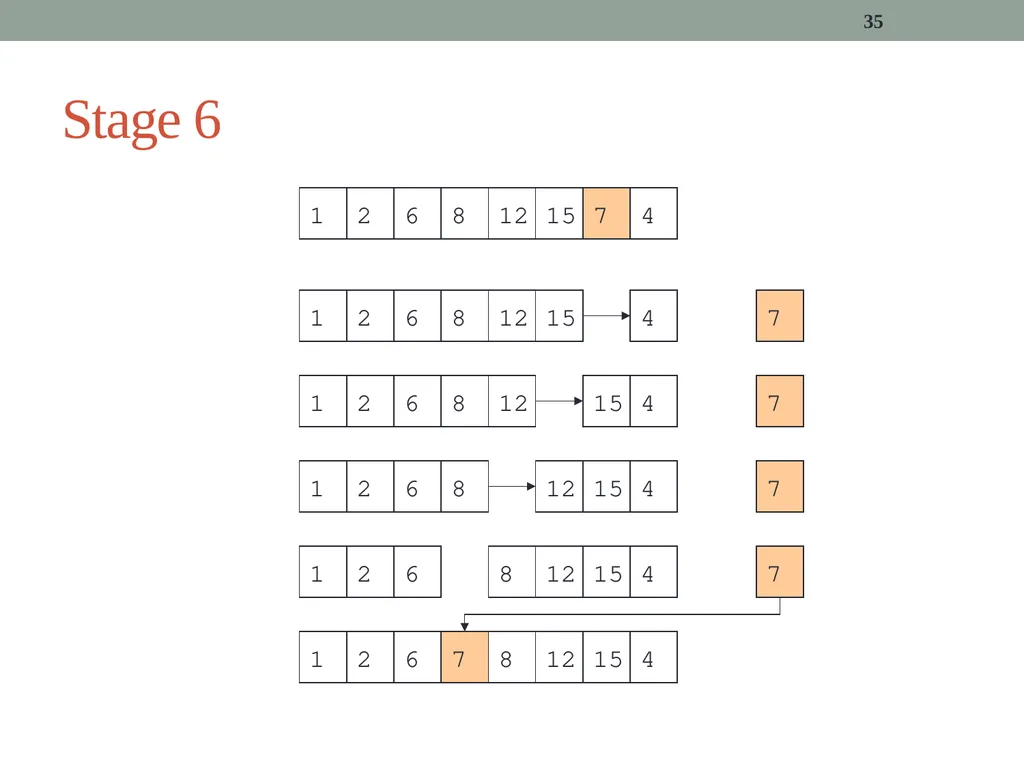
35 Stage 6 6 8 1 15 12 2 7 4 6 8 1 15 12 2 7 4 6 8 1 15 12 2 7 4 6 8 1 15 12 2 7 4 6 8 1 15 12 2 7 4 6 8 1 15 12 2 7 4<br>
36
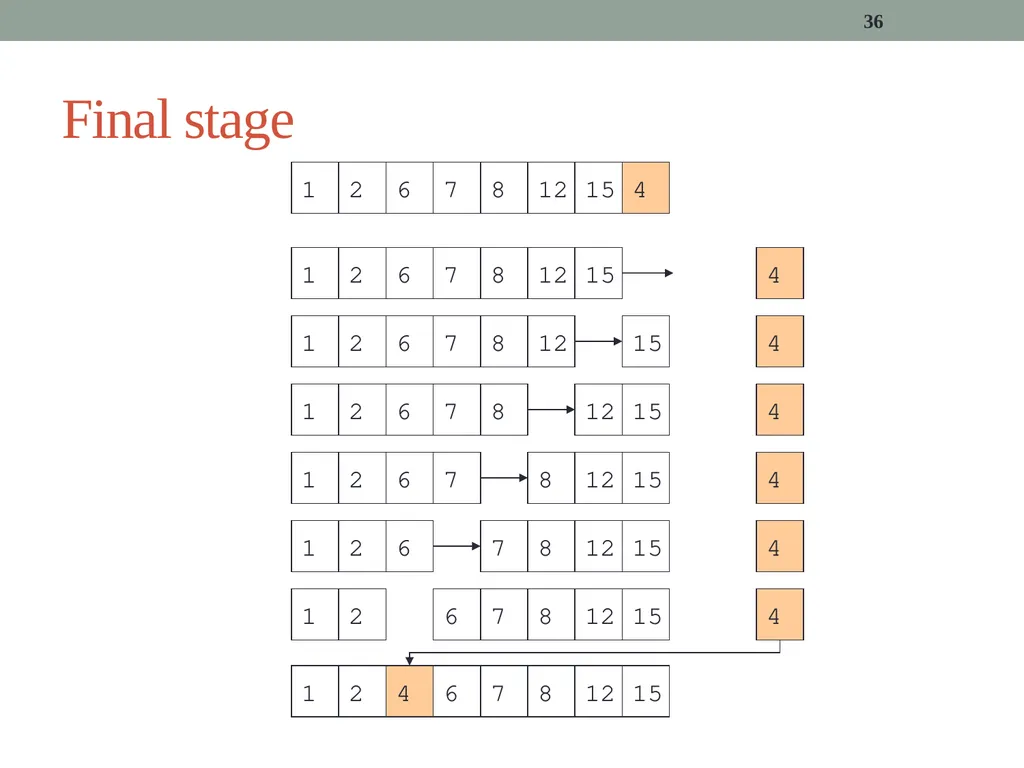
36 Final stage 6 8 1 15 12 2 7 4 6 8 1 15 12 2 7 4 6 8 1 15 12 2 7 4 6 8 1 15 12 2 7 4 6 8 1 15 12 2 7 4 6 8 1 15 12 2 7 4 6 8 1 15 12 2 7 4 6 8 1 15 12 2 7 4<br>
37
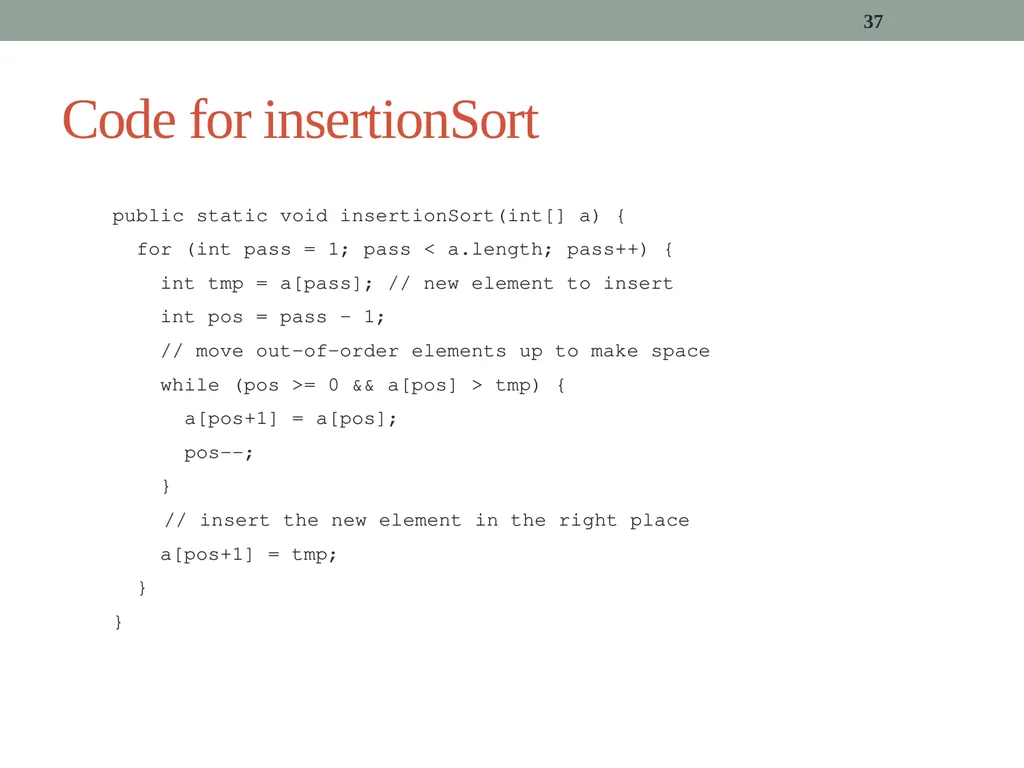
37 Code for insertionSort public static void insertionSort(int[] a) {
for (int pass = 1; pass < a.length; pass++) {
int tmp = a[pass]; // new element to insert
int pos = pass - 1;
// move out-of-order elements up to make space
while (pos >= 0 && a[pos] > tmp) {
a[pos+1] = a[pos];
pos--;
}
// insert the new element in the right place
a[pos+1] = tmp;
}
}<br>
for (int pass = 1; pass < a.length; pass++) {
int tmp = a[pass]; // new element to insert
int pos = pass - 1;
// move out-of-order elements up to make space
while (pos >= 0 && a[pos] > tmp) {
a[pos+1] = a[pos];
pos--;
}
// insert the new element in the right place
a[pos+1] = tmp;
}
}<br>
38
public static void insertionSort(int[] a) {
for (int pass = 1; pass < a.length; pass++) {
int tmp = a[pass];
int pos = pass-1;
while (pos >= 0 && a[pos] > tmp) {
a[pos+1] = a[pos];
pos--;
}
a[pos+1] = tmp;
}
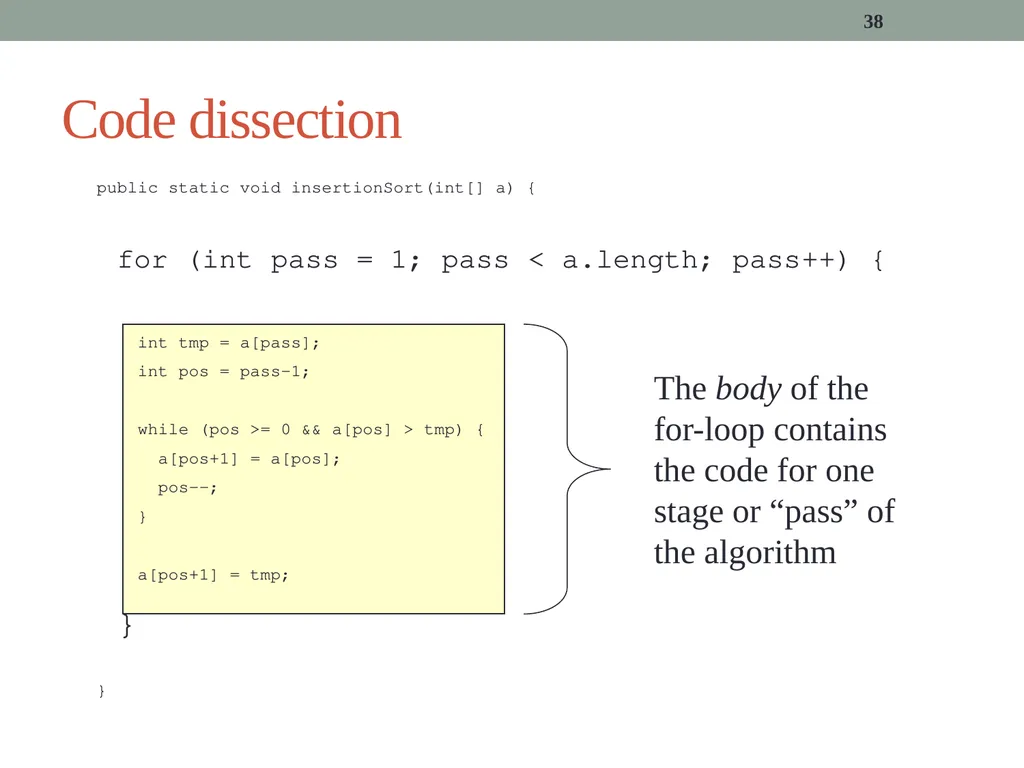
} 38 Code dissection The body of the for-loop contains the code for one stage or “pass” of the algorithm<br>
for (int pass = 1; pass < a.length; pass++) {
int tmp = a[pass];
int pos = pass-1;
while (pos >= 0 && a[pos] > tmp) {
a[pos+1] = a[pos];
pos--;
}
a[pos+1] = tmp;
}
} 38 Code dissection The body of the for-loop contains the code for one stage or “pass” of the algorithm<br>
39
public static void insertionSort(int[] a) {
for (int pass=1;pass<a.length; pass++) {
int tmp = a[pass];
int pos = pass-1;
while (pos >= 0 && a[pos] > tmp) {
a[pos+1] = a[pos];
pos--;
}
a[pos+1] = tmp;
}
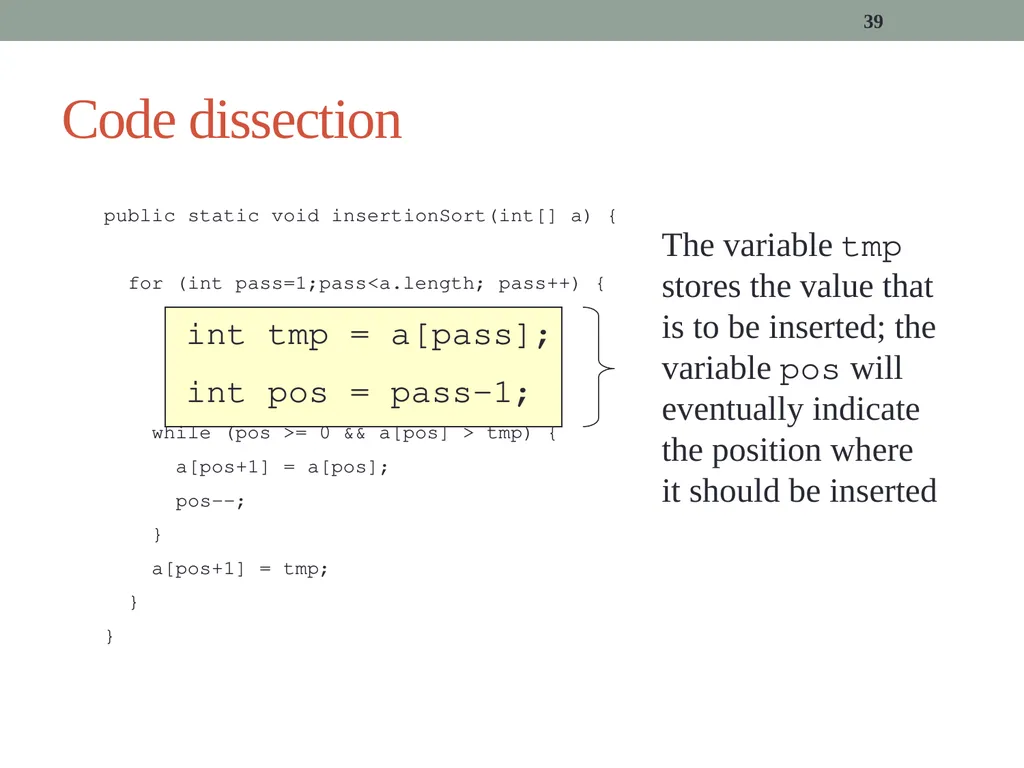
} 39 Code dissection The variable tmp stores the value that is to be inserted; the variable pos will eventually indicate the position where it should be inserted<br>
for (int pass=1;pass<a.length; pass++) {
int tmp = a[pass];
int pos = pass-1;
while (pos >= 0 && a[pos] > tmp) {
a[pos+1] = a[pos];
pos--;
}
a[pos+1] = tmp;
}
} 39 Code dissection The variable tmp stores the value that is to be inserted; the variable pos will eventually indicate the position where it should be inserted<br>
40
40 public static void insertionSort(int[] a) {
for (int pass=1;pass<a.length; pass++) {
int tmp = a[pass];
int pos = pass-1;
while (pos >= 0 && a[pos] > tmp) {
a[pos+1] = a[pos];
pos--;
}
a[pos+1] = tmp;
}
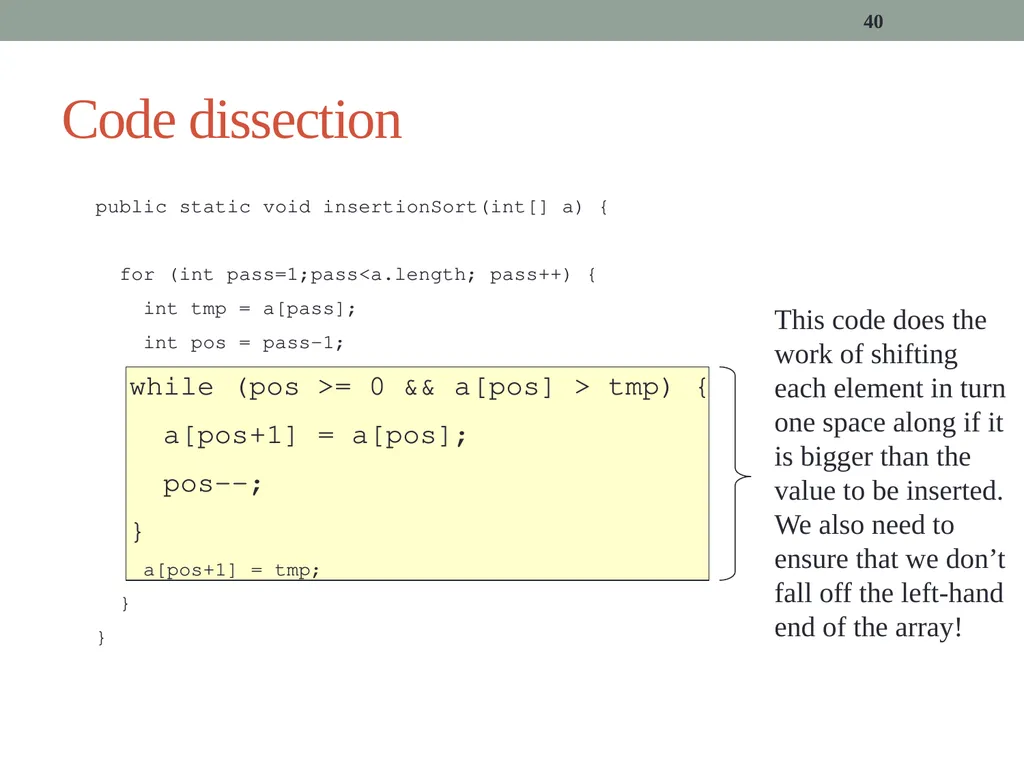
} Code dissection This code does the work of shifting each element in turn one space along if it is bigger than the value to be inserted. We also need to ensure that we don’t fall off the left-hand end of the array!<br>
for (int pass=1;pass<a.length; pass++) {
int tmp = a[pass];
int pos = pass-1;
while (pos >= 0 && a[pos] > tmp) {
a[pos+1] = a[pos];
pos--;
}
a[pos+1] = tmp;
}
} Code dissection This code does the work of shifting each element in turn one space along if it is bigger than the value to be inserted. We also need to ensure that we don’t fall off the left-hand end of the array!<br>
41
public static void insertionSort(int[] a) {
for (int pass=1;pass<a.length; pass++) {
int tmp = a[pass];
int pos = pass-1;
while (pos >= 0 && a[pos] > tmp) {
a[pos+1] = a[pos];
pos--;
}
a[pos+1] = tmp;
}
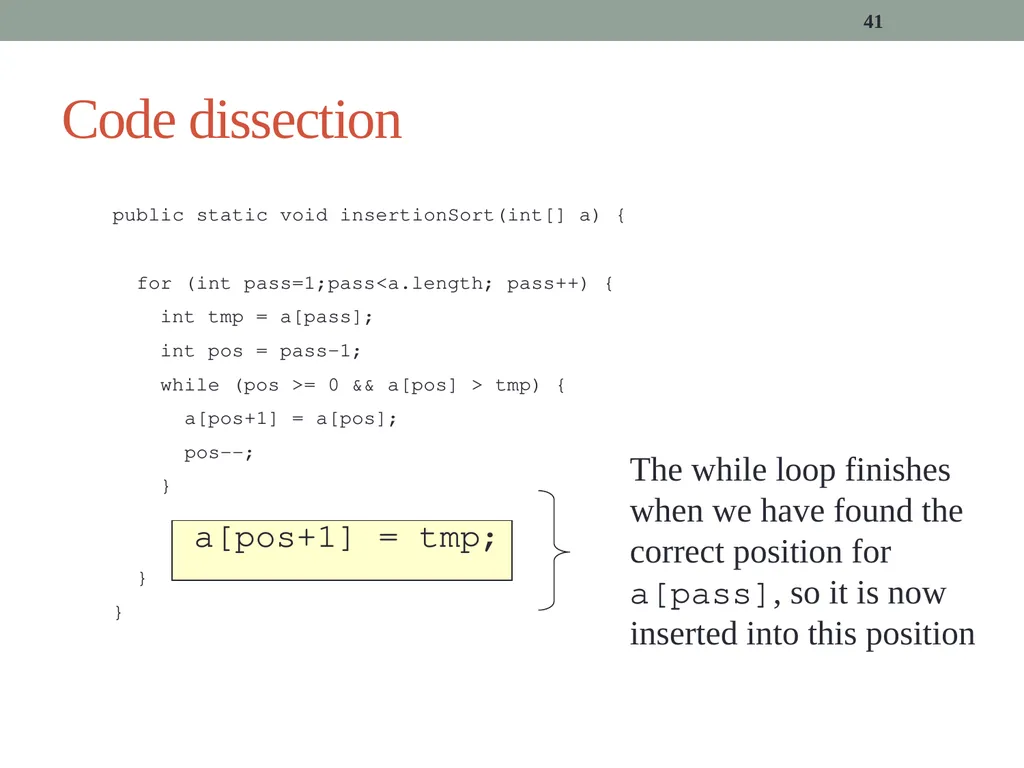
} 41 Code dissection The while loop finishes when we have found the correct position for a[pass], so it is now inserted into this position<br>
for (int pass=1;pass<a.length; pass++) {
int tmp = a[pass];
int pos = pass-1;
while (pos >= 0 && a[pos] > tmp) {
a[pos+1] = a[pos];
pos--;
}
a[pos+1] = tmp;
}
} 41 Code dissection The while loop finishes when we have found the correct position for a[pass], so it is now inserted into this position<br>
42
42 public static void insertionSort(int[] a) {
for (int pass=1;pass<a.length; pass++) {
int tmp = a[pass];
int pos = pass-1;
while (pos >= 0 && a[pos] > tmp) {
a[pos+1] = a[pos];
pos--;
}
a[pos+1] = tmp;
}
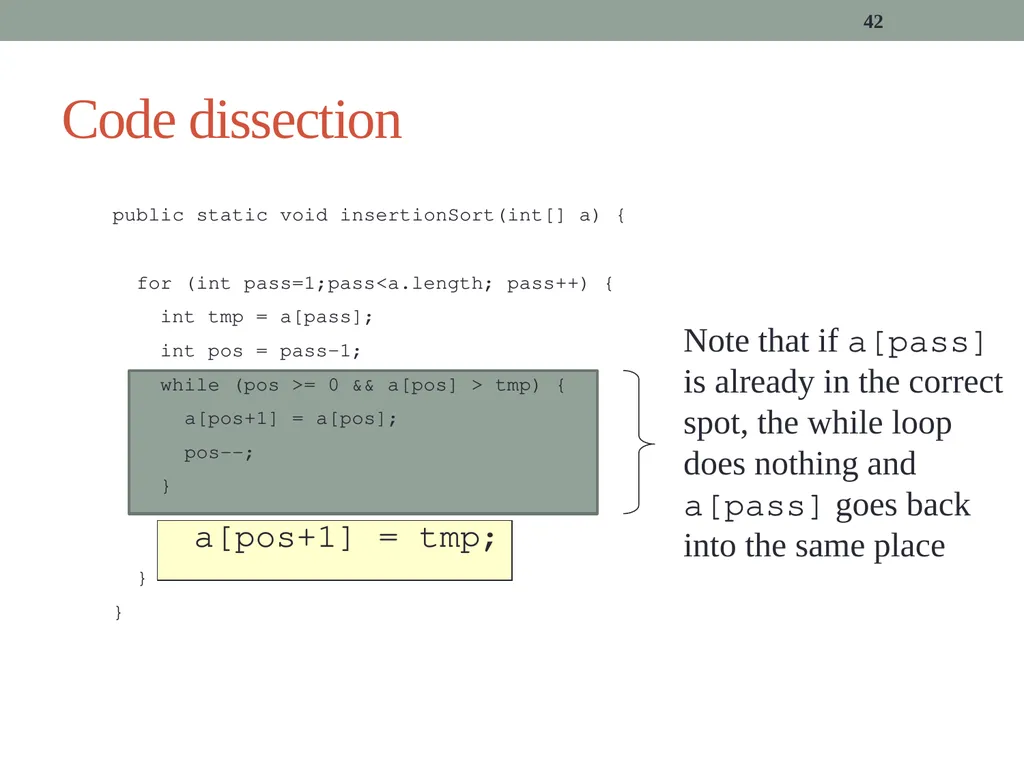
} Code dissection Note that if a[pass] is already in the correct spot, the while loop does nothing and a[pass] goes back into the same place<br>
for (int pass=1;pass<a.length; pass++) {
int tmp = a[pass];
int pos = pass-1;
while (pos >= 0 && a[pos] > tmp) {
a[pos+1] = a[pos];
pos--;
}
a[pos+1] = tmp;
}
} Code dissection Note that if a[pass] is already in the correct spot, the while loop does nothing and a[pass] goes back into the same place<br>
43
Recursive sorting All of the algorithms so far build up the “sorted part” of the array one element at a time
What if we take a completely different approach?
Faster algorithms split the elements to be sorted into groups, sort the groups separately, then combine the results
There are two principal approaches
“Intelligent” splitting and “simple” combining
Simple splitting and intelligent combining
These are divide-and-conquer algorithms 43<br>
What if we take a completely different approach?
Faster algorithms split the elements to be sorted into groups, sort the groups separately, then combine the results
There are two principal approaches
“Intelligent” splitting and “simple” combining
Simple splitting and intelligent combining
These are divide-and-conquer algorithms 43<br>
44
Quicksort When sorting n items, Quick Sort works as follows
Choose one of the items p to be the pivot
Partition the items into L (items smaller than p) and U (items larger than p)
L’ = sort(L)
U’ = sort(U)
The sorted array is then L’ + p + U’ , in that order
Intelligent splitting, and simple combining 44<br>
Choose one of the items p to be the pivot
Partition the items into L (items smaller than p) and U (items larger than p)
L’ = sort(L)
U’ = sort(U)
The sorted array is then L’ + p + U’ , in that order
Intelligent splitting, and simple combining 44<br>
45
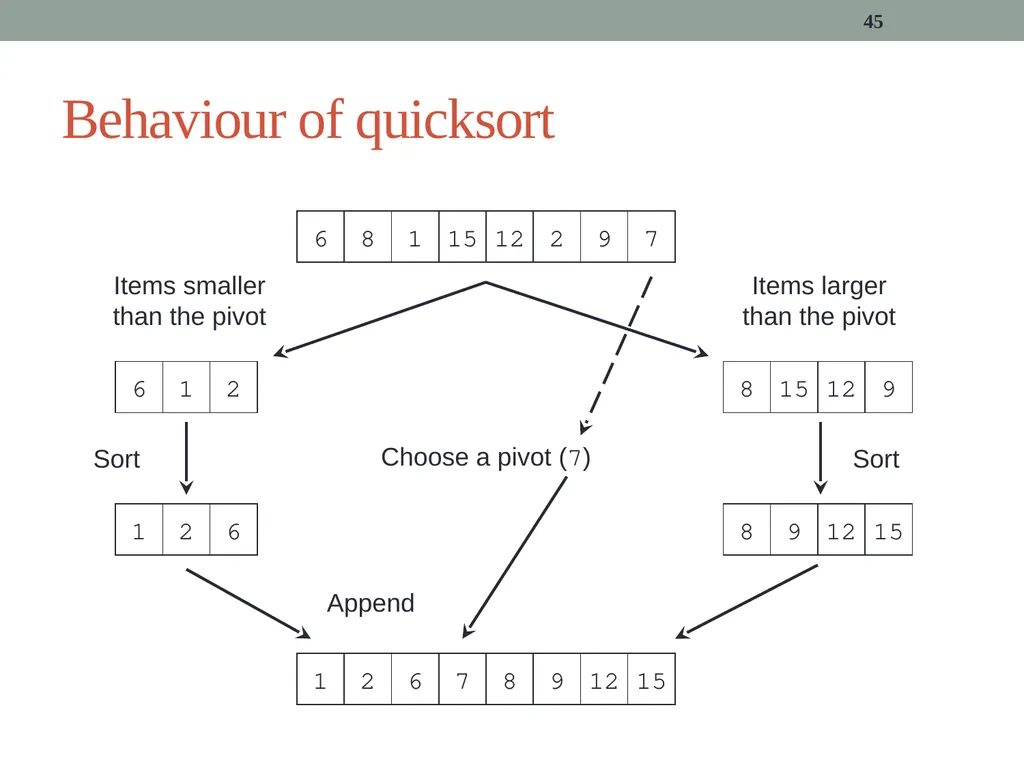
45 Behaviour of quicksort 6 8 1 15 12 2 9 7 Choose a pivot (7) 1 2 6 7 8 9 12 15 Items smaller than the pivot Items larger than the pivot Sort Sort Append<br>
46
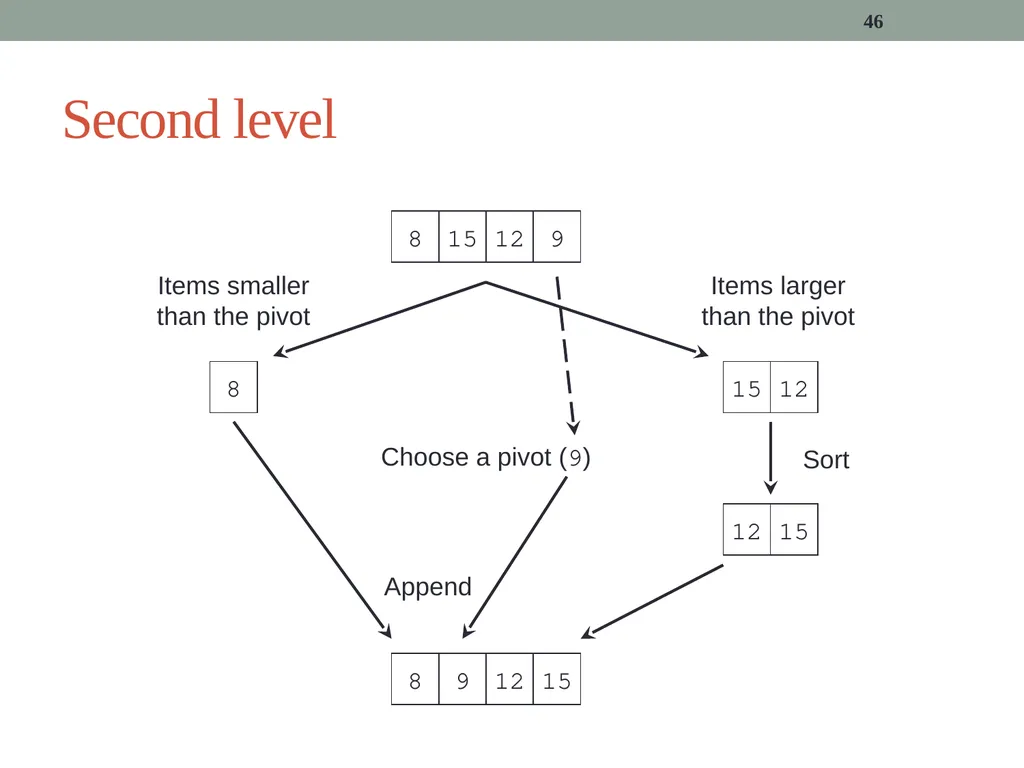
46 Second level 8 15 12 9 Choose a pivot (9) 8 15 12 8 9 12 15 Items smaller than the pivot Items larger than the pivot Sort Append<br>
47
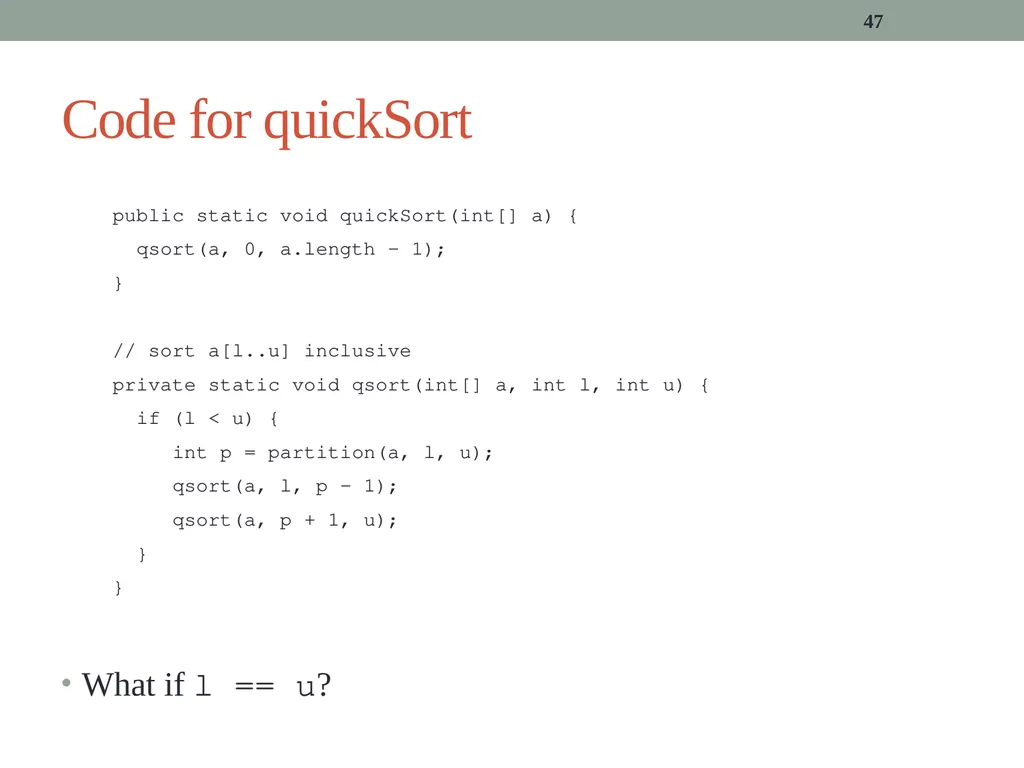
What if l == u? 47 Code for quickSort public static void quickSort(int[] a) {
qsort(a, 0, a.length – 1);
}
// sort a[l..u] inclusive
private static void qsort(int[] a, int l, int u) {
if (l < u) {
int p = partition(a, l, u);
qsort(a, l, p – 1);
qsort(a, p + 1, u);
}
}<br>
qsort(a, 0, a.length – 1);
}
// sort a[l..u] inclusive
private static void qsort(int[] a, int l, int u) {
if (l < u) {
int p = partition(a, l, u);
qsort(a, l, p – 1);
qsort(a, p + 1, u);
}
}<br>
48
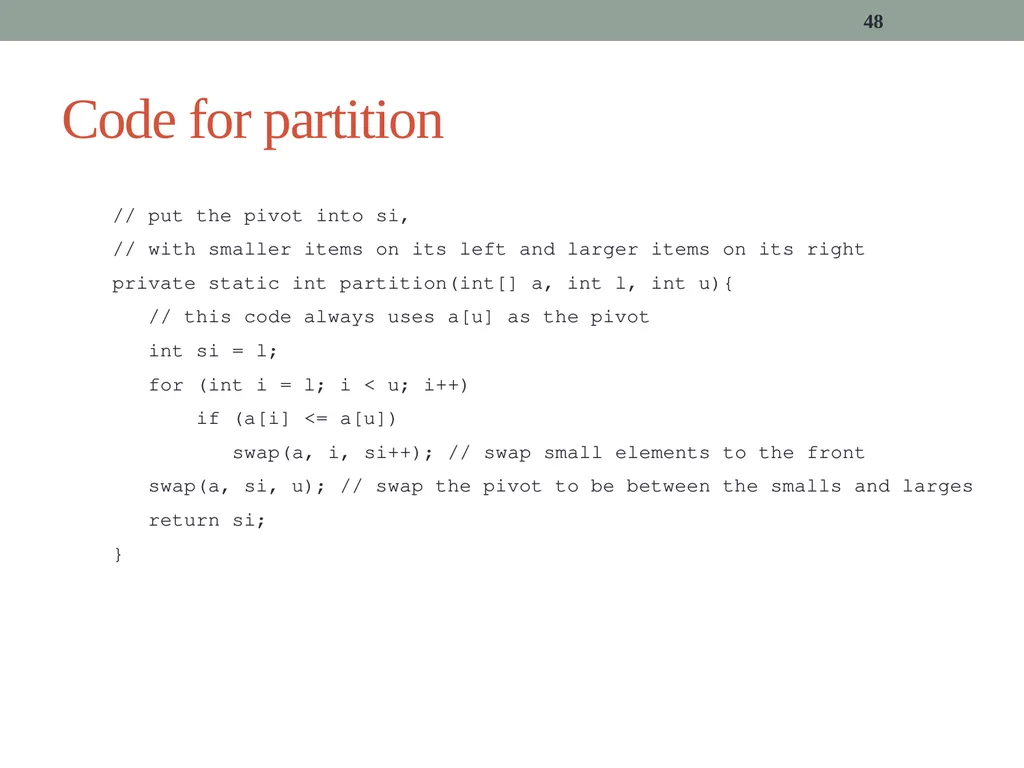
48 Code for partition // put the pivot into si,
// with smaller items on its left and larger items on its right
private static int partition(int[] a, int l, int u){
// this code always uses a[u] as the pivot
int si = l;
for (int i = l; i < u; i++)
if (a[i] <= a[u])
swap(a, i, si++); // swap small elements to the front
swap(a, si, u); // swap the pivot to be between the smalls and larges
return si;
}<br>
// with smaller items on its left and larger items on its right
private static int partition(int[] a, int l, int u){
// this code always uses a[u] as the pivot
int si = l;
for (int i = l; i < u; i++)
if (a[i] <= a[u])
swap(a, i, si++); // swap small elements to the front
swap(a, si, u); // swap the pivot to be between the smalls and larges
return si;
}<br>
49
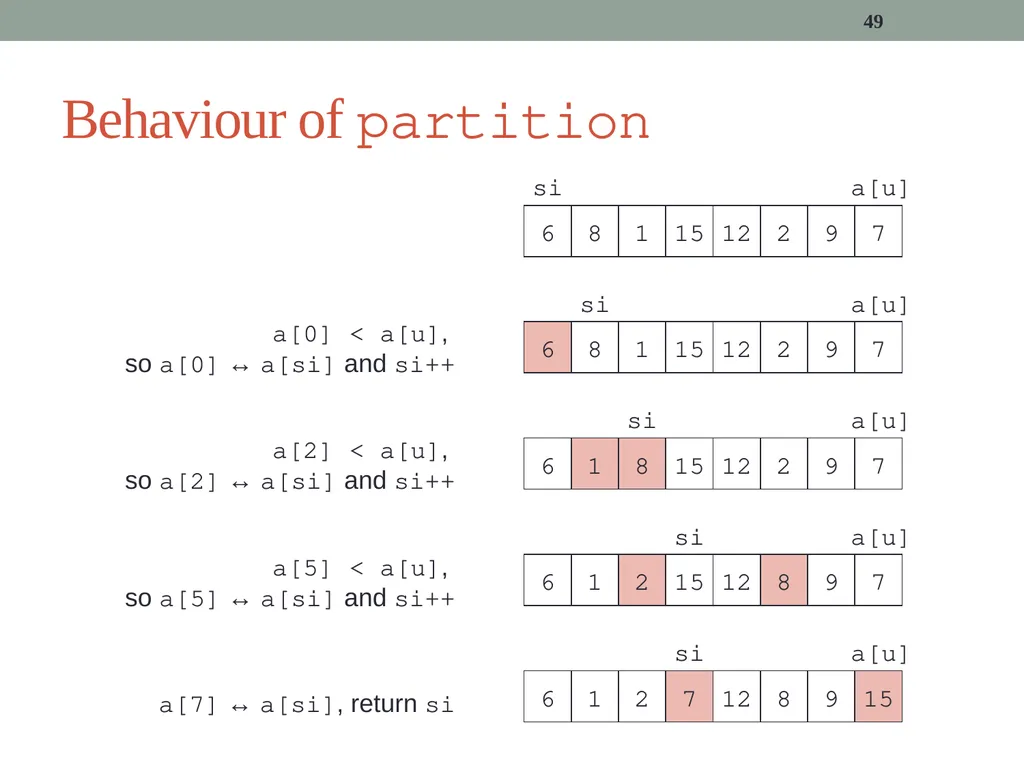
49 Behaviour of partition a[0] < a[u],
so a[0] ↔ a[si] and si++ a[2] < a[u],
so a[2] ↔ a[si] and si++ a[5] < a[u],
so a[5] ↔ a[si] and si++ a[7] ↔ a[si], return si<br>
so a[0] ↔ a[si] and si++ a[2] < a[u],
so a[2] ↔ a[si] and si++ a[5] < a[u],
so a[5] ↔ a[si] and si++ a[7] ↔ a[si], return si<br>
50
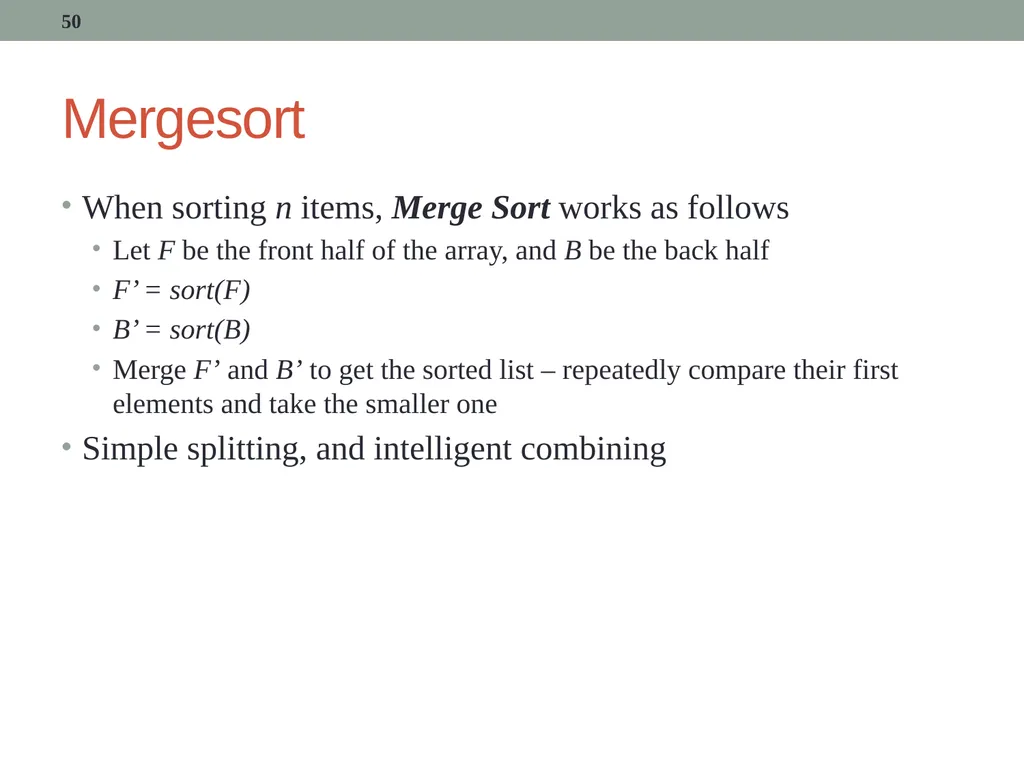
Mergesort When sorting n items, Merge Sort works as follows
Let F be the front half of the array, and B be the back half
F’ = sort(F)
B’ = sort(B)
Merge F’ and B’ to get the sorted list – repeatedly compare their first elements and take the smaller one
Simple splitting, and intelligent combining 50<br>
Let F be the front half of the array, and B be the back half
F’ = sort(F)
B’ = sort(B)
Merge F’ and B’ to get the sorted list – repeatedly compare their first elements and take the smaller one
Simple splitting, and intelligent combining 50<br>
51
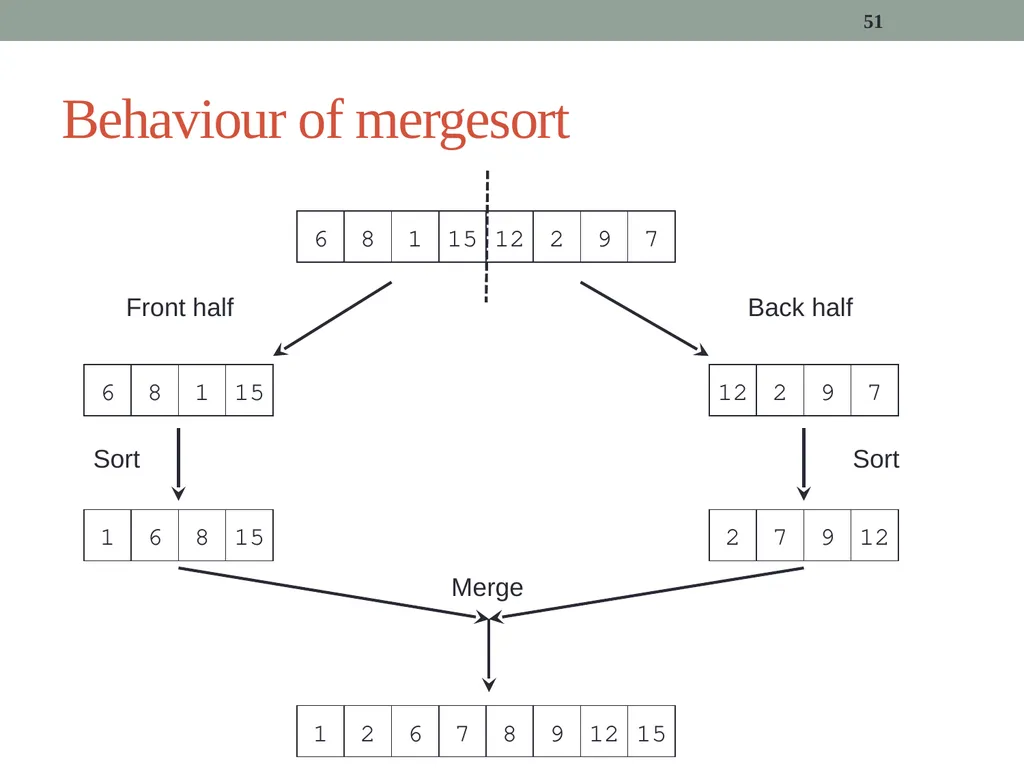
51 Behaviour of mergesort 6 8 1 15 12 2 9 7 Front half Back half 1 6 8 15 2 7 9 12 1 2 6 7 8 9 12 15 Sort Sort Merge<br>
52
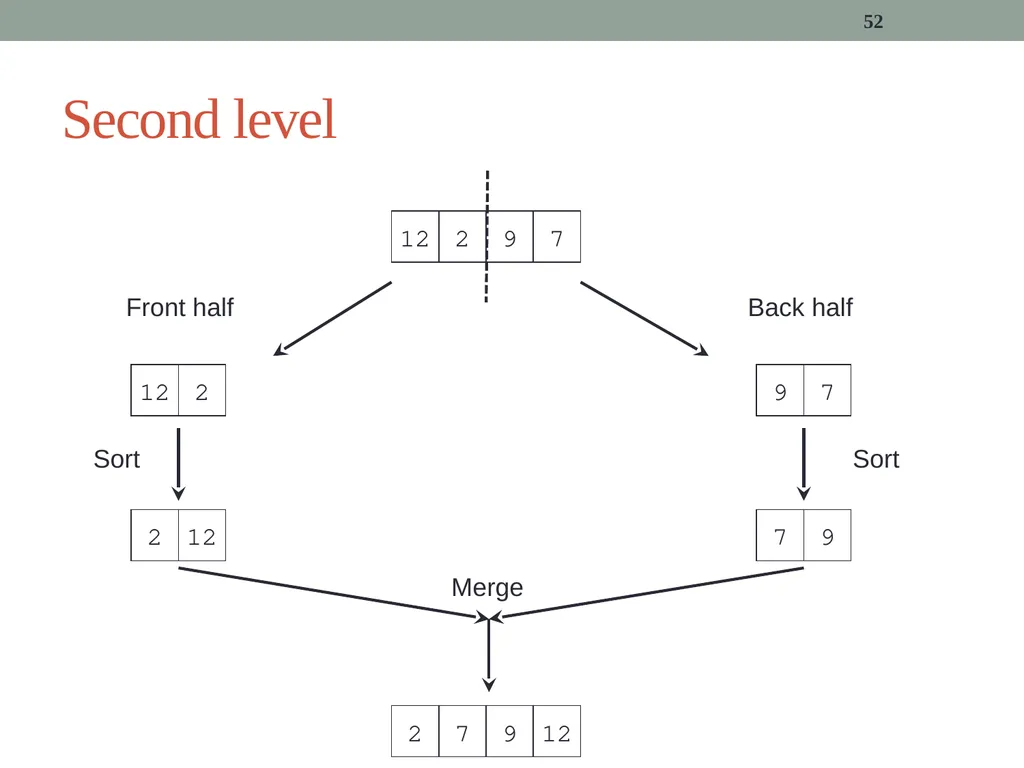
52 Second level 12 2 9 7 Front half Back half 2 12 7 9 2 7 9 12 Sort Sort Merge<br>
53
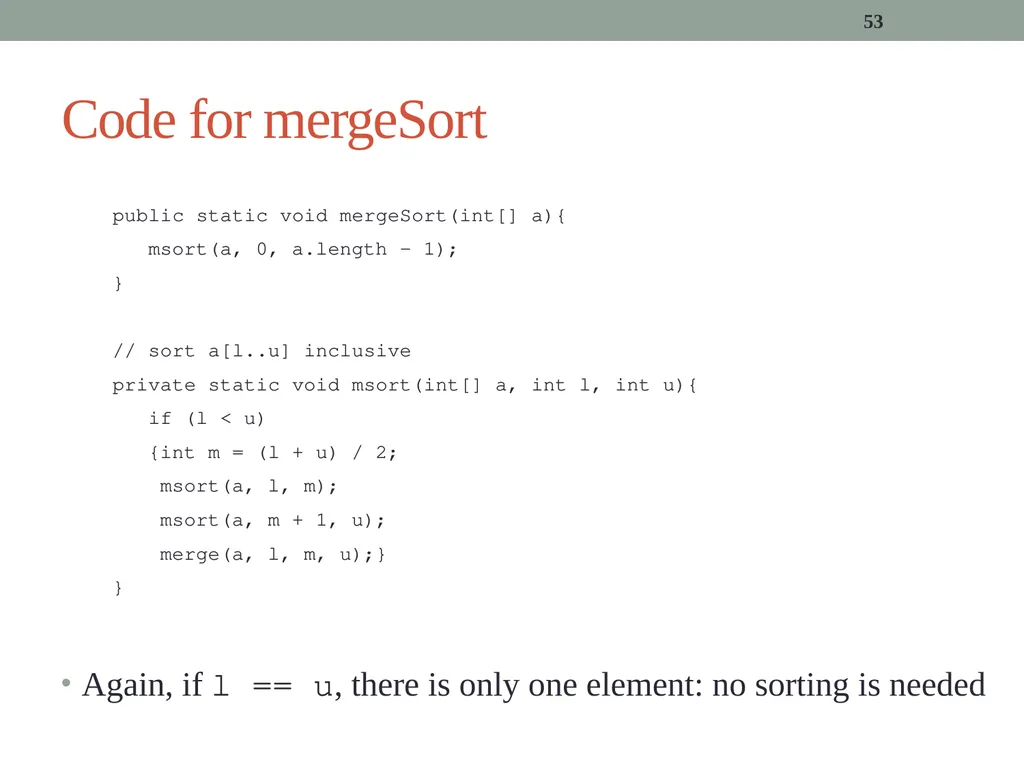
Again, if l == u, there is only one element: no sorting is needed 53 Code for mergeSort public static void mergeSort(int[] a){
msort(a, 0, a.length - 1);
}
// sort a[l..u] inclusive
private static void msort(int[] a, int l, int u){
if (l < u)
{int m = (l + u) / 2;
msort(a, l, m);
msort(a, m + 1, u);
merge(a, l, m, u);}
}<br>
msort(a, 0, a.length - 1);
}
// sort a[l..u] inclusive
private static void msort(int[] a, int l, int u){
if (l < u)
{int m = (l + u) / 2;
msort(a, l, m);
msort(a, m + 1, u);
merge(a, l, m, u);}
}<br>
54
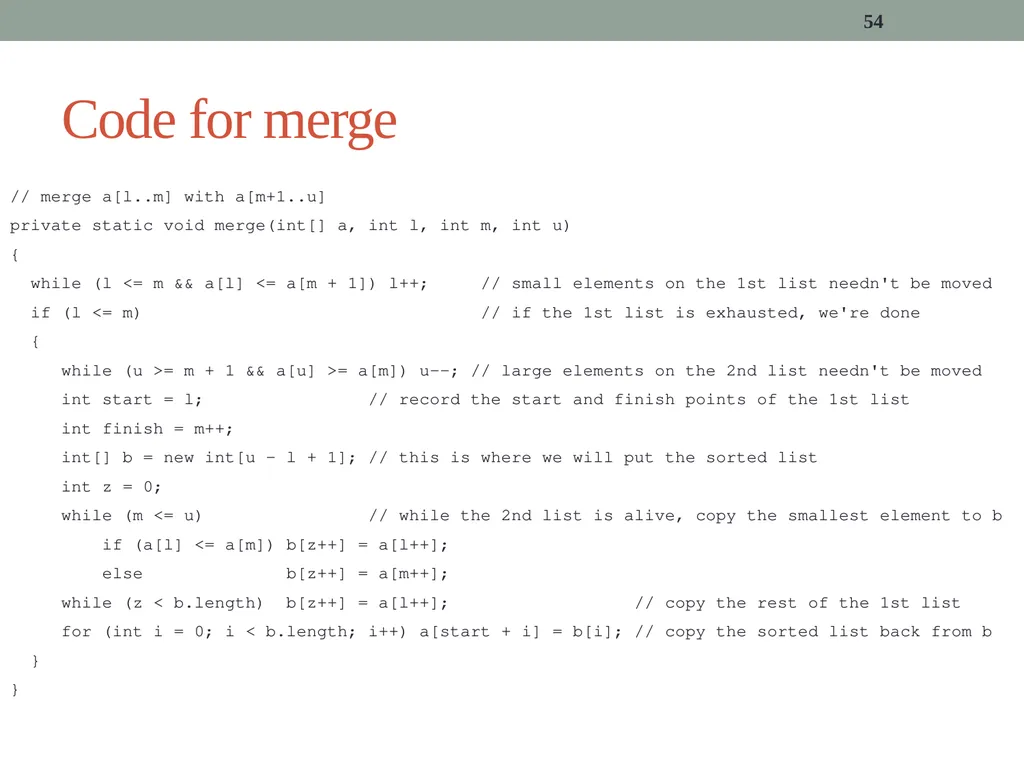
54 Code for merge // merge a[l..m] with a[m+1..u]
private static void merge(int[] a, int l, int m, int u)
{
while (l <= m && a[l] <= a[m + 1]) l++; // small elements on the 1st list needn't be moved
if (l <= m) // if the 1st list is exhausted, we're done
{
while (u >= m + 1 && a[u] >= a[m]) u--; // large elements on the 2nd list needn't be moved
int start = l; // record the start and finish points of the 1st list
int finish = m++;
int[] b = new int[u - l + 1]; // this is where we will put the sorted list
int z = 0;
while (m <= u) // while the 2nd list is alive, copy the smallest element to b
if (a[l] <= a[m]) b[z++] = a[l++];
else b[z++] = a[m++];
while (z < b.length) b[z++] = a[l++]; // copy the rest of the 1st list
for (int i = 0; i < b.length; i++) a[start + i] = b[i]; // copy the sorted list back from b
}
}<br>
private static void merge(int[] a, int l, int m, int u)
{
while (l <= m && a[l] <= a[m + 1]) l++; // small elements on the 1st list needn't be moved
if (l <= m) // if the 1st list is exhausted, we're done
{
while (u >= m + 1 && a[u] >= a[m]) u--; // large elements on the 2nd list needn't be moved
int start = l; // record the start and finish points of the 1st list
int finish = m++;
int[] b = new int[u - l + 1]; // this is where we will put the sorted list
int z = 0;
while (m <= u) // while the 2nd list is alive, copy the smallest element to b
if (a[l] <= a[m]) b[z++] = a[l++];
else b[z++] = a[m++];
while (z < b.length) b[z++] = a[l++]; // copy the rest of the 1st list
for (int i = 0; i < b.length; i++) a[start + i] = b[i]; // copy the sorted list back from b
}
}<br>
55
And finally, something completely different… All of the algorithms so far are “comparison-based” sorts
They decide the relative order of elements by comparing them
If x < y, x comes before y in the sorted (ascending) array
Counting sort instead works by counting how many elements the array contains of each possible value in the domain
Let me illustrate… 55<br>
They decide the relative order of elements by comparing them
If x < y, x comes before y in the sorted (ascending) array
Counting sort instead works by counting how many elements the array contains of each possible value in the domain
Let me illustrate… 55<br>
56
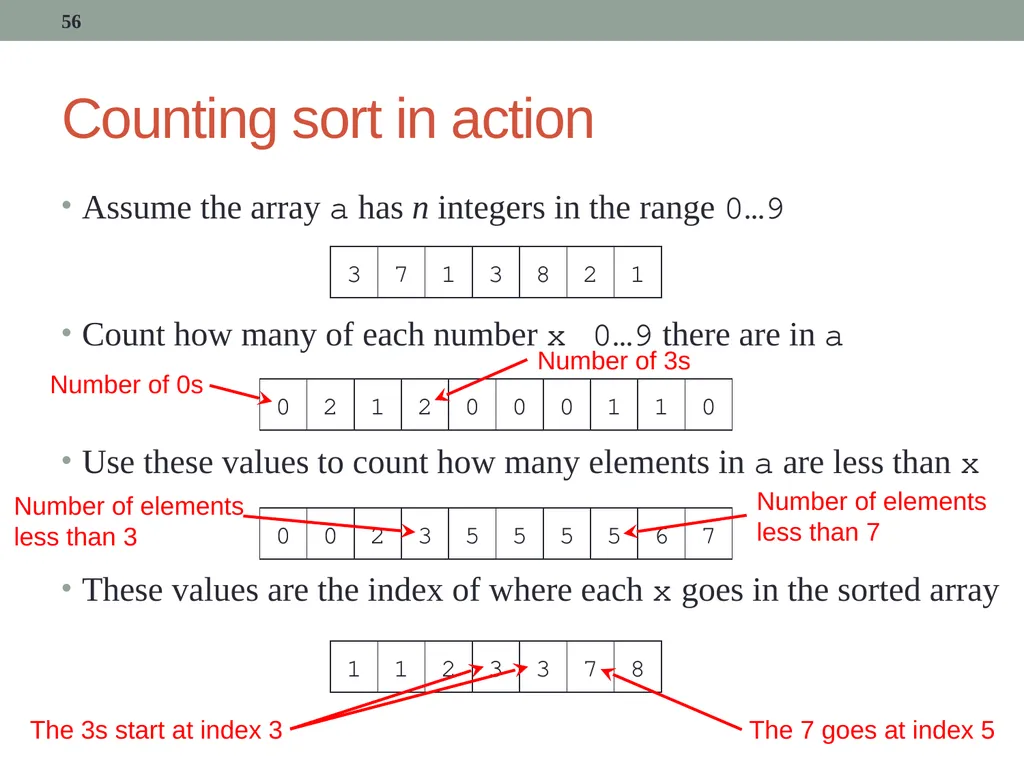
Counting sort in action Assume the array a has n integers in the range 0…9
Count how many of each number x 0…9 there are in a
Use these values to count how many elements in a are less than x
These values are the index of where each x goes in the sorted array 56 Number of 0s Number of 3s Number of elements less than 7 Number of elements less than 3 The 3s start at index 3 The 7 goes at index 5<br>
Count how many of each number x 0…9 there are in a
Use these values to count how many elements in a are less than x
These values are the index of where each x goes in the sorted array 56 Number of 0s Number of 3s Number of elements less than 7 Number of elements less than 3 The 3s start at index 3 The 7 goes at index 5<br>
57
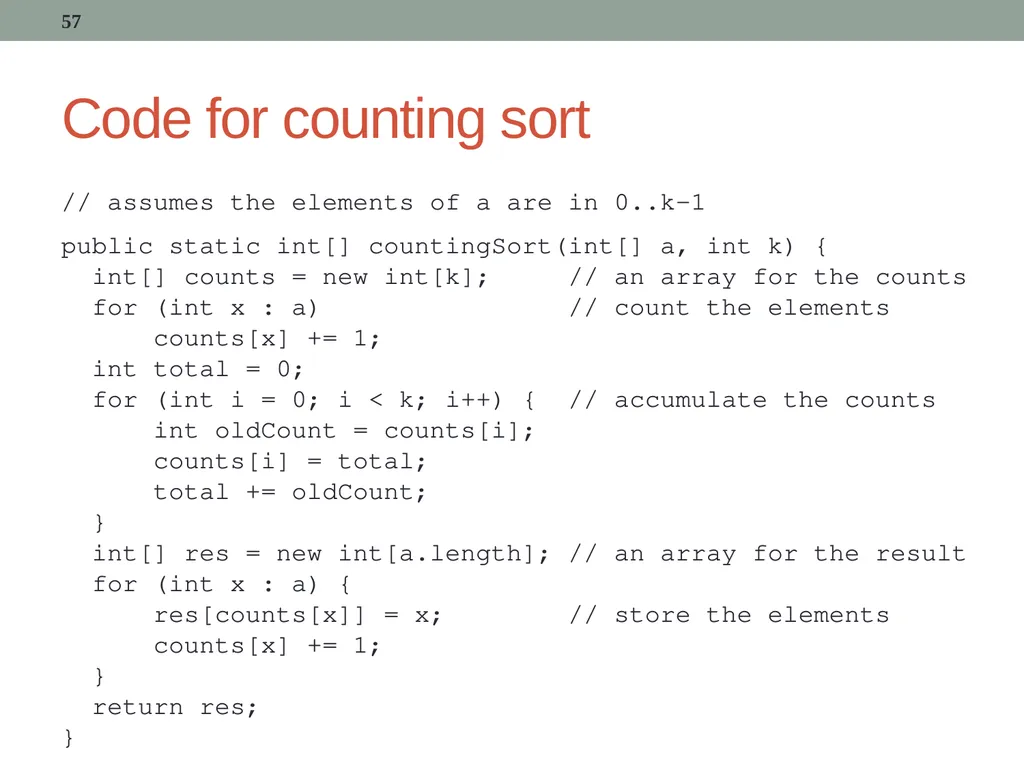
Code for counting sort 57 // assumes the elements of a are in 0..k-1
public static int[] countingSort(int[] a, int k) {
int[] counts = new int[k]; // an array for the counts
for (int x : a) // count the elements
counts[x] += 1;
int total = 0;
for (int i = 0; i < k; i++) { // accumulate the counts
int oldCount = counts[i];
counts[i] = total;
total += oldCount;
}
int[] res = new int[a.length]; // an array for the result
for (int x : a) {
res[counts[x]] = x; // store the elements
counts[x] += 1;
}
return res;
}<br>
public static int[] countingSort(int[] a, int k) {
int[] counts = new int[k]; // an array for the counts
for (int x : a) // count the elements
counts[x] += 1;
int total = 0;
for (int i = 0; i < k; i++) { // accumulate the counts
int oldCount = counts[i];
counts[i] = total;
total += oldCount;
}
int[] res = new int[a.length]; // an array for the result
for (int x : a) {
res[counts[x]] = x; // store the elements
counts[x] += 1;
}
return res;
}<br>
58
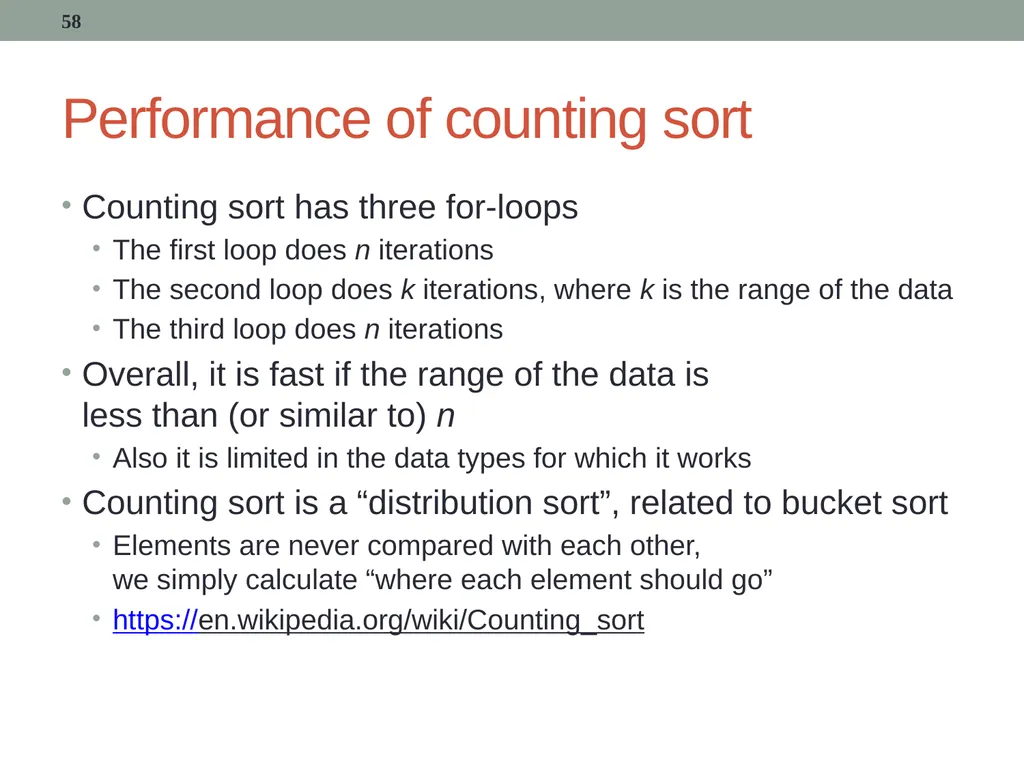
Performance of counting sort Counting sort has three for-loops
The first loop does n iterations
The second loop does k iterations, where k is the range of the data
The third loop does n iterations
Overall, it is fast if the range of the data is less than (or similar to) n
Also it is limited in the data types for which it works
Counting sort is a “distribution sort”, related to bucket sort
Elements are never compared with each other, we simply calculate “where each element should go”
https://en.wikipedia.org/wiki/Counting_sort 58<br>
The first loop does n iterations
The second loop does k iterations, where k is the range of the data
The third loop does n iterations
Overall, it is fast if the range of the data is less than (or similar to) n
Also it is limited in the data types for which it works
Counting sort is a “distribution sort”, related to bucket sort
Elements are never compared with each other, we simply calculate “where each element should go”
https://en.wikipedia.org/wiki/Counting_sort 58<br>
59
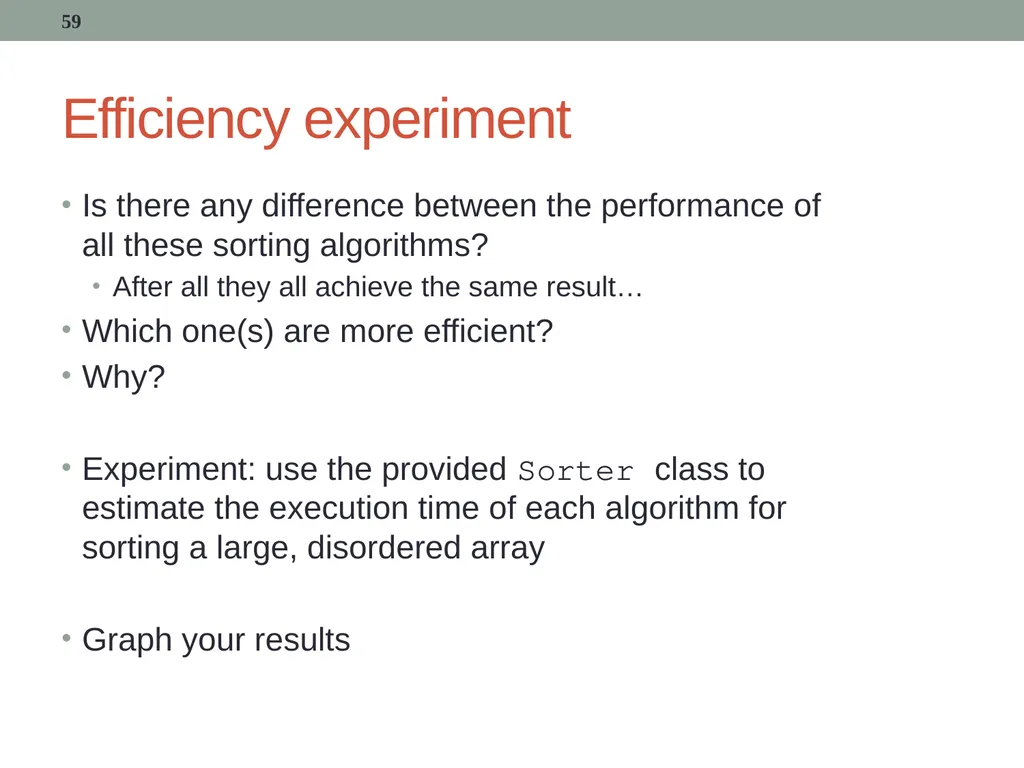
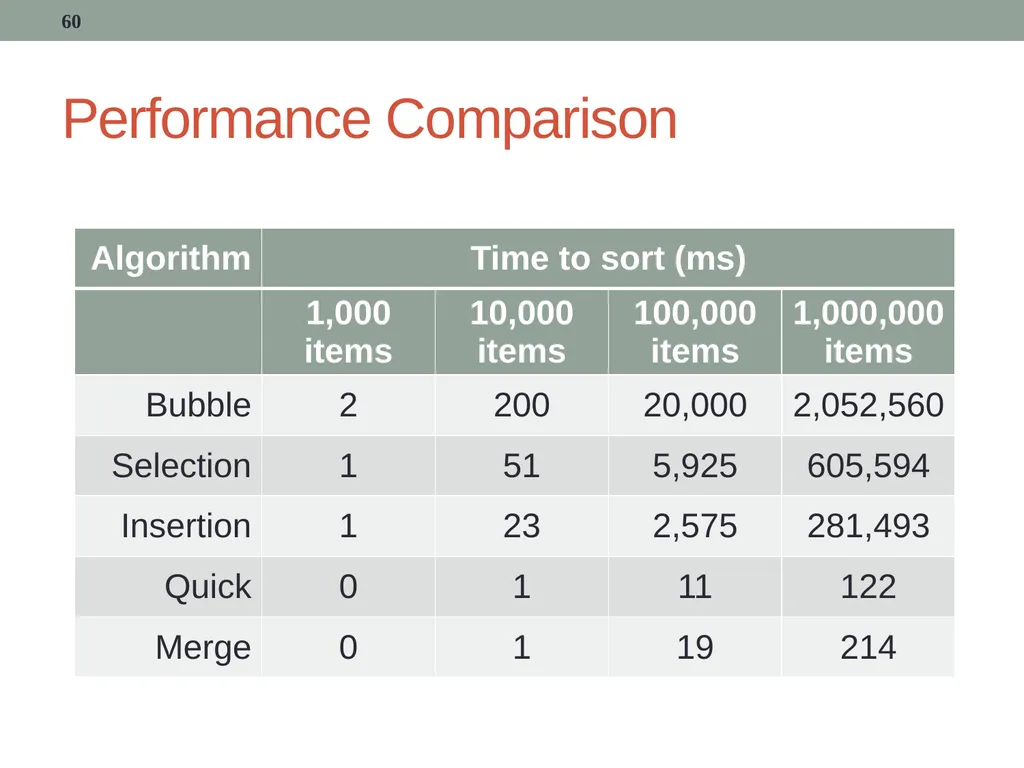
Efficiency experiment Is there any difference between the performance of all these sorting algorithms?
After all they all achieve the same result…
Which one(s) are more efficient?
Why?
Experiment: use the provided Sorter class to estimate the execution time of each algorithm for sorting a large, disordered array
Graph your results 59<br>
After all they all achieve the same result…
Which one(s) are more efficient?
Why?
Experiment: use the provided Sorter class to estimate the execution time of each algorithm for sorting a large, disordered array
Graph your results 59<br>
60
Performance Comparison 60<br>
61
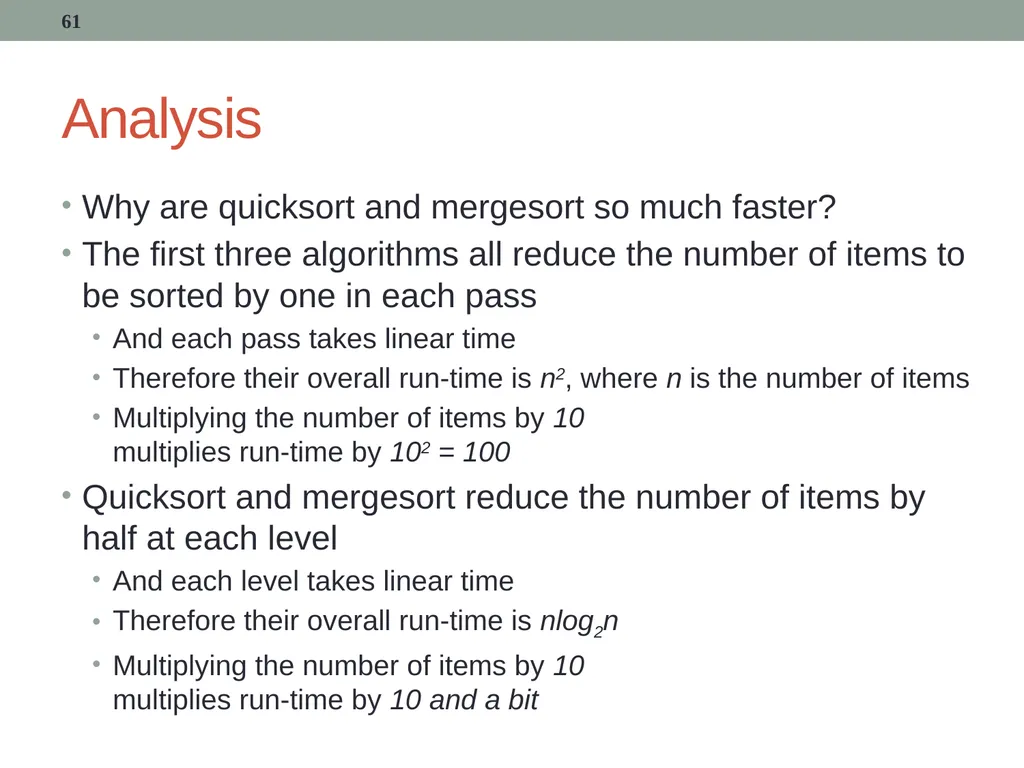
Analysis Why are quicksort and mergesort so much faster?
The first three algorithms all reduce the number of items to be sorted by one in each pass
And each pass takes linear time
Therefore their overall run-time is n2, where n is the number of items
Multiplying the number of items by 10 multiplies run-time by 102 = 100
Quicksort and mergesort reduce the number of items by half at each level
And each level takes linear time
Therefore their overall run-time is nlog2n
Multiplying the number of items by 10 multiplies run-time by 10 and a bit 61<br>
The first three algorithms all reduce the number of items to be sorted by one in each pass
And each pass takes linear time
Therefore their overall run-time is n2, where n is the number of items
Multiplying the number of items by 10 multiplies run-time by 102 = 100
Quicksort and mergesort reduce the number of items by half at each level
And each level takes linear time
Therefore their overall run-time is nlog2n
Multiplying the number of items by 10 multiplies run-time by 10 and a bit 61<br>
62
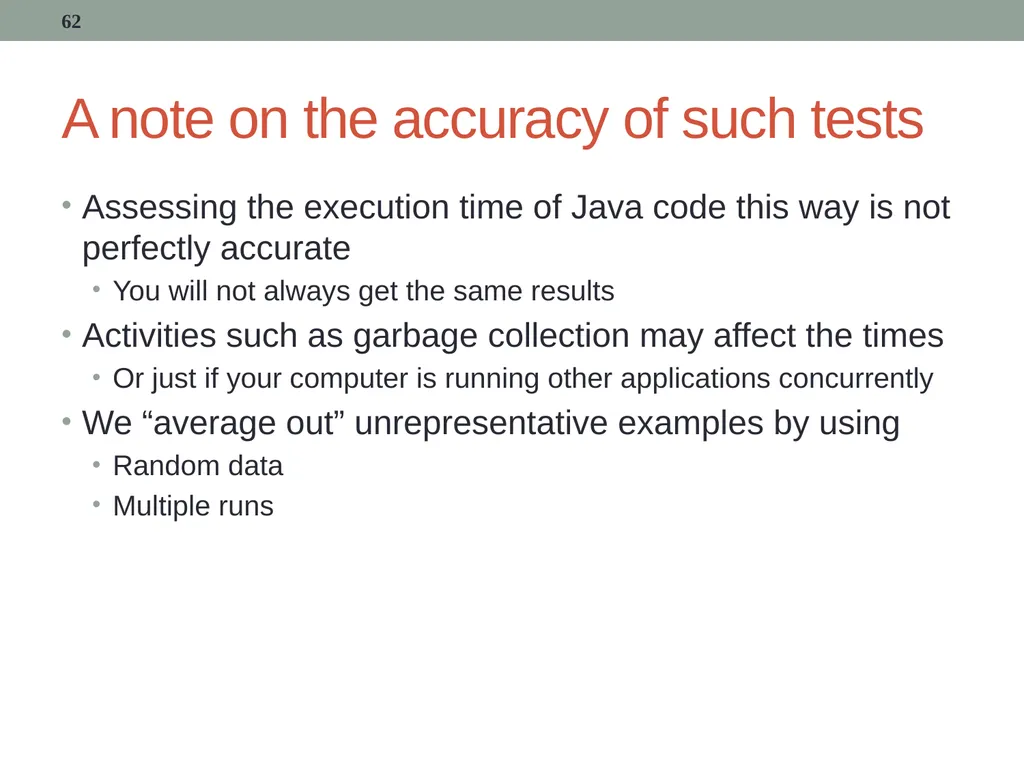
A note on the accuracy of such tests Assessing the execution time of Java code this way is not perfectly accurate
You will not always get the same results
Activities such as garbage collection may affect the times
Or just if your computer is running other applications concurrently
We “average out” unrepresentative examples by using
Random data
Multiple runs 62<br>
You will not always get the same results
Activities such as garbage collection may affect the times
Or just if your computer is running other applications concurrently
We “average out” unrepresentative examples by using
Random data
Multiple runs 62<br>
63
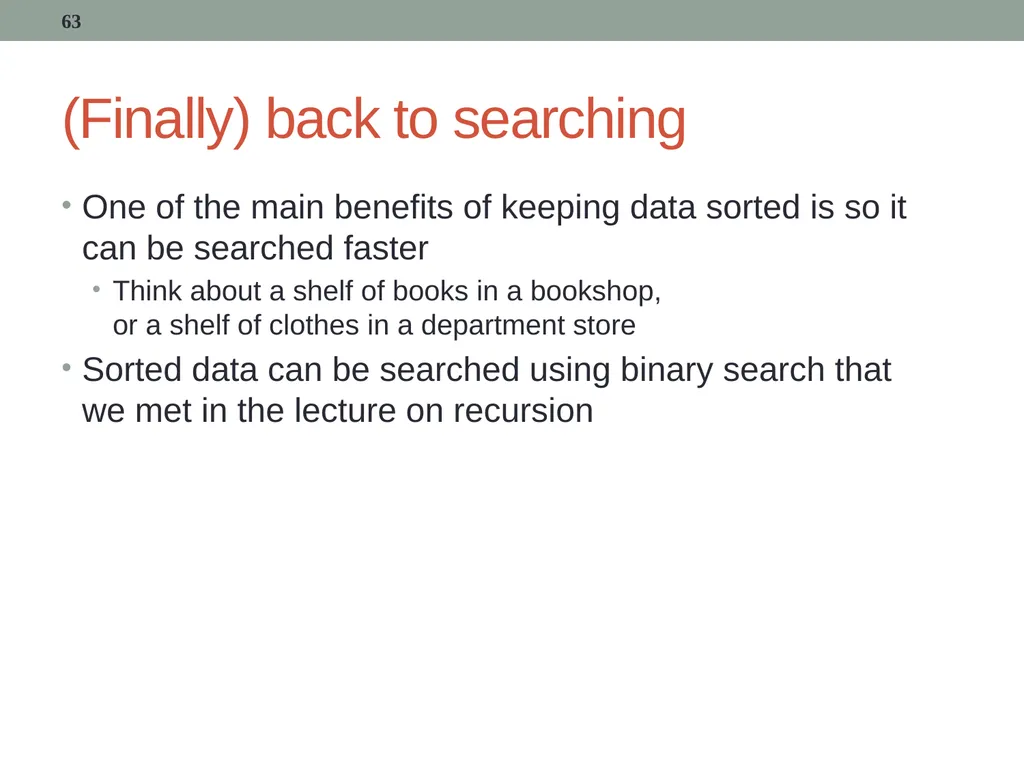
(Finally) back to searching One of the main benefits of keeping data sorted is so it can be searched faster
Think about a shelf of books in a bookshop, or a shelf of clothes in a department store
Sorted data can be searched using binary search that we met in the lecture on recursion 63<br>
Think about a shelf of books in a bookshop, or a shelf of clothes in a department store
Sorted data can be searched using binary search that we met in the lecture on recursion 63<br>
64
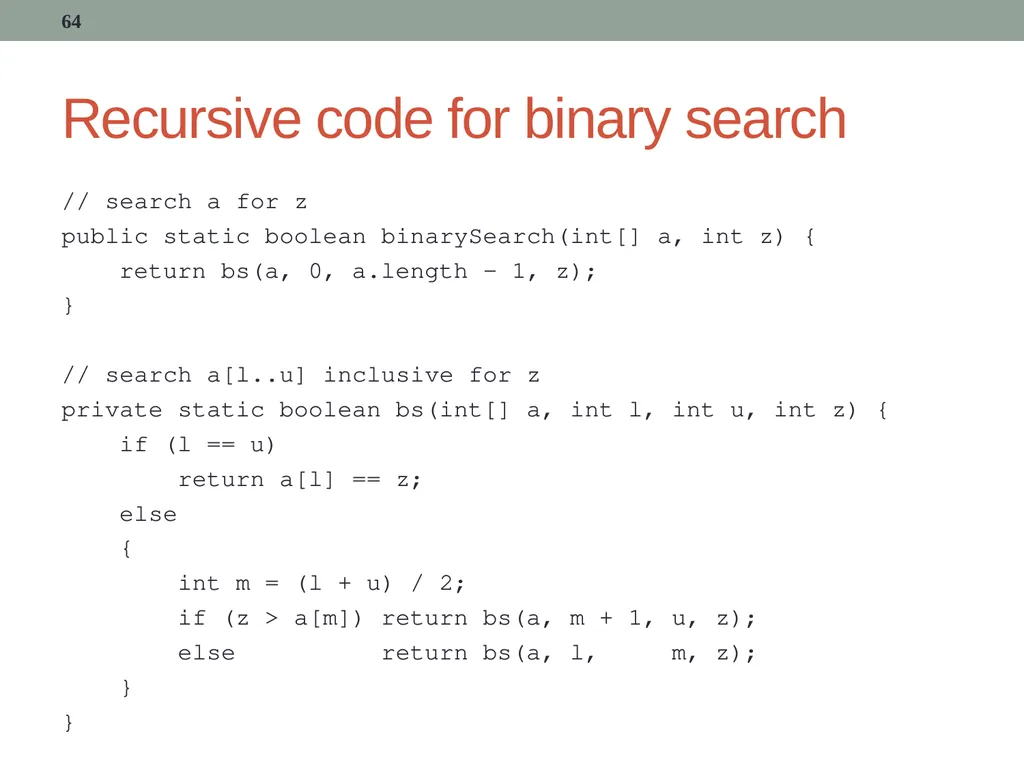
Recursive code for binary search // search a for z
public static boolean binarySearch(int[] a, int z) {
return bs(a, 0, a.length - 1, z);
}
// search a[l..u] inclusive for z
private static boolean bs(int[] a, int l, int u, int z) {
if (l == u)
return a[l] == z;
else
{
int m = (l + u) / 2;
if (z > a[m]) return bs(a, m + 1, u, z);
else return bs(a, l, m, z);
}
} 64<br>
public static boolean binarySearch(int[] a, int z) {
return bs(a, 0, a.length - 1, z);
}
// search a[l..u] inclusive for z
private static boolean bs(int[] a, int l, int u, int z) {
if (l == u)
return a[l] == z;
else
{
int m = (l + u) / 2;
if (z > a[m]) return bs(a, m + 1, u, z);
else return bs(a, l, m, z);
}
} 64<br>
65
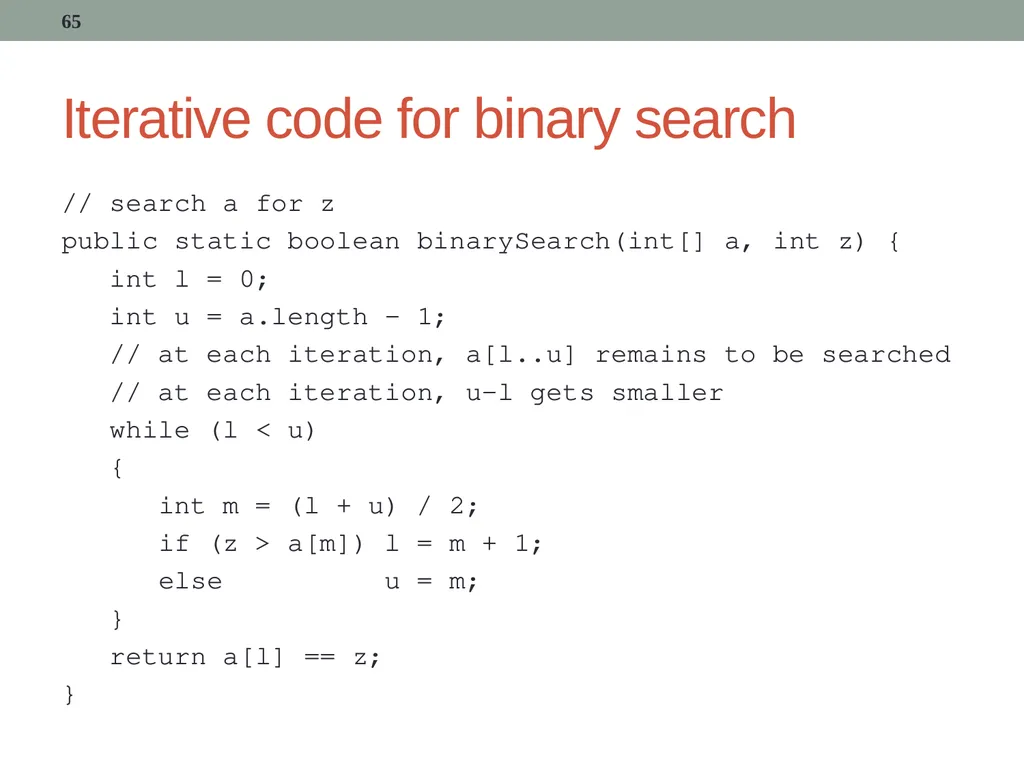
Iterative code for binary search // search a for z
public static boolean binarySearch(int[] a, int z) {
int l = 0;
int u = a.length - 1;
// at each iteration, a[l..u] remains to be searched
// at each iteration, u-l gets smaller
while (l < u)
{
int m = (l + u) / 2;
if (z > a[m]) l = m + 1;
else u = m;
}
return a[l] == z;
} 65<br>
public static boolean binarySearch(int[] a, int z) {
int l = 0;
int u = a.length - 1;
// at each iteration, a[l..u] remains to be searched
// at each iteration, u-l gets smaller
while (l < u)
{
int m = (l + u) / 2;
if (z > a[m]) l = m + 1;
else u = m;
}
return a[l] == z;
} 65<br>
66
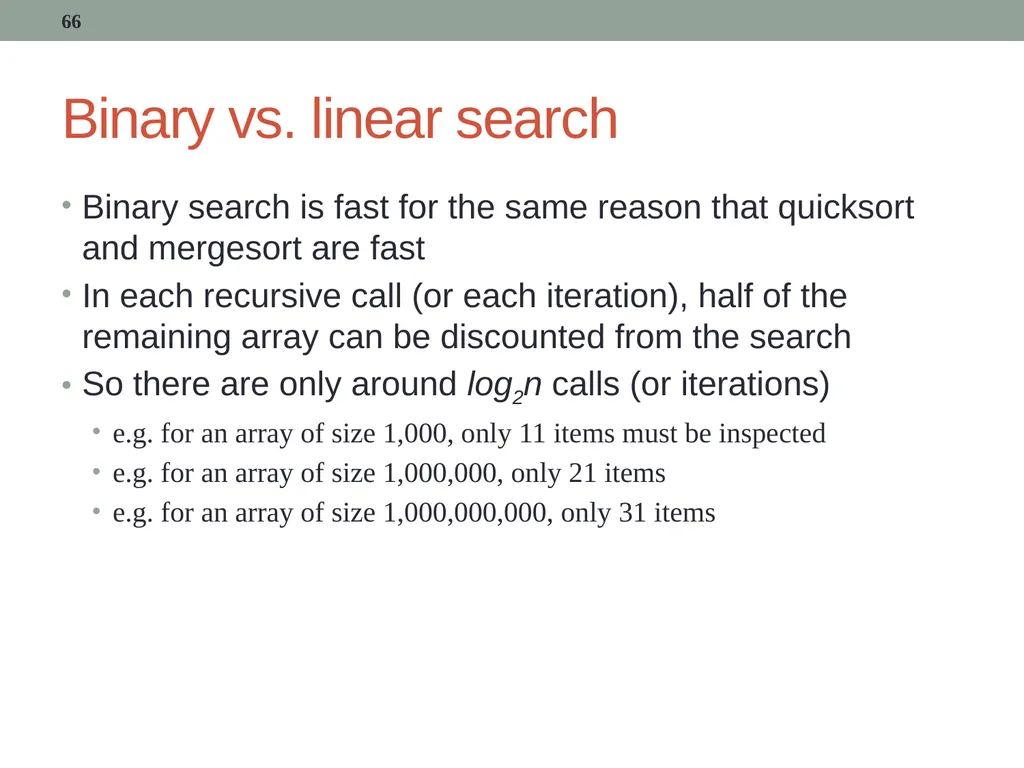
Binary vs. linear search Binary search is fast for the same reason that quicksort and mergesort are fast
In each recursive call (or each iteration), half of the remaining array can be discounted from the search
So there are only around log2n calls (or iterations)
e.g. for an array of size 1,000, only 11 items must be inspected
e.g. for an array of size 1,000,000, only 21 items
e.g. for an array of size 1,000,000,000, only 31 items 66<br>
In each recursive call (or each iteration), half of the remaining array can be discounted from the search
So there are only around log2n calls (or iterations)
e.g. for an array of size 1,000, only 11 items must be inspected
e.g. for an array of size 1,000,000, only 21 items
e.g. for an array of size 1,000,000,000, only 31 items 66<br>
67
Summary We study sorting algorithms because they provide good examples of many of the features that affect the run-time of program code
When checking the efficiency of your own code, consider
Number of loops, and depth of nesting
Number of comparison operations
Number of swap (or similar) operations 67<br>
When checking the efficiency of your own code, consider
Number of loops, and depth of nesting
Number of comparison operations
Number of swap (or similar) operations 67<br>