
Amazon Web Services (aws) B. Ramamurthy
TF
Published · 31 slides · 0 views
1 / 1
Description
Amazon Web Services (aws) B. Ramamurthy Introduction Amazon.com, the online market place for goods, has leveraged the services that worked for their own business and has made them available as cloud services, amazon web services (aws)
Related Topics
Share
Embed code
Download this presentation From Below
"Amazon Web Services (aws) B. Ramamurthy" is the property of its rightful owner. Permission is granted to download and print the materials on this website for personal, non-commercial use only, and to display it on your personal computer provided you do not modify the materials and that you retain all copyright notices contained in the materials. By downloading content from our website, you accept the terms of this agreement.
Presentation Transcript
01
Amazon Web Services (aws) B. Ramamurthy<br>
02
Introduction Amazon.com, the online market place for goods, has leveraged the services that worked for their own business and has made them available as cloud services, amazon web services (aws)
aws.amazon.com
Get an account on aws.amazon.com/free the free tier for services
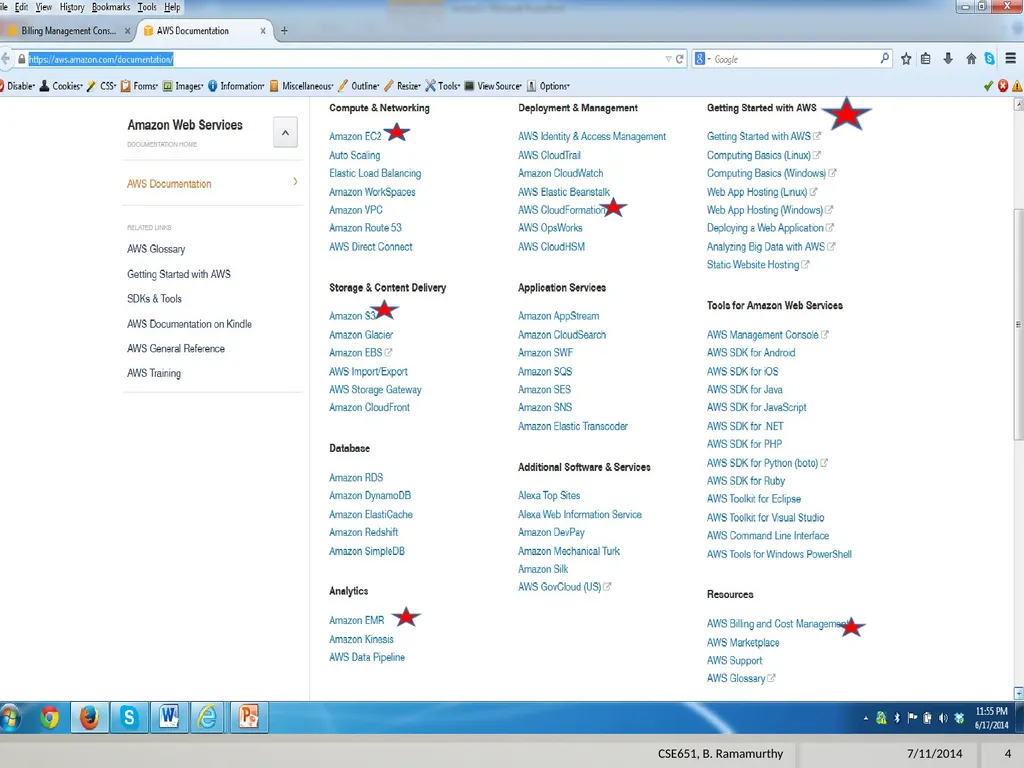
Next step is to study the documentation available on various services : https://aws.amazon.com/documentation/
Follow the documentation with hands-on tutorials. 7/11/2014 2 CSE651, B. Ramamurthy<br>
aws.amazon.com
Get an account on aws.amazon.com/free the free tier for services
Next step is to study the documentation available on various services : https://aws.amazon.com/documentation/
Follow the documentation with hands-on tutorials. 7/11/2014 2 CSE651, B. Ramamurthy<br>
03
References aws.amazon.com
http://docs.aws.amazon.com/gettingstarted/latest/awsgsg-intro/gsg-aws-intro.html
http://docs.aws.amazon.com/AmazonS3/latest/gsg/GetStartedWithS3.html 7/11/2014 3 CSE651, B. Ramamurthy<br>
http://docs.aws.amazon.com/gettingstarted/latest/awsgsg-intro/gsg-aws-intro.html
http://docs.aws.amazon.com/AmazonS3/latest/gsg/GetStartedWithS3.html 7/11/2014 3 CSE651, B. Ramamurthy<br>
04
7/11/2014 4 CSE651, B. Ramamurthy<br>
05
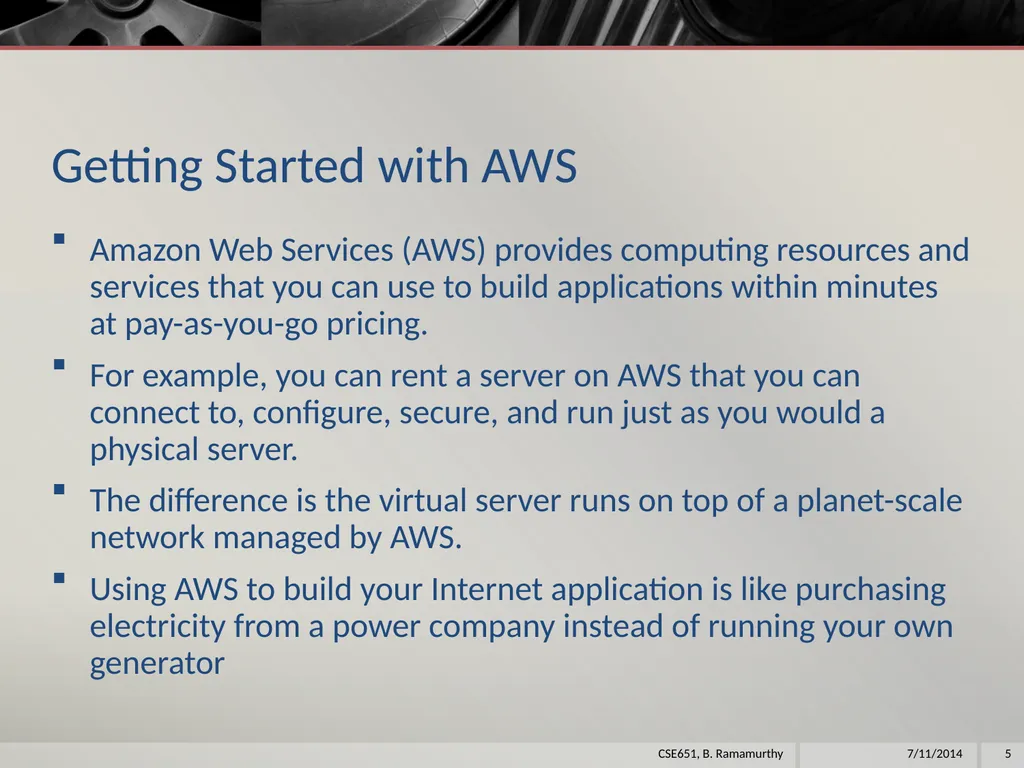
Getting Started with AWS Amazon Web Services (AWS) provides computing resources and services that you can use to build applications within minutes at pay-as-you-go pricing.
For example, you can rent a server on AWS that you can connect to, configure, secure, and run just as you would a physical server.
The difference is the virtual server runs on top of a planet-scale network managed by AWS.
Using AWS to build your Internet application is like purchasing electricity from a power company instead of running your own generator 7/11/2014 5 CSE651, B. Ramamurthy<br>
For example, you can rent a server on AWS that you can connect to, configure, secure, and run just as you would a physical server.
The difference is the virtual server runs on top of a planet-scale network managed by AWS.
Using AWS to build your Internet application is like purchasing electricity from a power company instead of running your own generator 7/11/2014 5 CSE651, B. Ramamurthy<br>
06
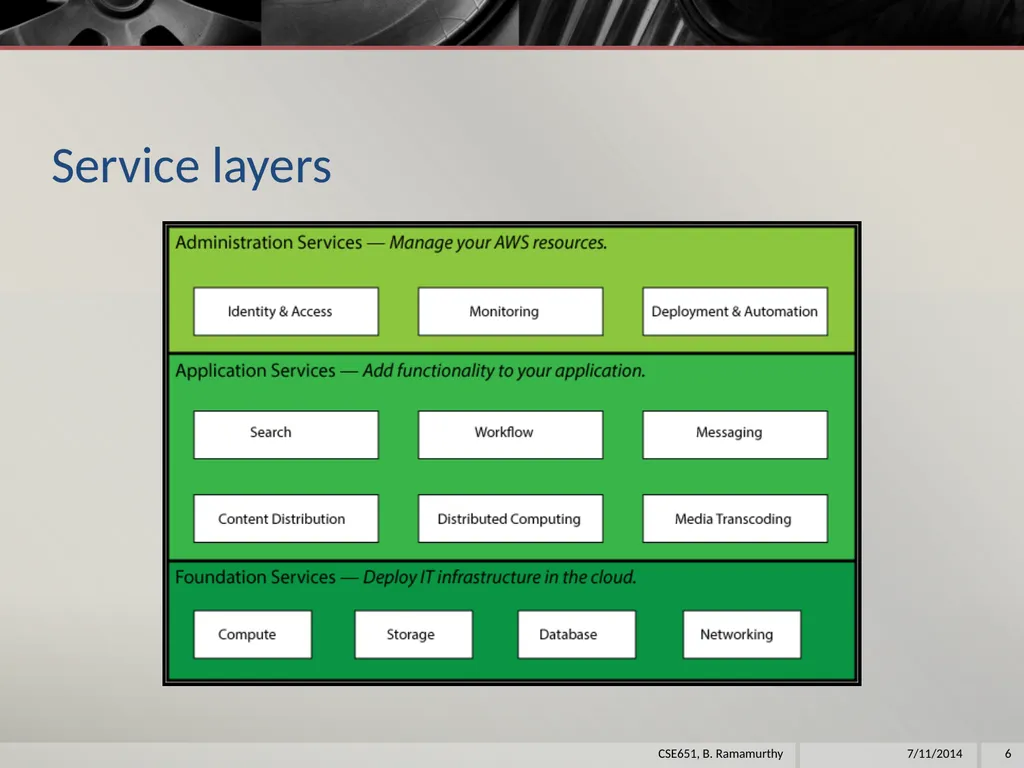
Service layers 7/11/2014 6 CSE651, B. Ramamurthy<br>
07
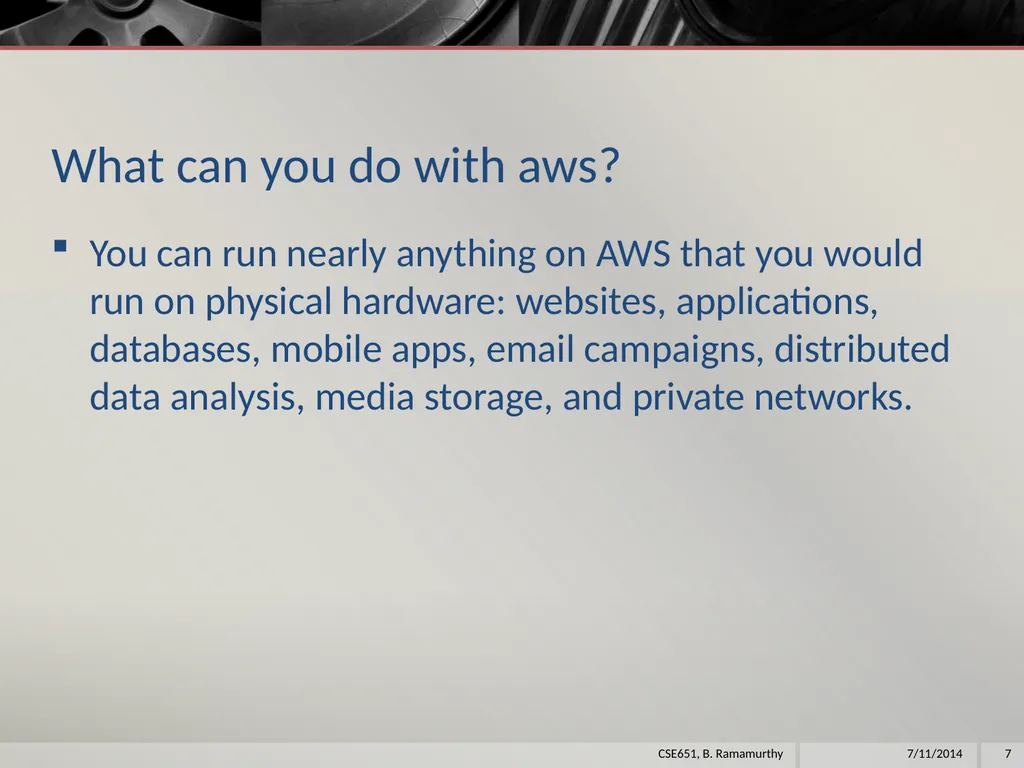
What can you do with aws? You can run nearly anything on AWS that you would run on physical hardware: websites, applications, databases, mobile apps, email campaigns, distributed data analysis, media storage, and private networks. 7/11/2014 7 CSE651, B. Ramamurthy<br>
08
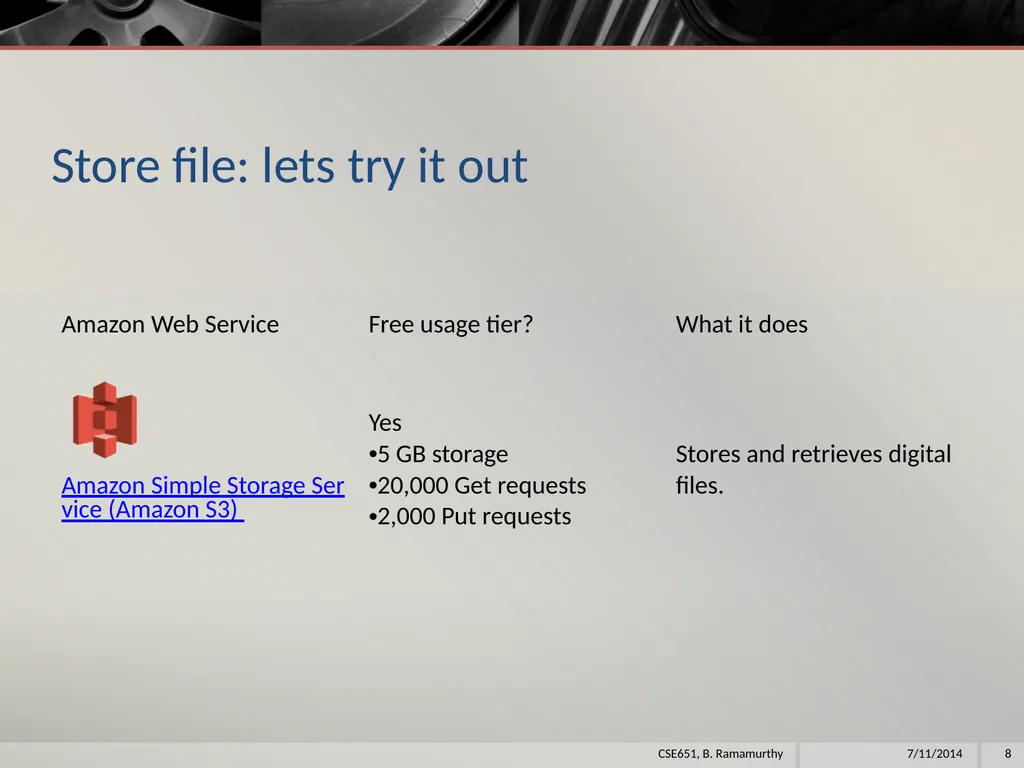
Store file: lets try it out 7/11/2014 8 CSE651, B. Ramamurthy<br>
09
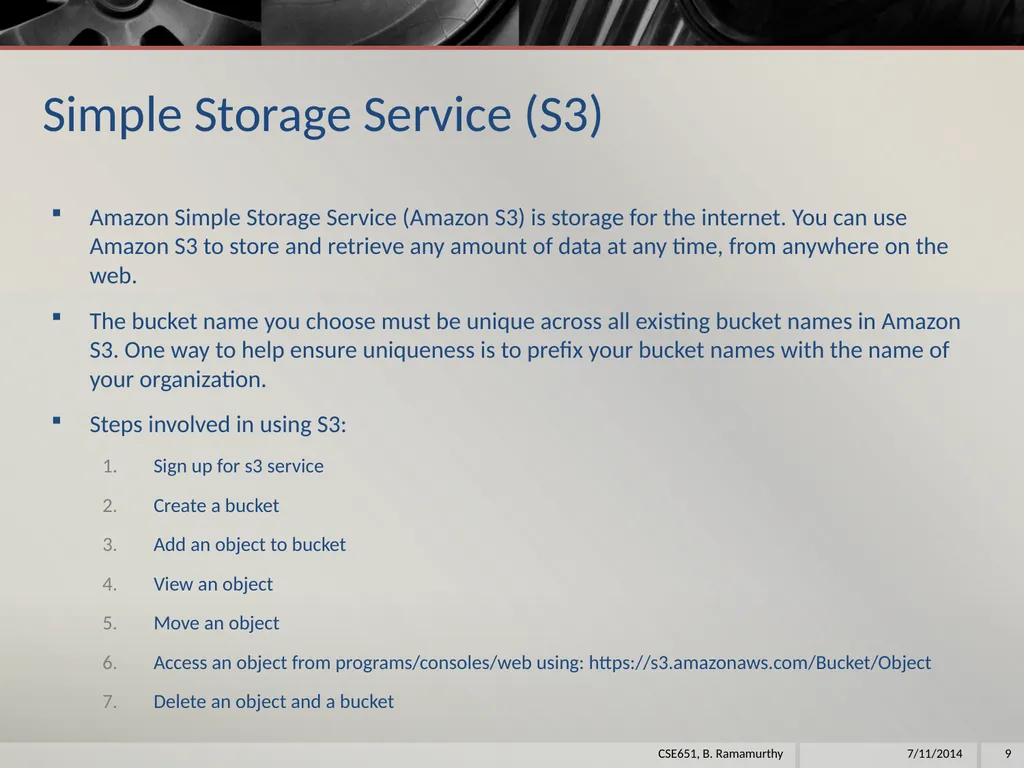
Simple Storage Service (S3) Amazon Simple Storage Service (Amazon S3) is storage for the internet. You can use Amazon S3 to store and retrieve any amount of data at any time, from anywhere on the web.
The bucket name you choose must be unique across all existing bucket names in Amazon S3. One way to help ensure uniqueness is to prefix your bucket names with the name of your organization.
Steps involved in using S3:
Sign up for s3 service
Create a bucket
Add an object to bucket
View an object
Move an object
Access an object from programs/consoles/web using: https://s3.amazonaws.com/Bucket/Object
Delete an object and a bucket 7/11/2014 9 CSE651, B. Ramamurthy<br>
The bucket name you choose must be unique across all existing bucket names in Amazon S3. One way to help ensure uniqueness is to prefix your bucket names with the name of your organization.
Steps involved in using S3:
Sign up for s3 service
Create a bucket
Add an object to bucket
View an object
Move an object
Access an object from programs/consoles/web using: https://s3.amazonaws.com/Bucket/Object
Delete an object and a bucket 7/11/2014 9 CSE651, B. Ramamurthy<br>
10
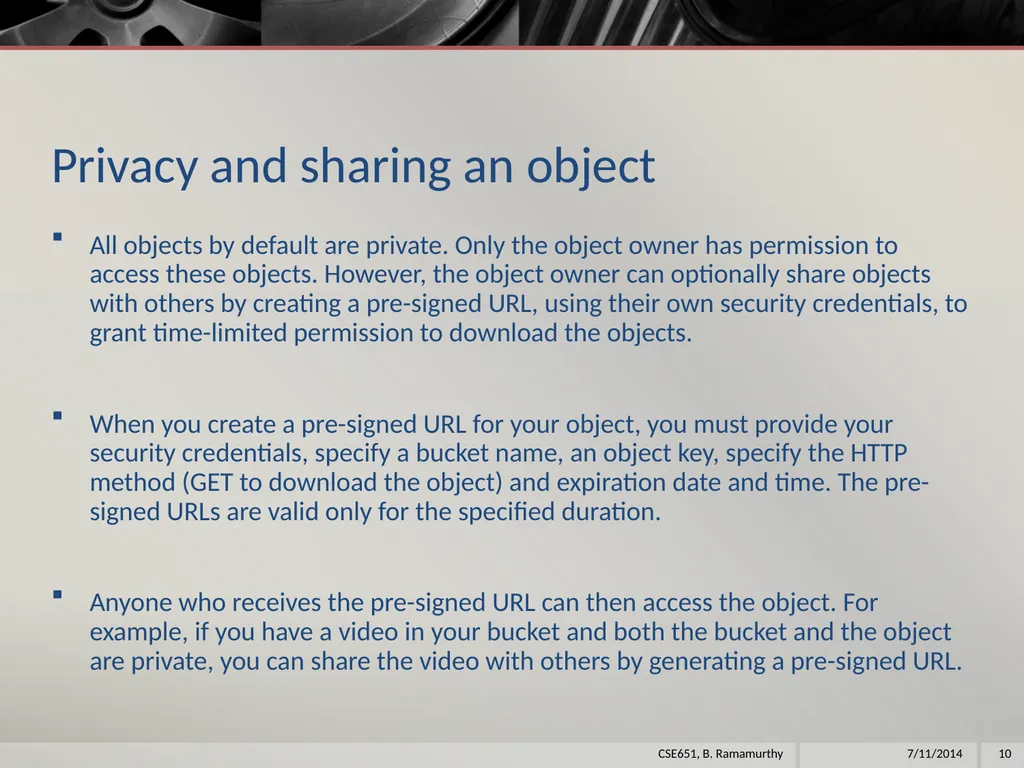
Privacy and sharing an object All objects by default are private. Only the object owner has permission to access these objects. However, the object owner can optionally share objects with others by creating a pre-signed URL, using their own security credentials, to grant time-limited permission to download the objects.
When you create a pre-signed URL for your object, you must provide your security credentials, specify a bucket name, an object key, specify the HTTP method (GET to download the object) and expiration date and time. The pre-signed URLs are valid only for the specified duration.
Anyone who receives the pre-signed URL can then access the object. For example, if you have a video in your bucket and both the bucket and the object are private, you can share the video with others by generating a pre-signed URL. 7/11/2014 10 CSE651, B. Ramamurthy<br>
When you create a pre-signed URL for your object, you must provide your security credentials, specify a bucket name, an object key, specify the HTTP method (GET to download the object) and expiration date and time. The pre-signed URLs are valid only for the specified duration.
Anyone who receives the pre-signed URL can then access the object. For example, if you have a video in your bucket and both the bucket and the object are private, you can share the video with others by generating a pre-signed URL. 7/11/2014 10 CSE651, B. Ramamurthy<br>
11
S3 Demo We will demo using S3Fox utility
We will also demo using Amazon console 7/11/2014 11 CSE651, B. Ramamurthy<br>
We will also demo using Amazon console 7/11/2014 11 CSE651, B. Ramamurthy<br>
12
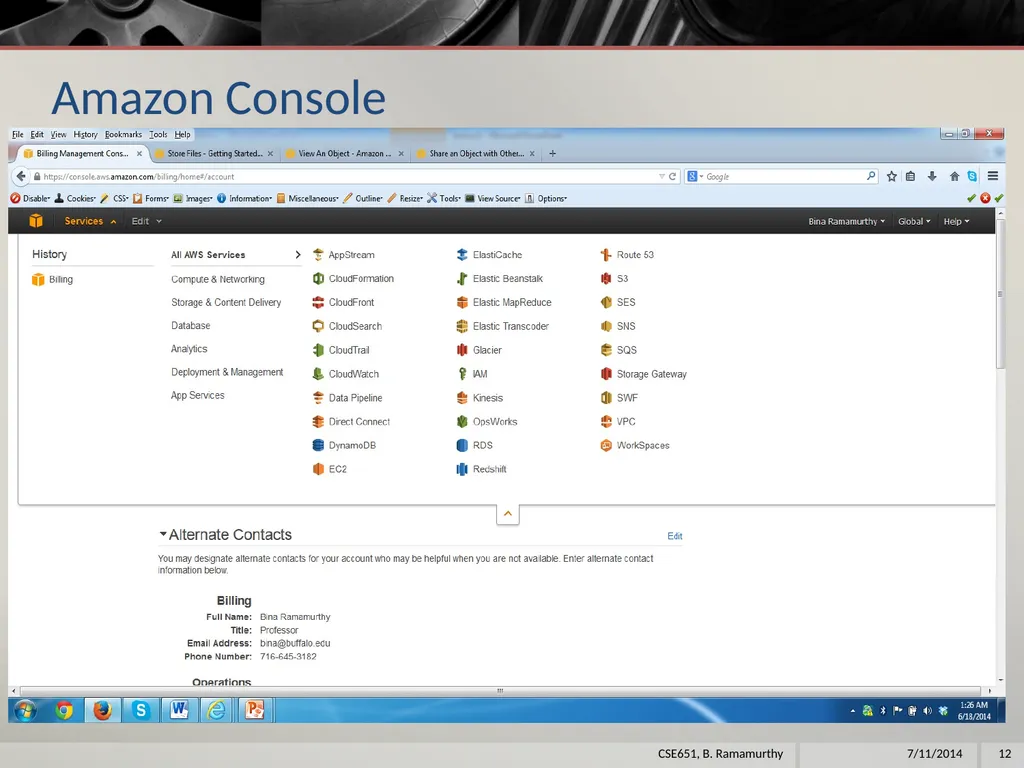
Amazon Console 7/11/2014 12 CSE651, B. Ramamurthy<br>
13
Hosting a Web Site Static web site is a web site that does not require server site support: eg. html, js, css
A static website does not require server-side processing and relies only on client-side technologies such as HTML, CSS, and JavaScript. 7/11/2014 13 CSE651, B. Ramamurthy<br>
A static website does not require server-side processing and relies only on client-side technologies such as HTML, CSS, and JavaScript. 7/11/2014 13 CSE651, B. Ramamurthy<br>
14
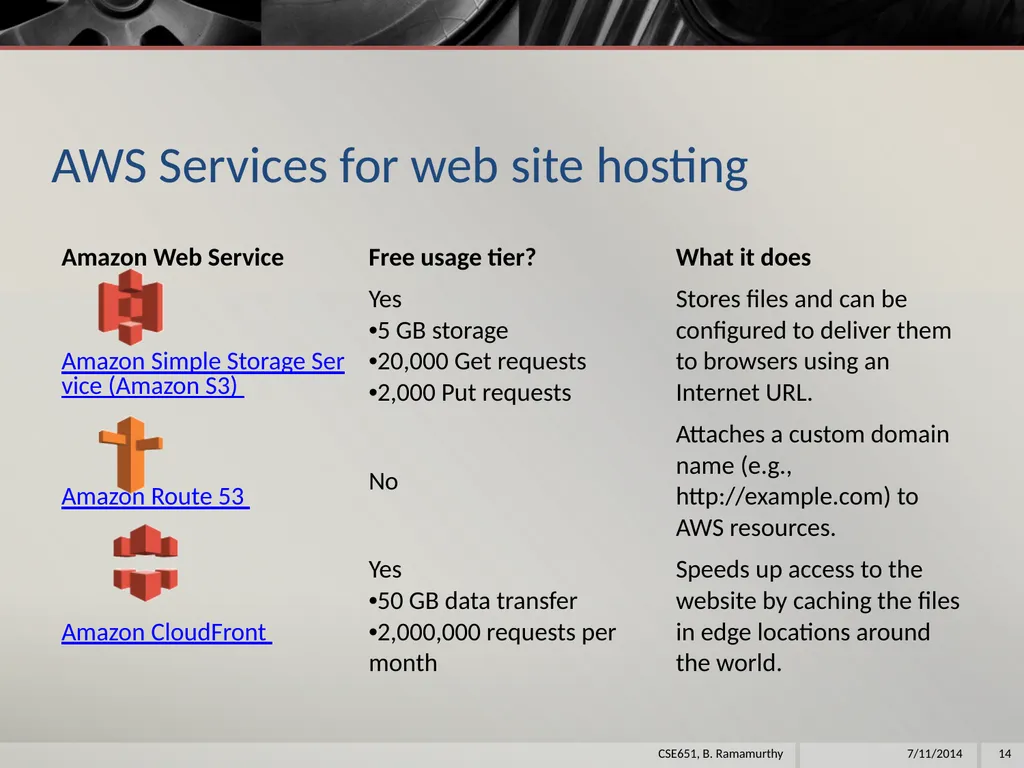
AWS Services for web site hosting 7/11/2014 14 CSE651, B. Ramamurthy<br>
15
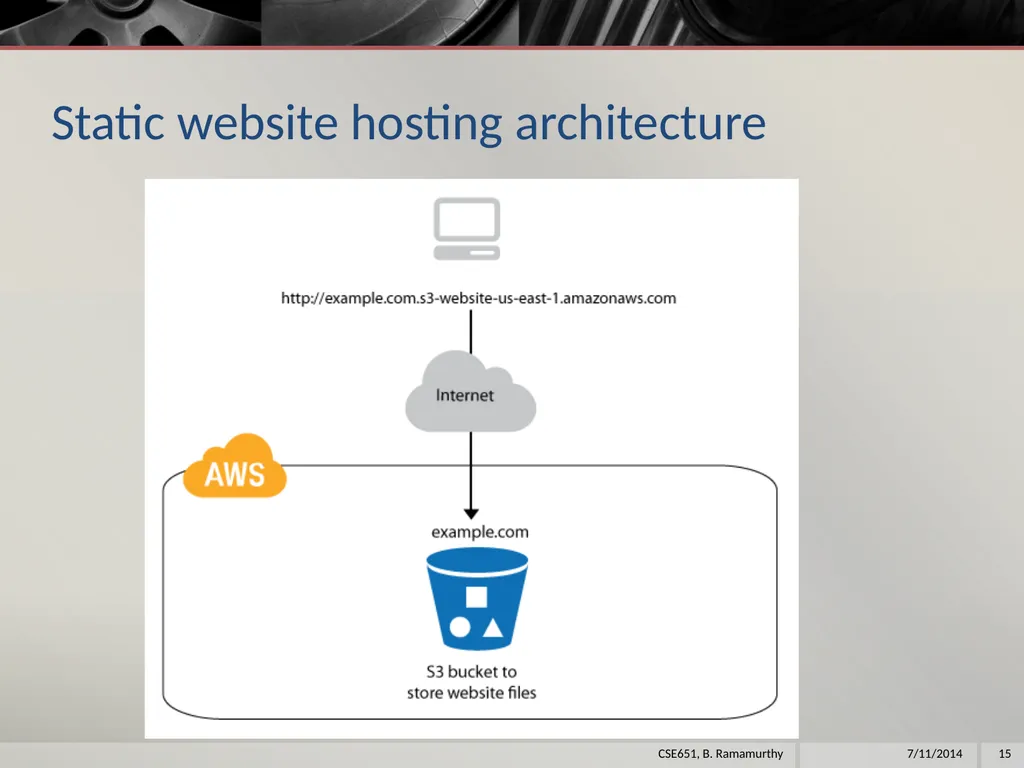
Static website hosting architecture 7/11/2014 15 CSE651, B. Ramamurthy<br>
16
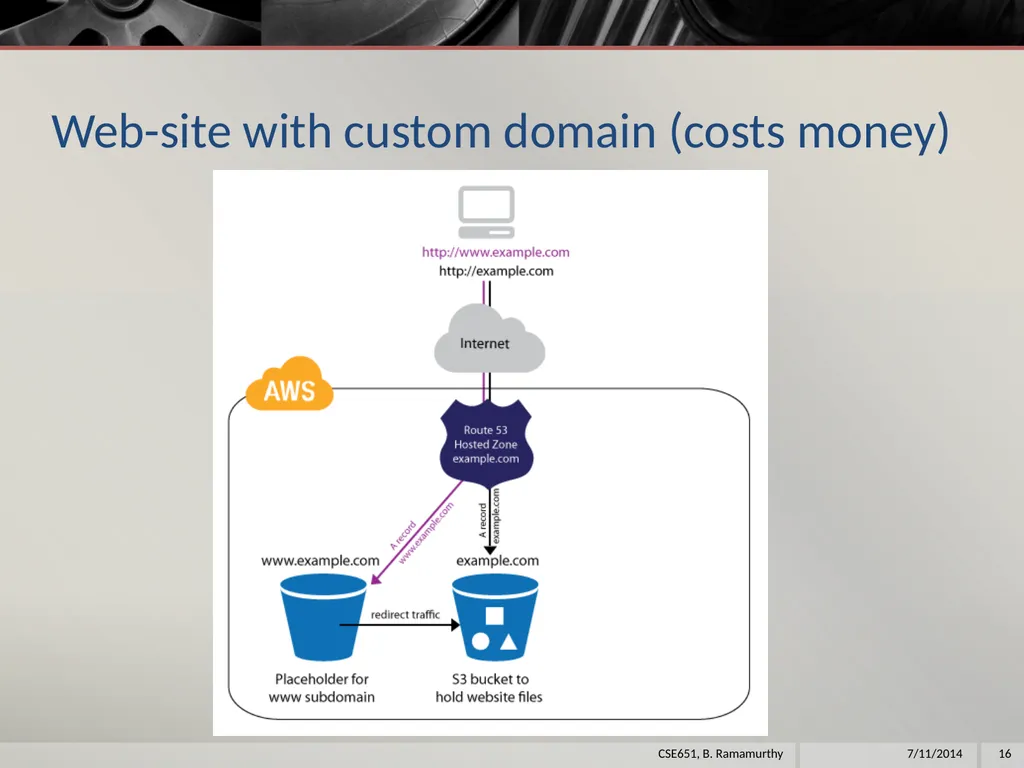
Web-site with custom domain (costs money) 7/11/2014 16 CSE651, B. Ramamurthy<br>
17
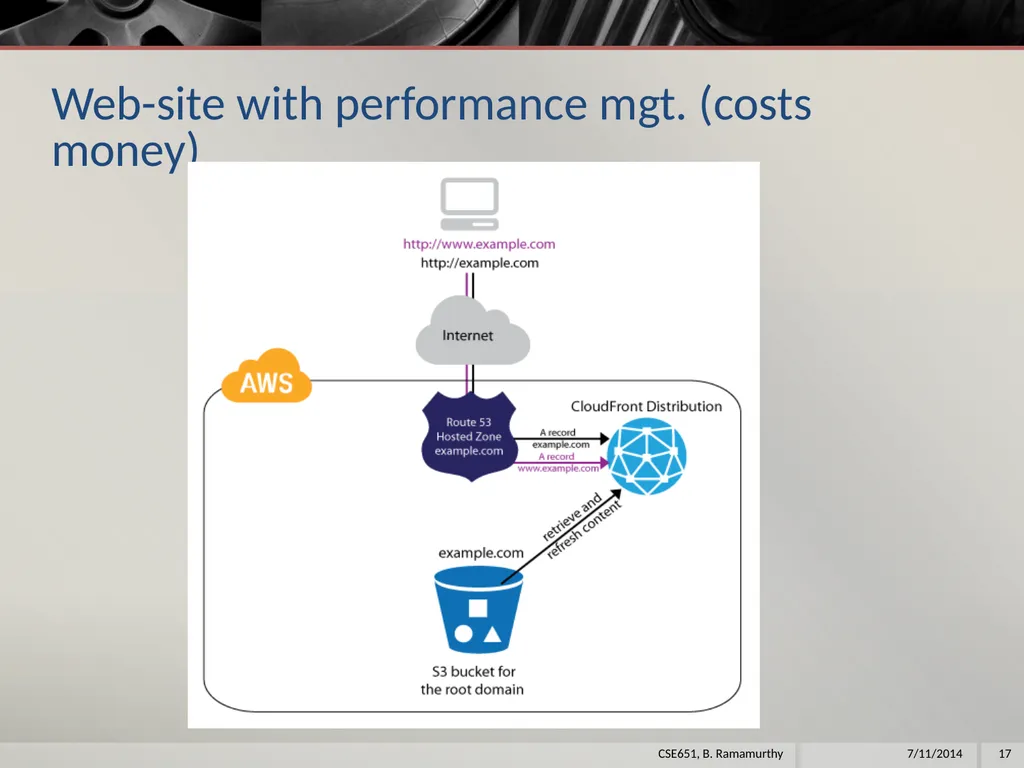
Web-site with performance mgt. (costs money) 7/11/2014 17 CSE651, B. Ramamurthy<br>
18
Step1: Choose a domain name When you host a website on Amazon S3, AWS assigns your website a URL based on the name of the storage location you create in Amazon S3 to hold the website files (called an S3 bucket) and the geographical region where you created the bucket.
For example, if you create a bucket called cse651blr on the east coast of the United States and use it to host your website, the default URL will be http://cse651c.s3-website-us-east-1.amazonaws.com/.
We will not use Route 53 and CloudFront for this proof-of-concept implementation. 7/11/2014 18 CSE651, B. Ramamurthy<br>
For example, if you create a bucket called cse651blr on the east coast of the United States and use it to host your website, the default URL will be http://cse651c.s3-website-us-east-1.amazonaws.com/.
We will not use Route 53 and CloudFront for this proof-of-concept implementation. 7/11/2014 18 CSE651, B. Ramamurthy<br>
19
Next steps Open the Amazon S3 console at https://console.aws.amazon.com/s3/.
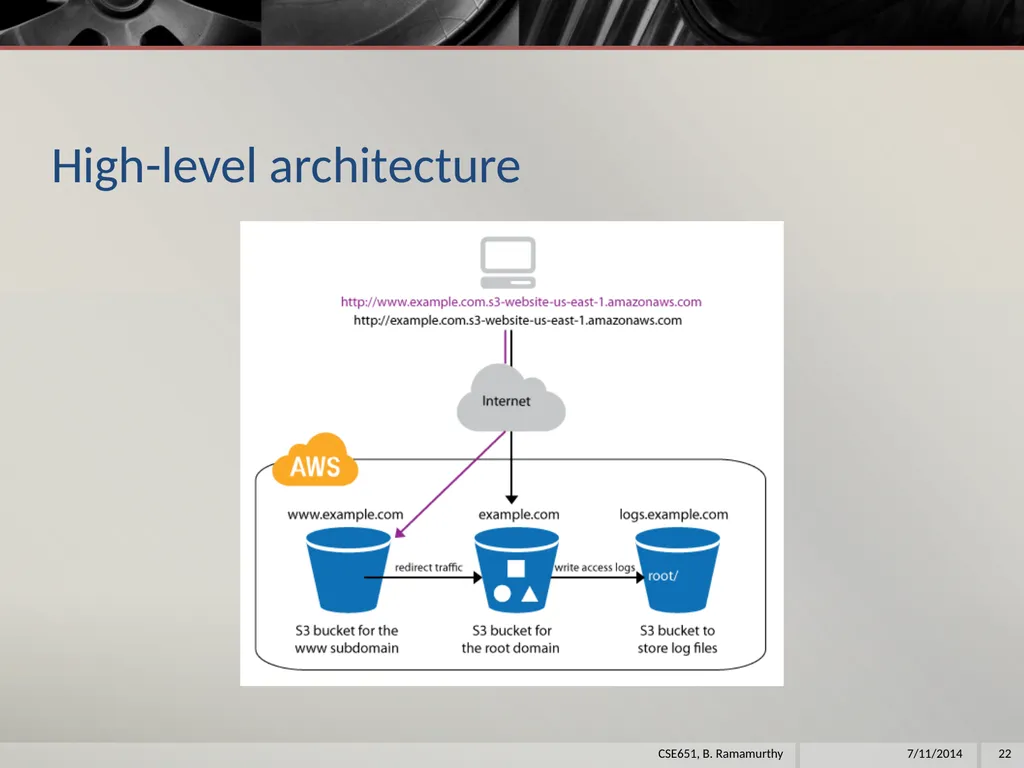
Create 3 buckets in s3: cse651cjb.com, www.cse651cjb.com, logs.cse651cjb.com
Upload the files of your static web page into cse651cjb.com bucket
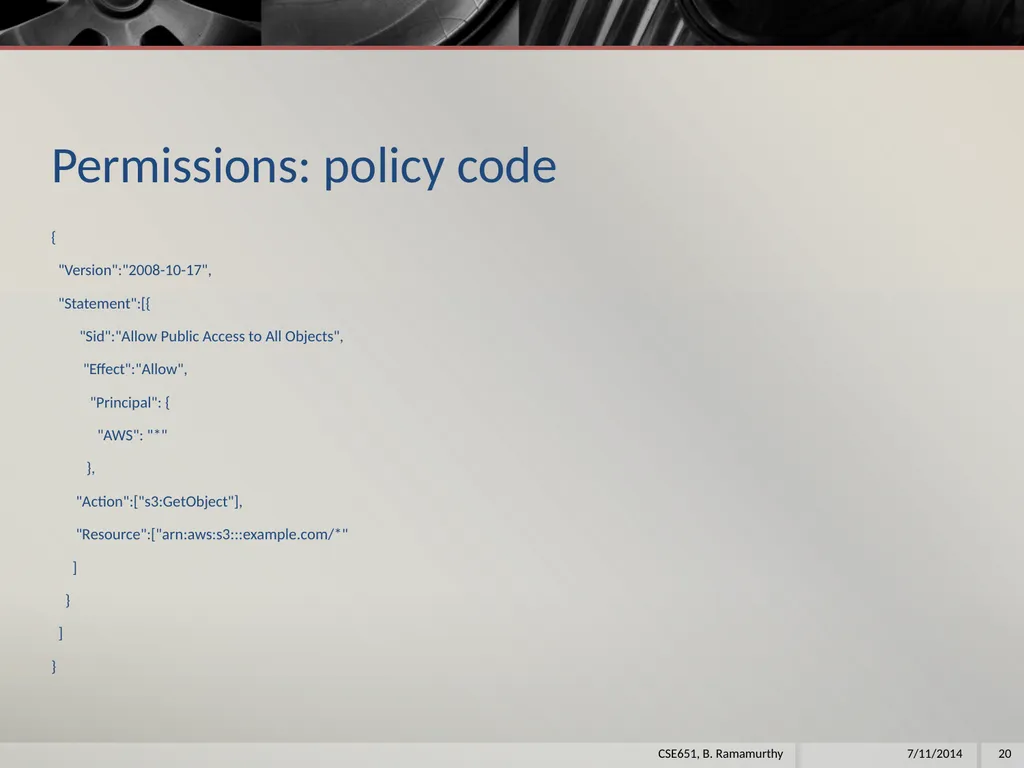
Set the permissions of cse651cjb.com to allow others to view: In the policy edit window enter the code given below and save. 7/11/2014 19 CSE651, B. Ramamurthy<br>
Create 3 buckets in s3: cse651cjb.com, www.cse651cjb.com, logs.cse651cjb.com
Upload the files of your static web page into cse651cjb.com bucket
Set the permissions of cse651cjb.com to allow others to view: In the policy edit window enter the code given below and save. 7/11/2014 19 CSE651, B. Ramamurthy<br>
20
Permissions: policy code {
"Version":"2008-10-17",
"Statement":[{
"Sid":"Allow Public Access to All Objects",
"Effect":"Allow",
"Principal": {
"AWS": "*"
},
"Action":["s3:GetObject"],
"Resource":["arn:aws:s3:::example.com/*"
]
}
]
} 7/11/2014 20 CSE651, B. Ramamurthy<br>
"Version":"2008-10-17",
"Statement":[{
"Sid":"Allow Public Access to All Objects",
"Effect":"Allow",
"Principal": {
"AWS": "*"
},
"Action":["s3:GetObject"],
"Resource":["arn:aws:s3:::example.com/*"
]
}
]
} 7/11/2014 20 CSE651, B. Ramamurthy<br>
21
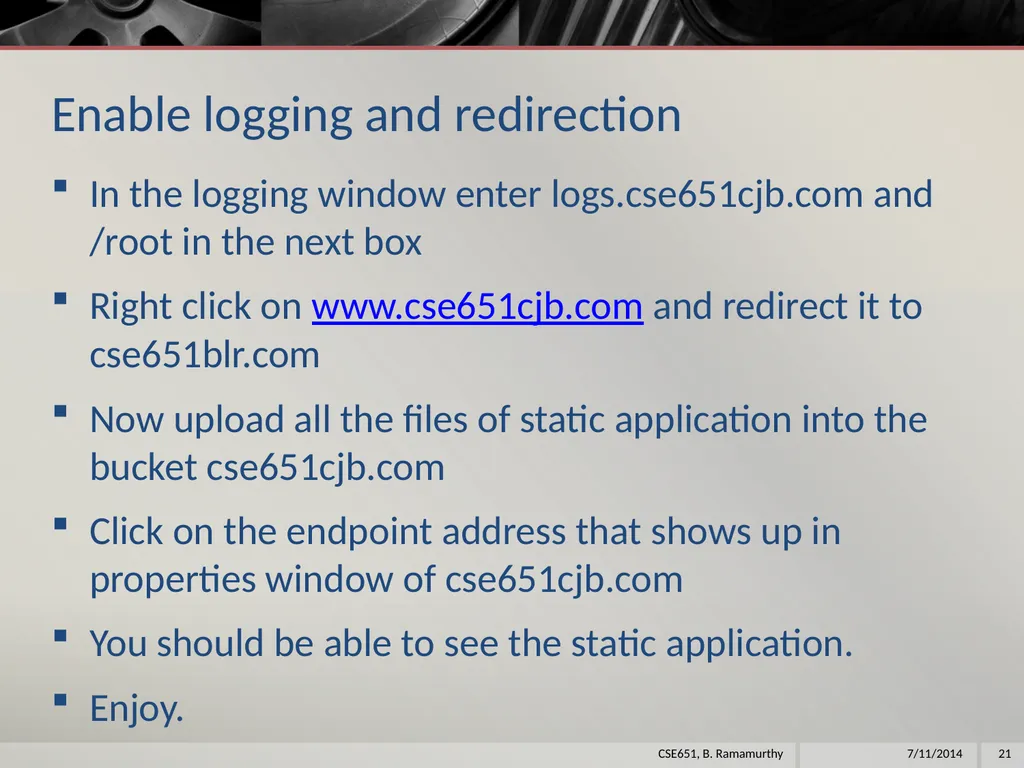
Enable logging and redirection In the logging window enter logs.cse651cjb.com and /root in the next box
Right click on www.cse651cjb.com and redirect it to cse651blr.com
Now upload all the files of static application into the bucket cse651cjb.com
Click on the endpoint address that shows up in properties window of cse651cjb.com
You should be able to see the static application.
Enjoy. 7/11/2014 21 CSE651, B. Ramamurthy<br>
Right click on www.cse651cjb.com and redirect it to cse651blr.com
Now upload all the files of static application into the bucket cse651cjb.com
Click on the endpoint address that shows up in properties window of cse651cjb.com
You should be able to see the static application.
Enjoy. 7/11/2014 21 CSE651, B. Ramamurthy<br>
22
High-level architecture 7/11/2014 22 CSE651, B. Ramamurthy<br>
23
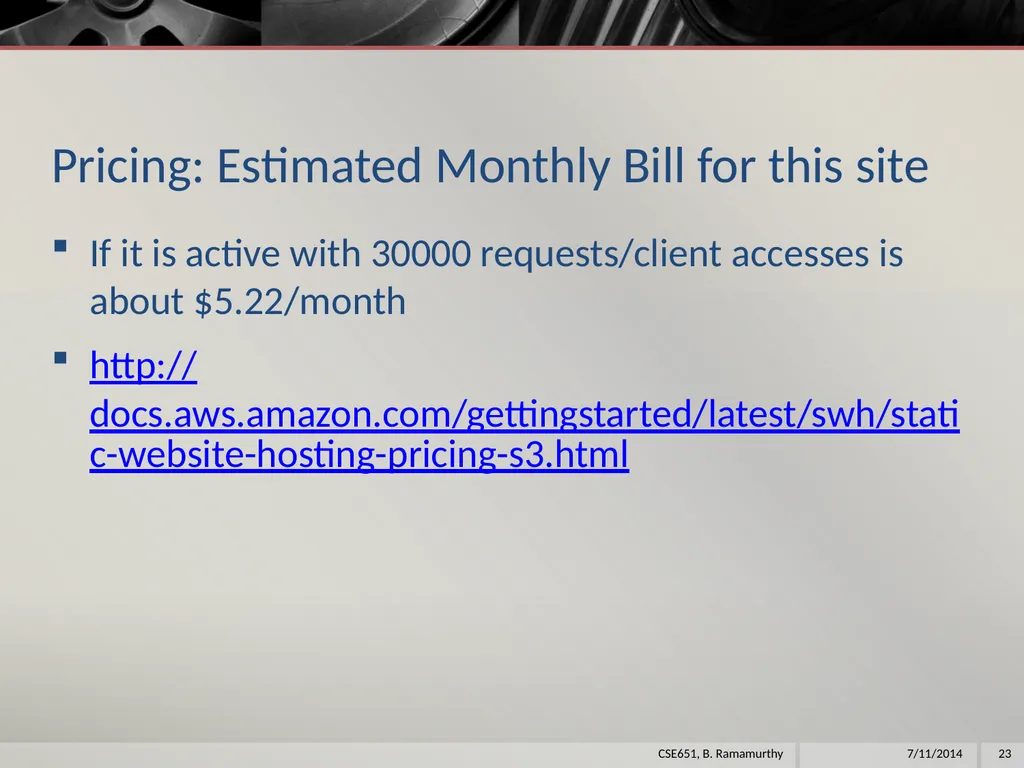
Pricing: Estimated Monthly Bill for this site If it is active with 30000 requests/client accesses is about $5.22/month
http://docs.aws.amazon.com/gettingstarted/latest/swh/static-website-hosting-pricing-s3.html 7/11/2014 23 CSE651, B. Ramamurthy<br>
http://docs.aws.amazon.com/gettingstarted/latest/swh/static-website-hosting-pricing-s3.html 7/11/2014 23 CSE651, B. Ramamurthy<br>
24
Run a virtual server on AWS: Linux server<br>
25
Amazon Elastic Compute Cloud (EC2) We completed an application using S3.
For this exercise we will use the EC2 that is preeminent product of aws
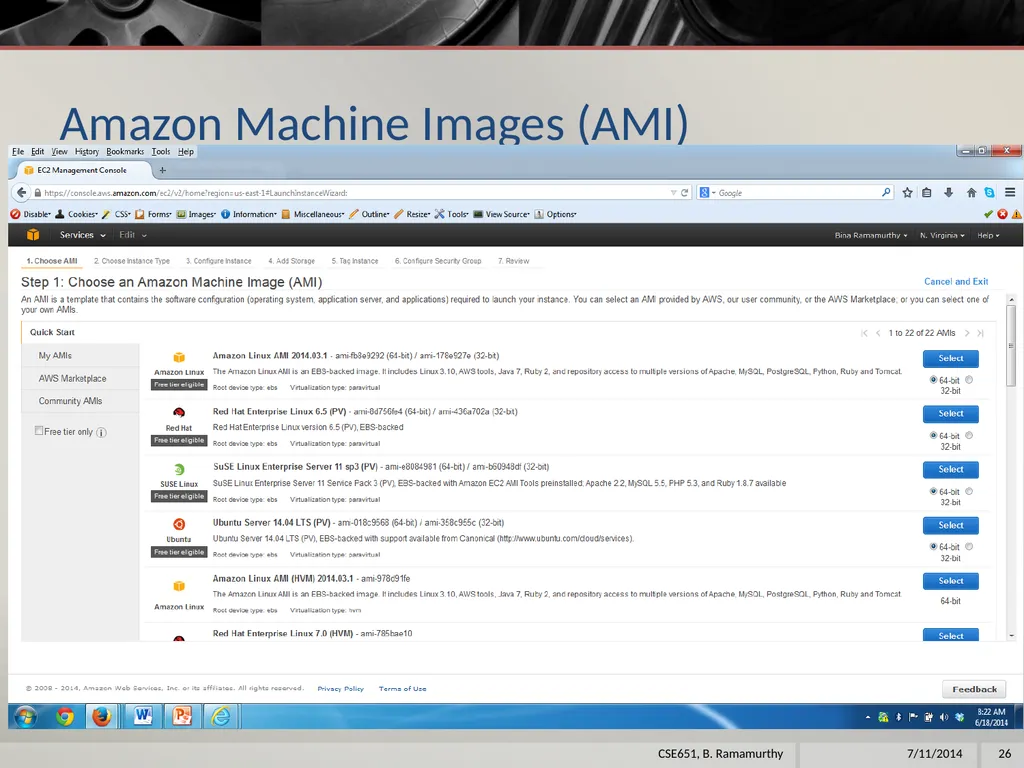
One can use EC2 to run and manage virtual servers on AWS. Your servers are launched as EC2 instances and initialized with a machine image called an AMI.
In the free usage tier, you can launch a t1.micro Amazon EC2 instance. Micro instances provide a small amount of consistent CPU resources and allow you to burst CPU capacity when additional cycles are available.
A t1.micro instance is well suited for low-throughput applications and websites that consume significant compute cycles only occasionally.
For this exercise we will launch a Linux server using a Amazon Machine Image that is eligible for the free tier. 7/11/2014 25 CSE651, B. Ramamurthy<br>
For this exercise we will use the EC2 that is preeminent product of aws
One can use EC2 to run and manage virtual servers on AWS. Your servers are launched as EC2 instances and initialized with a machine image called an AMI.
In the free usage tier, you can launch a t1.micro Amazon EC2 instance. Micro instances provide a small amount of consistent CPU resources and allow you to burst CPU capacity when additional cycles are available.
A t1.micro instance is well suited for low-throughput applications and websites that consume significant compute cycles only occasionally.
For this exercise we will launch a Linux server using a Amazon Machine Image that is eligible for the free tier. 7/11/2014 25 CSE651, B. Ramamurthy<br>
26
Amazon Machine Images (AMI) 7/11/2014 26 CSE651, B. Ramamurthy<br>
27
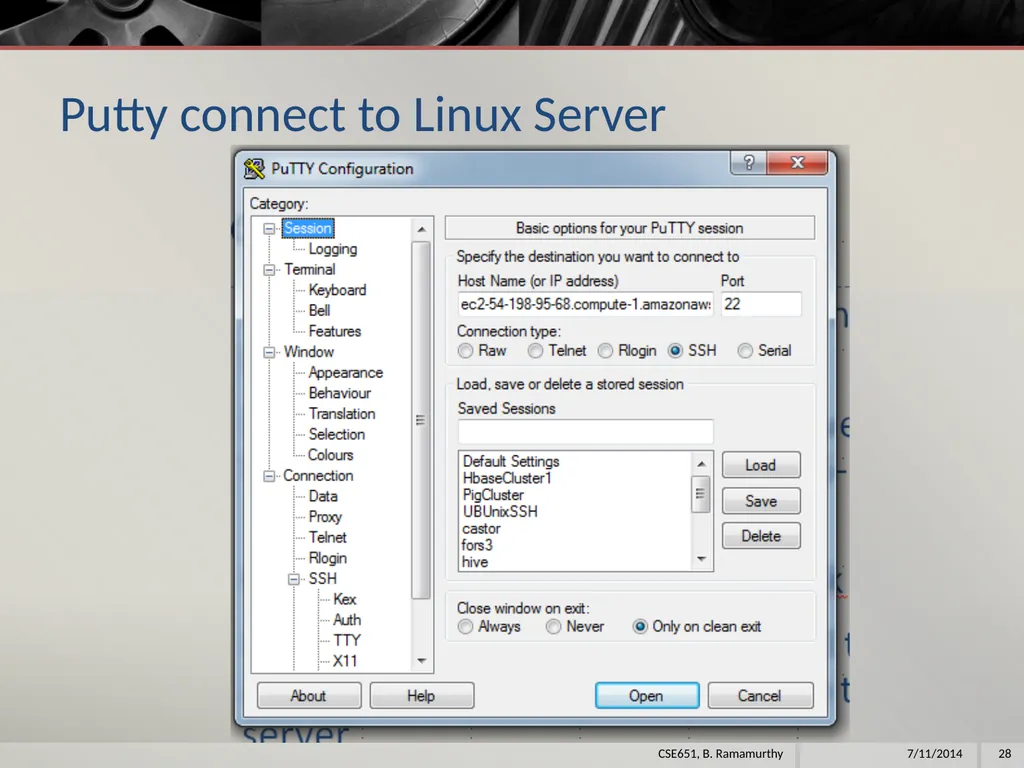
Connect to the server After you launch the instance you need putty to ssh into your server.
Note the dns for the launched server at the bottom half of the console: ec2-54-198-95-68.compute-1.amazonaws.com
Convert the cse651b.pem into .ppk private key
Launch a putty window and use all these items above and username ec2-user to log into the launched server.
Work on some Linux commands to check this new launch out. (sudo yum install emacs)
Make sure you terminate the server when you are done using it. This can be done from the EC2 dashboard 7/11/2014 27 CSE651, B. Ramamurthy<br>
Note the dns for the launched server at the bottom half of the console: ec2-54-198-95-68.compute-1.amazonaws.com
Convert the cse651b.pem into .ppk private key
Launch a putty window and use all these items above and username ec2-user to log into the launched server.
Work on some Linux commands to check this new launch out. (sudo yum install emacs)
Make sure you terminate the server when you are done using it. This can be done from the EC2 dashboard 7/11/2014 27 CSE651, B. Ramamurthy<br>
28
Putty connect to Linux Server 7/11/2014 28 CSE651, B. Ramamurthy<br>
29
Run a virtual server on AWS: Windows server<br>
30
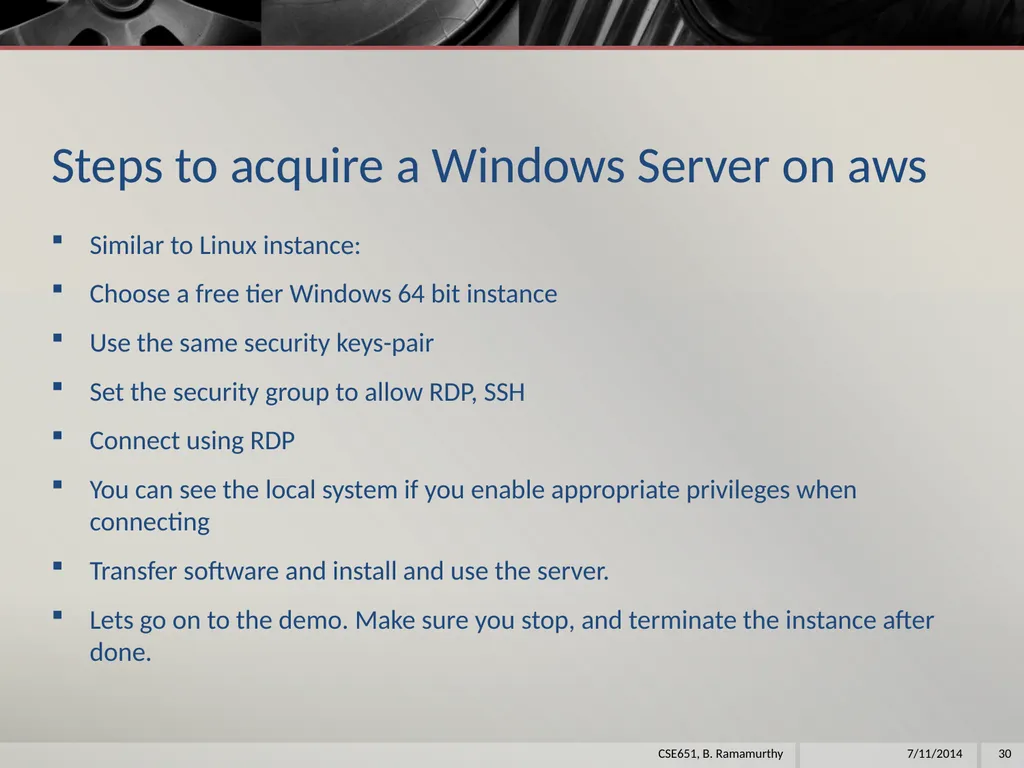
Steps to acquire a Windows Server on aws Similar to Linux instance:
Choose a free tier Windows 64 bit instance
Use the same security keys-pair
Set the security group to allow RDP, SSH
Connect using RDP
You can see the local system if you enable appropriate privileges when connecting
Transfer software and install and use the server.
Lets go on to the demo. Make sure you stop, and terminate the instance after done. 7/11/2014 30 CSE651, B. Ramamurthy<br>
Choose a free tier Windows 64 bit instance
Use the same security keys-pair
Set the security group to allow RDP, SSH
Connect using RDP
You can see the local system if you enable appropriate privileges when connecting
Transfer software and install and use the server.
Lets go on to the demo. Make sure you stop, and terminate the instance after done. 7/11/2014 30 CSE651, B. Ramamurthy<br>
31
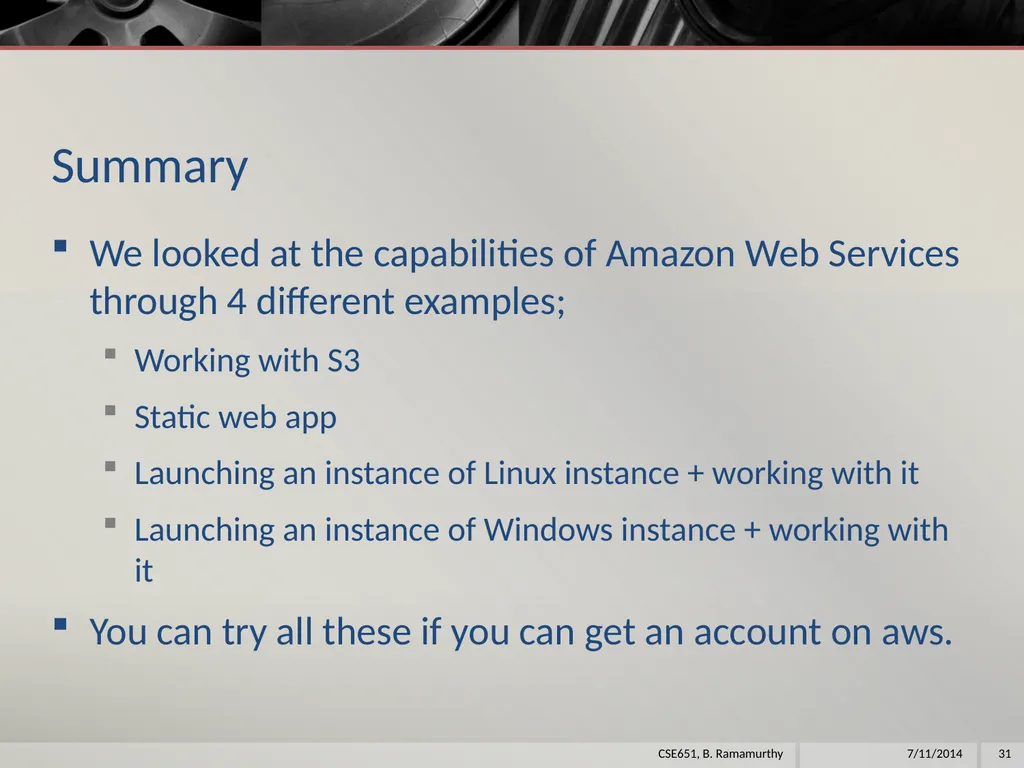
Summary We looked at the capabilities of Amazon Web Services through 4 different examples;
Working with S3
Static web app
Launching an instance of Linux instance + working with it
Launching an instance of Windows instance + working with it
You can try all these if you can get an account on aws. 7/11/2014 31 CSE651, B. Ramamurthy<br>
Working with S3
Static web app
Launching an instance of Linux instance + working with it
Launching an instance of Windows instance + working with it
You can try all these if you can get an account on aws. 7/11/2014 31 CSE651, B. Ramamurthy<br>