Big Data and Distributed Processing Hadoop - HDFS
Description: Big Data and Distributed Processing Hadoop - HDFS Big Data Problem With popularization of internet come need to storage large amount of variety of data. Big data primarily refers to data sets that are too large or complex to be dealt with
Related Topics
Download Presentation
"Big Data and Distributed Processing Hadoop - HDFS" is the property of its rightful owner. Permission is granted to download and print the materials on this website for personal, non-commercial use only, and to display it on your personal computer provided you do not modify the materials and that you retain all copyright notices contained in the materials. By downloading content from our website, you accept the terms of this agreement.
Presentation Transcript
slide1. Big Data and Distributed Processing Hadoop - HDFS<br>
slide2. Big Data Problem With popularization of internet come need to storage large amount of variety of data.
Big data primarily refers to data sets that are too large or complex to be dealt with by traditional data-processing application software.<br>
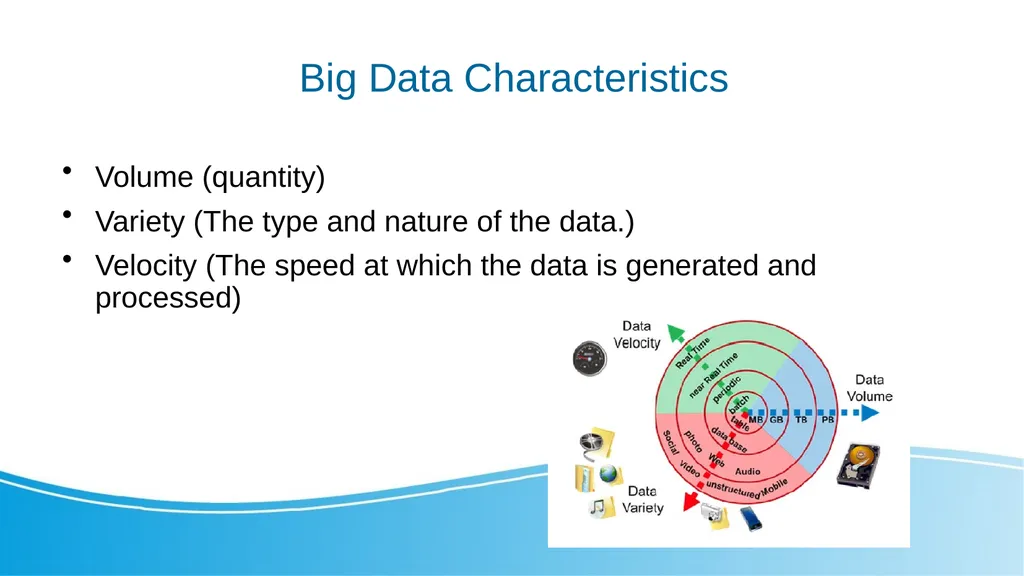
slide3. Big Data Characteristics Volume (quantity)
Variety (The type and nature of the data.)
Velocity (The speed at which the data is generated and processed)<br>
slide4. Hadoop The Apache Hadoop software library is a framework that allows for the distributed processing of large data sets across clusters of computers using simple programming models.
It is designed to scale up from single servers to thousands of machines, each offering local computation and storage.
Hadoop can have different system to perform different tasks.<br>
slide5. What Hadoop is used for ? Collecting, processing and storing data.
Hadoop was applied across The University of Tasmania, an Australian university, to track the activities of 26000 people and manage their progress. Similarly, it was used to measure a teacher's effectiveness with student's experience for learning, marks obtained, behavior, demographics, and other variables.
Big Data can track user buying behavior and compare them with sale techniques to add more value to the business. Similarly, it can be used for a customer loyalty card, local events and inventory management.<br>
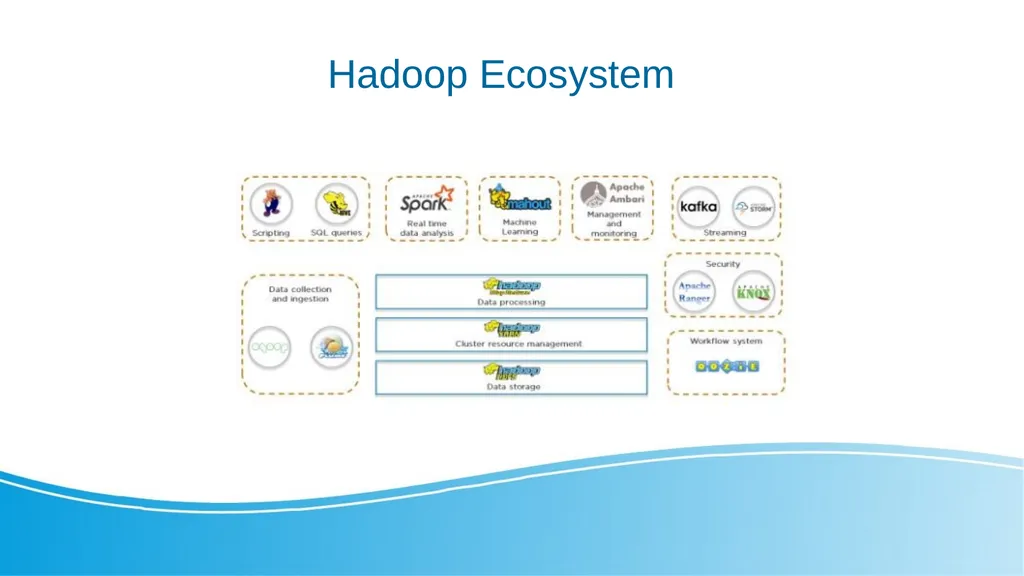
slide6. Hadoop Ecosystem<br>
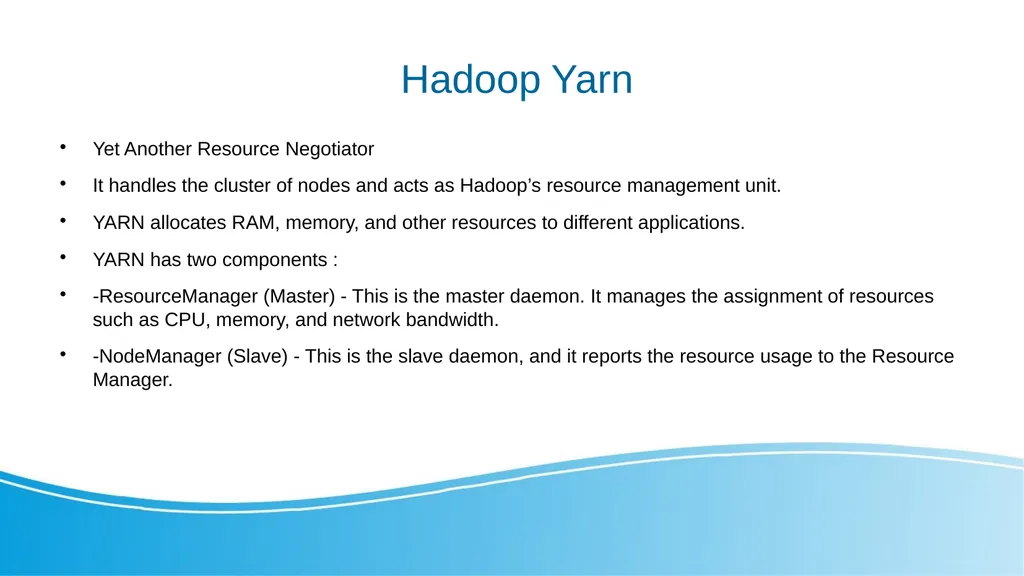
slide7. Hadoop Yarn Yet Another Resource Negotiator
It handles the cluster of nodes and acts as Hadoop’s resource management unit.
YARN allocates RAM, memory, and other resources to different applications.
YARN has two components :
-ResourceManager (Master) - This is the master daemon. It manages the assignment of resources such as CPU, memory, and network bandwidth.
-NodeManager (Slave) - This is the slave daemon, and it reports the resource usage to the Resource Manager.<br>
slide8. Hadoop -HDFS Distributed approach to store the massive volume of information.
HDFS is a specially designed file system for storing huge datasets in commodity hardware, storing information in different formats on various machines.
There are key two components in HDFS:
-NameNode is the master daemon. There is only one active NameNode. It manages the DataNodes and stores all the metadata.
- DataNode is the slave daemon. There can be multiple DataNodes. It stores the actual data.<br>
slide9. HDFS- Distributed Storage HDFS stores data in a distributed manner.
It divides the data into small pieces and stores it on different DataNodes in the cluster.
In this manner, the Hadoop Distributed File System provides a way to MapReduce to process a subset of large data sets broken into blocks, parallelly on several nodes.<br>
slide10. HDFS - Blocks HDFS splits huge files into small chunks known as blocks. Block is the smallest unit of data in a filesystem. We (client and admin) do not have any control on the block like block location. NameNode decides all such things.
HDFS default block size is 128 MB. We can increase or decrease the block size as per our need.
If the data size is less than the block size of HDFS, then block size will be equal to the data size.<br>
slide11. HDFS - Replication Hadoop HDFS creates duplicate copies of each block. This is known as replication. All blocks are replicated and stored on different DataNodes across the cluster. It tries to put at least 1 replica in a different rack.
DataNodes are arranged in racks. All the nodes in a rack are connected by a single switch.<br>
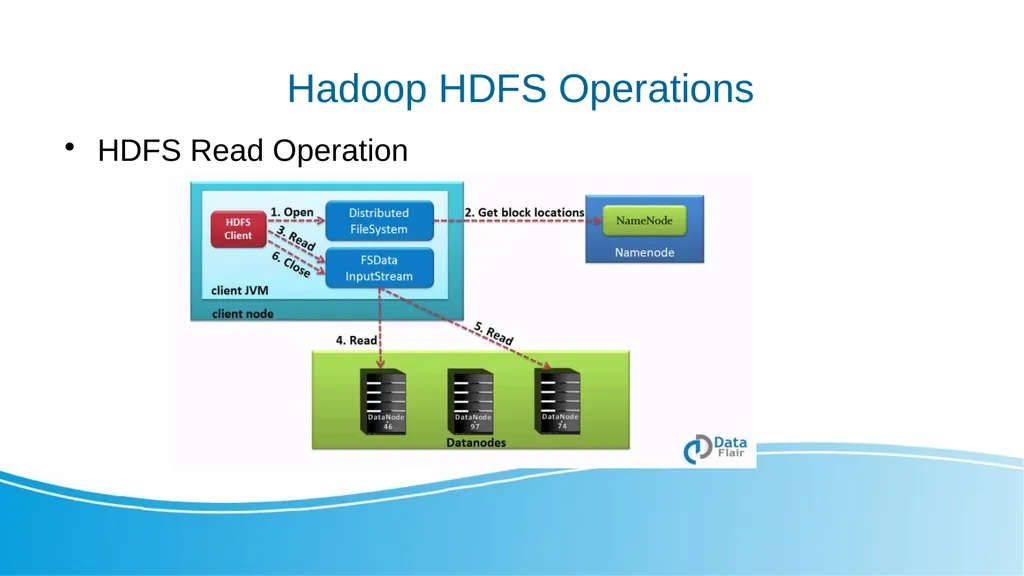
slide12. Hadoop HDFS Operations HDFS Read Operation<br>
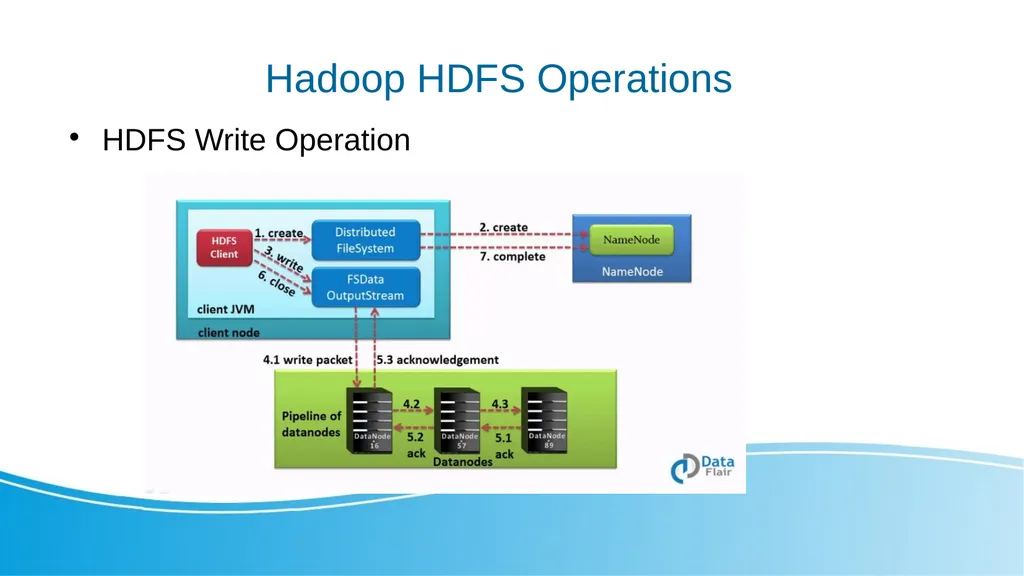
slide13. Hadoop HDFS Operations HDFS Write Operation<br>
slide14. Docker Docker is a set of products that use OS-level virtualization to deliver software in packages called containers.
Imagine that Containers are packages with virtual machine that already have installed selected software
Containers are isolated from one another and bundle their own software, libraries and configuration files but they can communicate with each other through well-defined channels.
Docker containers are lightweight, a single server or virtual machine can run several containers simultaneously.<br>
slide15. How To use Docker - Images To use Docker first you need to have container image.
Most of popular software have their images stored on: https://hub.docker.com
You can pull container from repository using: docker pull
There is an option to create your own image using: docker build<br>
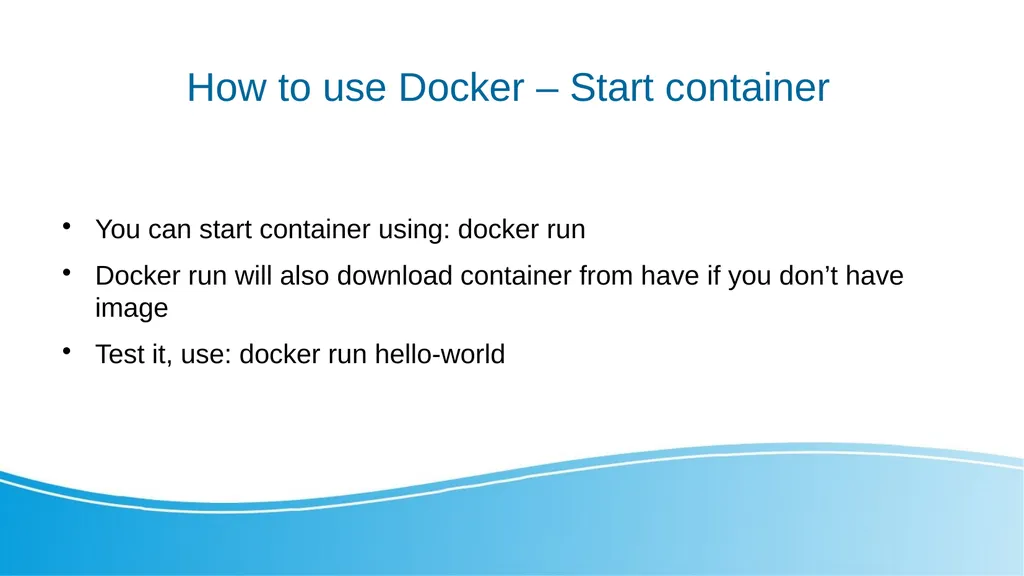
slide16. How to use Docker – Start container You can start container using: docker run
Docker run will also download container from have if you don’t have image
Test it, use: docker run hello-world<br>
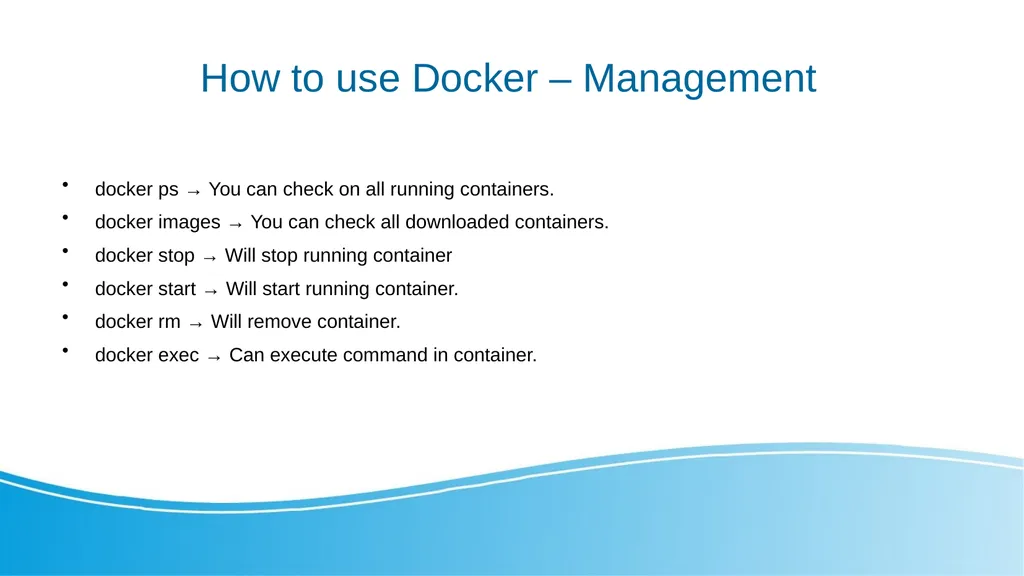
slide17. How to use Docker – Management docker ps → You can check on all running containers.
docker images → You can check all downloaded containers.
docker stop → Will stop running container
docker start → Will start running container.
docker rm → Will remove container.
docker exec → Can execute command in container.<br>
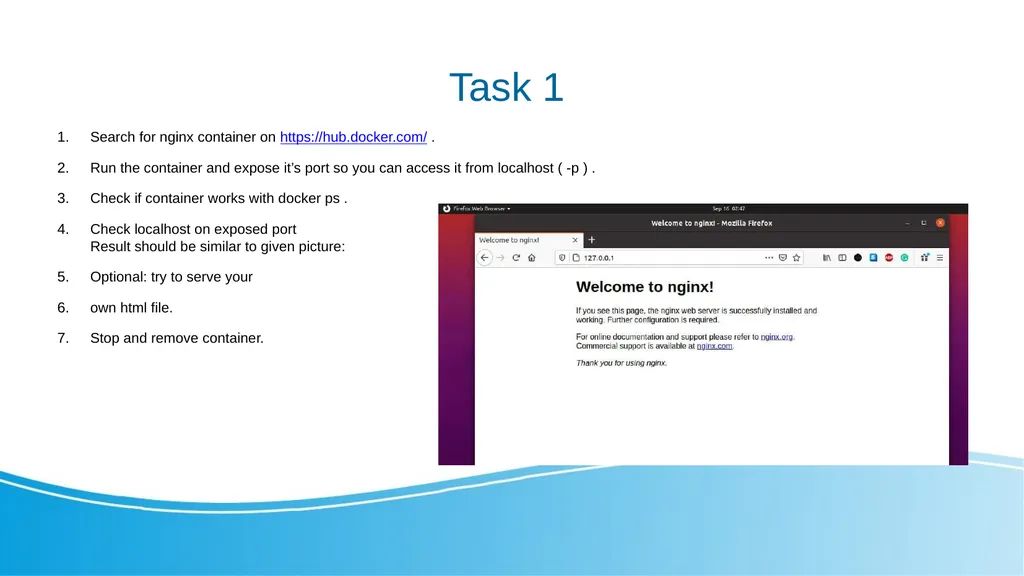
slide18. Task 1 Search for nginx container on https://hub.docker.com/ .
Run the container and expose it’s port so you can access it from localhost ( -p ) .
Check if container works with docker ps .
Check localhost on exposed portResult should be similar to given picture:
Optional: try to serve your
own html file.
Stop and remove container.<br>
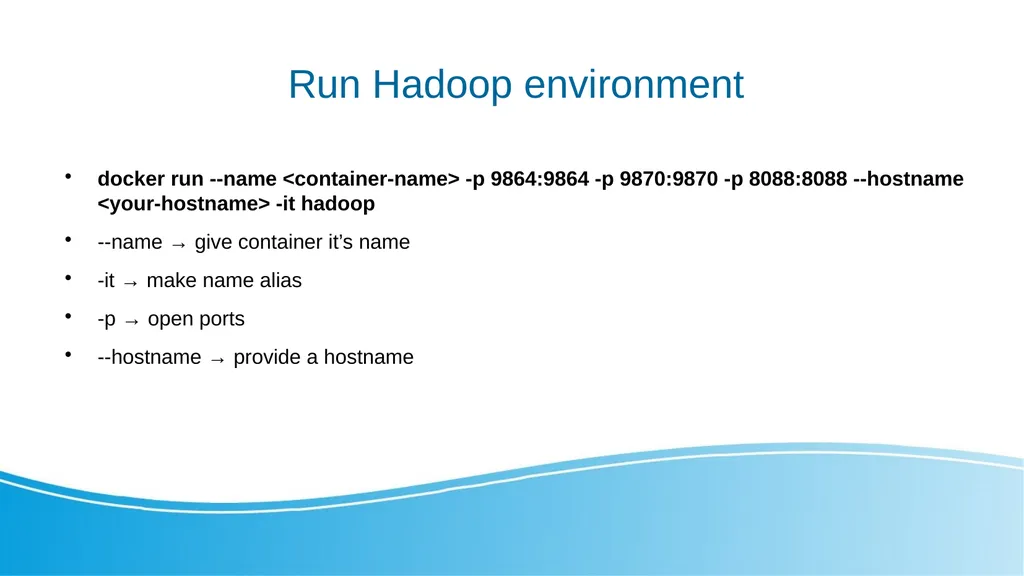
slide19. Run Hadoop environment docker run --name <container-name> -p 9864:9864 -p 9870:9870 -p 8088:8088 --hostname <your-hostname> -it hadoop
--name → give container it’s name
-it → make name alias
-p → open ports
--hostname → provide a hostname<br>
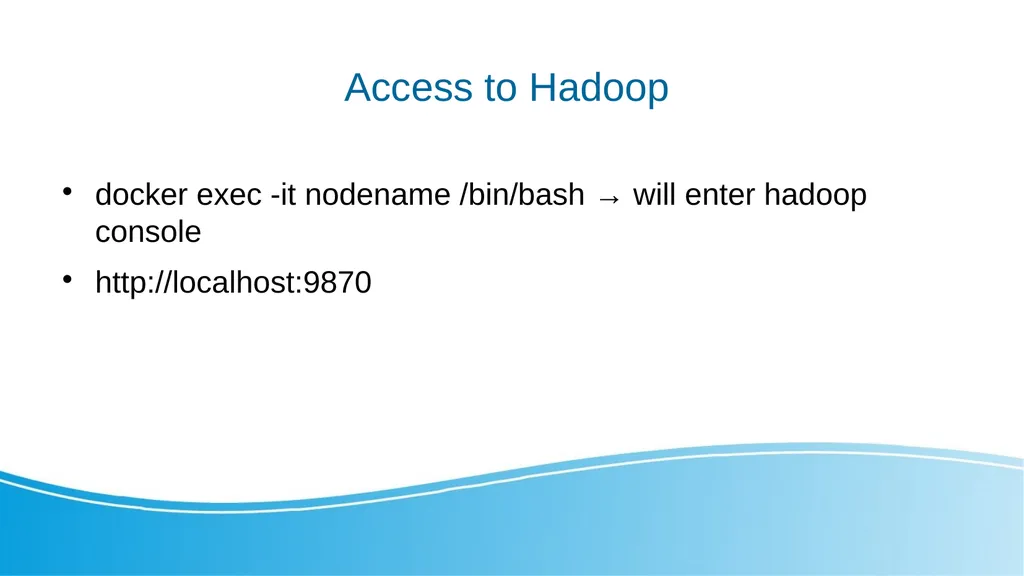
slide20. Access to Hadoop docker exec -it nodename /bin/bash → will enter hadoop console
http://localhost:9870<br>
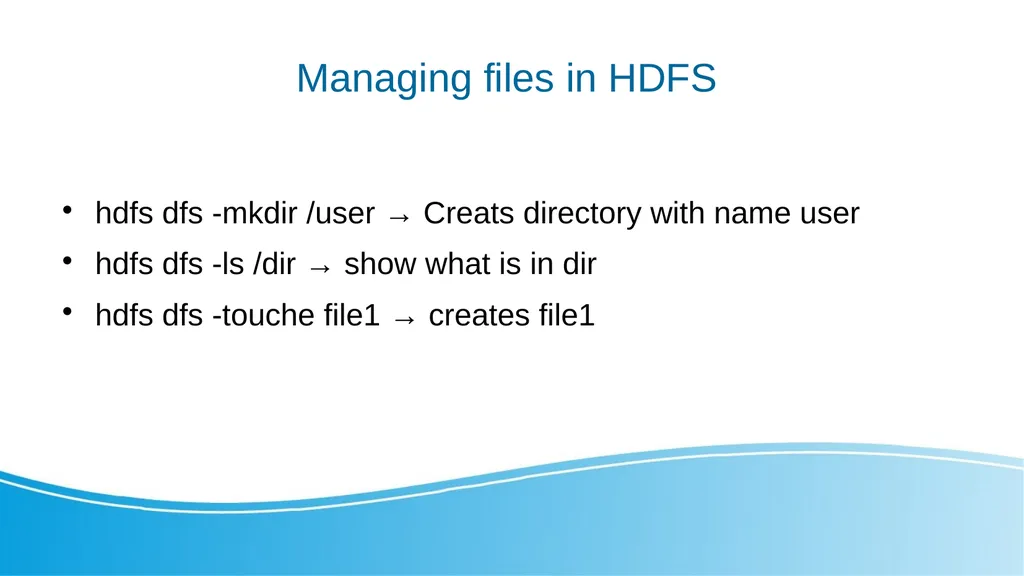
slide21. Managing files in HDFS hdfs dfs -mkdir /user → Creats directory with name user
hdfs dfs -ls /dir → show what is in dir
hdfs dfs -touche file1 → creates file1<br>
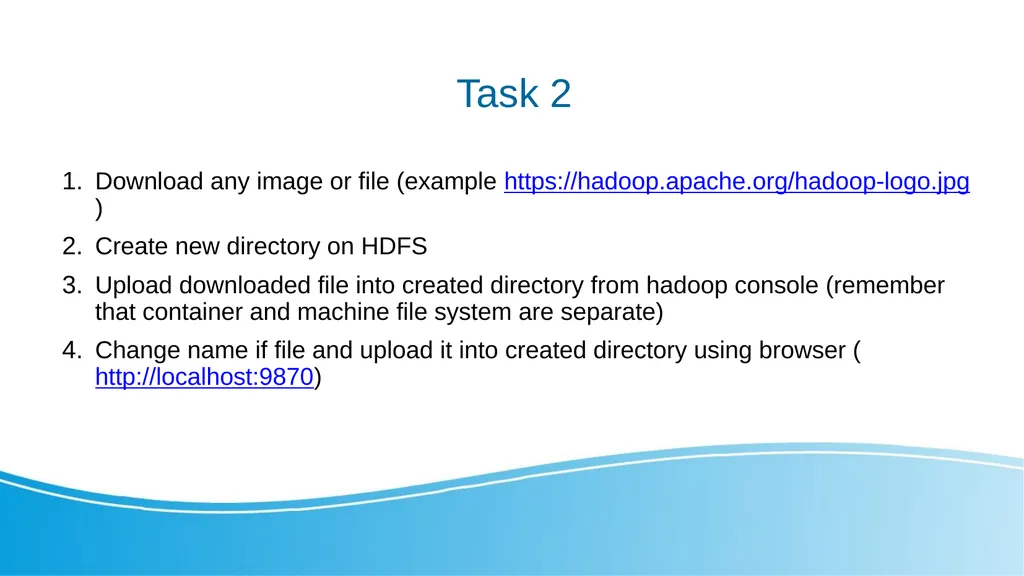
slide22. Task 2 Download any image or file (example https://hadoop.apache.org/hadoop-logo.jpg)
Create new directory on HDFS
Upload downloaded file into created directory from hadoop console (remember that container and machine file system are separate)
Change name if file and upload it into created directory using browser (http://localhost:9870)<br>
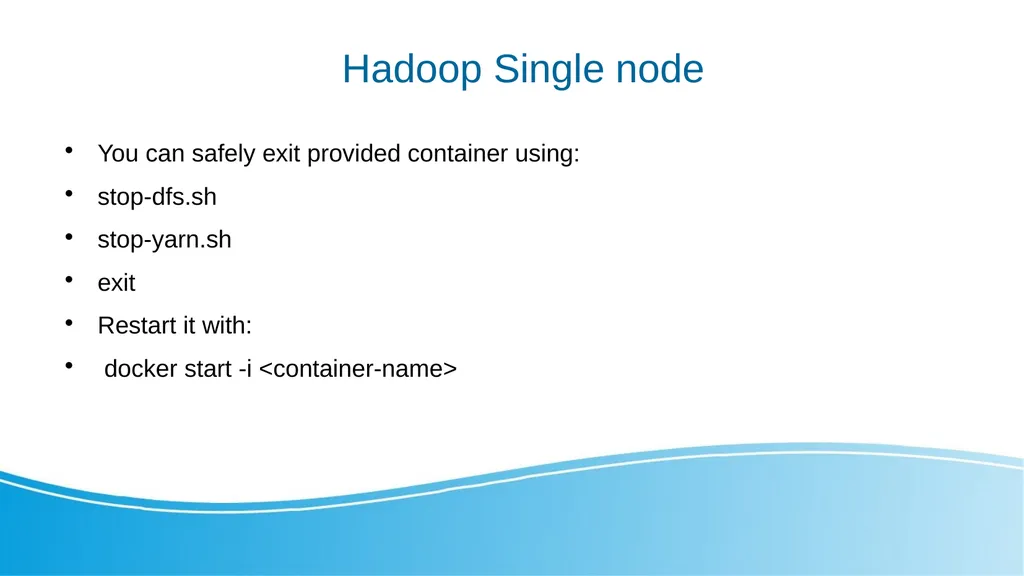
slide23. Hadoop Single node You can safely exit provided container using:
stop-dfs.sh
stop-yarn.sh
exit
Restart it with:
docker start -i <container-name><br>
slide24. Bibliography https://hadoop.apache.org/hadoop-logo.jpg
https://s3.amazonaws.com/static2.simplilearn.com/ice9/free_resources_article_thumb/hadoop_1.JPG
https://upload.wikimedia.org/wikipedia/en/f/f4/Docker_logo.svg
https://en.wikipedia.org/wiki/File:Big_Data.png
https://data-flair.training/blogs/wp-content/uploads/sites/2/2016/05/Data-Read-Mechanism-in-HDFS.gif
https://data-flair.training/blogs/wp-content/uploads/sites/2/2016/05/Data-Write-Mechanism-in-HDFS.gif<br>

slide2. Big Data Problem With popularization of internet come need to storage large amount of variety of data.
Big data primarily refers to data sets that are too large or complex to be dealt with by traditional data-processing application software.<br>
slide3. Big Data Characteristics Volume (quantity)
Variety (The type and nature of the data.)
Velocity (The speed at which the data is generated and processed)<br>
slide4. Hadoop The Apache Hadoop software library is a framework that allows for the distributed processing of large data sets across clusters of computers using simple programming models.
It is designed to scale up from single servers to thousands of machines, each offering local computation and storage.
Hadoop can have different system to perform different tasks.<br>
slide5. What Hadoop is used for ? Collecting, processing and storing data.
Hadoop was applied across The University of Tasmania, an Australian university, to track the activities of 26000 people and manage their progress. Similarly, it was used to measure a teacher's effectiveness with student's experience for learning, marks obtained, behavior, demographics, and other variables.
Big Data can track user buying behavior and compare them with sale techniques to add more value to the business. Similarly, it can be used for a customer loyalty card, local events and inventory management.<br>
slide6. Hadoop Ecosystem<br>
slide7. Hadoop Yarn Yet Another Resource Negotiator
It handles the cluster of nodes and acts as Hadoop’s resource management unit.
YARN allocates RAM, memory, and other resources to different applications.
YARN has two components :
-ResourceManager (Master) - This is the master daemon. It manages the assignment of resources such as CPU, memory, and network bandwidth.
-NodeManager (Slave) - This is the slave daemon, and it reports the resource usage to the Resource Manager.<br>
slide8. Hadoop -HDFS Distributed approach to store the massive volume of information.
HDFS is a specially designed file system for storing huge datasets in commodity hardware, storing information in different formats on various machines.
There are key two components in HDFS:
-NameNode is the master daemon. There is only one active NameNode. It manages the DataNodes and stores all the metadata.
- DataNode is the slave daemon. There can be multiple DataNodes. It stores the actual data.<br>
slide9. HDFS- Distributed Storage HDFS stores data in a distributed manner.
It divides the data into small pieces and stores it on different DataNodes in the cluster.
In this manner, the Hadoop Distributed File System provides a way to MapReduce to process a subset of large data sets broken into blocks, parallelly on several nodes.<br>
slide10. HDFS - Blocks HDFS splits huge files into small chunks known as blocks. Block is the smallest unit of data in a filesystem. We (client and admin) do not have any control on the block like block location. NameNode decides all such things.
HDFS default block size is 128 MB. We can increase or decrease the block size as per our need.
If the data size is less than the block size of HDFS, then block size will be equal to the data size.<br>
slide11. HDFS - Replication Hadoop HDFS creates duplicate copies of each block. This is known as replication. All blocks are replicated and stored on different DataNodes across the cluster. It tries to put at least 1 replica in a different rack.
DataNodes are arranged in racks. All the nodes in a rack are connected by a single switch.<br>
slide12. Hadoop HDFS Operations HDFS Read Operation<br>
slide13. Hadoop HDFS Operations HDFS Write Operation<br>
slide14. Docker Docker is a set of products that use OS-level virtualization to deliver software in packages called containers.
Imagine that Containers are packages with virtual machine that already have installed selected software
Containers are isolated from one another and bundle their own software, libraries and configuration files but they can communicate with each other through well-defined channels.
Docker containers are lightweight, a single server or virtual machine can run several containers simultaneously.<br>
slide15. How To use Docker - Images To use Docker first you need to have container image.
Most of popular software have their images stored on: https://hub.docker.com
You can pull container from repository using: docker pull
There is an option to create your own image using: docker build<br>
slide16. How to use Docker – Start container You can start container using: docker run
Docker run will also download container from have if you don’t have image
Test it, use: docker run hello-world<br>
slide17. How to use Docker – Management docker ps → You can check on all running containers.
docker images → You can check all downloaded containers.
docker stop → Will stop running container
docker start → Will start running container.
docker rm → Will remove container.
docker exec → Can execute command in container.<br>
slide18. Task 1 Search for nginx container on https://hub.docker.com/ .
Run the container and expose it’s port so you can access it from localhost ( -p ) .
Check if container works with docker ps .
Check localhost on exposed portResult should be similar to given picture:
Optional: try to serve your
own html file.
Stop and remove container.<br>
slide19. Run Hadoop environment docker run --name <container-name> -p 9864:9864 -p 9870:9870 -p 8088:8088 --hostname <your-hostname> -it hadoop
--name → give container it’s name
-it → make name alias
-p → open ports
--hostname → provide a hostname<br>
slide20. Access to Hadoop docker exec -it nodename /bin/bash → will enter hadoop console
http://localhost:9870<br>
slide21. Managing files in HDFS hdfs dfs -mkdir /user → Creats directory with name user
hdfs dfs -ls /dir → show what is in dir
hdfs dfs -touche file1 → creates file1<br>
slide22. Task 2 Download any image or file (example https://hadoop.apache.org/hadoop-logo.jpg)
Create new directory on HDFS
Upload downloaded file into created directory from hadoop console (remember that container and machine file system are separate)
Change name if file and upload it into created directory using browser (http://localhost:9870)<br>
slide23. Hadoop Single node You can safely exit provided container using:
stop-dfs.sh
stop-yarn.sh
exit
Restart it with:
docker start -i <container-name><br>
slide24. Bibliography https://hadoop.apache.org/hadoop-logo.jpg
https://s3.amazonaws.com/static2.simplilearn.com/ice9/free_resources_article_thumb/hadoop_1.JPG
https://upload.wikimedia.org/wikipedia/en/f/f4/Docker_logo.svg
https://en.wikipedia.org/wiki/File:Big_Data.png
https://data-flair.training/blogs/wp-content/uploads/sites/2/2016/05/Data-Read-Mechanism-in-HDFS.gif
https://data-flair.training/blogs/wp-content/uploads/sites/2/2016/05/Data-Write-Mechanism-in-HDFS.gif<br>