
BTEC level 3 Learning Aim D Keyword URL – stands





Description: BTEC level 3 Learning Aim D Keyword URL stands for uniform resource locator and is the term given to the address of a website VPN Virtual Private Networks enable users to be part of the LAN network but are located remotely, an internet
Related Topics
Download Presentation
"BTEC level 3 Learning Aim D Keyword URL – stands" is the property of its rightful owner. Permission is granted to download and print the materials on this website for personal, non-commercial use only, and to display it on your personal computer provided you do not modify the materials and that you retain all copyright notices contained in the materials. By downloading content from our website, you accept the terms of this agreement.
Presentation Transcript
slide1. BTEC level 3 Learning Aim D<br>
slide2. Keyword URL – stands for uniform resource locator and is the term given to the address of a website
VPN – Virtual Private Networks enable users to be part of the LAN network but are located remotely, an internet connection is required.<br>
slide3. Cloud storage / computing Cloud computing, often referred to as simply “the cloud,” is the delivery of on-demand computing resources. (e.g., computer networks, servers, storage, applications and services)
Cloud storage is a cloud computing model in which data is stored on remote servers accessed from the Internet, or "cloud." It is maintained, operated and managed by a cloud storage service provider on a storage servers<br>
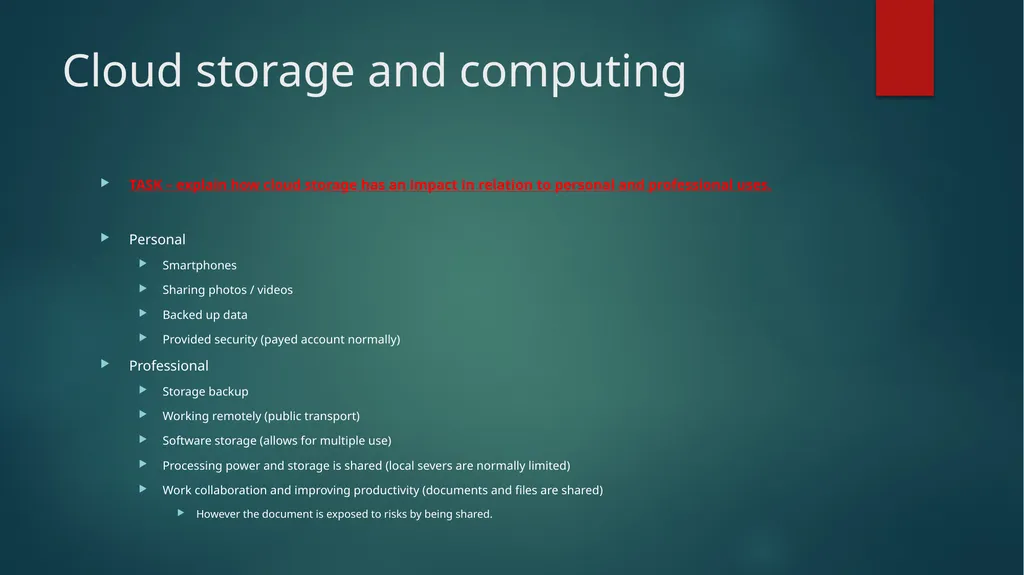
slide4. Cloud storage and computing TASK – explain how cloud storage has an impact in relation to personal and professional uses.
Personal
Smartphones
Sharing photos / videos
Backed up data
Provided security (payed account normally)
Professional
Storage backup
Working remotely (public transport)
Software storage (allows for multiple use)
Processing power and storage is shared (local severs are normally limited)
Work collaboration and improving productivity (documents and files are shared)
However the document is exposed to risks by being shared.<br>
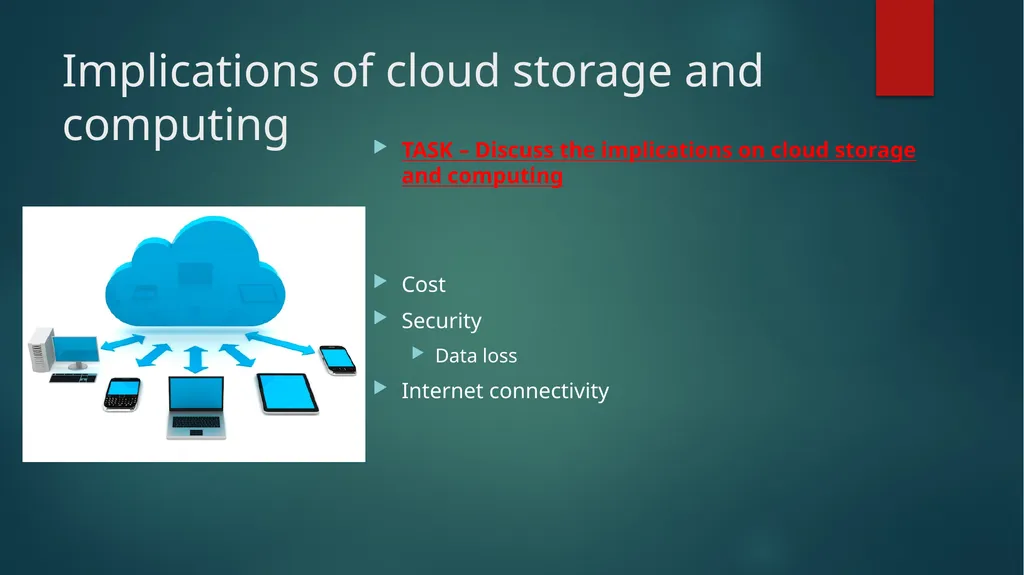
slide5. Implications of cloud storage and computing TASK – Discuss the implications on cloud storage and computing
Cost
Security
Data loss
Internet connectivity<br>
slide6. Exam Question Rahim wants to manipulate images and animations when travelling.
He will access cloud computing services using a mobile data connection.
(a) Explain two implications for Rahim of using a mobile data connection to access cloud computing services.<br>
slide7. Mark Scheme Award 1 mark for each identification and 1 additional mark for each appropriate expansion, up to a maximum of 2 marks each.
Image editing requires a large bandwidth (1), so mobile data connection may not provide sufficient bandwidth/or may result in high data costs. (1)
When working on the train, he could lose signal due to not being in one place/static (1), which would disconnect him from the service/he could lose unsaved work. (1)
Accept any other reasonable response.<br>
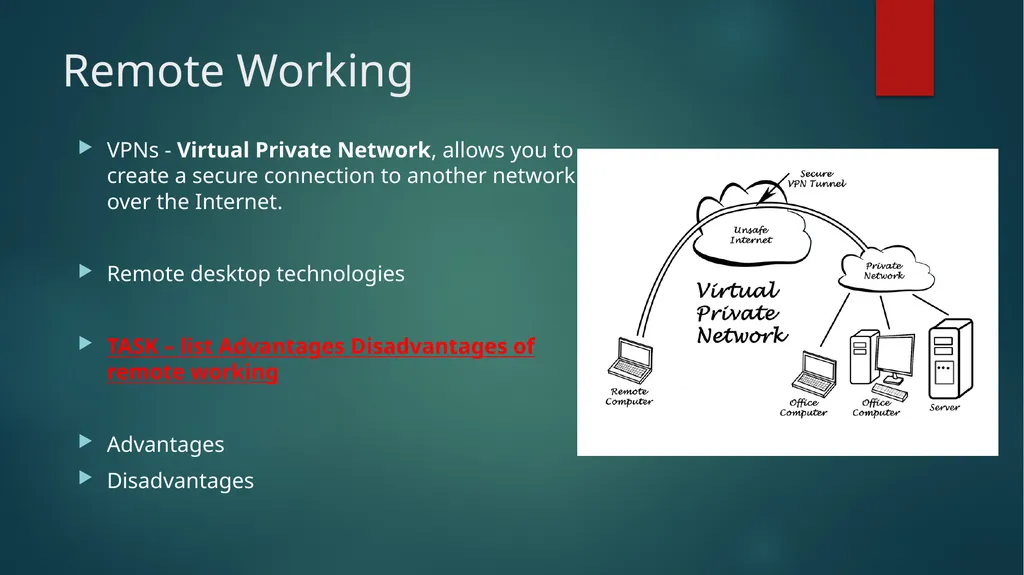
slide8. Remote Working VPNs - Virtual Private Network, allows you to create a secure connection to another network over the Internet.
Remote desktop technologies
TASK – list Advantages Disadvantages of remote working
Advantages
Disadvantages<br>
slide9. Factors affecting the use of Online systems<br>
slide10. Factors affecting the use of Online systems Security
Cost
Ease of Use
Features
Connectivity Task – use these headings and explain how the use of an online system can be affected.
e.g. internet websites that do not contain https at the beginning are less secure and should be used with caution.<br>
slide11. Exam Question GF Training has a pool of shared laptops that trainers use to access up-to-date training materials and information about delegates.
Trainers often deliver courses on consecutive days in different locations. They use a virtual private network (VPN) to access the LAN.
Discuss the implications to the trainer of accessing training materials and delegate information using a VPN.
(6 marks)<br>
slide12. Mark Scheme Benefits of using VPN
The VPN will give trainers secure access to resources on the LAN when they are not in the head office.
Will need to have laptops set up so that a VPN client can be launched. This will enable the server and laptop to verify each other as authentic and subsequently all internet communication will be encrypted and secured from eavesdropping.
Trainers will use a log in and password to access the VPN.
The VPN gives secure access even when delegates are using unsecured public networks.
The delegates’ information must be kept secure to comply with the DPA, using the VPN will help ensure security.
Hotels frequently have unsecured networks. Trainers will be in hotels, etc. overnight if they are delivering meetings on consecutive days, or if they have to travel long distances from home.
Trainers may be home based and may have to travel to venues, trains, coffee shops, etc. service areas/stations may provide unsecured WiFi.
Types of material that will be accessed
The delegates attending courses may change at short notice, trainers will need to have access to up-to-date lists and detail information. Similarly, they will need to provide head office with information about attendance.
Trainers will need access to the latest versions of training materials, therefore they must have access to the LAN at all times when they are not in the head office.
The trainers may need to provide feedback on courses to allow materials to be updated.
The trainers may need to provide attendance information for billing purposes/follow up with delegates.
May need to communicate with head office, e.g. via email if any issues/ queries arise.<br>
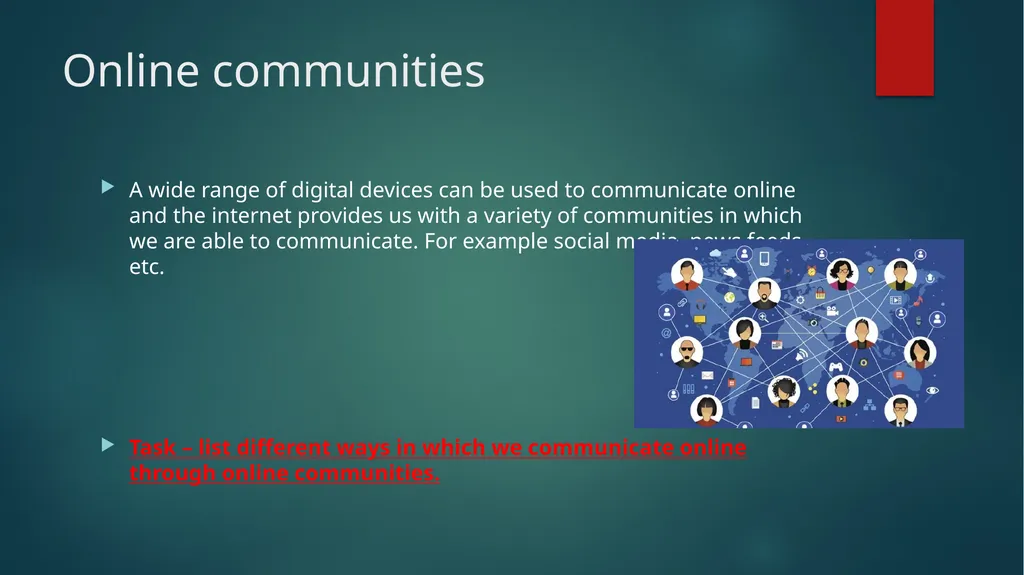
slide13. Online communities A wide range of digital devices can be used to communicate online and the internet provides us with a variety of communities in which we are able to communicate. For example social media, news feeds etc.
Task – list different ways in which we communicate online through online communities.<br>
slide14. Types of online communities Social media
blogs, / vlogs
Wiki
Chatrooms
Instant messaging
Podcasts
Forums<br>
slide15. Implications of online communities for individuals Using online communities does come with some negatives, you will need to be able to analyse the use of online communities for individuals, consider the users experience. Is the app/website easy to use? Does it require an internet connection? Does it meet the needs of all the individuals, does it cost money? What are the privacy rules and policies and how secure is your data?<br>
slide16. Implications of online communities for individuals User experience
Ease of use
Performance
Availability
accessibility
Meeting needs
Cost
Privacy
Security Task – Consider using these areas how and why an individual may be wary about using online communities. You may want to consider issues you have had by using online communities.<br>
slide17. Implications of online communities for organisations Now consider the negatives to online communities for organisations, you will need to be able to evaluate the positives and negatives just like you did earlier for individuals.
Think about why an organisation would not want online communities which reduce productivity as organisations will be interested in maximising working time. They will want to save money and ensure their employees do not require vast amounts of training to use new systems. One major issue for organisations will be employees using personal online communities during work hours.<br>
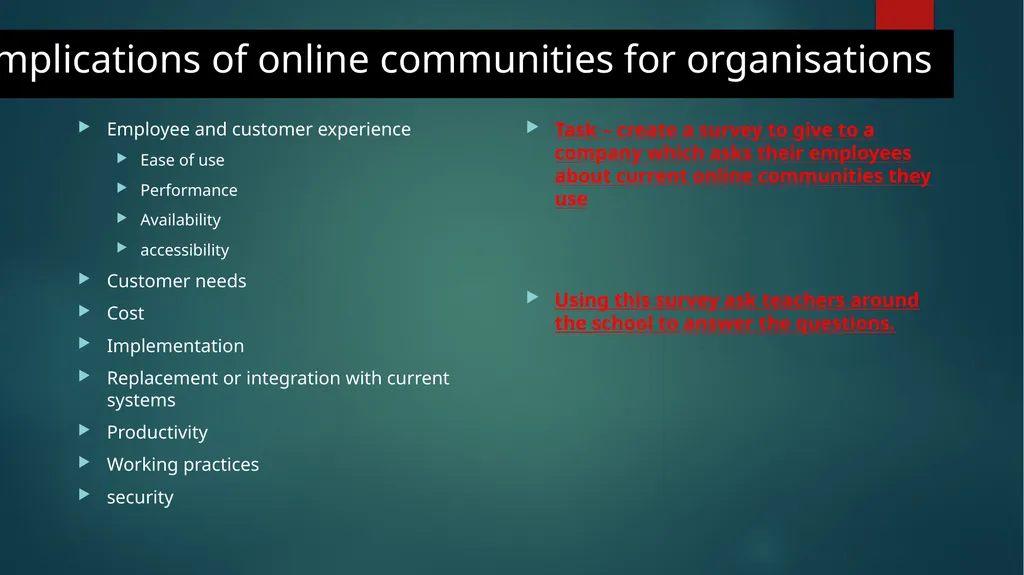
slide18. Implications of online communities for organisations Employee and customer experience
Ease of use
Performance
Availability
accessibility
Customer needs
Cost
Implementation
Replacement or integration with current systems
Productivity
Working practices
security Task – create a survey to give to a company which asks their employees about current online communities they use
Using this survey ask teachers around the school to answer the questions.<br>
slide2. Keyword URL – stands for uniform resource locator and is the term given to the address of a website
VPN – Virtual Private Networks enable users to be part of the LAN network but are located remotely, an internet connection is required.<br>
slide3. Cloud storage / computing Cloud computing, often referred to as simply “the cloud,” is the delivery of on-demand computing resources. (e.g., computer networks, servers, storage, applications and services)
Cloud storage is a cloud computing model in which data is stored on remote servers accessed from the Internet, or "cloud." It is maintained, operated and managed by a cloud storage service provider on a storage servers<br>
slide4. Cloud storage and computing TASK – explain how cloud storage has an impact in relation to personal and professional uses.
Personal
Smartphones
Sharing photos / videos
Backed up data
Provided security (payed account normally)
Professional
Storage backup
Working remotely (public transport)
Software storage (allows for multiple use)
Processing power and storage is shared (local severs are normally limited)
Work collaboration and improving productivity (documents and files are shared)
However the document is exposed to risks by being shared.<br>
slide5. Implications of cloud storage and computing TASK – Discuss the implications on cloud storage and computing
Cost
Security
Data loss
Internet connectivity<br>
slide6. Exam Question Rahim wants to manipulate images and animations when travelling.
He will access cloud computing services using a mobile data connection.
(a) Explain two implications for Rahim of using a mobile data connection to access cloud computing services.<br>
slide7. Mark Scheme Award 1 mark for each identification and 1 additional mark for each appropriate expansion, up to a maximum of 2 marks each.
Image editing requires a large bandwidth (1), so mobile data connection may not provide sufficient bandwidth/or may result in high data costs. (1)
When working on the train, he could lose signal due to not being in one place/static (1), which would disconnect him from the service/he could lose unsaved work. (1)
Accept any other reasonable response.<br>
slide8. Remote Working VPNs - Virtual Private Network, allows you to create a secure connection to another network over the Internet.
Remote desktop technologies
TASK – list Advantages Disadvantages of remote working
Advantages
Disadvantages<br>
slide9. Factors affecting the use of Online systems<br>
slide10. Factors affecting the use of Online systems Security
Cost
Ease of Use
Features
Connectivity Task – use these headings and explain how the use of an online system can be affected.
e.g. internet websites that do not contain https at the beginning are less secure and should be used with caution.<br>
slide11. Exam Question GF Training has a pool of shared laptops that trainers use to access up-to-date training materials and information about delegates.
Trainers often deliver courses on consecutive days in different locations. They use a virtual private network (VPN) to access the LAN.
Discuss the implications to the trainer of accessing training materials and delegate information using a VPN.
(6 marks)<br>
slide12. Mark Scheme Benefits of using VPN
The VPN will give trainers secure access to resources on the LAN when they are not in the head office.
Will need to have laptops set up so that a VPN client can be launched. This will enable the server and laptop to verify each other as authentic and subsequently all internet communication will be encrypted and secured from eavesdropping.
Trainers will use a log in and password to access the VPN.
The VPN gives secure access even when delegates are using unsecured public networks.
The delegates’ information must be kept secure to comply with the DPA, using the VPN will help ensure security.
Hotels frequently have unsecured networks. Trainers will be in hotels, etc. overnight if they are delivering meetings on consecutive days, or if they have to travel long distances from home.
Trainers may be home based and may have to travel to venues, trains, coffee shops, etc. service areas/stations may provide unsecured WiFi.
Types of material that will be accessed
The delegates attending courses may change at short notice, trainers will need to have access to up-to-date lists and detail information. Similarly, they will need to provide head office with information about attendance.
Trainers will need access to the latest versions of training materials, therefore they must have access to the LAN at all times when they are not in the head office.
The trainers may need to provide feedback on courses to allow materials to be updated.
The trainers may need to provide attendance information for billing purposes/follow up with delegates.
May need to communicate with head office, e.g. via email if any issues/ queries arise.<br>
slide13. Online communities A wide range of digital devices can be used to communicate online and the internet provides us with a variety of communities in which we are able to communicate. For example social media, news feeds etc.
Task – list different ways in which we communicate online through online communities.<br>
slide14. Types of online communities Social media
blogs, / vlogs
Wiki
Chatrooms
Instant messaging
Podcasts
Forums<br>
slide15. Implications of online communities for individuals Using online communities does come with some negatives, you will need to be able to analyse the use of online communities for individuals, consider the users experience. Is the app/website easy to use? Does it require an internet connection? Does it meet the needs of all the individuals, does it cost money? What are the privacy rules and policies and how secure is your data?<br>
slide16. Implications of online communities for individuals User experience
Ease of use
Performance
Availability
accessibility
Meeting needs
Cost
Privacy
Security Task – Consider using these areas how and why an individual may be wary about using online communities. You may want to consider issues you have had by using online communities.<br>
slide17. Implications of online communities for organisations Now consider the negatives to online communities for organisations, you will need to be able to evaluate the positives and negatives just like you did earlier for individuals.
Think about why an organisation would not want online communities which reduce productivity as organisations will be interested in maximising working time. They will want to save money and ensure their employees do not require vast amounts of training to use new systems. One major issue for organisations will be employees using personal online communities during work hours.<br>
slide18. Implications of online communities for organisations Employee and customer experience
Ease of use
Performance
Availability
accessibility
Customer needs
Cost
Implementation
Replacement or integration with current systems
Productivity
Working practices
security Task – create a survey to give to a company which asks their employees about current online communities they use
Using this survey ask teachers around the school to answer the questions.<br>