
By Mrs. Muneeswari Lecturer in Computer
NS
Published · 33 slides · 0 views

1 / 1

Description
By Mrs. Muneeswari Lecturer in Computer Applications SVCRGDC, Palamaner 1 Introducing Computer Systems Introduction to Computers Preview and Objectives Introduction to Computers 2 Identify the various parts of a computer system and what
Related Topics
Share
Embed code
Download this presentation From Below
"By Mrs. Muneeswari Lecturer in Computer" is the property of its rightful owner. Permission is granted to download and print the materials on this website for personal, non-commercial use only, and to display it on your personal computer provided you do not modify the materials and that you retain all copyright notices contained in the materials. By downloading content from our website, you accept the terms of this agreement.
Presentation Transcript
01
By Mrs. Muneeswari
Lecturer in Computer Applications
SVCRGDC, Palamaner 1 Introducing Computer Systems Introduction to Computers<br>
Lecturer in Computer Applications
SVCRGDC, Palamaner 1 Introducing Computer Systems Introduction to Computers<br>
02
Preview and Objectives Introduction to Computers 2 Identify the various parts of a computer system and what each does.
Identify various Operating Systems.
Identify major software applications packages and what they do.
Know how to use common features of windows and the desktop.
Know how to organize files and folders using Windows Explorer.
Be familiar with features common to Windows software.
Have a working knowledge of Microsoft Office software.
Use computers in the business workplace and other fields.
Explain why Information Systems are so important today and how they are transforming organizations and management
Identify appropriate goals and objectives for organizations.
Use various positioning frameworks to analyze an organization’s dependence on Information systems.
Produce /devise an Information Systems plan/strategy for an organization.<br>
Identify various Operating Systems.
Identify major software applications packages and what they do.
Know how to use common features of windows and the desktop.
Know how to organize files and folders using Windows Explorer.
Be familiar with features common to Windows software.
Have a working knowledge of Microsoft Office software.
Use computers in the business workplace and other fields.
Explain why Information Systems are so important today and how they are transforming organizations and management
Identify appropriate goals and objectives for organizations.
Use various positioning frameworks to analyze an organization’s dependence on Information systems.
Produce /devise an Information Systems plan/strategy for an organization.<br>
03
Definition of a computer Introduction to Computers 3 By definition, a computer is an electronic device that inputs data, processes data(converting it into information that is useful to people) outputs and stores information.
Computers are controlled by programmed instructions that transform the data into meaningful information.
Generally a Computer is a device that accepts input, processes it, stores data, and produces output.<br>
Computers are controlled by programmed instructions that transform the data into meaningful information.
Generally a Computer is a device that accepts input, processes it, stores data, and produces output.<br>
04
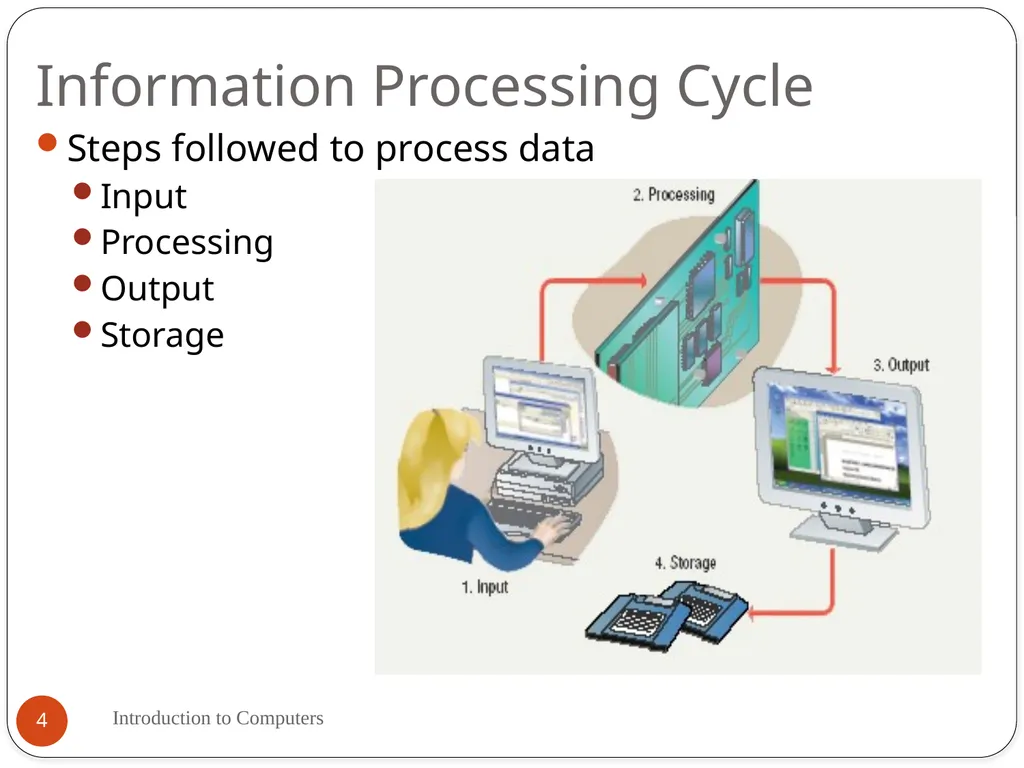
Information Processing Cycle Introduction to Computers 4 Steps followed to process data
Input
Processing
Output
Storage<br>
Input
Processing
Output
Storage<br>
05
Input Introduction to Computers 5 Input: Information provided to the computer by a person, the environment, or another computer.
Examples of Input
words and symbols
numbers
pictures
audio signals from a microphone
signals from another computer
temperature, speed, pressures, etc. from sensors<br>
Examples of Input
words and symbols
numbers
pictures
audio signals from a microphone
signals from another computer
temperature, speed, pressures, etc. from sensors<br>
06
Processing Introduction to Computers 6 Processing - manipulation of data.
Data are symbols that represent raw facts, objects, and ideas about people, places, events, and things that are of importance in an organization.
A computer program or software is a series of instructions that tell a computer how to carry out a processing task.
Examples of Processing
Arithmetic calculations
Sorting a list
Modifying pictures
Drawing graphs<br>
Data are symbols that represent raw facts, objects, and ideas about people, places, events, and things that are of importance in an organization.
A computer program or software is a series of instructions that tell a computer how to carry out a processing task.
Examples of Processing
Arithmetic calculations
Sorting a list
Modifying pictures
Drawing graphs<br>
07
Output Introduction to Computers 7 Output - the result produced by a computer after processing the data.
Output device –displays, prints, or transmits the results after processing.
Examples of Output
images on a monitor
printed documents
sounds
signals to device controllers<br>
Output device –displays, prints, or transmits the results after processing.
Examples of Output
images on a monitor
printed documents
sounds
signals to device controllers<br>
08
Memory and Storage Introduction to Computers 8 Memory - the area of a computer that temporarily holds data that is being processed or waiting to be processed, stored, or output.
Storage - The area where data can be left on a permanent basis while it is not needed for processing.
Examples of Storage
magnetic disks
CD-ROM (Compact Disk Read-Only Memory)
magnetic tapes
Flash disk
Memory card
Floppy disk<br>
Storage - The area where data can be left on a permanent basis while it is not needed for processing.
Examples of Storage
magnetic disks
CD-ROM (Compact Disk Read-Only Memory)
magnetic tapes
Flash disk
Memory card
Floppy disk<br>
09
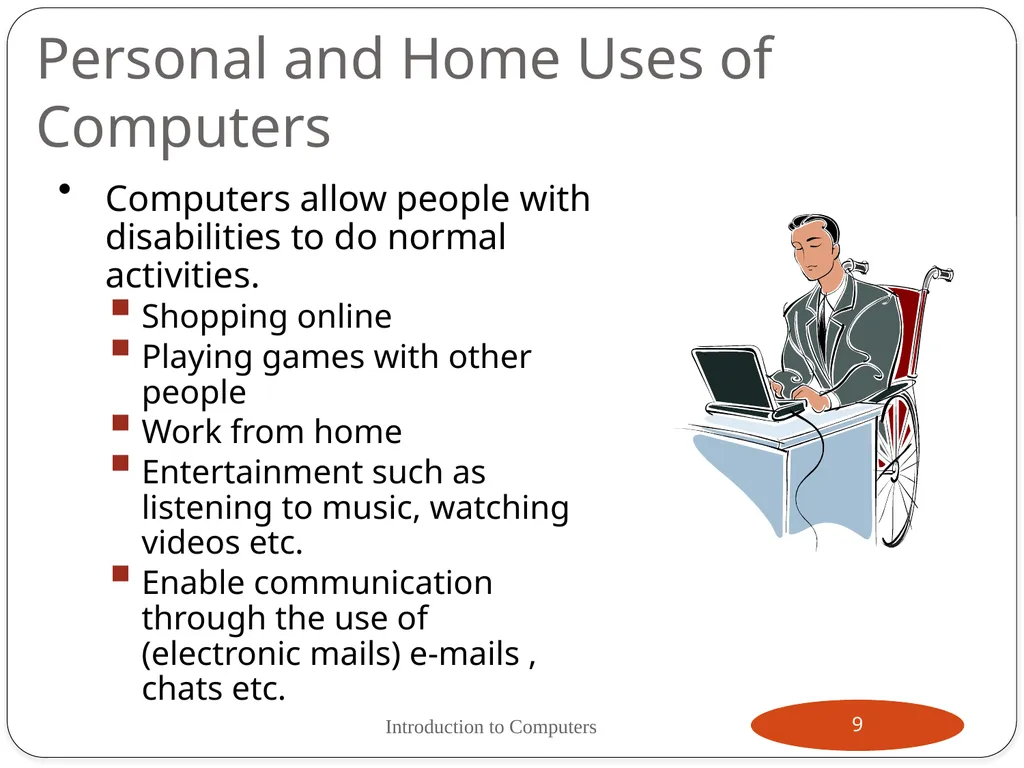
Personal and Home Uses of Computers Computers allow people with disabilities to do normal activities.
Shopping online
Playing games with other people
Work from home
Entertainment such as listening to music, watching videos etc.
Enable communication through the use of (electronic mails) e-mails , chats etc. Introduction to Computers 9<br>
Shopping online
Playing games with other people
Work from home
Entertainment such as listening to music, watching videos etc.
Enable communication through the use of (electronic mails) e-mails , chats etc. Introduction to Computers 9<br>
10
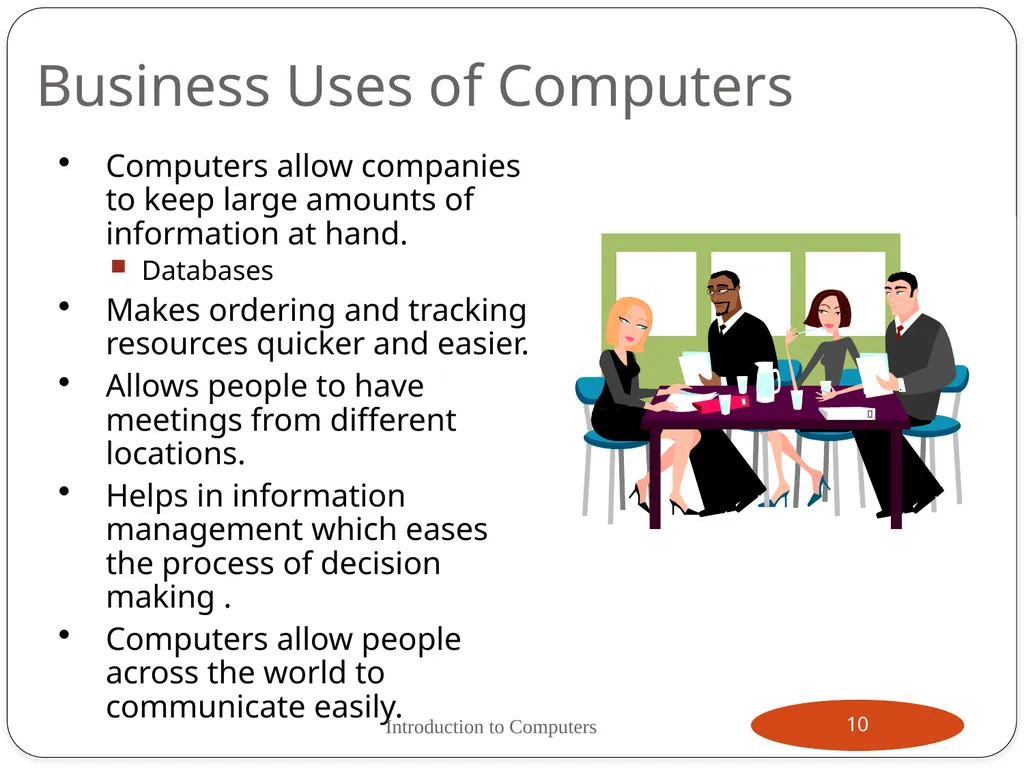
Business Uses of Computers Computers allow companies to keep large amounts of information at hand.
Databases
Makes ordering and tracking resources quicker and easier.
Allows people to have meetings from different locations.
Helps in information management which eases the process of decision making .
Computers allow people across the world to communicate easily. Introduction to Computers 10<br>
Databases
Makes ordering and tracking resources quicker and easier.
Allows people to have meetings from different locations.
Helps in information management which eases the process of decision making .
Computers allow people across the world to communicate easily. Introduction to Computers 10<br>
11
Educational Uses of Computers The Internet allows access to hundreds of online research materials.
Allows colleagues to correspond quickly about ongoing research.
Eases the process of analysing research data. Introduction to Computers 11<br>
Allows colleagues to correspond quickly about ongoing research.
Eases the process of analysing research data. Introduction to Computers 11<br>
12
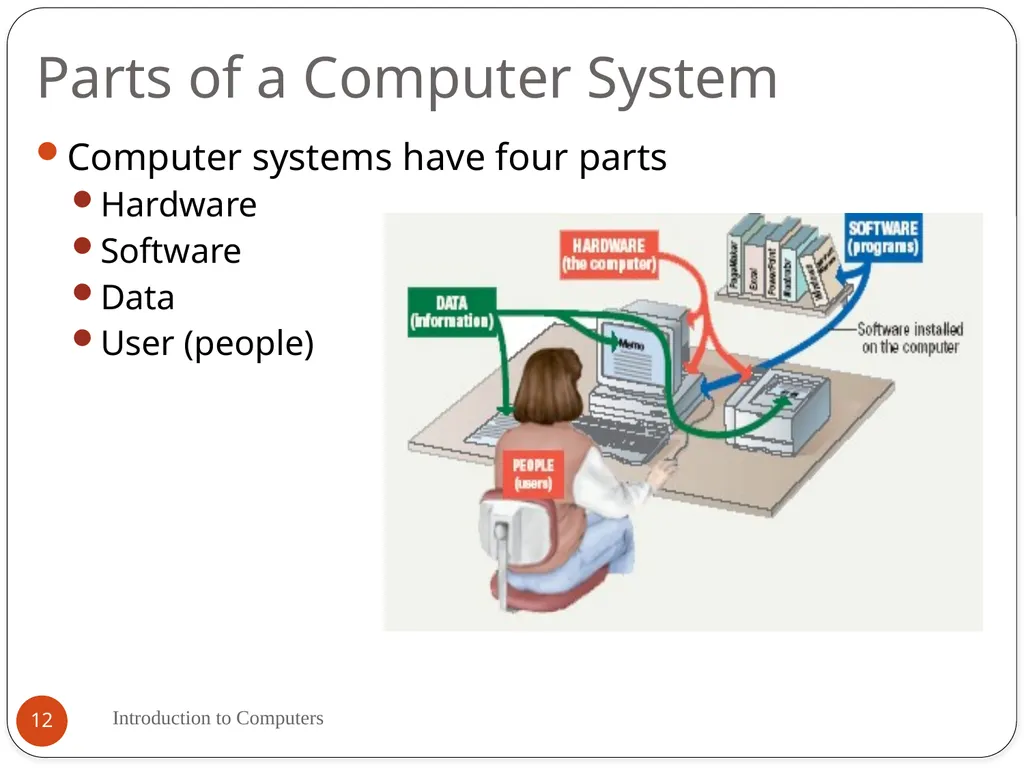
Parts of a Computer System Introduction to Computers 12 Computer systems have four parts
Hardware
Software
Data
User (people)<br>
Hardware
Software
Data
User (people)<br>
13
Parts of a Computer System Introduction to Computers 13 Computer hardware:
A computer's hardware consists of electronic devices; the parts you can see and touch.
Inotherwords these are tangible parts of a computer.
The term "device" refers to any piece of hardware used by the computer, such as a keyboard, monitor, modem, mouse, etc.
These are mechanical devices that make up the computer.<br>
A computer's hardware consists of electronic devices; the parts you can see and touch.
Inotherwords these are tangible parts of a computer.
The term "device" refers to any piece of hardware used by the computer, such as a keyboard, monitor, modem, mouse, etc.
These are mechanical devices that make up the computer.<br>
14
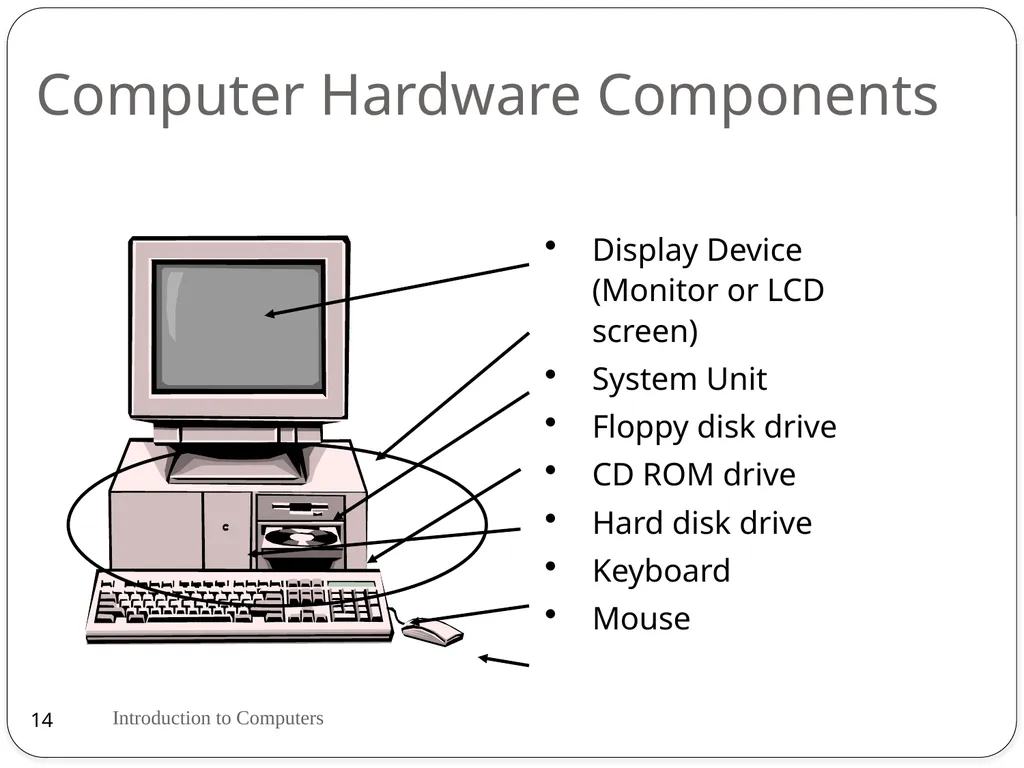
Computer Hardware Components Display Device (Monitor or LCD screen)
System Unit
Floppy disk drive
CD ROM drive
Hard disk drive
Keyboard
Mouse Introduction to Computers 14<br>
System Unit
Floppy disk drive
CD ROM drive
Hard disk drive
Keyboard
Mouse Introduction to Computers 14<br>
15
Other hardware components DVD drive (Digital Versatile Disk)
CD writer (Compact disk)
Sound card and speakers
Modem (Modulate and Demodulate)
Printers. Introduction to Computers 15<br>
CD writer (Compact disk)
Sound card and speakers
Modem (Modulate and Demodulate)
Printers. Introduction to Computers 15<br>
16
Peripherals Introduction to Computers 16 A peripheral device designates equipment that might be added to a computer system to enhance its functionality.
Examples:
Printer
Digital camera
Scanner
Joystick<br>
Examples:
Printer
Digital camera
Scanner
Joystick<br>
17
Parts of a Computer System Introduction to Computers 17 Computer Software
Is the set of instructions that makes the computer perform tasks.
The software is a part of the computer you cannot touch but is very important.
The software is all the programming that makes the computer run; controlling everything that the computer does.
For any computer to function, it needs to have software installed on it.<br>
Is the set of instructions that makes the computer perform tasks.
The software is a part of the computer you cannot touch but is very important.
The software is all the programming that makes the computer run; controlling everything that the computer does.
For any computer to function, it needs to have software installed on it.<br>
18
Parts of a Computer System Introduction to Computers 18 Data:
Data consists of raw facts, which the computer can manipulate and process into information that is useful to people.
Computerized data is digital, meaning that it has been reduced to digits, or numbers. The computer stores and reads all data as numbers.
Users:
People operating the computer.
Tell the computer what to do.<br>
Data consists of raw facts, which the computer can manipulate and process into information that is useful to people.
Computerized data is digital, meaning that it has been reduced to digits, or numbers. The computer stores and reads all data as numbers.
Users:
People operating the computer.
Tell the computer what to do.<br>
19
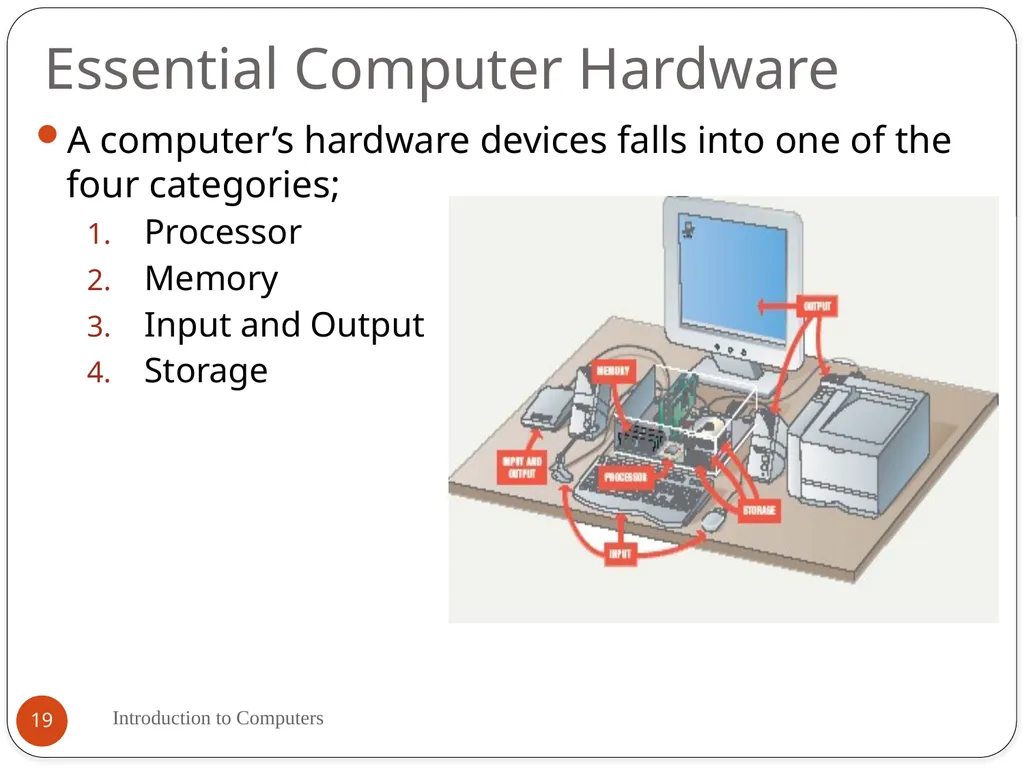
Essential Computer Hardware Introduction to Computers 19 A computer’s hardware devices falls into one of the four categories;
Processor
Memory
Input and Output
Storage<br>
Processor
Memory
Input and Output
Storage<br>
20
Essential Computer Hardware Introduction to Computers 20 Processing Devices
The procedure that transforms raw data into useful information is called processing.
The processor is like the brain of the computer.
Organizes and carries out instructions from either the user or software.
Manipulate the data.
Most computers have several processors.
Central Processing Unit (CPU) refers to a computer’s processor.<br>
The procedure that transforms raw data into useful information is called processing.
The processor is like the brain of the computer.
Organizes and carries out instructions from either the user or software.
Manipulate the data.
Most computers have several processors.
Central Processing Unit (CPU) refers to a computer’s processor.<br>
21
Essential Computer Hardware Introduction to Computers 21 Memory devices
Memory is made up of one or more sets of chips that Store data or program instructions either temporarily or permanently. Memory is divided into two types:
Random Access Memory (RAM)
RAM holds data and program instructions temporarily while the CPU works with them.
RAM is volatile, meaning it holds data only when the power is on. When the power is off, RAM's contents are lost.
The “random” in RAM implies that any portion of RAM can be accessed at anytime. This helps make RAM very fast.
More RAM results in a faster system.<br>
Memory is made up of one or more sets of chips that Store data or program instructions either temporarily or permanently. Memory is divided into two types:
Random Access Memory (RAM)
RAM holds data and program instructions temporarily while the CPU works with them.
RAM is volatile, meaning it holds data only when the power is on. When the power is off, RAM's contents are lost.
The “random” in RAM implies that any portion of RAM can be accessed at anytime. This helps make RAM very fast.
More RAM results in a faster system.<br>
22
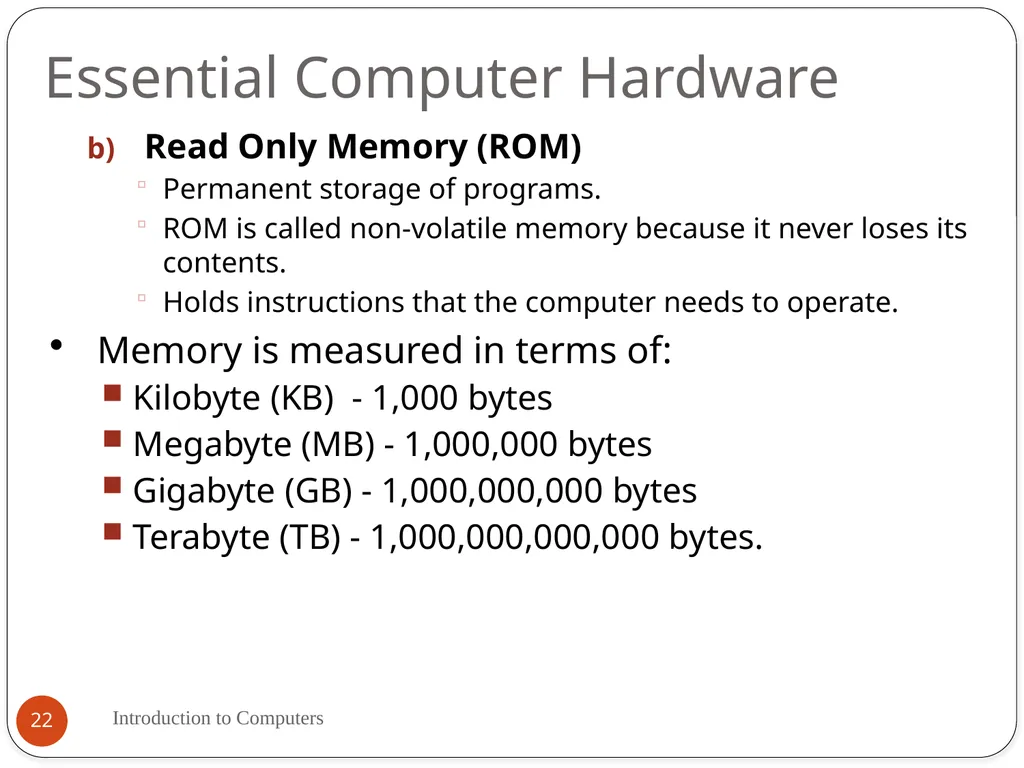
Essential Computer Hardware Introduction to Computers 22 Read Only Memory (ROM)
Permanent storage of programs.
ROM is called non-volatile memory because it never loses its contents.
Holds instructions that the computer needs to operate.
Memory is measured in terms of:
Kilobyte (KB) - 1,000 bytes
Megabyte (MB) - 1,000,000 bytes
Gigabyte (GB) - 1,000,000,000 bytes
Terabyte (TB) - 1,000,000,000,000 bytes.<br>
Permanent storage of programs.
ROM is called non-volatile memory because it never loses its contents.
Holds instructions that the computer needs to operate.
Memory is measured in terms of:
Kilobyte (KB) - 1,000 bytes
Megabyte (MB) - 1,000,000 bytes
Gigabyte (GB) - 1,000,000,000 bytes
Terabyte (TB) - 1,000,000,000,000 bytes.<br>
23
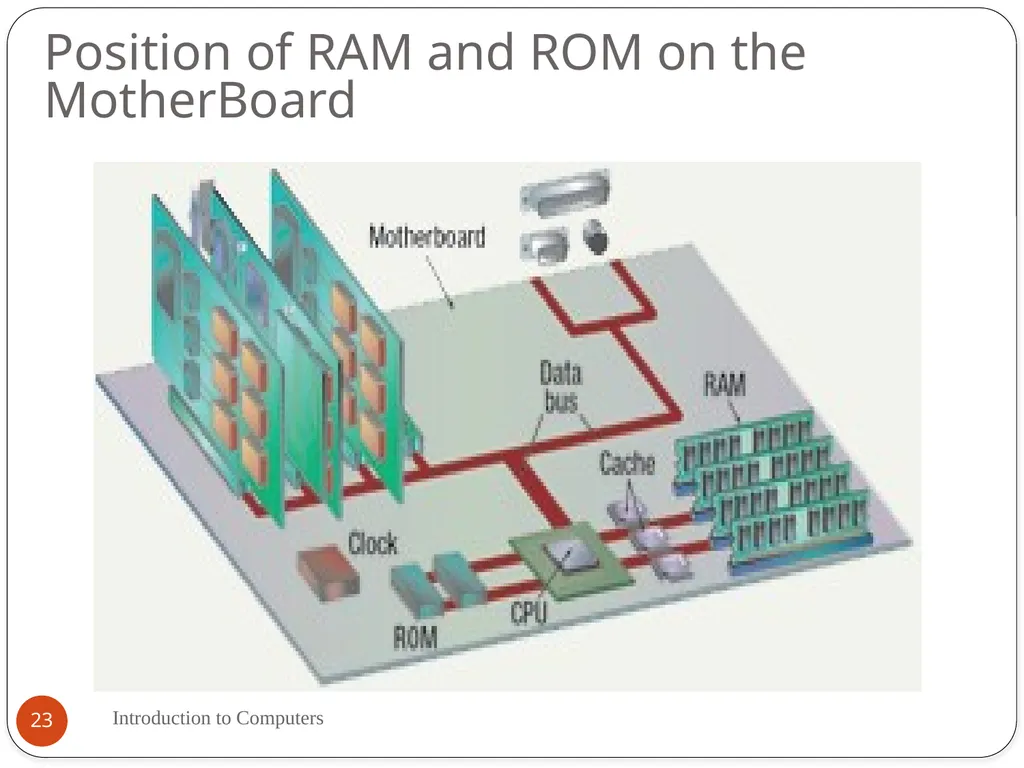
Position of RAM and ROM on the MotherBoard Introduction to Computers 23<br>
24
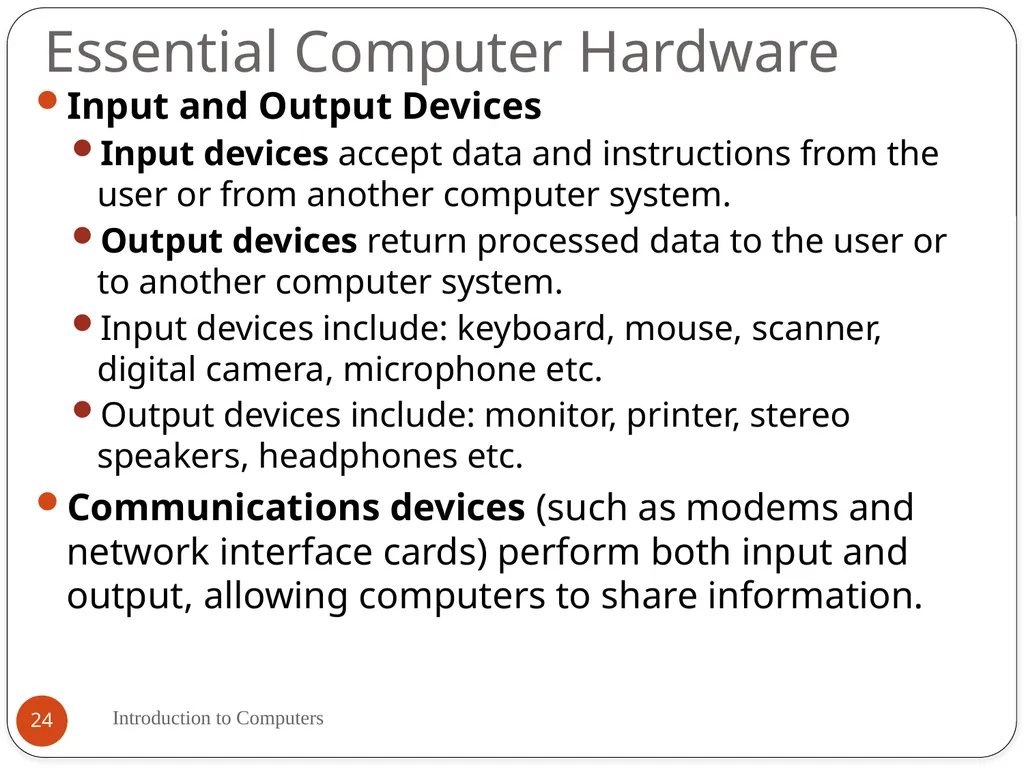
Essential Computer Hardware Introduction to Computers 24 Input and Output Devices
Input devices accept data and instructions from the user or from another computer system.
Output devices return processed data to the user or to another computer system.
Input devices include: keyboard, mouse, scanner, digital camera, microphone etc.
Output devices include: monitor, printer, stereo speakers, headphones etc.
Communications devices (such as modems and network interface cards) perform both input and output, allowing computers to share information.<br>
Input devices accept data and instructions from the user or from another computer system.
Output devices return processed data to the user or to another computer system.
Input devices include: keyboard, mouse, scanner, digital camera, microphone etc.
Output devices include: monitor, printer, stereo speakers, headphones etc.
Communications devices (such as modems and network interface cards) perform both input and output, allowing computers to share information.<br>
25
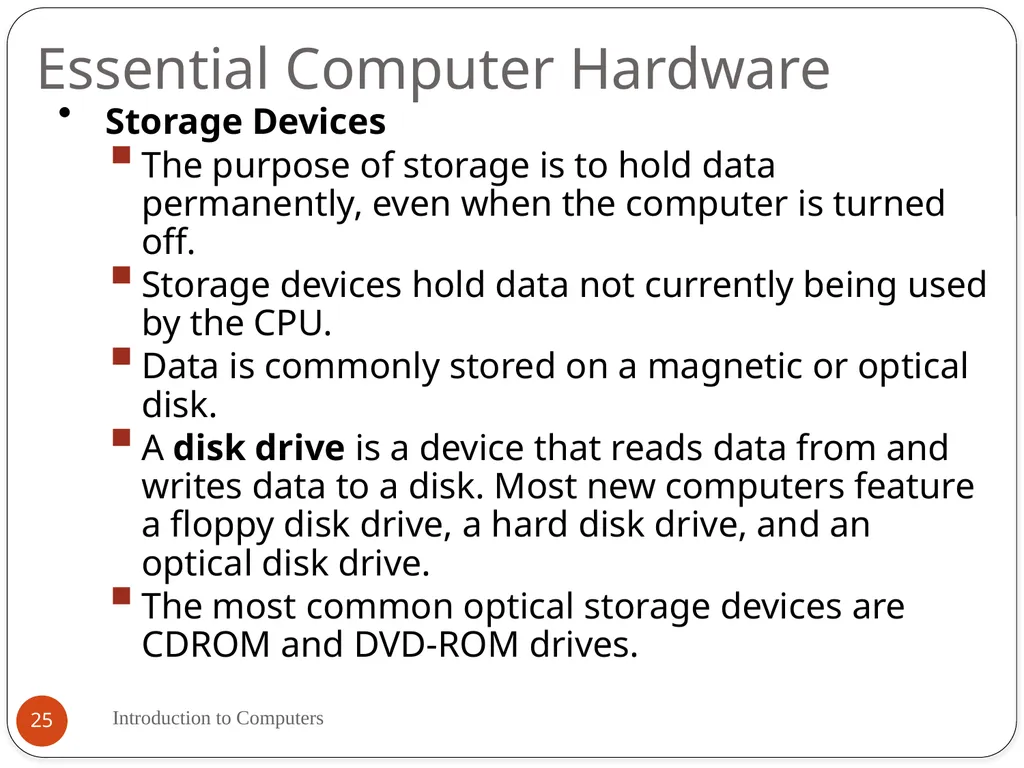
Essential Computer Hardware Introduction to Computers 25 Storage Devices
The purpose of storage is to hold data permanently, even when the computer is turned off.
Storage devices hold data not currently being used by the CPU.
Data is commonly stored on a magnetic or optical disk.
A disk drive is a device that reads data from and writes data to a disk. Most new computers feature a floppy disk drive, a hard disk drive, and an optical disk drive.
The most common optical storage devices are CDROM and DVD-ROM drives.<br>
The purpose of storage is to hold data permanently, even when the computer is turned off.
Storage devices hold data not currently being used by the CPU.
Data is commonly stored on a magnetic or optical disk.
A disk drive is a device that reads data from and writes data to a disk. Most new computers feature a floppy disk drive, a hard disk drive, and an optical disk drive.
The most common optical storage devices are CDROM and DVD-ROM drives.<br>
26
Computer Software Introduction to Computers 26 Software is a set of instructions that drive a computer to perform specific tasks.
These instructions tell the machine’s physical components what to do.
A set of instructions is often called a program.
When a computer is using a particular program, it is said to be running or executing the program.
The two most common types of programs are system software and application software.<br>
These instructions tell the machine’s physical components what to do.
A set of instructions is often called a program.
When a computer is using a particular program, it is said to be running or executing the program.
The two most common types of programs are system software and application software.<br>
27
Computer Software Introduction to Computers 27 System software: Is any program that controls the computer’s hardware or that can be used to maintain the computer in some way so that it runs more efficiently.
System Software provides a platform for running application software.
There are three basic types of system software:
An operating system tells the computer how to use its own components. All computers require an operating system.
The OS tells the computer how to interact with the user and its own devices.
Examples of operating systems include Windows, Macintosh operating system and Linux.<br>
System Software provides a platform for running application software.
There are three basic types of system software:
An operating system tells the computer how to use its own components. All computers require an operating system.
The OS tells the computer how to interact with the user and its own devices.
Examples of operating systems include Windows, Macintosh operating system and Linux.<br>
28
Computer Software Introduction to Computers 28 A network operating system allows computers to communicate and share data across a network while controlling network operations and overseeing the network’s security. Example is Windows server 2003.
A utility is a program that makes the computer system easier to use or performs highly specialized functions.
Utilities are used to manage disks, troubleshoot hardware problems, and perform other tasks that the operating system itself may not be able to do. For example a Symantec antivirus, Partition Magic etc.<br>
A utility is a program that makes the computer system easier to use or performs highly specialized functions.
Utilities are used to manage disks, troubleshoot hardware problems, and perform other tasks that the operating system itself may not be able to do. For example a Symantec antivirus, Partition Magic etc.<br>
29
Computer Software Introduction to Computers 29 Application Software: Tells the computer how to accomplish specific tasks, such as word processing or drawing, for the user.
Some of the major categories of these applications include:
Word processing software for creating text-based documents
Spreadsheets for creating numeric-based documents such as budgets.
Presentation programs for creating and presenting electronic slide shows.
Graphics programs for designing illustrations or manipulating photographs, movies etc.
Database management software for building and manipulating large sets of data such as names, addresses etc.<br>
Some of the major categories of these applications include:
Word processing software for creating text-based documents
Spreadsheets for creating numeric-based documents such as budgets.
Presentation programs for creating and presenting electronic slide shows.
Graphics programs for designing illustrations or manipulating photographs, movies etc.
Database management software for building and manipulating large sets of data such as names, addresses etc.<br>
30
Data and Information Introduction to Computers 30 Data are the words, numbers, symbols and graphics that describe people, events, things, and ideas.
Data becomes information when it is used as the basis for initiating some action or for making a decision.
Information are the words, numbers, and graphics used as the basis for human actions and decisions.
A set of data that has been given a name is called a file.
A file that a user can open and use is called document.
A folder is a place where groups of computer files and other folders can be kept and organized.<br>
Data becomes information when it is used as the basis for initiating some action or for making a decision.
Information are the words, numbers, and graphics used as the basis for human actions and decisions.
A set of data that has been given a name is called a file.
A file that a user can open and use is called document.
A folder is a place where groups of computer files and other folders can be kept and organized.<br>
31
Files Introduction to Computers 31 A file is a named collection of data, stored on a storage medium such as a hard disk.
There are two types of files
Data files contains text, images, or other data that can be used by a program.
Executable files contains programs or instructions that tell the computer how to perform a task.
Filename extensions describe a file’s contents. For example Executable files usually end in .exe, word files end in .doc, adobe acrobat documents end in .pdf etc.<br>
There are two types of files
Data files contains text, images, or other data that can be used by a program.
Executable files contains programs or instructions that tell the computer how to perform a task.
Filename extensions describe a file’s contents. For example Executable files usually end in .exe, word files end in .doc, adobe acrobat documents end in .pdf etc.<br>
32
Extensions and Formats A filename might be followed by a filename extension that further describes the file contents.
Word files end in .doc
Excel files end in .xls
The file format is the arrangement of data in a file and the coding scheme that is used to represent the data.
The native file format is the format that is saved by the application that created it. Introduction to Computers 32<br>
Word files end in .doc
Excel files end in .xls
The file format is the arrangement of data in a file and the coding scheme that is used to represent the data.
The native file format is the format that is saved by the application that created it. Introduction to Computers 32<br>
33
Assignment 1 Introduction to Computers 33 Discuss the history and evolution of computers. (maximum. 3 pages).
Computers are used more extensively than ever for tasks such as banking, investing, shopping and communicating. Do you see this trend as having a positive or a negative impact on our society and economy? Give reasons to support your answer. (maximum. 3 pages).<br>
Computers are used more extensively than ever for tasks such as banking, investing, shopping and communicating. Do you see this trend as having a positive or a negative impact on our society and economy? Give reasons to support your answer. (maximum. 3 pages).<br>