chapter 20 ubiquitous computing and augmented
Description: chapter 20 ubiquitous computing and augmented realities ubiquitous computing and augmented realities ubiquitous computing filling the real world with computers virtual and augmented reality making the real world in a computer! Challenging
Related Topics
Download Presentation
"chapter 20 ubiquitous computing and augmented" is the property of its rightful owner. Permission is granted to download and print the materials on this website for personal, non-commercial use only, and to display it on your personal computer provided you do not modify the materials and that you retain all copyright notices contained in the materials. By downloading content from our website, you accept the terms of this agreement.
Presentation Transcript
slide1. chapter 20 ubiquitous computing and augmented realities<br>
slide2. ubiquitous computing and augmented realities ubiquitous computing
filling the real world with computers
virtual and augmented reality
making the real world in a computer!<br>
slide3. Challenging HCI Assumptions What do we imagine when we think of a computer?
“The most profound technologies are those that disappear.”
Weiser
1990’s: this was not our imagined computer!<br>
slide4. Ubiquitous Computing Any computing technology that permits human interaction away from a single workstation
Implications for
Technology defining the interactive experience
Applications or uses
Underlying theories of interaction<br>
slide5. Scales of devices Weiser proposed
Inch
Foot
Yard
Implications for device size as well as relationship to people<br>
slide6. Device scales Inch
PDAs
PARCTAB
Voice Recorders
smart phones
Individuals own many of them and they can all communicate with each other and environment.<br>
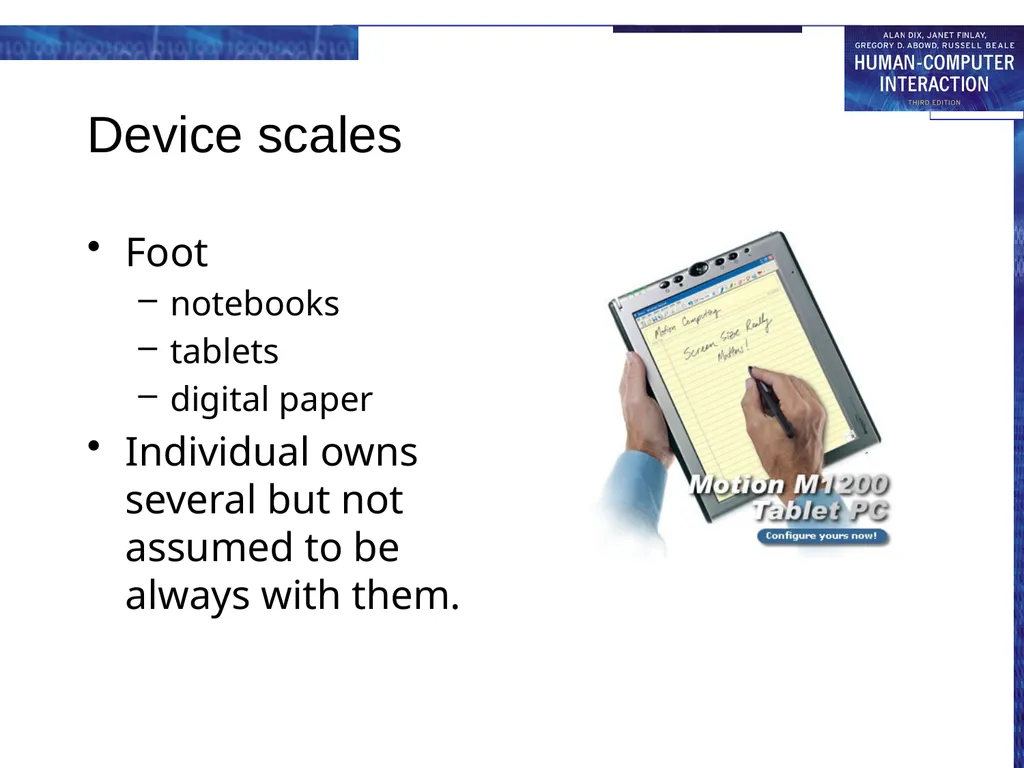
slide7. Device scales Foot
notebooks
tablets
digital paper
Individual owns several but not assumed to be always with them.<br>
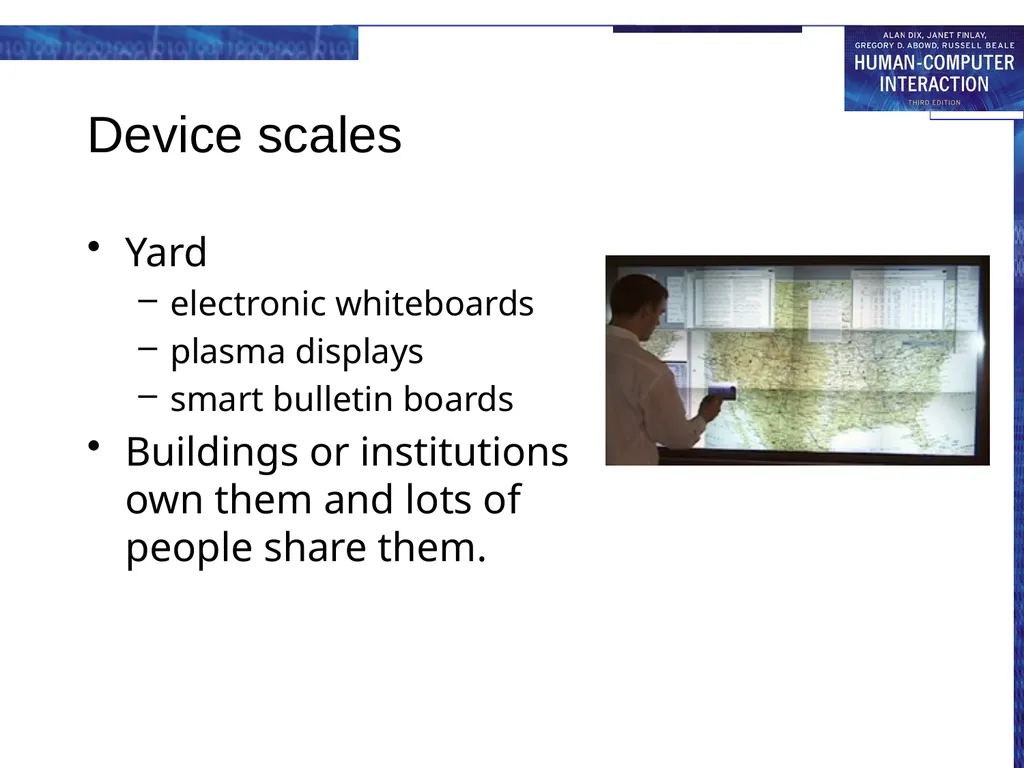
slide8. Device scales Yard
electronic whiteboards
plasma displays
smart bulletin boards
Buildings or institutions own them and lots of people share them.<br>
slide9. Defining the Interaction Experience Implicit input
Sensor-based input
Extends traditional explicit input (e.g., keyboard and mouse)
Towards “awareness”
Use of recognition technologies
Introduces ambiguity because recognizers are not perfect<br>
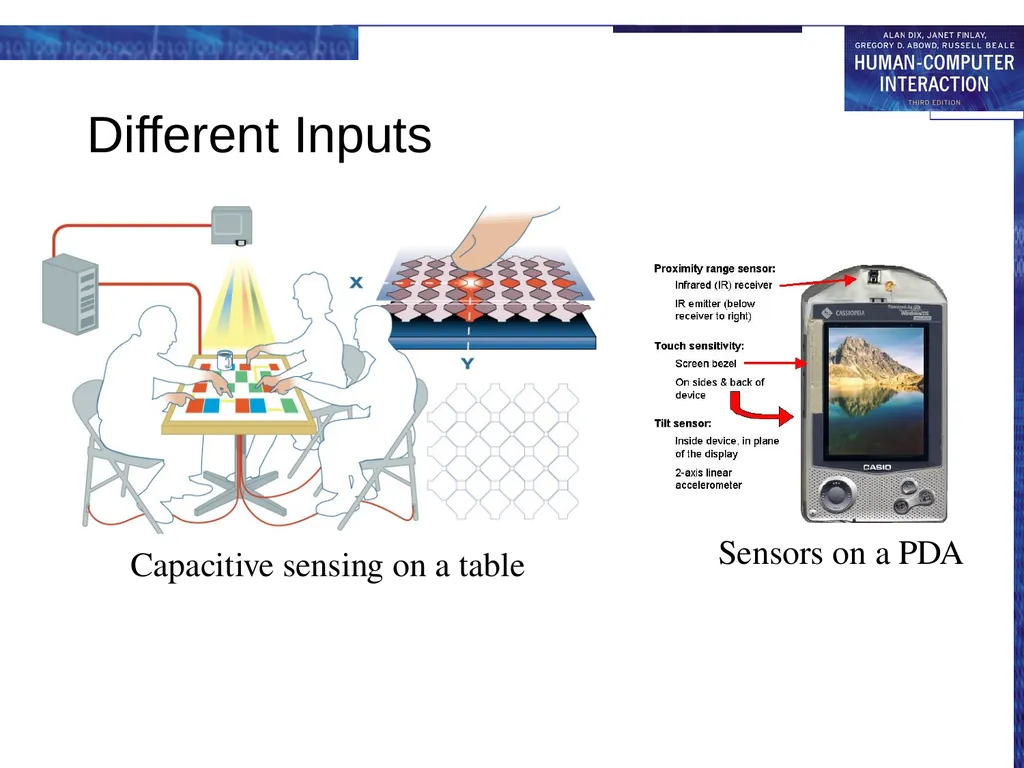
slide10. Different Inputs Capacitive sensing on a table Sensors on a PDA<br>
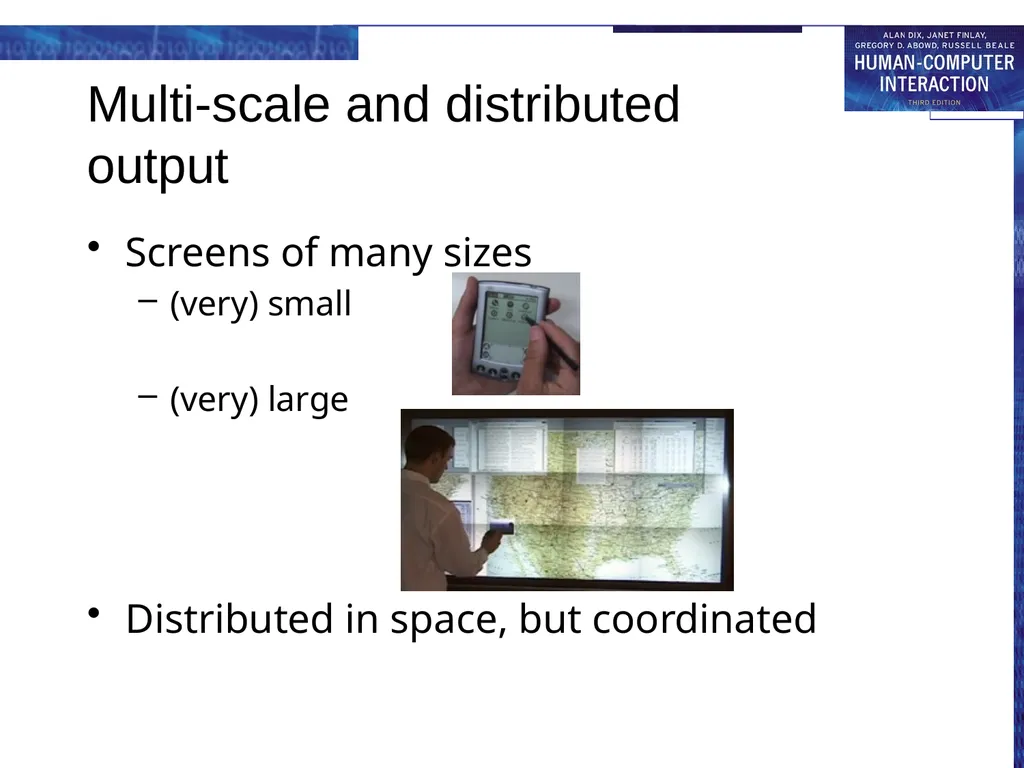
slide11. Multi-scale and distributed output Screens of many sizes
(very) small
(very) large
Distributed in space, but coordinated<br>
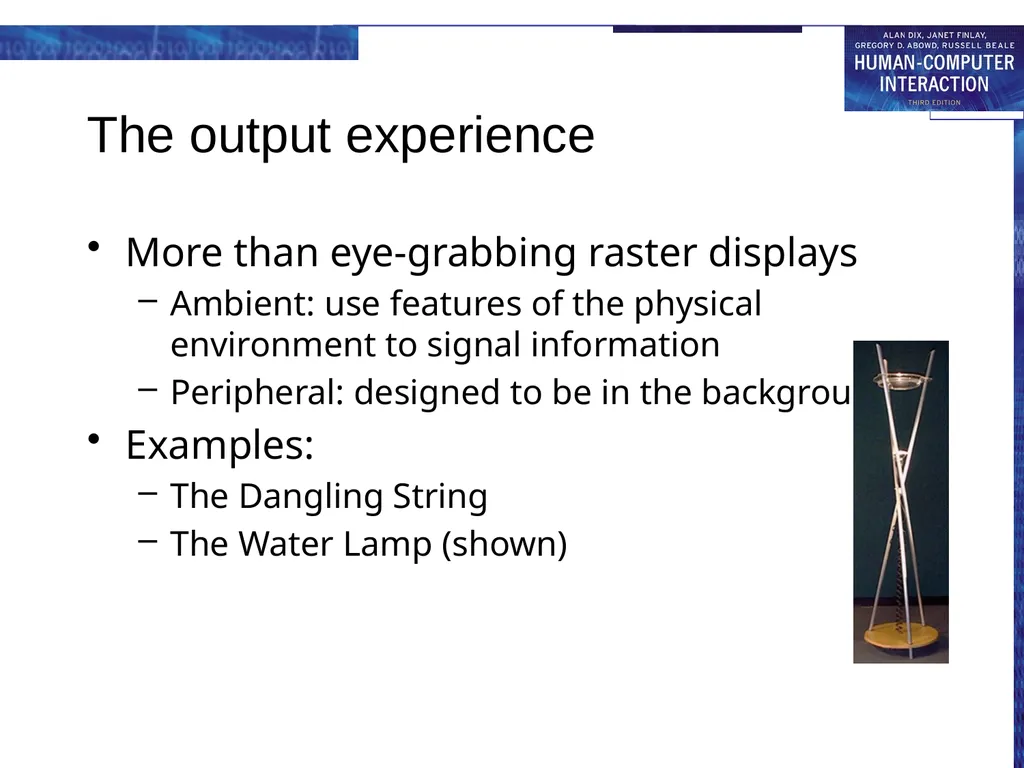
slide12. The output experience More than eye-grabbing raster displays
Ambient: use features of the physical environment to signal information
Peripheral: designed to be in the background
Examples:
The Dangling String
The Water Lamp (shown)<br>
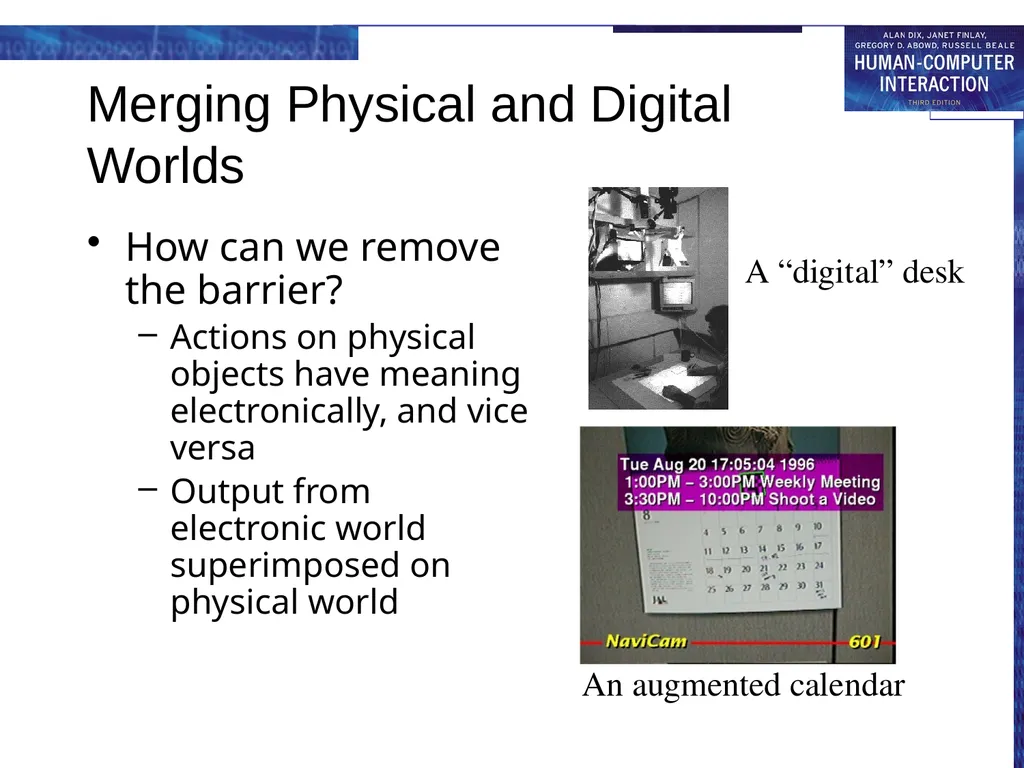
slide13. Merging Physical and Digital Worlds How can we remove the barrier?
Actions on physical objects have meaning electronically, and vice versa
Output from electronic world superimposed on physical world A “digital” desk An augmented calendar<br>
slide14. Application Themes Context-aware computing
Sensed phenomena facilitate easier interaction
Automated capture and access
Live experiences stored for future access
Toward continuous interaction
Everyday activities have no clear begin-end conditions<br>
slide15. New Opportunities for Theory Knowledge in the world
Ubicomp places more emphasis on the physical world
Activity theory
Goals and actions fluidly adjust to physical state of world
Situated action and distributed cognition
Emphasizes improvisational/opportunistic behavior versus planned actions
Ethnography
Deep descriptive understanding of activities in context<br>
slide16. Evaluation Challenges How can we adapt other HCI techiques to apply to ubicomp settings?
Ubicomp activities not so task-centric
Technologies are so new, it is often hard to get long-term authentic summative evaluation
Metric of success could be very different (playfulness, non-distraction versus efficiency)<br>
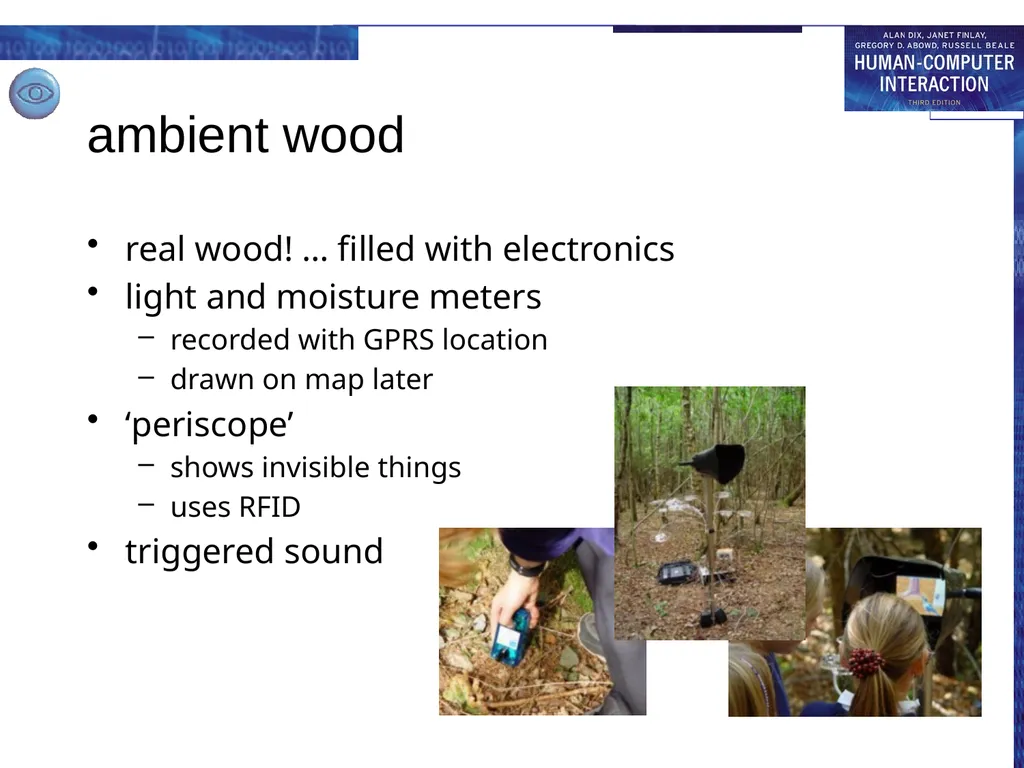
slide17. ambient wood real wood! … filled with electronics
light and moisture meters
recorded with GPRS location
drawn on map later
‘periscope’
shows invisible things
uses RFID
triggered sound<br>
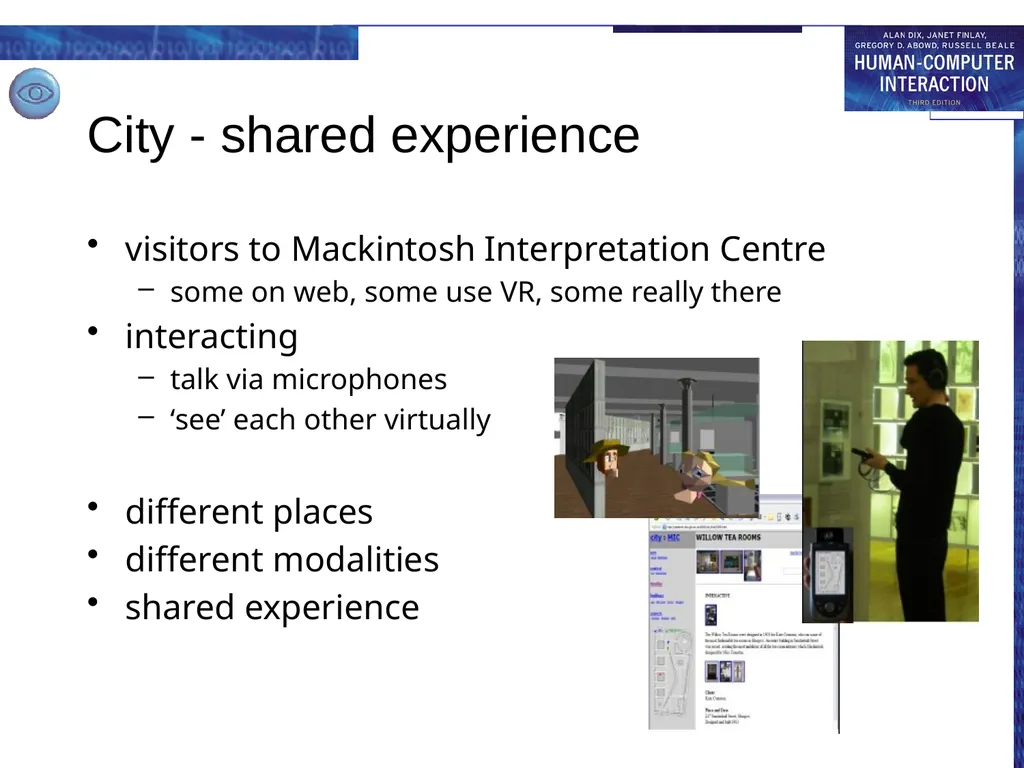
slide18. City - shared experience visitors to Mackintosh Interpretation Centre
some on web, some use VR, some really there
interacting
talk via microphones
‘see’ each other virtually
different places
different modalities
shared experience<br>
slide20. virtual and augmented reality VR - technology & experience
web, desktop and simulators
AR – mixing virtual and real<br>
slide21. virtual reality technology headsets allow user to “see” the virtual world
gesture recognition achieved with DataGlove (lycra glove with optical sensors that measure hand and finger positions)
eyegaze allows users to indicate direction with eyes alone
whole body position sensed, walking etc.<br>
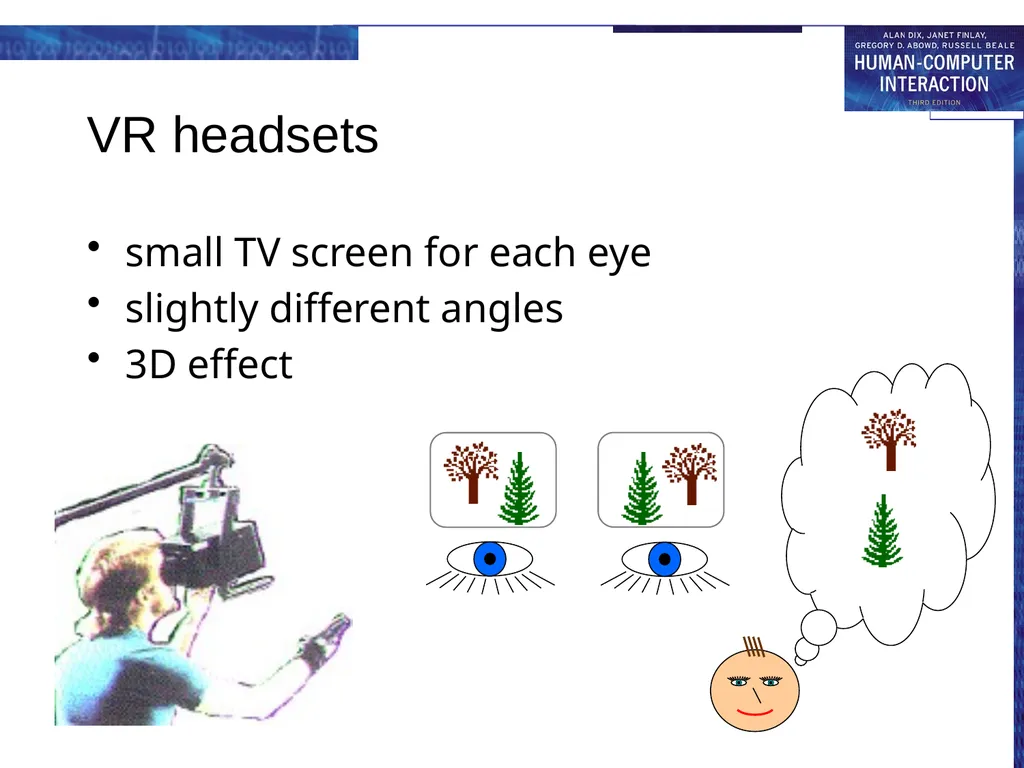
slide22. VR headsets small TV screen for each eye
slightly different angles
3D effect<br>
slide23. immersion VR
computer simulation of the real world
mainly visual, but sound, haptic, gesture too
experience life-like situations
too dangerous, too expensive
see unseen things:
too small, too large, hidden, invisible
e.g. manipulating molecules
the experience
aim is immersion, engagement, interaction<br>
slide24. on the desktop headset VR
expensive, uncomfortbale
desktop VR
use ordinary monitor and PC
cheap and convenient
in games …
and on the web
VRML – virtual reality markup language<br>
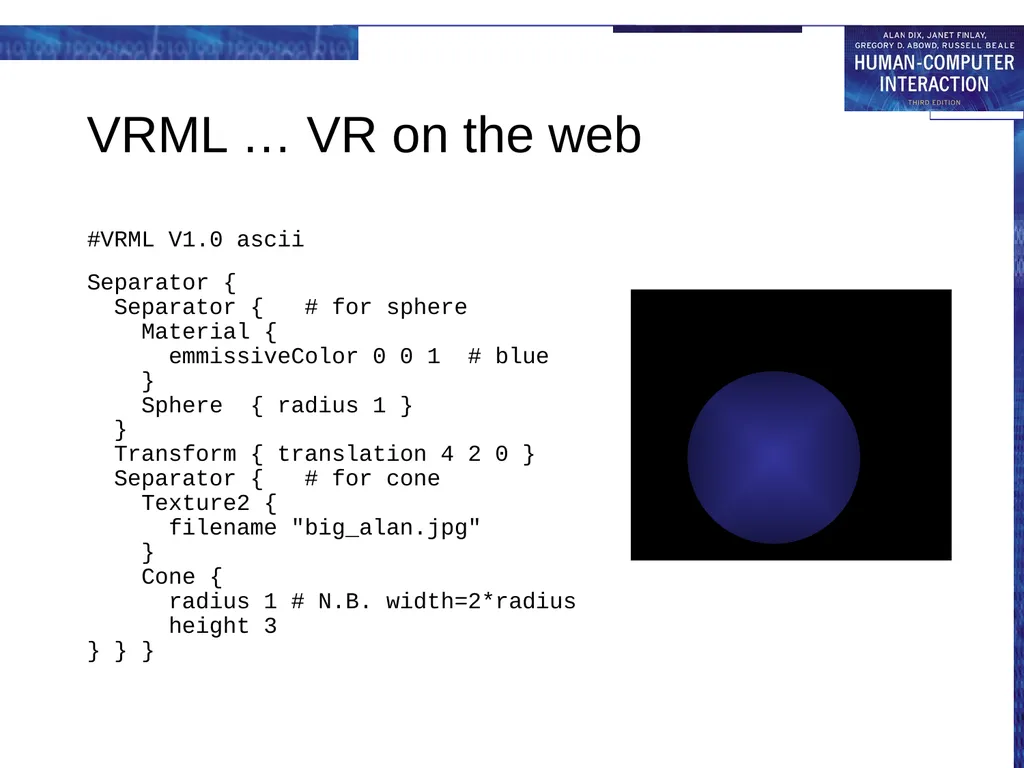
slide25. VRML … VR on the web #VRML V1.0 ascii
Separator {
Separator { # for sphere
Material {
emmissiveColor 0 0 1 # blue
}
Sphere { radius 1 }
}
Transform { translation 4 2 0 }
Separator { # for cone
Texture2 {
filename "big_alan.jpg"
}
Cone {
radius 1 # N.B. width=2*radius
height 3
} } }<br>
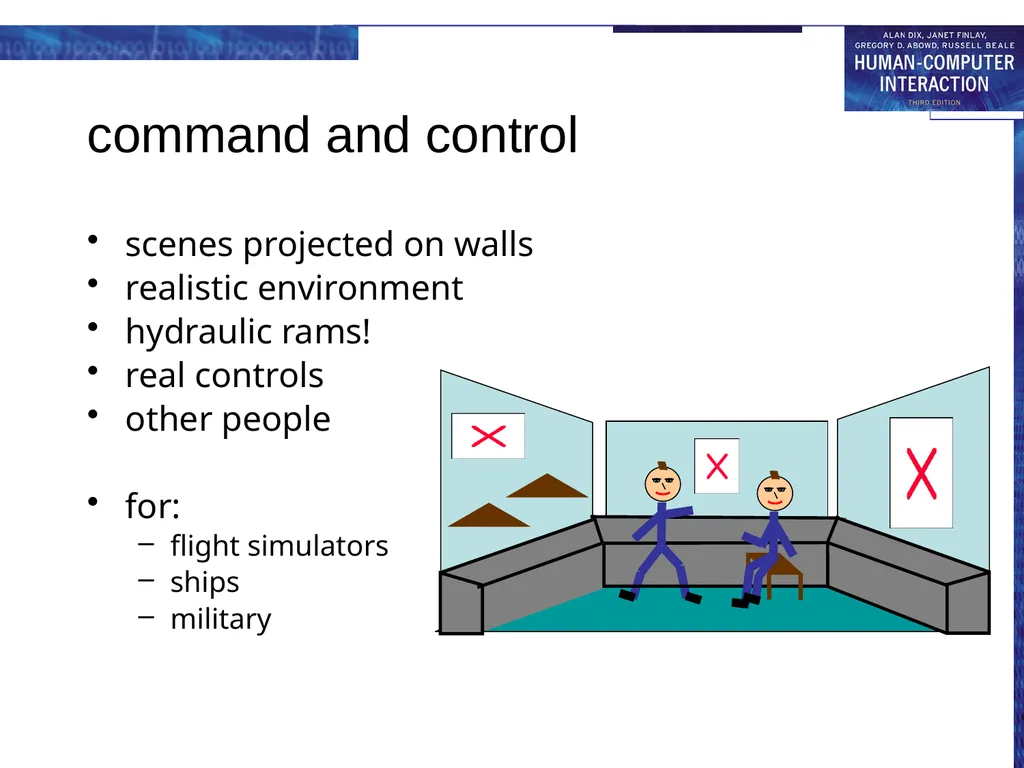
slide26. command and control scenes projected on walls
realistic environment
hydraulic rams!
real controls
other people
for:
flight simulators
ships
military<br>
slide27. augmented reality (AR) images projected over the real world
aircraft head-up display
semi-transparent goggles
projecting onto a desktop
types of information
unrelated – e.g. reading email with wearable
related – e.g. virtual objects interacting with world
issues
registration – aligning virtual and real
eye gaze direction<br>
slide28. applications of AR maintenance
overlay instructions
display schematics
examples
photocopier engineers
registration critical arrows point to parts
aircraft wiring looms
registration perhaps too hard, use schematic<br>
slide29. applications of VR simulation
games, military, training
VR holidays
rainforest, safari, surf, ski and moon walk … all from your own armchair
medical
surgery
scans and x-rays used to build modelthen ‘practice’ operation
force feedback best
phobia treatment
virtual lifts, spiders, etc.<br>
slide30. information and data visualisation VR, 3D and 2D displays
scientific and complex data
interactivity central<br>
slide31. scientific and technical data number of virtual dimensions that are ‘real’
three dimensional space
visualise invisible fields or values
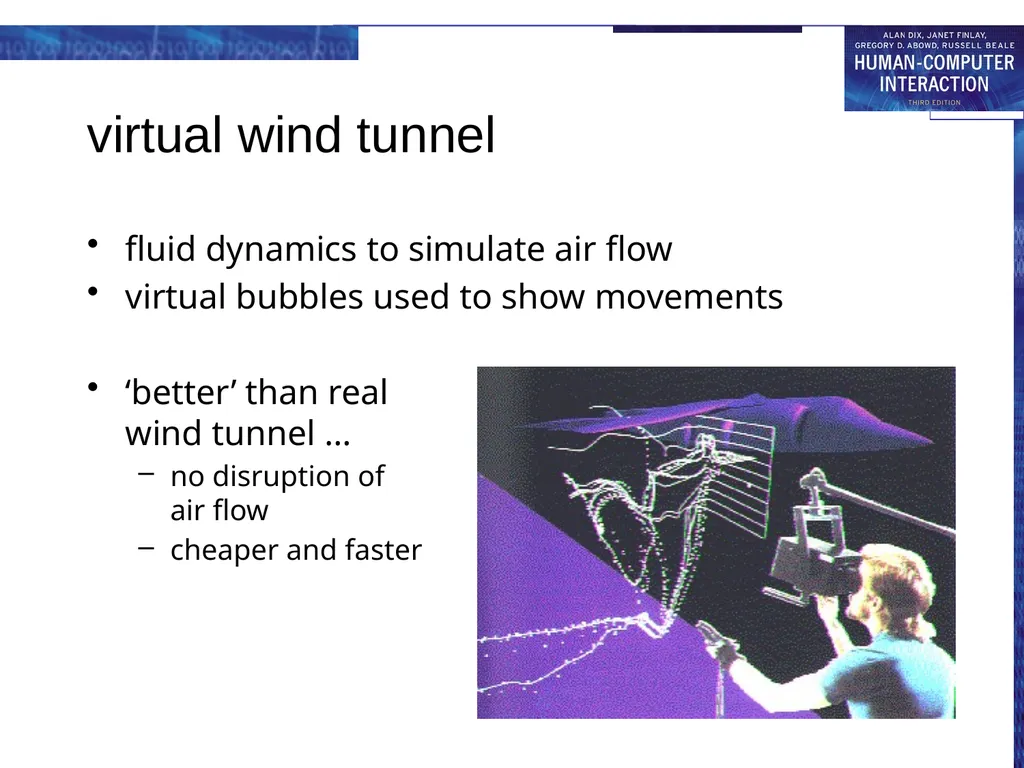
e.g. virtual wind tunnel
two dimensional space
can project data value up from plane
e.g. geographic data
N.B. viewing angle hard for static visualisation
no ‘real’ dimensions
2D/3D histograms, scatter plots, pie charts, etc.<br>
slide32. virtual wind tunnel fluid dynamics to simulate air flow
virtual bubbles used to show movements
‘better’ than real wind tunnel …
no disruption ofair flow
cheaper and faster<br>
slide33. structured informnation scientific data – just numbers
information systems … lots of kinds of data
hierarchies
file trees, organisation charts
networks
program flow charts, hypertext structure
free text …
documents, web pages<br>
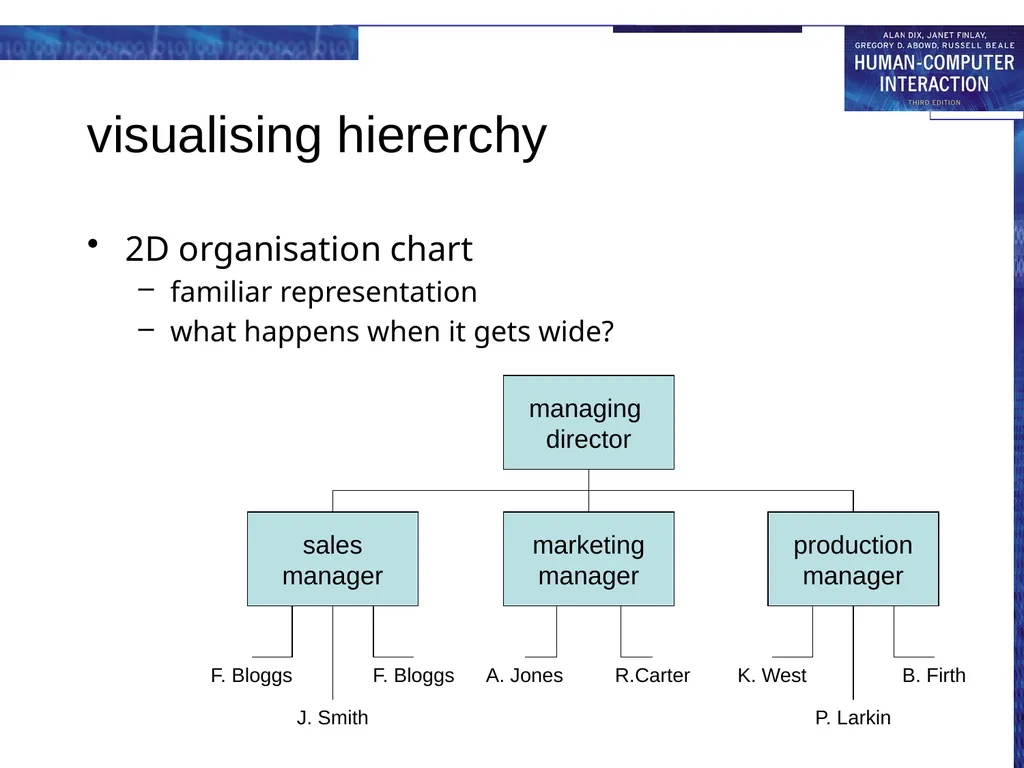
slide34. visualising hiererchy 2D organisation chart
familiar representation
what happens when it gets wide?<br>
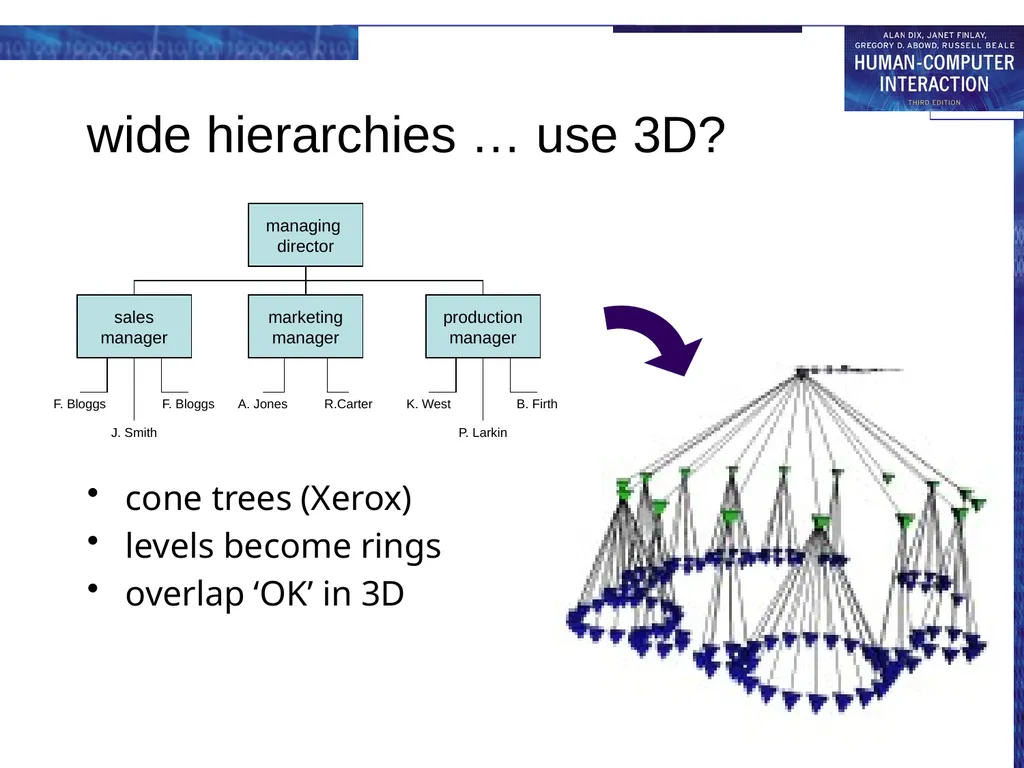
slide35. wide hierarchies … use 3D? cone trees (Xerox)
levels become rings
overlap ‘OK’ in 3D<br>
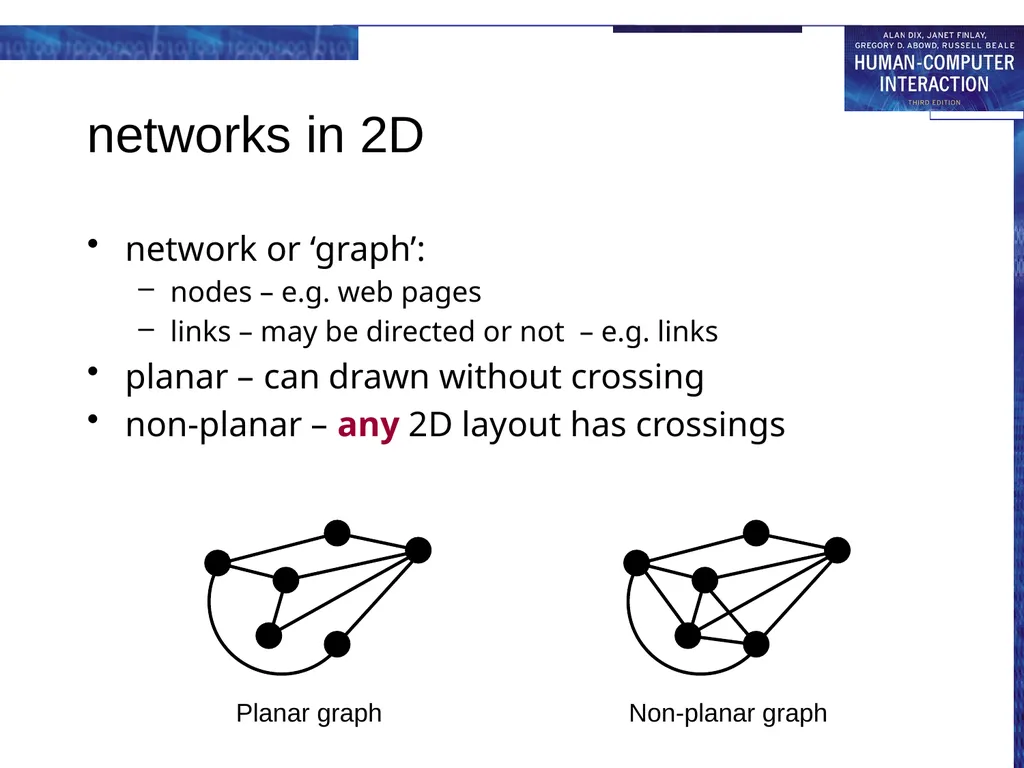
slide36. networks in 2D network or ‘graph’:
nodes – e.g. web pages
links – may be directed or not – e.g. links
planar – can drawn without crossing
non-planar – any 2D layout has crossings Planar graph Non-planar graph<br>
slide37. time and interactivity visualising in time
time dimension mapped to space
changing values: sales graphs, distance-time
events: Gantt chart, timelines, historical charts
e.g. Lifelines – visualising medical and court records
using time
data dimension mapped to time
time to itself: fast/slow replay of events
space to time: Visible Human Project
interactivity
change under user control
e.g. influence explorer<br>
slide39. between two worlds ubiquitous computing
computers fill the real world
virtual reality and visualisation
real world represented in the computer
augmented reality, ambient displays …
physical and digital intermingled
maturity
VR and visualisation – commonplace
AR, ubiquity … coming fast!<br>

slide2. ubiquitous computing and augmented realities ubiquitous computing
filling the real world with computers
virtual and augmented reality
making the real world in a computer!<br>
slide3. Challenging HCI Assumptions What do we imagine when we think of a computer?
“The most profound technologies are those that disappear.”
Weiser
1990’s: this was not our imagined computer!<br>
slide4. Ubiquitous Computing Any computing technology that permits human interaction away from a single workstation
Implications for
Technology defining the interactive experience
Applications or uses
Underlying theories of interaction<br>
slide5. Scales of devices Weiser proposed
Inch
Foot
Yard
Implications for device size as well as relationship to people<br>
slide6. Device scales Inch
PDAs
PARCTAB
Voice Recorders
smart phones
Individuals own many of them and they can all communicate with each other and environment.<br>
slide7. Device scales Foot
notebooks
tablets
digital paper
Individual owns several but not assumed to be always with them.<br>
slide8. Device scales Yard
electronic whiteboards
plasma displays
smart bulletin boards
Buildings or institutions own them and lots of people share them.<br>
slide9. Defining the Interaction Experience Implicit input
Sensor-based input
Extends traditional explicit input (e.g., keyboard and mouse)
Towards “awareness”
Use of recognition technologies
Introduces ambiguity because recognizers are not perfect<br>
slide10. Different Inputs Capacitive sensing on a table Sensors on a PDA<br>
slide11. Multi-scale and distributed output Screens of many sizes
(very) small
(very) large
Distributed in space, but coordinated<br>
slide12. The output experience More than eye-grabbing raster displays
Ambient: use features of the physical environment to signal information
Peripheral: designed to be in the background
Examples:
The Dangling String
The Water Lamp (shown)<br>
slide13. Merging Physical and Digital Worlds How can we remove the barrier?
Actions on physical objects have meaning electronically, and vice versa
Output from electronic world superimposed on physical world A “digital” desk An augmented calendar<br>
slide14. Application Themes Context-aware computing
Sensed phenomena facilitate easier interaction
Automated capture and access
Live experiences stored for future access
Toward continuous interaction
Everyday activities have no clear begin-end conditions<br>
slide15. New Opportunities for Theory Knowledge in the world
Ubicomp places more emphasis on the physical world
Activity theory
Goals and actions fluidly adjust to physical state of world
Situated action and distributed cognition
Emphasizes improvisational/opportunistic behavior versus planned actions
Ethnography
Deep descriptive understanding of activities in context<br>
slide16. Evaluation Challenges How can we adapt other HCI techiques to apply to ubicomp settings?
Ubicomp activities not so task-centric
Technologies are so new, it is often hard to get long-term authentic summative evaluation
Metric of success could be very different (playfulness, non-distraction versus efficiency)<br>
slide17. ambient wood real wood! … filled with electronics
light and moisture meters
recorded with GPRS location
drawn on map later
‘periscope’
shows invisible things
uses RFID
triggered sound<br>
slide18. City - shared experience visitors to Mackintosh Interpretation Centre
some on web, some use VR, some really there
interacting
talk via microphones
‘see’ each other virtually
different places
different modalities
shared experience<br>
slide20. virtual and augmented reality VR - technology & experience
web, desktop and simulators
AR – mixing virtual and real<br>
slide21. virtual reality technology headsets allow user to “see” the virtual world
gesture recognition achieved with DataGlove (lycra glove with optical sensors that measure hand and finger positions)
eyegaze allows users to indicate direction with eyes alone
whole body position sensed, walking etc.<br>
slide22. VR headsets small TV screen for each eye
slightly different angles
3D effect<br>
slide23. immersion VR
computer simulation of the real world
mainly visual, but sound, haptic, gesture too
experience life-like situations
too dangerous, too expensive
see unseen things:
too small, too large, hidden, invisible
e.g. manipulating molecules
the experience
aim is immersion, engagement, interaction<br>
slide24. on the desktop headset VR
expensive, uncomfortbale
desktop VR
use ordinary monitor and PC
cheap and convenient
in games …
and on the web
VRML – virtual reality markup language<br>
slide25. VRML … VR on the web #VRML V1.0 ascii
Separator {
Separator { # for sphere
Material {
emmissiveColor 0 0 1 # blue
}
Sphere { radius 1 }
}
Transform { translation 4 2 0 }
Separator { # for cone
Texture2 {
filename "big_alan.jpg"
}
Cone {
radius 1 # N.B. width=2*radius
height 3
} } }<br>
slide26. command and control scenes projected on walls
realistic environment
hydraulic rams!
real controls
other people
for:
flight simulators
ships
military<br>
slide27. augmented reality (AR) images projected over the real world
aircraft head-up display
semi-transparent goggles
projecting onto a desktop
types of information
unrelated – e.g. reading email with wearable
related – e.g. virtual objects interacting with world
issues
registration – aligning virtual and real
eye gaze direction<br>
slide28. applications of AR maintenance
overlay instructions
display schematics
examples
photocopier engineers
registration critical arrows point to parts
aircraft wiring looms
registration perhaps too hard, use schematic<br>
slide29. applications of VR simulation
games, military, training
VR holidays
rainforest, safari, surf, ski and moon walk … all from your own armchair
medical
surgery
scans and x-rays used to build modelthen ‘practice’ operation
force feedback best
phobia treatment
virtual lifts, spiders, etc.<br>
slide30. information and data visualisation VR, 3D and 2D displays
scientific and complex data
interactivity central<br>
slide31. scientific and technical data number of virtual dimensions that are ‘real’
three dimensional space
visualise invisible fields or values
e.g. virtual wind tunnel
two dimensional space
can project data value up from plane
e.g. geographic data
N.B. viewing angle hard for static visualisation
no ‘real’ dimensions
2D/3D histograms, scatter plots, pie charts, etc.<br>
slide32. virtual wind tunnel fluid dynamics to simulate air flow
virtual bubbles used to show movements
‘better’ than real wind tunnel …
no disruption ofair flow
cheaper and faster<br>
slide33. structured informnation scientific data – just numbers
information systems … lots of kinds of data
hierarchies
file trees, organisation charts
networks
program flow charts, hypertext structure
free text …
documents, web pages<br>
slide34. visualising hiererchy 2D organisation chart
familiar representation
what happens when it gets wide?<br>
slide35. wide hierarchies … use 3D? cone trees (Xerox)
levels become rings
overlap ‘OK’ in 3D<br>
slide36. networks in 2D network or ‘graph’:
nodes – e.g. web pages
links – may be directed or not – e.g. links
planar – can drawn without crossing
non-planar – any 2D layout has crossings Planar graph Non-planar graph<br>
slide37. time and interactivity visualising in time
time dimension mapped to space
changing values: sales graphs, distance-time
events: Gantt chart, timelines, historical charts
e.g. Lifelines – visualising medical and court records
using time
data dimension mapped to time
time to itself: fast/slow replay of events
space to time: Visible Human Project
interactivity
change under user control
e.g. influence explorer<br>
slide39. between two worlds ubiquitous computing
computers fill the real world
virtual reality and visualisation
real world represented in the computer
augmented reality, ambient displays …
physical and digital intermingled
maturity
VR and visualisation – commonplace
AR, ubiquity … coming fast!<br>