04
Broadcast Standards Digital video resolution
Color spaces
Frame rate
Influenced by analog TV broadcast standards 4<br>
05
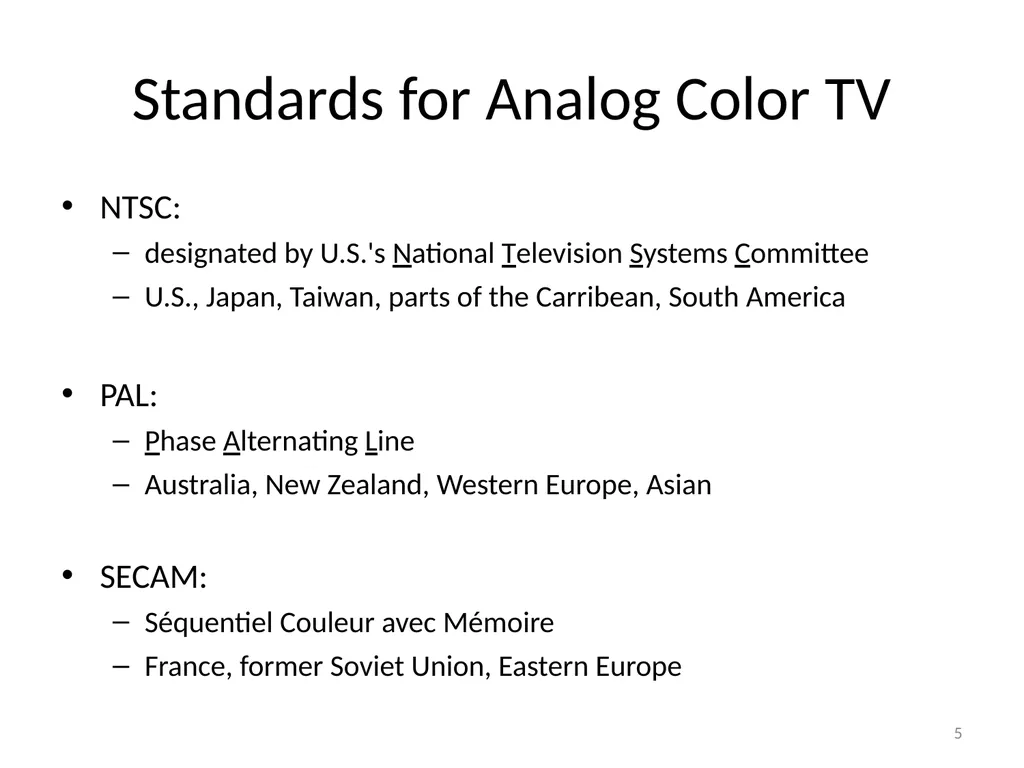
Standards for Analog Color TV NTSC:
designated by U.S.'s National Television Systems Committee
U.S., Japan, Taiwan, parts of the Carribean, South America
PAL:
Phase Alternating Line
Australia, New Zealand, Western Europe, Asian
SECAM:
Séquentiel Couleur avec Mémoire
France, former Soviet Union, Eastern Europe 5<br>
06
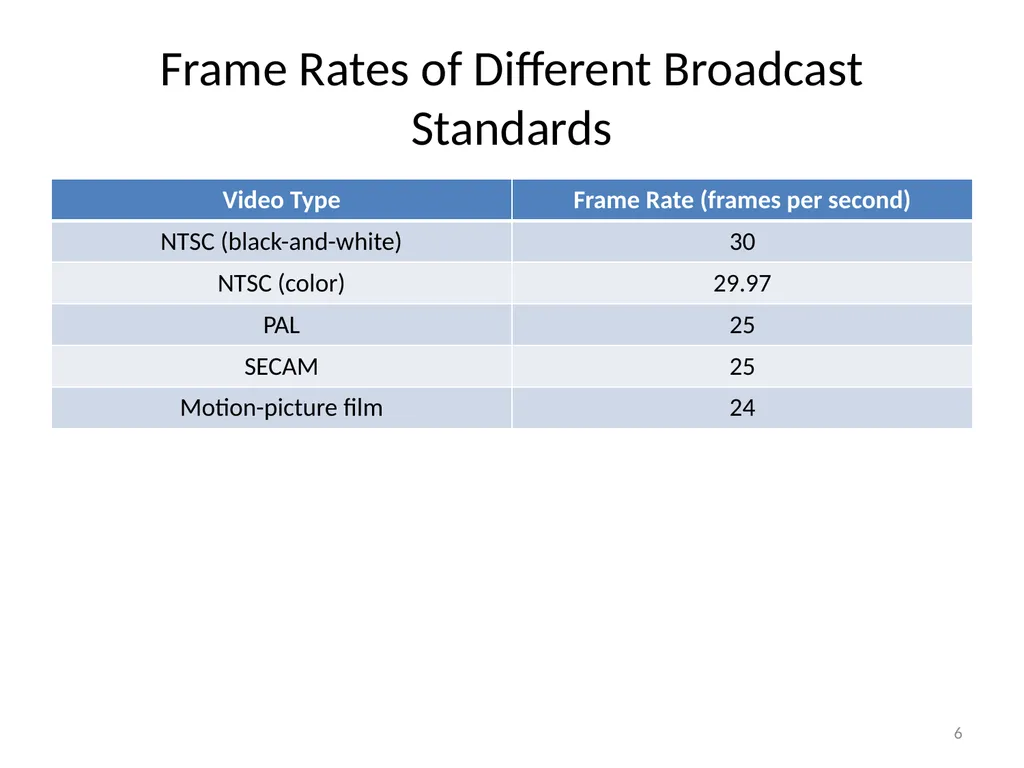
Frame Rates of Different Broadcast Standards 6<br>
07
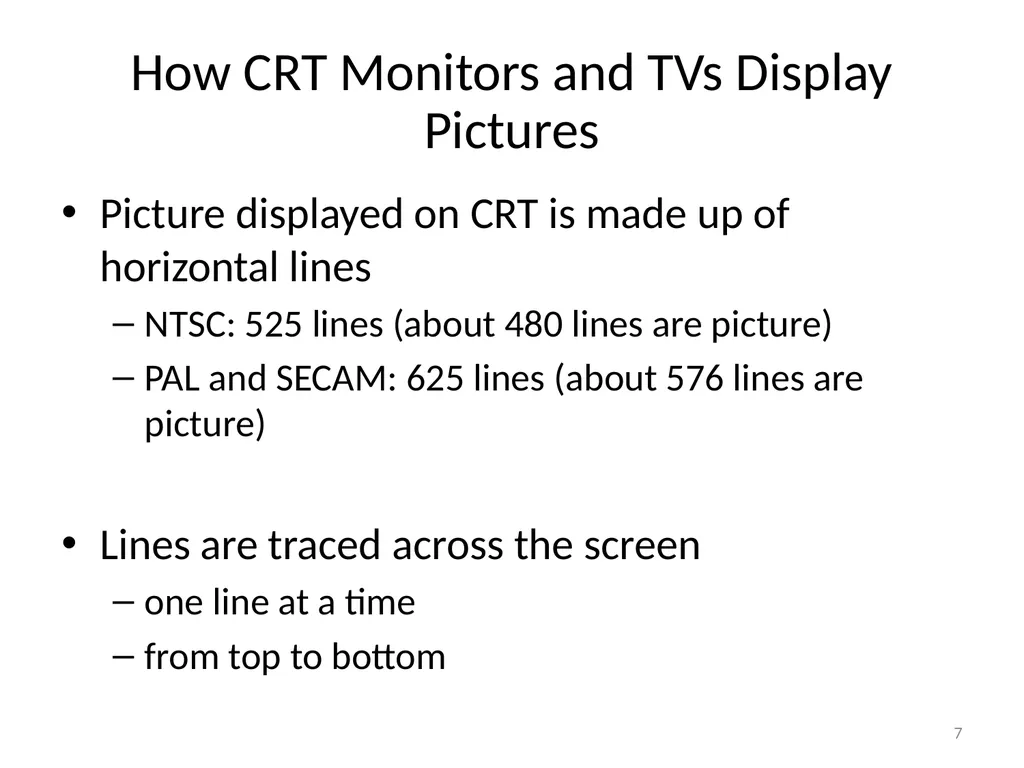
How CRT Monitors and TVs Display Pictures Picture displayed on CRT is made up of horizontal lines
NTSC: 525 lines (about 480 lines are picture)
PAL and SECAM: 625 lines (about 576 lines are picture)
Lines are traced across the screen
one line at a time
from top to bottom 7<br>
08
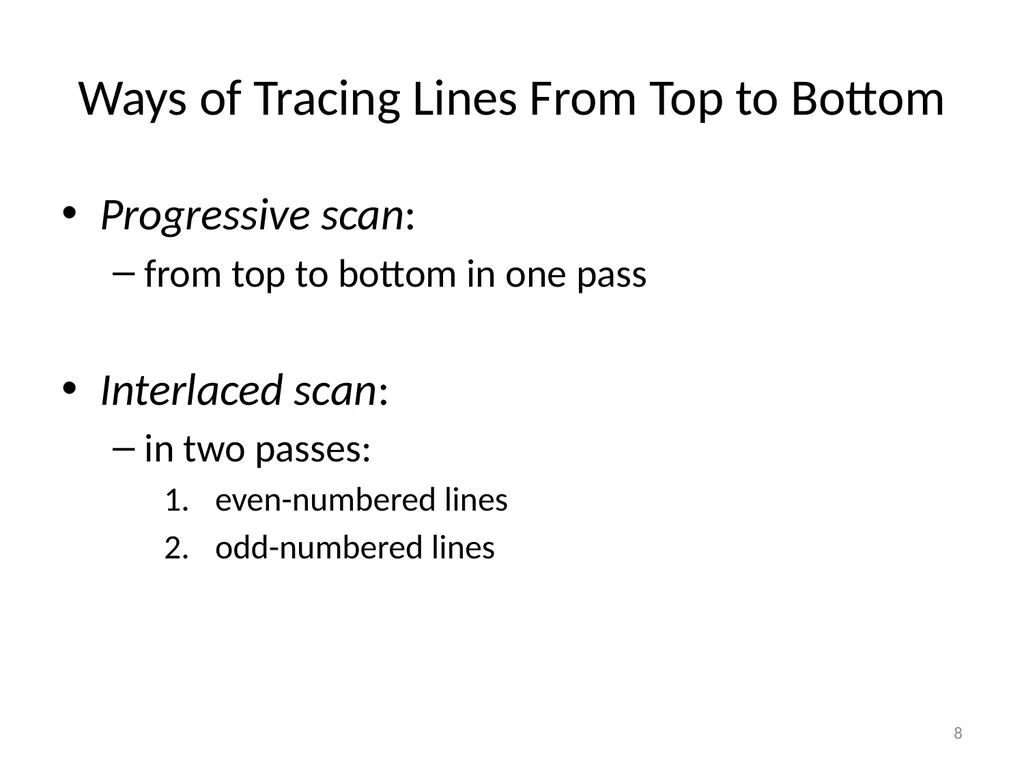
Ways of Tracing Lines From Top to Bottom Progressive scan:
from top to bottom in one pass
Interlaced scan:
in two passes:
even-numbered lines
odd-numbered lines 8<br>
09
Interlace Artifacts Not discernible during normal playback of most videos
DeInterlace
To remove the interlace artifact
Common method:
discard one field
fill in the gaps by duplicating or interpolating the other field 9<br>
10
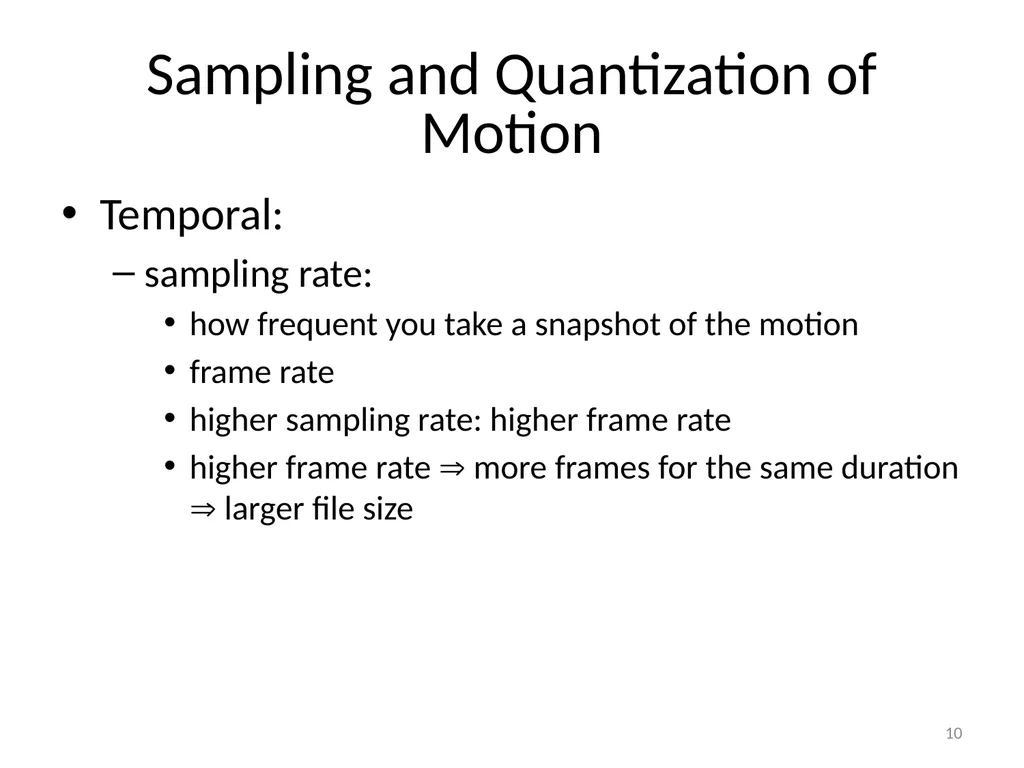
Sampling and Quantization of Motion Temporal:
sampling rate:
how frequent you take a snapshot of the motion
frame rate
higher sampling rate: higher frame rate
higher frame rate more frames for the same duration larger file size 10<br>
11
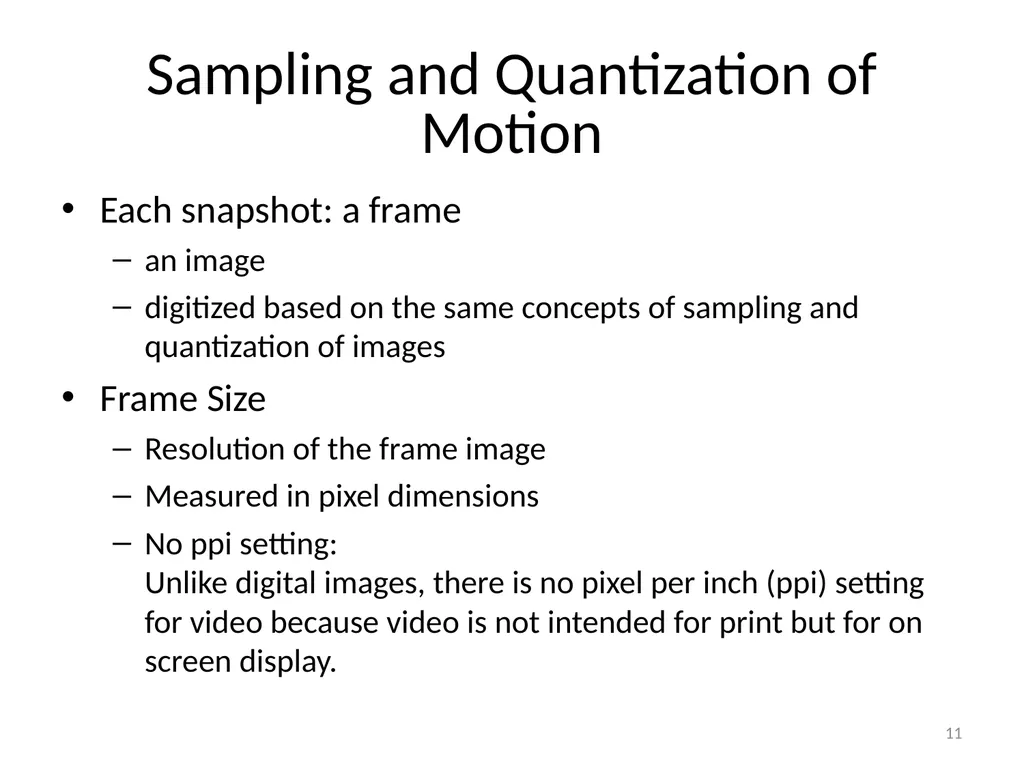
Sampling and Quantization of Motion Each snapshot: a frame
an image
digitized based on the same concepts of sampling and quantization of images
Frame Size
Resolution of the frame image
Measured in pixel dimensions
No ppi setting:�Unlike digital images, there is no pixel per inch (ppi) setting for video because video is not intended for print but for on screen display. 11<br>
12
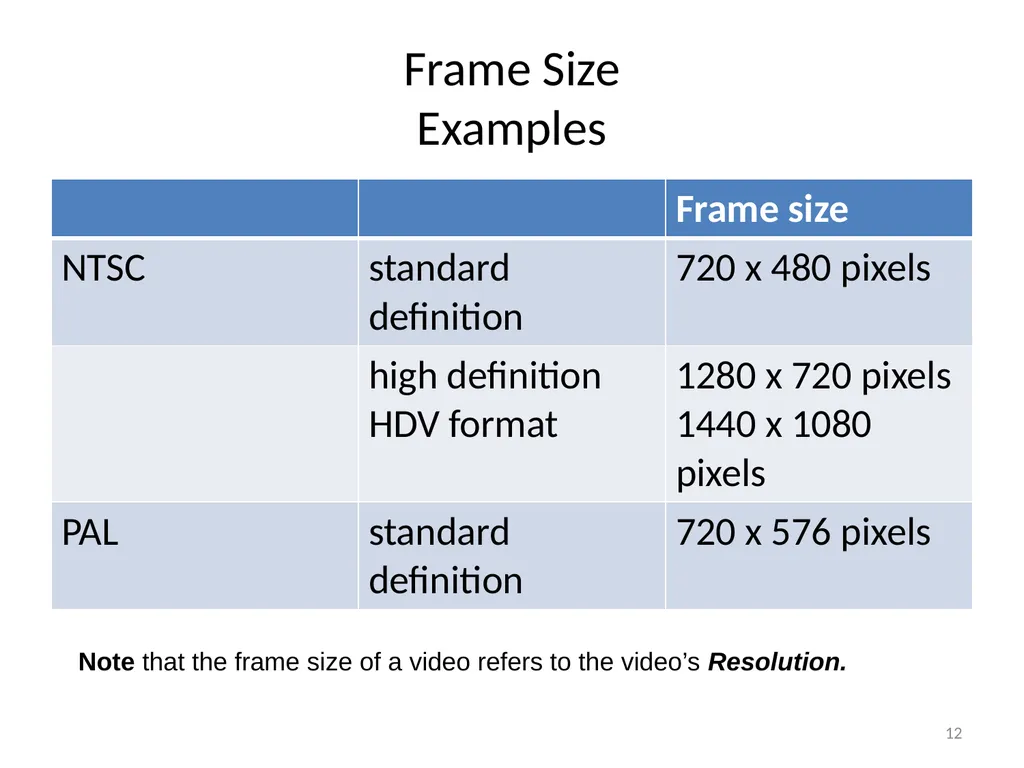
Frame Size�Examples 12 Note that the frame size of a video refers to the video’s Resolution.<br>
13
Frame Aspect Ratio the ratio of a frame's viewing width to height
NOT equivalent to ratio of the frame’s pixel width to height. 13<br>
14
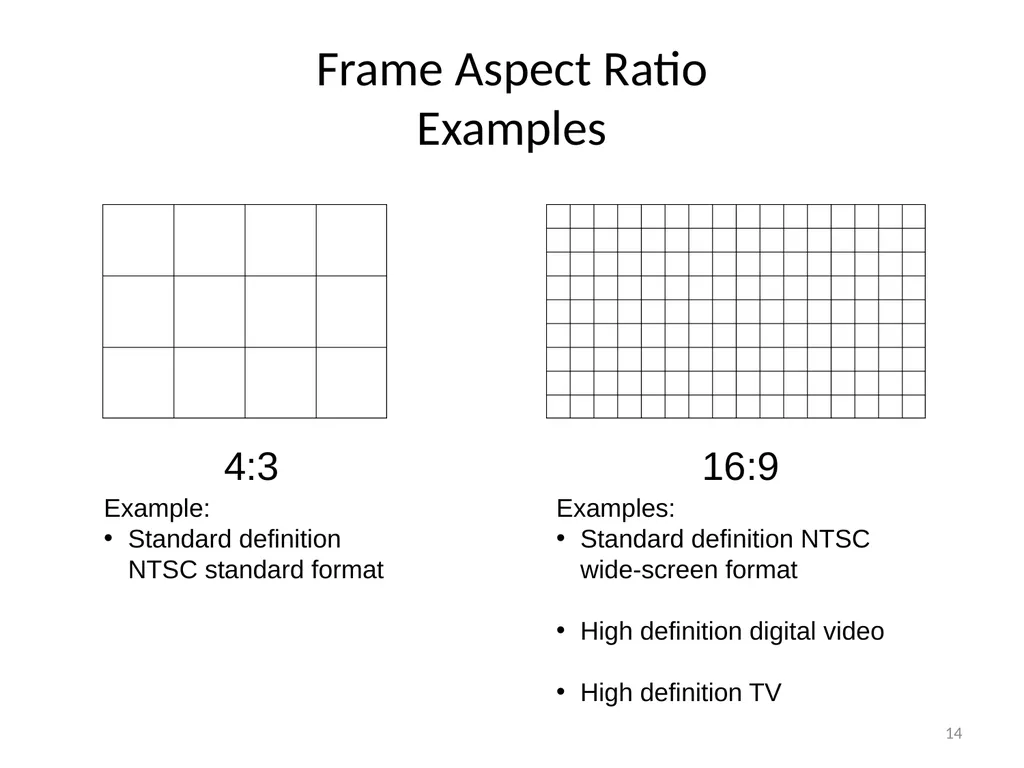
Frame Aspect Ratio�Examples 14 4:3 16:9 Example:
Standard definition NTSC standard format Examples:
Standard definition NTSC wide-screen format
High definition digital video
High definition TV<br>
16
Digital Video Standards Standard definition
High definition
Digital Television 16<br>
17
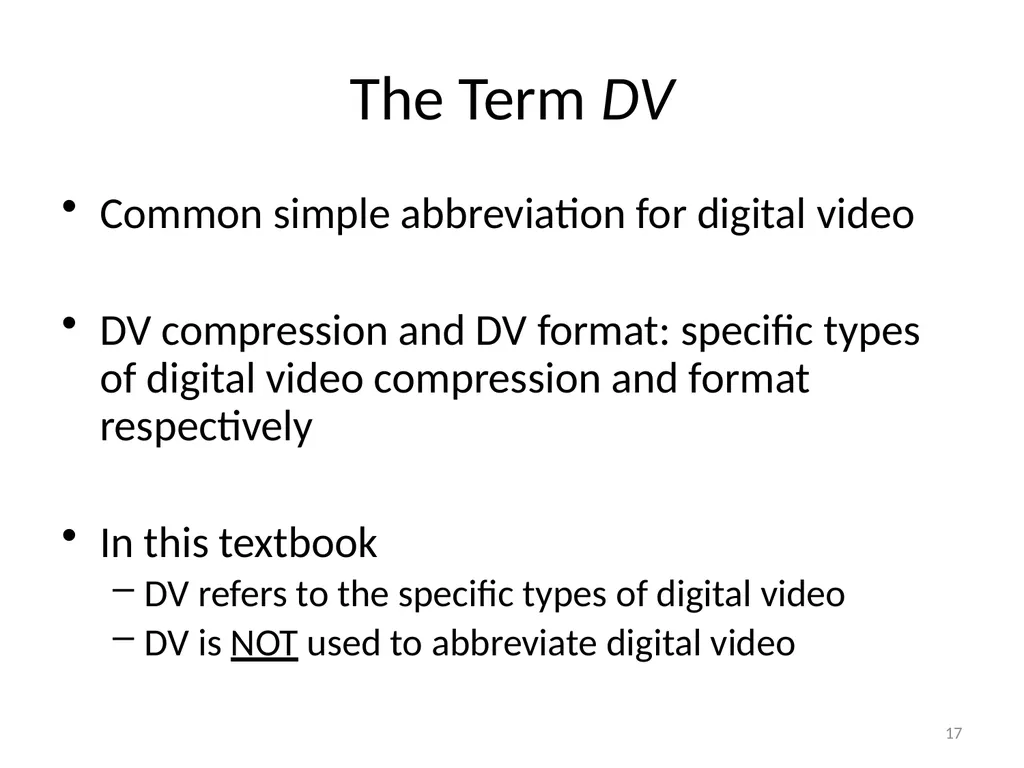
The Term DV Common simple abbreviation for digital video
DV compression and DV format: specific types of digital video compression and format respectively
In this textbook
DV refers to the specific types of digital video
DV is NOT used to abbreviate digital video 17<br>
18
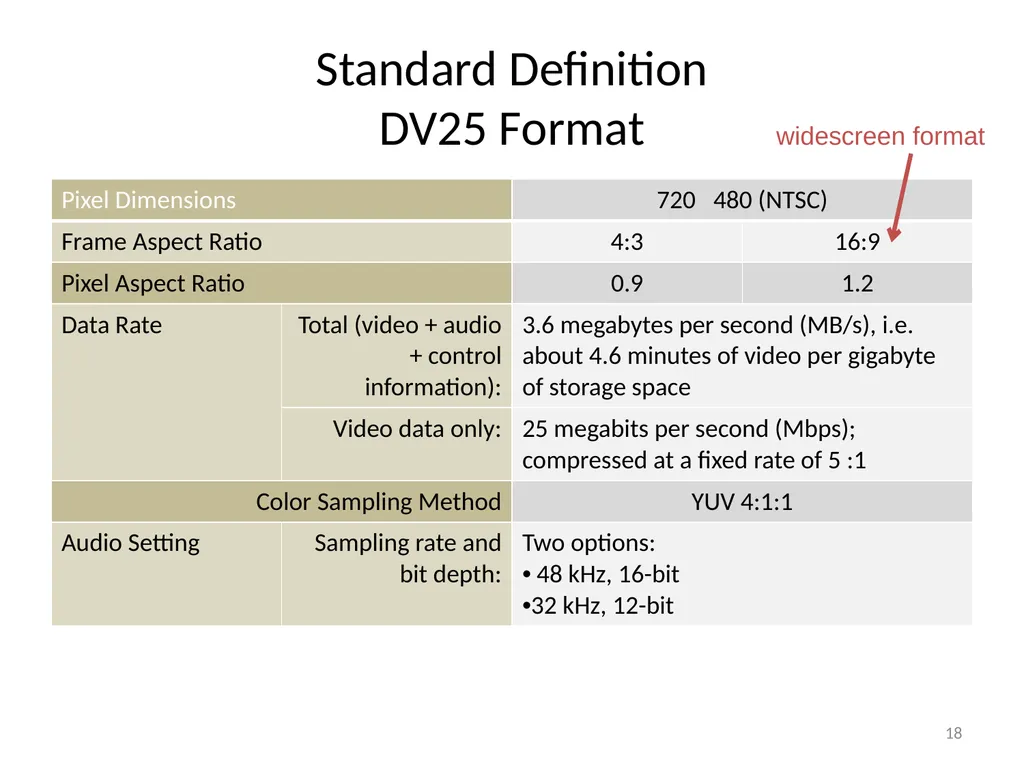
Standard Definition�DV25 Format 18 widescreen format<br>
19
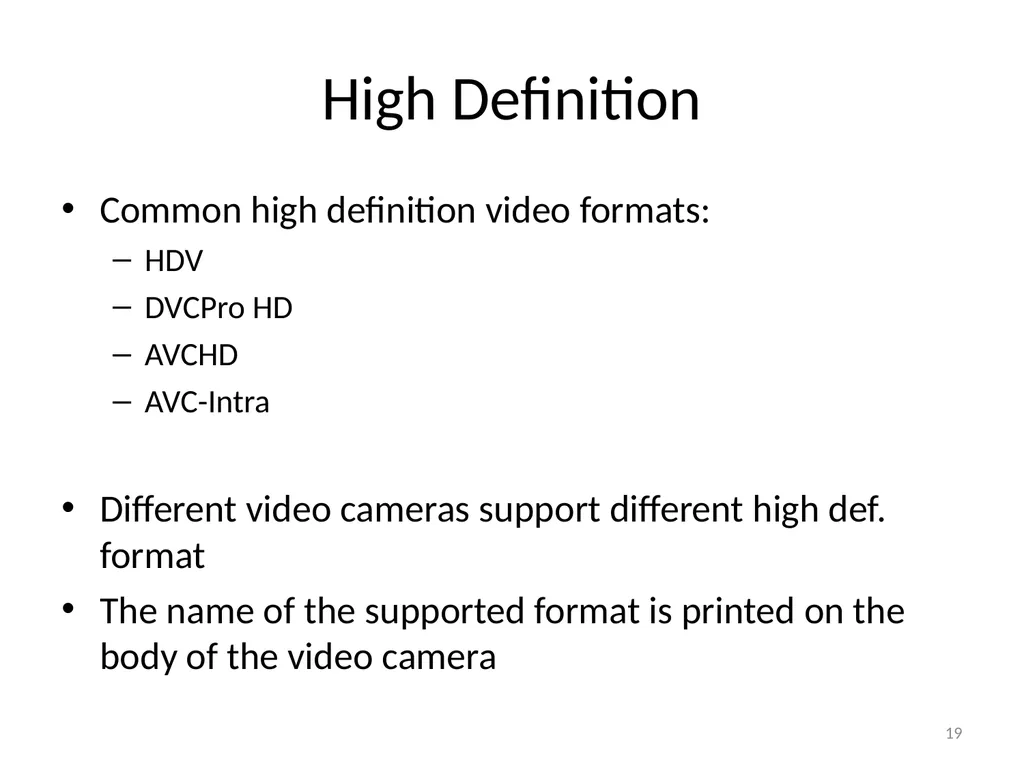
High Definition Common high definition video formats:
HDV
DVCPro HD
AVCHD
AVC-Intra
Different video cameras support different high def. format
The name of the supported format is printed on the body of the video camera 19<br>
20
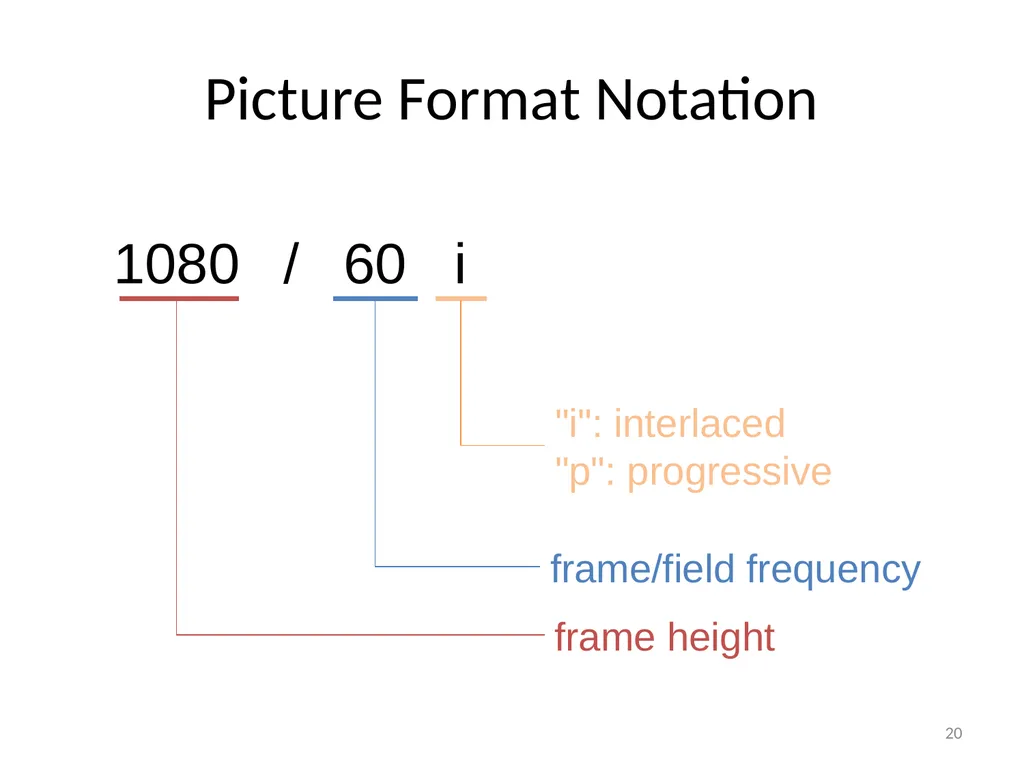
Picture Format Notation 20 1080 / 60 i frame height frame/field frequency "i": interlaced
"p": progressive<br>
21
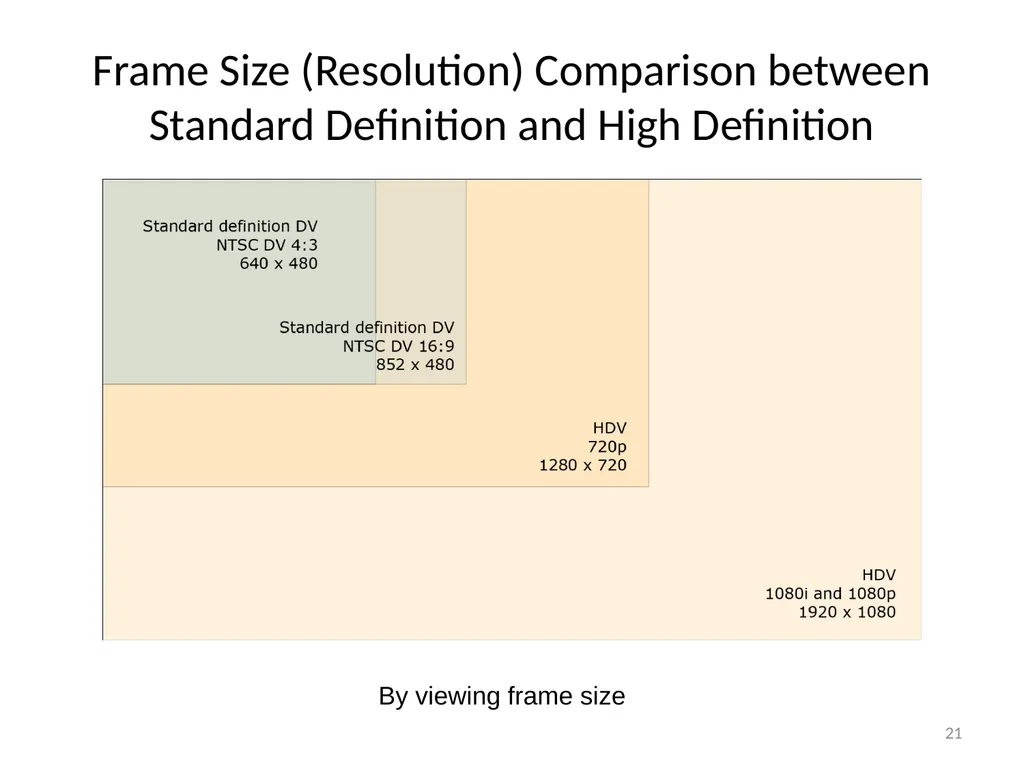
Frame Size (Resolution) Comparison between Standard Definition and High Definition 21 By viewing frame size<br>
22
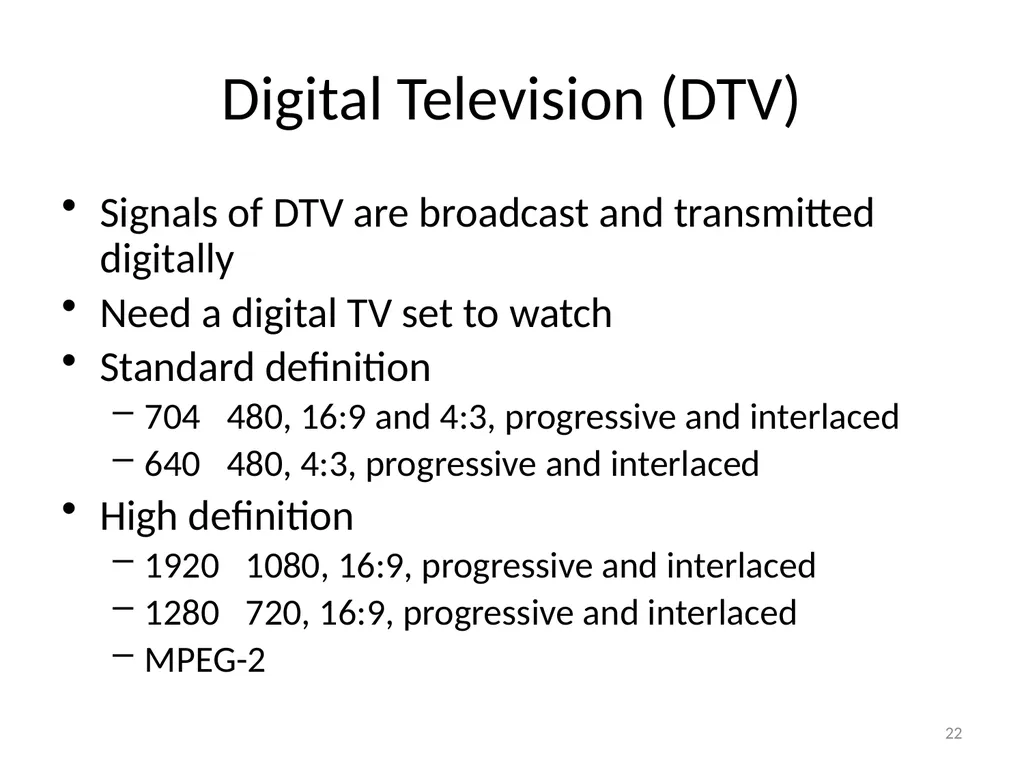
Digital Television (DTV) Signals of DTV are broadcast and transmitted digitally
Need a digital TV set to watch
Standard definition
704 480, 16:9 and 4:3, progressive and interlaced
640 480, 4:3, progressive and interlaced
High definition
1920 1080, 16:9, progressive and interlaced
1280 720, 16:9, progressive and interlaced
MPEG-2 22<br>
23
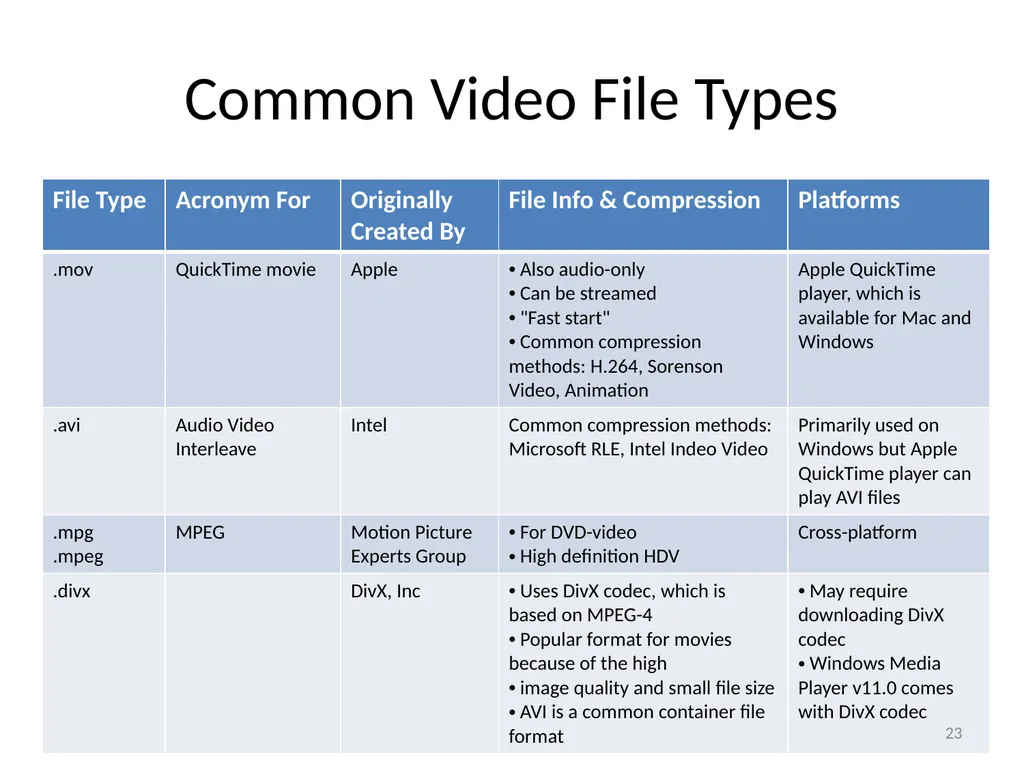
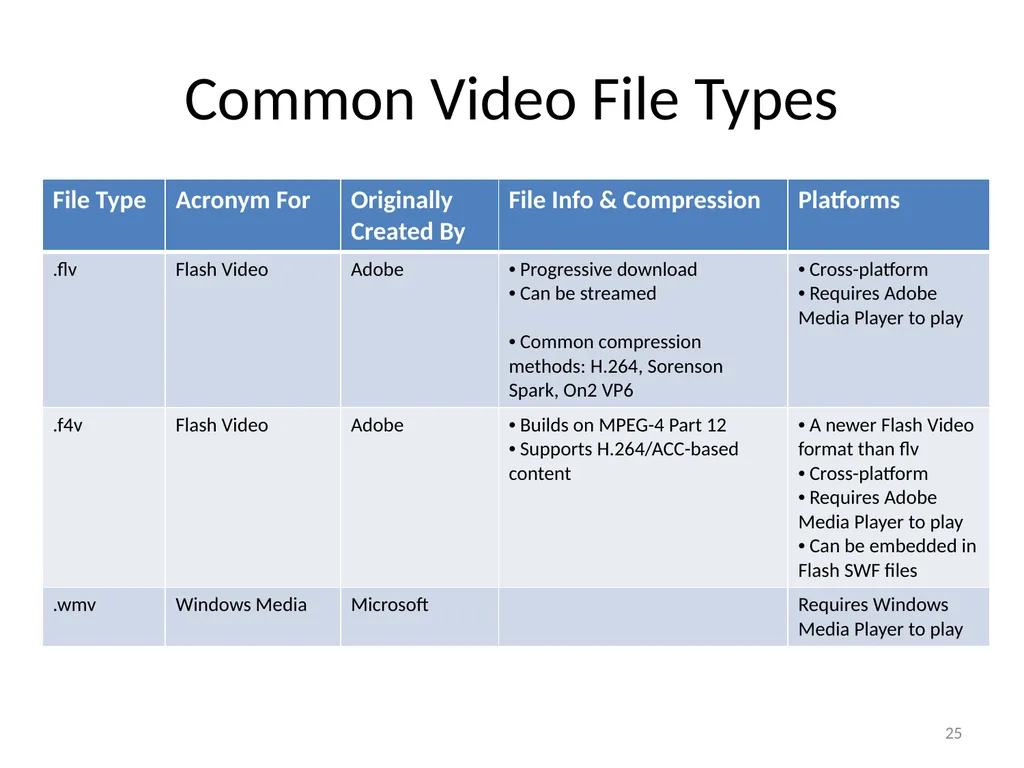
Common Video File Types 23<br>
24
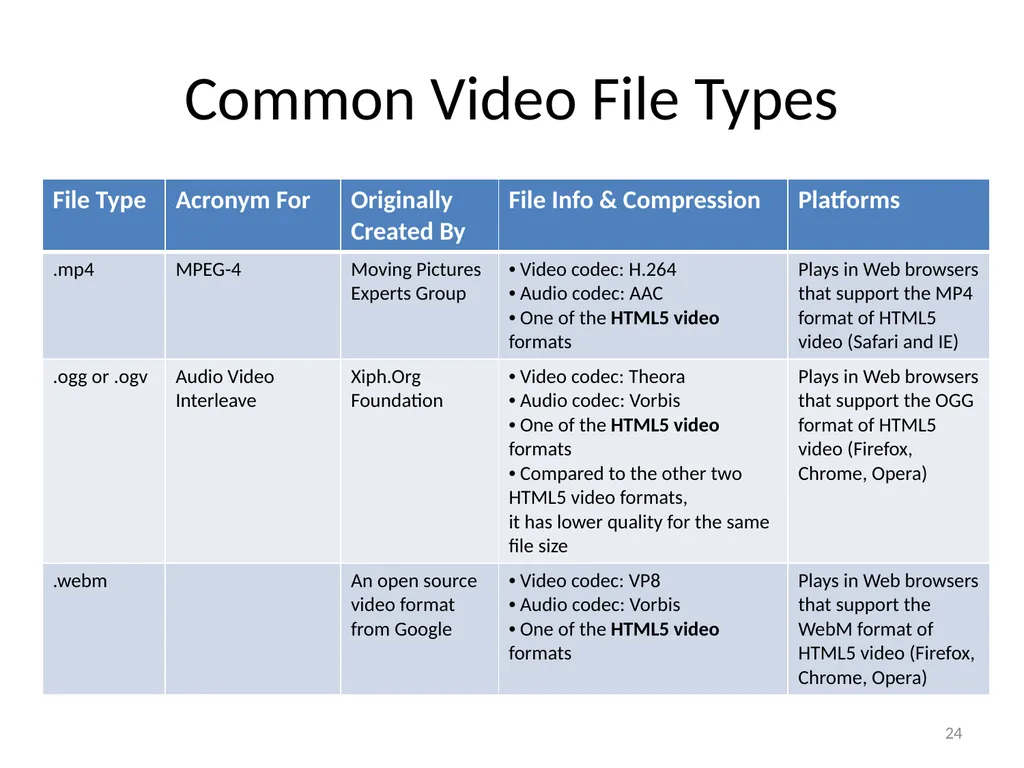
Common Video File Types 24<br>
25
Common Video File Types 25<br>
26
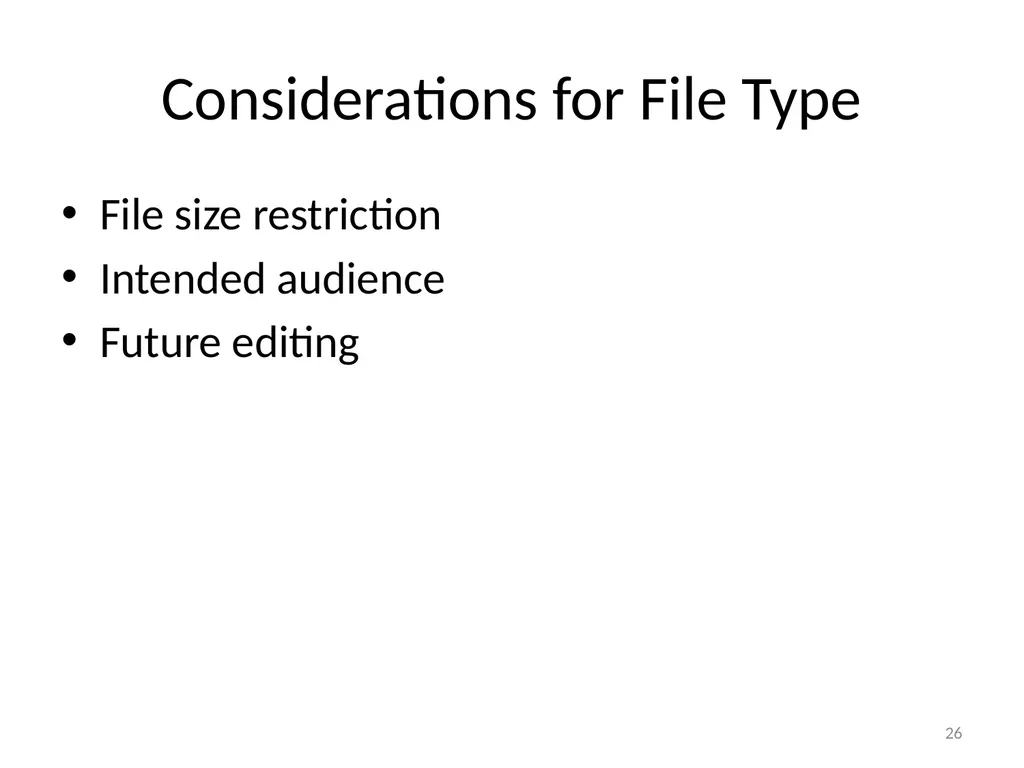
Considerations for File Type File size restriction
Intended audience
Future editing 26<br>
27
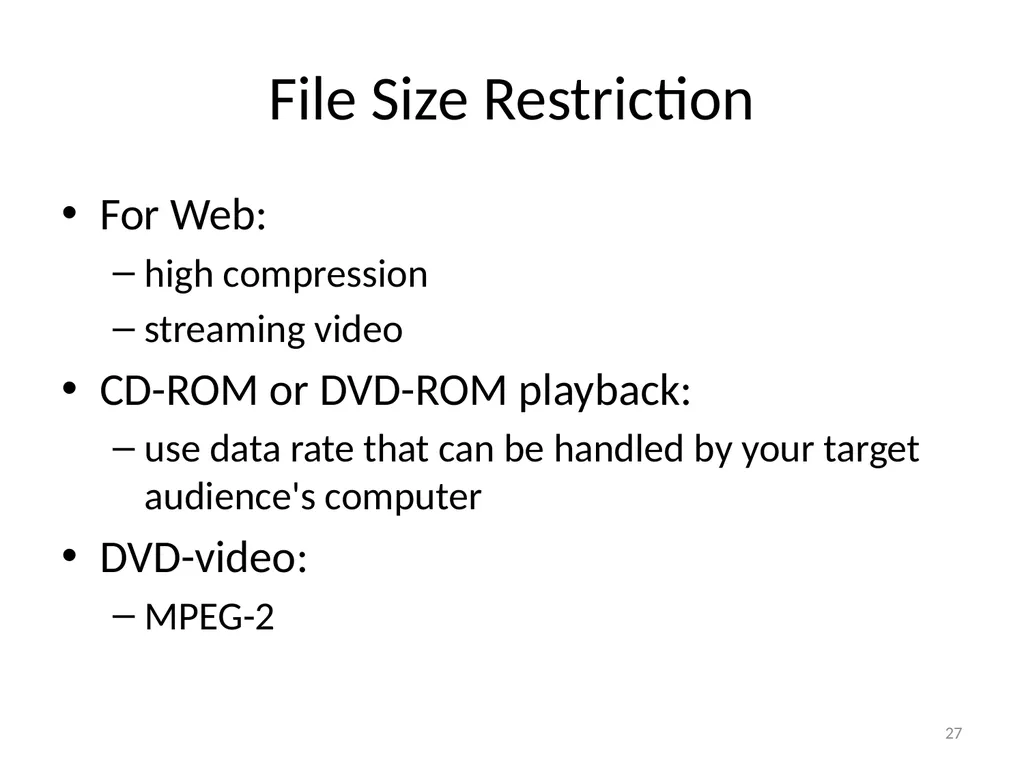
File Size Restriction For Web:
high compression
streaming video
CD-ROM or DVD-ROM playback:
use data rate that can be handled by your target audience's computer
DVD-video:
MPEG-2 27<br>
28
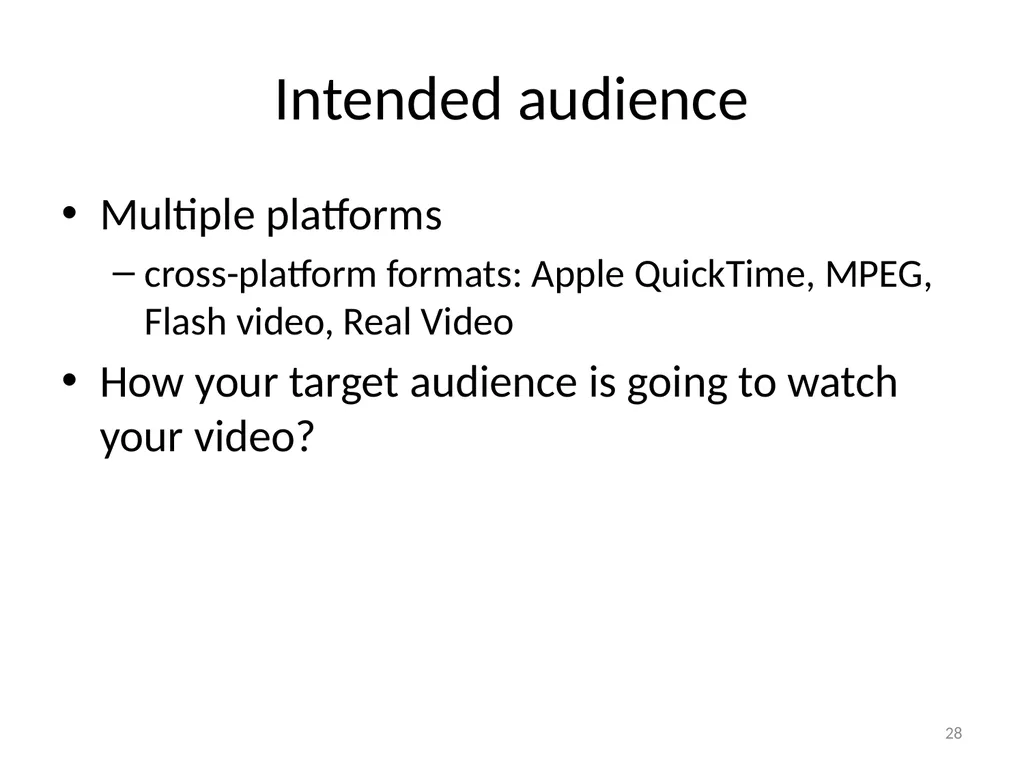
Intended audience Multiple platforms
cross-platform formats: Apple QuickTime, MPEG, Flash video, Real Video
How your target audience is going to watch your video? 28<br>
29
Future Editing If the video will be used as a source for future editing:
Lower compression level
Choose uncompressed, if
the frame size is small
the video duration is extremely short
you have enough disk space 29<br>
30
General Strategies for Reducing Video Data Rate Basic ideas:
A video is a sequence of images + audio
Apply strategies for reducing digital image and audio file size. 30<br>
31
General Strategies for Reducing Video File Size General Strategies for reducing digital image file size
reduce frame size
reduce frame rate
choose a video compressor that allows higher compression
choose the lower picture quality option
Reduce duration of the video so you have less frames
not always possible
will not impact data rate 31<br>
32
Why General Strategies for Reducing Digital Image File Size Work for Video Reduce frame size because:
you have less pixels for each frame
Reduce frame rate because:
you have less frames
Video compression with high compression because:
some data are discarded
Lower picture quality option because:
some data are discarded 32<br>
33
Strategies Least Used for Reducing Video Data Rate Reduce bit depth
Not all video formats support lower bit depth
Live videos need 24-bit to look natural
Some compressors do not support lower bit depth
Reduce sampling rate, bit depth, and channel numbers of the audio
size of the audio is insignificant compared to that of the picture component in a video 33<br>
34
Compression and Decompression Compression:
To reduce file size
Takes time
Often takes more time for higher compression
Decompression:
A compression video file must be decompressed before it is played.
The decompression method or algorithm depends on how it is originally compressed.
Compression and decompression always go together as a pair.
Codec: compressor/decompressor 34<br>
35
MPEG Moving Pictures Experts Group�Committee who derives standards for encoding video
Allow high compression
MPEG-1, MPEG-2, MPEG-4
What happened to MPEG-3?
NOT MP3 (which is audio format)
Intended for HDTV
HDTV specifications was merged into MPEG-2 35<br>
36
MPEG-1 Video quality comparable to VHS
Originally intended for Web and CD-ROM playback
Frame sizes up to 352 240 pixels
Video format for VCD (VideoCD) before DVD became widespread 36<br>
37
MPEG-2 Supports DVD-video, HDTV, HDV standards
For DVD video production:�Export video into DVD MPEG-2 format
For HDV video production:�Export video into HDV's MPEG-2 format 37<br>
38
MPEG-4 Newer standard of MPEG family
MPEG-4 targets mobile applications, as in cell phones. 38<br>