
CMSC201 Computer Science I for Majors Lecture 12 –
SN
Published · 42 slides · 0 views
1 / 1
Description
CMSC201 Computer Science I for Majors Lecture 12 Lists (cont) Last Class We Covered Value-returning functions None Common errors Function scope 2 Infinite while loops TBT 3 Any Questions from Last Time? Todays Objectives To review what
Related Topics
Share
Embed code
Download this presentation From Below
"CMSC201 Computer Science I for Majors Lecture 12 –" is the property of its rightful owner. Permission is granted to download and print the materials on this website for personal, non-commercial use only, and to display it on your personal computer provided you do not modify the materials and that you retain all copyright notices contained in the materials. By downloading content from our website, you accept the terms of this agreement.
Presentation Transcript
01
CMSC201
Computer Science I for Majors
Lecture 12 – Lists (cont)<br>
02
Last Class We Covered Value-returning functions
None
Common errors
Function scope 2 Infinite while loops #TBT<br>
None
Common errors
Function scope 2 Infinite while loops #TBT<br>
03
3 Any Questions from Last Time?<br>
04
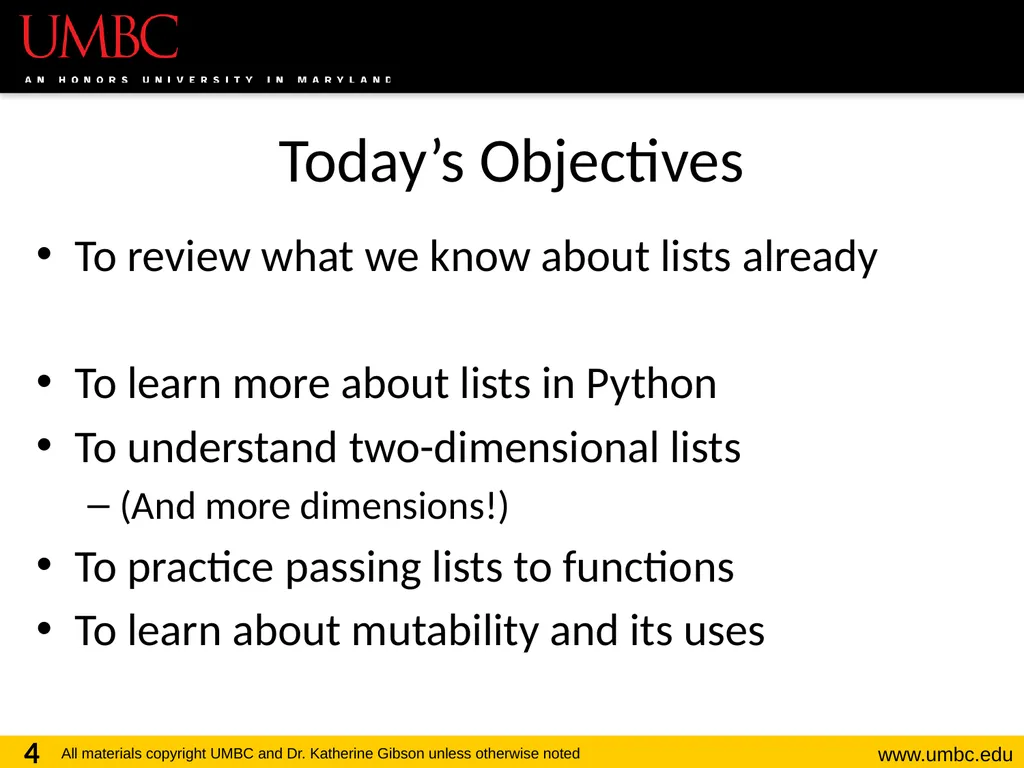
Today’s Objectives To review what we know about lists already
To learn more about lists in Python
To understand two-dimensional lists
(And more dimensions!)
To practice passing lists to functions
To learn about mutability and its uses 4<br>
To learn more about lists in Python
To understand two-dimensional lists
(And more dimensions!)
To practice passing lists to functions
To learn about mutability and its uses 4<br>
05
5 List Review<br>
06
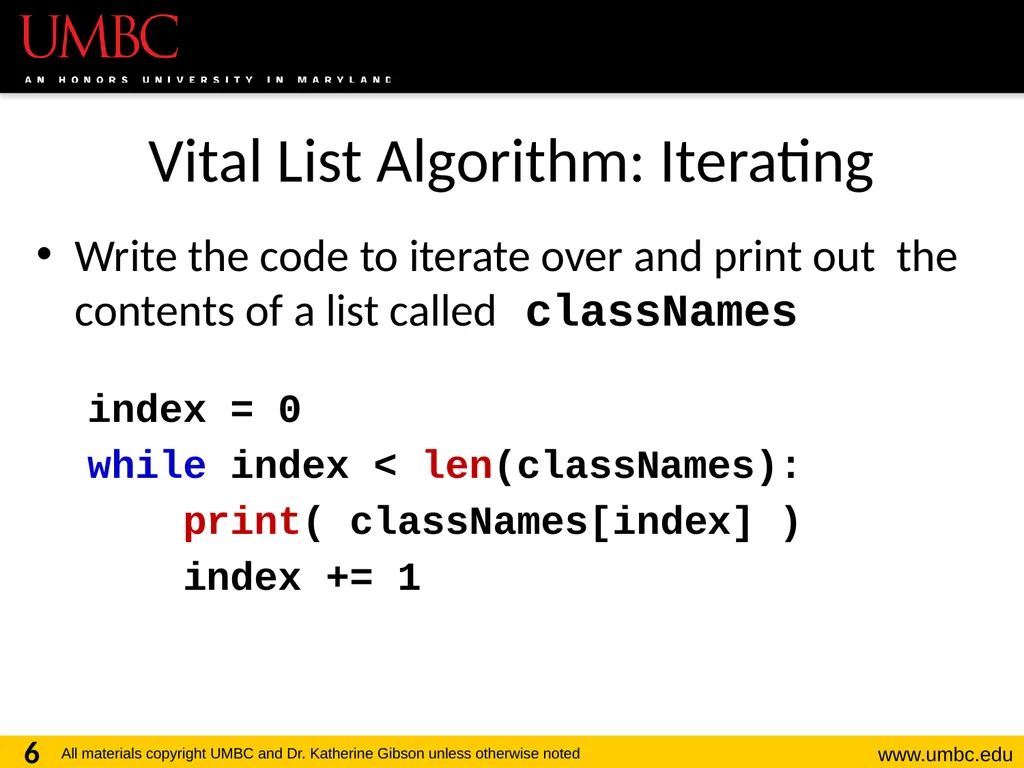
Vital List Algorithm: Iterating Write the code to iterate over and print out the contents of a list called classNames
index = 0
while index < len(classNames):
print( classNames[index] )
index += 1 6<br>
index = 0
while index < len(classNames):
print( classNames[index] )
index += 1 6<br>
07
7 Two-Dimensional Lists<br>
08
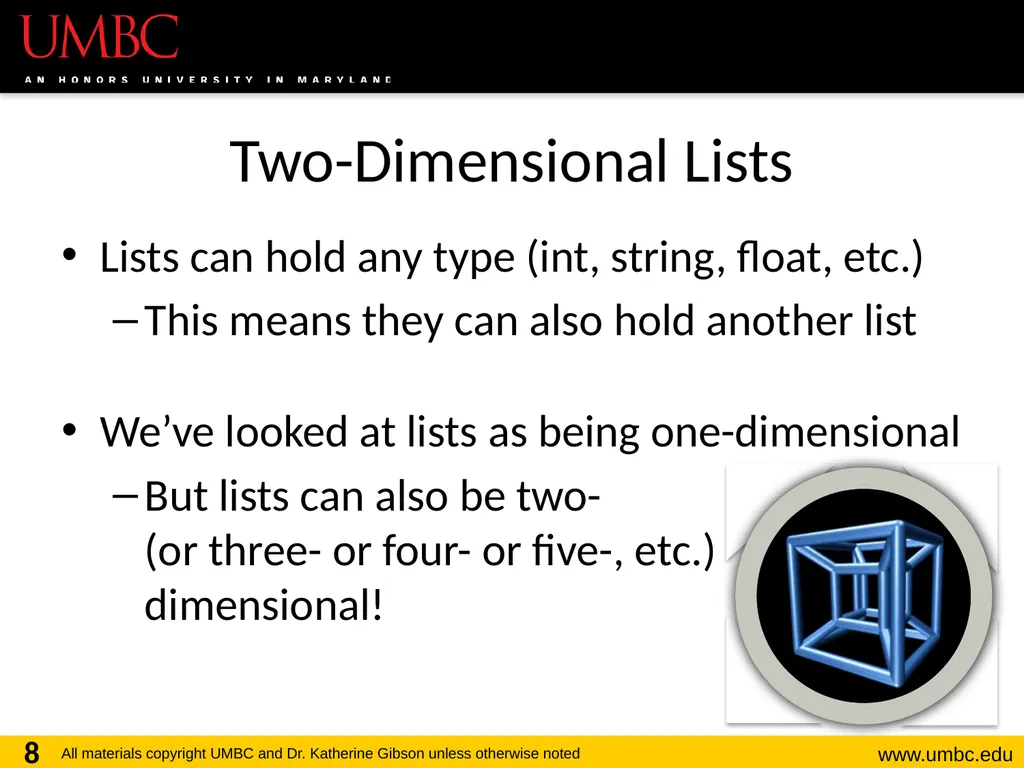
Two-Dimensional Lists Lists can hold any type (int, string, float, etc.)
This means they can also hold another list
We’ve looked at lists as being one-dimensional
But lists can also be two- (or three- or four- or five-, etc.) dimensional! 8<br>
This means they can also hold another list
We’ve looked at lists as being one-dimensional
But lists can also be two- (or three- or four- or five-, etc.) dimensional! 8<br>
09
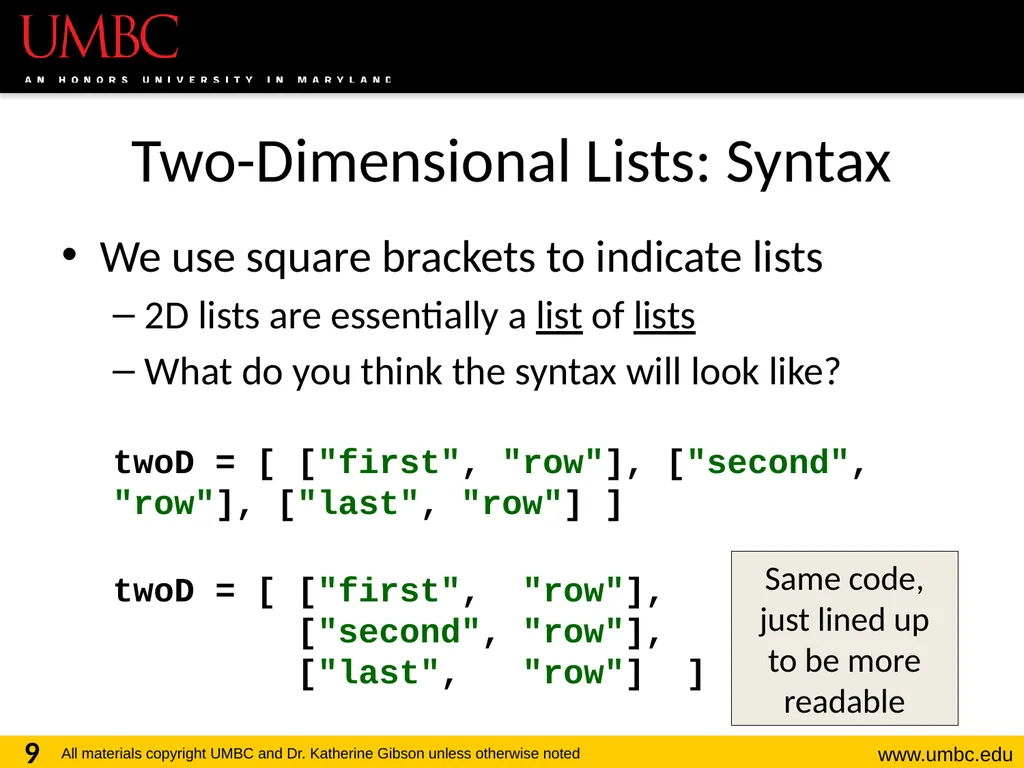
Two-Dimensional Lists: Syntax We use square brackets to indicate lists
2D lists are essentially a list of lists
What do you think the syntax will look like?
twoD = [ ["first", "row"], ["second", "row"], ["last", "row"] ]
twoD = [ ["first", "row"], ["second", "row"], ["last", "row"] ] 9 Same code, just lined up to be more readable<br>
2D lists are essentially a list of lists
What do you think the syntax will look like?
twoD = [ ["first", "row"], ["second", "row"], ["last", "row"] ]
twoD = [ ["first", "row"], ["second", "row"], ["last", "row"] ] 9 Same code, just lined up to be more readable<br>
10
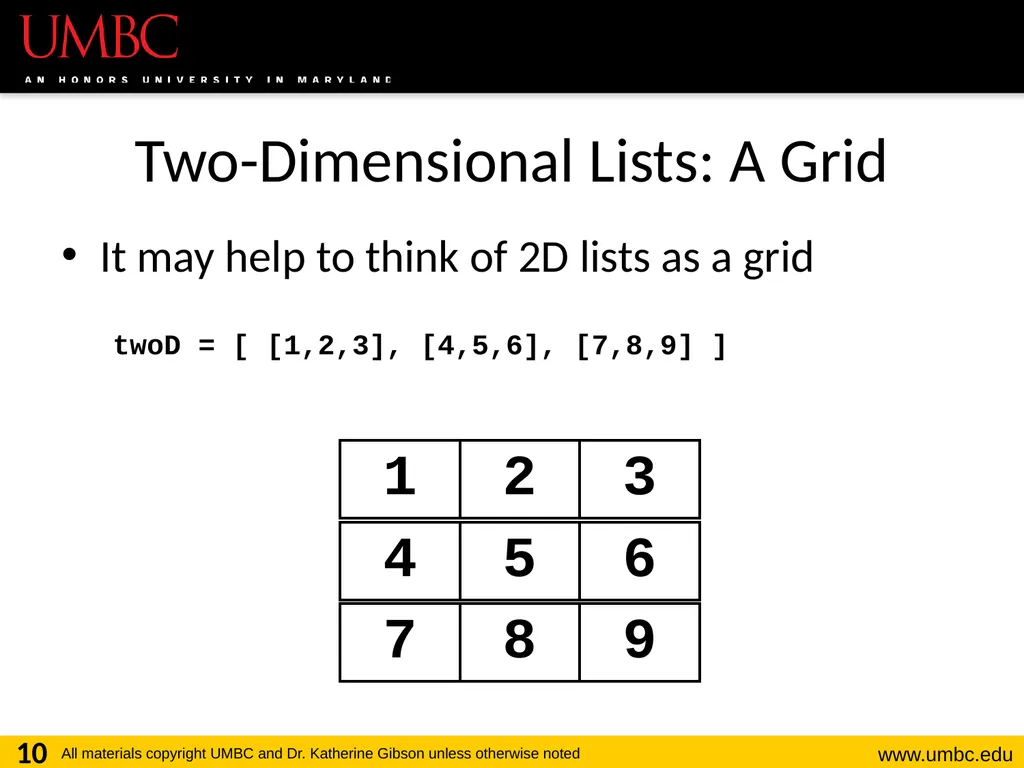
Two-Dimensional Lists: A Grid It may help to think of 2D lists as a grid
twoD = [ [1,2,3], [4,5,6], [7,8,9] ] 10<br>
twoD = [ [1,2,3], [4,5,6], [7,8,9] ] 10<br>
11
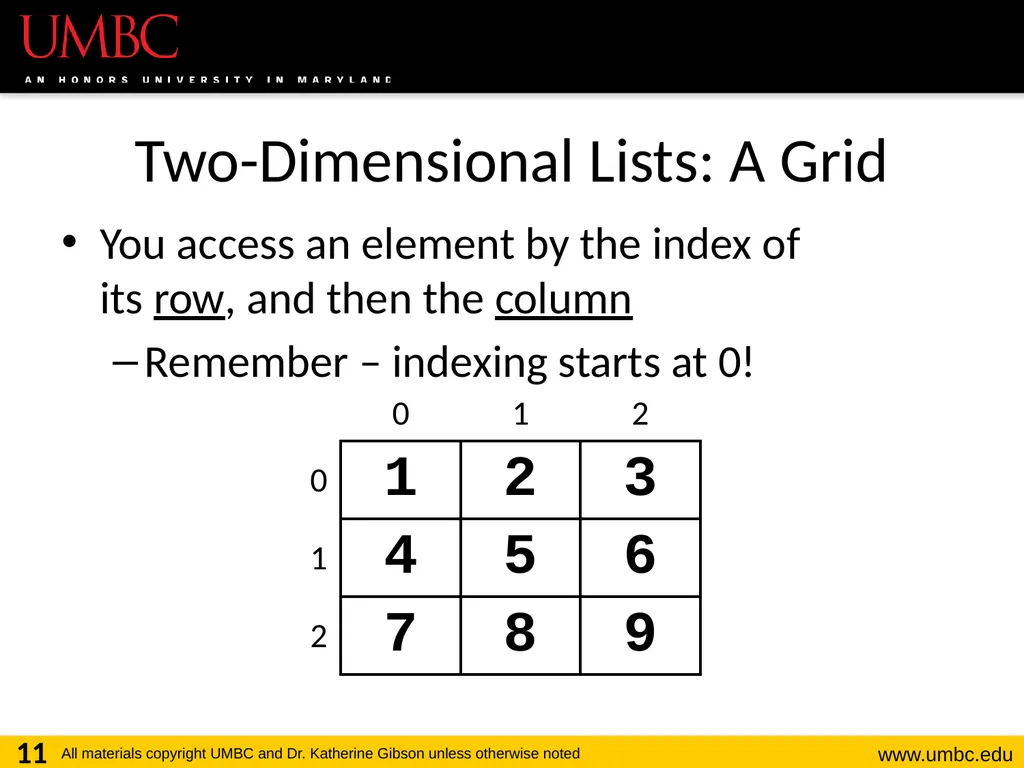
Two-Dimensional Lists: A Grid You access an element by the index of
its row, and then the column
Remember – indexing starts at 0! 11<br>
Remember – indexing starts at 0! 11<br>
12
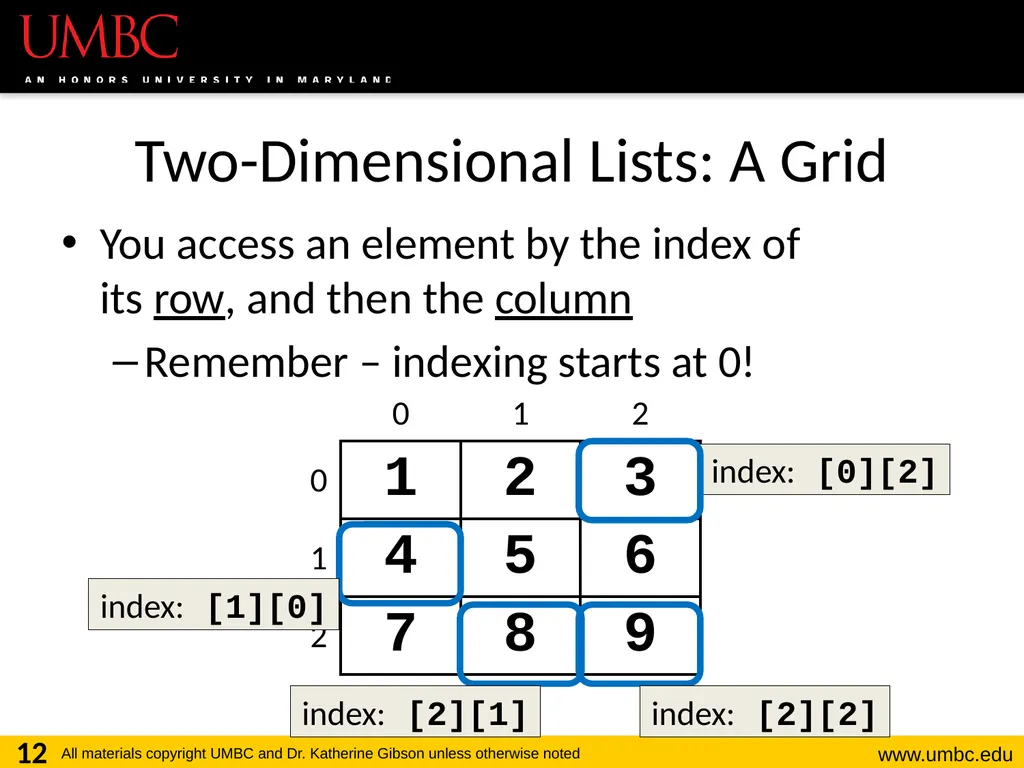
Two-Dimensional Lists: A Grid You access an element by the index of
its row, and then the column
Remember – indexing starts at 0! 12 index: [0][2] index: [1][0] index: [2][1] index: [2][2]<br>
Remember – indexing starts at 0! 12 index: [0][2] index: [1][0] index: [2][1] index: [2][2]<br>
13
Lists of Strings Remember, a string is like a list of characters
So what is a list of strings?
Like a two-dimensional list!
We have the index of the string (the row)
And the index of the character (the column) 13<br>
So what is a list of strings?
Like a two-dimensional list!
We have the index of the string (the row)
And the index of the character (the column) 13<br>
14
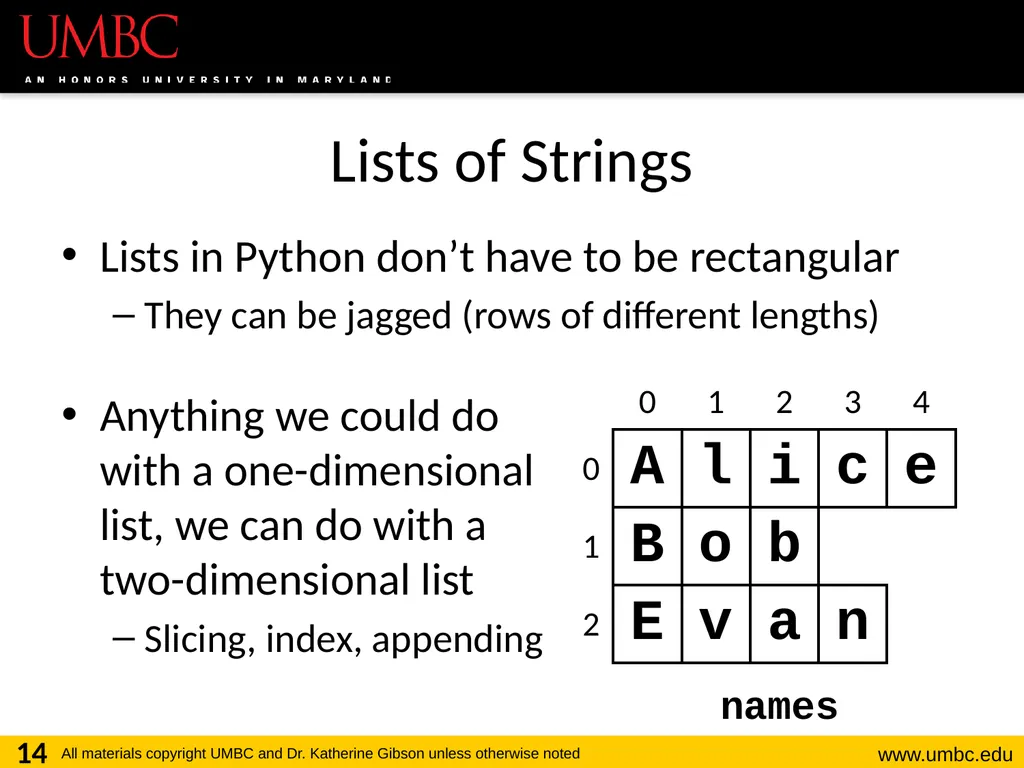
Lists of Strings Lists in Python don’t have to be rectangular
They can be jagged (rows of different lengths)
Anything we could do with a one-dimensional list, we can do with a two-dimensional list
Slicing, index, appending 14 names<br>
They can be jagged (rows of different lengths)
Anything we could do with a one-dimensional list, we can do with a two-dimensional list
Slicing, index, appending 14 names<br>
15
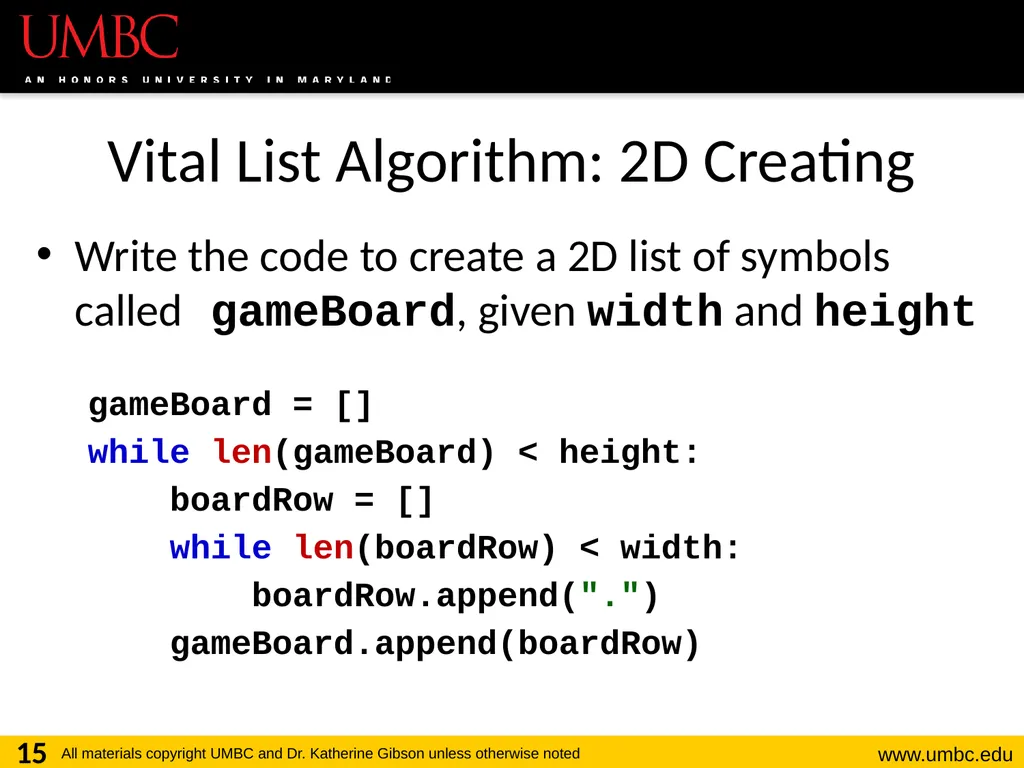
Vital List Algorithm: 2D Creating Write the code to create a 2D list of symbols called gameBoard, given width and height
gameBoard = []
while len(gameBoard) < height:
boardRow = []
while len(boardRow) < width:
boardRow.append(".")
gameBoard.append(boardRow) 15<br>
gameBoard = []
while len(gameBoard) < height:
boardRow = []
while len(boardRow) < width:
boardRow.append(".")
gameBoard.append(boardRow) 15<br>
16
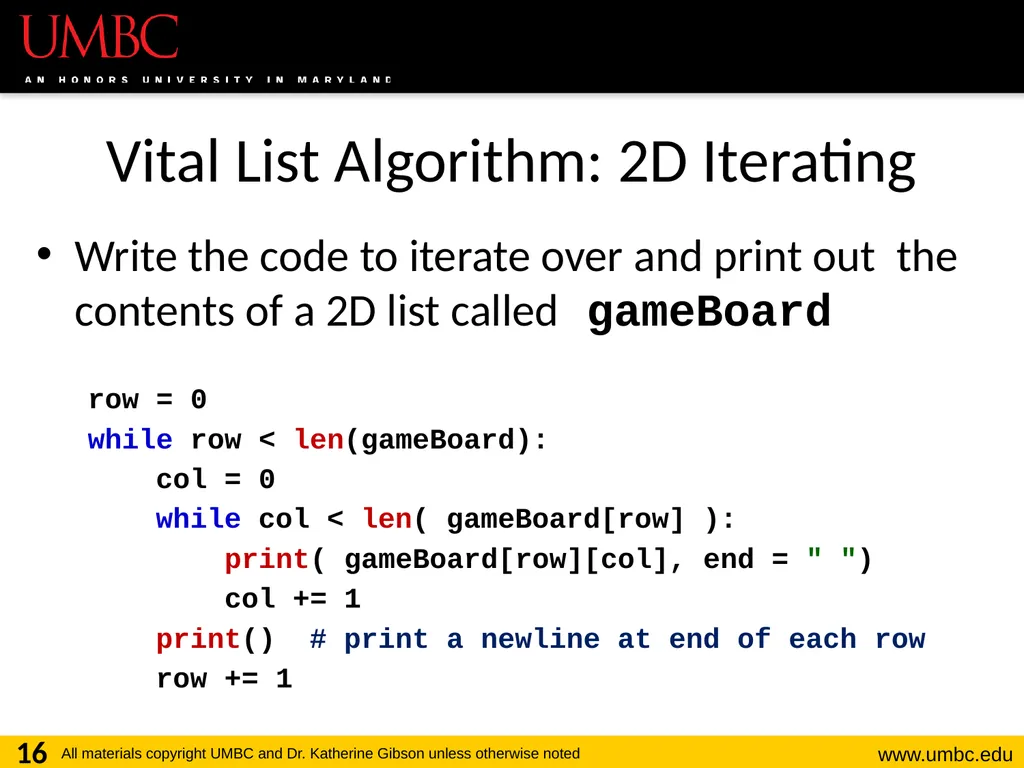
Vital List Algorithm: 2D Iterating Write the code to iterate over and print out the contents of a 2D list called gameBoard
row = 0
while row < len(gameBoard):
col = 0
while col < len( gameBoard[row] ):
print( gameBoard[row][col], end = " ")
col += 1
print() # print a newline at end of each row
row += 1 16<br>
row = 0
while row < len(gameBoard):
col = 0
while col < len( gameBoard[row] ):
print( gameBoard[row][col], end = " ")
col += 1
print() # print a newline at end of each row
row += 1 16<br>
17
17 Mutability<br>
18
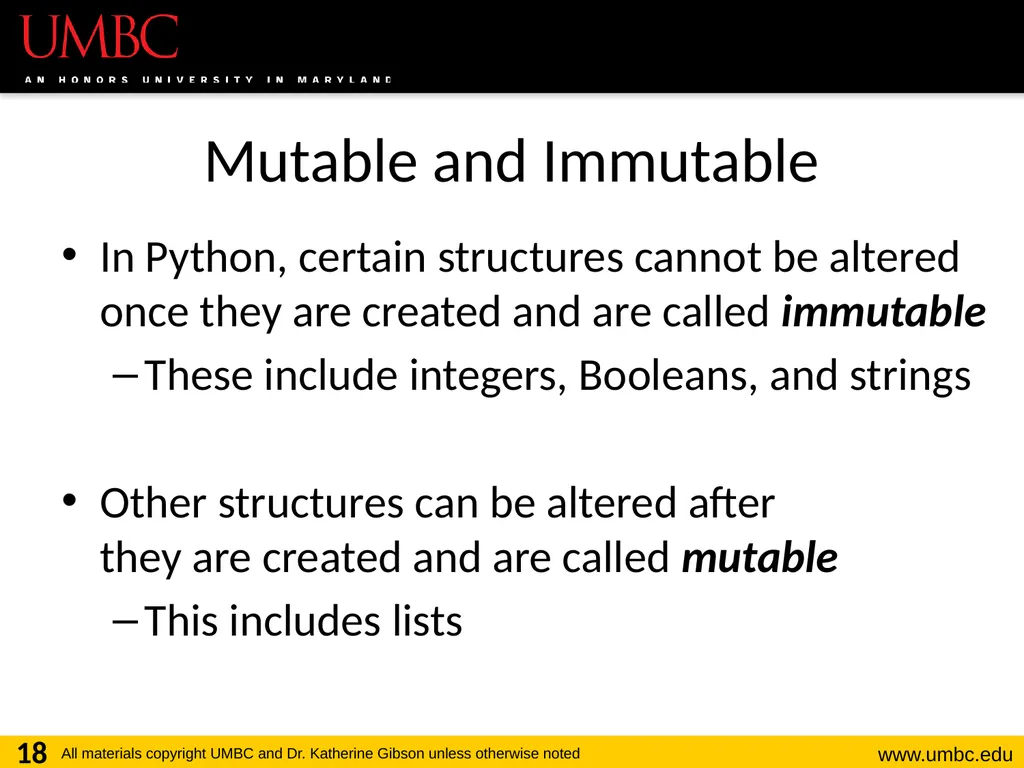
Mutable and Immutable In Python, certain structures cannot be altered once they are created and are called immutable
These include integers, Booleans, and strings
Other structures can be altered after they are created and are called mutable
This includes lists 18<br>
These include integers, Booleans, and strings
Other structures can be altered after they are created and are called mutable
This includes lists 18<br>
19
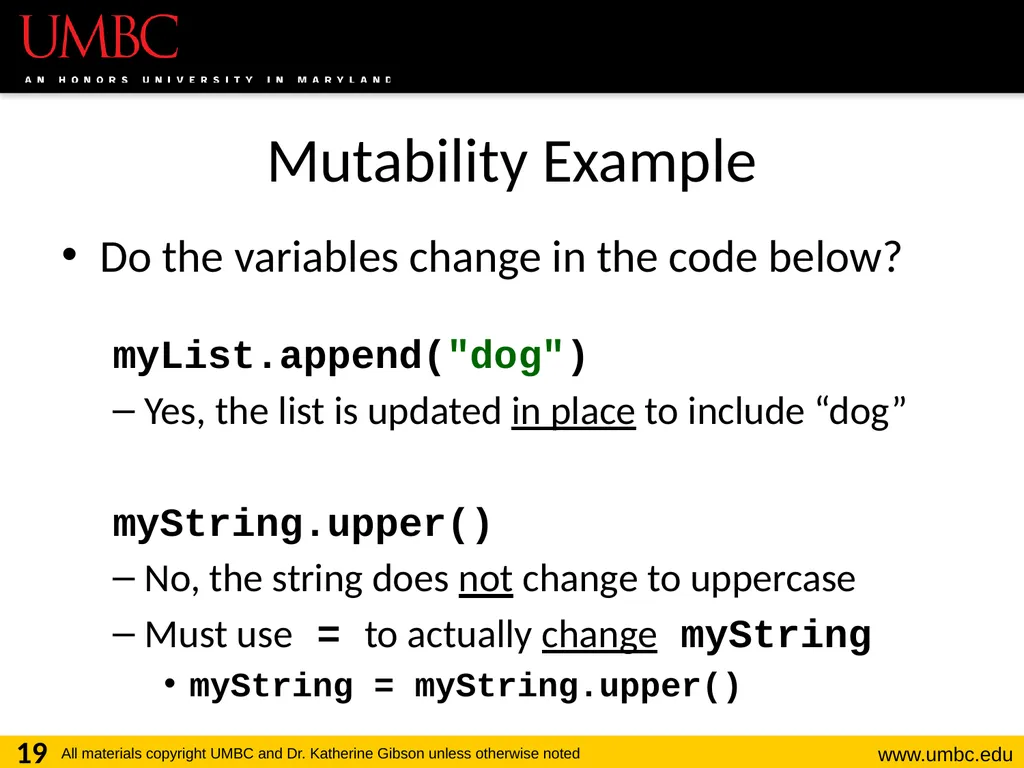
Mutability Example Do the variables change in the code below?
myList.append("dog")
Yes, the list is updated in place to include “dog”
myString.upper()
No, the string does not change to uppercase
Must use = to actually change myString
myString = myString.upper() 19<br>
myList.append("dog")
Yes, the list is updated in place to include “dog”
myString.upper()
No, the string does not change to uppercase
Must use = to actually change myString
myString = myString.upper() 19<br>
20
Lists and Mutability When you assign one list to another, it is
by default a shallow copy of the list
Any “in place” changes that are made to the shallow copy show up in the “original” list
Sort of like a nickname: one variable can be accessed with two separate names
The other option is a deep copy of the list, but you must specify this is what you want 20<br>
Any “in place” changes that are made to the shallow copy show up in the “original” list
Sort of like a nickname: one variable can be accessed with two separate names
The other option is a deep copy of the list, but you must specify this is what you want 20<br>
21
Shallow and Deep Copies A shallow copy is when the new variable
only points to the old variable, rather than making an actual complete copy
A deep copy is the opposite, creating a complete copy of the list for the new variable
Both of these are useful in their own way
They serve different purposes
One is not “better” than the other 21<br>
A deep copy is the opposite, creating a complete copy of the list for the new variable
Both of these are useful in their own way
They serve different purposes
One is not “better” than the other 21<br>
22
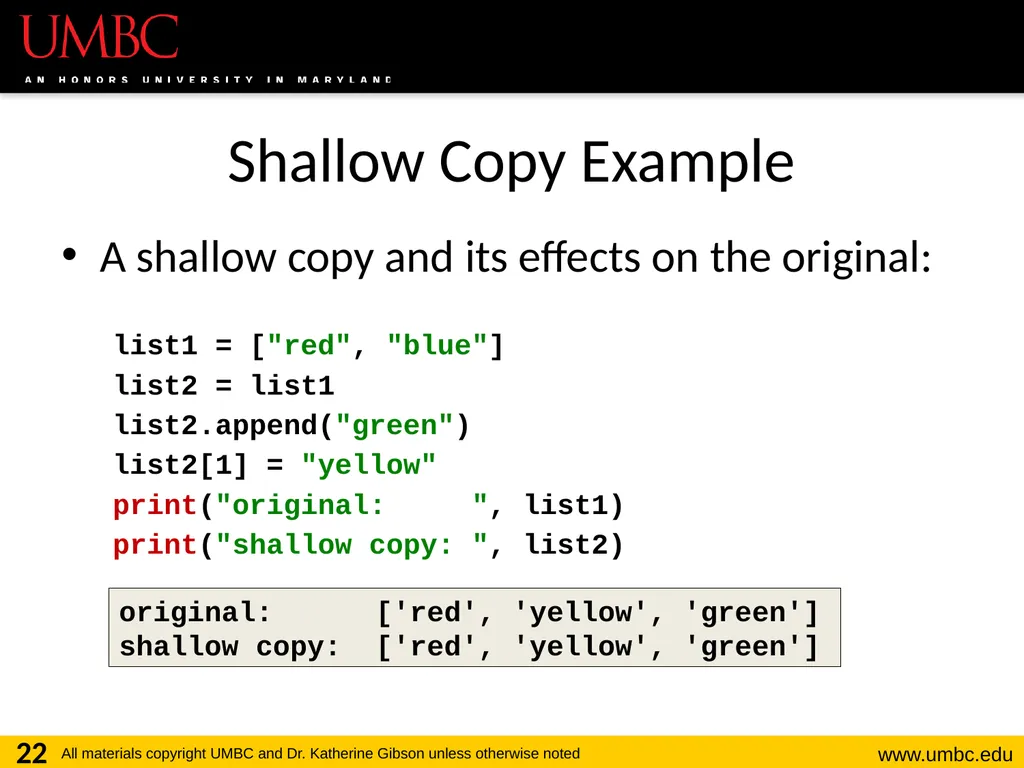
Shallow Copy Example A shallow copy and its effects on the original:
list1 = ["red", "blue"]
list2 = list1
list2.append("green")
list2[1] = "yellow"
print("original: ", list1)
print("shallow copy: ", list2) 22 original: ['red', 'yellow', 'green']
shallow copy: ['red', 'yellow', 'green']<br>
list1 = ["red", "blue"]
list2 = list1
list2.append("green")
list2[1] = "yellow"
print("original: ", list1)
print("shallow copy: ", list2) 22 original: ['red', 'yellow', 'green']
shallow copy: ['red', 'yellow', 'green']<br>
23
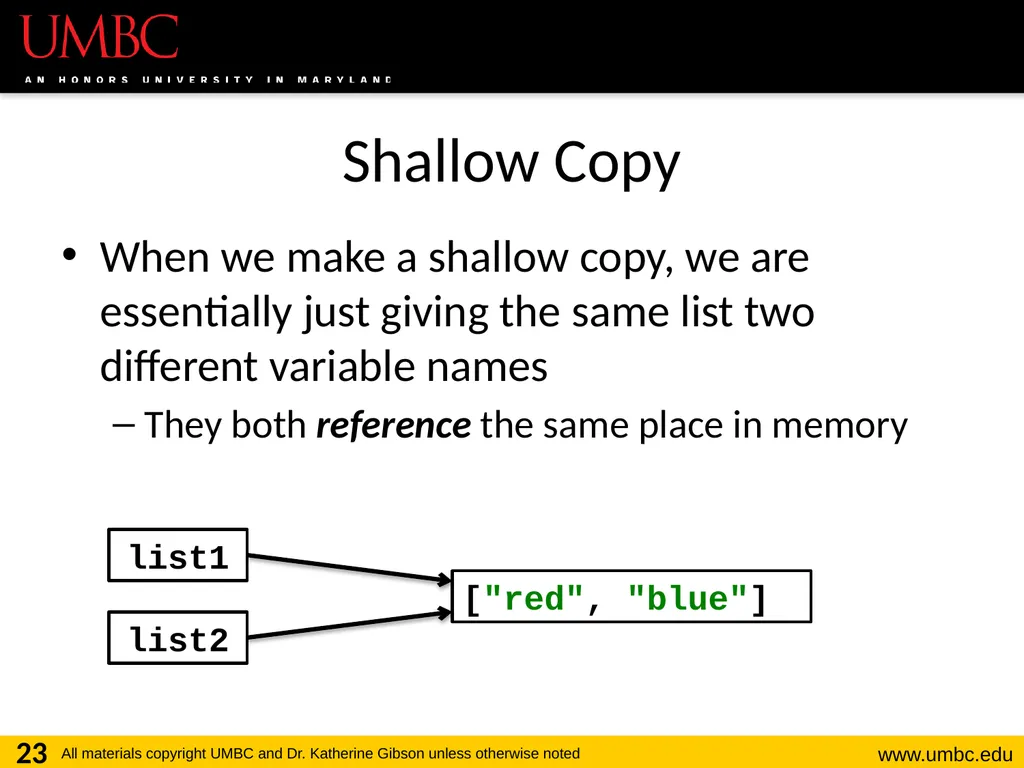
Shallow Copy When we make a shallow copy, we are essentially just giving the same list two different variable names
They both reference the same place in memory 23 list1 list2 ["red", "blue"]<br>
They both reference the same place in memory 23 list1 list2 ["red", "blue"]<br>
24
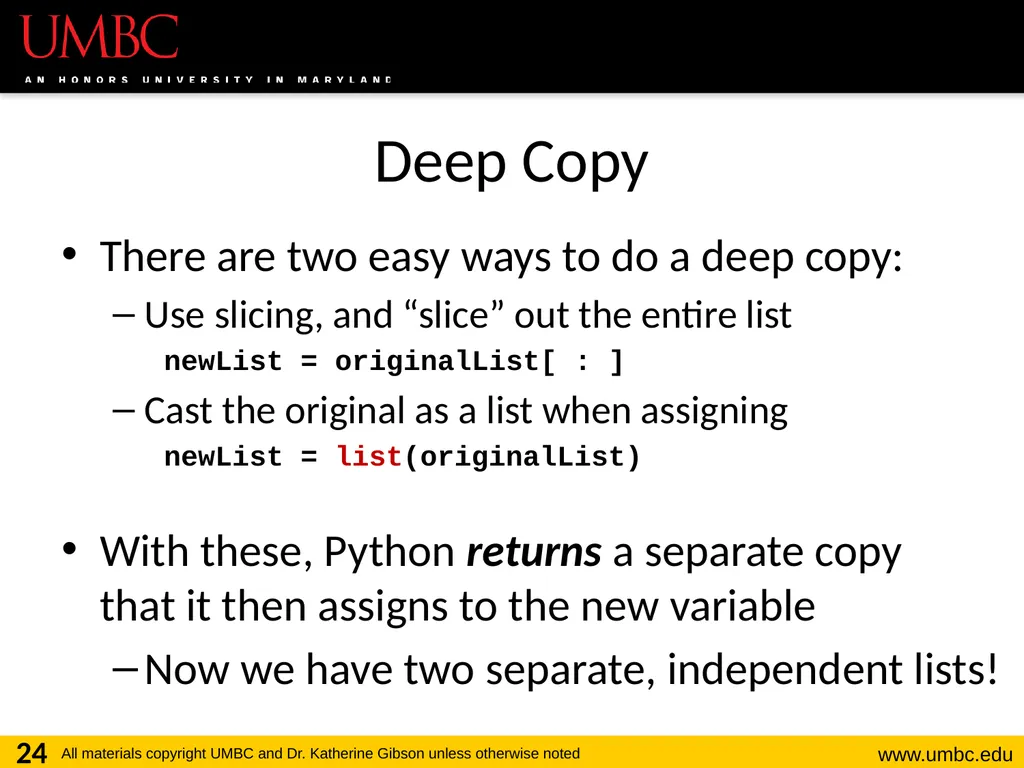
Deep Copy There are two easy ways to do a deep copy:
Use slicing, and “slice” out the entire list
newList = originalList[ : ]
Cast the original as a list when assigning
newList = list(originalList)
With these, Python returns a separate copy that it then assigns to the new variable
Now we have two separate, independent lists! 24<br>
Use slicing, and “slice” out the entire list
newList = originalList[ : ]
Cast the original as a list when assigning
newList = list(originalList)
With these, Python returns a separate copy that it then assigns to the new variable
Now we have two separate, independent lists! 24<br>
25
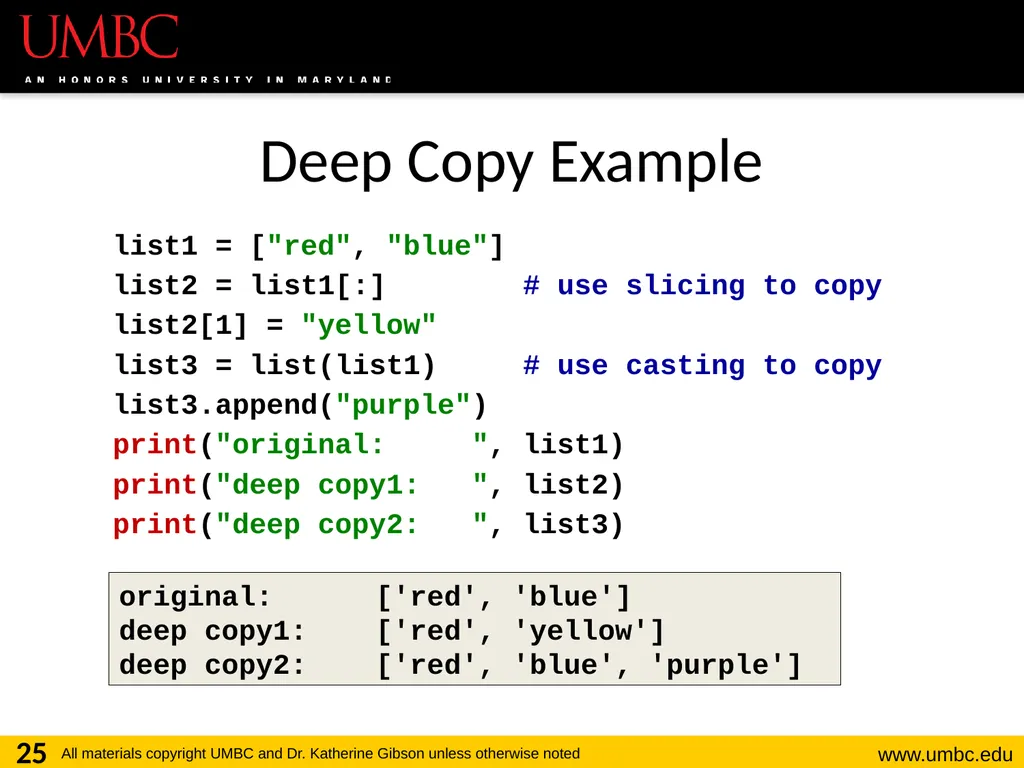
Deep Copy Example list1 = ["red", "blue"]
list2 = list1[:] # use slicing to copy
list2[1] = "yellow"
list3 = list(list1) # use casting to copy
list3.append("purple")
print("original: ", list1)
print("deep copy1: ", list2)
print("deep copy2: ", list3) 25 original: ['red', 'blue']
deep copy1: ['red', 'yellow']
deep copy2: ['red', 'blue', 'purple']<br>
list2 = list1[:] # use slicing to copy
list2[1] = "yellow"
list3 = list(list1) # use casting to copy
list3.append("purple")
print("original: ", list1)
print("deep copy1: ", list2)
print("deep copy2: ", list3) 25 original: ['red', 'blue']
deep copy1: ['red', 'yellow']
deep copy2: ['red', 'blue', 'purple']<br>
26
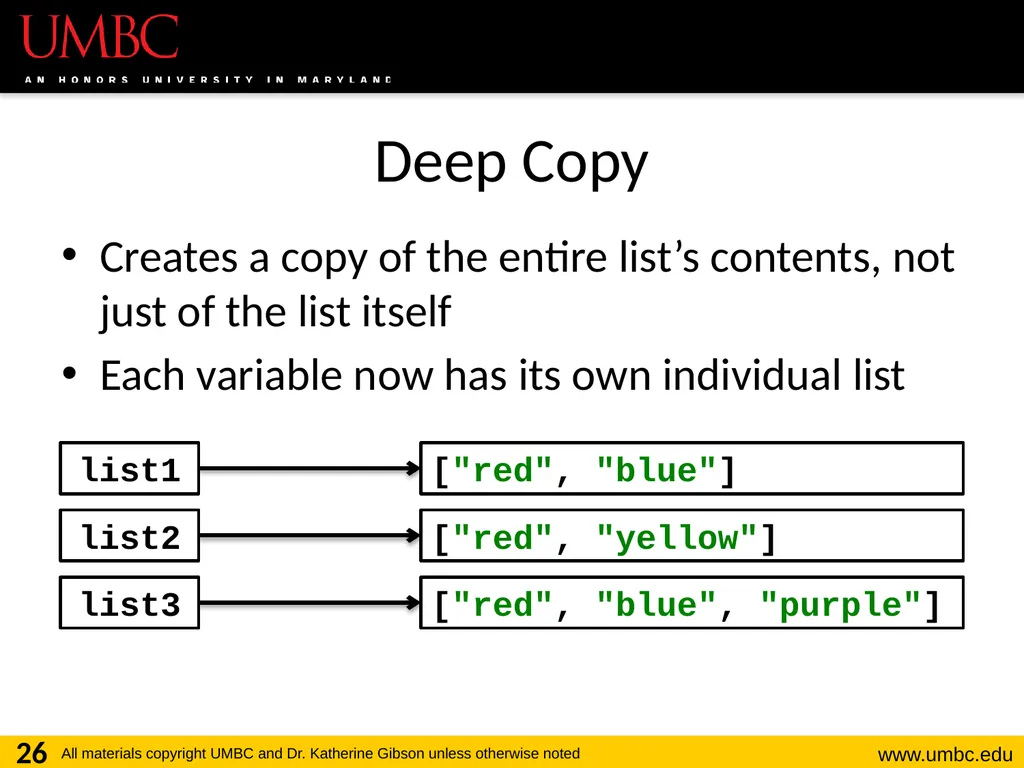
Deep Copy Creates a copy of the entire list’s contents, not just of the list itself
Each variable now has its own individual list 26 list1 list2 ["red", "blue"] ["red", "yellow"] ["red", "blue", "purple"] list3<br>
Each variable now has its own individual list 26 list1 list2 ["red", "blue"] ["red", "yellow"] ["red", "blue", "purple"] list3<br>
27
27 Mutability and Functions<br>
28
Python Is “Lazy” Lists can be a lot bigger than Booleans,
integers, or even strings!
When we pass a list as an argument, Python doesn’t want to copy all of the values
Copying can take a lot of memory and time
Instead of the values, when we pass a list, Python actually sends a reference to the list 28<br>
When we pass a list as an argument, Python doesn’t want to copy all of the values
Copying can take a lot of memory and time
Instead of the values, when we pass a list, Python actually sends a reference to the list 28<br>
29
Lists, Functions, and Mutability When arguments are passed to a function, their value is assigned to the formal parameters using the assignment operator
With a list, we send a reference, not the value
So does the function have a deep copy?
No, it has a shallow copy!
It’s a reference to the original list 29<br>
With a list, we send a reference, not the value
So does the function have a deep copy?
No, it has a shallow copy!
It’s a reference to the original list 29<br>
30
References A reference essentially states where the
list is stored in the computer’s memory
Mutable objects are always passed by reference
Since lists are mutable, that means that the function the list was passed to now has direct access to the “original” list
And can change its contents!!! 30<br>
Mutable objects are always passed by reference
Since lists are mutable, that means that the function the list was passed to now has direct access to the “original” list
And can change its contents!!! 30<br>
31
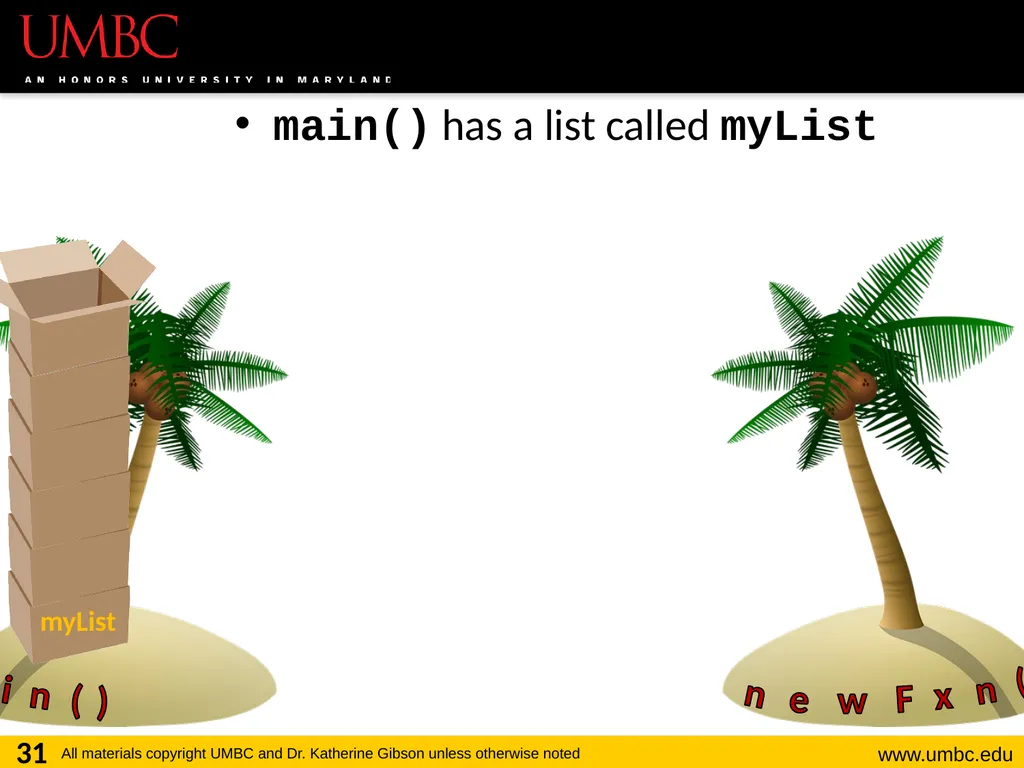
main() has a list called myList 31 main() newFxn() myList<br>
32
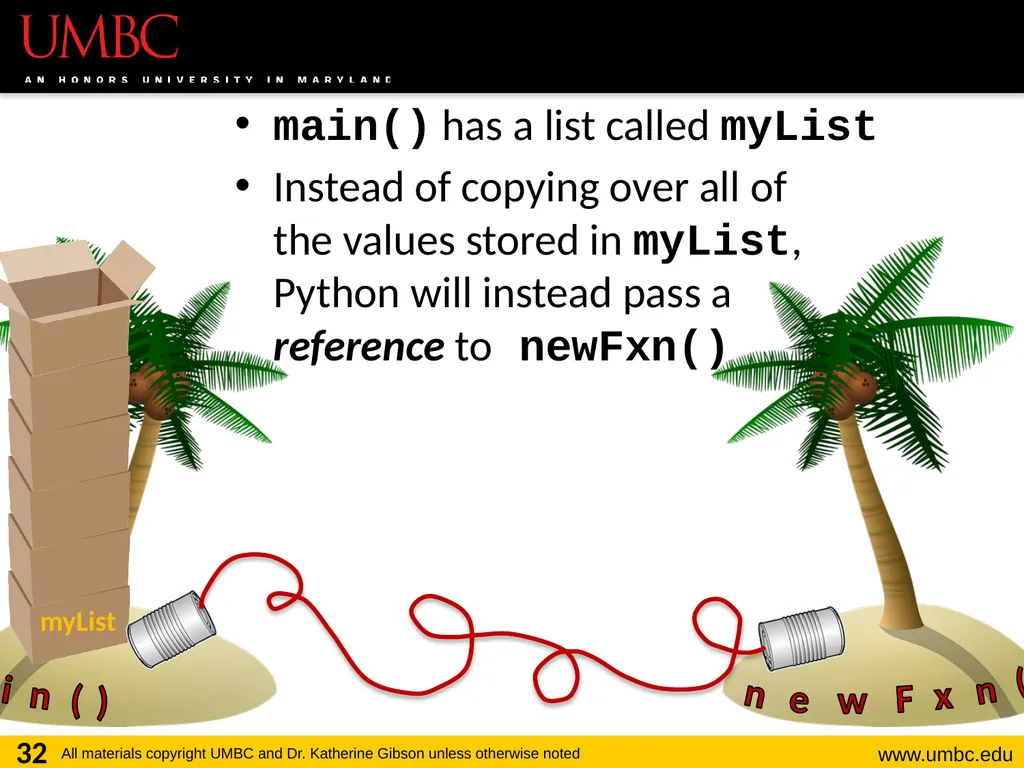
main() has a list called myList
Instead of copying over all of the values stored in myList, Python will instead pass a reference to newFxn() 32 main() newFxn() myList<br>
Instead of copying over all of the values stored in myList, Python will instead pass a reference to newFxn() 32 main() newFxn() myList<br>
33
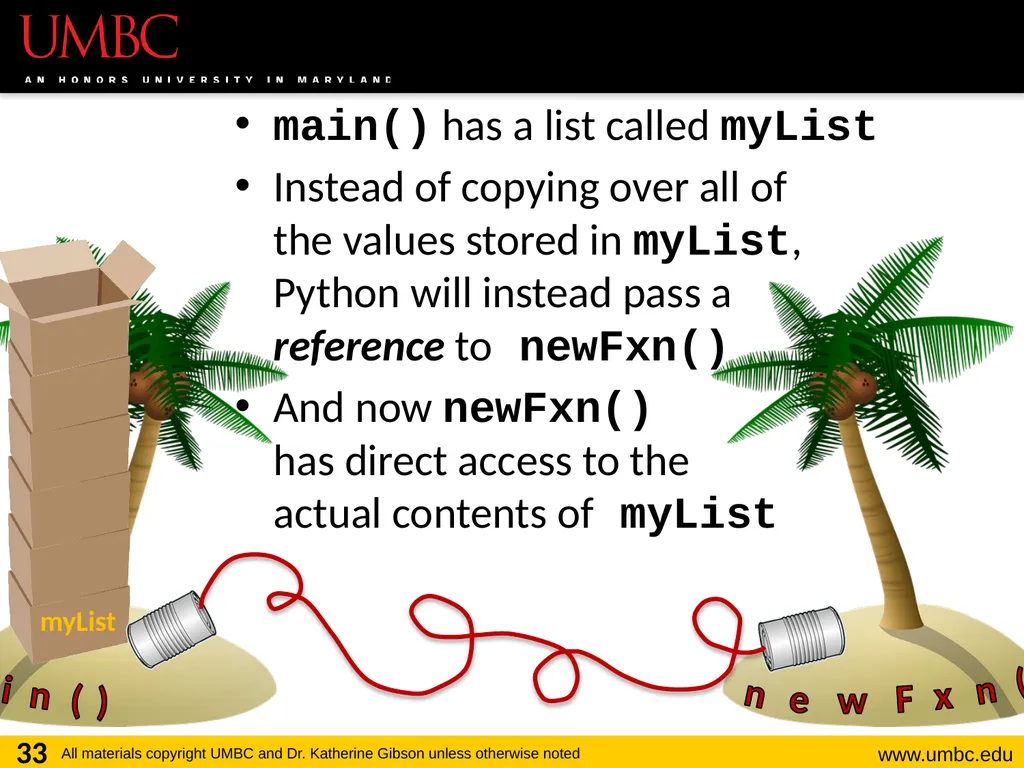
main() has a list called myList
Instead of copying over all of the values stored in myList, Python will instead pass a reference to newFxn()
And now newFxn() has direct access to the actual contents of myList 33 main() newFxn() myList<br>
Instead of copying over all of the values stored in myList, Python will instead pass a reference to newFxn()
And now newFxn() has direct access to the actual contents of myList 33 main() newFxn() myList<br>
34
Mutability in Functions When a parameter is passed that is mutable, it is now possible for the second function to directly access and change the contents
This only works if we change the variable “in place” – assigning a new overall value to the variable will override the mutability
Any “in place” changes that are made to the shallow copy show up in the “original” list 34<br>
This only works if we change the variable “in place” – assigning a new overall value to the variable will override the mutability
Any “in place” changes that are made to the shallow copy show up in the “original” list 34<br>
35
Scope and Mutability in Functions A good general rule for if a change is “in place”:
When you use something like .append() on the list, that’s an “in place” change
When you use the assignment operator, then that’s not an “in place” change
Unless you are editing one element: myList[2] 35<br>
When you use something like .append() on the list, that’s an “in place” change
When you use the assignment operator, then that’s not an “in place” change
Unless you are editing one element: myList[2] 35<br>
36
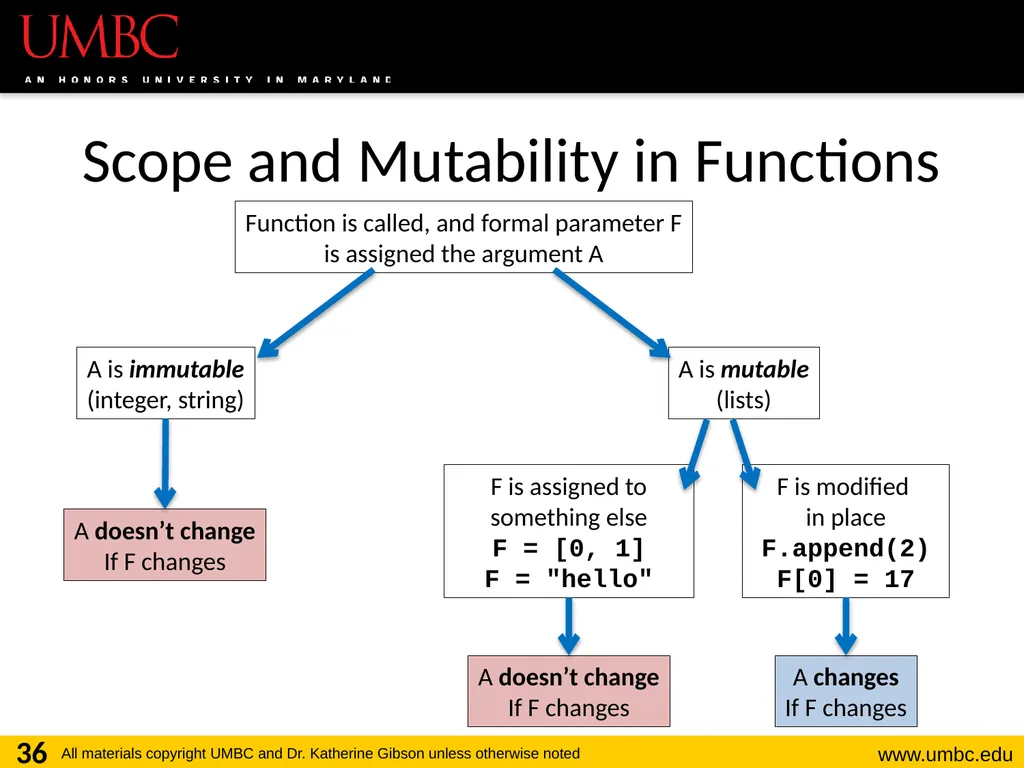
Scope and Mutability in Functions 36 Function is called, and formal parameter F
is assigned the argument A A is immutable
(integer, string) A is mutable
(lists) A doesn’t change
If F changes F is assigned to something else
F = [0, 1]
F = "hello" F is modified in place
F.append(2)
F[0] = 17 A doesn’t change
If F changes A changes
If F changes<br>
is assigned the argument A A is immutable
(integer, string) A is mutable
(lists) A doesn’t change
If F changes F is assigned to something else
F = [0, 1]
F = "hello" F is modified in place
F.append(2)
F[0] = 17 A doesn’t change
If F changes A changes
If F changes<br>
37
Using Mutability Shallow copies are not a bad thing!
Being able to
Pass a list to a function
Have that function make in place changes
And have those changes “stick”
Can be very useful! 37<br>
Being able to
Pass a list to a function
Have that function make in place changes
And have those changes “stick”
Can be very useful! 37<br>
38
38 LIVECODING!!!<br>
39
Cloning and Adopting Dogs Write a program that contains the following:
A main() with a list of dogs at an adoption event
Use deep copy to “clone” the dogs by creating a second, unique list
An adopt() function that takes in a list of dogs, and replaces all of their names with “adopted!”
These changes should “stick” in main() as well, without the function returning anything 39<br>
A main() with a list of dogs at an adoption event
Use deep copy to “clone” the dogs by creating a second, unique list
An adopt() function that takes in a list of dogs, and replaces all of their names with “adopted!”
These changes should “stick” in main() as well, without the function returning anything 39<br>
40
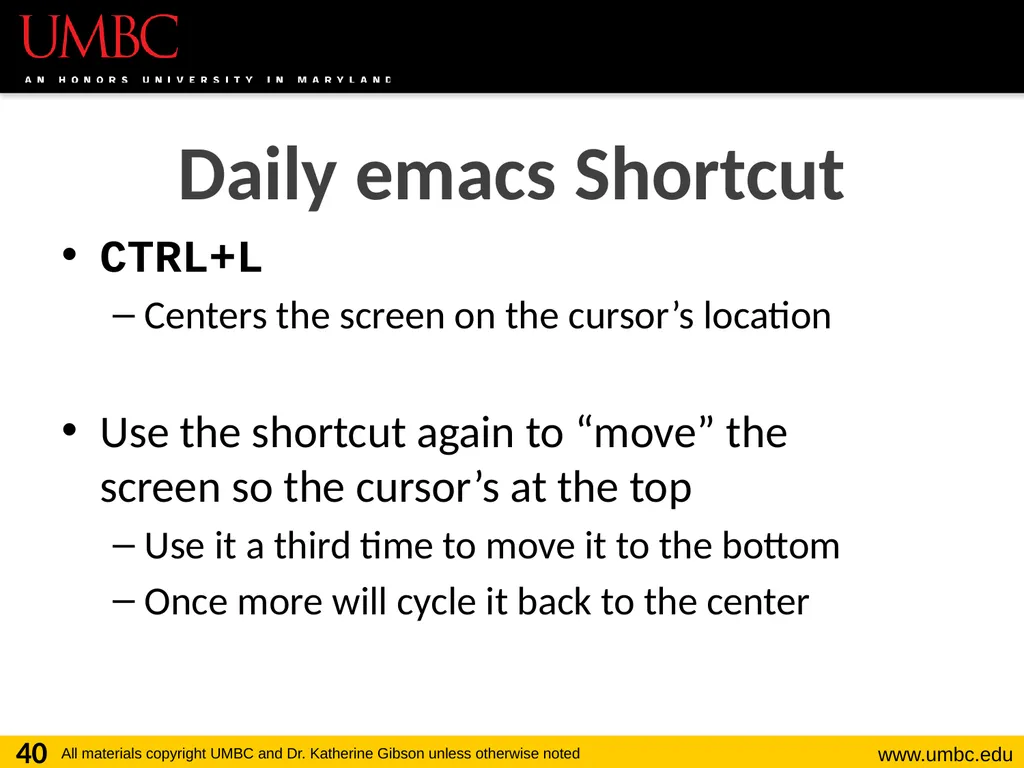
CTRL+L
Centers the screen on the cursor’s location
Use the shortcut again to “move” the screen so the cursor’s at the top
Use it a third time to move it to the bottom
Once more will cycle it back to the center 40 Daily emacs Shortcut<br>
Centers the screen on the cursor’s location
Use the shortcut again to “move” the screen so the cursor’s at the top
Use it a third time to move it to the bottom
Once more will cycle it back to the center 40 Daily emacs Shortcut<br>
41
Announcements HW 4 is out on Blackboard now
Due by Friday (March 9th) at 8:59:59 PM
Midterm is in class, March 14th and 15th
Survey #1 will be released that week as well
Review packet out on the website now
You MUST use a pencil on the exam!
Exams taken in pen will not be graded 41<br>
Due by Friday (March 9th) at 8:59:59 PM
Midterm is in class, March 14th and 15th
Survey #1 will be released that week as well
Review packet out on the website now
You MUST use a pencil on the exam!
Exams taken in pen will not be graded 41<br>
42
Image Sources Tesseract:
https://commons.wikimedia.org/wiki/File:Tesseract.gif
Cardboard box:
https://pixabay.com/p-220256/
Wooden ship (adapted from):
https://pixabay.com/p-307603/
Coconut island (adapted from):
https://pixabay.com/p-1892861/ 42<br>
https://commons.wikimedia.org/wiki/File:Tesseract.gif
Cardboard box:
https://pixabay.com/p-220256/
Wooden ship (adapted from):
https://pixabay.com/p-307603/
Coconut island (adapted from):
https://pixabay.com/p-1892861/ 42<br>