Content Strategy Template Making Victorian Government web content easier to find, understand and use Owner ? October 2016 Insert your agency name Content Strategy Template contents Content Vision Statement Summary of insights from audit,
"Content Strategy Template Making Victorian" is the property of its rightful owner. Permission is granted to
download and print the materials on this website for personal, non-commercial use only, and to display it
on your personal computer provided you do not modify the materials and that you retain all copyright
notices contained in the materials. By downloading content from our website, you accept the terms of this
agreement.
Presentation Transcript
01
Content Strategy Template Making Victorian Government web content easier to find, understand and use
Owner ? October 2016 Insert your agency name<br>
02
Content Strategy Template contents Content Vision Statement
Summary of insights from audit, interviews, research
Content principles
Activities to get to future state<br>
03
Content Vision Statement Examples: Insert user quote including type of user e.g.
‘comment”
Type of user<br>
04
Summarise the results for these major categories: (see next pages for examples)
What do our users want?
What internal problems are we trying to solve?
What do our users need to make their journey easier?
What aren’t we going to do?
Summarise the approach taken to extract this information
Survey on <insert website>
Survey on <insert website>
User interviews
Google Analytics
Reports (e.g. Studies)
Review of email and Was this page useful feedback Summary of insights from audit, interviews and research<br>
05
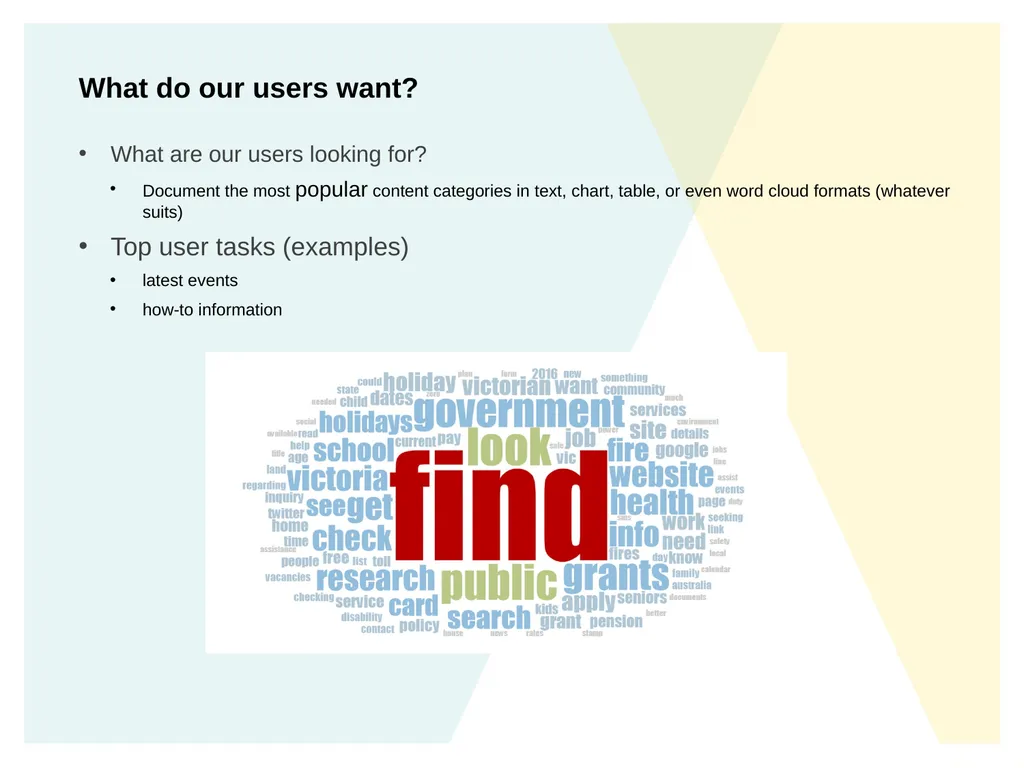
What do our users want? What are our users looking for?
Document the most popular content categories in text, chart, table, or even word cloud formats (whatever suits)
Top user tasks (examples)
latest events
how-to information<br>
06
What internal problems are we trying to solve? Security
Website might be so out-of-date and unstable that it’s not secure and you can’t add new pages
Search engine and mobile friendly
Content can’t be found via Google due to poor SEO
Poor navigation setup
Calendar, event and other information offers a poor experience on across mobile devices
Not user focussed
Content isn’t written with a specific audience/action in mind so pages may have low page views
Content is out of date or duplicated<br>
07
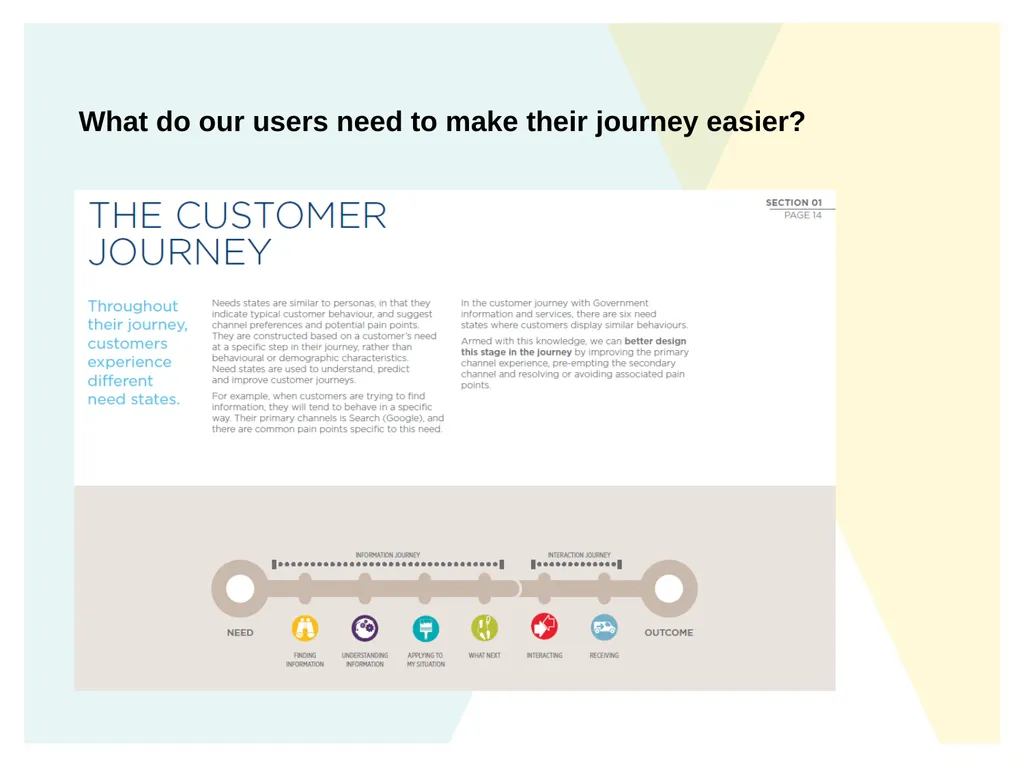
What do our users need to make their journey easier?<br>
08
Insight example: the people we think are our audience aren’t using our content Insight example: people need a place to get individual queries answered online Insert user quote including type of user e.g.
‘comment”
Type of user<br>
09
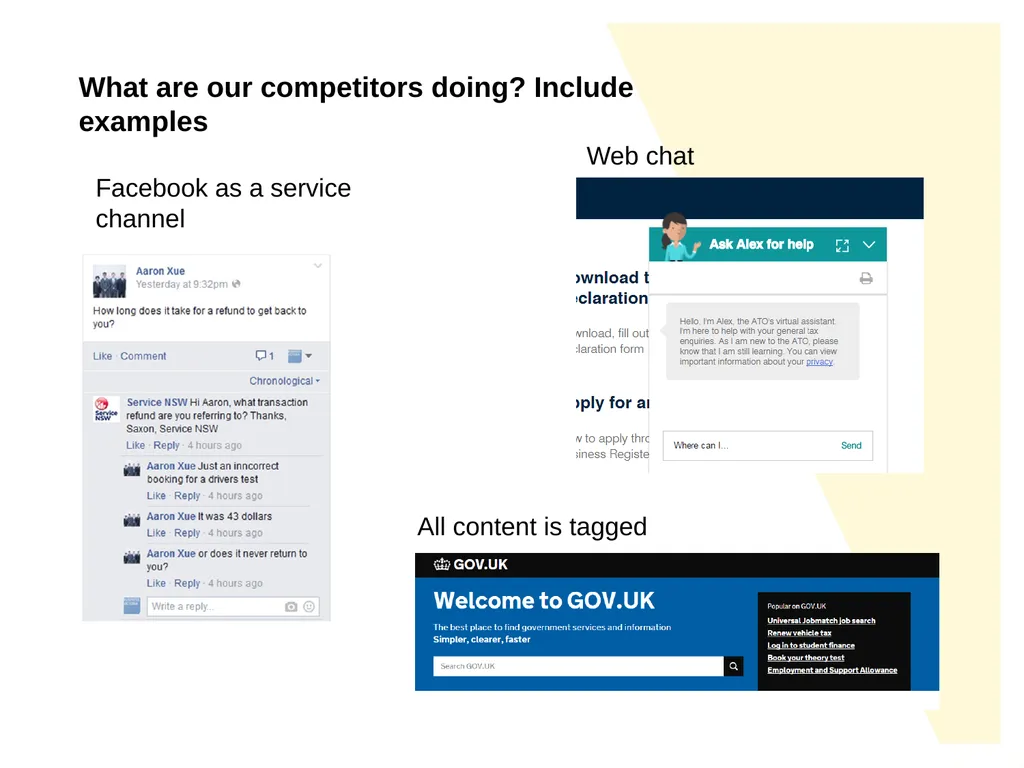
What are our competitors doing? Include examples Web chat Facebook as a service channel All content is tagged<br>
10
What are we NOT going to do? Examples:
Not be a link farm (instead be a source of practical information)
Not guide users through a journey by putting up more webpages, it doesn’t make people happy
Not tell people about ourselves if it has no practical purpose
<insert your comments><br>
11
Content Principles: every page is our homepage Make sure:
News isn’t just our homepage, it filters throughout relevant sections
Content can be filtered so all items are displayed in relevant areas e.g. news, grants, events, legislation are placed where relevant not just in their section
We have titles and descriptions that use real life language and actions, and entice people in, so we’re discoverable on Google
We provide contacts so people know how to reach us
Have syndication/APIs so other departments can share our hard work easily and find our content.<br>
12
Content Principles: every page has a purpose Always check the action is real by researching what users want.
Tell people what’s happening next as well as how to prepare.
Think about the whole process from start to finish and how we can make it easier, even if it’s not online.
We are no longer a directory! Don’t just ‘tell people about yourself’ or ‘give them information’. Show service and action. If people can’t complete an action or get involved/meet a need, why are we telling them? Insert user quote including type of user e.g.
‘comment”
Type of user<br>
13
Content Principles: be personal Integrate case studies into content to show people this content is meant for people like them.
Provide a simple, friendly tone through the style guide.
Provide ways to ask questions and confirm understanding (contextual social media, email, contacts, chat services). Insert user quote including type of user e.g.
‘comment”
Type of user<br>
14
Principles: be proactive Allow people to sign up for notifications so they know when there’s a change.
Be available where they are (Facebook, Twitter etc).
Tell them about what they need before they know they need it.
Provide our information to other departments so they don’t have to duplicate the content (and the effort). Insert user quote including type of user e.g.
‘comment”
Type of user<br>
15
Activities to get you to future state – set Goals and KPIs Increase Was this page helpful rating from 35% to over 50%
Over 1,000 signups to notifications in first 12 months
At least three websites using syndication in first 12 months
All key information tagged/sharable in an audience-specific way without duplication<br>
16
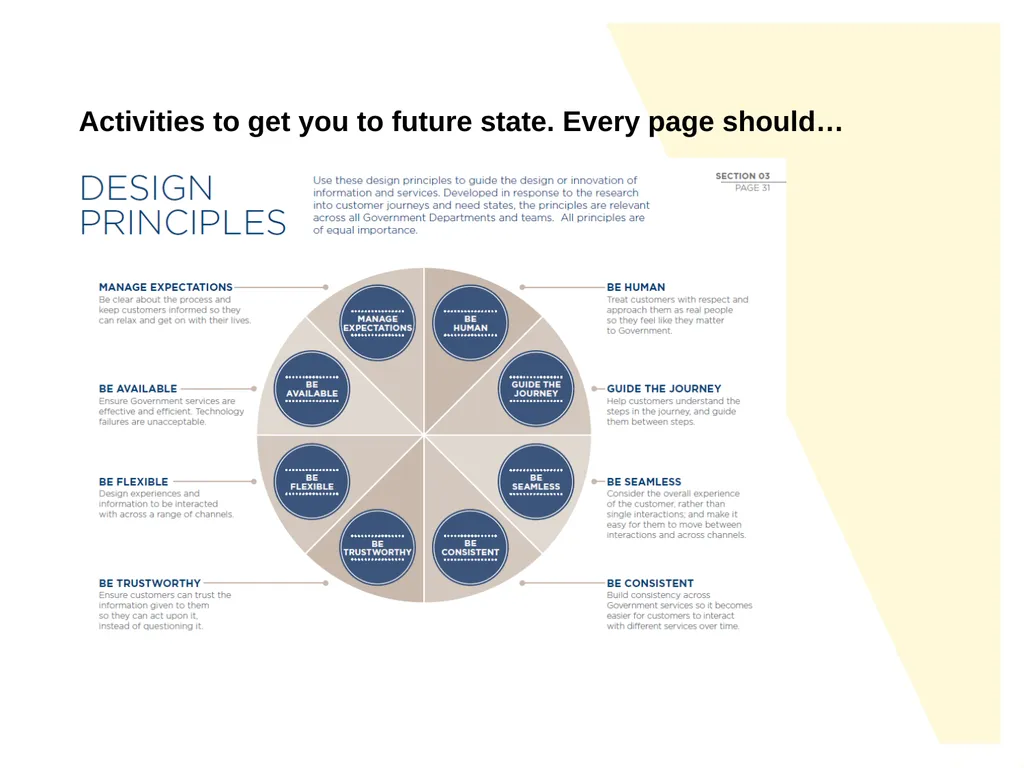
Activities to get you to future state. Every page should…<br>
17
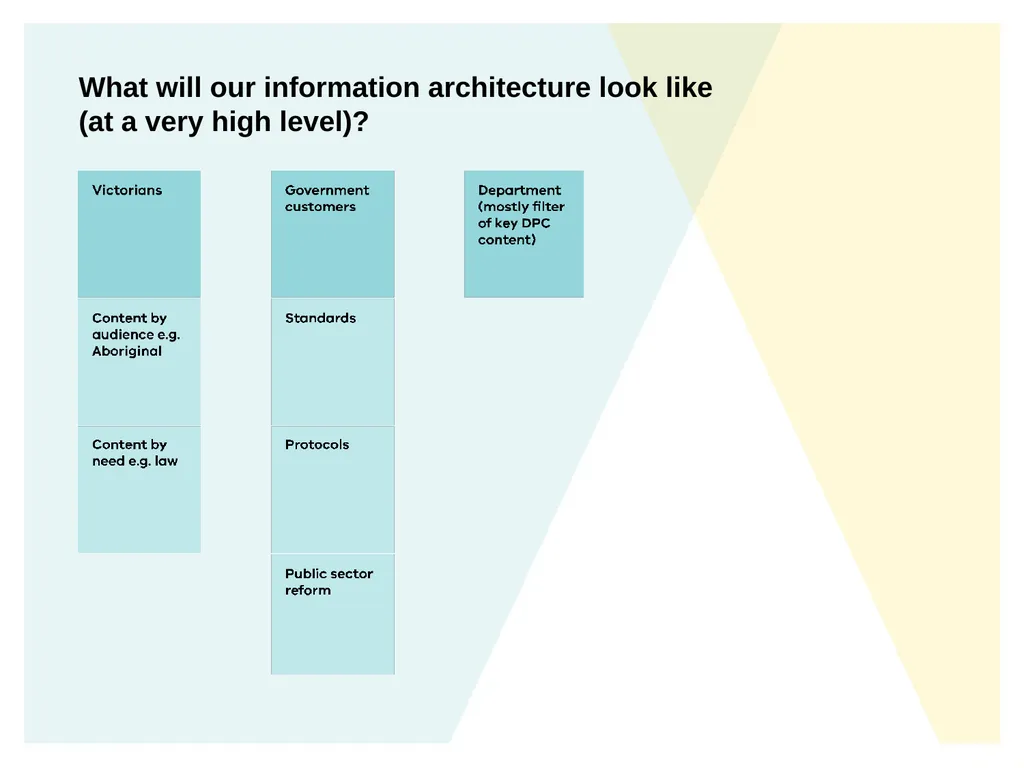
What will our information architecture look like (at a very high level)?<br>
18
What kind of content do we publish? Action (what the user will achieve by using this page).
What’s needed to take the action (optional pre-planning).
Step through tasks (what to do including options, timelines and dates).
What’s next (summary to help them on the journey).
‘News’ area to highlight important content
Related content (what other internal pages might be useful to this person).
Was this page helpful (so we can keep improving each page).
<wireframe to be inserted><br>
19
What templates will we need? Examples
Main homepage
Section landing pages
General content pages
User-generated content pages e.g. blogs
Directory pages
Events pages
Browse pages e.g. publications
Data pages e.g. open government data
Forms e.g. Contact us
etc.<br>