
CS 3700 Networks and Distributed Systems An
Description: CS 3700 Networks and Distributed Systems An Introduction to Distributed Systems Revised 031421 Application Layer 2 Function: Whatever you want Implement your app using the network Key challenges: Scalability Fault tolerance Reliability
Related Topics
Download Presentation
"CS 3700 Networks and Distributed Systems An" is the property of its rightful owner. Permission is granted to download and print the materials on this website for personal, non-commercial use only, and to display it on your personal computer provided you do not modify the materials and that you retain all copyright notices contained in the materials. By downloading content from our website, you accept the terms of this agreement.
Presentation Transcript
slide1. CS 3700
Networks and Distributed Systems An Introduction to Distributed Systems Revised 03/14/21<br>
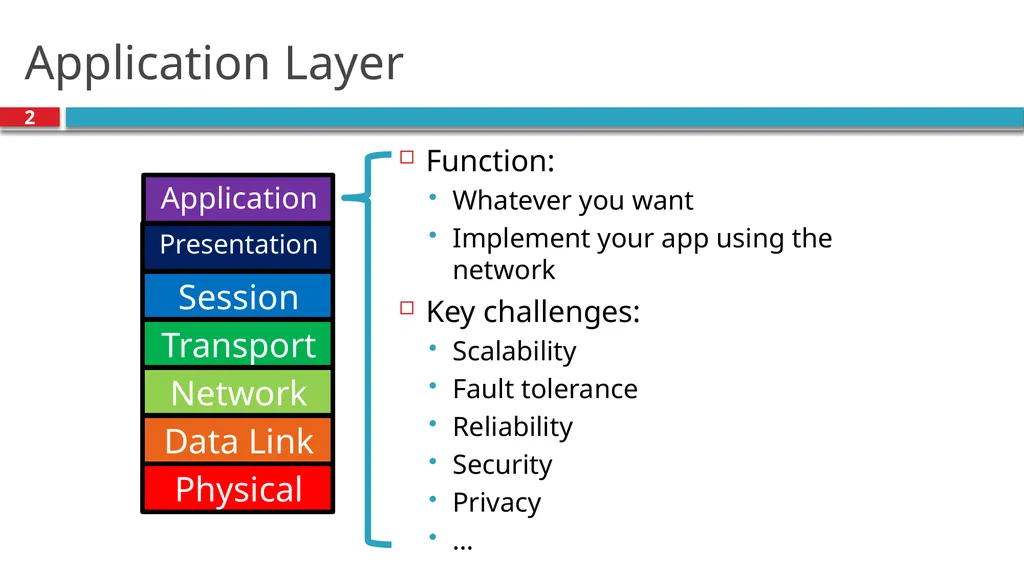
slide2. Application Layer 2 Function:
Whatever you want
Implement your app using the network
Key challenges:
Scalability
Fault tolerance
Reliability
Security
Privacy
… Application Presentation Session Transport Network Data Link Physical<br>
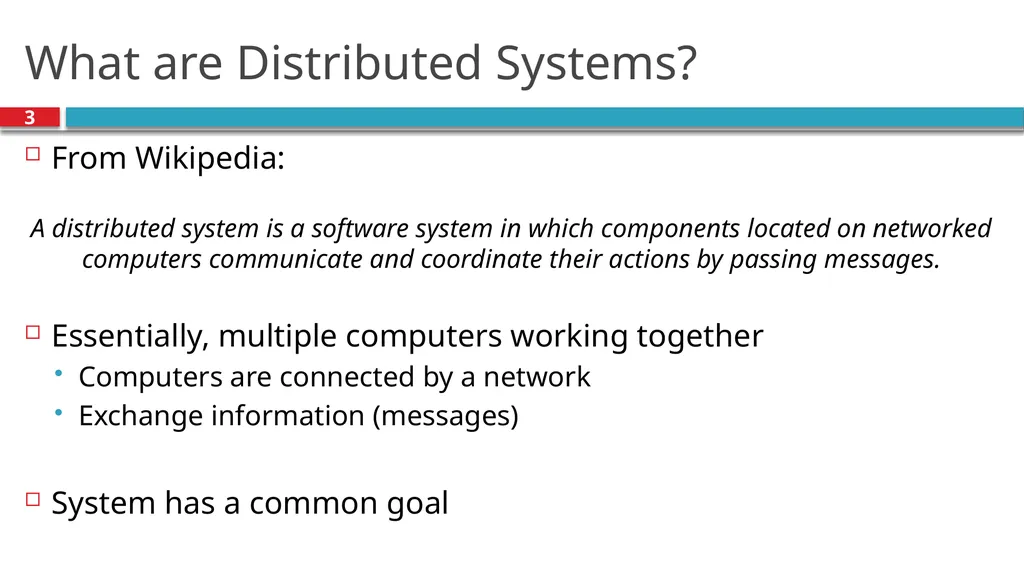
slide3. What are Distributed Systems? 3 From Wikipedia:
Essentially, multiple computers working together
Computers are connected by a network
Exchange information (messages)
System has a common goal A distributed system is a software system in which components located on networked computers communicate and coordinate their actions by passing messages.<br>
slide4. Definitions 4 No widely-accepted definition, but…
Distributed systems comprised of hosts or nodes where
Each node has its own local memory
Hosts connected via a network
Originally, requirement was physical distribution
Today, distributed systems can be on same host
E.g., VMs on a single host, processes on same machine<br>
slide5. Brief History of Distributed Systems
Examples
Fundamental Challenges
Design Decisions Outline 5<br>
slide6. History 6 Distributed systems developed in conjunction with networks
Early applications:
Remote procedure calls (RPC)
Remote access (login, telnet)
Human-level messaging (email)
Bulletin boards (Usenet)<br>
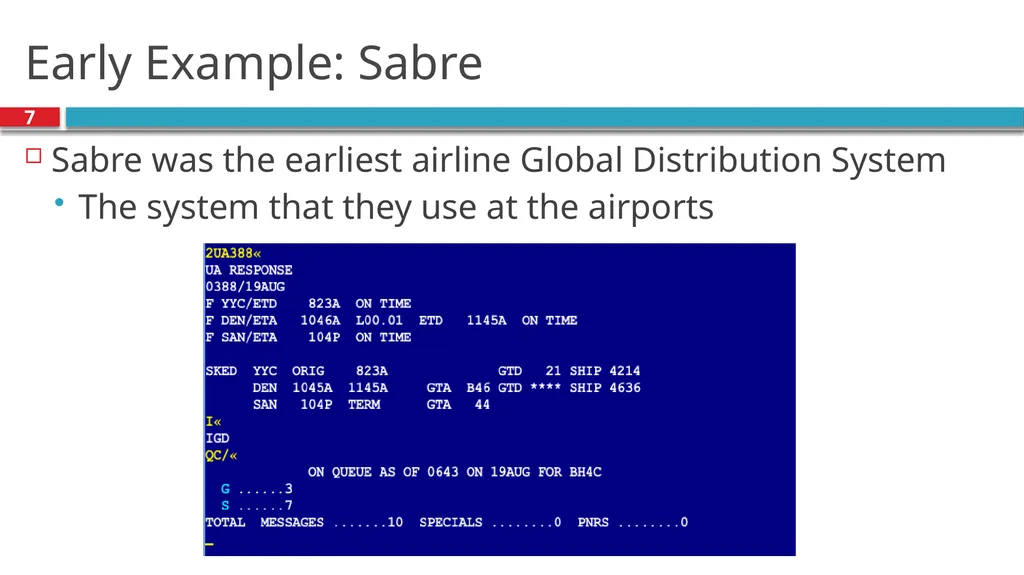
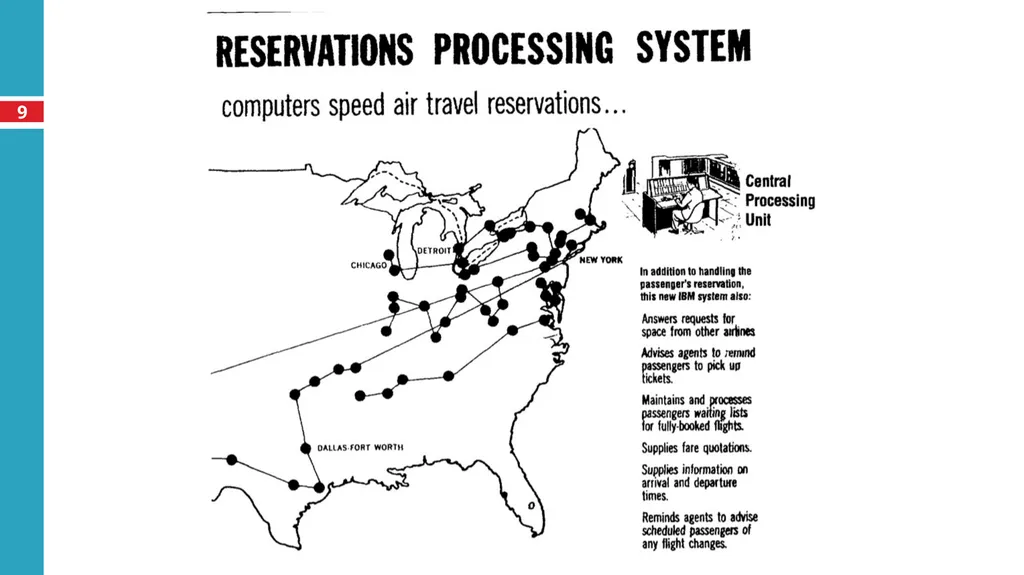
slide7. Early Example: Sabre 7 Sabre was the earliest airline Global Distribution System
The system that they use at the airports<br>
slide8. Sabre 8 American Airlines had a central office with cards for each flight
Travel agent calls in, worker would mark seat sold on card
1960’s – built a computerized version of the cards
Disk (drum) with each memory location representing number of seats sold on a flight
Built network connecting various agencies
Distributed terminals to agencies
Effect: Removed human from the loop<br>
slide9. 9<br>
slide10. Move Towards Microcomputers 10 In the 1980s, personal computers became popular
Moved away from existing mainframes
Required development of many distributed systems
Email
Web
DNS
…
Scale of networks grew quickly, Internet came to dominate<br>
slide11. Today 11 Growth of pervasive and mobile computing
End users connect via a variety of devices, networks
More challenging to build systems
Popularity of “cloud computing”
Essentially, can purchase computation and connectivity as a commodity
Many startups don’t own their servers
All data stored in and served from the cloud
How do we build secure, reliable systems?<br>
slide12. Brief History of Distributed Systems
Examples
Fundamental Challenges
Design Decisions Outline 12<br>
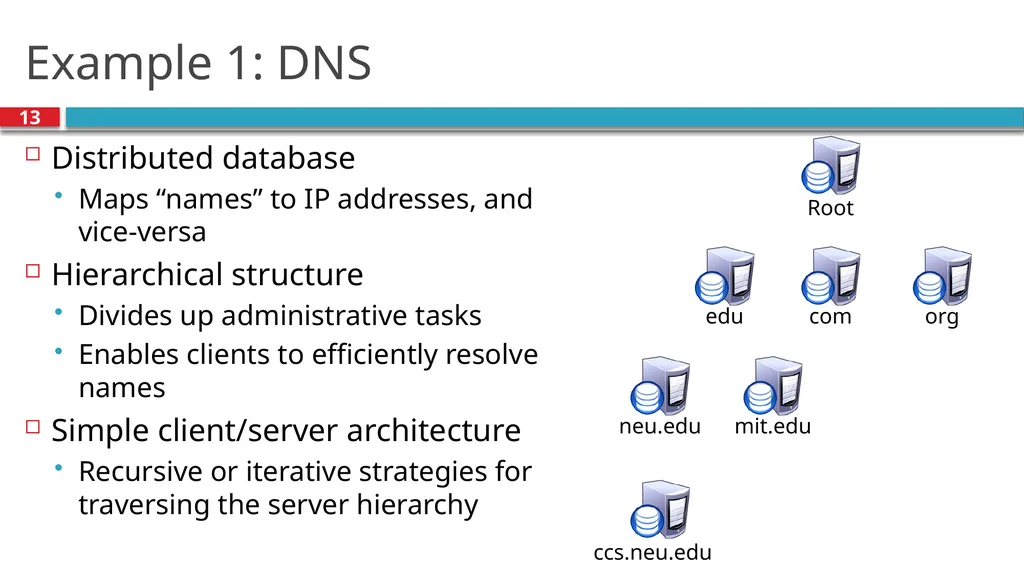
slide13. Example 1: DNS 13 Distributed database
Maps “names” to IP addresses, and vice-versa
Hierarchical structure
Divides up administrative tasks
Enables clients to efficiently resolve names
Simple client/server architecture
Recursive or iterative strategies for traversing the server hierarchy Root edu ccs.neu.edu com org neu.edu mit.edu<br>
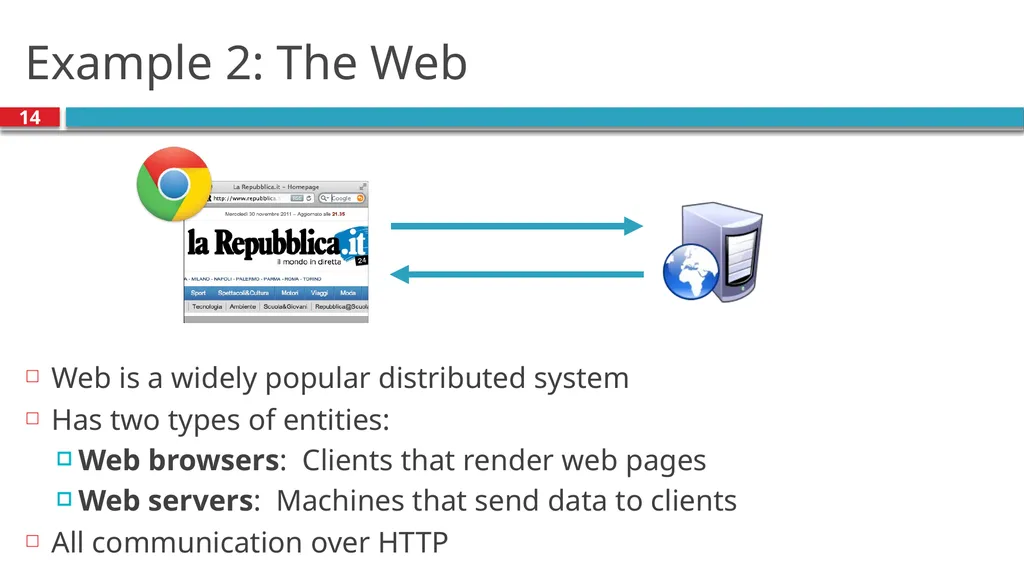
slide14. Example 2: The Web 14 Web is a widely popular distributed system
Has two types of entities:
Web browsers: Clients that render web pages
Web servers: Machines that send data to clients
All communication over HTTP<br>
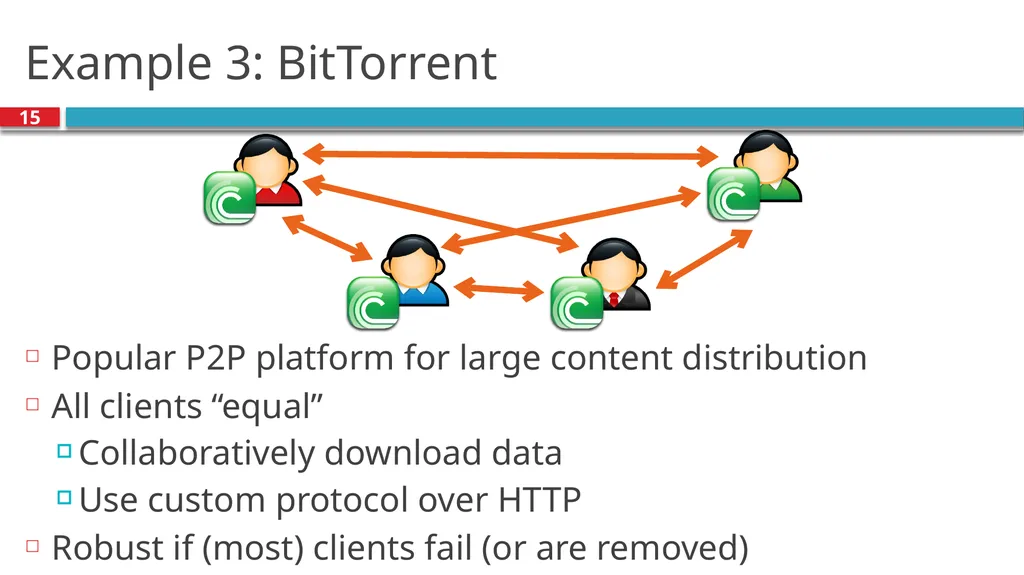
slide15. Example 3: BitTorrent 15 Popular P2P platform for large content distribution
All clients “equal”
Collaboratively download data
Use custom protocol over HTTP
Robust if (most) clients fail (or are removed)<br>
slide16. Example 4: Stock Market 16 Large distributed system (NYSE, BATS, etc.)
Many players
Economic interests not aligned
All transactions must be executed in-order
E.g., super hot IPO’s, a la Facebook
Transmission delay is a huge concern
Hedge funds will buy up rack space closer to exchange datacenters
Can arbitrage millisecond differences in delay<br>
slide17. Brief History of Distributed Systems
Examples
Seven Fundamental Challenges
Design Decisions Outline 17<br>
slide18. Challenge 1: Global Knowledge 18 No host has global knowledge
Need to use network to exchange state information
Network capacity is limited; can’t send everything
Information may be incorrect, out of date, etc.
New information takes time to propagate
Other changes may happen in the meantime
Key issue: How can you detect and address inconsistencies?<br>
slide19. Challenge 2: Time 19 Time cannot be measured perfectly
Hosts have different clocks, skew
Network can delay/duplicate messages
How to determine what happened first?
In a game, which player shot first?
In a GDS like Sabre, who bought the last seat on the plane?
Need to have a more nuanced abstraction to represent time<br>
slide20. Challenge 3: Failures 20 A distributed system is one in which the failure of a computer you didn't even know existed can render your own computer unusable. — Leslie Lamport
Failure is the common case
As systems get more complex, failure more likely
Must design systems to tolerate failure
E.g., in Web systems, what if server fails?
Systems need to detect failure, recover<br>
slide21. Challenge 4: Scalability 21 Systems tend to grow over time
How to handle future users, hosts, networks, etc?
E.g., in a multiplayer game, each user needs to send location to all other users
O(n2) message complexity
Will quickly overwhelm real networks
Can reduce frequency of updates (with implications)
Or, choose nodes who should update each other<br>
slide22. Challenge 5: Concurrency 22 To scale, distributed systems must leverage concurrency
E.g. a cluster of replicated web servers
E.g. a swarm of downloaders in BitTorrent
Often will have concurrent operations on a single object
How to ensure object is in consistent state?
E.g., bank account: How to ensure I can’t overdraw?
Solutions fall into many camps:
Serialization: Make operations happen in defined order
Transactions: Detect conflicts, abort
Append-only structures: Deal with conflicts later
….<br>
slide23. Challenge 6: Security 23 Distributed systems often have many different entities
May not be mutually trusting (e.g., stock market)
May not be under centralized control (e.g. the Web)
Economic incentives for abuse
Systems often need to provide
Confidentiality (only intended parties can read)
Integrity (messages are authentic)
Availability (system cannot be brought down)<br>
slide24. Challenge 7: Openness 24 Can system be extended/re-implemented?
Can anyone develop a new client?
Requires specification of system/protocol published
Often requires standards body (IETF, etc) to agree
Cumbersome process, takes years
Many corporations simply publish own APIs (force of market share)
IETF works off of RFC (Request For Comment)
Anyone can publish, propose new protocol
“Rough consensus and running code”<br>
slide25. Brief History of Distributed Systems
Examples
Seven Fundamental Challenges
Five Design Decisions Outline 25<br>
slide26. Distributed System Architectures 26 Two primary architectures:
Client-server: System divided into clients (often limited in power, scope, etc) and servers (often more powerful, with more system visibility). Clients send requests to servers.
Peer-to-peer: All hosts are “equal”, or, hosts act as both clients and servers. Peers send requests to each other. More complicated to design, but with potentially higher resilience.<br>
slide27. Messaging Interface 27 Messaging is fundamentally asynchronous
Client asks network to deliver message
Waits for a response
What should the programmer see?
Synchronous interface: Thread is “blocked” until a message comes back. Easier to reason about.
Asynchronous interface: Control returns immediately, response may come later. Programmer has to remember all outstanding requests. Potentially higher performance.<br>
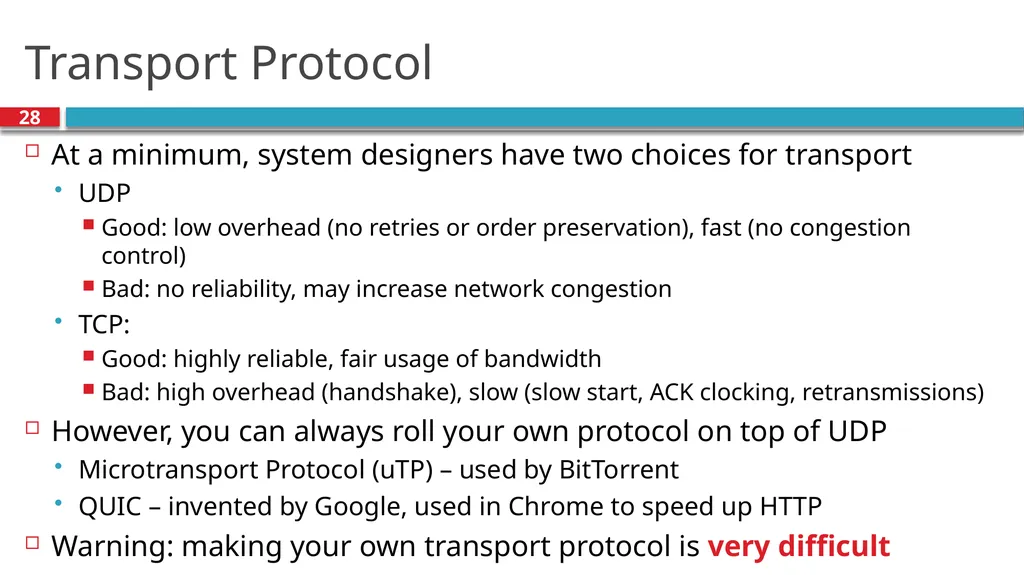
slide28. Transport Protocol 28 At a minimum, system designers have two choices for transport
UDP
Good: low overhead (no retries or order preservation), fast (no congestion control)
Bad: no reliability, may increase network congestion
TCP:
Good: highly reliable, fair usage of bandwidth
Bad: high overhead (handshake), slow (slow start, ACK clocking, retransmissions)
However, you can always roll your own protocol on top of UDP
Microtransport Protocol (uTP) – used by BitTorrent
QUIC – invented by Google, used in Chrome to speed up HTTP
Warning: making your own transport protocol is very difficult<br>
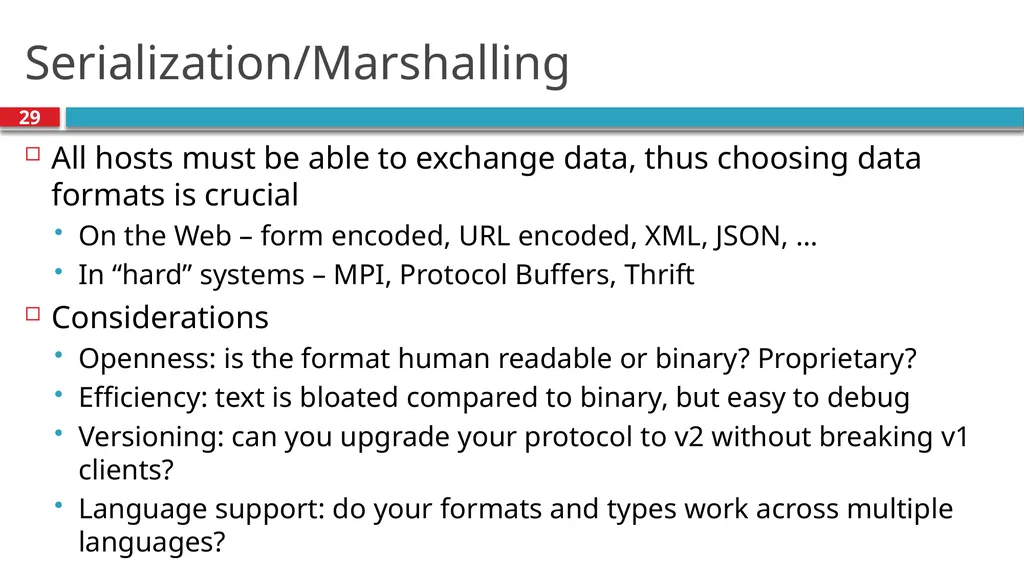
slide29. Serialization/Marshalling 29 All hosts must be able to exchange data, thus choosing data formats is crucial
On the Web – form encoded, URL encoded, XML, JSON, …
In “hard” systems – MPI, Protocol Buffers, Thrift
Considerations
Openness: is the format human readable or binary? Proprietary?
Efficiency: text is bloated compared to binary, but easy to debug
Versioning: can you upgrade your protocol to v2 without breaking v1 clients?
Language support: do your formats and types work across multiple languages?<br>
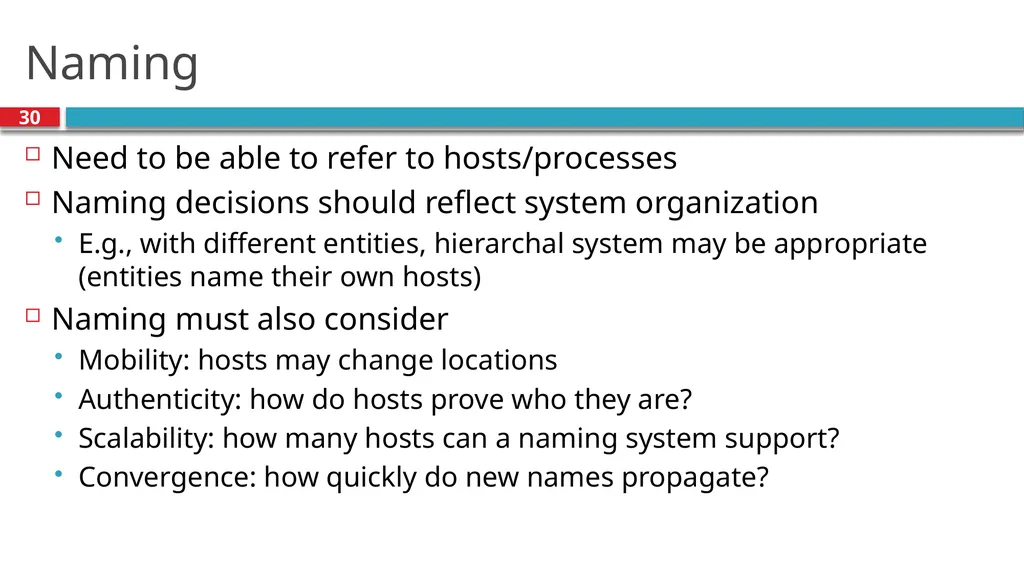
slide30. Naming 30 Need to be able to refer to hosts/processes
Naming decisions should reflect system organization
E.g., with different entities, hierarchal system may be appropriate (entities name their own hosts)
Naming must also consider
Mobility: hosts may change locations
Authenticity: how do hosts prove who they are?
Scalability: how many hosts can a naming system support?
Convergence: how quickly do new names propagate?<br>
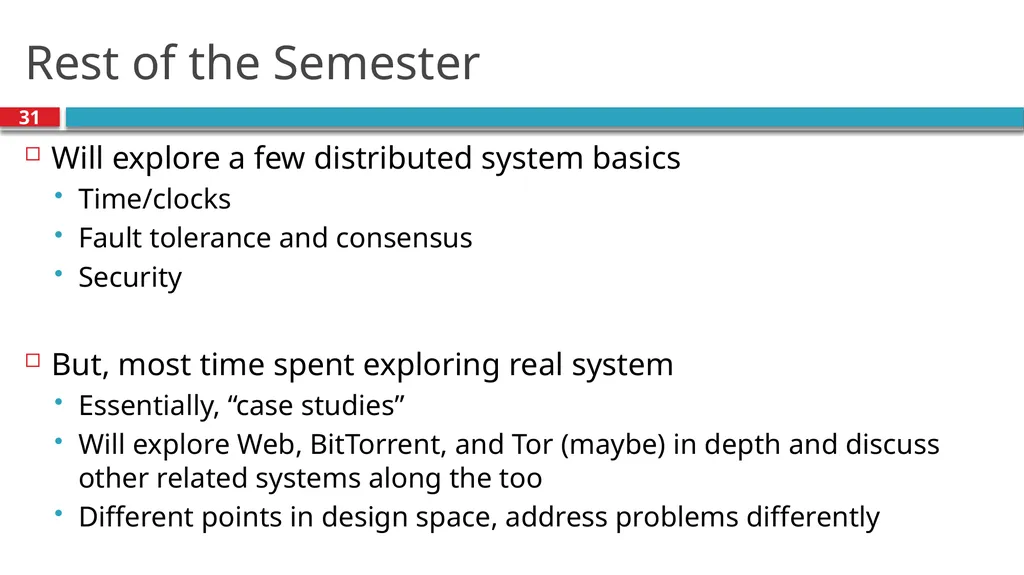
slide31. Rest of the Semester 31 Will explore a few distributed system basics
Time/clocks
Fault tolerance and consensus
Security
But, most time spent exploring real system
Essentially, “case studies”
Will explore Web, BitTorrent, and Tor (maybe) in depth and discuss other related systems along the too
Different points in design space, address problems differently<br>
slide2. Application Layer 2 Function:
Whatever you want
Implement your app using the network
Key challenges:
Scalability
Fault tolerance
Reliability
Security
Privacy
… Application Presentation Session Transport Network Data Link Physical<br>
slide3. What are Distributed Systems? 3 From Wikipedia:
Essentially, multiple computers working together
Computers are connected by a network
Exchange information (messages)
System has a common goal A distributed system is a software system in which components located on networked computers communicate and coordinate their actions by passing messages.<br>
slide4. Definitions 4 No widely-accepted definition, but…
Distributed systems comprised of hosts or nodes where
Each node has its own local memory
Hosts connected via a network
Originally, requirement was physical distribution
Today, distributed systems can be on same host
E.g., VMs on a single host, processes on same machine<br>
slide5. Brief History of Distributed Systems
Examples
Fundamental Challenges
Design Decisions Outline 5<br>
slide6. History 6 Distributed systems developed in conjunction with networks
Early applications:
Remote procedure calls (RPC)
Remote access (login, telnet)
Human-level messaging (email)
Bulletin boards (Usenet)<br>
slide7. Early Example: Sabre 7 Sabre was the earliest airline Global Distribution System
The system that they use at the airports<br>
slide8. Sabre 8 American Airlines had a central office with cards for each flight
Travel agent calls in, worker would mark seat sold on card
1960’s – built a computerized version of the cards
Disk (drum) with each memory location representing number of seats sold on a flight
Built network connecting various agencies
Distributed terminals to agencies
Effect: Removed human from the loop<br>
slide9. 9<br>
slide10. Move Towards Microcomputers 10 In the 1980s, personal computers became popular
Moved away from existing mainframes
Required development of many distributed systems
Web
DNS
…
Scale of networks grew quickly, Internet came to dominate<br>
slide11. Today 11 Growth of pervasive and mobile computing
End users connect via a variety of devices, networks
More challenging to build systems
Popularity of “cloud computing”
Essentially, can purchase computation and connectivity as a commodity
Many startups don’t own their servers
All data stored in and served from the cloud
How do we build secure, reliable systems?<br>
slide12. Brief History of Distributed Systems
Examples
Fundamental Challenges
Design Decisions Outline 12<br>
slide13. Example 1: DNS 13 Distributed database
Maps “names” to IP addresses, and vice-versa
Hierarchical structure
Divides up administrative tasks
Enables clients to efficiently resolve names
Simple client/server architecture
Recursive or iterative strategies for traversing the server hierarchy Root edu ccs.neu.edu com org neu.edu mit.edu<br>
slide14. Example 2: The Web 14 Web is a widely popular distributed system
Has two types of entities:
Web browsers: Clients that render web pages
Web servers: Machines that send data to clients
All communication over HTTP<br>
slide15. Example 3: BitTorrent 15 Popular P2P platform for large content distribution
All clients “equal”
Collaboratively download data
Use custom protocol over HTTP
Robust if (most) clients fail (or are removed)<br>
slide16. Example 4: Stock Market 16 Large distributed system (NYSE, BATS, etc.)
Many players
Economic interests not aligned
All transactions must be executed in-order
E.g., super hot IPO’s, a la Facebook
Transmission delay is a huge concern
Hedge funds will buy up rack space closer to exchange datacenters
Can arbitrage millisecond differences in delay<br>
slide17. Brief History of Distributed Systems
Examples
Seven Fundamental Challenges
Design Decisions Outline 17<br>
slide18. Challenge 1: Global Knowledge 18 No host has global knowledge
Need to use network to exchange state information
Network capacity is limited; can’t send everything
Information may be incorrect, out of date, etc.
New information takes time to propagate
Other changes may happen in the meantime
Key issue: How can you detect and address inconsistencies?<br>
slide19. Challenge 2: Time 19 Time cannot be measured perfectly
Hosts have different clocks, skew
Network can delay/duplicate messages
How to determine what happened first?
In a game, which player shot first?
In a GDS like Sabre, who bought the last seat on the plane?
Need to have a more nuanced abstraction to represent time<br>
slide20. Challenge 3: Failures 20 A distributed system is one in which the failure of a computer you didn't even know existed can render your own computer unusable. — Leslie Lamport
Failure is the common case
As systems get more complex, failure more likely
Must design systems to tolerate failure
E.g., in Web systems, what if server fails?
Systems need to detect failure, recover<br>
slide21. Challenge 4: Scalability 21 Systems tend to grow over time
How to handle future users, hosts, networks, etc?
E.g., in a multiplayer game, each user needs to send location to all other users
O(n2) message complexity
Will quickly overwhelm real networks
Can reduce frequency of updates (with implications)
Or, choose nodes who should update each other<br>
slide22. Challenge 5: Concurrency 22 To scale, distributed systems must leverage concurrency
E.g. a cluster of replicated web servers
E.g. a swarm of downloaders in BitTorrent
Often will have concurrent operations on a single object
How to ensure object is in consistent state?
E.g., bank account: How to ensure I can’t overdraw?
Solutions fall into many camps:
Serialization: Make operations happen in defined order
Transactions: Detect conflicts, abort
Append-only structures: Deal with conflicts later
….<br>
slide23. Challenge 6: Security 23 Distributed systems often have many different entities
May not be mutually trusting (e.g., stock market)
May not be under centralized control (e.g. the Web)
Economic incentives for abuse
Systems often need to provide
Confidentiality (only intended parties can read)
Integrity (messages are authentic)
Availability (system cannot be brought down)<br>
slide24. Challenge 7: Openness 24 Can system be extended/re-implemented?
Can anyone develop a new client?
Requires specification of system/protocol published
Often requires standards body (IETF, etc) to agree
Cumbersome process, takes years
Many corporations simply publish own APIs (force of market share)
IETF works off of RFC (Request For Comment)
Anyone can publish, propose new protocol
“Rough consensus and running code”<br>
slide25. Brief History of Distributed Systems
Examples
Seven Fundamental Challenges
Five Design Decisions Outline 25<br>
slide26. Distributed System Architectures 26 Two primary architectures:
Client-server: System divided into clients (often limited in power, scope, etc) and servers (often more powerful, with more system visibility). Clients send requests to servers.
Peer-to-peer: All hosts are “equal”, or, hosts act as both clients and servers. Peers send requests to each other. More complicated to design, but with potentially higher resilience.<br>
slide27. Messaging Interface 27 Messaging is fundamentally asynchronous
Client asks network to deliver message
Waits for a response
What should the programmer see?
Synchronous interface: Thread is “blocked” until a message comes back. Easier to reason about.
Asynchronous interface: Control returns immediately, response may come later. Programmer has to remember all outstanding requests. Potentially higher performance.<br>
slide28. Transport Protocol 28 At a minimum, system designers have two choices for transport
UDP
Good: low overhead (no retries or order preservation), fast (no congestion control)
Bad: no reliability, may increase network congestion
TCP:
Good: highly reliable, fair usage of bandwidth
Bad: high overhead (handshake), slow (slow start, ACK clocking, retransmissions)
However, you can always roll your own protocol on top of UDP
Microtransport Protocol (uTP) – used by BitTorrent
QUIC – invented by Google, used in Chrome to speed up HTTP
Warning: making your own transport protocol is very difficult<br>
slide29. Serialization/Marshalling 29 All hosts must be able to exchange data, thus choosing data formats is crucial
On the Web – form encoded, URL encoded, XML, JSON, …
In “hard” systems – MPI, Protocol Buffers, Thrift
Considerations
Openness: is the format human readable or binary? Proprietary?
Efficiency: text is bloated compared to binary, but easy to debug
Versioning: can you upgrade your protocol to v2 without breaking v1 clients?
Language support: do your formats and types work across multiple languages?<br>
slide30. Naming 30 Need to be able to refer to hosts/processes
Naming decisions should reflect system organization
E.g., with different entities, hierarchal system may be appropriate (entities name their own hosts)
Naming must also consider
Mobility: hosts may change locations
Authenticity: how do hosts prove who they are?
Scalability: how many hosts can a naming system support?
Convergence: how quickly do new names propagate?<br>
slide31. Rest of the Semester 31 Will explore a few distributed system basics
Time/clocks
Fault tolerance and consensus
Security
But, most time spent exploring real system
Essentially, “case studies”
Will explore Web, BitTorrent, and Tor (maybe) in depth and discuss other related systems along the too
Different points in design space, address problems differently<br>