
Engineers are People Too Adam Shostack Microsoft
FD
Published · 46 slides · 0 views

1 / 1

Description
Engineers are People Too Adam Shostack Microsoft Outline Engineering in Large Projects Threat Modeling Usability Tools A Software Engineers Day Solve customer problems Write code Build cool stuff Change the world Costs, Risks and
Related Topics
Share
Embed code
Download this presentation From Below
"Engineers are People Too Adam Shostack Microsoft" is the property of its rightful owner. Permission is granted to download and print the materials on this website for personal, non-commercial use only, and to display it on your personal computer provided you do not modify the materials and that you retain all copyright notices contained in the materials. By downloading content from our website, you accept the terms of this agreement.
Presentation Transcript
01
Engineers are People Too Adam Shostack
Microsoft<br>
Microsoft<br>
02
Outline Engineering in Large Projects
Threat Modeling
Usability Tools<br>
Threat Modeling
Usability Tools<br>
03
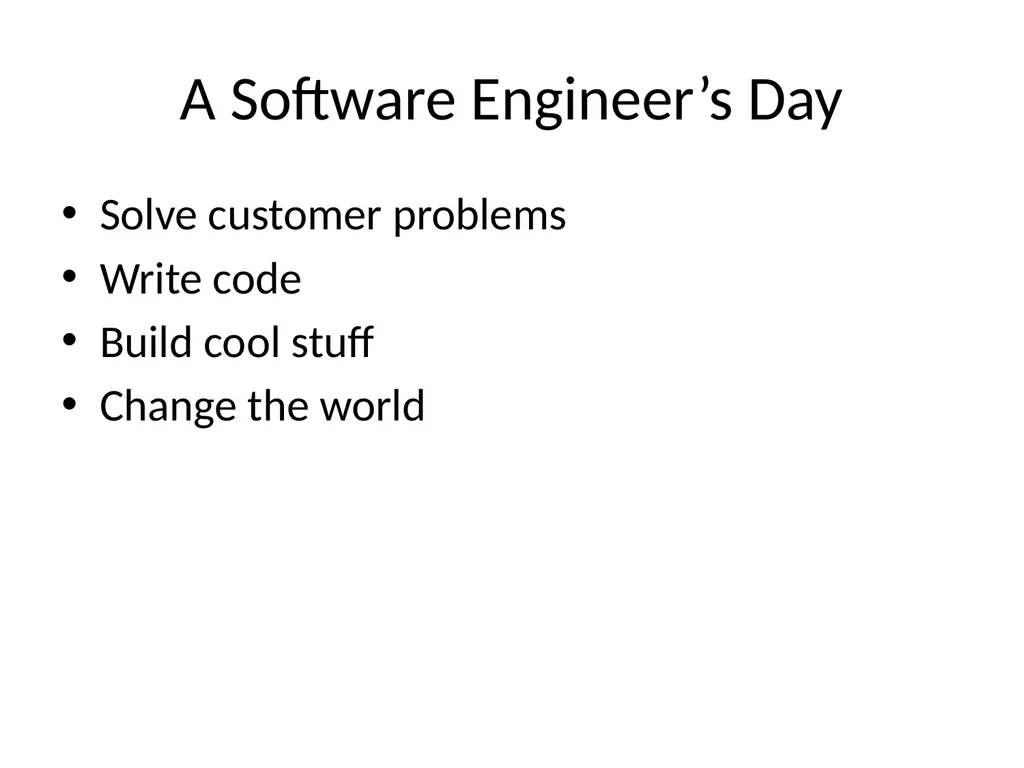
A Software Engineer’s Day Solve customer problems
Write code
Build cool stuff
Change the world<br>
Write code
Build cool stuff
Change the world<br>
04
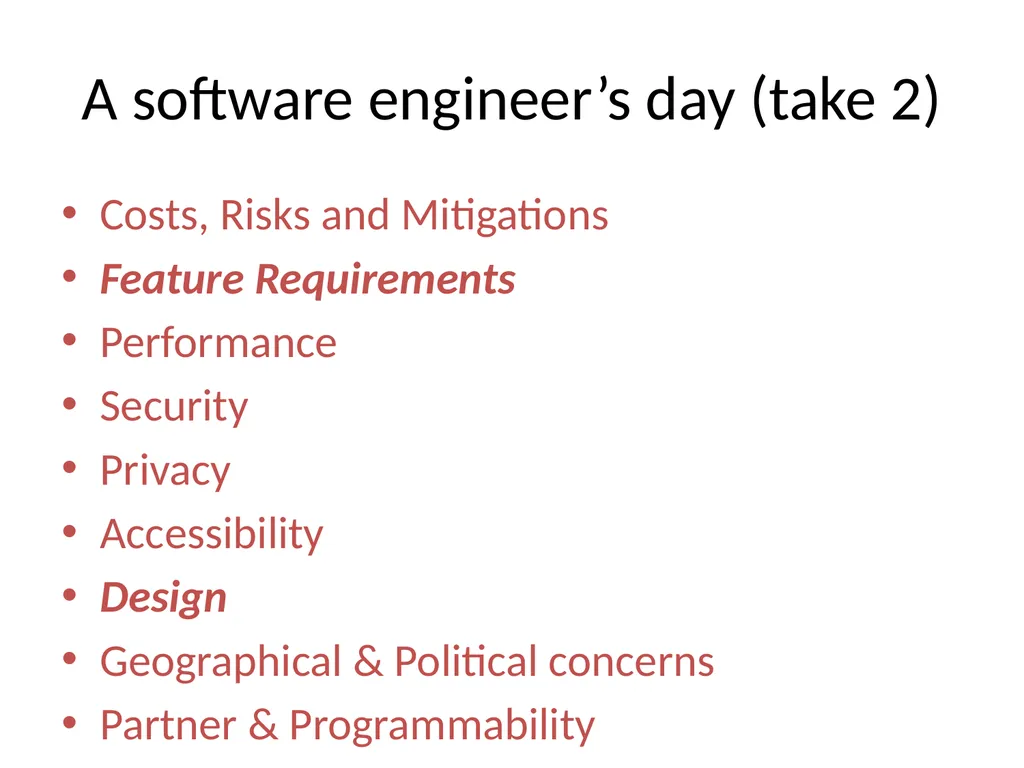
Costs, Risks and Mitigations
Feature Requirements
Performance
Security
Privacy
Accessibility
Design
Geographical & Political concerns
Partner & Programmability
Compatibility
Internationalizability (dates)
Configurability
Manageability
Logging
Internationalizability (text handling)
Telemetry
Programmability
And oh yeah, write some code A software engineer’s day (take 2)<br>
Feature Requirements
Performance
Security
Privacy
Accessibility
Design
Geographical & Political concerns
Partner & Programmability
Compatibility
Internationalizability (dates)
Configurability
Manageability
Logging
Internationalizability (text handling)
Telemetry
Programmability
And oh yeah, write some code A software engineer’s day (take 2)<br>
05
Outline > Engineering in Large Projects
Threat Modeling
Usability Tools<br>
Threat Modeling
Usability Tools<br>
06
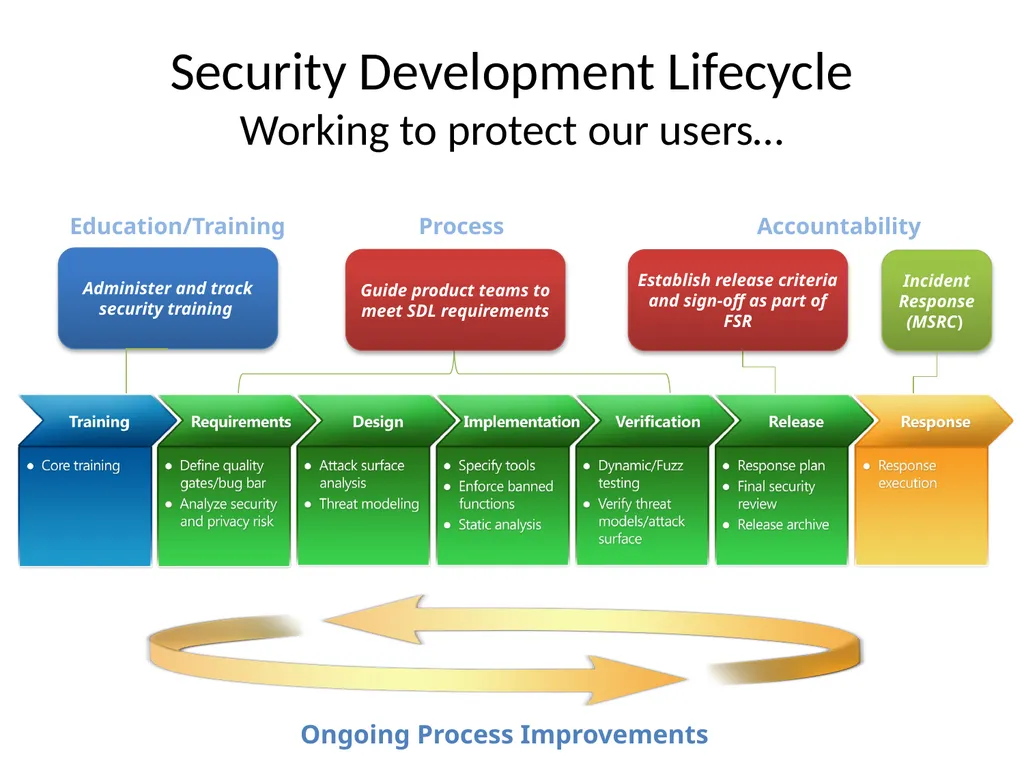
Security Development Lifecycle
Working to protect our users… Education/Training Accountability Administer and track security training Incident
Response (MSRC) Establish release criteria and sign-off as part of FSR Process Guide product teams to meet SDL requirements<br>
Response (MSRC) Establish release criteria and sign-off as part of FSR Process Guide product teams to meet SDL requirements<br>
07
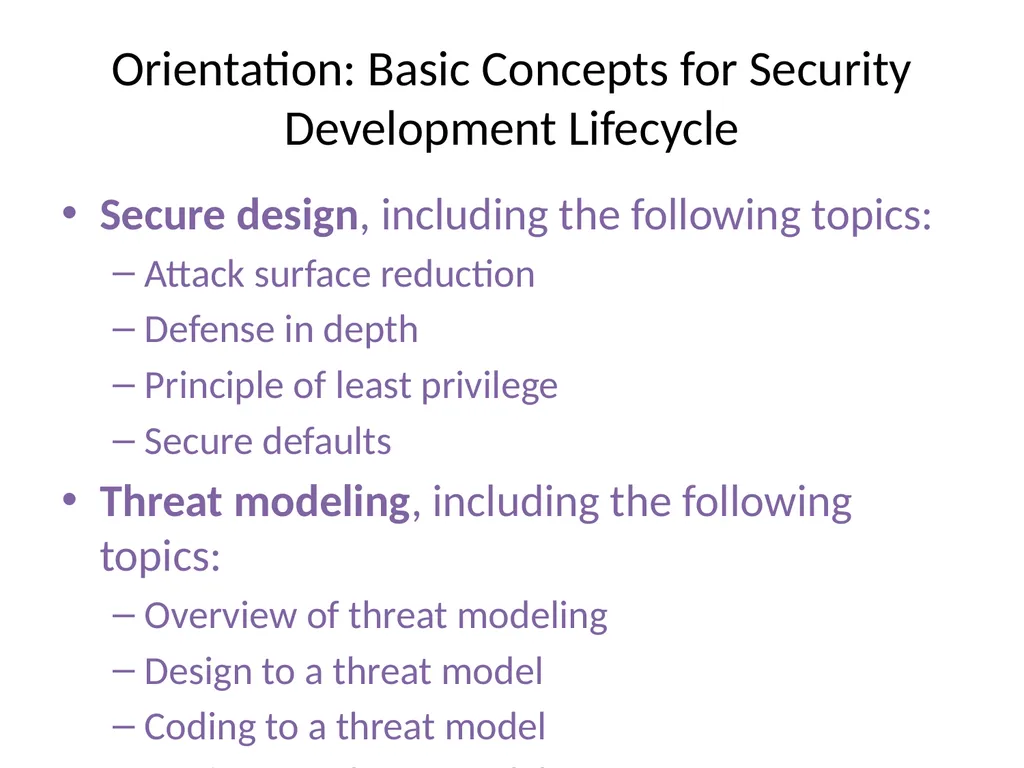
Secure design, including the following topics:
Attack surface reduction
Defense in depth
Principle of least privilege
Secure defaults
Threat modeling, including the following topics:
Overview of threat modeling
Design to a threat model
Coding to a threat model
Testing to a threat model
Secure coding, including the following topics:
Buffer overruns
Integer arithmetic errors
Cross-site scripting
SQL injection
Weak cryptography
Managed code issues (Microsoft .NET/Java)
Security testing, including the following topics:
Security testing versus functional testing
Risk assessment
Test methodologies
Test automation
Privacy, including the following topics:
Types of privacy data
Privacy design best practices
Risk analysis
Privacy development best practices
Privacy testing best practices Orientation: Basic Concepts for Security Development Lifecycle<br>
Attack surface reduction
Defense in depth
Principle of least privilege
Secure defaults
Threat modeling, including the following topics:
Overview of threat modeling
Design to a threat model
Coding to a threat model
Testing to a threat model
Secure coding, including the following topics:
Buffer overruns
Integer arithmetic errors
Cross-site scripting
SQL injection
Weak cryptography
Managed code issues (Microsoft .NET/Java)
Security testing, including the following topics:
Security testing versus functional testing
Risk assessment
Test methodologies
Test automation
Privacy, including the following topics:
Types of privacy data
Privacy design best practices
Risk analysis
Privacy development best practices
Privacy testing best practices Orientation: Basic Concepts for Security Development Lifecycle<br>
08
Outline Engineering in Large Projects
> Threat Modeling
Usability Tools<br>
> Threat Modeling
Usability Tools<br>
09
Threat Modeling Analyzing the design of a system
Engineers know their code and how it changes
Really, really hard for normal engineers to do
Requires a skillset acquired by osmosis (“The security mindset”)
Overcome creator blindness
Extreme consequences for errors or omissions
Training (version 1): “Think like an attacker”
And the consequences…<br>
Engineers know their code and how it changes
Really, really hard for normal engineers to do
Requires a skillset acquired by osmosis (“The security mindset”)
Overcome creator blindness
Extreme consequences for errors or omissions
Training (version 1): “Think like an attacker”
And the consequences…<br>
10
SDL Threat Modeling Tool SDL TM Tool makes threat modeling flow better for a broader set of users
Main Approach:
Simple, prescriptive, self-checks
Tool
Draw threat model diagrams with live feedback
Guided analysis of threats and mitigations using STRIDE
Integrates with bug tracking systems<br>
Main Approach:
Simple, prescriptive, self-checks
Tool
Draw threat model diagrams with live feedback
Guided analysis of threats and mitigations using STRIDE
Integrates with bug tracking systems<br>
11
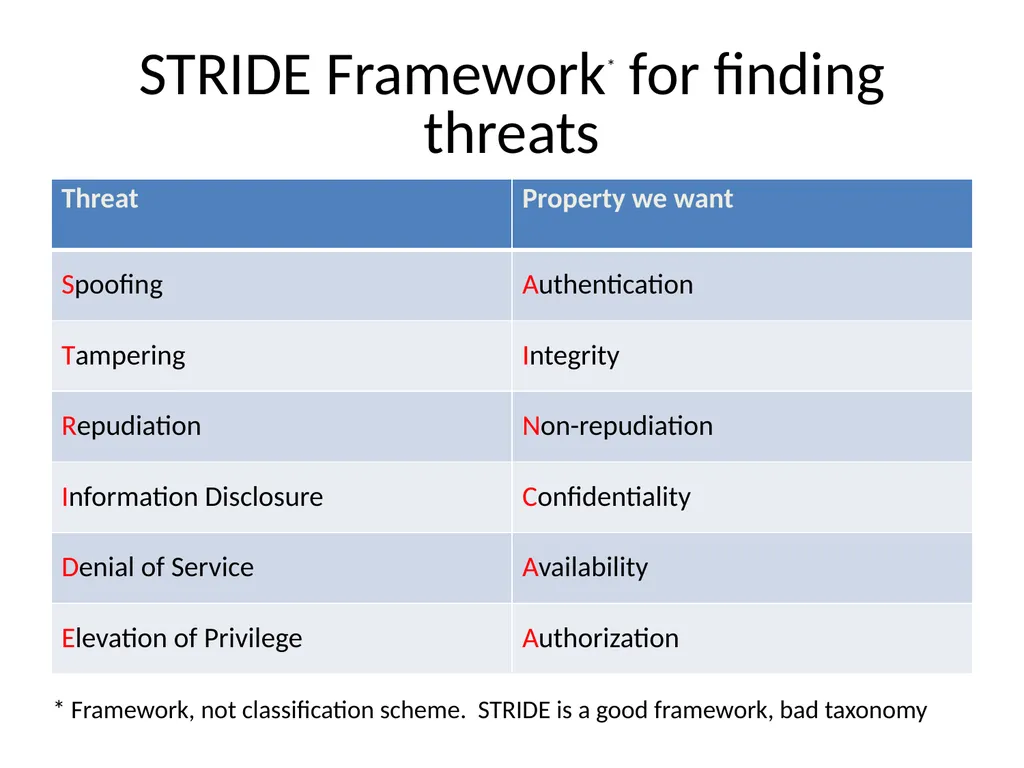
STRIDE Framework* for finding threats * Framework, not classification scheme. STRIDE is a good framework, bad taxonomy<br>
12
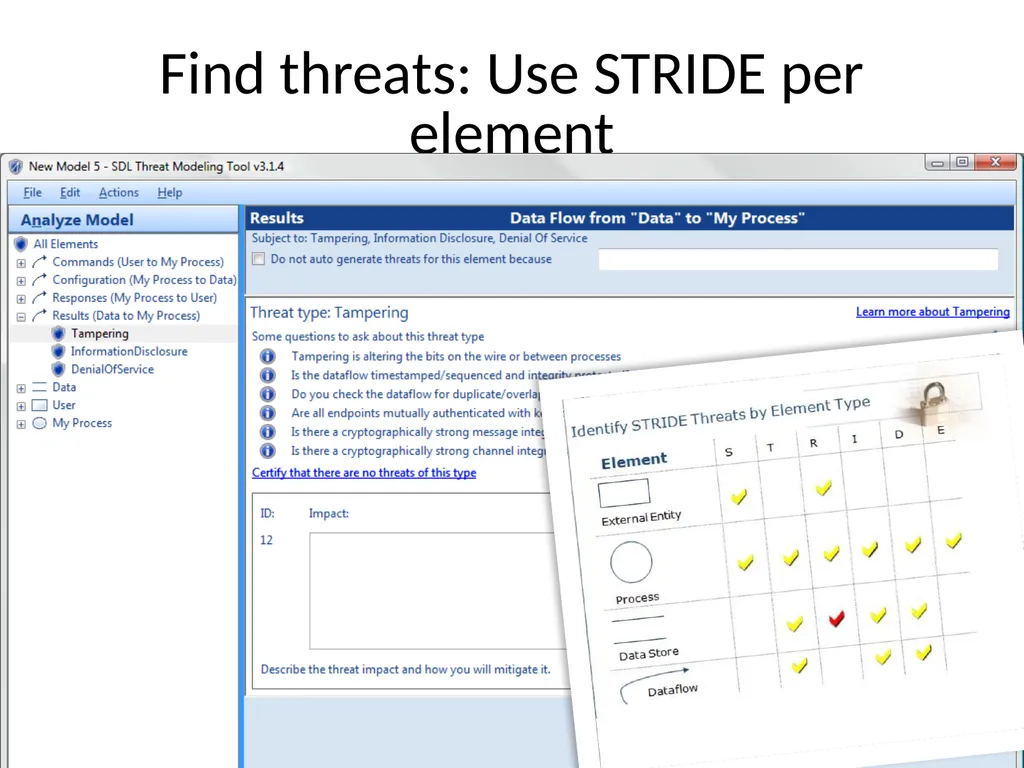
Find threats: Use STRIDE per element<br>
13
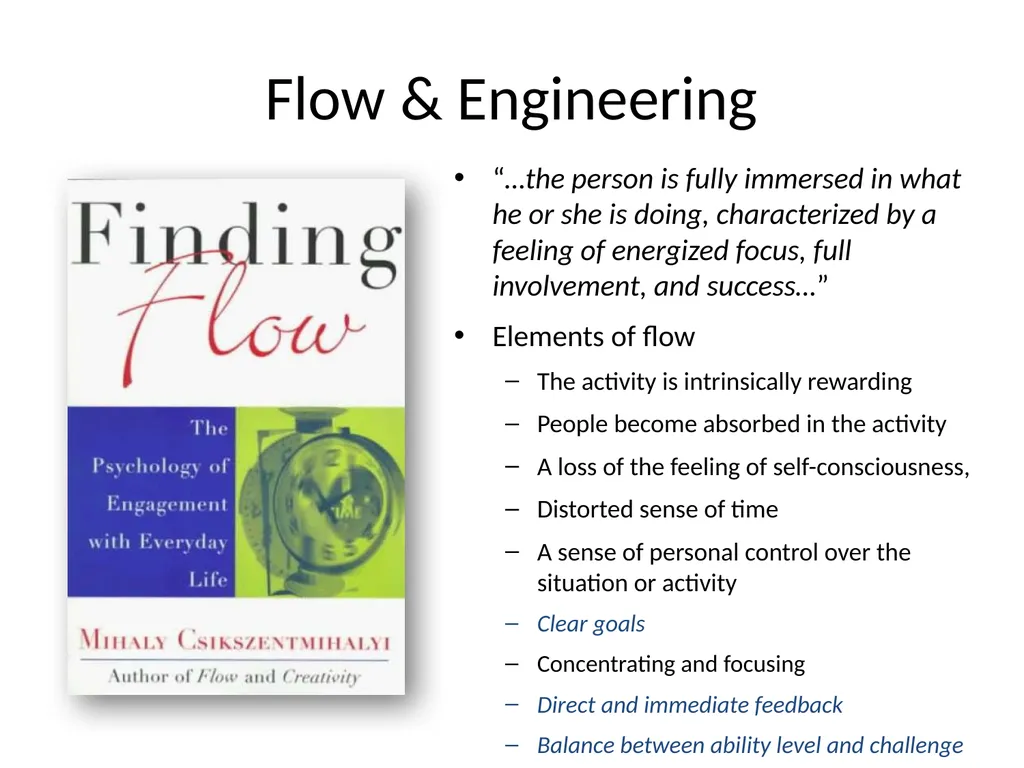
Flow & Engineering “…the person is fully immersed in what he or she is doing, characterized by a feeling of energized focus, full involvement, and success…”
Elements of flow
The activity is intrinsically rewarding
People become absorbed in the activity
A loss of the feeling of self-consciousness,
Distorted sense of time
A sense of personal control over the situation or activity
Clear goals
Concentrating and focusing
Direct and immediate feedback
Balance between ability level and challenge<br>
Elements of flow
The activity is intrinsically rewarding
People become absorbed in the activity
A loss of the feeling of self-consciousness,
Distorted sense of time
A sense of personal control over the situation or activity
Clear goals
Concentrating and focusing
Direct and immediate feedback
Balance between ability level and challenge<br>
14
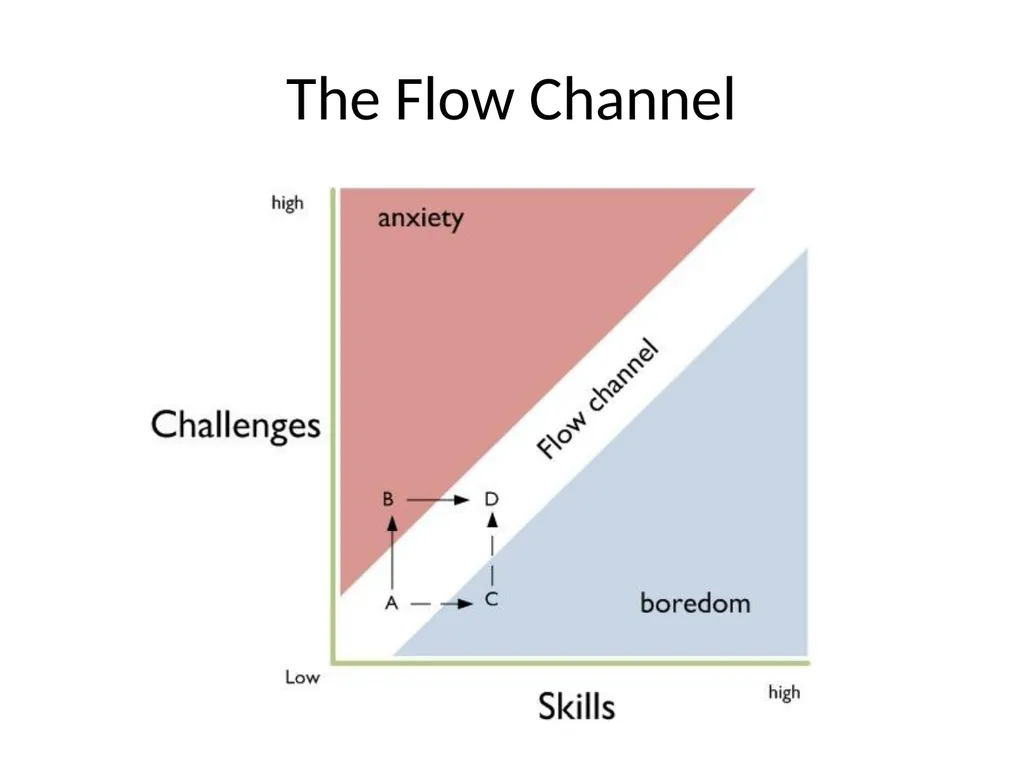
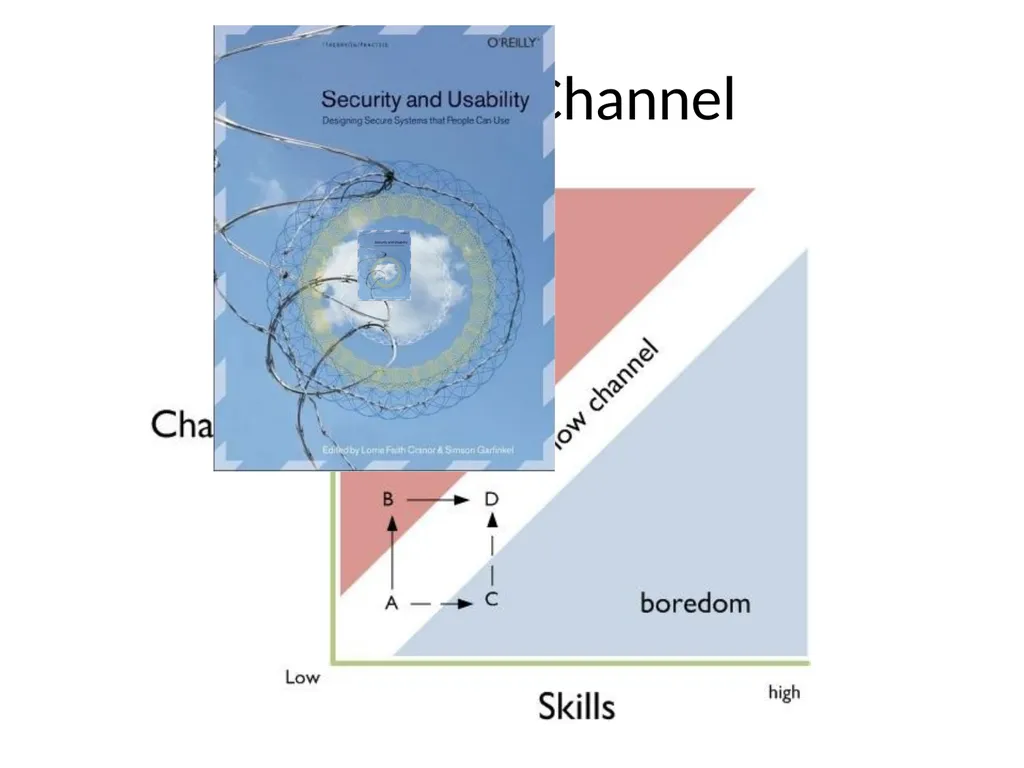
The Flow Channel<br>
15
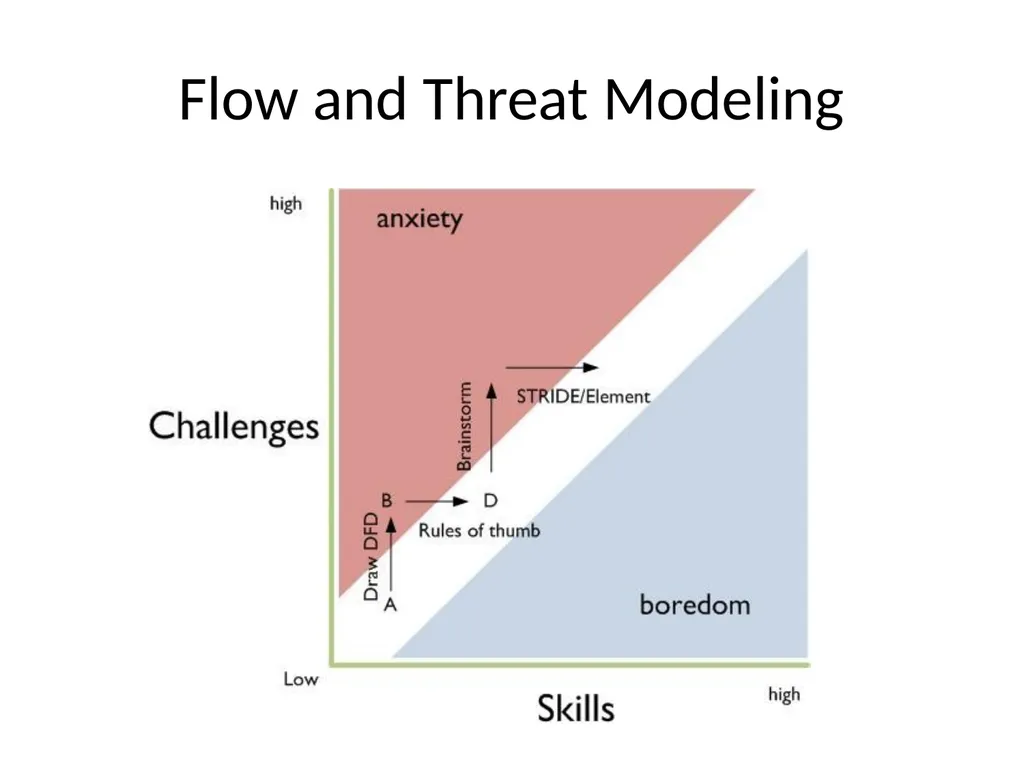
Flow and Threat Modeling<br>
16
Outline Engineering in Large Projects
> Threat Modeling (II)
Usability Tools<br>
> Threat Modeling (II)
Usability Tools<br>
17
2009 TM problem statement Even with the SDL TM Tool…
Threat models often pushed to one person
Less collaboration
One perspective
Sometimes a junior person
Meetings to review & share threat models
Experts took over meetings
Working meetings became review meetings<br>
Threat models often pushed to one person
Less collaboration
One perspective
Sometimes a junior person
Meetings to review & share threat models
Experts took over meetings
Working meetings became review meetings<br>
18
Elevation of Privilege:
The Threat Modeling Game Inspired by
Threat Poker by Laurie Williams, NCSU
Serious games movement
Threat modeling game should be
Simple
Fun
Encourage flow<br>
Threat Poker by Laurie Williams, NCSU
Serious games movement
Threat modeling game should be
Simple
Fun
Encourage flow<br>
19
Approach: Draw on Serious Games Field of study since about 1970
“serious games in the sense that these games have an explicit and carefully thought-out educational purpose and are not intended to be played primarily for amusement.” (Clark Abt)
Now include “Tabletop exercises,” persuasive games, games for health, etc<br>
“serious games in the sense that these games have an explicit and carefully thought-out educational purpose and are not intended to be played primarily for amusement.” (Clark Abt)
Now include “Tabletop exercises,” persuasive games, games for health, etc<br>
20
Elevation of Privilege is the easy way to get started threat modeling<br>
21
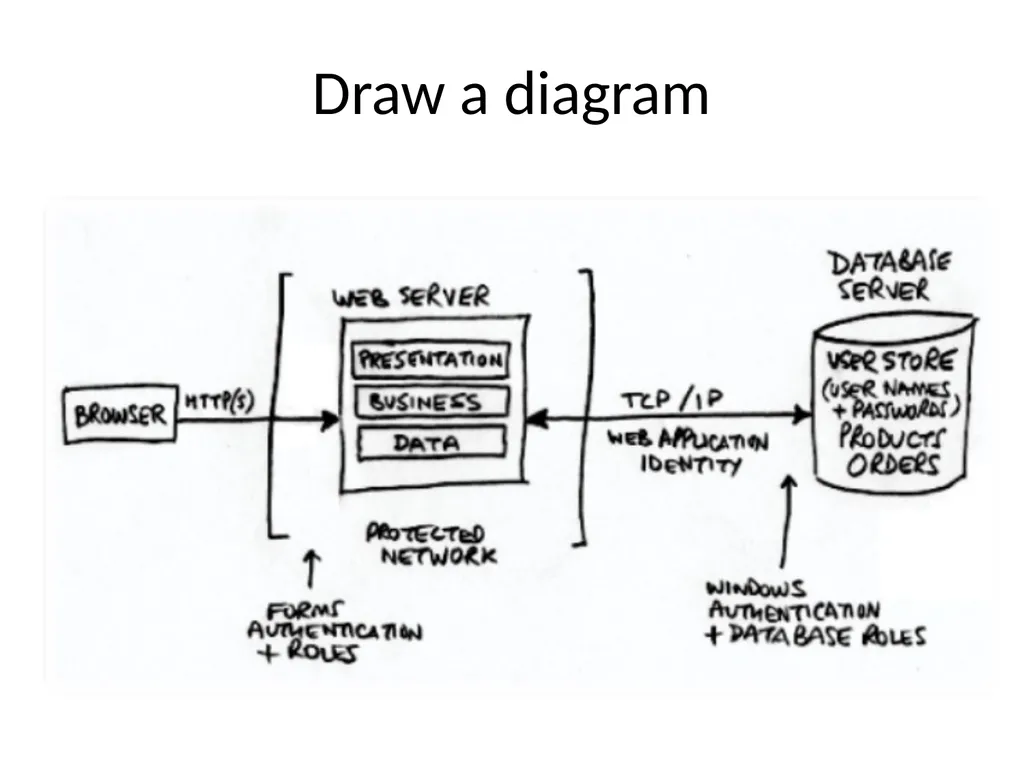
Draw a diagram<br>
22
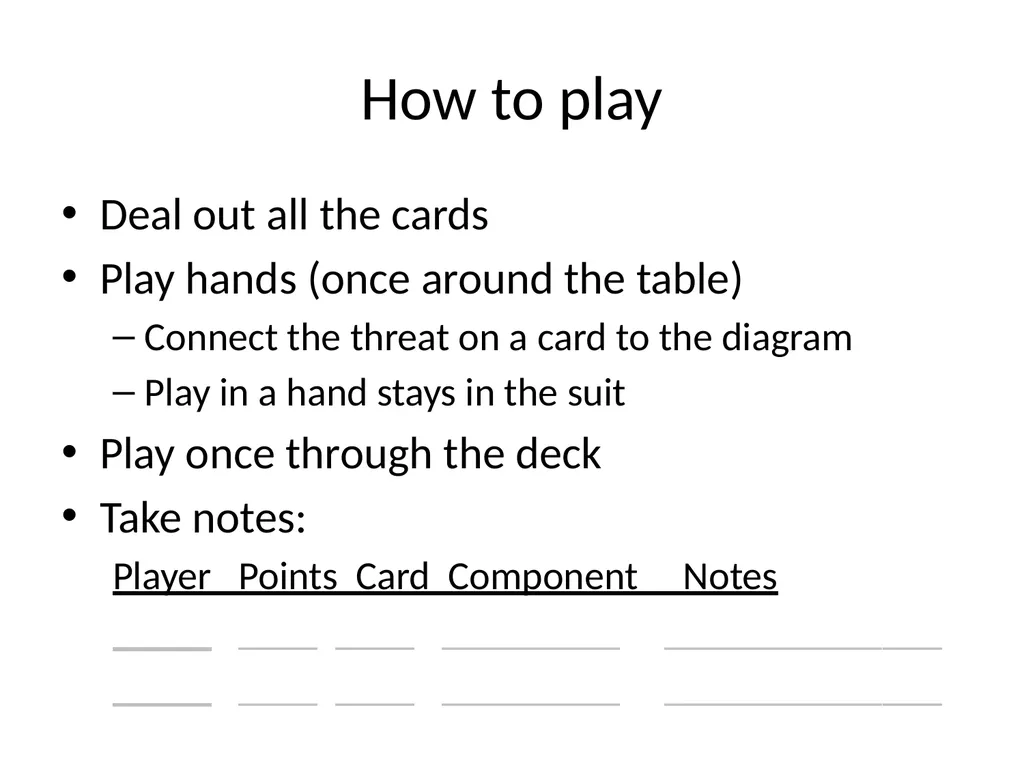
How to play Deal out all the cards
Play hands (once around the table)
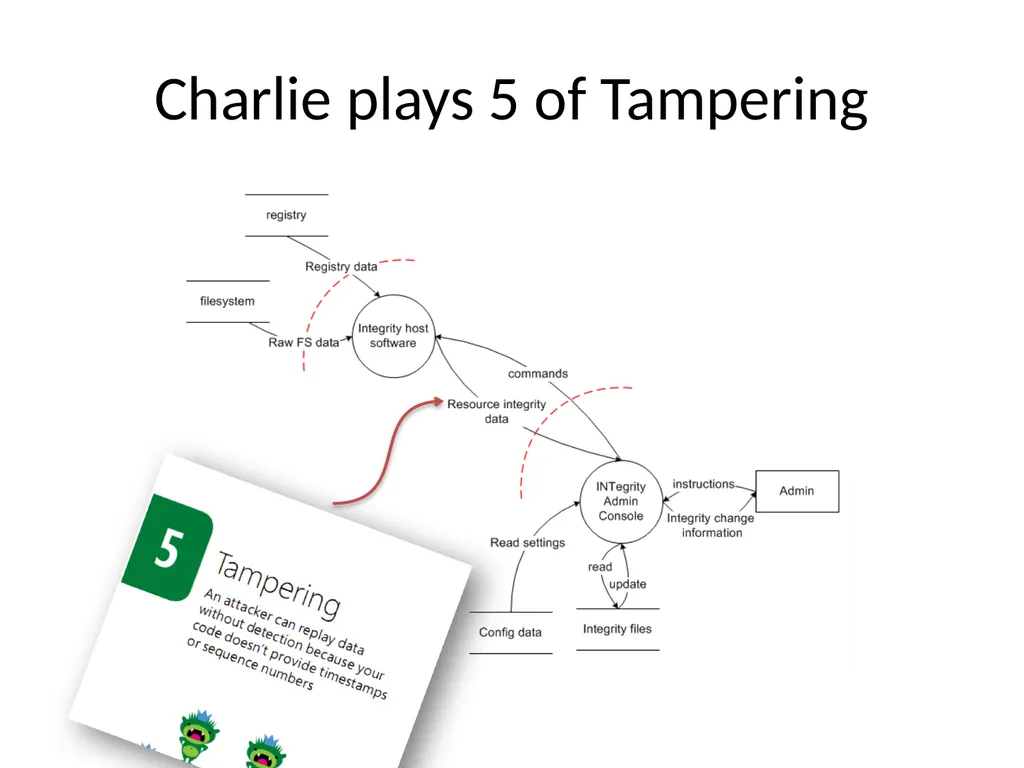
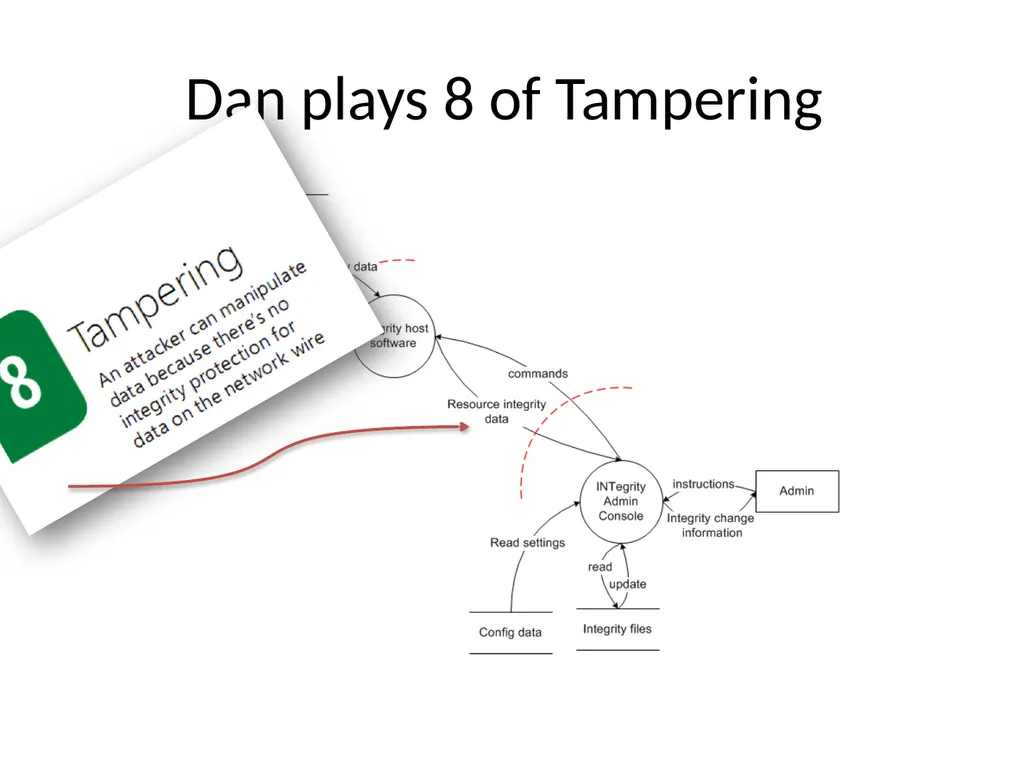
Connect the threat on a card to the diagram
Play in a hand stays in the suit
Play once through the deck
Take notes:
Player Points Card Component Notes
_____ ____ ____ _________ ______________
_____ ____ ____ _________ ______________<br>
Play hands (once around the table)
Connect the threat on a card to the diagram
Play in a hand stays in the suit
Play once through the deck
Take notes:
Player Points Card Component Notes
_____ ____ ____ _________ ______________
_____ ____ ____ _________ ______________<br>
23
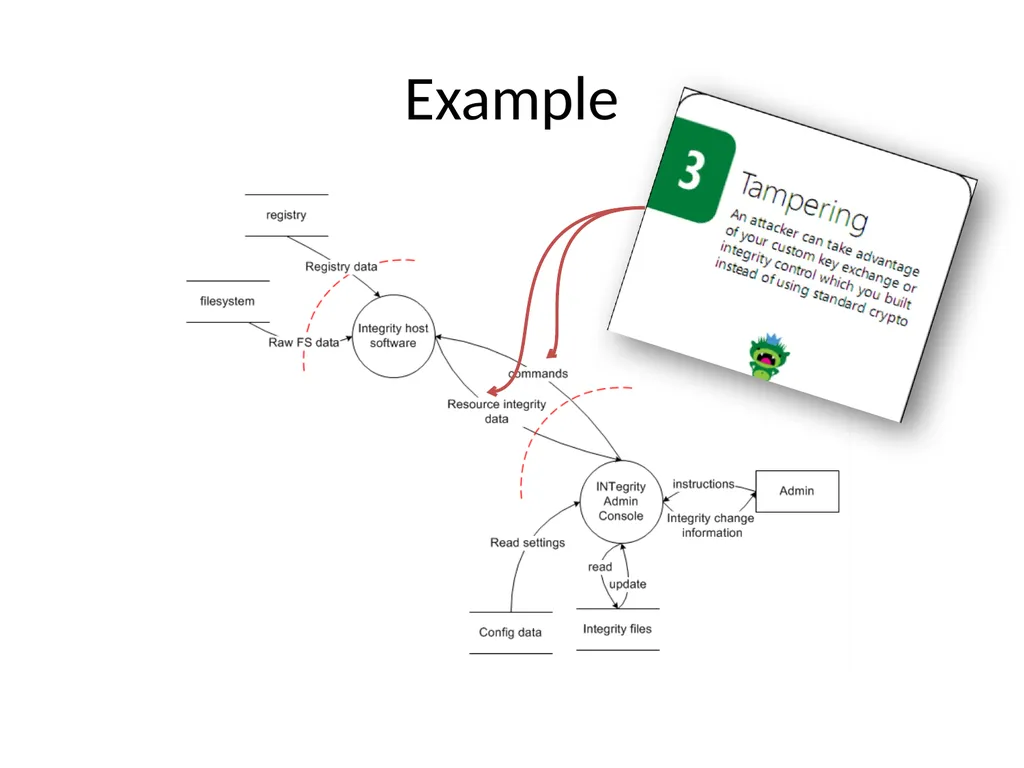
Example<br>
24
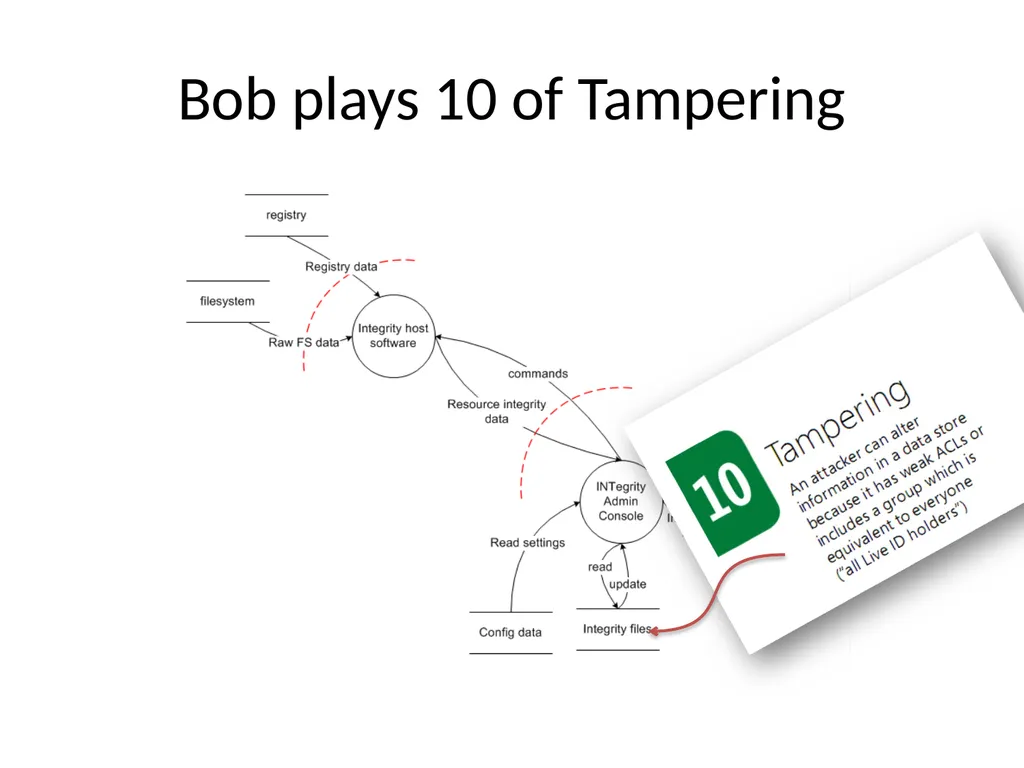
Bob plays 10 of Tampering<br>
25
Charlie plays 5 of Tampering<br>
26
Dan plays 8 of Tampering<br>
27
After the Elevation of Privilege Game… Finish up
Count points
Declare a winner
File bugs<br>
Count points
Declare a winner
File bugs<br>
28
Elevation of Privilege is Licensed
Creative Commons Attribution
… Go play! http://www.microsoft.com/security/sdl/eop/<br>
29
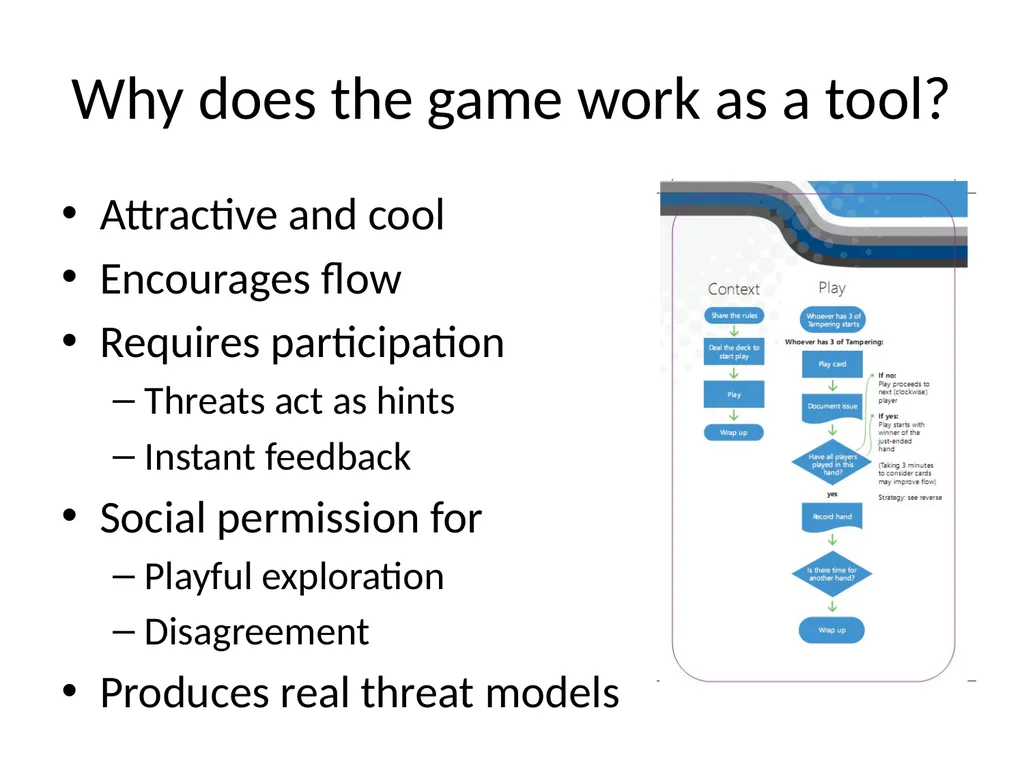
Why does the game work as a tool? Attractive and cool
Encourages flow
Requires participation
Threats act as hints
Instant feedback
Social permission for
Playful exploration
Disagreement
Produces real threat models<br>
Encourages flow
Requires participation
Threats act as hints
Instant feedback
Social permission for
Playful exploration
Disagreement
Produces real threat models<br>
30
Outline Engineering in Large Projects
Threat Modeling
> Usability Tools<br>
Threat Modeling
> Usability Tools<br>
31
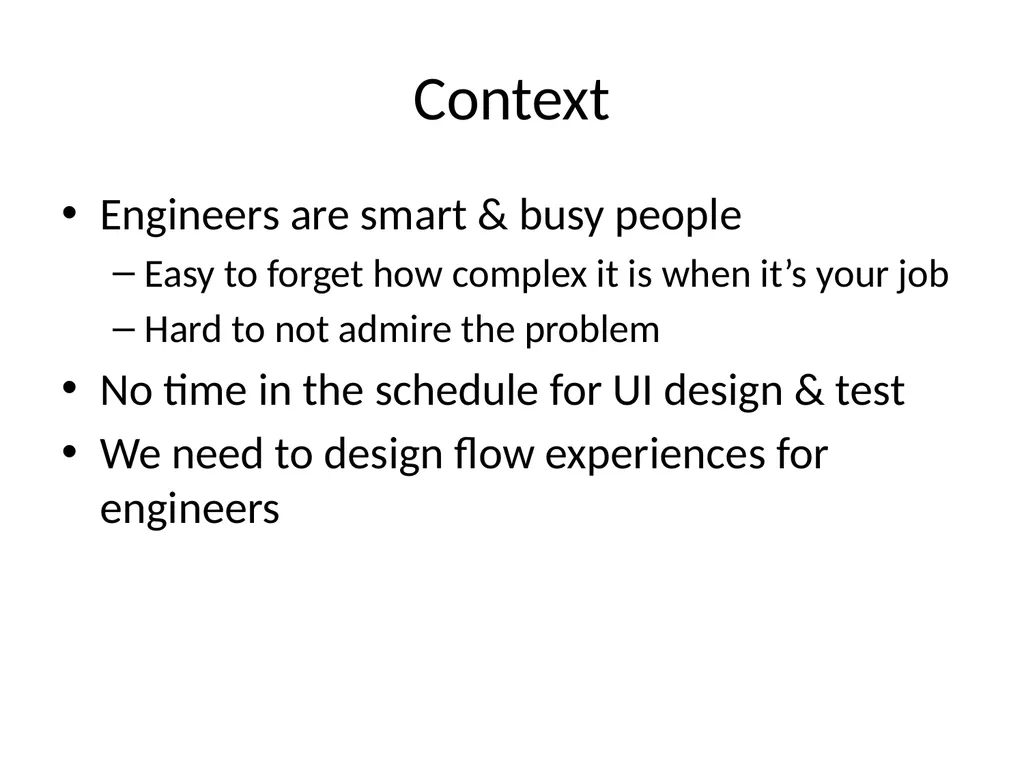
Context Engineers are smart & busy people
Easy to forget how complex it is when it’s your job
Hard to not admire the problem
No time in the schedule for UI design & test
We need to design flow experiences for engineers<br>
Easy to forget how complex it is when it’s your job
Hard to not admire the problem
No time in the schedule for UI design & test
We need to design flow experiences for engineers<br>
32
Things we hear “I’m an engineer, not a usability person”
“Can we sprinkle some security usability dust?”
“The problem is between the keyboard and chair”
“What are the top 5 things to make this usable?”
… all indicate a lack of flow in usability engineering efforts<br>
“Can we sprinkle some security usability dust?”
“The problem is between the keyboard and chair”
“What are the top 5 things to make this usable?”
… all indicate a lack of flow in usability engineering efforts<br>
33
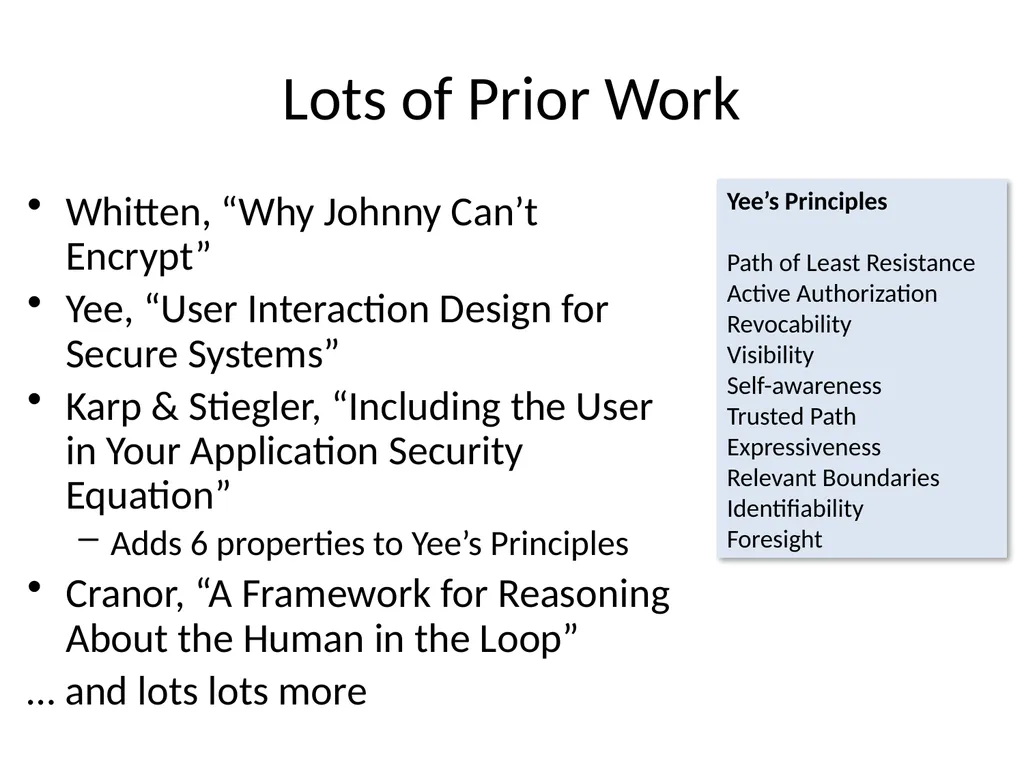
Lots of Prior Work Whitten, “Why Johnny Can’t Encrypt”
Yee, “User Interaction Design for Secure Systems”
Karp & Stiegler, “Including the User in Your Application Security Equation”
Adds 6 properties to Yee’s Principles
Cranor, “A Framework for Reasoning About the Human in the Loop”
… and lots lots more Yee’s Principles
Path of Least Resistance
Active Authorization
Revocability
Visibility
Self-awareness
Trusted Path
Expressiveness
Relevant Boundaries
Identifiability
Foresight<br>
Yee, “User Interaction Design for Secure Systems”
Karp & Stiegler, “Including the User in Your Application Security Equation”
Adds 6 properties to Yee’s Principles
Cranor, “A Framework for Reasoning About the Human in the Loop”
… and lots lots more Yee’s Principles
Path of Least Resistance
Active Authorization
Revocability
Visibility
Self-awareness
Trusted Path
Expressiveness
Relevant Boundaries
Identifiability
Foresight<br>
34
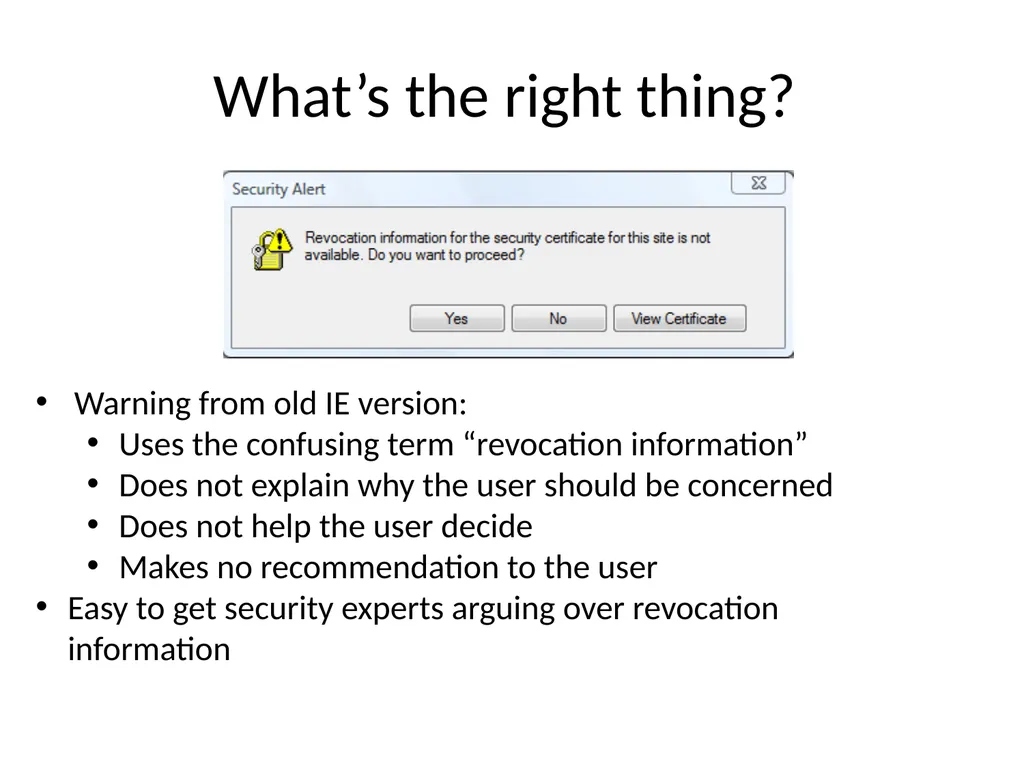
What’s the right thing? Warning from old IE version:
Uses the confusing term “revocation information”
Does not explain why the user should be concerned
Does not help the user decide
Makes no recommendation to the user
Easy to get security experts arguing over revocation information<br>
Uses the confusing term “revocation information”
Does not explain why the user should be concerned
Does not help the user decide
Makes no recommendation to the user
Easy to get security experts arguing over revocation information<br>
35
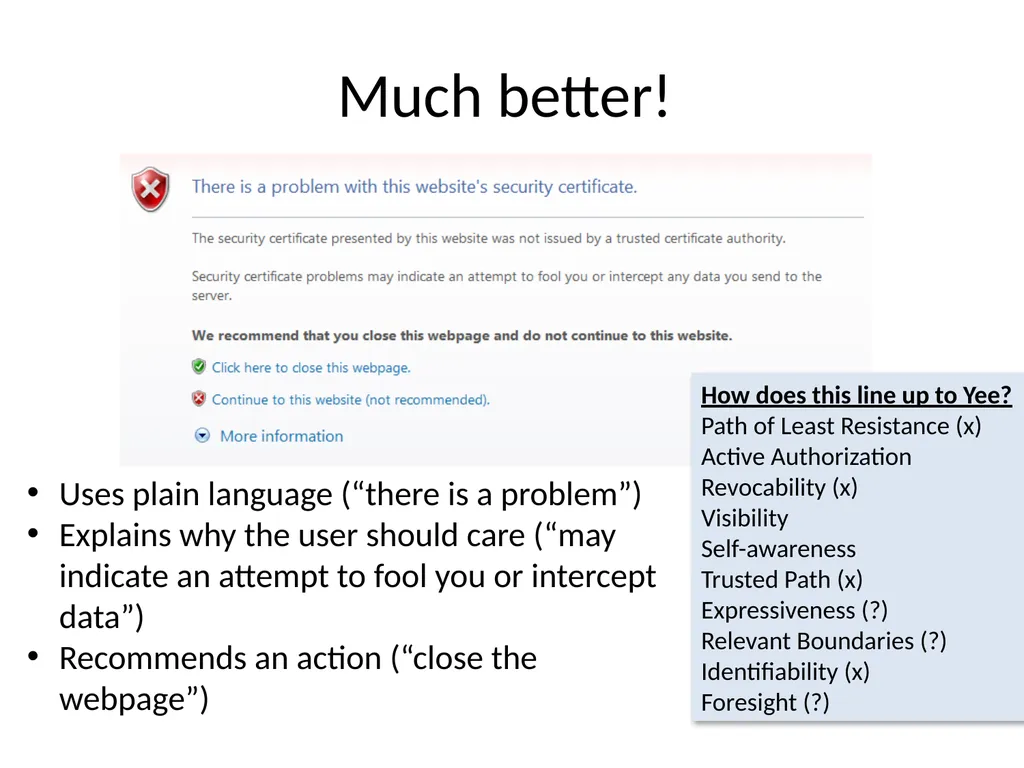
Much better! Uses plain language (“there is a problem”)
Explains why the user should care (“may indicate an attempt to fool you or intercept data”)
Recommends an action (“close the webpage”) How does this line up to Yee?
Path of Least Resistance (x)
Active Authorization
Revocability (x)
Visibility
Self-awareness
Trusted Path (x)
Expressiveness (?)
Relevant Boundaries (?)
Identifiability (x)
Foresight (?)<br>
Explains why the user should care (“may indicate an attempt to fool you or intercept data”)
Recommends an action (“close the webpage”) How does this line up to Yee?
Path of Least Resistance (x)
Active Authorization
Revocability (x)
Visibility
Self-awareness
Trusted Path (x)
Expressiveness (?)
Relevant Boundaries (?)
Identifiability (x)
Foresight (?)<br>
36
The Flow Channel<br>
37
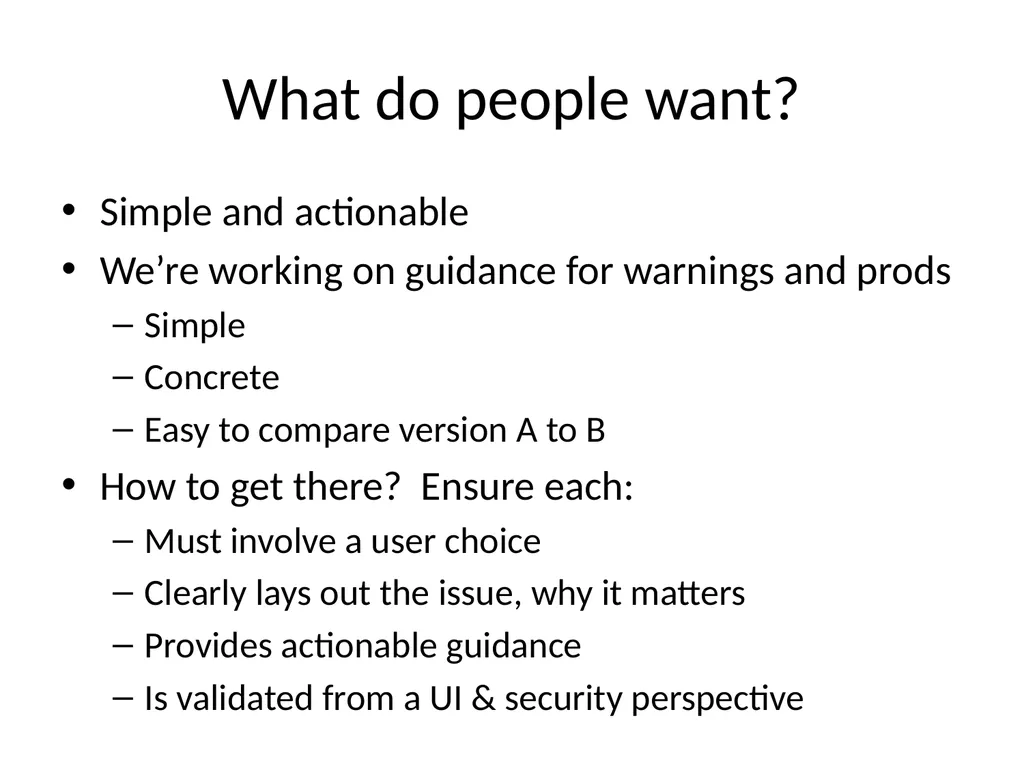
What do people want? Simple and actionable
We’re working on guidance for warnings and prods
Simple
Concrete
Easy to compare version A to B
How to get there? Ensure each:
Must involve a user choice
Clearly lays out the issue, why it matters
Provides actionable guidance
Is validated from a UI & security perspective<br>
We’re working on guidance for warnings and prods
Simple
Concrete
Easy to compare version A to B
How to get there? Ensure each:
Must involve a user choice
Clearly lays out the issue, why it matters
Provides actionable guidance
Is validated from a UI & security perspective<br>
38
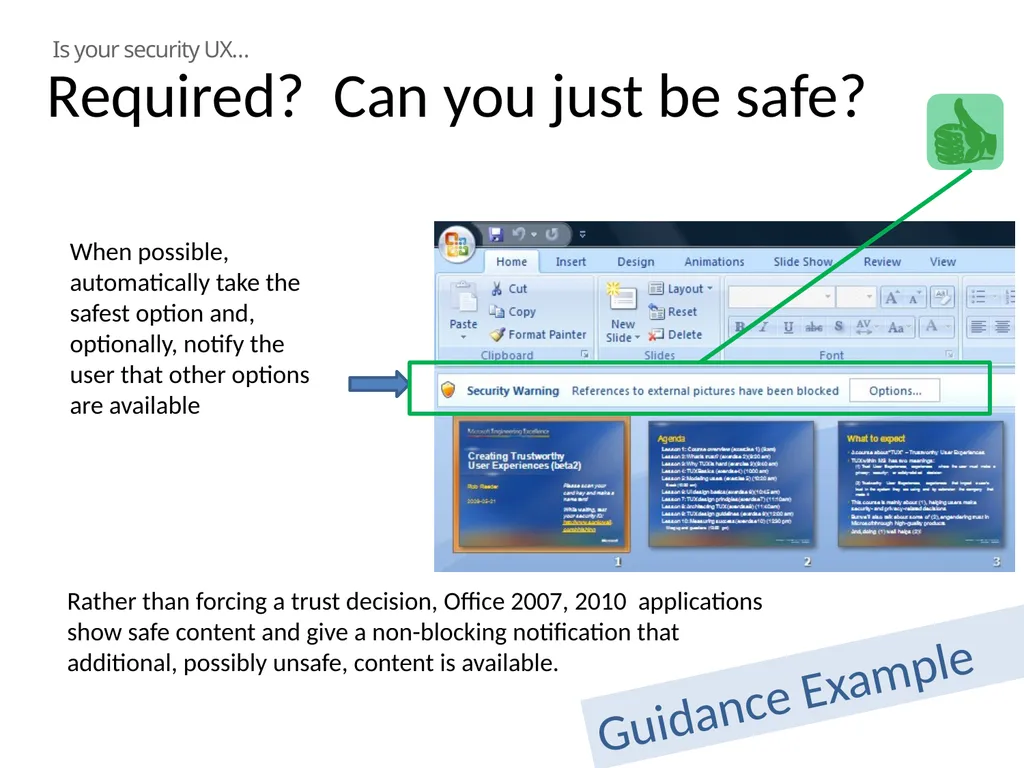
Rather than forcing a trust decision, Office 2007, 2010 applications show safe content and give a non-blocking notification that additional, possibly unsafe, content is available. Is your security UX… When possible, automatically take the safest option and, optionally, notify the user that other options are available Required? Can you just be safe? Guidance Example<br>
39
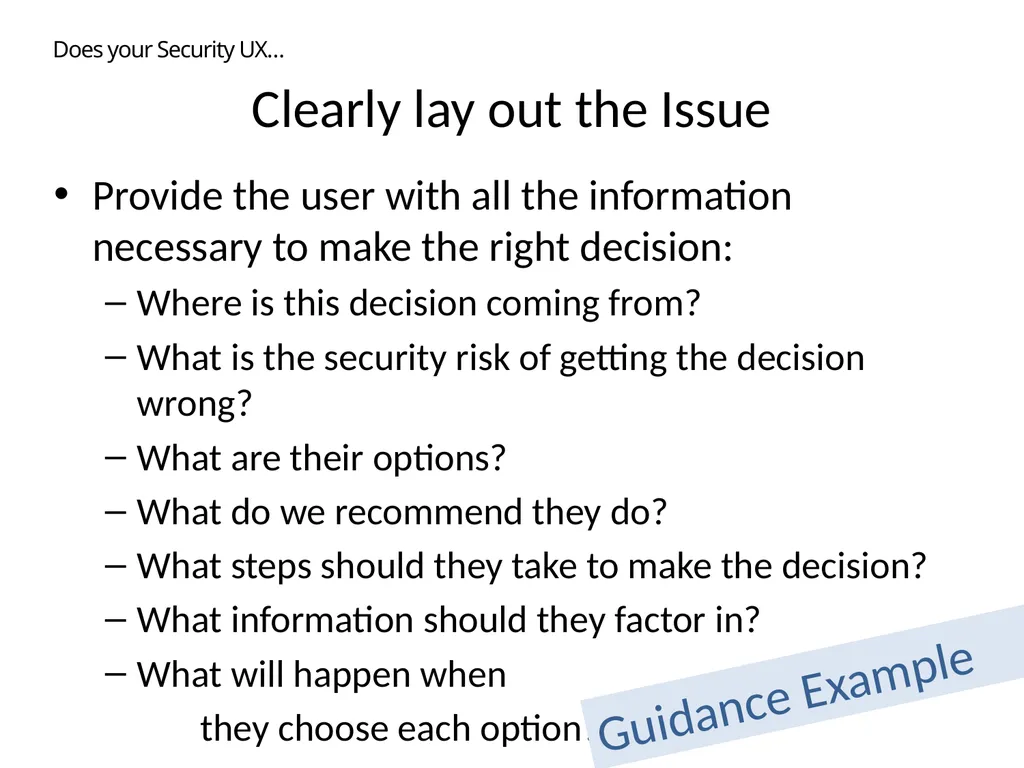
Clearly lay out the Issue Provide the user with all the information necessary to make the right decision:
Where is this decision coming from?
What is the security risk of getting the decision wrong?
What are their options?
What do we recommend they do?
What steps should they take to make the decision?
What information should they factor in?
What will happen when
they choose each option? Does your Security UX… Guidance Example<br>
Where is this decision coming from?
What is the security risk of getting the decision wrong?
What are their options?
What do we recommend they do?
What steps should they take to make the decision?
What information should they factor in?
What will happen when
they choose each option? Does your Security UX… Guidance Example<br>
40
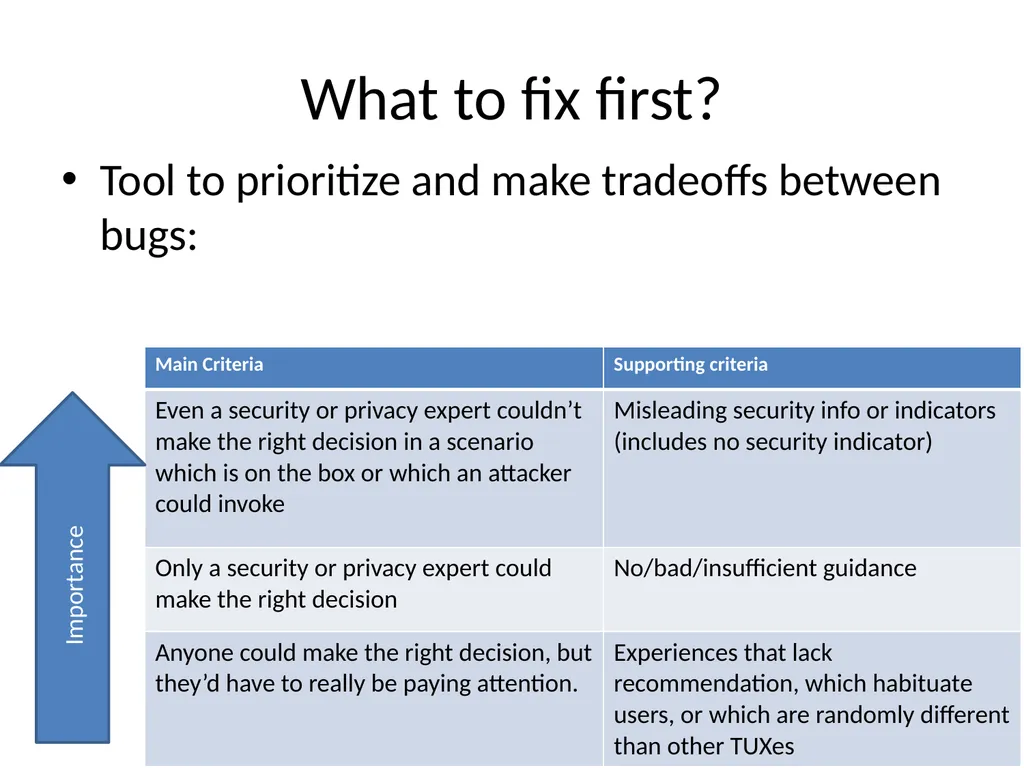
What to fix first? Tool to prioritize and make tradeoffs between bugs: Importance<br>
41
Usability tools for Engineers Principles and Guidance are both worthwhile research areas
“One page” guidance is hard to find
Scientists and engineers may weight them differently<br>
“One page” guidance is hard to find
Scientists and engineers may weight them differently<br>
42
Outline Engineering in Large Projects
Threat Modeling
Usability Tools<br>
Threat Modeling
Usability Tools<br>
43
A Software Engineer’s Day Solve customer problems
Write code
Build cool, usable and secure stuff
Change the world<br>
Write code
Build cool, usable and secure stuff
Change the world<br>
44
Call to action Study how engineers work and their needs
Experiment with and test guidance
Use them, improve on them, or replace them
Spread the word that engineers are people too
Need usable approaches to usability engineering<br>
Experiment with and test guidance
Use them, improve on them, or replace them
Spread the word that engineers are people too
Need usable approaches to usability engineering<br>
45
Questions?<br>
46
© 2010 Microsoft Corporation. All rights reserved. Microsoft, Windows, Windows Vista and other product names are or may be registered trademarks and/or trademarks in the U.S. and/or other countries.
The information herein is for informational purposes only and represents the current view of Microsoft Corporation as of the date of this presentation. Because Microsoft must respond to changing market conditions, it should not be interpreted to be a commitment on the part of Microsoft, and Microsoft cannot guarantee the accuracy of any information provided after the date of this presentation. MICROSOFT MAKES NO WARRANTIES, EXPRESS, IMPLIED OR STATUTORY, AS TO THE INFORMATION IN THIS PRESENTATION.<br>
The information herein is for informational purposes only and represents the current view of Microsoft Corporation as of the date of this presentation. Because Microsoft must respond to changing market conditions, it should not be interpreted to be a commitment on the part of Microsoft, and Microsoft cannot guarantee the accuracy of any information provided after the date of this presentation. MICROSOFT MAKES NO WARRANTIES, EXPRESS, IMPLIED OR STATUTORY, AS TO THE INFORMATION IN THIS PRESENTATION.<br>