GBS Query Management Process and Service-now Training Territory Finance Introduction to Service-now Introduction New query management process for GBS. Fills the need to track, understand, analyze and manage the customer inquires.
"GBS Query Management Process and Service-now" is the property of its rightful owner. Permission is granted to
download and print the materials on this website for personal, non-commercial use only, and to display it
on your personal computer provided you do not modify the materials and that you retain all copyright
notices contained in the materials. By downloading content from our website, you accept the terms of this
agreement.
Presentation Transcript
01
GBS Query Management Process and Service-now Training Territory Finance – Introduction to Service-now<br>
02
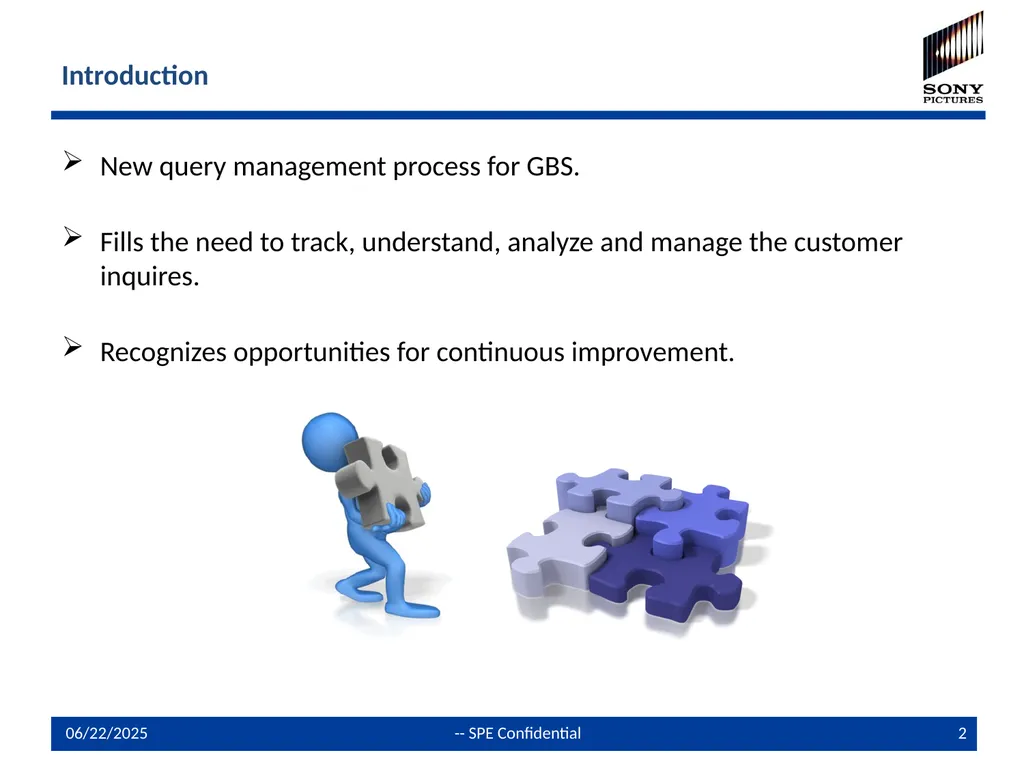
Introduction New query management process for GBS.
Fills the need to track, understand, analyze and manage the customer inquires.
Recognizes opportunities for continuous improvement.<br>
03
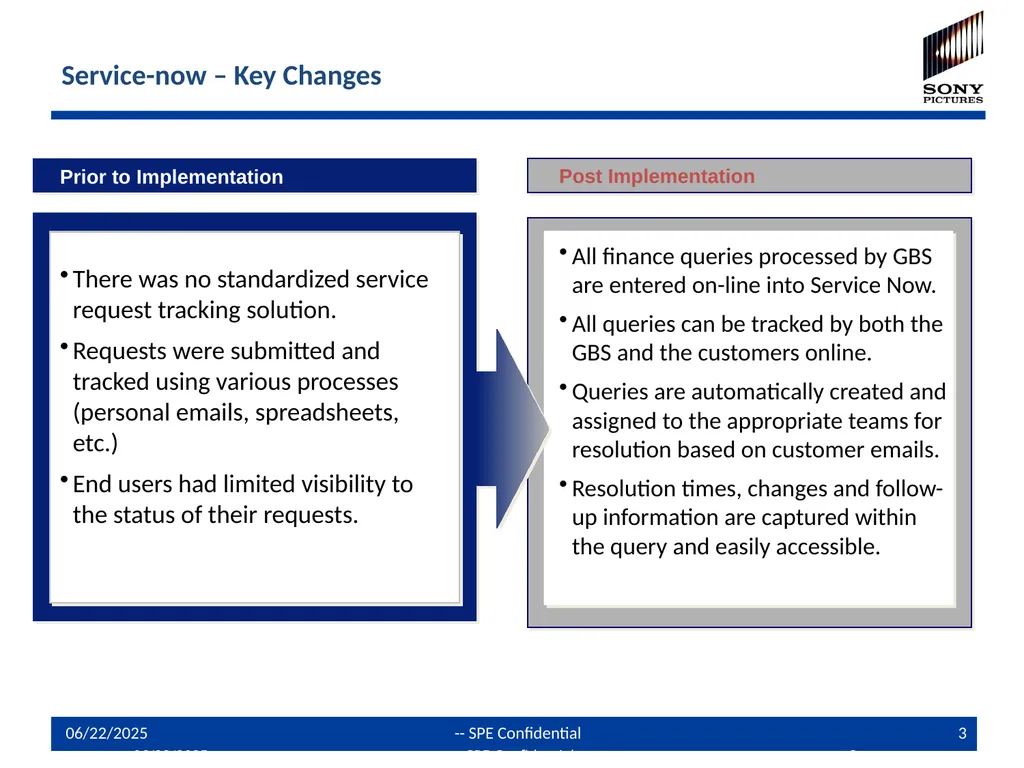
Prior to Implementation
There was no standardized service request tracking solution.
Requests were submitted and tracked using various processes (personal emails, spreadsheets, etc.)
End users had limited visibility to the status of their requests. Post Implementation
All finance queries processed by GBS are entered on-line into Service Now.
All queries can be tracked by both the GBS and the customers online.
Queries are automatically created and assigned to the appropriate teams for resolution based on customer emails.
Resolution times, changes and follow-up information are captured within the query and easily accessible. Service-now – Key Changes 9/13/2013 -- SPE Confidential 3<br>
04
Service-now Launch Resolve customer queries quickly and accurately
Improve management (ownership, tracking and reporting) of queries/incidents throughout their lifecycle
Provide management and stakeholder visibility Service-now will help GBS…<br>
05
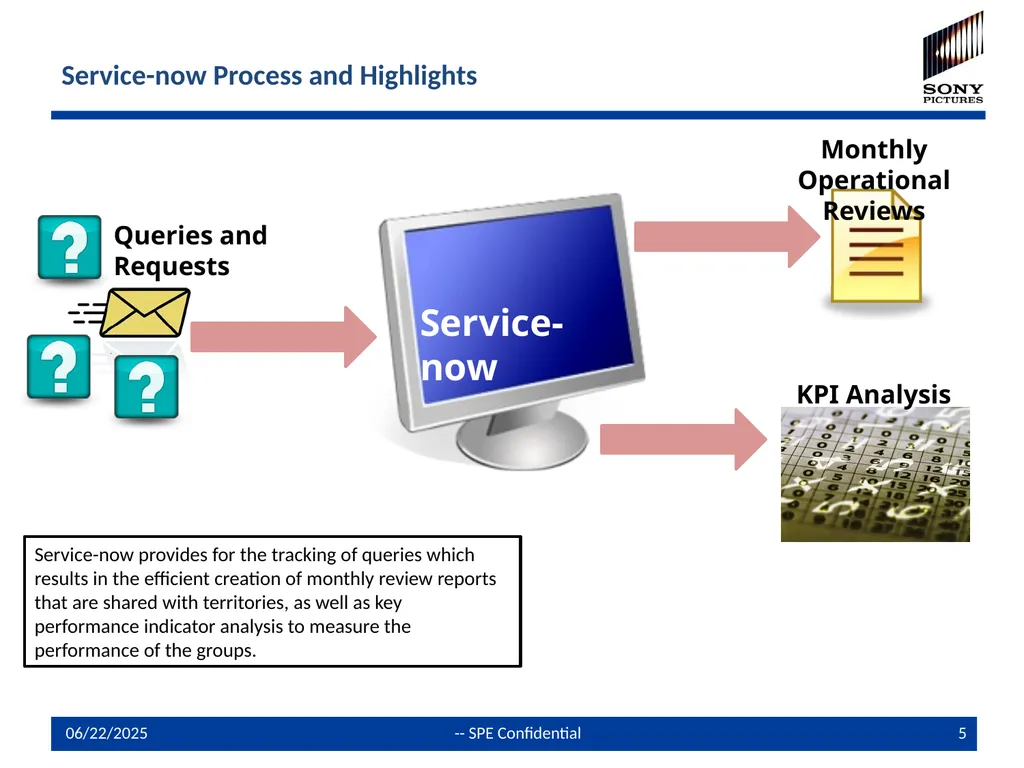
Service-now Process and Highlights Service-now Monthly Operational Reviews KPI Analysis Service-now provides for the tracking of queries which results in the efficient creation of monthly review reports that are shared with territories, as well as key performance indicator analysis to measure the performance of the groups. Queries and Requests<br>
06
How it works All customer queries and issues will be logged and managed through the GBS query management system – “Service-now”.
Customers are serviced according to their Process, LOB and Country. In order to facilitate this, “Assignment Groups” have been set up in Service-now for GBS process team members
There are designated email addresses that correspond to the Assignment Groups. Any emails send to these auto-creates a query and assigns the query to the right group
The preferred way to submit queries is now through designated GBS email addresses that have been established by process, by country, by customer company and by LOB. These should be used by all customers, vendors and GBS personnel to communicate queries/issues. This will allow the auto logging of the queries/issues in Service-now.
All other customer queries and issues received via telephone, personal email address, fax etc. need to be logged manually by GBS personnel in an “open” state in Service-now.
Any follow ups addressed to the generic/designated email boxes will be tracked automatically in Service-now.
Important note: Always reference the query number QRY0000000 in the subject line or the body of the email in order to ensure that the communication history gets tracked in the ticket.<br>
07
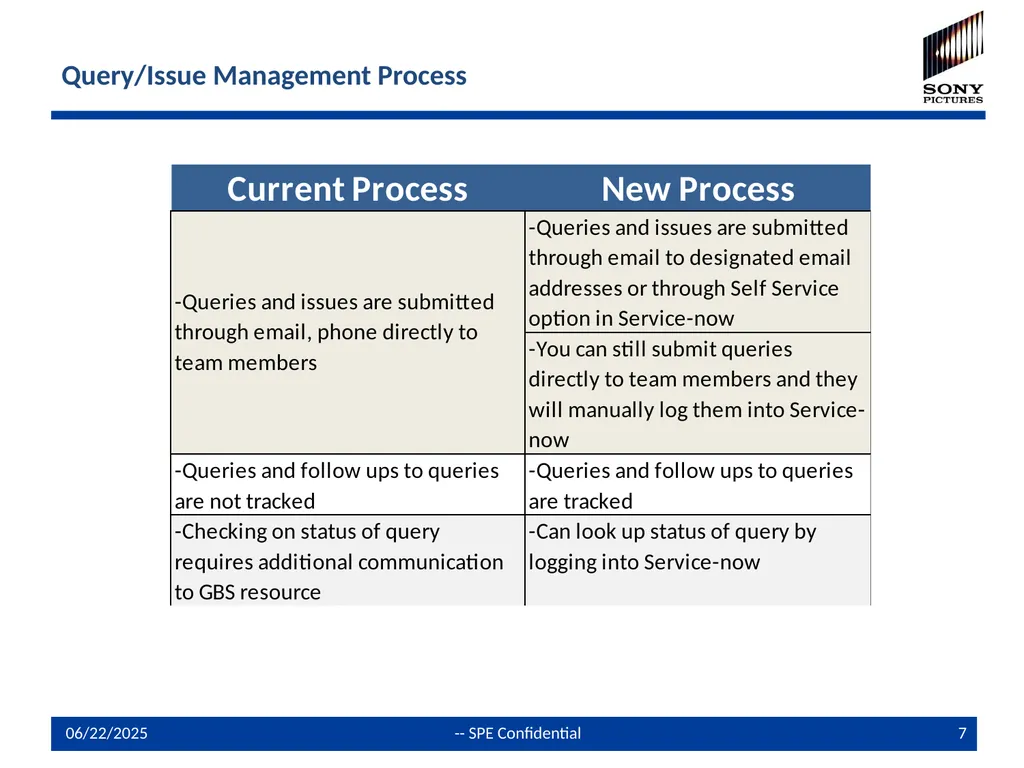
Query/Issue Management Process<br>
08
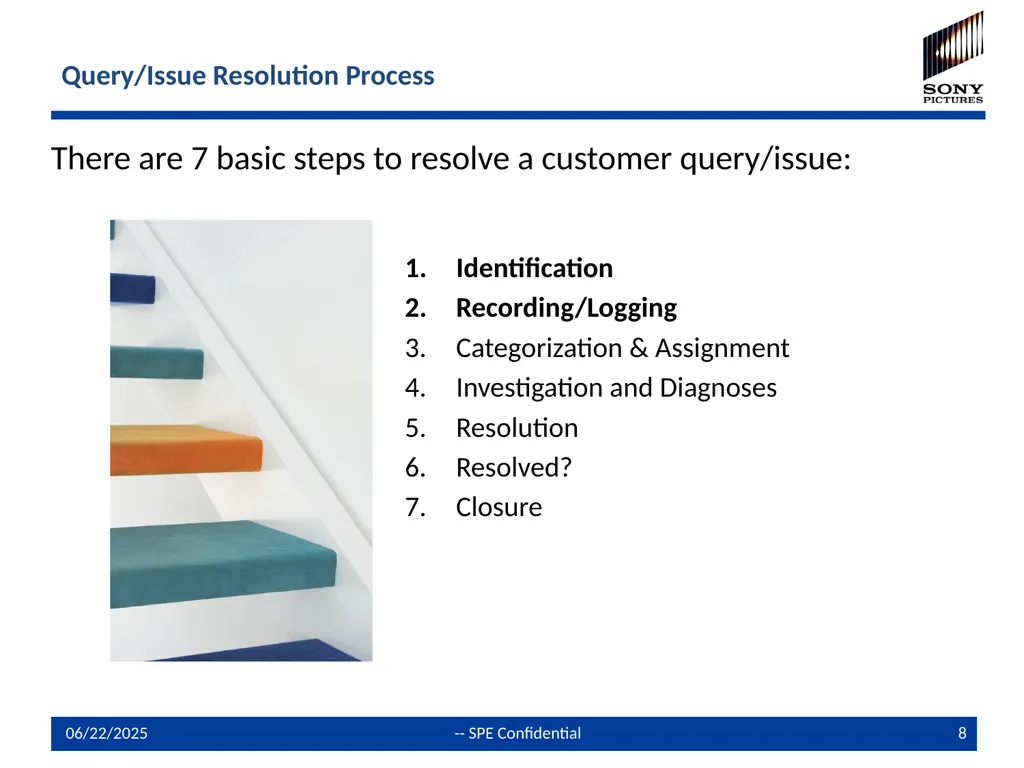
Query/Issue Resolution Process There are 7 basic steps to resolve a customer query/issue: Identification
Recording/Logging
Categorization & Assignment
Investigation and Diagnoses
Resolution
Resolved?
Closure<br>
09
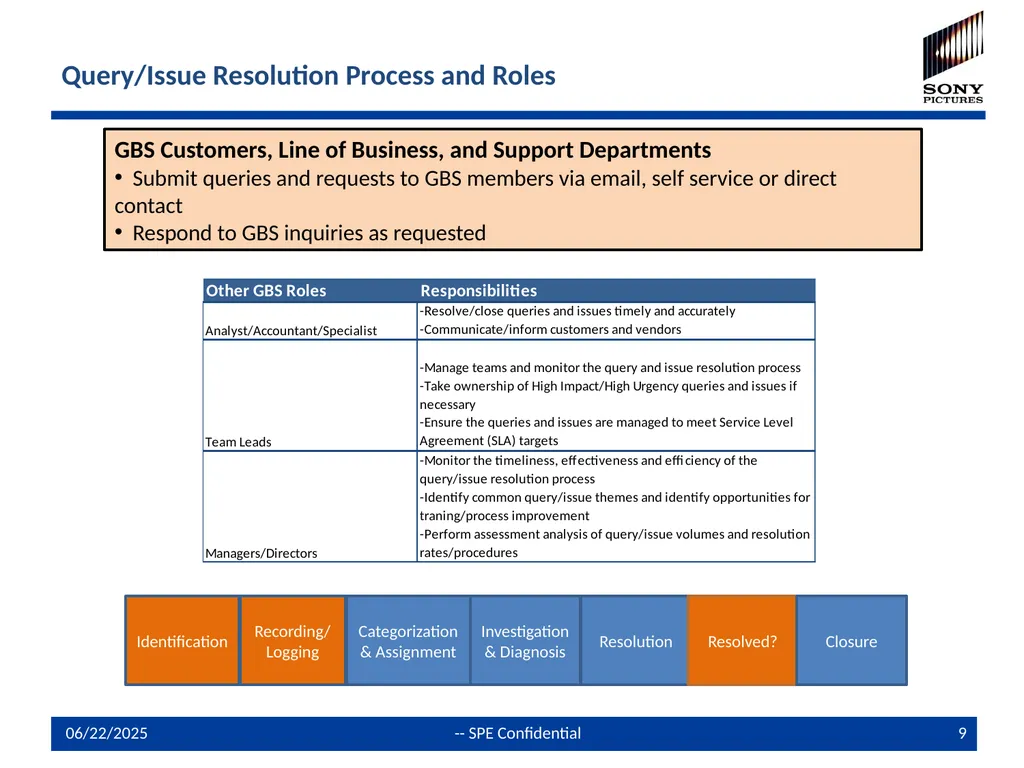
Query/Issue Resolution Process and Roles Identification Recording/ Logging Categorization & Assignment Investigation & Diagnosis Resolution Resolved? Closure GBS Customers, Line of Business, and Support Departments
Submit queries and requests to GBS members via email, self service or direct contact
Respond to GBS inquiries as requested<br>
10
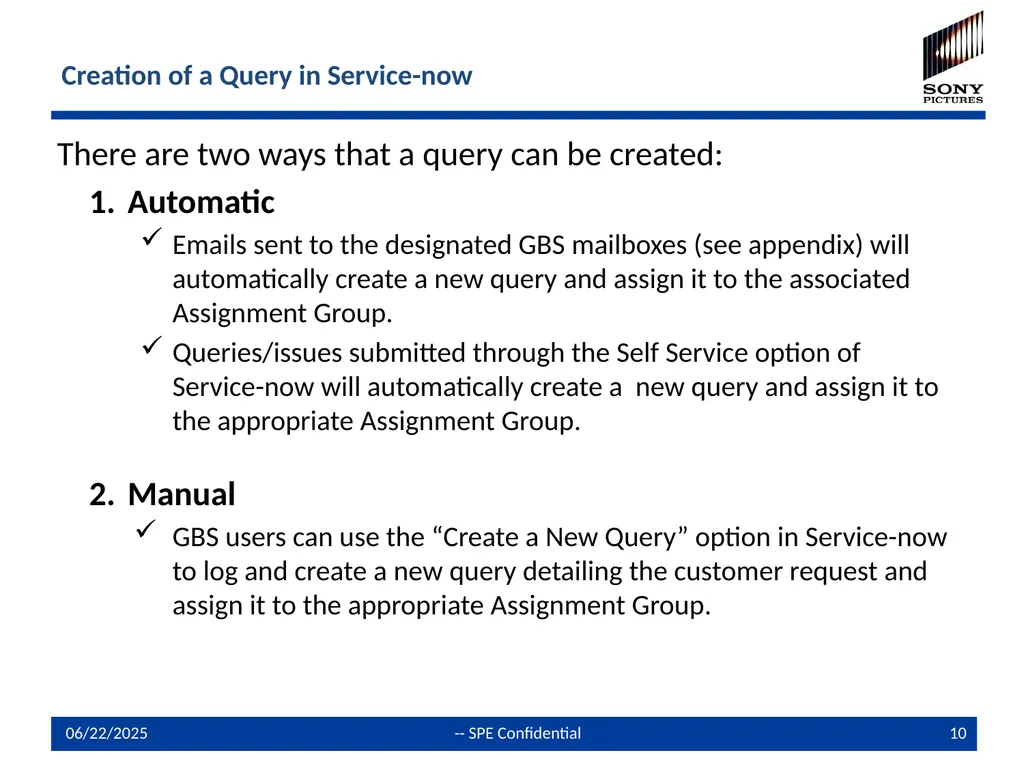
Creation of a Query in Service-now There are two ways that a query can be created:
Automatic
Emails sent to the designated GBS mailboxes (see appendix) will automatically create a new query and assign it to the associated Assignment Group.
Queries/issues submitted through the Self Service option of Service-now will automatically create a new query and assign it to the appropriate Assignment Group.
Manual
GBS users can use the “Create a New Query” option in Service-now to log and create a new query detailing the customer request and assign it to the appropriate Assignment Group.<br>
11
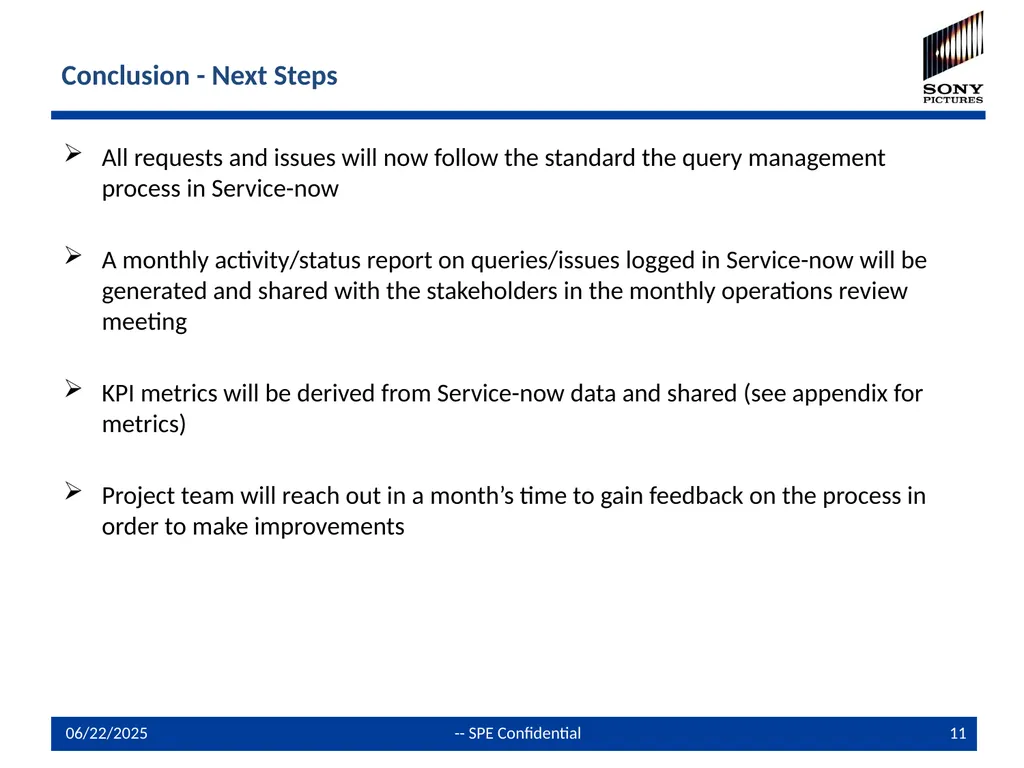
Conclusion - Next Steps All requests and issues will now follow the standard the query management process in Service-now
A monthly activity/status report on queries/issues logged in Service-now will be generated and shared with the stakeholders in the monthly operations review meeting
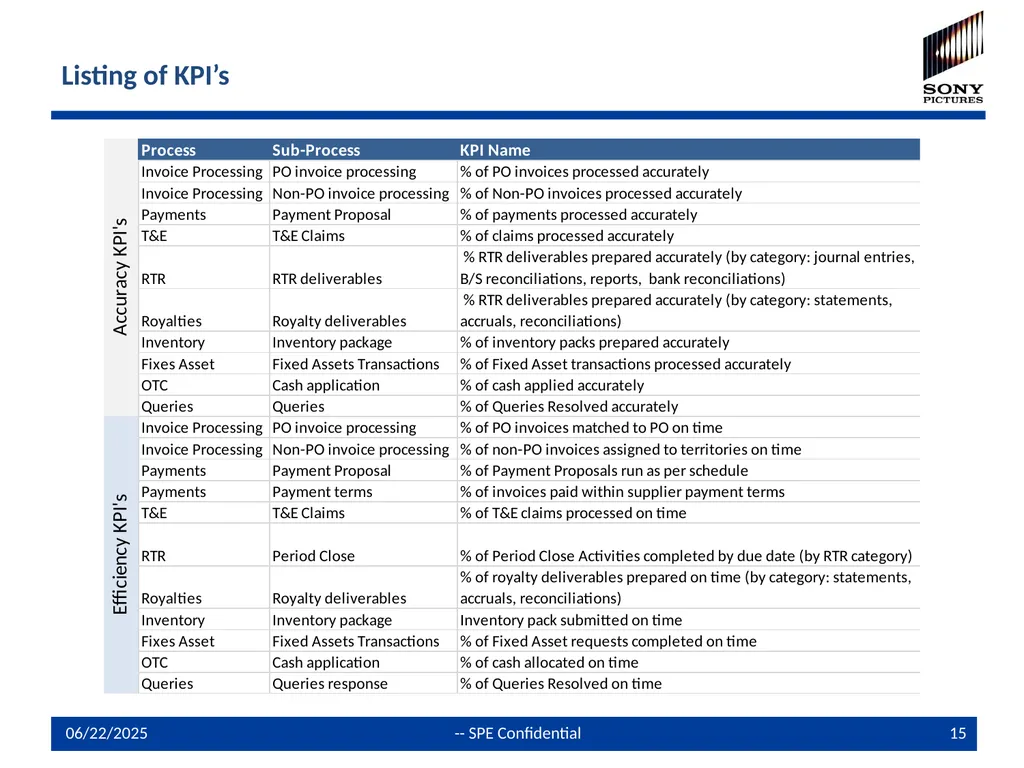
KPI metrics will be derived from Service-now data and shared (see appendix for metrics)
Project team will reach out in a month’s time to gain feedback on the process in order to make improvements<br>
12
Agenda Service Now
Objectives
Introduction & Principles
Process Overview
Query Creation
Conclusion
Contact Info<br>
13
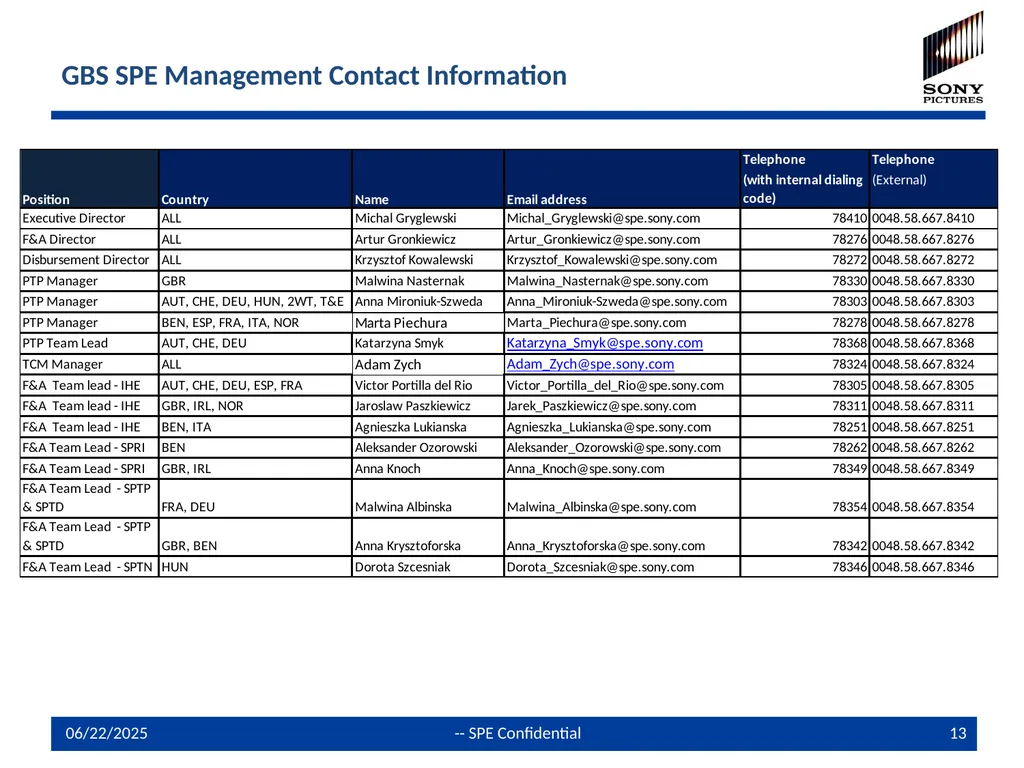
GBS SPE Management Contact Information<br>
14
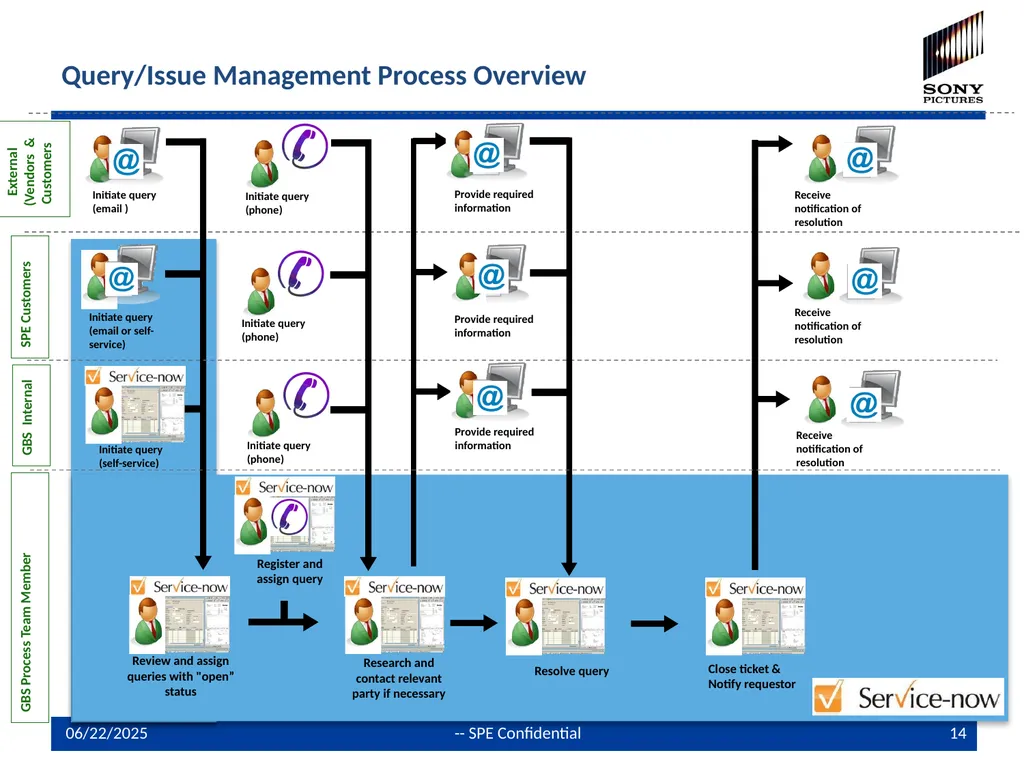
Query/Issue Management Process Overview SPE Customers External (Vendors & Customers GBS Process Team Member Initiate query (email ) Initiate query (email or self-service) Review and assign queries with "open” status Research and contact relevant party if necessary Resolve query Close ticket & Notify requestor Provide required information Provide required information Receive notification of resolution Receive notification of resolution Register and assign query Initiate query (phone) Provide required information Initiate query (self-service) Receive notification of resolution GBS Internal Initiate query (phone) Initiate query (phone)<br>