Grand Rounds Training How to Create Sessions https:cme.ahn.org RSS Catalog Search for series Add Session Title Naming convention: AHN Institute: Specialty Course Title Session Date Time and Place AMA PRA Category 1 and Attendance
"Grand Rounds Training How to Create Sessions" is the property of its rightful owner. Permission is granted to
download and print the materials on this website for personal, non-commercial use only, and to display it
on your personal computer provided you do not modify the materials and that you retain all copyright
notices contained in the materials. By downloading content from our website, you accept the terms of this
agreement.
Presentation Transcript
01
Grand Rounds Training<br>
02
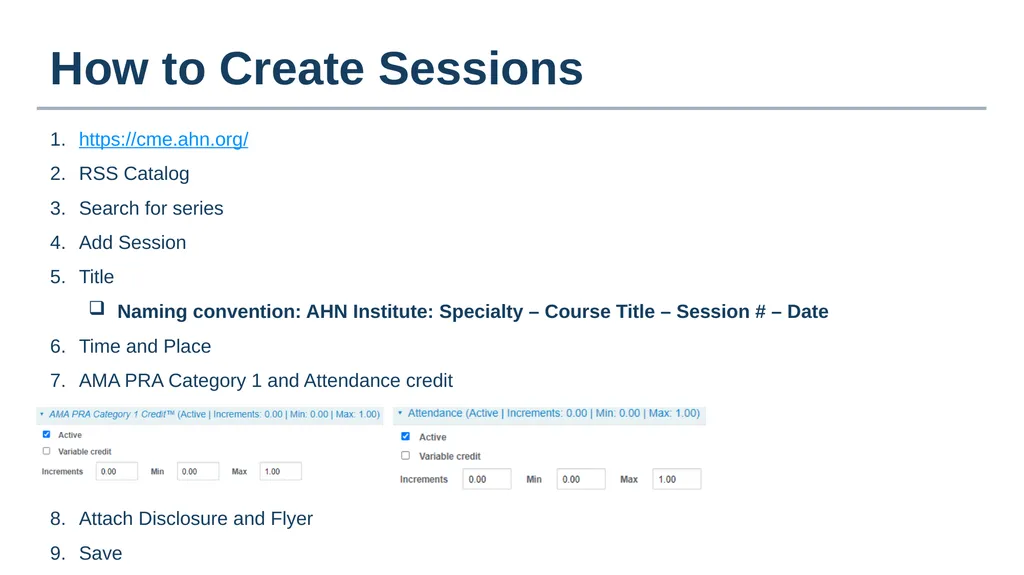
How to Create Sessions https://cme.ahn.org/
RSS Catalog
Search for series
Add Session
Title
Naming convention: AHN Institute: Specialty – Course Title – Session # – Date
Time and Place
AMA PRA Category 1 and Attendance credit
Attach Disclosure and Flyer
Save<br>
03
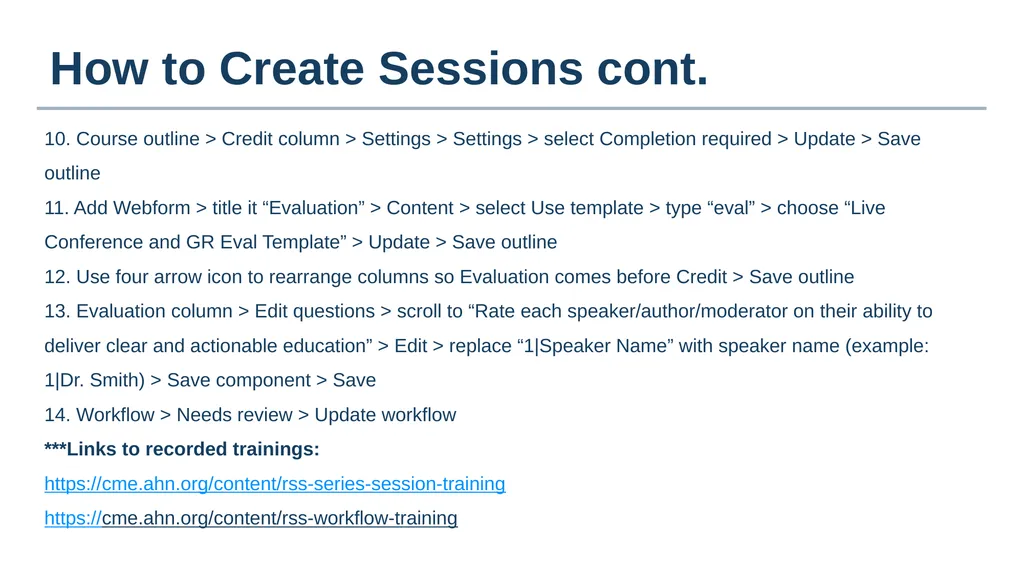
How to Create Sessions cont. 10. Course outline > Credit column > Settings > Settings > select Completion required > Update > Save outline
11. Add Webform > title it “Evaluation” > Content > select Use template > type “eval” > choose “Live Conference and GR Eval Template” > Update > Save outline
12. Use four arrow icon to rearrange columns so Evaluation comes before Credit > Save outline
13. Evaluation column > Edit questions > scroll to “Rate each speaker/author/moderator on their ability to deliver clear and actionable education” > Edit > replace “1|Speaker Name” with speaker name (example: 1|Dr. Smith) > Save component > Save
14. Workflow > Needs review > Update workflow
***Links to recorded trainings:
https://cme.ahn.org/content/rss-series-session-training
https://cme.ahn.org/content/rss-workflow-training<br>
04
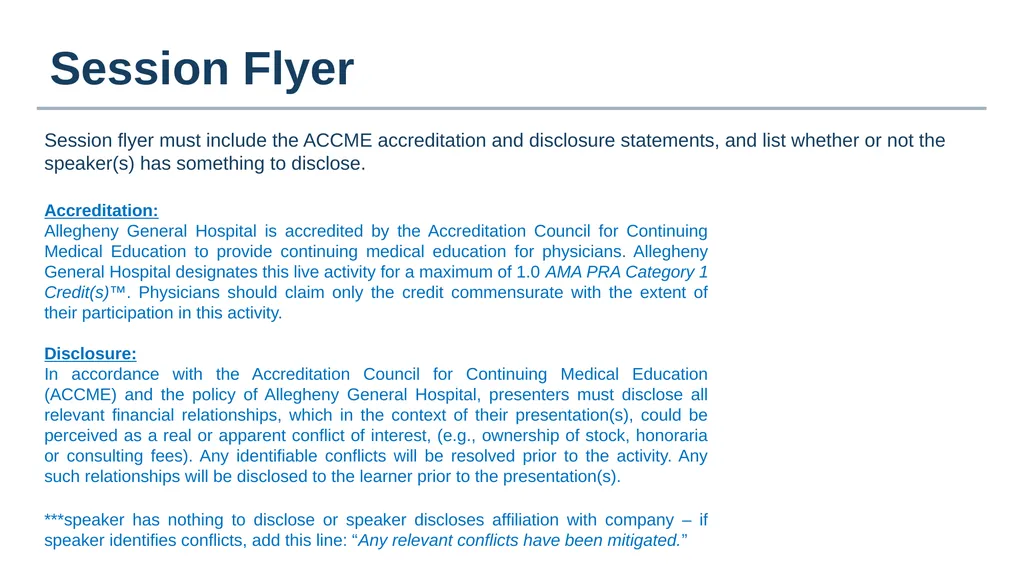
Session Flyer Session flyer must include the ACCME accreditation and disclosure statements, and list whether or not the speaker(s) has something to disclose. Accreditation:
Allegheny General Hospital is accredited by the Accreditation Council for Continuing Medical Education to provide continuing medical education for physicians. Allegheny General Hospital designates this live activity for a maximum of 1.0 AMA PRA Category 1 Credit(s)™. Physicians should claim only the credit commensurate with the extent of their participation in this activity.
Disclosure:
In accordance with the Accreditation Council for Continuing Medical Education (ACCME) and the policy of Allegheny General Hospital, presenters must disclose all relevant financial relationships, which in the context of their presentation(s), could be perceived as a real or apparent conflict of interest, (e.g., ownership of stock, honoraria or consulting fees). Any identifiable conflicts will be resolved prior to the activity. Any such relationships will be disclosed to the learner prior to the presentation(s).
***speaker has nothing to disclose or speaker discloses affiliation with company – if speaker identifies conflicts, add this line: “Any relevant conflicts have been mitigated.”<br>
05
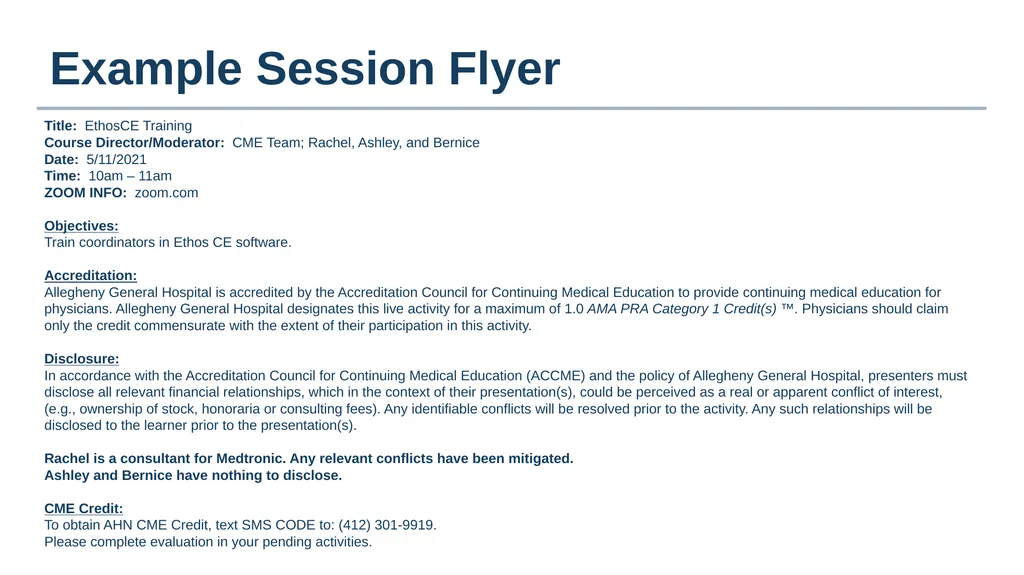
Example Session Flyer Title: EthosCE Training
Course Director/Moderator: CME Team; Rachel, Ashley, and Bernice
Date: 5/11/2021
Time: 10am – 11am
ZOOM INFO: zoom.com
Objectives:
Train coordinators in Ethos CE software.
Accreditation:
Allegheny General Hospital is accredited by the Accreditation Council for Continuing Medical Education to provide continuing medical education for physicians. Allegheny General Hospital designates this live activity for a maximum of 1.0 AMA PRA Category 1 Credit(s) ™. Physicians should claim only the credit commensurate with the extent of their participation in this activity.
Disclosure:
In accordance with the Accreditation Council for Continuing Medical Education (ACCME) and the policy of Allegheny General Hospital, presenters must disclose all relevant financial relationships, which in the context of their presentation(s), could be perceived as a real or apparent conflict of interest, (e.g., ownership of stock, honoraria or consulting fees). Any identifiable conflicts will be resolved prior to the activity. Any such relationships will be disclosed to the learner prior to the presentation(s).
Rachel is a consultant for Medtronic. Any relevant conflicts have been mitigated.
Ashley and Bernice have nothing to disclose.
CME Credit:
To obtain AHN CME Credit, text SMS CODE to: (412) 301-9919.
Please complete evaluation in your pending activities.<br>
06
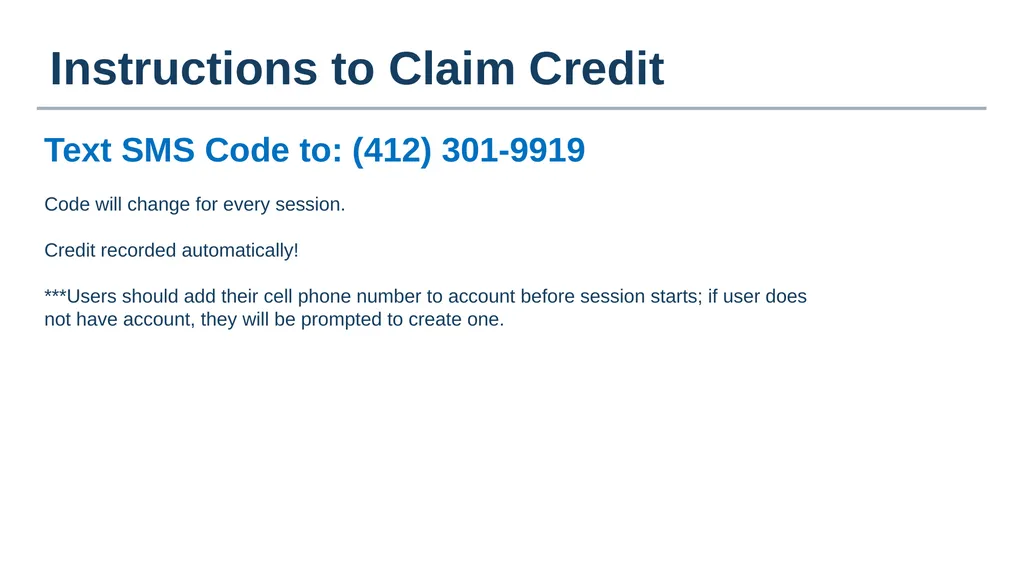
Instructions to Claim Credit Text SMS Code to: (412) 301-9919 Code will change for every session.
Credit recorded automatically!
***Users should add their cell phone number to account before session starts; if user does not have account, they will be prompted to create one.<br>