
How to Add/Edit Disposition Codes Click on


Description
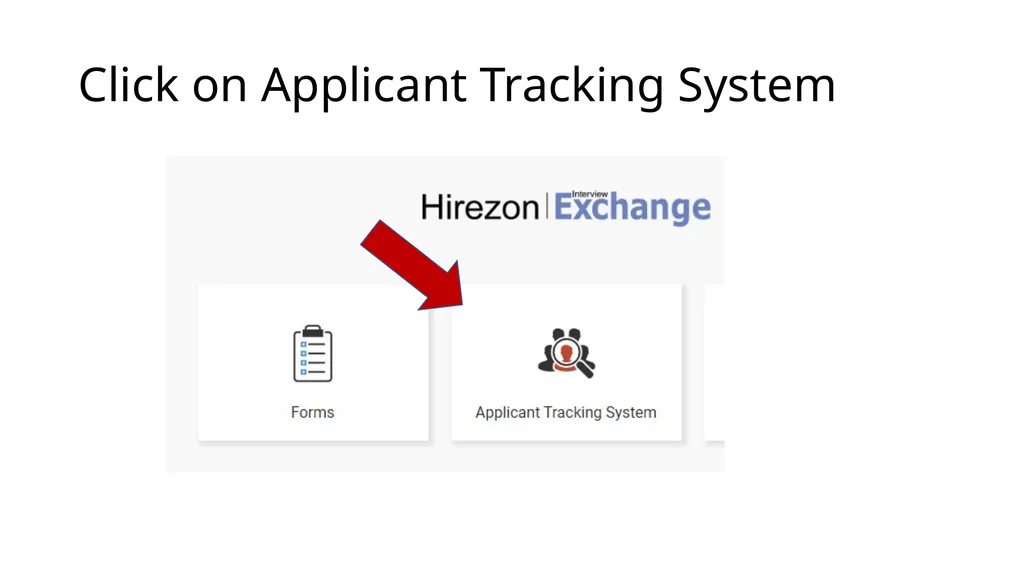
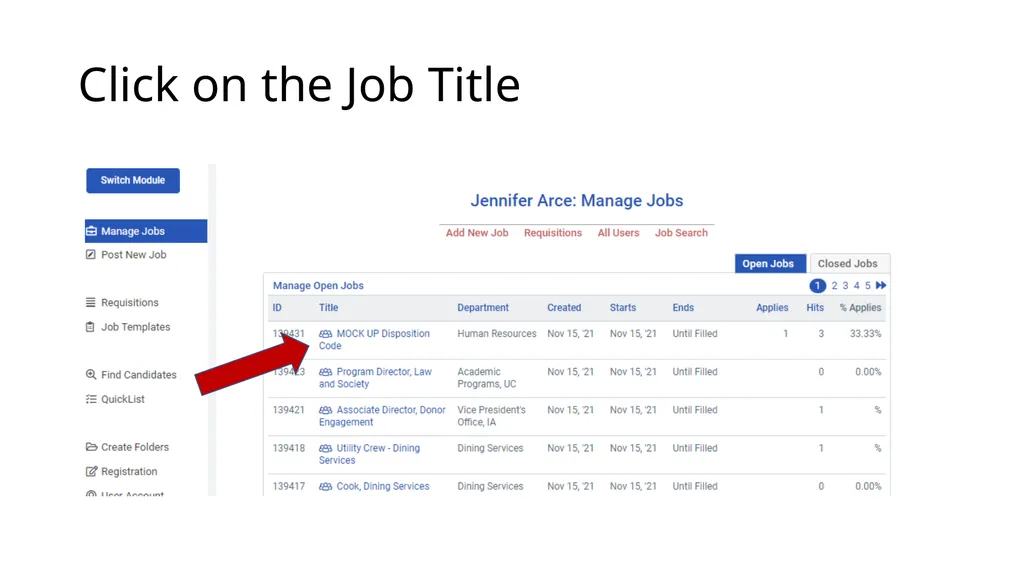
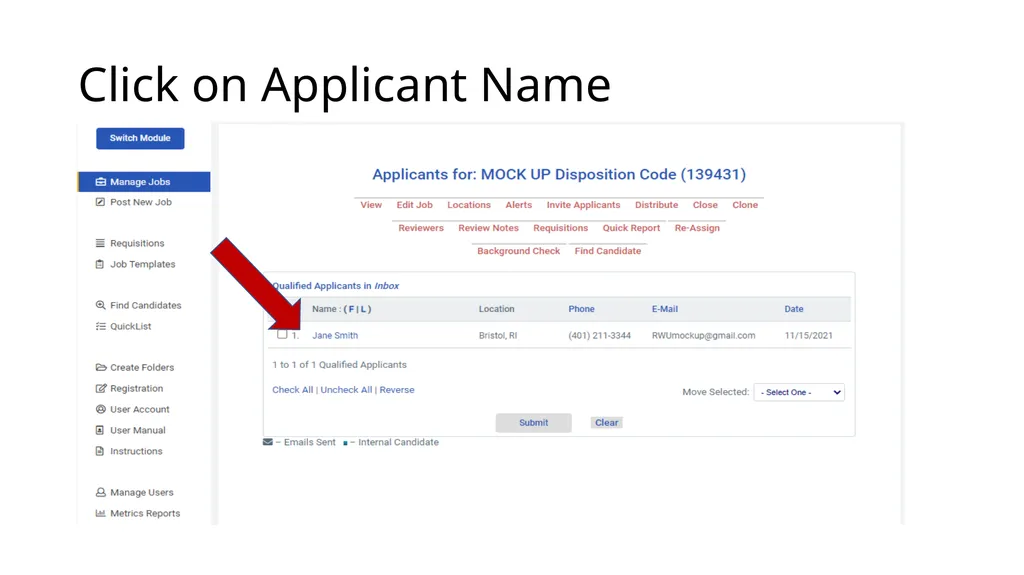
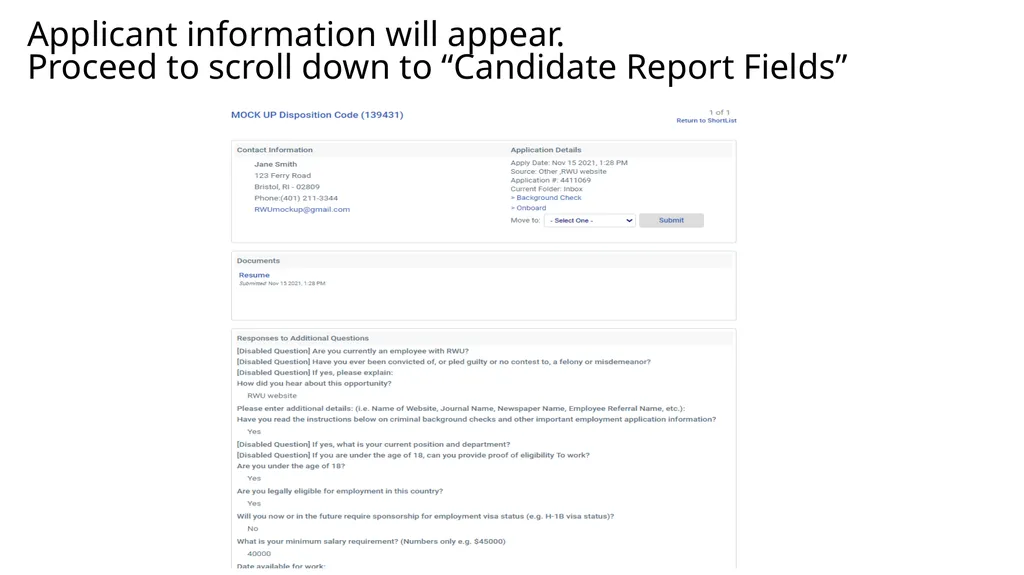
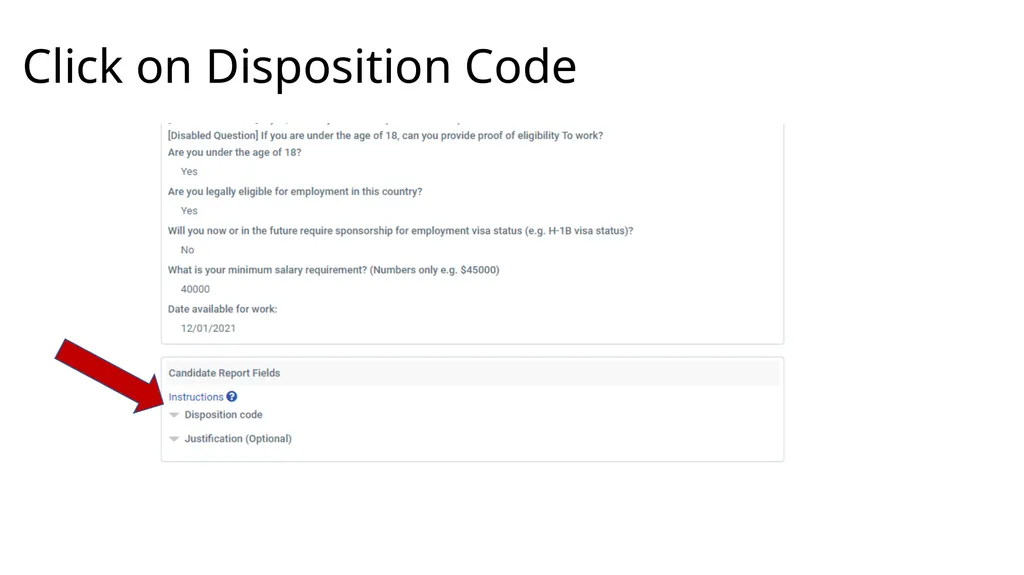
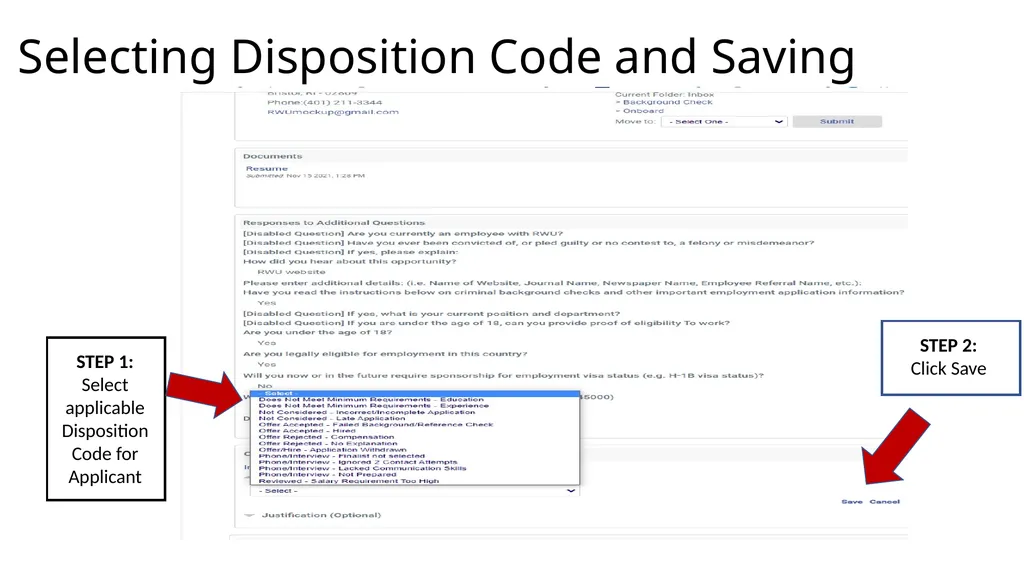
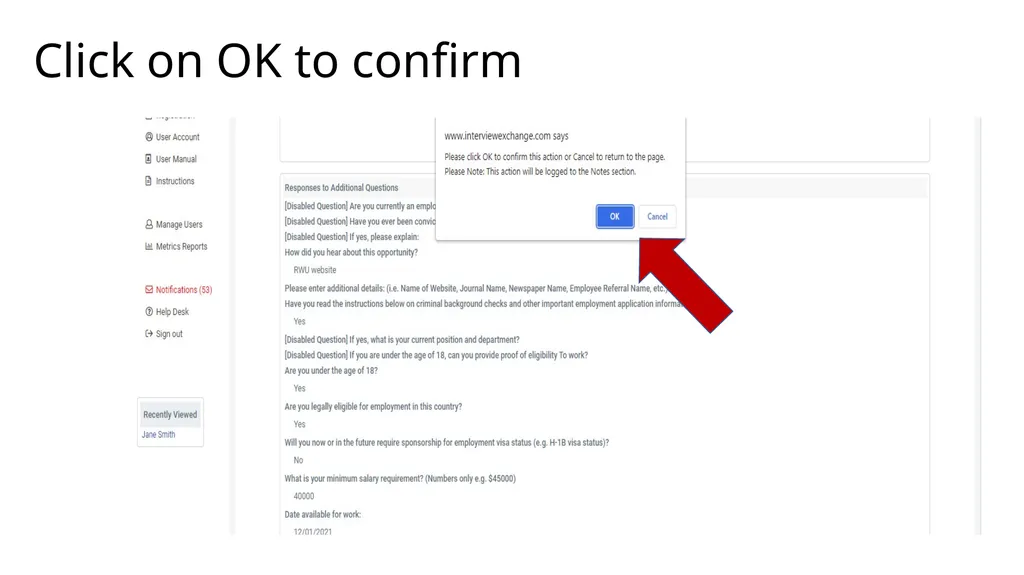
How to AddEdit Disposition Codes Click on Applicant Tracking System Click on the Job Title Click on Applicant Name Applicant information will appear. Proceed to scroll down to Candidate Report Fields Click on Disposition Code Selecting
Related Topics
Download this presentation From Below
"How to Add/Edit Disposition Codes Click on" is the property of its rightful owner. Permission is granted to download and print the materials on this website for personal, non-commercial use only, and to display it on your personal computer provided you do not modify the materials and that you retain all copyright notices contained in the materials. By downloading content from our website, you accept the terms of this agreement.