How to E-mail Students via CLASS-WEB Step 1: Log
Description: How to E-mail Students via CLASS-WEB Step 1: Log in to CLASS-WEB Step 2: Click Menu for Faculty, Staff Advisors Step 3: Click Faculty Class Roster Step 4: Select your current term and click Submit Step 4: Select the class you want
Related Topics
Download Presentation
"How to E-mail Students via CLASS-WEB Step 1: Log" is the property of its rightful owner. Permission is granted to download and print the materials on this website for personal, non-commercial use only, and to display it on your personal computer provided you do not modify the materials and that you retain all copyright notices contained in the materials. By downloading content from our website, you accept the terms of this agreement.
Presentation Transcript
slide1. How to E-mail Students via CLASS-WEB<br>
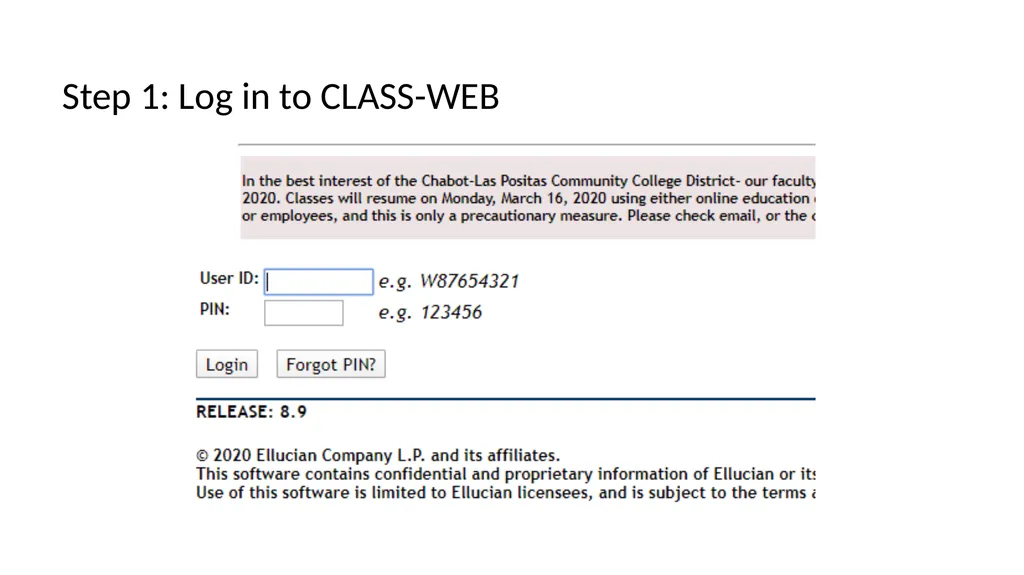
slide2. Step 1: Log in to CLASS-WEB<br>
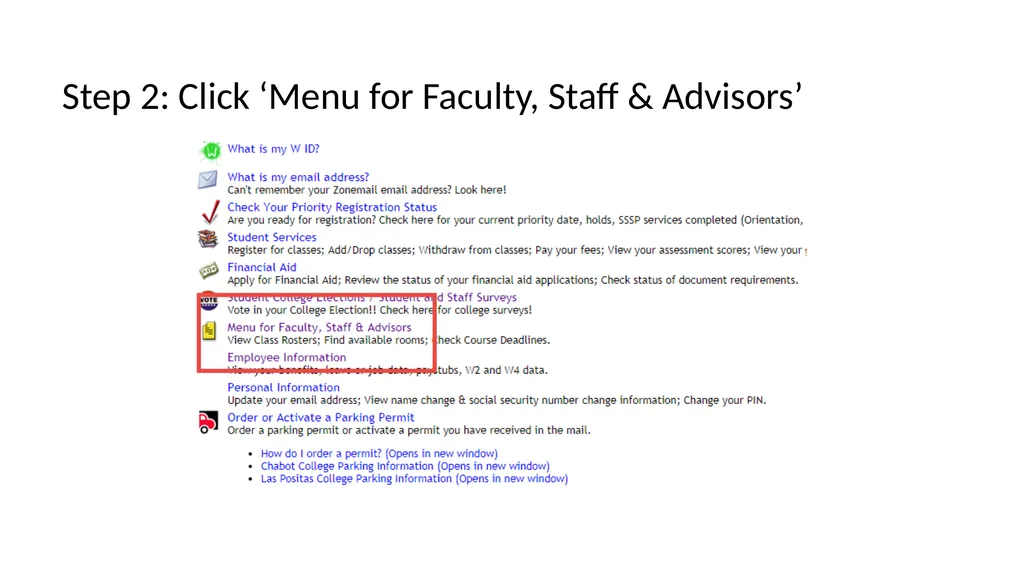
slide3. Step 2: Click ‘Menu for Faculty, Staff & Advisors’<br>
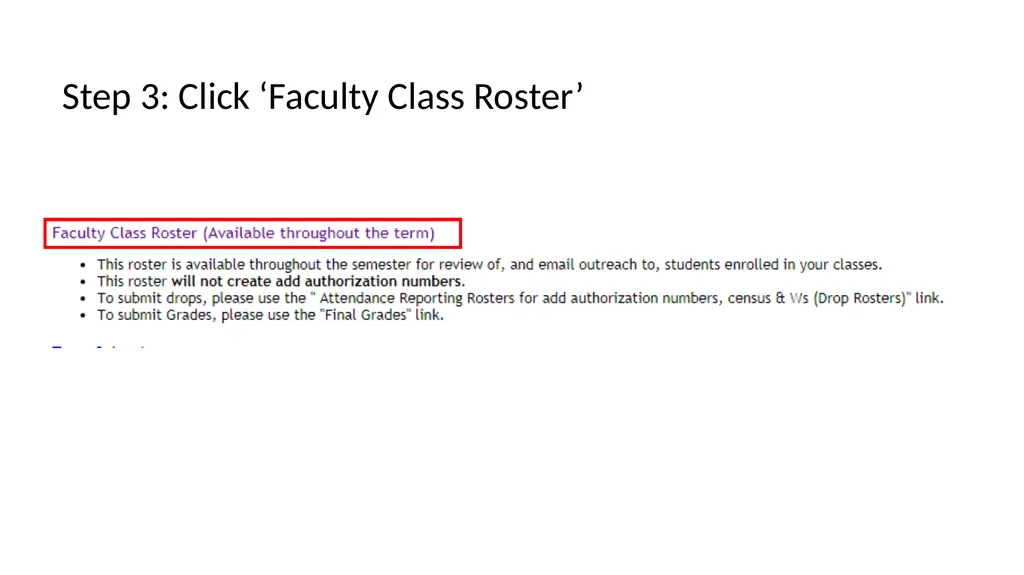
slide4. Step 3: Click ‘Faculty Class Roster’<br>
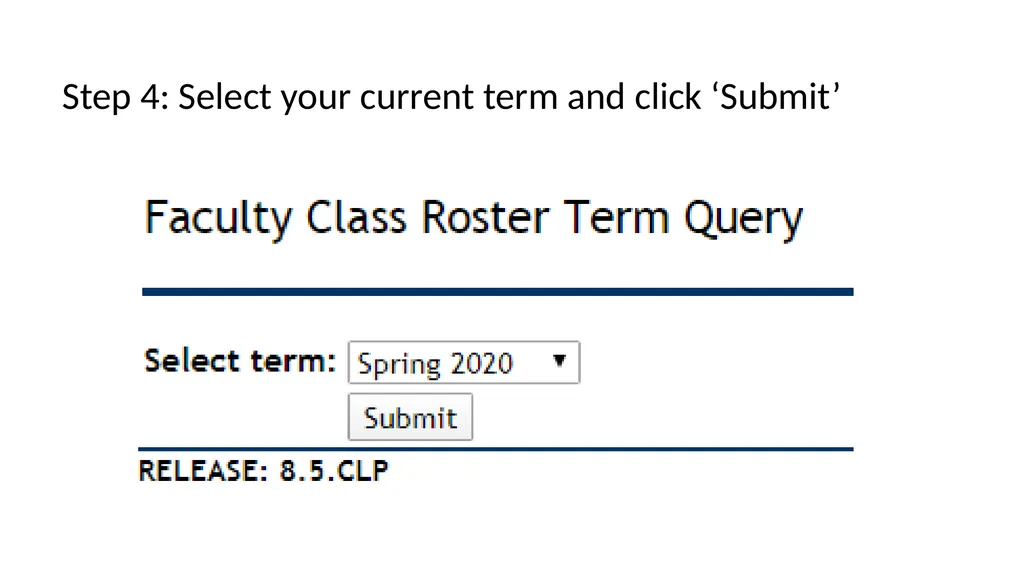
slide5. Step 4: Select your current term and click ‘Submit’<br>
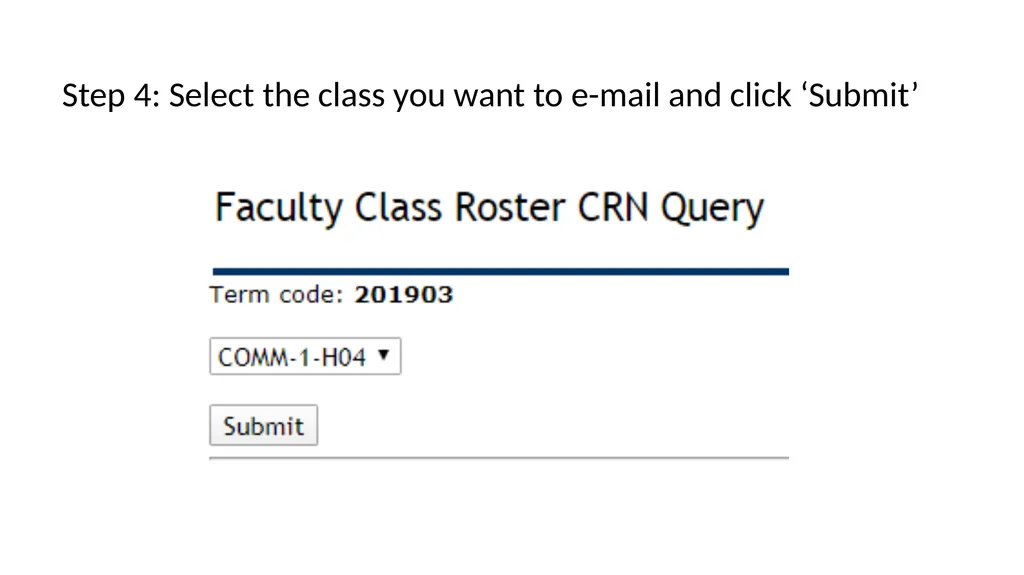
slide6. Step 4: Select the class you want to e-mail and click ‘Submit’<br>
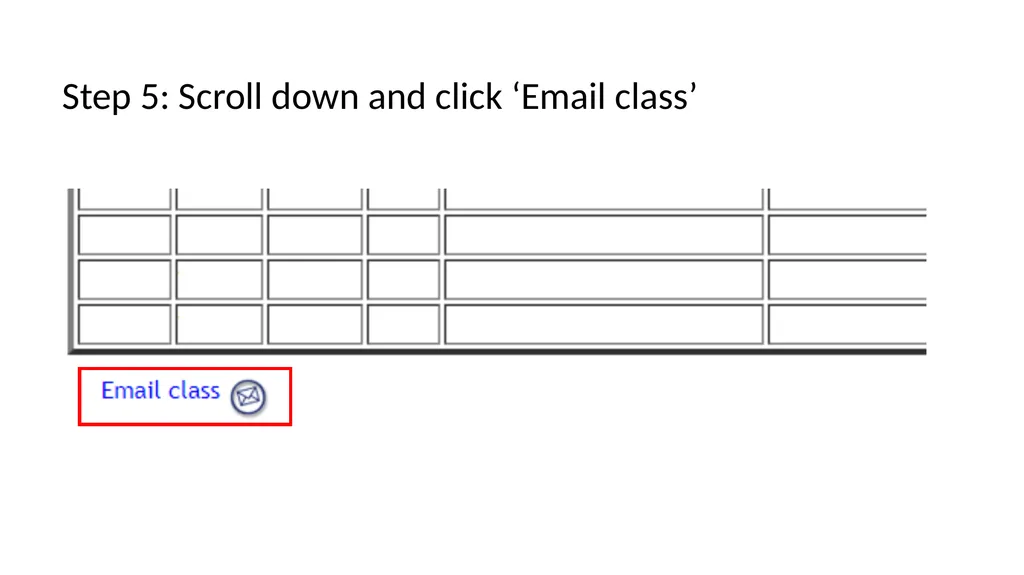
slide7. Step 5: Scroll down and click ‘Email class’<br>
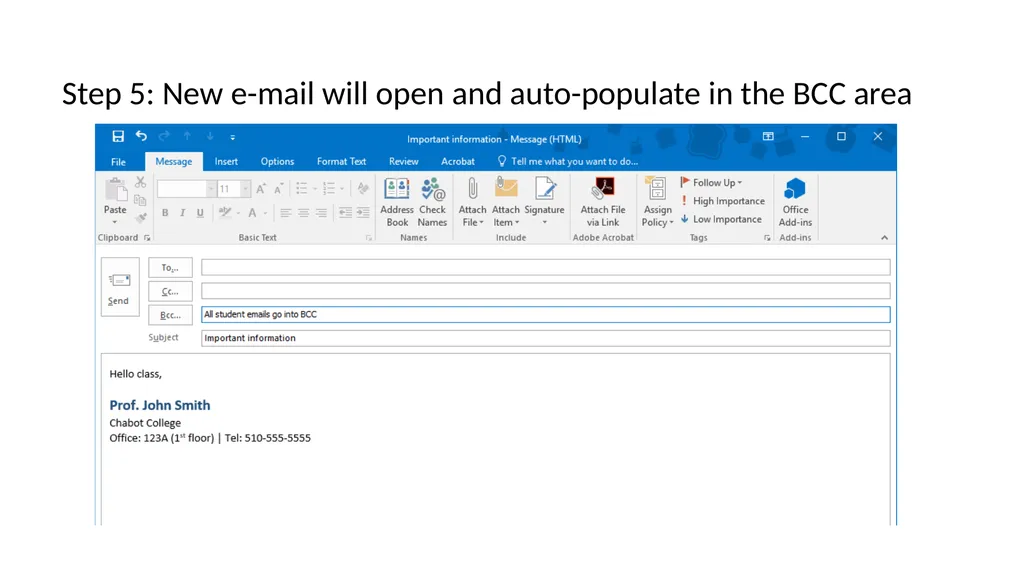
slide8. Step 5: New e-mail will open and auto-populate in the BCC area<br>
slide2. Step 1: Log in to CLASS-WEB<br>
slide3. Step 2: Click ‘Menu for Faculty, Staff & Advisors’<br>
slide4. Step 3: Click ‘Faculty Class Roster’<br>
slide5. Step 4: Select your current term and click ‘Submit’<br>
slide6. Step 4: Select the class you want to e-mail and click ‘Submit’<br>
slide7. Step 5: Scroll down and click ‘Email class’<br>
slide8. Step 5: New e-mail will open and auto-populate in the BCC area<br>