
How to to create a data-driven organization with




Description: How to to create a data-driven organization with self-service analytics Supporting slide deck - this slide deck accompanies the ebook of the same name Why now? The case for change Elements of your data strategy Business Strategy Business
Related Topics
Download Presentation
"How to to create a data-driven organization with" is the property of its rightful owner. Permission is granted to download and print the materials on this website for personal, non-commercial use only, and to display it on your personal computer provided you do not modify the materials and that you retain all copyright notices contained in the materials. By downloading content from our website, you accept the terms of this agreement.
Presentation Transcript
slide1. How to to create a data-driven organization with self-service analytics Supporting slide deck - this slide deck accompanies
the ebook of the same name<br>
slide2. Why now?
The case for change<br>
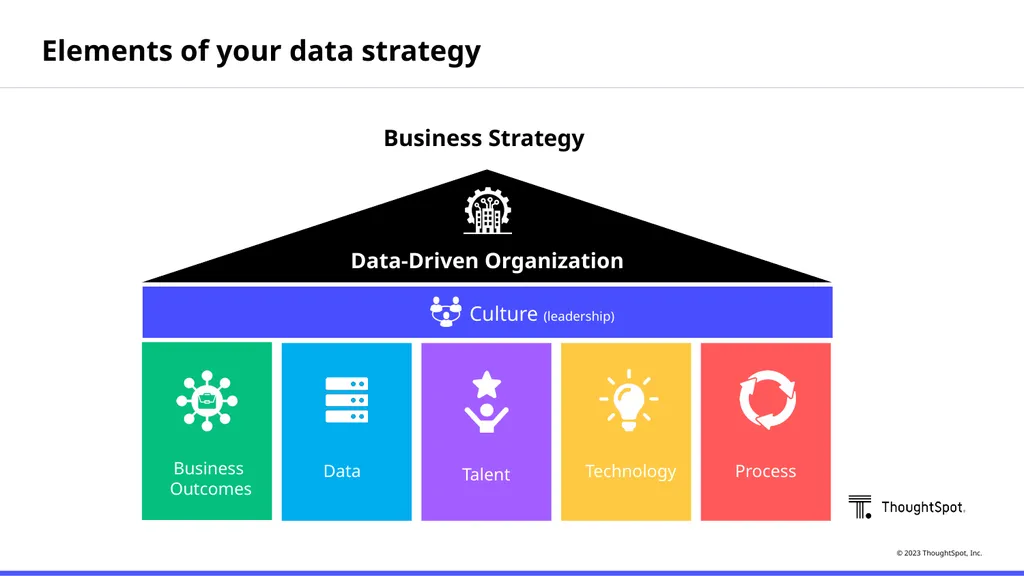
slide3. Elements of your data strategy Business Strategy Business
Outcomes Data Talent Technology Process Culture (leadership) Data-Driven Organization<br>
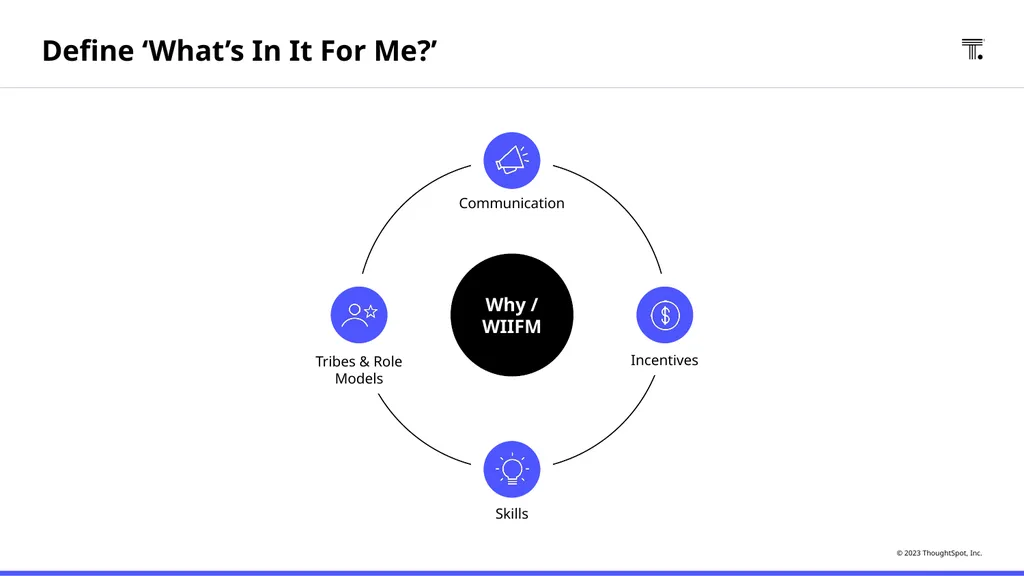
slide4. Tribes & Role Models Incentives Why / WIIFM Communication Skills Define ‘What’s In It For Me?’<br>
slide5. Organizing data and analytics teams<br>
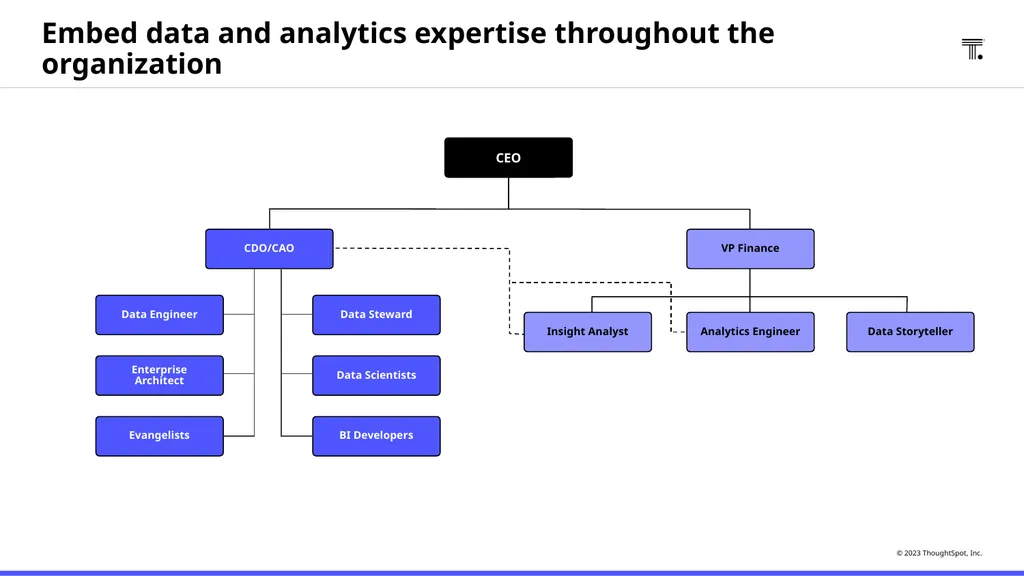
slide6. Embed data and analytics expertise throughout the organization CDO/CAO Data Storyteller Analytics Engineer Insight Analyst CEO VP Finance Evangelists Data Scientists Enterprise Architect Data Steward Data Engineer BI Developers<br>
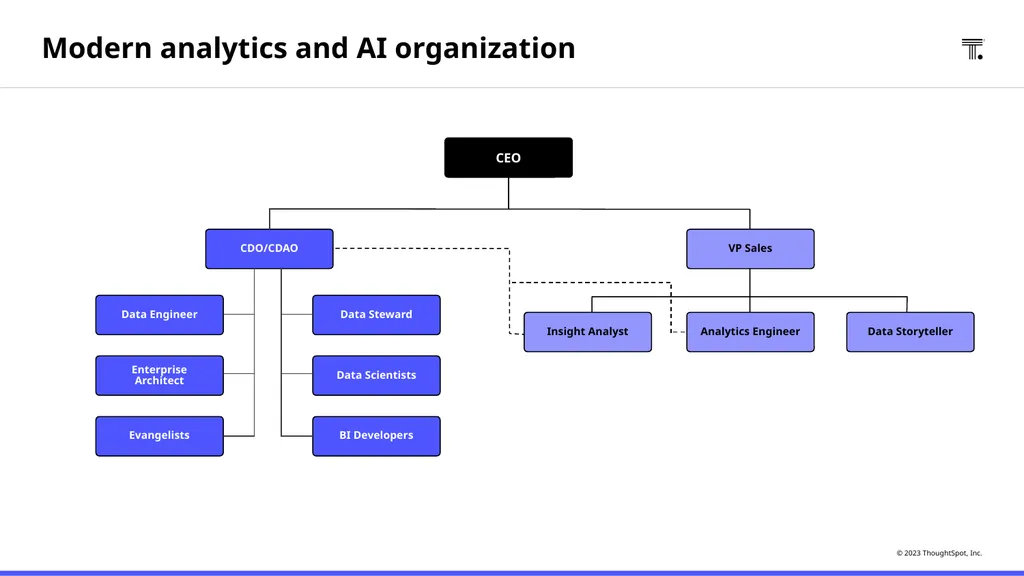
slide7. Modern analytics and AI organization Data Storyteller Analytics Engineer CEO VP Sales Insight Analyst CDO/CDAO Evangelists Data Scientists Enterprise Architect Data Steward Data Engineer BI Developers<br>
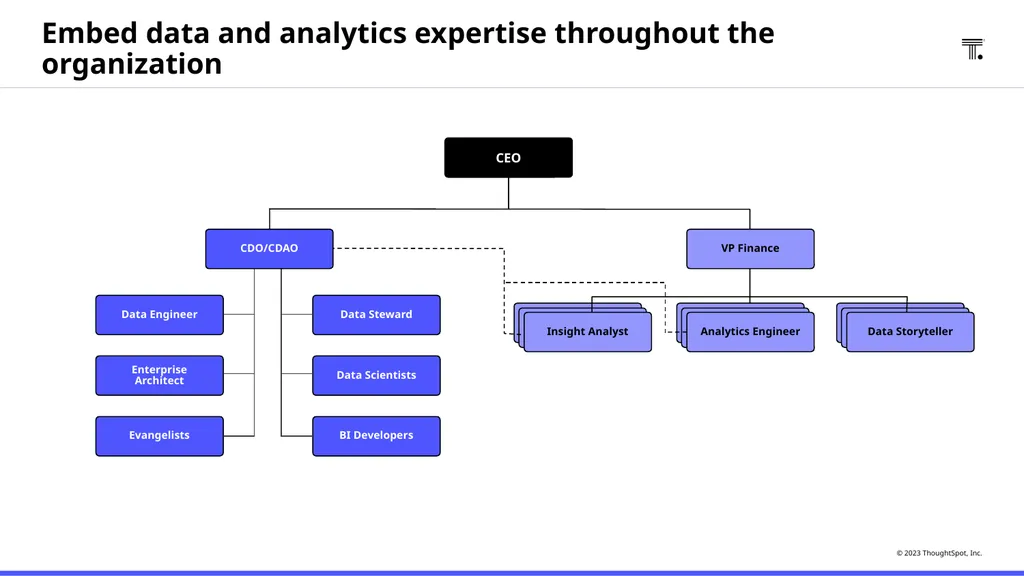
slide8. Evangelists Data Scientists Enterprise Architect Data Steward Data Engineer BI Developers Embed data and analytics expertise throughout the organization Data Storyteller Analytics Engineer Insight Analyst CEO VP Finance CDO/CDAO<br>
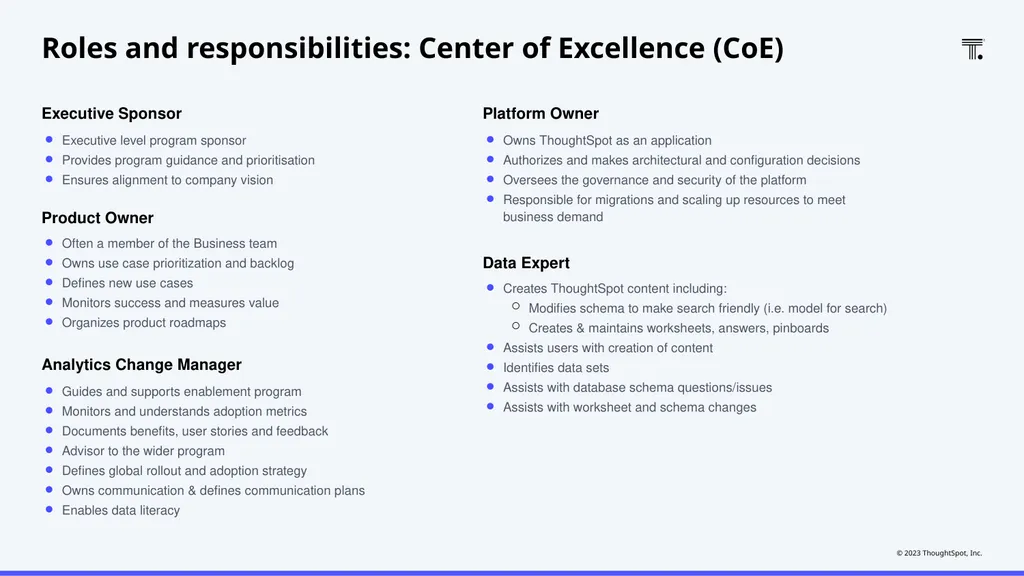
slide9. Roles and responsibilities: Center of Excellence (CoE) Executive Sponsor Executive level program sponsor
Provides program guidance and prioritisation
Ensures alignment to company vision Product Owner Often a member of the Business team
Owns use case prioritization and backlog
Defines new use cases
Monitors success and measures value
Organizes product roadmaps Analytics Change Manager Guides and supports enablement program
Monitors and understands adoption metrics
Documents benefits, user stories and feedback
Advisor to the wider program
Defines global rollout and adoption strategy
Owns communication & defines communication plans
Enables data literacy Platform Owner Owns ThoughtSpot as an application
Authorizes and makes architectural and configuration decisions
Oversees the governance and security of the platform
Responsible for migrations and scaling up resources to meet business demand Data Expert Creates ThoughtSpot content including:
Modifies schema to make search friendly (i.e. model for search)
Creates & maintains worksheets, answers, pinboards
Assists users with creation of content
Identifies data sets
Assists with database schema questions/issues
Assists with worksheet and schema changes<br>
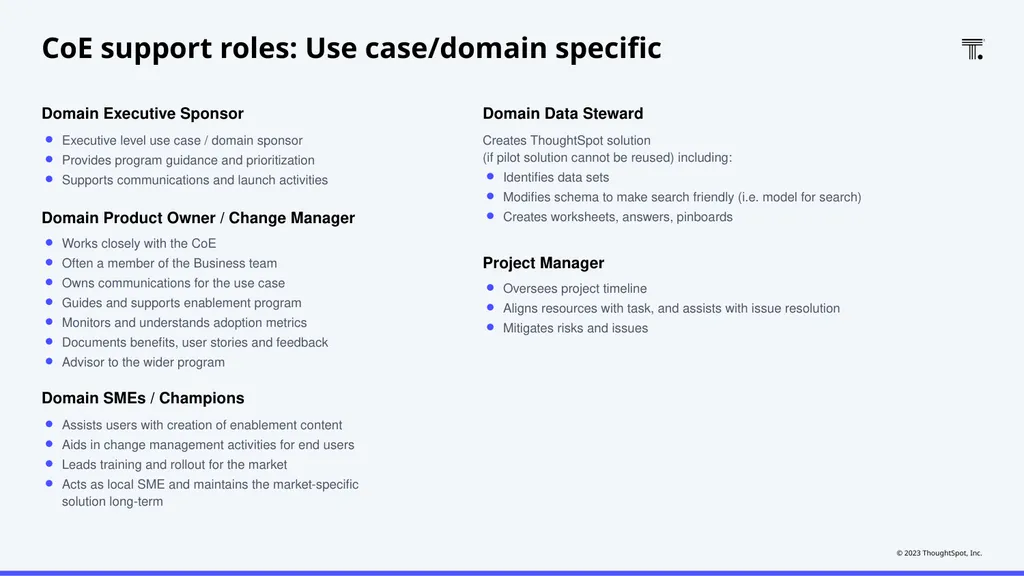
slide10. CoE support roles: Use case/domain specific Domain Executive Sponsor Executive level use case / domain sponsor
Provides program guidance and prioritization
Supports communications and launch activities Domain Product Owner / Change Manager Works closely with the CoE
Often a member of the Business team
Owns communications for the use case
Guides and supports enablement program
Monitors and understands adoption metrics
Documents benefits, user stories and feedback
Advisor to the wider program Domain Data Steward Creates ThoughtSpot solution (if pilot solution cannot be reused) including:
Identifies data sets
Modifies schema to make search friendly (i.e. model for search)
Creates worksheets, answers, pinboards Project Manager Oversees project timeline
Aligns resources with task, and assists with issue resolution
Mitigates risks and issues Domain SMEs / Champions Assists users with creation of enablement content
Aids in change management activities for end users
Leads training and rollout for the market
Acts as local SME and maintains the market-specific solution long-term<br>
slide11. Identifying
quick wins<br>
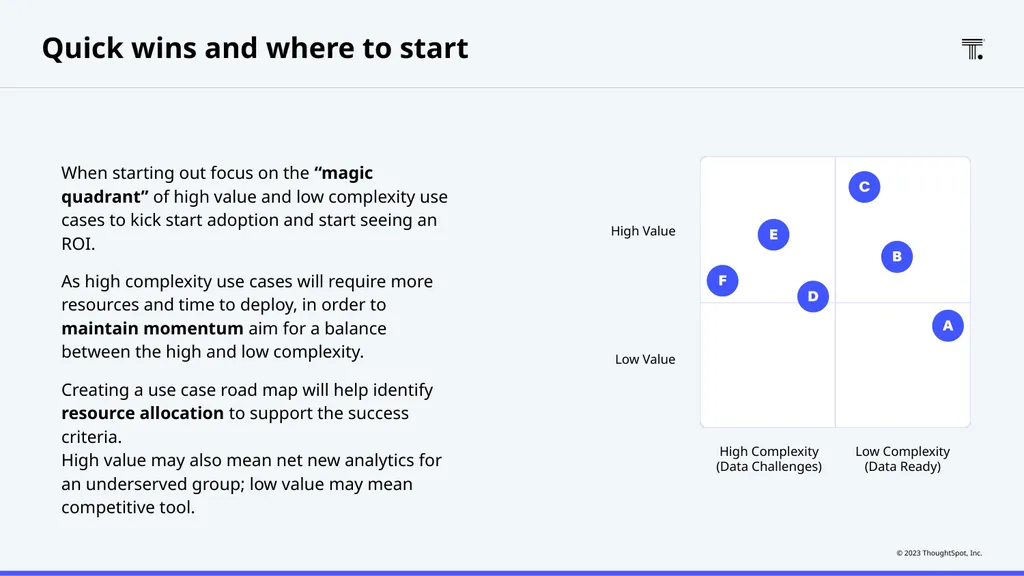
slide12. When starting out focus on the “magic quadrant” of high value and low complexity use cases to kick start adoption and start seeing an ROI.
As high complexity use cases will require more resources and time to deploy, in order to maintain momentum aim for a balance between the high and low complexity.
Creating a use case road map will help identify resource allocation to support the success criteria.
High value may also mean net new analytics for an underserved group; low value may mean competitive tool. High Complexity
(Data Challenges) Low Complexity
(Data Ready) Low Value High Value Quick wins and where to start<br>
slide13. Rollout
planning<br>
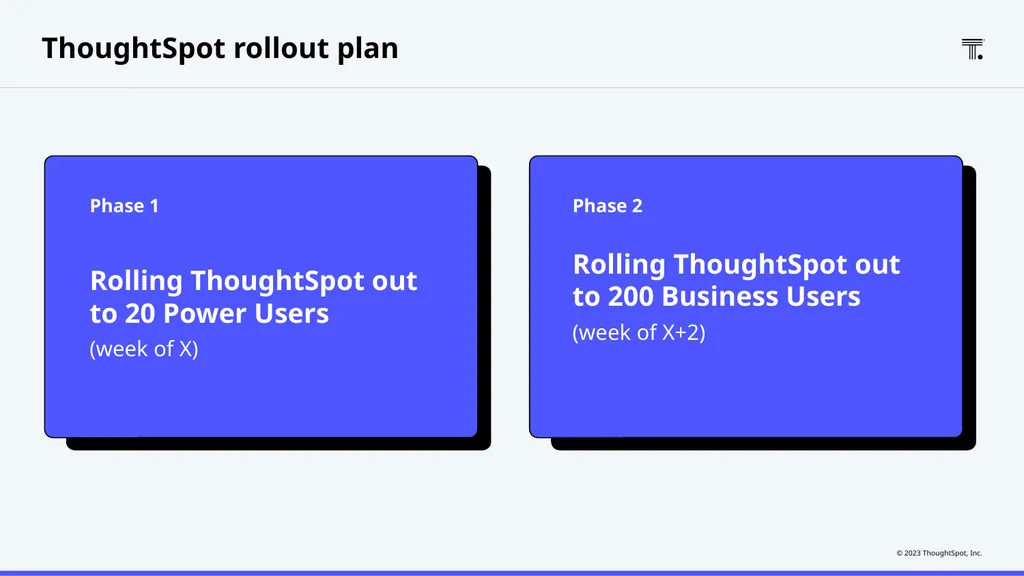
slide14. ThoughtSpot rollout plan Rolling ThoughtSpot out to 20 Power Users
(week of X) Rolling ThoughtSpot out to 200 Business Users
(week of X+2) Phase 1 Phase 2<br>
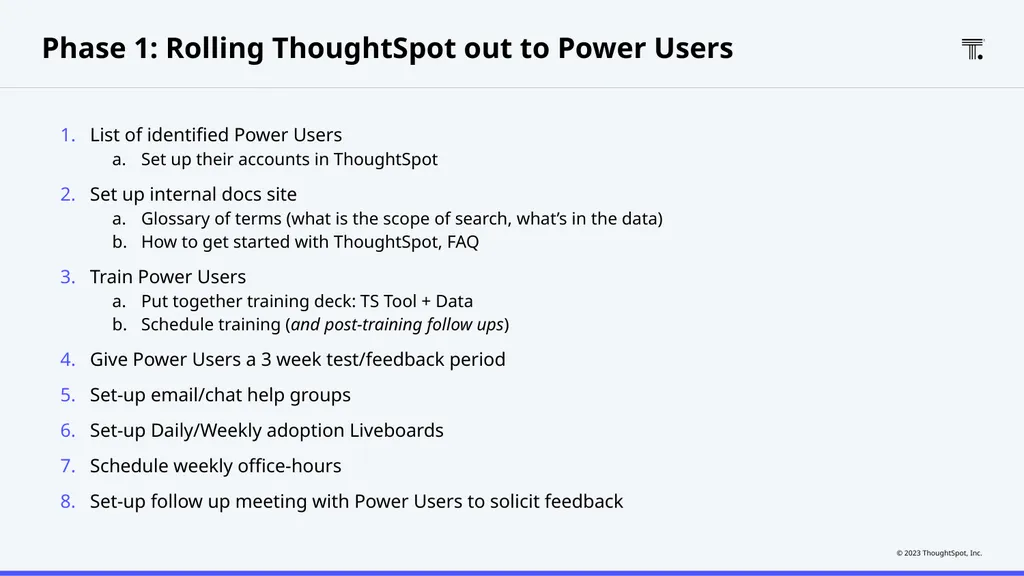
slide15. Phase 1: Rolling ThoughtSpot out to Power Users List of identified Power Users
Set up their accounts in ThoughtSpot
Set up internal docs site
Glossary of terms (what is the scope of search, what’s in the data)
How to get started with ThoughtSpot, FAQ
Train Power Users
Put together training deck: TS Tool + Data
Schedule training (and post-training follow ups)
Give Power Users a 3 week test/feedback period
Set-up email/chat help groups
Set-up Daily/Weekly adoption Liveboards
Schedule weekly office-hours
Set-up follow up meeting with Power Users to solicit feedback<br>
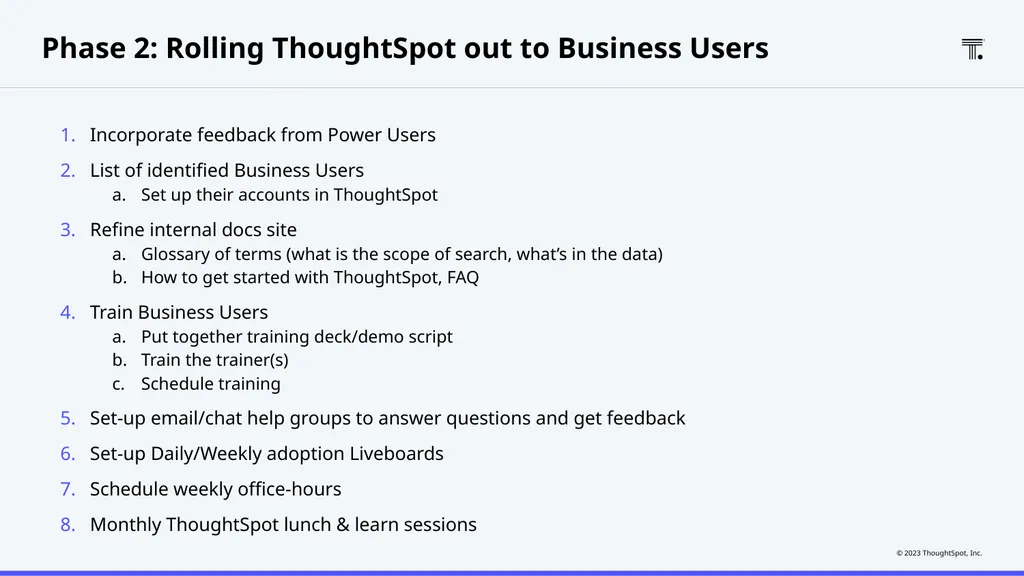
slide16. Phase 2: Rolling ThoughtSpot out to Business Users Incorporate feedback from Power Users
List of identified Business Users
Set up their accounts in ThoughtSpot
Refine internal docs site
Glossary of terms (what is the scope of search, what’s in the data)
How to get started with ThoughtSpot, FAQ
Train Business Users
Put together training deck/demo script
Train the trainer(s)
Schedule training
Set-up email/chat help groups to answer questions and get feedback
Set-up Daily/Weekly adoption Liveboards
Schedule weekly office-hours
Monthly ThoughtSpot lunch & learn sessions<br>
slide17. Adoption, retention and community<br>
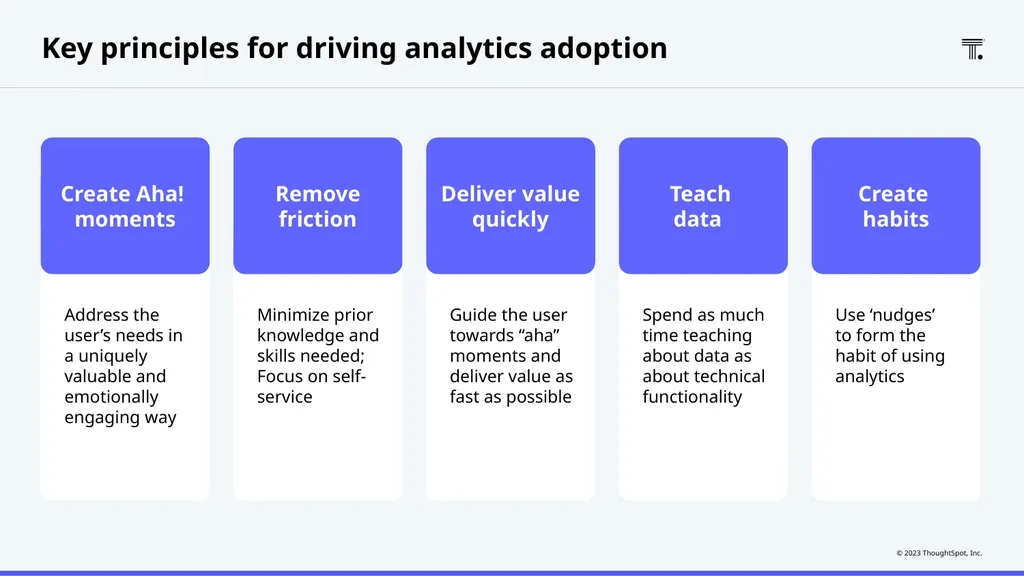
slide18. Address the user’s needs in a uniquely valuable and emotionally engaging way Create Aha!
moments Key principles for driving analytics adoption Minimize prior knowledge and skills needed; Focus on self-service Remove friction Guide the user towards “aha” moments and deliver value as fast as possible Deliver value quickly Spend as much time teaching about data as about technical functionality Teach
data Use ‘nudges’
to form the habit of using analytics Create
habits<br>
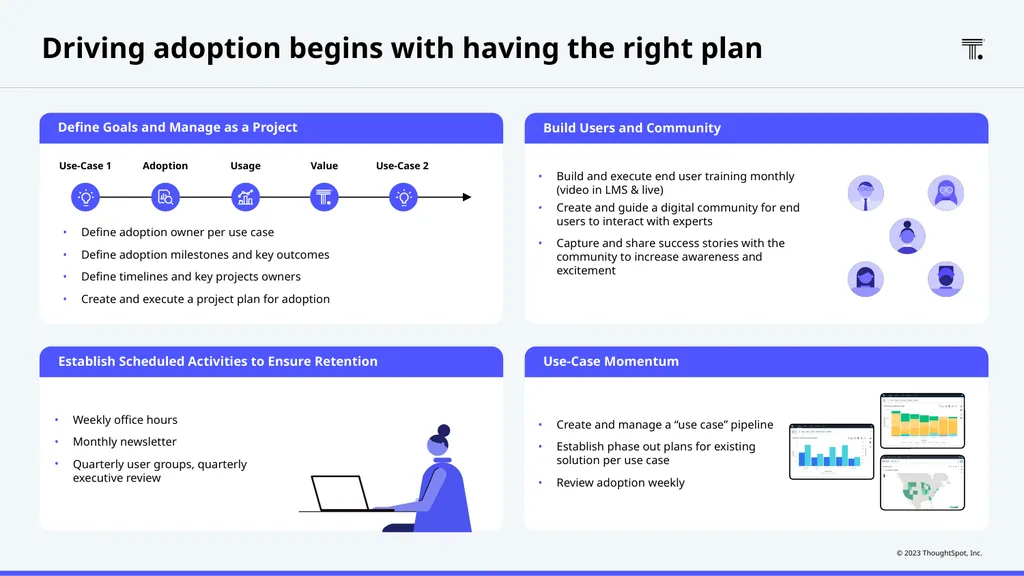
slide19. Use-Case Momentum Build Users and Community Establish Scheduled Activities to Ensure Retention Define Goals and Manage as a Project Driving adoption begins with having the right plan Create and manage a “use case” pipeline
Establish phase out plans for existing solution per use case
Review adoption weekly Build and execute end user training monthly (video in LMS & live)
Create and guide a digital community for end users to interact with experts
Capture and share success stories with the community to increase awareness and excitement Weekly office hours
Monthly newsletter
Quarterly user groups, quarterly executive review Define adoption owner per use case
Define adoption milestones and key outcomes
Define timelines and key projects owners
Create and execute a project plan for adoption Use-Case 1 Adoption Usage Value Use-Case 2<br>
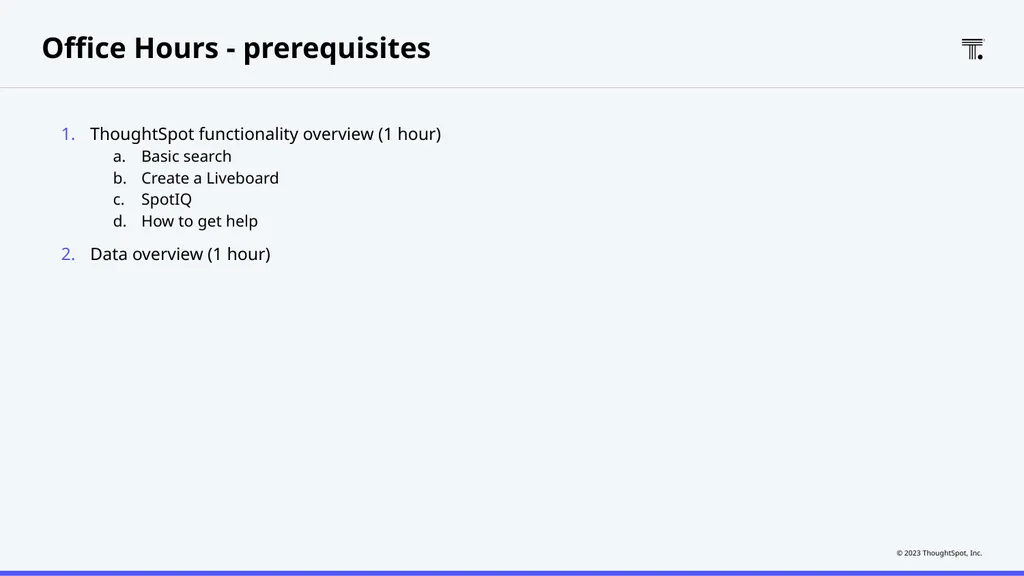
slide20. Office Hours - prerequisites ThoughtSpot functionality overview (1 hour)
Basic search
Create a Liveboard
SpotIQ
How to get help
Data overview (1 hour)<br>
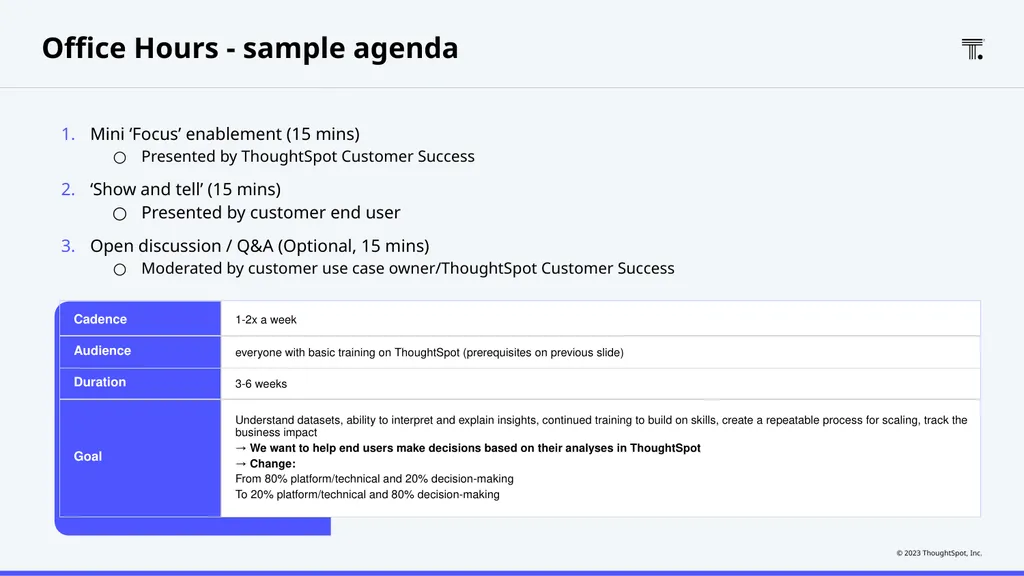
slide21. Office Hours - sample agenda Mini ‘Focus’ enablement (15 mins)
Presented by ThoughtSpot Customer Success
‘Show and tell’ (15 mins)
Presented by customer end user
Open discussion / Q&A (Optional, 15 mins)
Moderated by customer use case owner/ThoughtSpot Customer Success<br>
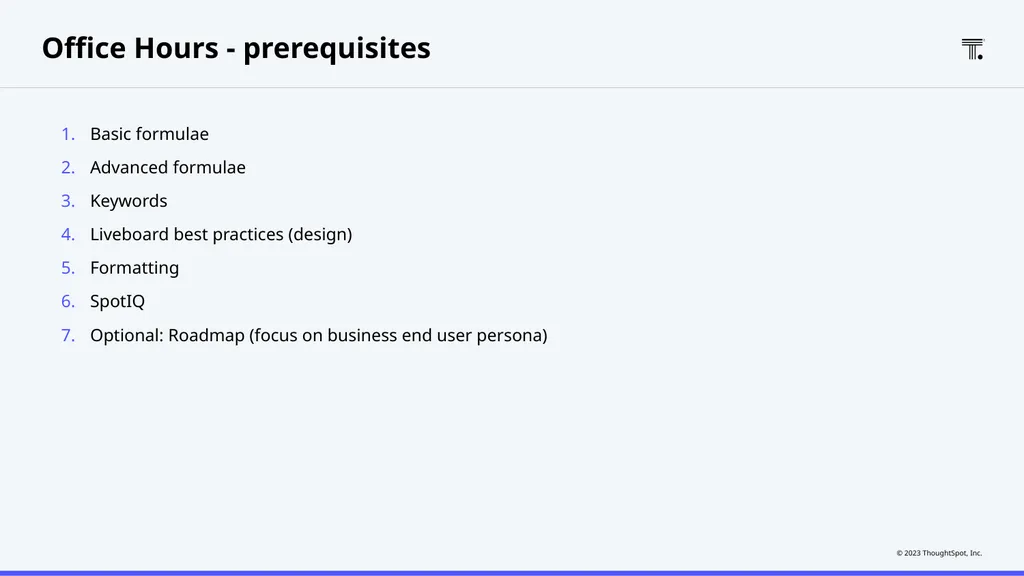
slide22. Office Hours - prerequisites Basic formulae
Advanced formulae
Keywords
Liveboard best practices (design)
Formatting
SpotIQ
Optional: Roadmap (focus on business end user persona)<br>
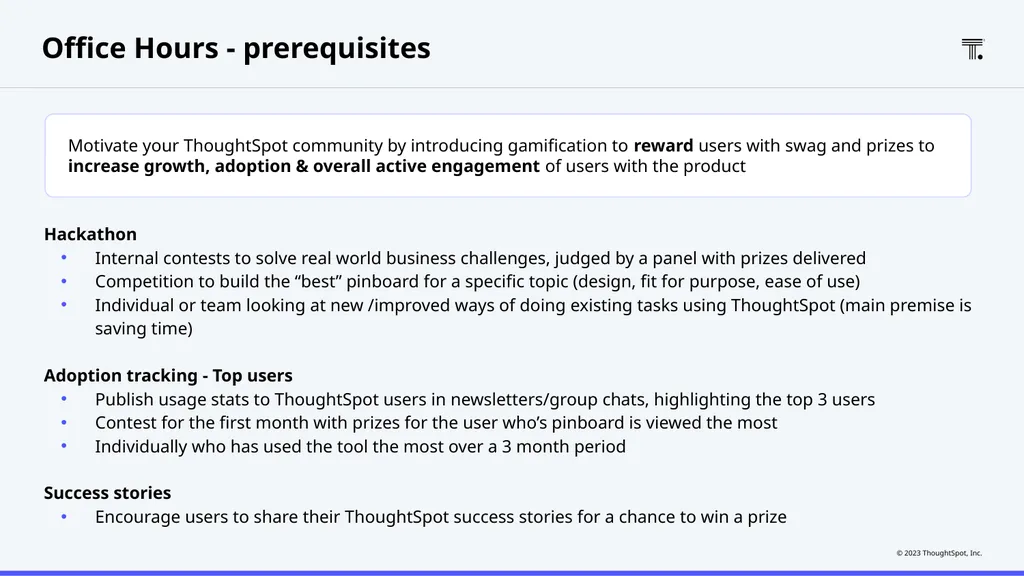
slide23. Office Hours - prerequisites Hackathon
Internal contests to solve real world business challenges, judged by a panel with prizes delivered
Competition to build the “best” pinboard for a specific topic (design, fit for purpose, ease of use)
Individual or team looking at new /improved ways of doing existing tasks using ThoughtSpot (main premise is saving time)
Adoption tracking - Top users
Publish usage stats to ThoughtSpot users in newsletters/group chats, highlighting the top 3 users
Contest for the first month with prizes for the user who’s pinboard is viewed the most
Individually who has used the tool the most over a 3 month period
Success stories
Encourage users to share their ThoughtSpot success stories for a chance to win a prize Motivate your ThoughtSpot community by introducing gamification to reward users with swag and prizes to increase growth, adoption & overall active engagement of users with the product<br>
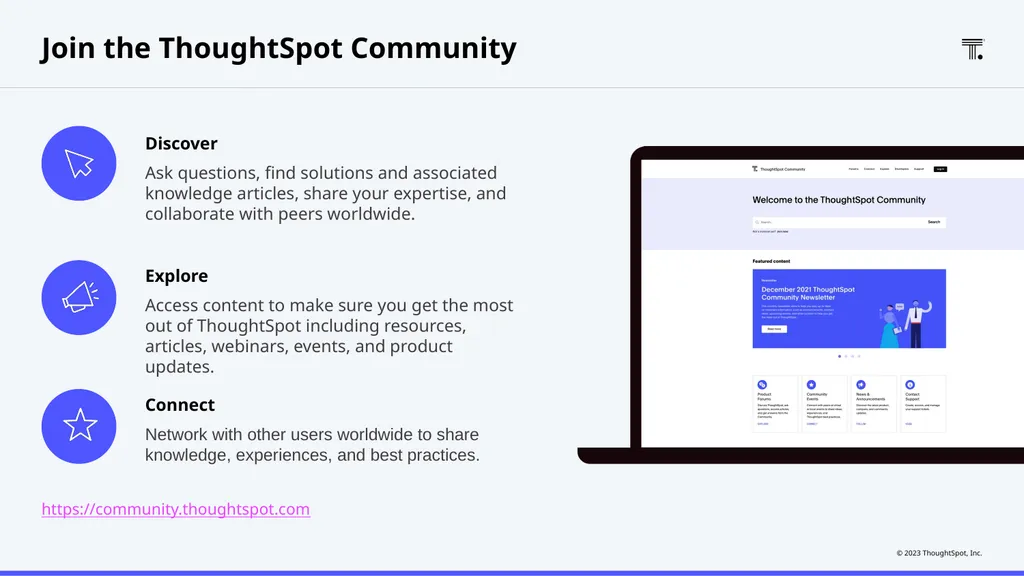
slide24. Join the ThoughtSpot Community Discover
Ask questions, find solutions and associated knowledge articles, share your expertise, and collaborate with peers worldwide. Explore
Access content to make sure you get the most out of ThoughtSpot including resources, articles, webinars, events, and product updates. Connect
Network with other users worldwide to share knowledge, experiences, and best practices. https://community.thoughtspot.com<br>
slide25. People change management<br>
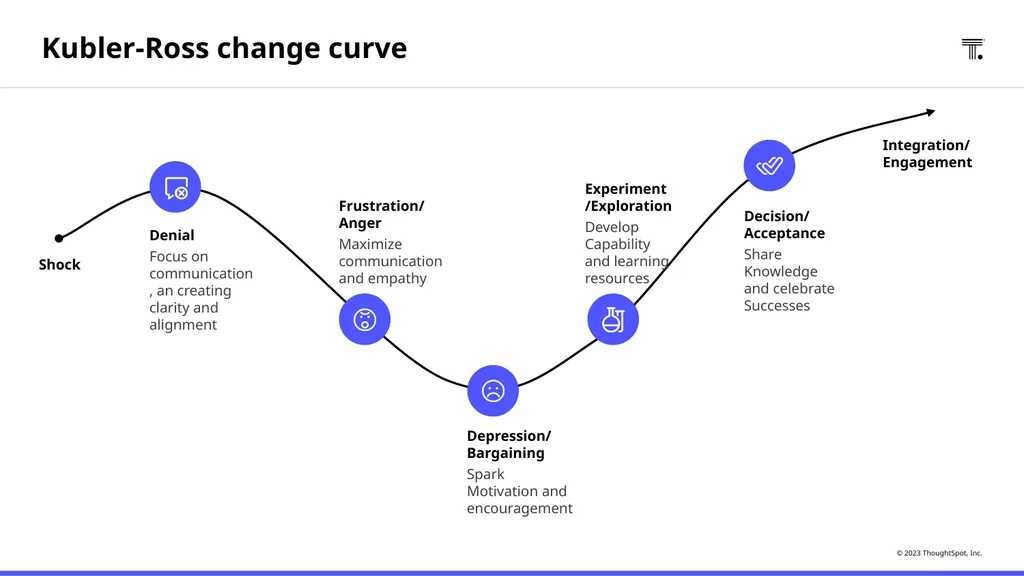
slide26. Denial
Focus on communication, an creating clarity and alignment Frustration/ Anger
Maximize communication and empathy Experiment /Exploration
Develop Capability and learning resources Integration/ Engagement Depression/ Bargaining
Spark Motivation and encouragement Decision/ Acceptance
Share Knowledge and celebrate Successes Shock Kubler-Ross change curve<br>
slide27. Measuring success and value<br>
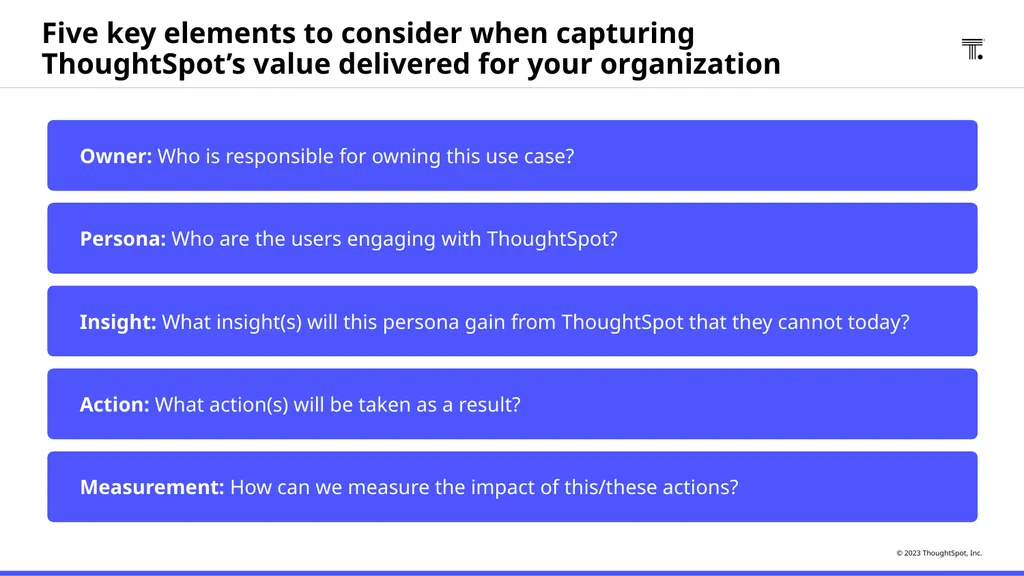
slide28. Five key elements to consider when capturing ThoughtSpot’s value delivered for your organization Owner: Who is responsible for owning this use case? Persona: Who are the users engaging with ThoughtSpot? Insight: What insight(s) will this persona gain from ThoughtSpot that they cannot today? Action: What action(s) will be taken as a result? Measurement: How can we measure the impact of this/these actions?<br>
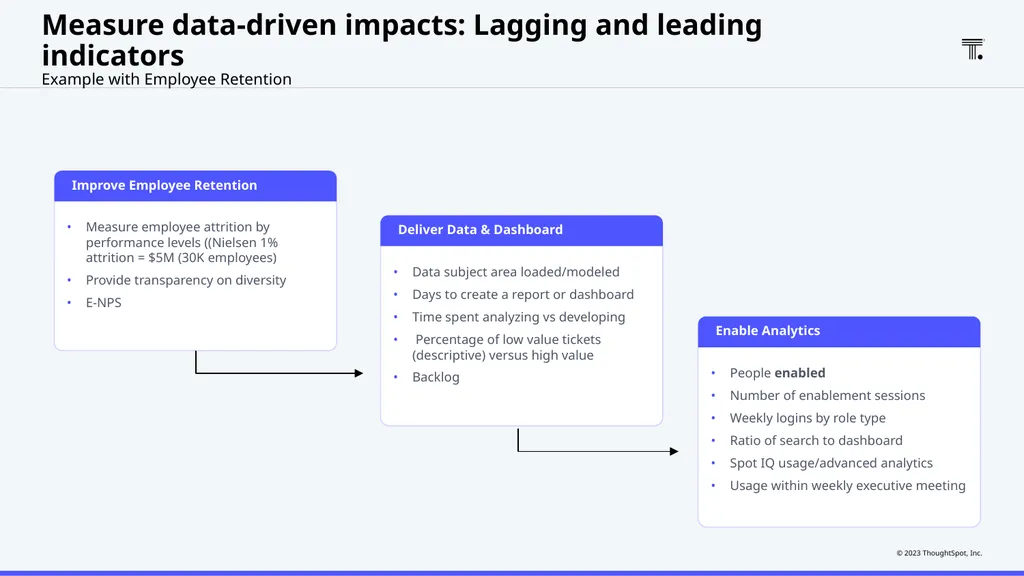
slide29. Measure employee attrition by performance levels ((Nielsen 1% attrition = $5M (30K employees)
Provide transparency on diversity
E-NPS Improve Employee Retention Measure data-driven impacts: Lagging and leading indicators
Example with Employee Retention Data subject area loaded/modeled
Days to create a report or dashboard
Time spent analyzing vs developing
Percentage of low value tickets (descriptive) versus high value
Backlog Deliver Data & Dashboard People enabled
Number of enablement sessions
Weekly logins by role type
Ratio of search to dashboard
Spot IQ usage/advanced analytics
Usage within weekly executive meeting Enable Analytics<br>
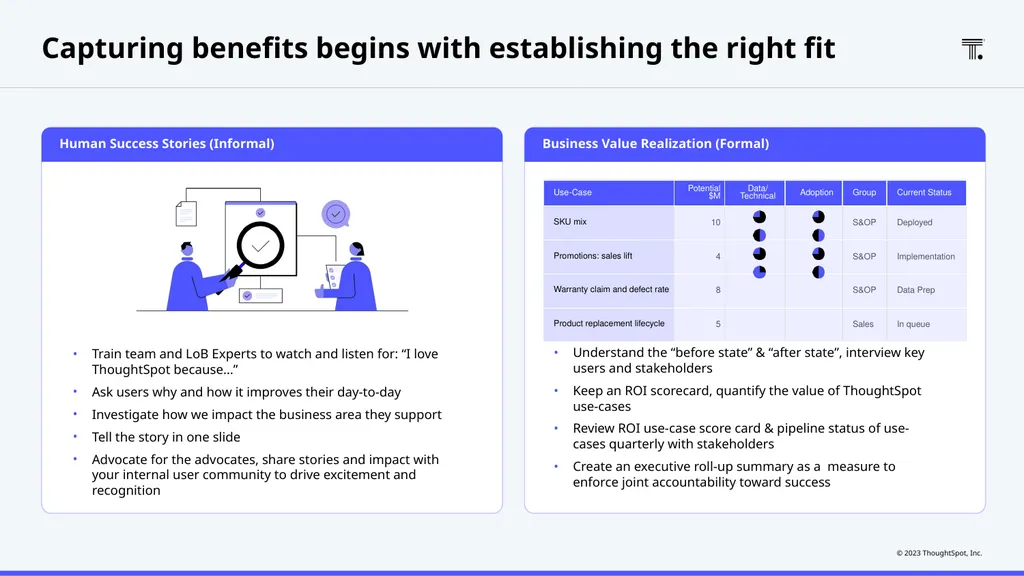
slide30. Business Value Realization (Formal) Human Success Stories (Informal) Capturing benefits begins with establishing the right fit Train team and LoB Experts to watch and listen for: “I love ThoughtSpot because…”
Ask users why and how it improves their day-to-day
Investigate how we impact the business area they support
Tell the story in one slide
Advocate for the advocates, share stories and impact with your internal user community to drive excitement and recognition Identify specific improvements and quantify the dollar value of positive business outcomes achieved
Understand the “before state” & “after state”, interview key users and stakeholders
Keep an ROI scorecard, quantify the value of ThoughtSpot use-cases
Review ROI use-case score card & pipeline status of use-cases quarterly with stakeholders
Create an executive roll-up summary as a measure to enforce joint accountability toward success<br>
slide2. Why now?
The case for change<br>
slide3. Elements of your data strategy Business Strategy Business
Outcomes Data Talent Technology Process Culture (leadership) Data-Driven Organization<br>
slide4. Tribes & Role Models Incentives Why / WIIFM Communication Skills Define ‘What’s In It For Me?’<br>
slide5. Organizing data and analytics teams<br>
slide6. Embed data and analytics expertise throughout the organization CDO/CAO Data Storyteller Analytics Engineer Insight Analyst CEO VP Finance Evangelists Data Scientists Enterprise Architect Data Steward Data Engineer BI Developers<br>
slide7. Modern analytics and AI organization Data Storyteller Analytics Engineer CEO VP Sales Insight Analyst CDO/CDAO Evangelists Data Scientists Enterprise Architect Data Steward Data Engineer BI Developers<br>
slide8. Evangelists Data Scientists Enterprise Architect Data Steward Data Engineer BI Developers Embed data and analytics expertise throughout the organization Data Storyteller Analytics Engineer Insight Analyst CEO VP Finance CDO/CDAO<br>
slide9. Roles and responsibilities: Center of Excellence (CoE) Executive Sponsor Executive level program sponsor
Provides program guidance and prioritisation
Ensures alignment to company vision Product Owner Often a member of the Business team
Owns use case prioritization and backlog
Defines new use cases
Monitors success and measures value
Organizes product roadmaps Analytics Change Manager Guides and supports enablement program
Monitors and understands adoption metrics
Documents benefits, user stories and feedback
Advisor to the wider program
Defines global rollout and adoption strategy
Owns communication & defines communication plans
Enables data literacy Platform Owner Owns ThoughtSpot as an application
Authorizes and makes architectural and configuration decisions
Oversees the governance and security of the platform
Responsible for migrations and scaling up resources to meet business demand Data Expert Creates ThoughtSpot content including:
Modifies schema to make search friendly (i.e. model for search)
Creates & maintains worksheets, answers, pinboards
Assists users with creation of content
Identifies data sets
Assists with database schema questions/issues
Assists with worksheet and schema changes<br>
slide10. CoE support roles: Use case/domain specific Domain Executive Sponsor Executive level use case / domain sponsor
Provides program guidance and prioritization
Supports communications and launch activities Domain Product Owner / Change Manager Works closely with the CoE
Often a member of the Business team
Owns communications for the use case
Guides and supports enablement program
Monitors and understands adoption metrics
Documents benefits, user stories and feedback
Advisor to the wider program Domain Data Steward Creates ThoughtSpot solution (if pilot solution cannot be reused) including:
Identifies data sets
Modifies schema to make search friendly (i.e. model for search)
Creates worksheets, answers, pinboards Project Manager Oversees project timeline
Aligns resources with task, and assists with issue resolution
Mitigates risks and issues Domain SMEs / Champions Assists users with creation of enablement content
Aids in change management activities for end users
Leads training and rollout for the market
Acts as local SME and maintains the market-specific solution long-term<br>
slide11. Identifying
quick wins<br>
slide12. When starting out focus on the “magic quadrant” of high value and low complexity use cases to kick start adoption and start seeing an ROI.
As high complexity use cases will require more resources and time to deploy, in order to maintain momentum aim for a balance between the high and low complexity.
Creating a use case road map will help identify resource allocation to support the success criteria.
High value may also mean net new analytics for an underserved group; low value may mean competitive tool. High Complexity
(Data Challenges) Low Complexity
(Data Ready) Low Value High Value Quick wins and where to start<br>
slide13. Rollout
planning<br>
slide14. ThoughtSpot rollout plan Rolling ThoughtSpot out to 20 Power Users
(week of X) Rolling ThoughtSpot out to 200 Business Users
(week of X+2) Phase 1 Phase 2<br>
slide15. Phase 1: Rolling ThoughtSpot out to Power Users List of identified Power Users
Set up their accounts in ThoughtSpot
Set up internal docs site
Glossary of terms (what is the scope of search, what’s in the data)
How to get started with ThoughtSpot, FAQ
Train Power Users
Put together training deck: TS Tool + Data
Schedule training (and post-training follow ups)
Give Power Users a 3 week test/feedback period
Set-up email/chat help groups
Set-up Daily/Weekly adoption Liveboards
Schedule weekly office-hours
Set-up follow up meeting with Power Users to solicit feedback<br>
slide16. Phase 2: Rolling ThoughtSpot out to Business Users Incorporate feedback from Power Users
List of identified Business Users
Set up their accounts in ThoughtSpot
Refine internal docs site
Glossary of terms (what is the scope of search, what’s in the data)
How to get started with ThoughtSpot, FAQ
Train Business Users
Put together training deck/demo script
Train the trainer(s)
Schedule training
Set-up email/chat help groups to answer questions and get feedback
Set-up Daily/Weekly adoption Liveboards
Schedule weekly office-hours
Monthly ThoughtSpot lunch & learn sessions<br>
slide17. Adoption, retention and community<br>
slide18. Address the user’s needs in a uniquely valuable and emotionally engaging way Create Aha!
moments Key principles for driving analytics adoption Minimize prior knowledge and skills needed; Focus on self-service Remove friction Guide the user towards “aha” moments and deliver value as fast as possible Deliver value quickly Spend as much time teaching about data as about technical functionality Teach
data Use ‘nudges’
to form the habit of using analytics Create
habits<br>
slide19. Use-Case Momentum Build Users and Community Establish Scheduled Activities to Ensure Retention Define Goals and Manage as a Project Driving adoption begins with having the right plan Create and manage a “use case” pipeline
Establish phase out plans for existing solution per use case
Review adoption weekly Build and execute end user training monthly (video in LMS & live)
Create and guide a digital community for end users to interact with experts
Capture and share success stories with the community to increase awareness and excitement Weekly office hours
Monthly newsletter
Quarterly user groups, quarterly executive review Define adoption owner per use case
Define adoption milestones and key outcomes
Define timelines and key projects owners
Create and execute a project plan for adoption Use-Case 1 Adoption Usage Value Use-Case 2<br>
slide20. Office Hours - prerequisites ThoughtSpot functionality overview (1 hour)
Basic search
Create a Liveboard
SpotIQ
How to get help
Data overview (1 hour)<br>
slide21. Office Hours - sample agenda Mini ‘Focus’ enablement (15 mins)
Presented by ThoughtSpot Customer Success
‘Show and tell’ (15 mins)
Presented by customer end user
Open discussion / Q&A (Optional, 15 mins)
Moderated by customer use case owner/ThoughtSpot Customer Success<br>
slide22. Office Hours - prerequisites Basic formulae
Advanced formulae
Keywords
Liveboard best practices (design)
Formatting
SpotIQ
Optional: Roadmap (focus on business end user persona)<br>
slide23. Office Hours - prerequisites Hackathon
Internal contests to solve real world business challenges, judged by a panel with prizes delivered
Competition to build the “best” pinboard for a specific topic (design, fit for purpose, ease of use)
Individual or team looking at new /improved ways of doing existing tasks using ThoughtSpot (main premise is saving time)
Adoption tracking - Top users
Publish usage stats to ThoughtSpot users in newsletters/group chats, highlighting the top 3 users
Contest for the first month with prizes for the user who’s pinboard is viewed the most
Individually who has used the tool the most over a 3 month period
Success stories
Encourage users to share their ThoughtSpot success stories for a chance to win a prize Motivate your ThoughtSpot community by introducing gamification to reward users with swag and prizes to increase growth, adoption & overall active engagement of users with the product<br>
slide24. Join the ThoughtSpot Community Discover
Ask questions, find solutions and associated knowledge articles, share your expertise, and collaborate with peers worldwide. Explore
Access content to make sure you get the most out of ThoughtSpot including resources, articles, webinars, events, and product updates. Connect
Network with other users worldwide to share knowledge, experiences, and best practices. https://community.thoughtspot.com<br>
slide25. People change management<br>
slide26. Denial
Focus on communication, an creating clarity and alignment Frustration/ Anger
Maximize communication and empathy Experiment /Exploration
Develop Capability and learning resources Integration/ Engagement Depression/ Bargaining
Spark Motivation and encouragement Decision/ Acceptance
Share Knowledge and celebrate Successes Shock Kubler-Ross change curve<br>
slide27. Measuring success and value<br>
slide28. Five key elements to consider when capturing ThoughtSpot’s value delivered for your organization Owner: Who is responsible for owning this use case? Persona: Who are the users engaging with ThoughtSpot? Insight: What insight(s) will this persona gain from ThoughtSpot that they cannot today? Action: What action(s) will be taken as a result? Measurement: How can we measure the impact of this/these actions?<br>
slide29. Measure employee attrition by performance levels ((Nielsen 1% attrition = $5M (30K employees)
Provide transparency on diversity
E-NPS Improve Employee Retention Measure data-driven impacts: Lagging and leading indicators
Example with Employee Retention Data subject area loaded/modeled
Days to create a report or dashboard
Time spent analyzing vs developing
Percentage of low value tickets (descriptive) versus high value
Backlog Deliver Data & Dashboard People enabled
Number of enablement sessions
Weekly logins by role type
Ratio of search to dashboard
Spot IQ usage/advanced analytics
Usage within weekly executive meeting Enable Analytics<br>
slide30. Business Value Realization (Formal) Human Success Stories (Informal) Capturing benefits begins with establishing the right fit Train team and LoB Experts to watch and listen for: “I love ThoughtSpot because…”
Ask users why and how it improves their day-to-day
Investigate how we impact the business area they support
Tell the story in one slide
Advocate for the advocates, share stories and impact with your internal user community to drive excitement and recognition Identify specific improvements and quantify the dollar value of positive business outcomes achieved
Understand the “before state” & “after state”, interview key users and stakeholders
Keep an ROI scorecard, quantify the value of ThoughtSpot use-cases
Review ROI use-case score card & pipeline status of use-cases quarterly with stakeholders
Create an executive roll-up summary as a measure to enforce joint accountability toward success<br>