Hypothesis Tree - Guidance and Template 1
Description: Hypothesis Tree - Guidance and Template 1 Capability Building Hypothesis Tree 2 Template How to use a Hypothesis Tree (from our FEP PSAT programmes) 3 PowerPoint instructions What is this tool? A hypothesis tree helps to organise thoughts
Related Topics
Download Presentation
"Hypothesis Tree - Guidance and Template 1" is the property of its rightful owner. Permission is granted to download and print the materials on this website for personal, non-commercial use only, and to display it on your personal computer provided you do not modify the materials and that you retain all copyright notices contained in the materials. By downloading content from our website, you accept the terms of this agreement.
Presentation Transcript
slide1. Hypothesis Tree -Guidance and Template 1 Capability Building<br>
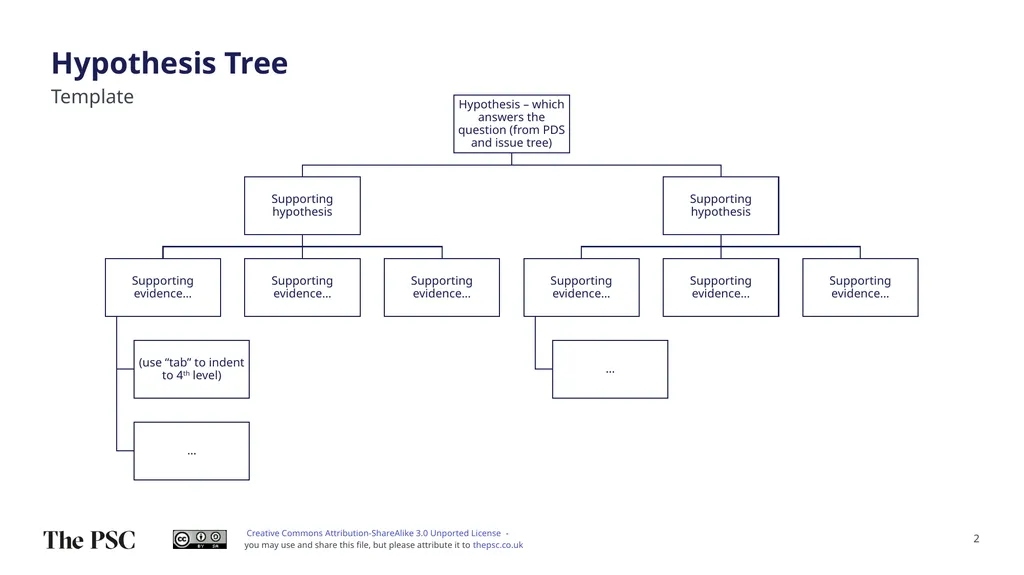
slide2. Hypothesis Tree 2 Template<br>
slide3. How to use a Hypothesis Tree (from our FEP & PSAT programmes) 3 PowerPoint instructions What is this tool?
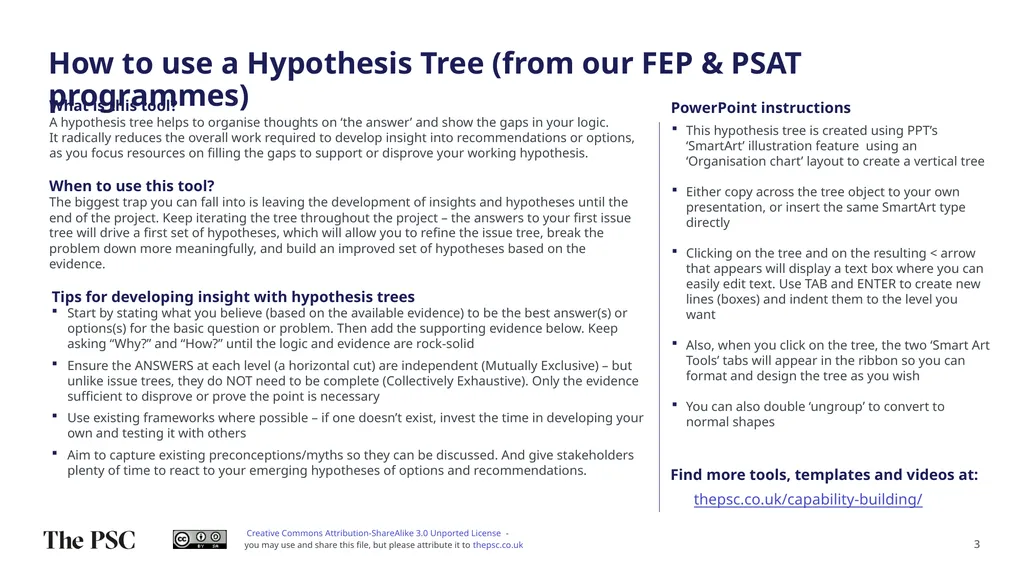
A hypothesis tree helps to organise thoughts on ‘the answer’ and show the gaps in your logic. It radically reduces the overall work required to develop insight into recommendations or options, as you focus resources on filling the gaps to support or disprove your working hypothesis. Tips for developing insight with hypothesis trees
Start by stating what you believe (based on the available evidence) to be the best answer(s) or options(s) for the basic question or problem. Then add the supporting evidence below. Keep asking “Why?” and “How?” until the logic and evidence are rock-solid
Ensure the ANSWERS at each level (a horizontal cut) are independent (Mutually Exclusive) – but unlike issue trees, they do NOT need to be complete (Collectively Exhaustive). Only the evidence sufficient to disprove or prove the point is necessary
Use existing frameworks where possible – if one doesn’t exist, invest the time in developing your own and testing it with others
Aim to capture existing preconceptions/myths so they can be discussed. And give stakeholders plenty of time to react to your emerging hypotheses of options and recommendations. When to use this tool?The biggest trap you can fall into is leaving the development of insights and hypotheses until the end of the project. Keep iterating the tree throughout the project – the answers to your first issue tree will drive a first set of hypotheses, which will allow you to refine the issue tree, break the problem down more meaningfully, and build an improved set of hypotheses based on the evidence. This hypothesis tree is created using PPT’s ‘SmartArt’ illustration feature using an ‘Organisation chart’ layout to create a vertical tree
Either copy across the tree object to your own presentation, or insert the same SmartArt type directly
Clicking on the tree and on the resulting < arrow that appears will display a text box where you can easily edit text. Use TAB and ENTER to create new lines (boxes) and indent them to the level you want
Also, when you click on the tree, the two ‘Smart Art Tools’ tabs will appear in the ribbon so you can format and design the tree as you wish
You can also double ‘ungroup’ to convert to normal shapes Find more tools, templates and videos at: thepsc.co.uk/capability-building/<br>

slide2. Hypothesis Tree 2 Template<br>
slide3. How to use a Hypothesis Tree (from our FEP & PSAT programmes) 3 PowerPoint instructions What is this tool?
A hypothesis tree helps to organise thoughts on ‘the answer’ and show the gaps in your logic. It radically reduces the overall work required to develop insight into recommendations or options, as you focus resources on filling the gaps to support or disprove your working hypothesis. Tips for developing insight with hypothesis trees
Start by stating what you believe (based on the available evidence) to be the best answer(s) or options(s) for the basic question or problem. Then add the supporting evidence below. Keep asking “Why?” and “How?” until the logic and evidence are rock-solid
Ensure the ANSWERS at each level (a horizontal cut) are independent (Mutually Exclusive) – but unlike issue trees, they do NOT need to be complete (Collectively Exhaustive). Only the evidence sufficient to disprove or prove the point is necessary
Use existing frameworks where possible – if one doesn’t exist, invest the time in developing your own and testing it with others
Aim to capture existing preconceptions/myths so they can be discussed. And give stakeholders plenty of time to react to your emerging hypotheses of options and recommendations. When to use this tool?The biggest trap you can fall into is leaving the development of insights and hypotheses until the end of the project. Keep iterating the tree throughout the project – the answers to your first issue tree will drive a first set of hypotheses, which will allow you to refine the issue tree, break the problem down more meaningfully, and build an improved set of hypotheses based on the evidence. This hypothesis tree is created using PPT’s ‘SmartArt’ illustration feature using an ‘Organisation chart’ layout to create a vertical tree
Either copy across the tree object to your own presentation, or insert the same SmartArt type directly
Clicking on the tree and on the resulting < arrow that appears will display a text box where you can easily edit text. Use TAB and ENTER to create new lines (boxes) and indent them to the level you want
Also, when you click on the tree, the two ‘Smart Art Tools’ tabs will appear in the ribbon so you can format and design the tree as you wish
You can also double ‘ungroup’ to convert to normal shapes Find more tools, templates and videos at: thepsc.co.uk/capability-building/<br>