
INSTRUCTIONS: Please use this template for your
OM
Published · 20 slides · 0 views
1 / 1

Description
INSTRUCTIONS: Please use this template for your presentation. The slides labeled REQUIRED are necessary to ensure that ASPEN remains in compliance with various accrediting bodies. All other slides are for samples or informational purposes.
Related Topics
Share
Embed code
Download this presentation From Below
"INSTRUCTIONS: Please use this template for your" is the property of its rightful owner. Permission is granted to download and print the materials on this website for personal, non-commercial use only, and to display it on your personal computer provided you do not modify the materials and that you retain all copyright notices contained in the materials. By downloading content from our website, you accept the terms of this agreement.
Presentation Transcript
01
INSTRUCTIONS: Please use this template for your presentation.
The slides labeled REQUIRED are necessary to ensure that ASPEN remains in compliance with various accrediting bodies. All other slides are for samples or informational purposes.
The ASPEN logo should be included on your slides.
There should be no use of brand names, product logos, or product images in your presentation.
The yellow boxes on slides contain instructional text only. Please review this information before completing your presentation.
Please delete the yellow boxes with instructional text and any unused template slides before submitting your final presentation!
***Delete this slide when done.***<br>
The slides labeled REQUIRED are necessary to ensure that ASPEN remains in compliance with various accrediting bodies. All other slides are for samples or informational purposes.
The ASPEN logo should be included on your slides.
There should be no use of brand names, product logos, or product images in your presentation.
The yellow boxes on slides contain instructional text only. Please review this information before completing your presentation.
Please delete the yellow boxes with instructional text and any unused template slides before submitting your final presentation!
***Delete this slide when done.***<br>
02
Section Title Slide
with Speaker Photo Name, Credentials
Title
Department
Place of work
City, state Presentation Title Slide – With Photo
To insert photo within picture box, 1) click on the box, 2) select the appropriate photo from your computer, 3) click on Insert.
If photo is cropped and does not fit within picture box, do the following:
After inserting photo, you should see the Picture Format menu on the top right screen. Underneath this menu, select the downward facing arrow under Crop on the far-right side of screen.
Scroll down to bottom of menu and click on Fill, then use your mouse to move the photo so that it fits within the box.
***Delete instruction boxes when done.***<br>
Title
Department
Place of work
City, state Presentation Title Slide – With Photo
To insert photo within picture box, 1) click on the box, 2) select the appropriate photo from your computer, 3) click on Insert.
If photo is cropped and does not fit within picture box, do the following:
After inserting photo, you should see the Picture Format menu on the top right screen. Underneath this menu, select the downward facing arrow under Crop on the far-right side of screen.
Scroll down to bottom of menu and click on Fill, then use your mouse to move the photo so that it fits within the box.
***Delete instruction boxes when done.***<br>
03
Section Title Slide Without
Speaker Photo Name, Credentials
Title, Department, Place of work
City, state Presentation Title Slide – No Photo
If you are not including your photo, use this slide for your presentation title page.
***Delete instruction boxes when done.***<br>
Title, Department, Place of work
City, state Presentation Title Slide – No Photo
If you are not including your photo, use this slide for your presentation title page.
***Delete instruction boxes when done.***<br>
04
Disclosure Disclosures Slide - Required
In order to comply with accreditation guidelines, ALL disclosures/relationships with ineligible companies within the past 24 months must be included. Enter Name of Company and Affiliation. If you do not have any disclosures, enter “No commercial relationships to disclose.”
***Delete instruction boxes when done.***<br>
In order to comply with accreditation guidelines, ALL disclosures/relationships with ineligible companies within the past 24 months must be included. Enter Name of Company and Affiliation. If you do not have any disclosures, enter “No commercial relationships to disclose.”
***Delete instruction boxes when done.***<br>
05
Learning Objectives Upon completion of this educational activity, the learner will be able to:
Objective one
Objective two
Objective three Learning Objectives Slide - Required
Please add at least 3 objectives for your presentation.
For assistance with writing learning objectives, right click on Model of Learning Objectives and then select Open Link.
***Delete instruction boxes when done.***<br>
Objective one
Objective two
Objective three Learning Objectives Slide - Required
Please add at least 3 objectives for your presentation.
For assistance with writing learning objectives, right click on Model of Learning Objectives and then select Open Link.
***Delete instruction boxes when done.***<br>
06
Sample Slide With Callout Box 20% of patients with cancer die from malnutrition and not from their underlying disease! Product/Brand Usage instructions:
You must use generic names and not product/brand/company names in your presentation content and images.
If it is mandatory that you use a product name, please discuss this with staff.
***Delete instruction boxes when done.*** Reference Instructions:
References should be listed at the bottom of the slide and included in the final references slide at the end of this deck.
If the same reference is used on consecutive slides, it should be repeated at the bottom of each slide.
All images must be cited, even if they are screen grabs/taken from the internet.
Please follow the AMA style, abbreviating names of journals according to Index Medicus.
***Delete instruction boxes when done.***<br>
You must use generic names and not product/brand/company names in your presentation content and images.
If it is mandatory that you use a product name, please discuss this with staff.
***Delete instruction boxes when done.*** Reference Instructions:
References should be listed at the bottom of the slide and included in the final references slide at the end of this deck.
If the same reference is used on consecutive slides, it should be repeated at the bottom of each slide.
All images must be cited, even if they are screen grabs/taken from the internet.
Please follow the AMA style, abbreviating names of journals according to Index Medicus.
***Delete instruction boxes when done.***<br>
07
Sample Text Slide Bullet point one
Sub bullet point
Bullet point two
Sub bullet point
Sub bullet point
Bullet point three
Sub bullet point Please put references on the bottom of the slide and compile them into the final references slide.
Follow the AMA style, abbreviating names of journals according to Index Medicus. Product/Brand Usage instructions:
You must use generic names and not product/brand/company names in your presentation content and images.
If it is mandatory that you use a product name, please discuss this with staff.
***Delete instruction boxes when done.*** Reference Instructions:
References should be listed at the bottom of the slide and included in the final references slide at the end of this deck.
If the same reference is used on consecutive slides, it should be repeated at the bottom of each slide.
All images must be cited, even if they are screen grabs/taken from the internet.
Please follow the AMA style, abbreviating names of journals according to Index Medicus.
***Delete instruction boxes when done.***<br>
Sub bullet point
Bullet point two
Sub bullet point
Sub bullet point
Bullet point three
Sub bullet point Please put references on the bottom of the slide and compile them into the final references slide.
Follow the AMA style, abbreviating names of journals according to Index Medicus. Product/Brand Usage instructions:
You must use generic names and not product/brand/company names in your presentation content and images.
If it is mandatory that you use a product name, please discuss this with staff.
***Delete instruction boxes when done.*** Reference Instructions:
References should be listed at the bottom of the slide and included in the final references slide at the end of this deck.
If the same reference is used on consecutive slides, it should be repeated at the bottom of each slide.
All images must be cited, even if they are screen grabs/taken from the internet.
Please follow the AMA style, abbreviating names of journals according to Index Medicus.
***Delete instruction boxes when done.***<br>
08
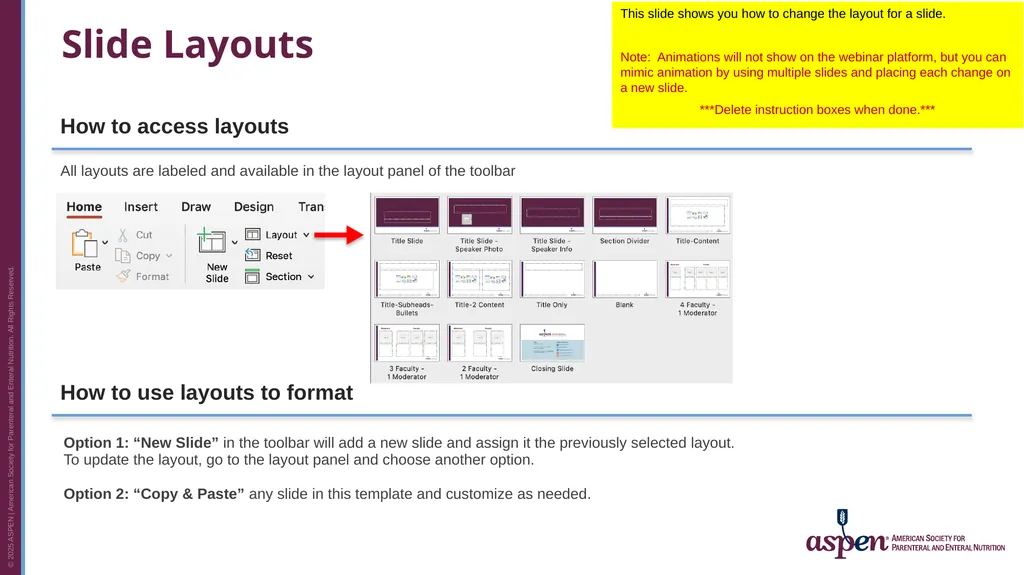
Slide Layouts All layouts are labeled and available in the layout panel of the toolbar Option 1: “New Slide” in the toolbar will add a new slide and assign it the previously selected layout. To update the layout, go to the layout panel and choose another option.
Option 2: “Copy & Paste” any slide in this template and customize as needed. How to access layouts How to use layouts to format This slide shows you how to change the layout for a slide.
Note: Animations will not show on the webinar platform, but you can mimic animation by using multiple slides and placing each change on a new slide.
***Delete instruction boxes when done.***<br>
Option 2: “Copy & Paste” any slide in this template and customize as needed. How to access layouts How to use layouts to format This slide shows you how to change the layout for a slide.
Note: Animations will not show on the webinar platform, but you can mimic animation by using multiple slides and placing each change on a new slide.
***Delete instruction boxes when done.***<br>
09
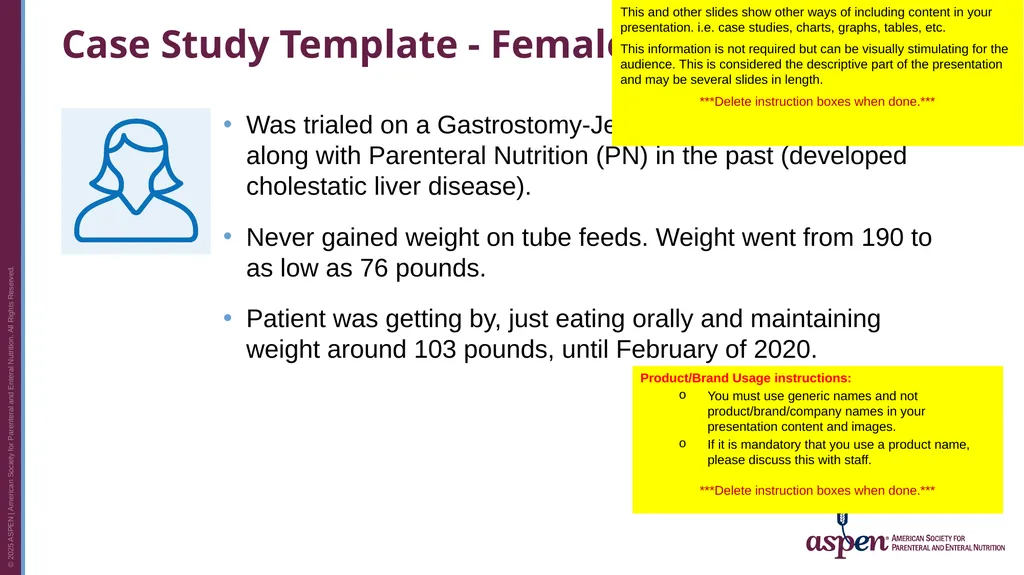
Case Study Template - Female Was trialed on a Gastrostomy-Jejunostomy and tube feedings along with Parenteral Nutrition (PN) in the past (developed cholestatic liver disease).
Never gained weight on tube feeds. Weight went from 190 to as low as 76 pounds.
Patient was getting by, just eating orally and maintaining weight around 103 pounds, until February of 2020. This and other slides show other ways of including content in your presentation. i.e. case studies, charts, graphs, tables, etc.
This information is not required but can be visually stimulating for the audience. This is considered the descriptive part of the presentation and may be several slides in length.
***Delete instruction boxes when done.*** Product/Brand Usage instructions:
You must use generic names and not product/brand/company names in your presentation content and images.
If it is mandatory that you use a product name, please discuss this with staff.
***Delete instruction boxes when done.***<br>
Never gained weight on tube feeds. Weight went from 190 to as low as 76 pounds.
Patient was getting by, just eating orally and maintaining weight around 103 pounds, until February of 2020. This and other slides show other ways of including content in your presentation. i.e. case studies, charts, graphs, tables, etc.
This information is not required but can be visually stimulating for the audience. This is considered the descriptive part of the presentation and may be several slides in length.
***Delete instruction boxes when done.*** Product/Brand Usage instructions:
You must use generic names and not product/brand/company names in your presentation content and images.
If it is mandatory that you use a product name, please discuss this with staff.
***Delete instruction boxes when done.***<br>
10
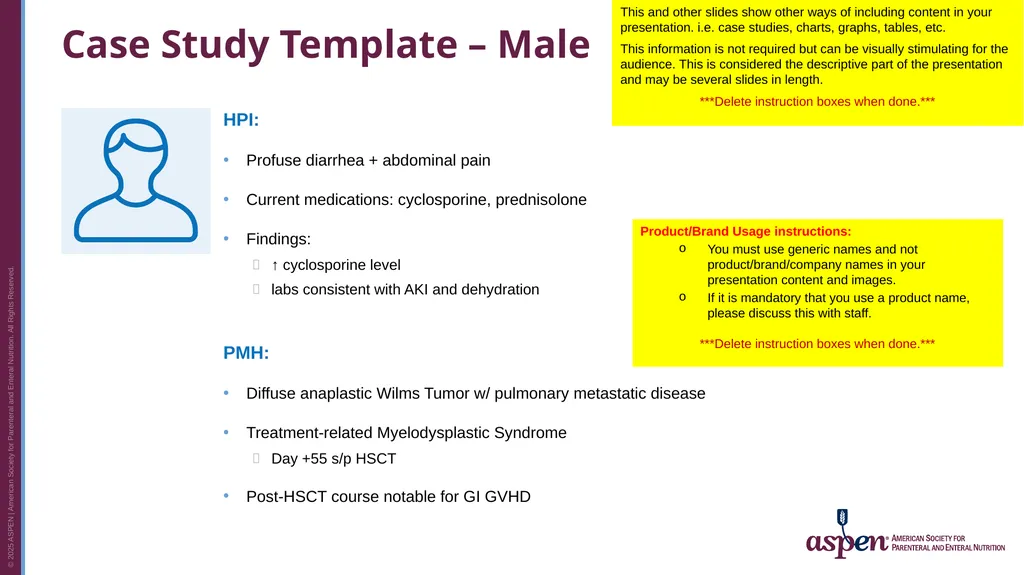
Case Study Template – Male HPI:
Profuse diarrhea + abdominal pain
Current medications: cyclosporine, prednisolone
Findings:
↑ cyclosporine level
labs consistent with AKI and dehydration
PMH:
Diffuse anaplastic Wilms Tumor w/ pulmonary metastatic disease
Treatment-related Myelodysplastic Syndrome
Day +55 s/p HSCT
Post-HSCT course notable for GI GVHD This and other slides show other ways of including content in your presentation. i.e. case studies, charts, graphs, tables, etc.
This information is not required but can be visually stimulating for the audience. This is considered the descriptive part of the presentation and may be several slides in length.
***Delete instruction boxes when done.*** Product/Brand Usage instructions:
You must use generic names and not product/brand/company names in your presentation content and images.
If it is mandatory that you use a product name, please discuss this with staff.
***Delete instruction boxes when done.***<br>
Profuse diarrhea + abdominal pain
Current medications: cyclosporine, prednisolone
Findings:
↑ cyclosporine level
labs consistent with AKI and dehydration
PMH:
Diffuse anaplastic Wilms Tumor w/ pulmonary metastatic disease
Treatment-related Myelodysplastic Syndrome
Day +55 s/p HSCT
Post-HSCT course notable for GI GVHD This and other slides show other ways of including content in your presentation. i.e. case studies, charts, graphs, tables, etc.
This information is not required but can be visually stimulating for the audience. This is considered the descriptive part of the presentation and may be several slides in length.
***Delete instruction boxes when done.*** Product/Brand Usage instructions:
You must use generic names and not product/brand/company names in your presentation content and images.
If it is mandatory that you use a product name, please discuss this with staff.
***Delete instruction boxes when done.***<br>
11
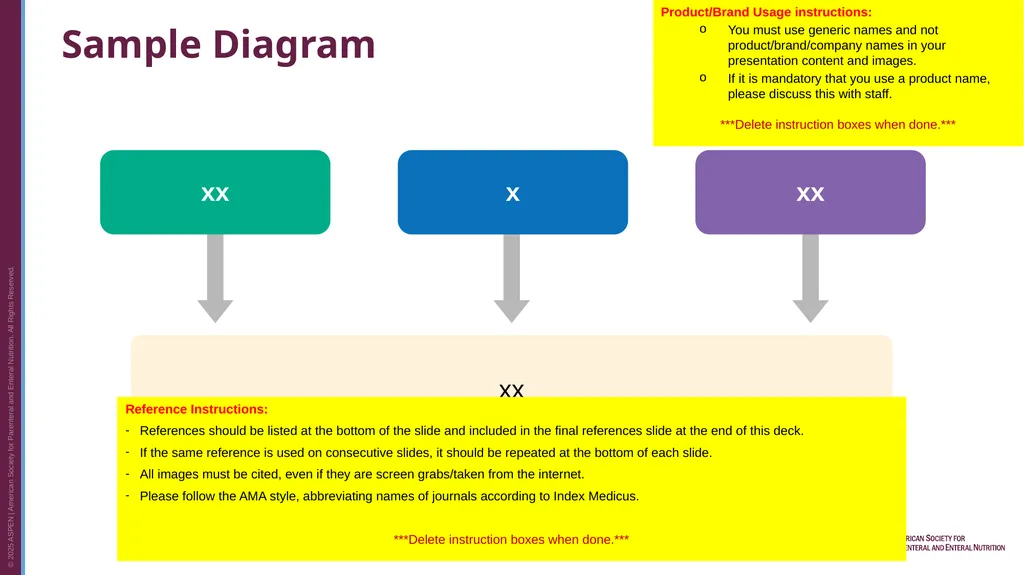
Sample Diagram xx xx x xx Product/Brand Usage instructions:
You must use generic names and not product/brand/company names in your presentation content and images.
If it is mandatory that you use a product name, please discuss this with staff.
***Delete instruction boxes when done.*** Reference Instructions:
References should be listed at the bottom of the slide and included in the final references slide at the end of this deck.
If the same reference is used on consecutive slides, it should be repeated at the bottom of each slide.
All images must be cited, even if they are screen grabs/taken from the internet.
Please follow the AMA style, abbreviating names of journals according to Index Medicus.
***Delete instruction boxes when done.***<br>
You must use generic names and not product/brand/company names in your presentation content and images.
If it is mandatory that you use a product name, please discuss this with staff.
***Delete instruction boxes when done.*** Reference Instructions:
References should be listed at the bottom of the slide and included in the final references slide at the end of this deck.
If the same reference is used on consecutive slides, it should be repeated at the bottom of each slide.
All images must be cited, even if they are screen grabs/taken from the internet.
Please follow the AMA style, abbreviating names of journals according to Index Medicus.
***Delete instruction boxes when done.***<br>
12
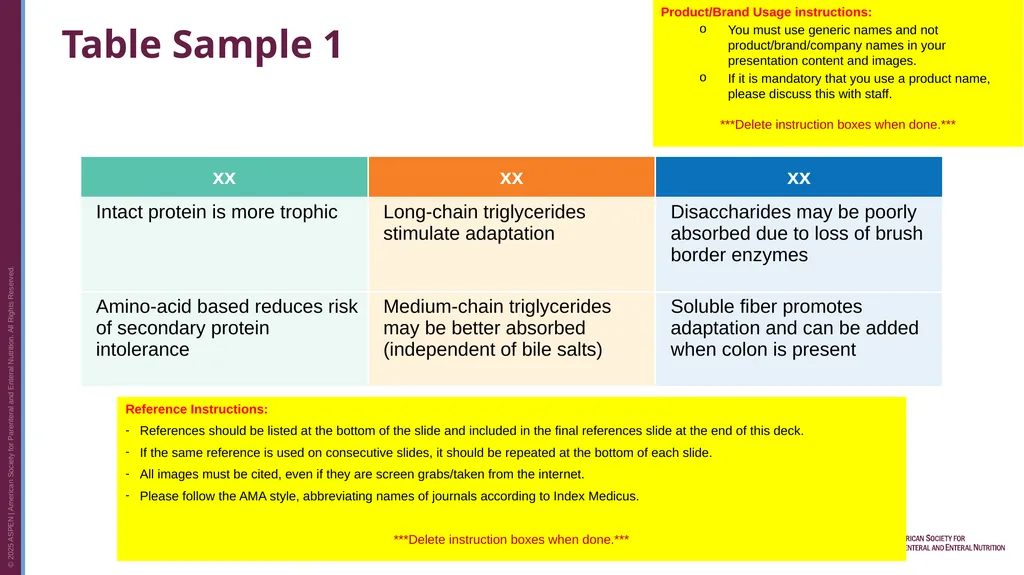
Table Sample 1 Product/Brand Usage instructions:
You must use generic names and not product/brand/company names in your presentation content and images.
If it is mandatory that you use a product name, please discuss this with staff.
***Delete instruction boxes when done.*** Reference Instructions:
References should be listed at the bottom of the slide and included in the final references slide at the end of this deck.
If the same reference is used on consecutive slides, it should be repeated at the bottom of each slide.
All images must be cited, even if they are screen grabs/taken from the internet.
Please follow the AMA style, abbreviating names of journals according to Index Medicus.
***Delete instruction boxes when done.***<br>
You must use generic names and not product/brand/company names in your presentation content and images.
If it is mandatory that you use a product name, please discuss this with staff.
***Delete instruction boxes when done.*** Reference Instructions:
References should be listed at the bottom of the slide and included in the final references slide at the end of this deck.
If the same reference is used on consecutive slides, it should be repeated at the bottom of each slide.
All images must be cited, even if they are screen grabs/taken from the internet.
Please follow the AMA style, abbreviating names of journals according to Index Medicus.
***Delete instruction boxes when done.***<br>
13
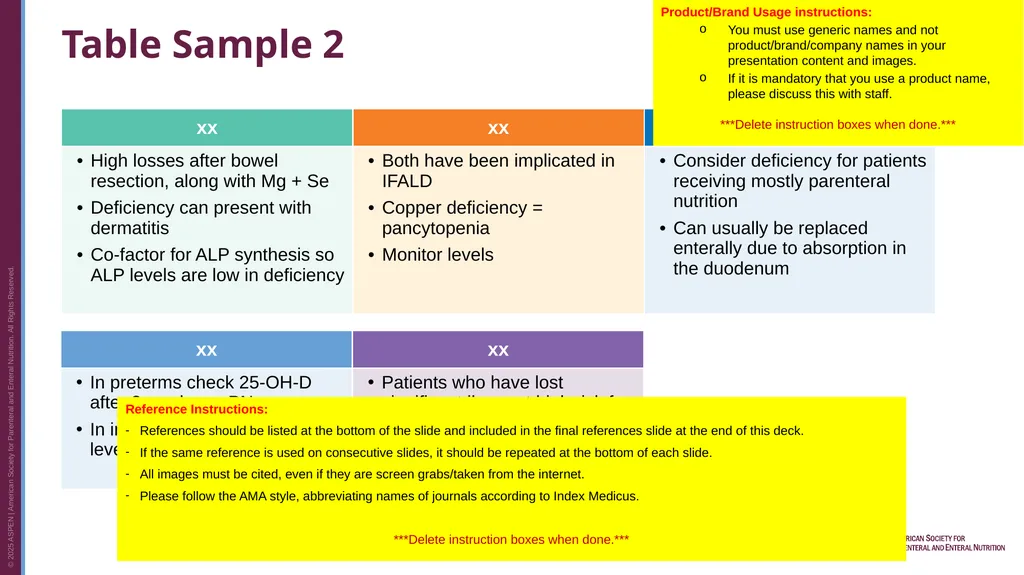
Table Sample 2 Product/Brand Usage instructions:
You must use generic names and not product/brand/company names in your presentation content and images.
If it is mandatory that you use a product name, please discuss this with staff.
***Delete instruction boxes when done.*** Reference Instructions:
References should be listed at the bottom of the slide and included in the final references slide at the end of this deck.
If the same reference is used on consecutive slides, it should be repeated at the bottom of each slide.
All images must be cited, even if they are screen grabs/taken from the internet.
Please follow the AMA style, abbreviating names of journals according to Index Medicus.
***Delete instruction boxes when done.***<br>
You must use generic names and not product/brand/company names in your presentation content and images.
If it is mandatory that you use a product name, please discuss this with staff.
***Delete instruction boxes when done.*** Reference Instructions:
References should be listed at the bottom of the slide and included in the final references slide at the end of this deck.
If the same reference is used on consecutive slides, it should be repeated at the bottom of each slide.
All images must be cited, even if they are screen grabs/taken from the internet.
Please follow the AMA style, abbreviating names of journals according to Index Medicus.
***Delete instruction boxes when done.***<br>
14
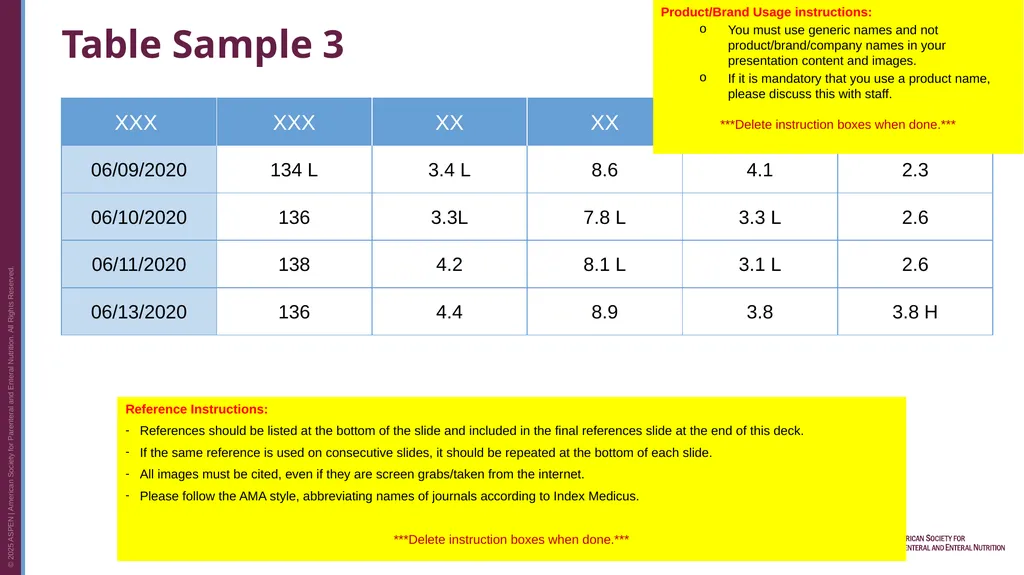
Table Sample 3 Product/Brand Usage instructions:
You must use generic names and not product/brand/company names in your presentation content and images.
If it is mandatory that you use a product name, please discuss this with staff.
***Delete instruction boxes when done.*** Reference Instructions:
References should be listed at the bottom of the slide and included in the final references slide at the end of this deck.
If the same reference is used on consecutive slides, it should be repeated at the bottom of each slide.
All images must be cited, even if they are screen grabs/taken from the internet.
Please follow the AMA style, abbreviating names of journals according to Index Medicus.
***Delete instruction boxes when done.***<br>
You must use generic names and not product/brand/company names in your presentation content and images.
If it is mandatory that you use a product name, please discuss this with staff.
***Delete instruction boxes when done.*** Reference Instructions:
References should be listed at the bottom of the slide and included in the final references slide at the end of this deck.
If the same reference is used on consecutive slides, it should be repeated at the bottom of each slide.
All images must be cited, even if they are screen grabs/taken from the internet.
Please follow the AMA style, abbreviating names of journals according to Index Medicus.
***Delete instruction boxes when done.***<br>
15
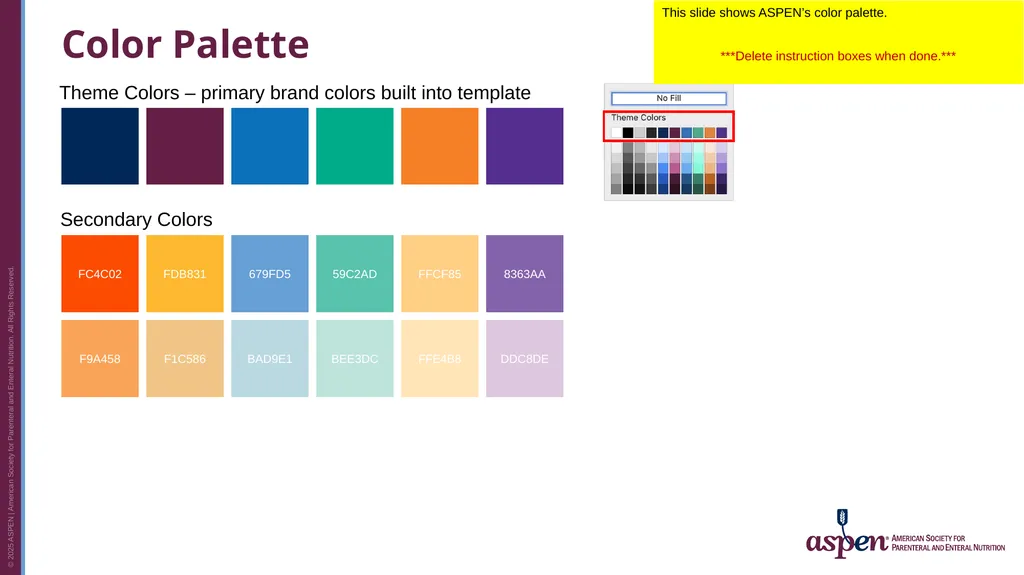
Color Palette FC4C02 F9A458 F1C586 FDB831 FFCF85 FFE4B8 8363AA DDC8DE 679FD5 BAD9E1 59C2AD BEE3DC Theme Colors – primary brand colors built into template Secondary Colors This slide shows ASPEN’s color palette.
***Delete instruction boxes when done.***<br>
***Delete instruction boxes when done.***<br>
16
Icons To change the color, double-click on an icon and choose a new color from the ASPEN palette on the previous slide. You may use the icons below for ASPEN webinars.
To change the color of an icon, double-click on the icon and choose a new color from the ASPEN palette on the previous slide.
***Delete instruction boxes when done.***<br>
To change the color of an icon, double-click on the icon and choose a new color from the ASPEN palette on the previous slide.
***Delete instruction boxes when done.***<br>
17
Section Divider Slide Section Divider Slide
Use this slide to separate different topics or sections in your presentation.
***Delete instruction boxes when done.***<br>
Use this slide to separate different topics or sections in your presentation.
***Delete instruction boxes when done.***<br>
18
Learning Assessment Question 1 Multiple choice question 1?
Option 1
Option 2
Option 3
Option 4 Learning Assessment Question Slide(s) - Required
Include three to five (3 to 5) learning assessment questions in your presentation. You can use the same questions from your outline.
Questions should contain at least four answer choices. Answers choices should not include “all of the above,” “none of the above,” or “true/false.”
These questions can be used as polling questions. Please notify ASPEN staff if you plan to utilize polling questions.
***Delete instruction boxes when done.***<br>
Option 1
Option 2
Option 3
Option 4 Learning Assessment Question Slide(s) - Required
Include three to five (3 to 5) learning assessment questions in your presentation. You can use the same questions from your outline.
Questions should contain at least four answer choices. Answers choices should not include “all of the above,” “none of the above,” or “true/false.”
These questions can be used as polling questions. Please notify ASPEN staff if you plan to utilize polling questions.
***Delete instruction boxes when done.***<br>
19
Learning Assessment Answer 1 Multiple choice question 1?
Option 1
Option 2
Option 3
Option 4 Learning Assessment Answer Slide(s) - Required
Correct answer in bold/orange #F57F26. Change letter to orange in the bullets/numbering dropdown.
***Delete instruction boxes when done.***<br>
Option 1
Option 2
Option 3
Option 4 Learning Assessment Answer Slide(s) - Required
Correct answer in bold/orange #F57F26. Change letter to orange in the bullets/numbering dropdown.
***Delete instruction boxes when done.***<br>
20
References List Numbered text. Current references to support your overall presentation
Cole BR. Cystinosis and cystinuria. In: Jacobson HR, Striker GE, Klahr S, eds. The Principles and Practice of Nephrology. Philadelphia, PA: BC Decker Inc; 1991:396–403.
Davis JT, Allen HD, Powers JD, Cohen DM. Population requirements for capitation planning in pediatric cardiac surgery. Arch Pediatr Adolesc Med. 1996;150:257–259. References Slide(s) – Required
List references used in your presentation on this slide.
Follow the AMA style, abbreviating names of journals according to Index Medicus. For 1-6 authors, list each author. For 7 or more authors, list the first 6 authors, followed by et al.
***Delete instruction boxes when done.***<br>
Cole BR. Cystinosis and cystinuria. In: Jacobson HR, Striker GE, Klahr S, eds. The Principles and Practice of Nephrology. Philadelphia, PA: BC Decker Inc; 1991:396–403.
Davis JT, Allen HD, Powers JD, Cohen DM. Population requirements for capitation planning in pediatric cardiac surgery. Arch Pediatr Adolesc Med. 1996;150:257–259. References Slide(s) – Required
List references used in your presentation on this slide.
Follow the AMA style, abbreviating names of journals according to Index Medicus. For 1-6 authors, list each author. For 7 or more authors, list the first 6 authors, followed by et al.
***Delete instruction boxes when done.***<br>