
Introduction to Application Penetration Testing



Description: Introduction to Application Penetration Testing Robin Fewster Introduction Aim of this presentation to introduce basic application penetration testing techniques. It is not as difficult to get into as you might think hopefully we will
Related Topics
Download Presentation
"Introduction to Application Penetration Testing" is the property of its rightful owner. Permission is granted to download and print the materials on this website for personal, non-commercial use only, and to display it on your personal computer provided you do not modify the materials and that you retain all copyright notices contained in the materials. By downloading content from our website, you accept the terms of this agreement.
Presentation Transcript
slide1. Introduction to Application Penetration Testing Robin Fewster<br>
slide2. Introduction Aim of this presentation to introduce basic application penetration testing techniques.
It is not as difficult to get into as you might think – hopefully we will bust some myths.
We will mainly use OWASP projects, which will enable you to setup a safe home training lab.<br>
slide3. Expectations Limited time to cover what is a large topic, so this does not break any new ground.
But we can go through interesting examples.
And no penetration testing experience is required.<br>
slide4. About Me Former DV security cleared CREST Certified Tester and CHECK Team Leader of 10 years.
Currently Security Principal at Sage (UK) working on secure software development.<br>
slide5. Agenda How to setup up your OWASP tools
Web App Attack Examples
Authentication
Session management
Access controls
Client controls
Back-end interpreters
Attacking the user<br>
slide6. Legality Computer Misuse Act 1990
Issue of ‘consent’
DON’T target anything for which you do not have explicit written consent
DO try this at home BUT on your own network / virtual machine (e.g. using OWASP projects)<br>
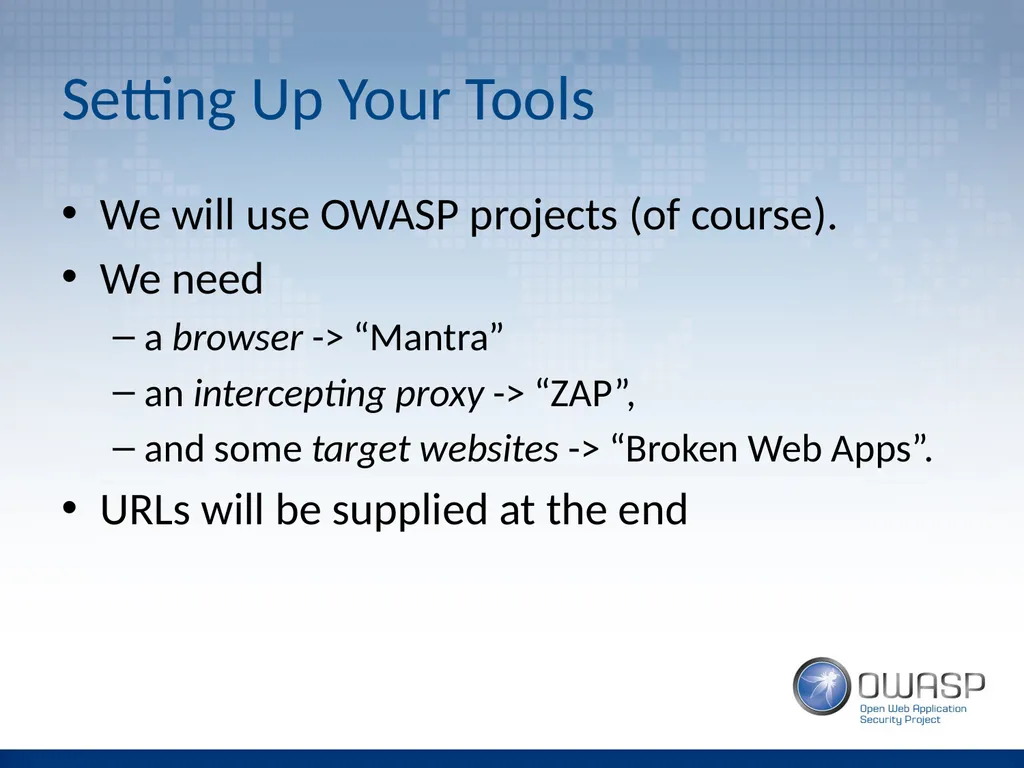
slide7. Setting Up Your Tools We will use OWASP projects (of course).
We need
a browser -> “Mantra”
an intercepting proxy -> “ZAP”,
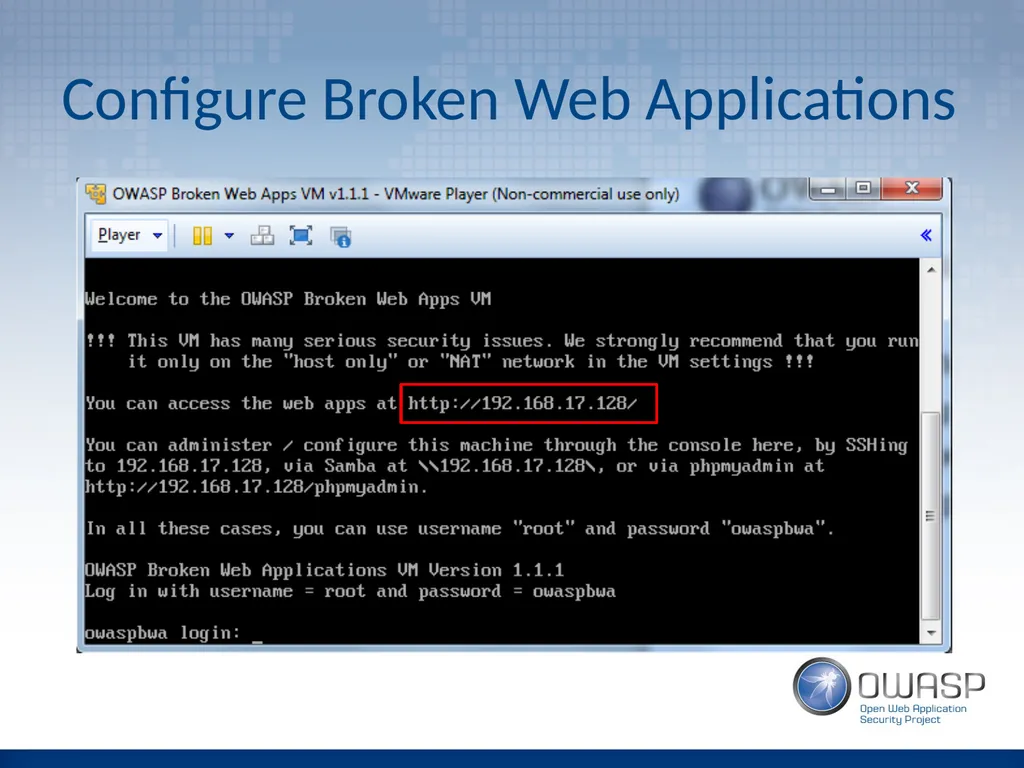
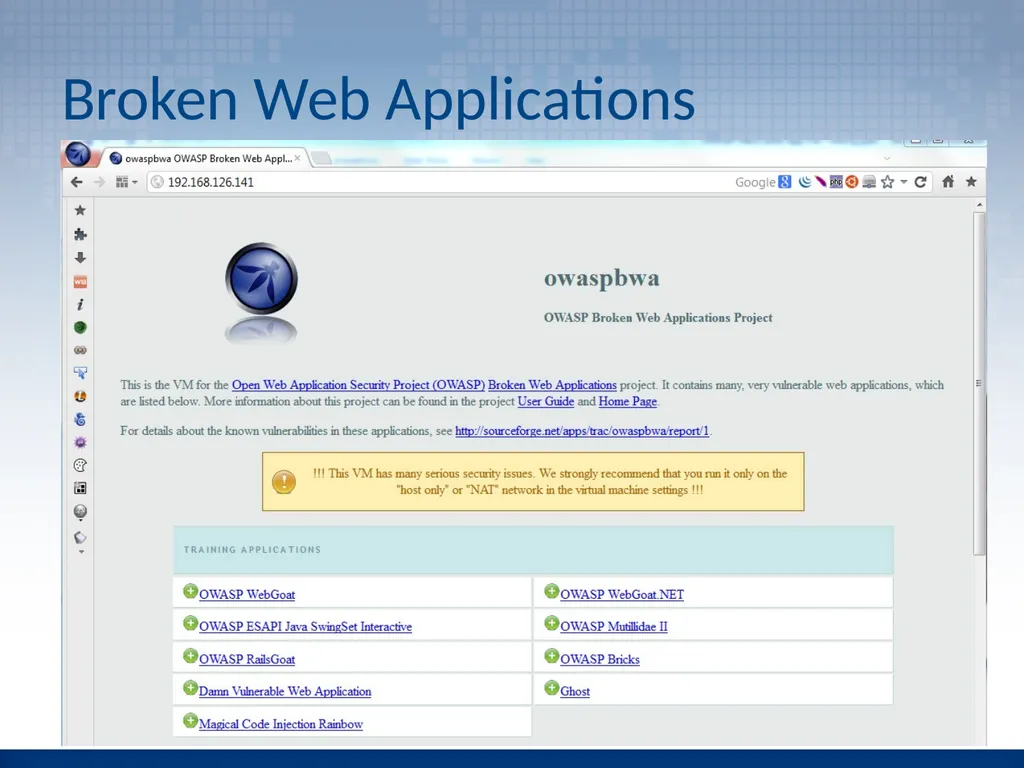
and some target websites -> “Broken Web Apps”.
URLs will be supplied at the end<br>
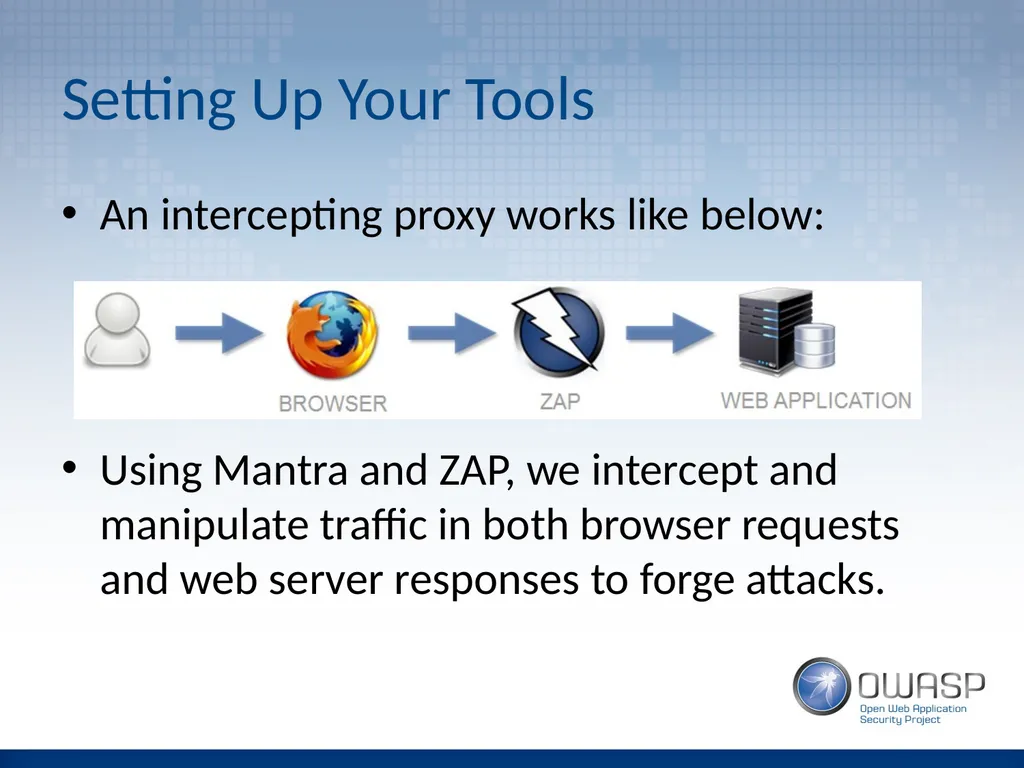
slide8. Setting Up Your Tools An intercepting proxy works like below:
Using Mantra and ZAP, we intercept and manipulate traffic in both browser requests and web server responses to forge attacks.<br>
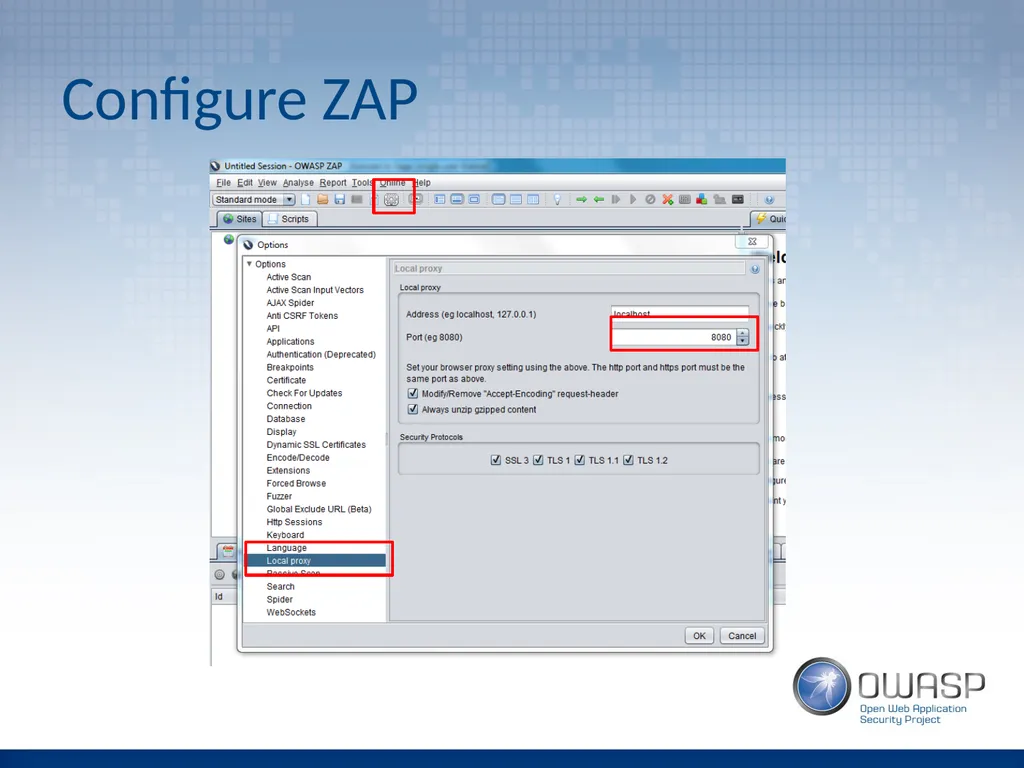
slide9. Configure ZAP<br>
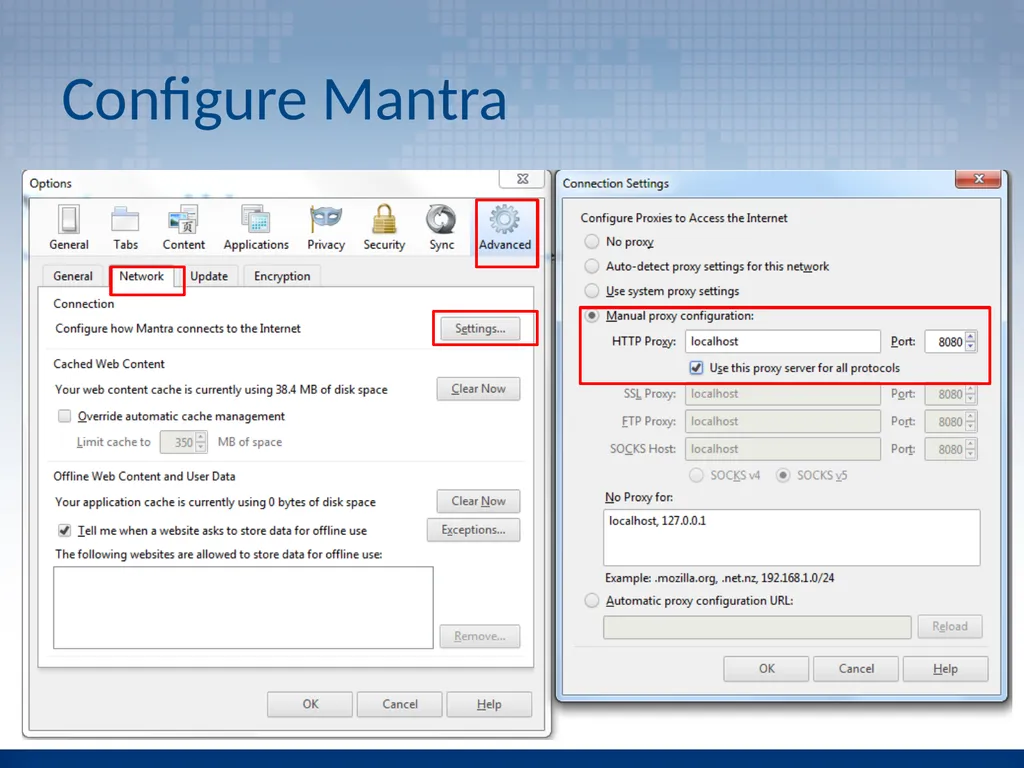
slide10. Configure Mantra<br>
slide11. Configure Broken Web Applications<br>
slide12. Broken Web Applications<br>
slide13. Authentication The authentication of an application is a critical line of defence.
If authentication fails, the application fails
Primary target for attackers<br>
slide14. Example Attacks Default / weak passwords
User enumeration
Password hints
Brute force password guessing
Default pages
Robots.txt
Guessable admin pages (security through obscurity)<br>
slide15. Session Management Session management is fundamental to security as it uniquely identifies users.
Enables assurance of user identity beyond login.
Session management is a prime target for attacks.<br>
slide16. Example Attacks Cookie meaning
Decoding cookie values
Cookie pseudo-randomness
The ‘secure’ flag
Session timeouts
Duplicate logins
Session fixation<br>
slide17. Access Controls Access controls check authorisation to do something.
Defective access controls
allow a user to perform an action that should not be allowed.
account for a significant proportion of web application issues.<br>
slide18. Example Attacks Vertical privilege escalation
Horizontal privilege escalation
Forced browsing<br>
slide19. Client Controls Applications pass important data to the client, read it back and then process it on the server.
valuable source of attacks due to the various techniques that can be used to achieve it.
all data sent from the client can be modified; it is outside our control.<br>
slide20. Example Attacks User Agent manipulation
JavaScript controls bypass
Hidden form fields<br>
slide21. Back-end Interpreters Web apps can interact with back-end interpreters such as databases or XML parsers.
user input is captured as variables which result in for example an SQL database query.
malicious injected syntax can be used to taint code that “breaks out” of the intended purpose to implement arbitrary commands.<br>
slide22. Example Attacks SQL injection detection
SQL injection login bypass
SQLMAP<br>
slide23. Attacking the Client Recent shift in emphasis from server-side flaws to client-side flaws.
server-side flaws are now better understood and less prevalent.
attackers now look to exploit users by means of client-based flaws.<br>
slide24. Example Attacks Reflected XSS
Stored XSS
CSRF<br>
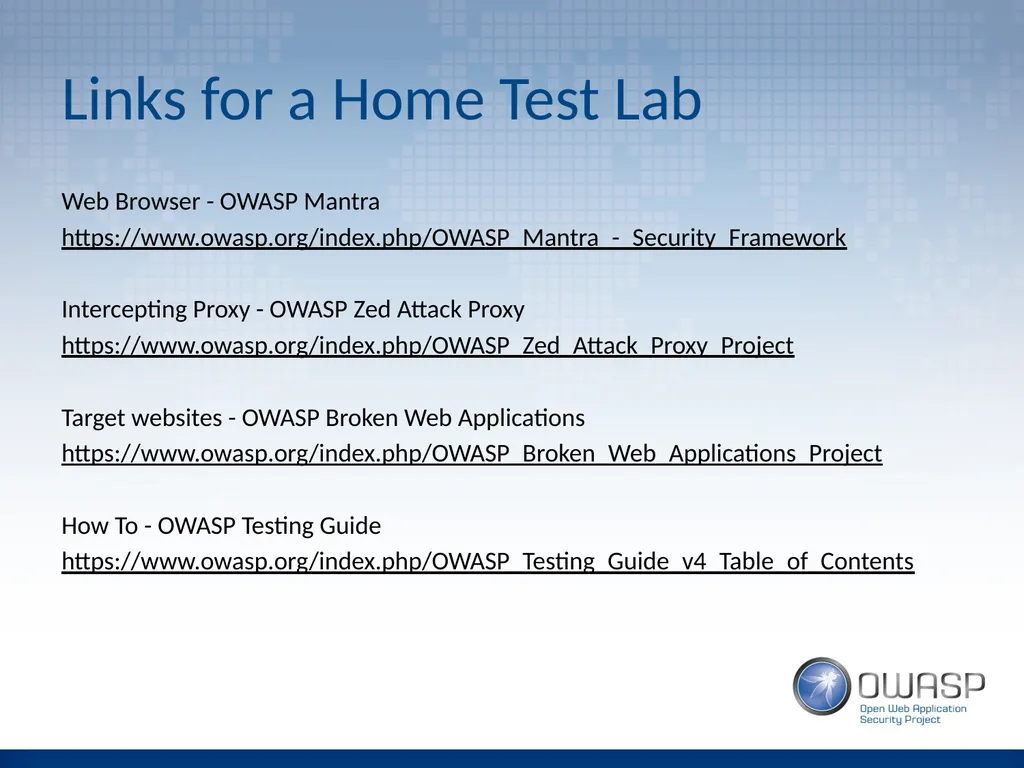
slide25. Links for a Home Test Lab Web Browser - OWASP Mantra
https://www.owasp.org/index.php/OWASP_Mantra_-_Security_Framework
Intercepting Proxy - OWASP Zed Attack Proxy
https://www.owasp.org/index.php/OWASP_Zed_Attack_Proxy_Project
Target websites - OWASP Broken Web Applications
https://www.owasp.org/index.php/OWASP_Broken_Web_Applications_Project
How To - OWASP Testing Guide
https://www.owasp.org/index.php/OWASP_Testing_Guide_v4_Table_of_Contents<br>
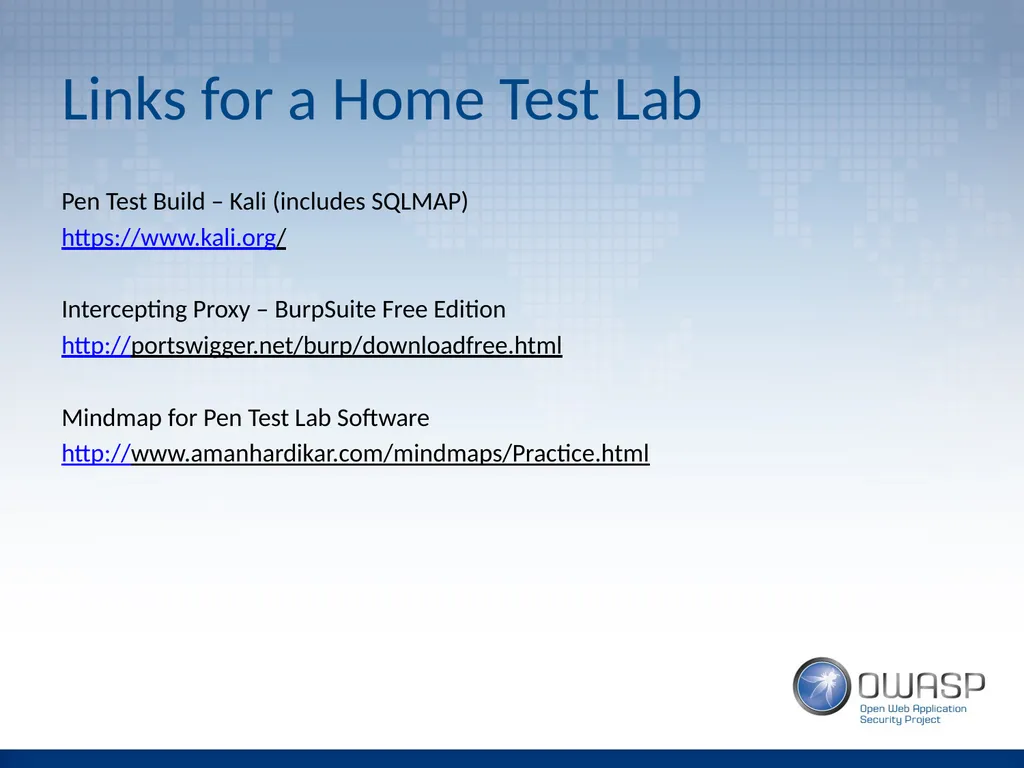
slide26. Links for a Home Test Lab Pen Test Build – Kali (includes SQLMAP)
https://www.kali.org/
Intercepting Proxy – BurpSuite Free Edition
http://portswigger.net/burp/downloadfree.html
Mindmap for Pen Test Lab Software
http://www.amanhardikar.com/mindmaps/Practice.html<br>
slide2. Introduction Aim of this presentation to introduce basic application penetration testing techniques.
It is not as difficult to get into as you might think – hopefully we will bust some myths.
We will mainly use OWASP projects, which will enable you to setup a safe home training lab.<br>
slide3. Expectations Limited time to cover what is a large topic, so this does not break any new ground.
But we can go through interesting examples.
And no penetration testing experience is required.<br>
slide4. About Me Former DV security cleared CREST Certified Tester and CHECK Team Leader of 10 years.
Currently Security Principal at Sage (UK) working on secure software development.<br>
slide5. Agenda How to setup up your OWASP tools
Web App Attack Examples
Authentication
Session management
Access controls
Client controls
Back-end interpreters
Attacking the user<br>
slide6. Legality Computer Misuse Act 1990
Issue of ‘consent’
DON’T target anything for which you do not have explicit written consent
DO try this at home BUT on your own network / virtual machine (e.g. using OWASP projects)<br>
slide7. Setting Up Your Tools We will use OWASP projects (of course).
We need
a browser -> “Mantra”
an intercepting proxy -> “ZAP”,
and some target websites -> “Broken Web Apps”.
URLs will be supplied at the end<br>
slide8. Setting Up Your Tools An intercepting proxy works like below:
Using Mantra and ZAP, we intercept and manipulate traffic in both browser requests and web server responses to forge attacks.<br>
slide9. Configure ZAP<br>
slide10. Configure Mantra<br>
slide11. Configure Broken Web Applications<br>
slide12. Broken Web Applications<br>
slide13. Authentication The authentication of an application is a critical line of defence.
If authentication fails, the application fails
Primary target for attackers<br>
slide14. Example Attacks Default / weak passwords
User enumeration
Password hints
Brute force password guessing
Default pages
Robots.txt
Guessable admin pages (security through obscurity)<br>
slide15. Session Management Session management is fundamental to security as it uniquely identifies users.
Enables assurance of user identity beyond login.
Session management is a prime target for attacks.<br>
slide16. Example Attacks Cookie meaning
Decoding cookie values
Cookie pseudo-randomness
The ‘secure’ flag
Session timeouts
Duplicate logins
Session fixation<br>
slide17. Access Controls Access controls check authorisation to do something.
Defective access controls
allow a user to perform an action that should not be allowed.
account for a significant proportion of web application issues.<br>
slide18. Example Attacks Vertical privilege escalation
Horizontal privilege escalation
Forced browsing<br>
slide19. Client Controls Applications pass important data to the client, read it back and then process it on the server.
valuable source of attacks due to the various techniques that can be used to achieve it.
all data sent from the client can be modified; it is outside our control.<br>
slide20. Example Attacks User Agent manipulation
JavaScript controls bypass
Hidden form fields<br>
slide21. Back-end Interpreters Web apps can interact with back-end interpreters such as databases or XML parsers.
user input is captured as variables which result in for example an SQL database query.
malicious injected syntax can be used to taint code that “breaks out” of the intended purpose to implement arbitrary commands.<br>
slide22. Example Attacks SQL injection detection
SQL injection login bypass
SQLMAP<br>
slide23. Attacking the Client Recent shift in emphasis from server-side flaws to client-side flaws.
server-side flaws are now better understood and less prevalent.
attackers now look to exploit users by means of client-based flaws.<br>
slide24. Example Attacks Reflected XSS
Stored XSS
CSRF<br>
slide25. Links for a Home Test Lab Web Browser - OWASP Mantra
https://www.owasp.org/index.php/OWASP_Mantra_-_Security_Framework
Intercepting Proxy - OWASP Zed Attack Proxy
https://www.owasp.org/index.php/OWASP_Zed_Attack_Proxy_Project
Target websites - OWASP Broken Web Applications
https://www.owasp.org/index.php/OWASP_Broken_Web_Applications_Project
How To - OWASP Testing Guide
https://www.owasp.org/index.php/OWASP_Testing_Guide_v4_Table_of_Contents<br>
slide26. Links for a Home Test Lab Pen Test Build – Kali (includes SQLMAP)
https://www.kali.org/
Intercepting Proxy – BurpSuite Free Edition
http://portswigger.net/burp/downloadfree.html
Mindmap for Pen Test Lab Software
http://www.amanhardikar.com/mindmaps/Practice.html<br>