
Introduction to Cloud Computing Lecture 4-2 Hadoop
MS
Published · 61 slides · 0 views
1 / 1


Description
Introduction to Cloud Computing Lecture 4-2 Hadoop Overview Why Hadoop? Big Data!! Storage Analysis Data management Advantages of Hadoop Vast amounts of data Economic Efficient Scalable Reliable Applications not for Hadoop Low-latency data
Related Topics
Download this presentation From Below
"Introduction to Cloud Computing Lecture 4-2 Hadoop" is the property of its rightful owner. Permission is granted to download and print the materials on this website for personal, non-commercial use only, and to display it on your personal computer provided you do not modify the materials and that you retain all copyright notices contained in the materials. By downloading content from our website, you accept the terms of this agreement.
Share
Embed code
Presentation Transcript
01
Introduction to
Cloud Computing
Lecture 4-2 Hadoop Overview<br>
02
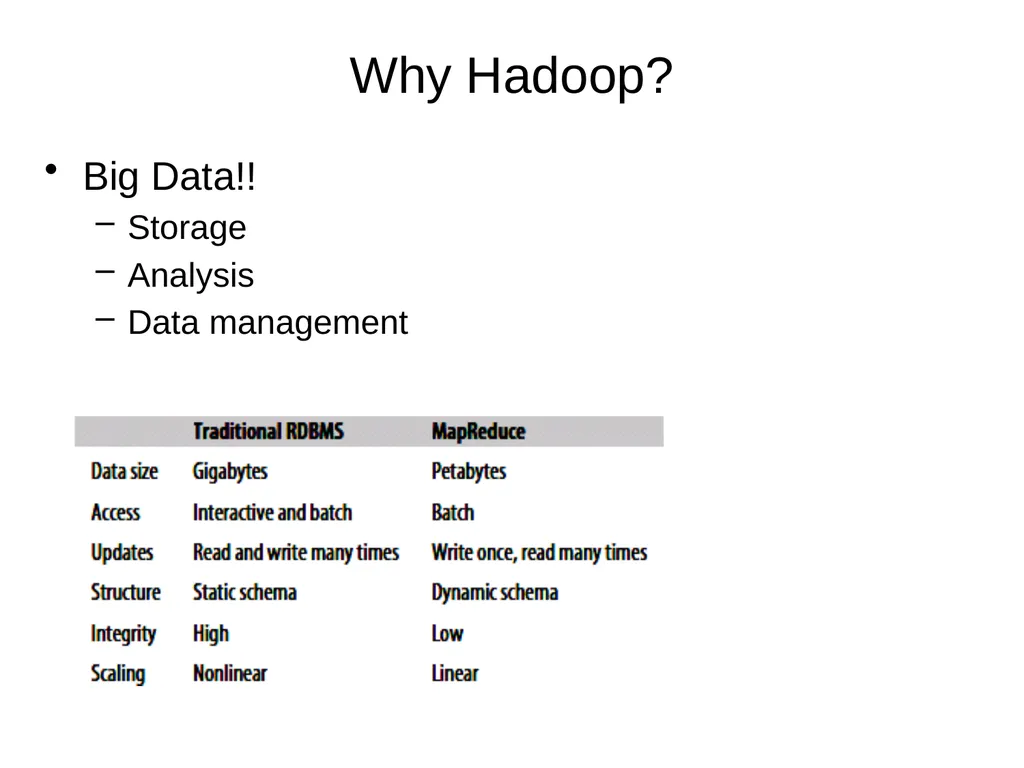
Why Hadoop? Big Data!!
Storage
Analysis
Data management<br>
Storage
Analysis
Data management<br>
03
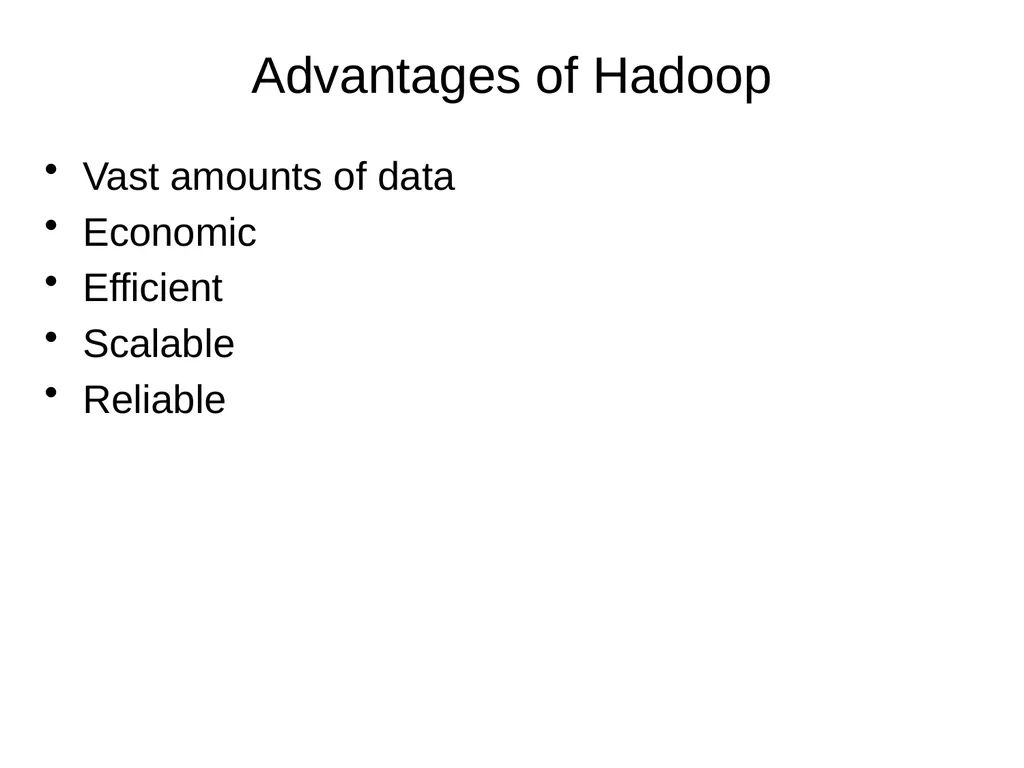
Advantages of Hadoop Vast amounts of data
Economic
Efficient
Scalable
Reliable<br>
Economic
Efficient
Scalable
Reliable<br>
04
Applications not for Hadoop Low-latency data access
HBase is currently a better choice
Lots of small files
All filesystem metadata is in memory
The number of files is constrained by the memory size of the name node
Multiple writers, arbitrary file modifications<br>
HBase is currently a better choice
Lots of small files
All filesystem metadata is in memory
The number of files is constrained by the memory size of the name node
Multiple writers, arbitrary file modifications<br>
05
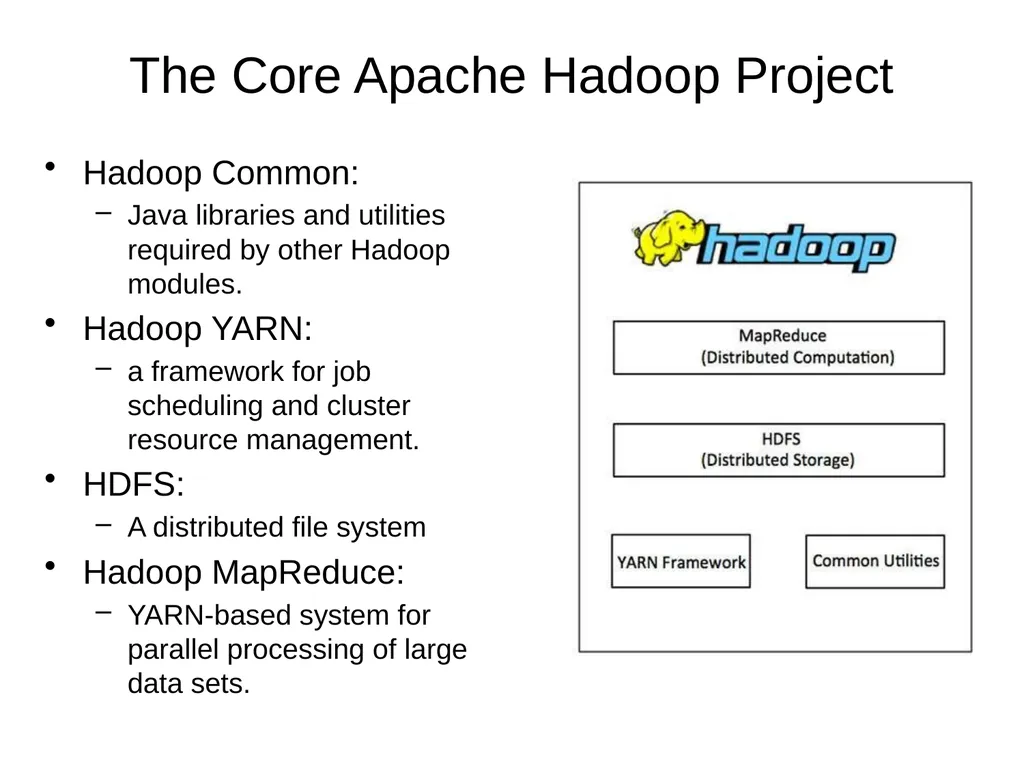
The Core Apache Hadoop Project Hadoop Common:
Java libraries and utilities required by other Hadoop modules.
Hadoop YARN:
a framework for job scheduling and cluster resource management.
HDFS:
A distributed file system
Hadoop MapReduce:
YARN-based system for parallel processing of large data sets.<br>
Java libraries and utilities required by other Hadoop modules.
Hadoop YARN:
a framework for job scheduling and cluster resource management.
HDFS:
A distributed file system
Hadoop MapReduce:
YARN-based system for parallel processing of large data sets.<br>
06
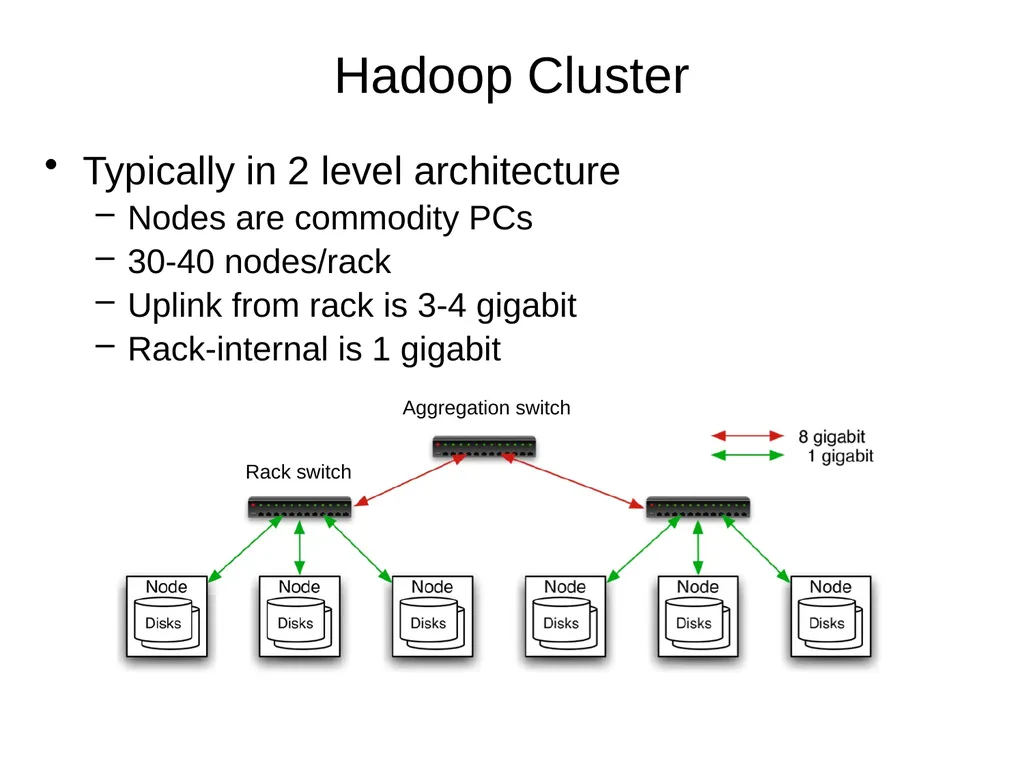
Hadoop Cluster Typically in 2 level architecture
Nodes are commodity PCs
30-40 nodes/rack
Uplink from rack is 3-4 gigabit
Rack-internal is 1 gigabit<br>
Nodes are commodity PCs
30-40 nodes/rack
Uplink from rack is 3-4 gigabit
Rack-internal is 1 gigabit<br>
07
Hadoop Related Subprojects Pig
High-level language for data analysis
HBase
Table storage for semi-structured data
Zookeeper
Coordinating distributed applications
Hive
SQL-like Query language and Metastore
Mahout
Machine learning<br>
High-level language for data analysis
HBase
Table storage for semi-structured data
Zookeeper
Coordinating distributed applications
Hive
SQL-like Query language and Metastore
Mahout
Machine learning<br>
08
Introduction to Hadoop Yarn<br>
09
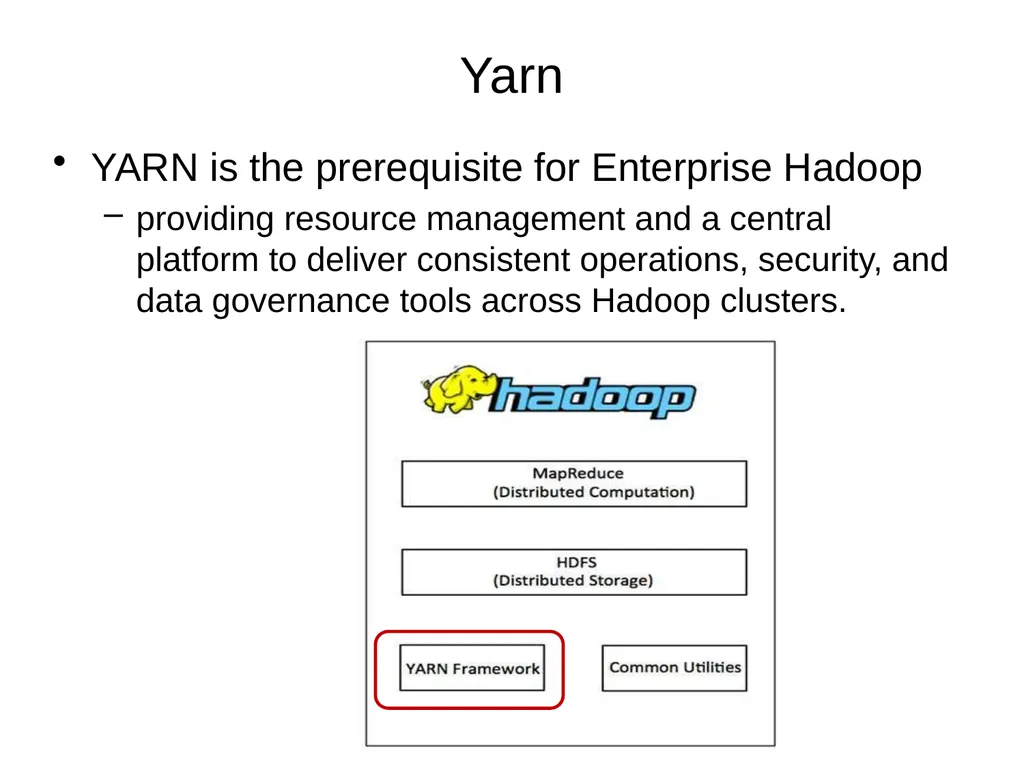
Yarn YARN is the prerequisite for Enterprise Hadoop
providing resource management and a central platform to deliver consistent operations, security, and data governance tools across Hadoop clusters.<br>
providing resource management and a central platform to deliver consistent operations, security, and data governance tools across Hadoop clusters.<br>
10
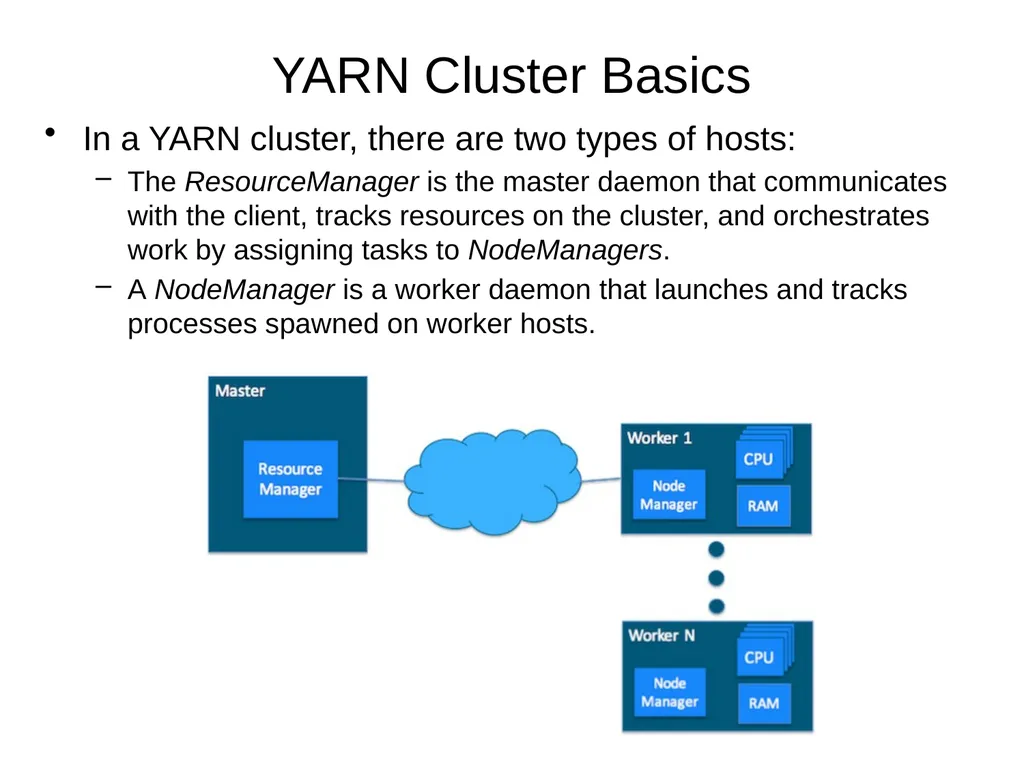
YARN Cluster Basics In a YARN cluster, there are two types of hosts:
The ResourceManager is the master daemon that communicates with the client, tracks resources on the cluster, and orchestrates work by assigning tasks to NodeManagers.
A NodeManager is a worker daemon that launches and tracks processes spawned on worker hosts.<br>
The ResourceManager is the master daemon that communicates with the client, tracks resources on the cluster, and orchestrates work by assigning tasks to NodeManagers.
A NodeManager is a worker daemon that launches and tracks processes spawned on worker hosts.<br>
11
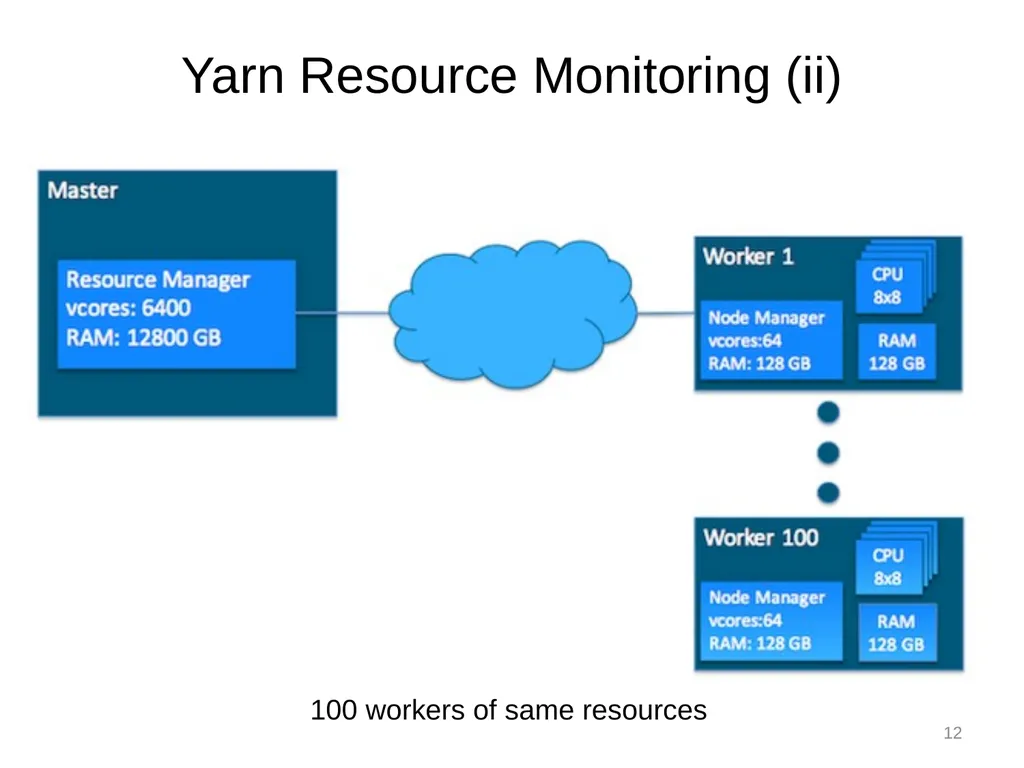
YARN currently defines two resources:
v-cores
memory.
Each NodeManager tracks
its own local resources and
communicates its resource configuration to the ResourceManager
The ResourceManager keeps
a running total of the cluster’s available resources. Yarn Resource Monitoring (i) 11<br>
v-cores
memory.
Each NodeManager tracks
its own local resources and
communicates its resource configuration to the ResourceManager
The ResourceManager keeps
a running total of the cluster’s available resources. Yarn Resource Monitoring (i) 11<br>
12
Yarn Resource Monitoring (ii) 12 100 workers of same resources<br>
13
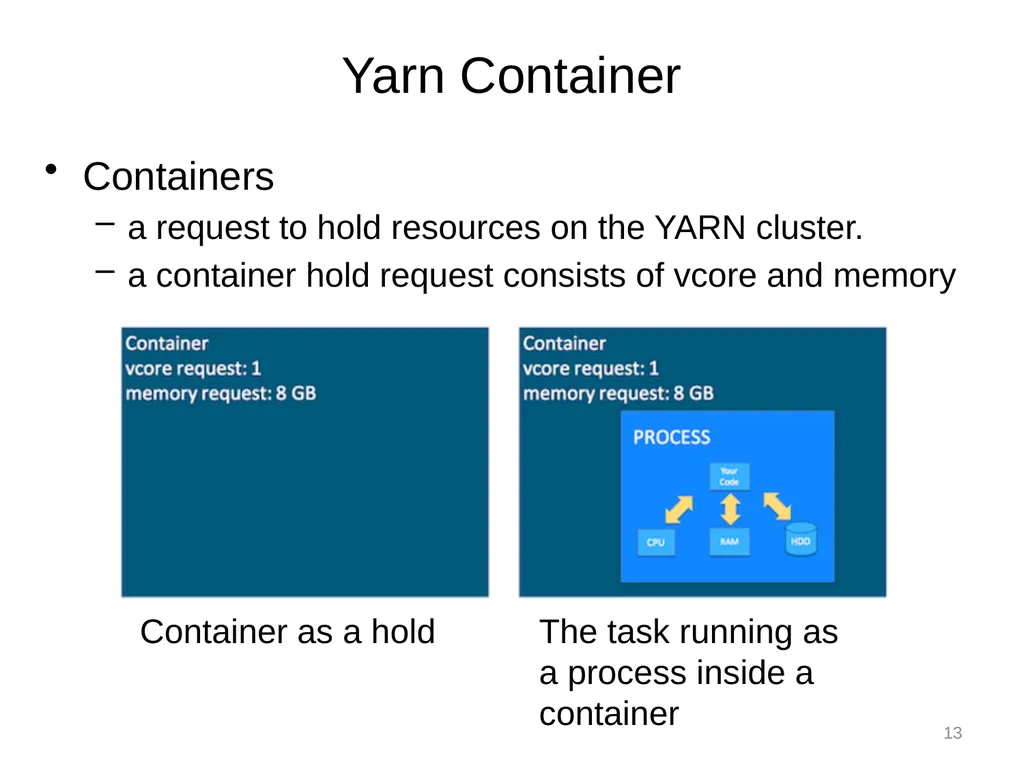
Containers
a request to hold resources on the YARN cluster.
a container hold request consists of vcore and memory Yarn Container 13 Container as a hold The task running as a process inside a container<br>
a request to hold resources on the YARN cluster.
a container hold request consists of vcore and memory Yarn Container 13 Container as a hold The task running as a process inside a container<br>
14
Yarn application
It is a YARN client program that is made up of one or more tasks
Example: MapReduce Application
ApplicationMaster
It helps coordinate tasks on the YARN cluster for each running application
It is the first process run after the application starts. Yarn Application and ApplicationMaster 14<br>
It is a YARN client program that is made up of one or more tasks
Example: MapReduce Application
ApplicationMaster
It helps coordinate tasks on the YARN cluster for each running application
It is the first process run after the application starts. Yarn Application and ApplicationMaster 14<br>
15
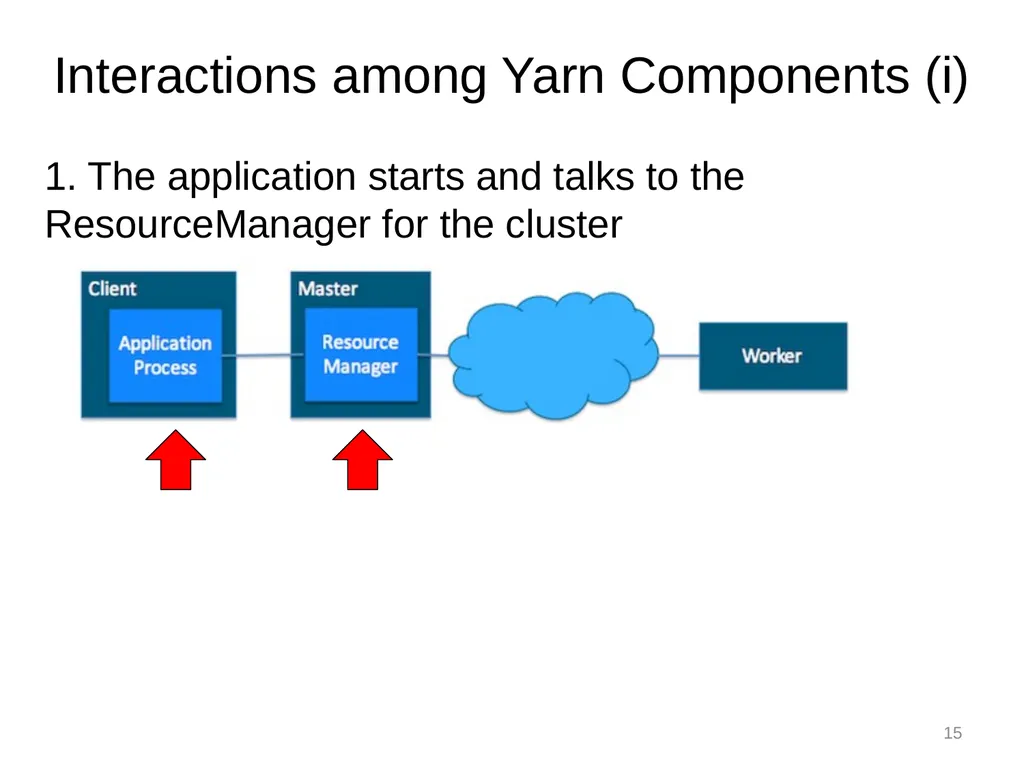
1. The application starts and talks to the ResourceManager for the cluster Interactions among Yarn Components (i) 15<br>
16
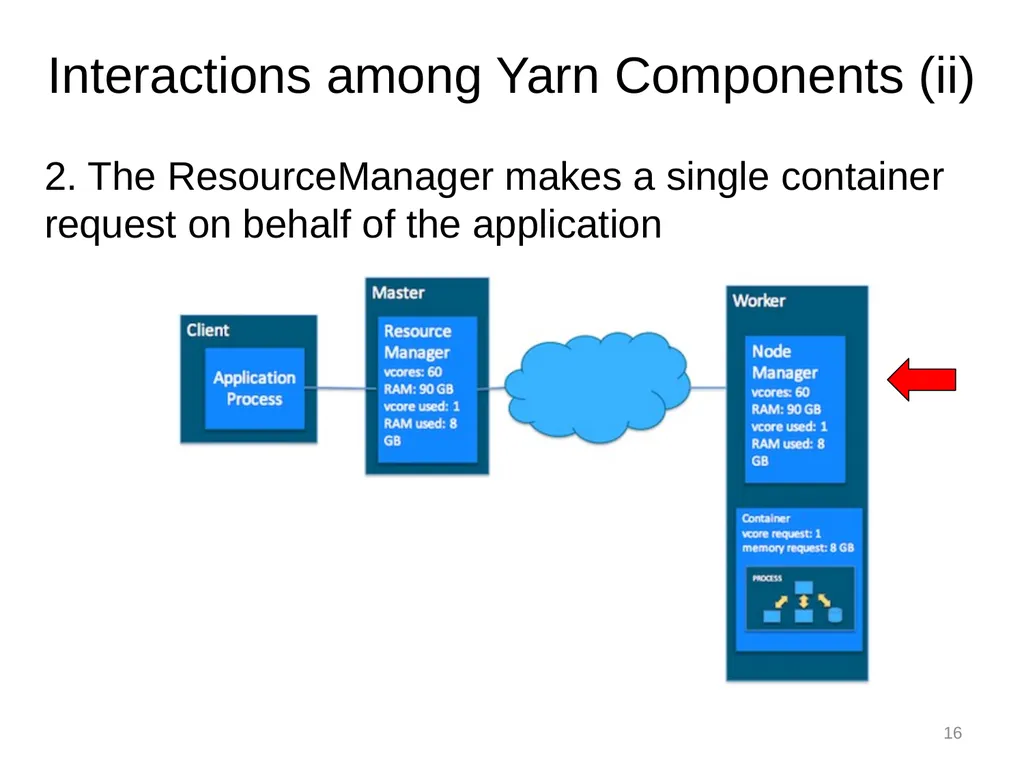
2. The ResourceManager makes a single container request on behalf of the application Interactions among Yarn Components (ii) 16<br>
17
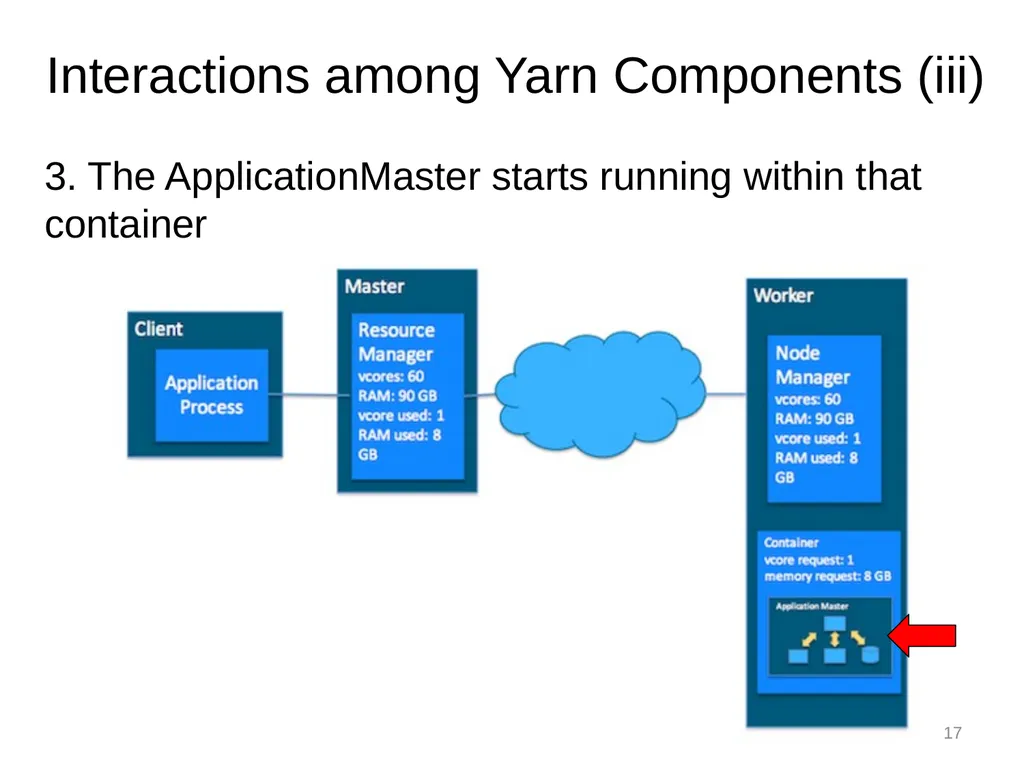
3. The ApplicationMaster starts running within that container Interactions among Yarn Components (iii) 17<br>
18
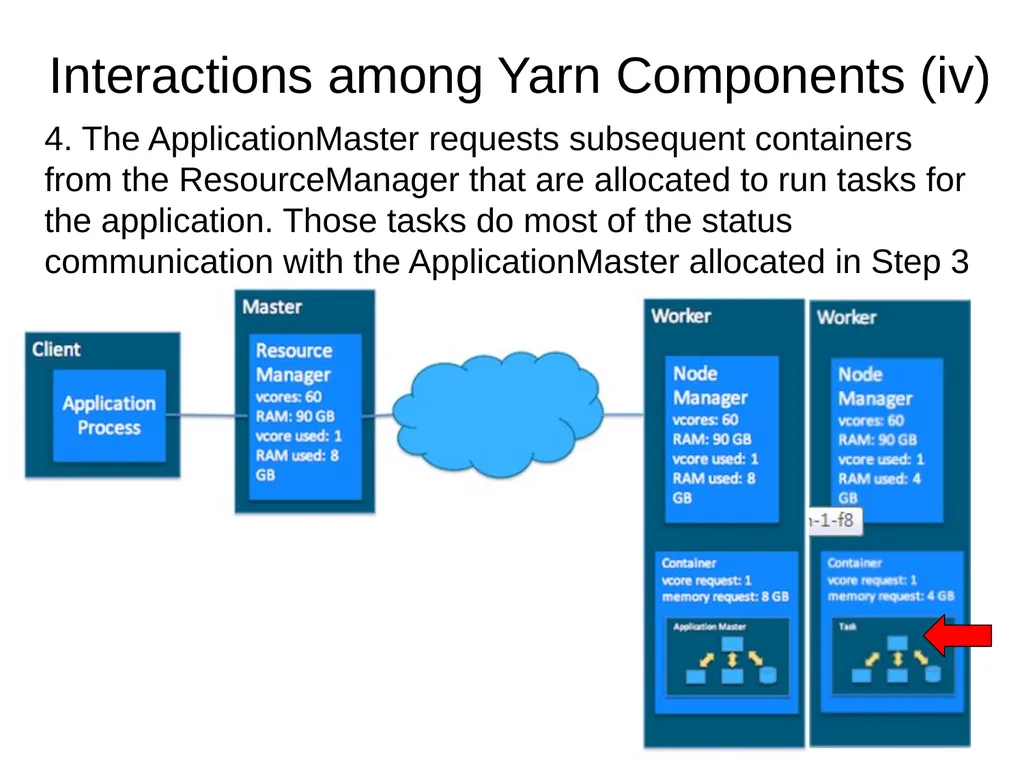
4. The ApplicationMaster requests subsequent containers from the ResourceManager that are allocated to run tasks for the application. Those tasks do most of the status communication with the ApplicationMaster allocated in Step 3 Interactions among Yarn Components (iv) 18<br>
19
5. Once all tasks are finished, the ApplicationMaster exits. The last container is de-allocated from the cluster.
6. The application client exits. (The ApplicationMaster launched in a container is more specifically called a managed AM. Unmanaged ApplicationMasters run outside of YARN’s control.) Interactions among Yarn Components (v) 19<br>
6. The application client exits. (The ApplicationMaster launched in a container is more specifically called a managed AM. Unmanaged ApplicationMasters run outside of YARN’s control.) Interactions among Yarn Components (v) 19<br>
20
Introduction to HDFS<br>
21
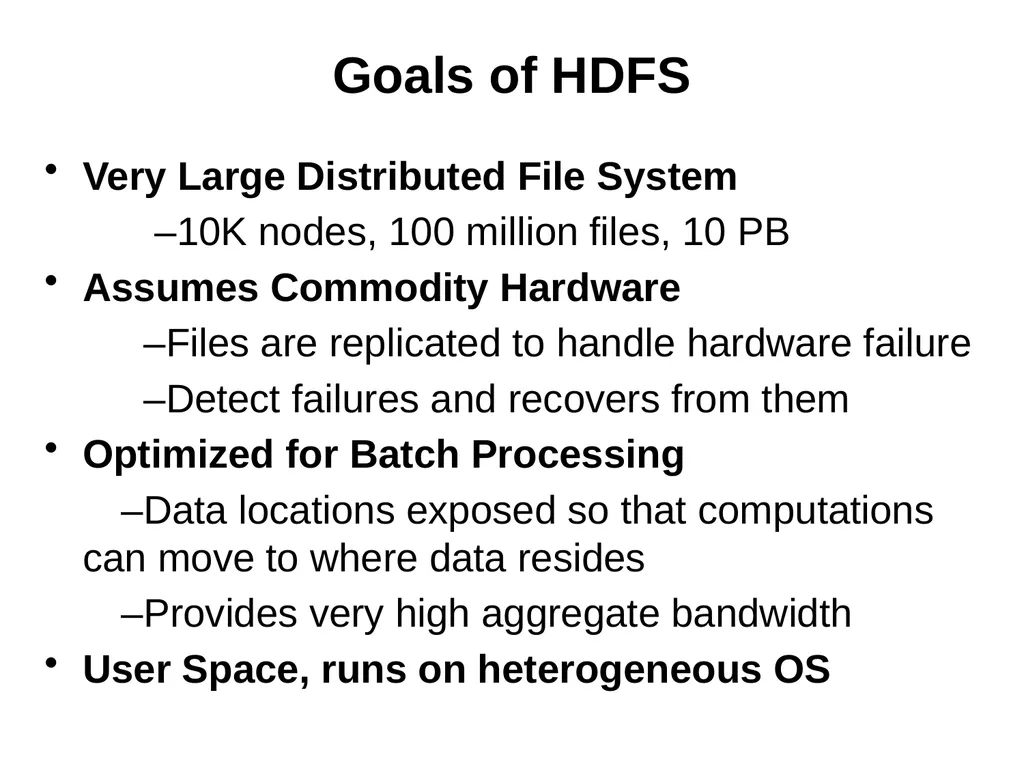
Goals of HDFS Very Large Distributed File System
–10K nodes, 100 million files, 10 PB
Assumes Commodity Hardware
–Files are replicated to handle hardware failure
–Detect failures and recovers from them
Optimized for Batch Processing
–Data locations exposed so that computations can move to where data resides
–Provides very high aggregate bandwidth
User Space, runs on heterogeneous OS<br>
–10K nodes, 100 million files, 10 PB
Assumes Commodity Hardware
–Files are replicated to handle hardware failure
–Detect failures and recovers from them
Optimized for Batch Processing
–Data locations exposed so that computations can move to where data resides
–Provides very high aggregate bandwidth
User Space, runs on heterogeneous OS<br>
22
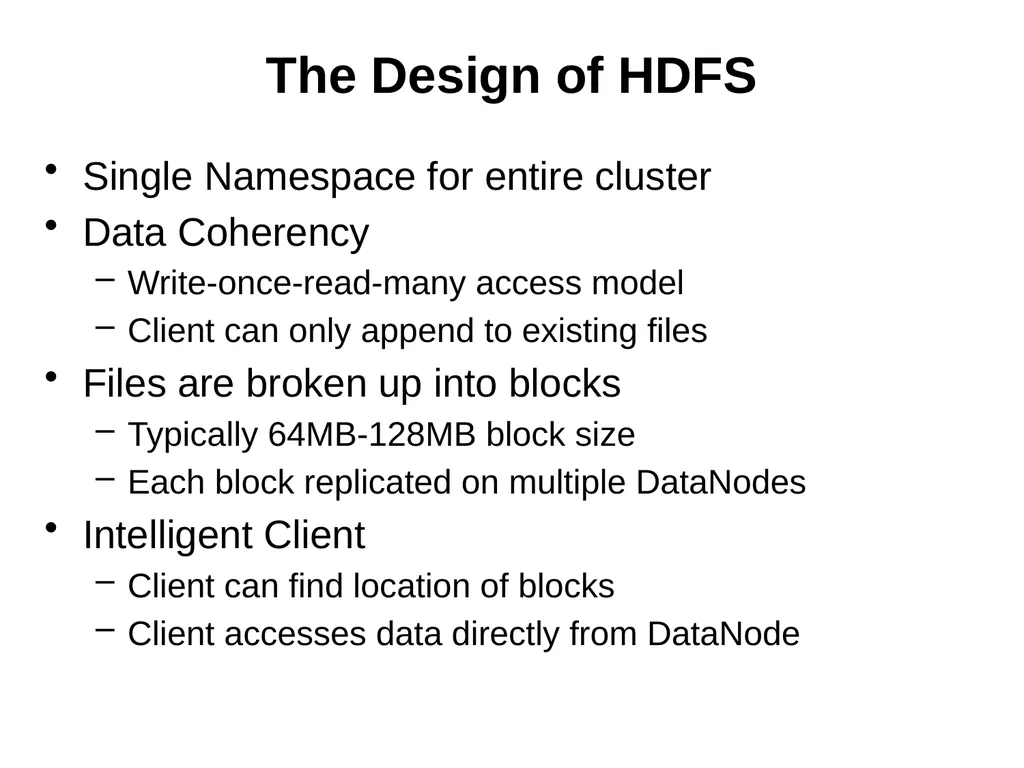
The Design of HDFS Single Namespace for entire cluster
Data Coherency
Write-once-read-many access model
Client can only append to existing files
Files are broken up into blocks
Typically 64MB-128MB block size
Each block replicated on multiple DataNodes
Intelligent Client
Client can find location of blocks
Client accesses data directly from DataNode<br>
Data Coherency
Write-once-read-many access model
Client can only append to existing files
Files are broken up into blocks
Typically 64MB-128MB block size
Each block replicated on multiple DataNodes
Intelligent Client
Client can find location of blocks
Client accesses data directly from DataNode<br>
23
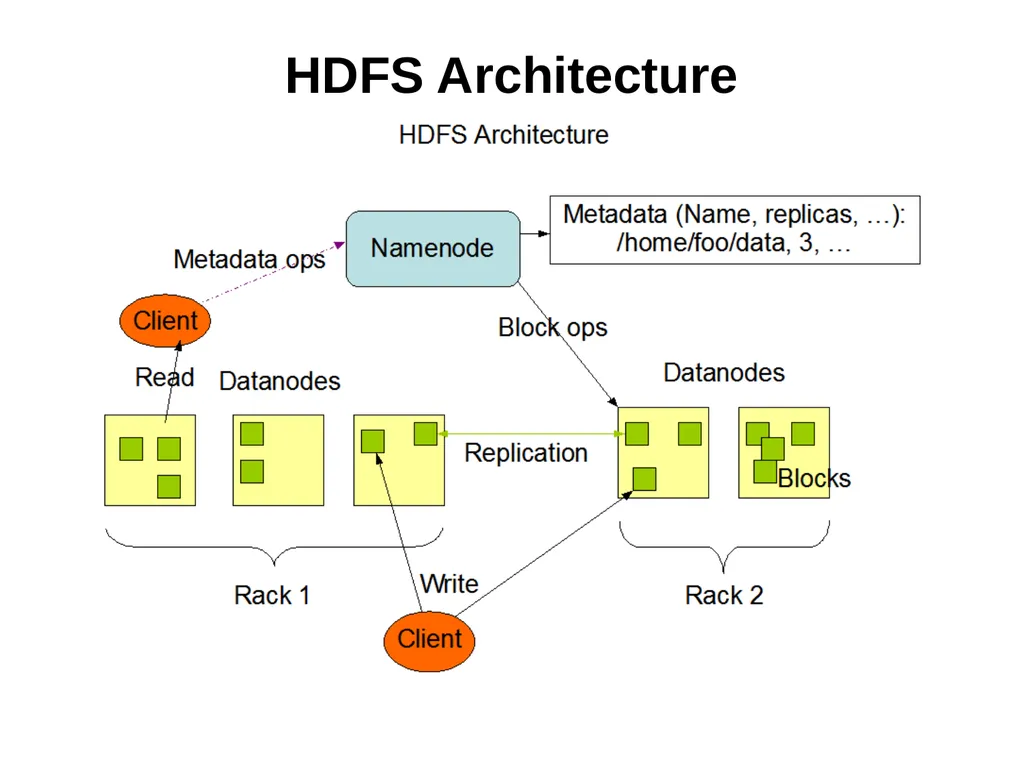
HDFS Architecture<br>
24
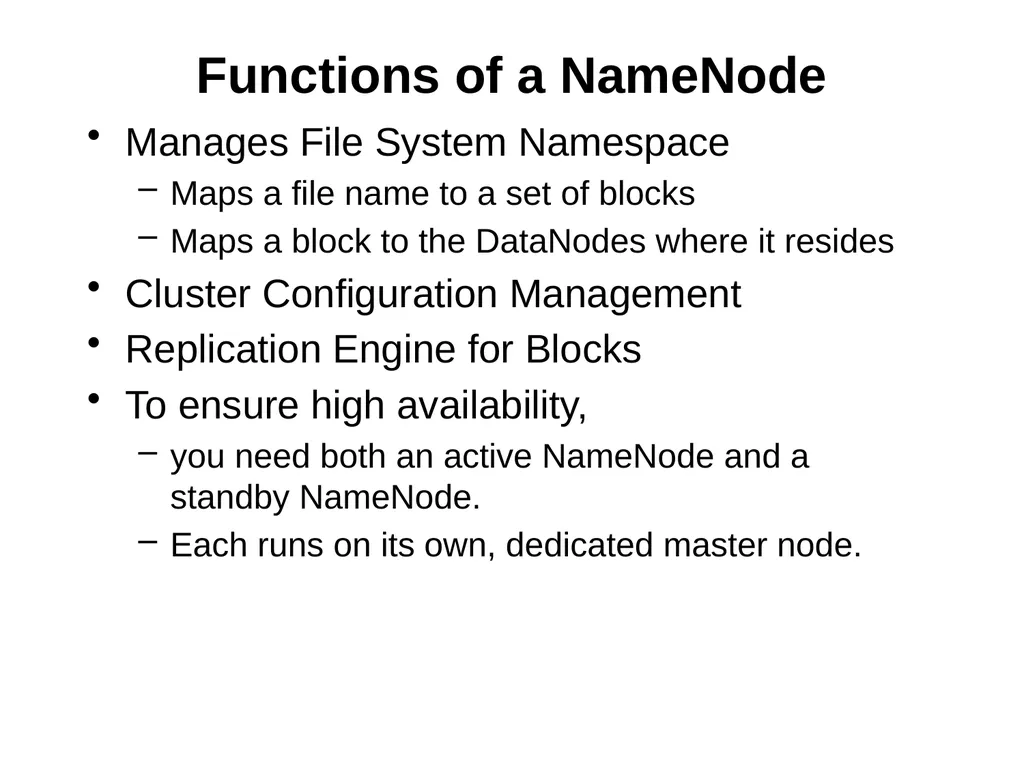
Functions of a NameNode Manages File System Namespace
Maps a file name to a set of blocks
Maps a block to the DataNodes where it resides
Cluster Configuration Management
Replication Engine for Blocks
To ensure high availability,
you need both an active NameNode and a standby NameNode.
Each runs on its own, dedicated master node.<br>
Maps a file name to a set of blocks
Maps a block to the DataNodes where it resides
Cluster Configuration Management
Replication Engine for Blocks
To ensure high availability,
you need both an active NameNode and a standby NameNode.
Each runs on its own, dedicated master node.<br>
25
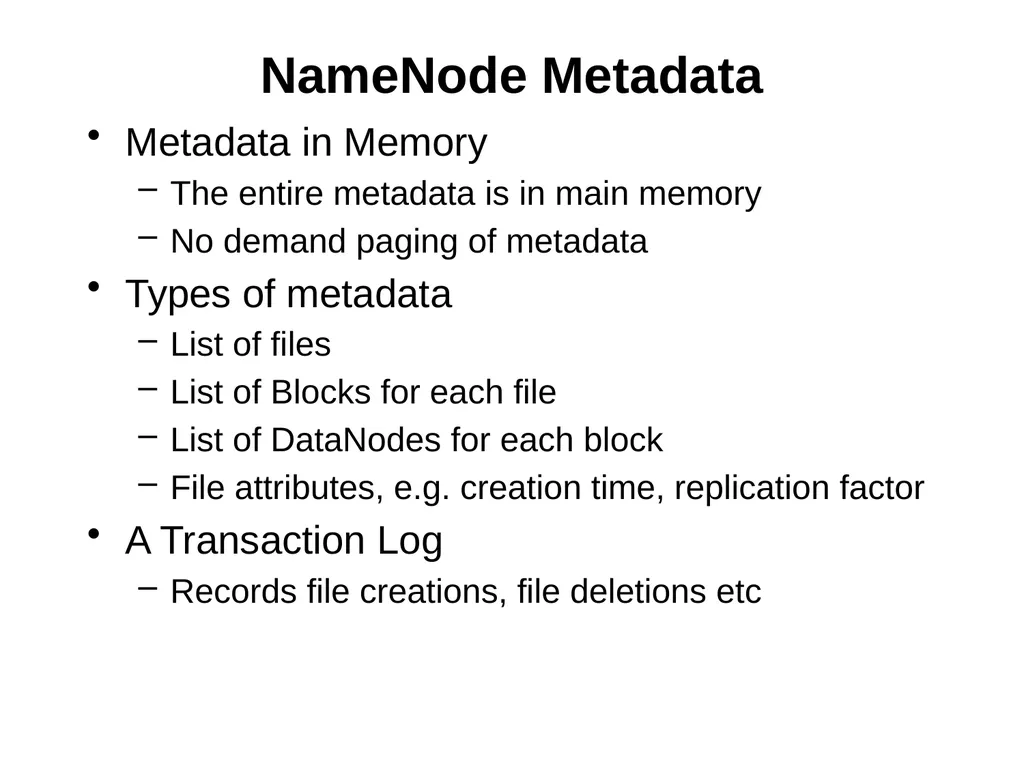
NameNode Metadata Metadata in Memory
The entire metadata is in main memory
No demand paging of metadata
Types of metadata
List of files
List of Blocks for each file
List of DataNodes for each block
File attributes, e.g. creation time, replication factor
A Transaction Log
Records file creations, file deletions etc<br>
The entire metadata is in main memory
No demand paging of metadata
Types of metadata
List of files
List of Blocks for each file
List of DataNodes for each block
File attributes, e.g. creation time, replication factor
A Transaction Log
Records file creations, file deletions etc<br>
26
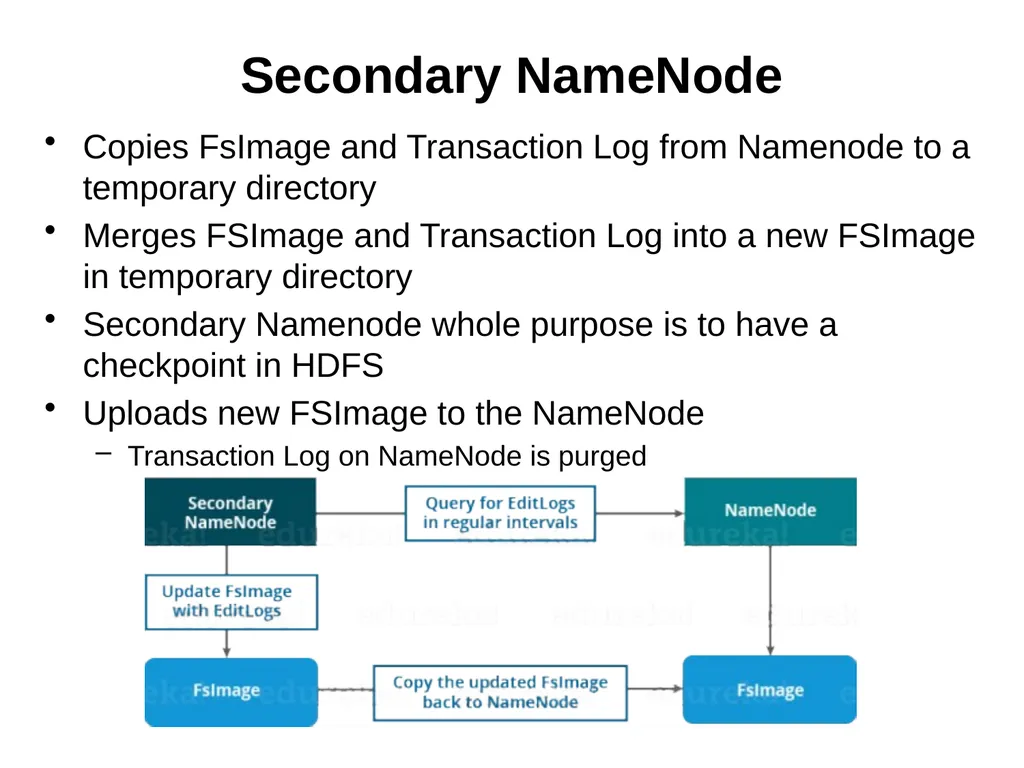
Secondary NameNode Copies FsImage and Transaction Log from Namenode to a temporary directory
Merges FSImage and Transaction Log into a new FSImage in temporary directory
Secondary Namenode whole purpose is to have a checkpoint in HDFS
Uploads new FSImage to the NameNode
Transaction Log on NameNode is purged<br>
Merges FSImage and Transaction Log into a new FSImage in temporary directory
Secondary Namenode whole purpose is to have a checkpoint in HDFS
Uploads new FSImage to the NameNode
Transaction Log on NameNode is purged<br>
27
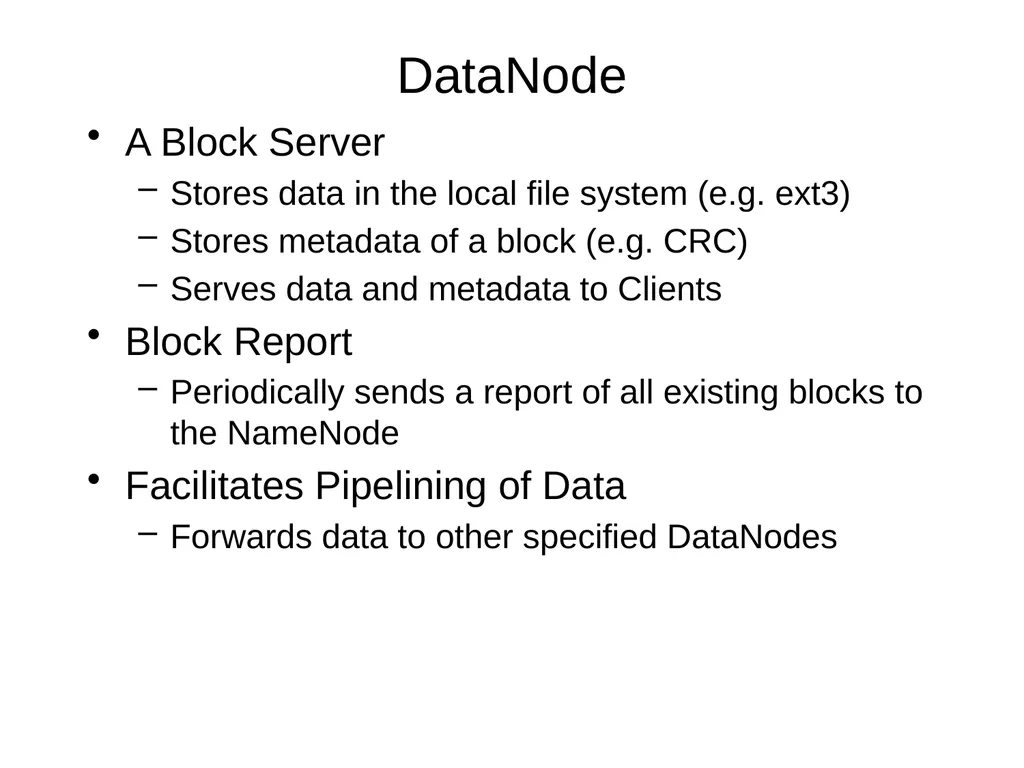
DataNode A Block Server
Stores data in the local file system (e.g. ext3)
Stores metadata of a block (e.g. CRC)
Serves data and metadata to Clients
Block Report
Periodically sends a report of all existing blocks to the NameNode
Facilitates Pipelining of Data
Forwards data to other specified DataNodes<br>
Stores data in the local file system (e.g. ext3)
Stores metadata of a block (e.g. CRC)
Serves data and metadata to Clients
Block Report
Periodically sends a report of all existing blocks to the NameNode
Facilitates Pipelining of Data
Forwards data to other specified DataNodes<br>
28
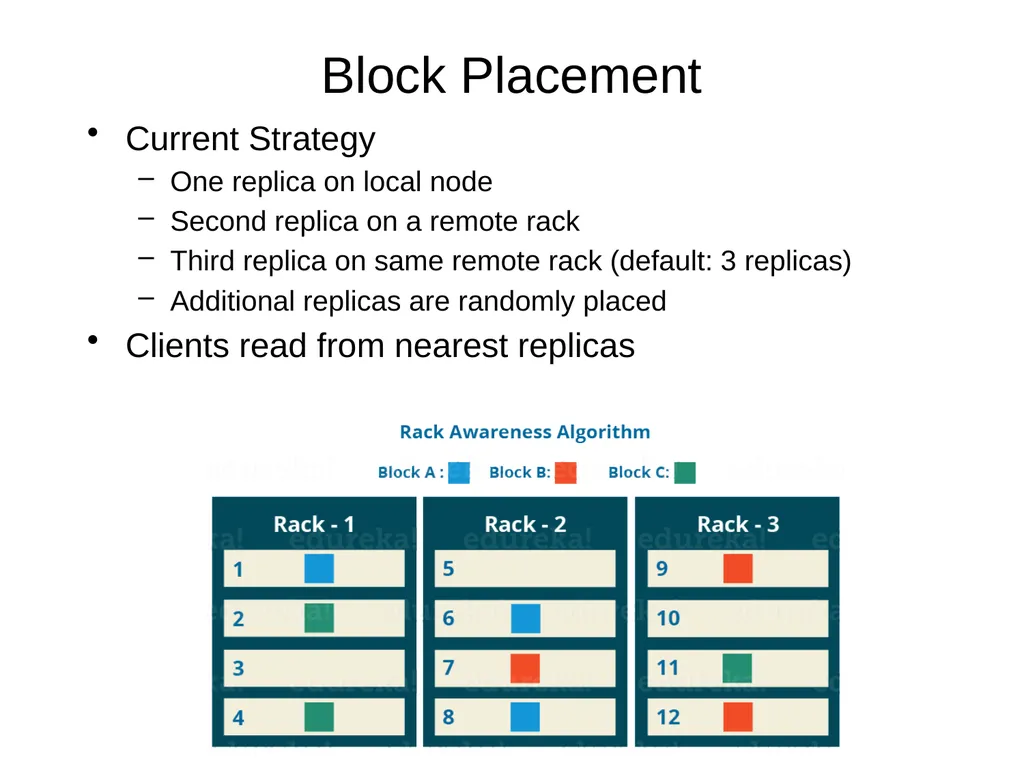
Block Placement Current Strategy
One replica on local node
Second replica on a remote rack
Third replica on same remote rack (default: 3 replicas)
Additional replicas are randomly placed
Clients read from nearest replicas<br>
One replica on local node
Second replica on a remote rack
Third replica on same remote rack (default: 3 replicas)
Additional replicas are randomly placed
Clients read from nearest replicas<br>
29
Heartbeats DataNodes send hearbeat to the NameNode periodically
Once every 3 seconds
NameNode uses heartbeats to detect DataNode failure<br>
Once every 3 seconds
NameNode uses heartbeats to detect DataNode failure<br>
30
NameNode as a Replication Engine NameNode detects DataNode failures
Chooses new DataNodes for new replicas
Balances disk usage
Balances communication traffic to DataNodes<br>
Chooses new DataNodes for new replicas
Balances disk usage
Balances communication traffic to DataNodes<br>
31
Data Correctness Use Checksums to validate data
Use CRC32
File Creation
Client computes checksum per 512 bytes
DataNode stores the checksum
File access
Client retrieves the data and checksum from DataNode
If Validation fails, Client tries other replicas<br>
Use CRC32
File Creation
Client computes checksum per 512 bytes
DataNode stores the checksum
File access
Client retrieves the data and checksum from DataNode
If Validation fails, Client tries other replicas<br>
32
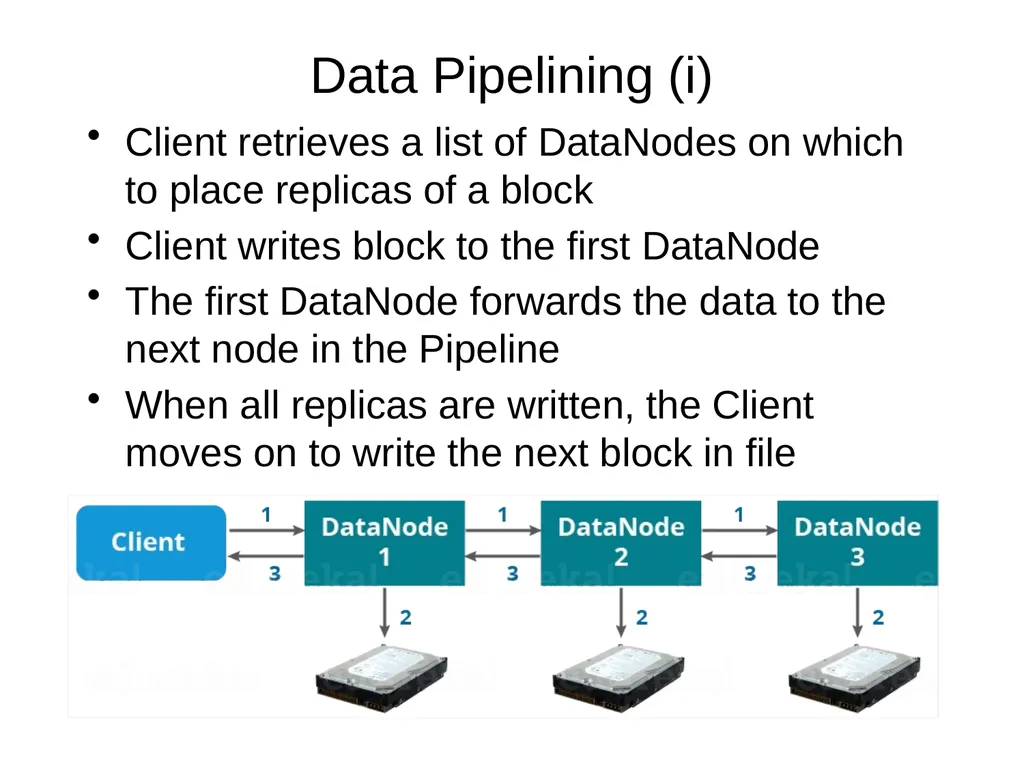
Data Pipelining (i) Client retrieves a list of DataNodes on which to place replicas of a block
Client writes block to the first DataNode
The first DataNode forwards the data to the next node in the Pipeline
When all replicas are written, the Client moves on to write the next block in file<br>
Client writes block to the first DataNode
The first DataNode forwards the data to the next node in the Pipeline
When all replicas are written, the Client moves on to write the next block in file<br>
33
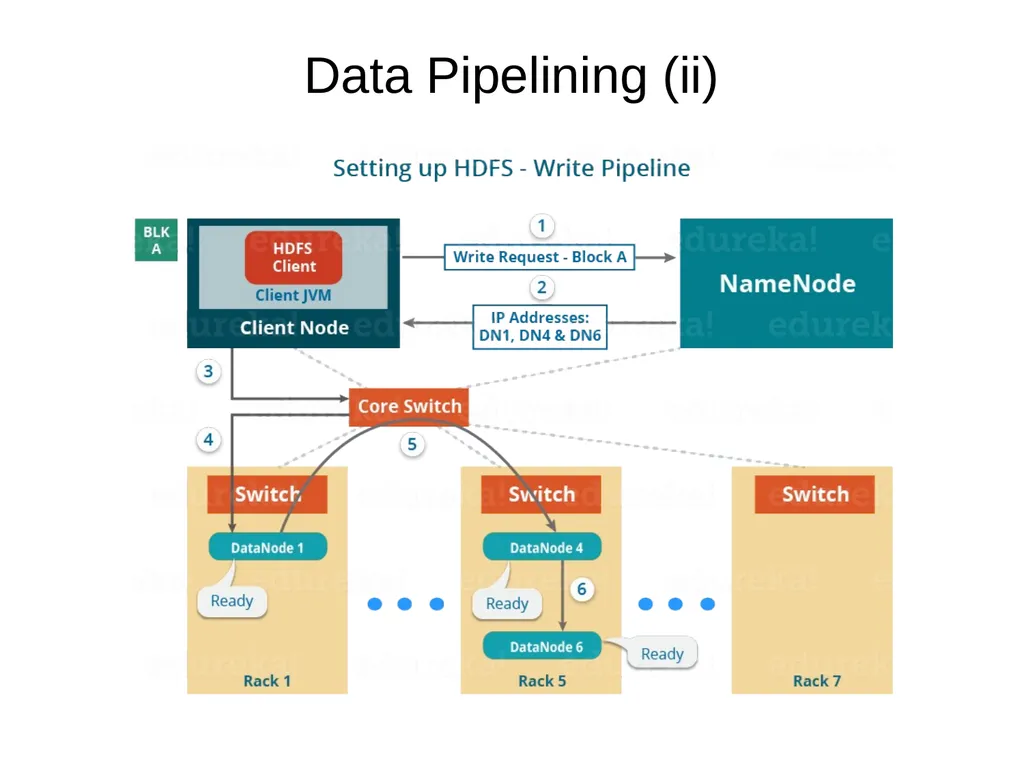
Data Pipelining (ii)<br>
34
Rebalancer Goal: % disk full on DataNodes should be similar
Usually run when new DataNodes are added
Cluster is online when Rebalancer is active
Rebalancer is throttled to avoid network congestion
Command line tool<br>
Usually run when new DataNodes are added
Cluster is online when Rebalancer is active
Rebalancer is throttled to avoid network congestion
Command line tool<br>
35
User Interface Commads for HDFS User:
hadoop dfs -mkdir /foodir
hadoop dfs -cat /foodir/myfile.txt
hadoop dfs -rm /foodir/myfile.txt
Commands for HDFS Administrator
hadoop dfsadmin -report
hadoop dfsadmin -decommision datanodename
Web Interface
http://host:port/dfshealth.jsp<br>
hadoop dfs -mkdir /foodir
hadoop dfs -cat /foodir/myfile.txt
hadoop dfs -rm /foodir/myfile.txt
Commands for HDFS Administrator
hadoop dfsadmin -report
hadoop dfsadmin -decommision datanodename
Web Interface
http://host:port/dfshealth.jsp<br>
36
INTRODUCTION TO MAPREDUCE<br>
37
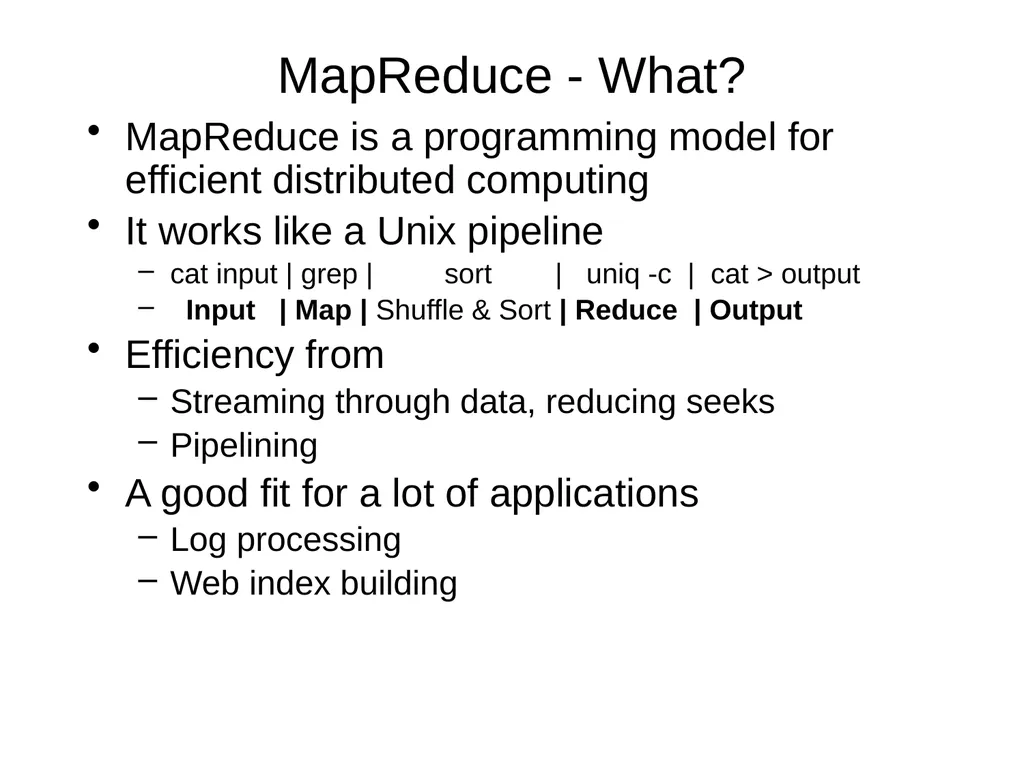
MapReduce - What? MapReduce is a programming model for efficient distributed computing
It works like a Unix pipeline
cat input | grep | sort | uniq -c | cat > output
Input | Map | Shuffle & Sort | Reduce | Output
Efficiency from
Streaming through data, reducing seeks
Pipelining
A good fit for a lot of applications
Log processing
Web index building<br>
It works like a Unix pipeline
cat input | grep | sort | uniq -c | cat > output
Input | Map | Shuffle & Sort | Reduce | Output
Efficiency from
Streaming through data, reducing seeks
Pipelining
A good fit for a lot of applications
Log processing
Web index building<br>
38
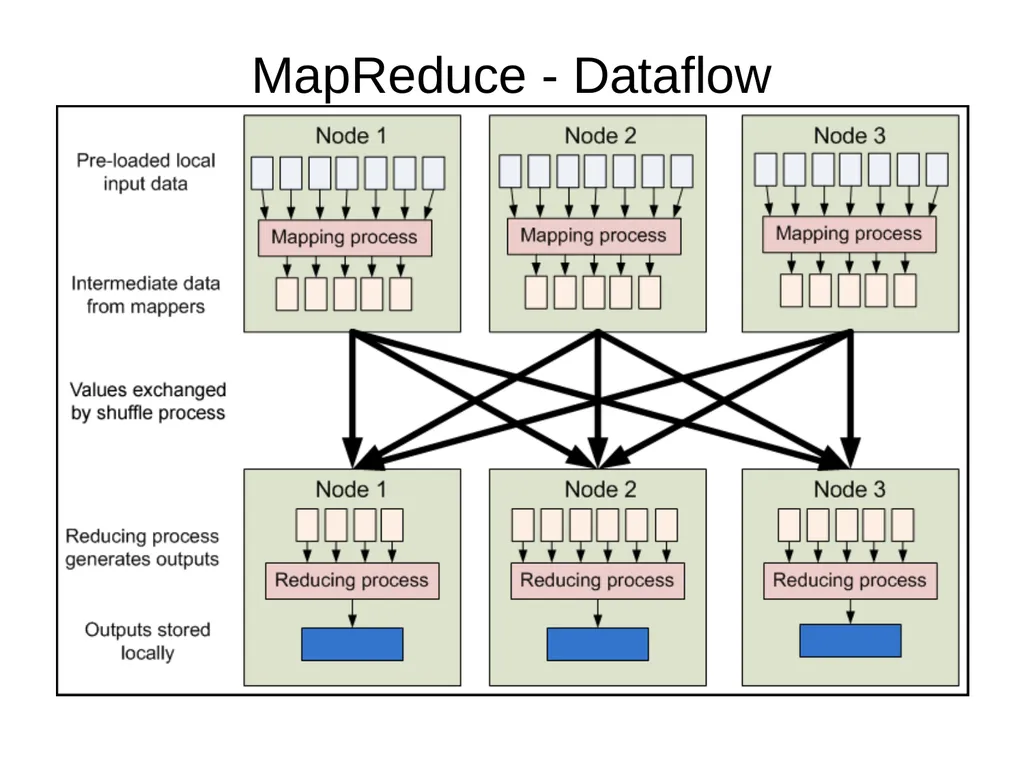
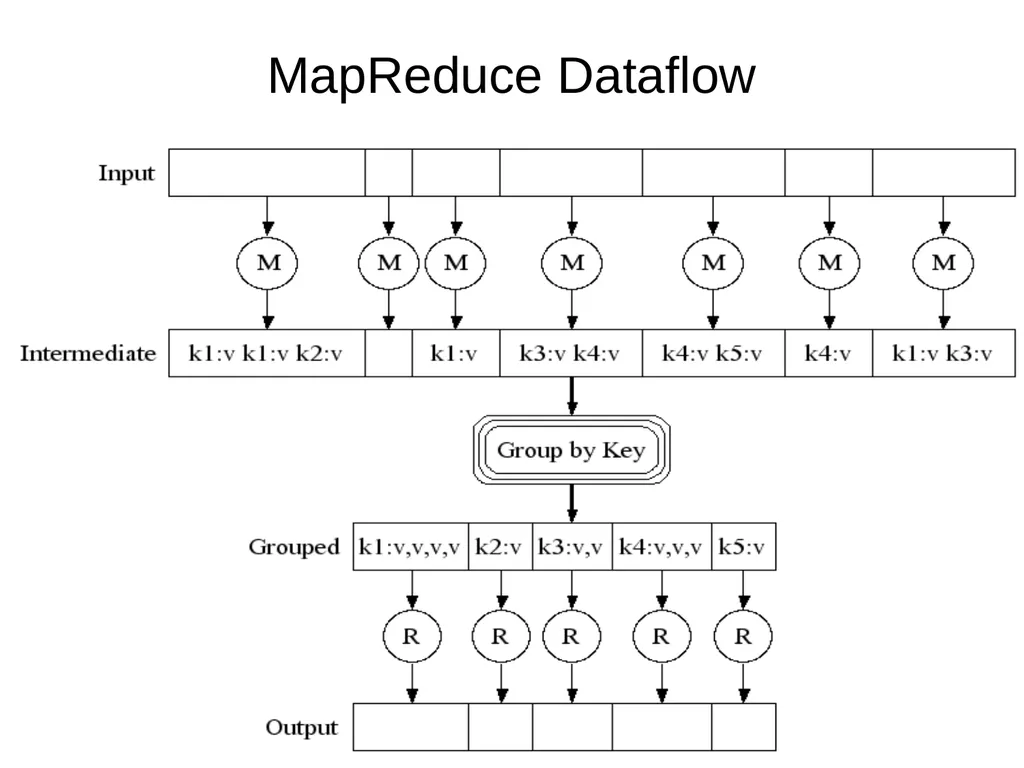
MapReduce - Dataflow<br>
39
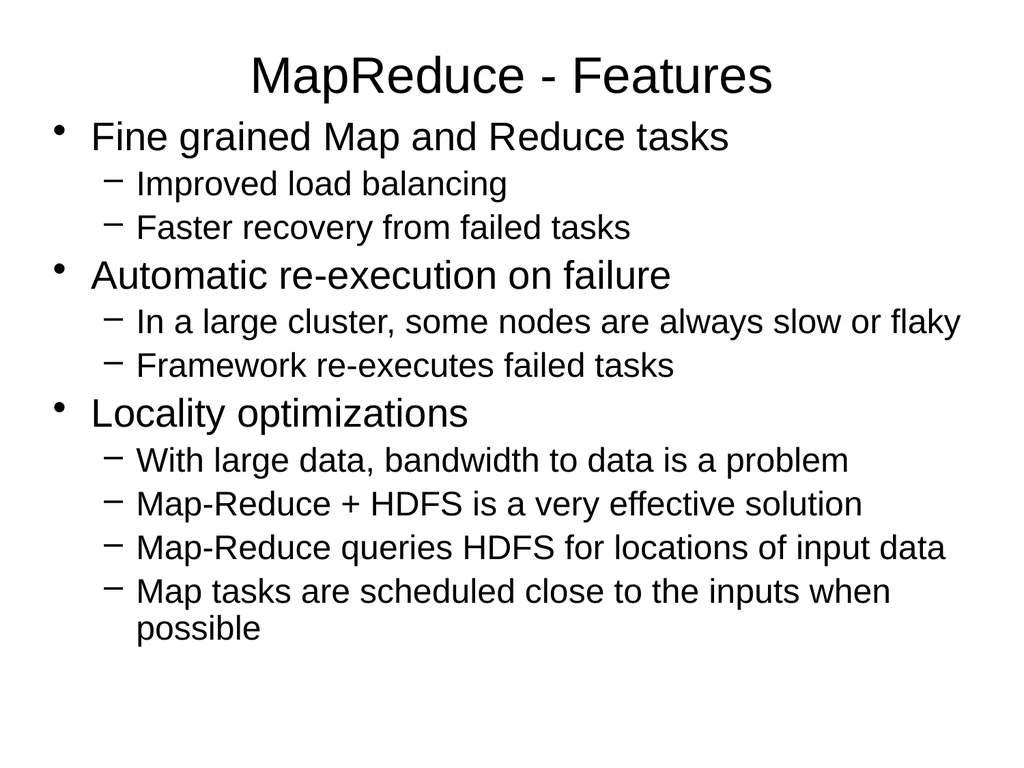
MapReduce - Features Fine grained Map and Reduce tasks
Improved load balancing
Faster recovery from failed tasks
Automatic re-execution on failure
In a large cluster, some nodes are always slow or flaky
Framework re-executes failed tasks
Locality optimizations
With large data, bandwidth to data is a problem
Map-Reduce + HDFS is a very effective solution
Map-Reduce queries HDFS for locations of input data
Map tasks are scheduled close to the inputs when possible<br>
Improved load balancing
Faster recovery from failed tasks
Automatic re-execution on failure
In a large cluster, some nodes are always slow or flaky
Framework re-executes failed tasks
Locality optimizations
With large data, bandwidth to data is a problem
Map-Reduce + HDFS is a very effective solution
Map-Reduce queries HDFS for locations of input data
Map tasks are scheduled close to the inputs when possible<br>
40
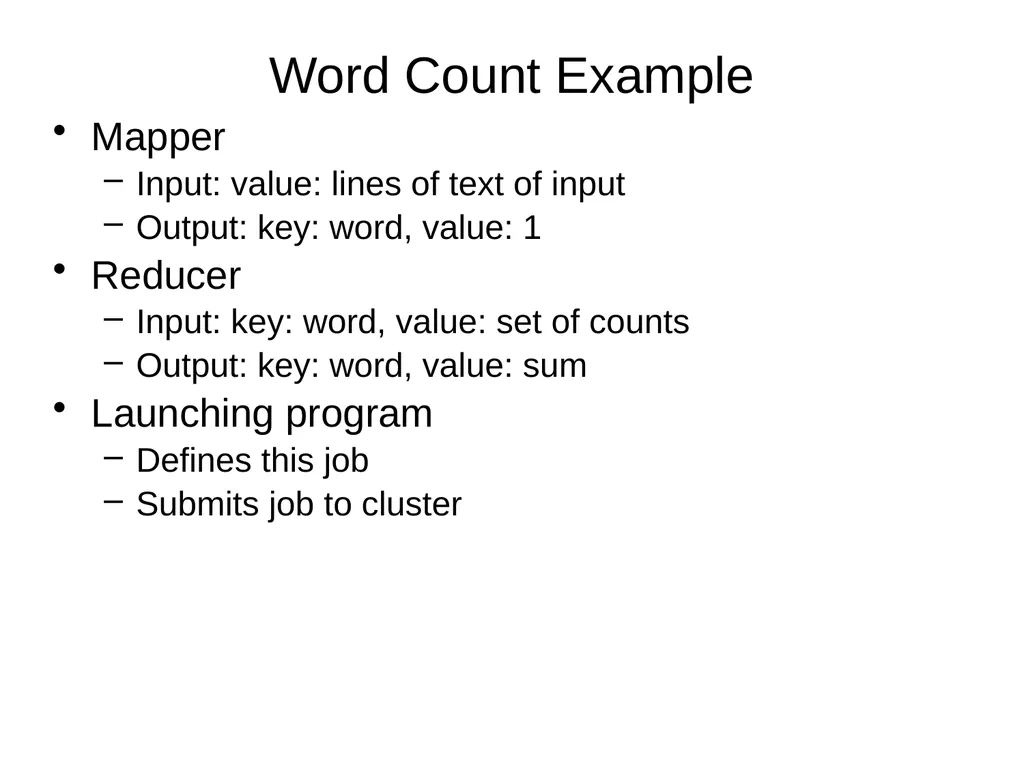
Word Count Example Mapper
Input: value: lines of text of input
Output: key: word, value: 1
Reducer
Input: key: word, value: set of counts
Output: key: word, value: sum
Launching program
Defines this job
Submits job to cluster<br>
Input: value: lines of text of input
Output: key: word, value: 1
Reducer
Input: key: word, value: set of counts
Output: key: word, value: sum
Launching program
Defines this job
Submits job to cluster<br>
41
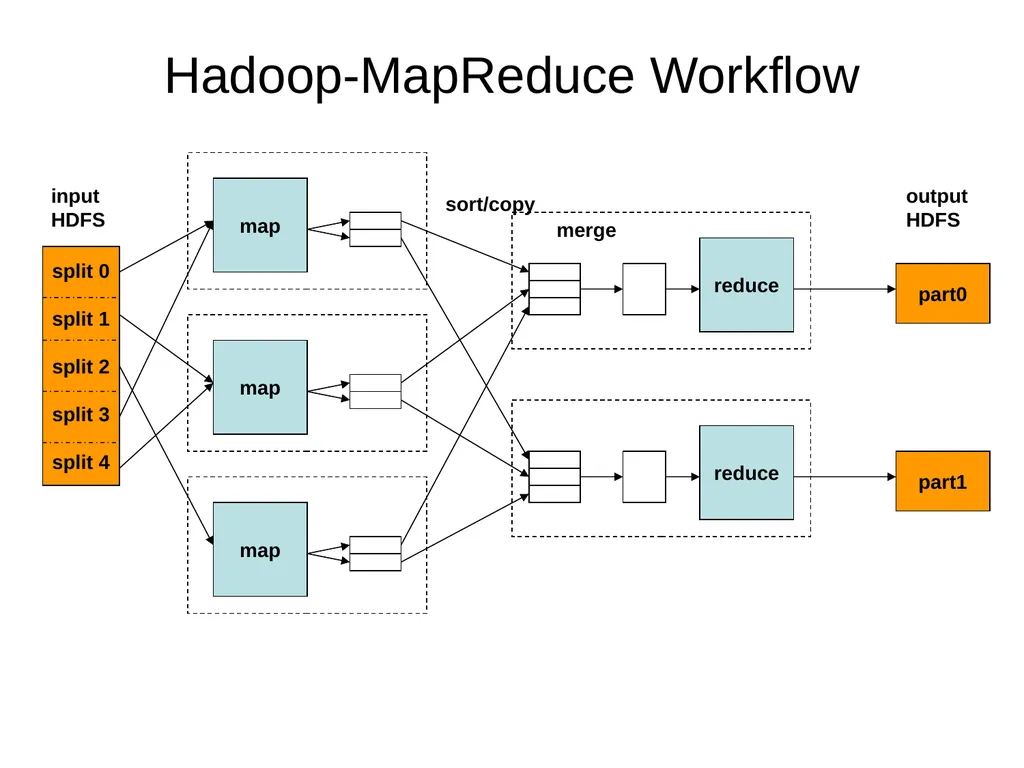
Hadoop-MapReduce Workflow part0 map map map reduce reduce part1 input
HDFS sort/copy merge output
HDFS<br>
HDFS sort/copy merge output
HDFS<br>
42
42 MapReduce Dataflow<br>
43
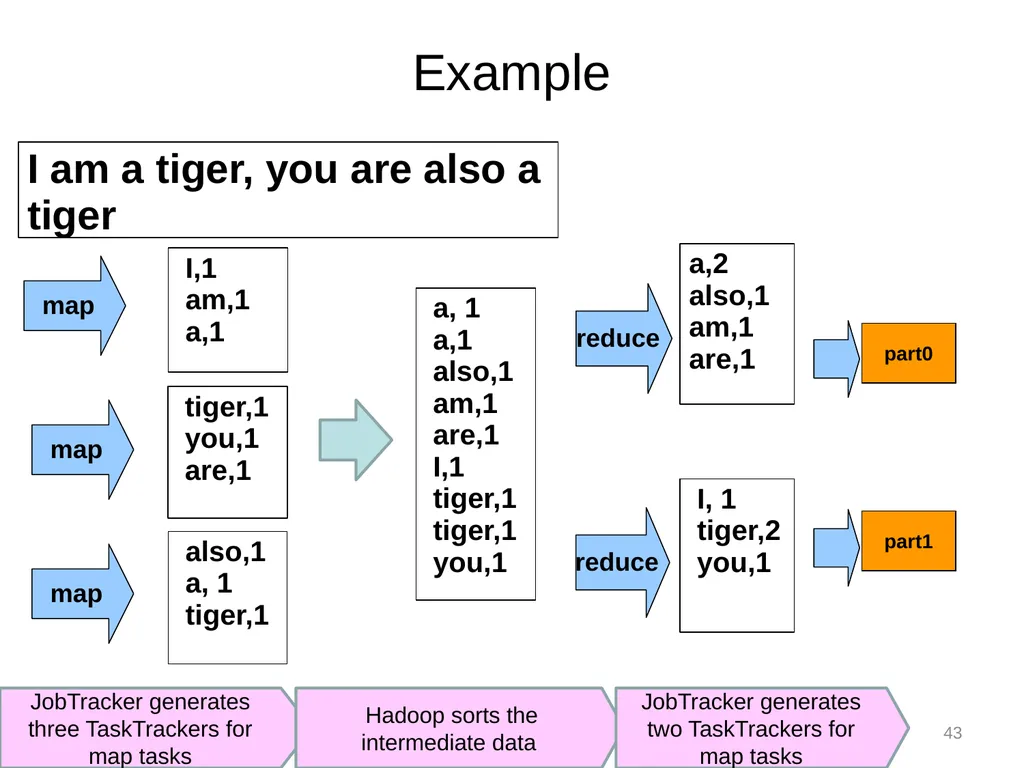
JobTracker generates three TaskTrackers for map tasks 43 Example I am a tiger, you are also a tiger reduce reduce map map map Hadoop sorts the intermediate data JobTracker generates two TaskTrackers for map tasks part0 part1<br>
44
Input and Output Formats A Map/Reduce may specify how it’s input is to be read by specifying an InputFormat to be used
A Map/Reduce may specify how it’s output is to be written by specifying an OutputFormat to be used
These default to TextInputFormat and TextOutputFormat, which process line-based text data
Another common choice is SequenceFileInputFormat and SequenceFileOutputFormat for binary data
These are file-based, but they are not required to be<br>
A Map/Reduce may specify how it’s output is to be written by specifying an OutputFormat to be used
These default to TextInputFormat and TextOutputFormat, which process line-based text data
Another common choice is SequenceFileInputFormat and SequenceFileOutputFormat for binary data
These are file-based, but they are not required to be<br>
45
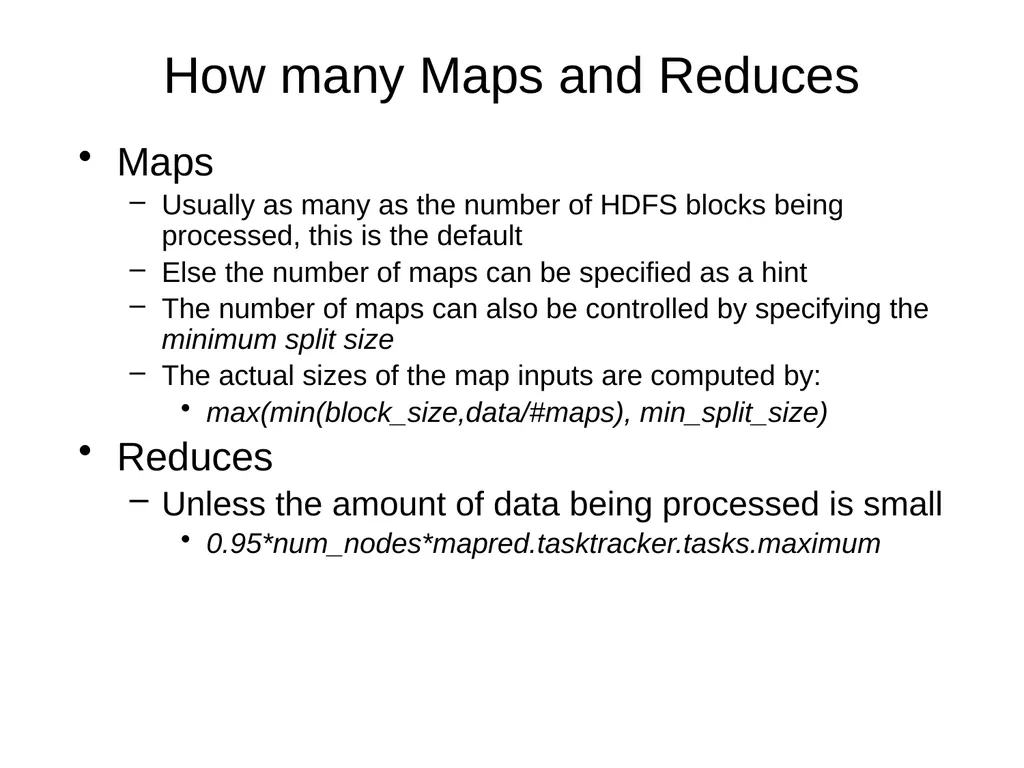
How many Maps and Reduces Maps
Usually as many as the number of HDFS blocks being processed, this is the default
Else the number of maps can be specified as a hint
The number of maps can also be controlled by specifying the minimum split size
The actual sizes of the map inputs are computed by:
max(min(block_size,data/#maps), min_split_size)
Reduces
Unless the amount of data being processed is small
0.95*num_nodes*mapred.tasktracker.tasks.maximum<br>
Usually as many as the number of HDFS blocks being processed, this is the default
Else the number of maps can be specified as a hint
The number of maps can also be controlled by specifying the minimum split size
The actual sizes of the map inputs are computed by:
max(min(block_size,data/#maps), min_split_size)
Reduces
Unless the amount of data being processed is small
0.95*num_nodes*mapred.tasktracker.tasks.maximum<br>
46
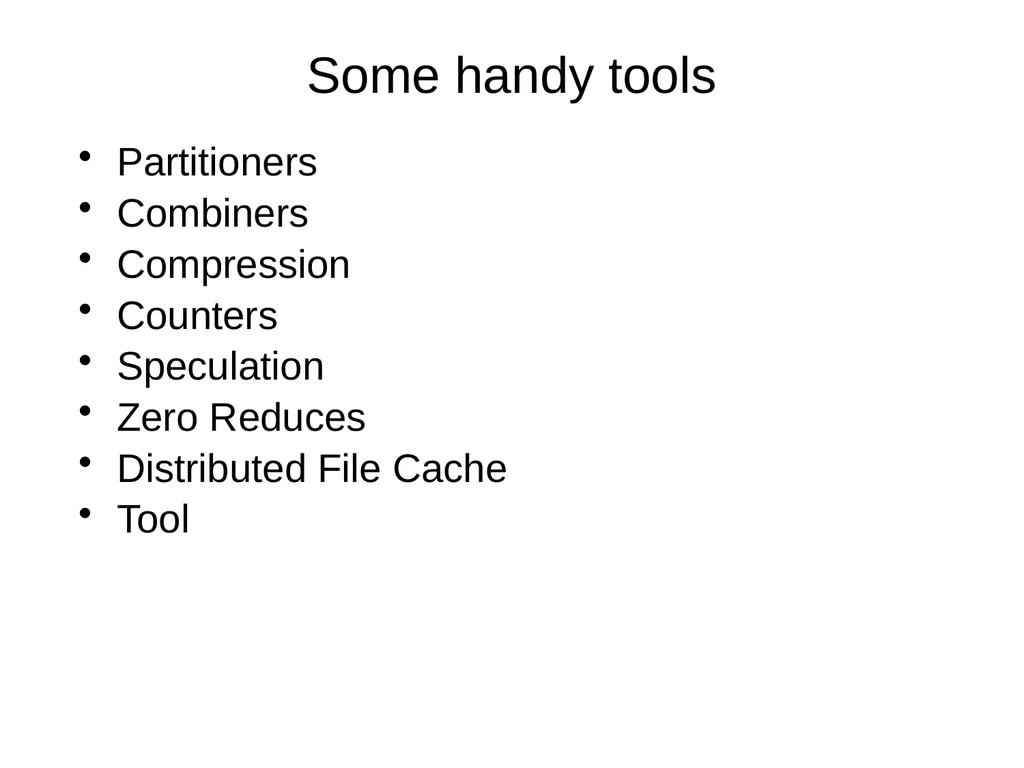
Some handy tools Partitioners
Combiners
Compression
Counters
Speculation
Zero Reduces
Distributed File Cache
Tool<br>
Combiners
Compression
Counters
Speculation
Zero Reduces
Distributed File Cache
Tool<br>
47
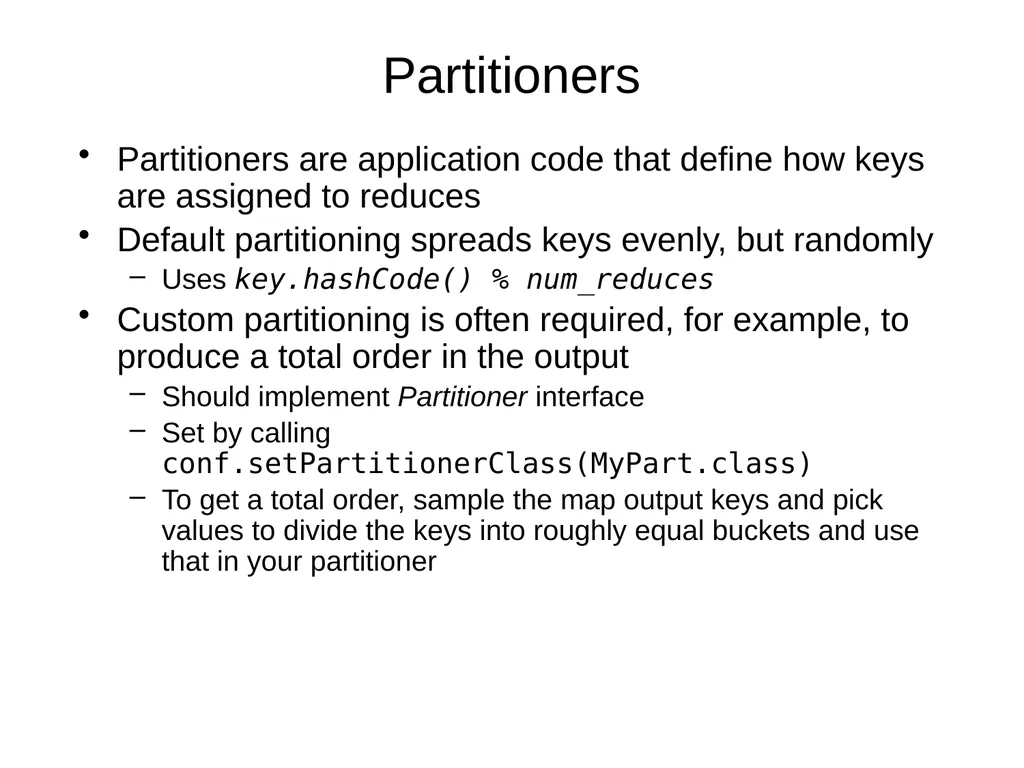
Partitioners Partitioners are application code that define how keys are assigned to reduces
Default partitioning spreads keys evenly, but randomly
Uses key.hashCode() % num_reduces
Custom partitioning is often required, for example, to produce a total order in the output
Should implement Partitioner interface
Set by calling conf.setPartitionerClass(MyPart.class)
To get a total order, sample the map output keys and pick values to divide the keys into roughly equal buckets and use that in your partitioner<br>
Default partitioning spreads keys evenly, but randomly
Uses key.hashCode() % num_reduces
Custom partitioning is often required, for example, to produce a total order in the output
Should implement Partitioner interface
Set by calling conf.setPartitionerClass(MyPart.class)
To get a total order, sample the map output keys and pick values to divide the keys into roughly equal buckets and use that in your partitioner<br>
48
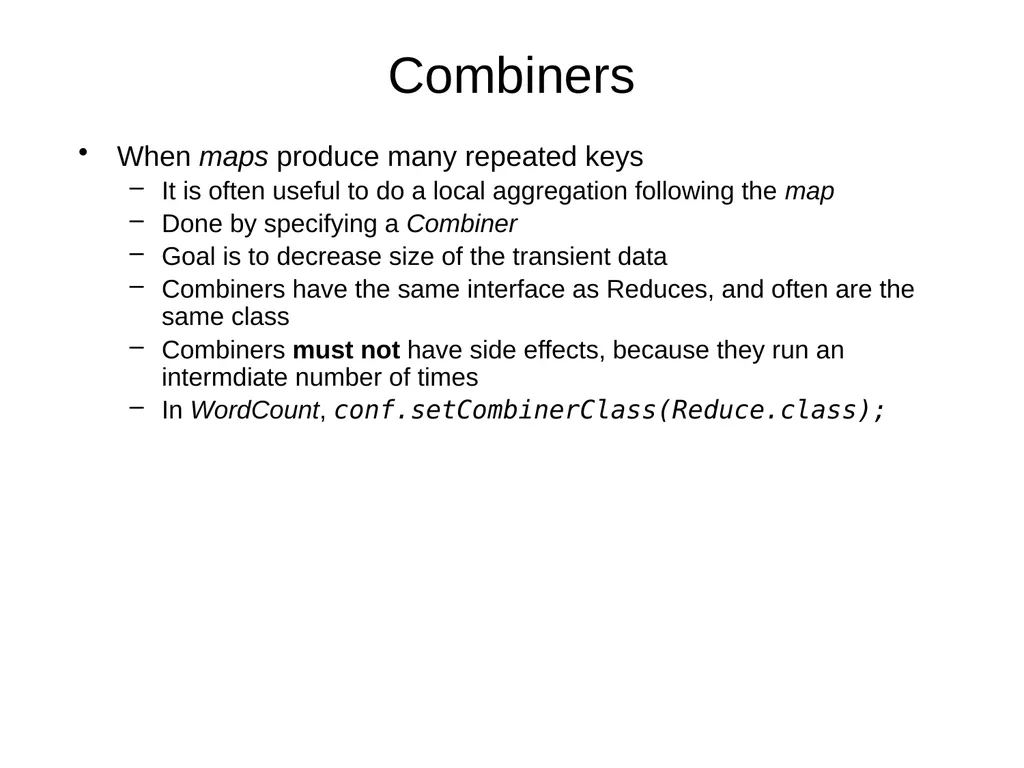
Combiners When maps produce many repeated keys
It is often useful to do a local aggregation following the map
Done by specifying a Combiner
Goal is to decrease size of the transient data
Combiners have the same interface as Reduces, and often are the same class
Combiners must not have side effects, because they run an intermdiate number of times
In WordCount, conf.setCombinerClass(Reduce.class);<br>
It is often useful to do a local aggregation following the map
Done by specifying a Combiner
Goal is to decrease size of the transient data
Combiners have the same interface as Reduces, and often are the same class
Combiners must not have side effects, because they run an intermdiate number of times
In WordCount, conf.setCombinerClass(Reduce.class);<br>
49
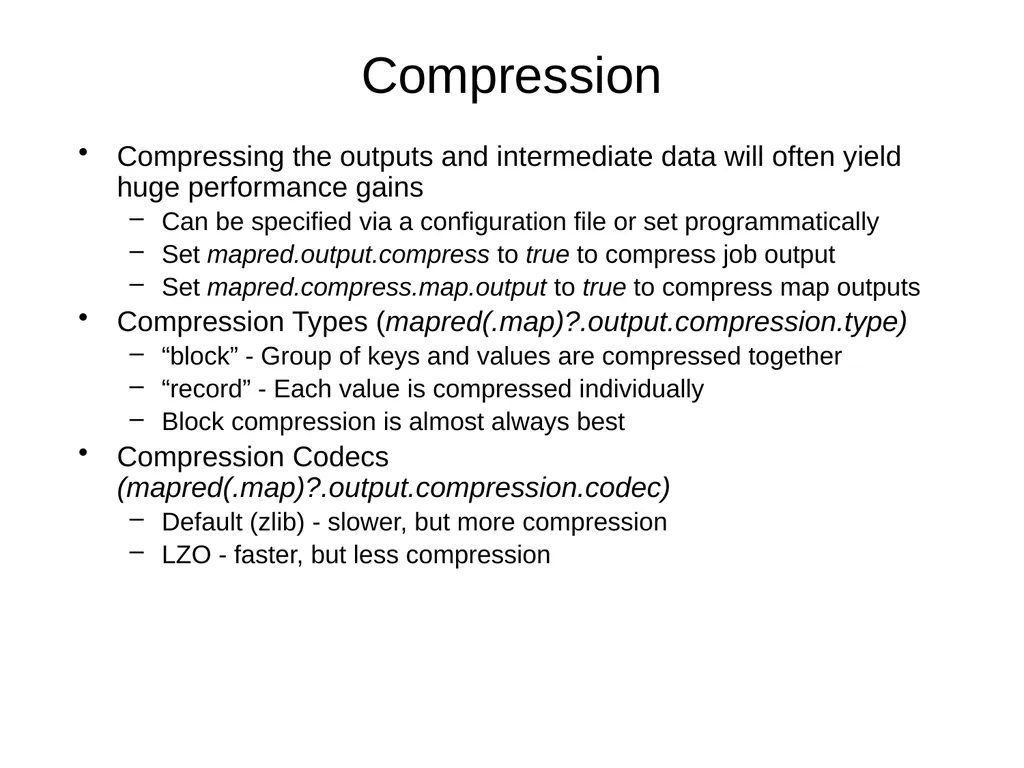
Compression Compressing the outputs and intermediate data will often yield huge performance gains
Can be specified via a configuration file or set programmatically
Set mapred.output.compress to true to compress job output
Set mapred.compress.map.output to true to compress map outputs
Compression Types (mapred(.map)?.output.compression.type)
“block” - Group of keys and values are compressed together
“record” - Each value is compressed individually
Block compression is almost always best
Compression Codecs (mapred(.map)?.output.compression.codec)
Default (zlib) - slower, but more compression
LZO - faster, but less compression<br>
Can be specified via a configuration file or set programmatically
Set mapred.output.compress to true to compress job output
Set mapred.compress.map.output to true to compress map outputs
Compression Types (mapred(.map)?.output.compression.type)
“block” - Group of keys and values are compressed together
“record” - Each value is compressed individually
Block compression is almost always best
Compression Codecs (mapred(.map)?.output.compression.codec)
Default (zlib) - slower, but more compression
LZO - faster, but less compression<br>
50
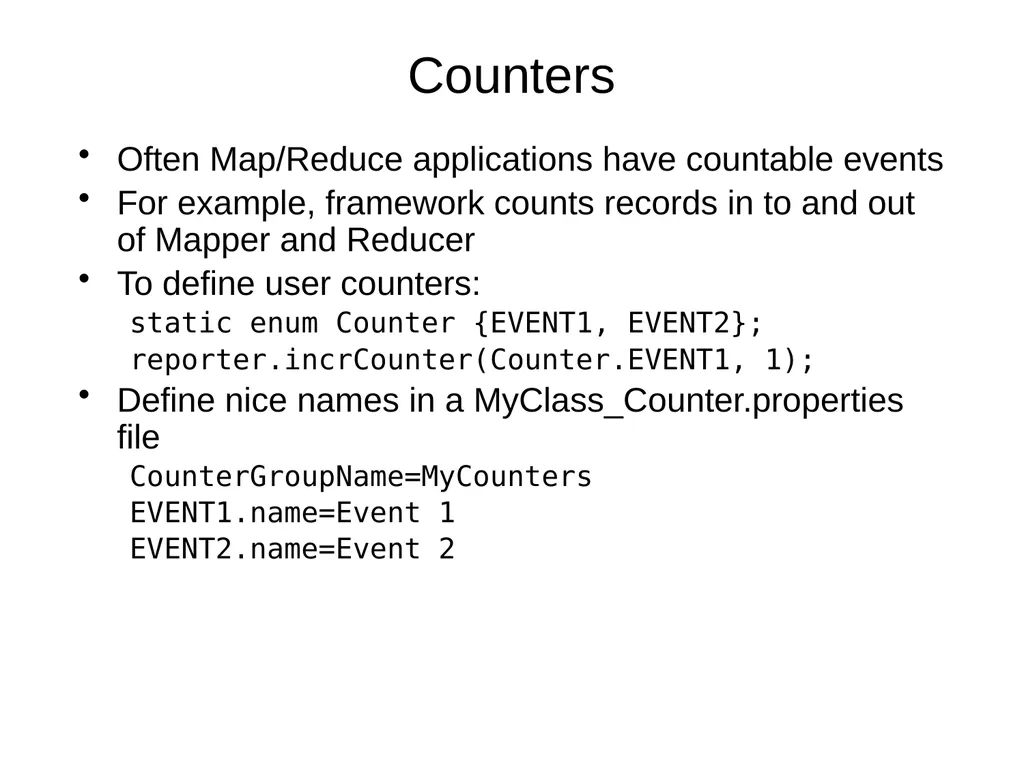
Counters Often Map/Reduce applications have countable events
For example, framework counts records in to and out of Mapper and Reducer
To define user counters:
static enum Counter {EVENT1, EVENT2};
reporter.incrCounter(Counter.EVENT1, 1);
Define nice names in a MyClass_Counter.properties file
CounterGroupName=MyCounters
EVENT1.name=Event 1
EVENT2.name=Event 2<br>
For example, framework counts records in to and out of Mapper and Reducer
To define user counters:
static enum Counter {EVENT1, EVENT2};
reporter.incrCounter(Counter.EVENT1, 1);
Define nice names in a MyClass_Counter.properties file
CounterGroupName=MyCounters
EVENT1.name=Event 1
EVENT2.name=Event 2<br>
51
Speculative execution The framework can run multiple instances of slow tasks
Output from instance that finishes first is used
Controlled by the configuration variable mapred.speculative.execution
Can dramatically bring in long tails on jobs<br>
Output from instance that finishes first is used
Controlled by the configuration variable mapred.speculative.execution
Can dramatically bring in long tails on jobs<br>
52
Zero Reduces Frequently, we only need to run a filter on the input data
No sorting or shuffling required by the job
Set the number of reduces to 0
Output from maps will go directly to OutputFormat and disk<br>
No sorting or shuffling required by the job
Set the number of reduces to 0
Output from maps will go directly to OutputFormat and disk<br>
53
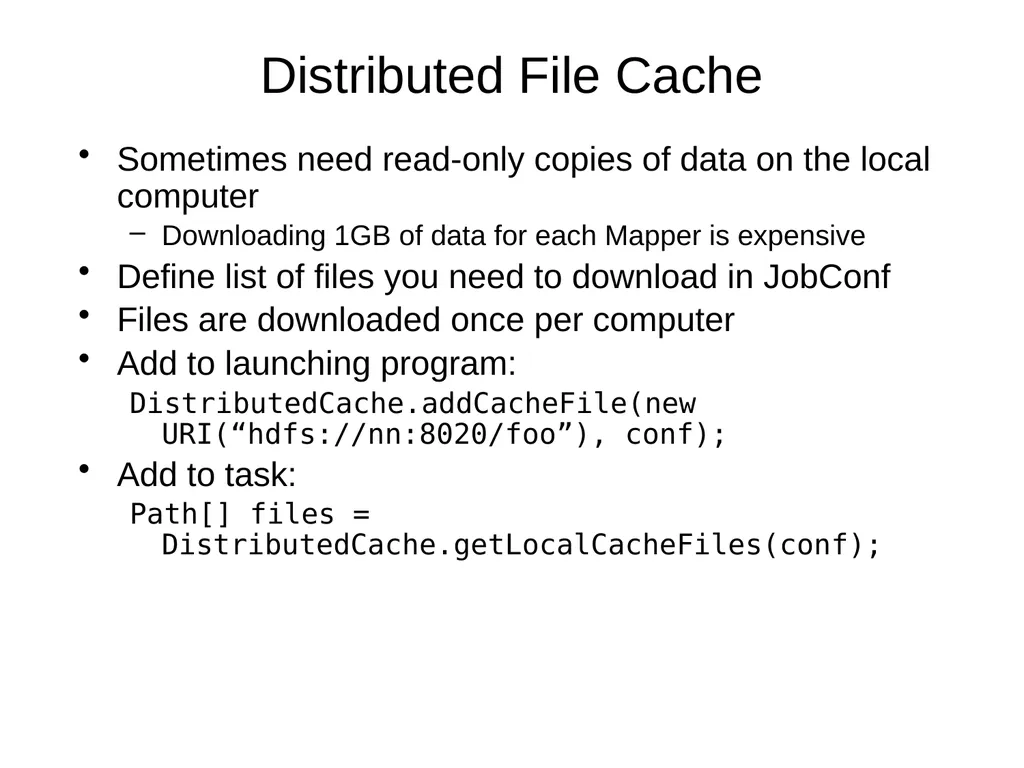
Distributed File Cache Sometimes need read-only copies of data on the local computer
Downloading 1GB of data for each Mapper is expensive
Define list of files you need to download in JobConf
Files are downloaded once per computer
Add to launching program:
DistributedCache.addCacheFile(new URI(“hdfs://nn:8020/foo”), conf);
Add to task:
Path[] files = DistributedCache.getLocalCacheFiles(conf);<br>
Downloading 1GB of data for each Mapper is expensive
Define list of files you need to download in JobConf
Files are downloaded once per computer
Add to launching program:
DistributedCache.addCacheFile(new URI(“hdfs://nn:8020/foo”), conf);
Add to task:
Path[] files = DistributedCache.getLocalCacheFiles(conf);<br>
54
INTRODUCTION TO
YARN AND MAPREDUCE
INTERACTION<br>
55
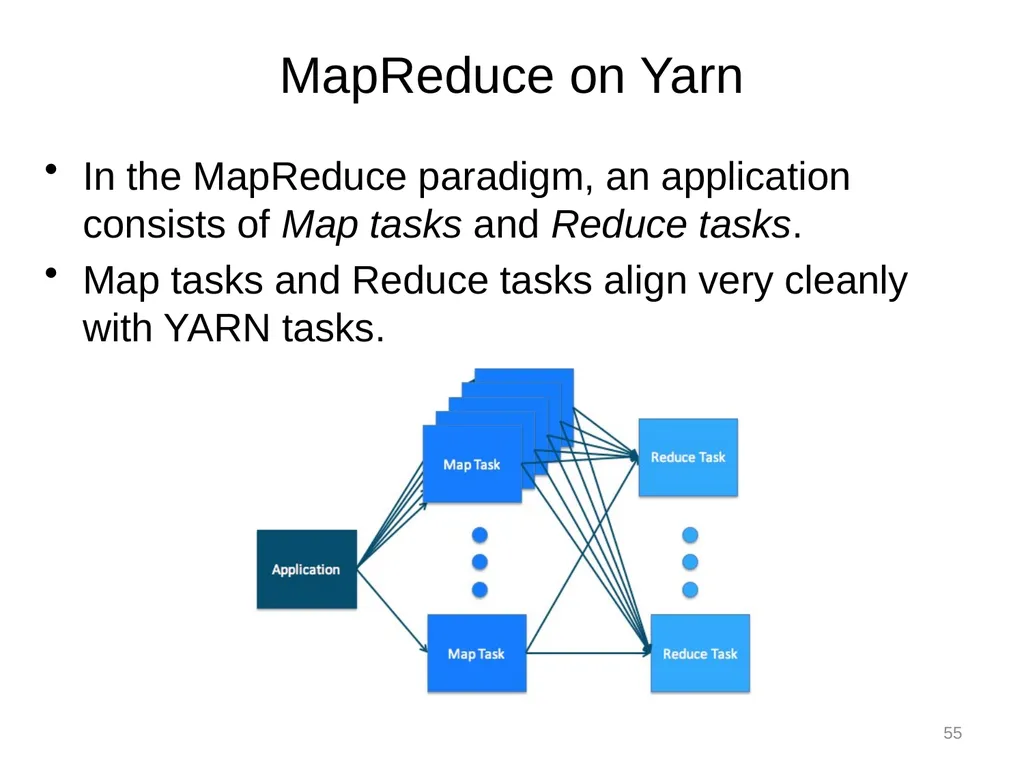
In the MapReduce paradigm, an application consists of Map tasks and Reduce tasks.
Map tasks and Reduce tasks align very cleanly with YARN tasks. MapReduce on Yarn 55<br>
Map tasks and Reduce tasks align very cleanly with YARN tasks. MapReduce on Yarn 55<br>
56
Putting it Together:
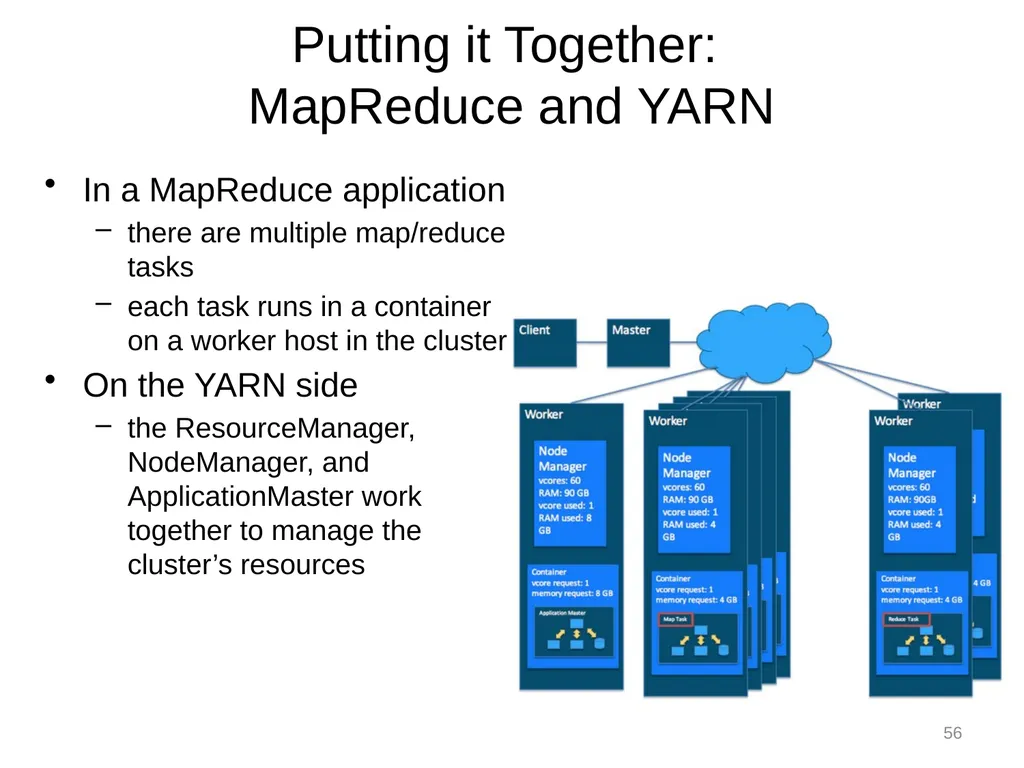
MapReduce and YARN In a MapReduce application
there are multiple map/reduce tasks
each task runs in a container on a worker host in the cluster
On the YARN side
the ResourceManager, NodeManager, and ApplicationMaster work together to manage the cluster’s resources 56<br>
there are multiple map/reduce tasks
each task runs in a container on a worker host in the cluster
On the YARN side
the ResourceManager, NodeManager, and ApplicationMaster work together to manage the cluster’s resources 56<br>
57
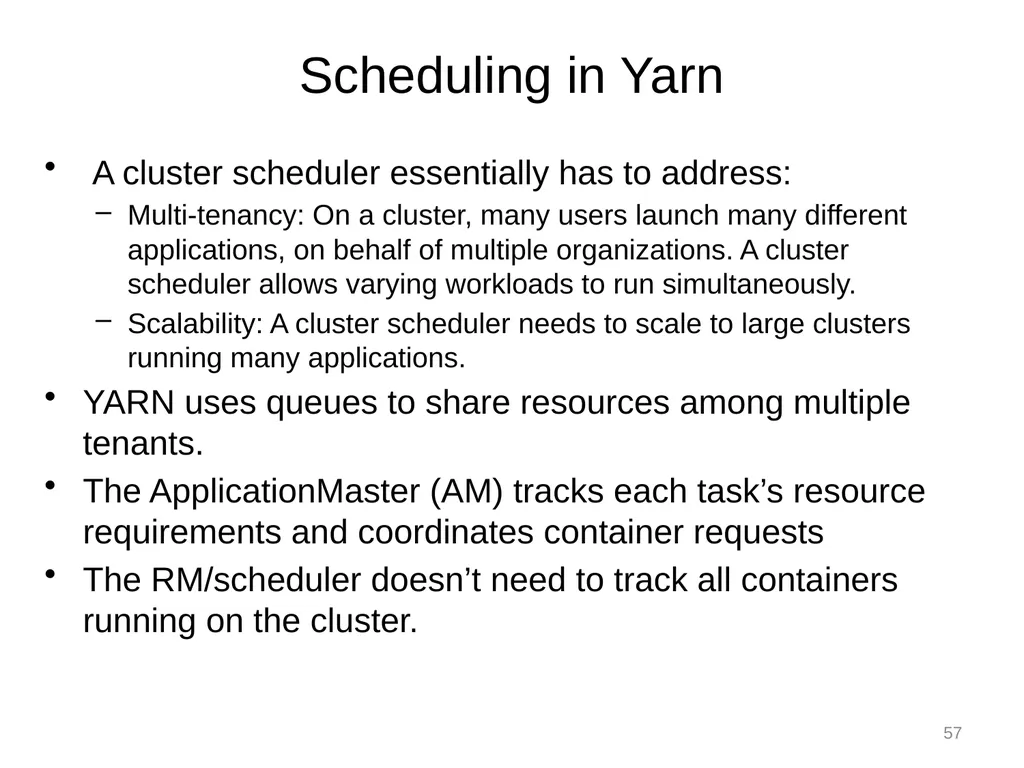
A cluster scheduler essentially has to address:
Multi-tenancy: On a cluster, many users launch many different applications, on behalf of multiple organizations. A cluster scheduler allows varying workloads to run simultaneously.
Scalability: A cluster scheduler needs to scale to large clusters running many applications.
YARN uses queues to share resources among multiple tenants.
The ApplicationMaster (AM) tracks each task’s resource requirements and coordinates container requests
The RM/scheduler doesn’t need to track all containers running on the cluster. Scheduling in Yarn 57<br>
Multi-tenancy: On a cluster, many users launch many different applications, on behalf of multiple organizations. A cluster scheduler allows varying workloads to run simultaneously.
Scalability: A cluster scheduler needs to scale to large clusters running many applications.
YARN uses queues to share resources among multiple tenants.
The ApplicationMaster (AM) tracks each task’s resource requirements and coordinates container requests
The RM/scheduler doesn’t need to track all containers running on the cluster. Scheduling in Yarn 57<br>
58
The ResourceManager (RM) tracks resources on a cluster, and assigns them to applications that need them.
The scheduler is that part of the RM that does this matching honoring organizational policies on sharing resources. Scheduling in YARN 58<br>
The scheduler is that part of the RM that does this matching honoring organizational policies on sharing resources. Scheduling in YARN 58<br>
59
Queues are the organizing structure for YARN schedulers, allowing multiple tenants to share the cluster.
As applications are submitted to YARN, they are assigned to a queue by the scheduler.
The Yarn queues are hierarchical queues
The root queue is the parent of all queues. All other queues are each a child of the root queue or another queue Yarn Queues for Scheduling 59<br>
As applications are submitted to YARN, they are assigned to a queue by the scheduler.
The Yarn queues are hierarchical queues
The root queue is the parent of all queues. All other queues are each a child of the root queue or another queue Yarn Queues for Scheduling 59<br>
60
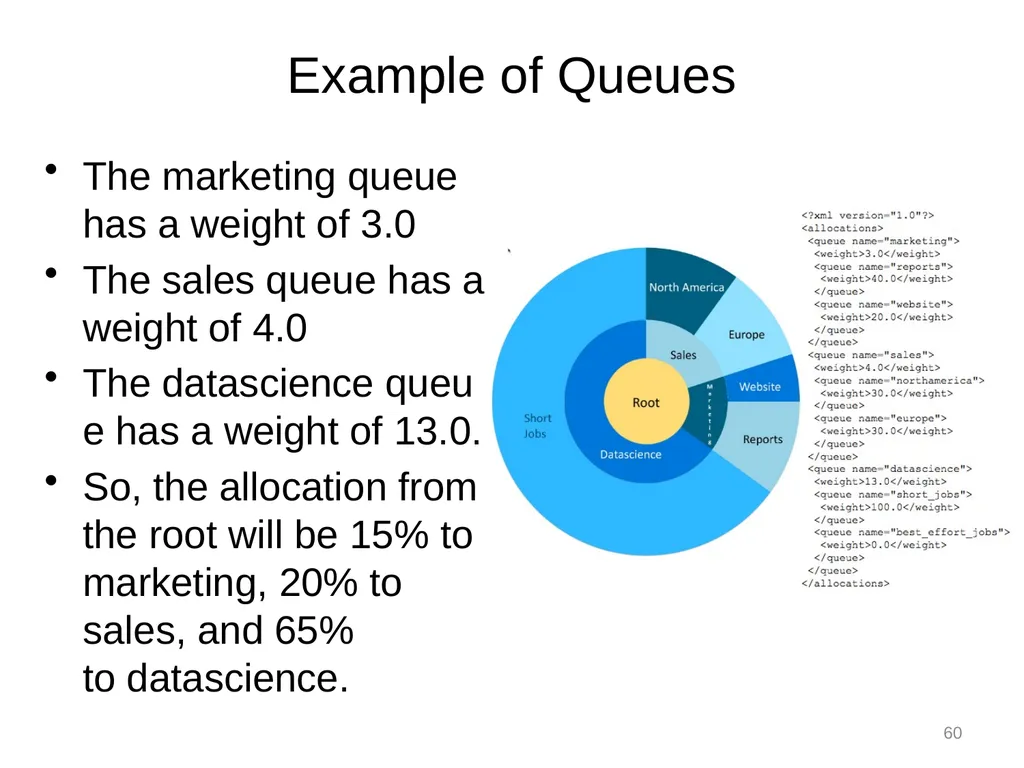
Example of Queues The marketing queue has a weight of 3.0
The sales queue has a weight of 4.0
The datascience queue has a weight of 13.0.
So, the allocation from the root will be 15% to marketing, 20% to sales, and 65% to datascience. 60<br>
The sales queue has a weight of 4.0
The datascience queue has a weight of 13.0.
So, the allocation from the root will be 15% to marketing, 20% to sales, and 65% to datascience. 60<br>
61
"Hadoop: The Definitive Guide", Tom White, O'Reilly Media, Inc.
https://blog.cloudera.com/blog/2015/09/untangling-apache-hadoop-yarn-part-1/
https://hadoop.apache.org/docs/r2.7.2/ References 61<br>
https://blog.cloudera.com/blog/2015/09/untangling-apache-hadoop-yarn-part-1/
https://hadoop.apache.org/docs/r2.7.2/ References 61<br>