
Introduction to Python Programming Part 5: Arrays
Description: Introduction to Python Programming Part 5: Arrays Lists How to use this resource Within each unit, you will learn how to develop and apply a range of Python programming skills. Skill explanations are in pink. After reading the explanation
Related Topics
Download Presentation
"Introduction to Python Programming Part 5: Arrays" is the property of its rightful owner. Permission is granted to download and print the materials on this website for personal, non-commercial use only, and to display it on your personal computer provided you do not modify the materials and that you retain all copyright notices contained in the materials. By downloading content from our website, you accept the terms of this agreement.
Presentation Transcript
slide1. Introduction to Python
Programming Part 5: Arrays / Lists<br>
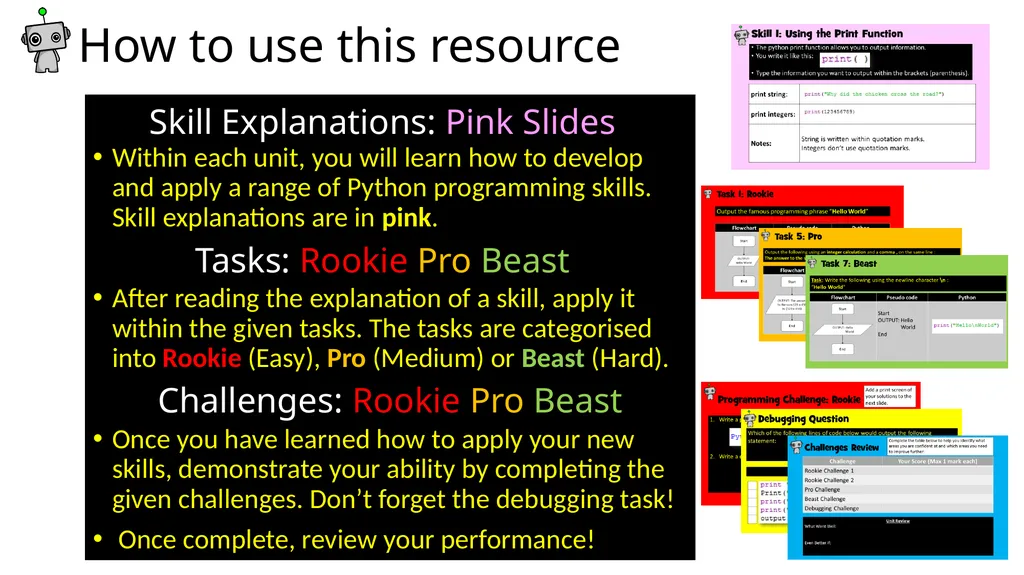
slide2. How to use this resource Within each unit, you will learn how to develop and apply a range of Python programming skills. Skill explanations are in pink.
After reading the explanation of a skill, apply it within the given tasks. The tasks are categorised into Rookie (Easy), Pro (Medium) or Beast (Hard).
Once you have learned how to apply your new skills, demonstrate your ability by completing the given challenges. Don’t forget the debugging task!
Once complete, review your performance! Skill Explanations: Pink Slides Tasks: Rookie Pro Beast Challenges: Rookie Pro Beast<br>
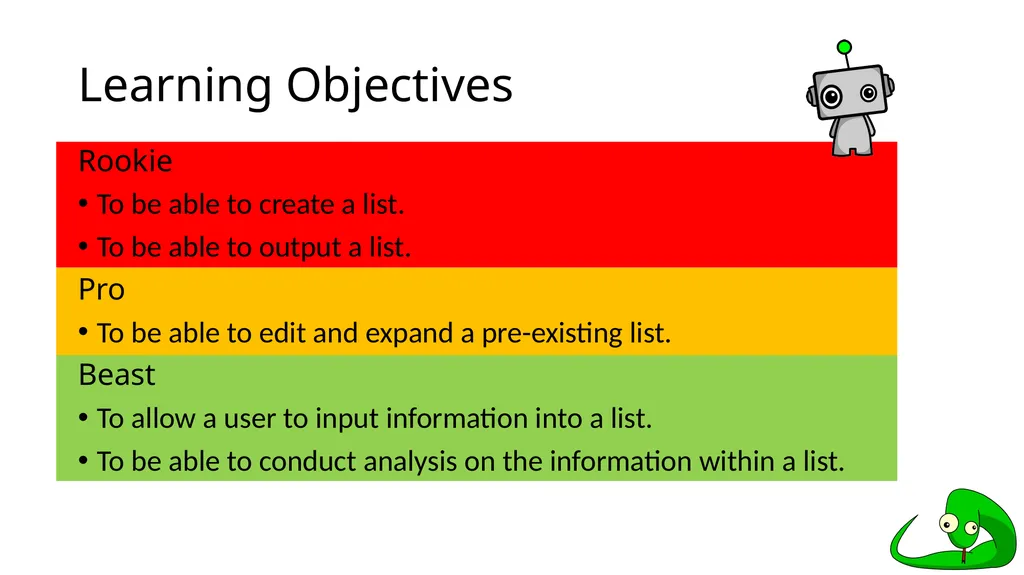
slide3. Learning Objectives Rookie
To be able to create a list.
To be able to output a list.
Pro
To be able to edit and expand a pre-existing list.
Beast
To allow a user to input information into a list.
To be able to conduct analysis on the information within a list.<br>
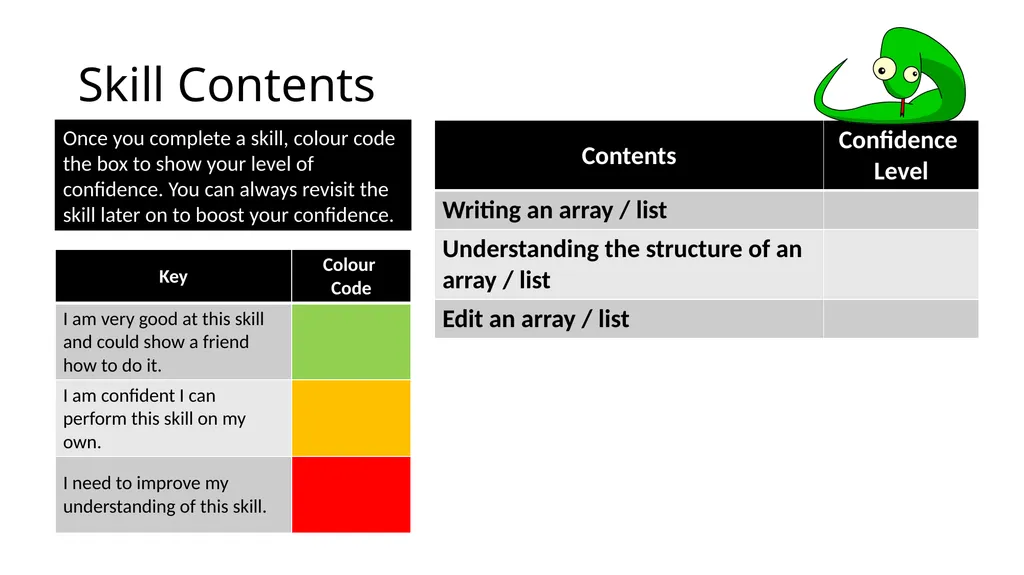
slide4. Skill Contents Once you complete a skill, colour code the box to show your level of confidence. You can always revisit the skill later on to boost your confidence.<br>
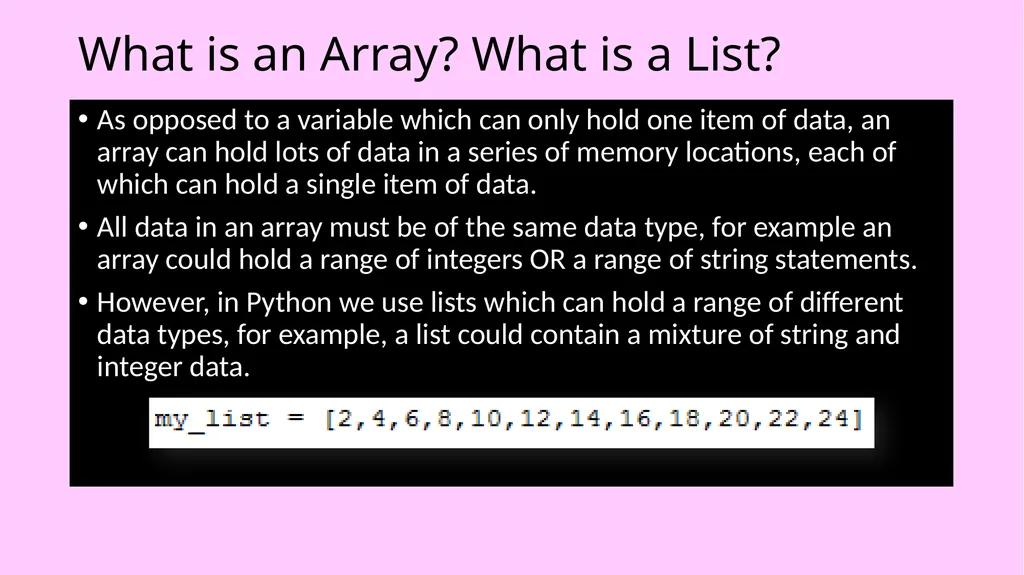
slide5. What is an Array? What is a List? As opposed to a variable which can only hold one item of data, an array can hold lots of data in a series of memory locations, each of which can hold a single item of data.
All data in an array must be of the same data type, for example an array could hold a range of integers OR a range of string statements.
However, in Python we use lists which can hold a range of different data types, for example, a list could contain a mixture of string and integer data.<br>
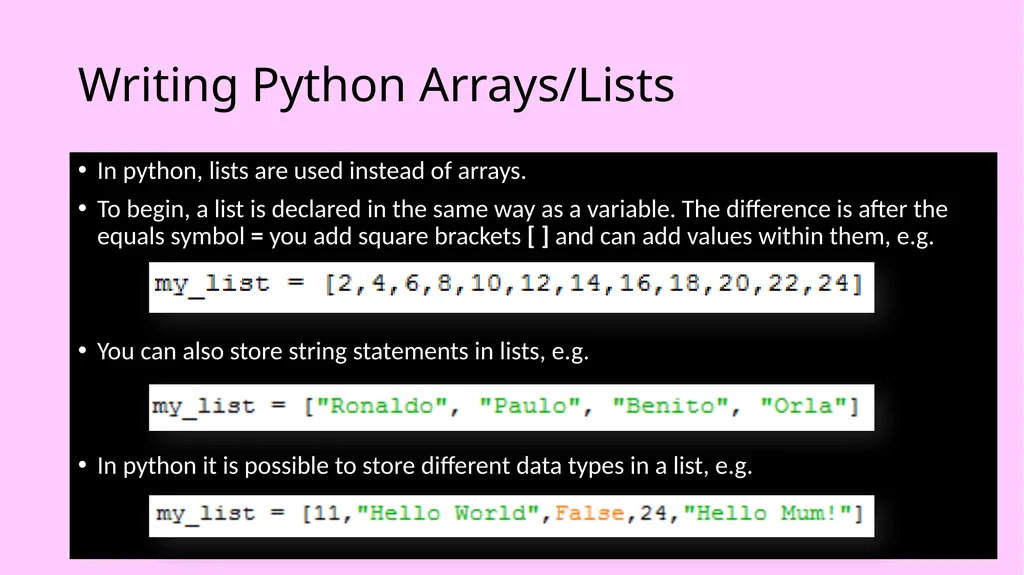
slide6. Writing Python Arrays/Lists In python, lists are used instead of arrays.
To begin, a list is declared in the same way as a variable. The difference is after the equals symbol = you add square brackets [ ] and can add values within them, e.g.
You can also store string statements in lists, e.g.
In python it is possible to store different data types in a list, e.g.<br>
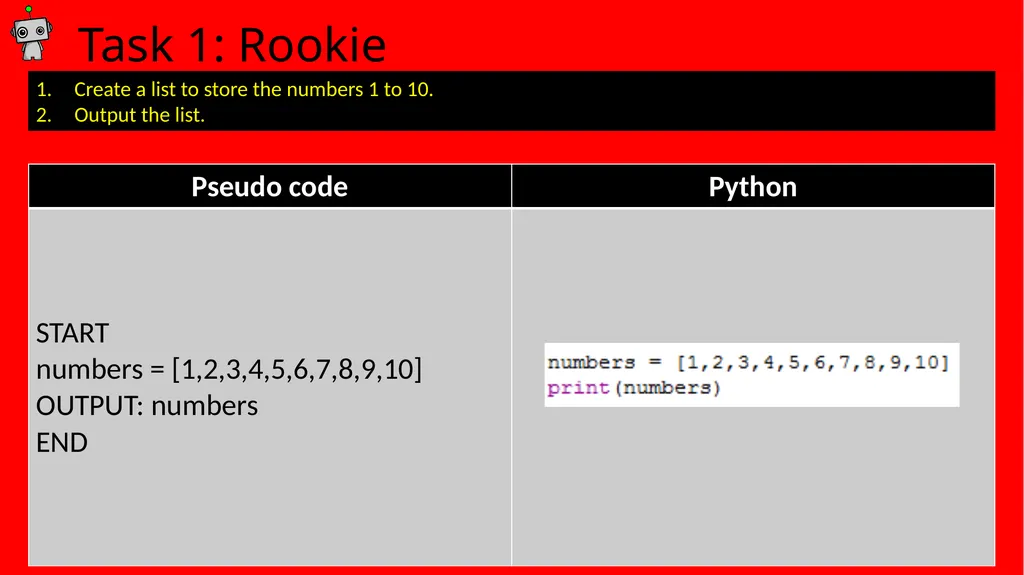
slide7. Task 1: Rookie Create a list to store the numbers 1 to 10.
Output the list.<br>
slide8. Task 1: Solution Add a print screen to show your coding here. Add a print screen to show your output solution here.<br>
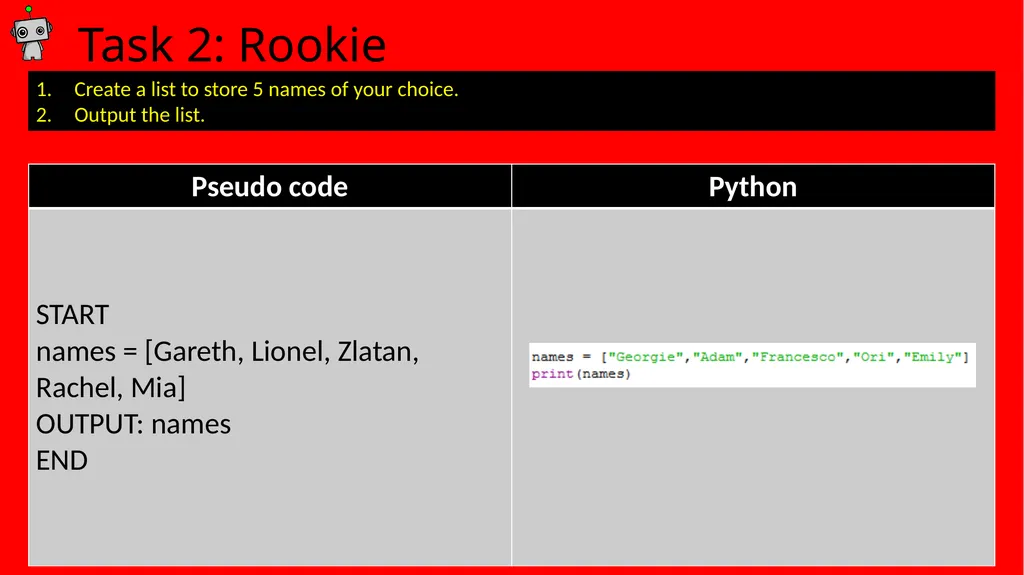
slide9. Task 2: Rookie Create a list to store 5 names of your choice.
Output the list.<br>
slide10. Task 2: Solution Add a print screen to show your coding here. Add a print screen to show your output solution here.<br>
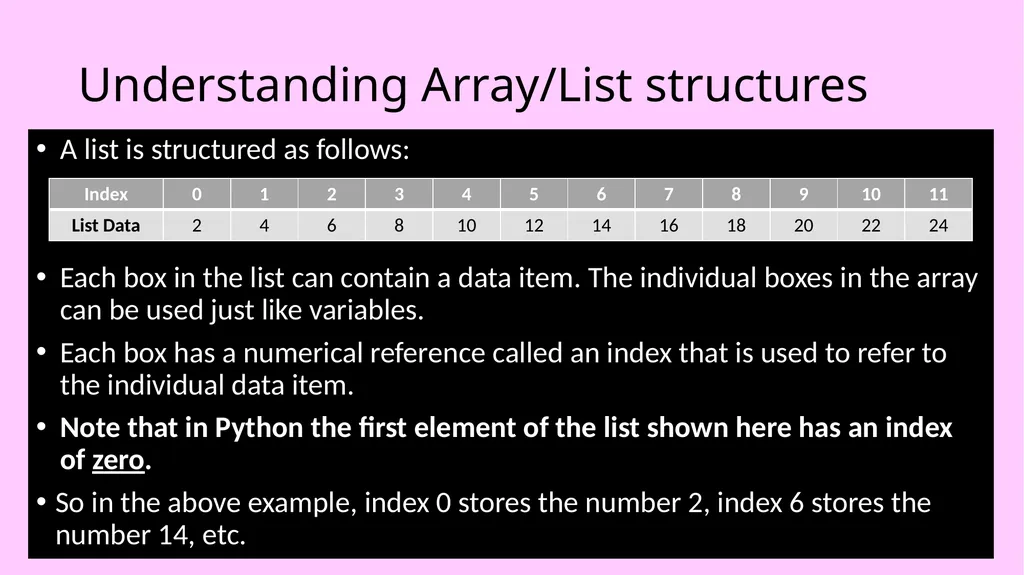
slide11. Understanding Array/List structures A list is structured as follows:
Each box in the list can contain a data item. The individual boxes in the array can be used just like variables.
Each box has a numerical reference called an index that is used to refer to the individual data item.
Note that in Python the first element of the list shown here has an index of zero.
So in the above example, index 0 stores the number 2, index 6 stores the number 14, etc.<br>
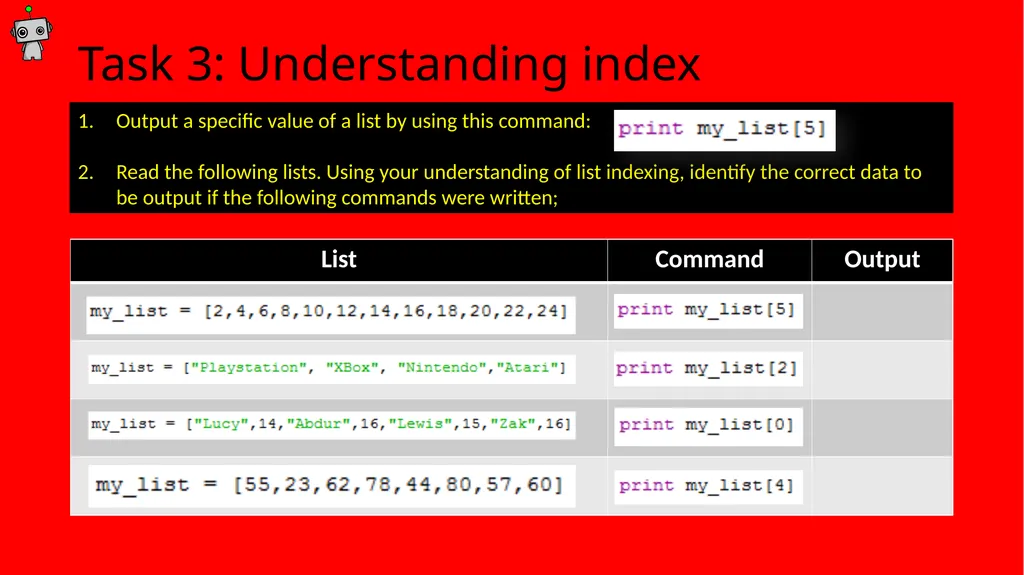
slide12. Task 3: Understanding index Output a specific value of a list by using this command:
Read the following lists. Using your understanding of list indexing, identify the correct data to be output if the following commands were written;<br>
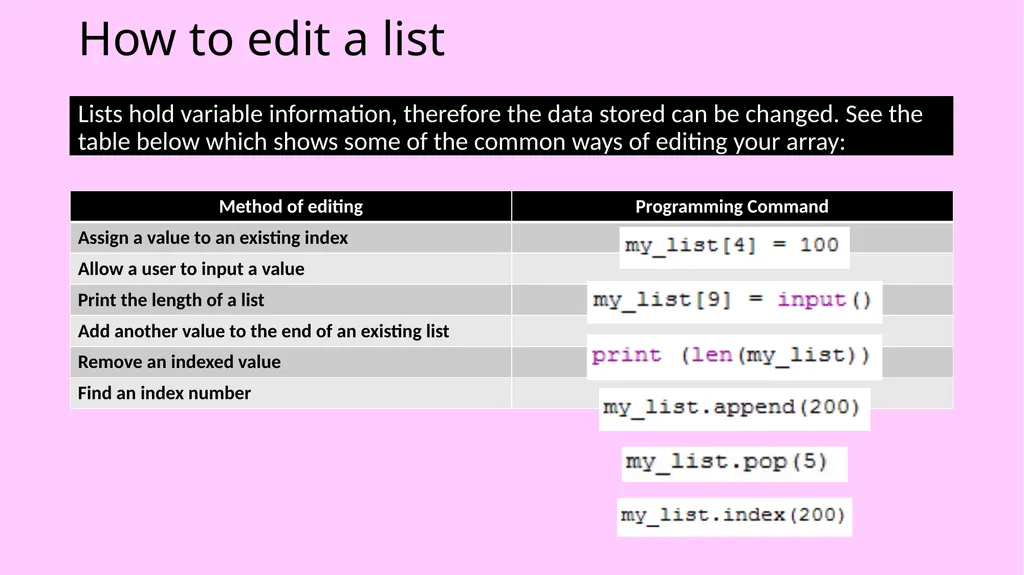
slide13. How to edit a list Lists hold variable information, therefore the data stored can be changed. See the table below which shows some of the common ways of editing your array:<br>
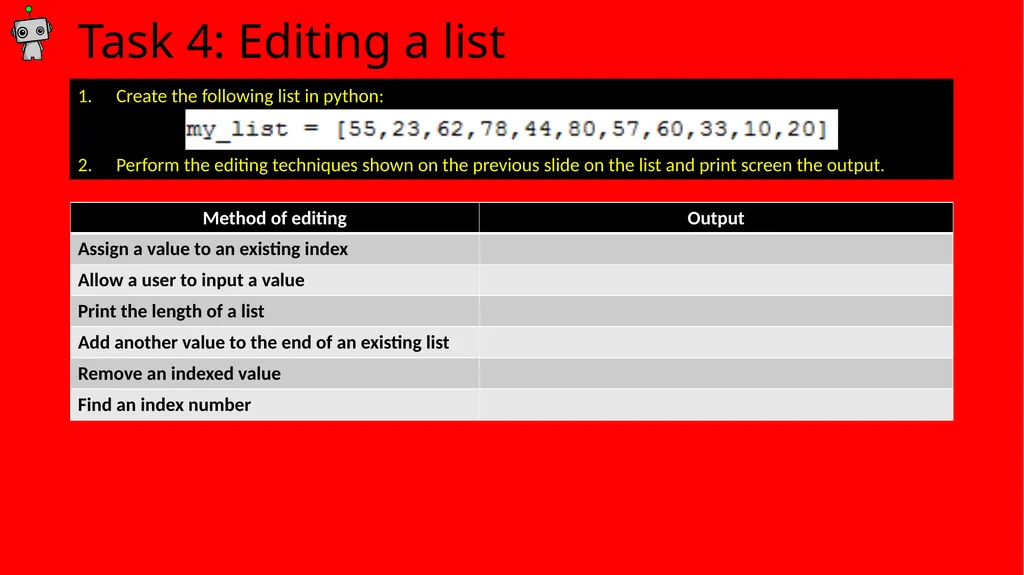
slide14. Task 4: Editing a list Create the following list in python:
Perform the editing techniques shown on the previous slide on the list and print screen the output.<br>
slide15. Programming Challenges Now you have learned some programming skills, it’s time to put them into practice!
Complete the following programming challenges. Start with the Rookie challenge and see how far you can push yourself.
Finally, complete the debugging challenge.
Once you have finished your challenges, complete the review. Look back at the skills you have learned so far to help you solve the challenge.<br>
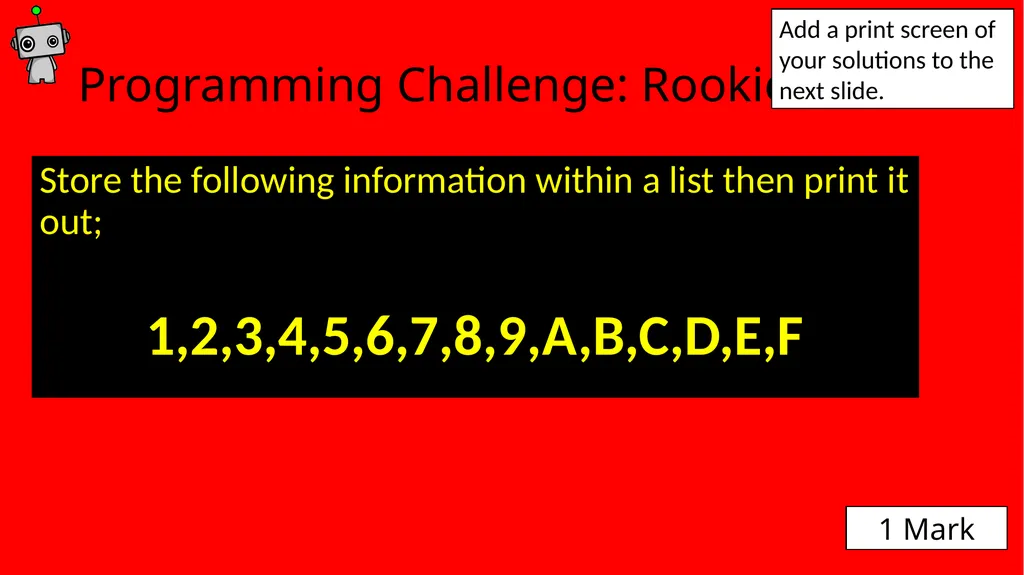
slide16. Programming Challenge: Rookie Store the following information within a list then print it out;
1,2,3,4,5,6,7,8,9,A,B,C,D,E,F Add a print screen of your solutions to the next slide. 1 Mark<br>
slide17. Programming Challenge: Rookie - Answer Add a print screen to show your coding here. Add a print screen to show your output solution here.<br>
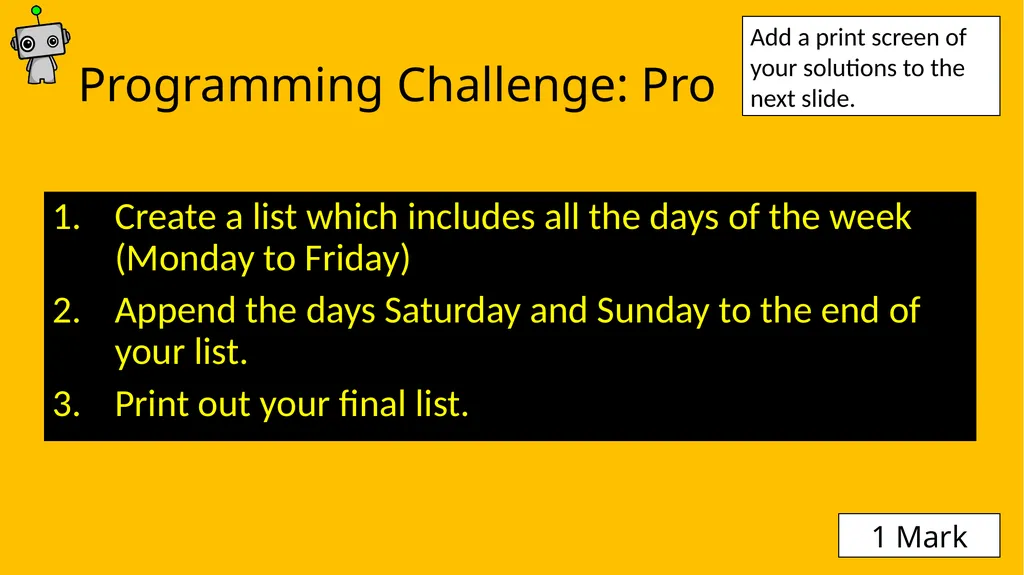
slide18. Programming Challenge: Pro Create a list which includes all the days of the week (Monday to Friday)
Append the days Saturday and Sunday to the end of your list.
Print out your final list. Add a print screen of your solutions to the next slide. 1 Mark<br>
slide19. Programming Challenge: Pro - Answer Add a print screen to show your coding here. Add a print screen to show your output solution here.<br>
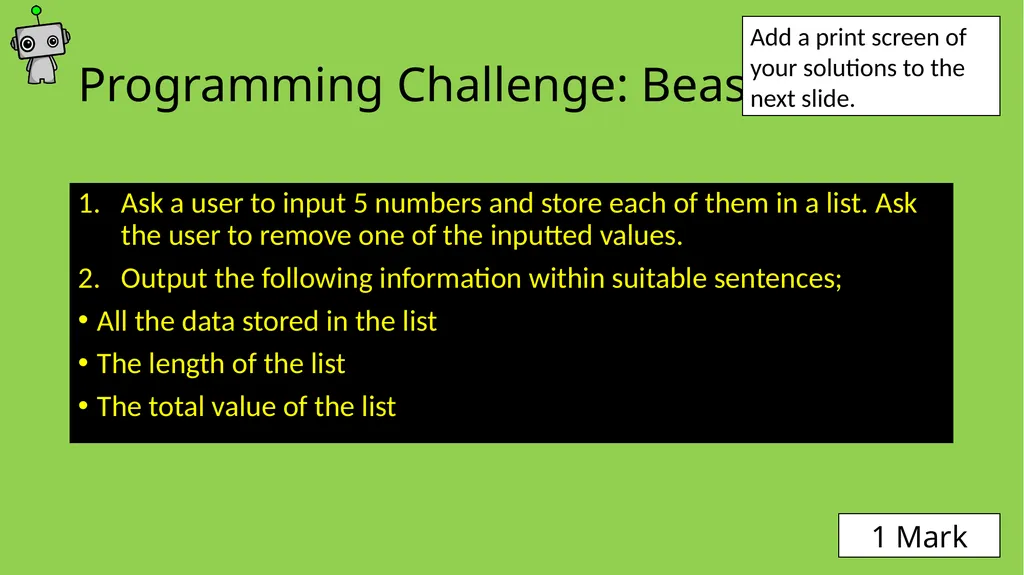
slide20. Programming Challenge: Beast Ask a user to input 5 numbers and store each of them in a list. Ask the user to remove one of the inputted values.
Output the following information within suitable sentences;
All the data stored in the list
The length of the list
The total value of the list Add a print screen of your solutions to the next slide. 1 Mark<br>
slide21. Programming Challenge: Beast - Answer Add a print screen to show your coding here. Add a print screen to show your output solution here.<br>
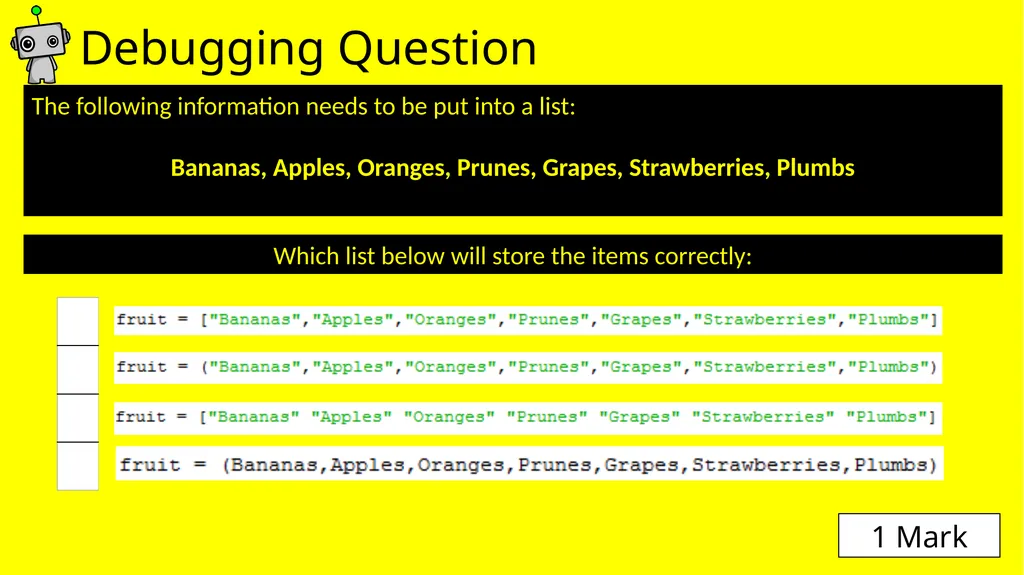
slide22. Debugging Question The following information needs to be put into a list:
Bananas, Apples, Oranges, Prunes, Grapes, Strawberries, Plumbs Which list below will store the items correctly: 1 Mark<br>
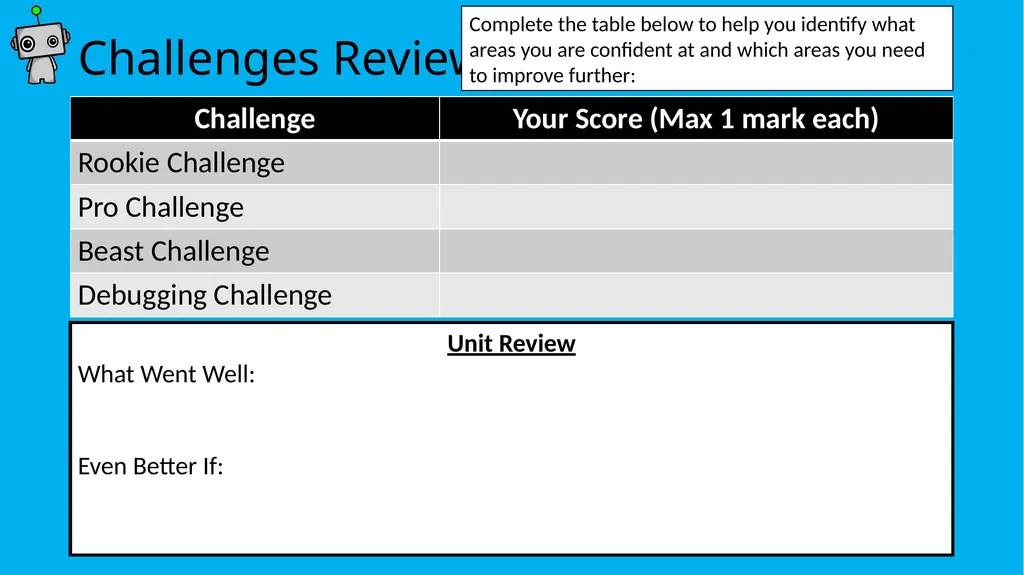
slide23. Challenges Review Unit Review
What Went Well:
Even Better If: Complete the table below to help you identify what areas you are confident at and which areas you need to improve further:<br>
slide2. How to use this resource Within each unit, you will learn how to develop and apply a range of Python programming skills. Skill explanations are in pink.
After reading the explanation of a skill, apply it within the given tasks. The tasks are categorised into Rookie (Easy), Pro (Medium) or Beast (Hard).
Once you have learned how to apply your new skills, demonstrate your ability by completing the given challenges. Don’t forget the debugging task!
Once complete, review your performance! Skill Explanations: Pink Slides Tasks: Rookie Pro Beast Challenges: Rookie Pro Beast<br>
slide3. Learning Objectives Rookie
To be able to create a list.
To be able to output a list.
Pro
To be able to edit and expand a pre-existing list.
Beast
To allow a user to input information into a list.
To be able to conduct analysis on the information within a list.<br>
slide4. Skill Contents Once you complete a skill, colour code the box to show your level of confidence. You can always revisit the skill later on to boost your confidence.<br>
slide5. What is an Array? What is a List? As opposed to a variable which can only hold one item of data, an array can hold lots of data in a series of memory locations, each of which can hold a single item of data.
All data in an array must be of the same data type, for example an array could hold a range of integers OR a range of string statements.
However, in Python we use lists which can hold a range of different data types, for example, a list could contain a mixture of string and integer data.<br>
slide6. Writing Python Arrays/Lists In python, lists are used instead of arrays.
To begin, a list is declared in the same way as a variable. The difference is after the equals symbol = you add square brackets [ ] and can add values within them, e.g.
You can also store string statements in lists, e.g.
In python it is possible to store different data types in a list, e.g.<br>
slide7. Task 1: Rookie Create a list to store the numbers 1 to 10.
Output the list.<br>
slide8. Task 1: Solution Add a print screen to show your coding here. Add a print screen to show your output solution here.<br>
slide9. Task 2: Rookie Create a list to store 5 names of your choice.
Output the list.<br>
slide10. Task 2: Solution Add a print screen to show your coding here. Add a print screen to show your output solution here.<br>
slide11. Understanding Array/List structures A list is structured as follows:
Each box in the list can contain a data item. The individual boxes in the array can be used just like variables.
Each box has a numerical reference called an index that is used to refer to the individual data item.
Note that in Python the first element of the list shown here has an index of zero.
So in the above example, index 0 stores the number 2, index 6 stores the number 14, etc.<br>
slide12. Task 3: Understanding index Output a specific value of a list by using this command:
Read the following lists. Using your understanding of list indexing, identify the correct data to be output if the following commands were written;<br>
slide13. How to edit a list Lists hold variable information, therefore the data stored can be changed. See the table below which shows some of the common ways of editing your array:<br>
slide14. Task 4: Editing a list Create the following list in python:
Perform the editing techniques shown on the previous slide on the list and print screen the output.<br>
slide15. Programming Challenges Now you have learned some programming skills, it’s time to put them into practice!
Complete the following programming challenges. Start with the Rookie challenge and see how far you can push yourself.
Finally, complete the debugging challenge.
Once you have finished your challenges, complete the review. Look back at the skills you have learned so far to help you solve the challenge.<br>
slide16. Programming Challenge: Rookie Store the following information within a list then print it out;
1,2,3,4,5,6,7,8,9,A,B,C,D,E,F Add a print screen of your solutions to the next slide. 1 Mark<br>
slide17. Programming Challenge: Rookie - Answer Add a print screen to show your coding here. Add a print screen to show your output solution here.<br>
slide18. Programming Challenge: Pro Create a list which includes all the days of the week (Monday to Friday)
Append the days Saturday and Sunday to the end of your list.
Print out your final list. Add a print screen of your solutions to the next slide. 1 Mark<br>
slide19. Programming Challenge: Pro - Answer Add a print screen to show your coding here. Add a print screen to show your output solution here.<br>
slide20. Programming Challenge: Beast Ask a user to input 5 numbers and store each of them in a list. Ask the user to remove one of the inputted values.
Output the following information within suitable sentences;
All the data stored in the list
The length of the list
The total value of the list Add a print screen of your solutions to the next slide. 1 Mark<br>
slide21. Programming Challenge: Beast - Answer Add a print screen to show your coding here. Add a print screen to show your output solution here.<br>
slide22. Debugging Question The following information needs to be put into a list:
Bananas, Apples, Oranges, Prunes, Grapes, Strawberries, Plumbs Which list below will store the items correctly: 1 Mark<br>
slide23. Challenges Review Unit Review
What Went Well:
Even Better If: Complete the table below to help you identify what areas you are confident at and which areas you need to improve further:<br>