
Lecture 13 Digital Video ! With a Primer on CODECs
TD
Published · 49 slides · 0 views
1 / 1




Description
Lecture 13 Digital Video ! With a Primer on CODECs The first Motion Picture, ever.. https:www.youtube.comwatch?vBmuo45NR6qElistPLJzUz1J8lJczfHYWLr1Lupm-FOo9tCFz The Very First Videos (Movies) made in the U.S. Circa 1895
Related Topics
Share
Embed code
Download this presentation From Below
"Lecture 13 Digital Video ! With a Primer on CODECs" is the property of its rightful owner. Permission is granted to download and print the materials on this website for personal, non-commercial use only, and to display it on your personal computer provided you do not modify the materials and that you retain all copyright notices contained in the materials. By downloading content from our website, you accept the terms of this agreement.
Presentation Transcript
01
Lecture 13 Digital Video !
With a Primer on CODECs<br>
With a Primer on CODECs<br>
02
The first Motion Picture, ever….. https://www.youtube.com/watch?v=Bmuo45NR6qE&list=PLJzUz1J8lJczfHYWLr1Lupm-FO_o9tCFz<br>
03
The Very First Videos (Movies) made in the U.S.
Circa 1895
https://www.youtube.com/watch?v=QRgymD_CO8k<br>
Circa 1895
https://www.youtube.com/watch?v=QRgymD_CO8k<br>
04
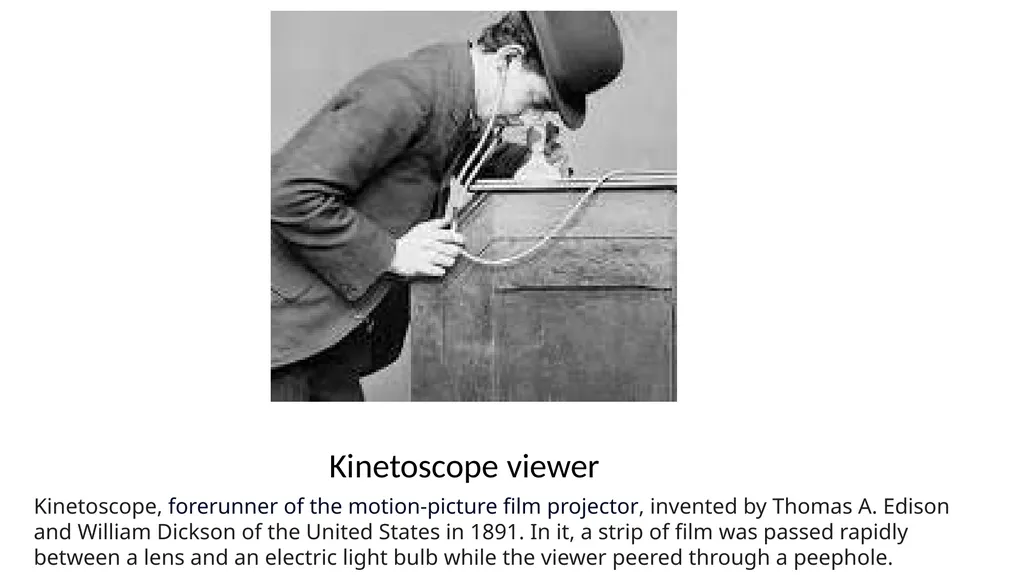
Kinetoscope viewer Kinetoscope, forerunner of the motion-picture film projector, invented by Thomas A. Edison and William Dickson of the United States in 1891. In it, a strip of film was passed rapidly between a lens and an electric light bulb while the viewer peered through a peephole.<br>
05
Film is designed around multiple sizes 8mm Home movies
16mm Industrial
35mm Theatre
70mm Super Wide, IMAX<br>
16mm Industrial
35mm Theatre
70mm Super Wide, IMAX<br>
06
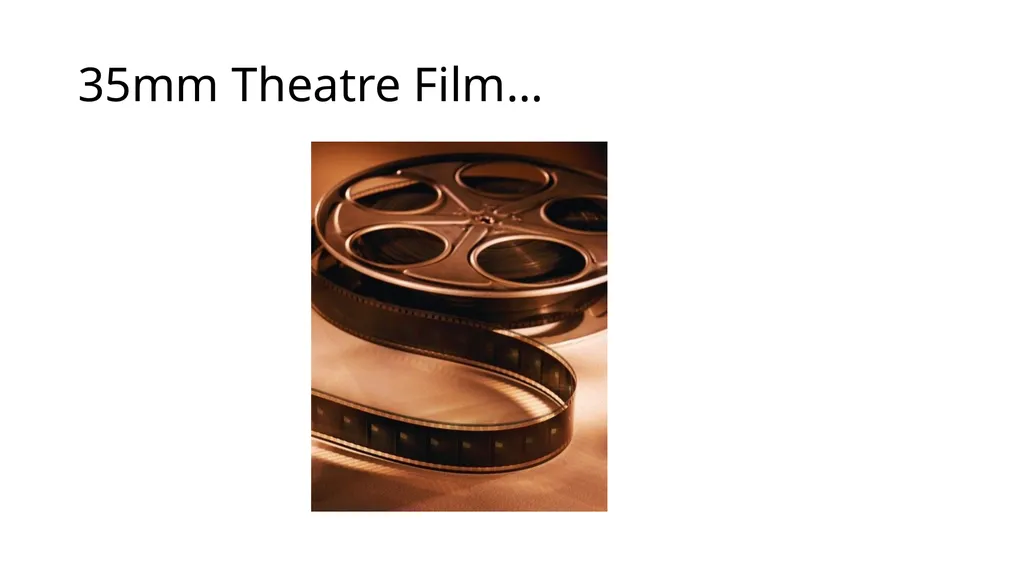
35mm Theatre Film… Save<br>
07
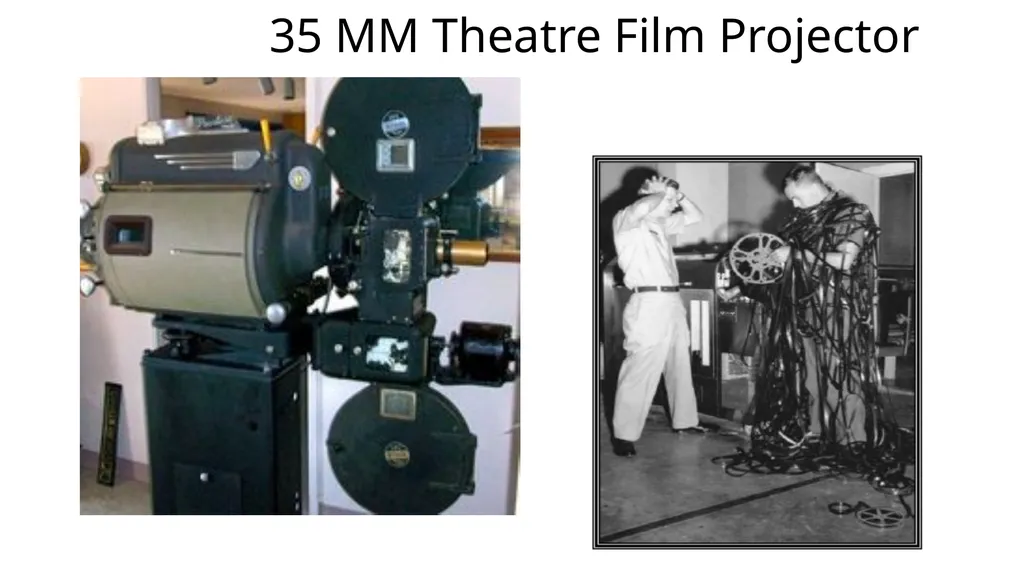
35 MM Theatre Film Projector<br>
08
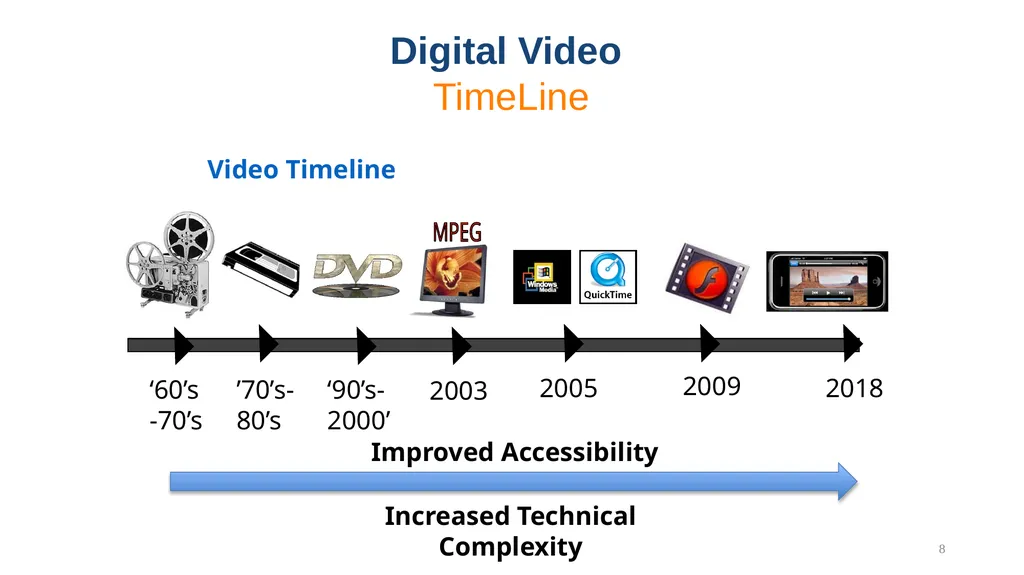
Video Timeline Digital Video
TimeLine 8<br>
09
Film vs. Video Film captures motion at 24 frames (Images) per second
Video typically operates at 30 frames per second
Video inherits many of its characteristics from broadcast television, developed in the 1930’s – 40’s<br>
Video typically operates at 30 frames per second
Video inherits many of its characteristics from broadcast television, developed in the 1930’s – 40’s<br>
10
Video Starts off as Analog Information Just as in Imaging, the original information contained in video is analog by nature
Intensity
Color
Speed / Motion (30 Frames per Second)
Digital technology allows us to convert it to bits, store it and manipulate it much easier than its analog counterpart<br>
Intensity
Color
Speed / Motion (30 Frames per Second)
Digital technology allows us to convert it to bits, store it and manipulate it much easier than its analog counterpart<br>
11
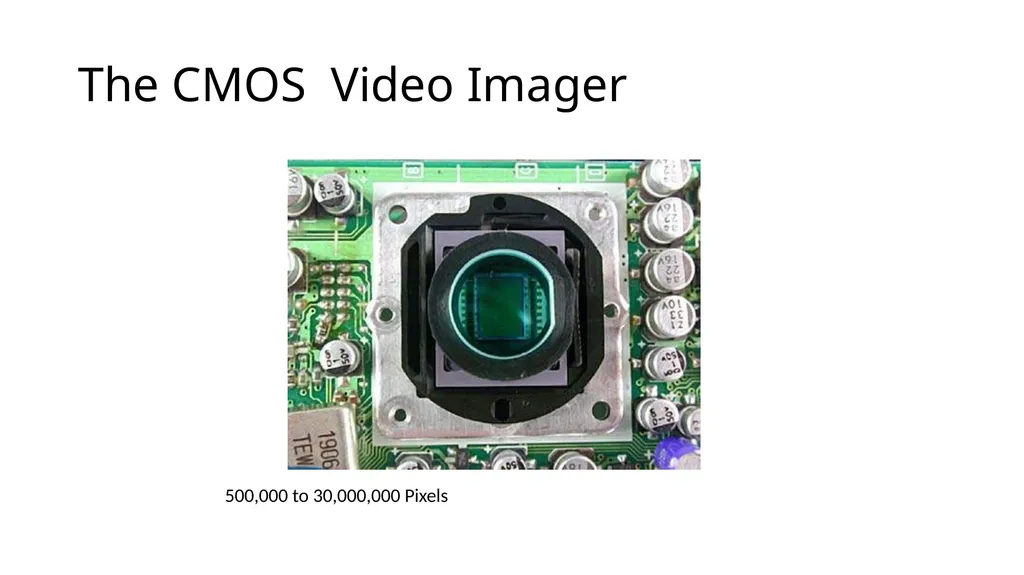
The CMOS Video Imager 500,000 to 30,000,000 Pixels<br>
12
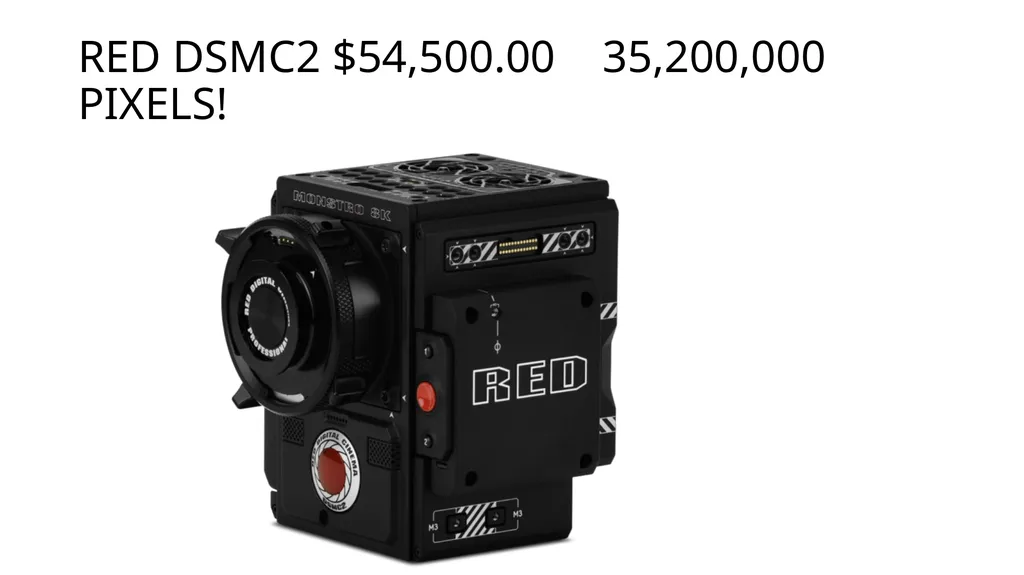
RED DSMC2 $54,500.00 35,200,000 Pixels!<br>
13
GoPro Black $399.00 12,000,000 Pixels HERO 7 Black<br>
14
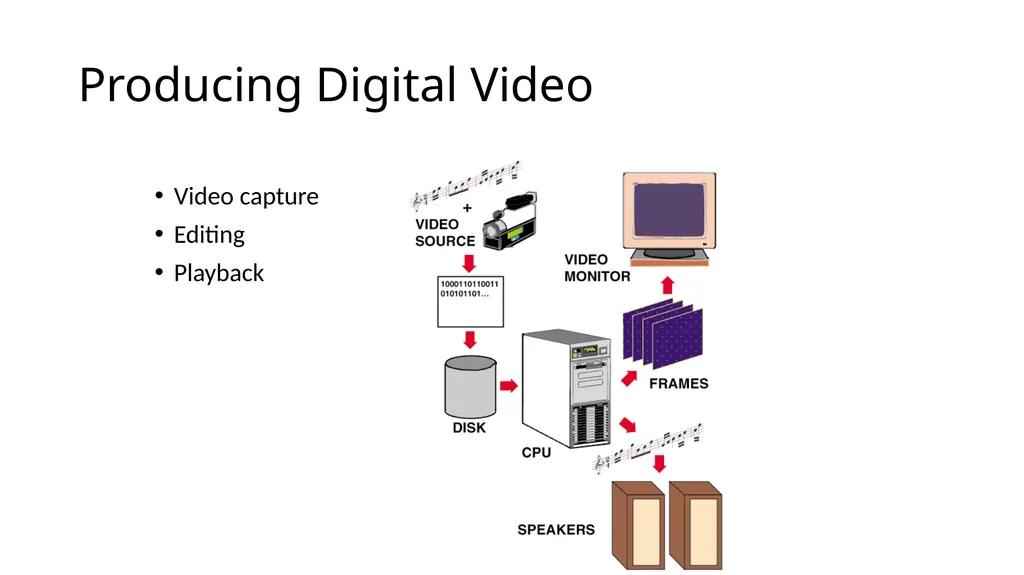
Producing Digital Video Video capture
Editing
Playback<br>
Editing
Playback<br>
15
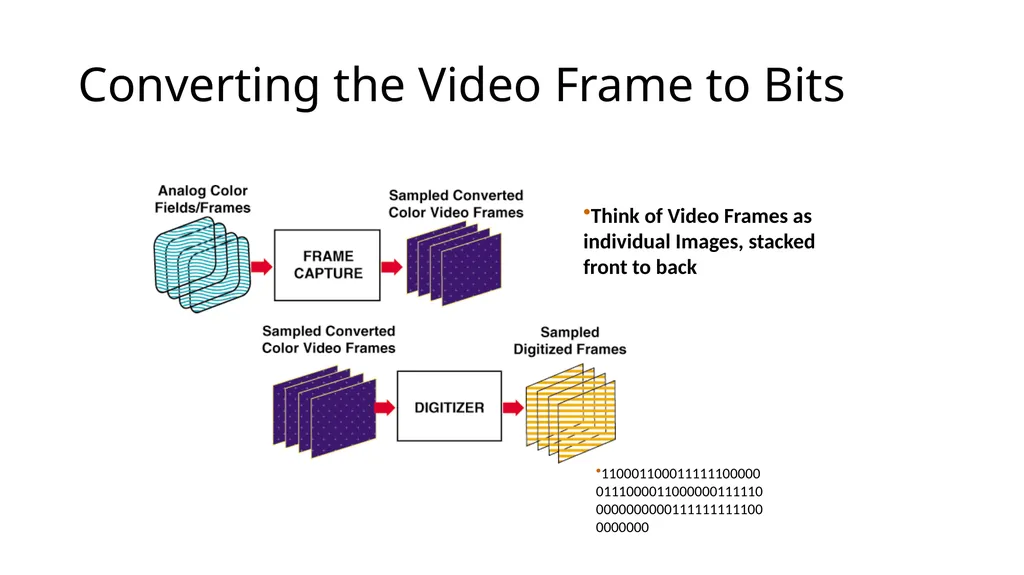
Converting the Video Frame to Bits 110001100011111100000011100001100000011111000000000001111111111000000000 Think of Video Frames as individual Images, stacked front to back<br>
16
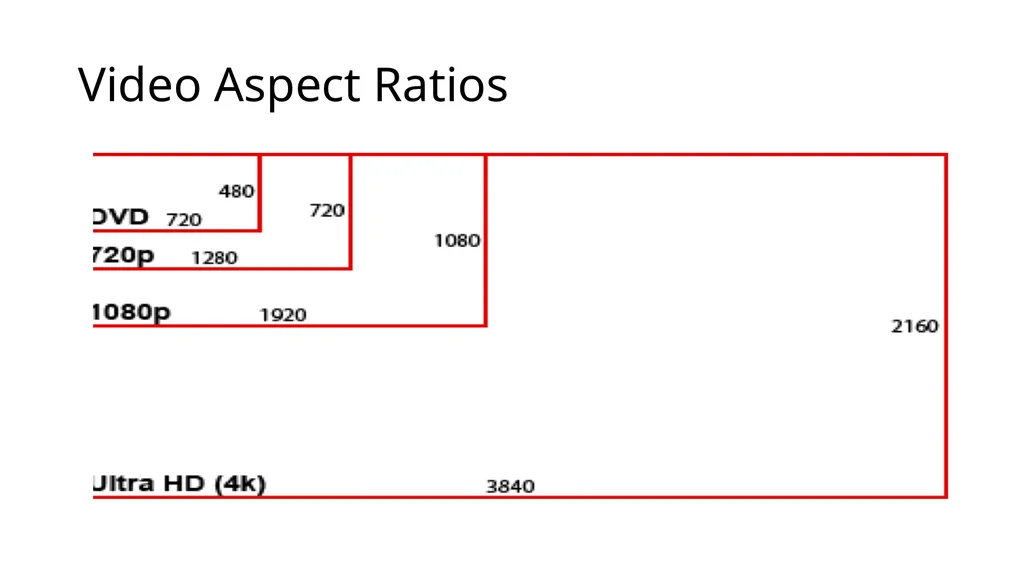
DVD – Digital Versatile Disk Up to 133 minutes of medium resolution video, with 720 dots of horizontal resolution X 480 dots of vertical resolution (The video compression ratio is typically 40:1 using MPEG-2 compression.)
Soundtrack presented in up to eight languages using 5.1 channel Dolby digital surround sound
4.7Gb of storage total per disk<br>
Soundtrack presented in up to eight languages using 5.1 channel Dolby digital surround sound
4.7Gb of storage total per disk<br>
17
Blu-Ray High Definition DVD 10 times the capacity of std DVD
Higher resolution:
Up to 1920X1080 dots of resolution
Up to 50GB of storage!
Uses a blue laser as opposed to a red one (shorter wavelength)
The current high def standard<br>
Higher resolution:
Up to 1920X1080 dots of resolution
Up to 50GB of storage!
Uses a blue laser as opposed to a red one (shorter wavelength)
The current high def standard<br>
18
Video Aspect Ratios<br>
19
Advantages and Disadvantages of Digital Video Advantages
Scalable to different playback systems
Random access to frames
Easy to Edit
More playback options
Potential for interactivity
Disadvantages
High playback and storage requirements
( Who Cares!!)<br>
Scalable to different playback systems
Random access to frames
Easy to Edit
More playback options
Potential for interactivity
Disadvantages
High playback and storage requirements
( Who Cares!!)<br>
20
Video Resolution Standard definition video was typically delivered at 440 X 320 or 720 X 480 depending upon whether it was broadcast, stored on VHS videotape or standard DVD
High definition video is delivered at:
1280 × 720 pixels,
Or 1920 × 1080 pixels,
Or 3840 x 2160 pixels
3-5 fold increase in pixel resolution…lot’s more data…
How is it possible that we can afford to transmit this over cable, satellite and over the air given this drastic increase in resolution<br>
High definition video is delivered at:
1280 × 720 pixels,
Or 1920 × 1080 pixels,
Or 3840 x 2160 pixels
3-5 fold increase in pixel resolution…lot’s more data…
How is it possible that we can afford to transmit this over cable, satellite and over the air given this drastic increase in resolution<br>
21
But, there is soooo much data! If we didn’t have a way to efficiently compress all of the information in the video frames, we would quickly run out of cost effective storage capacity for consumer applications.
Thus the need for
Compression/Decompression<br>
Thus the need for
Compression/Decompression<br>
22
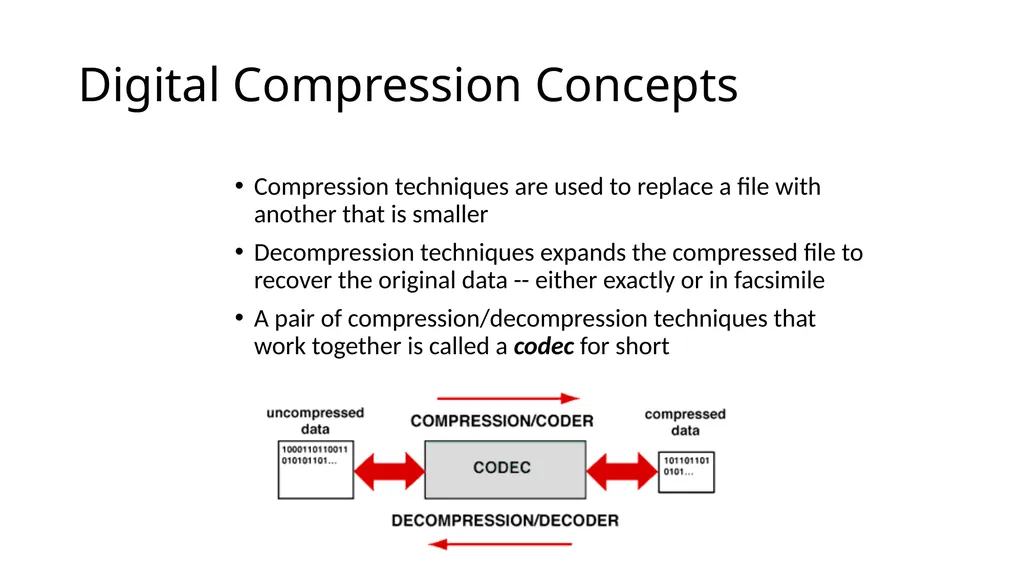
Digital Compression Concepts Compression techniques are used to replace a file with another that is smaller
Decompression techniques expands the compressed file to recover the original data -- either exactly or in facsimile
A pair of compression/decompression techniques that work together is called a codec for short<br>
Decompression techniques expands the compressed file to recover the original data -- either exactly or in facsimile
A pair of compression/decompression techniques that work together is called a codec for short<br>
23
Redundancy Data compression is possible because many messages (images, etc.) are redundant, and they can theoretically be reconstructed from a smaller set of bits.<br>
24
Types of Data Compression We can divide up data-compression techniques in many different ways:
Lossy as opposed to lossless compression
Syntactic as opposed to semantic compression.<br>
Lossy as opposed to lossless compression
Syntactic as opposed to semantic compression.<br>
25
Assumptions One way to look at data compression techniques is to ask what fact about the world they assume.
Syntactic techniques make very broad assumptions, semantic techniques can depend on very specific ones.<br>
Syntactic techniques make very broad assumptions, semantic techniques can depend on very specific ones.<br>
26
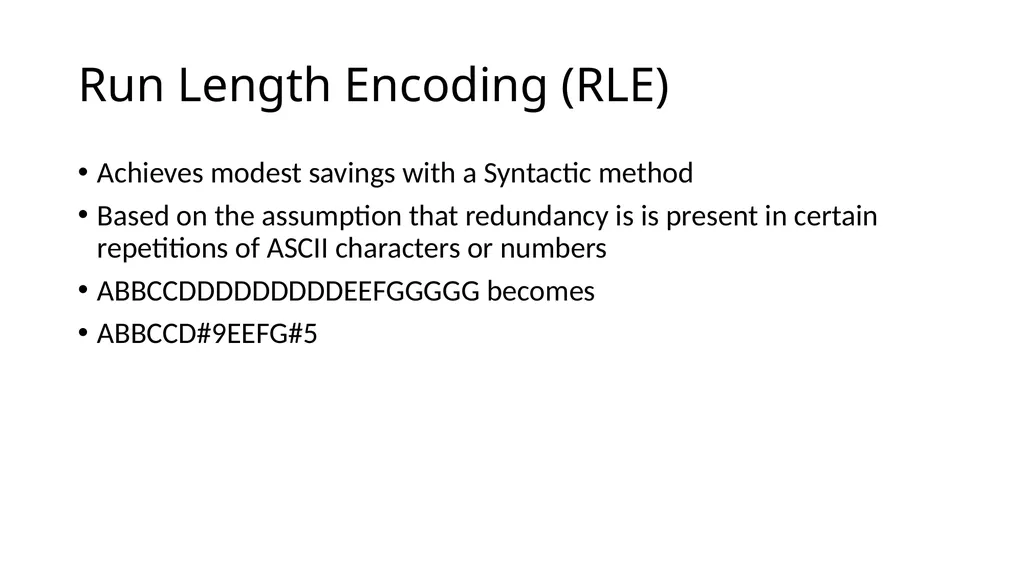
Run Length Encoding (RLE) Achieves modest savings with a Syntactic method
Based on the assumption that redundancy is is present in certain repetitions of ASCII characters or numbers
ABBCCDDDDDDDDDEEFGGGGG becomes
ABBCCD#9EEFG#5<br>
Based on the assumption that redundancy is is present in certain repetitions of ASCII characters or numbers
ABBCCDDDDDDDDDEEFGGGGG becomes
ABBCCD#9EEFG#5<br>
27
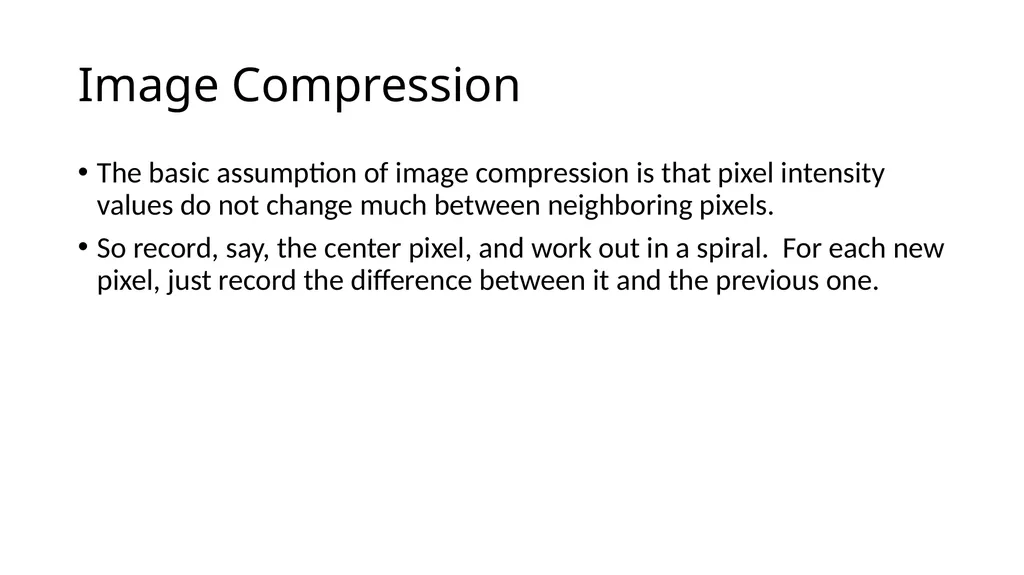
Image Compression The basic assumption of image compression is that pixel intensity values do not change much between neighboring pixels.
So record, say, the center pixel, and work out in a spiral. For each new pixel, just record the difference between it and the previous one.<br>
So record, say, the center pixel, and work out in a spiral. For each new pixel, just record the difference between it and the previous one.<br>
28
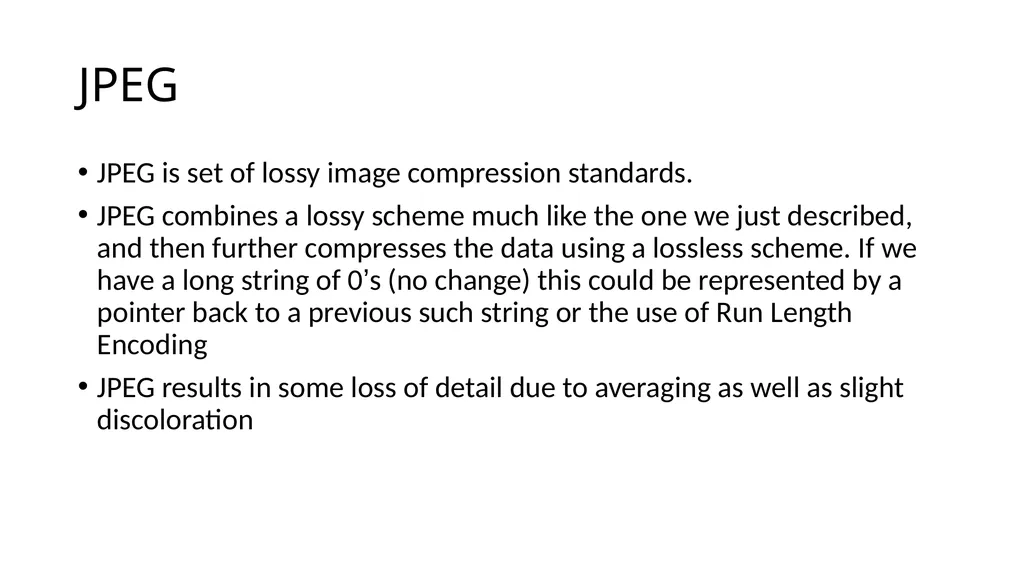
JPEG JPEG is set of lossy image compression standards.
JPEG combines a lossy scheme much like the one we just described, and then further compresses the data using a lossless scheme. If we have a long string of 0’s (no change) this could be represented by a pointer back to a previous such string or the use of Run Length Encoding
JPEG results in some loss of detail due to averaging as well as slight discoloration<br>
JPEG combines a lossy scheme much like the one we just described, and then further compresses the data using a lossless scheme. If we have a long string of 0’s (no change) this could be represented by a pointer back to a previous such string or the use of Run Length Encoding
JPEG results in some loss of detail due to averaging as well as slight discoloration<br>
29
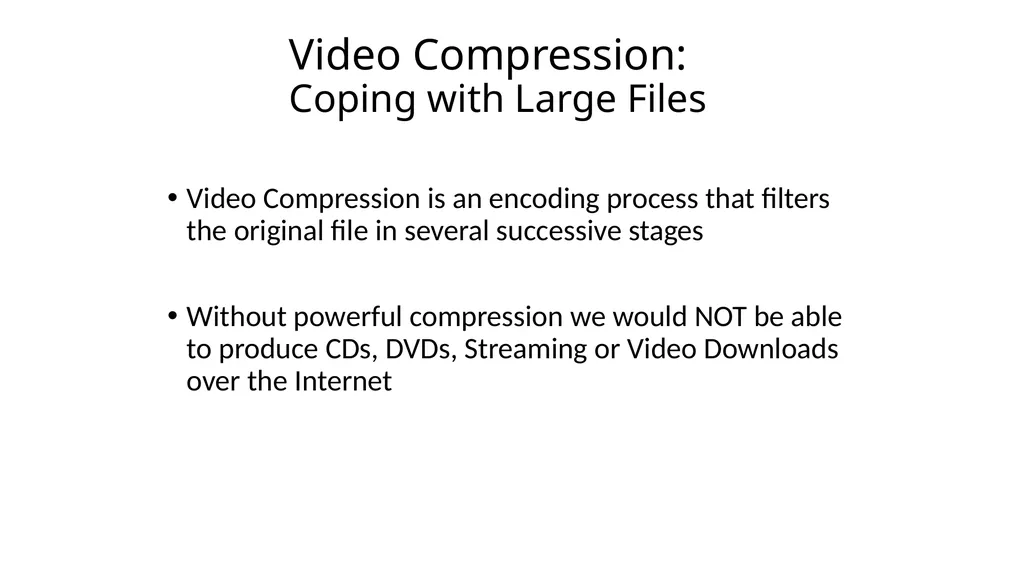
Video Compression:
Coping with Large Files Video Compression is an encoding process that filters the original file in several successive stages
Without powerful compression we would NOT be able to produce CDs, DVDs, Streaming or Video Downloads over the Internet<br>
Without powerful compression we would NOT be able to produce CDs, DVDs, Streaming or Video Downloads over the Internet<br>
30
Types of Codecs Codecs that upon decompression always reproduce the original file exactly are called lossless codecs
Codecs that reproduce only an approximation of the original file upon decompression are called lossy codecs
Codecs that take approximately the same amount of time to compress and decompress a file are referred to as symmetric codecs
By contrast, codecs that feature simple fast decompression but significantly slower compression are called asymmetric codecs<br>
Codecs that reproduce only an approximation of the original file upon decompression are called lossy codecs
Codecs that take approximately the same amount of time to compress and decompress a file are referred to as symmetric codecs
By contrast, codecs that feature simple fast decompression but significantly slower compression are called asymmetric codecs<br>
31
Codec Methods Syntactic encoding methods attempt to reduce the redundancy of patterns in a file without any regard to the type of information represented
Semantic methods consider special properties of the type of information represented to reduce nonessential information in a file
Hybrid methods combine both syntactic and semantic methods<br>
Semantic methods consider special properties of the type of information represented to reduce nonessential information in a file
Hybrid methods combine both syntactic and semantic methods<br>
32
Compressing Video Video compression employs both spatial and temporal compression techniques
spatial techniques compress individual frames
temporal methods compress data in frames over time
QuickTime and AVI (Audio Video Interleaved) are two popular (and incompatible with each other) compression formats used on PCs<br>
spatial techniques compress individual frames
temporal methods compress data in frames over time
QuickTime and AVI (Audio Video Interleaved) are two popular (and incompatible with each other) compression formats used on PCs<br>
33
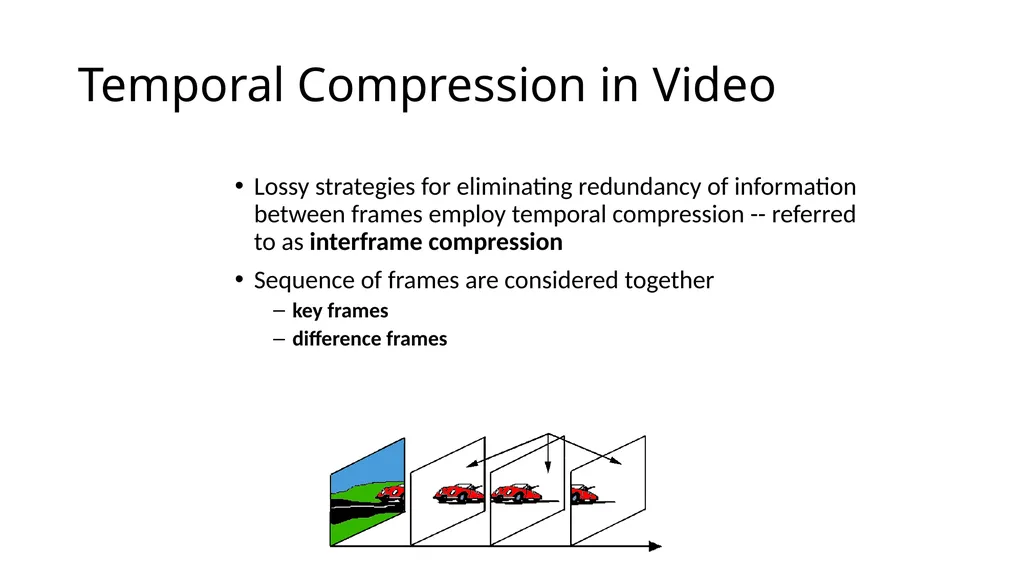
Temporal Compression in Video Lossy strategies for eliminating redundancy of information between frames employ temporal compression -- referred to as interframe compression
Sequence of frames are considered together
key frames
difference frames<br>
Sequence of frames are considered together
key frames
difference frames<br>
34
Other Brute Force Methods for Reducing Demands Frame rate adjustment
slow it from 30 to 24 fps
Lower resolution on individual frames
sometimes hard to notice by average viewer<br>
slow it from 30 to 24 fps
Lower resolution on individual frames
sometimes hard to notice by average viewer<br>
35
MPEG 2- The Mother of all Video Compression!….so far Uses : Temporal and Spatial Redundancy
Basically it predicts what subsequent frames of video are going to be based on previous and future frames
It encodes that knowledge such that only one out of 12 frames has a complete set of digital binary information….the others have a combo of binary and vector information
40:1 Compression Ratio…..makes DVDs possible<br>
Basically it predicts what subsequent frames of video are going to be based on previous and future frames
It encodes that knowledge such that only one out of 12 frames has a complete set of digital binary information….the others have a combo of binary and vector information
40:1 Compression Ratio…..makes DVDs possible<br>
36
MP4 Compression MP4 is a popular video format used to share, download, and stream video content. In addition to video, the format can store audio, images, and also subtitles
MP4 provides strong compression, which is lossy but retains high video quality. This makes it highly suitable for streaming and downloading videos over the Internet. It can package multiple media types including video, audio, images, and 3D imagery, together with complex metadata, making it possible to deliver navigation and other interactive elements to viewers.<br>
MP4 provides strong compression, which is lossy but retains high video quality. This makes it highly suitable for streaming and downloading videos over the Internet. It can package multiple media types including video, audio, images, and 3D imagery, together with complex metadata, making it possible to deliver navigation and other interactive elements to viewers.<br>
37
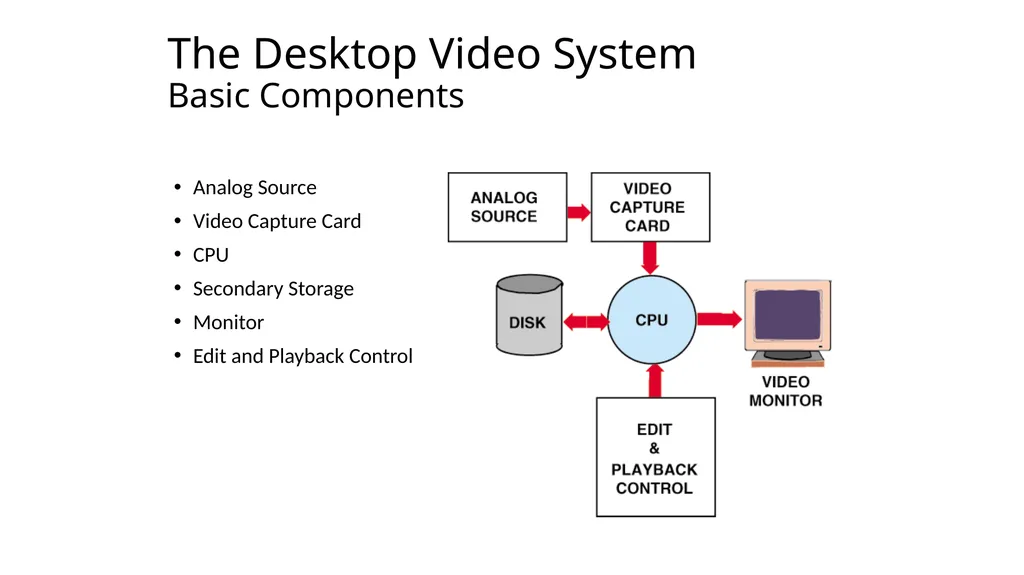
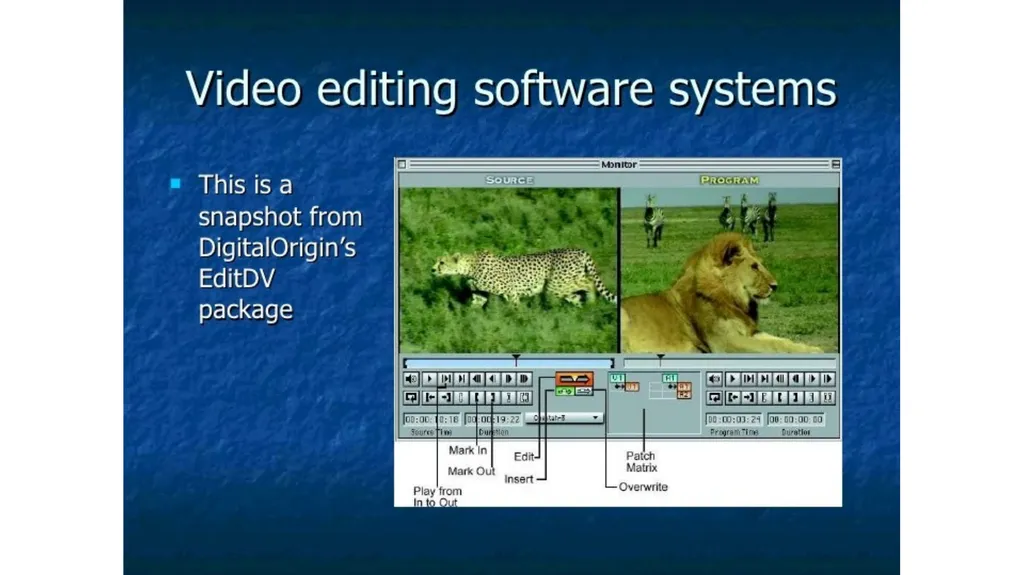
The Desktop Video System
Basic Components Analog Source
Video Capture Card
CPU
Secondary Storage
Monitor
Edit and Playback Control<br>
Video Capture Card
CPU
Secondary Storage
Monitor
Edit and Playback Control<br>
38
Editing Digital Video Clip Logging
Assembling
Transitions
dissolves
wipes, etc.
Rotoscoping
Frame Editing (Digital Effects)
Compositing
keying
titling<br>
Assembling
Transitions
dissolves
wipes, etc.
Rotoscoping
Frame Editing (Digital Effects)
Compositing
keying
titling<br>
39
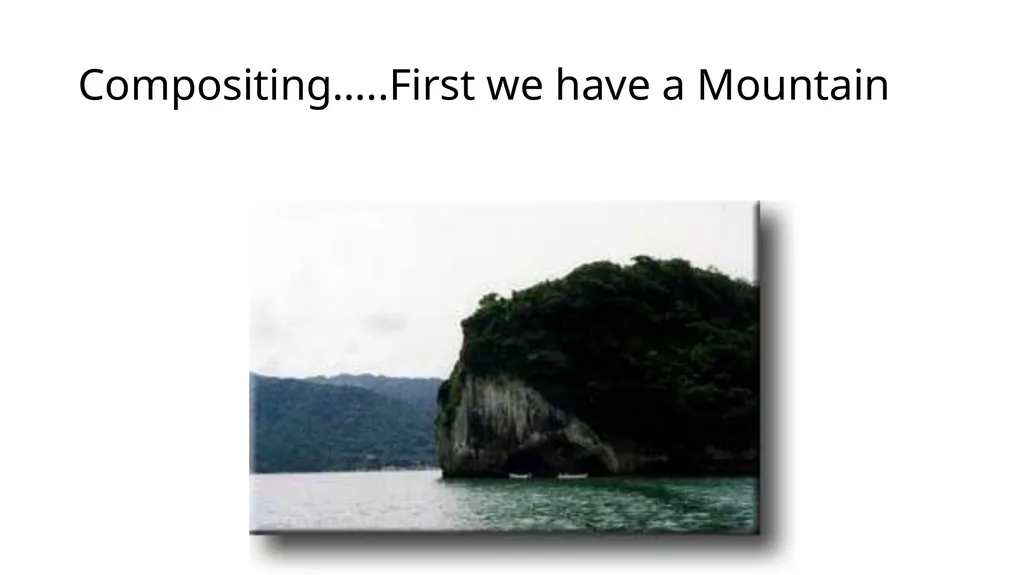
Compositing…..First we have a Mountain<br>
40
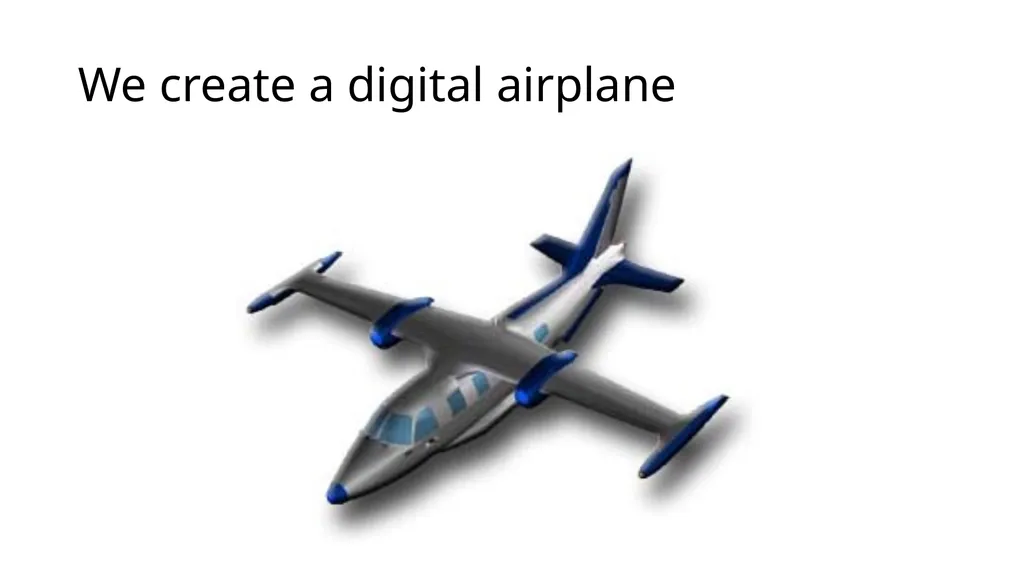
We create a digital airplane<br>
41
Mountain and Plane…..Together !!<br>
42
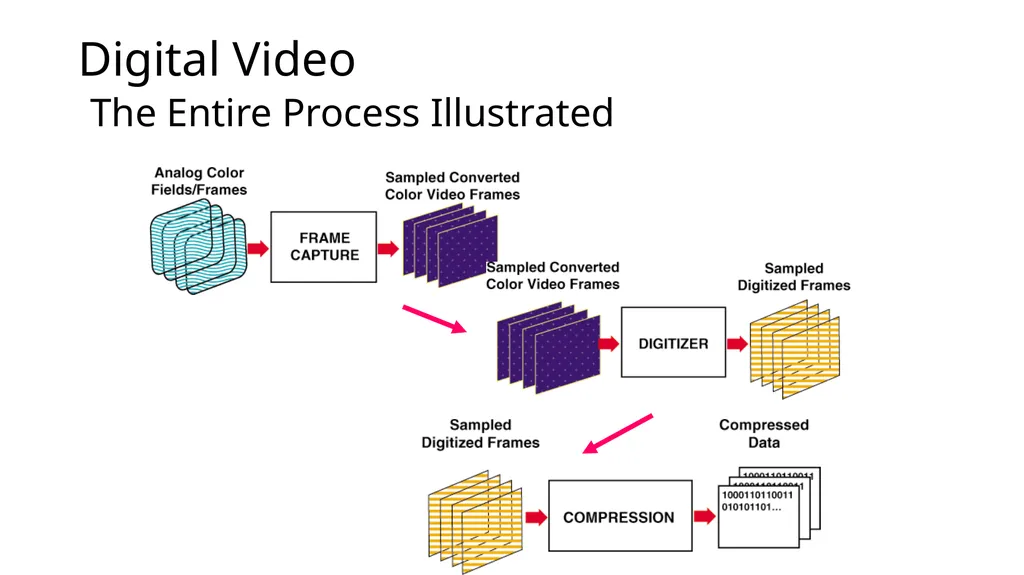
Digital Video
The Entire Process Illustrated<br>
43
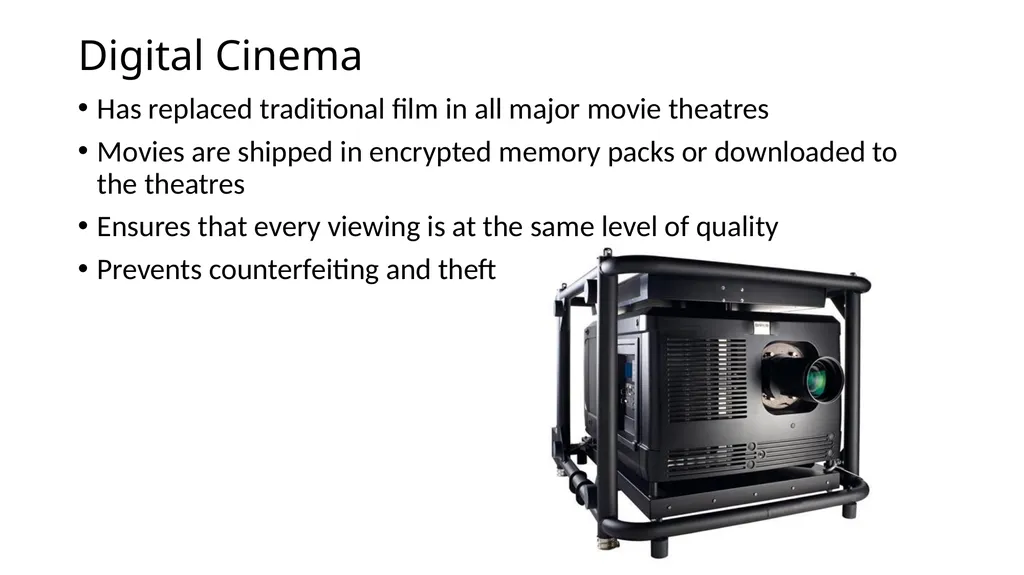
Digital Cinema Has replaced traditional film in all major movie theatres
Movies are shipped in encrypted memory packs or downloaded to the theatres
Ensures that every viewing is at the same level of quality
Prevents counterfeiting and theft<br>
Movies are shipped in encrypted memory packs or downloaded to the theatres
Ensures that every viewing is at the same level of quality
Prevents counterfeiting and theft<br>
44
So What does Digital Video make possible? Anyone can produce, direct, shoot, edit and publish a hi-def video
Portability
Self publishing over the net
Video on Demand
Downloading
Streaming
Purchasing
And it gets cheaper every day!<br>
Portability
Self publishing over the net
Video on Demand
Downloading
Streaming
Purchasing
And it gets cheaper every day!<br>
45
Summary Digital video is:
scalable
allows unlimited editing
has interactive potential
Digital video can be produced with desktop systems
Flexible editing and playback options are major advantages
Storage requirement is biggest challenge
But, Remember Moore’s Law !!<br>
scalable
allows unlimited editing
has interactive potential
Digital video can be produced with desktop systems
Flexible editing and playback options are major advantages
Storage requirement is biggest challenge
But, Remember Moore’s Law !!<br>
46
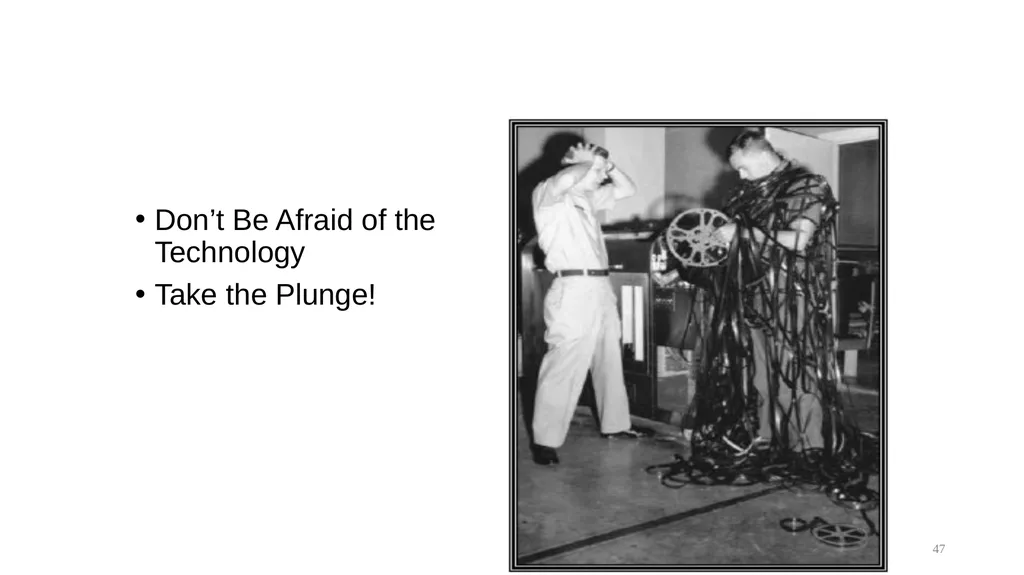
Don’t Be Afraid of the Technology
Take the Plunge! 47<br>
Take the Plunge! 47<br>
47
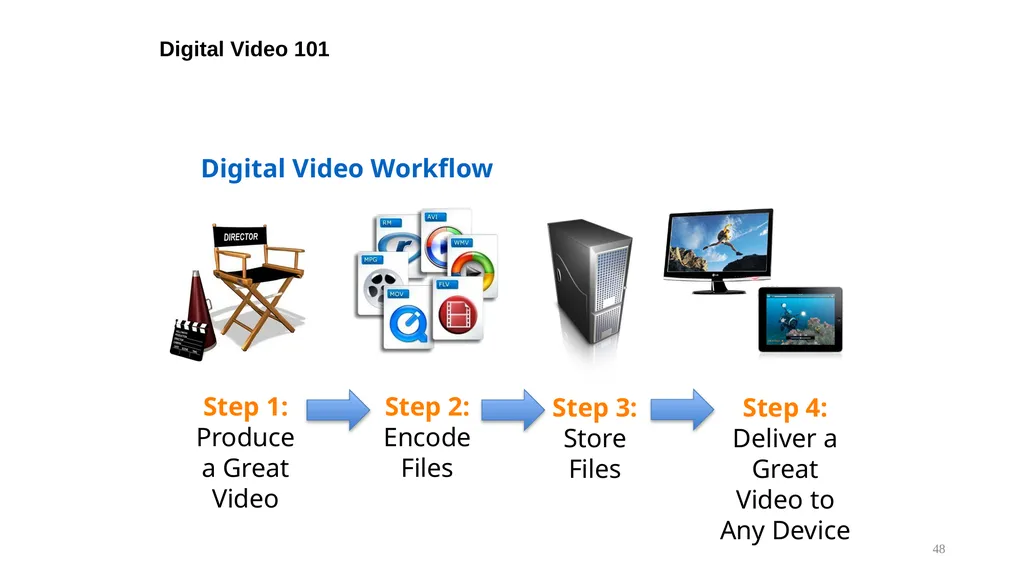
Digital Video 101 48 Digital Video Workflow<br>
48
Questions? 49<br>