Man-In-The-Middle Attacks Definition Man-in-the-Middle (MitM) attacks happen when traffic between two parties is observed or manipulated by an unknown third party. A MitM attack is a cybercrime method used to steal personal information or
"Man-In-The-Middle Attacks Definition" is the property of its rightful owner. Permission is granted to
download and print the materials on this website for personal, non-commercial use only, and to display it
on your personal computer provided you do not modify the materials and that you retain all copyright
notices contained in the materials. By downloading content from our website, you accept the terms of this
agreement.
Presentation Transcript
01
Man-In-The-Middle Attacks<br>
02
Definition Man-in-the-Middle (MitM) attacks happen when traffic between two parties is observed or manipulated by an unknown third party.
A MitM attack is a cybercrime method used to steal personal information or login credentials. Cyber criminals also use MitM attacks as a means to spy on, corrupt information, or disrupt communications between two parties. 2 Since the 1980s, MitM attacks have been used to infiltrate traffic between innocent parties.<br>
03
Methods Man-in-the-Middle attacks can happen in a number of ways:
Types of Spoofing (IP, DNS, HTTPS)
Hijacking (Secure Socket Layer, Email)
Wi-Fi Eavesdropping
Theft of Browsing Cookies 3<br>
04
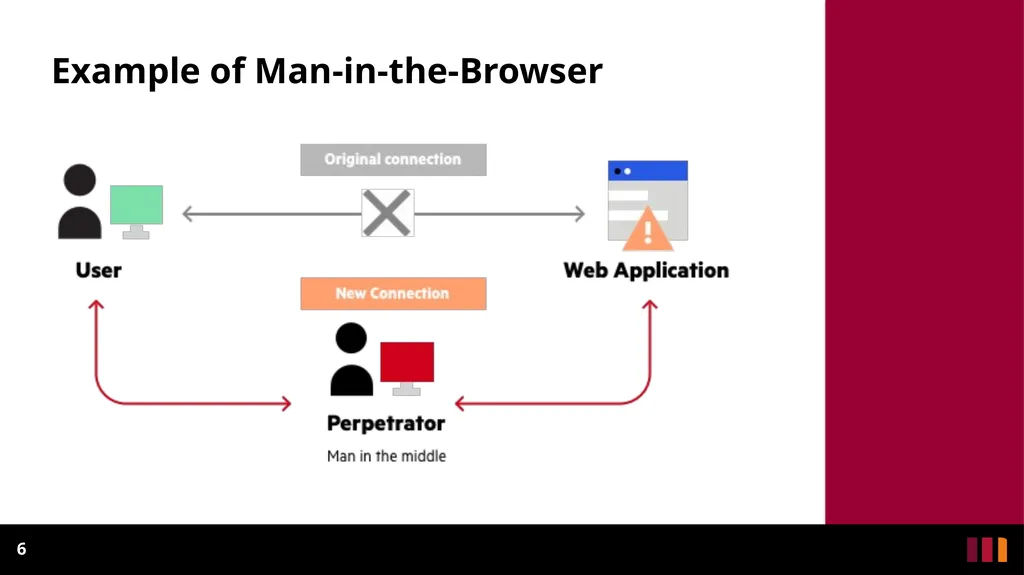
Man-in-the-Browser: When a Man-in-the-Browser attack takes place, the attacker uses a Phishing method in order to administer malware to a device.
Malware is software meant to damage a network, server or personal computer. 4 Phishing is a method of sending fraudulent emails or text messages to trick a user into revealing personal information.<br>
05
Man-in-the-Browser Continued A Man-in-the-Browser attack happens when malware installs itself on a victim’s browser in order to record information sent between targeted websites and the user.
Online banking institutions are prone to this form of cybercrime. 5<br>
06
Example of Man-in-the-Browser 6<br>
07
IP Spoofing All devices that connect to the internet have an IP Address.
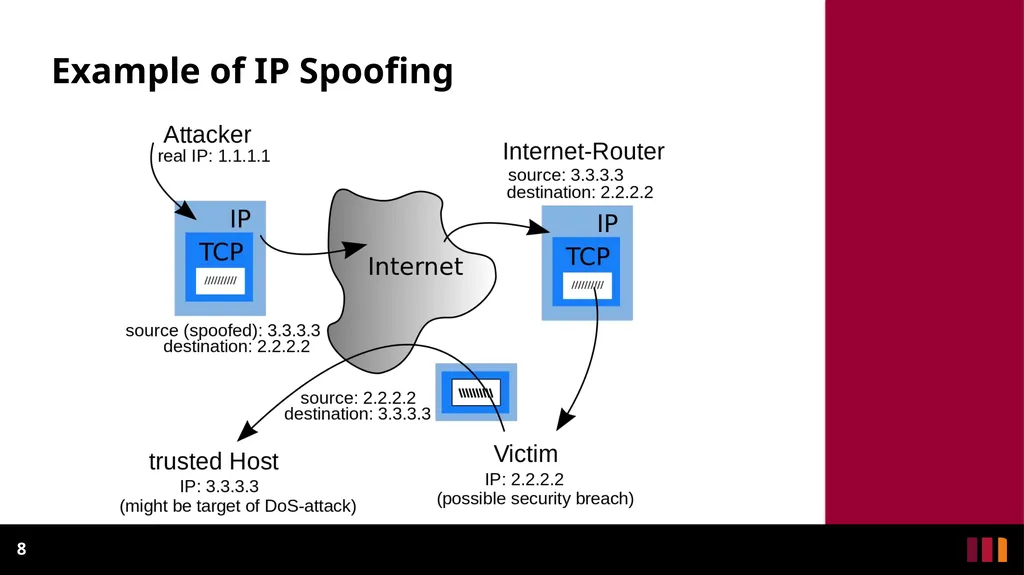
Spoofing happens when someone or something impersonates a trusted source.
Attackers use IP Spoofing in order to deceive users into revealing sensitive information by “spoofing” their IP and posing as a website or someone familiar. 7 An IP Address is like your home address.<br>
08
Example of IP Spoofing 8<br>
09
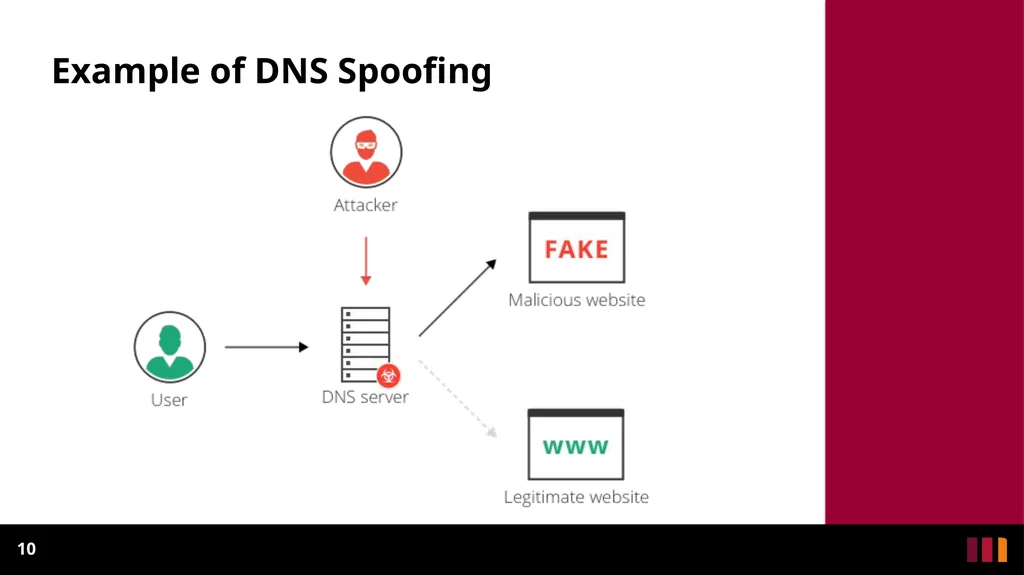
DNS Spoofing DNS refers to “Domain Name Server/System”. The DNS system converts names to IP Addresses.
When Spoofing a DNS, a user is forced to an imitation website, similar to the one intended to be viewed.
The goal of the attacker is to divert traffic or retrieve login credentials. 9 Example: The DNS will return the IP address of a visited website when it is typed into a browser.<br>
10
Example of DNS Spoofing 10<br>
11
HTTPS Spoofing HTTPS stands for Hypertext Transfer Protocol Secure. This protocol is used by the Web to format and transmit messages.
Ensure that when visiting a website, the URL indicates that it uses “https” rather than “http”. 11<br>
12
HTTPS Spoofing In HTTPS Spoofing, the attacker manipulates the browser into believing it is visiting a trusted website.
After redirecting your browser, the attacker uses the vulnerable website to monitor communication and steal shared information. 12<br>
13
SSL Hijacking SSL stands for Secure Sockets Layer, which was a protocol developed in order to communicate over the internet securely.
Sometimes when a device visits an unsecure website (http), it is automatically redirected to the secure version (https).
An attacker utilizes a computer and secure server to reroute information of a user right before connection to a legitimate server, this is SSL Hijacking. 13<br>
14
Email Hijacking Email Hijacking occurs when attackers target financial organizations for email information.
After obtaining access to email accounts, attackers can monitor all financial transactions.
Attackers then follow up by “spoofing” the financial institution’s email and possibly providing users with instructions that would result in the attacker receiving funds. 14<br>
15
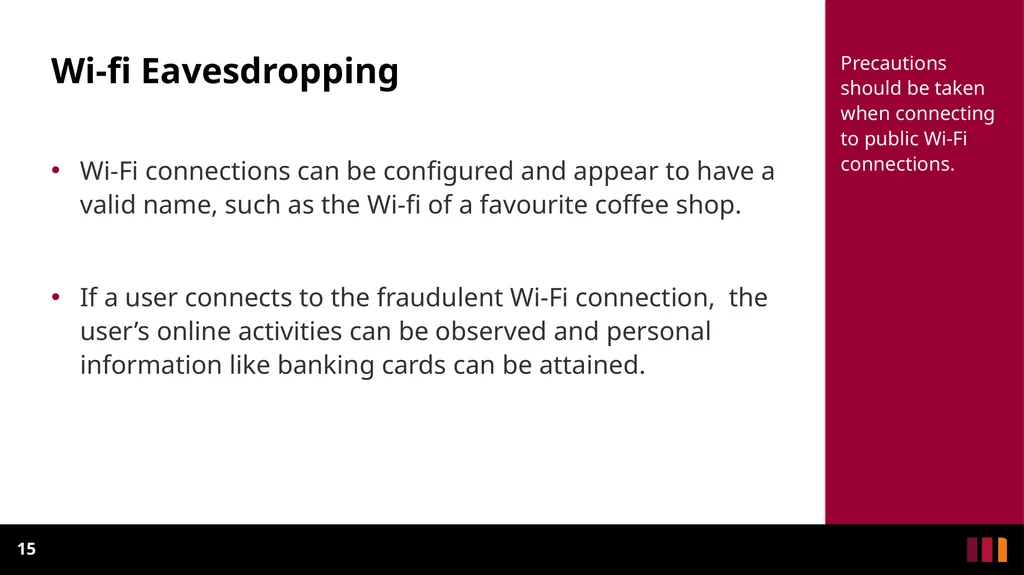
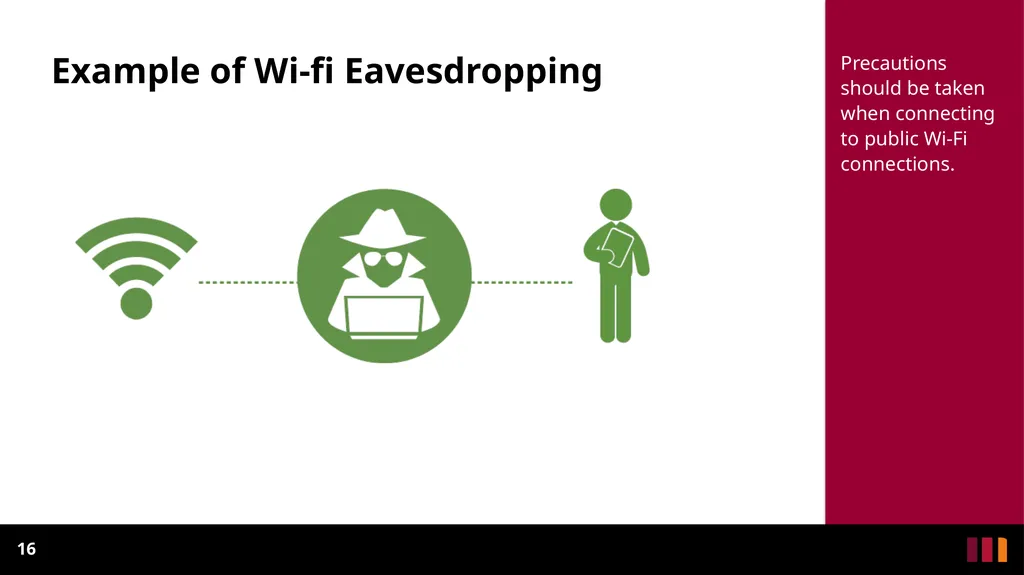
Wi-fi Eavesdropping Wi-Fi connections can be configured and appear to have a valid name, such as the Wi-fi of a favourite coffee shop.
If a user connects to the fraudulent Wi-Fi connection, the user’s online activities can be observed and personal information like banking cards can be attained. 15 Precautions should be taken when connecting to public Wi-Fi connections.<br>
16
Example of Wi-fi Eavesdropping 16 Precautions should be taken when connecting to public Wi-Fi connections.<br>
17
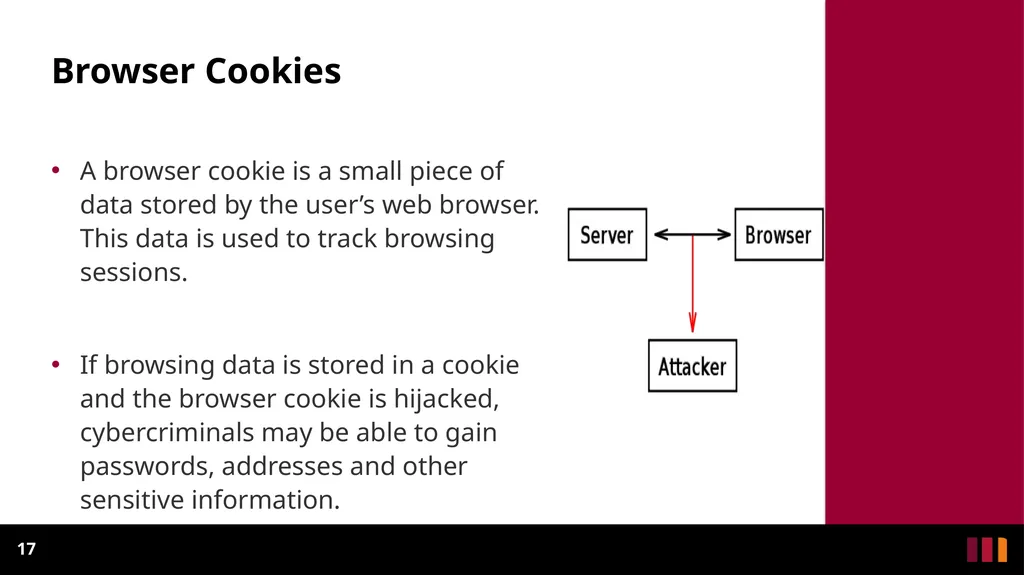
Browser Cookies A browser cookie is a small piece of data stored by the user’s web browser. This data is used to track browsing sessions.
If browsing data is stored in a cookie and the browser cookie is hijacked, cybercriminals may be able to gain passwords, addresses and other sensitive information. 17<br>
18
Protection Ensure that the browser is using “https” when browsing the web.
Be on alert of Phishing emails that request credentials to be updated. 18<br>
19
Protection Continued Refrain from connecting to public Wi-Fi connections without a VPN.
Make use of internet security applications to thwart MitB attacks. 19<br>