Mobile Device Security MSIT 458 - Information Security December 4, 2010 Team Magic: Michael Gong Jake Kreider Chris Lugo Kwame Osafoh-Kantanka Agenda The Problem Existing mobility solution Developing the new solution Explanation of solution
Related Topics
Share
Embed code
Download this presentation From Below
"Mobile Device Security MSIT 458 - Information" is the property of its rightful owner. Permission is granted to
download and print the materials on this website for personal, non-commercial use only, and to display it
on your personal computer provided you do not modify the materials and that you retain all copyright
notices contained in the materials. By downloading content from our website, you accept the terms of this
agreement.
Presentation Transcript
01
Mobile Device Security MSIT 458 - Information Security
December 4, 2010
Team Magic:
Michael Gong
Jake Kreider
Chris Lugo
Kwame Osafoh-Kantanka<br>
02
Agenda The Problem
Existing mobility solution
Developing the new solution
Explanation of solution 2<br>
03
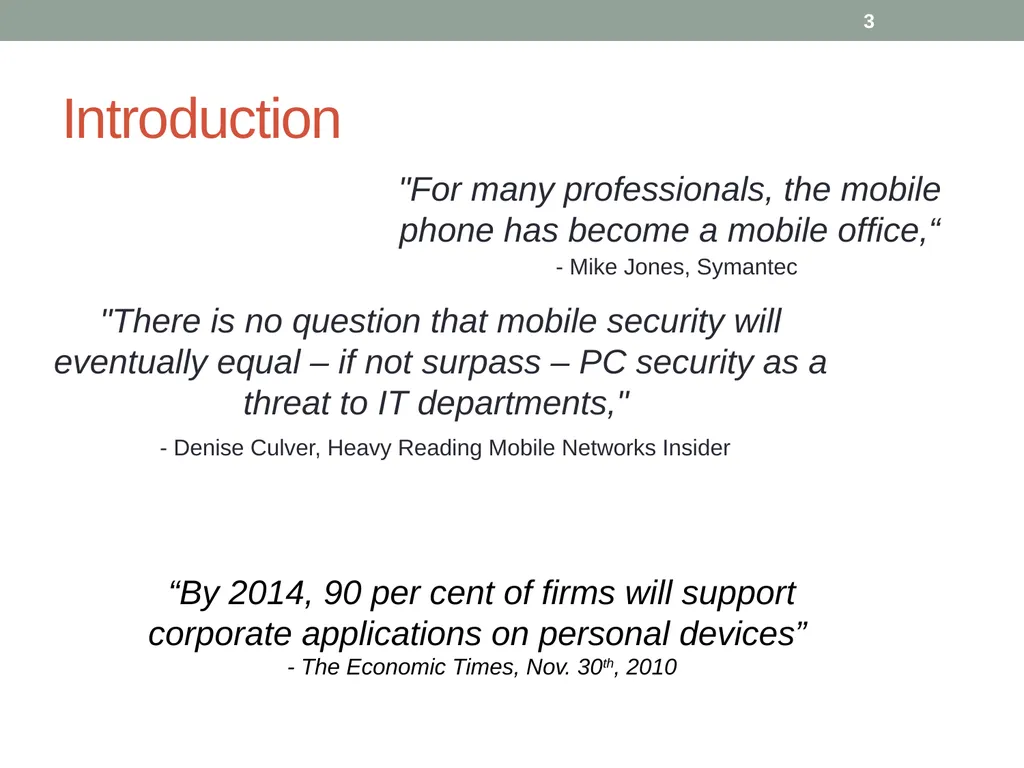
Introduction 3 “By 2014, 90 per cent of firms will support corporate applications on personal devices”
- The Economic Times, Nov. 30th, 2010 "For many professionals, the mobile phone has become a mobile office,“
- Mike Jones, Symantec "There is no question that mobile security will eventually equal – if not surpass – PC security as a threat to IT departments,"
- Denise Culver, Heavy Reading Mobile Networks Insider<br>
04
Problem Statement With the explosive growth of smartphones, tablets and mobile devices, companies must find a means of providing access to their internal systems and information to their mobile workforce securely and seamlessly. 4<br>
05
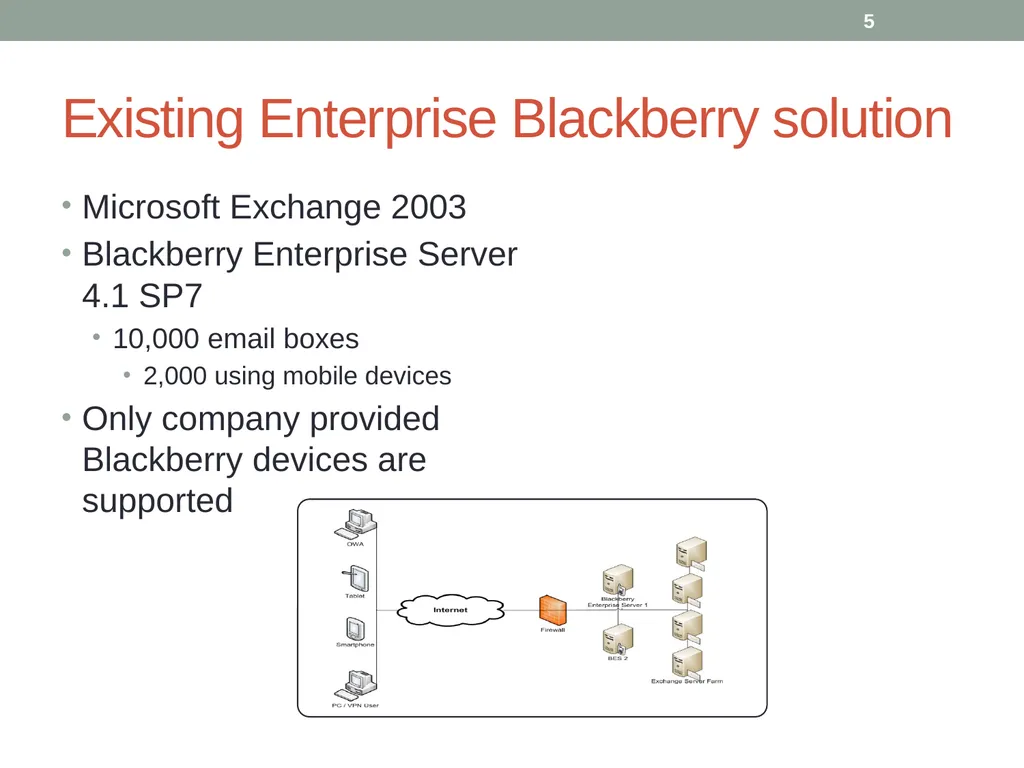
Existing Enterprise Blackberry solution Microsoft Exchange 2003
Blackberry Enterprise Server 4.1 SP7
10,000 email boxes
2,000 using mobile devices
Only company provided Blackberry devices are supported 5<br>
06
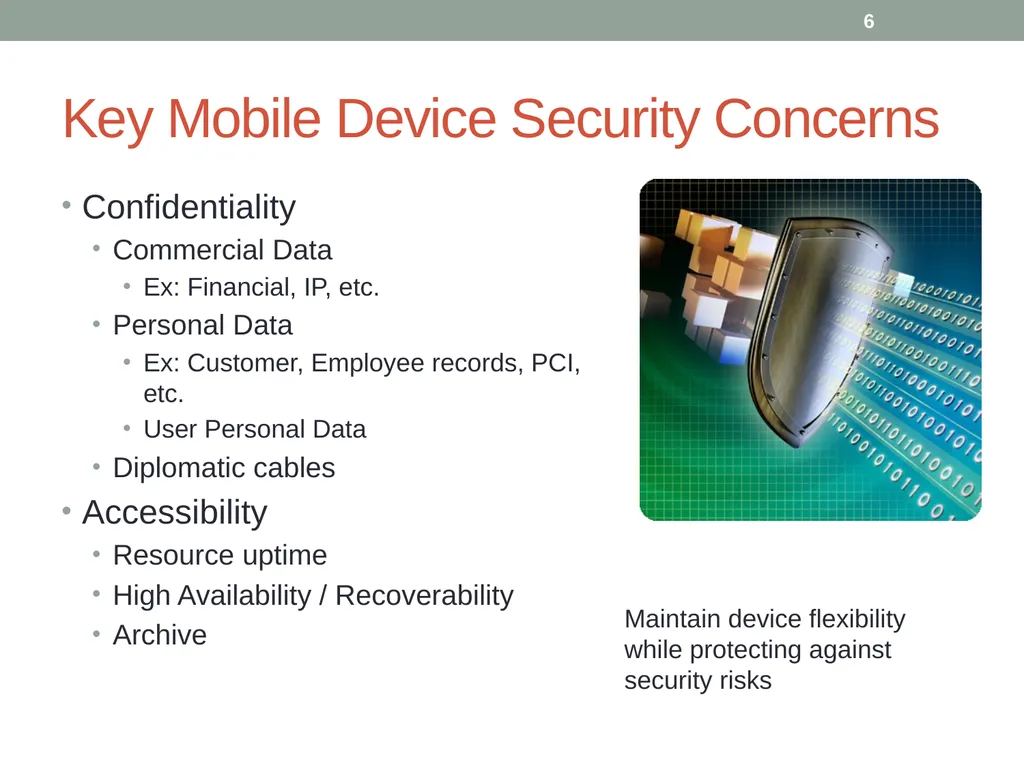
Key Mobile Device Security Concerns Confidentiality
Commercial Data
Ex: Financial, IP, etc.
Personal Data
Ex: Customer, Employee records, PCI, etc.
User Personal Data
Diplomatic cables
Accessibility
Resource uptime
High Availability / Recoverability
Archive Maintain device flexibility while protecting against security risks 6<br>
07
Current Needs of the Business and Solution Approach Business users today are more mobile than ever before and are looking to access the enterprise from multiple devices:
Apple iOS
Android
Blackberry
Windows Mobile
Users today are more technically skilled than before and are unfortunately able to develop “Business Managed Solutions” which may not meet the security requirements of the enterprise Must securely support users on the 4 identified leading mobile platforms
Must leverage the significant existing Exchange and Blackberry investment High Level Requirements &
Solution Approach The answer – A Mobile Device Management (MDM) Solution<br>
08
Developing the solution 8<br>
09
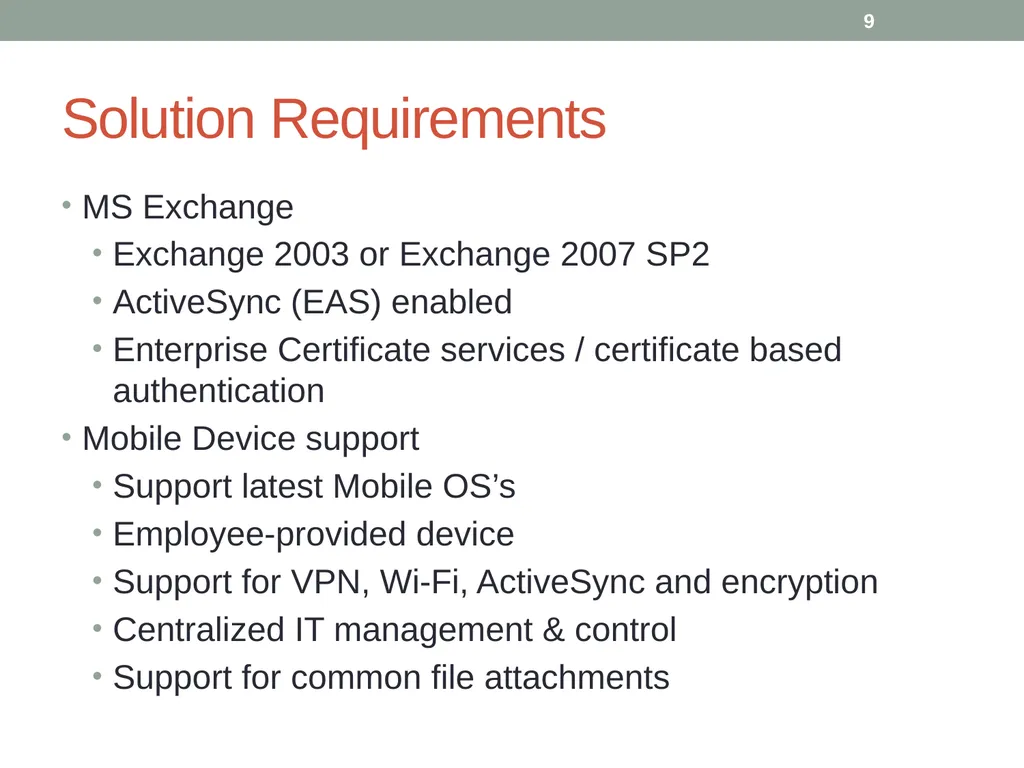
Solution Requirements MS Exchange
Exchange 2003 or Exchange 2007 SP2
ActiveSync (EAS) enabled
Enterprise Certificate services / certificate based authentication
Mobile Device support
Support latest Mobile OS’s
Employee-provided device
Support for VPN, Wi-Fi, ActiveSync and encryption
Centralized IT management & control
Support for common file attachments 9<br>
10
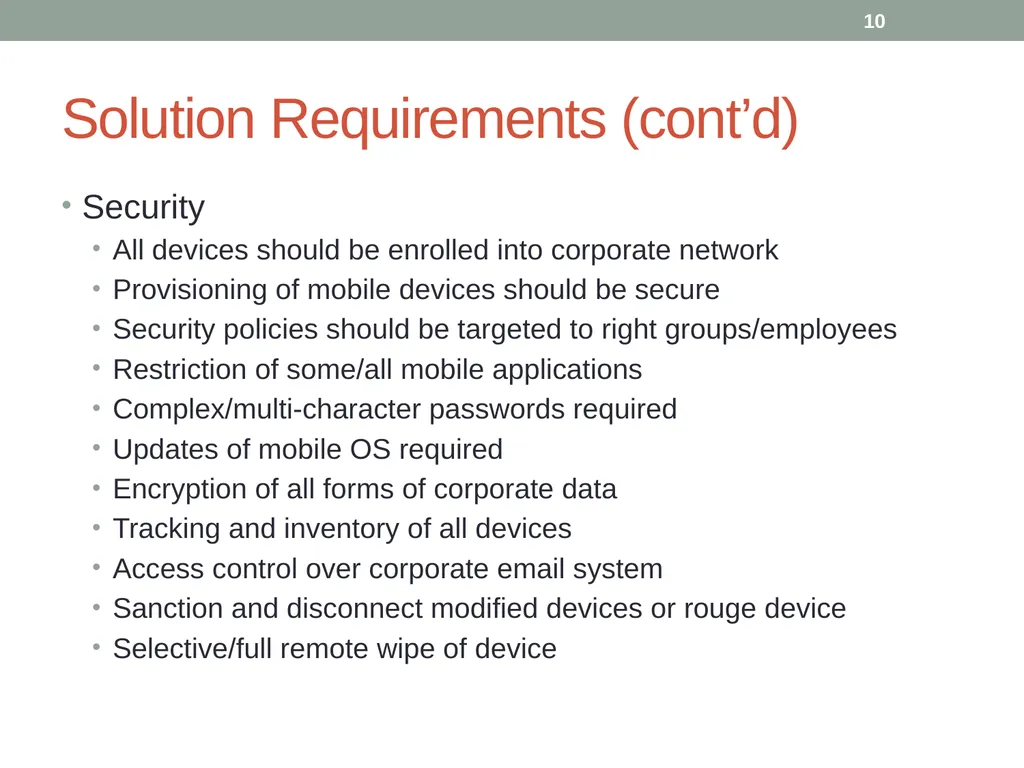
Solution Requirements (cont’d) Security
All devices should be enrolled into corporate network
Provisioning of mobile devices should be secure
Security policies should be targeted to right groups/employees
Restriction of some/all mobile applications
Complex/multi-character passwords required
Updates of mobile OS required
Encryption of all forms of corporate data
Tracking and inventory of all devices
Access control over corporate email system
Sanction and disconnect modified devices or rouge device
Selective/full remote wipe of device 10<br>
11
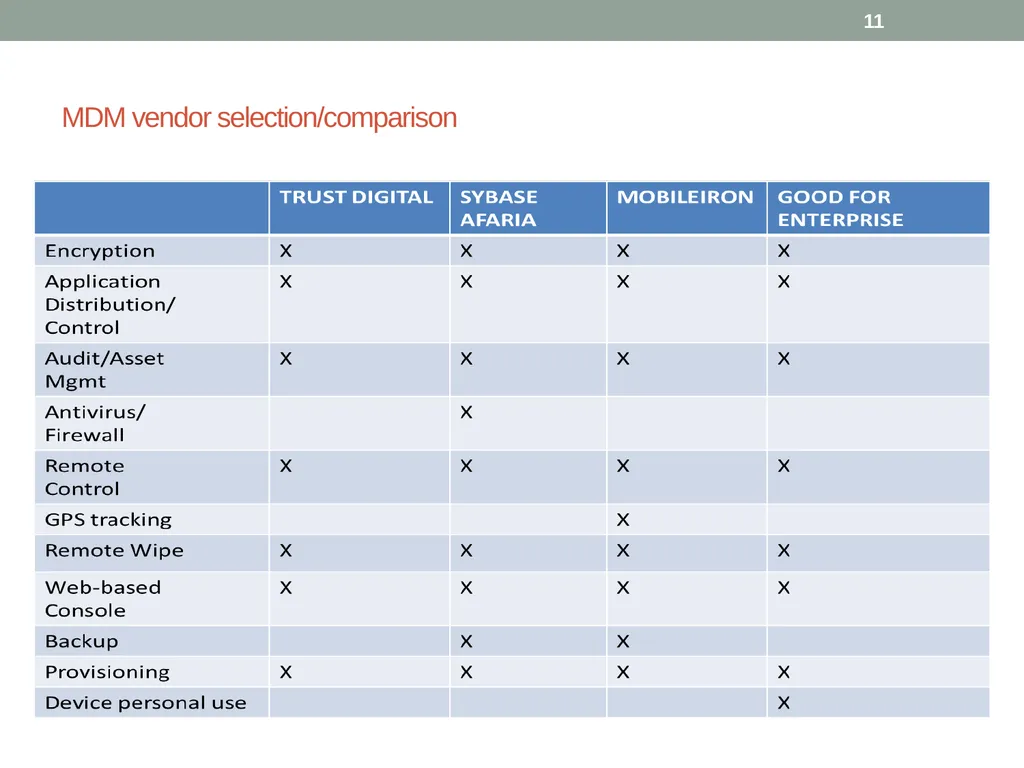
MDM vendor selection/comparison 11<br>
12
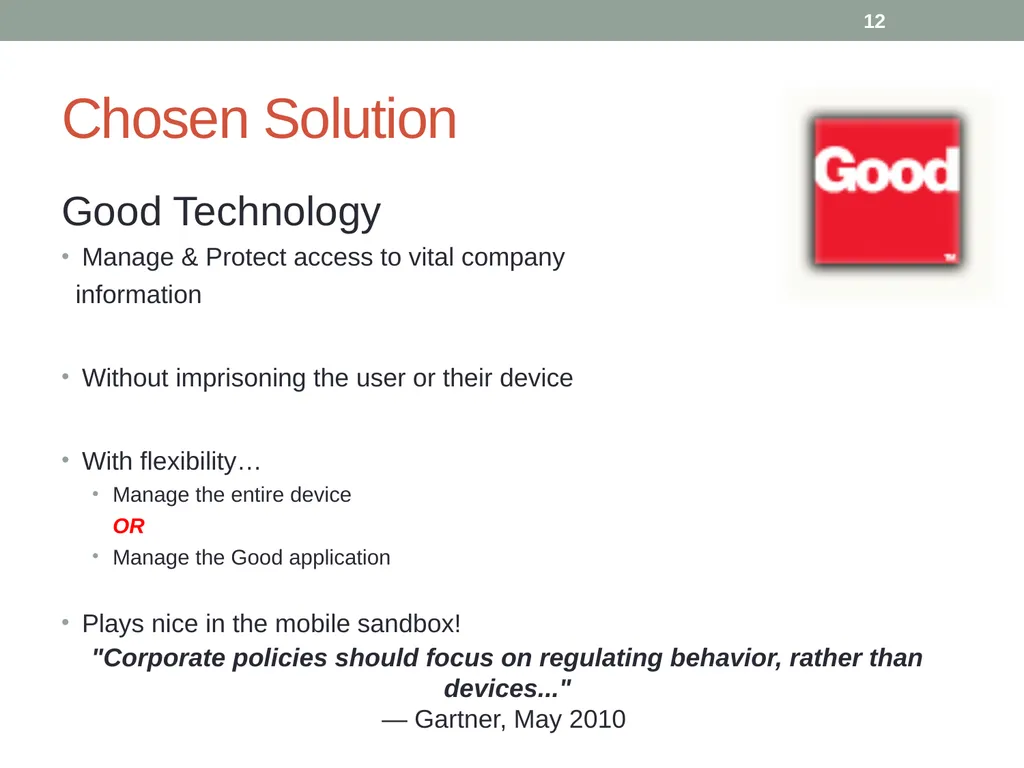
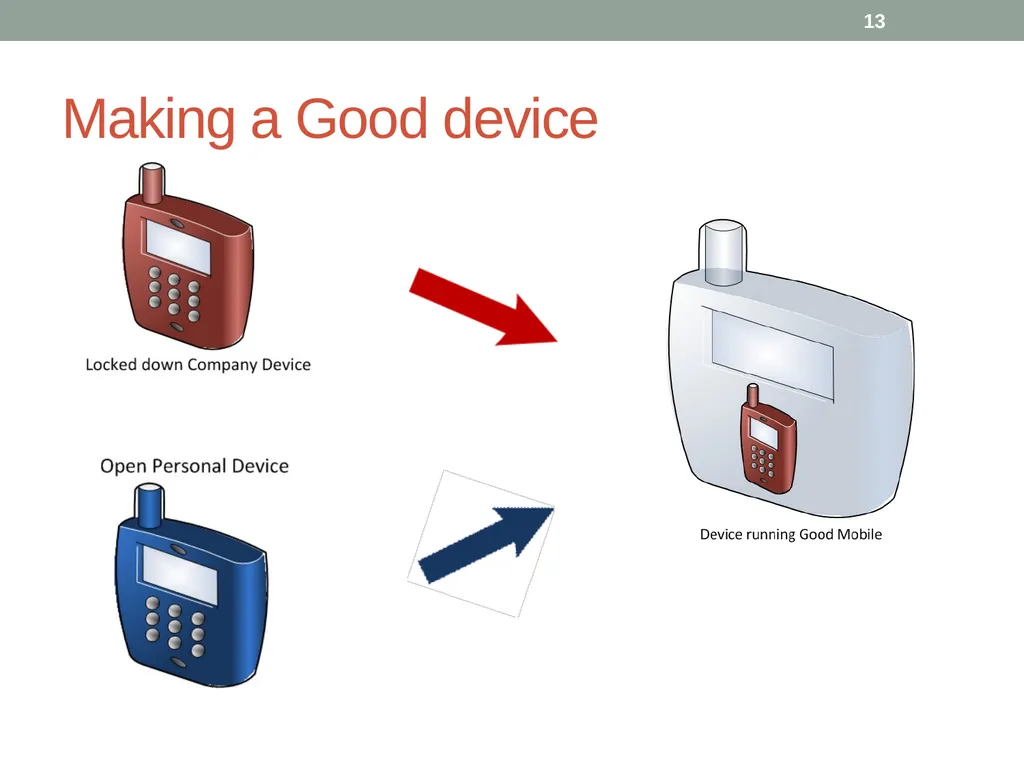
Chosen Solution Good Technology
Manage & Protect access to vital company
information
Without imprisoning the user or their device
With flexibility…
Manage the entire device
OR
Manage the Good application
Plays nice in the mobile sandbox! 12 "Corporate policies should focus on regulating behavior, rather than devices..."
— Gartner, May 2010<br>
13
Making a Good device 13<br>
14
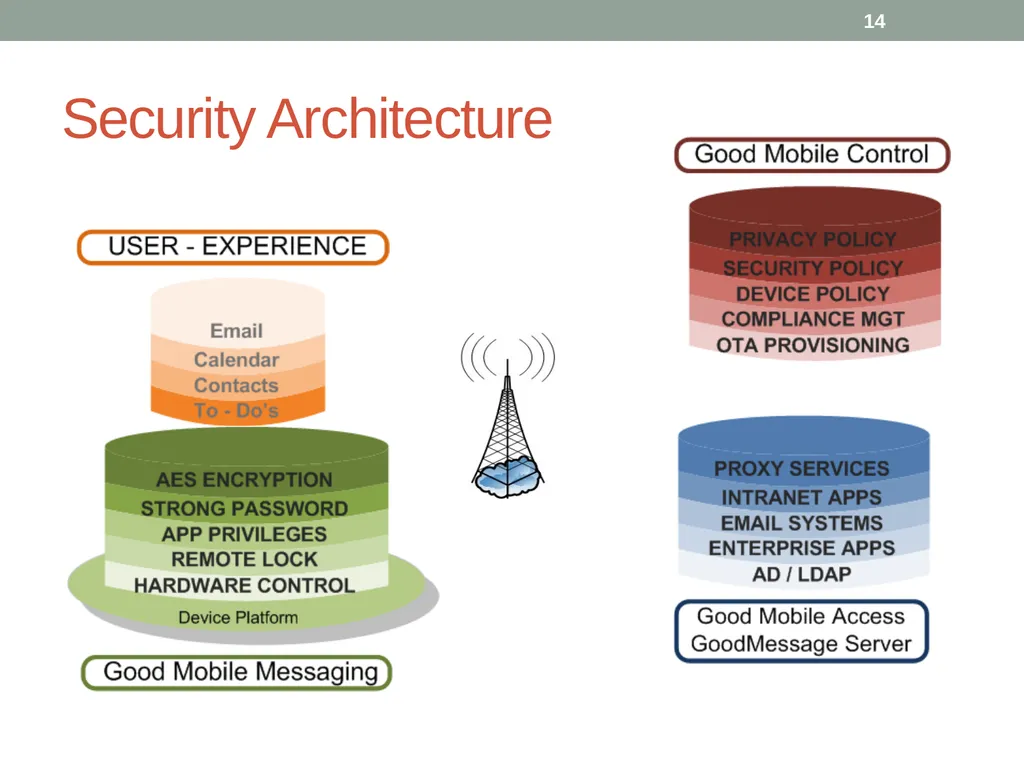
Security Architecture 14<br>
15
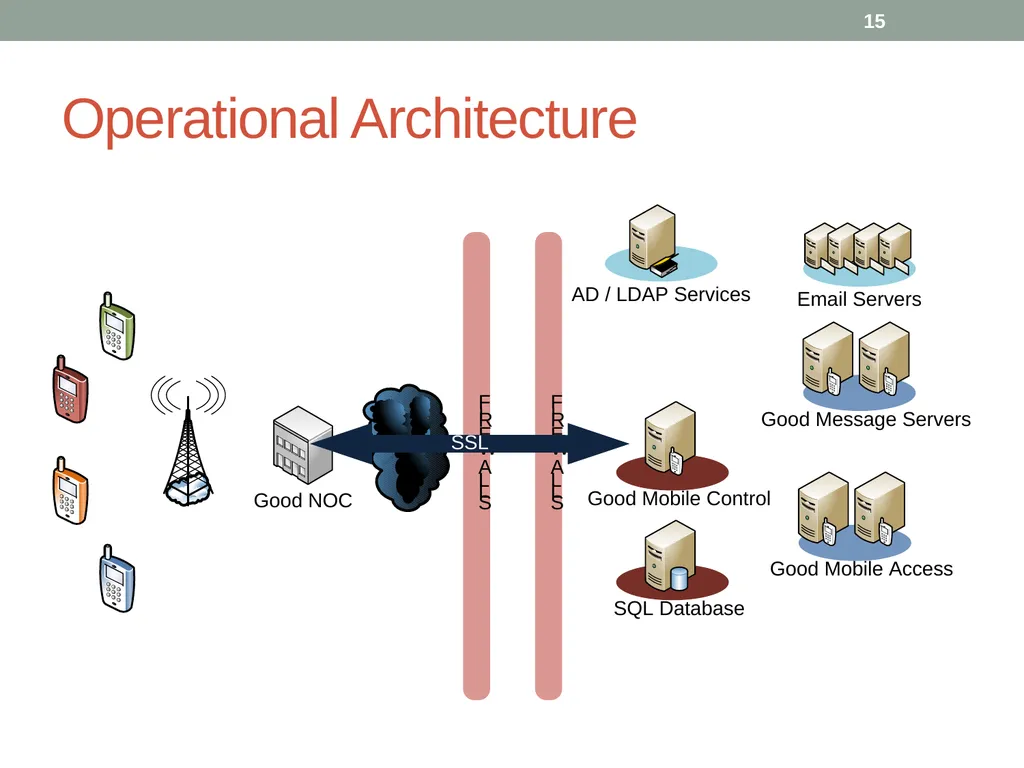
Operational Architecture 15<br>
16
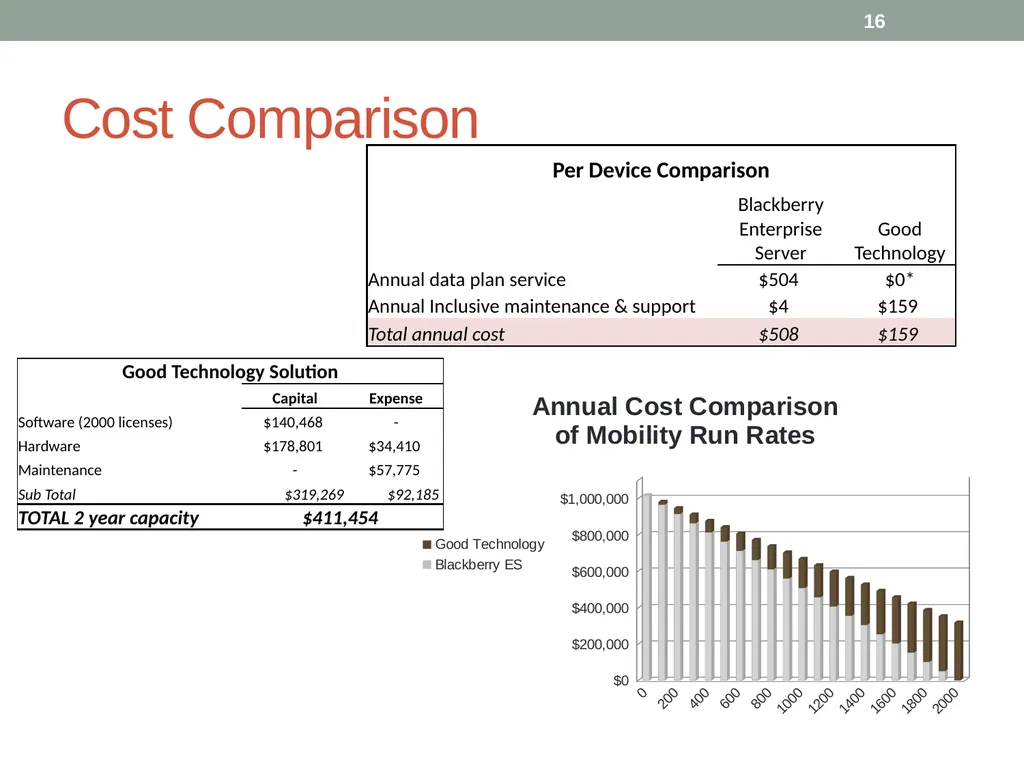
Cost Comparison 16<br>
17
Business/Legal Consequences Financial Liability
May be required to pay stipend for device/usage
Additionally corporate data plans apply in some instances
Employee may be taxed for fringe benefit
Nonexempt employees create issues
Legal Liability
Evidence of illegal activity must not go unreported
Archiving may be required 17<br>
18
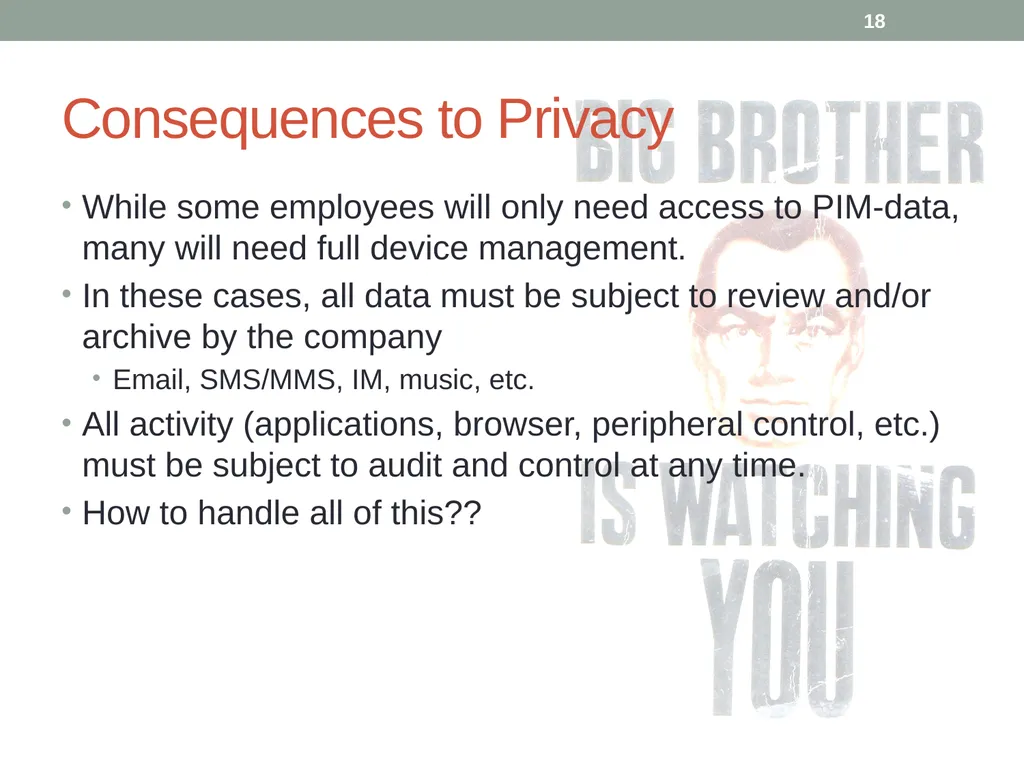
Consequences to Privacy While some employees will only need access to PIM-data, many will need full device management.
In these cases, all data must be subject to review and/or archive by the company
Email, SMS/MMS, IM, music, etc.
All activity (applications, browser, peripheral control, etc.) must be subject to audit and control at any time.
How to handle all of this?? 18<br>
19
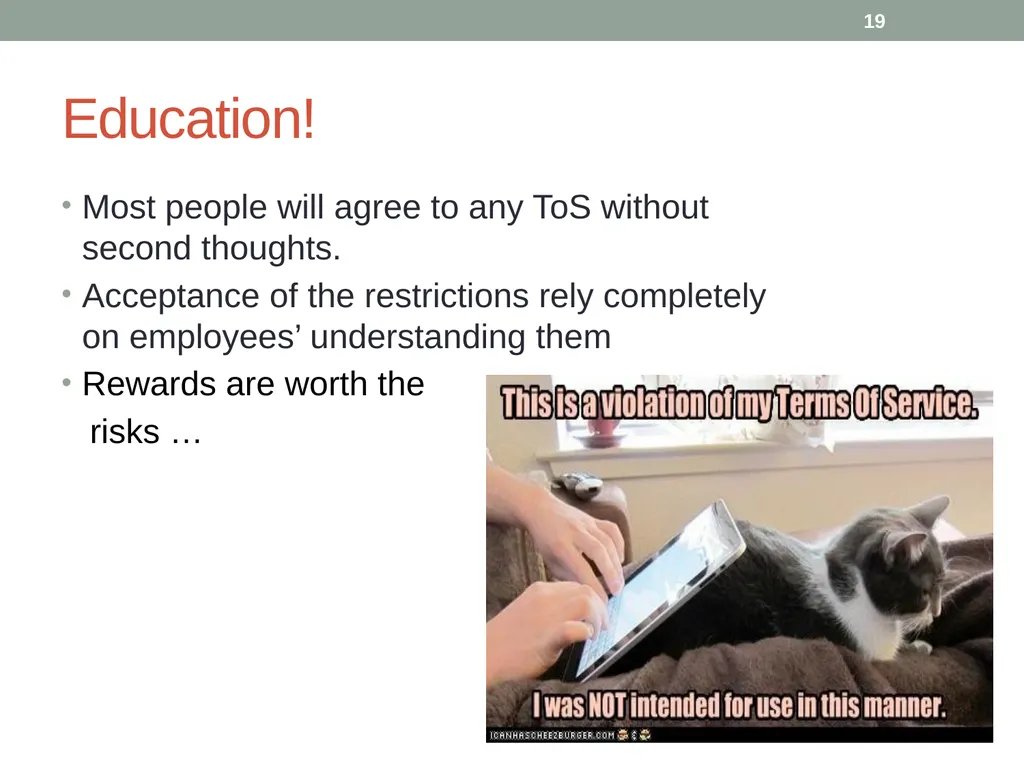
Education! Most people will agree to any ToS without second thoughts.
Acceptance of the restrictions rely completely on employees’ understanding them
Rewards are worth the
risks … 19<br>
20
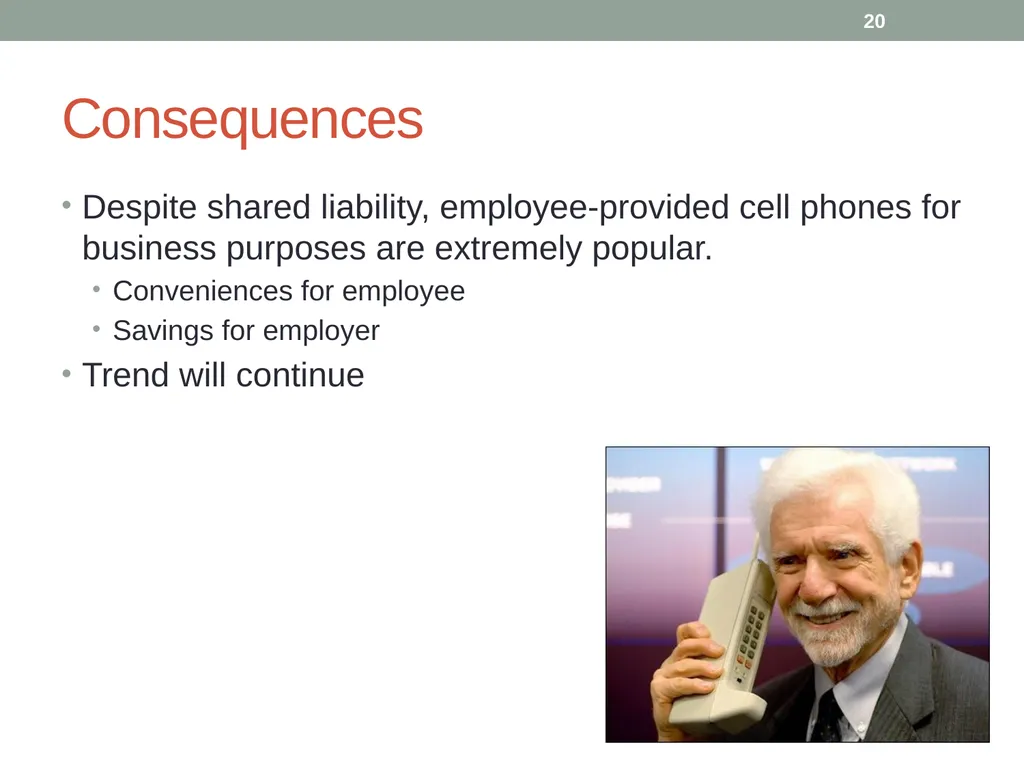
Consequences Despite shared liability, employee-provided cell phones for business purposes are extremely popular.
Conveniences for employee
Savings for employer
Trend will continue 20<br>
21
Conclusion Employee-owned mobile phones provide risks, challenges.
However, benefits are great to both company and employees.
Our provided solution, leveraging Good Technology, is the most efficient and feasible way to implement a corporate private mobile device policy. 21<br>