
Module 3 Part 1 Inheritance UML - Unified Modeling
MT
Published · 32 slides · 0 views
1 / 1
Description
Module 3 Part 1 Inheritance UML - Unified Modeling Language Often youll need to discuss design of classes with coworkers. Being able to visualize your classes in a consistent way is very helpful. UML allows you to draw the important
Related Topics
Share
Embed code
Download this presentation From Below
"Module 3 Part 1 Inheritance UML - Unified Modeling" is the property of its rightful owner. Permission is granted to download and print the materials on this website for personal, non-commercial use only, and to display it on your personal computer provided you do not modify the materials and that you retain all copyright notices contained in the materials. By downloading content from our website, you accept the terms of this agreement.
Presentation Transcript
01
Module 3 Part 1
Inheritance<br>
Inheritance<br>
02
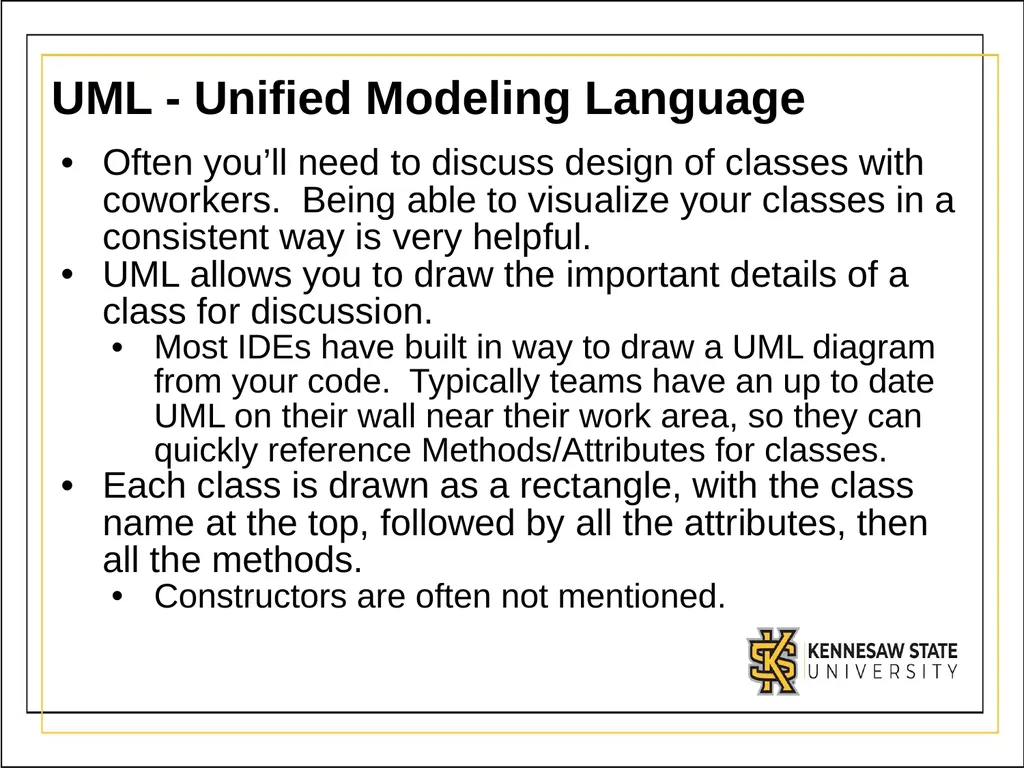
UML - Unified Modeling Language Often you’ll need to discuss design of classes with coworkers. Being able to visualize your classes in a consistent way is very helpful.
UML allows you to draw the important details of a class for discussion.
Most IDEs have built in way to draw a UML diagram from your code. Typically teams have an up to date UML on their wall near their work area, so they can quickly reference Methods/Attributes for classes.
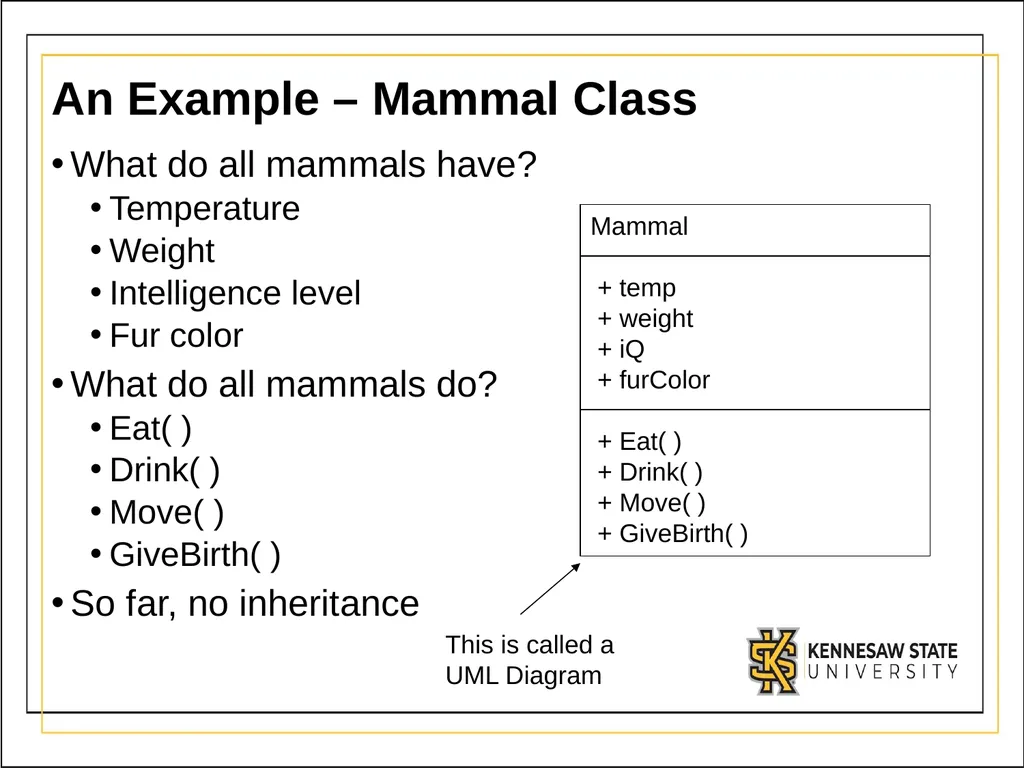
Each class is drawn as a rectangle, with the class name at the top, followed by all the attributes, then all the methods.
Constructors are often not mentioned.<br>
UML allows you to draw the important details of a class for discussion.
Most IDEs have built in way to draw a UML diagram from your code. Typically teams have an up to date UML on their wall near their work area, so they can quickly reference Methods/Attributes for classes.
Each class is drawn as a rectangle, with the class name at the top, followed by all the attributes, then all the methods.
Constructors are often not mentioned.<br>
03
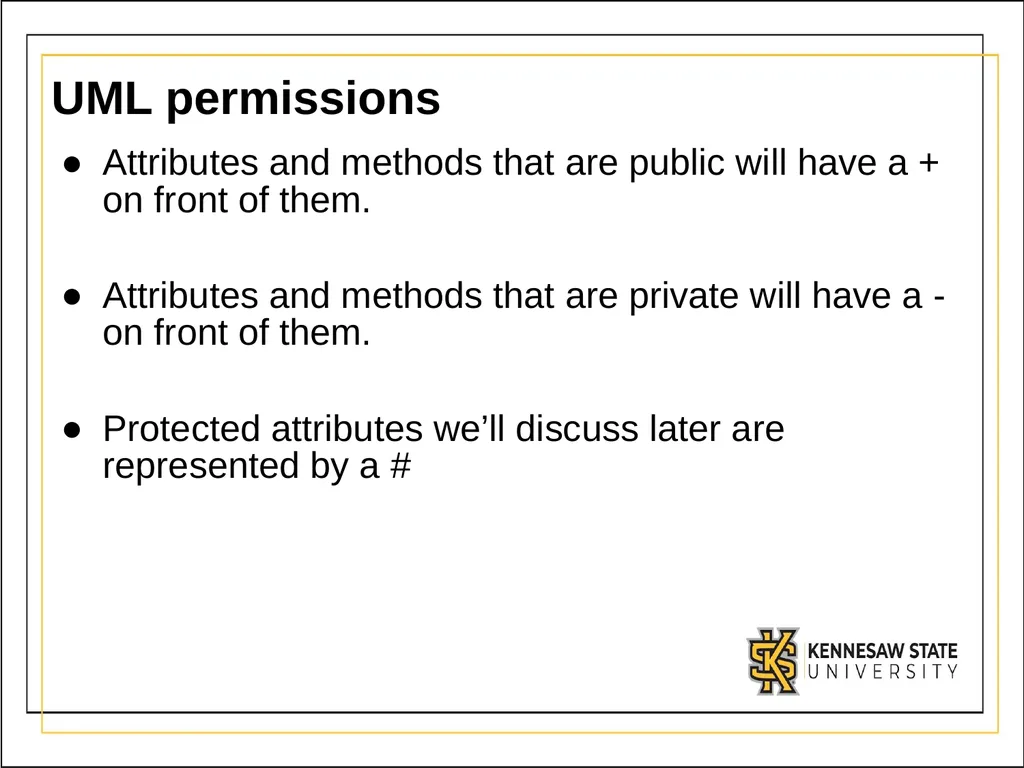
UML permissions Attributes and methods that are public will have a + on front of them.
Attributes and methods that are private will have a - on front of them.
Protected attributes we’ll discuss later are represented by a #<br>
Attributes and methods that are private will have a - on front of them.
Protected attributes we’ll discuss later are represented by a #<br>
04
An Example – Mammal Class What do all mammals have?
Temperature
Weight
Intelligence level
Fur color
What do all mammals do?
Eat( )
Drink( )
Move( )
GiveBirth( )
So far, no inheritance<br>
Temperature
Weight
Intelligence level
Fur color
What do all mammals do?
Eat( )
Drink( )
Move( )
GiveBirth( )
So far, no inheritance<br>
05
Inheritance Introduction Inheritance allows a new class to “absorb” an existing class’s members.
All non-private attributes and methods of the parent are now available to the child.
Inheritance saves time by reusing proven and debugged high-quality software.
Best shown through an example<br>
All non-private attributes and methods of the parent are now available to the child.
Inheritance saves time by reusing proven and debugged high-quality software.
Best shown through an example<br>
06
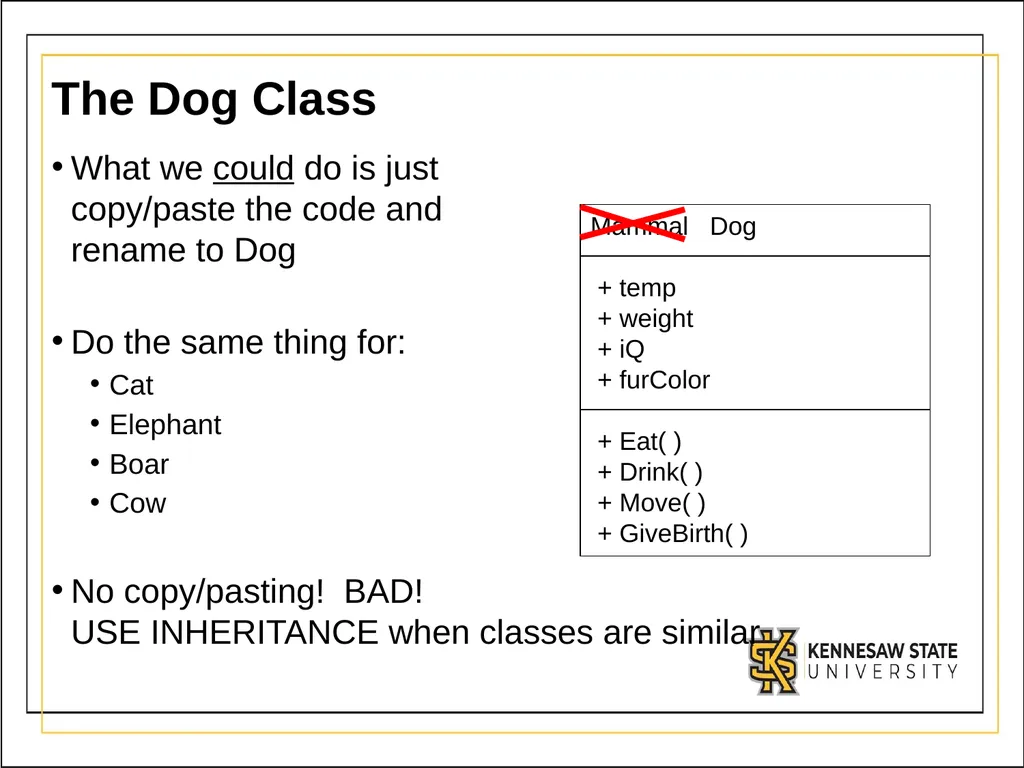
The Dog Class What we could do is just
copy/paste the code and
rename to Dog
Do the same thing for:
Cat
Elephant
Boar
Cow
No copy/pasting! BAD! USE INHERITANCE when classes are similar<br>
Do the same thing for:
Cat
Elephant
Boar
Cow
No copy/pasting! BAD! USE INHERITANCE when classes are similar<br>
07
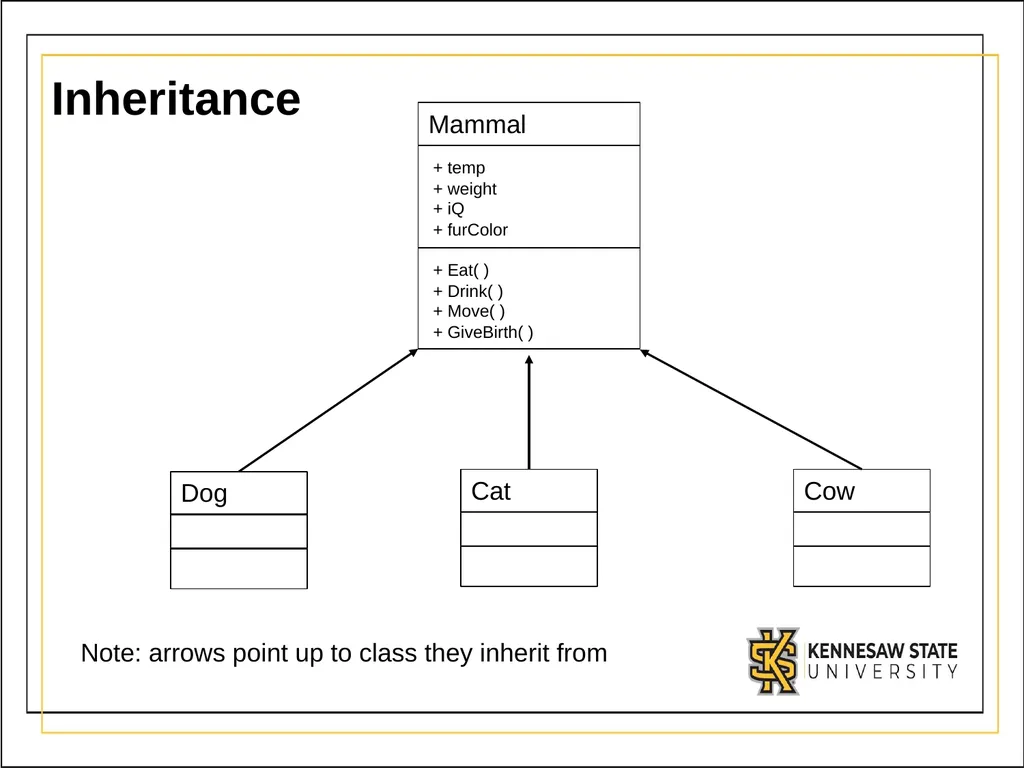
Inheritance Note: arrows point up to class they inherit from<br>
08
Inheritance Question Trick questions:
how many attributes does Dog have?
how many methods does Dog have?<br>
how many attributes does Dog have?
how many methods does Dog have?<br>
09
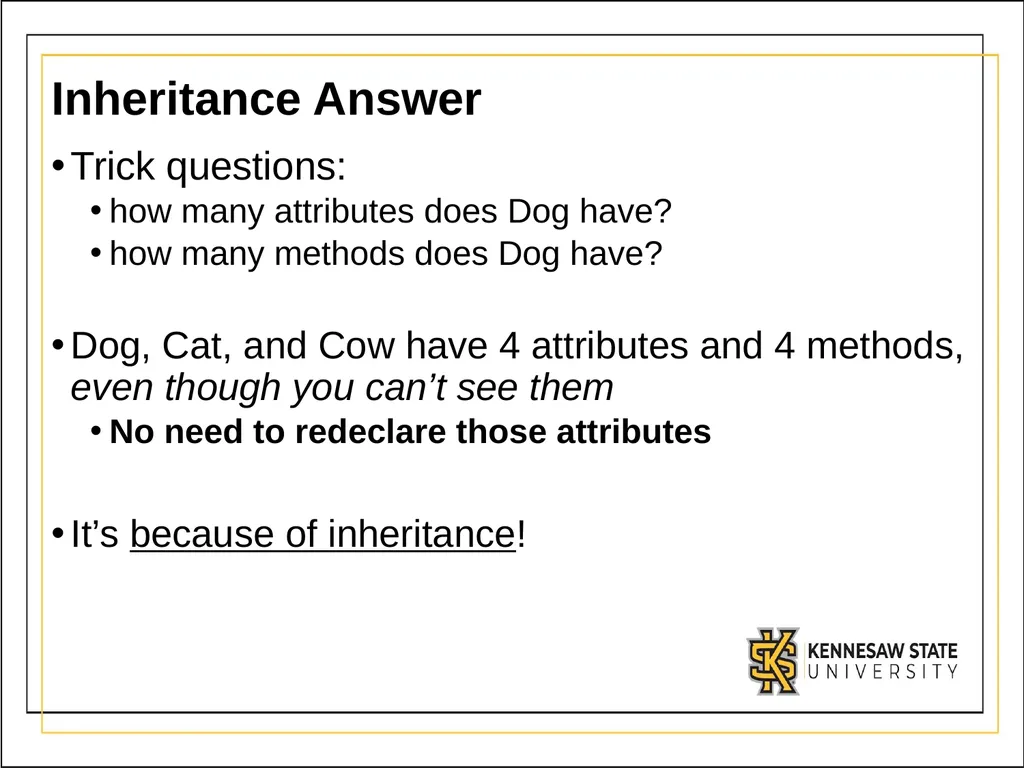
Inheritance Answer Trick questions:
how many attributes does Dog have?
how many methods does Dog have?
Dog, Cat, and Cow have 4 attributes and 4 methods, even though you can’t see them
No need to redeclare those attributes
It’s because of inheritance!<br>
how many attributes does Dog have?
how many methods does Dog have?
Dog, Cat, and Cow have 4 attributes and 4 methods, even though you can’t see them
No need to redeclare those attributes
It’s because of inheritance!<br>
10
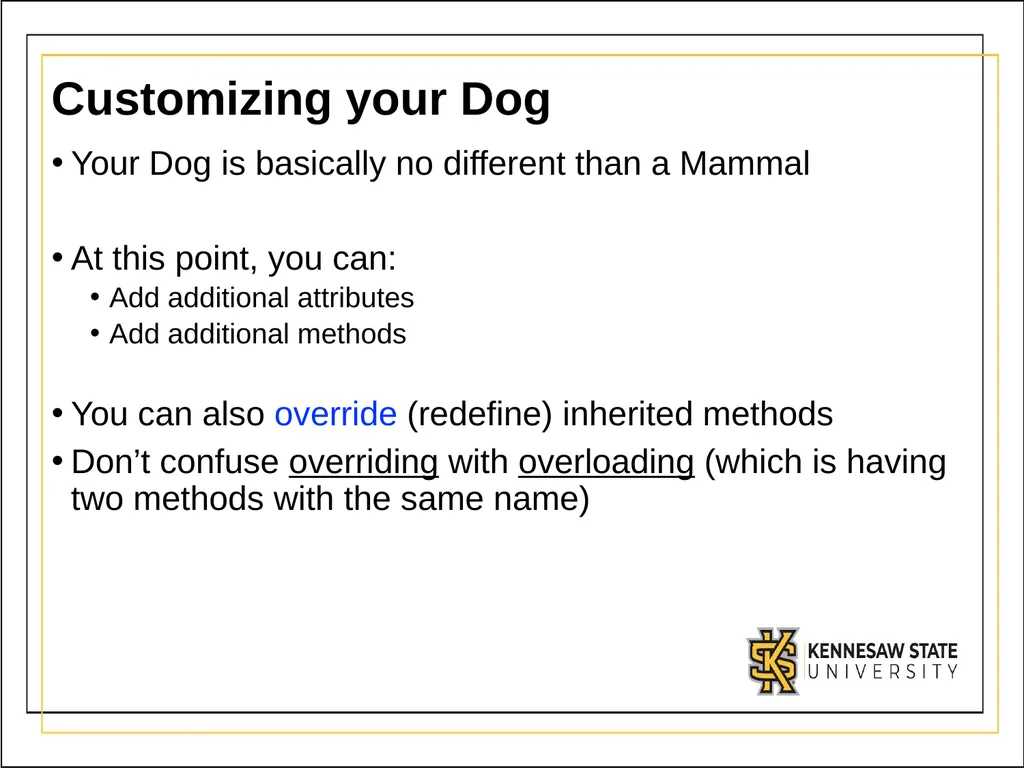
Customizing your Dog Your Dog is basically no different than a Mammal
At this point, you can:
Add additional attributes
Add additional methods
You can also override (redefine) inherited methods
Don’t confuse overriding with overloading (which is having two methods with the same name)<br>
At this point, you can:
Add additional attributes
Add additional methods
You can also override (redefine) inherited methods
Don’t confuse overriding with overloading (which is having two methods with the same name)<br>
11
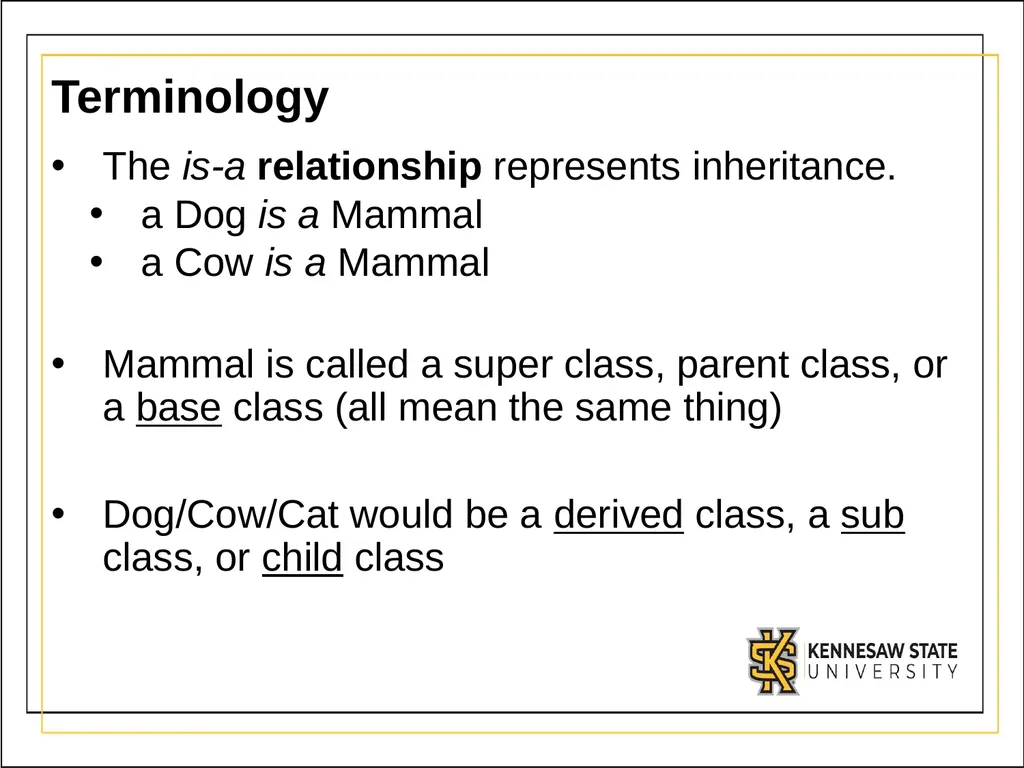
Terminology The is-a relationship represents inheritance.
a Dog is a Mammal
a Cow is a Mammal
Mammal is called a super class, parent class, or a base class (all mean the same thing)
Dog/Cow/Cat would be a derived class, a sub class, or child class<br>
a Dog is a Mammal
a Cow is a Mammal
Mammal is called a super class, parent class, or a base class (all mean the same thing)
Dog/Cow/Cat would be a derived class, a sub class, or child class<br>
12
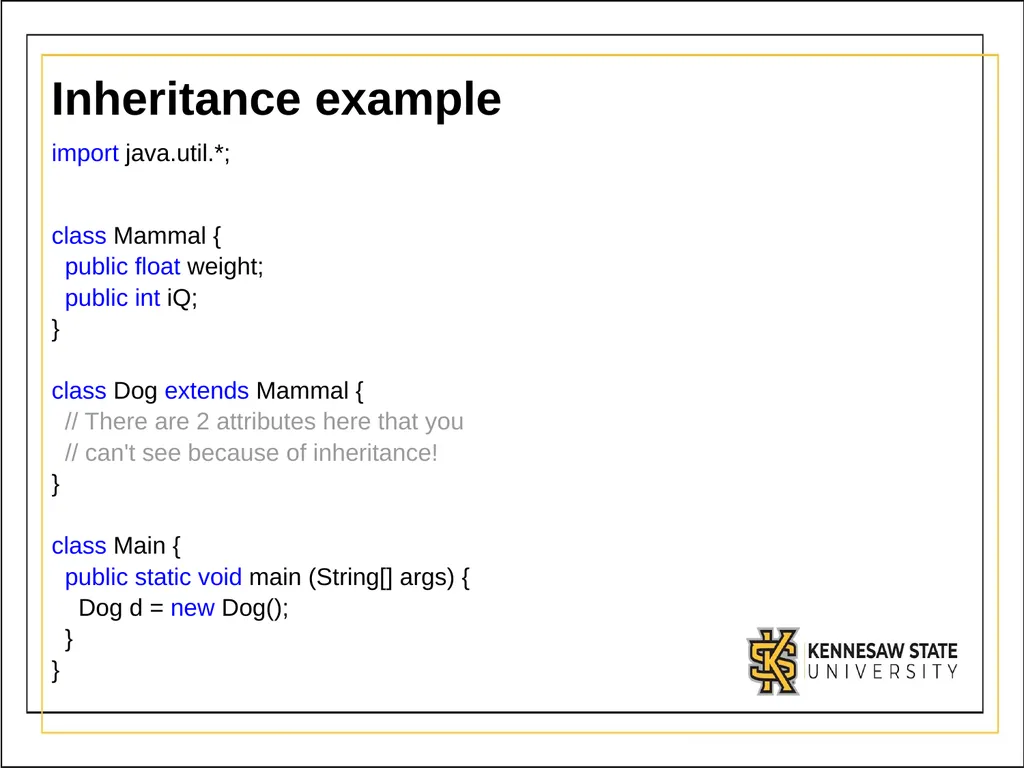
Inheritance example import java.util.*;
class Mammal {
public float weight;
public int iQ;
}
class Dog extends Mammal {
// There are 2 attributes here that you
// can't see because of inheritance!
}
class Main {
public static void main (String[] args) {
Dog d = new Dog();
}
}<br>
class Mammal {
public float weight;
public int iQ;
}
class Dog extends Mammal {
// There are 2 attributes here that you
// can't see because of inheritance!
}
class Main {
public static void main (String[] args) {
Dog d = new Dog();
}
}<br>
13
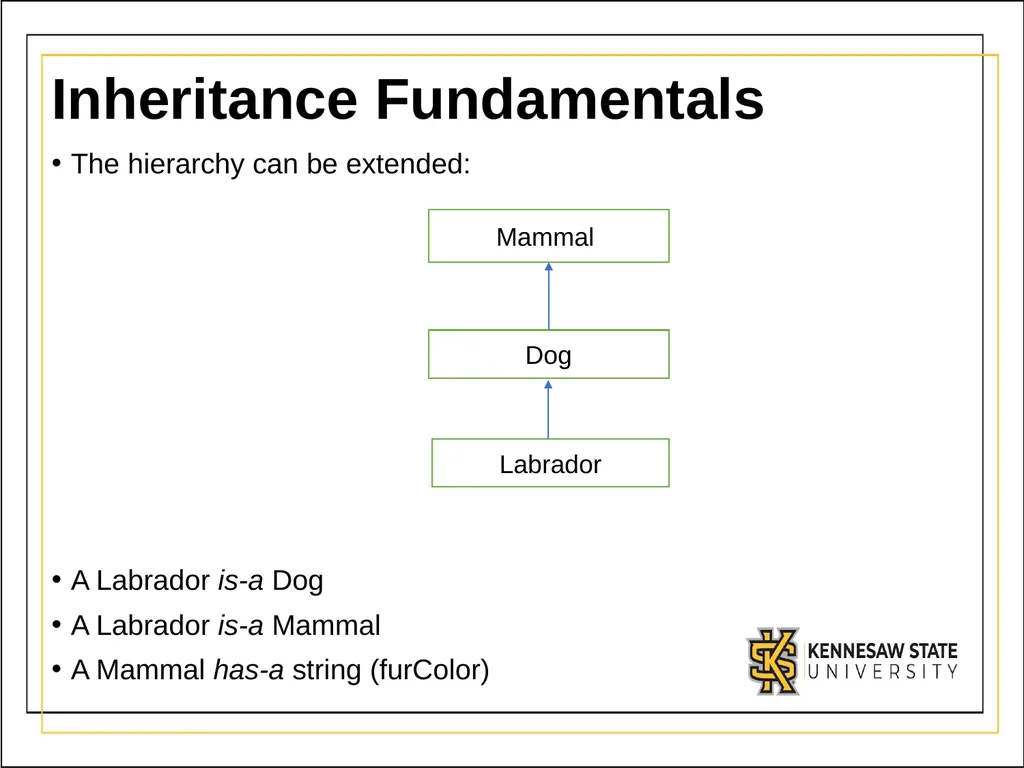
Inheritance Fundamentals The hierarchy can be extended:
A Labrador is-a Dog
A Labrador is-a Mammal
A Mammal has-a string (furColor)<br>
A Labrador is-a Dog
A Labrador is-a Mammal
A Mammal has-a string (furColor)<br>
14
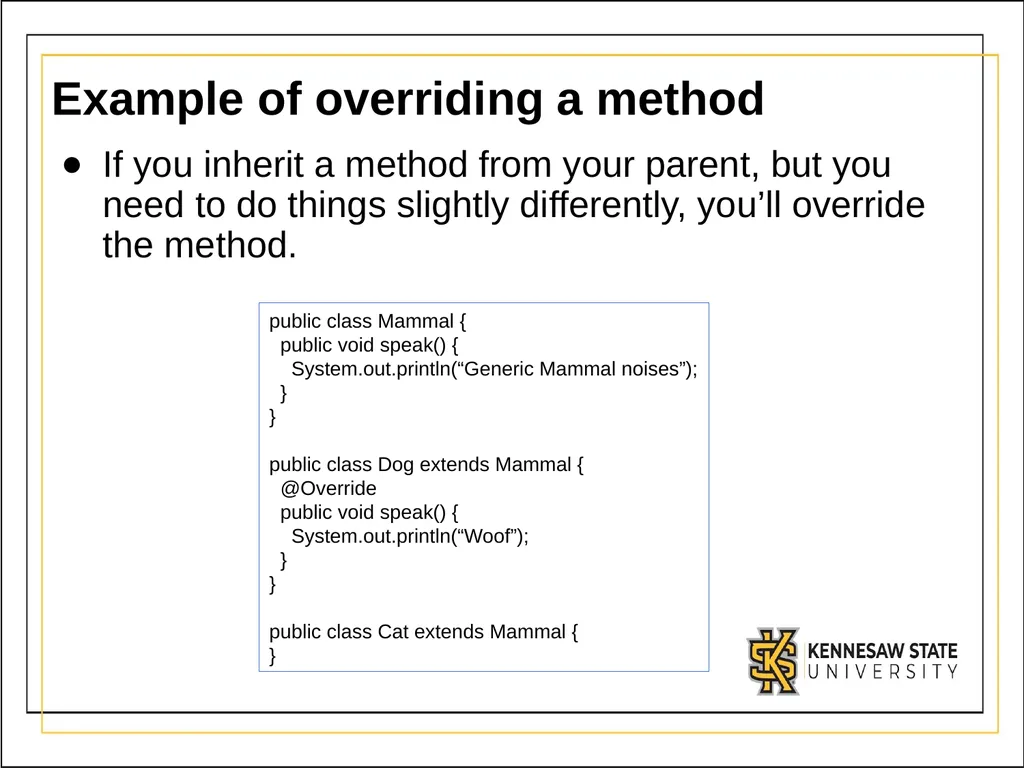
Example of overriding a method If you inherit a method from your parent, but you need to do things slightly differently, you’ll override the method. public class Mammal {
public void speak() {
System.out.println(“Generic Mammal noises”);
}
}
public class Dog extends Mammal {
@Override
public void speak() {
System.out.println(“Woof”);
}
}
public class Cat extends Mammal {
}<br>
public void speak() {
System.out.println(“Generic Mammal noises”);
}
}
public class Dog extends Mammal {
@Override
public void speak() {
System.out.println(“Woof”);
}
}
public class Cat extends Mammal {
}<br>
15
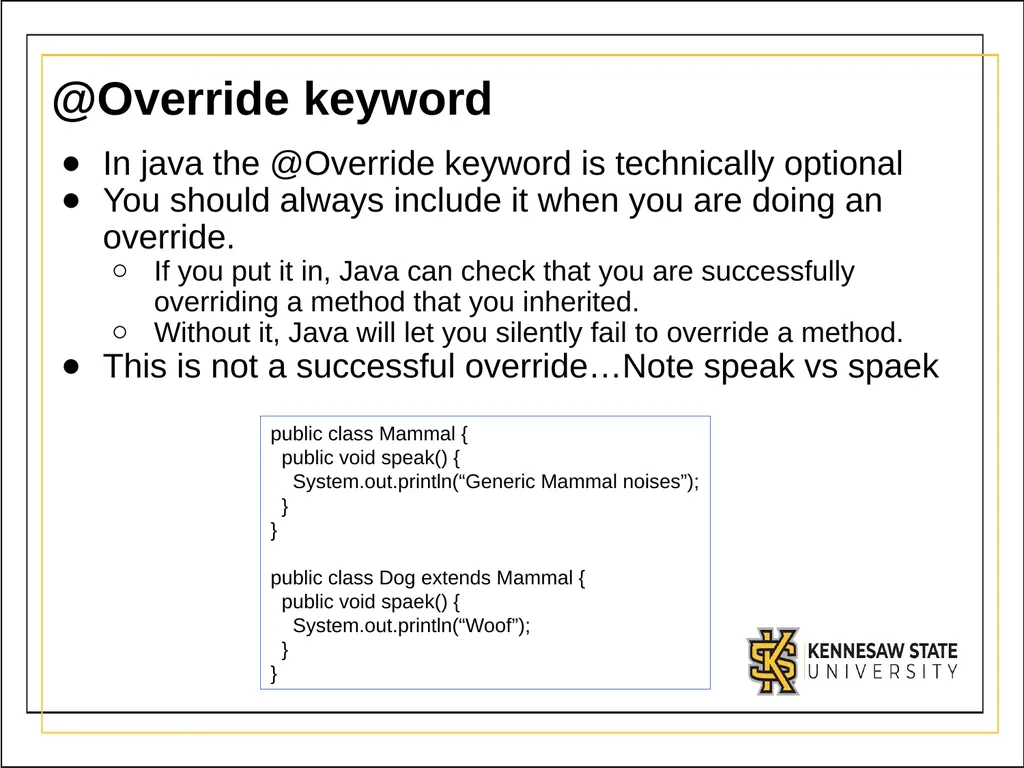
@Override keyword In java the @Override keyword is technically optional
You should always include it when you are doing an override.
If you put it in, Java can check that you are successfully overriding a method that you inherited.
Without it, Java will let you silently fail to override a method.
This is not a successful override…Note speak vs spaek public class Mammal {
public void speak() {
System.out.println(“Generic Mammal noises”);
}
}
public class Dog extends Mammal {
public void spaek() {
System.out.println(“Woof”);
}
}<br>
You should always include it when you are doing an override.
If you put it in, Java can check that you are successfully overriding a method that you inherited.
Without it, Java will let you silently fail to override a method.
This is not a successful override…Note speak vs spaek public class Mammal {
public void speak() {
System.out.println(“Generic Mammal noises”);
}
}
public class Dog extends Mammal {
public void spaek() {
System.out.println(“Woof”);
}
}<br>
16
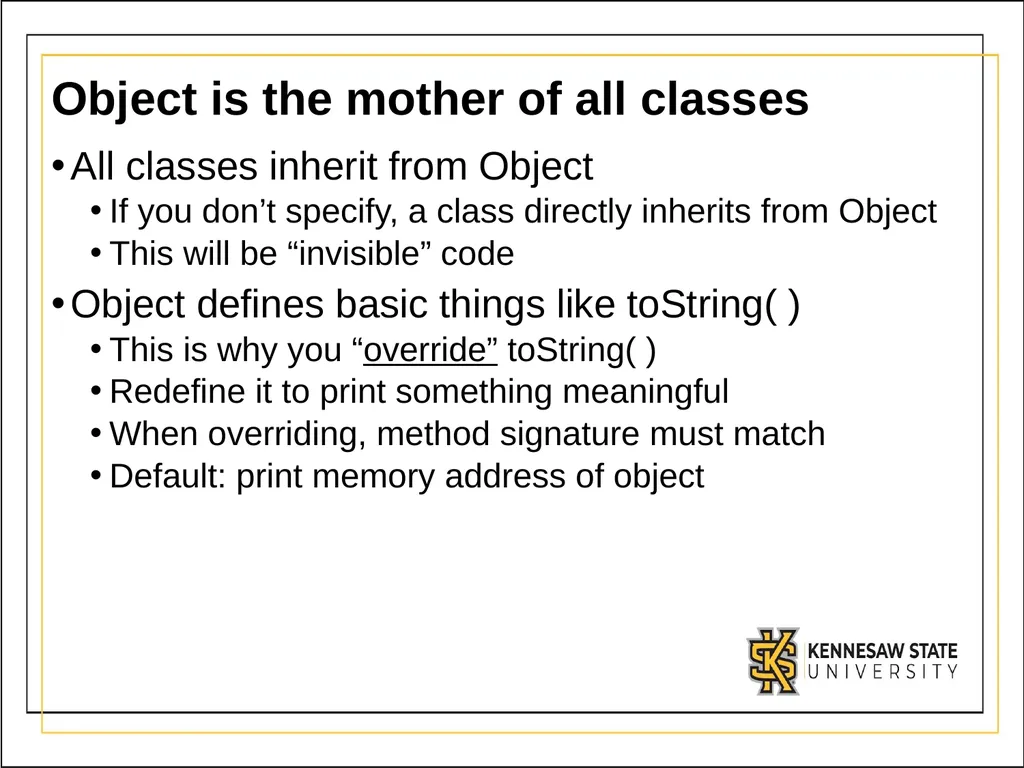
Object is the mother of all classes All classes inherit from Object
If you don’t specify, a class directly inherits from Object
This will be “invisible” code
Object defines basic things like toString( )
This is why you “override” toString( )
Redefine it to print something meaningful
When overriding, method signature must match
Default: print memory address of object<br>
If you don’t specify, a class directly inherits from Object
This will be “invisible” code
Object defines basic things like toString( )
This is why you “override” toString( )
Redefine it to print something meaningful
When overriding, method signature must match
Default: print memory address of object<br>
17
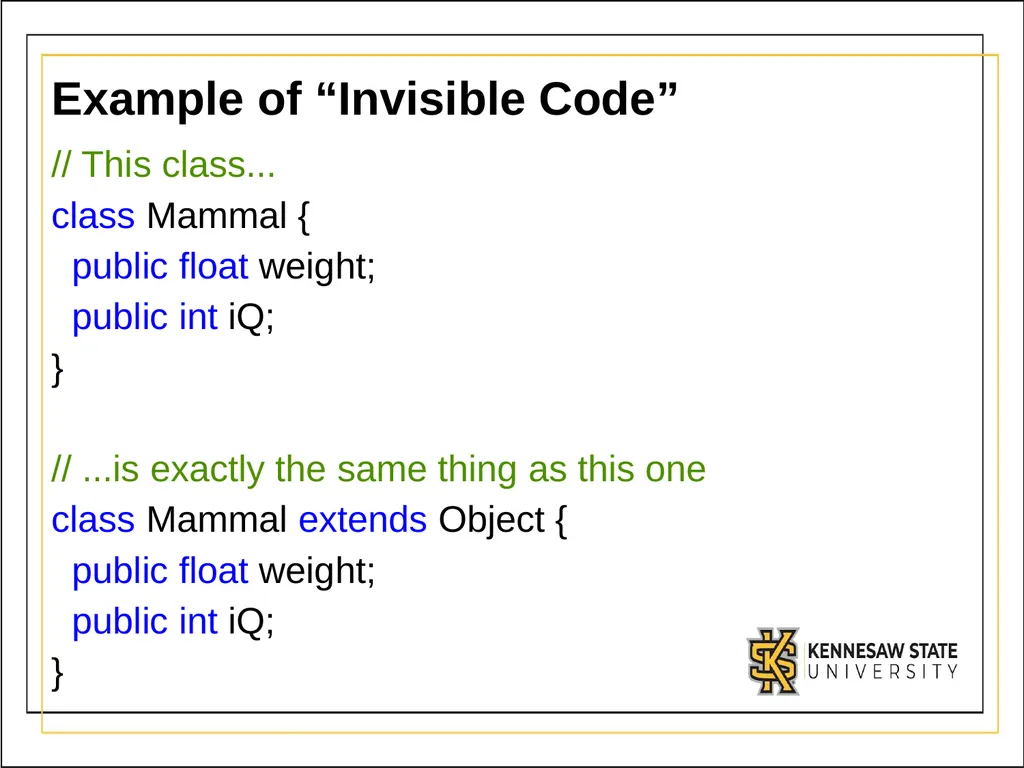
Example of “Invisible Code” // This class...
class Mammal {
public float weight;
public int iQ;
}
// ...is exactly the same thing as this one
class Mammal extends Object {
public float weight;
public int iQ;
}<br>
class Mammal {
public float weight;
public int iQ;
}
// ...is exactly the same thing as this one
class Mammal extends Object {
public float weight;
public int iQ;
}<br>
18
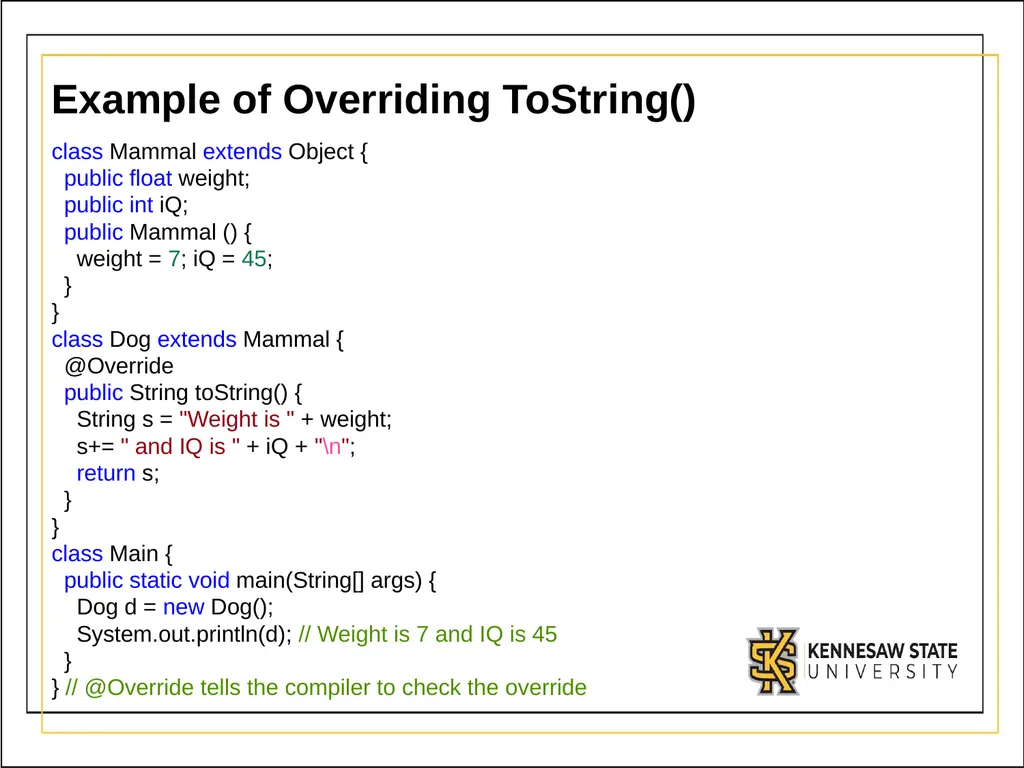
Example of Overriding ToString() class Mammal extends Object {
public float weight;
public int iQ;
public Mammal () {
weight = 7; iQ = 45;
}
}
class Dog extends Mammal {
@Override
public String toString() {
String s = "Weight is " + weight;
s+= " and IQ is " + iQ + "\n";
return s;
}
}
class Main {
public static void main(String[] args) {
Dog d = new Dog();
System.out.println(d); // Weight is 7 and IQ is 45
}
} // @Override tells the compiler to check the override<br>
public float weight;
public int iQ;
public Mammal () {
weight = 7; iQ = 45;
}
}
class Dog extends Mammal {
@Override
public String toString() {
String s = "Weight is " + weight;
s+= " and IQ is " + iQ + "\n";
return s;
}
}
class Main {
public static void main(String[] args) {
Dog d = new Dog();
System.out.println(d); // Weight is 7 and IQ is 45
}
} // @Override tells the compiler to check the override<br>
19
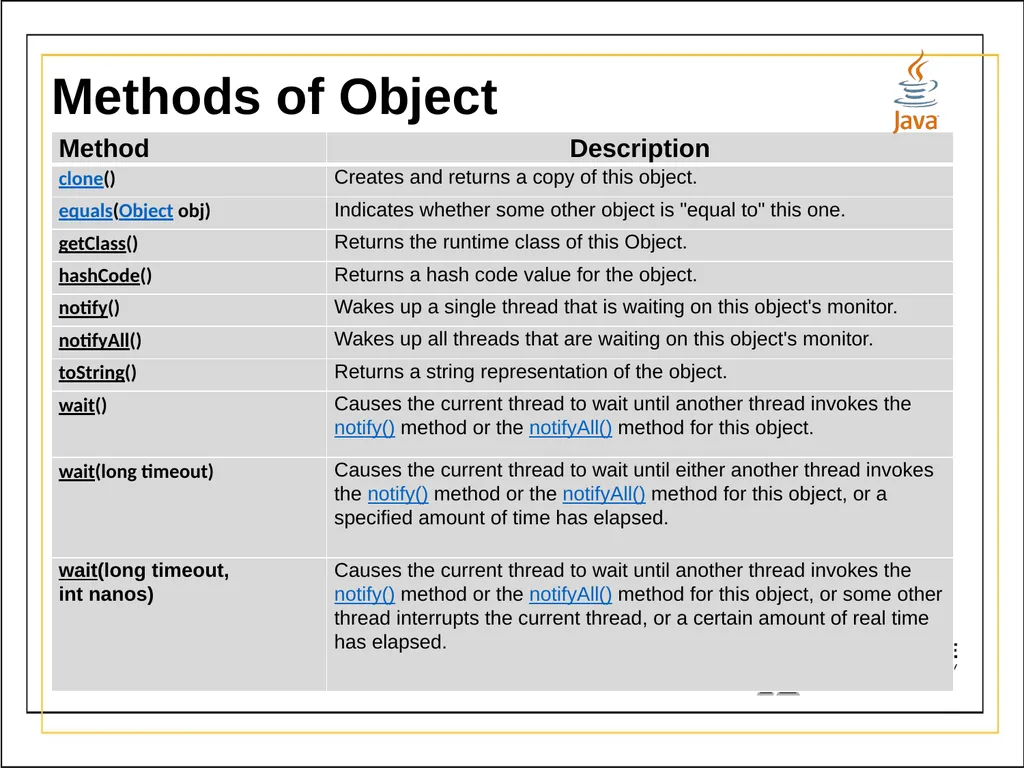
Methods of Object<br>
20
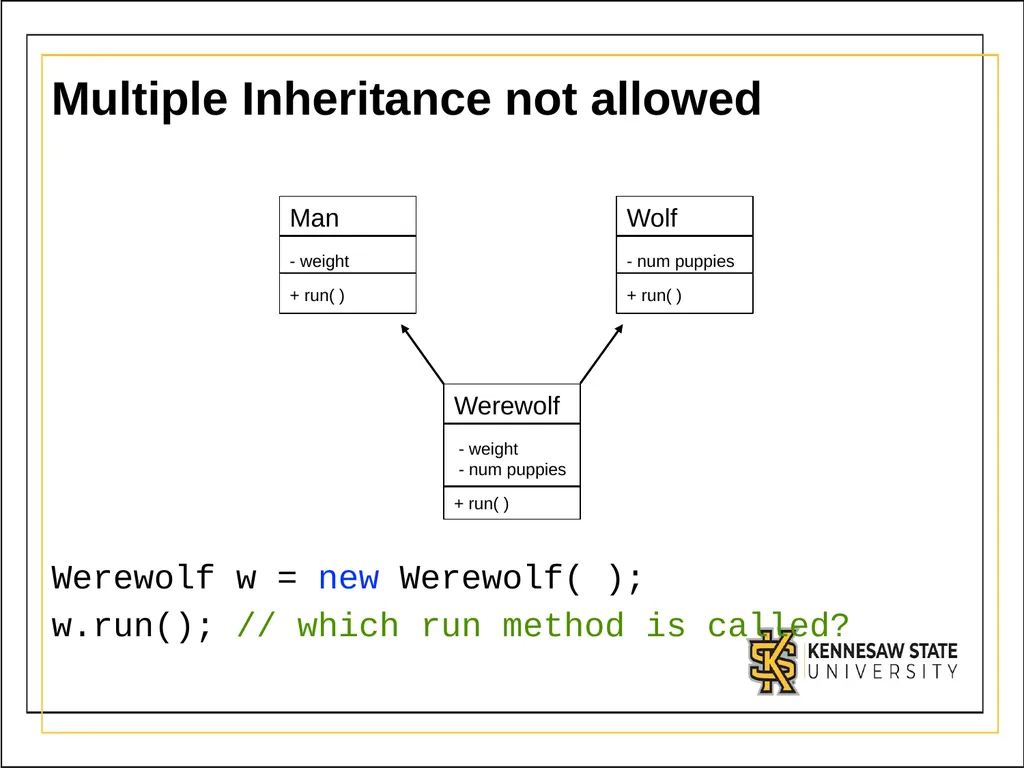
Multiple Inheritance not allowed Werewolf w = new Werewolf( );
w.run(); // which run method is called?<br>
w.run(); // which run method is called?<br>
21
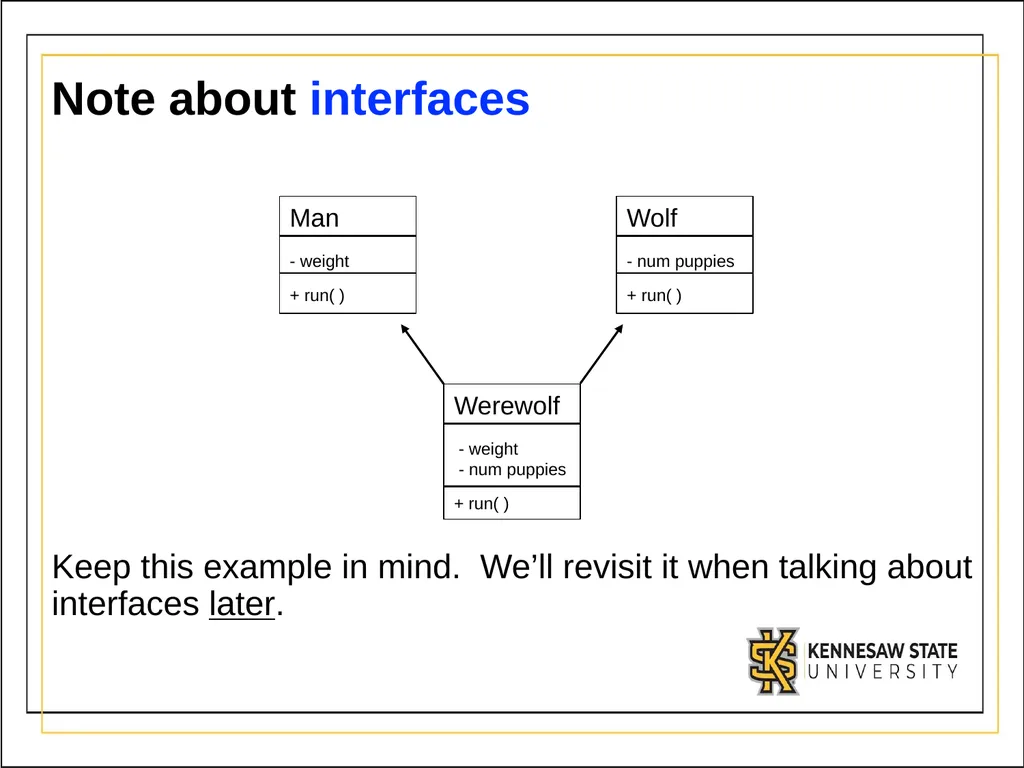
Note about interfaces Keep this example in mind. We’ll revisit it when talking about interfaces later.<br>
22
super keywords super is how we reference things in the parent class
In the child classes, you may see code like:
super.myMethod( ) – call the parent class’s myMethod()
Only needed if the child has overridden a method in the parent, and you want to call the original parents version. (Rare!)
Best shown through examples<br>
In the child classes, you may see code like:
super.myMethod( ) – call the parent class’s myMethod()
Only needed if the child has overridden a method in the parent, and you want to call the original parents version. (Rare!)
Best shown through examples<br>
23
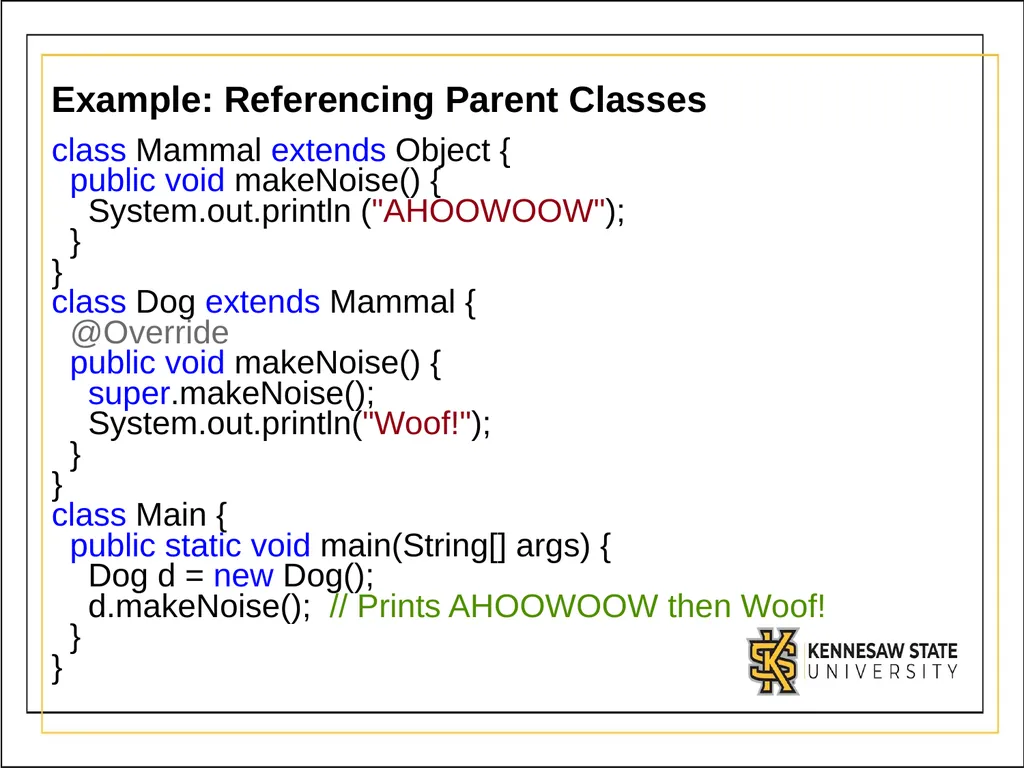
Example: Referencing Parent Classes class Mammal extends Object {
public void makeNoise() {
System.out.println ("AHOOWOOW");
}
}
class Dog extends Mammal {
@Override
public void makeNoise() {
super.makeNoise();
System.out.println("Woof!");
}
}
class Main {
public static void main(String[] args) {
Dog d = new Dog();
d.makeNoise(); // Prints AHOOWOOW then Woof!
}
}<br>
public void makeNoise() {
System.out.println ("AHOOWOOW");
}
}
class Dog extends Mammal {
@Override
public void makeNoise() {
super.makeNoise();
System.out.println("Woof!");
}
}
class Main {
public static void main(String[] args) {
Dog d = new Dog();
d.makeNoise(); // Prints AHOOWOOW then Woof!
}
}<br>
24
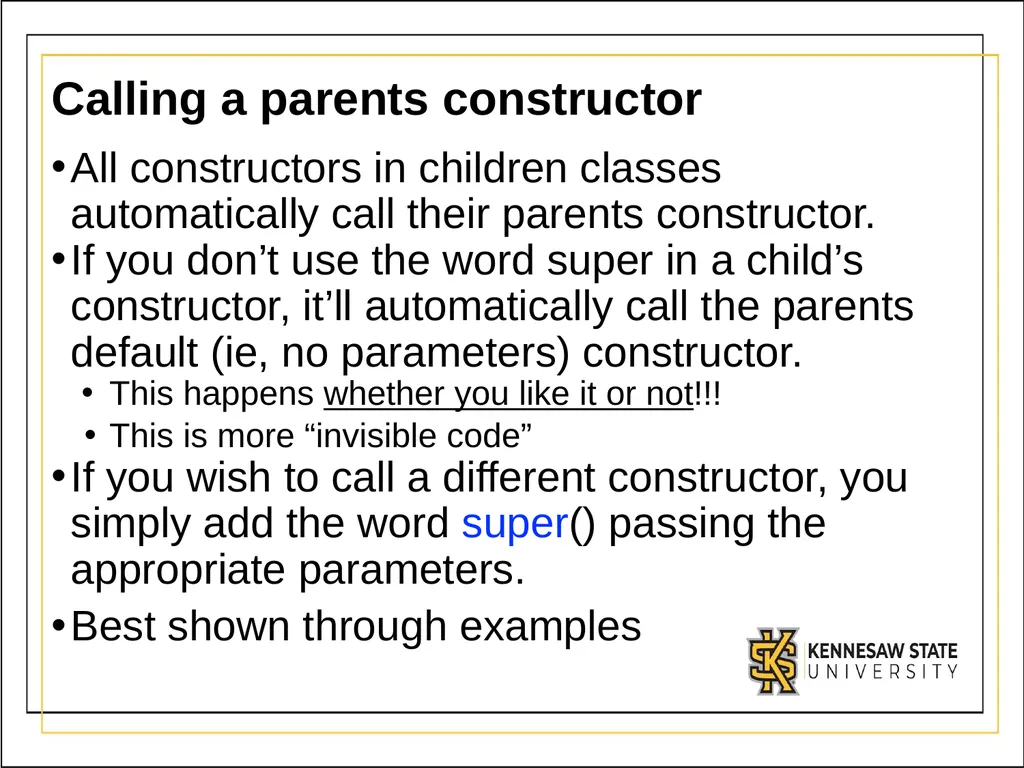
Calling a parents constructor All constructors in children classes automatically call their parents constructor.
If you don’t use the word super in a child’s constructor, it’ll automatically call the parents default (ie, no parameters) constructor.
This happens whether you like it or not!!!
This is more “invisible code”
If you wish to call a different constructor, you simply add the word super() passing the appropriate parameters.
Best shown through examples<br>
If you don’t use the word super in a child’s constructor, it’ll automatically call the parents default (ie, no parameters) constructor.
This happens whether you like it or not!!!
This is more “invisible code”
If you wish to call a different constructor, you simply add the word super() passing the appropriate parameters.
Best shown through examples<br>
25
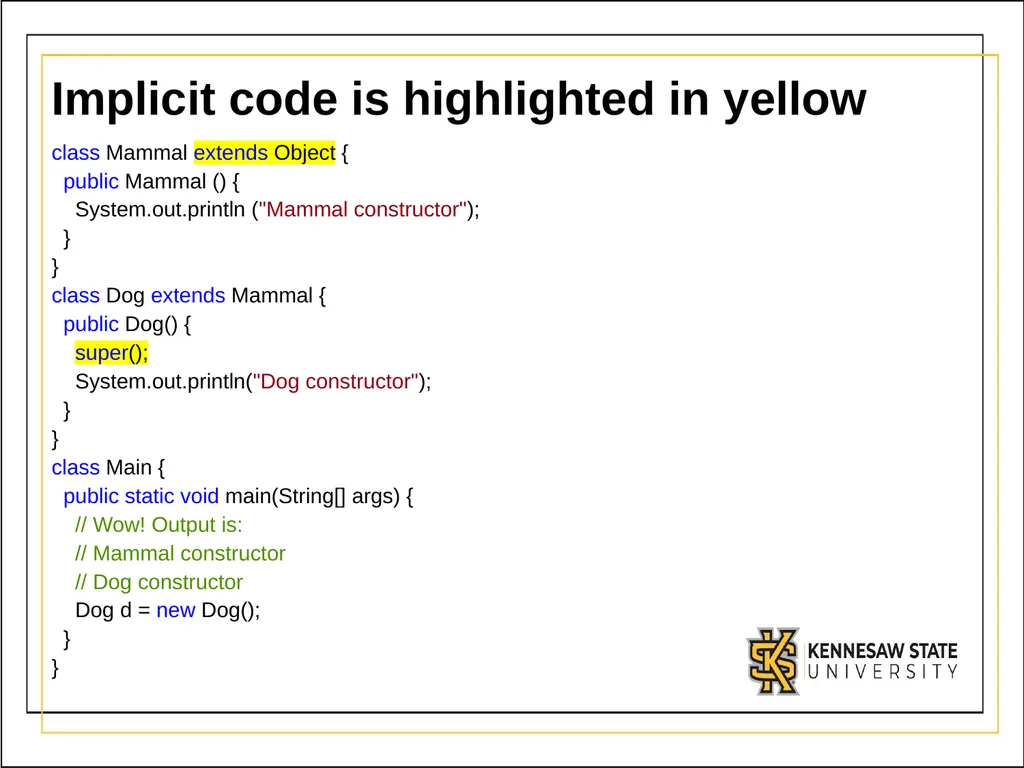
Implicit code is highlighted in yellow class Mammal extends Object {
public Mammal () {
System.out.println ("Mammal constructor");
}
}
class Dog extends Mammal {
public Dog() {
super();
System.out.println("Dog constructor");
}
}
class Main {
public static void main(String[] args) {
// Wow! Output is:
// Mammal constructor
// Dog constructor
Dog d = new Dog();
}
}<br>
public Mammal () {
System.out.println ("Mammal constructor");
}
}
class Dog extends Mammal {
public Dog() {
super();
System.out.println("Dog constructor");
}
}
class Main {
public static void main(String[] args) {
// Wow! Output is:
// Mammal constructor
// Dog constructor
Dog d = new Dog();
}
}<br>
26
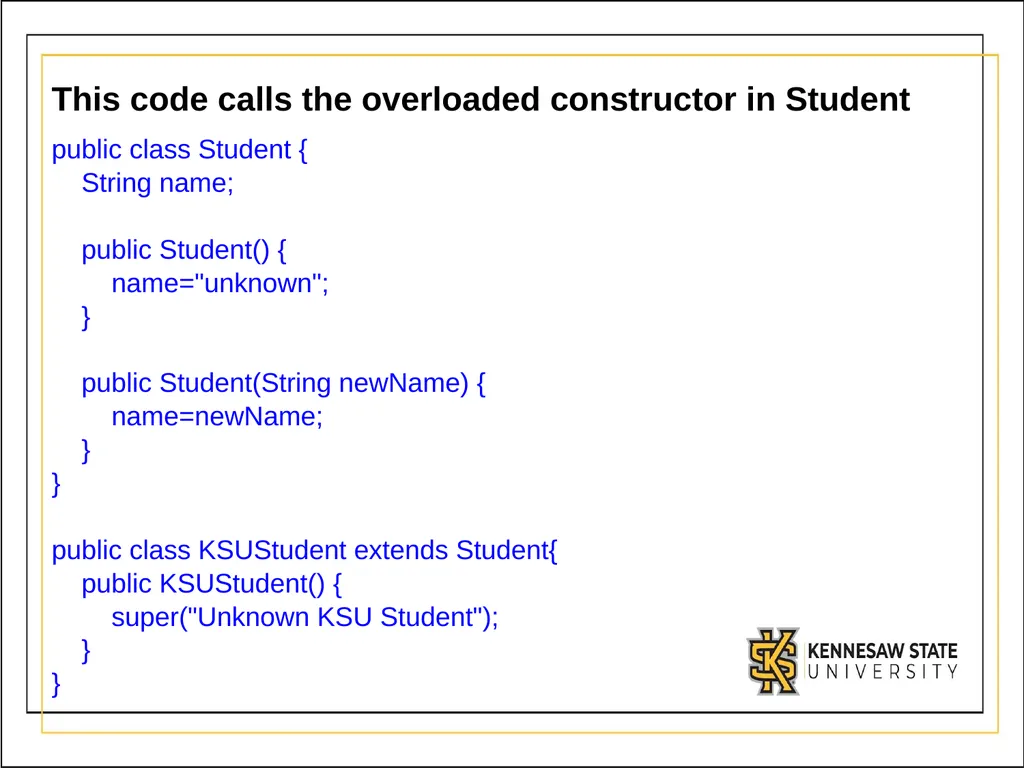
This code calls the overloaded constructor in Student public class Student {
String name;
public Student() {
name="unknown";
}
public Student(String newName) {
name=newName;
}
}
public class KSUStudent extends Student{
public KSUStudent() {
super("Unknown KSU Student");
}
}<br>
String name;
public Student() {
name="unknown";
}
public Student(String newName) {
name=newName;
}
}
public class KSUStudent extends Student{
public KSUStudent() {
super("Unknown KSU Student");
}
}<br>
27
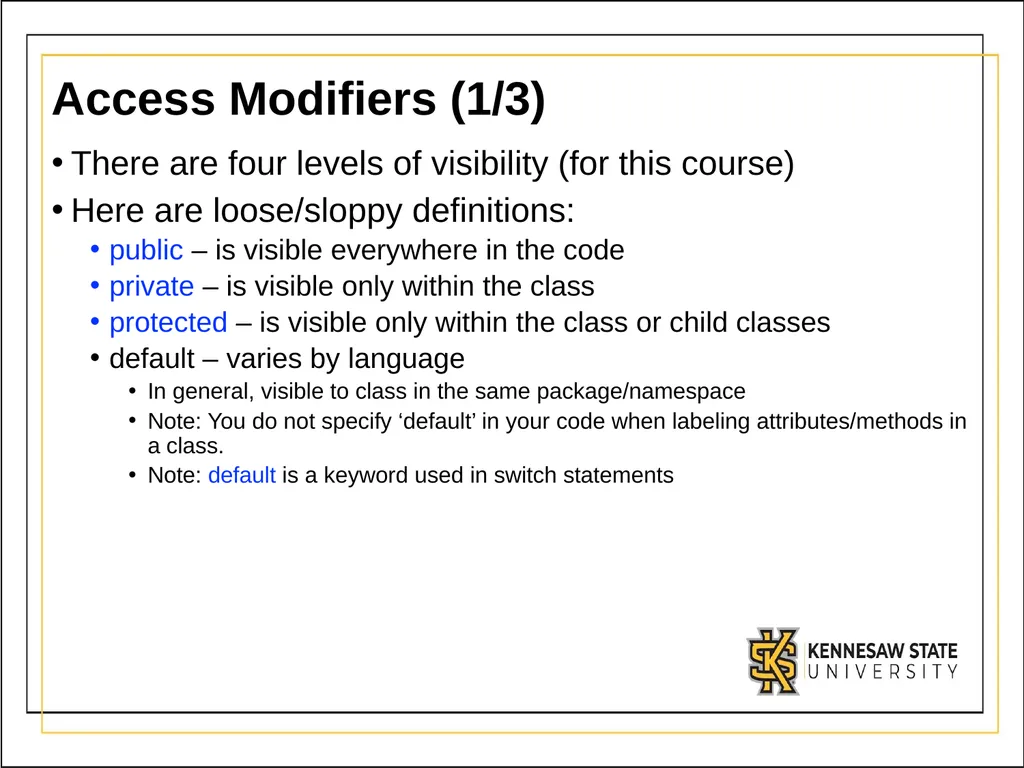
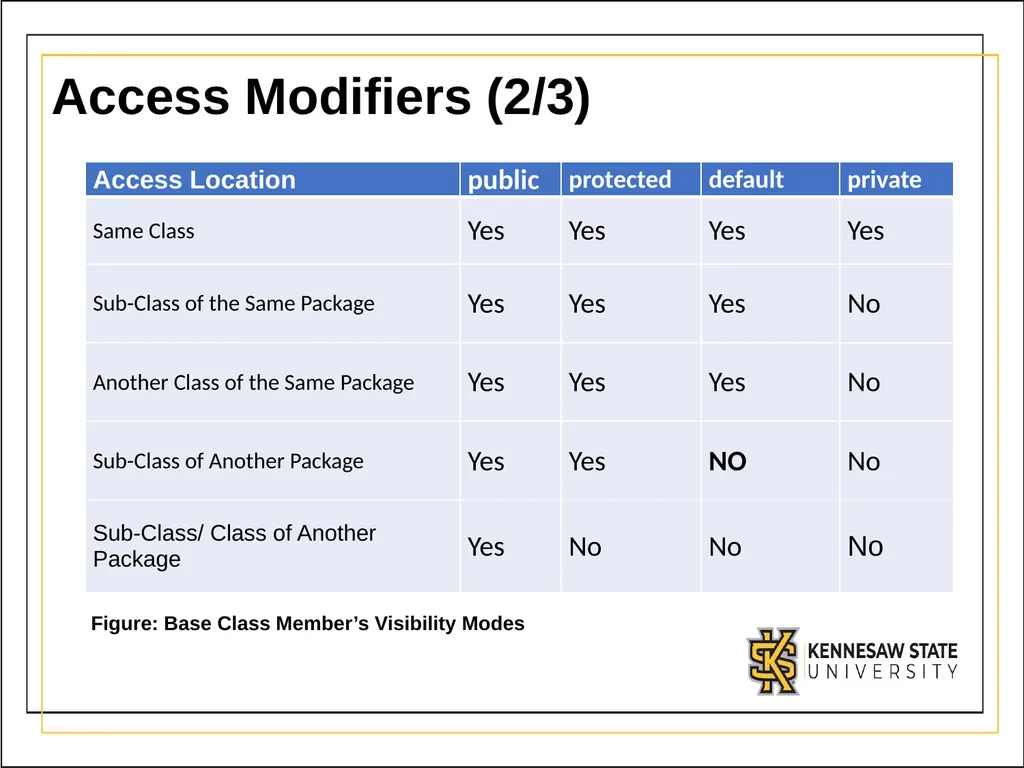
Access Modifiers (1/3) There are four levels of visibility (for this course)
Here are loose/sloppy definitions:
public – is visible everywhere in the code
private – is visible only within the class
protected – is visible only within the class or child classes
default – varies by language
In general, visible to class in the same package/namespace
Note: You do not specify ‘default’ in your code when labeling attributes/methods in a class.
Note: default is a keyword used in switch statements<br>
Here are loose/sloppy definitions:
public – is visible everywhere in the code
private – is visible only within the class
protected – is visible only within the class or child classes
default – varies by language
In general, visible to class in the same package/namespace
Note: You do not specify ‘default’ in your code when labeling attributes/methods in a class.
Note: default is a keyword used in switch statements<br>
28
Access Modifiers (2/3) Figure: Base Class Member’s Visibility Modes<br>
29
Access Modifiers (3/3) Most things are public by default in Java
This is desirable for methods, but undesirable for attributes
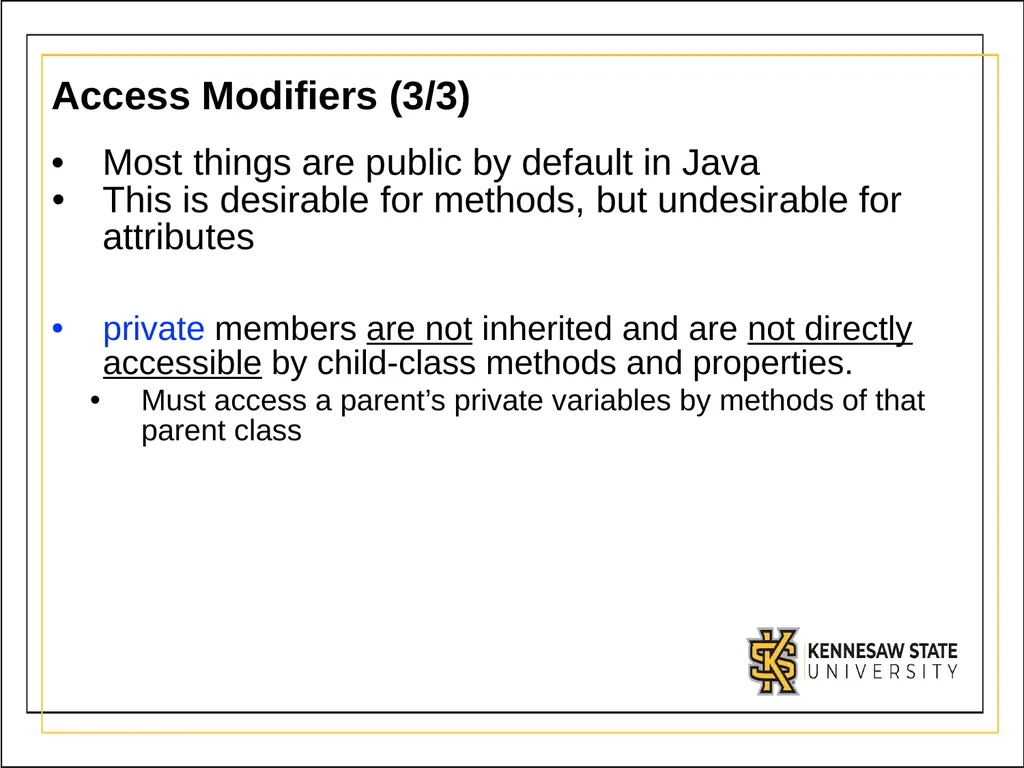
private members are not inherited and are not directly accessible by child-class methods and properties.
Must access a parent’s private variables by methods of that parent class<br>
This is desirable for methods, but undesirable for attributes
private members are not inherited and are not directly accessible by child-class methods and properties.
Must access a parent’s private variables by methods of that parent class<br>
30
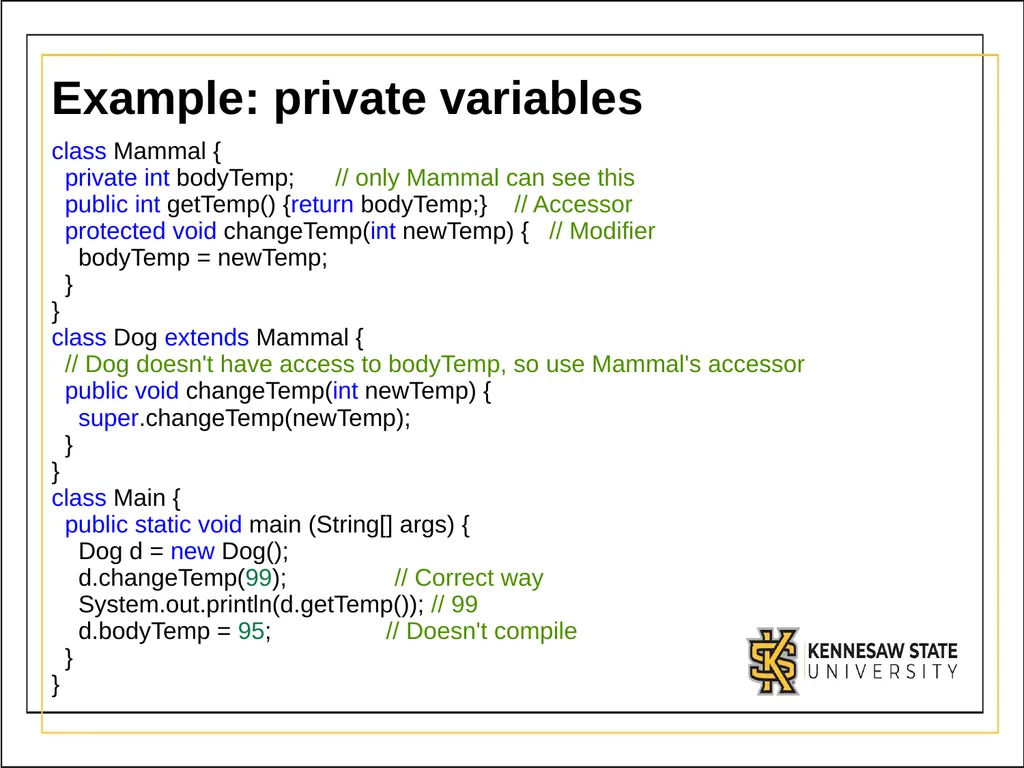
Example: private variables class Mammal {
private int bodyTemp; // only Mammal can see this
public int getTemp() {return bodyTemp;} // Accessor
protected void changeTemp(int newTemp) { // Modifier
bodyTemp = newTemp;
}
}
class Dog extends Mammal {
// Dog doesn't have access to bodyTemp, so use Mammal's accessor
public void changeTemp(int newTemp) {
super.changeTemp(newTemp);
}
}
class Main {
public static void main (String[] args) {
Dog d = new Dog();
d.changeTemp(99); // Correct way
System.out.println(d.getTemp()); // 99
d.bodyTemp = 95; // Doesn't compile
}
}<br>
private int bodyTemp; // only Mammal can see this
public int getTemp() {return bodyTemp;} // Accessor
protected void changeTemp(int newTemp) { // Modifier
bodyTemp = newTemp;
}
}
class Dog extends Mammal {
// Dog doesn't have access to bodyTemp, so use Mammal's accessor
public void changeTemp(int newTemp) {
super.changeTemp(newTemp);
}
}
class Main {
public static void main (String[] args) {
Dog d = new Dog();
d.changeTemp(99); // Correct way
System.out.println(d.getTemp()); // 99
d.bodyTemp = 95; // Doesn't compile
}
}<br>
31
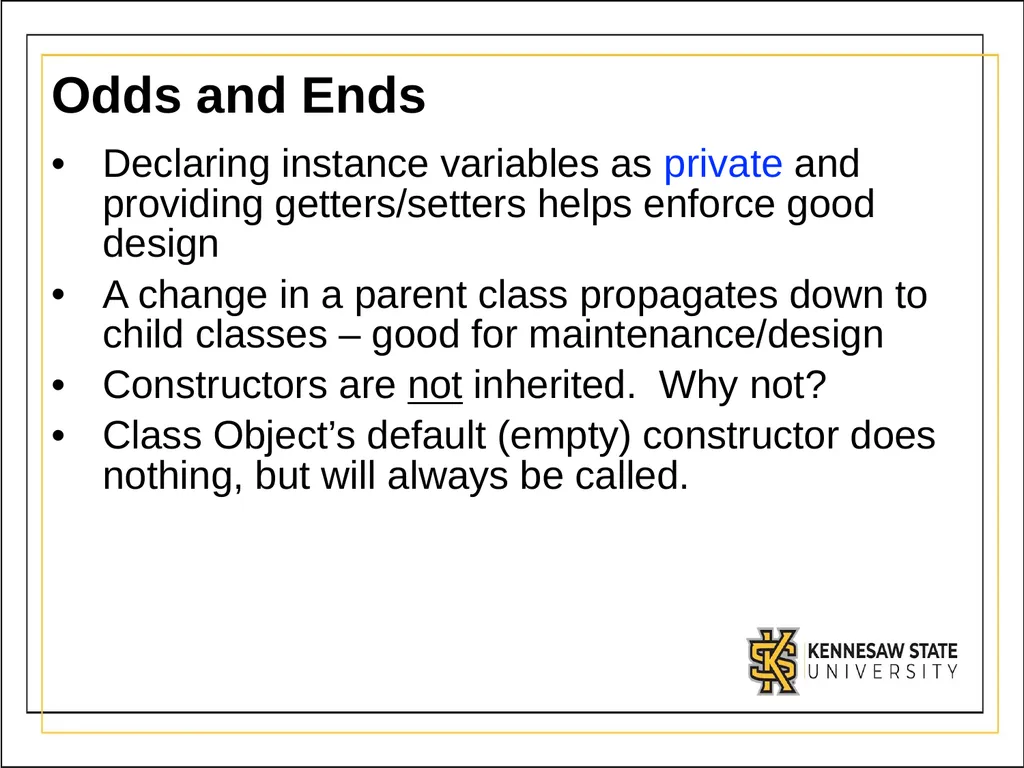
Odds and Ends Declaring instance variables as private and providing getters/setters helps enforce good design
A change in a parent class propagates down to child classes – good for maintenance/design
Constructors are not inherited. Why not?
Class Object’s default (empty) constructor does nothing, but will always be called.<br>
A change in a parent class propagates down to child classes – good for maintenance/design
Constructors are not inherited. Why not?
Class Object’s default (empty) constructor does nothing, but will always be called.<br>
32
Summary Inheritance
One class “absorbs” members from another class
Doesn’t absorb constructors or private members
You can only inherit from one class
You can access parent methods/variables using super
Access modifiers change what’s inherited and what is visible<br>
One class “absorbs” members from another class
Doesn’t absorb constructors or private members
You can only inherit from one class
You can access parent methods/variables using super
Access modifiers change what’s inherited and what is visible<br>