
Monitoring streams: a new class of data management
T
Published · 58 slides · 0 views

1 / 1
Description
Monitoring streams: a new class of data management applications D. Carney et al. Advanced Database Management System Includes slides by: YongChul Kwon (http:goo.gl8K7Qa) Jong-Won Roh (http:goo.glFzc3e) Joydip Datta Debarghya Majumdar
Related Topics
Share
Embed code
Download this presentation From Below
"Monitoring streams: a new class of data management" is the property of its rightful owner. Permission is granted to download and print the materials on this website for personal, non-commercial use only, and to display it on your personal computer provided you do not modify the materials and that you retain all copyright notices contained in the materials. By downloading content from our website, you accept the terms of this agreement.
Presentation Transcript
01
Monitoring streams:
a new class of data management applications
D. Carney et al. Advanced Database Management System Includes slides by:
YongChul Kwon (http://goo.gl/8K7Qa)
Jong-Won Roh (http://goo.gl/Fzc3e) Joydip Datta
Debarghya Majumdar
Le Xu 26 March 2015 Presented by:
Kuldeep Sharma
Under the guidance of:
Prof. S. Sudarshan<br>
YongChul Kwon (http://goo.gl/8K7Qa)
Jong-Won Roh (http://goo.gl/Fzc3e) Joydip Datta
Debarghya Majumdar
Le Xu 26 March 2015 Presented by:
Kuldeep Sharma
Under the guidance of:
Prof. S. Sudarshan<br>
02
Outline Motivation
Monitoring Applications
Special needs of monitoring applications
Aurora
System and Query Model of Aurora
Operators in Aurora
Aurora System Architecture
Conclusion 2<br>
Monitoring Applications
Special needs of monitoring applications
Aurora
System and Query Model of Aurora
Operators in Aurora
Aurora System Architecture
Conclusion 2<br>
03
Monitoring Applications Concept
Monitor continuous data streams, detect abnormal activity, and alert users those situations
Data Stream
Continuous,
Unbounded,
Rapid,
May contain missing, out of order values
Occurs in a variety of modern applications 3<br>
Monitor continuous data streams, detect abnormal activity, and alert users those situations
Data Stream
Continuous,
Unbounded,
Rapid,
May contain missing, out of order values
Occurs in a variety of modern applications 3<br>
04
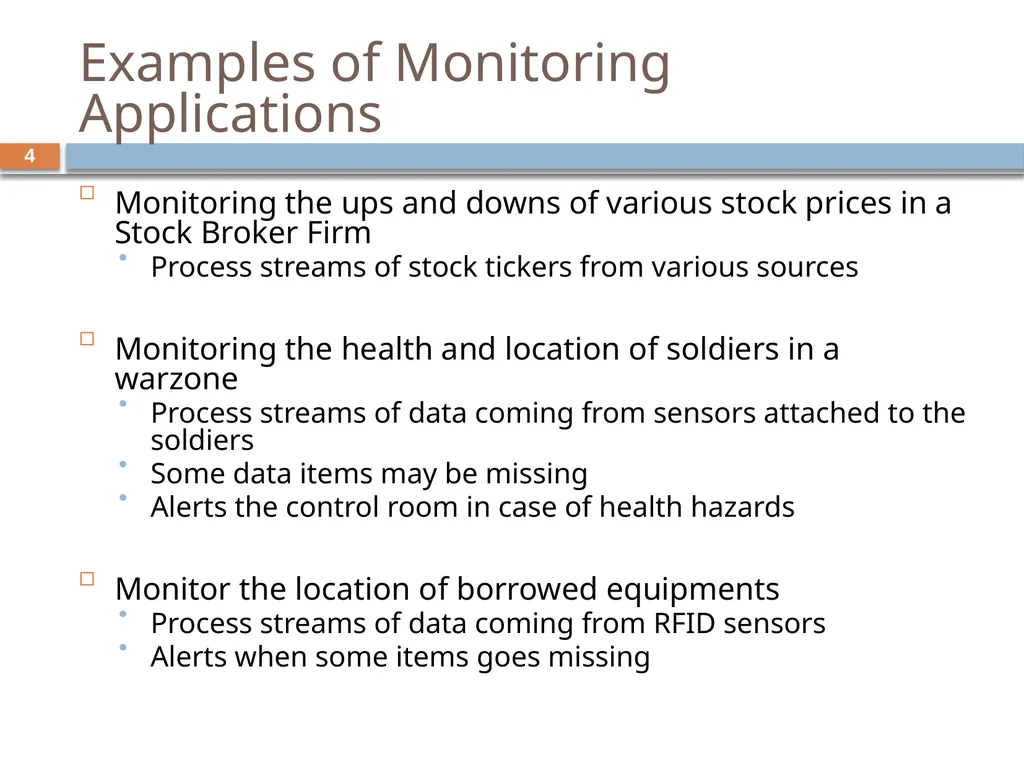
Examples of Monitoring Applications Monitoring the ups and downs of various stock prices in a Stock Broker Firm
Process streams of stock tickers from various sources
Monitoring the health and location of soldiers in a warzone
Process streams of data coming from sensors attached to the soldiers
Some data items may be missing
Alerts the control room in case of health hazards
Monitor the location of borrowed equipments
Process streams of data coming from RFID sensors
Alerts when some items goes missing 4<br>
Process streams of stock tickers from various sources
Monitoring the health and location of soldiers in a warzone
Process streams of data coming from sensors attached to the soldiers
Some data items may be missing
Alerts the control room in case of health hazards
Monitor the location of borrowed equipments
Process streams of data coming from RFID sensors
Alerts when some items goes missing 4<br>
05
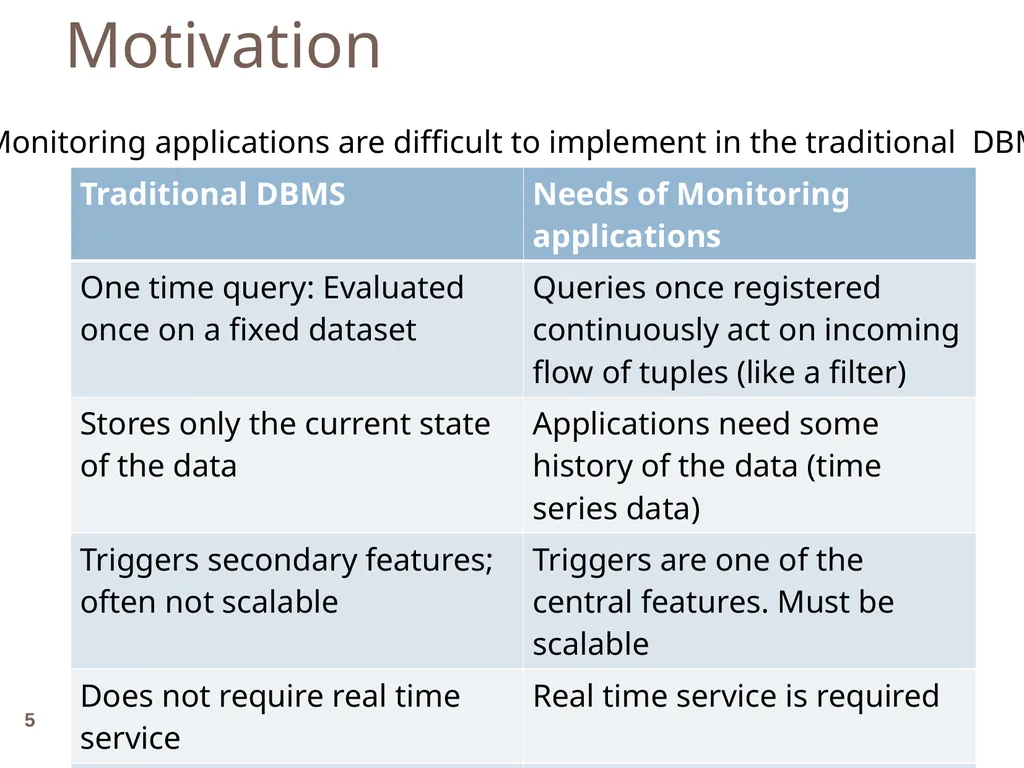
Motivation Monitoring applications are difficult to implement in the traditional DBMS 5<br>
06
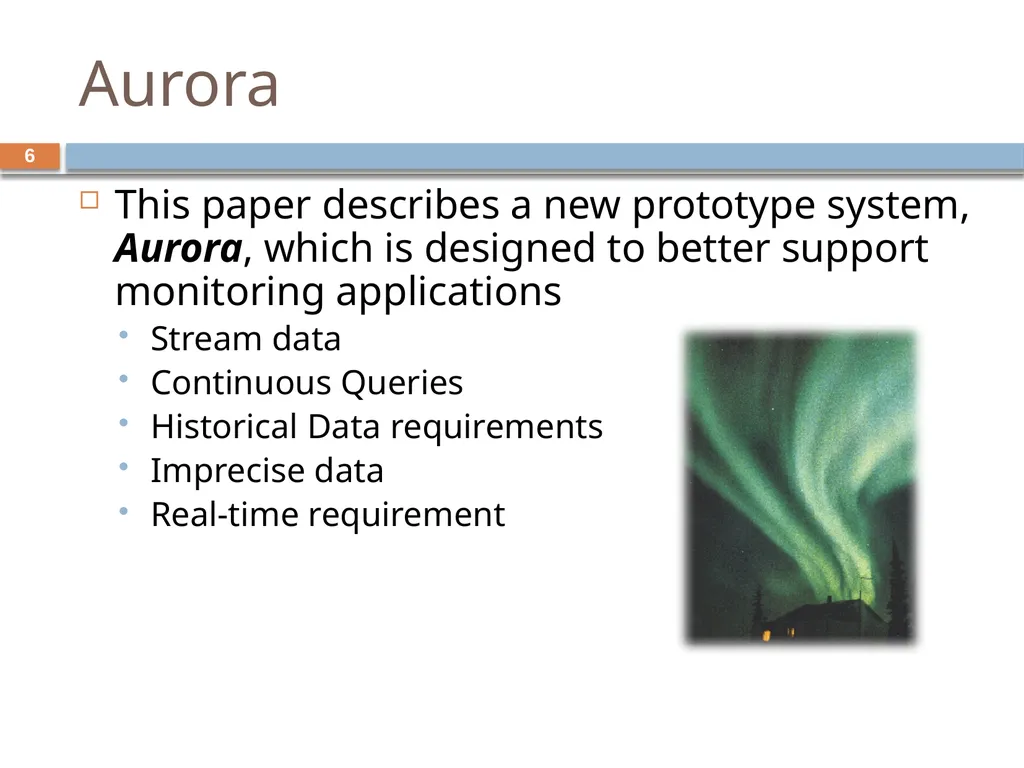
Aurora This paper describes a new prototype system, Aurora, which is designed to better support monitoring applications
Stream data
Continuous Queries
Historical Data requirements
Imprecise data
Real-time requirement 6<br>
Stream data
Continuous Queries
Historical Data requirements
Imprecise data
Real-time requirement 6<br>
07
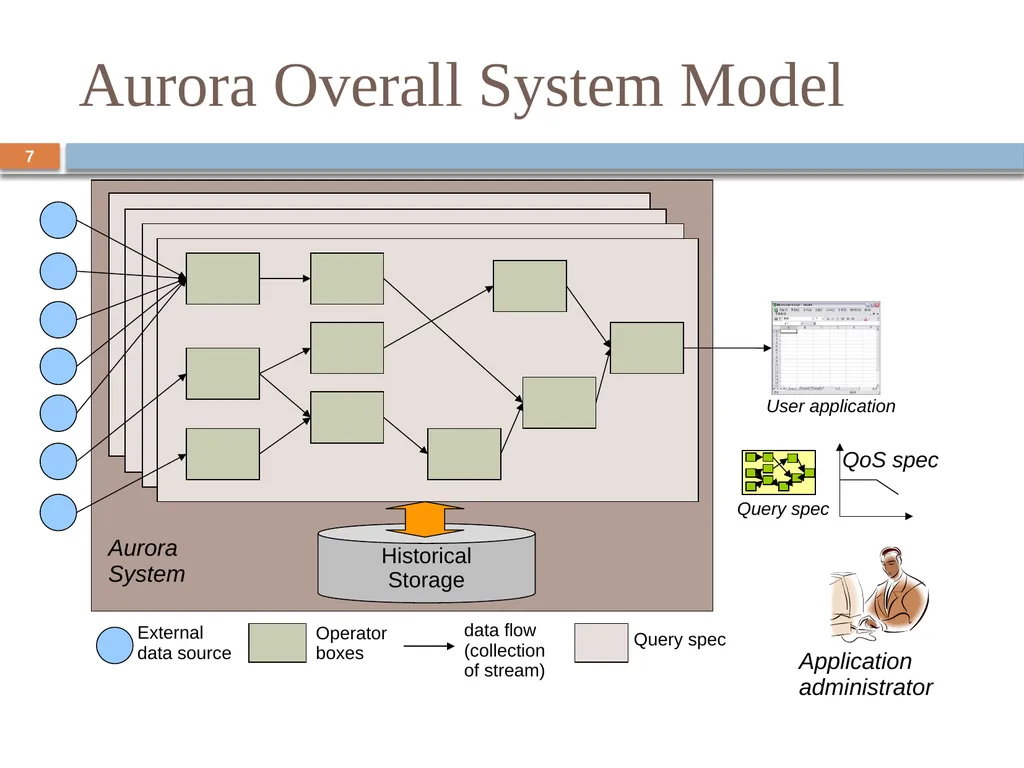
Aurora Overall System Model 7/15 External
data source Operator
boxes data flow
(collection of stream) Query spec Historical
Storage Aurora
System Application
administrator 7<br>
data source Operator
boxes data flow
(collection of stream) Query spec Historical
Storage Aurora
System Application
administrator 7<br>
08
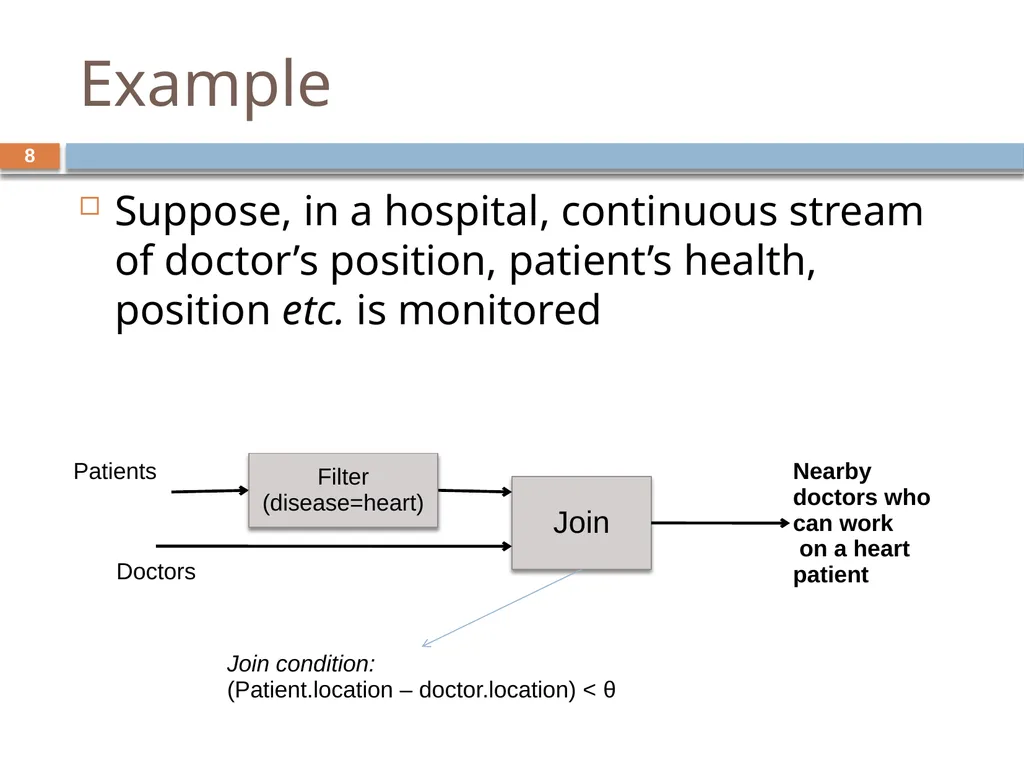
Example 8 Suppose, in a hospital, continuous stream of doctor’s position, patient’s health, position etc. is monitored Join Doctors Patients Nearby doctors who can work
on a heart patient Filter
(disease=heart) Join condition:
(Patient.location – doctor.location) < θ<br>
on a heart patient Filter
(disease=heart) Join condition:
(Patient.location – doctor.location) < θ<br>
09
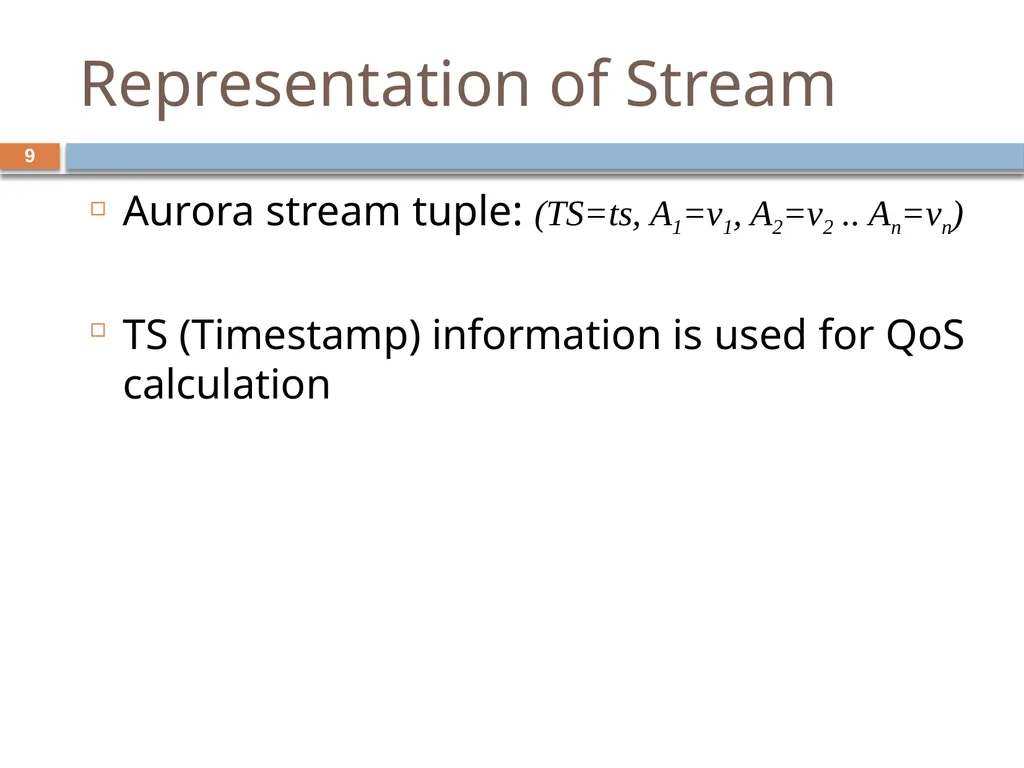
Representation of Stream Aurora stream tuple: (TS=ts, A1=v1, A2=v2 .. An=vn)
TS (Timestamp) information is used for QoS calculation 9<br>
TS (Timestamp) information is used for QoS calculation 9<br>
10
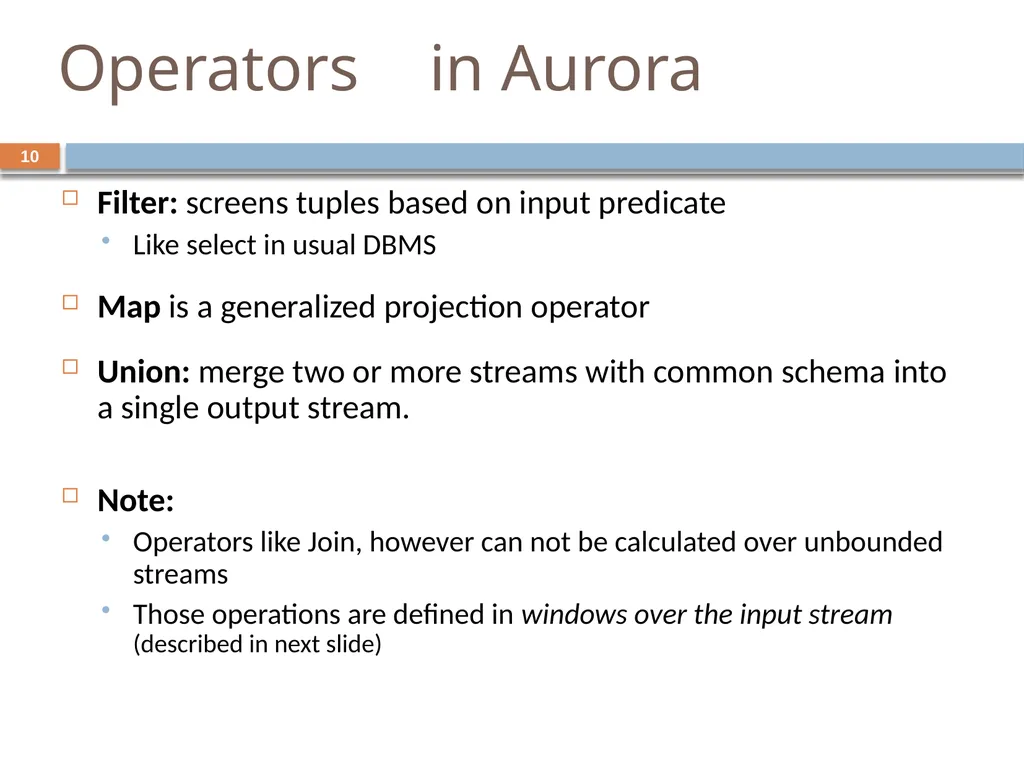
Operators in Aurora Filter: screens tuples based on input predicate
Like select in usual DBMS
Map is a generalized projection operator
Union: merge two or more streams with common schema into a single output stream.
Note:
Operators like Join, however can not be calculated over unbounded streams
Those operations are defined in windows over the input stream (described in next slide) 10<br>
Like select in usual DBMS
Map is a generalized projection operator
Union: merge two or more streams with common schema into a single output stream.
Note:
Operators like Join, however can not be calculated over unbounded streams
Those operations are defined in windows over the input stream (described in next slide) 10<br>
11
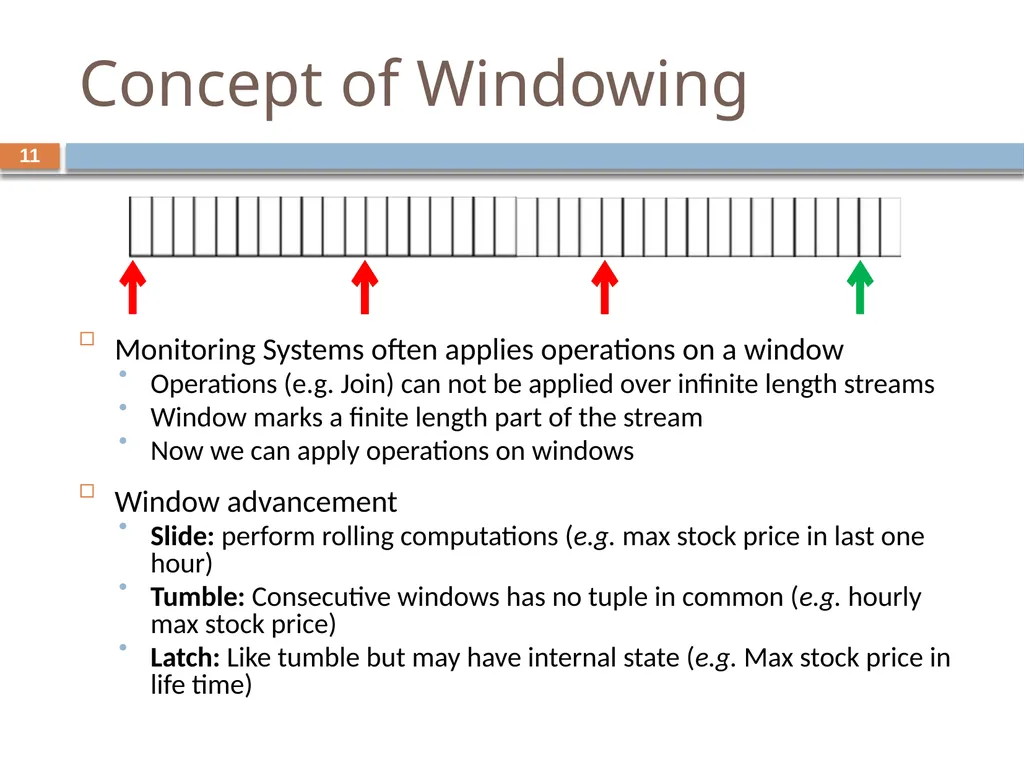
Concept of Windowing Monitoring Systems often applies operations on a window
Operations (e.g. Join) can not be applied over infinite length streams
Window marks a finite length part of the stream
Now we can apply operations on windows
Window advancement
Slide: perform rolling computations (e.g. max stock price in last one hour)
Tumble: Consecutive windows has no tuple in common (e.g. hourly max stock price)
Latch: Like tumble but may have internal state (e.g. Max stock price in life time) 11<br>
Operations (e.g. Join) can not be applied over infinite length streams
Window marks a finite length part of the stream
Now we can apply operations on windows
Window advancement
Slide: perform rolling computations (e.g. max stock price in last one hour)
Tumble: Consecutive windows has no tuple in common (e.g. hourly max stock price)
Latch: Like tumble but may have internal state (e.g. Max stock price in life time) 11<br>
12
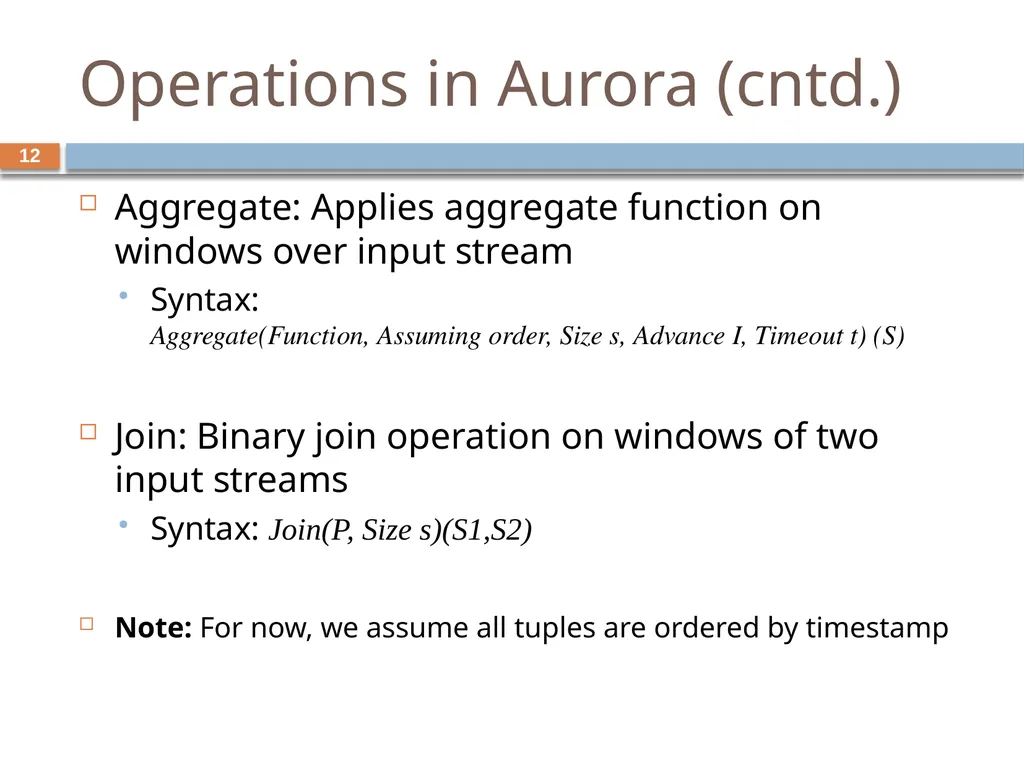
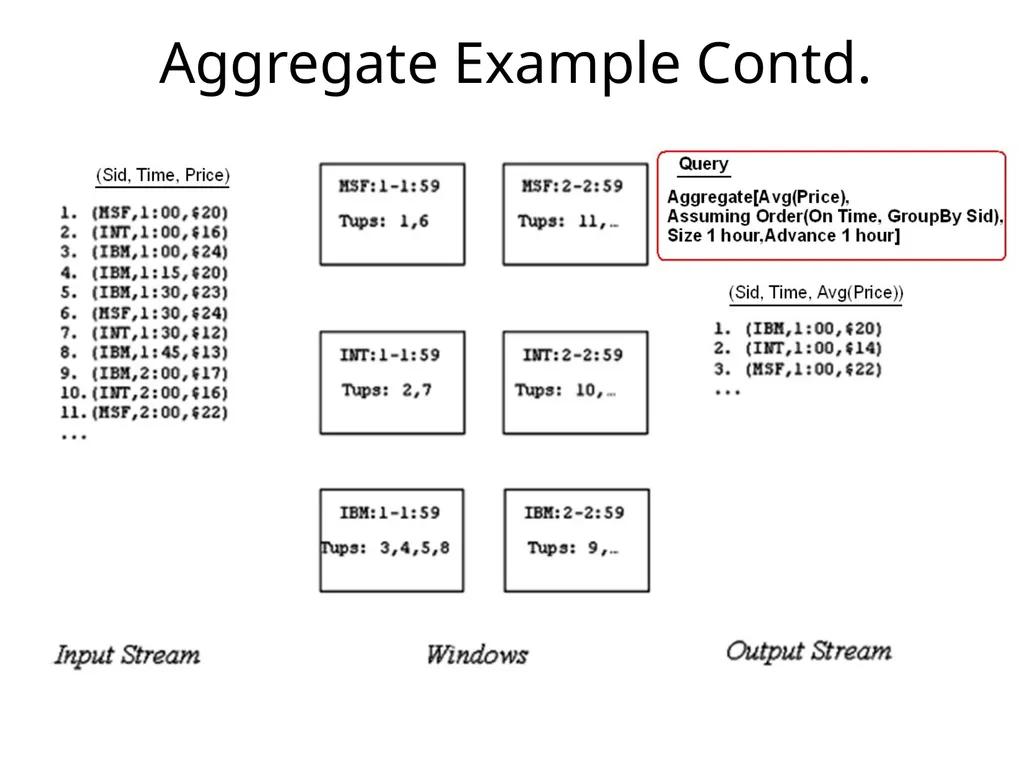
Operations in Aurora (cntd.) 12 Aggregate: Applies aggregate function on windows over input stream
Syntax: Aggregate(Function, Assuming order, Size s, Advance I, Timeout t) (S)
Join: Binary join operation on windows of two input streams
Syntax: Join(P, Size s)(S1,S2)
Note: For now, we assume all tuples are ordered by timestamp<br>
Syntax: Aggregate(Function, Assuming order, Size s, Advance I, Timeout t) (S)
Join: Binary join operation on windows of two input streams
Syntax: Join(P, Size s)(S1,S2)
Note: For now, we assume all tuples are ordered by timestamp<br>
13
Aggregate Example Contd.<br>
14
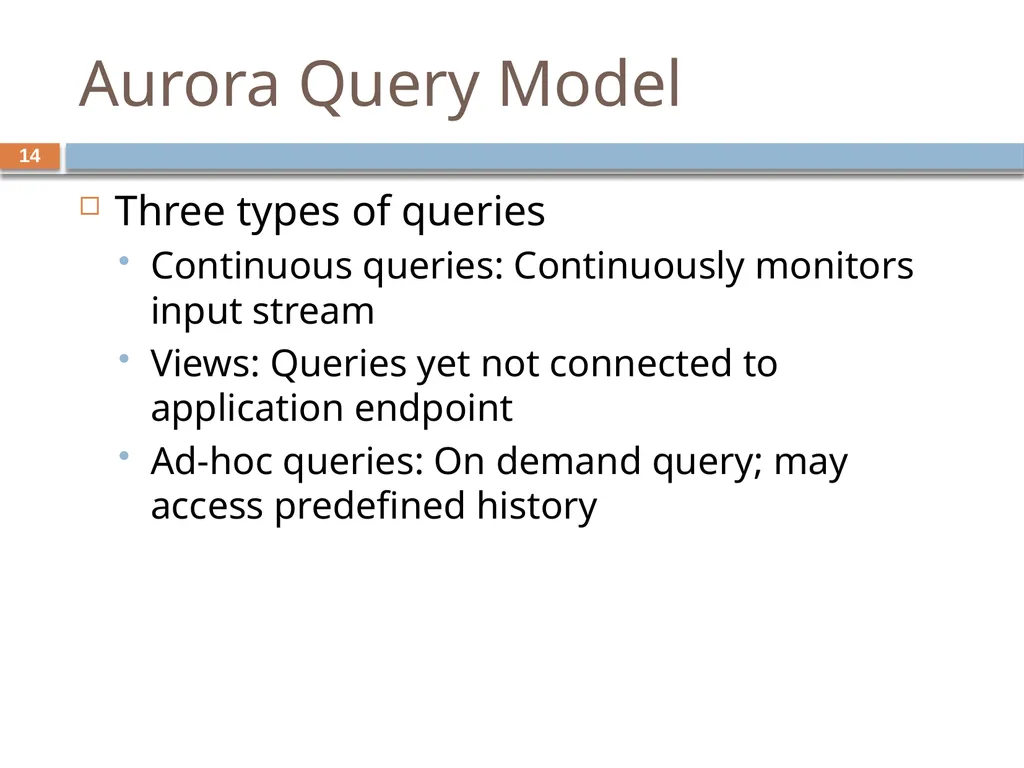
Aurora Query Model Three types of queries
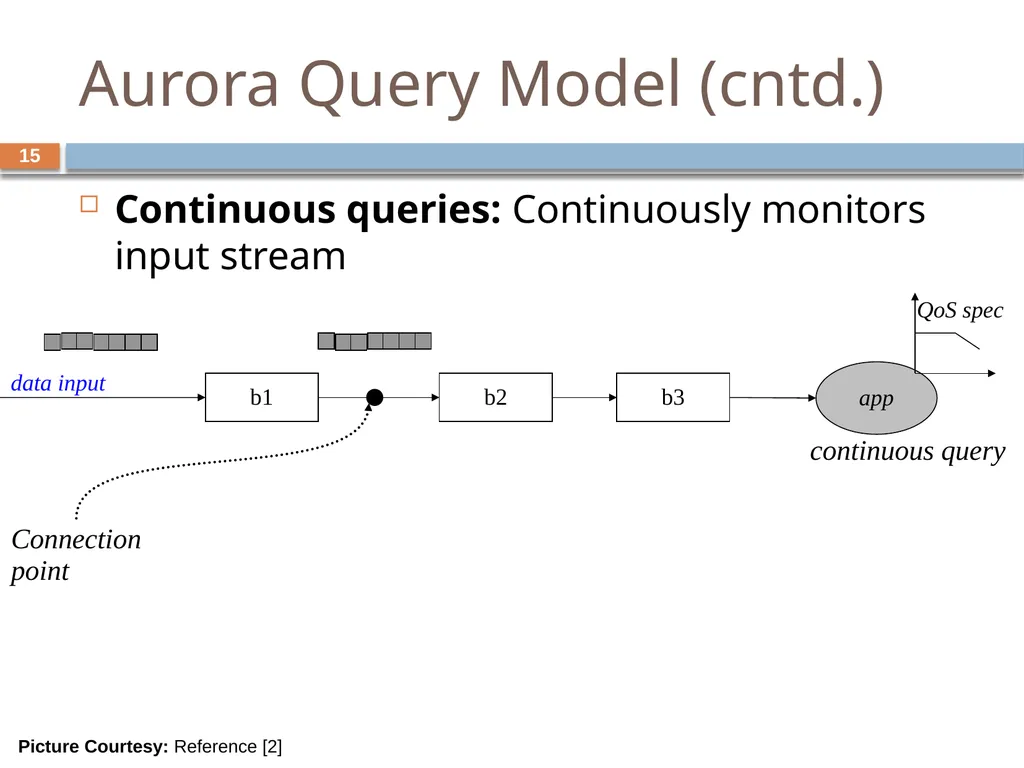
Continuous queries: Continuously monitors input stream
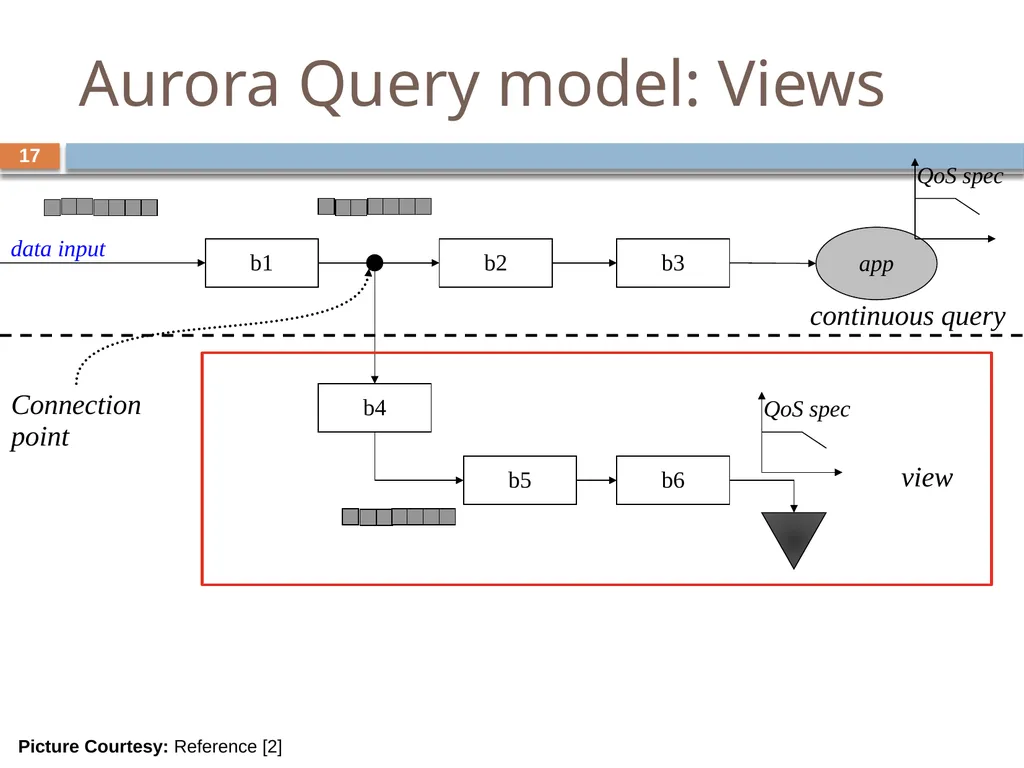
Views: Queries yet not connected to application endpoint
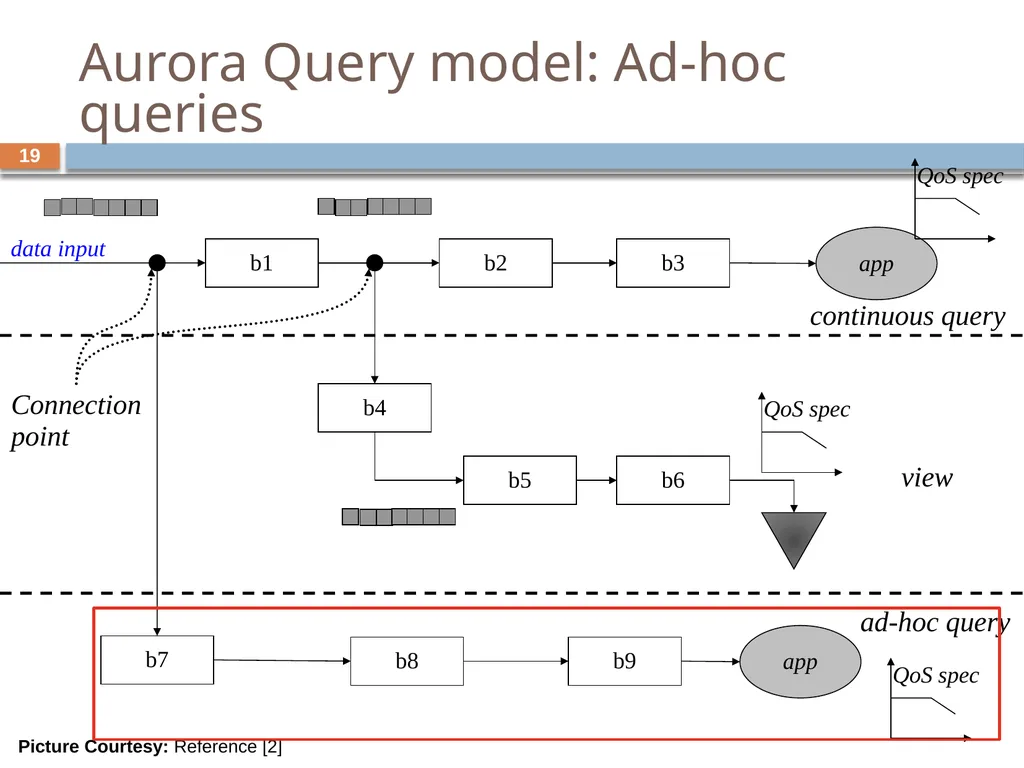
Ad-hoc queries: On demand query; may access predefined history 14<br>
Continuous queries: Continuously monitors input stream
Views: Queries yet not connected to application endpoint
Ad-hoc queries: On demand query; may access predefined history 14<br>
15
Aurora Query Model (cntd.) Continuous queries: Continuously monitors input stream b1 b2 b3 app continuous query Connection
point data input Picture Courtesy: Reference [2] 15<br>
point data input Picture Courtesy: Reference [2] 15<br>
16
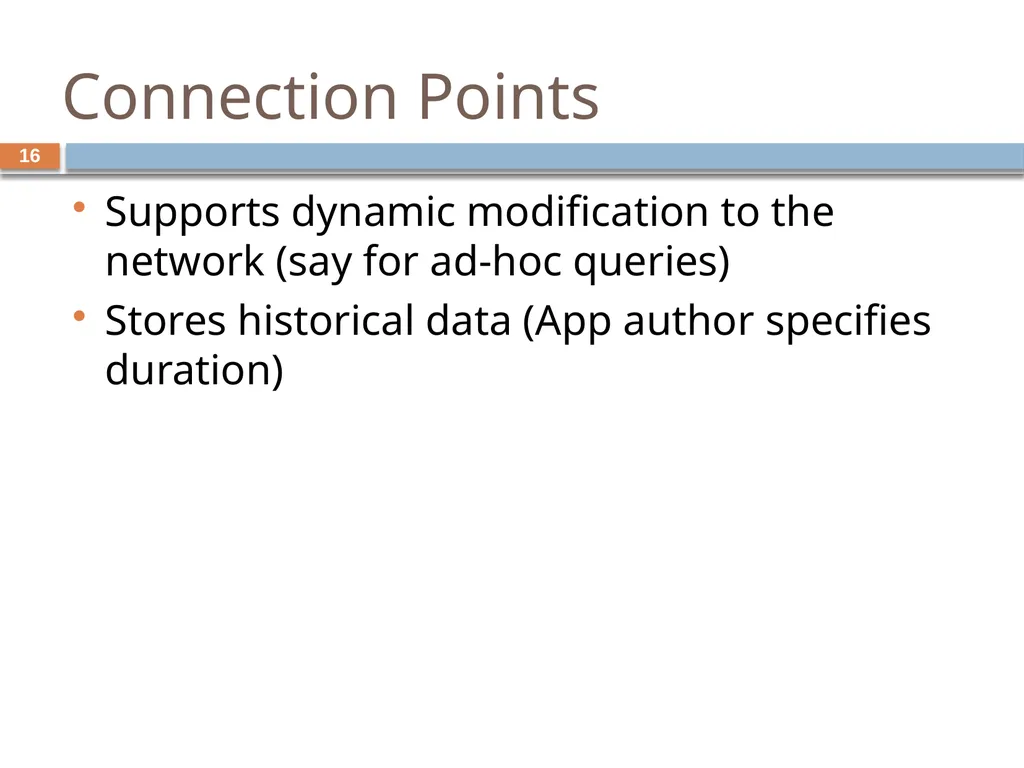
Connection Points Supports dynamic modification to the network (say for ad-hoc queries)
Stores historical data (App author specifies duration) 16<br>
Stores historical data (App author specifies duration) 16<br>
17
Aurora Query model: Views b1 b2 b3 b4 b5 b6 app continuous query view Connection
point data input Picture Courtesy: Reference [2] 17<br>
point data input Picture Courtesy: Reference [2] 17<br>
18
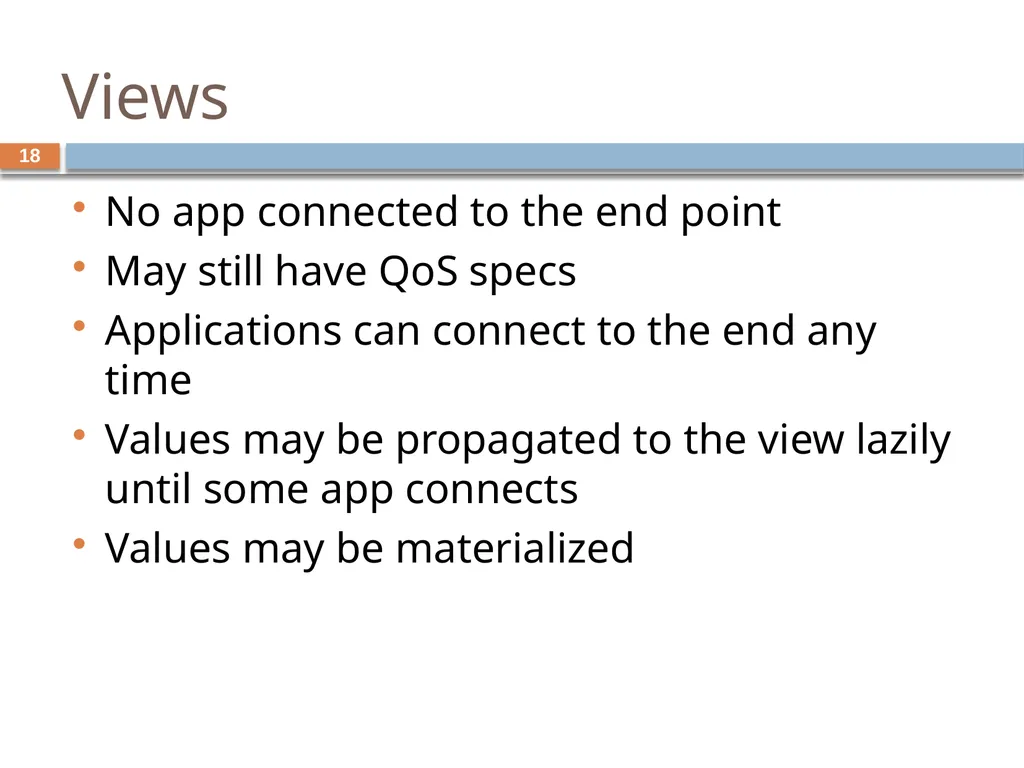
Views No app connected to the end point
May still have QoS specs
Applications can connect to the end any time
Values may be propagated to the view lazily until some app connects
Values may be materialized 18<br>
May still have QoS specs
Applications can connect to the end any time
Values may be propagated to the view lazily until some app connects
Values may be materialized 18<br>
19
Aurora Query model: Ad-hoc queries 19 b1 b2 b3 b4 b5 b6 b7 b8 b9 app app continuous query view ad-hoc query Connection
point data input Picture Courtesy: Reference [2]<br>
point data input Picture Courtesy: Reference [2]<br>
20
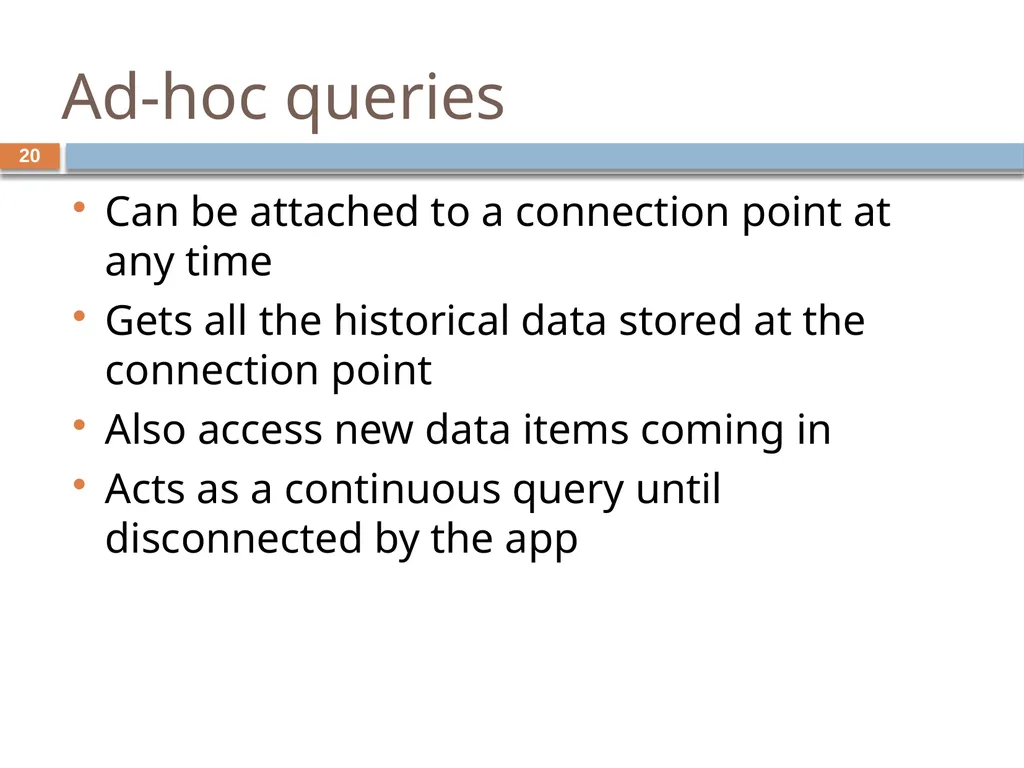
Ad-hoc queries Can be attached to a connection point at any time
Gets all the historical data stored at the connection point
Also access new data items coming in
Acts as a continuous query until disconnected by the app 20<br>
Gets all the historical data stored at the connection point
Also access new data items coming in
Acts as a continuous query until disconnected by the app 20<br>
21
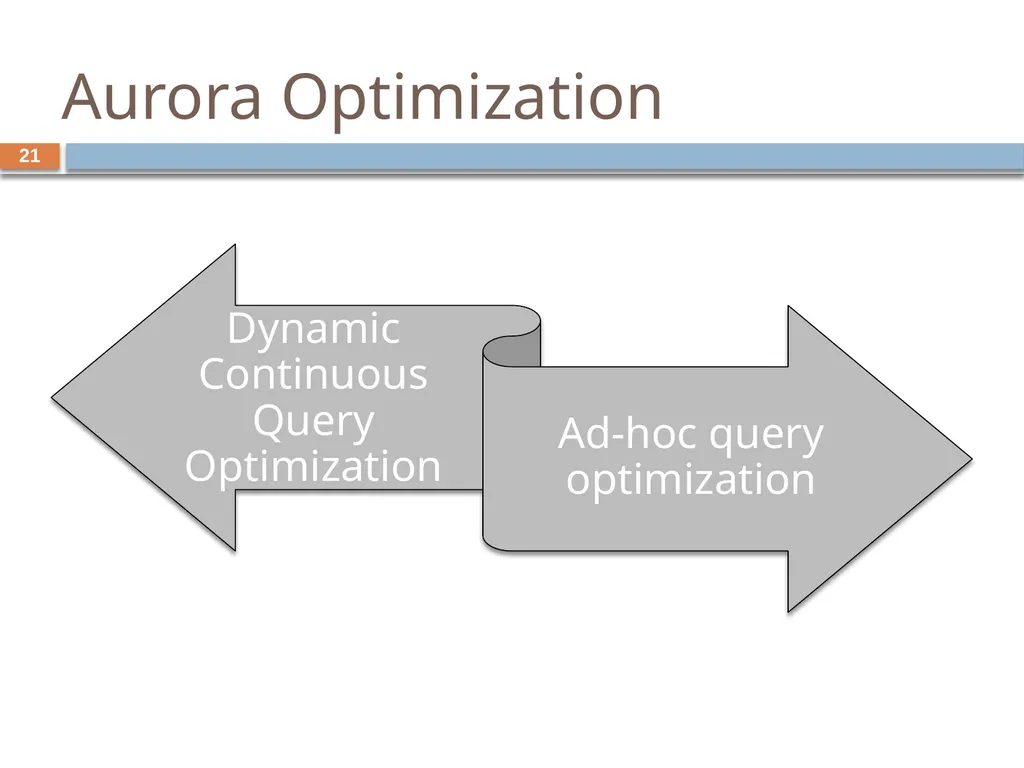
Aurora Optimization 21<br>
22
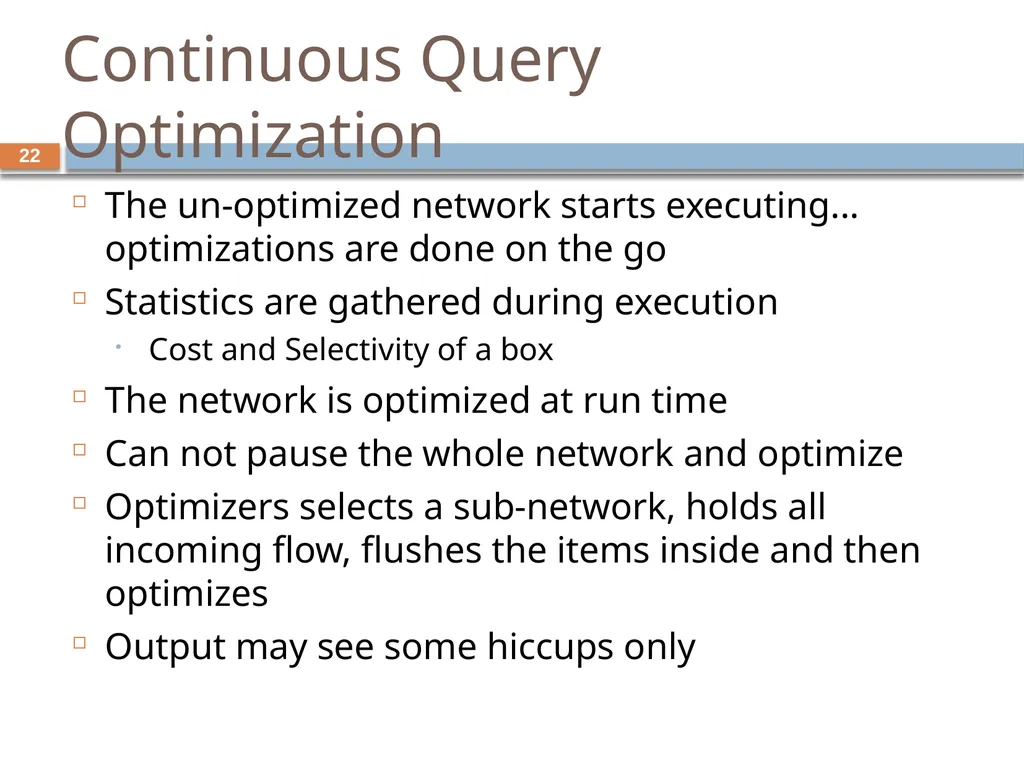
Continuous Query Optimization The un-optimized network starts executing... optimizations are done on the go
Statistics are gathered during execution
Cost and Selectivity of a box
The network is optimized at run time
Can not pause the whole network and optimize
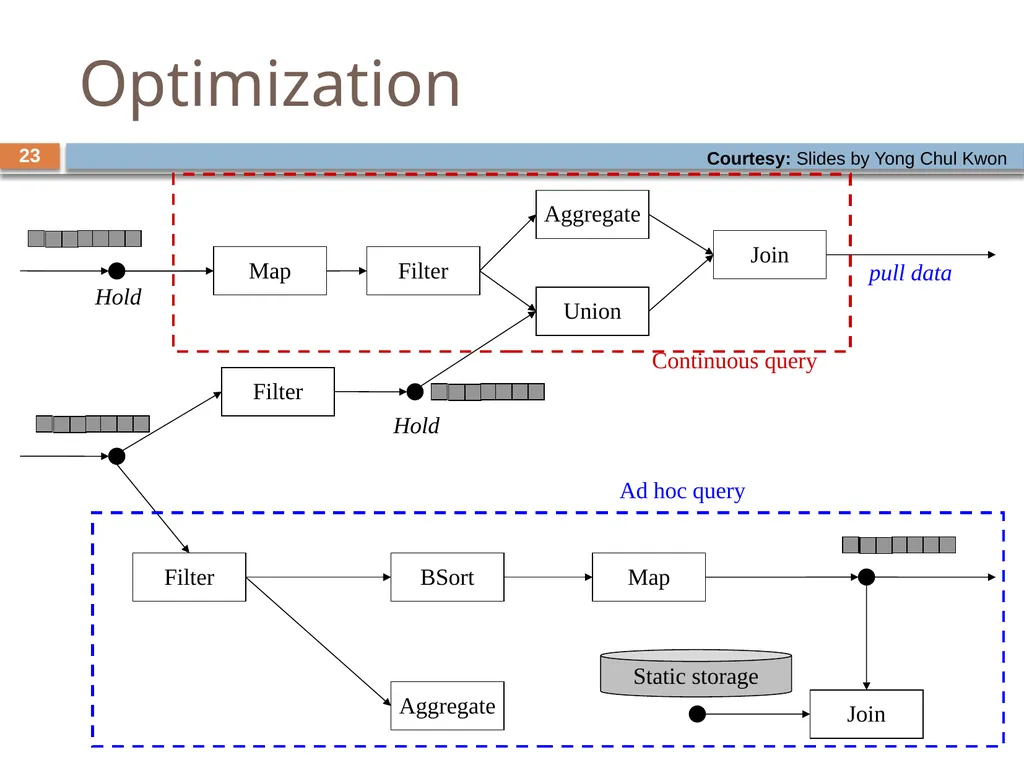
Optimizers selects a sub-network, holds all incoming flow, flushes the items inside and then optimizes
Output may see some hiccups only 22<br>
Statistics are gathered during execution
Cost and Selectivity of a box
The network is optimized at run time
Can not pause the whole network and optimize
Optimizers selects a sub-network, holds all incoming flow, flushes the items inside and then optimizes
Output may see some hiccups only 22<br>
23
23 Optimization Filter BSort Filter Union Aggregate Join Aggregate Map Hold Hold pull data Continuous query Filter Map Ad hoc query Join Static storage Courtesy: Slides by Yong Chul Kwon<br>
24
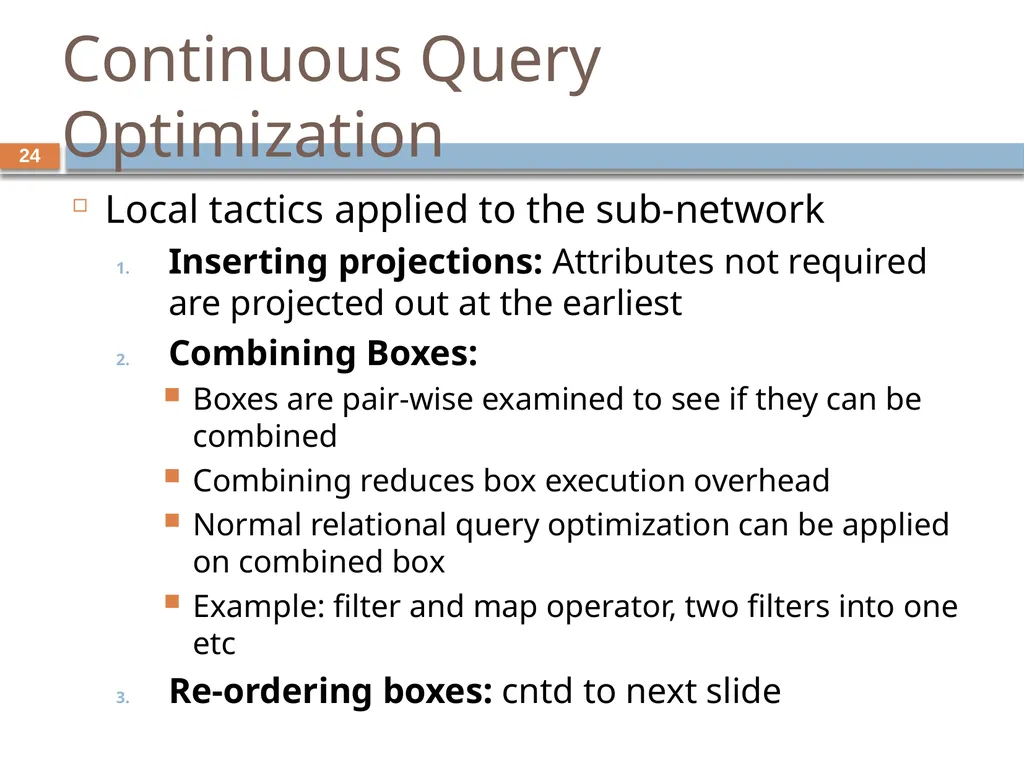
Continuous Query Optimization Local tactics applied to the sub-network
Inserting projections: Attributes not required are projected out at the earliest
Combining Boxes:
Boxes are pair-wise examined to see if they can be combined
Combining reduces box execution overhead
Normal relational query optimization can be applied on combined box
Example: filter and map operator, two filters into one etc
Re-ordering boxes: cntd to next slide 24<br>
Inserting projections: Attributes not required are projected out at the earliest
Combining Boxes:
Boxes are pair-wise examined to see if they can be combined
Combining reduces box execution overhead
Normal relational query optimization can be applied on combined box
Example: filter and map operator, two filters into one etc
Re-ordering boxes: cntd to next slide 24<br>
25
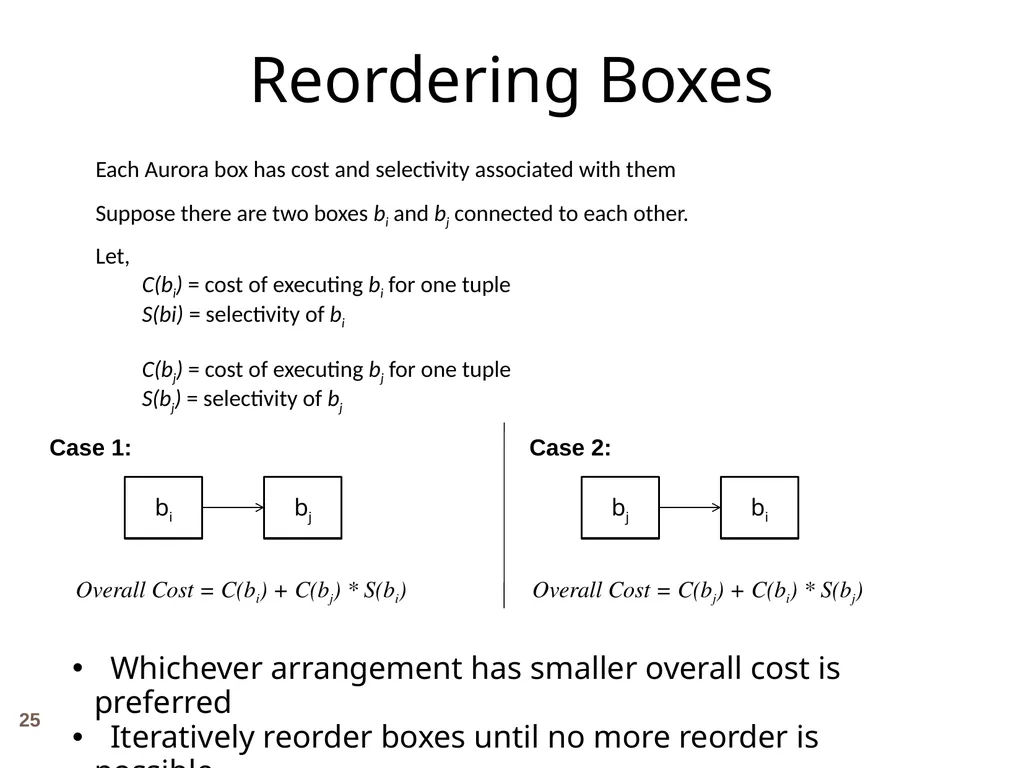
Each Aurora box has cost and selectivity associated with them
Suppose there are two boxes bi and bj connected to each other.
Let,
C(bi) = cost of executing bi for one tuple
S(bi) = selectivity of bi
C(bj) = cost of executing bj for one tuple
S(bj) = selectivity of bj Reordering Boxes Case 1: Case 2: Overall Cost = C(bi) + C(bj) * S(bi) Overall Cost = C(bj) + C(bi) * S(bj) Whichever arrangement has smaller overall cost is preferred
Iteratively reorder boxes until no more reorder is possible 25<br>
Suppose there are two boxes bi and bj connected to each other.
Let,
C(bi) = cost of executing bi for one tuple
S(bi) = selectivity of bi
C(bj) = cost of executing bj for one tuple
S(bj) = selectivity of bj Reordering Boxes Case 1: Case 2: Overall Cost = C(bi) + C(bj) * S(bi) Overall Cost = C(bj) + C(bi) * S(bj) Whichever arrangement has smaller overall cost is preferred
Iteratively reorder boxes until no more reorder is possible 25<br>
26
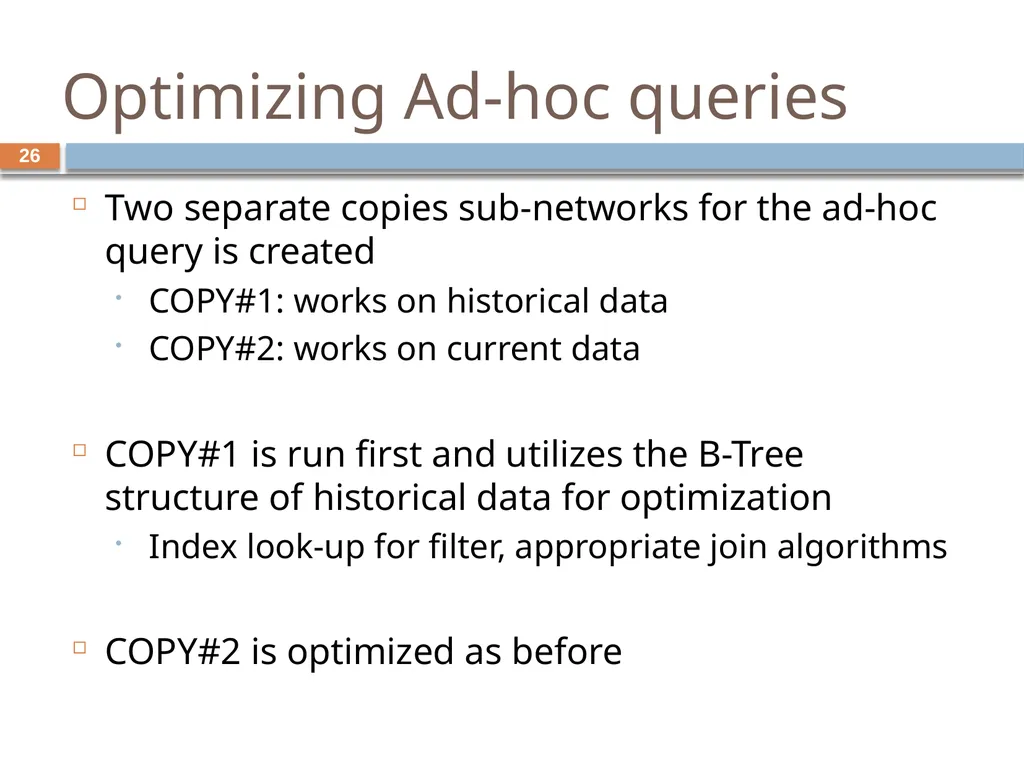
Optimizing Ad-hoc queries Two separate copies sub-networks for the ad-hoc query is created
COPY#1: works on historical data
COPY#2: works on current data
COPY#1 is run first and utilizes the B-Tree structure of historical data for optimization
Index look-up for filter, appropriate join algorithms
COPY#2 is optimized as before 26<br>
COPY#1: works on historical data
COPY#2: works on current data
COPY#1 is run first and utilizes the B-Tree structure of historical data for optimization
Index look-up for filter, appropriate join algorithms
COPY#2 is optimized as before 26<br>
27
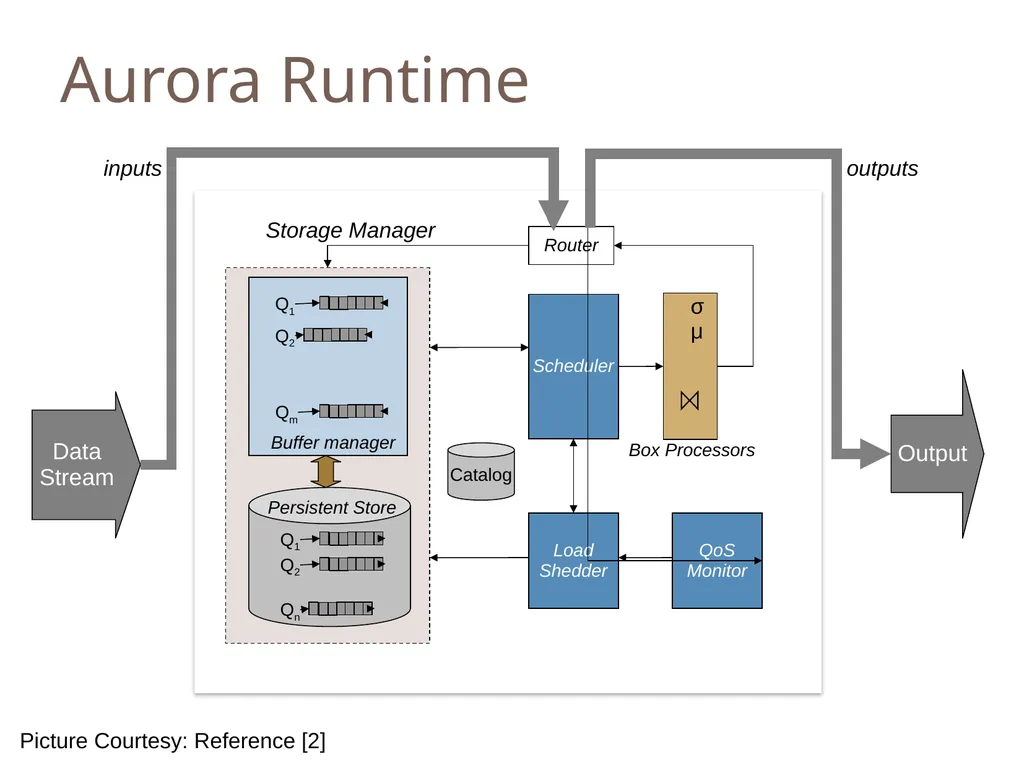
Aurora Runtime Data
Stream Output Buffer manager Storage Manager Persistent Store Scheduler Load
Shedder QoS
Monitor Catalog Box Processors σ
μ Router inputs outputs Picture Courtesy: Reference [2]<br>
Stream Output Buffer manager Storage Manager Persistent Store Scheduler Load
Shedder QoS
Monitor Catalog Box Processors σ
μ Router inputs outputs Picture Courtesy: Reference [2]<br>
28
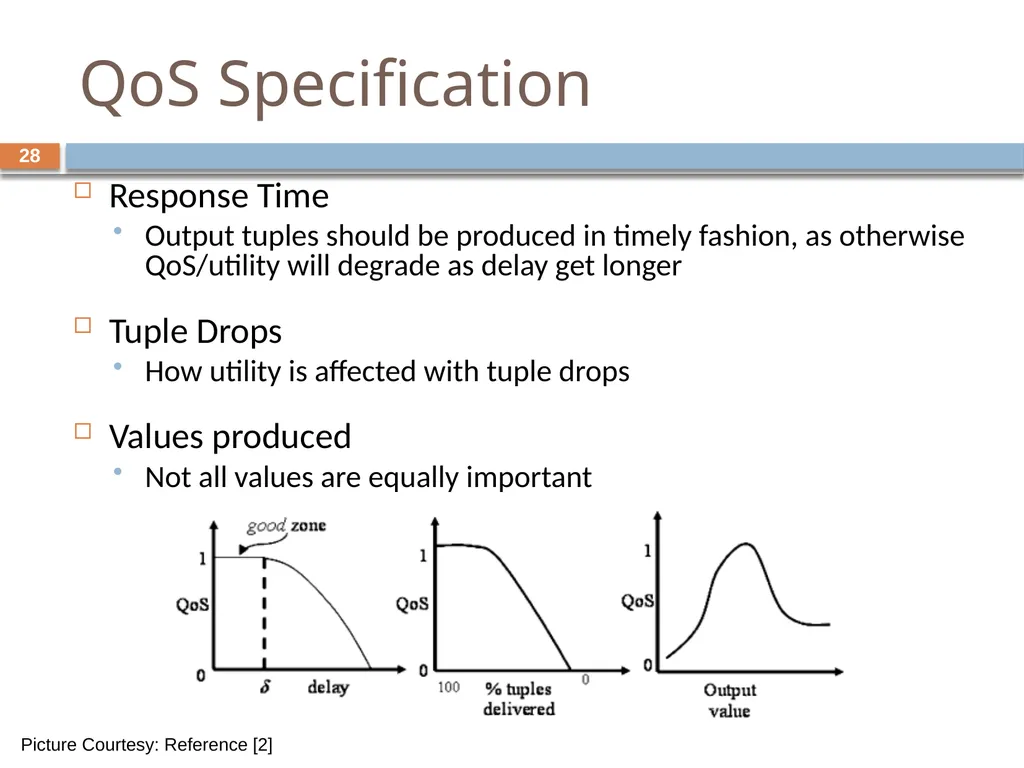
QoS Specification Response Time
Output tuples should be produced in timely fashion, as otherwise QoS/utility will degrade as delay get longer
Tuple Drops
How utility is affected with tuple drops
Values produced
Not all values are equally important Picture Courtesy: Reference [2] 28<br>
Output tuples should be produced in timely fashion, as otherwise QoS/utility will degrade as delay get longer
Tuple Drops
How utility is affected with tuple drops
Values produced
Not all values are equally important Picture Courtesy: Reference [2] 28<br>
29
Aurora Storage Management (ASM) Manages queues and buffers for tuples being passed from one box to another
Manages storage at connection points 29<br>
Manages storage at connection points 29<br>
30
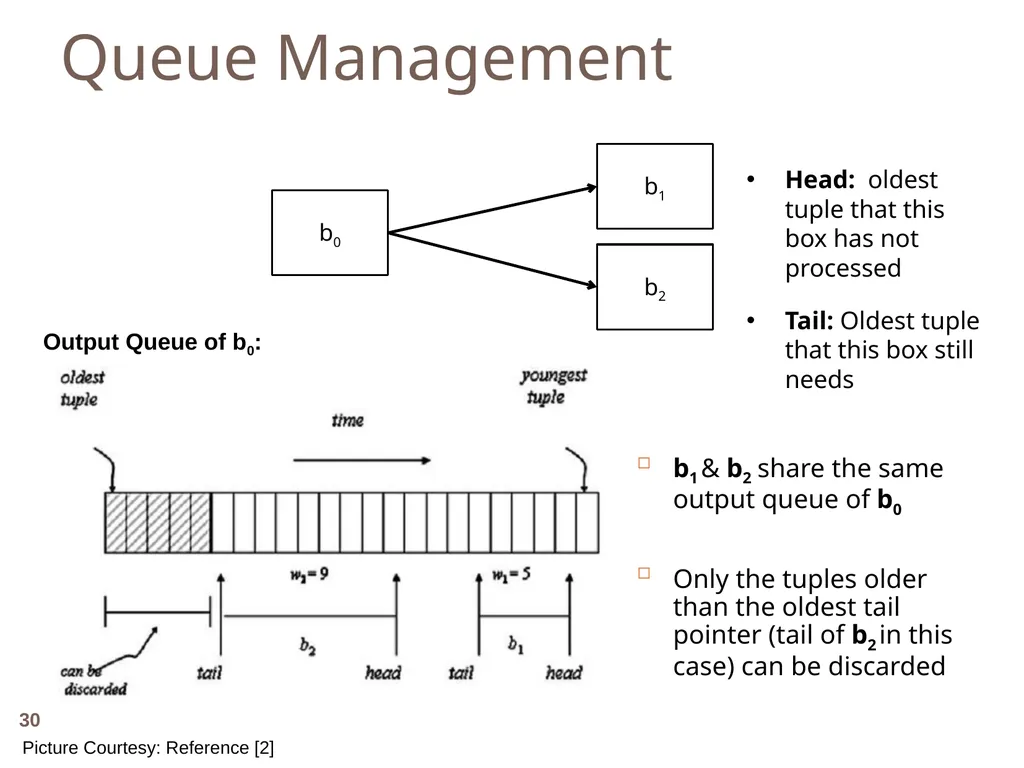
Queue Management b1 & b2 share the same output queue of b0
Only the tuples older than the oldest tail pointer (tail of b2 in this case) can be discarded b0 b1 b2 Head: oldest tuple that this box has not processed
Tail: Oldest tuple that this box still needs Output Queue of b0: Picture Courtesy: Reference [2] 30<br>
Only the tuples older than the oldest tail pointer (tail of b2 in this case) can be discarded b0 b1 b2 Head: oldest tuple that this box has not processed
Tail: Oldest tuple that this box still needs Output Queue of b0: Picture Courtesy: Reference [2] 30<br>
31
Storing of Queues Disk storage is divided into fixed length blocks (the length is tunable)
Typical size is 128KB
Initially each queue is allocated one block
Block is used as a circular buffer
At each overflow queue size is doubled 31<br>
Typical size is 128KB
Initially each queue is allocated one block
Block is used as a circular buffer
At each overflow queue size is doubled 31<br>
32
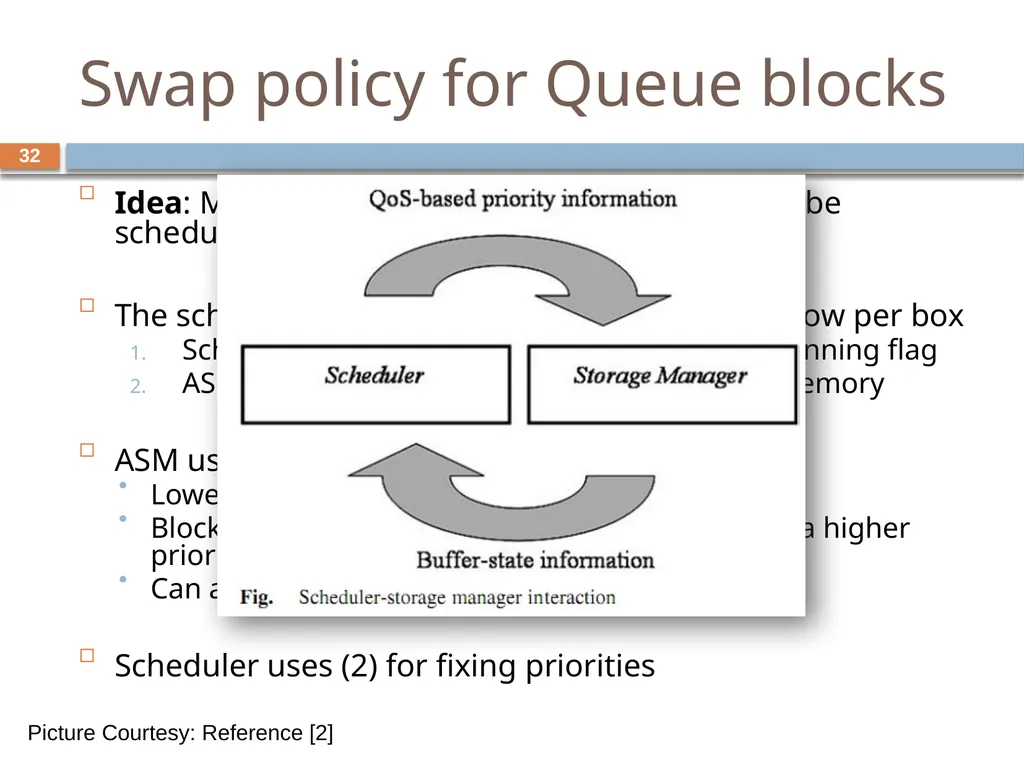
Swap policy for Queue blocks Idea: Make sure the queue for the box that will be scheduled soon is in memory
The scheduler and ASM share a table having a row per box
Scheduler updates current box priority + isRunning flag
ASM updates fraction of the queue that is in memory
ASM uses (1) for paging:
Lowest priority block is evicted
Block for which box is not running is replaced by a higher priority block
Can also consider multi-block read/write
Scheduler uses (2) for fixing priorities Picture Courtesy: Reference [2] 32<br>
The scheduler and ASM share a table having a row per box
Scheduler updates current box priority + isRunning flag
ASM updates fraction of the queue that is in memory
ASM uses (1) for paging:
Lowest priority block is evicted
Block for which box is not running is replaced by a higher priority block
Can also consider multi-block read/write
Scheduler uses (2) for fixing priorities Picture Courtesy: Reference [2] 32<br>
33
Connection Point Management Historical data of a predefined duration is stored at the connection points to support ad-hoc query
Historical tuples are stored in a B-Tree on storage key
Default storage key is timestamp
B-Tree insert is done in batches
Old enough tuples are deleted by periodic traversals 33<br>
Historical tuples are stored in a B-Tree on storage key
Default storage key is timestamp
B-Tree insert is done in batches
Old enough tuples are deleted by periodic traversals 33<br>
34
Real Time Scheduling(RTS) Scheduler selects which box to execute next
Scheduling decision depends upon QoS information
End to End processing cost should also be considered
Aurora scheduling considers both 34<br>
Scheduling decision depends upon QoS information
End to End processing cost should also be considered
Aurora scheduling considers both 34<br>
35
RTS by Optimizing overall processing cost Non Linearity: Output rate is not always proportional to input rate
Intrabox nonlinearity
Cost of processing decrease if many tuples are processed at once
The number of box call decreases
Scope of optimization on call for multiple tuples (concept similar to batch binding 35<br>
Intrabox nonlinearity
Cost of processing decrease if many tuples are processed at once
The number of box call decreases
Scope of optimization on call for multiple tuples (concept similar to batch binding 35<br>
36
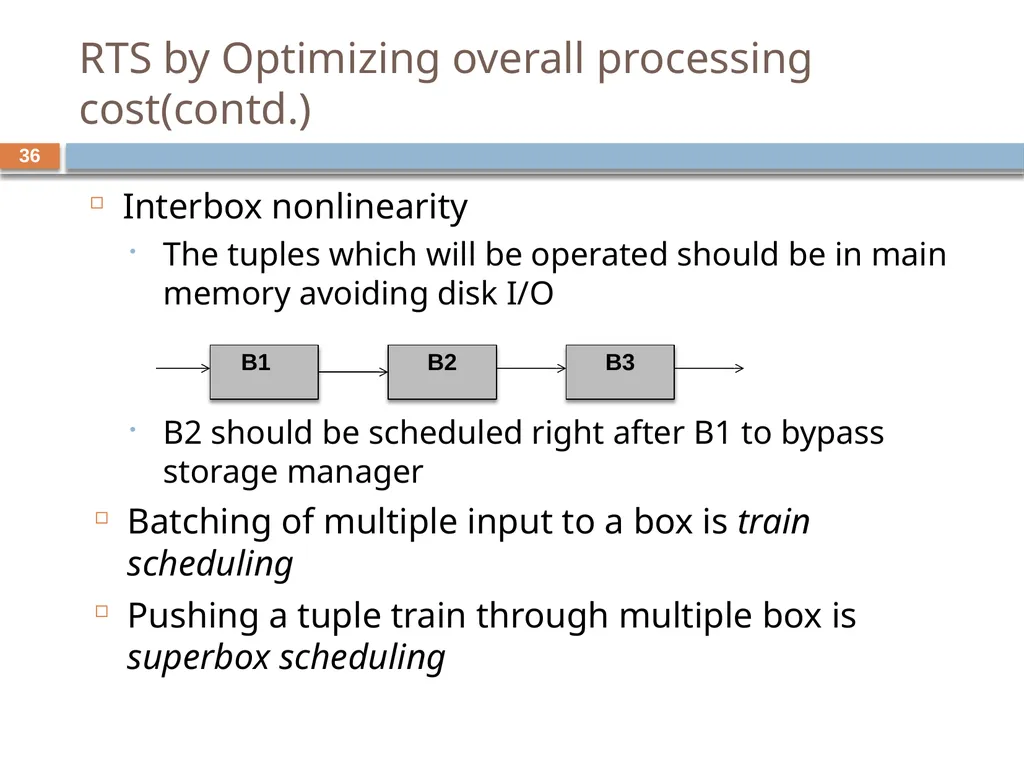
RTS by Optimizing overall processing cost(contd.) Interbox nonlinearity
The tuples which will be operated should be in main memory avoiding disk I/O
B2 should be scheduled right after B1 to bypass storage manager
Batching of multiple input to a box is train scheduling
Pushing a tuple train through multiple box is superbox scheduling B1 B2 B3 36<br>
The tuples which will be operated should be in main memory avoiding disk I/O
B2 should be scheduled right after B1 to bypass storage manager
Batching of multiple input to a box is train scheduling
Pushing a tuple train through multiple box is superbox scheduling B1 B2 B3 36<br>
37
RTS by Optimizing QoS: Priority Assignment Latency = Processing delay + waiting delay
Train scheduling considers the Processing Delay
Waiting delay is function of scheduling
Give priority to tuple while scheduling to improve QoS
Two approaches to assign priority
a state-based approach
feedback-based approach 37<br>
Train scheduling considers the Processing Delay
Waiting delay is function of scheduling
Give priority to tuple while scheduling to improve QoS
Two approaches to assign priority
a state-based approach
feedback-based approach 37<br>
38
Different priority assignment approach State-based approach
assigns priorities to outputs based on their expected utility
How much QoS is sacrificed if execution is deferred
Selects the output with max utility
Feedback-based approach
Increase priority of application which are not doing well
Decrease priority of application in good zone 38<br>
assigns priorities to outputs based on their expected utility
How much QoS is sacrificed if execution is deferred
Selects the output with max utility
Feedback-based approach
Increase priority of application which are not doing well
Decrease priority of application in good zone 38<br>
39
Load Shedding Systems have a limit to how much fast data can be processed
Load shedding discards some data so the system can flow
Drop box are used to discard data
Different from networking load shedding
Data has semantic value
QoS can be used to find the best stream to drop 39<br>
Load shedding discards some data so the system can flow
Drop box are used to discard data
Different from networking load shedding
Data has semantic value
QoS can be used to find the best stream to drop 39<br>
40
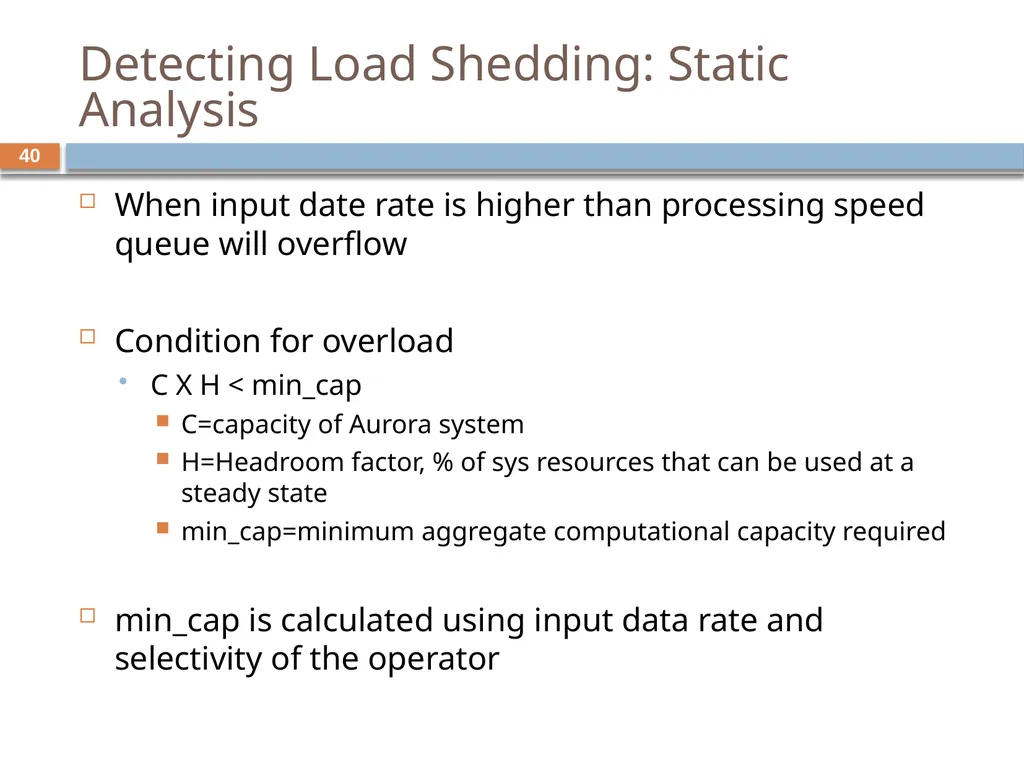
Detecting Load Shedding: Static Analysis When input date rate is higher than processing speed queue will overflow
Condition for overload
C X H < min_cap
C=capacity of Aurora system
H=Headroom factor, % of sys resources that can be used at a steady state
min_cap=minimum aggregate computational capacity required
min_cap is calculated using input data rate and selectivity of the operator 40<br>
Condition for overload
C X H < min_cap
C=capacity of Aurora system
H=Headroom factor, % of sys resources that can be used at a steady state
min_cap=minimum aggregate computational capacity required
min_cap is calculated using input data rate and selectivity of the operator 40<br>
41
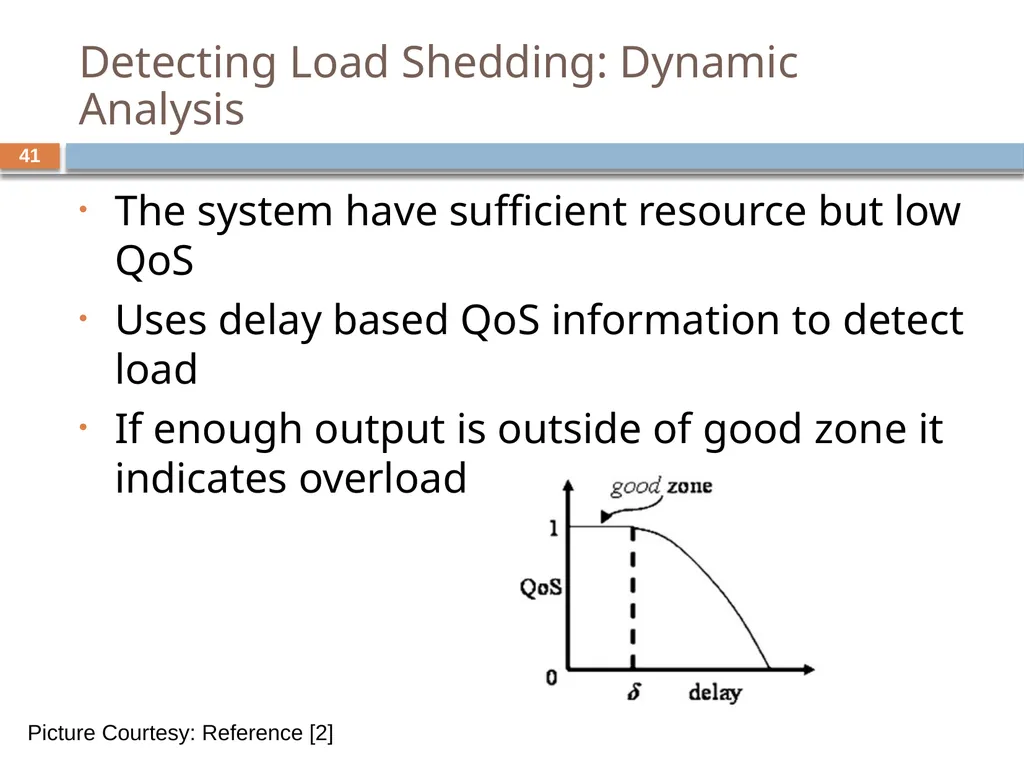
Detecting Load Shedding: Dynamic Analysis The system have sufficient resource but low QoS
Uses delay based QoS information to detect load
If enough output is outside of good zone it indicates overload Picture Courtesy: Reference [2] 41<br>
Uses delay based QoS information to detect load
If enough output is outside of good zone it indicates overload Picture Courtesy: Reference [2] 41<br>
42
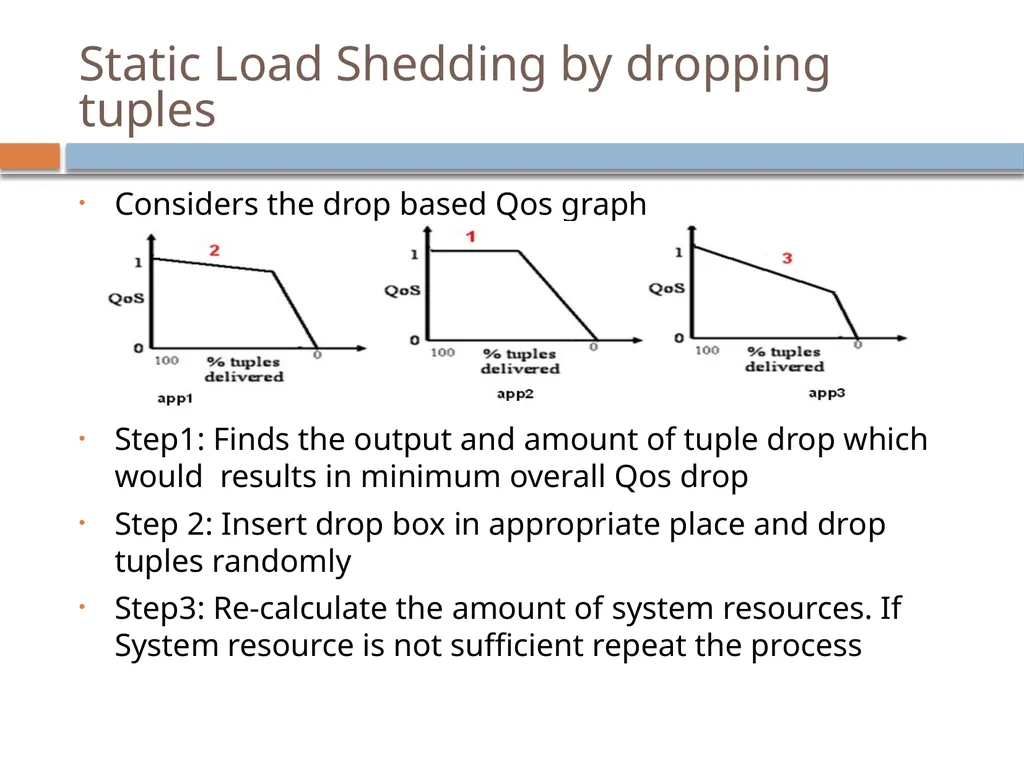
Static Load Shedding by dropping tuples Considers the drop based Qos graph
Step1: Finds the output and amount of tuple drop which would results in minimum overall Qos drop
Step 2: Insert drop box in appropriate place and drop tuples randomly
Step3: Re-calculate the amount of system resources. If System resource is not sufficient repeat the process<br>
Step1: Finds the output and amount of tuple drop which would results in minimum overall Qos drop
Step 2: Insert drop box in appropriate place and drop tuples randomly
Step3: Re-calculate the amount of system resources. If System resource is not sufficient repeat the process<br>
43
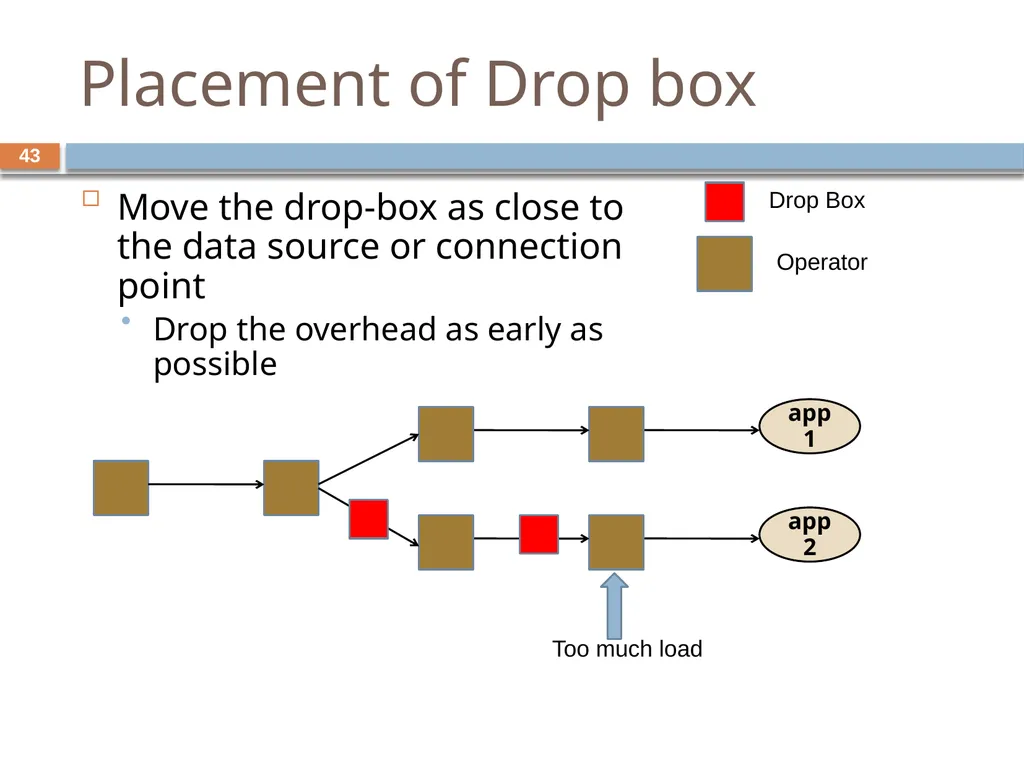
Placement of Drop box Move the drop-box as close to the data source or connection point
Drop the overhead as early as possible app1 app2 Too much load Drop Box Operator 43<br>
Drop the overhead as early as possible app1 app2 Too much load Drop Box Operator 43<br>
44
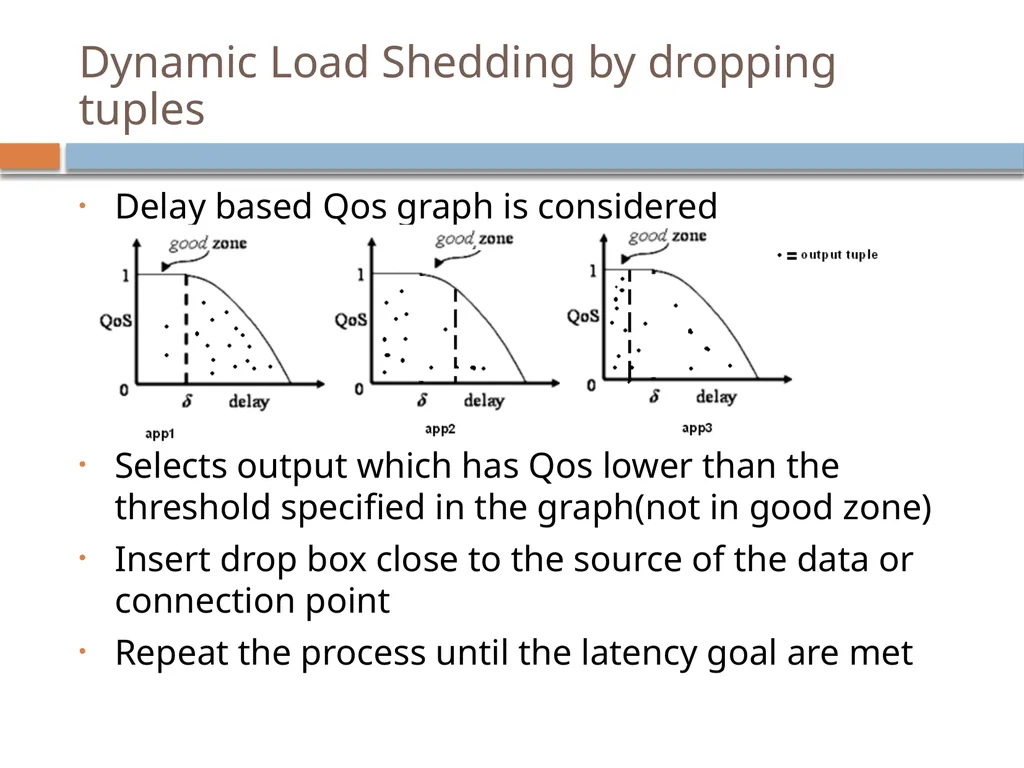
Dynamic Load Shedding by dropping tuples Delay based Qos graph is considered
Selects output which has Qos lower than the threshold specified in the graph(not in good zone)
Insert drop box close to the source of the data or connection point
Repeat the process until the latency goal are met<br>
Selects output which has Qos lower than the threshold specified in the graph(not in good zone)
Insert drop box close to the source of the data or connection point
Repeat the process until the latency goal are met<br>
45
Semantic Load shedding by filtering tuples Previous method drops packet randomly at strategic point
Some tuple may be more important than other
Consult value based QoS information before dropping a tuple
Drop tuple based on QoS value and frequency of the value 45<br>
Some tuple may be more important than other
Consult value based QoS information before dropping a tuple
Drop tuple based on QoS value and frequency of the value 45<br>
46
Conclusion Aurora is a Data Stream Management System for Monitoring Systems. It provides:
Continuous and Ad-hoc Queries on Data streams
Historical Data of a predefined duration is stored
Box and arrow style query specification
Real-time requirement is supported by Dynamic Load-shedding
Aurora runs on Single Computer
Borealis[3] is a distributed data stream management system 46<br>
Continuous and Ad-hoc Queries on Data streams
Historical Data of a predefined duration is stored
Box and arrow style query specification
Real-time requirement is supported by Dynamic Load-shedding
Aurora runs on Single Computer
Borealis[3] is a distributed data stream management system 46<br>
47
Borealis Stream Processing Engine 47 Second Generation SPE (Aurora was 1st generation)
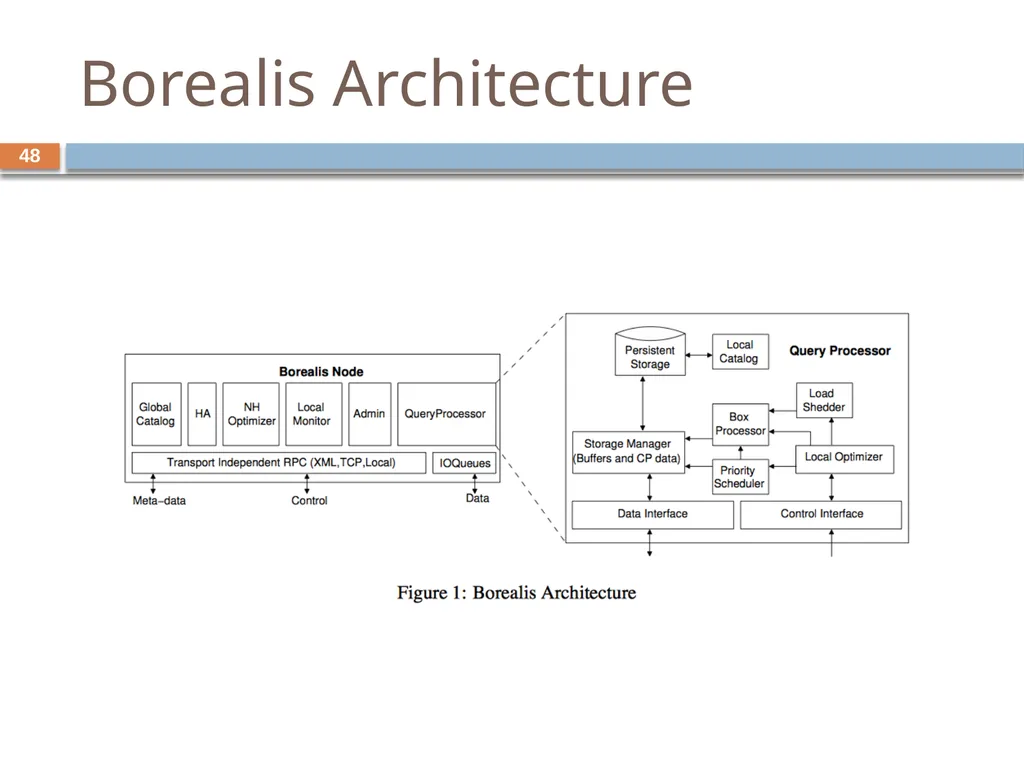
Uses Similar System Architecture
Some New Features:
Distributed Processing
Dynamic Revision of Query results
Dynamic Query Modification<br>
Uses Similar System Architecture
Some New Features:
Distributed Processing
Dynamic Revision of Query results
Dynamic Query Modification<br>
48
Borealis Architecture 48<br>
49
Dynamic revising query results - Motivation: wrong/missing input, shed load…
Each box (operator) has a diagram history stored in the connection point of the input (has a history bound, of course)
Start revise while a revision message received (add, delete, replace)
Dynamic revision only generates the “delta” reflecting the change of result to save space<br>
Each box (operator) has a diagram history stored in the connection point of the input (has a history bound, of course)
Start revise while a revision message received (add, delete, replace)
Dynamic revision only generates the “delta” reflecting the change of result to save space<br>
50
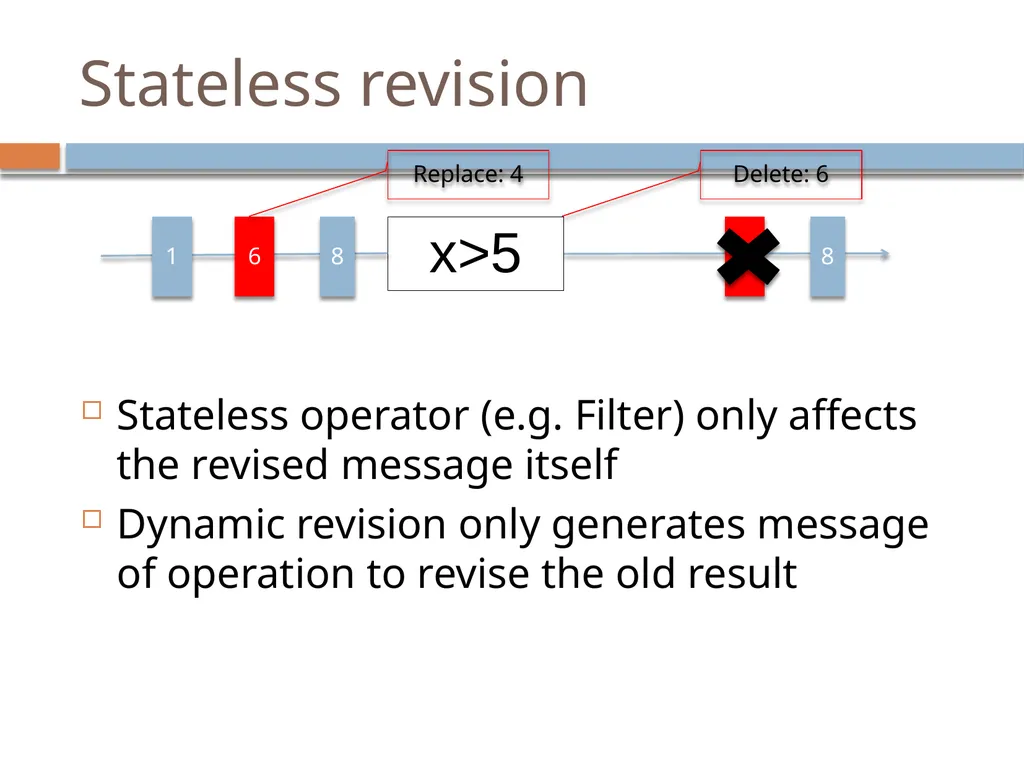
Stateless revision Stateless operator (e.g. Filter) only affects the revised message itself
Dynamic revision only generates message of operation to revise the old result x>5 1 6 8 6 8 Replace: 4 Delete: 6<br>
Dynamic revision only generates message of operation to revise the old result x>5 1 6 8 6 8 Replace: 4 Delete: 6<br>
51
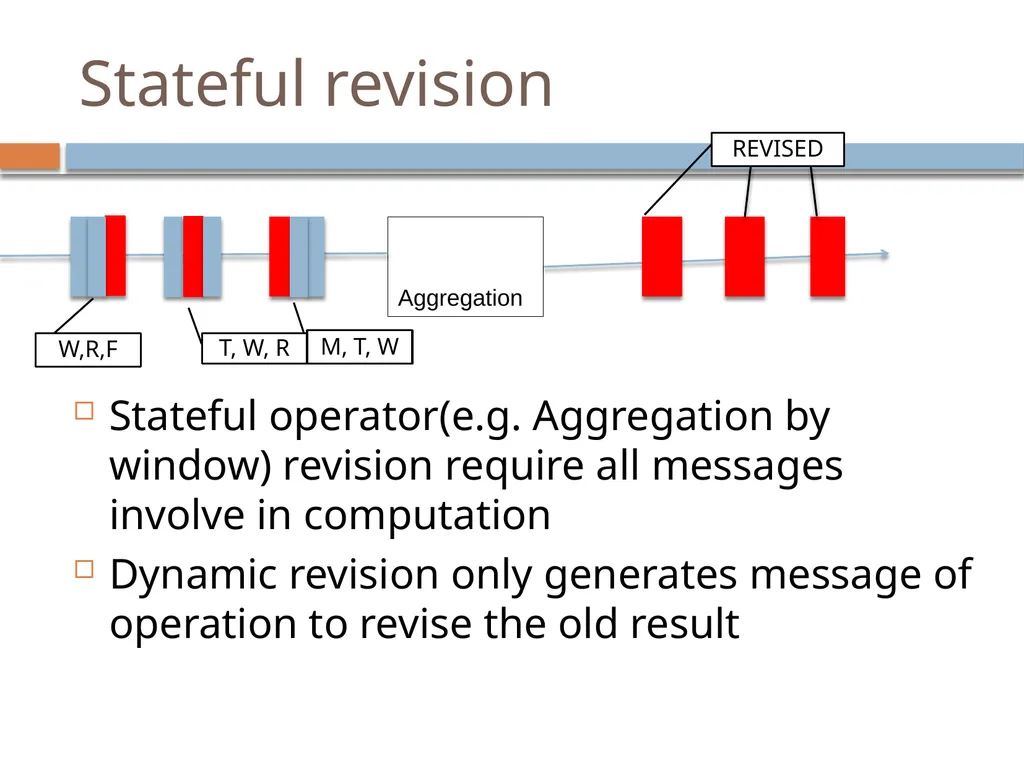
Stateful revision Stateful operator(e.g. Aggregation by window) revision require all messages involve in computation
Dynamic revision only generates message of operation to revise the old result Aggregation M, T, W T, W, R W,R,F REVISED<br>
Dynamic revision only generates message of operation to revise the old result Aggregation M, T, W T, W, R W,R,F REVISED<br>
52
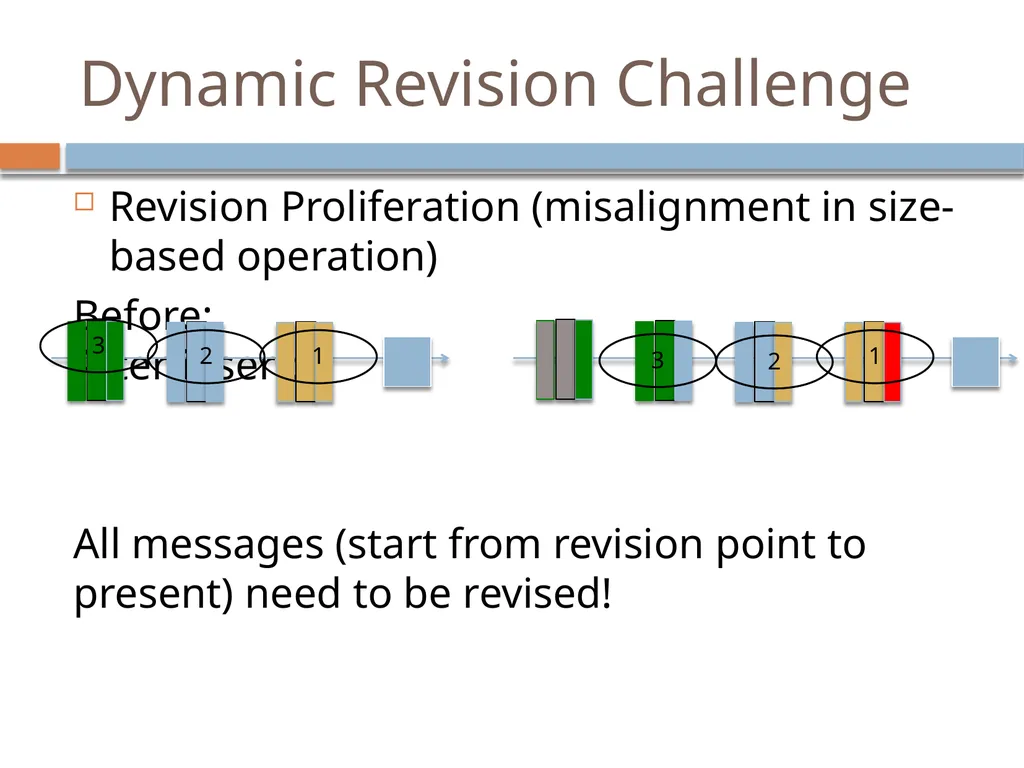
Dynamic Revision Challenge Revision Proliferation (misalignment in size-based operation)
Before: After insert:
All messages (start from revision point to present) need to be revised! 3 2 1 1 2 3<br>
Before: After insert:
All messages (start from revision point to present) need to be revised! 3 2 1 1 2 3<br>
53
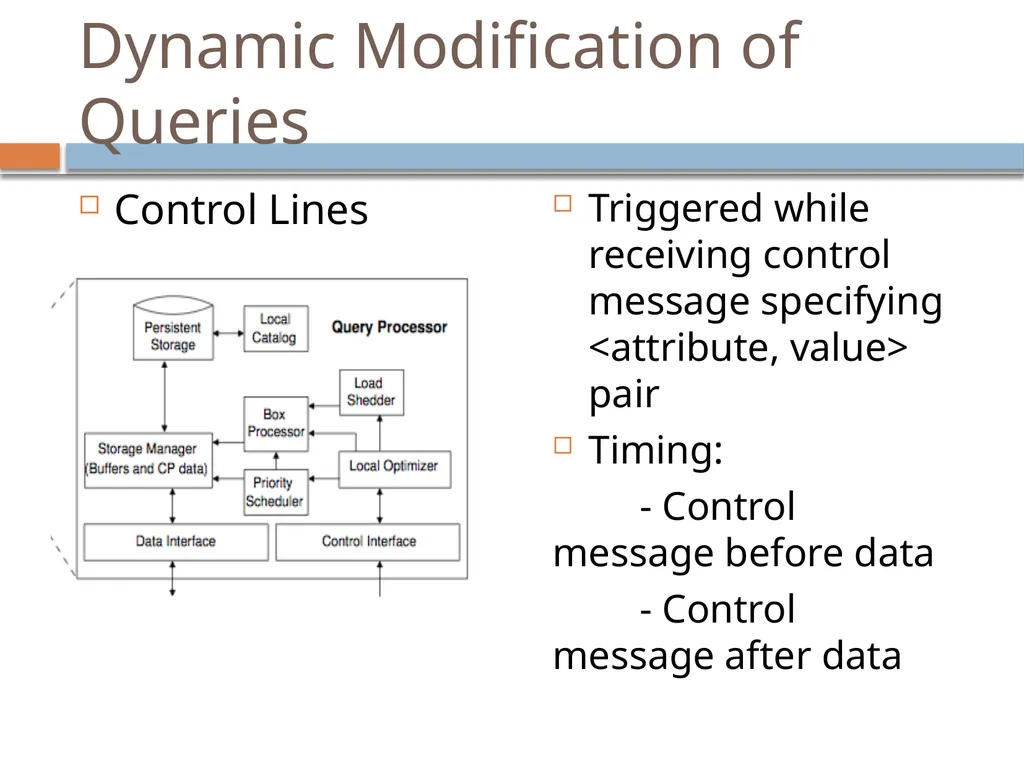
Dynamic Modification of Queries Control Lines Triggered while receiving control message specifying <attribute, value> pair
Timing:
- Control message before data
- Control message after data<br>
Timing:
- Control message before data
- Control message after data<br>
54
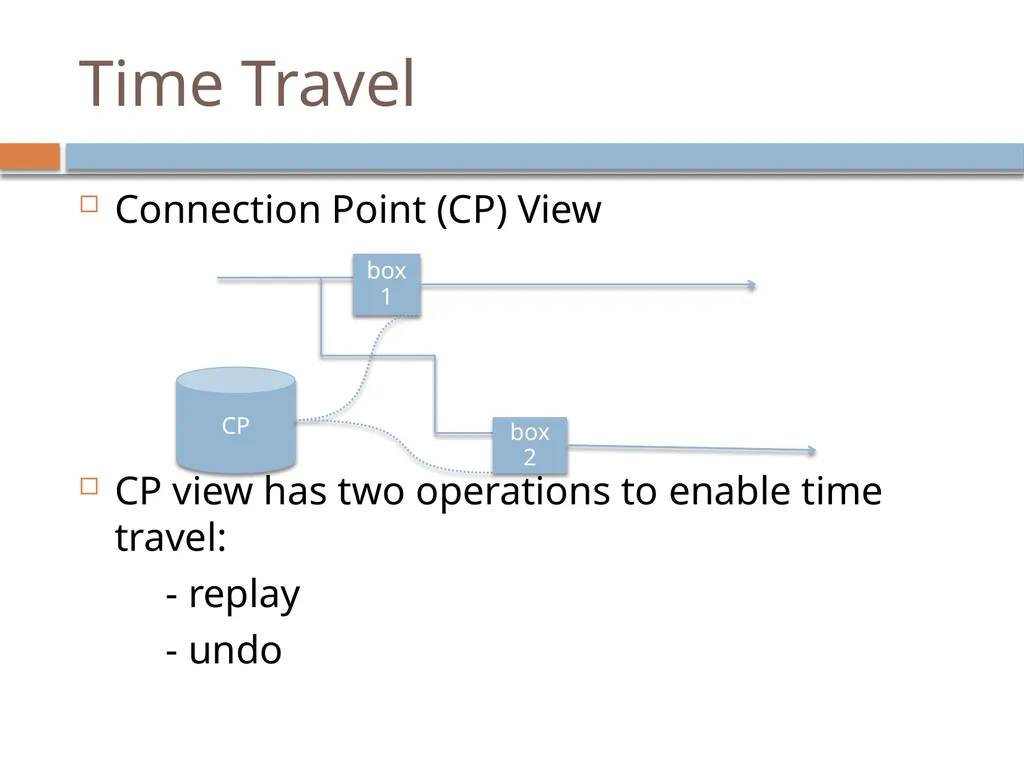
Time Travel Connection Point (CP) View
CP view has two operations to enable time travel:
- replay
- undo CP box1 box
2<br>
CP view has two operations to enable time travel:
- replay
- undo CP box1 box
2<br>
55
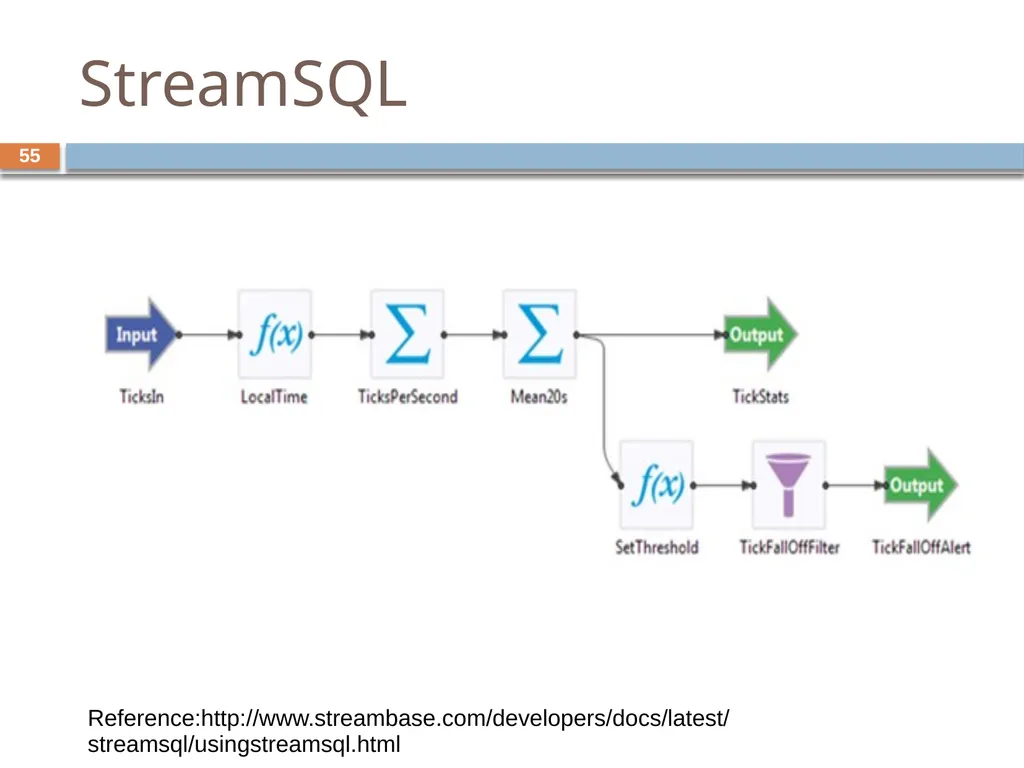
StreamSQL 55 Reference:http://www.streambase.com/developers/docs/latest/streamsql/usingstreamsql.html<br>
56
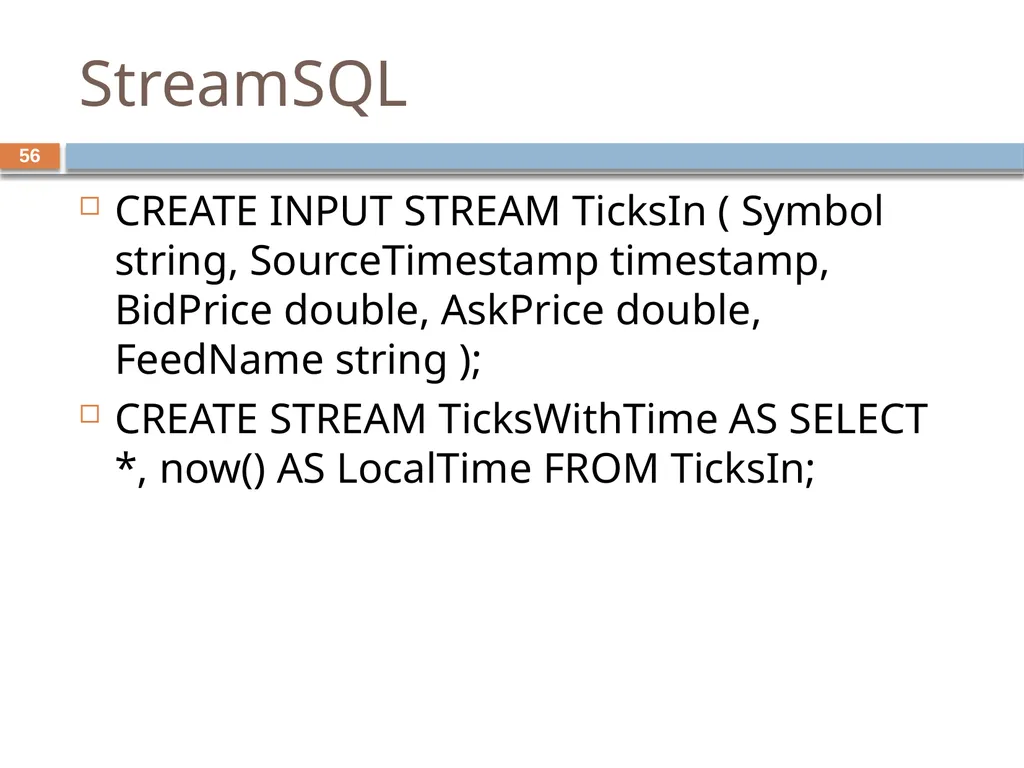
StreamSQL 56 CREATE INPUT STREAM TicksIn ( Symbol string, SourceTimestamp timestamp, BidPrice double, AskPrice double, FeedName string );
CREATE STREAM TicksWithTime AS SELECT *, now() AS LocalTime FROM TicksIn;<br>
CREATE STREAM TicksWithTime AS SELECT *, now() AS LocalTime FROM TicksIn;<br>
57
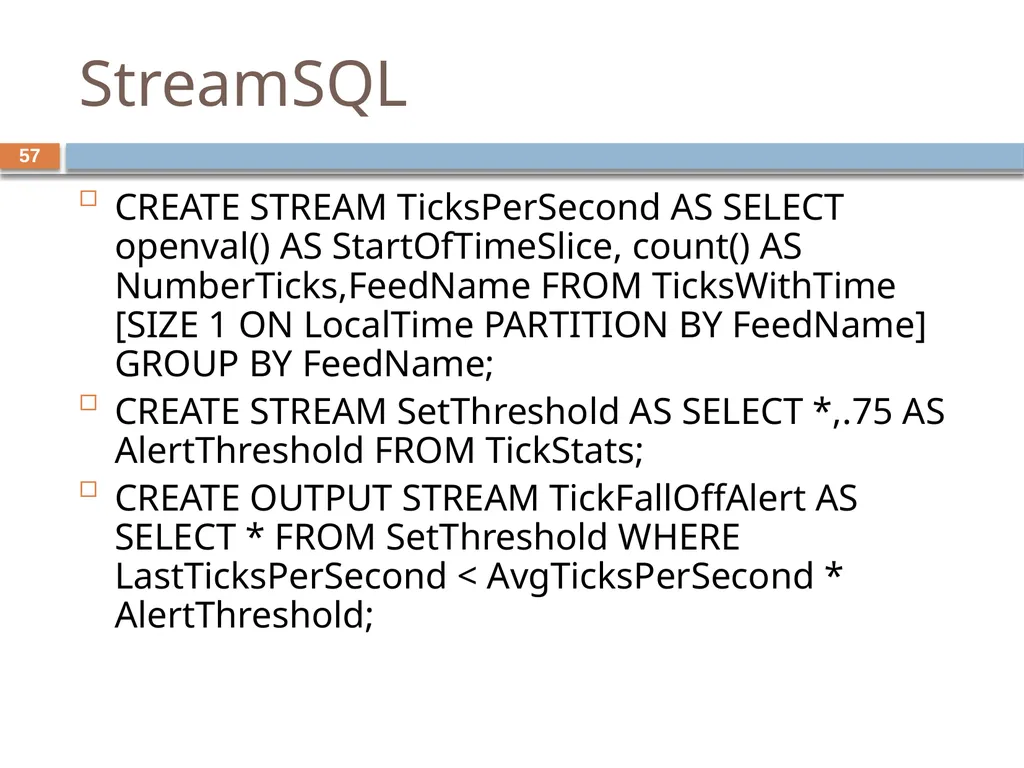
StreamSQL 57 CREATE STREAM TicksPerSecond AS SELECT openval() AS StartOfTimeSlice, count() AS NumberTicks,FeedName FROM TicksWithTime [SIZE 1 ON LocalTime PARTITION BY FeedName] GROUP BY FeedName;
CREATE STREAM SetThreshold AS SELECT *,.75 AS AlertThreshold FROM TickStats;
CREATE OUTPUT STREAM TickFallOffAlert AS SELECT * FROM SetThreshold WHERE LastTicksPerSecond < AvgTicksPerSecond * AlertThreshold;<br>
CREATE STREAM SetThreshold AS SELECT *,.75 AS AlertThreshold FROM TickStats;
CREATE OUTPUT STREAM TickFallOffAlert AS SELECT * FROM SetThreshold WHERE LastTicksPerSecond < AvgTicksPerSecond * AlertThreshold;<br>
58
References [1]
D. Carney et al., “Monitoring streams: a new class of data management applications,” Proceedings of the 28th international conference on Very Large Data Bases, p. 215–226, 2002.
[2]
D. J. Abadi et al., “Aurora: a new model and architecture for data stream management,” The VLDB Journal The International Journal on Very Large Data Bases, vol. 12, no. 2, pp. 120-139, 2003.
[3]
D. J. Abadi et al., others, “The design of the borealis stream processing engine,” in Second Biennial Conference on Innovative Data Systems Research (CIDR 2005), Asilomar, CA, 2005, p. 277–289. 58<br>
D. Carney et al., “Monitoring streams: a new class of data management applications,” Proceedings of the 28th international conference on Very Large Data Bases, p. 215–226, 2002.
[2]
D. J. Abadi et al., “Aurora: a new model and architecture for data stream management,” The VLDB Journal The International Journal on Very Large Data Bases, vol. 12, no. 2, pp. 120-139, 2003.
[3]
D. J. Abadi et al., others, “The design of the borealis stream processing engine,” in Second Biennial Conference on Innovative Data Systems Research (CIDR 2005), Asilomar, CA, 2005, p. 277–289. 58<br>