
NETWORKING & DEVELOPING YOUR LinkedIn PROFILE
MY
Published · 34 slides · 0 views
1 / 1
Description
NETWORKING DEVELOPING YOUR LinkedIn PROFILE Overview Networking LinkedIn Features and Benefits of LinkedIn Steps in Profile Development Tips LinkedIn Usage What is Networking? Talking with people who will learn about you and your
Related Topics
Download this presentation From Below
"NETWORKING & DEVELOPING YOUR LinkedIn PROFILE" is the property of its rightful owner. Permission is granted to download and print the materials on this website for personal, non-commercial use only, and to display it on your personal computer provided you do not modify the materials and that you retain all copyright notices contained in the materials. By downloading content from our website, you accept the terms of this agreement.
Share
Embed code
Presentation Transcript
01
NETWORKING &
DEVELOPING YOUR
LinkedIn PROFILE<br>
DEVELOPING YOUR
LinkedIn PROFILE<br>
02
Overview Networking
LinkedIn
Features and Benefits of LinkedIn
Steps in Profile Development
Tips
LinkedIn Usage<br>
Features and Benefits of LinkedIn
Steps in Profile Development
Tips
LinkedIn Usage<br>
03
What is Networking? Talking with people who will learn about you and your interests, and then help you gain insight into your career options and goals
It is a two-way process that involves developing and maintaining connections with individuals, and mutually benefitting from the relationship
Is an ongoing process that takes time and attention; it is not something you do only when you are looking for a job<br>
It is a two-way process that involves developing and maintaining connections with individuals, and mutually benefitting from the relationship
Is an ongoing process that takes time and attention; it is not something you do only when you are looking for a job<br>
04
What is Networking? Successful networking requires preparation and practice
Networking can be done in-person and online. A valuable tool for online networking is LinkedIn
Remember, when you network, you are asking for information and advice—not a job. It’s not just what you know; it’s also whom you know… or can connect to<br>
Networking can be done in-person and online. A valuable tool for online networking is LinkedIn
Remember, when you network, you are asking for information and advice—not a job. It’s not just what you know; it’s also whom you know… or can connect to<br>
05
Why is Networking important? Will be the single most effective method of advancing your career
While networking may not “get you a job,” it does play a role in the majority of hiring decisions
Many job vacancies are never advertised, but instead filled through some form of personal or professional referrals
Employers prefer to hire candidates they have met, or those referred by a trusted source<br>
While networking may not “get you a job,” it does play a role in the majority of hiring decisions
Many job vacancies are never advertised, but instead filled through some form of personal or professional referrals
Employers prefer to hire candidates they have met, or those referred by a trusted source<br>
06
Build Your Network Networking opportunities occur on a daily basis and can include a brief conversation with someone on an elevator to an arranged meeting with a professional
Identify all the people whom you come in contact with through your activities. These can include:
Your friends, classmates, their parents and family members, neighbors.
Your relatives and extended family.
Former and current employers and co-workers.
Members and alumni of professional associations, clubs, and organizations.
Coaches, staff, faculty, or academic advisors.
Alumni of any schools you’ve attended.<br>
Identify all the people whom you come in contact with through your activities. These can include:
Your friends, classmates, their parents and family members, neighbors.
Your relatives and extended family.
Former and current employers and co-workers.
Members and alumni of professional associations, clubs, and organizations.
Coaches, staff, faculty, or academic advisors.
Alumni of any schools you’ve attended.<br>
07
Expand Your Network Attend campus career events and fairs, alumni presentations, and workshops
Introduce yourself to any guest speakers you encounter on campus
Obtain an internship and maintain contact with colleagues and supervisors
Take advantage of job-shadowing programs
Identify contacts by researching LexisNexis, industry/trade publications, employer websites, alumni magazines, and library resources
Create a LinkedIn profile; connect to your contacts and join groups as appropriate<br>
Introduce yourself to any guest speakers you encounter on campus
Obtain an internship and maintain contact with colleagues and supervisors
Take advantage of job-shadowing programs
Identify contacts by researching LexisNexis, industry/trade publications, employer websites, alumni magazines, and library resources
Create a LinkedIn profile; connect to your contacts and join groups as appropriate<br>
08
What is LinkedIn? https://youtu.be/ZVlUwwgOfKw<br>
09
What is LinkedIn? The world’s largest online professional networking platform
Hosts the profiles of more than 500 million people in over 200 countries
Serves as a recruiting tool for employers
Serves as a job search tool for users<br>
Hosts the profiles of more than 500 million people in over 200 countries
Serves as a recruiting tool for employers
Serves as a job search tool for users<br>
10
Features and Benefits of LinkedIn Establish your professional profile and control one of the top search results for your name.
Build and maintain your professional network.
Find and reconnect with colleagues and classmates.
Learn about other companies, and gain industry insights.
Find other professionals in the same industry using groups.
Share your thoughts and insights through LinkedIn's long-form publishing platform.
Tap into the knowledge of your network.
Discover new career opportunities by searching for jobs.<br>
Build and maintain your professional network.
Find and reconnect with colleagues and classmates.
Learn about other companies, and gain industry insights.
Find other professionals in the same industry using groups.
Share your thoughts and insights through LinkedIn's long-form publishing platform.
Tap into the knowledge of your network.
Discover new career opportunities by searching for jobs.<br>
11
Steps in Profile Development Sign-up: Name, email address, password
Add location information
Add profile photo (background image optional)
Create a headline
Write a summary statement
Other key sections to complete: Showcase your unique professional story through your experience, skills, and education LinkedIn tips for students: https://students.linkedin.com/<br>
Add location information
Add profile photo (background image optional)
Create a headline
Write a summary statement
Other key sections to complete: Showcase your unique professional story through your experience, skills, and education LinkedIn tips for students: https://students.linkedin.com/<br>
12
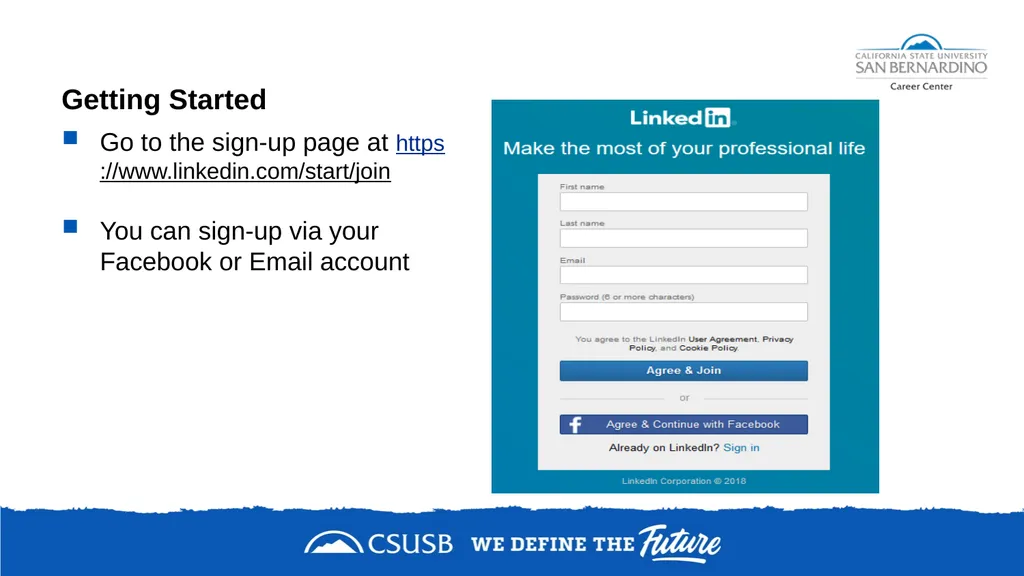
Getting Started Go to the sign-up page at https://www.linkedin.com/start/join
You can sign-up via your Facebook or Email account<br>
You can sign-up via your Facebook or Email account<br>
13
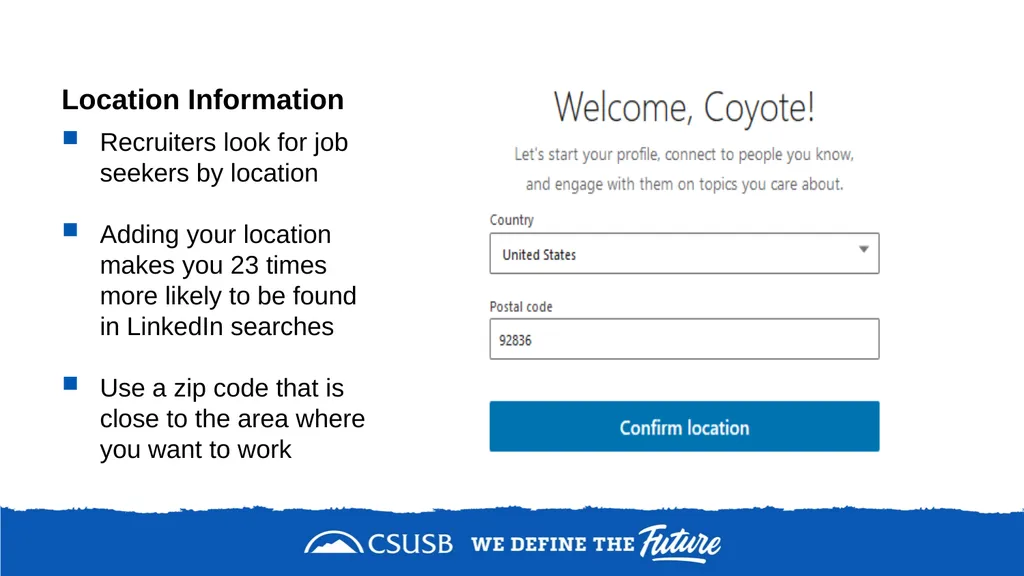
Location Information Recruiters look for job seekers by location
Adding your location makes you 23 times more likely to be found in LinkedIn searches
Use a zip code that is close to the area where you want to work<br>
Adding your location makes you 23 times more likely to be found in LinkedIn searches
Use a zip code that is close to the area where you want to work<br>
14
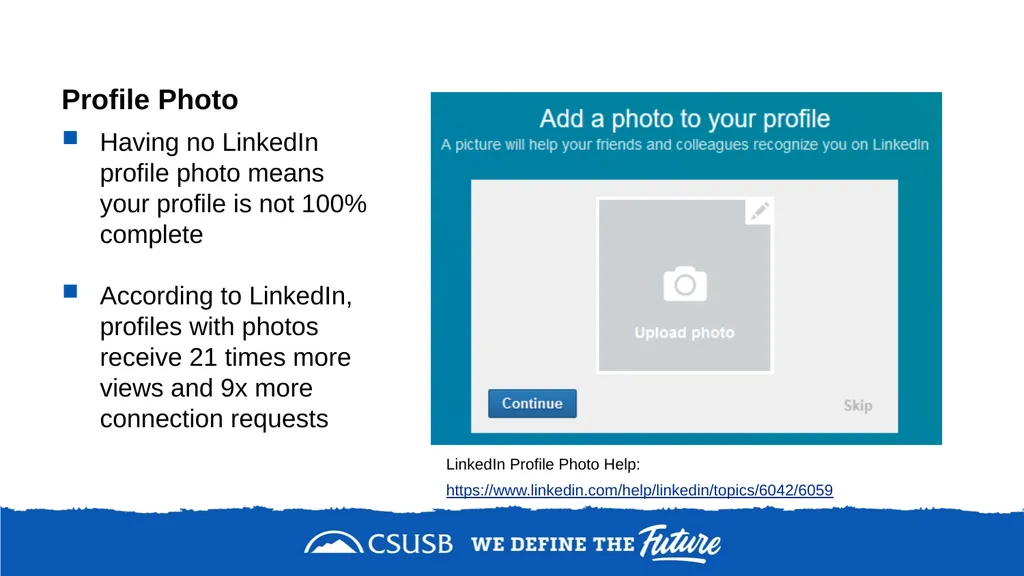
Profile Photo Having no LinkedIn profile photo means your profile is not 100% complete
According to LinkedIn, profiles with photos receive 21 times more views and 9x more connection requests LinkedIn Profile Photo Help: https://www.linkedin.com/help/linkedin/topics/6042/6059<br>
According to LinkedIn, profiles with photos receive 21 times more views and 9x more connection requests LinkedIn Profile Photo Help: https://www.linkedin.com/help/linkedin/topics/6042/6059<br>
15
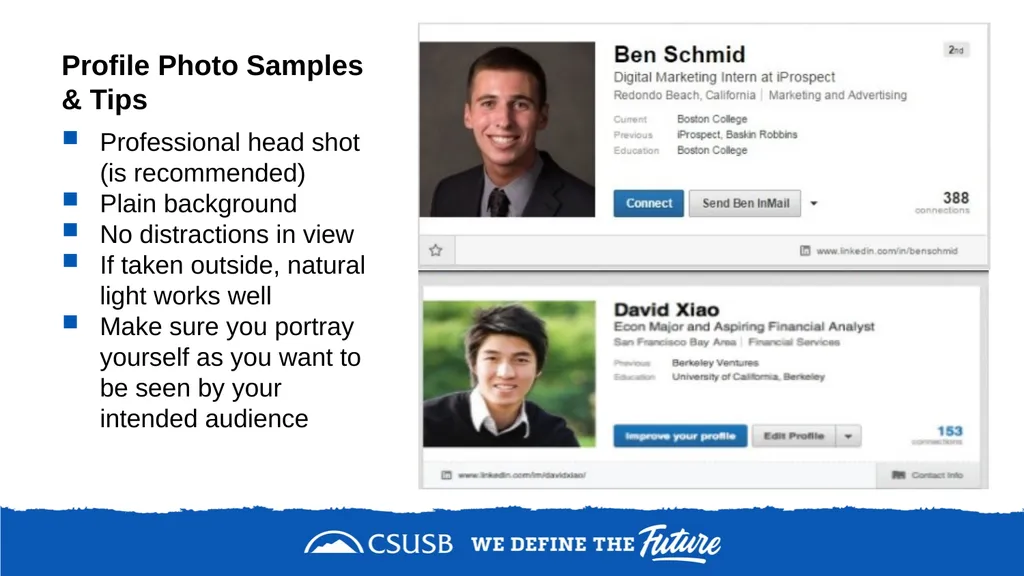
Profile Photo Samples & Tips Professional head shot (is recommended)
Plain background
No distractions in view
If taken outside, natural light works well
Make sure you portray yourself as you want to be seen by your intended audience<br>
Plain background
No distractions in view
If taken outside, natural light works well
Make sure you portray yourself as you want to be seen by your intended audience<br>
16
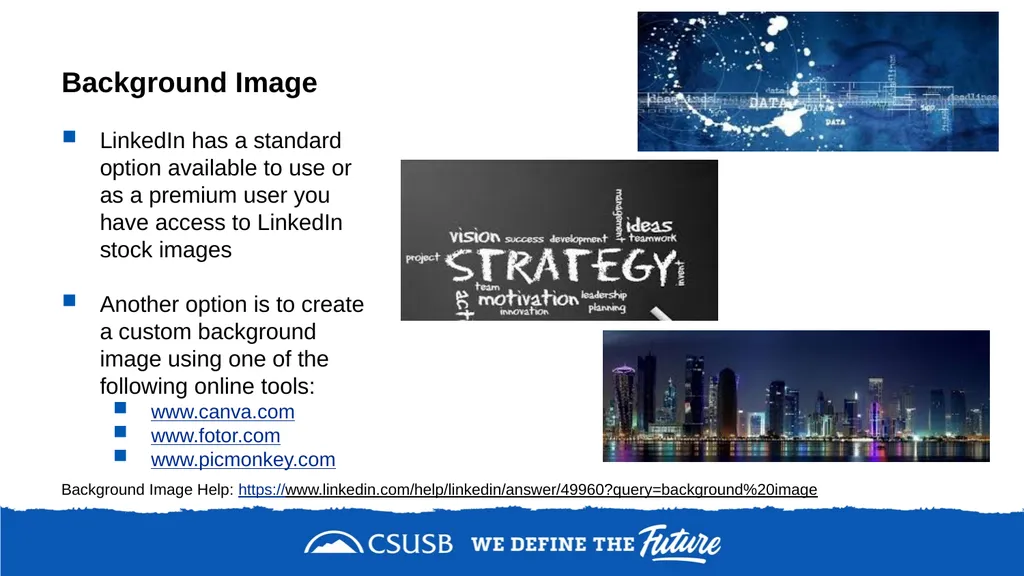
Background Image LinkedIn has a standard option available to use or as a premium user you have access to LinkedIn stock images
Another option is to create a custom background image using one of the following online tools:
www.canva.com
www.fotor.com
www.picmonkey.com Background Image Help: https://www.linkedin.com/help/linkedin/answer/49960?query=background%20image<br>
Another option is to create a custom background image using one of the following online tools:
www.canva.com
www.fotor.com
www.picmonkey.com Background Image Help: https://www.linkedin.com/help/linkedin/answer/49960?query=background%20image<br>
17
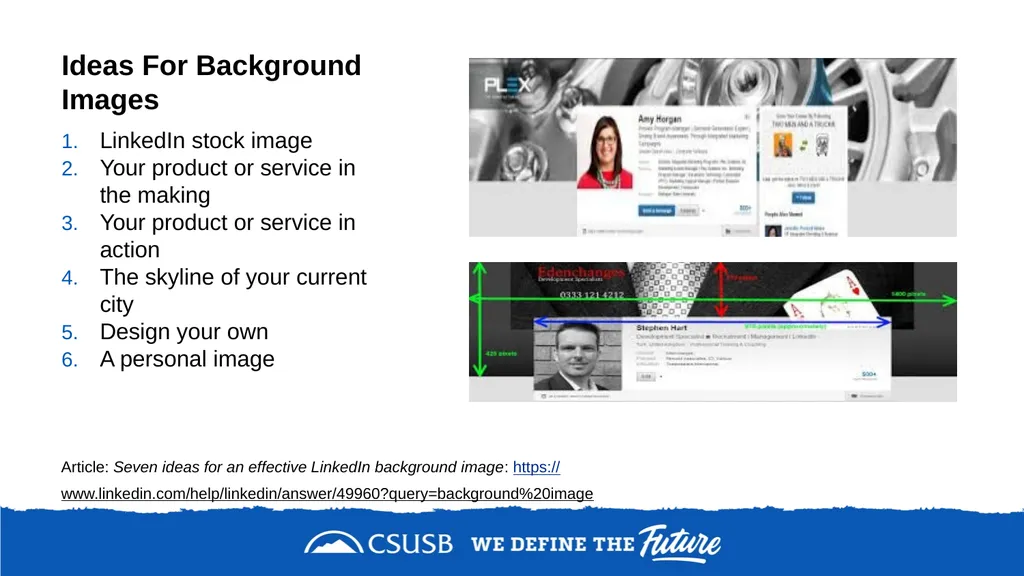
Ideas For Background Images LinkedIn stock image
Your product or service in the making
Your product or service in action
The skyline of your current city
Design your own
A personal image Article: Seven ideas for an effective LinkedIn background image: https://www.linkedin.com/help/linkedin/answer/49960?query=background%20image<br>
Your product or service in the making
Your product or service in action
The skyline of your current city
Design your own
A personal image Article: Seven ideas for an effective LinkedIn background image: https://www.linkedin.com/help/linkedin/answer/49960?query=background%20image<br>
18
Profile Content Tips “The first hurdle is to get found (to make sure you come up in the right kind of searches by recruiters).”
-Catherine Byers Breet, Longtime recruiter and adopter of LinkedIn (member since 2005)
Use industry-relevant job titles and keywords
Once you identify your top keywords, add as many of them to the following sections: Headline (most important), Current Job Title, Summary, Interests
The LinkedIn search tool searches entire profiles, so insert your keywords throughout!<br>
-Catherine Byers Breet, Longtime recruiter and adopter of LinkedIn (member since 2005)
Use industry-relevant job titles and keywords
Once you identify your top keywords, add as many of them to the following sections: Headline (most important), Current Job Title, Summary, Interests
The LinkedIn search tool searches entire profiles, so insert your keywords throughout!<br>
19
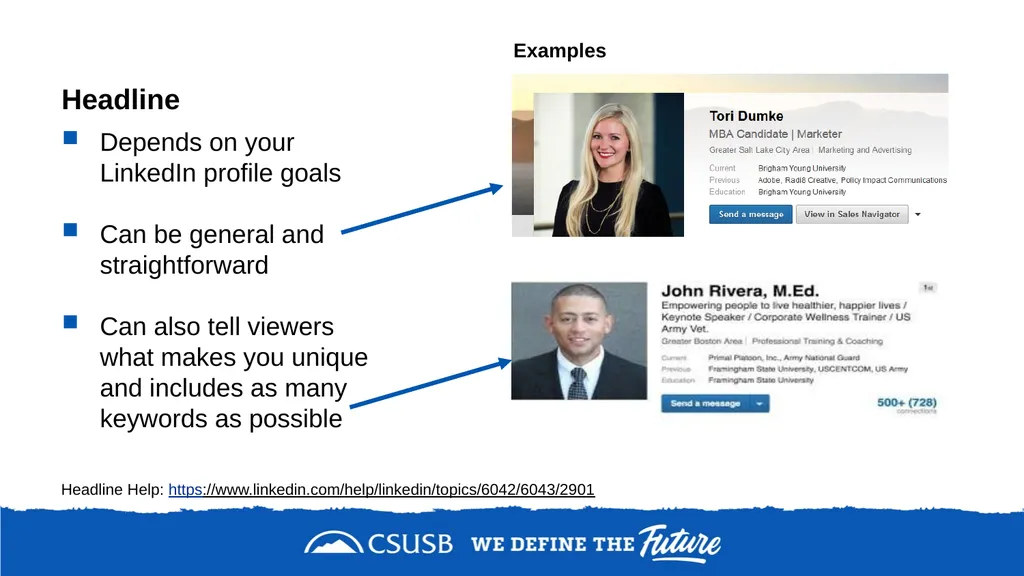
Headline Depends on your LinkedIn profile goals
Can be general and straightforward
Can also tell viewers what makes you unique and includes as many keywords as possible Headline Help: https://www.linkedin.com/help/linkedin/topics/6042/6043/2901 Examples<br>
Can be general and straightforward
Can also tell viewers what makes you unique and includes as many keywords as possible Headline Help: https://www.linkedin.com/help/linkedin/topics/6042/6043/2901 Examples<br>
20
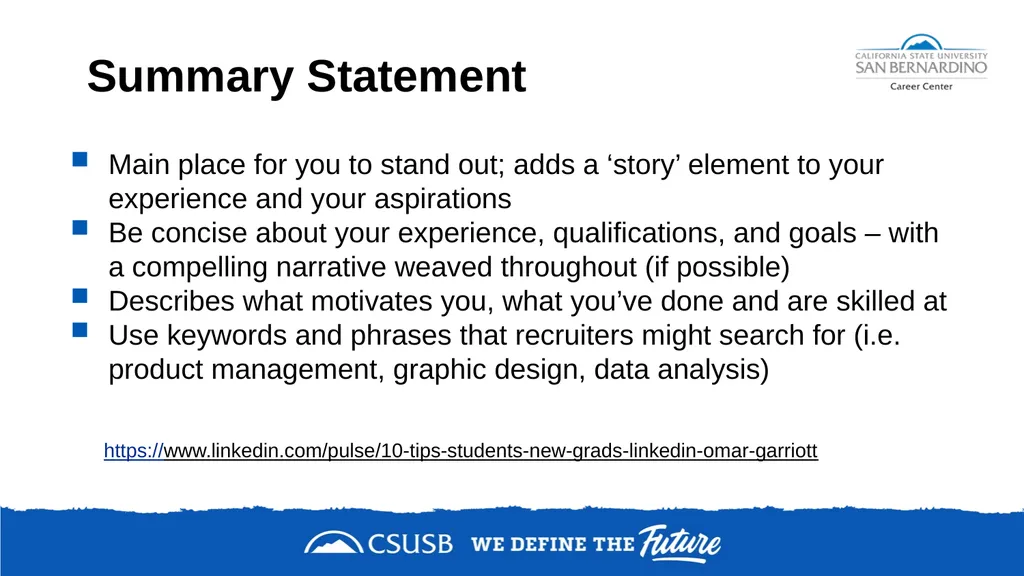
Summary Statement Main place for you to stand out; adds a ‘story’ element to your experience and your aspirations
Be concise about your experience, qualifications, and goals – with a compelling narrative weaved throughout (if possible)
Describes what motivates you, what you’ve done and are skilled at
Use keywords and phrases that recruiters might search for (i.e. product management, graphic design, data analysis) https://www.linkedin.com/pulse/10-tips-students-new-grads-linkedin-omar-garriott<br>
Be concise about your experience, qualifications, and goals – with a compelling narrative weaved throughout (if possible)
Describes what motivates you, what you’ve done and are skilled at
Use keywords and phrases that recruiters might search for (i.e. product management, graphic design, data analysis) https://www.linkedin.com/pulse/10-tips-students-new-grads-linkedin-omar-garriott<br>
21
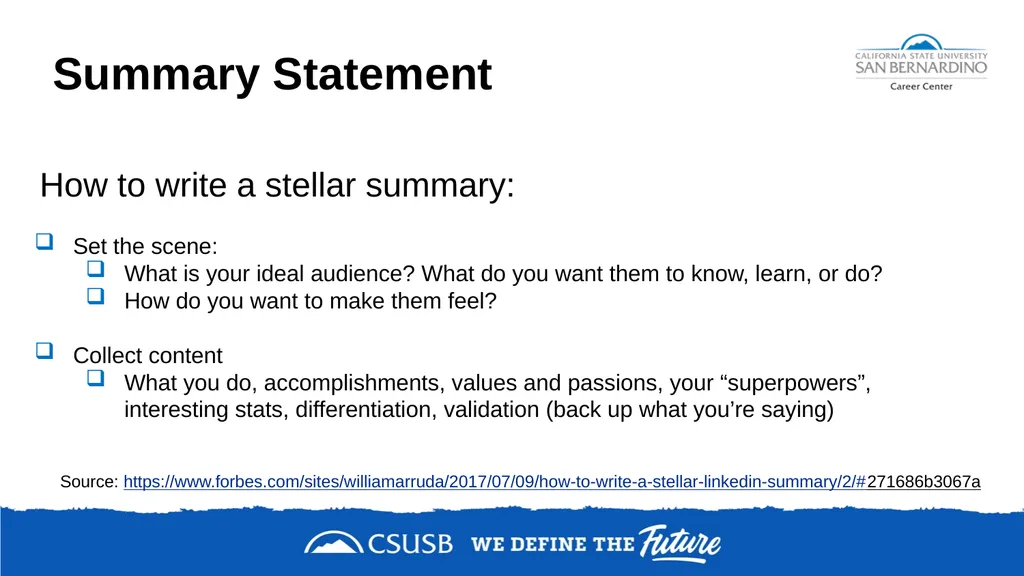
Summary Statement How to write a stellar summary:
Set the scene:
What is your ideal audience? What do you want them to know, learn, or do?
How do you want to make them feel?
Collect content
What you do, accomplishments, values and passions, your “superpowers”, interesting stats, differentiation, validation (back up what you’re saying) Source: https://www.forbes.com/sites/williamarruda/2017/07/09/how-to-write-a-stellar-linkedin-summary/2/#271686b3067a<br>
Set the scene:
What is your ideal audience? What do you want them to know, learn, or do?
How do you want to make them feel?
Collect content
What you do, accomplishments, values and passions, your “superpowers”, interesting stats, differentiation, validation (back up what you’re saying) Source: https://www.forbes.com/sites/williamarruda/2017/07/09/how-to-write-a-stellar-linkedin-summary/2/#271686b3067a<br>
22
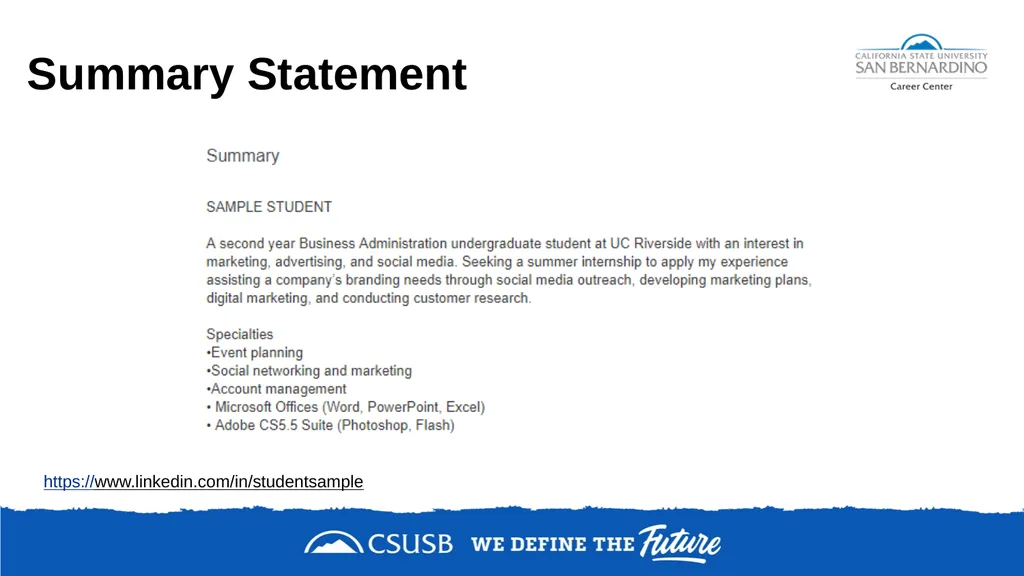
Summary Statement https://www.linkedin.com/in/studentsample<br>
23
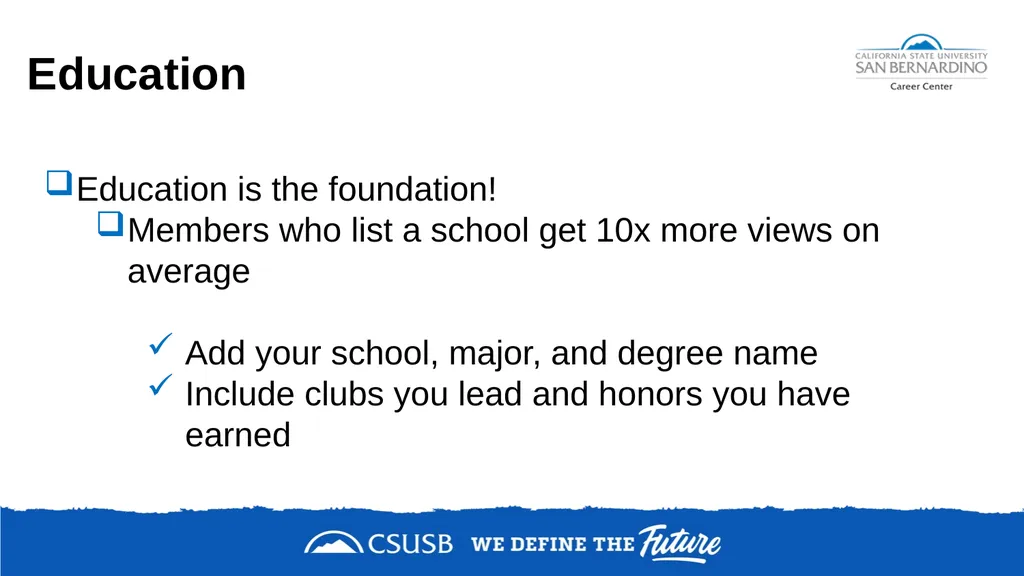
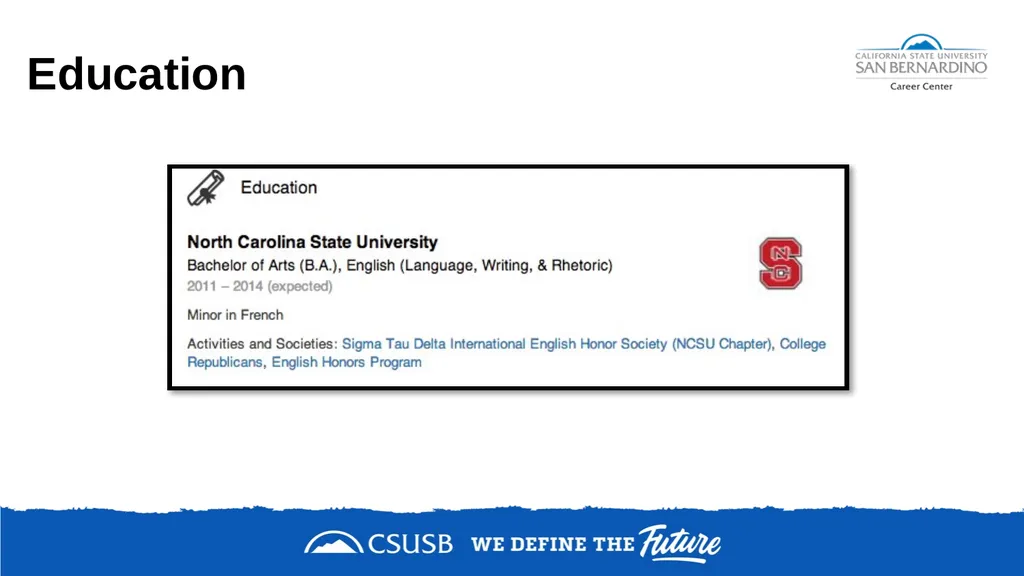
Education Education is the foundation!
Members who list a school get 10x more views on average
Add your school, major, and degree name
Include clubs you lead and honors you have earned<br>
Members who list a school get 10x more views on average
Add your school, major, and degree name
Include clubs you lead and honors you have earned<br>
24
Education<br>
25
Experience When listing your experience:
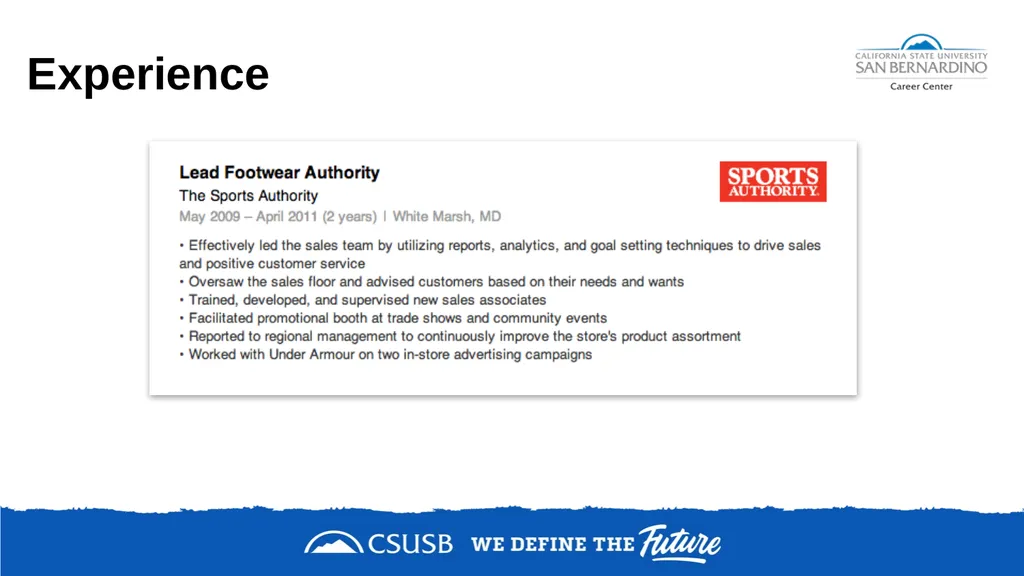
Avoid listing only duties and responsibilities
Use action words and accomplishments
Examples:
Analyzed materials….
Conducted individual….
List projects, organizations, classes, etc.
Similar to resume
Most related at the top
41% of hiring managers consider volunteer experience equally as valuable as paid work experience<br>
Avoid listing only duties and responsibilities
Use action words and accomplishments
Examples:
Analyzed materials….
Conducted individual….
List projects, organizations, classes, etc.
Similar to resume
Most related at the top
41% of hiring managers consider volunteer experience equally as valuable as paid work experience<br>
26
Experience<br>
27
Skills List tangible skills that you are comfortable using in the workplace
Skills can be acquired on the job or in school
Speak Mandarin?
Know JAVA programming?
17% more profiles views with 5+ skills listed<br>
Skills can be acquired on the job or in school
Speak Mandarin?
Know JAVA programming?
17% more profiles views with 5+ skills listed<br>
28
Tips to get you started Complete your profile
Claim your unique URL
Participate in groups
Connect with people you know:
Friends, family, classmates, mentors, teachers, and
professors
Use the alumni tool
Actively update your profile<br>
Claim your unique URL
Participate in groups
Connect with people you know:
Friends, family, classmates, mentors, teachers, and
professors
Use the alumni tool
Actively update your profile<br>
29
Participate in Groups https://blog.hootsuite.com/linkedin-groups/ LinkedIn Groups are hubs on LinkedIn which provide a “place for professionals in the same industry or with similar interests to share content, find answers, post and view jobs, make business contacts, and establish themselves as industry experts.”
“Being an active participant in a group can help you network with other professionals in your field, especially those outside your immediate circle…”<br>
“Being an active participant in a group can help you network with other professionals in your field, especially those outside your immediate circle…”<br>
30
Final Words...use LinkedIn to: Browse job descriptions
Set up job alerts
Follow
Companies
Influencers
Industries---trends and news<br>
Set up job alerts
Follow
Companies
Influencers
Industries---trends and news<br>
31
Student Job Seekers: Tips to Building the Perfect LinkedIn Profile https://blog.linkedin.com/2016/11/14/student-job-seekers-tips-to-building-the-perfect-linkedin-profile
LinkedIn Etiquette: 20 Do’s & Don’t’s
https://www.linkedin.com/pulse/20140417174121-34888774-linkedin-etiquette-guide-20-do-s-don-ts/ Additional Resources<br>
LinkedIn Etiquette: 20 Do’s & Don’t’s
https://www.linkedin.com/pulse/20140417174121-34888774-linkedin-etiquette-guide-20-do-s-don-ts/ Additional Resources<br>
32
Book Reference<br>
33
Career Center Information Main Campus
University Hall 329
Phone: 909-537-5250
Email: careercenter@csusb.edu
Website: www.csusb.edu/career-center Palm Desert Campus
Indian Wells 111
Phone: 909-537-8243
Email: pdccareercenter@csusb.edu
Website: https://pdc.csusb.edu/current-students/career-service<br>
University Hall 329
Phone: 909-537-5250
Email: careercenter@csusb.edu
Website: www.csusb.edu/career-center Palm Desert Campus
Indian Wells 111
Phone: 909-537-8243
Email: pdccareercenter@csusb.edu
Website: https://pdc.csusb.edu/current-students/career-service<br>