04
Frontend development<br>
05
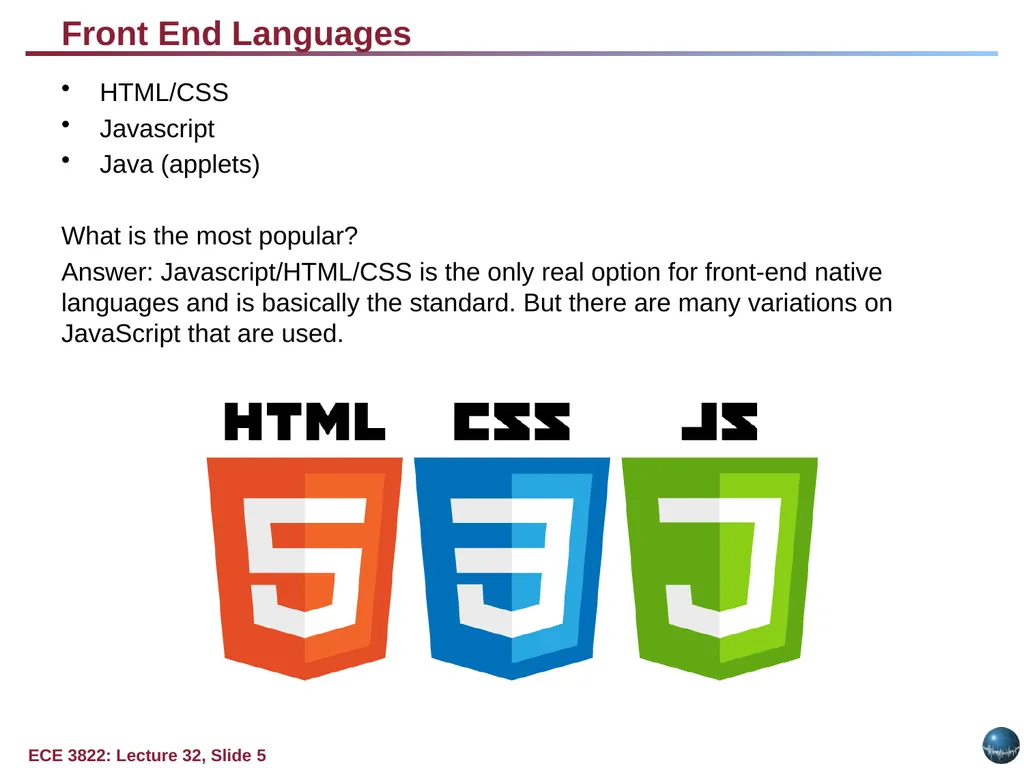
Front End Languages HTML/CSS
Javascript
Java (applets)
What is the most popular?
Answer: Javascript/HTML/CSS is the only real option for front-end native languages and is basically the standard. But there are many variations on JavaScript that are used.<br>
06
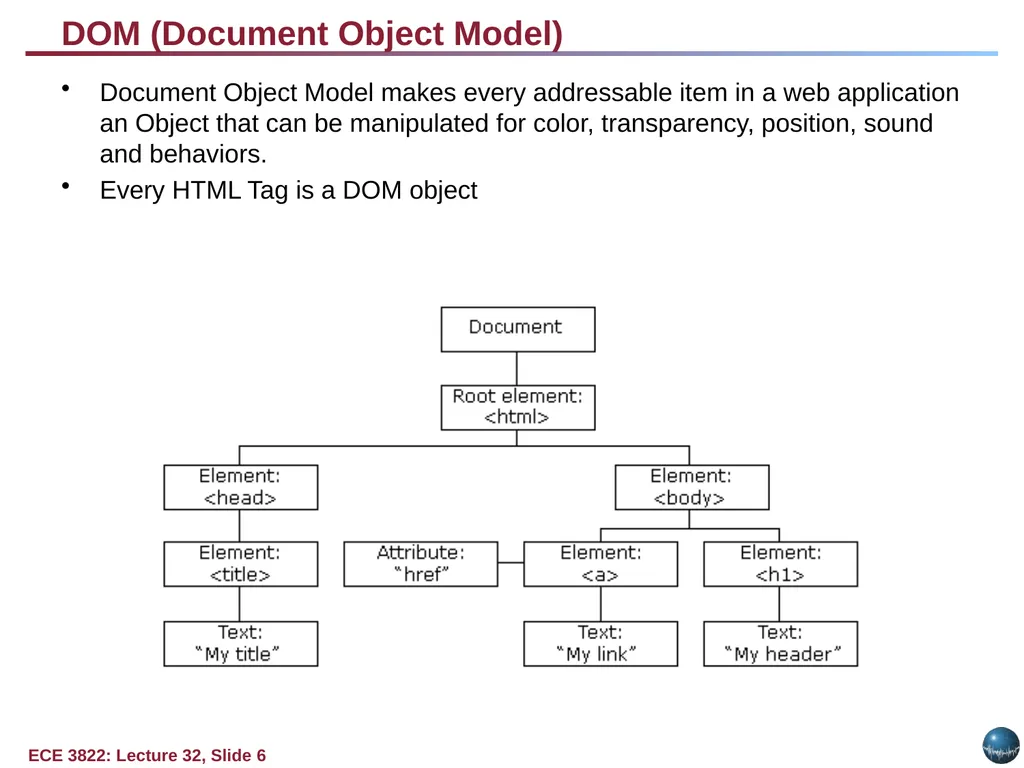
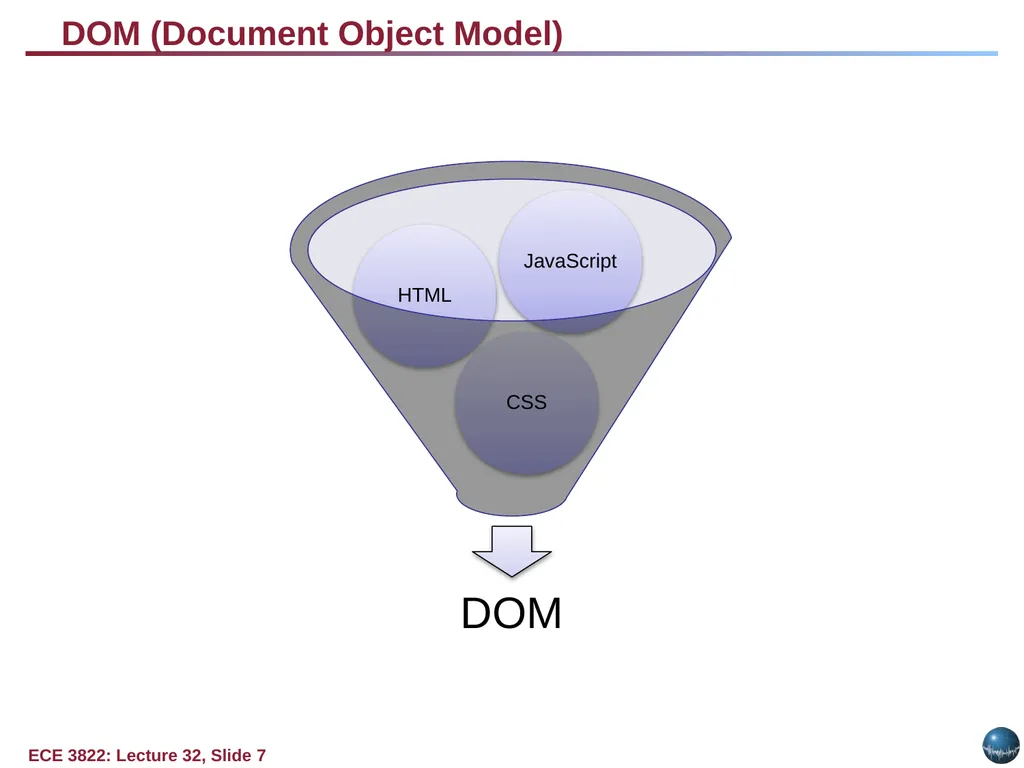
DOM (Document Object Model) Document Object Model makes every addressable item in a web application an Object that can be manipulated for color, transparency, position, sound and behaviors.
Every HTML Tag is a DOM object<br>
07
DOM (Document Object Model)<br>
08
What is a Framework? Software Framework designed to reduce overhead in web development
Types of Framework Architectures
Model-View-Controller (MVC)
Push vs Pull Based
Most MVC Frameworks user push-based architecture “action based” (Django, Ruby on Rails, Symfony, Stripes)
Pull-based or “component based” (Lift, Angular2, React)
Three Tier Organization
Client (Usually the browser running HTML/Javascipt/CSS)
Application (Running the Business Logic)
Database (Data Storage)
Types of Frameworks
Server Side: Django, Ruby on Rails
Client Side: Angular, React, Vue<br>
09
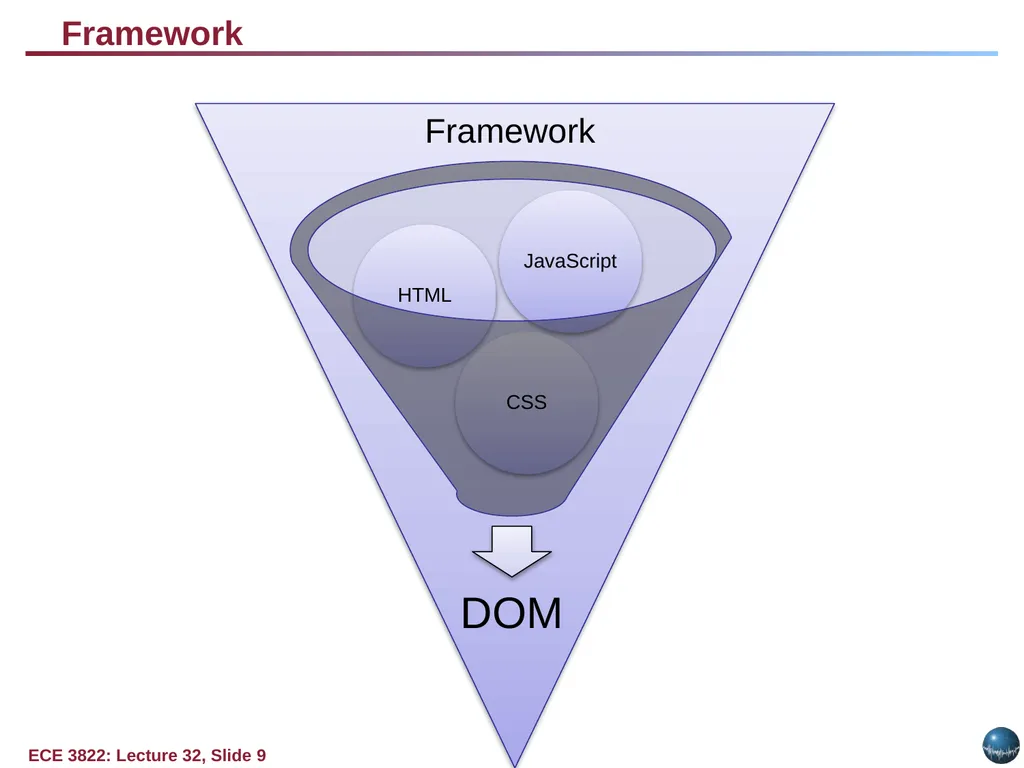
Framework Framework<br>
10
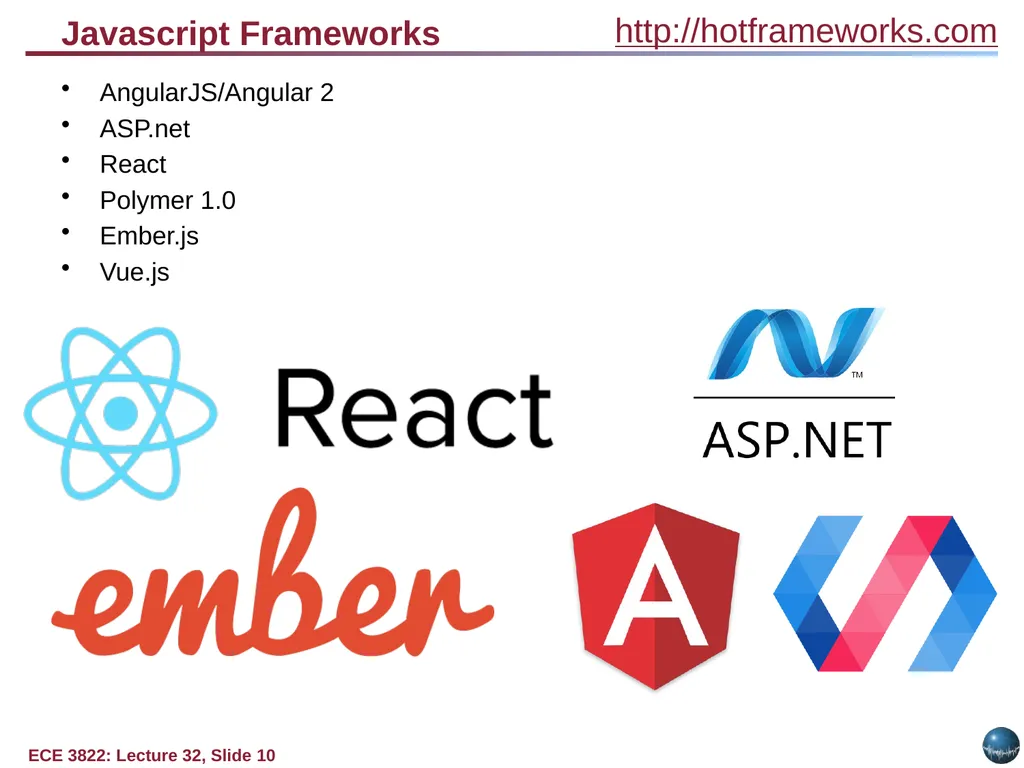
Javascript Frameworks AngularJS/Angular 2
ASP.net
React
Polymer 1.0
Ember.js
Vue.js http://hotframeworks.com<br>
11
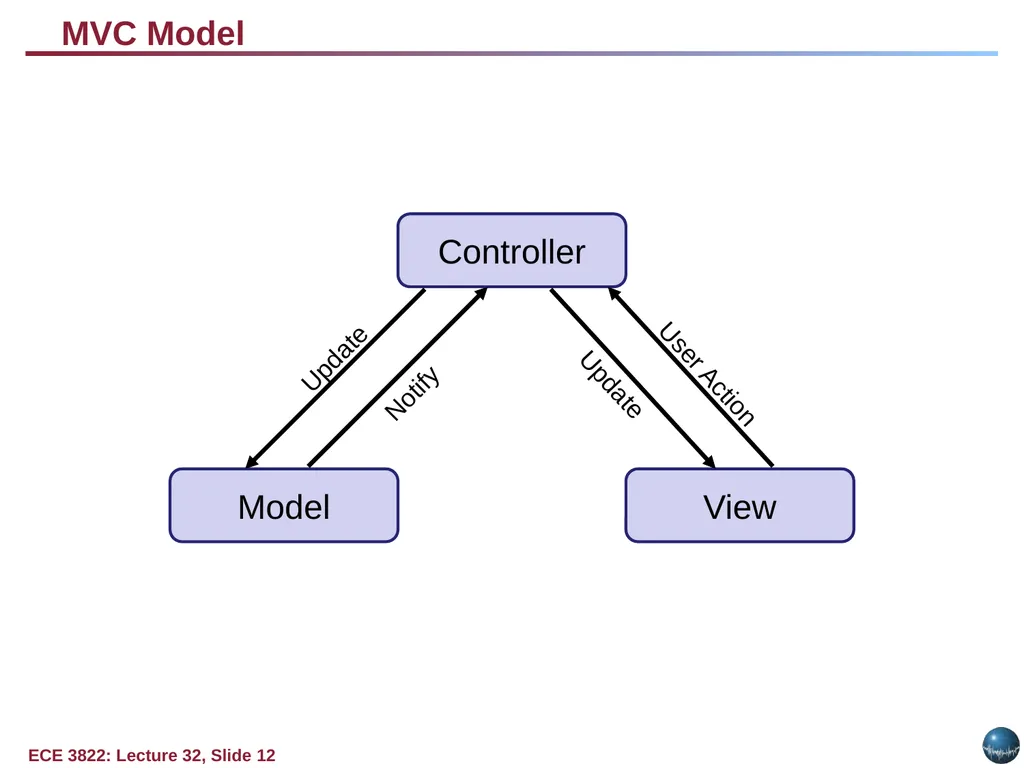
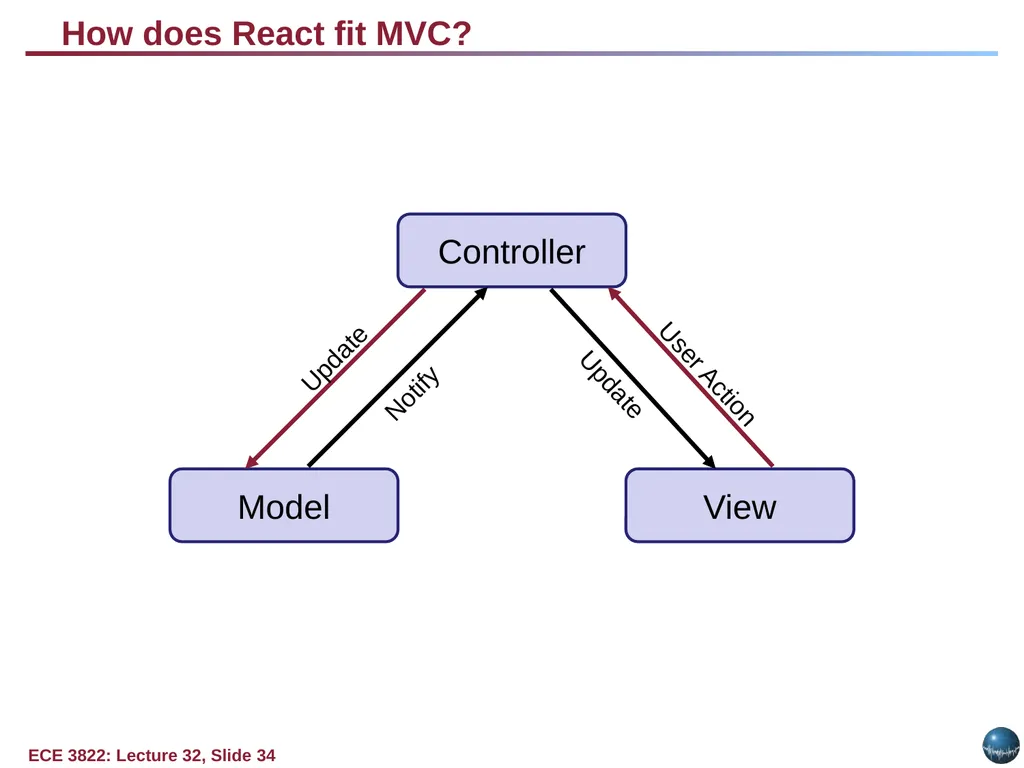
MVC (Model View Controller) A Web Application Development Framework
Model (M):
Where the data for the DOM is stored and handled)
This is where the backend connects
View (V):
Think of this like a Page which is a single DOM
Where changes to the page are rendered and displayed
Control (C):
This handles user input and interactions
Buttons
Forms
General Interface<br>
12
MVC Model Controller Model View Update Notify Update User Action<br>
13
BACKEND development<br>
14
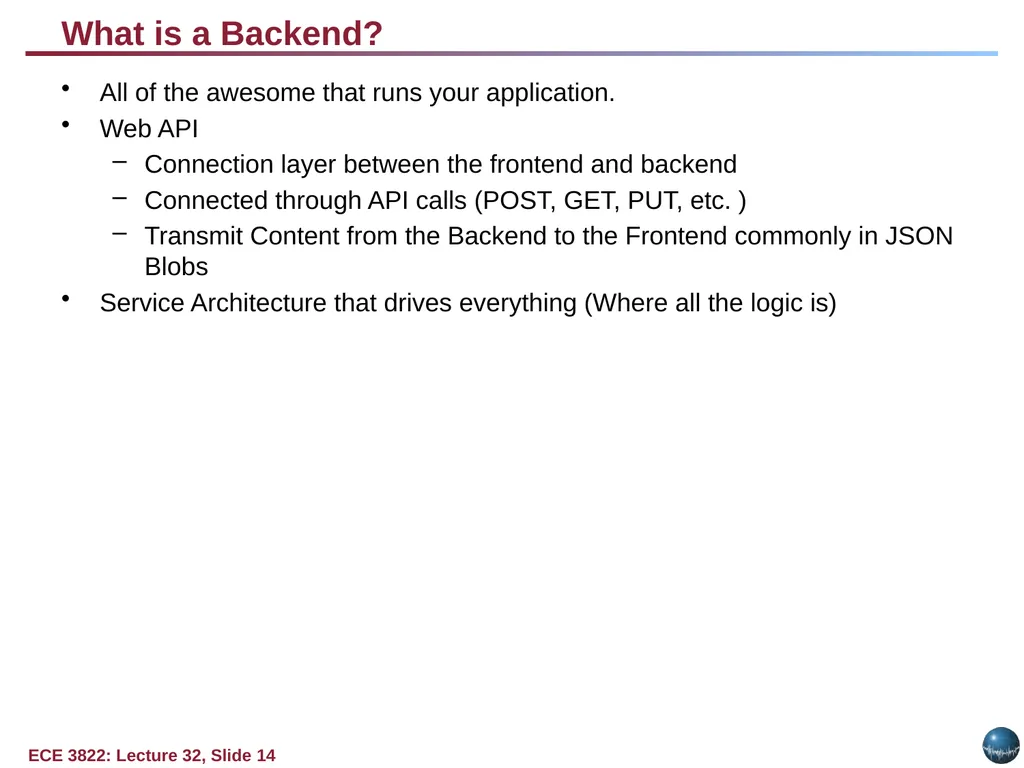
What is a Backend? All of the awesome that runs your application.
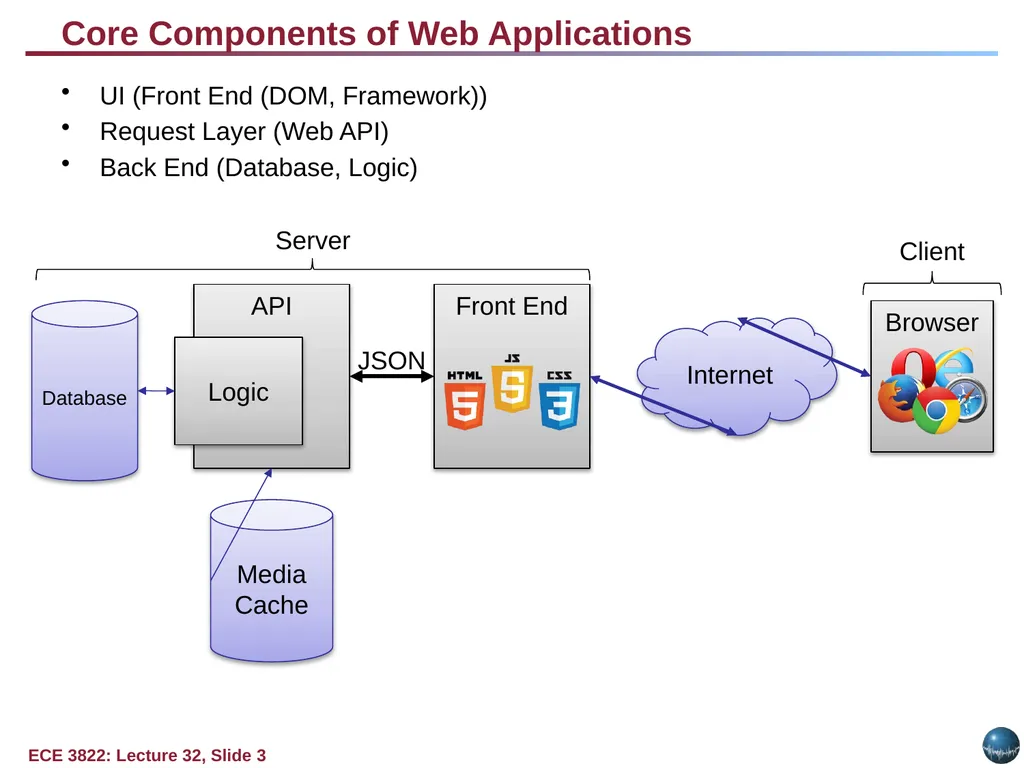
Web API
Connection layer between the frontend and backend
Connected through API calls (POST, GET, PUT, etc. )
Transmit Content from the Backend to the Frontend commonly in JSON Blobs
Service Architecture that drives everything (Where all the logic is)<br>
15
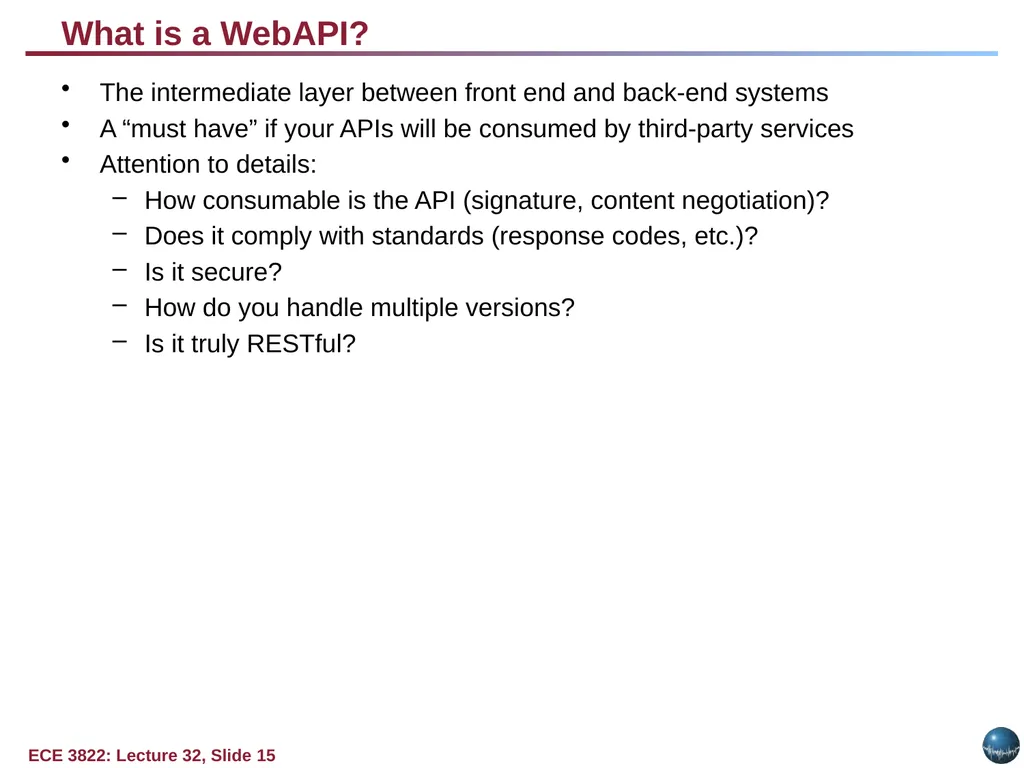
What is a WebAPI? The intermediate layer between front end and back-end systems
A “must have” if your APIs will be consumed by third-party services
Attention to details:
How consumable is the API (signature, content negotiation)?
Does it comply with standards (response codes, etc.)?
Is it secure?
How do you handle multiple versions?
Is it truly RESTful?<br>
16
Representational State Transfer (REST) Client-server
Stateless
Resource-based (vs. remote procedure call)
HTTP methods (GET, POST, PUT, DELETE)
Side Effects
It’s a style, not a standard
Don’t hate on HATEOAS<br>
17
WebAPI Terms GET – “read”
POST – “insert” (collection)
PUT – “replace”
DELETE – “remove”
PATCH – “update”
Custom (proceed with caution)<br>
18
Web Status Codes 200 – OK – things are great (return the item)
201 Created – after POST (HATEOAS – return location)
204 No Content (i.e. successful DELETE)
400 – Bad Request (validation error, missing parms, etc.)
401 – Unauthorized – Who are you?
403 – Forbidden – No soup for you
404 – Not Found<br>
19
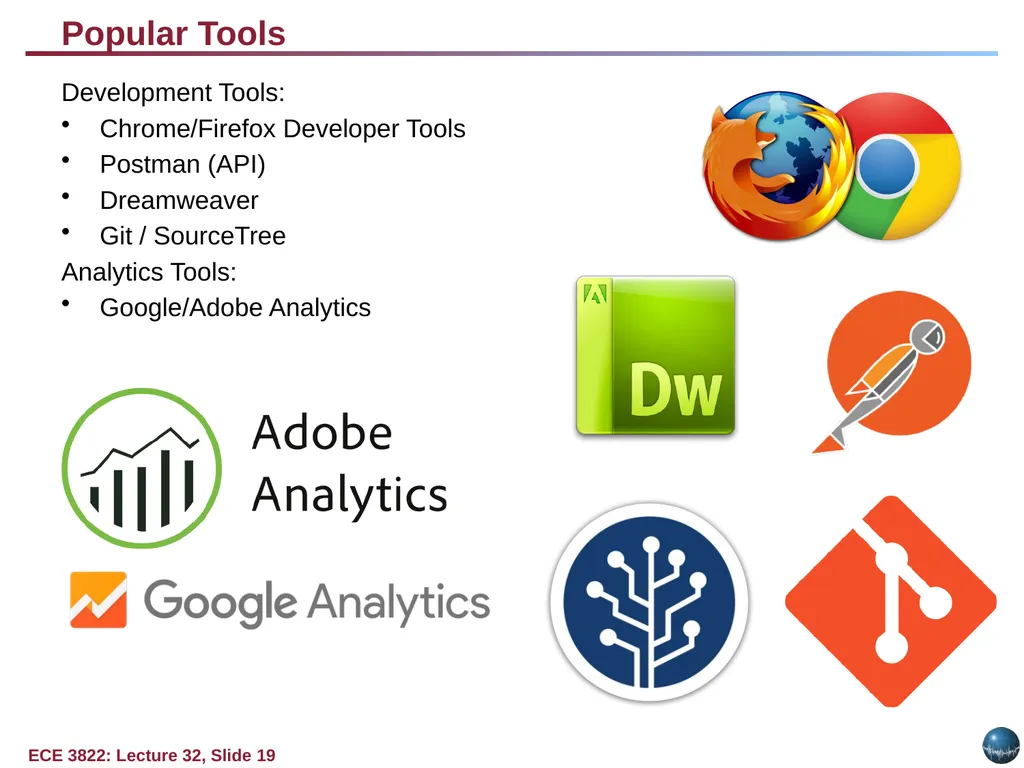
Popular Tools Development Tools:
Chrome/Firefox Developer Tools
Postman (API)
Dreamweaver
Git / SourceTree
Analytics Tools:
Google/Adobe Analytics<br>
20
Chrome Development Tools Demo Demo Time!<br>
21
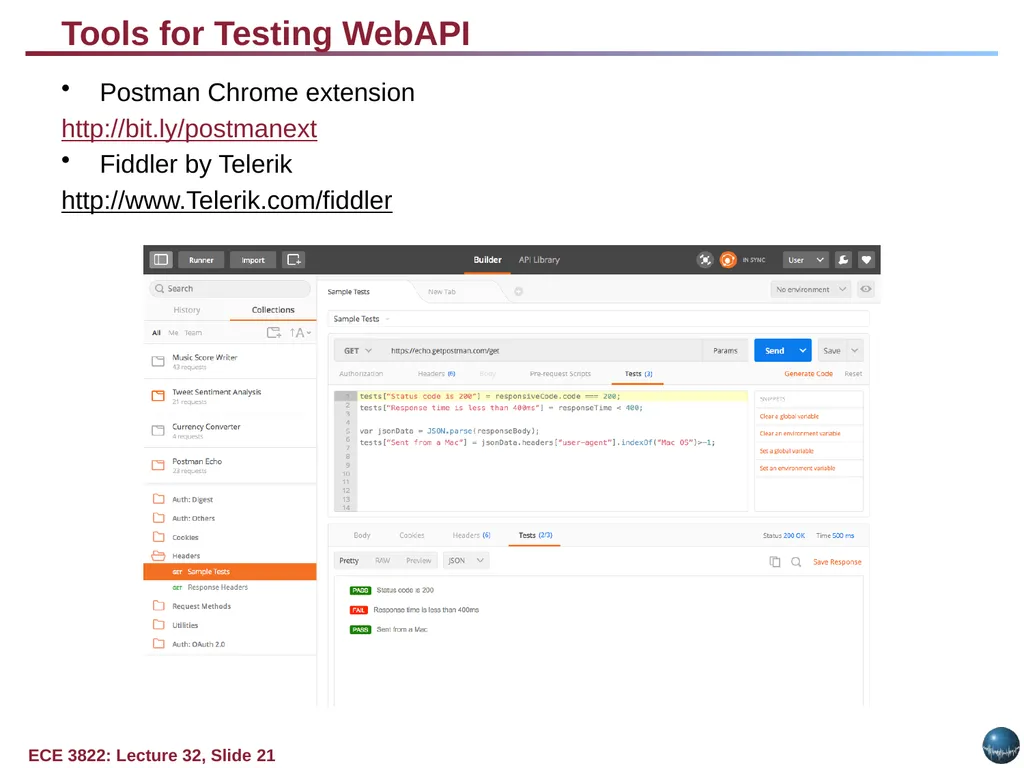
Tools for Testing WebAPI Postman Chrome extension
http://bit.ly/postmanext
Fiddler by Telerik
http://www.Telerik.com/fiddler<br>
22
WebAPI Demo Demo Time!<br>
24
Hypermedia as the Engine of Application State (HATEOAS) Hypermedia is the key
It all starts at a URL
Resources are returned
Media types and locations are included
References based on state<br>
25
What is Angular MVC Structure
Framework
Single Page Application (SPA)
Client Side Template
Testing<br>
26
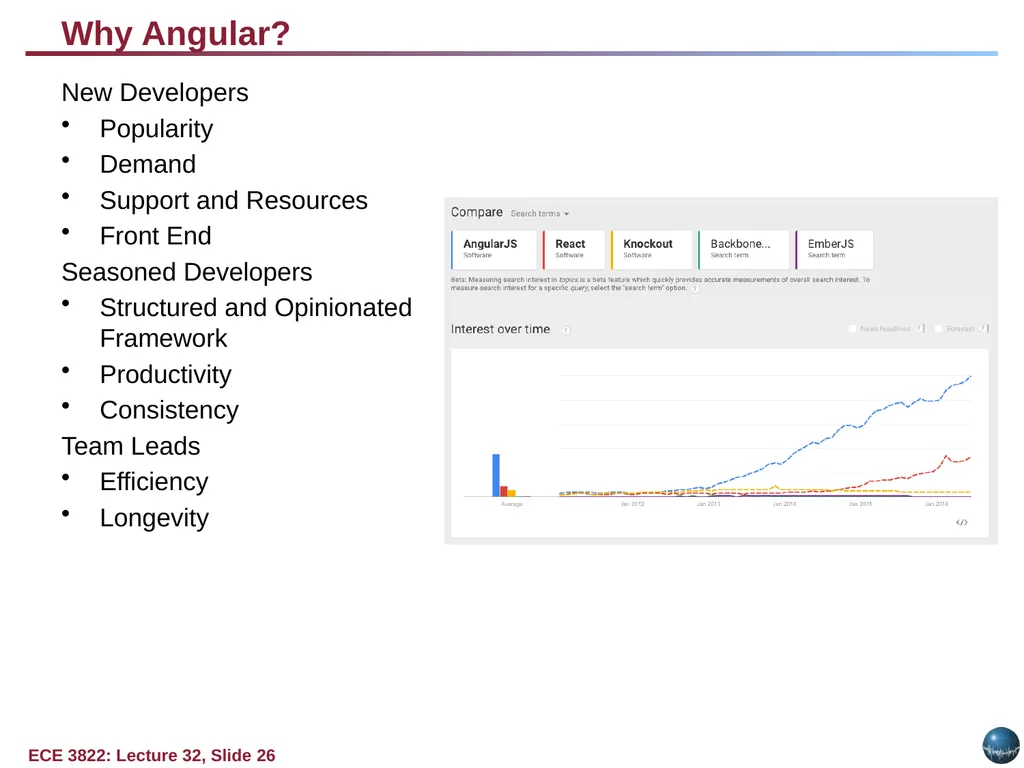
Why Angular? New Developers
Popularity
Demand
Support and Resources
Front End
Seasoned Developers
Structured and Opinionated Framework
Productivity
Consistency
Team Leads
Efficiency
Longevity<br>
27
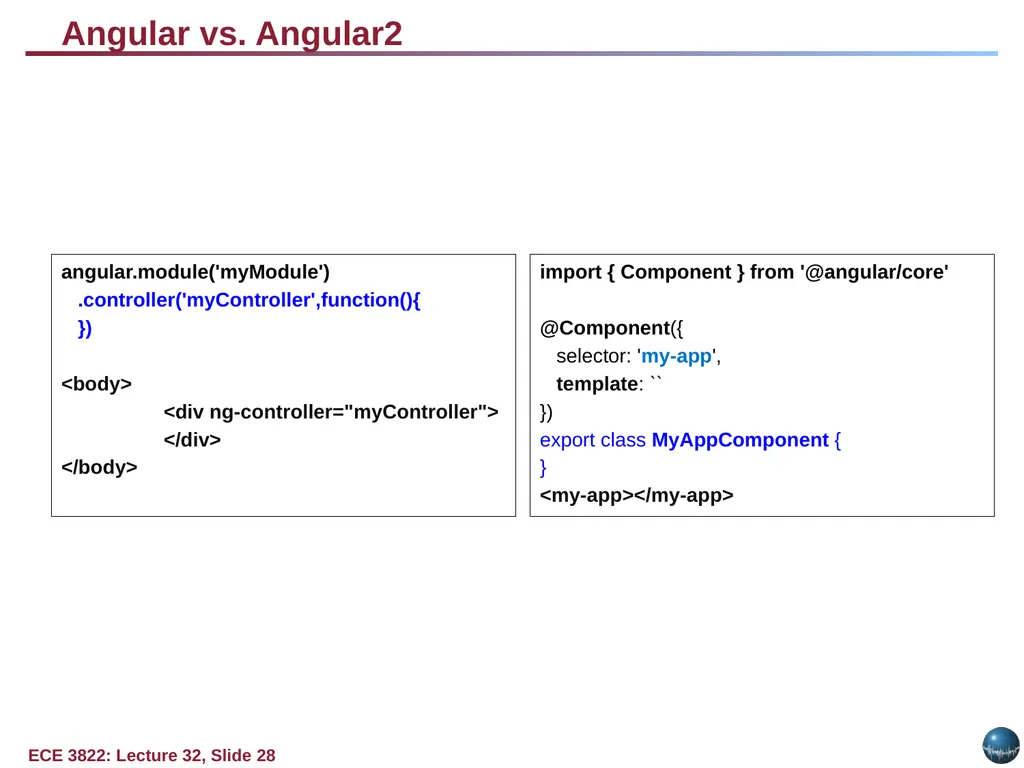
Angular vs. Angular 2 Angular 2
Component Based UI
More Modular Design
TypeScript
Backwards Compatible
Faster Angular 1
Structured MVC Framework
Separation of HTML and Logic
Client Side Templating<br>
28
Angular vs. Angular2 angular.module('myModule')
.controller('myController',function(){
})
<body>
<div ng-controller="myController">
</div>
</body> import { Component } from '@angular/core'
@Component({
selector: 'my-app',
template: ``
})
export class MyAppComponent {
}
<my-app></my-app><br>
29
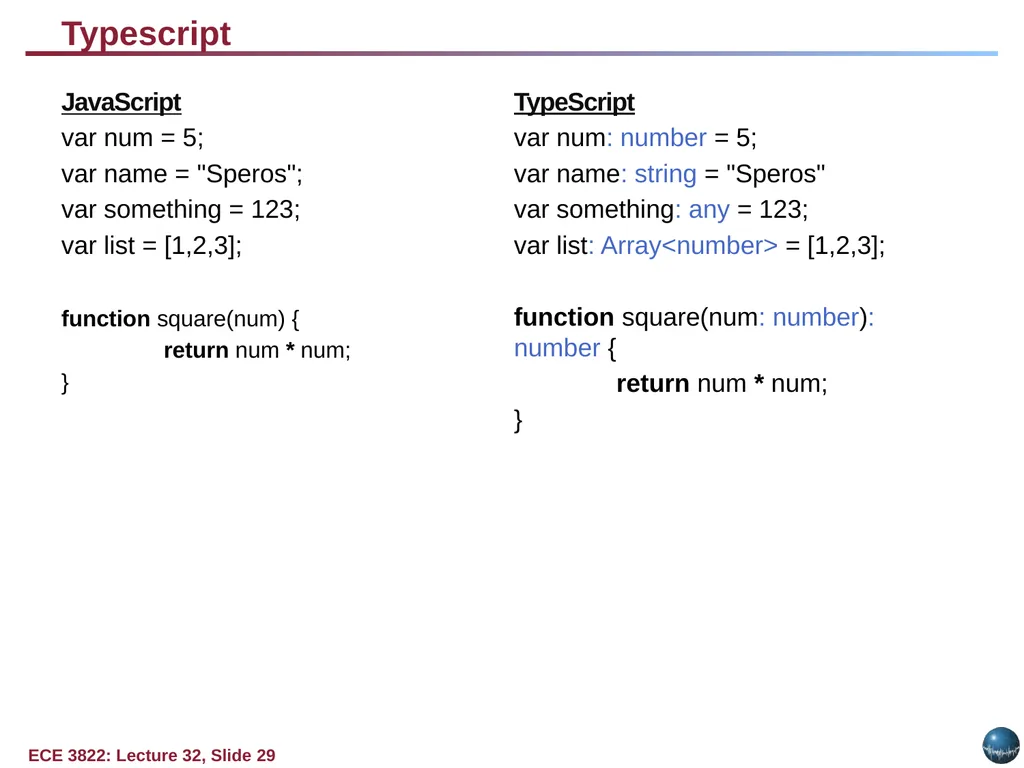
Typescript JavaScript
var num = 5;
var name = "Speros";
var something = 123;
var list = [1,2,3];
function square(num) {
return num * num;
} TypeScript
var num: number = 5;
var name: string = "Speros"
var something: any = 123;
var list: Array<number> = [1,2,3];
function square(num: number): number {
return num * num;
}<br>
30
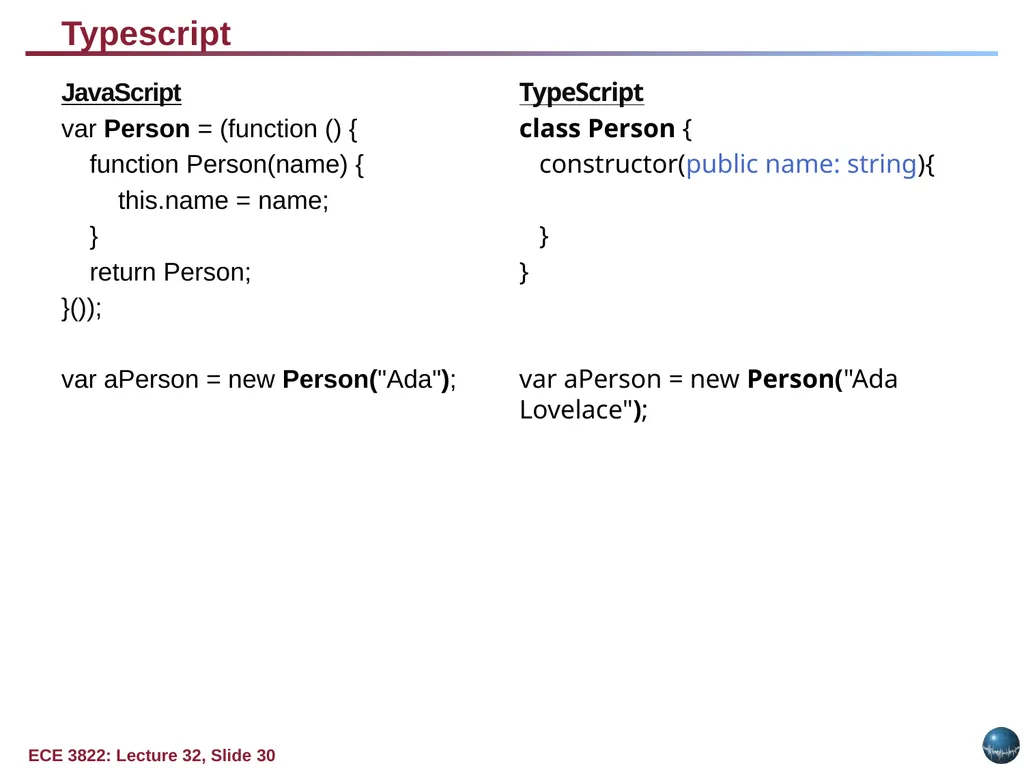
Typescript JavaScript
var Person = (function () {
function Person(name) {
this.name = name;
}
return Person;
}());
var aPerson = new Person("Ada"); TypeScript
class Person {
constructor(public name: string){
}
}
var aPerson = new Person("Ada Lovelace");<br>
31
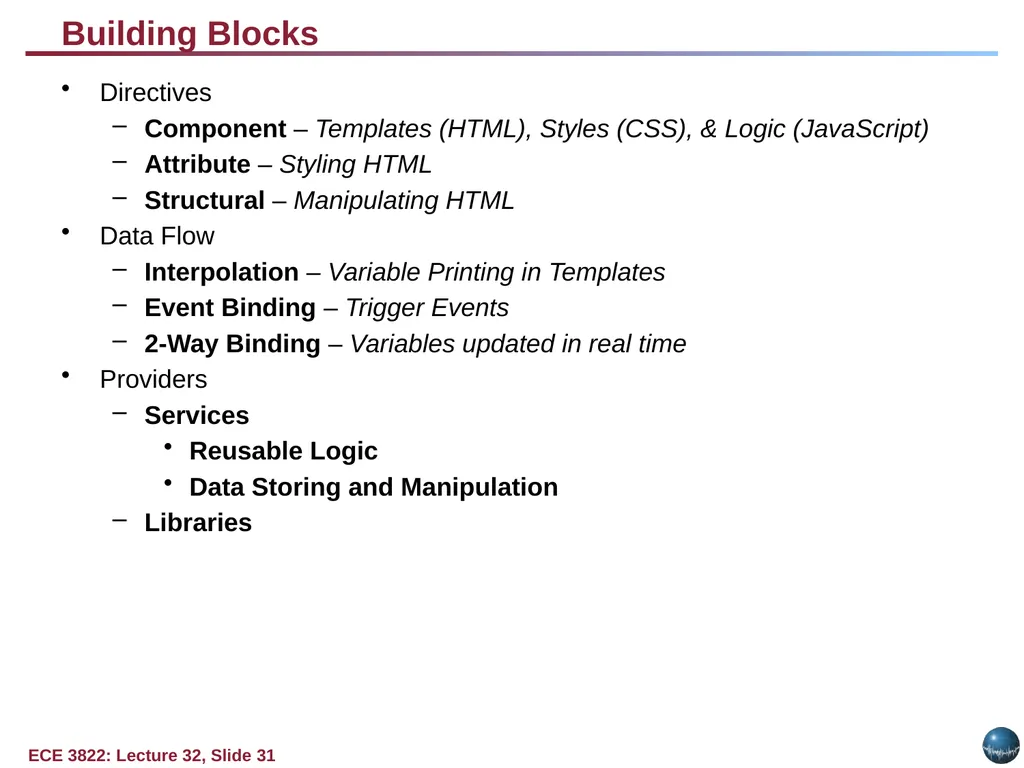
Building Blocks Directives
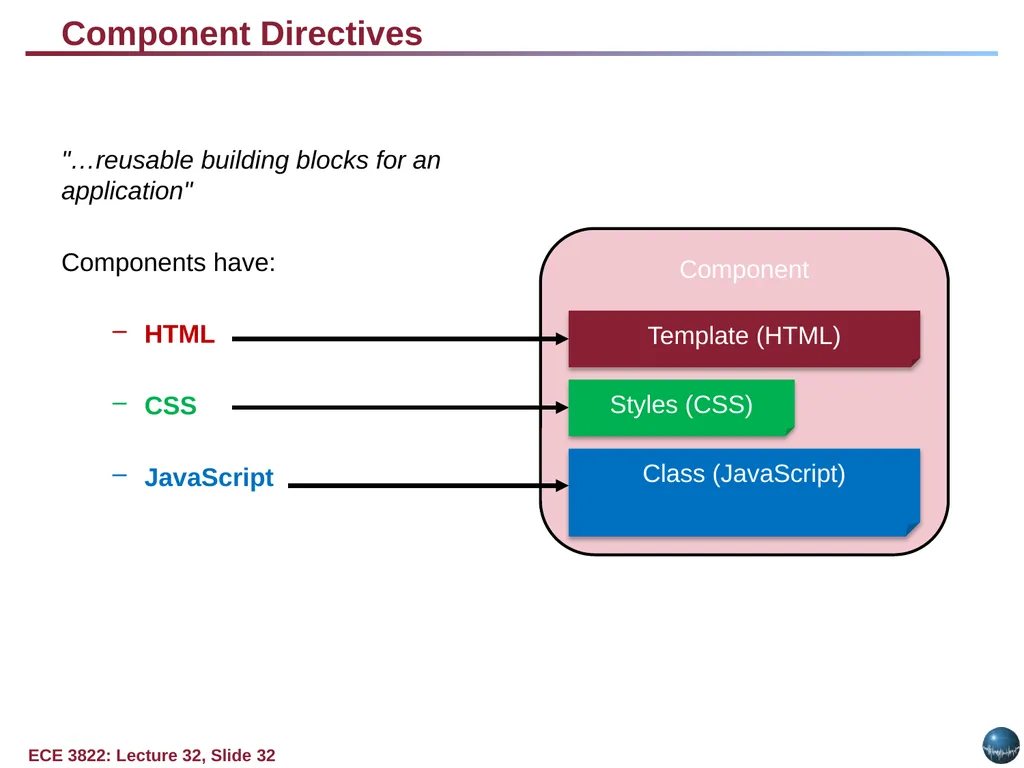
Component – Templates (HTML), Styles (CSS), & Logic (JavaScript)
Attribute – Styling HTML
Structural – Manipulating HTML
Data Flow
Interpolation – Variable Printing in Templates
Event Binding – Trigger Events
2-Way Binding – Variables updated in real time
Providers
Services
Reusable Logic
Data Storing and Manipulation
Libraries<br>
32
Component Directives "…reusable building blocks for an application"
Components have:
HTML
CSS
JavaScript Component Template (HTML) Class (JavaScript) Styles (CSS)<br>
33
Learn Angular/Angular2 http://www.learn-angular.org/
http://learnangular2.com/<br>
34
How does React fit MVC?<br>
35
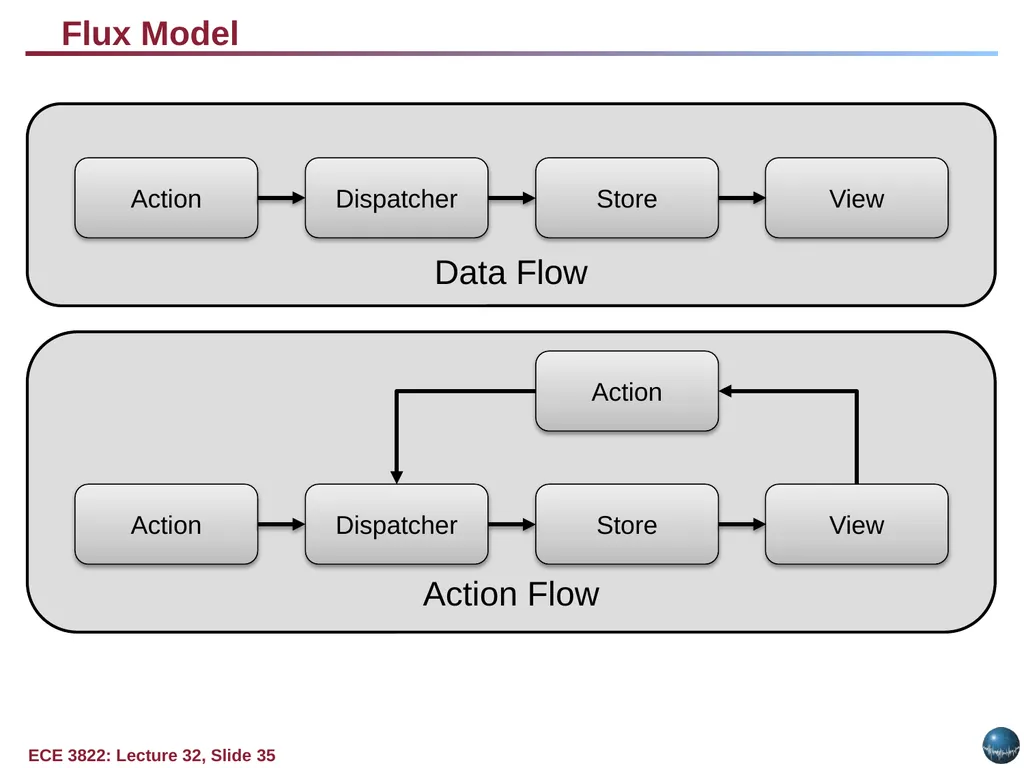
Flux Model Data Flow Action Dispatcher Store View Action Flow Action Dispatcher Store View Action<br>
36
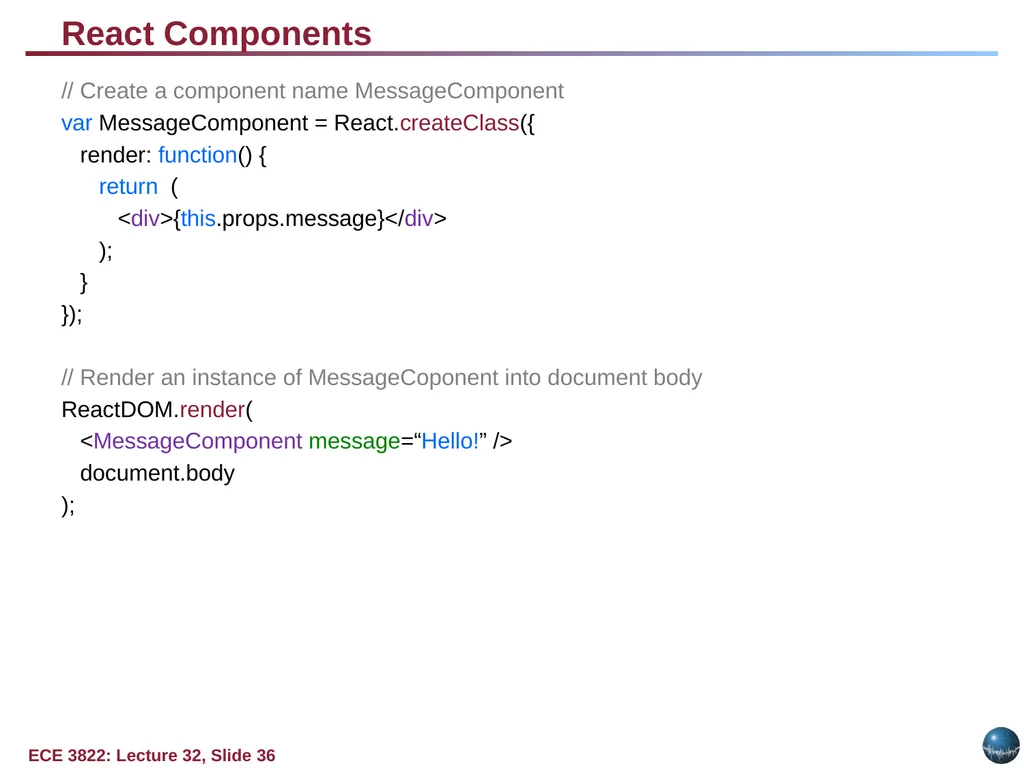
React Components // Create a component name MessageComponent
var MessageComponent = React.createClass({
render: function() {
return (
<div>{this.props.message}</div>
);
}
});
// Render an instance of MessageCoponent into document body
ReactDOM.render(
<MessageComponent message=“Hello!” />
document.body
);<br>
37
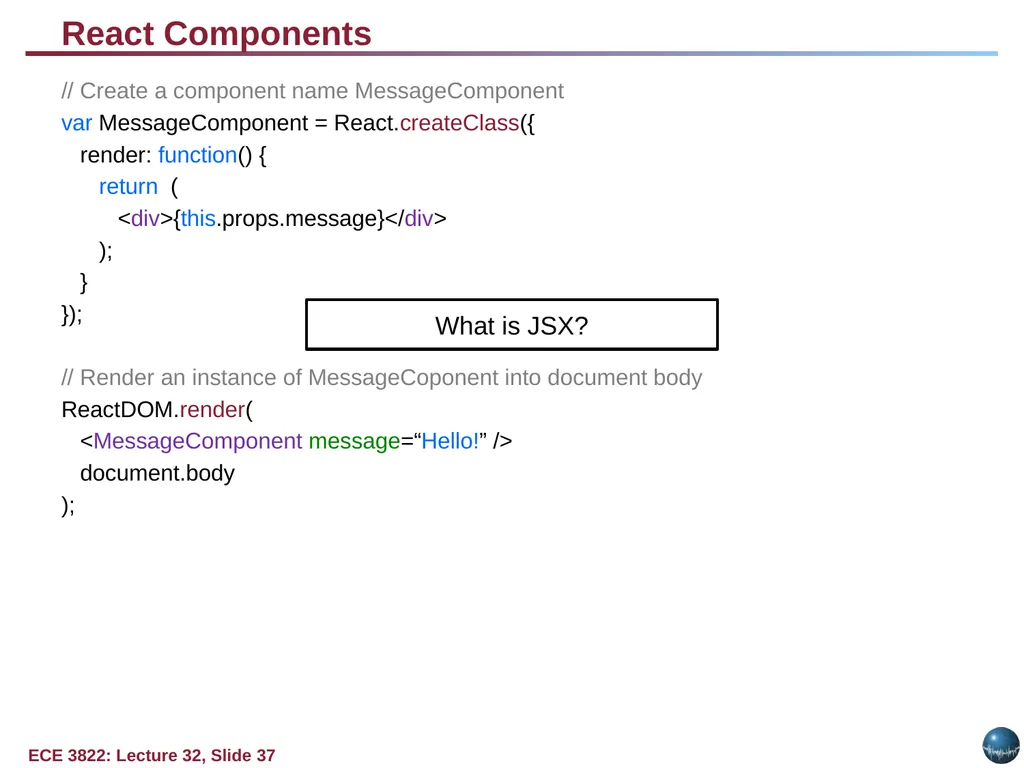
React Components // Create a component name MessageComponent
var MessageComponent = React.createClass({
render: function() {
return (
<div>{this.props.message}</div>
);
}
});
// Render an instance of MessageCoponent into document body
ReactDOM.render(
<MessageComponent message=“Hello!” />
document.body
); What is JSX?<br>
38
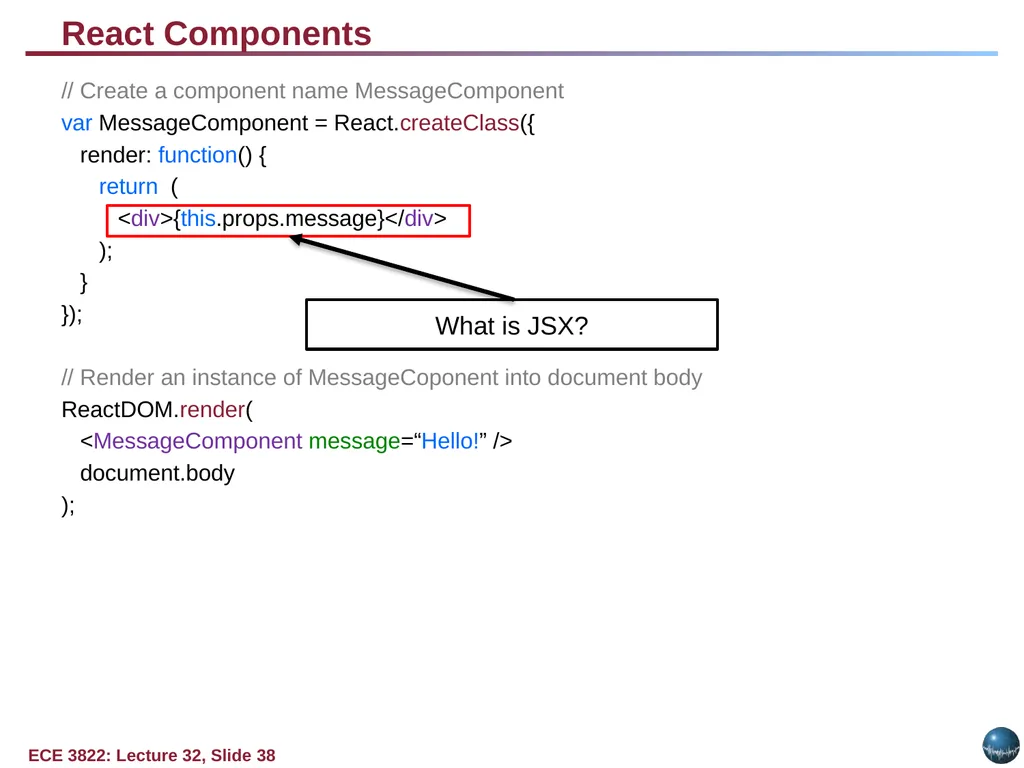
React Components // Create a component name MessageComponent
var MessageComponent = React.createClass({
render: function() {
return (
<div>{this.props.message}</div>
);
}
});
// Render an instance of MessageCoponent into document body
ReactDOM.render(
<MessageComponent message=“Hello!” />
document.body
); What is JSX?<br>
40
Learn React https://www.codecademy.com/lrn/react-101
https://css-tricks.com/learning-react-redux/<br>
41
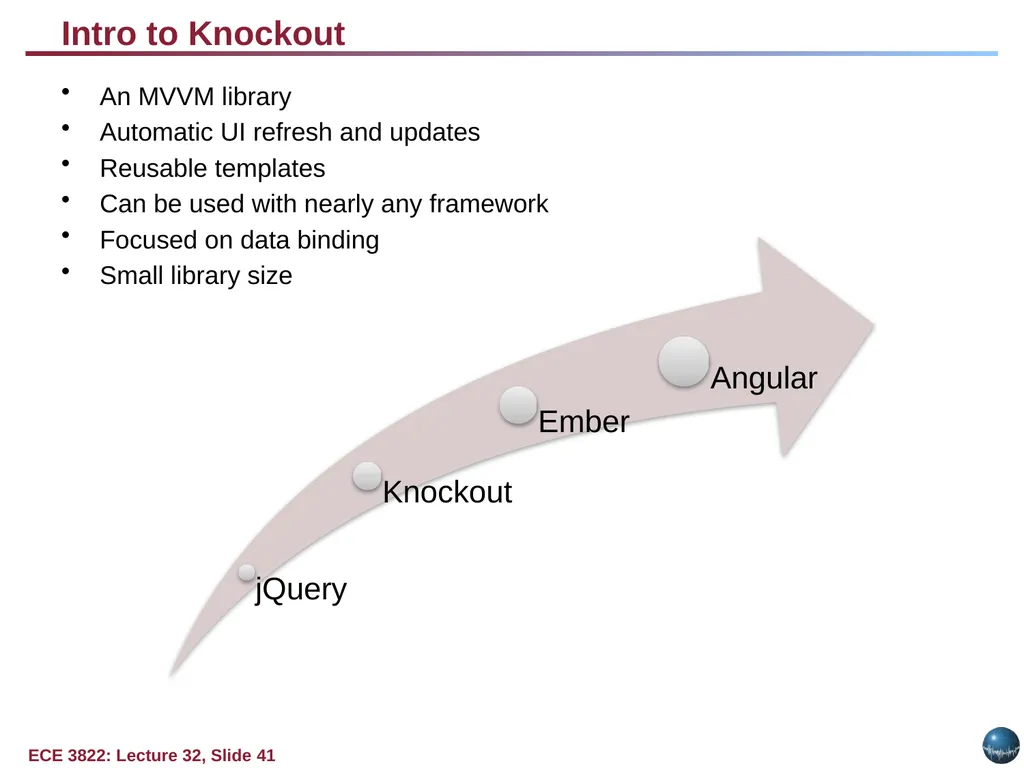
Intro to Knockout An MVVM library
Automatic UI refresh and updates
Reusable templates
Can be used with nearly any framework
Focused on data binding
Small library size<br>
42
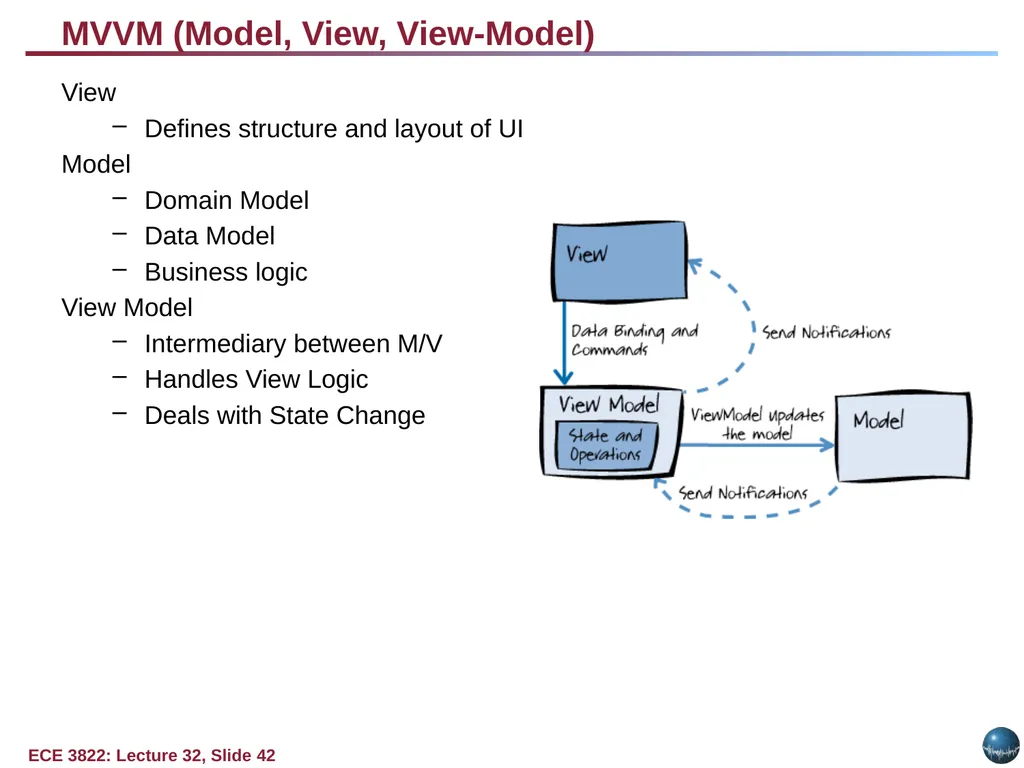
MVVM (Model, View, View-Model) View
Defines structure and layout of UI
Model
Domain Model
Data Model
Business logic
View Model
Intermediary between M/V
Handles View Logic
Deals with State Change<br>
43
Learn Knockout http://learn.knockoutjs.com/#/?tutorial=intro<br>