Oracle Hyperion Cloud Access: PennKey (and PennKey
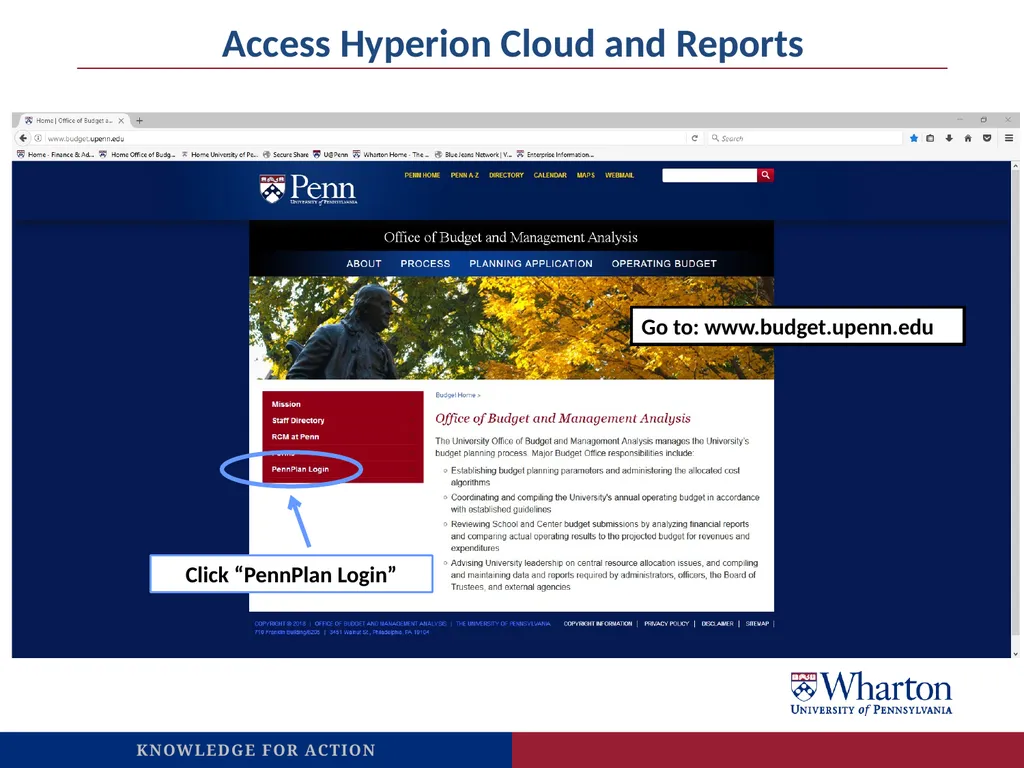
Description: Oracle Hyperion Cloud Access: PennKey (and PennKey password) to login. PLEASE USE FIREFOX! Access Hyperion Cloud via the Planning Application section of the Budget Office website. Select PennPlan Login from the red box on the left side.
Related Topics
Download Presentation
"Oracle Hyperion Cloud Access: PennKey (and PennKey" is the property of its rightful owner. Permission is granted to download and print the materials on this website for personal, non-commercial use only, and to display it on your personal computer provided you do not modify the materials and that you retain all copyright notices contained in the materials. By downloading content from our website, you accept the terms of this agreement.
Presentation Transcript
slide1. Oracle Hyperion Cloud Access:
PennKey (and PennKey password) to login. PLEASE USE FIREFOX!
Access Hyperion Cloud via the Planning Application section of the Budget Office website. Select “PennPlan Login” from the red box on the left side. And if prompted, please note that our Identity Domain is a183374.
www.budget.upenn.edu
Budget Entry:
In some cases, particularly with Current Expense, Object Codes that appear in BEN are consolidated in Oracle Cloud.
http://www.budget.upenn.edu/dlDocs/RCM_template_1A.pdf
Reporting:
Several useful reports (please contact F&A with any questions):
A7-Account Detail-Non-Compensation
A8-Account Detail-Compensation
B14-Endowment & Gift Fund Analysis
X46-WHA-RCM Row and Object Detail-No Rounding
Instant updates from budget entry to reporting output!<br>
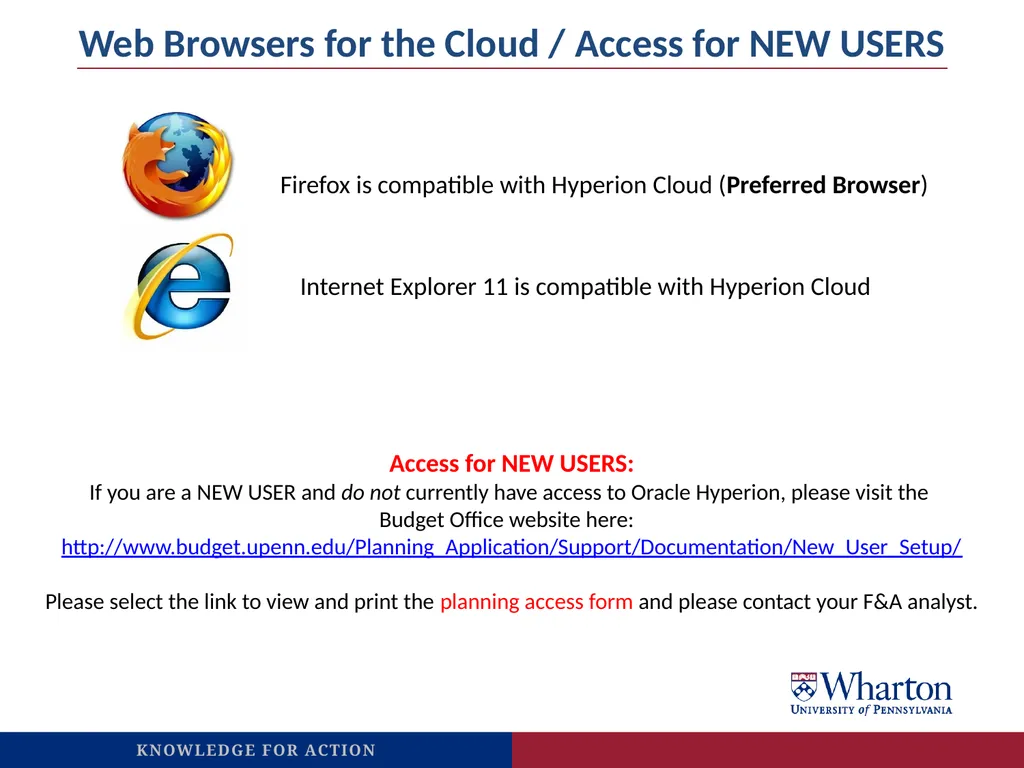
slide2. Web Browsers for the Cloud / Access for NEW USERS Internet Explorer 11 is compatible with Hyperion Cloud Firefox is compatible with Hyperion Cloud (Preferred Browser) Access for NEW USERS:
If you are a NEW USER and do not currently have access to Oracle Hyperion, please visit the
Budget Office website here:
http://www.budget.upenn.edu/Planning_Application/Support/Documentation/New_User_Setup/
Please select the link to view and print the planning access form and please contact your F&A analyst.<br>
slide3. Click “PennPlan Login” Access Hyperion Cloud and Reports Go to: www.budget.upenn.edu<br>
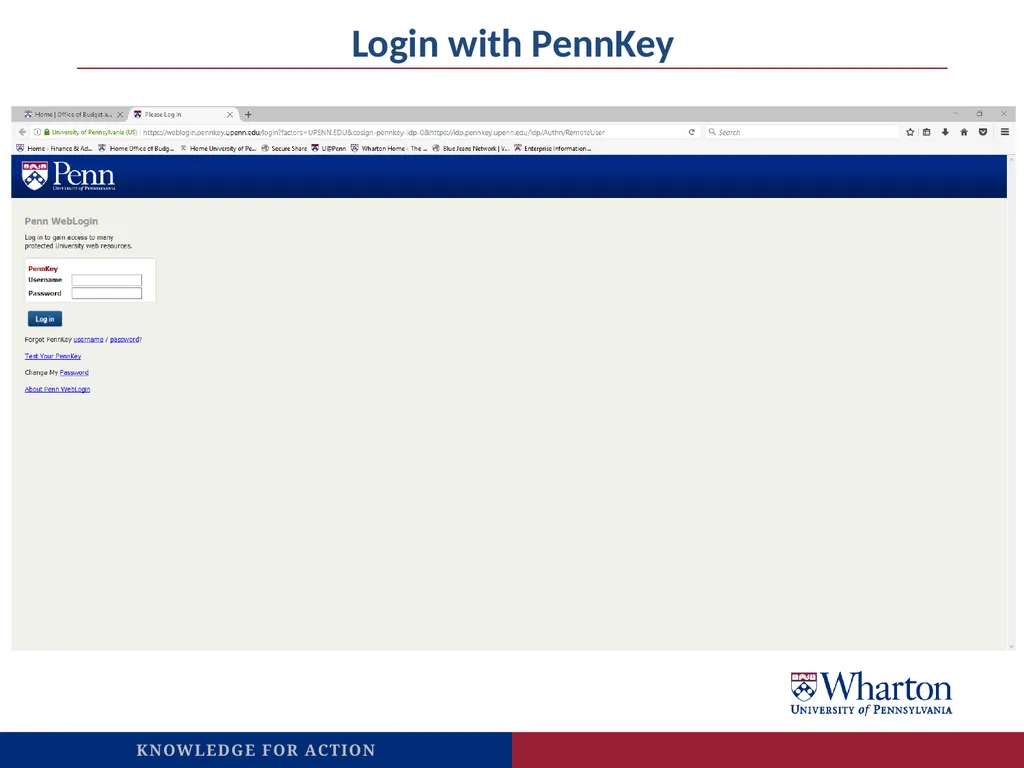
slide4. Login with PennKey<br>
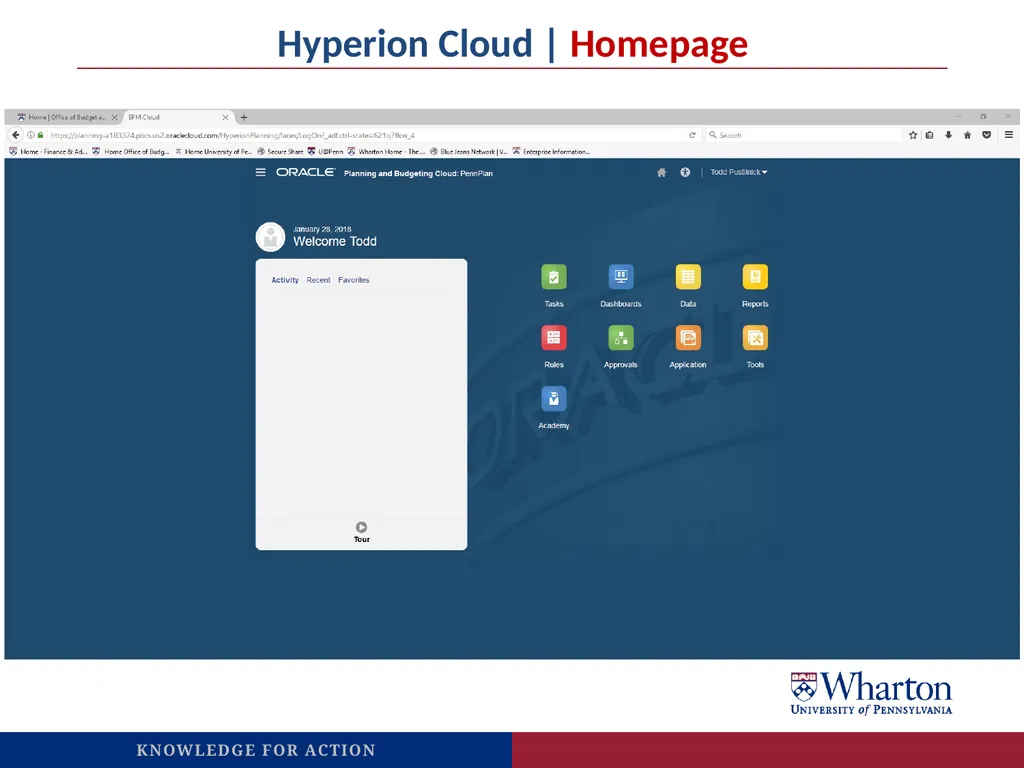
slide5. Hyperion Cloud | Homepage<br>
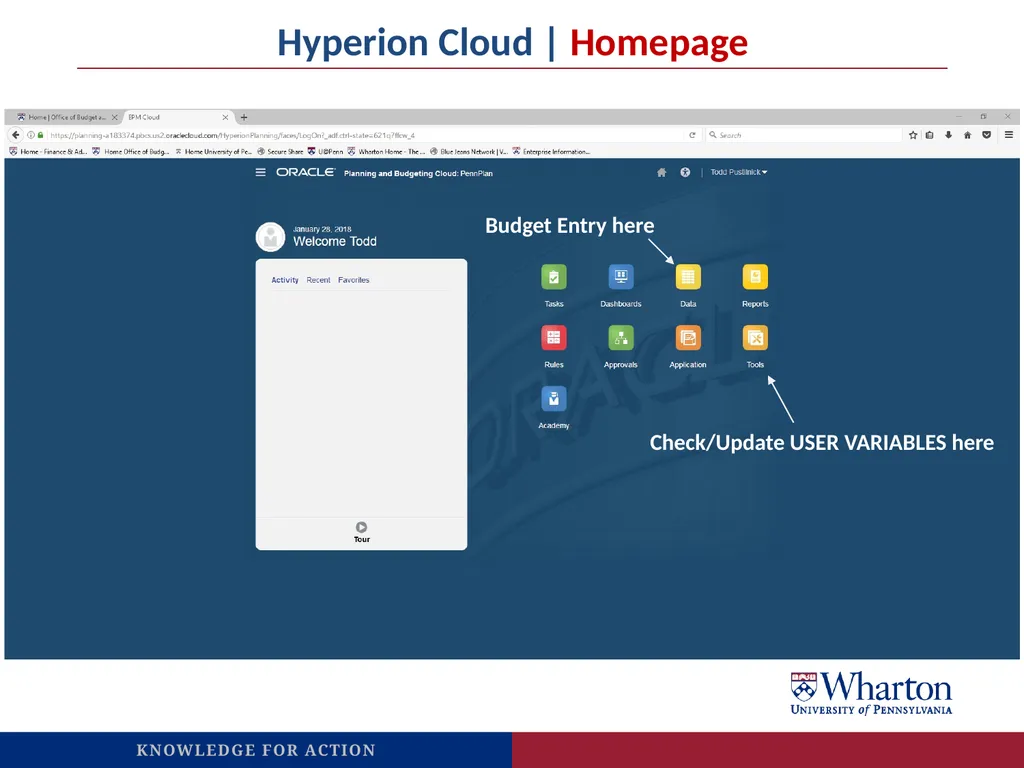
slide6. Hyperion Cloud | Homepage Check/Update USER VARIABLES here Budget Entry here<br>
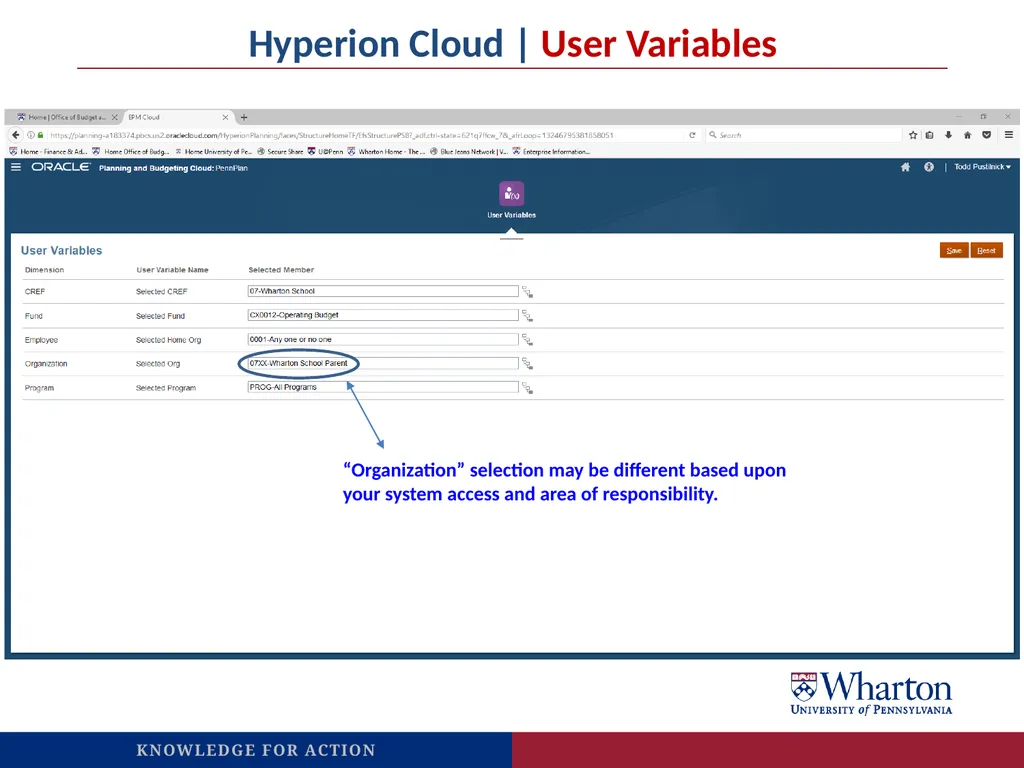
slide7. Hyperion Cloud | User Variables Check user preferences here “Organization” selection may be different based upon your system access and area of responsibility.<br>
PennKey (and PennKey password) to login. PLEASE USE FIREFOX!
Access Hyperion Cloud via the Planning Application section of the Budget Office website. Select “PennPlan Login” from the red box on the left side. And if prompted, please note that our Identity Domain is a183374.
www.budget.upenn.edu
Budget Entry:
In some cases, particularly with Current Expense, Object Codes that appear in BEN are consolidated in Oracle Cloud.
http://www.budget.upenn.edu/dlDocs/RCM_template_1A.pdf
Reporting:
Several useful reports (please contact F&A with any questions):
A7-Account Detail-Non-Compensation
A8-Account Detail-Compensation
B14-Endowment & Gift Fund Analysis
X46-WHA-RCM Row and Object Detail-No Rounding
Instant updates from budget entry to reporting output!<br>
slide2. Web Browsers for the Cloud / Access for NEW USERS Internet Explorer 11 is compatible with Hyperion Cloud Firefox is compatible with Hyperion Cloud (Preferred Browser) Access for NEW USERS:
If you are a NEW USER and do not currently have access to Oracle Hyperion, please visit the
Budget Office website here:
http://www.budget.upenn.edu/Planning_Application/Support/Documentation/New_User_Setup/
Please select the link to view and print the planning access form and please contact your F&A analyst.<br>
slide3. Click “PennPlan Login” Access Hyperion Cloud and Reports Go to: www.budget.upenn.edu<br>
slide4. Login with PennKey<br>
slide5. Hyperion Cloud | Homepage<br>
slide6. Hyperion Cloud | Homepage Check/Update USER VARIABLES here Budget Entry here<br>
slide7. Hyperion Cloud | User Variables Check user preferences here “Organization” selection may be different based upon your system access and area of responsibility.<br>