
P561: Network Systems Week 7: Finding content
KL
Published · 82 slides · 0 views
1 / 1

Description
P561: Network Systems Week 7: Finding content Multicast Tom Anderson Ratul Mahajan TA: Colin Dixon Today Finding content and services Infrastructure hosted (DNS) Peer-to-peer hosted (Napster, Gnutella, DHTs) Multicast: one to many content
Related Topics
Share
Embed code
Download this presentation From Below
"P561: Network Systems Week 7: Finding content" is the property of its rightful owner. Permission is granted to download and print the materials on this website for personal, non-commercial use only, and to display it on your personal computer provided you do not modify the materials and that you retain all copyright notices contained in the materials. By downloading content from our website, you accept the terms of this agreement.
Presentation Transcript
01
P561: Network Systems
Week 7: Finding content
Multicast Tom Anderson
Ratul Mahajan
TA: Colin Dixon<br>
Ratul Mahajan
TA: Colin Dixon<br>
02
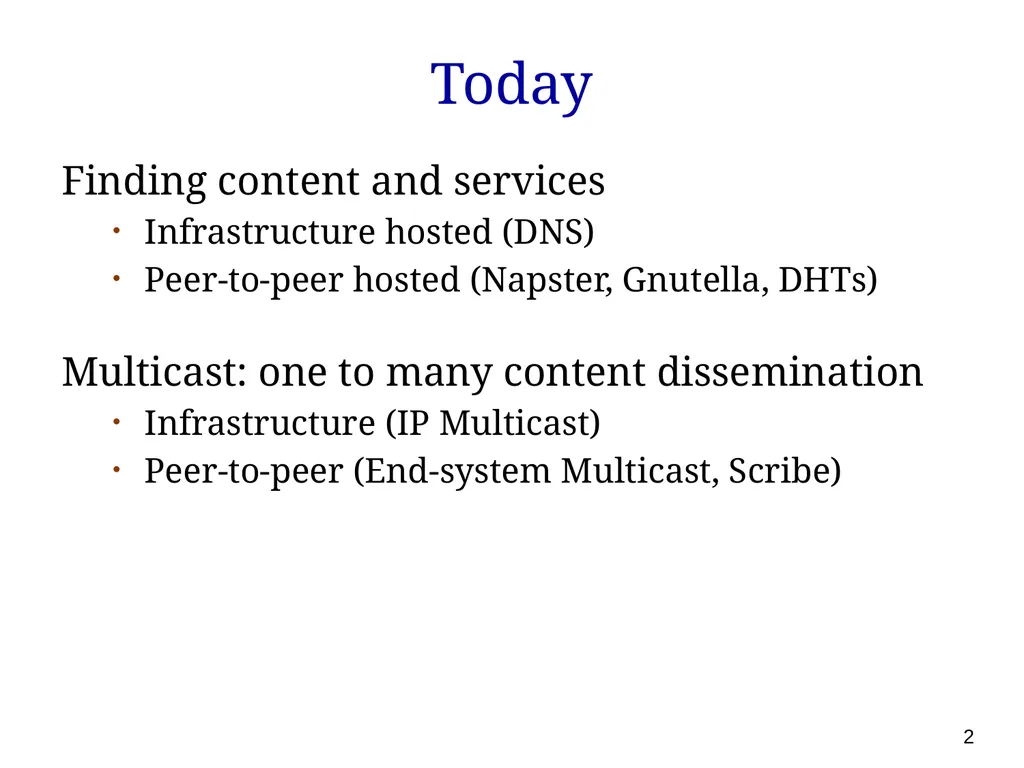
Today Finding content and services
Infrastructure hosted (DNS)
Peer-to-peer hosted (Napster, Gnutella, DHTs)
Multicast: one to many content dissemination
Infrastructure (IP Multicast)
Peer-to-peer (End-system Multicast, Scribe) 2<br>
Infrastructure hosted (DNS)
Peer-to-peer hosted (Napster, Gnutella, DHTs)
Multicast: one to many content dissemination
Infrastructure (IP Multicast)
Peer-to-peer (End-system Multicast, Scribe) 2<br>
03
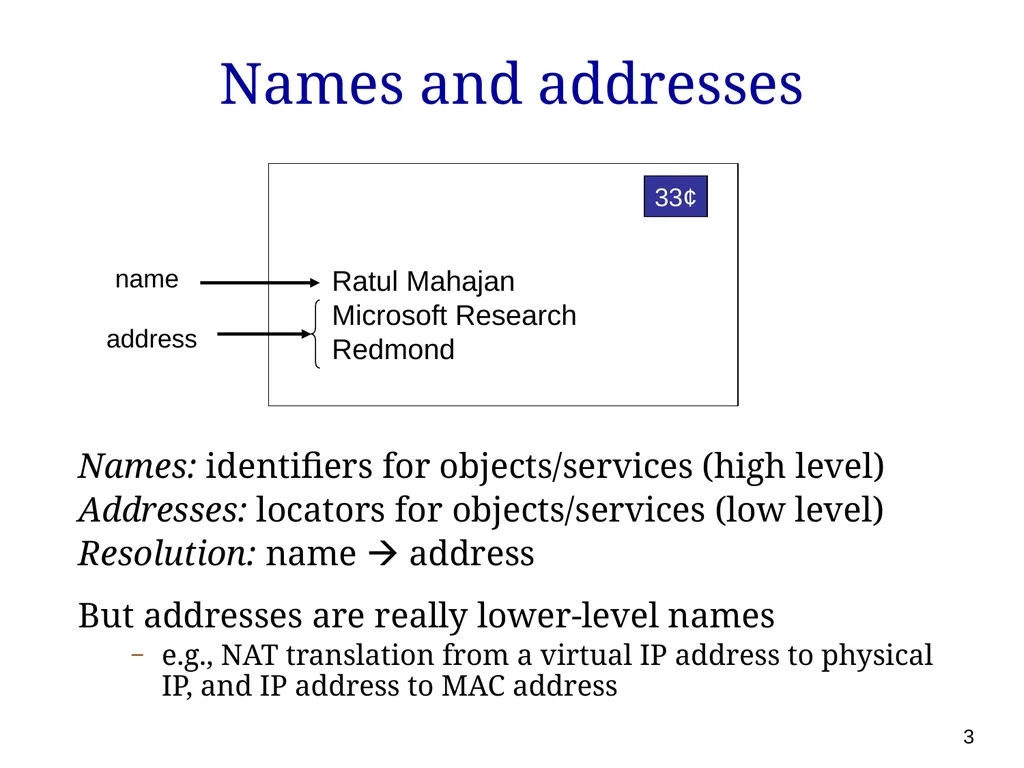
Names and addresses Names: identifiers for objects/services (high level)
Addresses: locators for objects/services (low level)
Resolution: name address
But addresses are really lower-level names
e.g., NAT translation from a virtual IP address to physical IP, and IP address to MAC address Ratul Mahajan
Microsoft Research
Redmond 33¢ name address 3<br>
Addresses: locators for objects/services (low level)
Resolution: name address
But addresses are really lower-level names
e.g., NAT translation from a virtual IP address to physical IP, and IP address to MAC address Ratul Mahajan
Microsoft Research
Redmond 33¢ name address 3<br>
04
Naming in systems Ubiquitous
Files in filesystem, processes in OS, pages on the Web
Decouple identifier for object/service from location
Hostnames provide a level of indirection for IP addresses
Naming greatly impacts system capabilities and performance
Ethernet addresses are a flat 48 bits
flat any address anywhere but large forwarding tables
IP addresses are hierarchical 32/128 bits
hierarchy smaller routing tables but constrained locations 4<br>
Files in filesystem, processes in OS, pages on the Web
Decouple identifier for object/service from location
Hostnames provide a level of indirection for IP addresses
Naming greatly impacts system capabilities and performance
Ethernet addresses are a flat 48 bits
flat any address anywhere but large forwarding tables
IP addresses are hierarchical 32/128 bits
hierarchy smaller routing tables but constrained locations 4<br>
05
Key considerations For the namespace
Structure
For the resolution mechanism
Scalability
Efficiency
Expressiveness
Robustness 5<br>
Structure
For the resolution mechanism
Scalability
Efficiency
Expressiveness
Robustness 5<br>
06
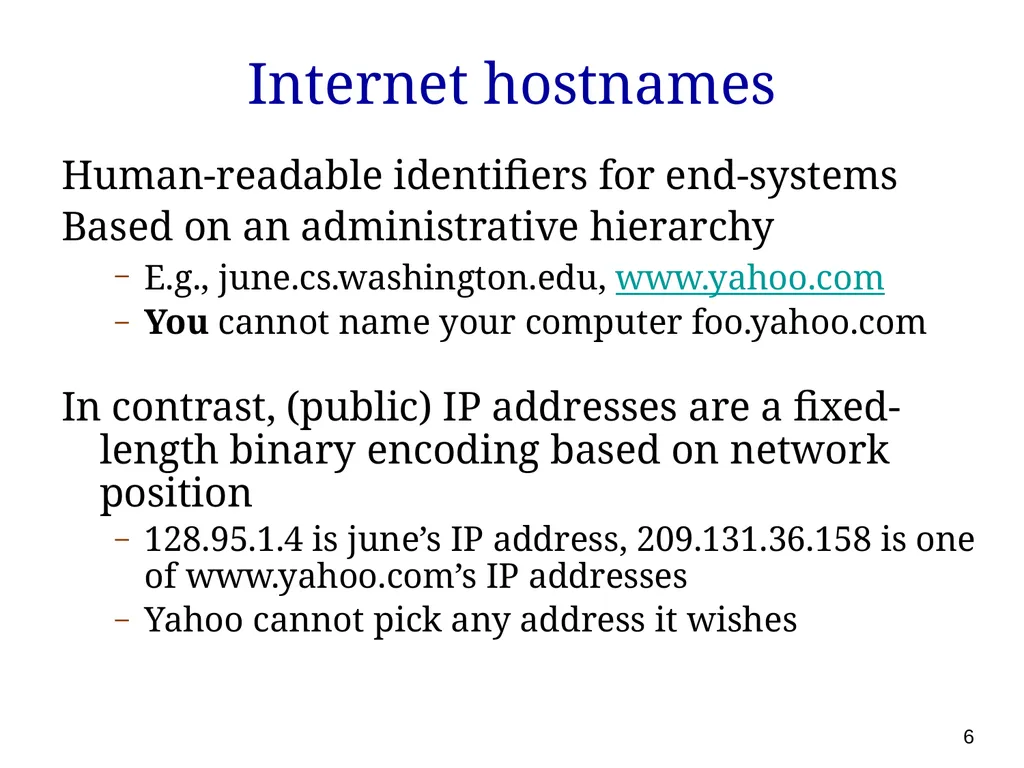
Internet hostnames Human-readable identifiers for end-systems
Based on an administrative hierarchy
E.g., june.cs.washington.edu, www.yahoo.com
You cannot name your computer foo.yahoo.com
In contrast, (public) IP addresses are a fixed-length binary encoding based on network position
128.95.1.4 is june’s IP address, 209.131.36.158 is one of www.yahoo.com’s IP addresses
Yahoo cannot pick any address it wishes 6<br>
Based on an administrative hierarchy
E.g., june.cs.washington.edu, www.yahoo.com
You cannot name your computer foo.yahoo.com
In contrast, (public) IP addresses are a fixed-length binary encoding based on network position
128.95.1.4 is june’s IP address, 209.131.36.158 is one of www.yahoo.com’s IP addresses
Yahoo cannot pick any address it wishes 6<br>
07
Original hostname system When the Internet was really young …
Flat namespace
Simple (host, address) pairs
Centralized management
Updates via a single master file called HOSTS.TXT
Manually coordinated by the Network Information Center (NIC)
Resolution process
Look up hostname in the HOSTS.TXT file
Works even today: (c:/WINDOWS/system32/drivers)/etc/hosts 7<br>
Flat namespace
Simple (host, address) pairs
Centralized management
Updates via a single master file called HOSTS.TXT
Manually coordinated by the Network Information Center (NIC)
Resolution process
Look up hostname in the HOSTS.TXT file
Works even today: (c:/WINDOWS/system32/drivers)/etc/hosts 7<br>
08
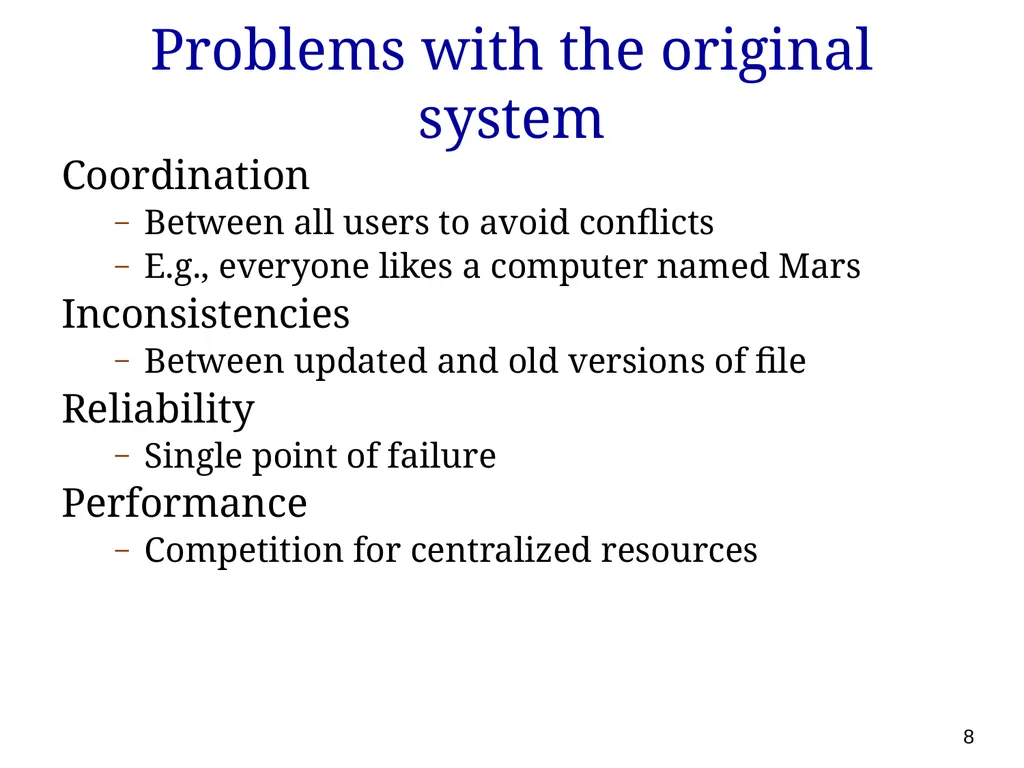
Problems with the original system Coordination
Between all users to avoid conflicts
E.g., everyone likes a computer named Mars
Inconsistencies
Between updated and old versions of file
Reliability
Single point of failure
Performance
Competition for centralized resources 8<br>
Between all users to avoid conflicts
E.g., everyone likes a computer named Mars
Inconsistencies
Between updated and old versions of file
Reliability
Single point of failure
Performance
Competition for centralized resources 8<br>
09
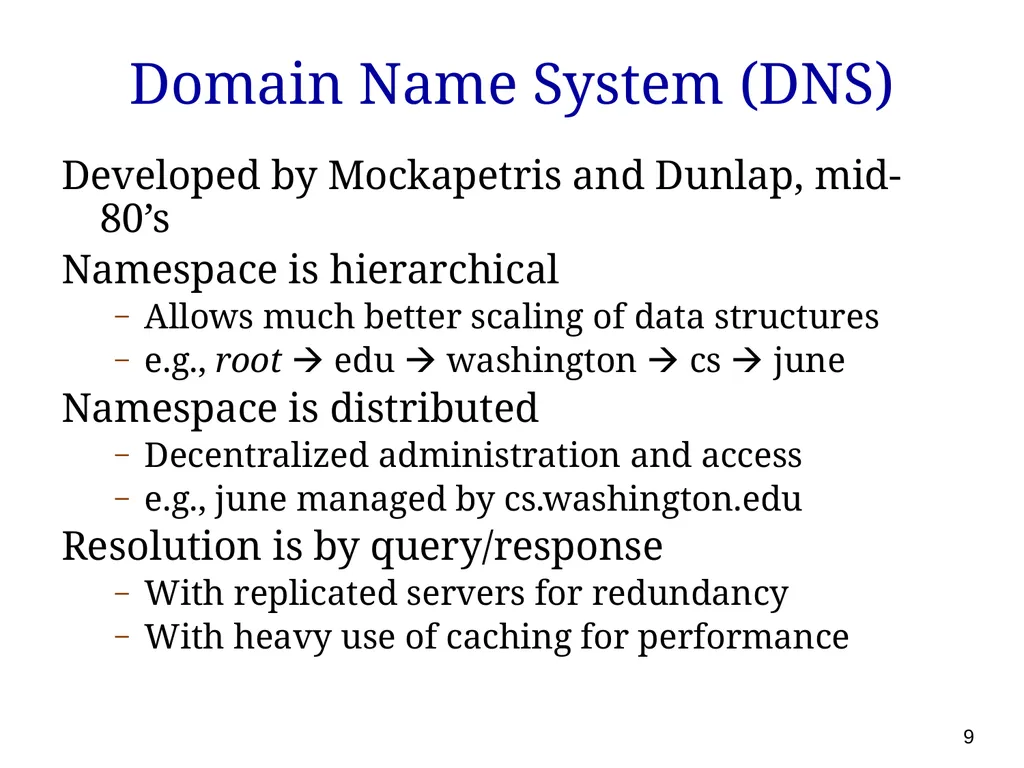
Domain Name System (DNS) Developed by Mockapetris and Dunlap, mid-80’s
Namespace is hierarchical
Allows much better scaling of data structures
e.g., root edu washington cs june
Namespace is distributed
Decentralized administration and access
e.g., june managed by cs.washington.edu
Resolution is by query/response
With replicated servers for redundancy
With heavy use of caching for performance 9<br>
Namespace is hierarchical
Allows much better scaling of data structures
e.g., root edu washington cs june
Namespace is distributed
Decentralized administration and access
e.g., june managed by cs.washington.edu
Resolution is by query/response
With replicated servers for redundancy
With heavy use of caching for performance 9<br>
10
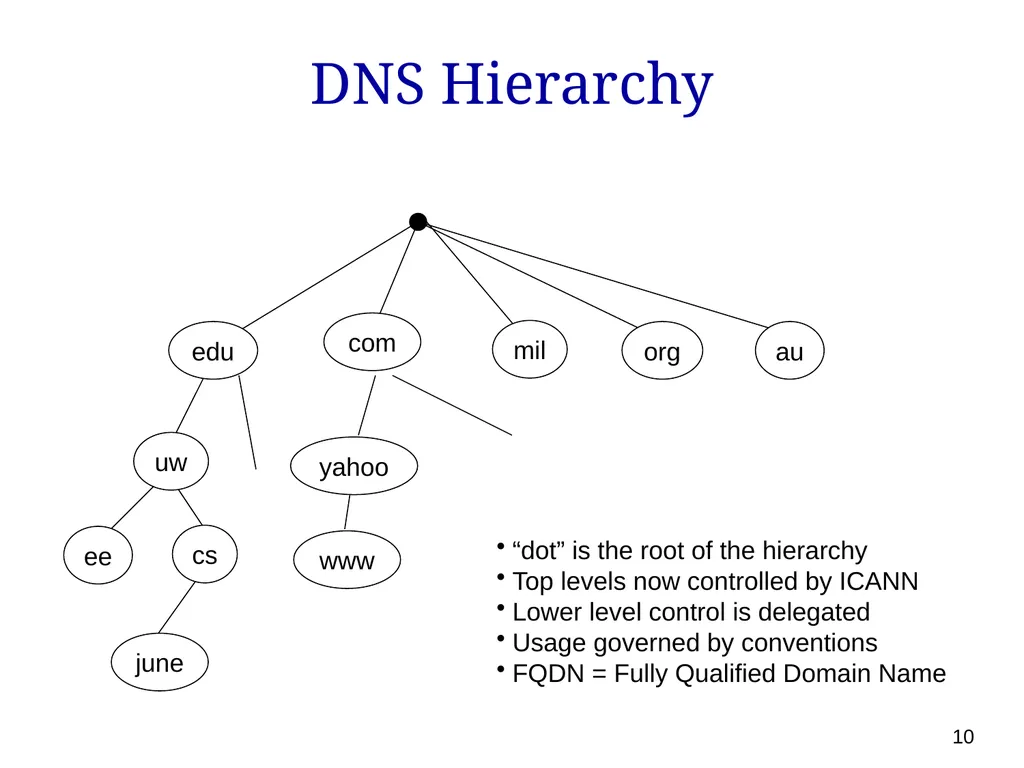
DNS Hierarchy edu cs uw au org mil com ee “dot” is the root of the hierarchy
Top levels now controlled by ICANN
Lower level control is delegated
Usage governed by conventions
FQDN = Fully Qualified Domain Name yahoo 10 june www<br>
Top levels now controlled by ICANN
Lower level control is delegated
Usage governed by conventions
FQDN = Fully Qualified Domain Name yahoo 10 june www<br>
11
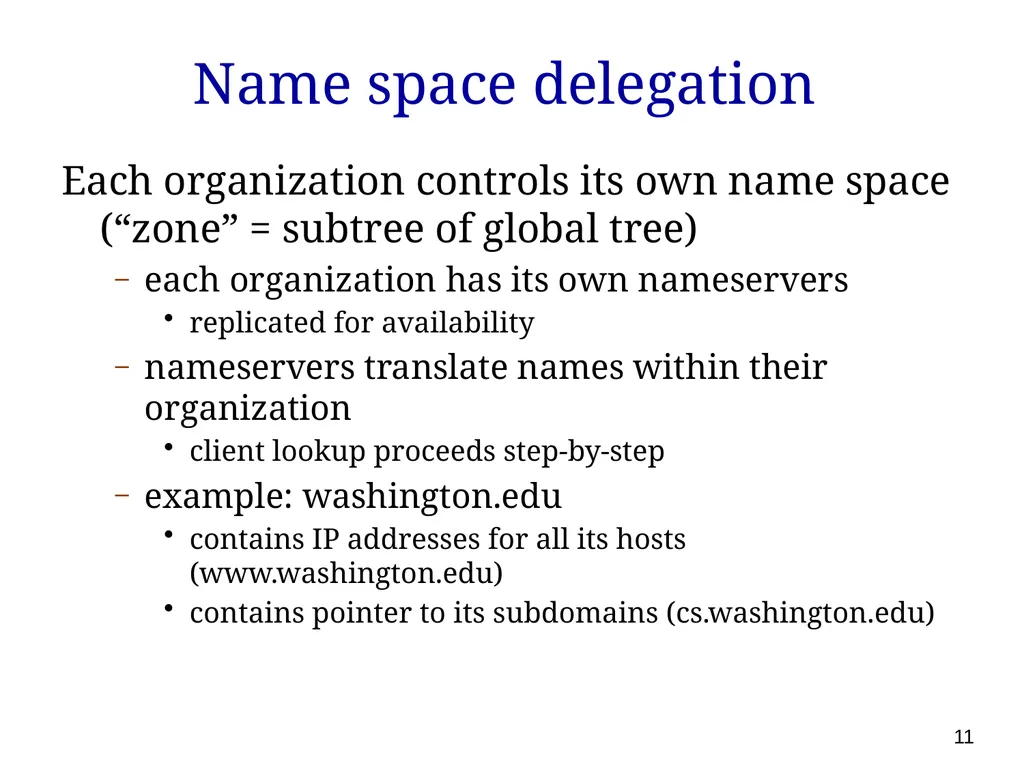
Name space delegation Each organization controls its own name space (“zone” = subtree of global tree)
each organization has its own nameservers
replicated for availability
nameservers translate names within their organization
client lookup proceeds step-by-step
example: washington.edu
contains IP addresses for all its hosts (www.washington.edu)
contains pointer to its subdomains (cs.washington.edu) 11<br>
each organization has its own nameservers
replicated for availability
nameservers translate names within their organization
client lookup proceeds step-by-step
example: washington.edu
contains IP addresses for all its hosts (www.washington.edu)
contains pointer to its subdomains (cs.washington.edu) 11<br>
12
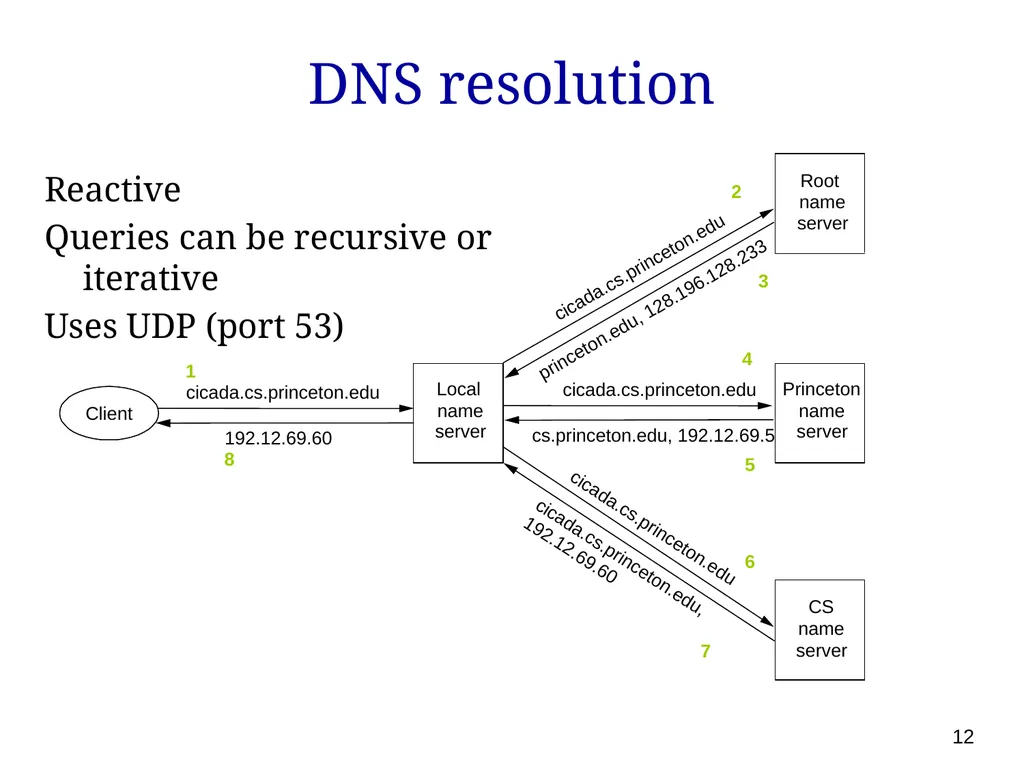
DNS resolution Reactive
Queries can be recursive or iterative
Uses UDP (port 53) Root name server Princeton name server CS name server Local name server Client 1 cicada.cs.princeton.edu 192.12.69.60 8 cicada.cs.princeton.edu princeton.edu, 128.196.128.233 cicada.cs.princeton.edu cicada.cs.princeton.edu, 192.12.69.60 cicada.cs.princeton.edu cs.princeton.edu, 192.12.69.5 2 3 4 5 6 7 12<br>
Queries can be recursive or iterative
Uses UDP (port 53) Root name server Princeton name server CS name server Local name server Client 1 cicada.cs.princeton.edu 192.12.69.60 8 cicada.cs.princeton.edu princeton.edu, 128.196.128.233 cicada.cs.princeton.edu cicada.cs.princeton.edu, 192.12.69.60 cicada.cs.princeton.edu cs.princeton.edu, 192.12.69.5 2 3 4 5 6 7 12<br>
13
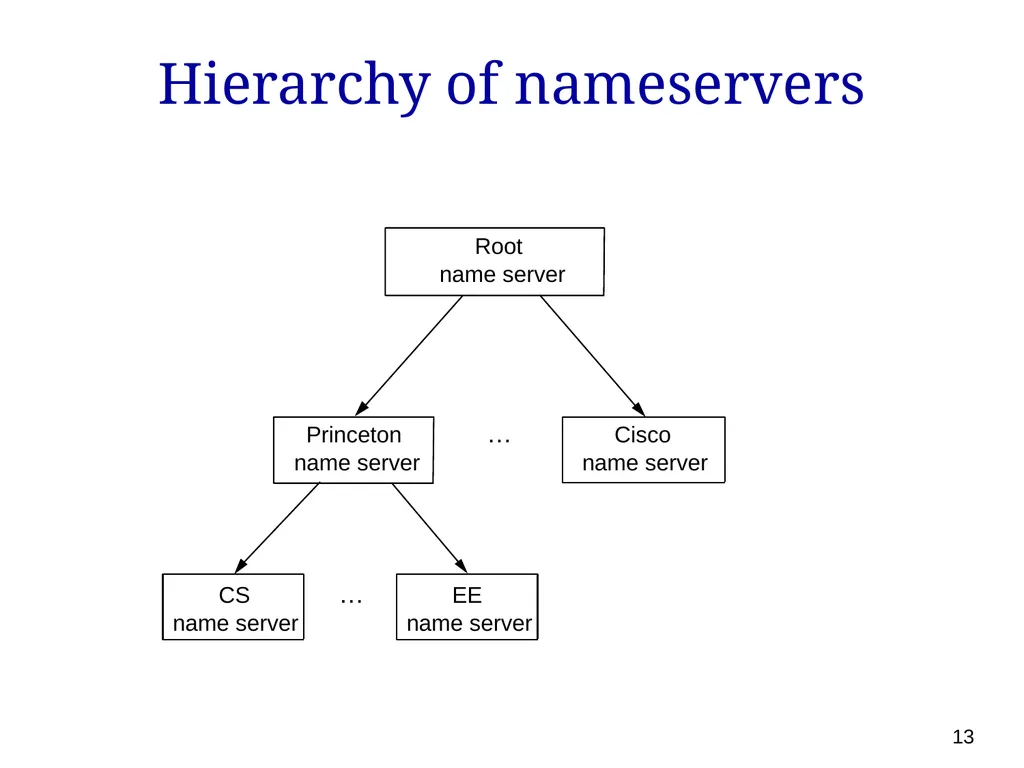
Hierarchy of nameservers Root name server Princeton name server Cisco name server CS name server EE name server … … 13<br>
14
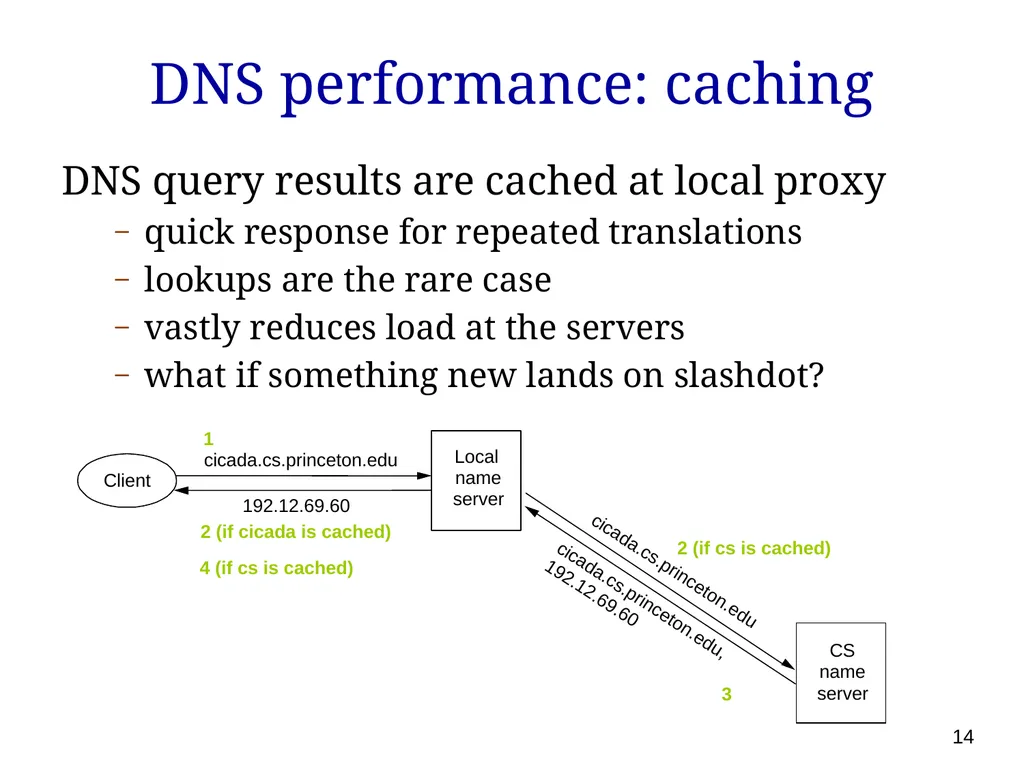
DNS performance: caching DNS query results are cached at local proxy
quick response for repeated translations
lookups are the rare case
vastly reduces load at the servers
what if something new lands on slashdot? Local name server Client 1 cicada.cs.princeton.edu 192.12.69.60 2 (if cicada is cached) CS name server cicada.cs.princeton.edu cicada.cs.princeton.edu, 192.12.69.60 2 (if cs is cached) 3 4 (if cs is cached) 14<br>
quick response for repeated translations
lookups are the rare case
vastly reduces load at the servers
what if something new lands on slashdot? Local name server Client 1 cicada.cs.princeton.edu 192.12.69.60 2 (if cicada is cached) CS name server cicada.cs.princeton.edu cicada.cs.princeton.edu, 192.12.69.60 2 (if cs is cached) 3 4 (if cs is cached) 14<br>
15
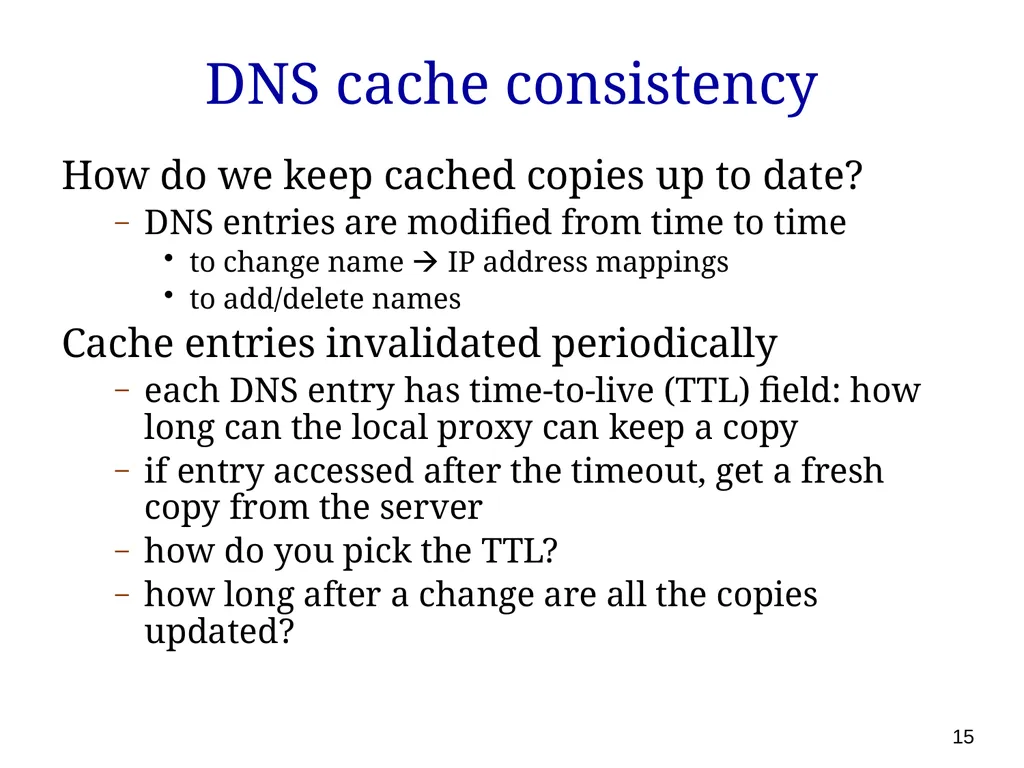
DNS cache consistency How do we keep cached copies up to date?
DNS entries are modified from time to time
to change name IP address mappings
to add/delete names
Cache entries invalidated periodically
each DNS entry has time-to-live (TTL) field: how long can the local proxy can keep a copy
if entry accessed after the timeout, get a fresh copy from the server
how do you pick the TTL?
how long after a change are all the copies updated? 15<br>
DNS entries are modified from time to time
to change name IP address mappings
to add/delete names
Cache entries invalidated periodically
each DNS entry has time-to-live (TTL) field: how long can the local proxy can keep a copy
if entry accessed after the timeout, get a fresh copy from the server
how do you pick the TTL?
how long after a change are all the copies updated? 15<br>
16
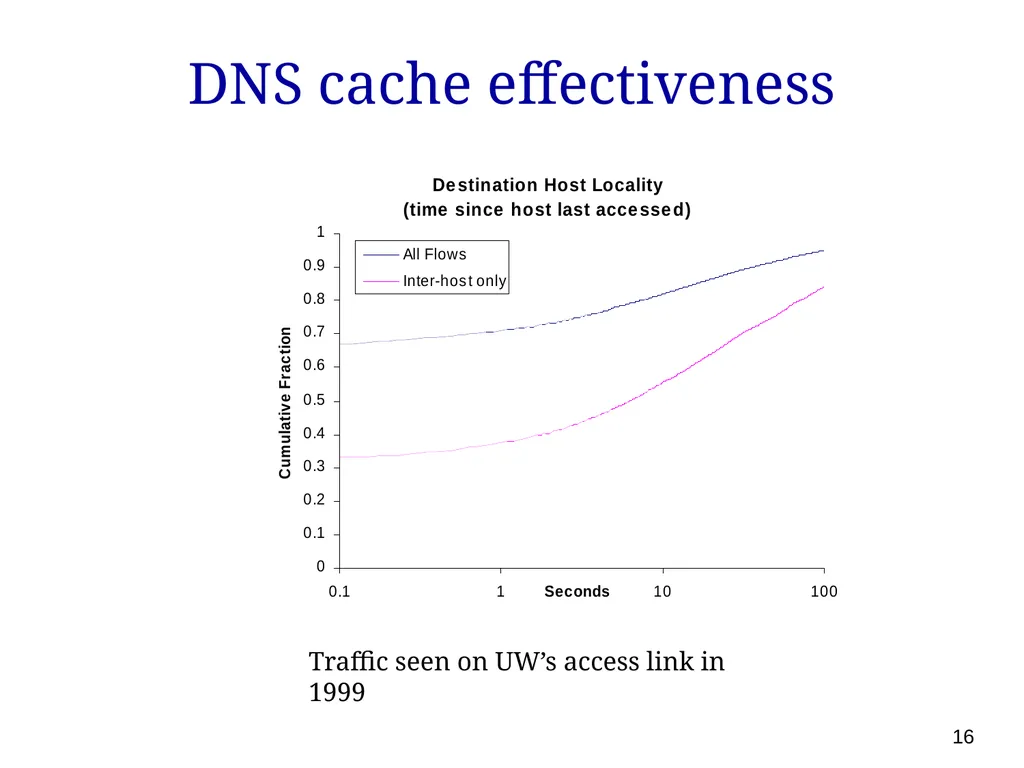
DNS cache effectiveness 16 Traffic seen on UW’s access link in 1999<br>
17
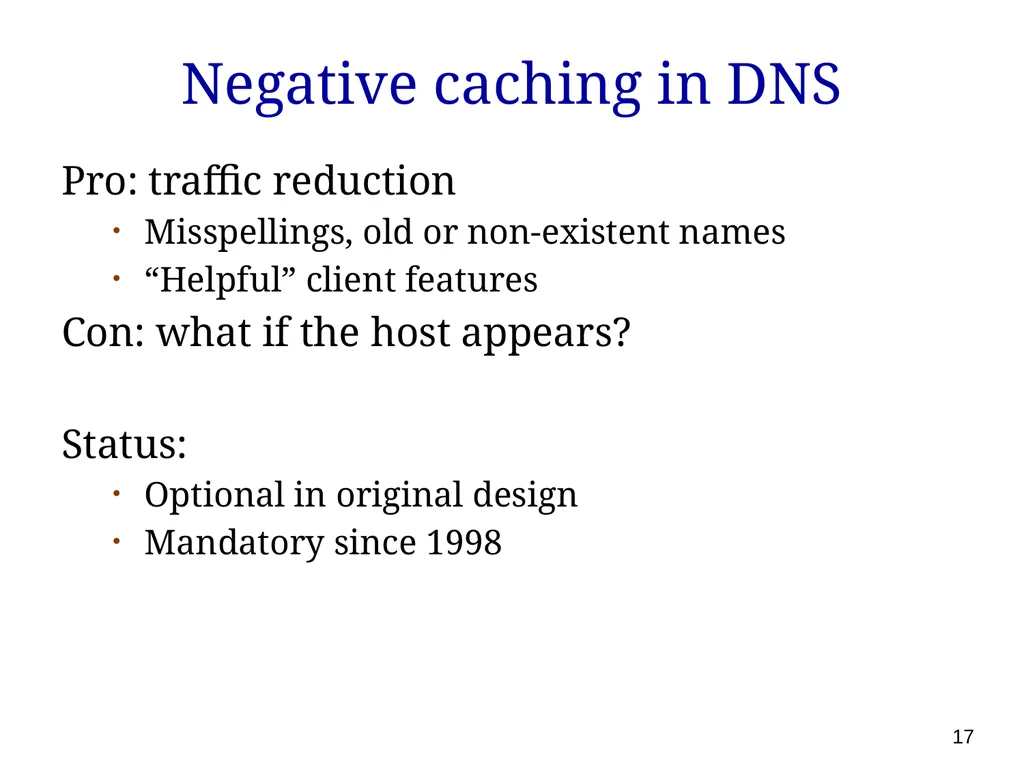
Negative caching in DNS Pro: traffic reduction
Misspellings, old or non-existent names
“Helpful” client features
Con: what if the host appears?
Status:
Optional in original design
Mandatory since 1998 17<br>
Misspellings, old or non-existent names
“Helpful” client features
Con: what if the host appears?
Status:
Optional in original design
Mandatory since 1998 17<br>
18
DNS traffic in the wide-area 18<br>
19
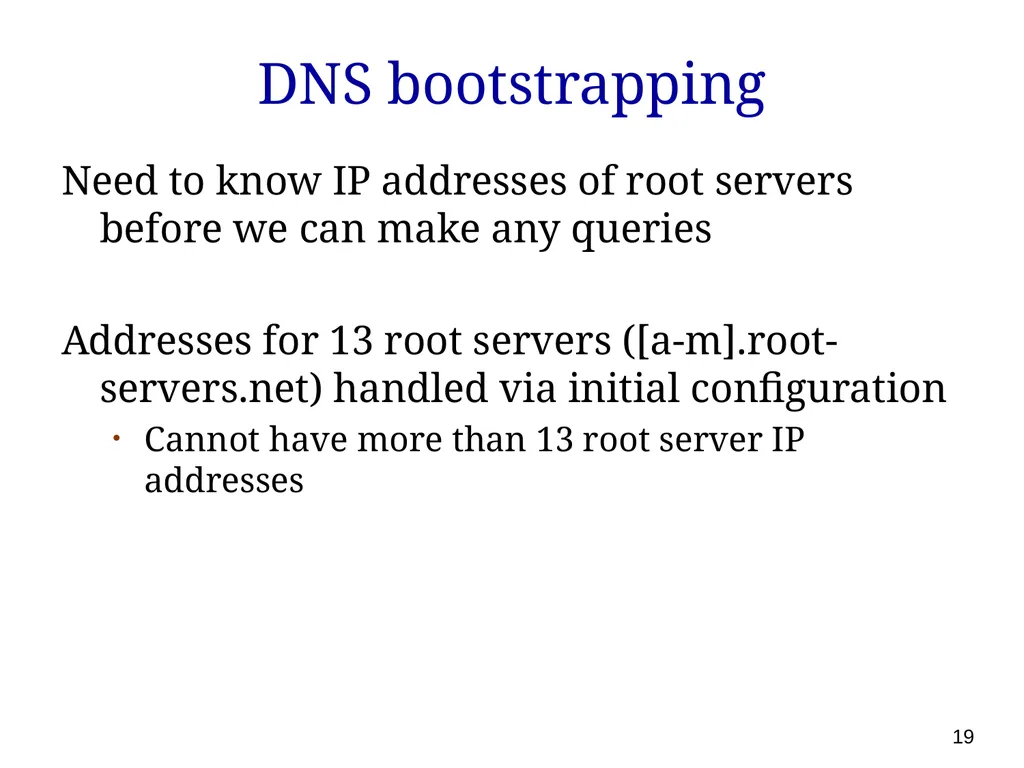
DNS bootstrapping Need to know IP addresses of root servers before we can make any queries
Addresses for 13 root servers ([a-m].root-servers.net) handled via initial configuration
Cannot have more than 13 root server IP addresses 19<br>
Addresses for 13 root servers ([a-m].root-servers.net) handled via initial configuration
Cannot have more than 13 root server IP addresses 19<br>
20
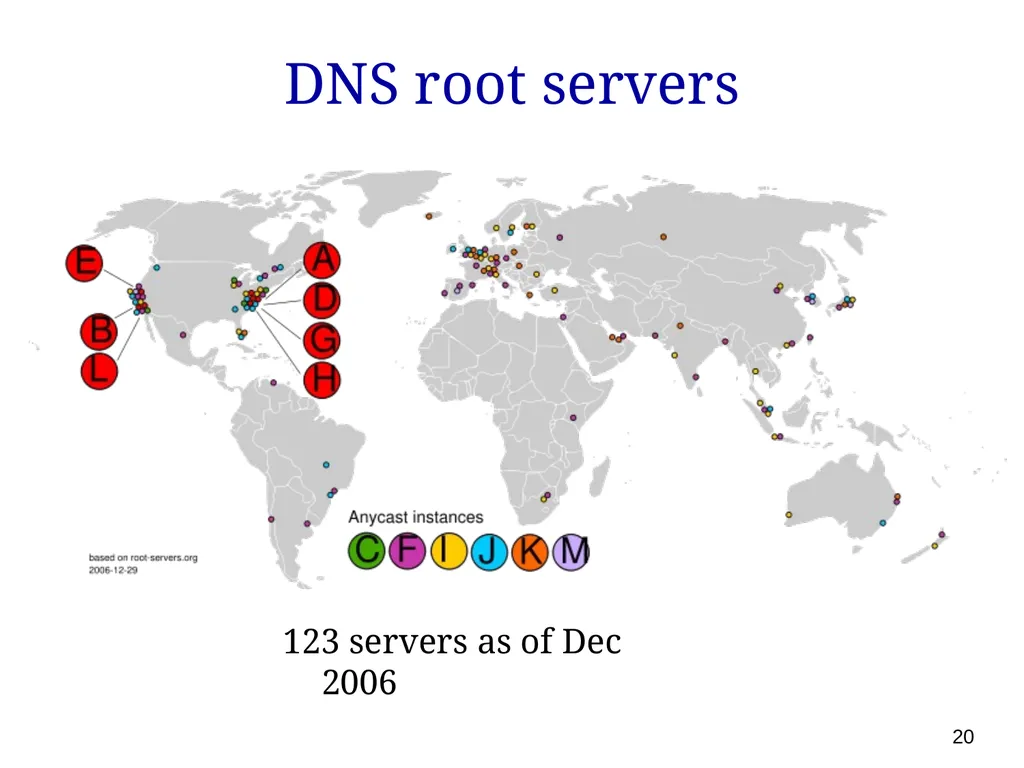
DNS root servers 20 123 servers as of Dec 2006<br>
21
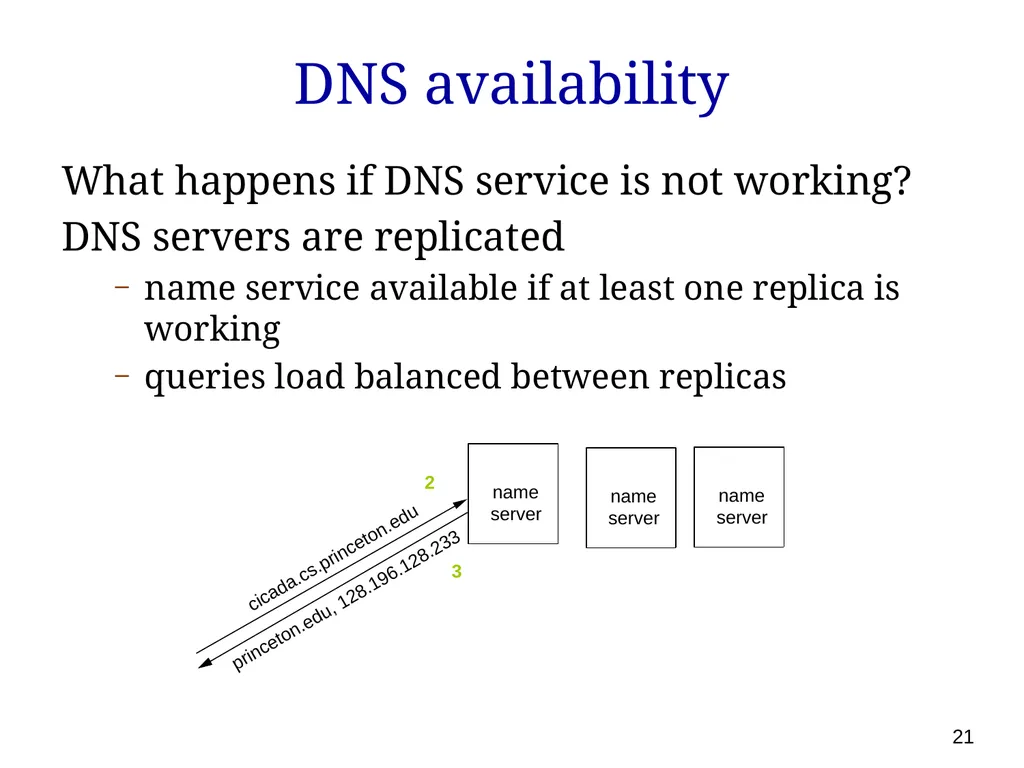
DNS availability What happens if DNS service is not working?
DNS servers are replicated
name service available if at least one replica is working
queries load balanced between replicas name server cicada.cs.princeton.edu princeton.edu, 128.196.128.233 2 3 name server name server 21<br>
DNS servers are replicated
name service available if at least one replica is working
queries load balanced between replicas name server cicada.cs.princeton.edu princeton.edu, 128.196.128.233 2 3 name server name server 21<br>
22
Building on the DNS Email: ratul@microsoft.com
DNS record for ratul in the domain microsoft.com, specifying where to deliver the email
Uniform Resource Locator (URL) names for Web pages
e.g., www.cs.washington.edu/homes/ratul
Use domain name to identify a Web server
Use “/” separated string for file name (or script) on the server 22<br>
DNS record for ratul in the domain microsoft.com, specifying where to deliver the email
Uniform Resource Locator (URL) names for Web pages
e.g., www.cs.washington.edu/homes/ratul
Use domain name to identify a Web server
Use “/” separated string for file name (or script) on the server 22<br>
23
DNS evolution Static host to IP mapping
What about mobility (Mobile IP) and dynamic address assignment (DHCP)?
Dynamic DNS
Location-insensitive queries
Many servers are geographically replicated
E.g., Yahoo.com doesn’t refer to a single machine or even a single location; want closest server
Next week
Security (DNSSec)
Internationalization 23<br>
What about mobility (Mobile IP) and dynamic address assignment (DHCP)?
Dynamic DNS
Location-insensitive queries
Many servers are geographically replicated
E.g., Yahoo.com doesn’t refer to a single machine or even a single location; want closest server
Next week
Security (DNSSec)
Internationalization 23<br>
24
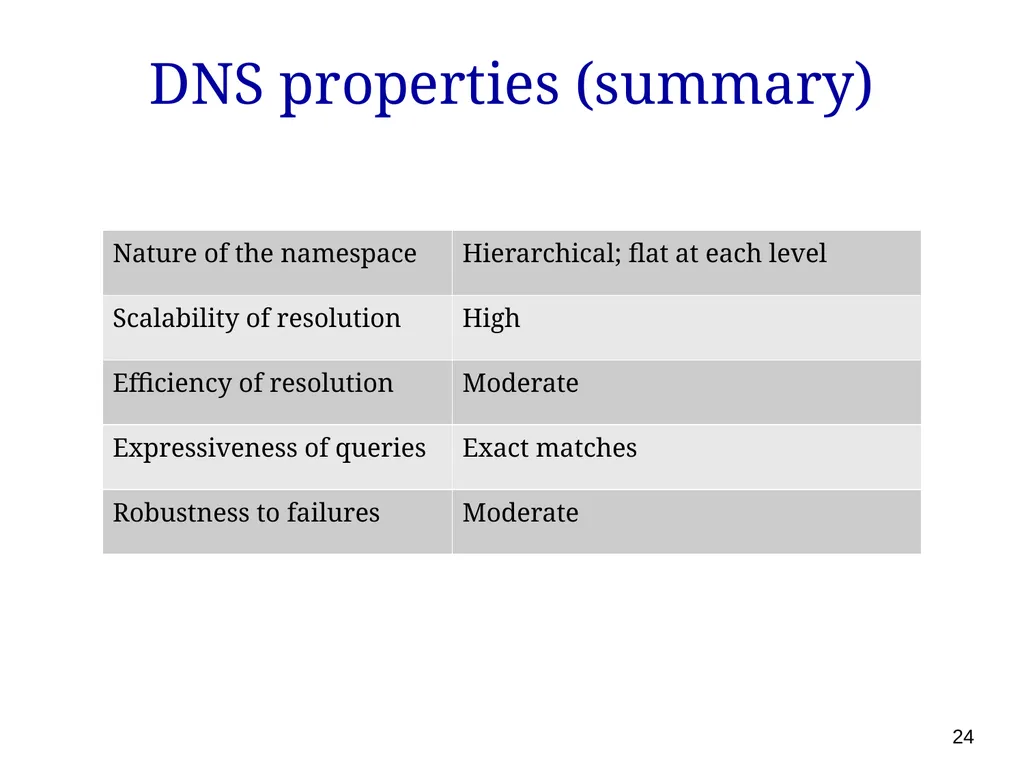
DNS properties (summary) 24<br>
25
Peer-to-peer content sharing Want to share content among large number of users; each serves a subset of files
need to locate which user has which files
Question: Would DNS be a good solution for this? 25<br>
need to locate which user has which files
Question: Would DNS be a good solution for this? 25<br>
26
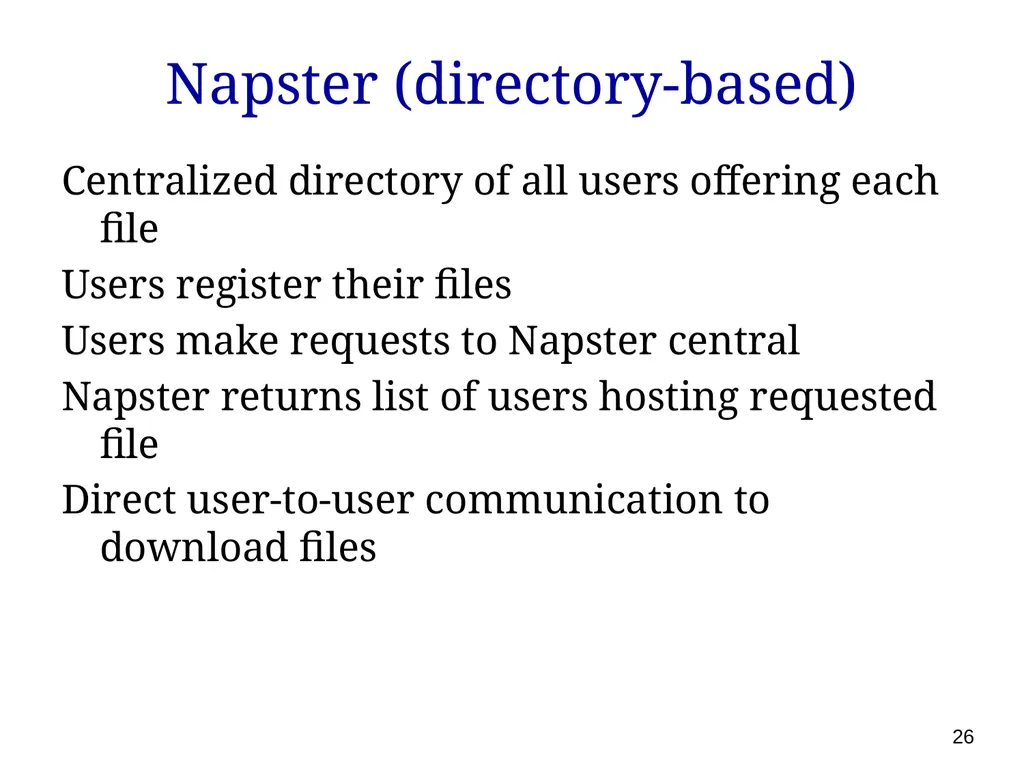
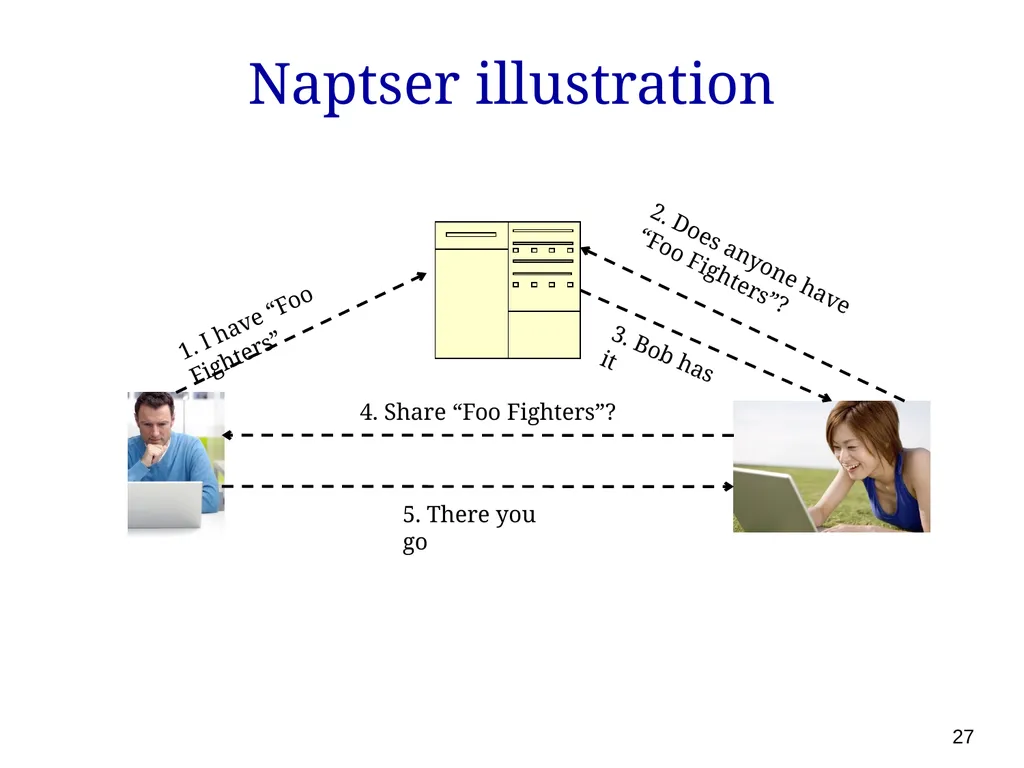
Napster (directory-based) Centralized directory of all users offering each file
Users register their files
Users make requests to Napster central
Napster returns list of users hosting requested file
Direct user-to-user communication to download files 26<br>
Users register their files
Users make requests to Napster central
Napster returns list of users hosting requested file
Direct user-to-user communication to download files 26<br>
27
Naptser illustration 1. I have “Foo Fighters” 2. Does anyone have “Foo Fighters”? 3. Bob has it 4. Share “Foo Fighters”? 5. There you go 27<br>
28
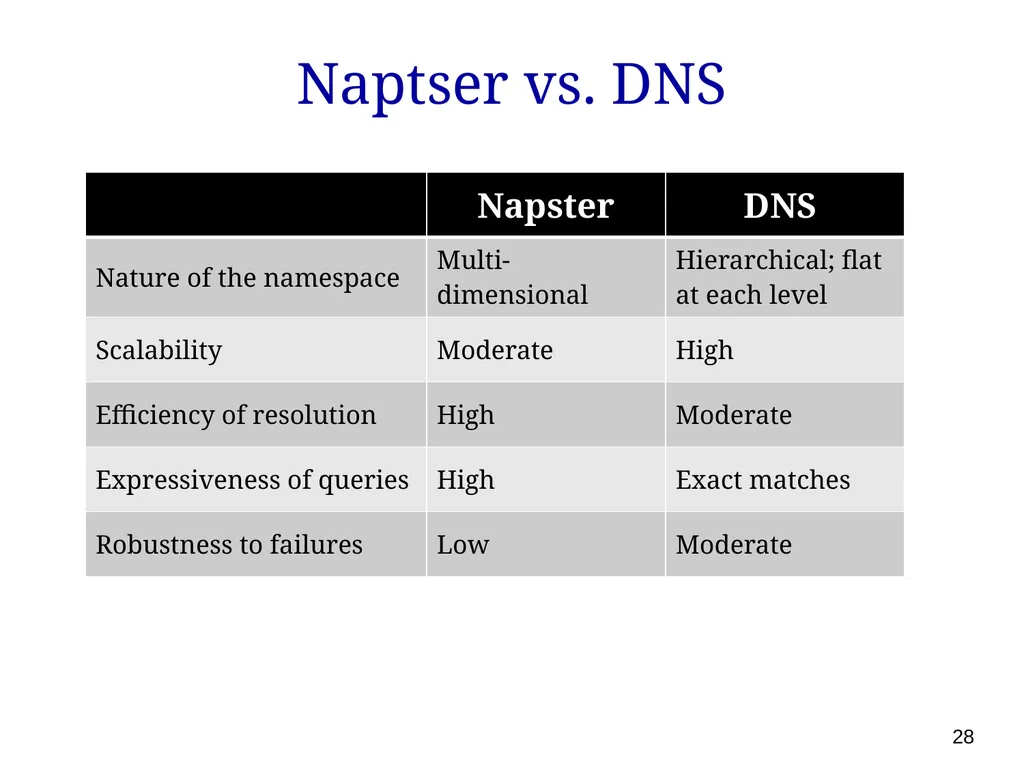
Naptser vs. DNS 28<br>
29
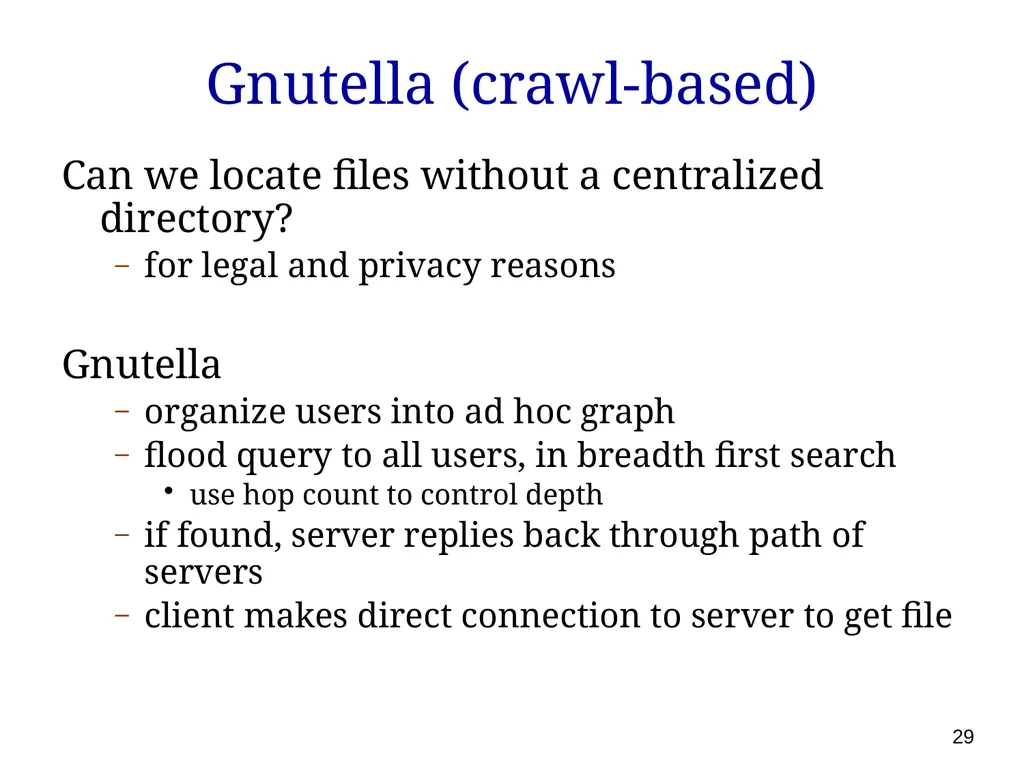
Gnutella (crawl-based) Can we locate files without a centralized directory?
for legal and privacy reasons
Gnutella
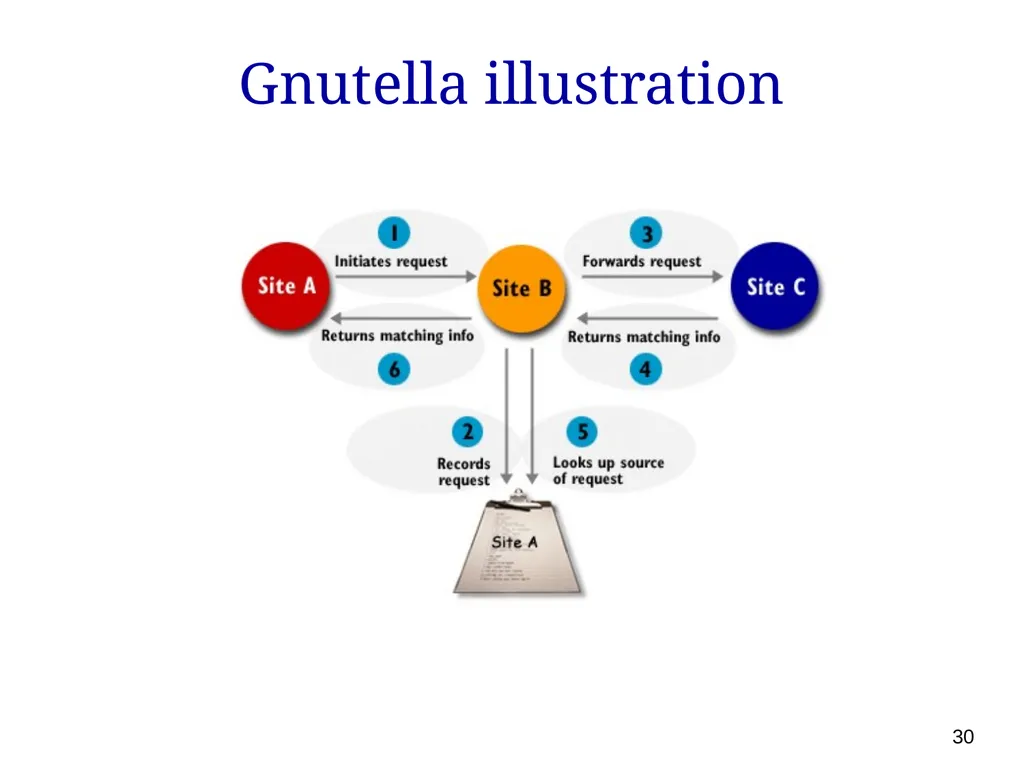
organize users into ad hoc graph
flood query to all users, in breadth first search
use hop count to control depth
if found, server replies back through path of servers
client makes direct connection to server to get file 29<br>
for legal and privacy reasons
Gnutella
organize users into ad hoc graph
flood query to all users, in breadth first search
use hop count to control depth
if found, server replies back through path of servers
client makes direct connection to server to get file 29<br>
30
Gnutella illustration 30<br>
31
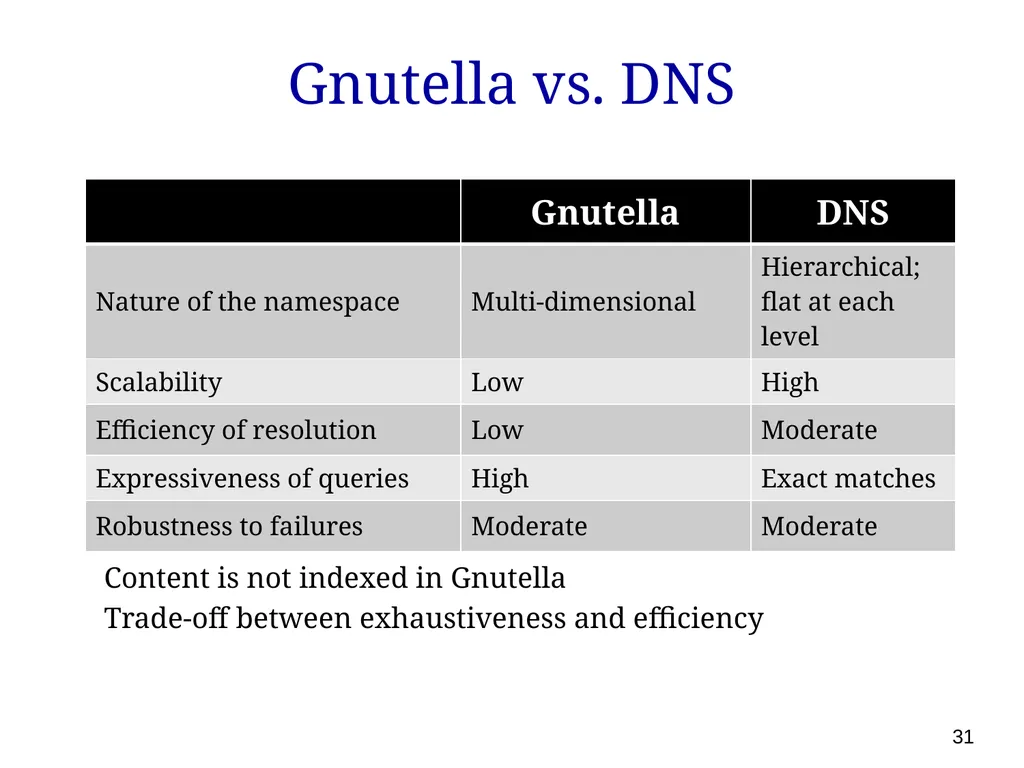
Gnutella vs. DNS Content is not indexed in Gnutella
Trade-off between exhaustiveness and efficiency 31<br>
Trade-off between exhaustiveness and efficiency 31<br>
32
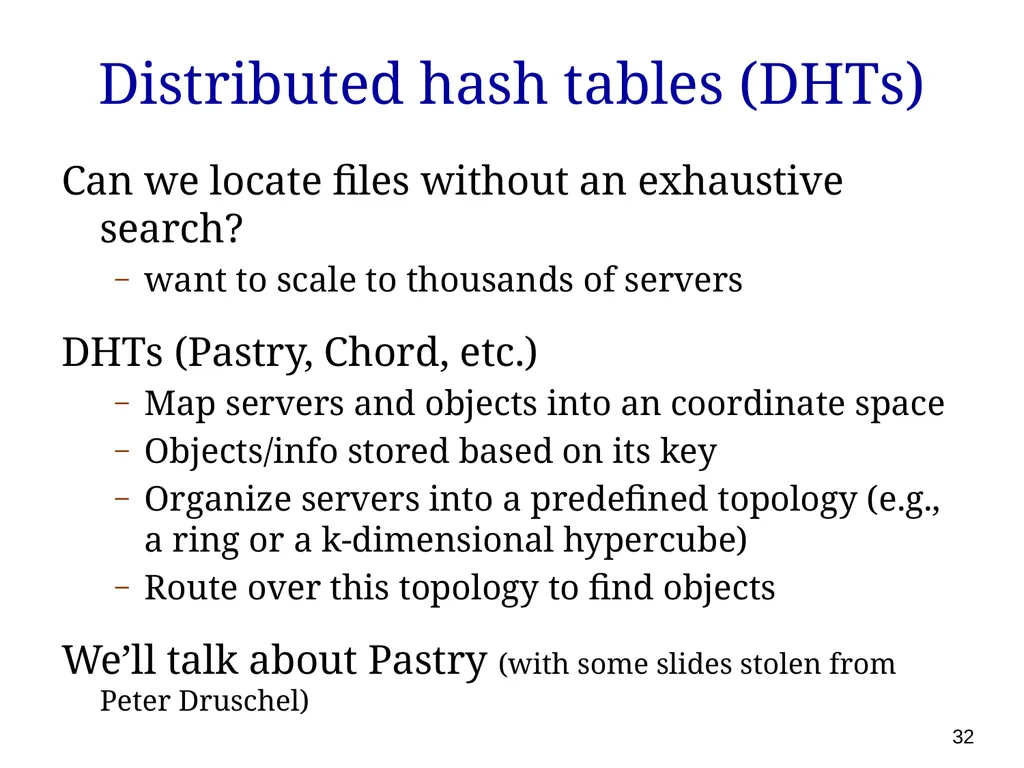
Distributed hash tables (DHTs) Can we locate files without an exhaustive search?
want to scale to thousands of servers
DHTs (Pastry, Chord, etc.)
Map servers and objects into an coordinate space
Objects/info stored based on its key
Organize servers into a predefined topology (e.g., a ring or a k-dimensional hypercube)
Route over this topology to find objects
We’ll talk about Pastry (with some slides stolen from Peter Druschel) 32<br>
want to scale to thousands of servers
DHTs (Pastry, Chord, etc.)
Map servers and objects into an coordinate space
Objects/info stored based on its key
Organize servers into a predefined topology (e.g., a ring or a k-dimensional hypercube)
Route over this topology to find objects
We’ll talk about Pastry (with some slides stolen from Peter Druschel) 32<br>
33
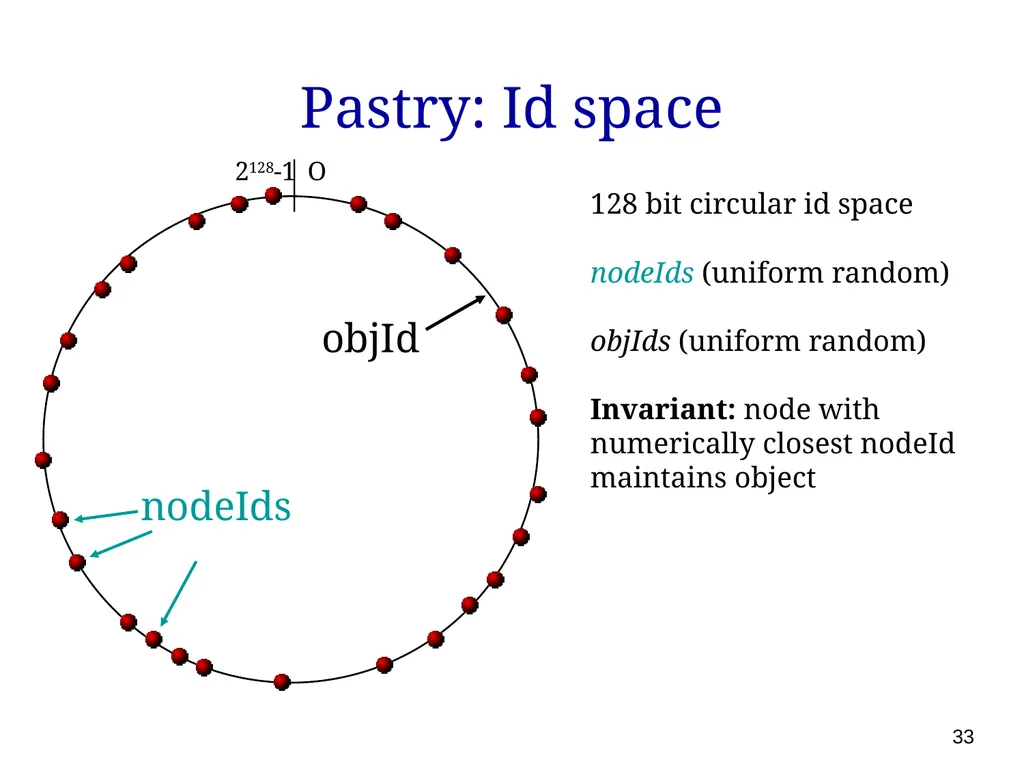
Pastry: Id space objId 128 bit circular id space
nodeIds (uniform random)
objIds (uniform random)
Invariant: node with numerically closest nodeId maintains object nodeIds O 2128-1 33<br>
nodeIds (uniform random)
objIds (uniform random)
Invariant: node with numerically closest nodeId maintains object nodeIds O 2128-1 33<br>
34
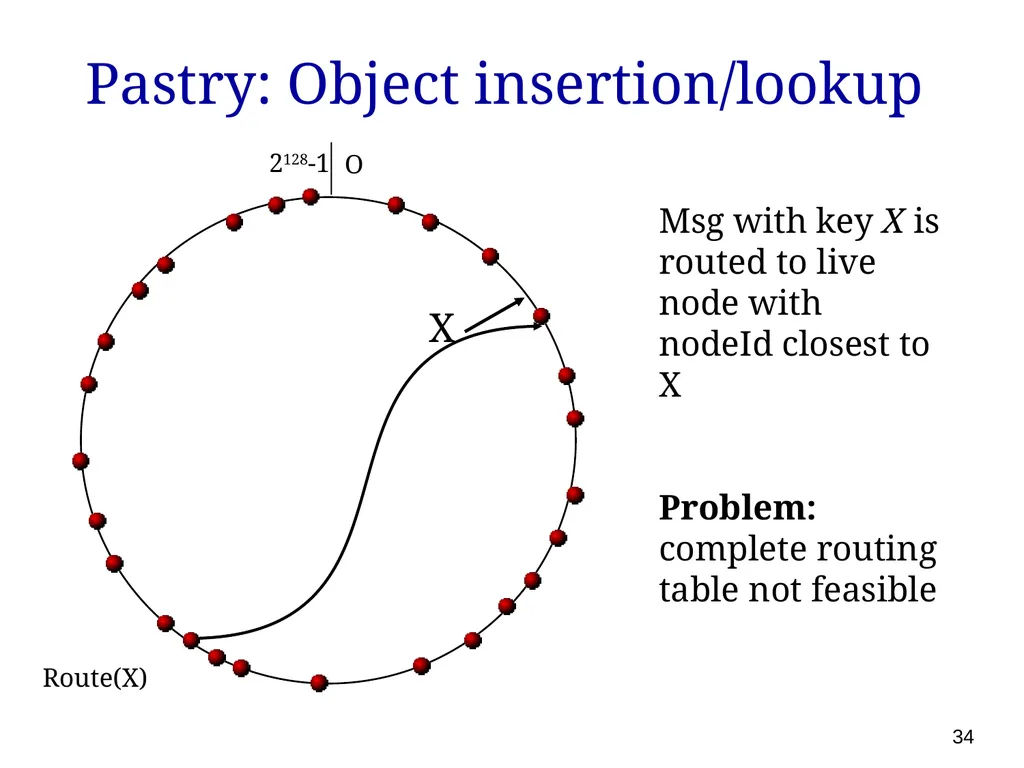
Pastry: Object insertion/lookup X Route(X) Msg with key X is routed to live node with nodeId closest to X
Problem: complete routing table not feasible O 2128-1 34<br>
Problem: complete routing table not feasible O 2128-1 34<br>
35
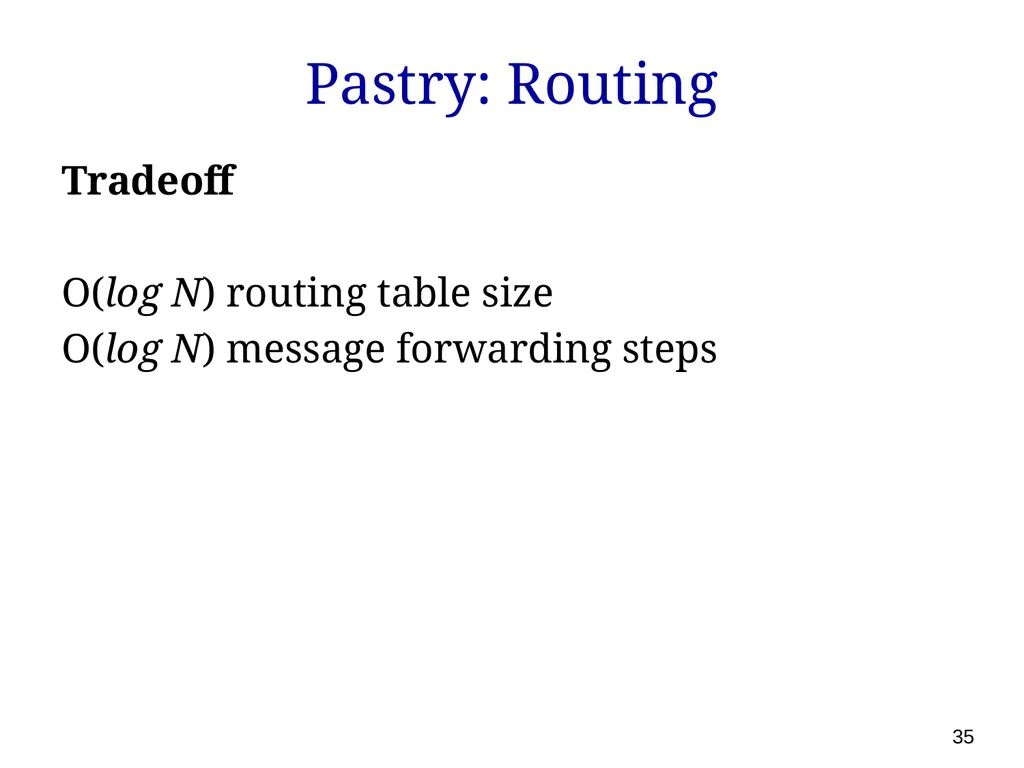
Pastry: Routing Tradeoff
O(log N) routing table size
O(log N) message forwarding steps 35<br>
O(log N) routing table size
O(log N) message forwarding steps 35<br>
36
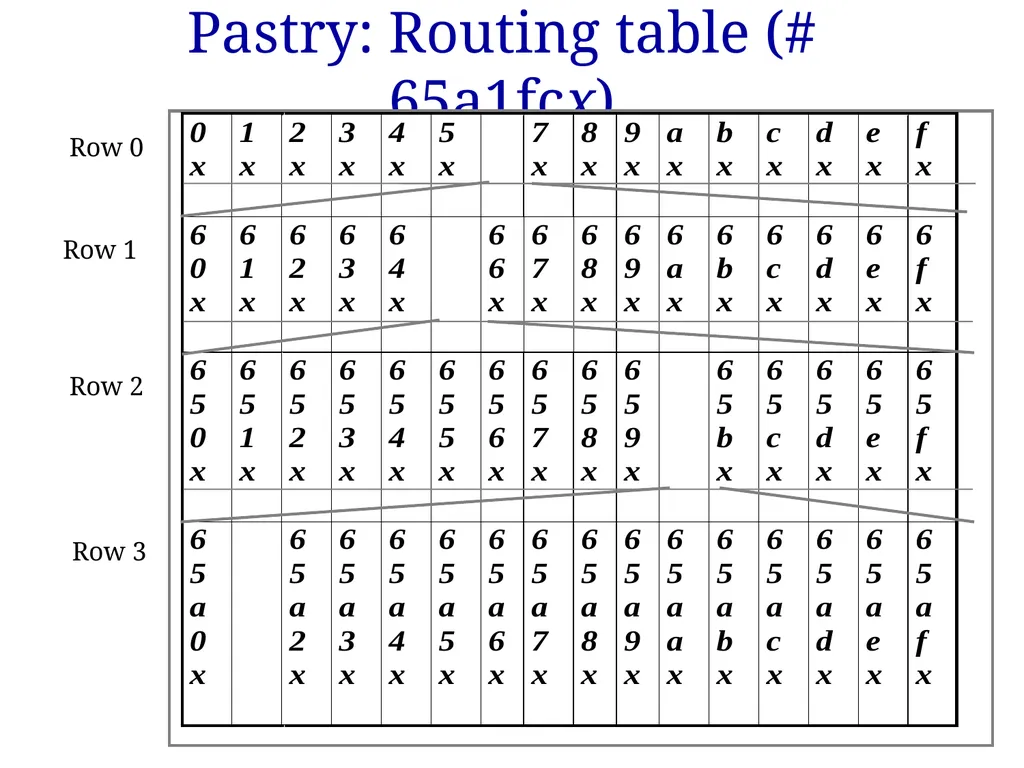
Pastry: Routing table (# 65a1fcx) Row 0 Row 1 Row 2 Row 3 36<br>
37
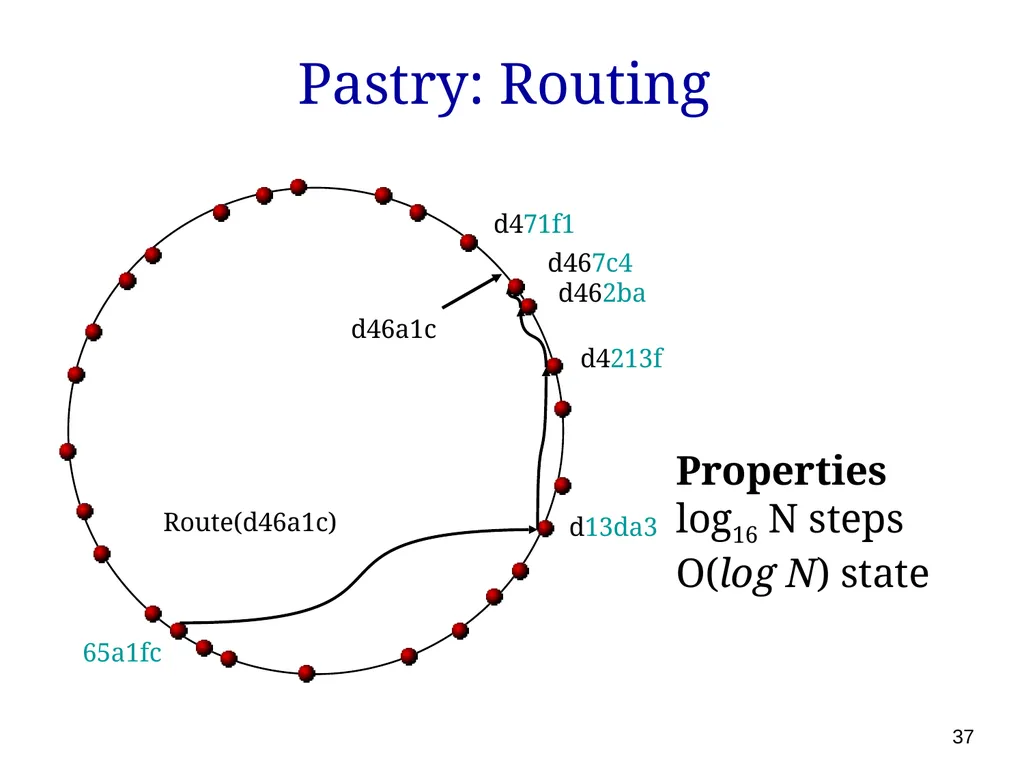
Pastry: Routing Properties
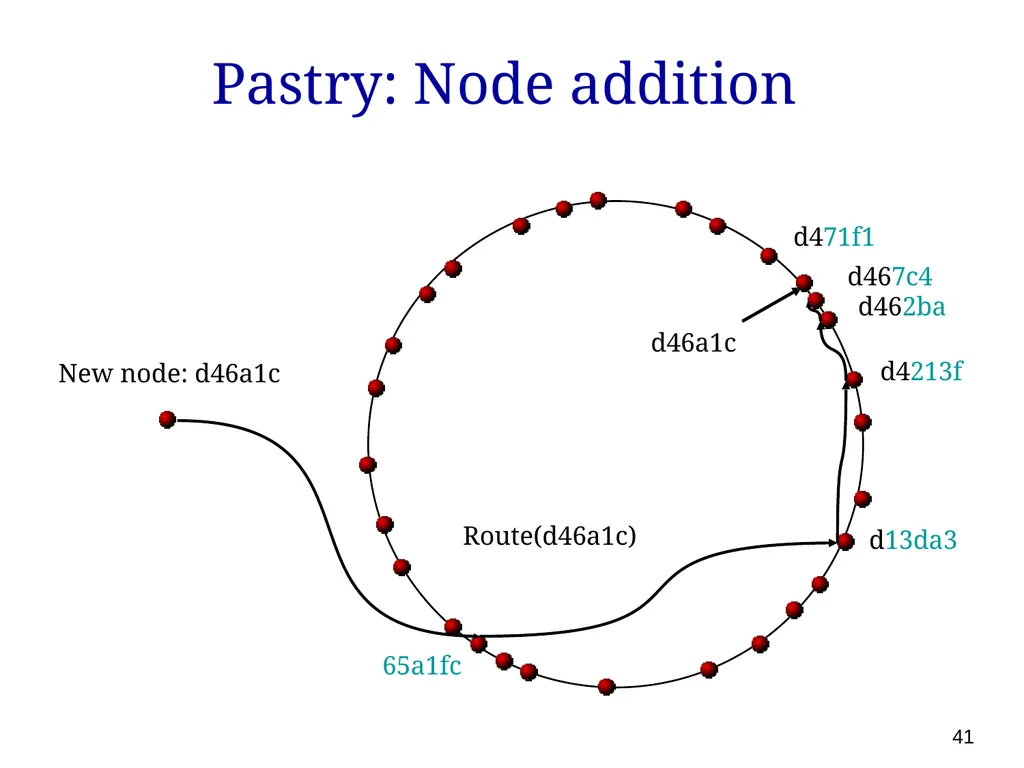
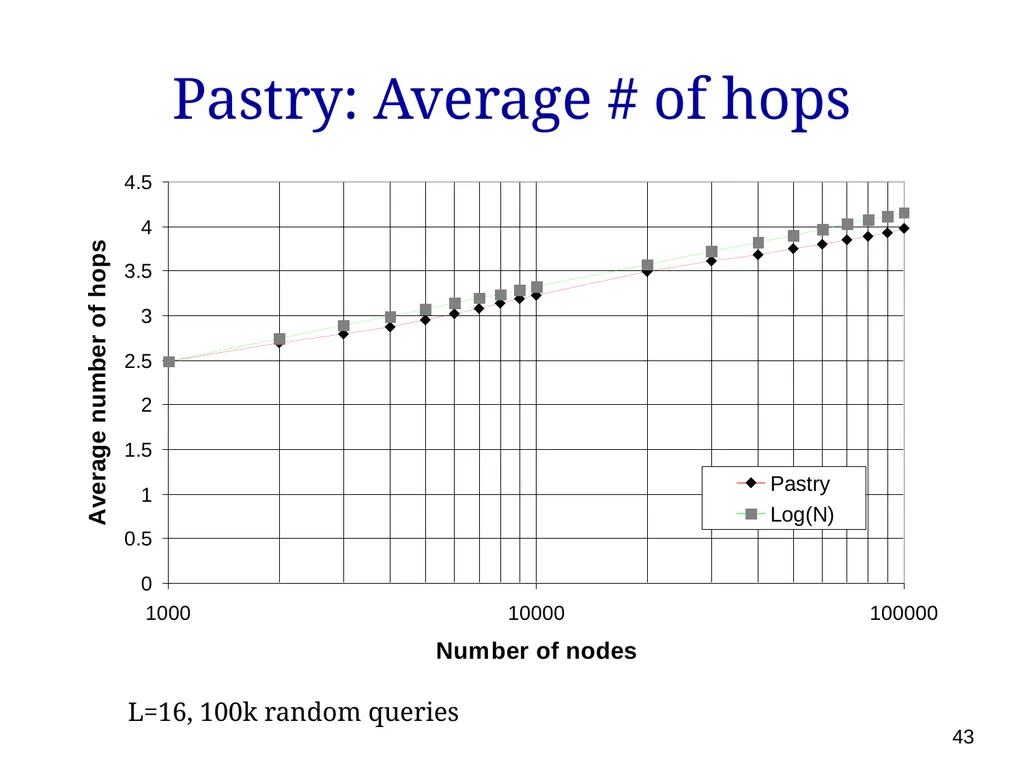
log16 N steps
O(log N) state d46a1c Route(d46a1c) d462ba d4213f d13da3 65a1fc d467c4 d471f1 37<br>
log16 N steps
O(log N) state d46a1c Route(d46a1c) d462ba d4213f d13da3 65a1fc d467c4 d471f1 37<br>
38
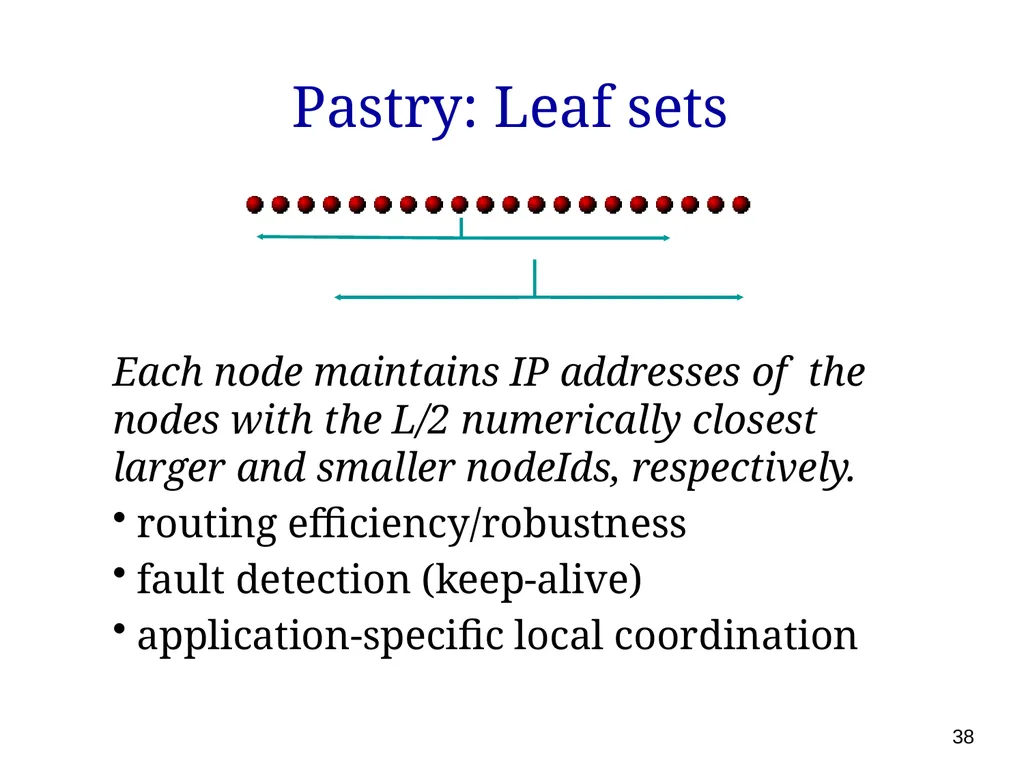
Pastry: Leaf sets Each node maintains IP addresses of the nodes with the L/2 numerically closest larger and smaller nodeIds, respectively.
routing efficiency/robustness
fault detection (keep-alive)
application-specific local coordination 38<br>
routing efficiency/robustness
fault detection (keep-alive)
application-specific local coordination 38<br>
39
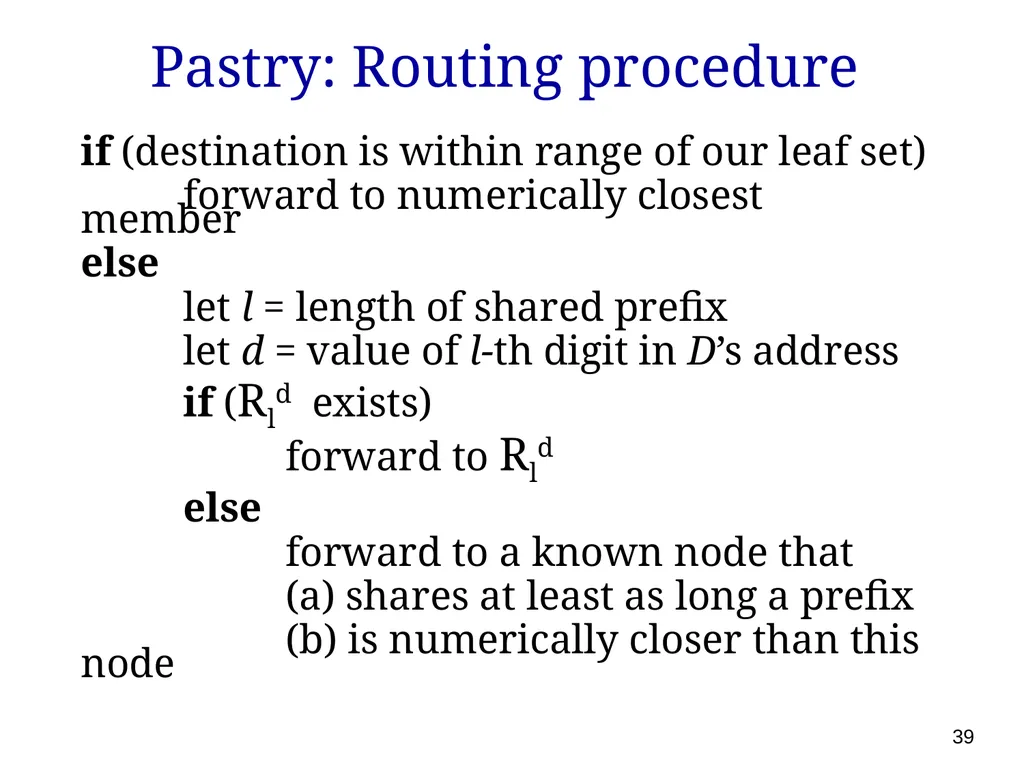
Pastry: Routing procedure if (destination is within range of our leaf set)
forward to numerically closest member
else
let l = length of shared prefix
let d = value of l-th digit in D’s address
if (Rld exists)
forward to Rld
else
forward to a known node that
(a) shares at least as long a prefix
(b) is numerically closer than this node 39<br>
forward to numerically closest member
else
let l = length of shared prefix
let d = value of l-th digit in D’s address
if (Rld exists)
forward to Rld
else
forward to a known node that
(a) shares at least as long a prefix
(b) is numerically closer than this node 39<br>
40
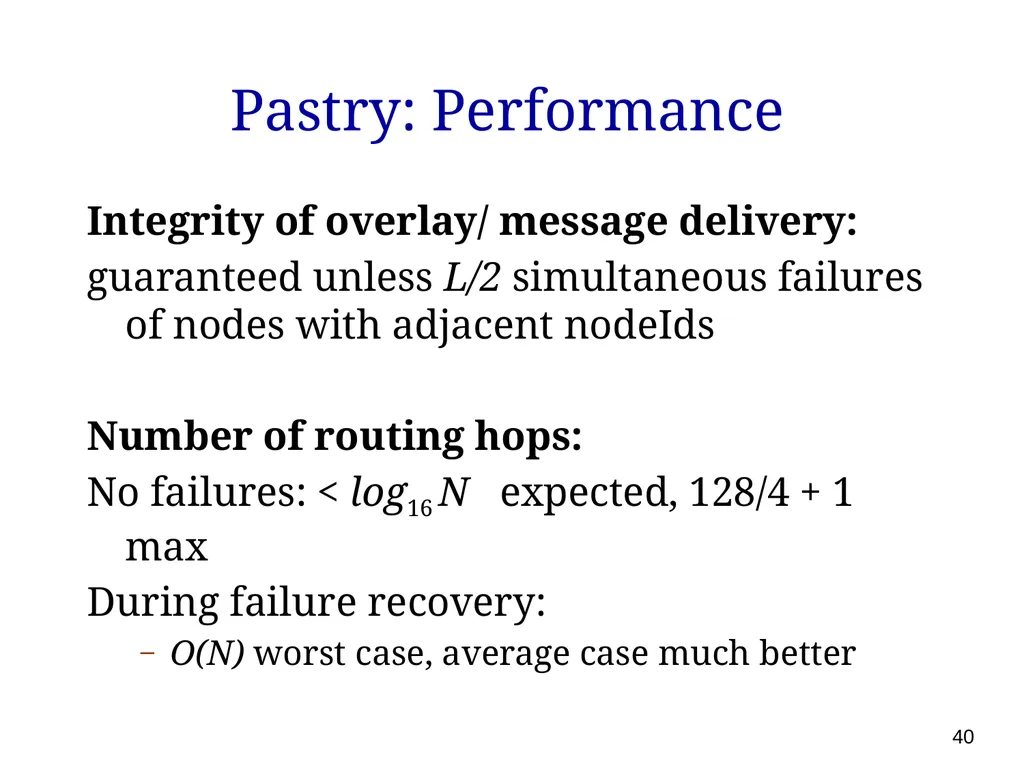
Pastry: Performance Integrity of overlay/ message delivery:
guaranteed unless L/2 simultaneous failures of nodes with adjacent nodeIds
Number of routing hops:
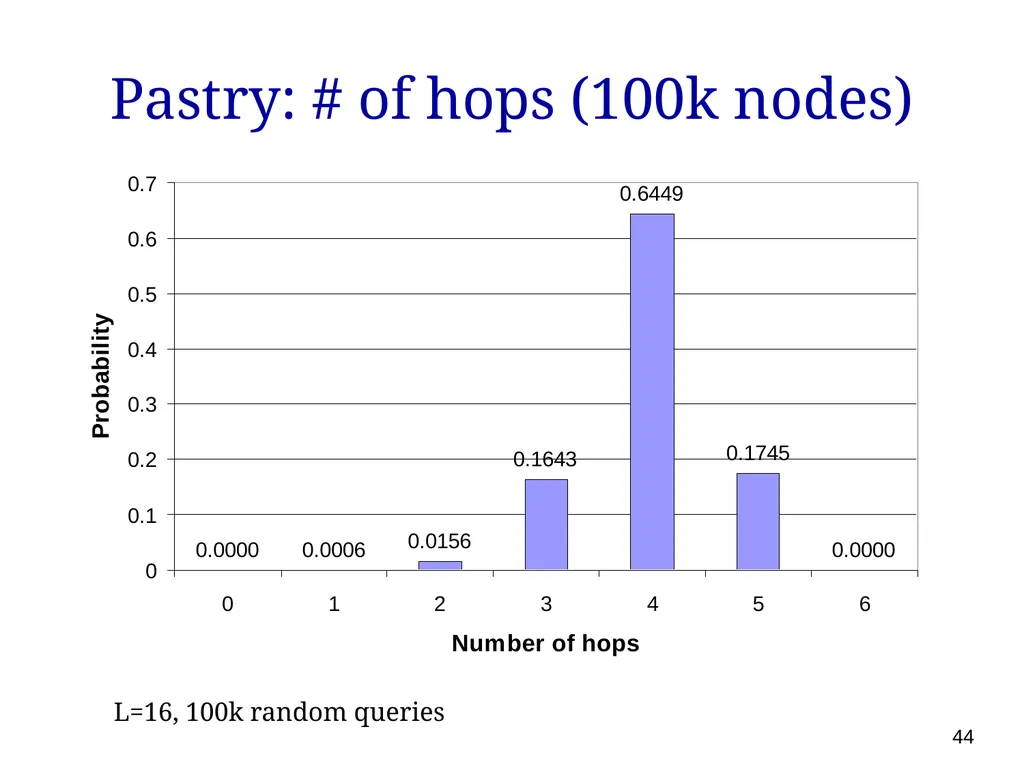
No failures: < log16 N expected, 128/4 + 1 max
During failure recovery:
O(N) worst case, average case much better 40<br>
guaranteed unless L/2 simultaneous failures of nodes with adjacent nodeIds
Number of routing hops:
No failures: < log16 N expected, 128/4 + 1 max
During failure recovery:
O(N) worst case, average case much better 40<br>
41
Pastry: Node addition d46a1c Route(d46a1c) d462ba d4213f d13da3 65a1fc d467c4 d471f1 New node: d46a1c 41<br>
42
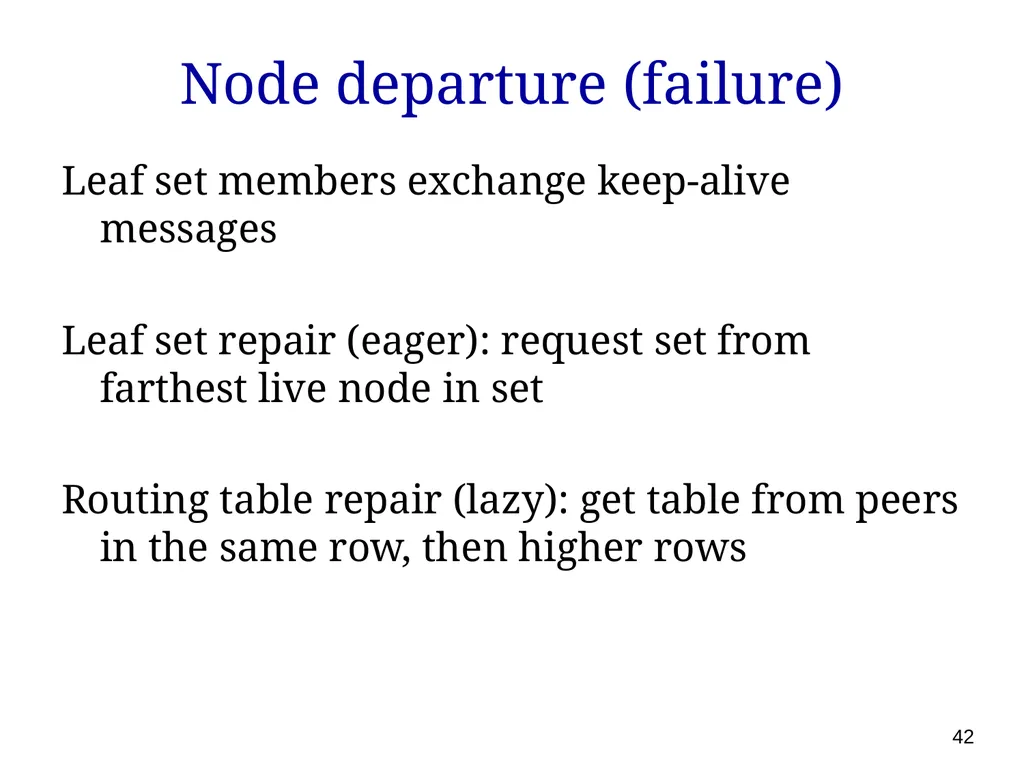
Node departure (failure) Leaf set members exchange keep-alive messages
Leaf set repair (eager): request set from farthest live node in set
Routing table repair (lazy): get table from peers in the same row, then higher rows 42<br>
Leaf set repair (eager): request set from farthest live node in set
Routing table repair (lazy): get table from peers in the same row, then higher rows 42<br>
43
Pastry: Average # of hops L=16, 100k random queries 43<br>
44
Pastry: # of hops (100k nodes) L=16, 100k random queries 44<br>
45
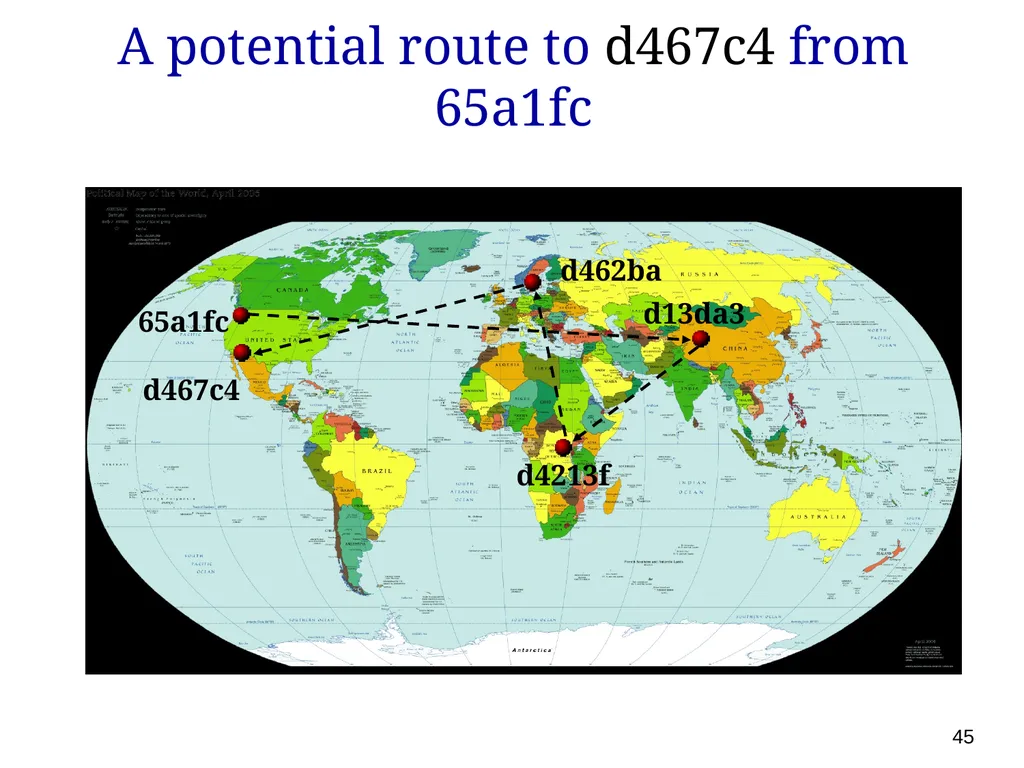
45 d462ba d4213f d467c4 65a1fc d13da3 A potential route to d467c4 from 65a1fc<br>
46
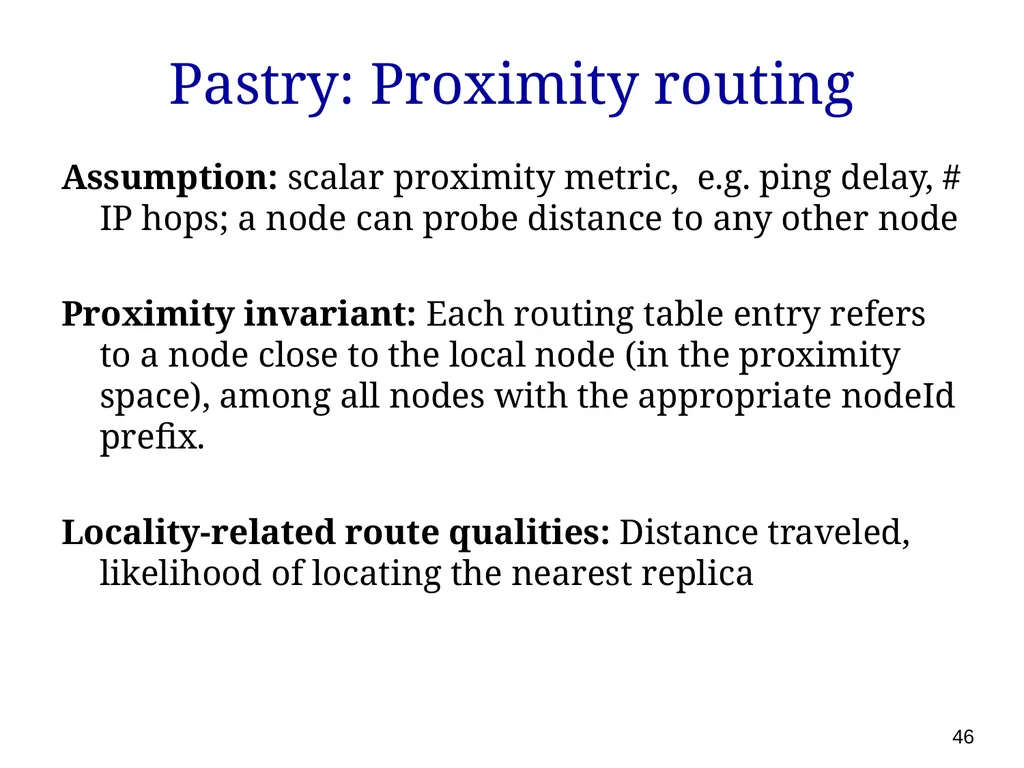
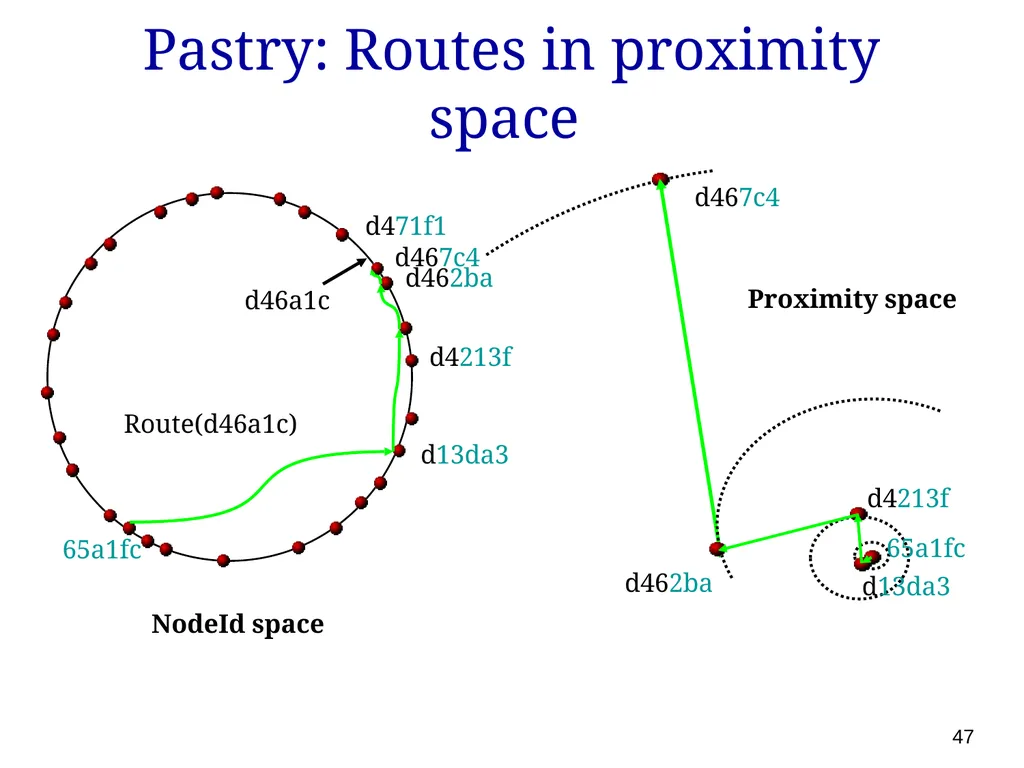
Pastry: Proximity routing Assumption: scalar proximity metric, e.g. ping delay, # IP hops; a node can probe distance to any other node
Proximity invariant: Each routing table entry refers to a node close to the local node (in the proximity space), among all nodes with the appropriate nodeId prefix.
Locality-related route qualities: Distance traveled, likelihood of locating the nearest replica 46<br>
Proximity invariant: Each routing table entry refers to a node close to the local node (in the proximity space), among all nodes with the appropriate nodeId prefix.
Locality-related route qualities: Distance traveled, likelihood of locating the nearest replica 46<br>
47
Pastry: Routes in proximity space 47<br>
48
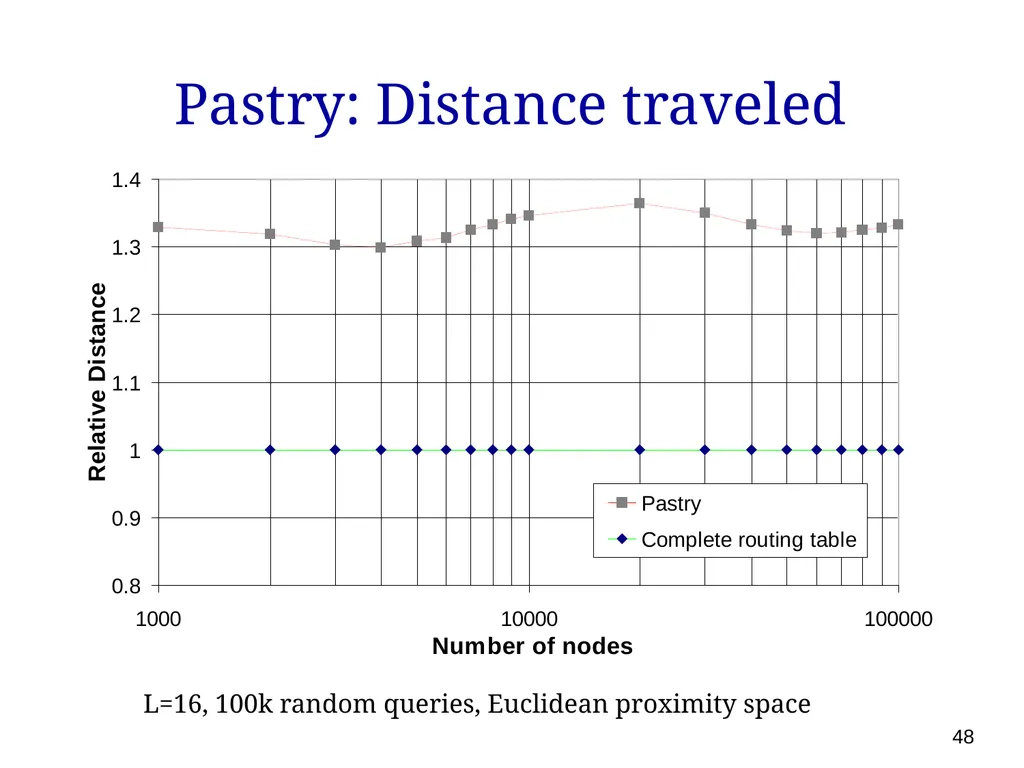
Pastry: Distance traveled L=16, 100k random queries, Euclidean proximity space 48<br>
49
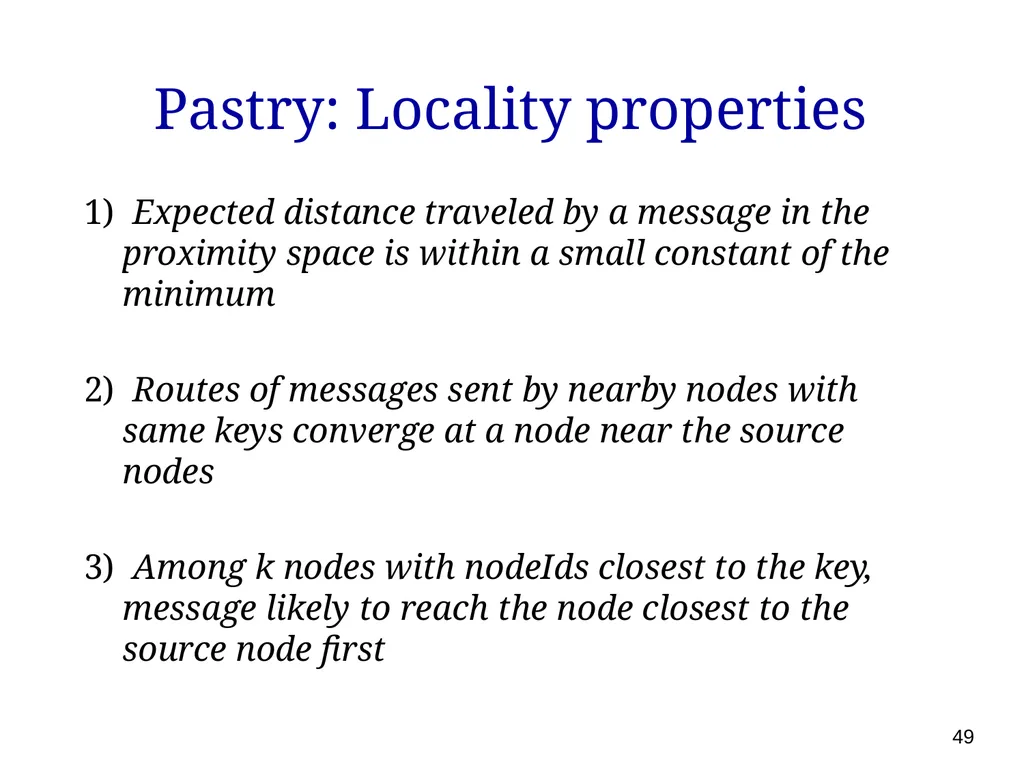
Pastry: Locality properties 1) Expected distance traveled by a message in the proximity space is within a small constant of the minimum
2) Routes of messages sent by nearby nodes with same keys converge at a node near the source nodes
3) Among k nodes with nodeIds closest to the key, message likely to reach the node closest to the source node first 49<br>
2) Routes of messages sent by nearby nodes with same keys converge at a node near the source nodes
3) Among k nodes with nodeIds closest to the key, message likely to reach the node closest to the source node first 49<br>
50
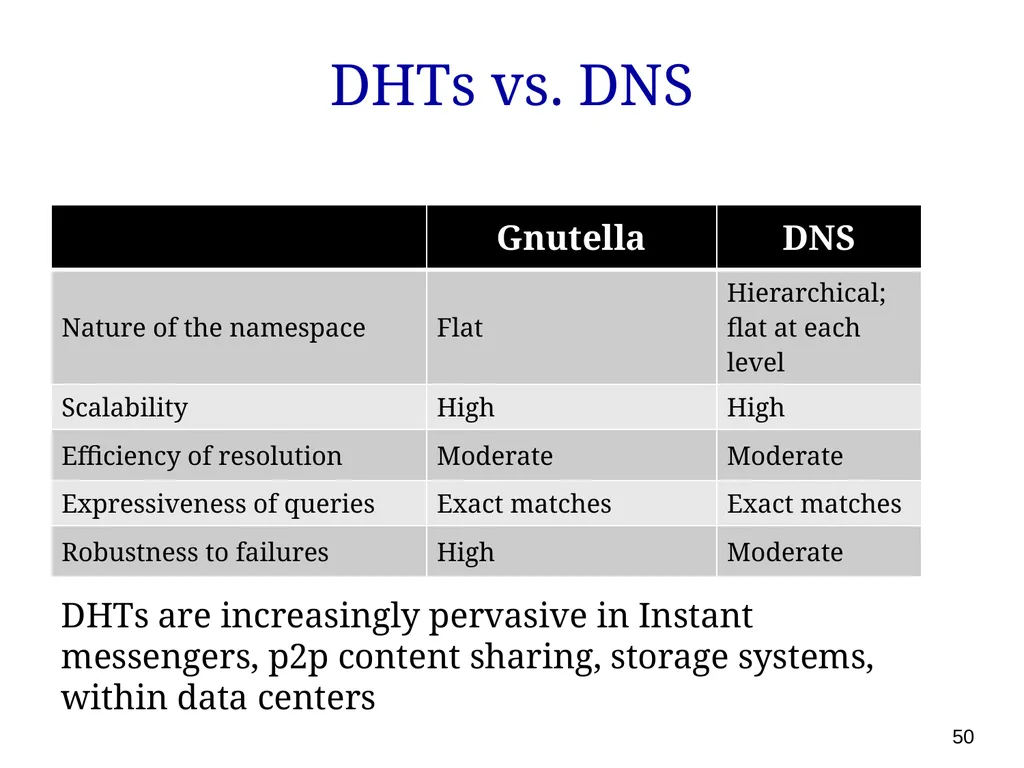
DHTs vs. DNS 50 DHTs are increasingly pervasive in Instant messengers, p2p content sharing, storage systems, within data centers<br>
51
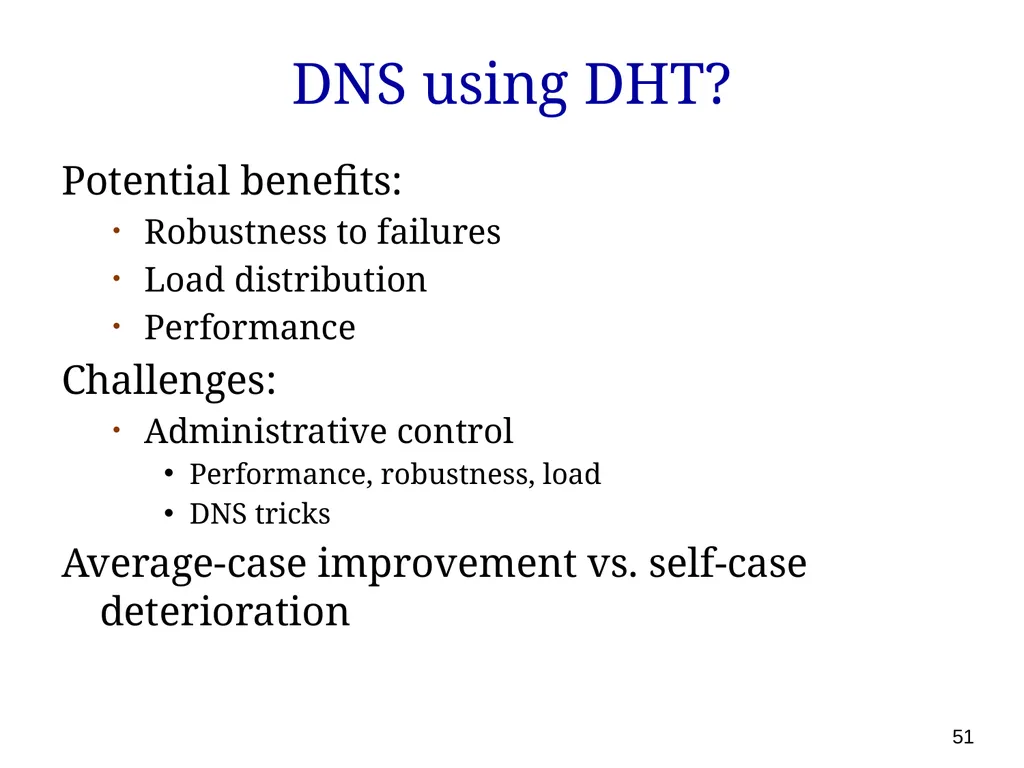
DNS using DHT? Potential benefits:
Robustness to failures
Load distribution
Performance
Challenges:
Administrative control
Performance, robustness, load
DNS tricks
Average-case improvement vs. self-case deterioration 51<br>
Robustness to failures
Load distribution
Performance
Challenges:
Administrative control
Performance, robustness, load
DNS tricks
Average-case improvement vs. self-case deterioration 51<br>
52
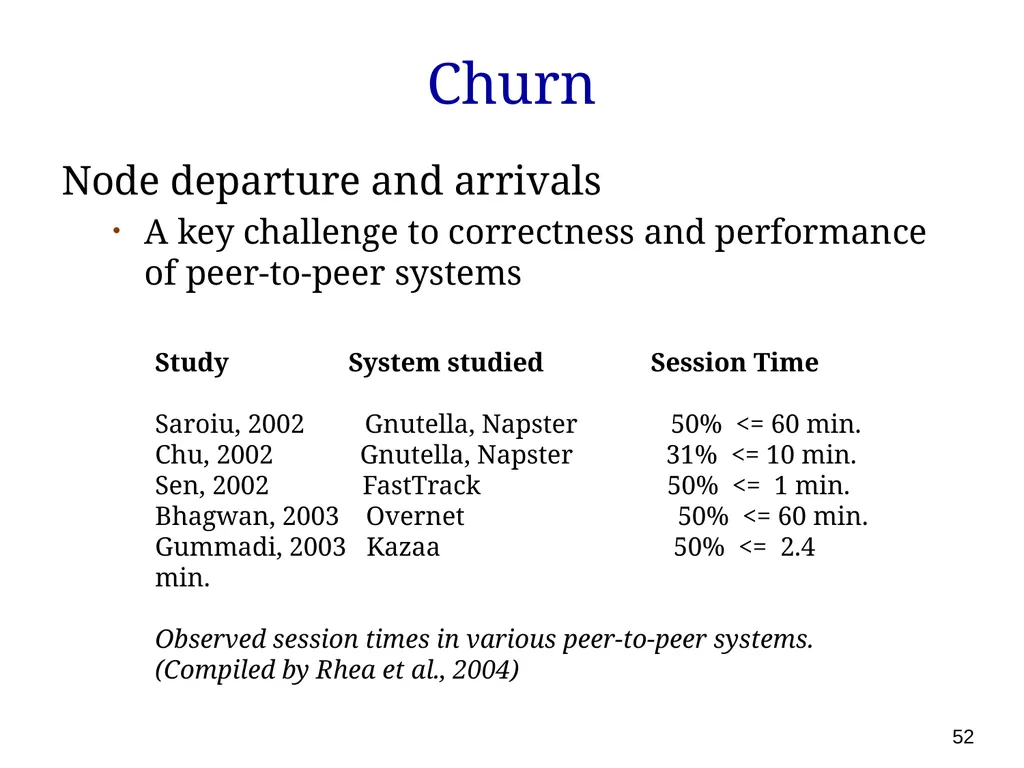
Churn Node departure and arrivals
A key challenge to correctness and performance of peer-to-peer systems Study System studied Session Time
Saroiu, 2002 Gnutella, Napster 50% <= 60 min.
Chu, 2002 Gnutella, Napster 31% <= 10 min.
Sen, 2002 FastTrack 50% <= 1 min.
Bhagwan, 2003 Overnet 50% <= 60 min.
Gummadi, 2003 Kazaa 50% <= 2.4 min.
Observed session times in various peer-to-peer systems. (Compiled by Rhea et al., 2004) 52<br>
A key challenge to correctness and performance of peer-to-peer systems Study System studied Session Time
Saroiu, 2002 Gnutella, Napster 50% <= 60 min.
Chu, 2002 Gnutella, Napster 31% <= 10 min.
Sen, 2002 FastTrack 50% <= 1 min.
Bhagwan, 2003 Overnet 50% <= 60 min.
Gummadi, 2003 Kazaa 50% <= 2.4 min.
Observed session times in various peer-to-peer systems. (Compiled by Rhea et al., 2004) 52<br>
53
Dealing with churn Needs careful design; no silver bullet
Rate of recovery >> rate of failures
Robustness to imperfect information
Adapt to heterogeneity 53<br>
Rate of recovery >> rate of failures
Robustness to imperfect information
Adapt to heterogeneity 53<br>
54
Multicast Many applications require sending messages to a group of receivers
Broadcasting events, telecollaboration, software updates, popular shows
How do we do this efficiently?
Could send to receivers individually but that is not very efficient 54<br>
Broadcasting events, telecollaboration, software updates, popular shows
How do we do this efficiently?
Could send to receivers individually but that is not very efficient 54<br>
55
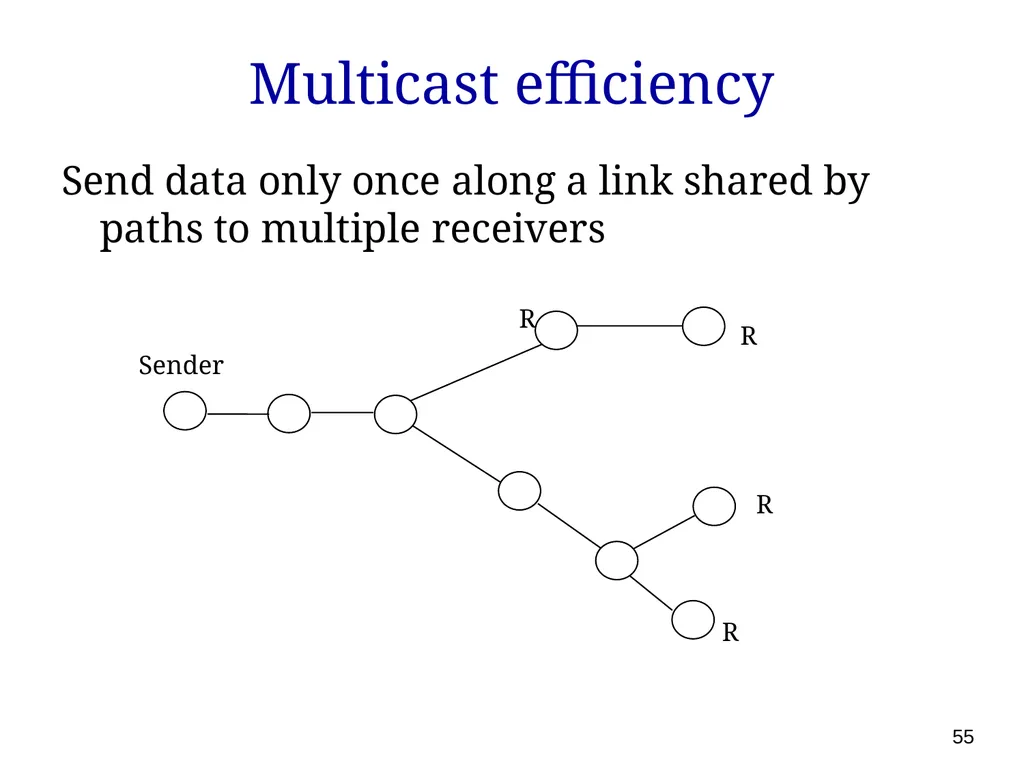
Multicast efficiency Send data only once along a link shared by paths to multiple receivers R R R R Sender 55<br>
56
Two options for
implementing multicast IP multicast
special IP addresses to represent groups of receivers
receivers subscribe to specific channels
modify routers to support multicast sends
Overlay network
PC routers, forward multicast traffic by tunneling over Internet
Works on existing Internet, with no router modifications 56<br>
special IP addresses to represent groups of receivers
receivers subscribe to specific channels
modify routers to support multicast sends
Overlay network
PC routers, forward multicast traffic by tunneling over Internet
Works on existing Internet, with no router modifications 56<br>
57
IP multicast How to distribute packets across thousands of LANs?
Each router responsible for its attached LAN
Hosts declare interest to their routers
Reduces to:
How do we forward packets to all interested routers? (DVMRP, M-OSPF, MBone) 57<br>
Each router responsible for its attached LAN
Hosts declare interest to their routers
Reduces to:
How do we forward packets to all interested routers? (DVMRP, M-OSPF, MBone) 57<br>
58
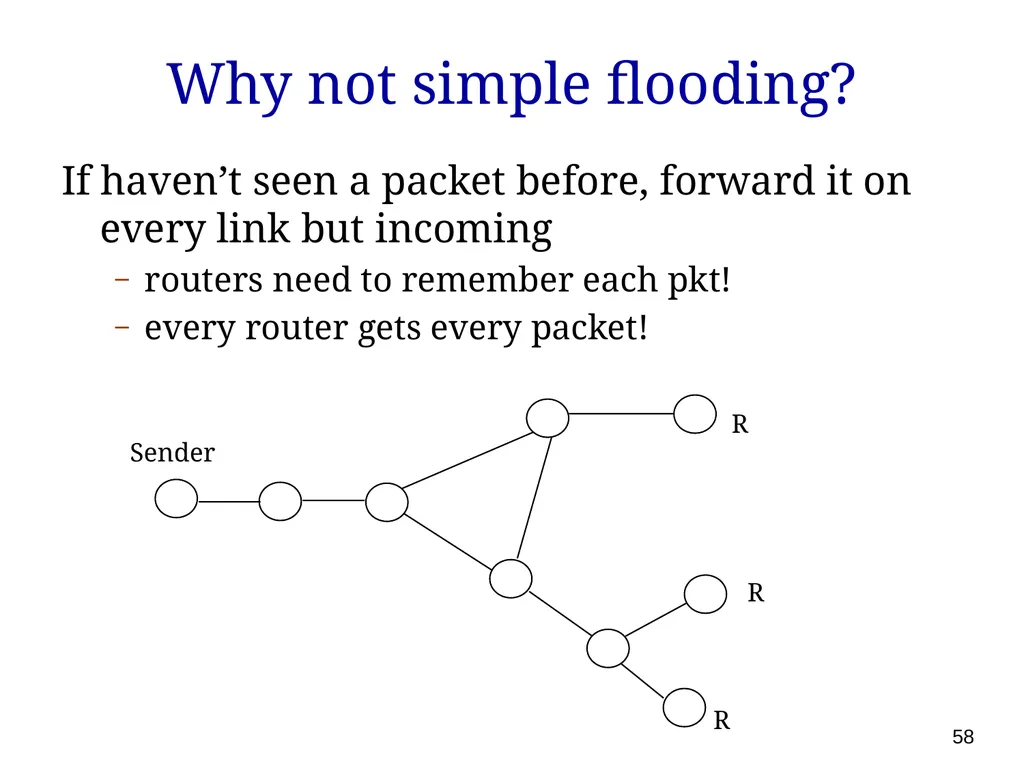
Why not simple flooding? If haven’t seen a packet before, forward it on every link but incoming
routers need to remember each pkt!
every router gets every packet! R R R Sender 58<br>
routers need to remember each pkt!
every router gets every packet! R R R Sender 58<br>
59
Distance vector multicast Intuition: unicast routing tables form inverse tree from senders to destination
why not use backwards for multicast?
Various refinements to eliminate useless transfers
Implemented in DVMRP (Distance Vector Multicast Routing Protocol) 59<br>
why not use backwards for multicast?
Various refinements to eliminate useless transfers
Implemented in DVMRP (Distance Vector Multicast Routing Protocol) 59<br>
60
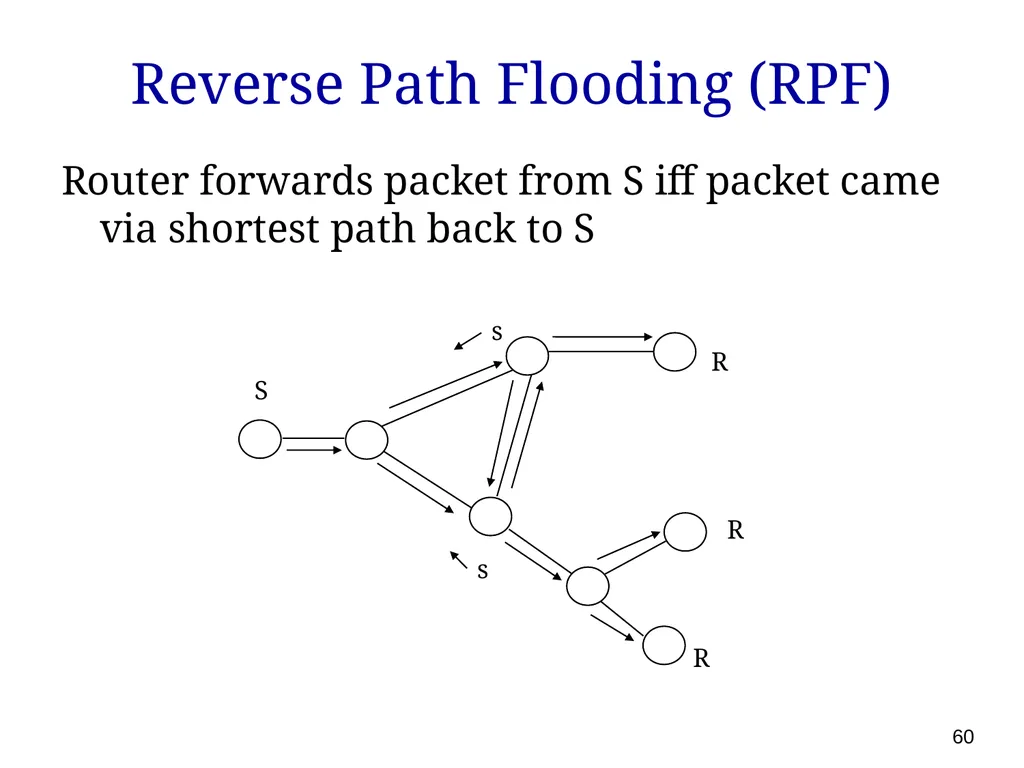
Reverse Path Flooding (RPF) Router forwards packet from S iff packet came via shortest path back to S R R R S s s 60<br>
61
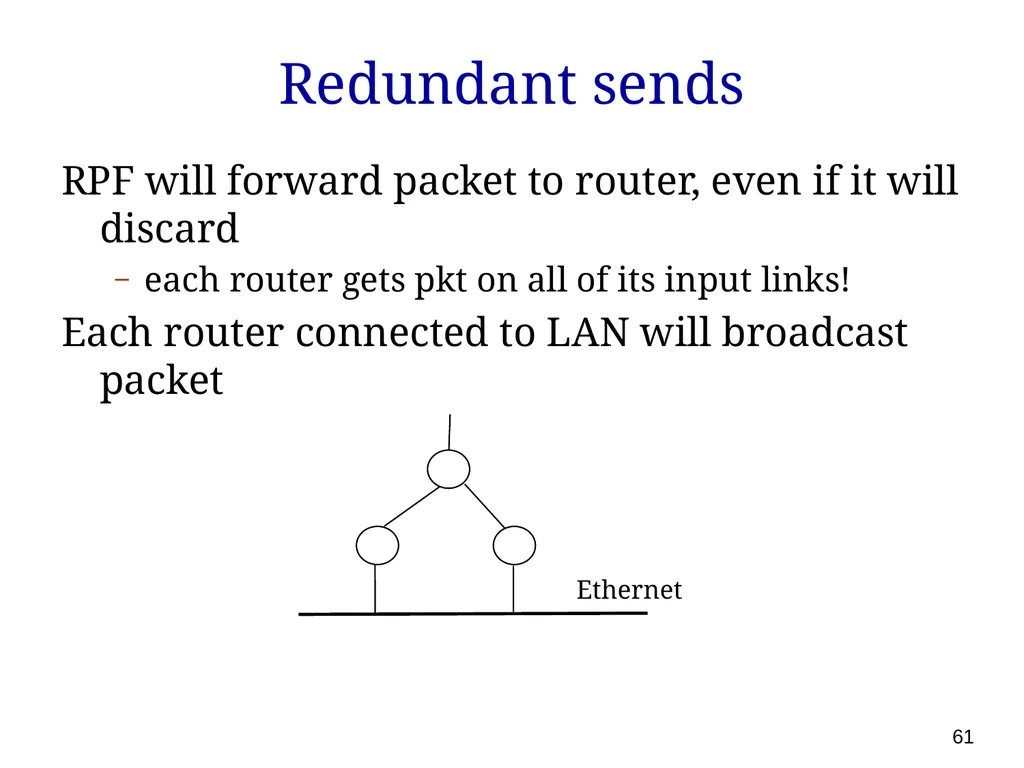
Redundant sends RPF will forward packet to router, even if it will discard
each router gets pkt on all of its input links!
Each router connected to LAN will broadcast packet Ethernet 61<br>
each router gets pkt on all of its input links!
Each router connected to LAN will broadcast packet Ethernet 61<br>
62
Reverse Path Broadcast (RPB) With distance vector, neighbors exchange routing tables
Only send to neighbor if on its shortest path back to source
Only send on LAN if have shortest path back to source
break ties arbitrarily 62<br>
Only send to neighbor if on its shortest path back to source
Only send on LAN if have shortest path back to source
break ties arbitrarily 62<br>
63
Truncated RPB End hosts tell routers if interested
Routers forward on LAN iff there are receivers
Routers tell their parents if no active children 63<br>
Routers forward on LAN iff there are receivers
Routers tell their parents if no active children 63<br>
64
The state of IP multicast Available in isolated pockets of the network
But absent at a global scale:
Technical issues:
Scalable? reliability? congestion control?
For ISPs:
Profitable? managable? 64<br>
But absent at a global scale:
Technical issues:
Scalable? reliability? congestion control?
For ISPs:
Profitable? managable? 64<br>
65
Overlay multicast Can we efficiently implement multicast functionality on top of IP unicast?
One answer: Narada (with some slides stolen from ESM folks) 65<br>
One answer: Narada (with some slides stolen from ESM folks) 65<br>
66
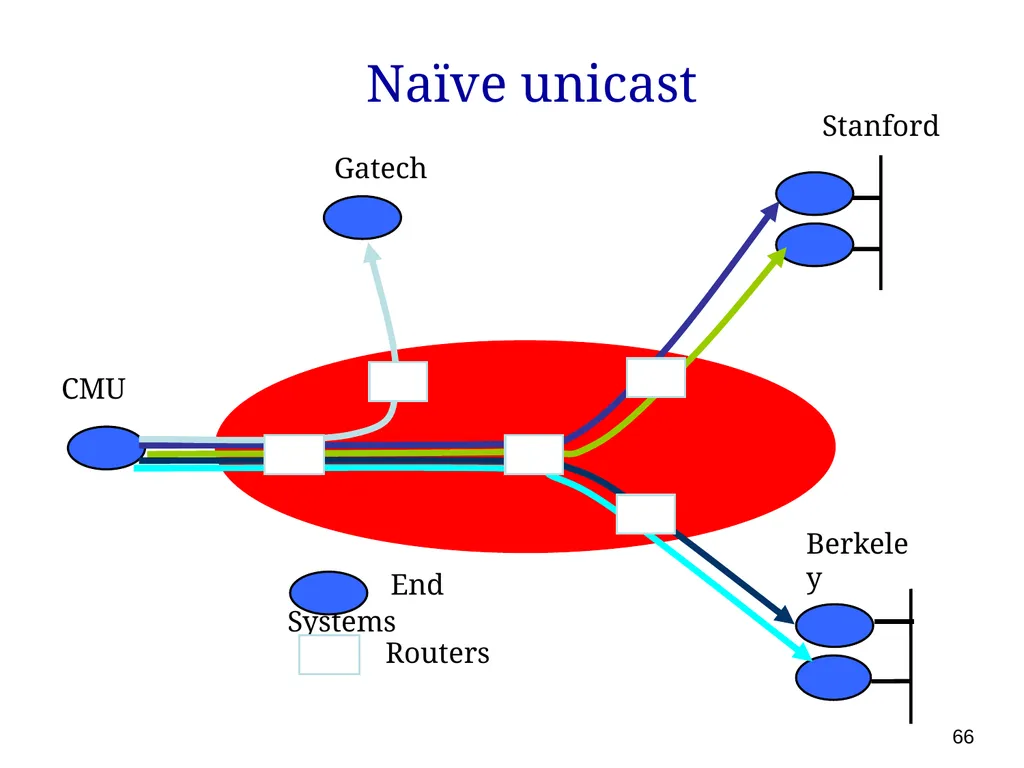
Naïve unicast 66<br>
67
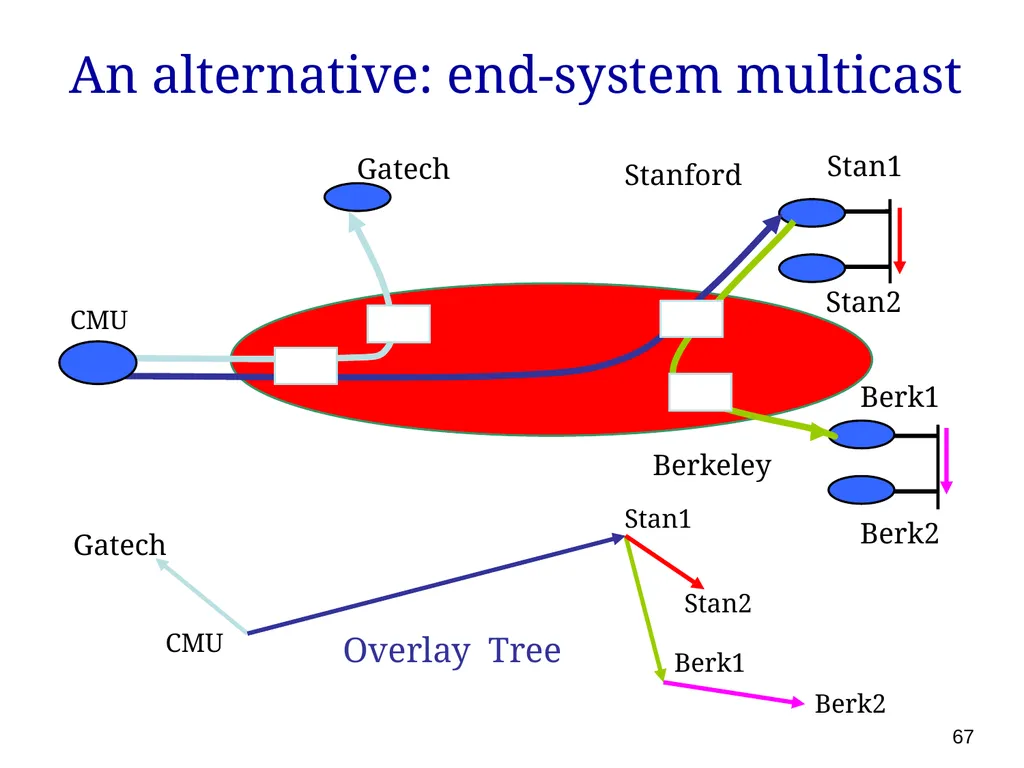
67 An alternative: end-system multicast Stanford CMU Stan1 Stan2 Berk2 Overlay Tree Gatech Berk1 Berkeley Gatech Stan1 Stan2 Berk1 Berk2 CMU<br>
68
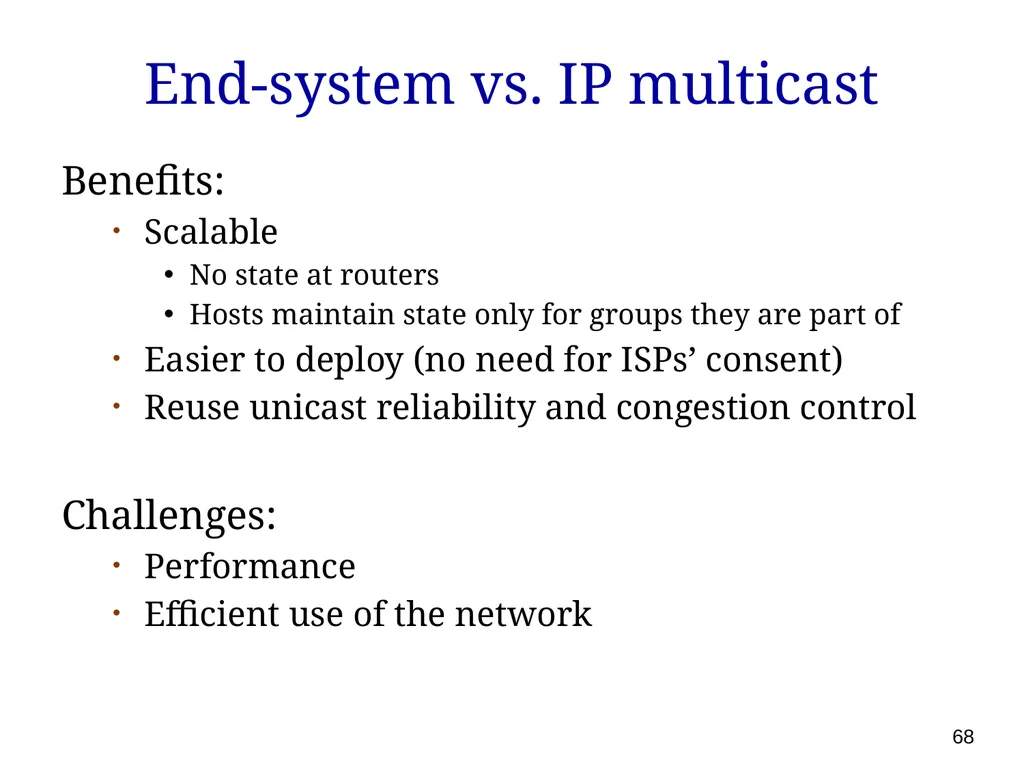
End-system vs. IP multicast Benefits:
Scalable
No state at routers
Hosts maintain state only for groups they are part of
Easier to deploy (no need for ISPs’ consent)
Reuse unicast reliability and congestion control
Challenges:
Performance
Efficient use of the network 68<br>
Scalable
No state at routers
Hosts maintain state only for groups they are part of
Easier to deploy (no need for ISPs’ consent)
Reuse unicast reliability and congestion control
Challenges:
Performance
Efficient use of the network 68<br>
69
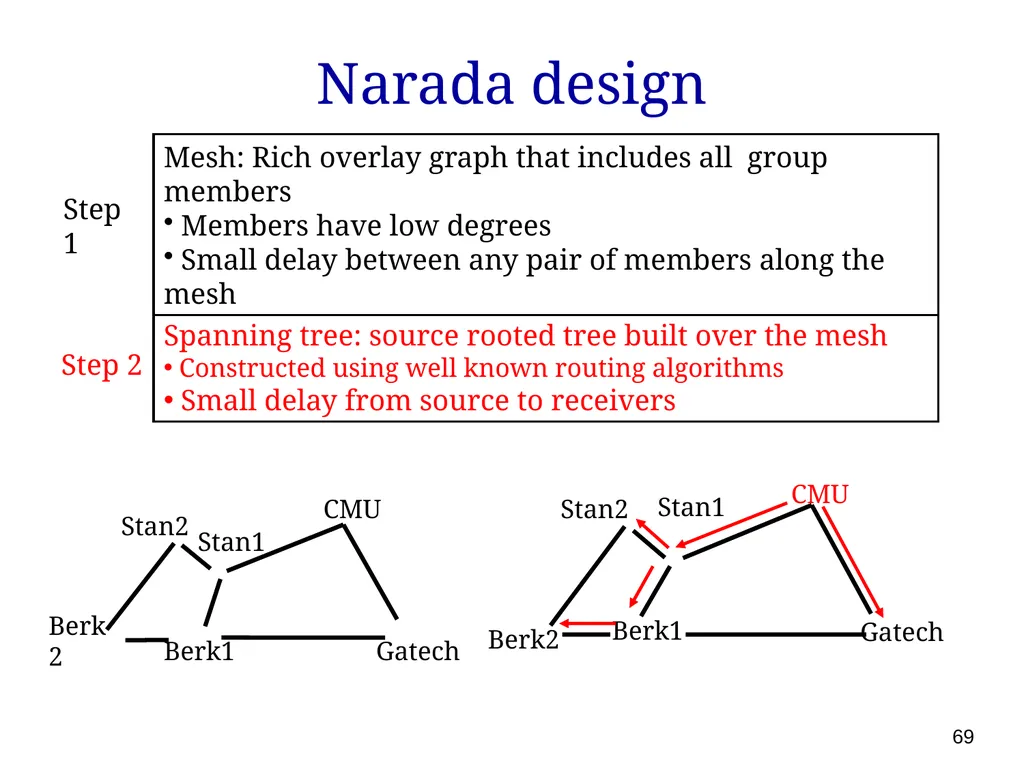
69 Narada design CMU Step 1 Spanning tree: source rooted tree built over the mesh
Constructed using well known routing algorithms
Small delay from source to receivers Mesh: Rich overlay graph that includes all group members
Members have low degrees
Small delay between any pair of members along the mesh Step 2<br>
Constructed using well known routing algorithms
Small delay from source to receivers Mesh: Rich overlay graph that includes all group members
Members have low degrees
Small delay between any pair of members along the mesh Step 2<br>
70
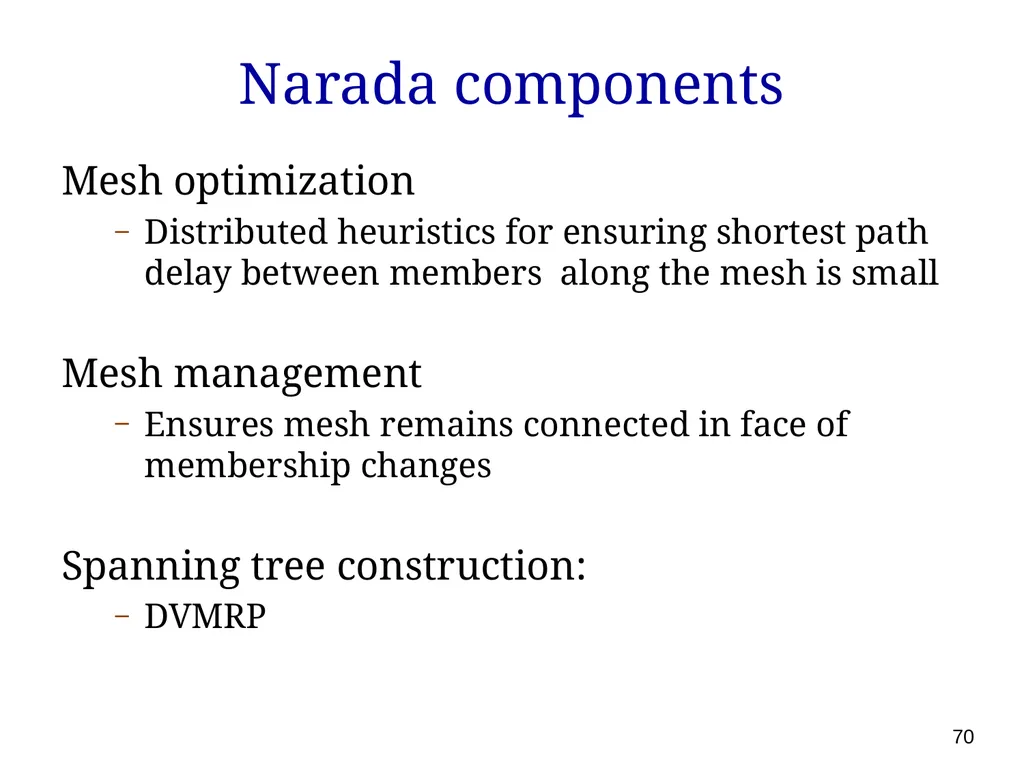
Narada components Mesh optimization
Distributed heuristics for ensuring shortest path delay between members along the mesh is small
Mesh management
Ensures mesh remains connected in face of membership changes
Spanning tree construction:
DVMRP 70<br>
Distributed heuristics for ensuring shortest path delay between members along the mesh is small
Mesh management
Ensures mesh remains connected in face of membership changes
Spanning tree construction:
DVMRP 70<br>
71
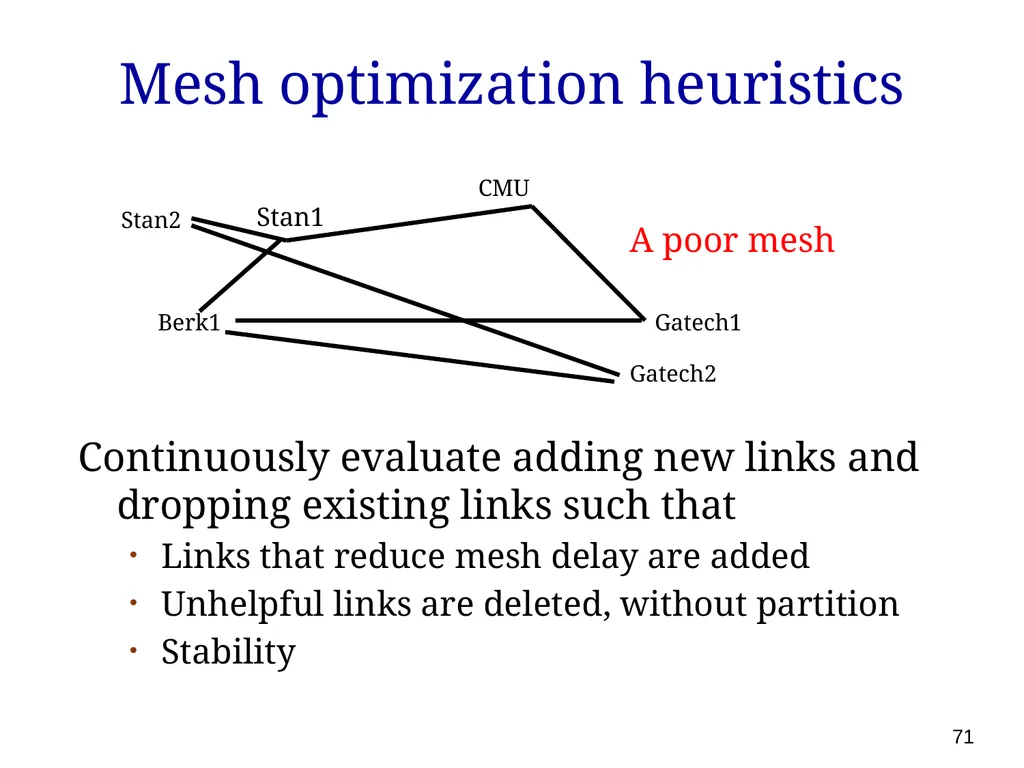
71 Mesh optimization heuristics Continuously evaluate adding new links and dropping existing links such that
Links that reduce mesh delay are added
Unhelpful links are deleted, without partition
Stability Berk1 Stan2 CMU Gatech1 Stan1 Gatech2 A poor mesh<br>
Links that reduce mesh delay are added
Unhelpful links are deleted, without partition
Stability Berk1 Stan2 CMU Gatech1 Stan1 Gatech2 A poor mesh<br>
72
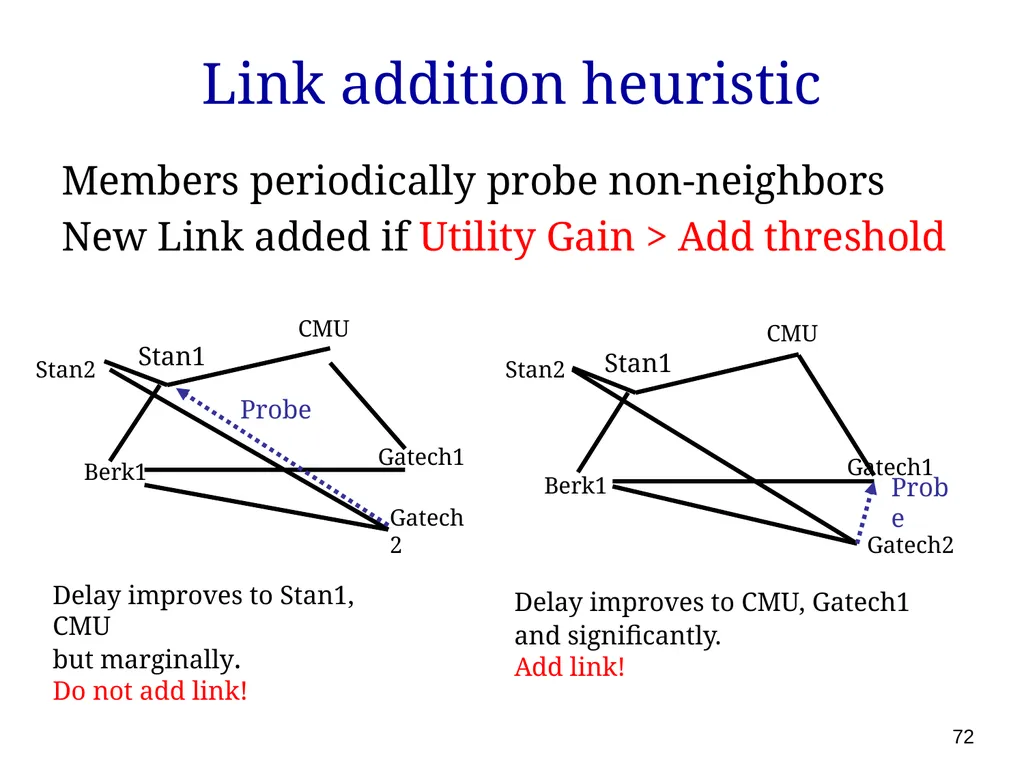
Link addition heuristic Members periodically probe non-neighbors
New Link added if Utility Gain > Add threshold 72 Delay improves to Stan1, CMU
but marginally.
Do not add link! Delay improves to CMU, Gatech1
and significantly.
Add link! Berk1 Stan2 CMU Gatech1 Stan1 Gatech2 Probe Berk1 Stan2 CMU Gatech1 Stan1 Gatech2 Probe<br>
New Link added if Utility Gain > Add threshold 72 Delay improves to Stan1, CMU
but marginally.
Do not add link! Delay improves to CMU, Gatech1
and significantly.
Add link! Berk1 Stan2 CMU Gatech1 Stan1 Gatech2 Probe Berk1 Stan2 CMU Gatech1 Stan1 Gatech2 Probe<br>
73
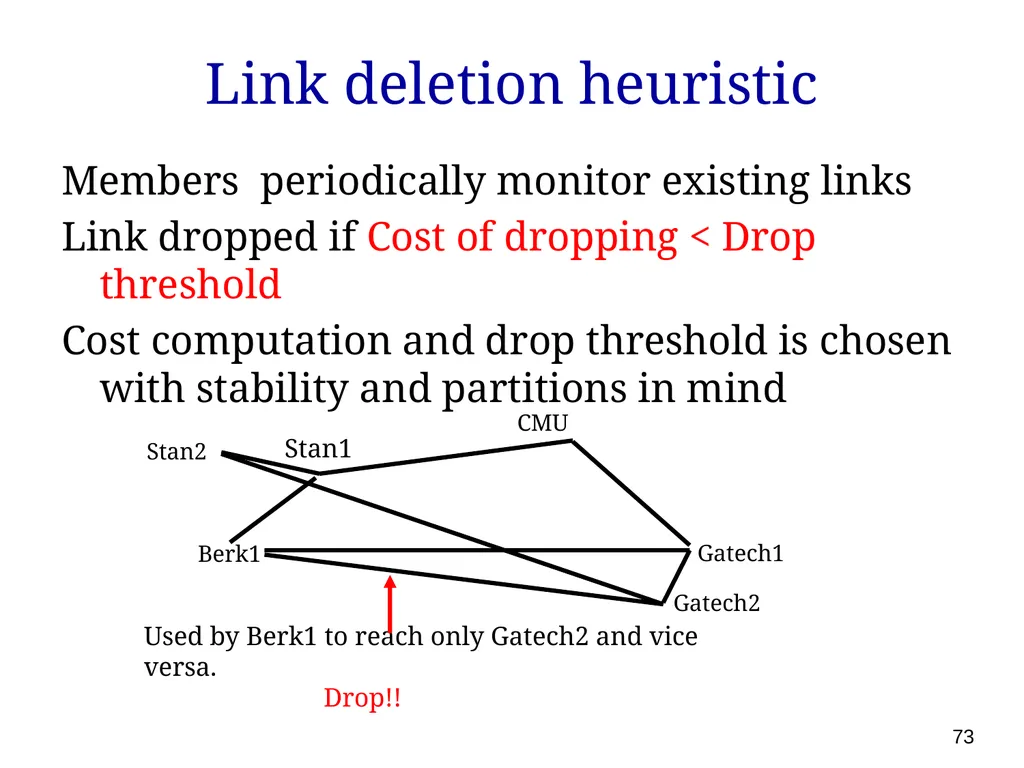
Link deletion heuristic Members periodically monitor existing links
Link dropped if Cost of dropping < Drop threshold
Cost computation and drop threshold is chosen with stability and partitions in mind Used by Berk1 to reach only Gatech2 and vice versa.
Drop!! Gatech1 Berk1 Stan2 CMU Stan1 Gatech2 73<br>
Link dropped if Cost of dropping < Drop threshold
Cost computation and drop threshold is chosen with stability and partitions in mind Used by Berk1 to reach only Gatech2 and vice versa.
Drop!! Gatech1 Berk1 Stan2 CMU Stan1 Gatech2 73<br>
74
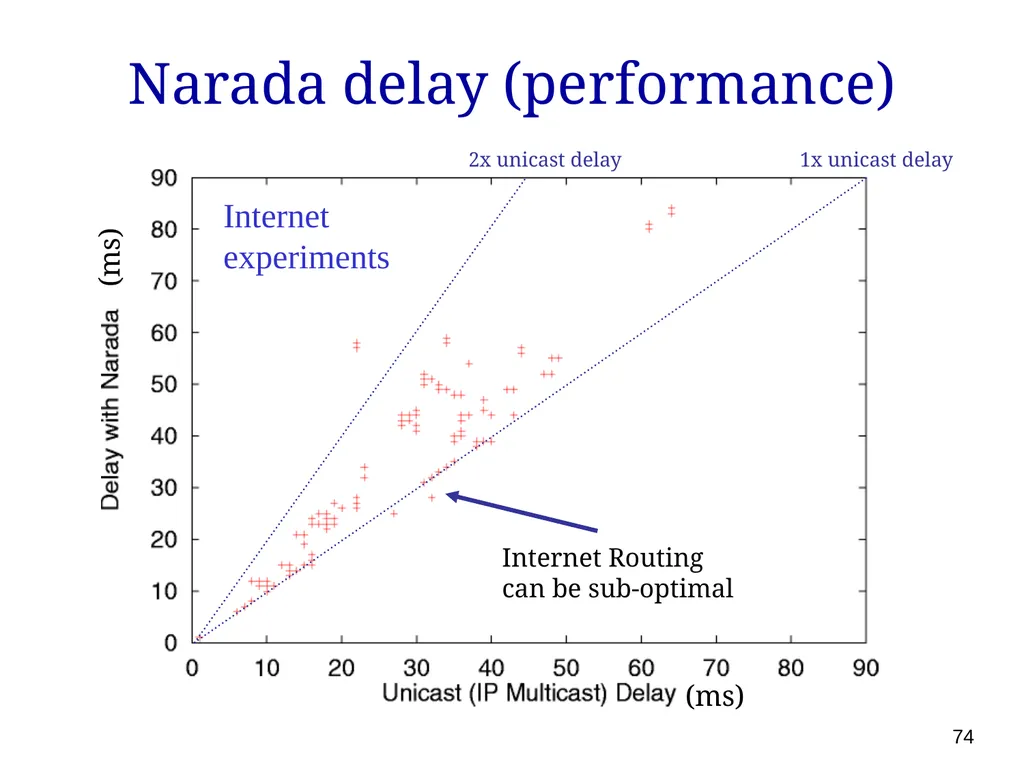
Narada delay (performance) 74 Internet Routing
can be sub-optimal (ms) (ms) 2x unicast delay 1x unicast delay Internet experiments<br>
can be sub-optimal (ms) (ms) 2x unicast delay 1x unicast delay Internet experiments<br>
75
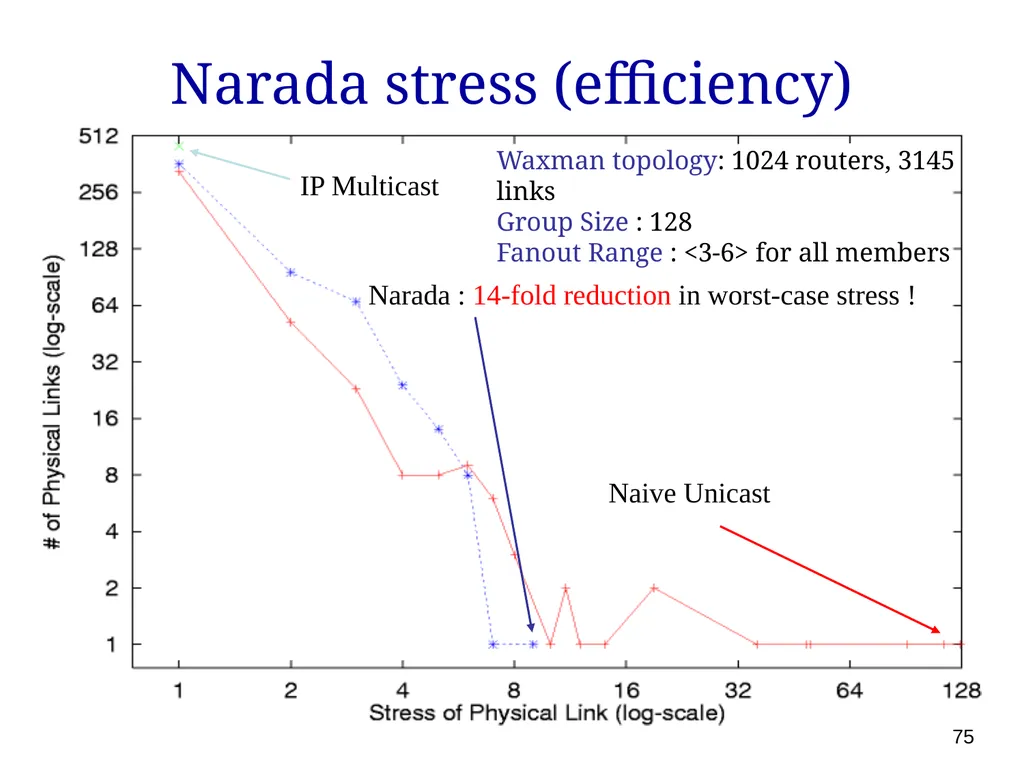
Narada stress (efficiency) 75 Naive Unicast IP Multicast Narada : 14-fold reduction in worst-case stress ! Waxman topology: 1024 routers, 3145 links
Group Size : 128
Fanout Range : <3-6> for all members<br>
Group Size : 128
Fanout Range : <3-6> for all members<br>
76
Scalable overlay multicast Can we design an overlay multicast system that scales to very large groups?
One answer: Scribe (with some slides stolen from Kasper Egdø and Morten Bjerre) 76<br>
One answer: Scribe (with some slides stolen from Kasper Egdø and Morten Bjerre) 76<br>
77
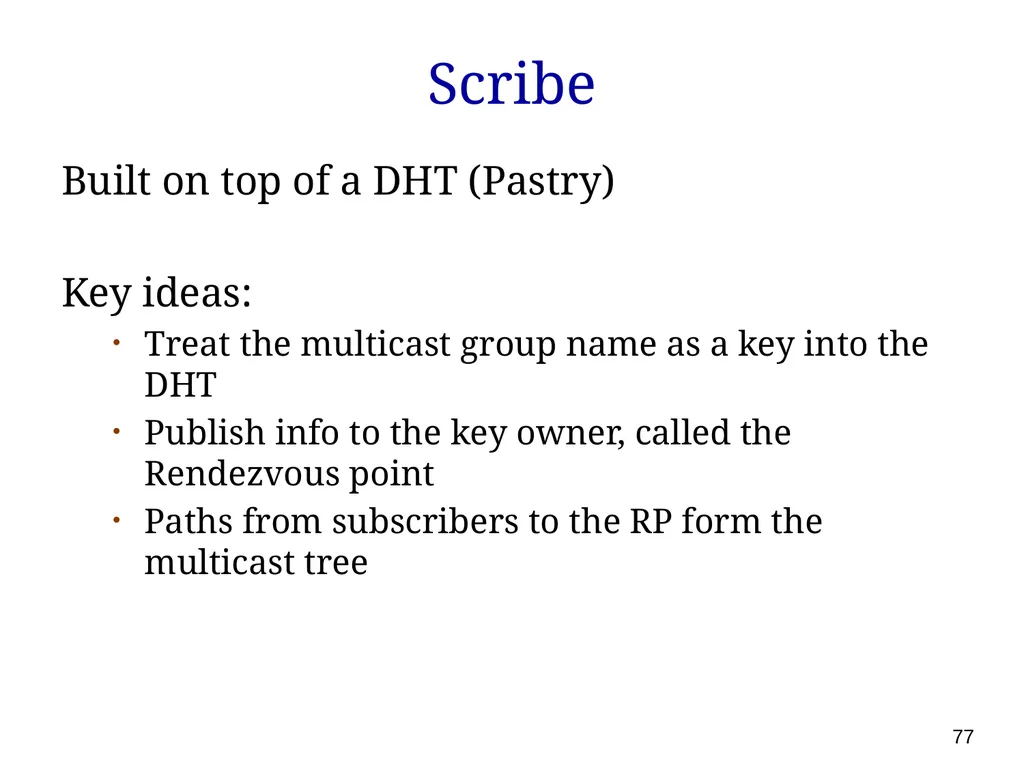
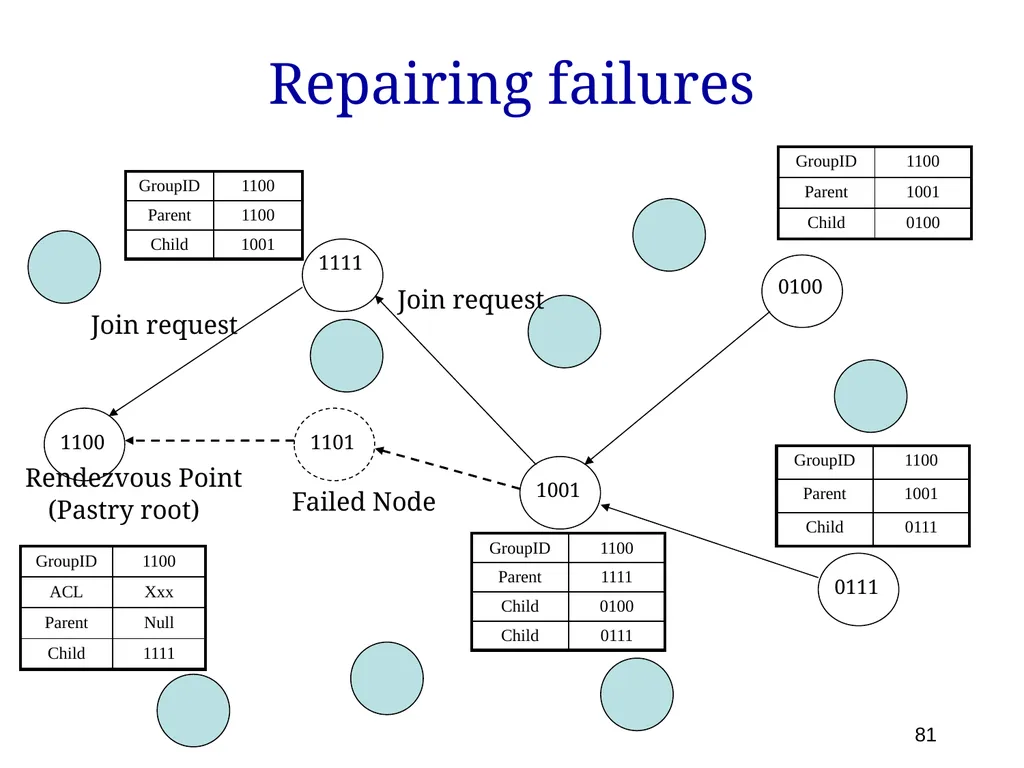
Scribe Built on top of a DHT (Pastry)
Key ideas:
Treat the multicast group name as a key into the DHT
Publish info to the key owner, called the Rendezvous point
Paths from subscribers to the RP form the multicast tree 77<br>
Key ideas:
Treat the multicast group name as a key into the DHT
Publish info to the key owner, called the Rendezvous point
Paths from subscribers to the RP form the multicast tree 77<br>
78
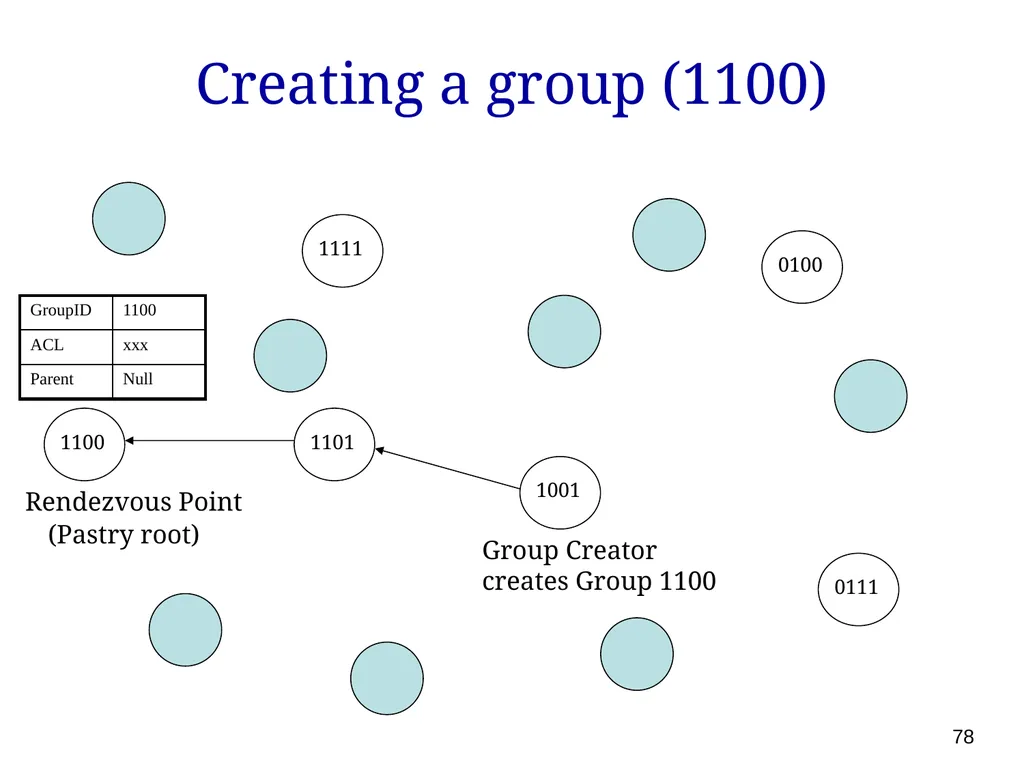
Creating a group (1100) 1100 1101 1111 1001 0111 0100 Rendezvous Point (Pastry root) Group Creator
creates Group 1100 78<br>
creates Group 1100 78<br>
79
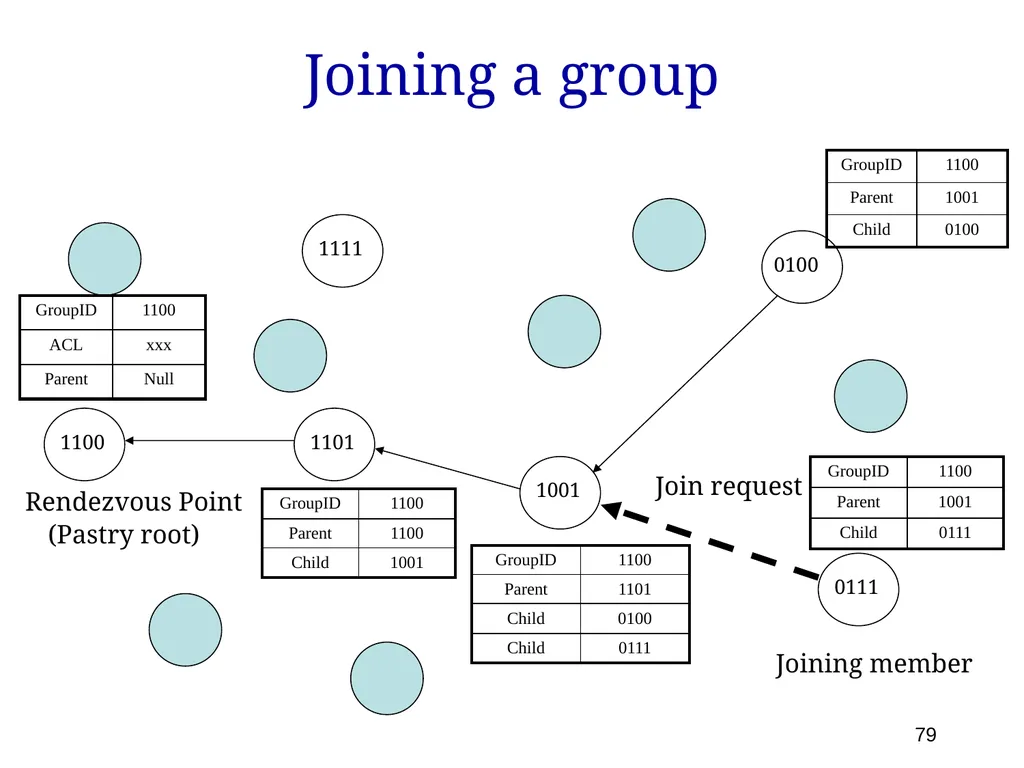
Joining a group 1100 1101 1111 1001 0111 0100 Rendezvous Point (Pastry root) Joining member Join request 79<br>
80
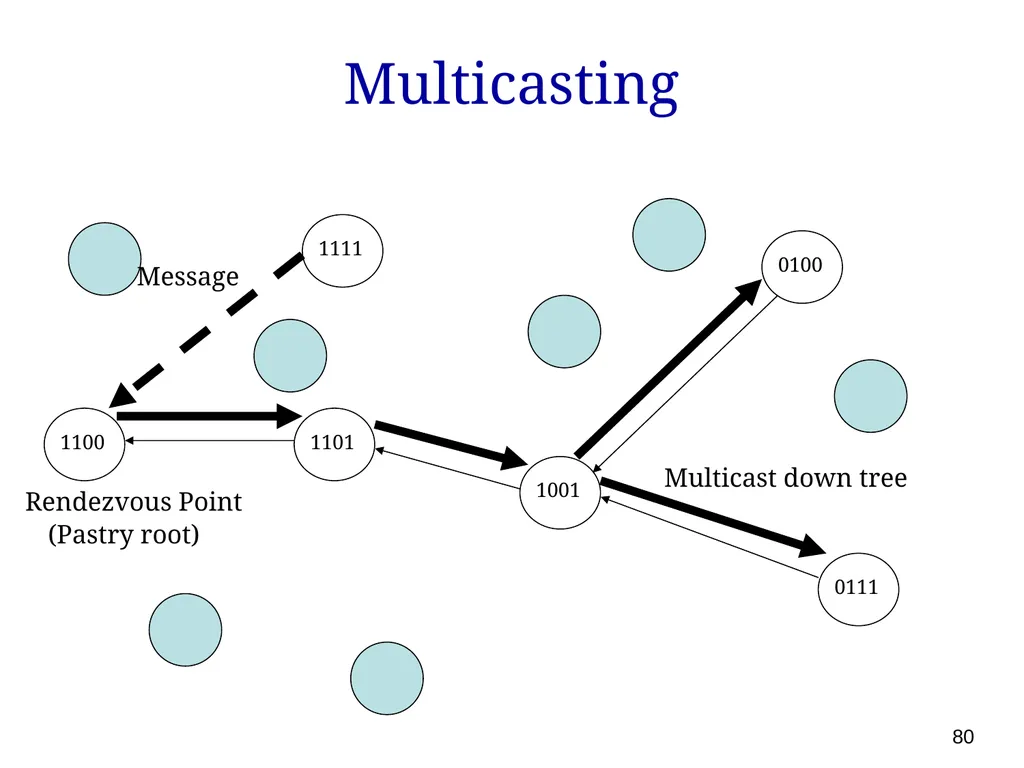
Multicasting 1100 1101 1111 1001 0111 0100 Rendezvous Point (Pastry root) Message Multicast down tree 80<br>
81
Repairing failures 1100 1101 1111 1001 0111 0100 Rendezvous Point (Pastry root) Failed Node Join request Join request 81<br>
82
Next week Building scalable services
CDNs, BitTorrent, caching, replication, load balancing, prefetching, … 82<br>
CDNs, BitTorrent, caching, replication, load balancing, prefetching, … 82<br>