04
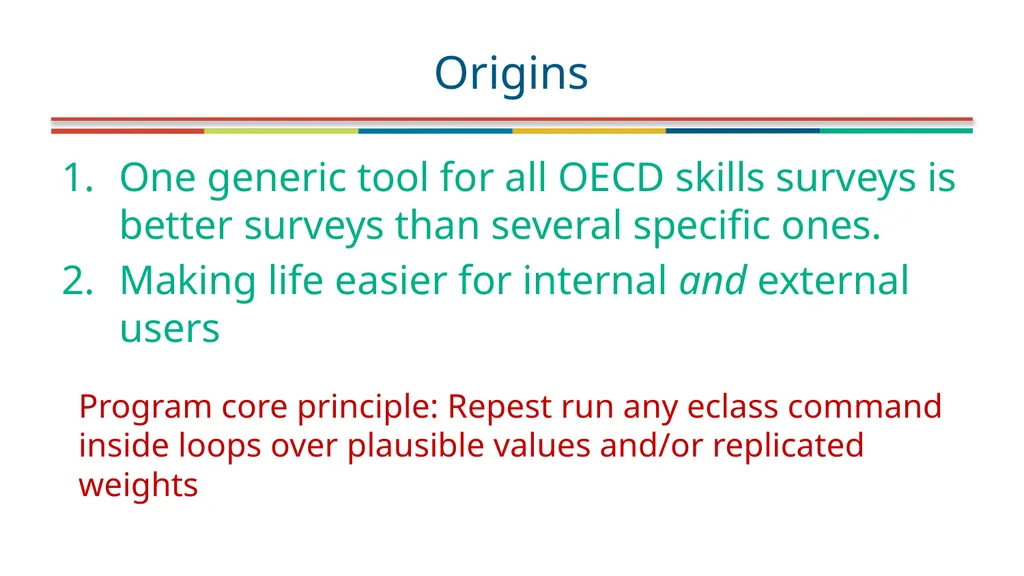
One generic tool for all OECD skills surveys is better surveys than several specific ones.
Making life easier for internal and external users Origins Program core principle: Repest run any eclass command inside loops over plausible values and/or replicated weights<br>
05
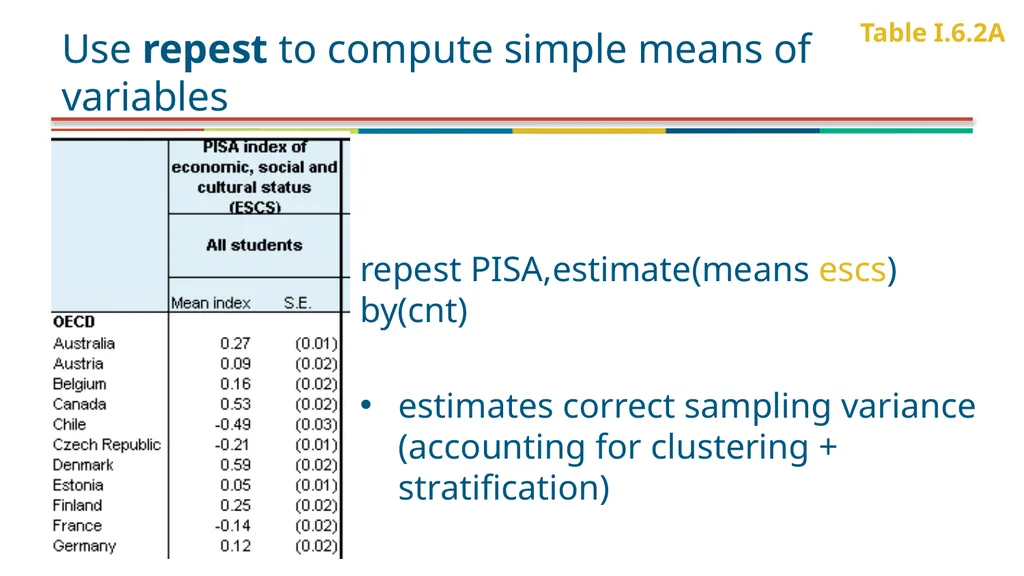
Use repest to compute simple means of variables repest PISA,estimate(means escs) by(cnt)
estimates correct sampling variance (accounting for clustering + stratification) Table I.6.2A<br>
06
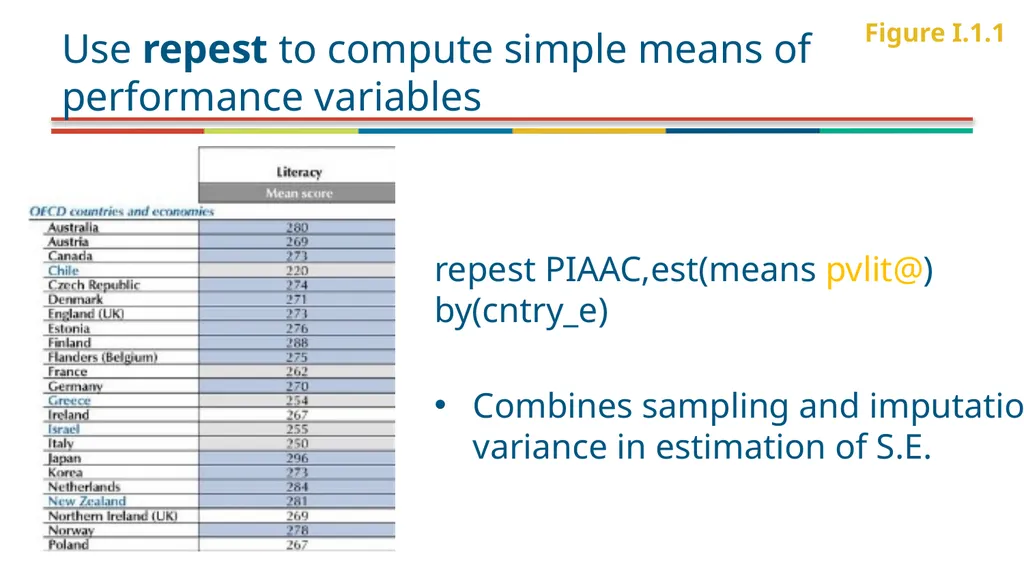
Use repest to compute simple means of performance variables repest PIAAC,est(means pvlit@) by(cntry_e)
Combines sampling and imputation variance in estimation of S.E. Figure I.1.1<br>
07
Why REPlicate ESTimate?<br>
08
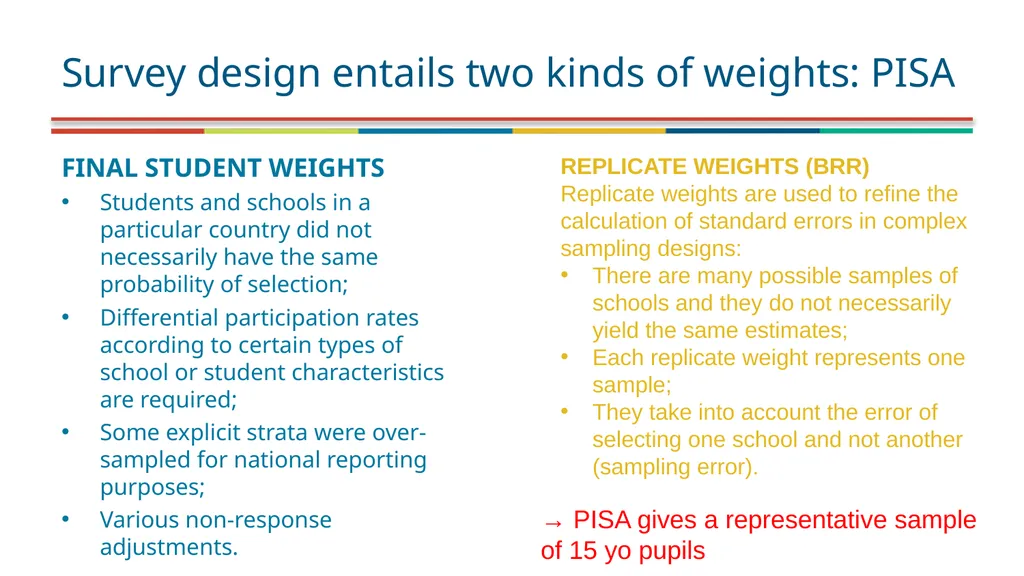
FINAL STUDENT WEIGHTS
Students and schools in a particular country did not necessarily have the same probability of selection;
Differential participation rates according to certain types of school or student characteristics are required;
Some explicit strata were over-sampled for national reporting purposes;
Various non-response adjustments. Survey design entails two kinds of weights: PISA REPLICATE WEIGHTS (BRR)
Replicate weights are used to refine the calculation of standard errors in complex sampling designs:
There are many possible samples of schools and they do not necessarily yield the same estimates;
Each replicate weight represents one sample;
They take into account the error of selecting one school and not another (sampling error). → PISA gives a representative sample of 15 yo pupils<br>
09
Why repest and not �svyset …, vce(brr)…��Multiply imputed variables<br>
10
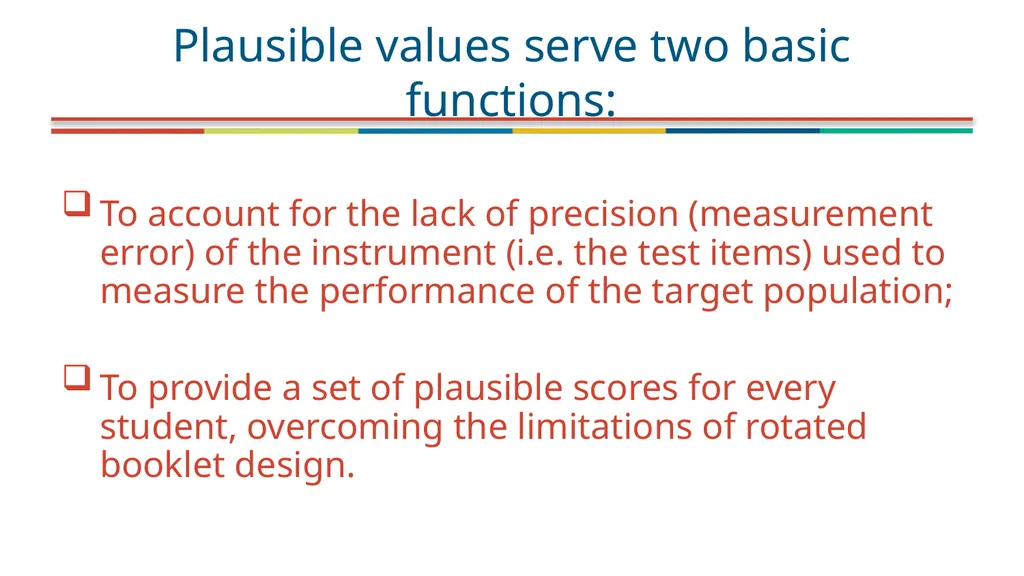
To account for the lack of precision (measurement error) of the instrument (i.e. the test items) used to measure the performance of the target population;
To provide a set of plausible scores for every student, overcoming the limitations of rotated booklet design. Plausible values serve two basic functions:<br>
11
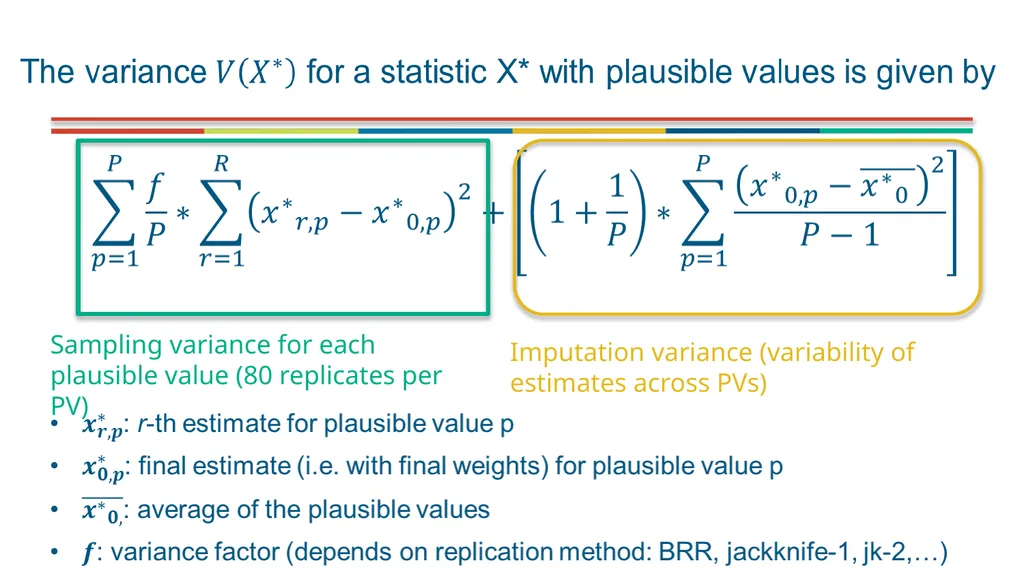
Sampling variance for each plausible value (80 replicates per PV) Imputation variance (variability of estimates across PVs)<br>
12
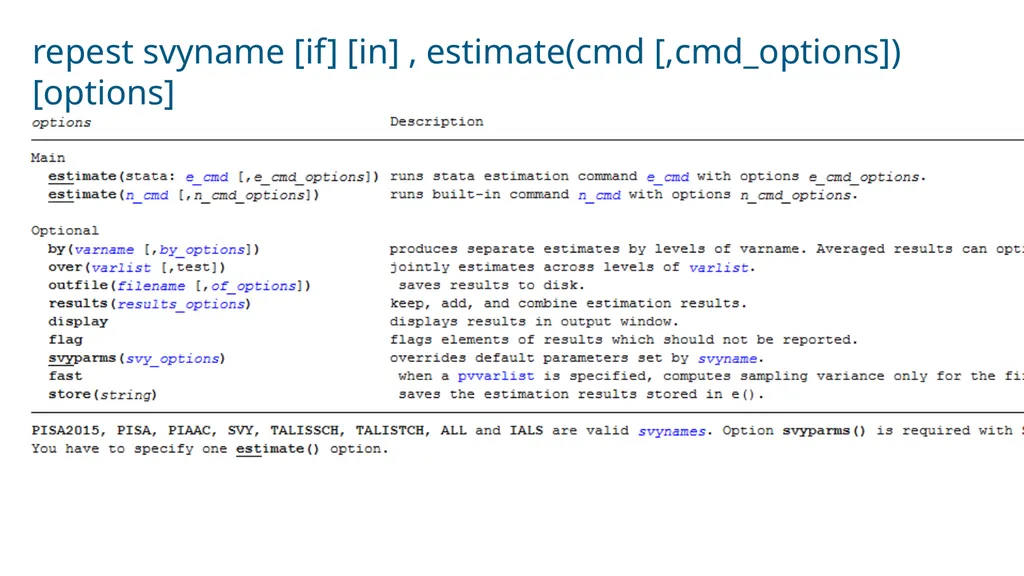
repest svyname [if] [in] , estimate(cmd [,cmd_options]) [options]<br>
13
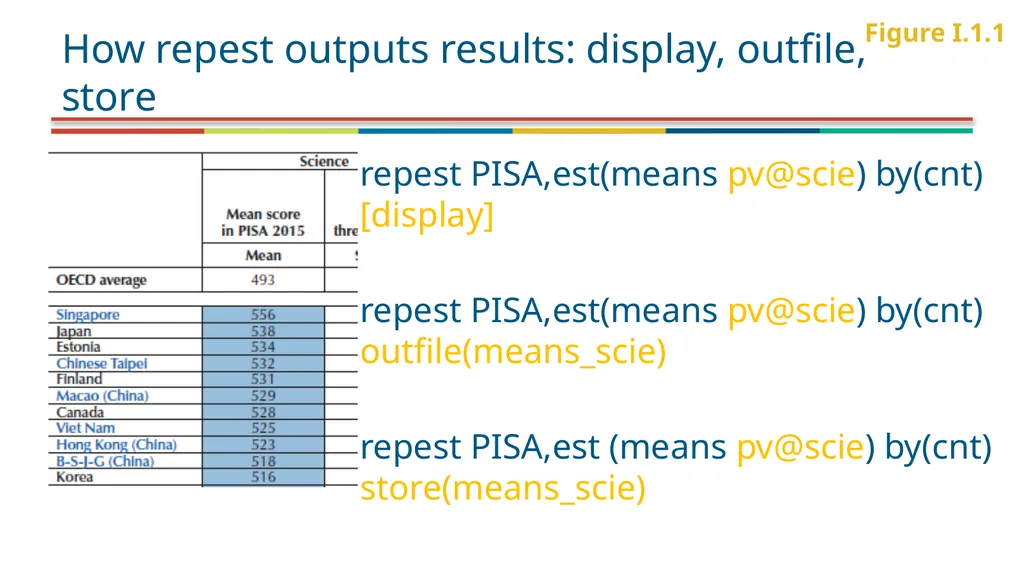
How repest outputs results: display, outfile, store repest PISA,est(means pv@scie) by(cnt) [display]
repest PISA,est(means pv@scie) by(cnt) outfile(means_scie)
repest PISA,est (means pv@scie) by(cnt) store(means_scie) Figure I.1.1<br>
14
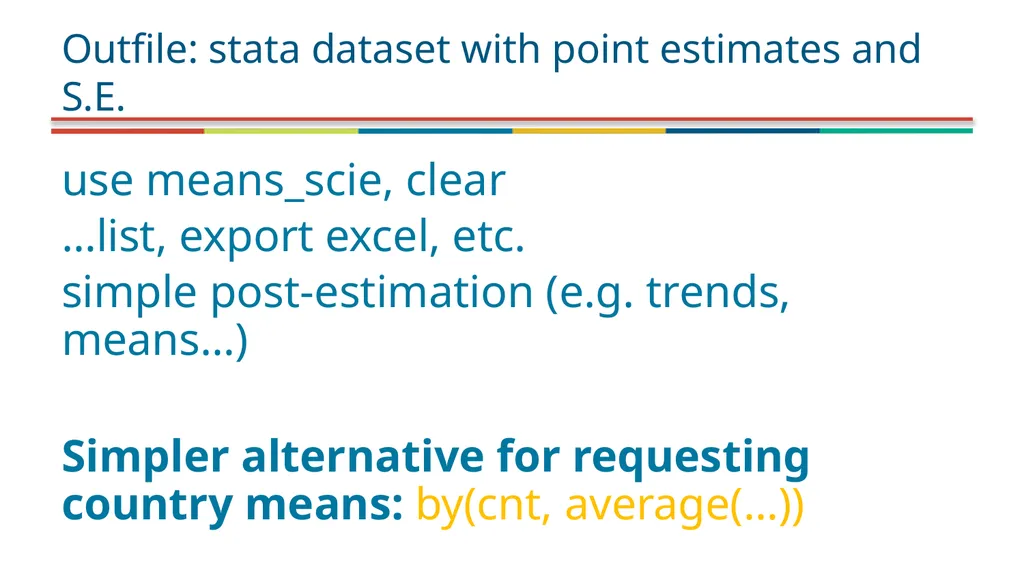
use means_scie, clear
…list, export excel, etc.
simple post-estimation (e.g. trends, means…)
Simpler alternative for requesting country means: by(cnt, average(…)) Outfile: stata dataset with point estimates and S.E.<br>
15
estimates list
estout … store: stata estimation, can be used with estout/esttab<br>
16
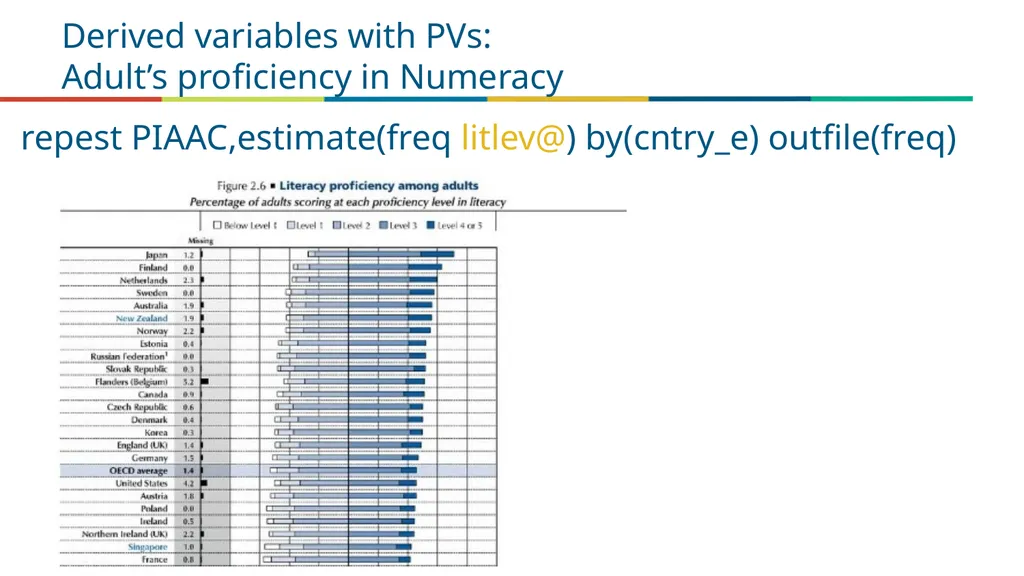
Derived variables with PVs:�Adult’s proficiency in Numeracy repest PIAAC,estimate(freq litlev@) by(cntry_e) outfile(freq)<br>
17
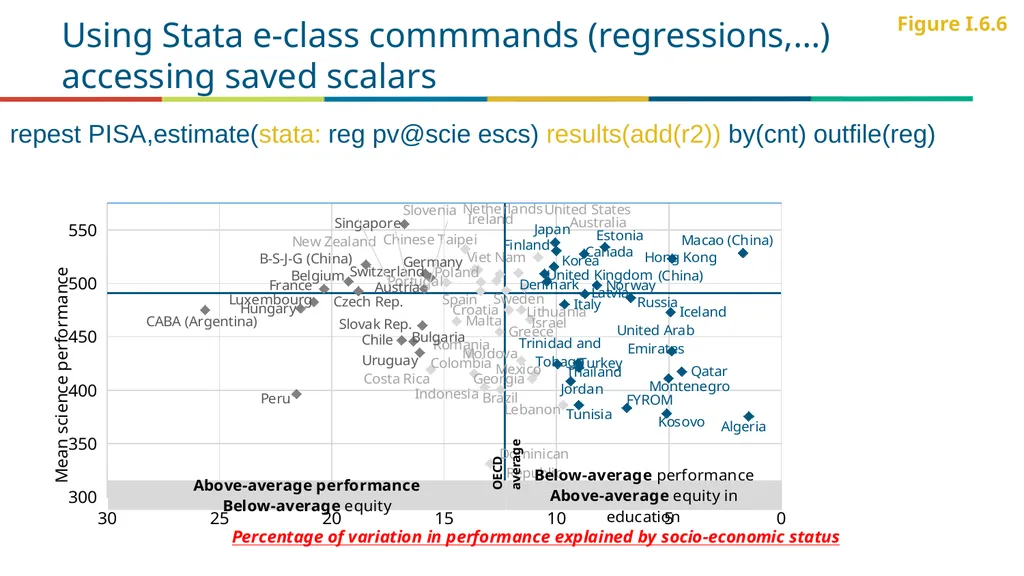
Using Stata e-class commmands (regressions,…)�accessing saved scalars Figure I.6.6 repest PISA,estimate(stata: reg pv@scie escs) results(add(r2)) by(cnt) outfile(reg)<br>
18
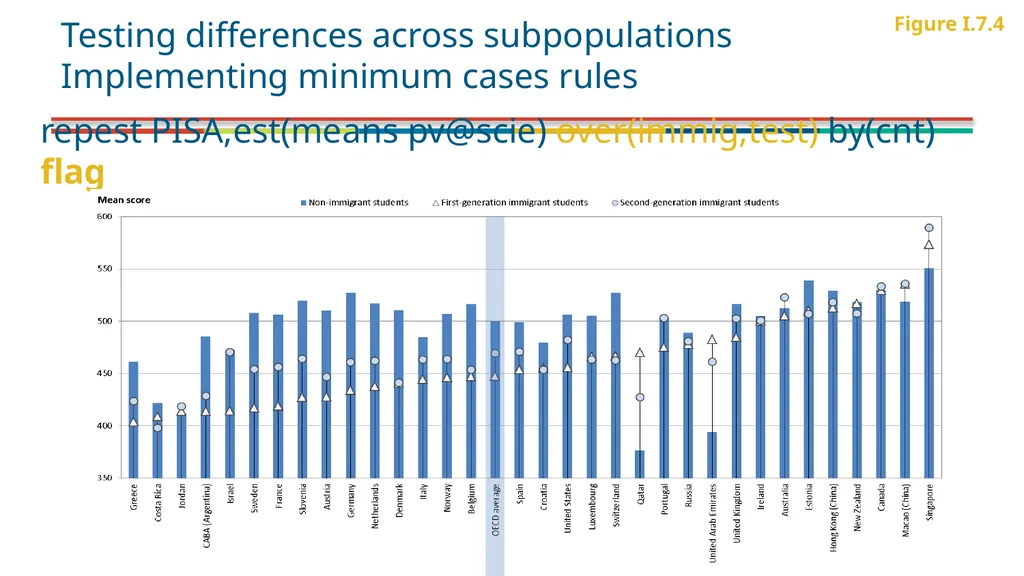
repest PISA,est(means pv@scie) over(immig,test) by(cnt) flag Figure I.7.4 Testing differences across subpopulations
Implementing minimum cases rules<br>
19
The “flag” option – to use or not to use? PRO
Implements minimum cases rules automatically: The option flag in repest PISA ensures that reported statistics are always based at least 30 students and 5 schools with valid data.
Protects confidentiality of respondents, improves robustness of findings
Replaces results with a specific missing code (.f)
CON
Requires computation time.
Results need to be interpreted – it will flag also cases of missing by design
Not always needed: often there is no doubt that there are sufficient obs (e.g. country mean performance)
The reference population may be larger than considered by flag: freq<br>
20
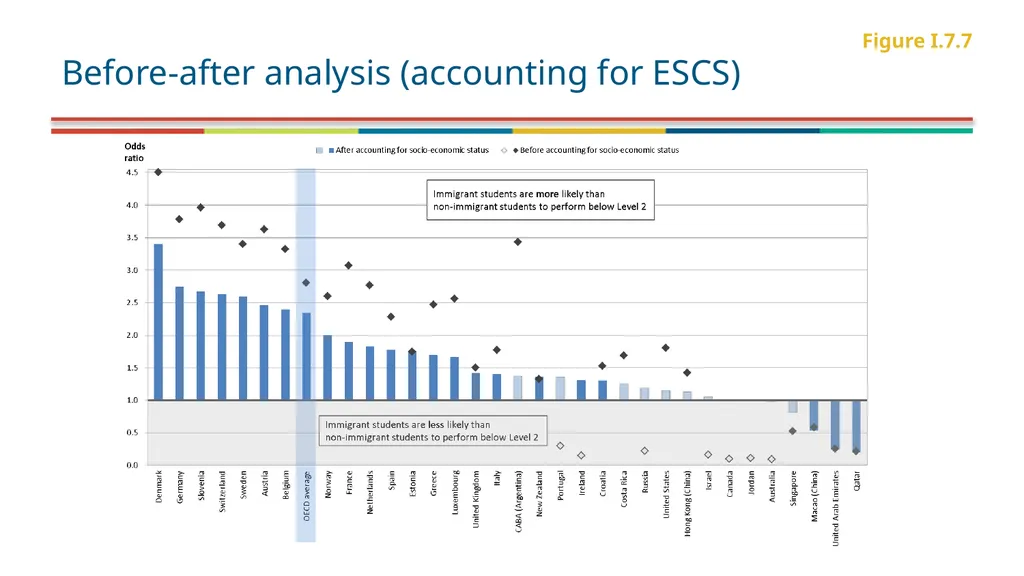
Figure I.7.7 Before-after analysis (accounting for ESCS)<br>
21
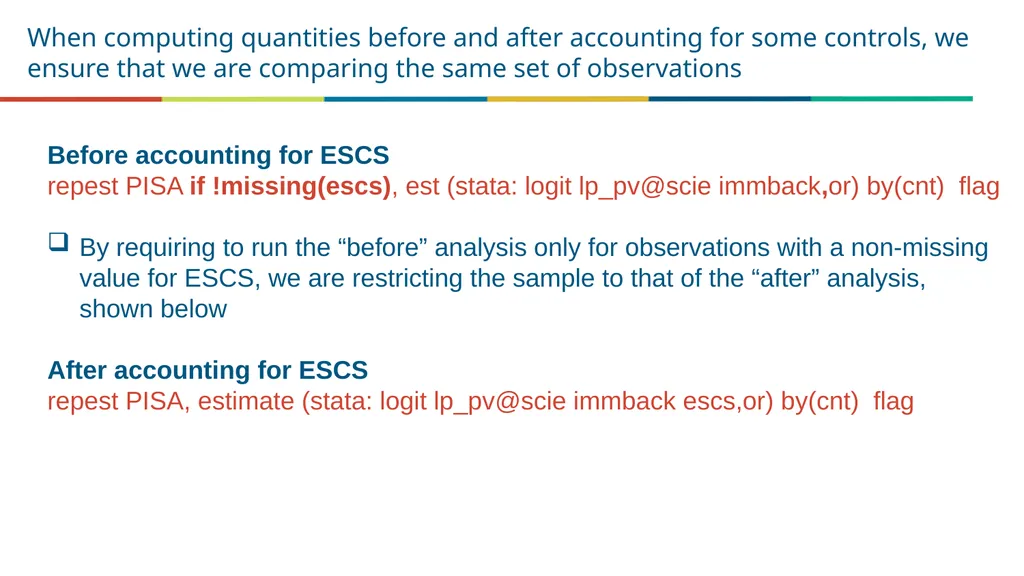
When computing quantities before and after accounting for some controls, we ensure that we are comparing the same set of observations Before accounting for ESCS
repest PISA if !missing(escs), est (stata: logit lp_pv@scie immback,or) by(cnt) flag
By requiring to run the “before” analysis only for observations with a non-missing value for ESCS, we are restricting the sample to that of the “after” analysis, shown below
After accounting for ESCS
repest PISA, estimate (stata: logit lp_pv@scie immback escs,or) by(cnt) flag<br>
22
REPEST tips and tricks<br>
23
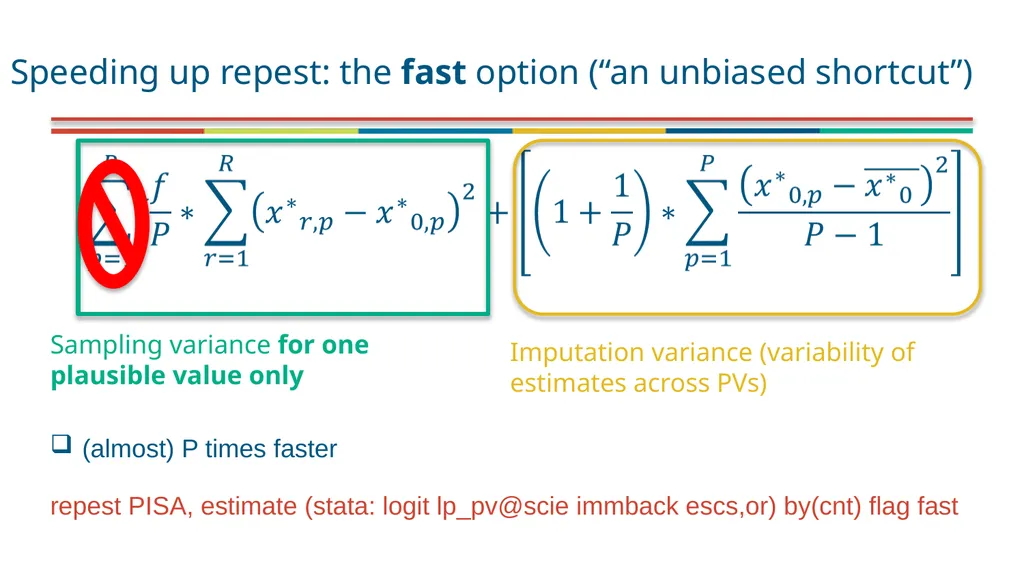
Speeding up repest: the fast option (“an unbiased shortcut”) Sampling variance for one plausible value only Imputation variance (variability of estimates across PVs) (almost) P times faster repest PISA, estimate (stata: logit lp_pv@scie immback escs,or) by(cnt) flag fast<br>
24
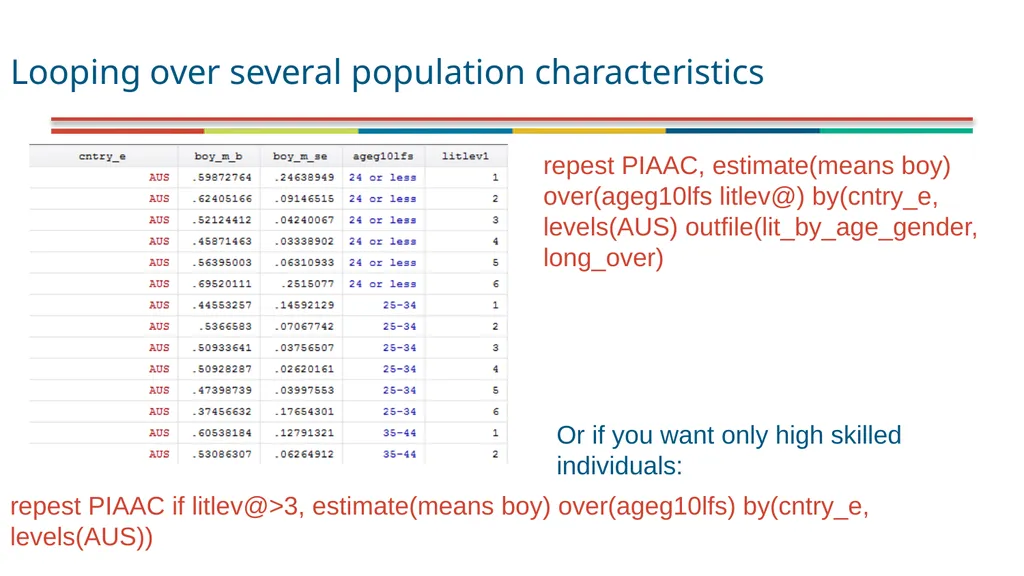
Looping over several population characteristics repest PIAAC, estimate(means boy) over(ageg10lfs litlev@) by(cntry_e, levels(AUS) outfile(lit_by_age_gender, long_over) repest PIAAC if litlev@>3, estimate(means boy) over(ageg10lfs) by(cntry_e, levels(AUS)) Or if you want only high skilled individuals:<br>
25
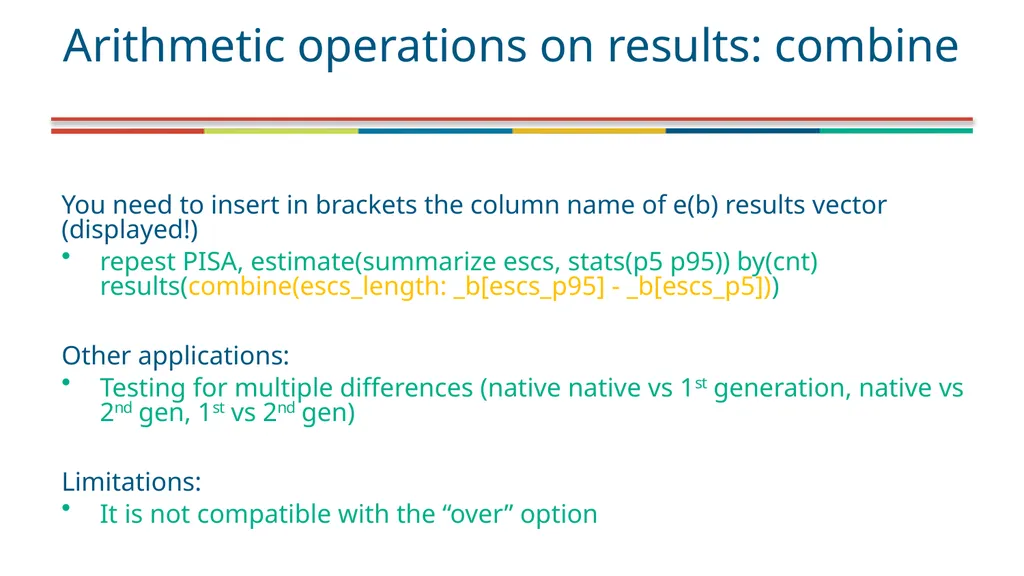
You need to insert in brackets the column name of e(b) results vector (displayed!)
repest PISA, estimate(summarize escs, stats(p5 p95)) by(cnt) results(combine(escs_length: _b[escs_p95] - _b[escs_p5]))
Other applications:
Testing for multiple differences (native native vs 1st generation, native vs 2nd gen, 1st vs 2nd gen)
Limitations:
It is not compatible with the “over” option Arithmetic operations on results: combine<br>
26
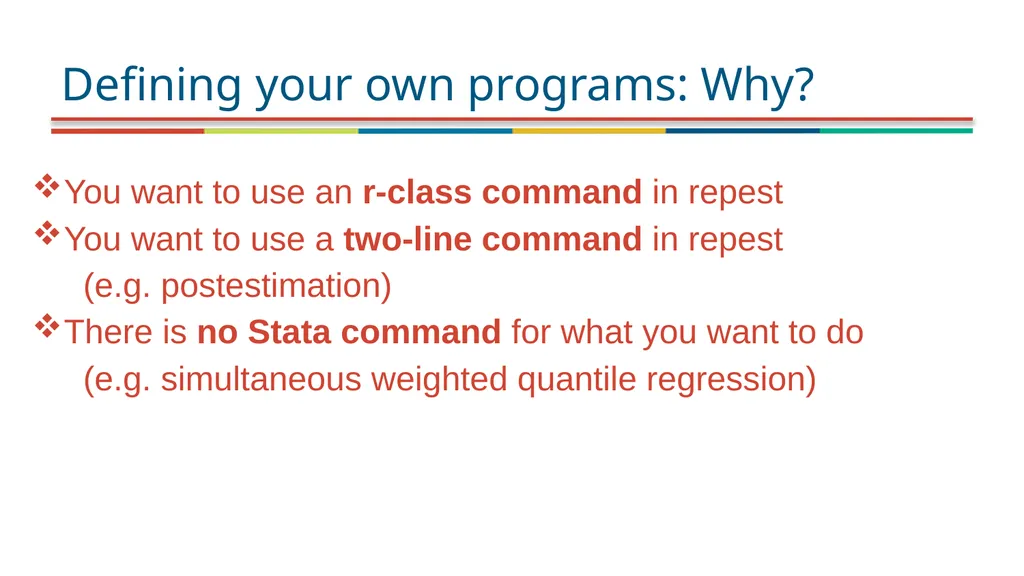
Defining your own programs: Why? You want to use an r-class command in repest
You want to use a two-line command in repest
(e.g. postestimation)
There is no Stata command for what you want to do
(e.g. simultaneous weighted quantile regression)<br>
27
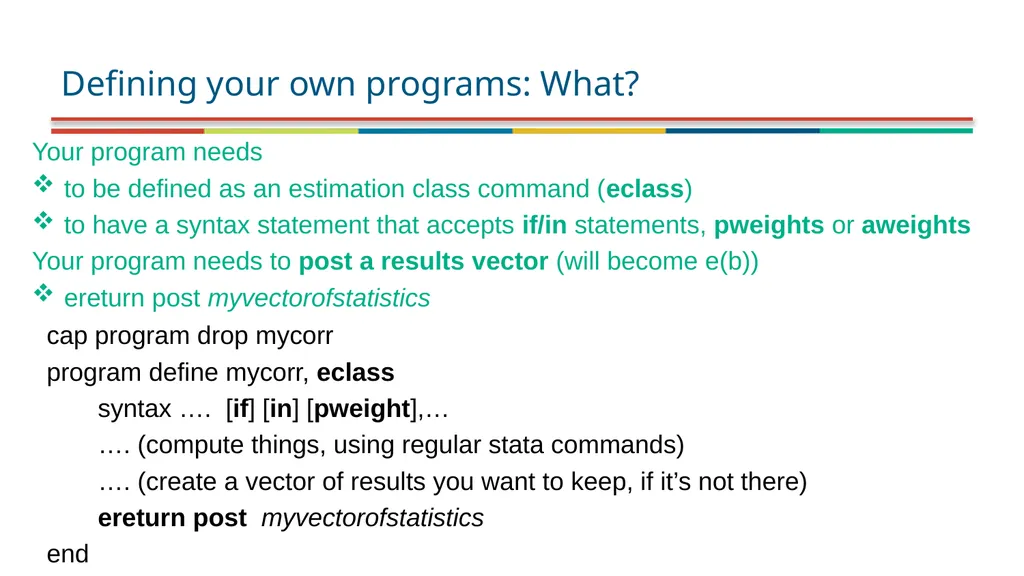
Defining your own programs: What? Your program needs
to be defined as an estimation class command (eclass)
to have a syntax statement that accepts if/in statements, pweights or aweights
Your program needs to post a results vector (will become e(b))
ereturn post myvectorofstatistics cap program drop mycorr
program define mycorr, eclass
syntax …. [if] [in] [pweight],…
…. (compute things, using regular stata commands)
…. (create a vector of results you want to keep, if it’s not there)
ereturn post myvectorofstatistics
end<br>
28
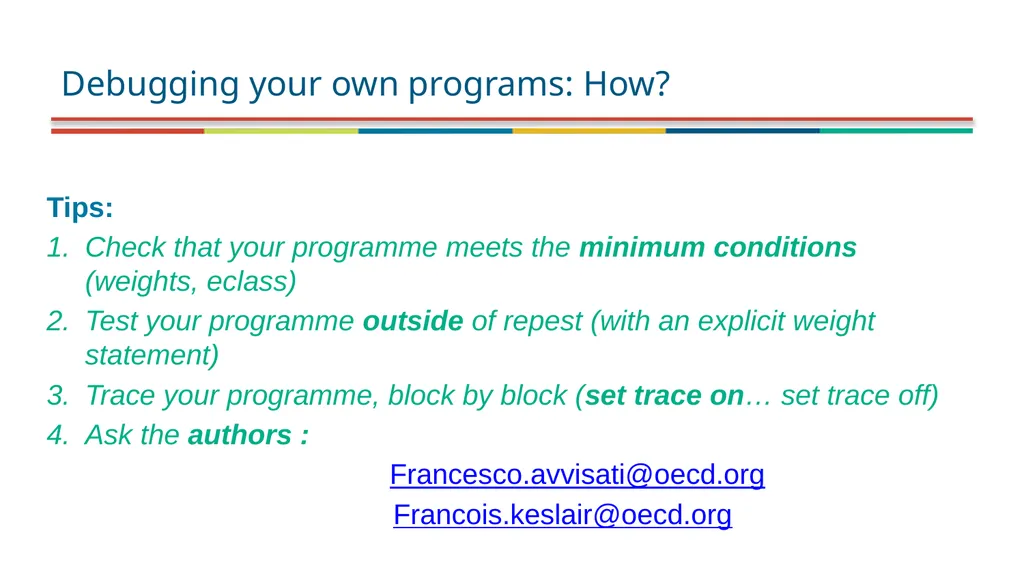
Debugging your own programs: How? Tips:
Check that your programme meets the minimum conditions (weights, eclass)
Test your programme outside of repest (with an explicit weight statement)
Trace your programme, block by block (set trace on… set trace off)
Ask the authors :
Francesco.avvisati@oecd.org
Francois.keslair@oecd.org<br>
29
Q&A Thanks a lot for your attention!<br>