Please set up your computer Muteun-mute your microphone Turn onoff video Show participants in sidebar (on right) Click to bring chat view in sidebar; type your questions in chat Raise your hand if you need attention Click for live closed
"Please set up your computer Mute/un-mute your" is the property of its rightful owner. Permission is granted to
download and print the materials on this website for personal, non-commercial use only, and to display it
on your personal computer provided you do not modify the materials and that you retain all copyright
notices contained in the materials. By downloading content from our website, you accept the terms of this
agreement.
Presentation Transcript
01
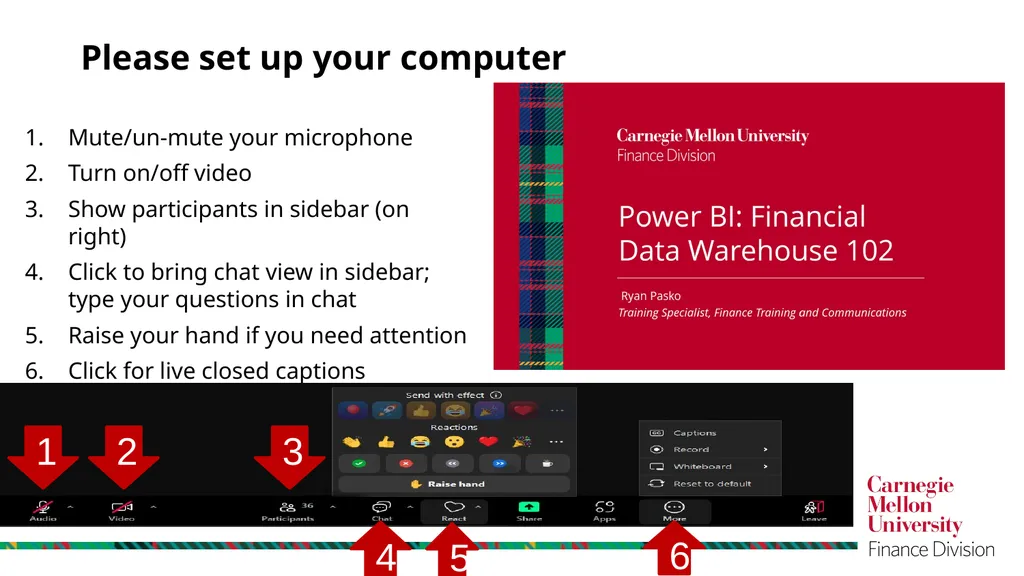
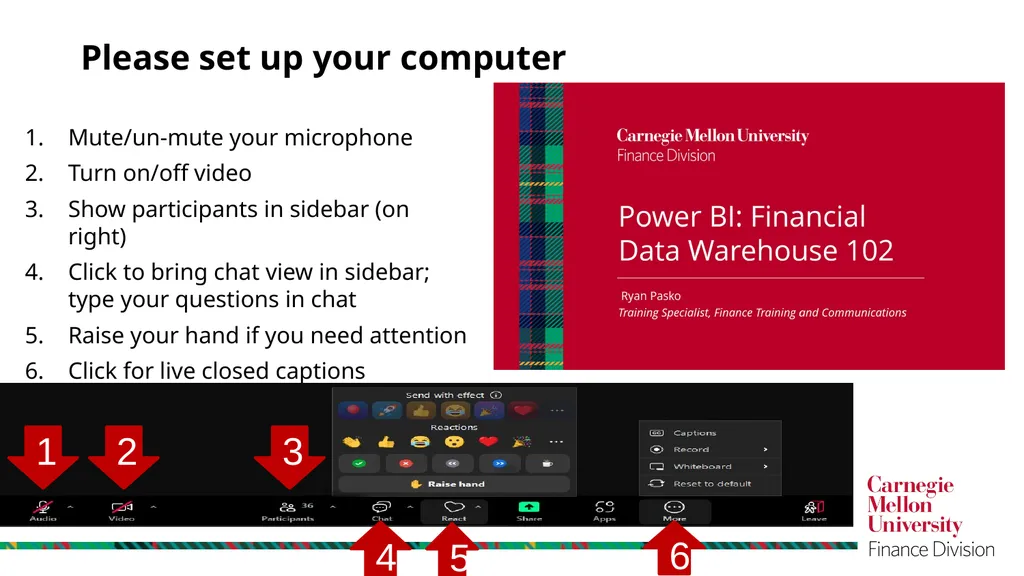
Please set up your computer Mute/un-mute your microphone
Turn on/off video
Show participants in sidebar (on right)
Click to bring chat view in sidebar; type your questions in chat
Raise your hand if you need attention
Click for live closed captions 1 2 4 3 5 6<br>
02
Power BI: Financial Data Warehouse 102 Ryan Pasko
Training Specialist, Finance Training and Communications<br>
03
Be positive and in the present
Be open to different ways of thinking
Put phones away and on vibrate
Take urgent calls on mute
Welcome everyone into the discussion Let’s Agree to… 3<br>
04
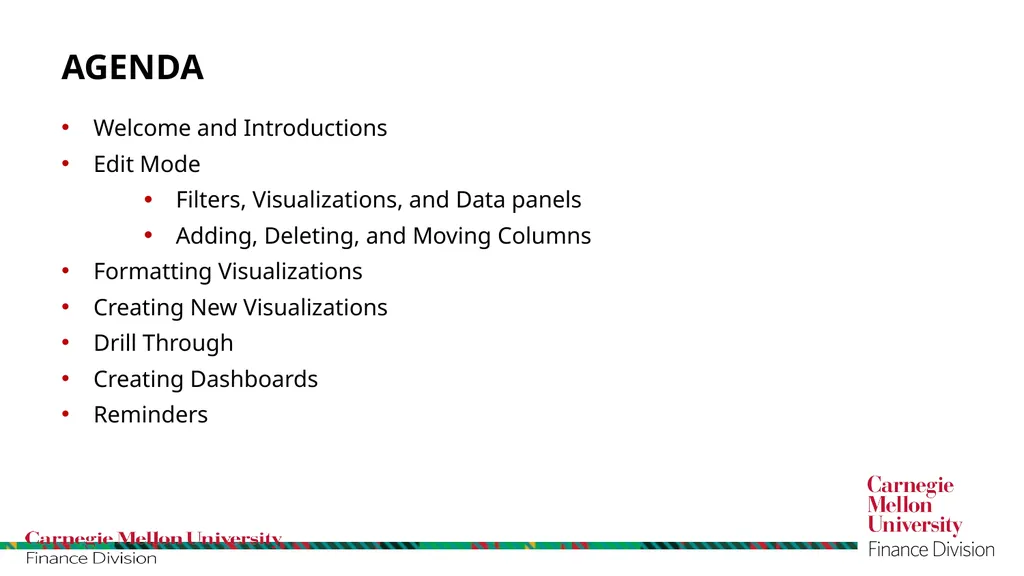
Welcome and Introductions
Edit Mode
Filters, Visualizations, and Data panels
Adding, Deleting, and Moving Columns
Formatting Visualizations
Creating New Visualizations
Drill Through
Creating Dashboards
Reminders Agenda 4<br>
05
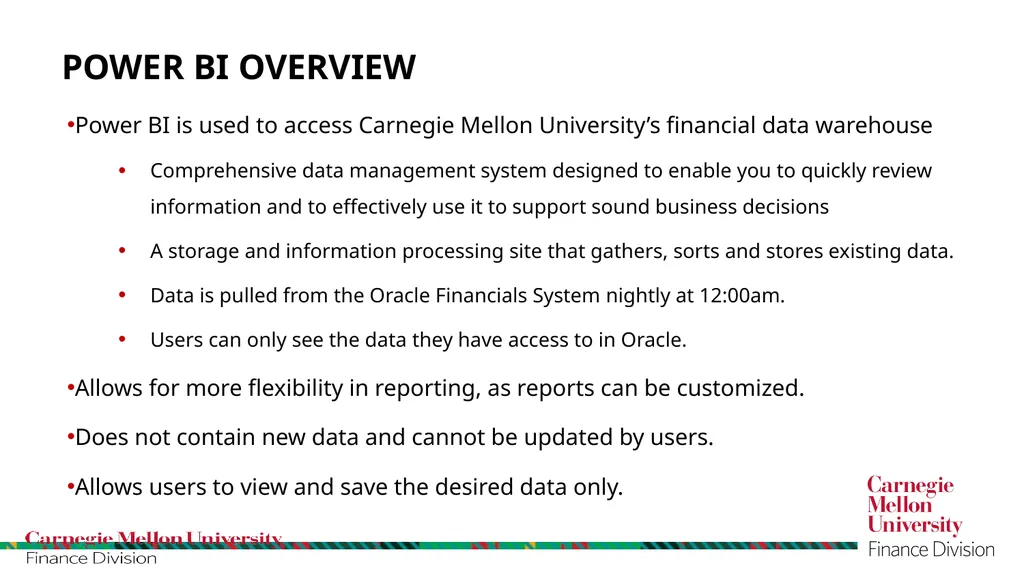
Power BI is used to access Carnegie Mellon University’s financial data warehouse
Comprehensive data management system designed to enable you to quickly review information and to effectively use it to support sound business decisions
A storage and information processing site that gathers, sorts and stores existing data.
Data is pulled from the Oracle Financials System nightly at 12:00am.
Users can only see the data they have access to in Oracle.
Allows for more flexibility in reporting, as reports can be customized.
Does not contain new data and cannot be updated by users.
Allows users to view and save the desired data only. Power BI overview 5<br>
06
Please see your training manual for instructions for the hands-on training exercises
https://app.powerbi.com/home
Enter your CMU Andrew email address Hands on Exercises 6<br>
07
Your supervisor has asked you to update the GL Transaction Detail report to include the Fiscal Year, Invoice Source, and Vendor Type. You will also need to remove several fields to make the report more compact and less redundant.
To accomplish this, we will edit and run the “(name) GL Transaction Detail” report to add, remove, and adjust several fields
Add: Fiscal Year, Invoice Source, Vendor Type
Remove: Period Name, Period Number, Tracking Number, Justification, and Merchant Name Exercise #1 7<br>
08
You have decided to refine the GL Transaction Detail report further. You want to remove the Set of Books and Transaction Currency fields from the visual but you still want to filter by those fields. You don’t want to see the duplicated values in the columns. Add the Minority Business field only to the filters
Edit the GL Transaction Detail (Macro) report.
Review/change the appropriate fields as necessary. When finished, save report and return to reading view Exercise #2 (On your own) 8<br>
09
Modify the AP Invoice Detail Report to narrow down the results to only show expense reports (ER) (not PRC reports) for employee Alexis A McCune in Organization (210100) for October 2011.
Create a second page that will have a pie chart, slicer, and multi-row card to show the expense report information for the Organization 210100. We will look for Alexis A McCune in the results.
Add Vendor Name and Func Curr Inv Line Amt to the Pie Chart
Add AP Invoice Number, Organization Number, Posted Flag, Set of Books to filters
Add a Slicer to the page, and use the Accounting Date field for the Slicer
Add a Multi-Row Card to the Page, use Vendor Name and Func Curr Inv Line Amt. Exercise #3 9<br>
10
Your manager has asked if the report can be built where if the pie chart is clicked it will direct you to the table of data for that one particular slice of the chart.
We have decided to modify the AP Invoice Detail Report to drill through from the Pie Chart to the Table to show the records for each person (vendor name) when the Pie Chart is right clicked. Exercise #4 10<br>
11
Create a new Dashboard in the FDW 102 Workspace. Label it with your name.
Pin the AP Invoice Detail Chart page and the GL Transactions Detail Page to the dashboard. Exercise #5 11<br>
12
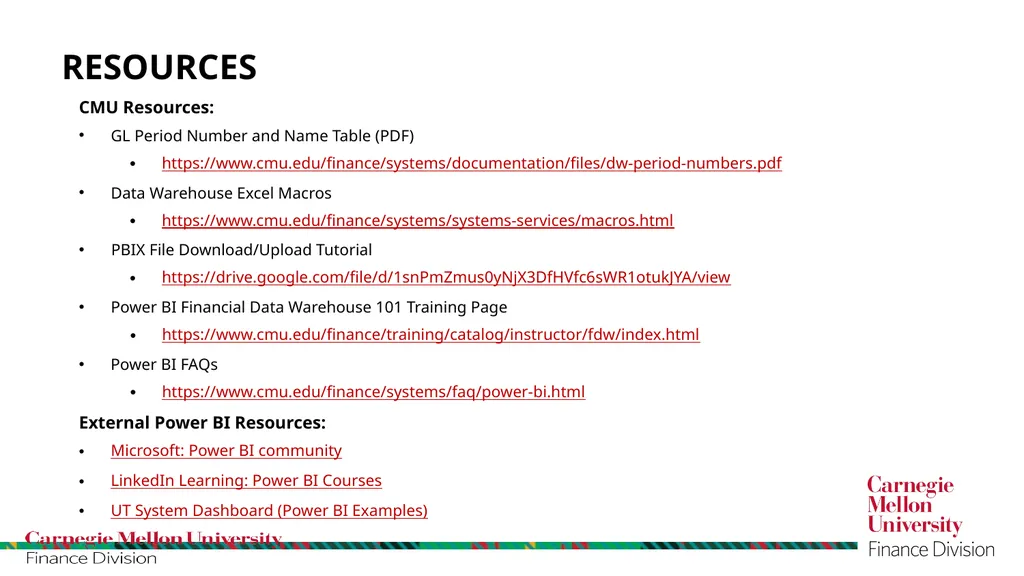
CMU Resources:
GL Period Number and Name Table (PDF)
https://www.cmu.edu/finance/systems/documentation/files/dw-period-numbers.pdf
Data Warehouse Excel Macros
https://www.cmu.edu/finance/systems/systems-services/macros.html
PBIX File Download/Upload Tutorial
https://drive.google.com/file/d/1snPmZmus0yNjX3DfHVfc6sWR1otukJYA/view
Power BI Financial Data Warehouse 101 Training Page
https://www.cmu.edu/finance/training/catalog/instructor/fdw/index.html
Power BI FAQs
https://www.cmu.edu/finance/systems/faq/power-bi.html
External Power BI Resources:
Microsoft: Power BI community
LinkedIn Learning: Power BI Courses
UT System Dashboard (Power BI Examples) Resources<br>
13
Quarterly meetings with peers to discuss, share, and ask questions
If interested email it-help@Andrew.cmu.edu Power Bi User Group<br>
14
THANK YOU Power BI Questions?
Contact the IT Help Desk
It-help@andrew.cmu.edu
Look for a follow up Email
Link to our course survey<br>