
Procurement Guide State Purchasing Authority UW

Description: Procurement Guide State Purchasing Authority UW Institutions obtain goods and services through the purchasing process governed by the Department of Administrations State Bureau of Procurement. 16.71, Wis. Stats., provides that the
Related Topics
Download Presentation
"Procurement Guide State Purchasing Authority UW" is the property of its rightful owner. Permission is granted to download and print the materials on this website for personal, non-commercial use only, and to display it on your personal computer provided you do not modify the materials and that you retain all copyright notices contained in the materials. By downloading content from our website, you accept the terms of this agreement.
Presentation Transcript
slide1. Procurement Guide<br>
slide2. State Purchasing Authority UW Institutions obtain goods and services through the purchasing process governed by the Department of Administration’s State Bureau of Procurement.
§16.71, Wis. Stats., provides that the Department of Administration (DOA) “shall purchase and may delegate to special designated agents the authority to purchase all necessary materials, supplies, equipment, all other permanent personal property and miscellaneous capital, and contractual services and all other expense of a consumable nature for all agencies.”
The Designated Agents are required to attend DOA provided training and submit a Delegation Application (PRO-A-3 per the State Procurement Manual) in order to be granted the full authority to purchase for their institution or agency.
The procurement concepts included in training provide the foundation for state procurement, competition, consistency, integrity and openness.<br>
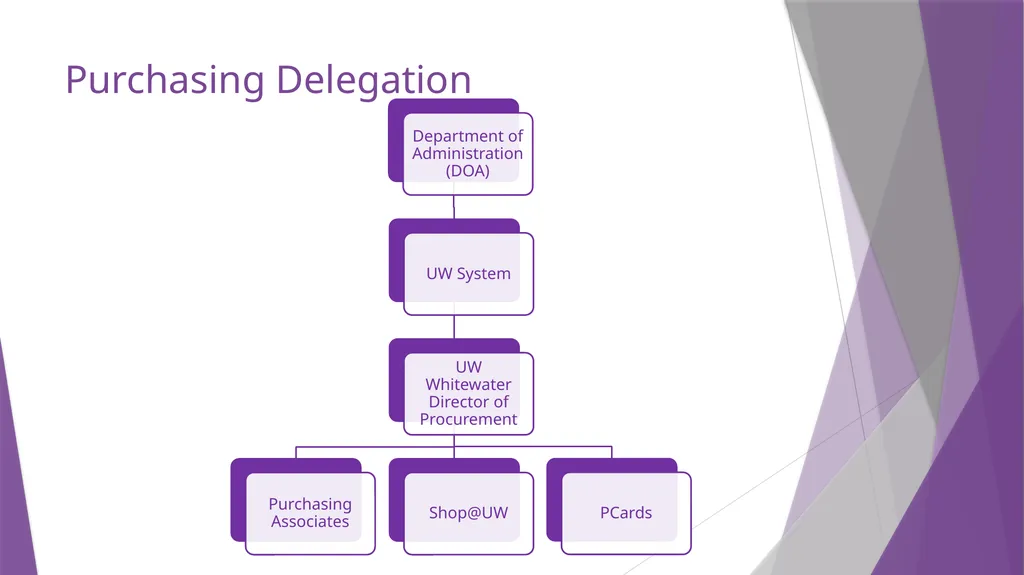
slide3. Purchasing Delegation<br>
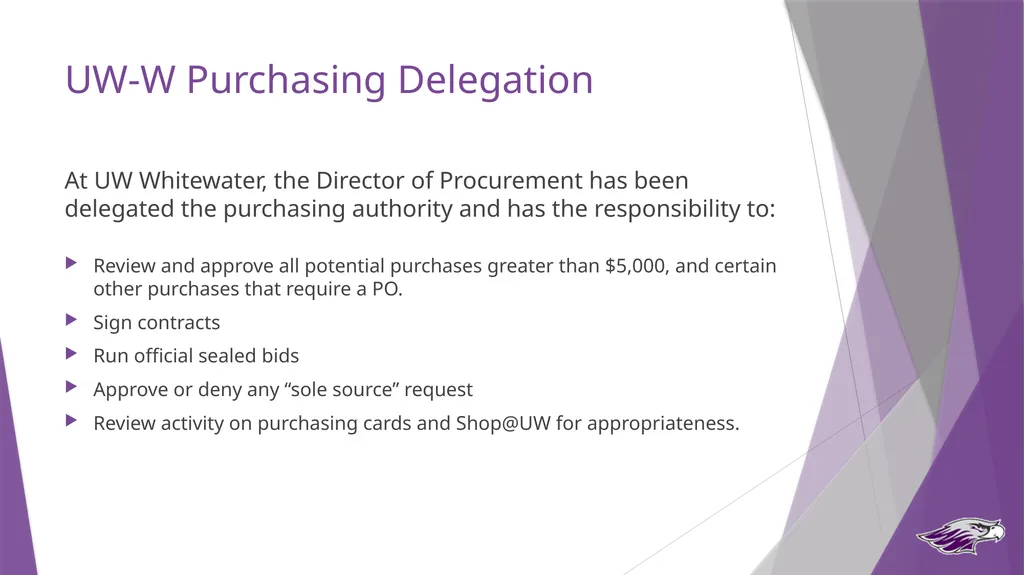
slide4. UW-W Purchasing Delegation At UW Whitewater, the Director of Procurement has been delegated the purchasing authority and has the responsibility to:
Review and approve all potential purchases greater than $5,000, and certain other purchases that require a PO.
Sign contracts
Run official sealed bids
Approve or deny any “sole source” request
Review activity on purchasing cards and Shop@UW for appropriateness.<br>
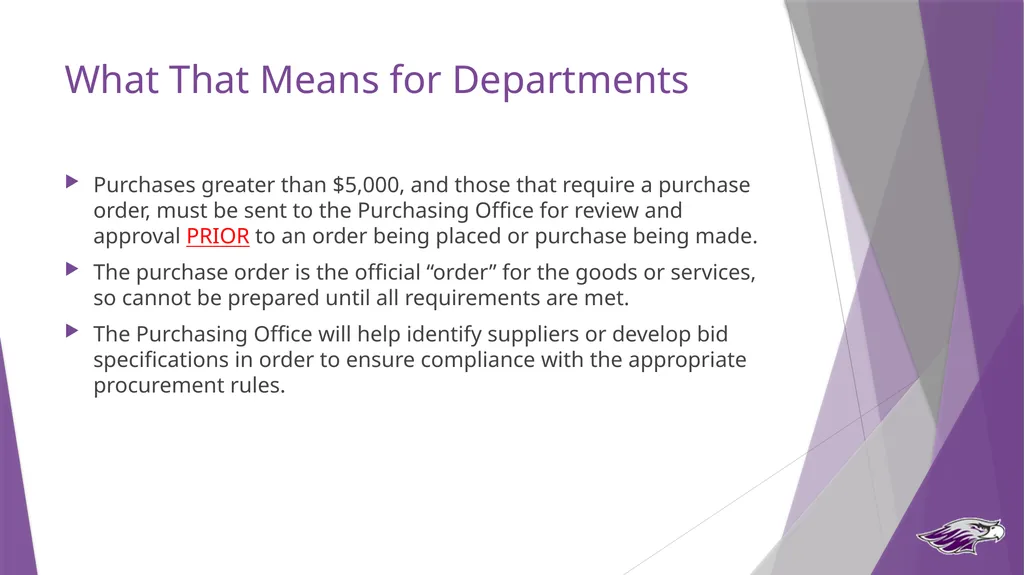
slide5. What That Means for Departments Purchases greater than $5,000, and those that require a purchase order, must be sent to the Purchasing Office for review and approval PRIOR to an order being placed or purchase being made.
The purchase order is the official “order” for the goods or services, so cannot be prepared until all requirements are met.
The Purchasing Office will help identify suppliers or develop bid specifications in order to ensure compliance with the appropriate procurement rules.<br>
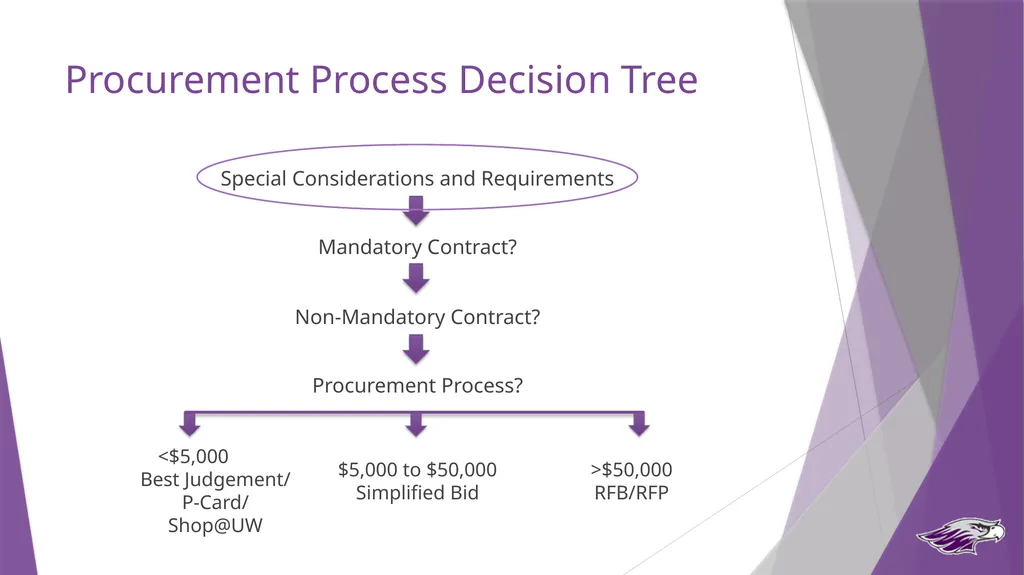
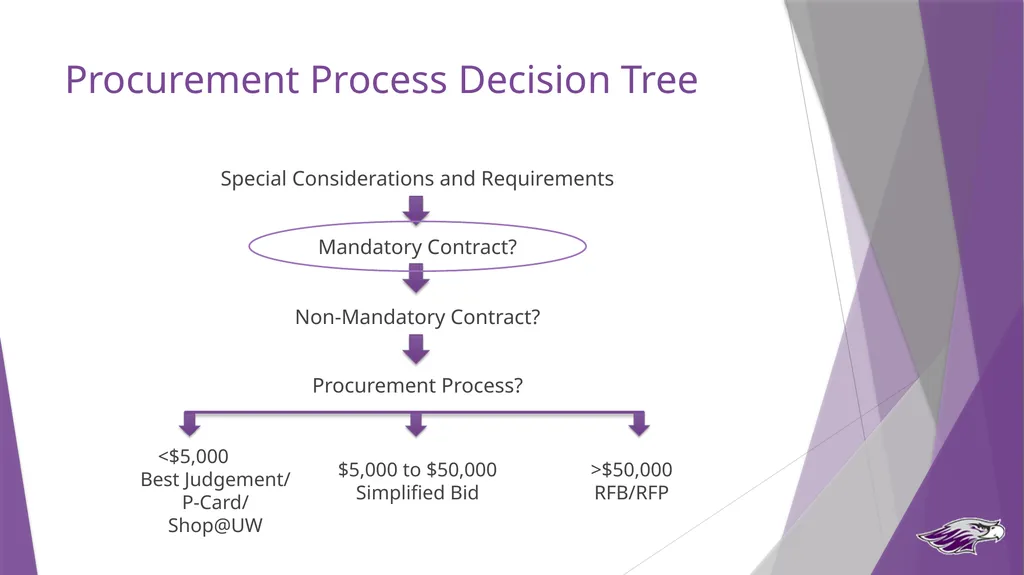
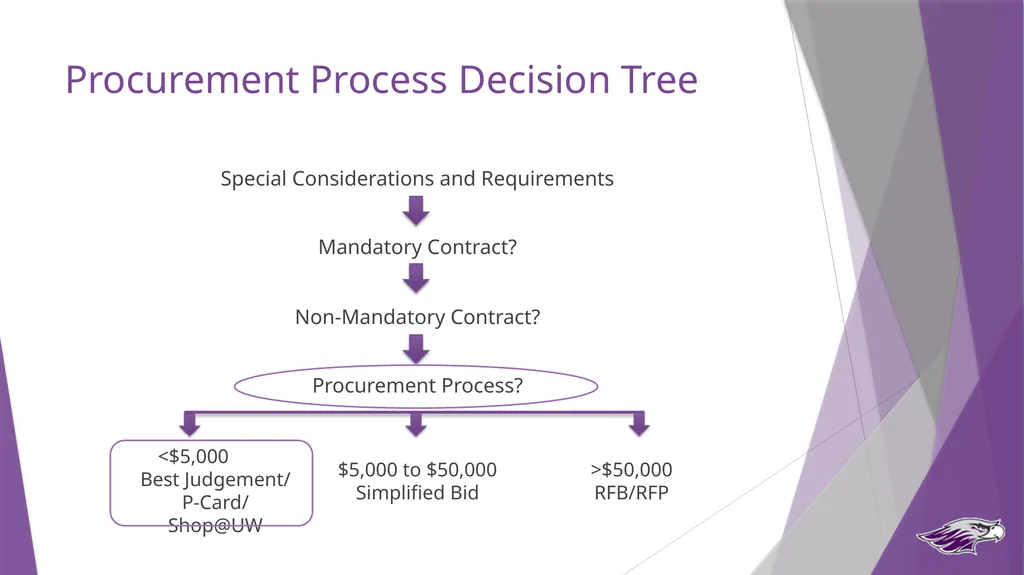
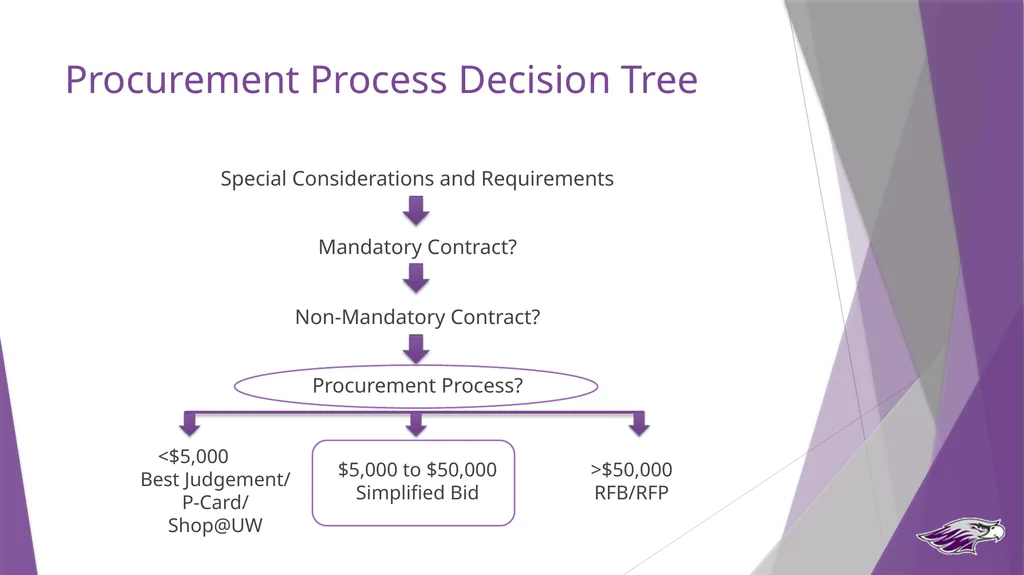
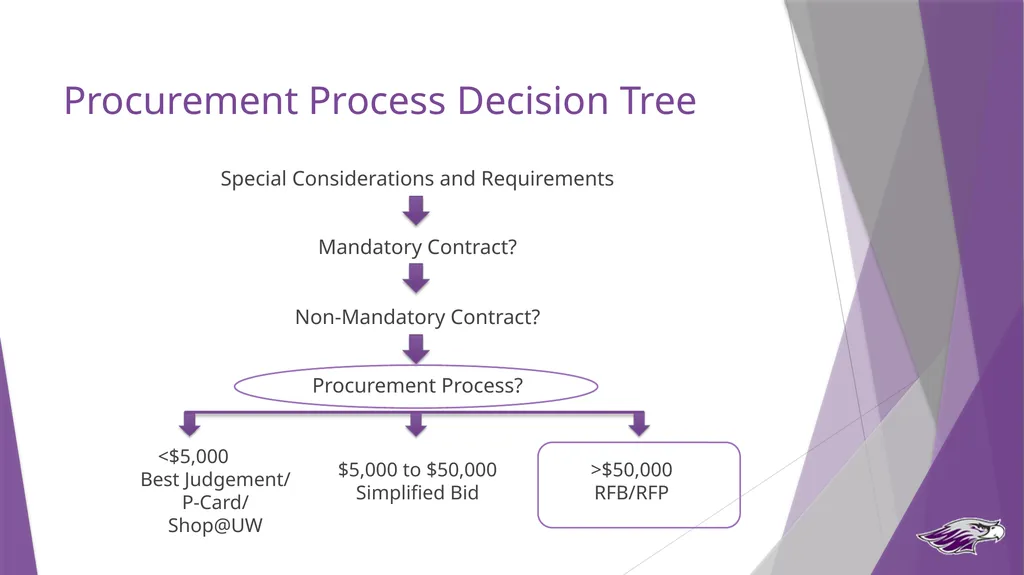
slide6. Procurement Process Decision Tree Special Considerations and Requirements
Mandatory Contract?
Non-Mandatory Contract?
Procurement Process? <$5,000
Best Judgement/
P-Card/Shop@UW $5,000 to $50,000
Simplified Bid >$50,000
RFB/RFP<br>
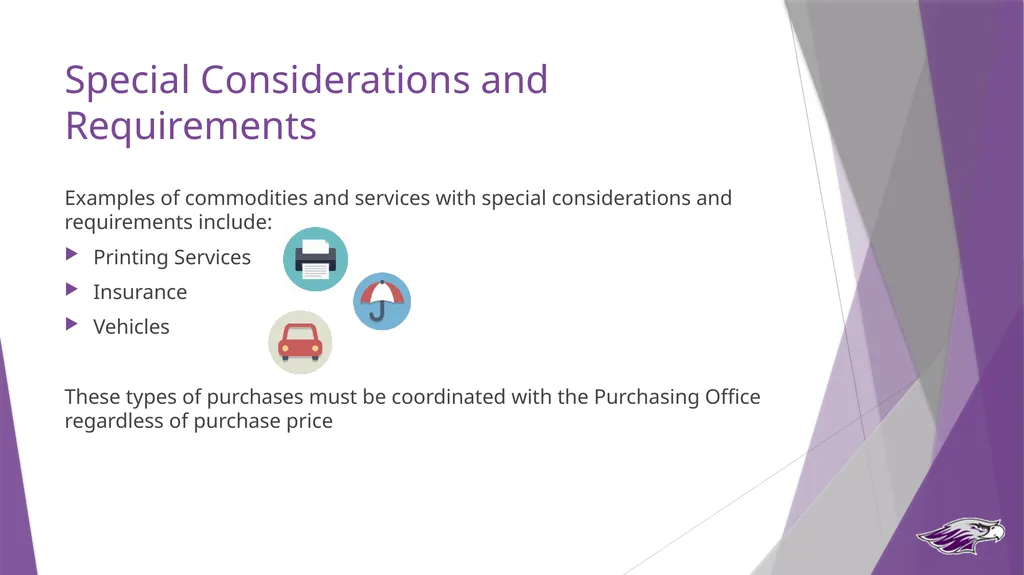
slide7. Special Considerations and Requirements Examples of commodities and services with special considerations and requirements include:
Printing Services
Insurance
Vehicles
These types of purchases must be coordinated with the Purchasing Office regardless of purchase price<br>
slide8. Procurement Process Decision Tree Special Considerations and Requirements
Mandatory Contract?
Non-Mandatory Contract?
Procurement Process? <$5,000
Best Judgement/
P-Card/Shop@UW $5,000 to $50,000
Simplified Bid >$50,000
RFB/RFP<br>
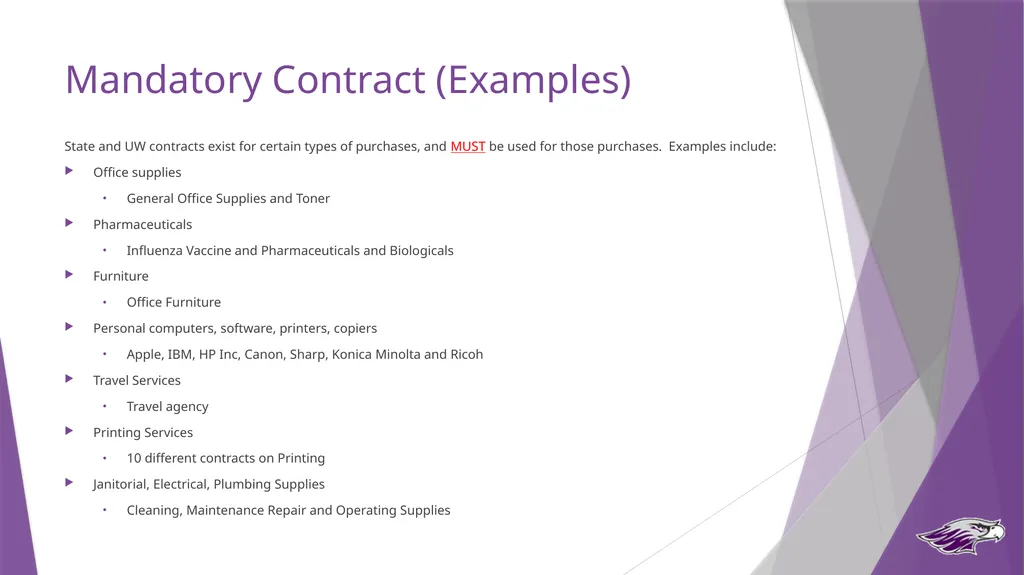
slide9. Mandatory Contract (Examples) State and UW contracts exist for certain types of purchases, and MUST be used for those purchases. Examples include:
Office supplies
General Office Supplies and Toner
Pharmaceuticals
Influenza Vaccine and Pharmaceuticals and Biologicals
Furniture
Office Furniture
Personal computers, software, printers, copiers
Apple, IBM, HP Inc, Canon, Sharp, Konica Minolta and Ricoh
Travel Services
Travel agency
Printing Services
10 different contracts on Printing
Janitorial, Electrical, Plumbing Supplies
Cleaning, Maintenance Repair and Operating Supplies<br>
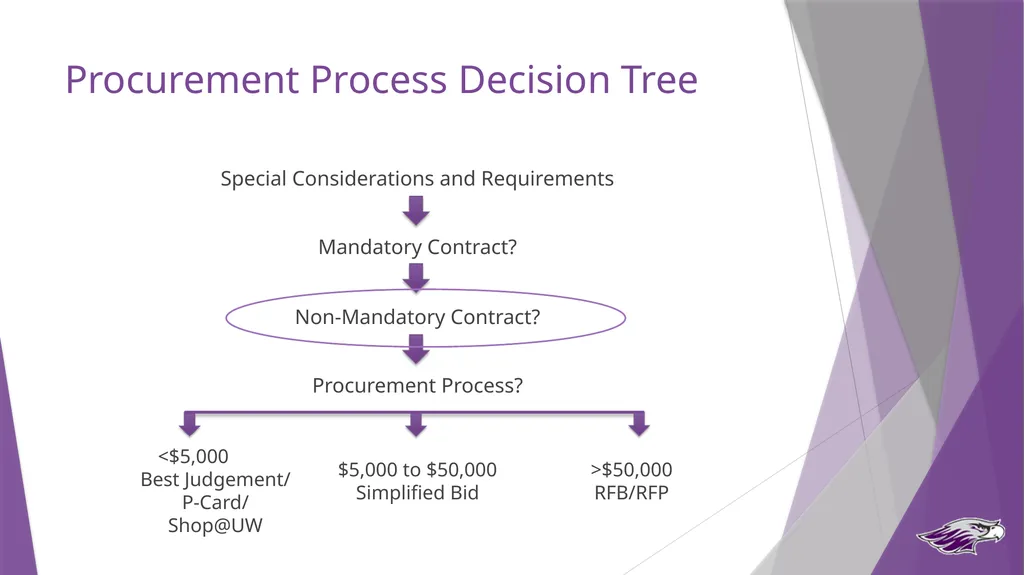
slide10. Procurement Process Decision Tree Special Considerations and Requirements
Mandatory Contract?
Non-Mandatory Contract?
Procurement Process? <$5,000
Best Judgement/
P-Card/Shop@UW $5,000 to $50,000
Simplified Bid >$50,000
RFB/RFP<br>
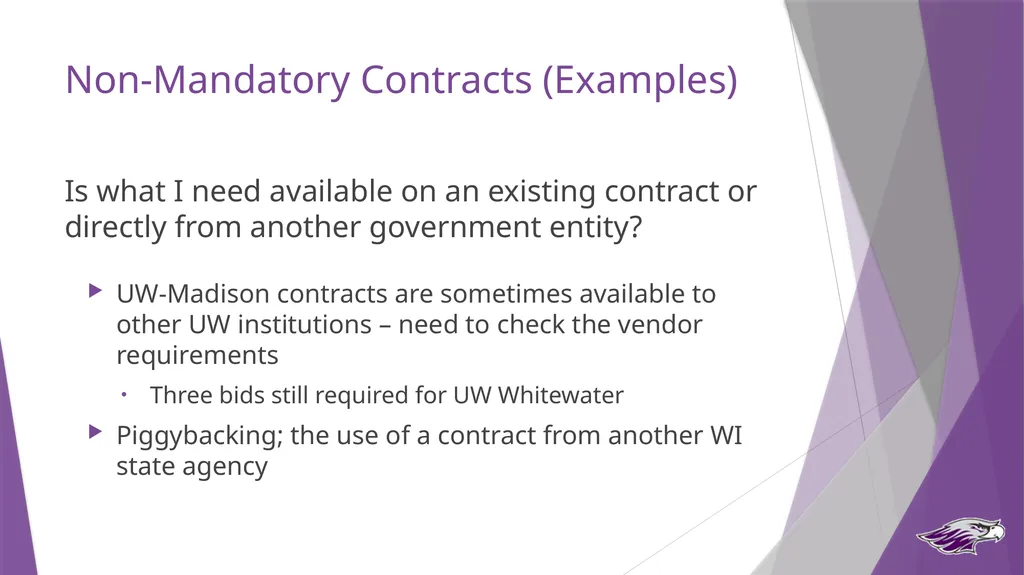
slide11. Non-Mandatory Contracts (Examples) Is what I need available on an existing contract or directly from another government entity?
UW-Madison contracts are sometimes available to other UW institutions – need to check the vendor requirements
Three bids still required for UW Whitewater
Piggybacking; the use of a contract from another WI state agency<br>
slide12. Procurement Process Decision Tree Special Considerations and Requirements
Mandatory Contract?
Non-Mandatory Contract?
Procurement Process? <$5,000
Best Judgement/
P-Card/Shop@UW $5,000 to $50,000
Simplified Bid >$50,000
RFB/RFP<br>
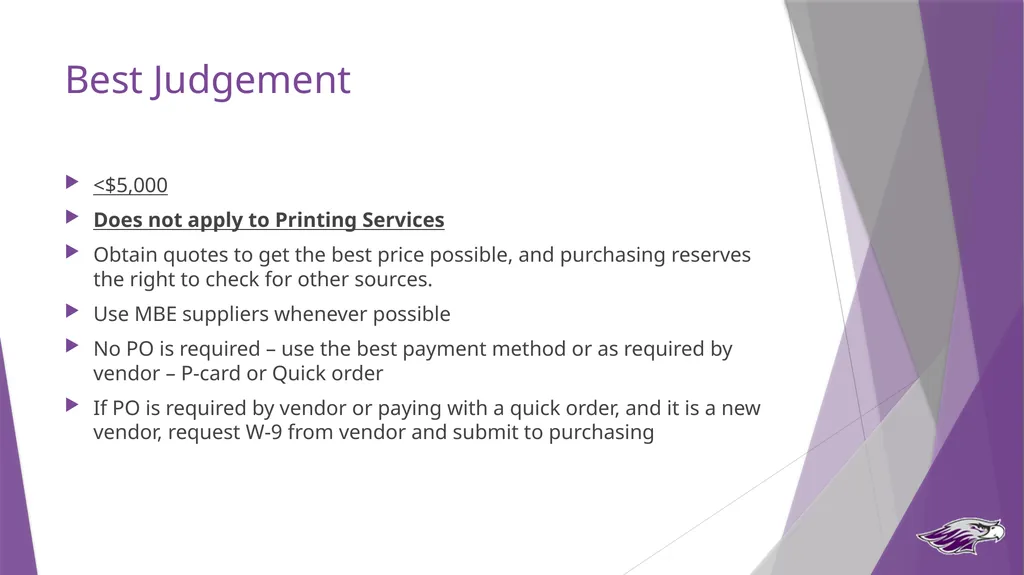
slide13. Best Judgement <$5,000
Does not apply to Printing Services
Obtain quotes to get the best price possible, and purchasing reserves the right to check for other sources.
Use MBE suppliers whenever possible
No PO is required – use the best payment method or as required by vendor – P-card or Quick order
If PO is required by vendor or paying with a quick order, and it is a new vendor, request W-9 from vendor and submit to purchasing<br>
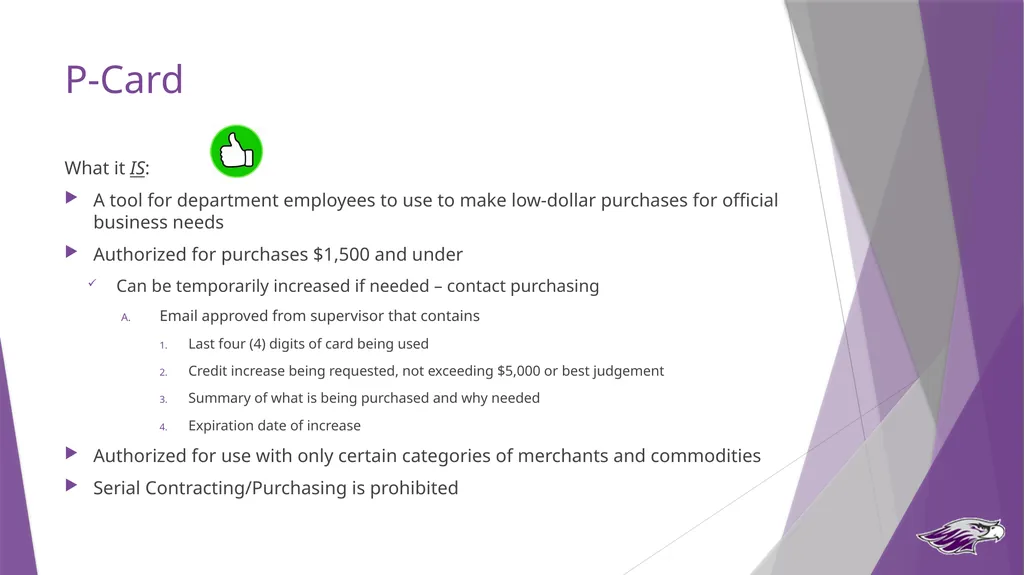
slide14. P-Card What it IS:
A tool for department employees to use to make low-dollar purchases for official business needs
Authorized for purchases $1,500 and under
Can be temporarily increased if needed – contact purchasing
Email approved from supervisor that contains
Last four (4) digits of card being used
Credit increase being requested, not exceeding $5,000 or best judgement
Summary of what is being purchased and why needed
Expiration date of increase
Authorized for use with only certain categories of merchants and commodities
Serial Contracting/Purchasing is prohibited<br>
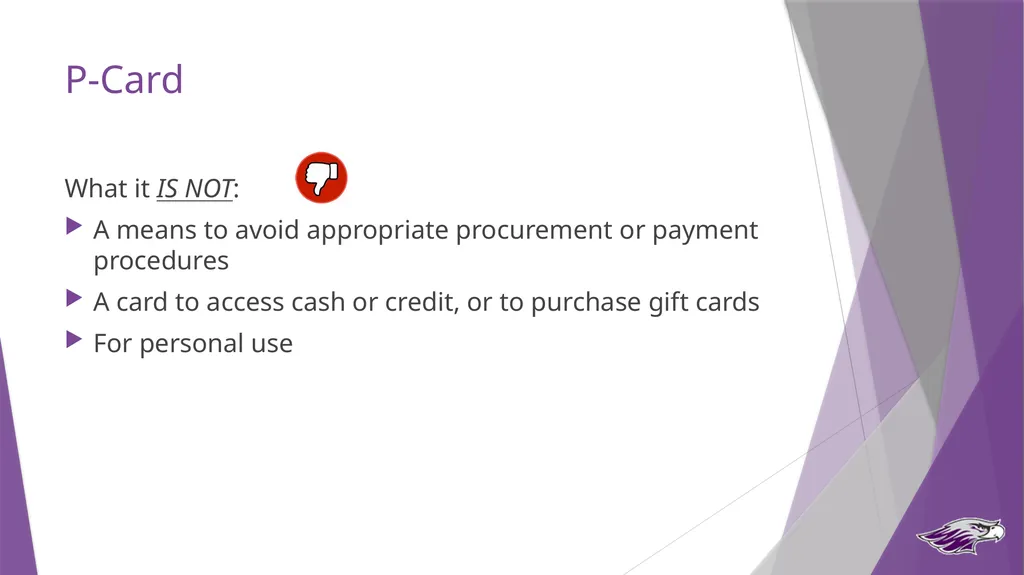
slide15. P-Card What it IS NOT:
A means to avoid appropriate procurement or payment procedures
A card to access cash or credit, or to purchase gift cards
For personal use<br>
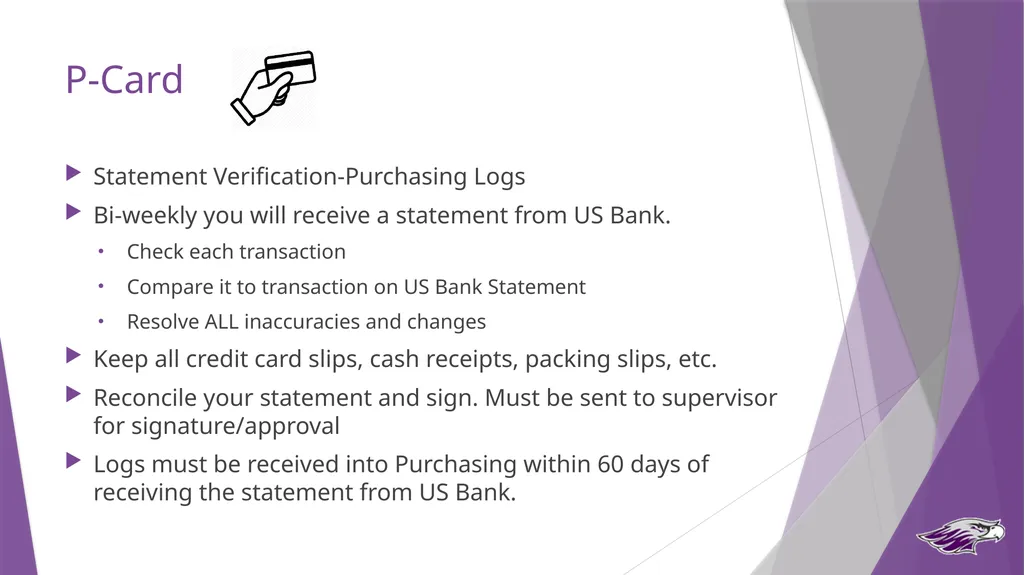
slide16. P-Card Statement Verification-Purchasing Logs
Bi-weekly you will receive a statement from US Bank.
Check each transaction
Compare it to transaction on US Bank Statement
Resolve ALL inaccuracies and changes
Keep all credit card slips, cash receipts, packing slips, etc.
Reconcile your statement and sign. Must be sent to supervisor for signature/approval
Logs must be received into Purchasing within 60 days of receiving the statement from US Bank.<br>
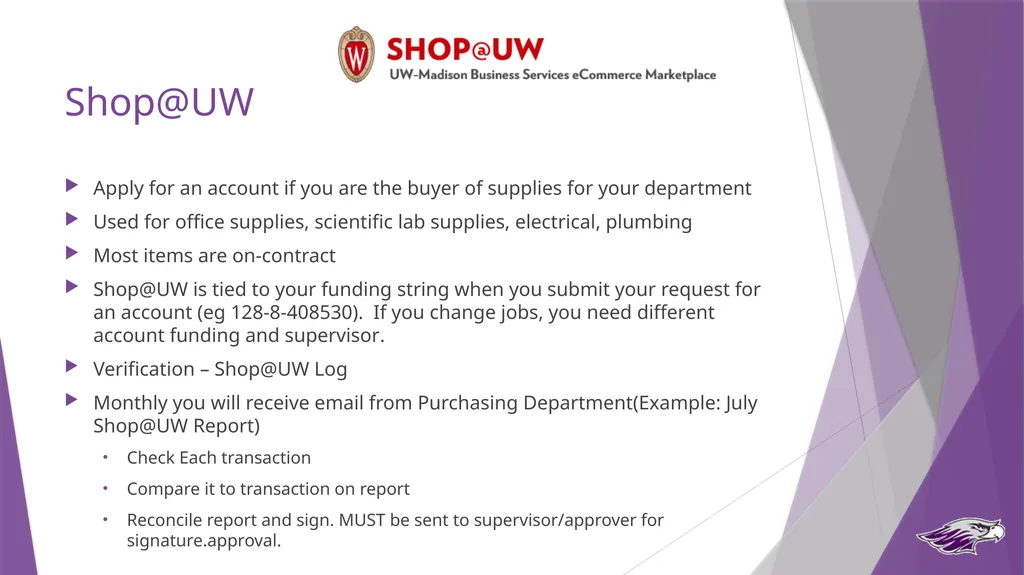
slide17. Shop@UW Apply for an account if you are the buyer of supplies for your department
Used for office supplies, scientific lab supplies, electrical, plumbing
Most items are on-contract
Shop@UW is tied to your funding string when you submit your request for an account (eg 128-8-408530). If you change jobs, you need different account funding and supervisor.
Verification – Shop@UW Log
Monthly you will receive email from Purchasing Department(Example: July Shop@UW Report)
Check Each transaction
Compare it to transaction on report
Reconcile report and sign. MUST be sent to supervisor/approver for signature.approval.<br>
slide18. Procurement Process Decision Tree Special Considerations and Requirements
Mandatory Contract?
Non-Mandatory Contract?
Procurement Process? <$5,000
Best Judgement/
P-Card/Shop@UW $5,000 to $50,000
Simplified Bid >$50,000
RFB/RFP<br>
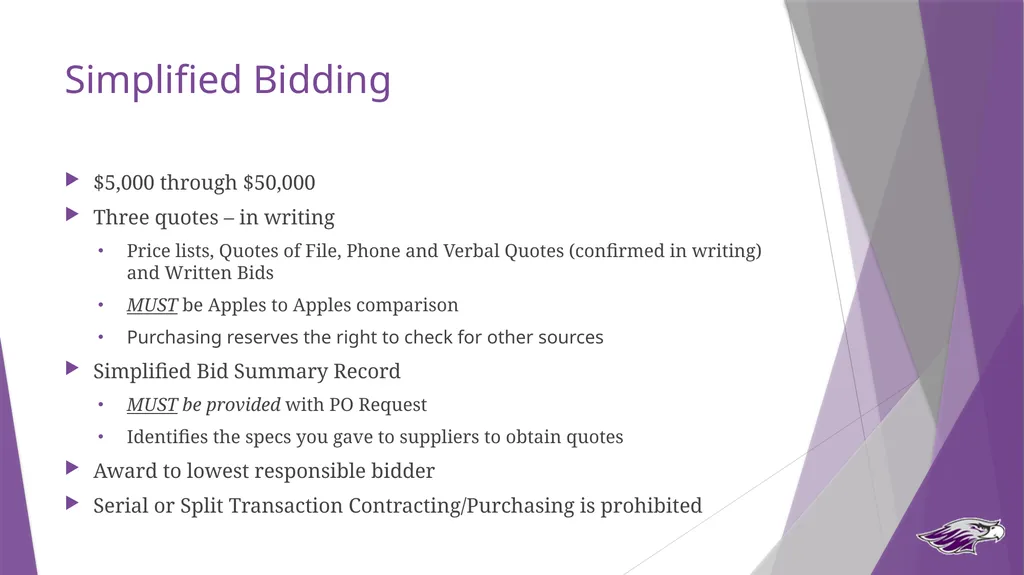
slide19. Simplified Bidding $5,000 through $50,000
Three quotes – in writing
Price lists, Quotes of File, Phone and Verbal Quotes (confirmed in writing) and Written Bids
MUST be Apples to Apples comparison
Purchasing reserves the right to check for other sources
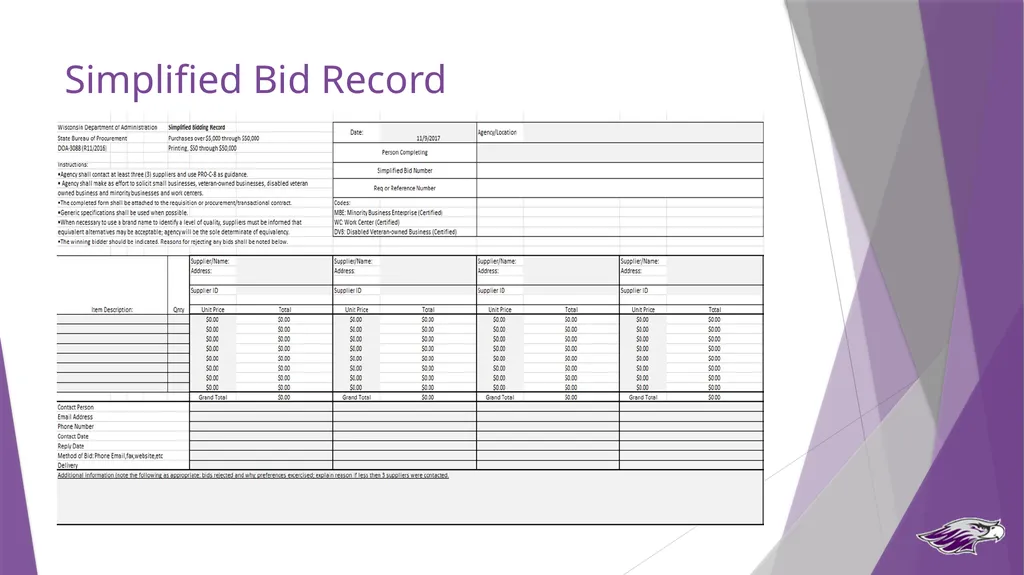
Simplified Bid Summary Record
MUST be provided with PO Request
Identifies the specs you gave to suppliers to obtain quotes
Award to lowest responsible bidder
Serial or Split Transaction Contracting/Purchasing is prohibited<br>
slide20. Simplified Bid Record<br>
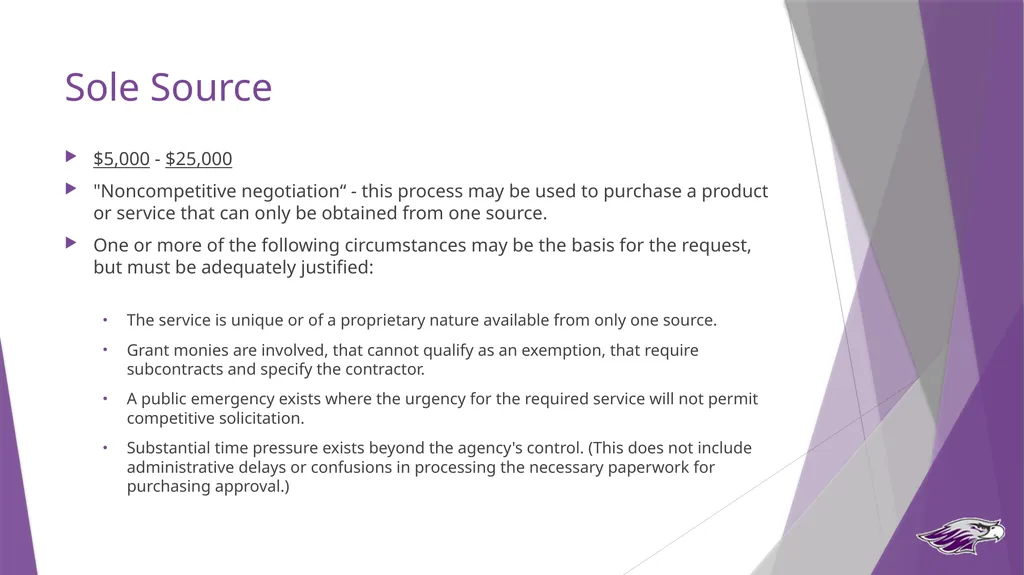
slide21. Sole Source $5,000 - $25,000
"Noncompetitive negotiation“ - this process may be used to purchase a product or service that can only be obtained from one source.
One or more of the following circumstances may be the basis for the request, but must be adequately justified:
The service is unique or of a proprietary nature available from only one source.
Grant monies are involved, that cannot qualify as an exemption, that require subcontracts and specify the contractor.
A public emergency exists where the urgency for the required service will not permit competitive solicitation.
Substantial time pressure exists beyond the agency's control. (This does not include administrative delays or confusions in processing the necessary paperwork for purchasing approval.)<br>
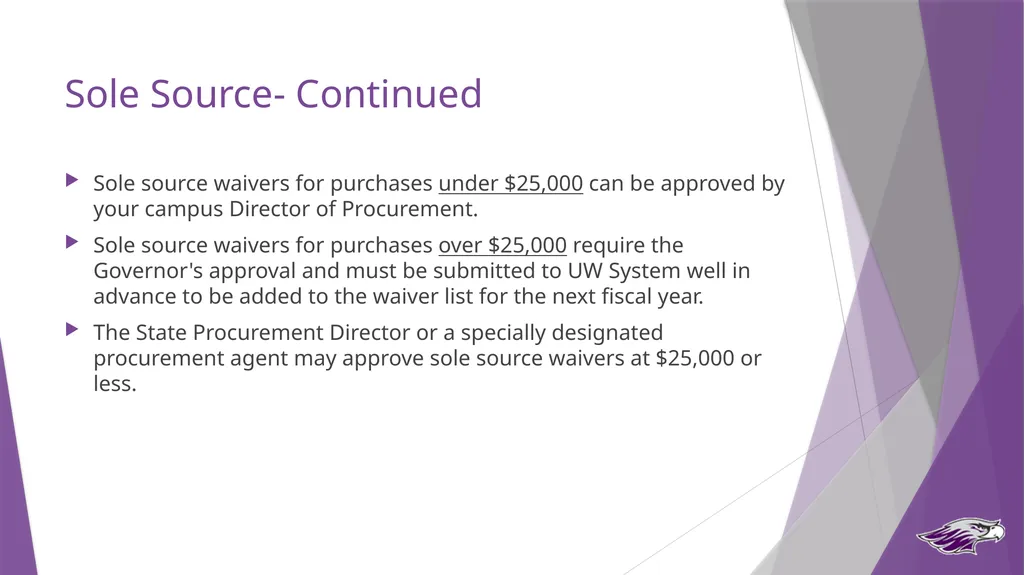
slide22. Sole Source- Continued Sole source waivers for purchases under $25,000 can be approved by your campus Director of Procurement.
Sole source waivers for purchases over $25,000 require the Governor's approval and must be submitted to UW System well in advance to be added to the waiver list for the next fiscal year.
The State Procurement Director or a specially designated procurement agent may approve sole source waivers at $25,000 or less.<br>
slide23. Procurement Process Decision Tree Special Considerations and Requirements
Mandatory Contract?
Non-Mandatory Contract?
Procurement Process? <$5,000
Best Judgement/
P-Card/Shop@UW $5,000 to $50,000
Simplified Bid >$50,000
RFB/RFP<br>
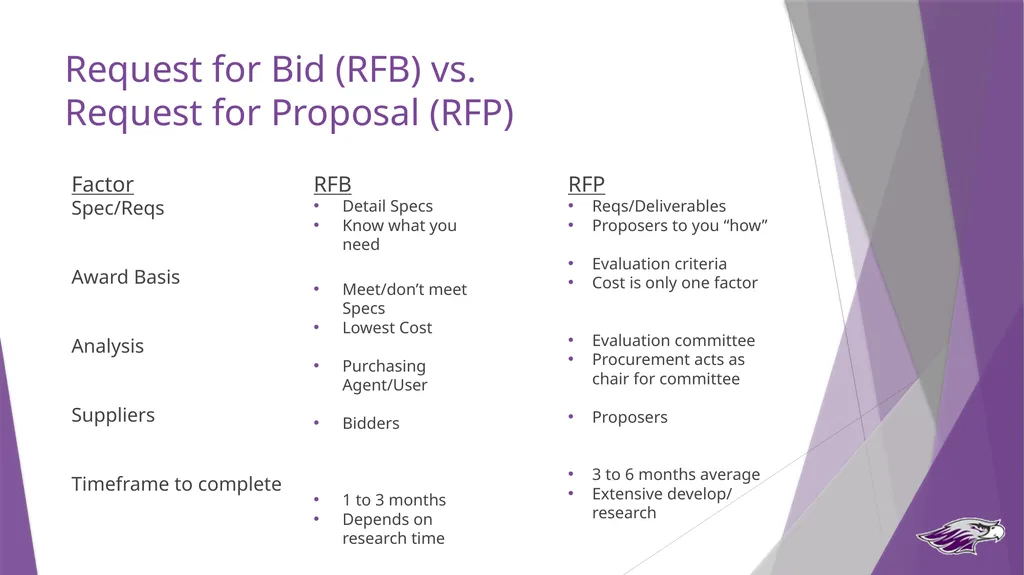
slide24. Request for Bid (RFB) vs. Request for Proposal (RFP) Factor
Spec/Reqs
Award Basis
Analysis
Suppliers
Timeframe to complete RFB
Detail Specs
Know what you need
Meet/don’t meet Specs
Lowest Cost
Purchasing Agent/User
Bidders
1 to 3 months
Depends on research time RFP
Reqs/Deliverables
Proposers to you “how”
Evaluation criteria
Cost is only one factor
Evaluation committee
Procurement acts as chair for committee
Proposers
3 to 6 months average
Extensive develop/ research<br>
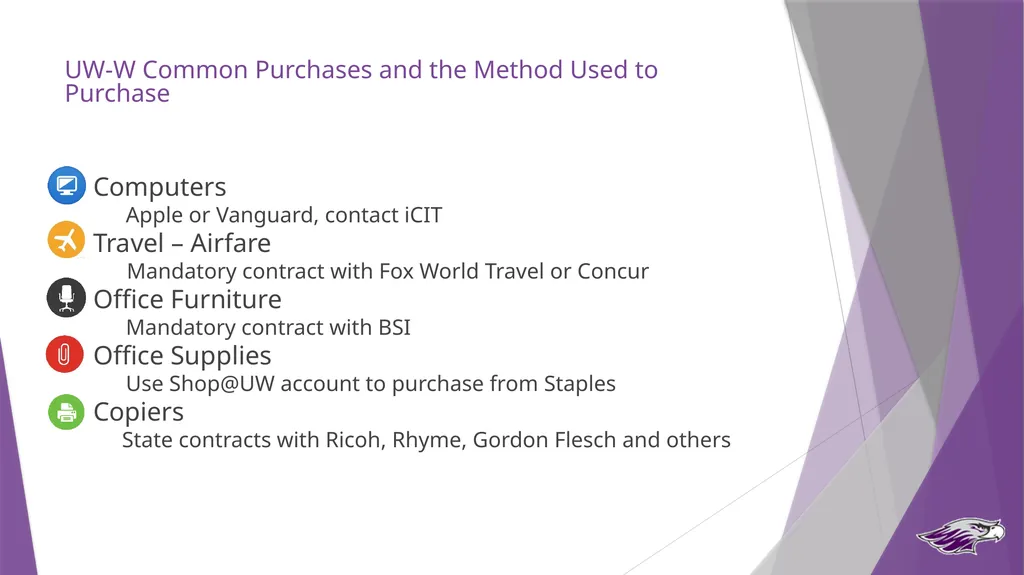
slide25. UW-W Common Purchases and the Method Used to Purchase Computers
Apple or Vanguard, contact iCIT
Travel – Airfare
Mandatory contract with Fox World Travel or Concur
Office Furniture
Mandatory contract with BSI
Office Supplies
Use Shop@UW account to purchase from Staples
Copiers
State contracts with Ricoh, Rhyme, Gordon Flesch and others<br>
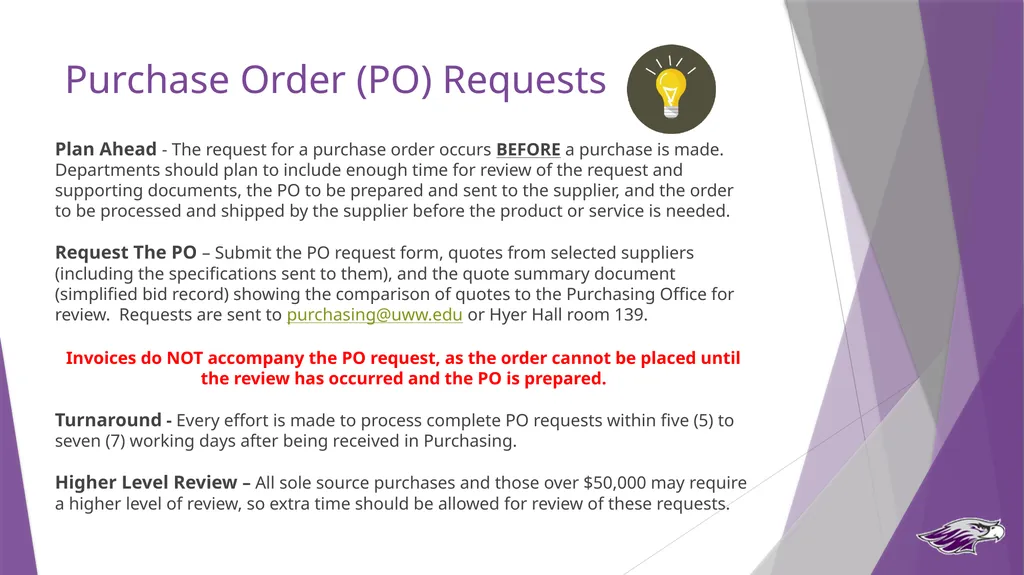
slide26. Purchase Order (PO) Requests Plan Ahead - The request for a purchase order occurs BEFORE a purchase is made. Departments should plan to include enough time for review of the request and supporting documents, the PO to be prepared and sent to the supplier, and the order to be processed and shipped by the supplier before the product or service is needed.
Request The PO – Submit the PO request form, quotes from selected suppliers (including the specifications sent to them), and the quote summary document (simplified bid record) showing the comparison of quotes to the Purchasing Office for review. Requests are sent to purchasing@uww.edu or Hyer Hall room 139.
Invoices do NOT accompany the PO request, as the order cannot be placed until the review has occurred and the PO is prepared.
Turnaround - Every effort is made to process complete PO requests within five (5) to seven (7) working days after being received in Purchasing.
Higher Level Review – All sole source purchases and those over $50,000 may require a higher level of review, so extra time should be allowed for review of these requests.<br>
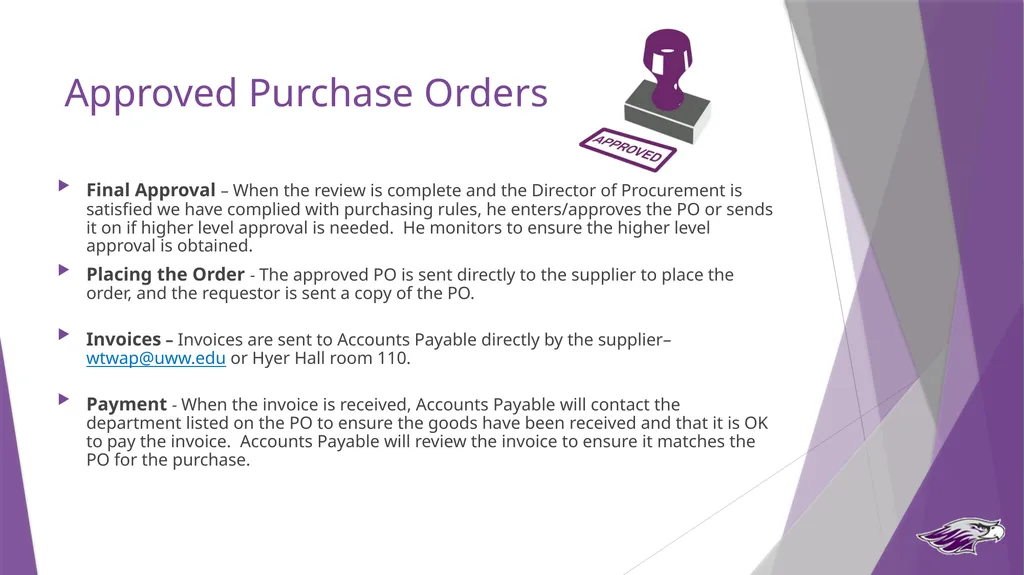
slide27. Approved Purchase Orders Final Approval – When the review is complete and the Director of Procurement is satisfied we have complied with purchasing rules, he enters/approves the PO or sends it on if higher level approval is needed. He monitors to ensure the higher level approval is obtained.
Placing the Order - The approved PO is sent directly to the supplier to place the order, and the requestor is sent a copy of the PO.
Invoices – Invoices are sent to Accounts Payable directly by the supplier– wtwap@uww.edu or Hyer Hall room 110.
Payment - When the invoice is received, Accounts Payable will contact the department listed on the PO to ensure the goods have been received and that it is OK to pay the invoice. Accounts Payable will review the invoice to ensure it matches the PO for the purchase.<br>
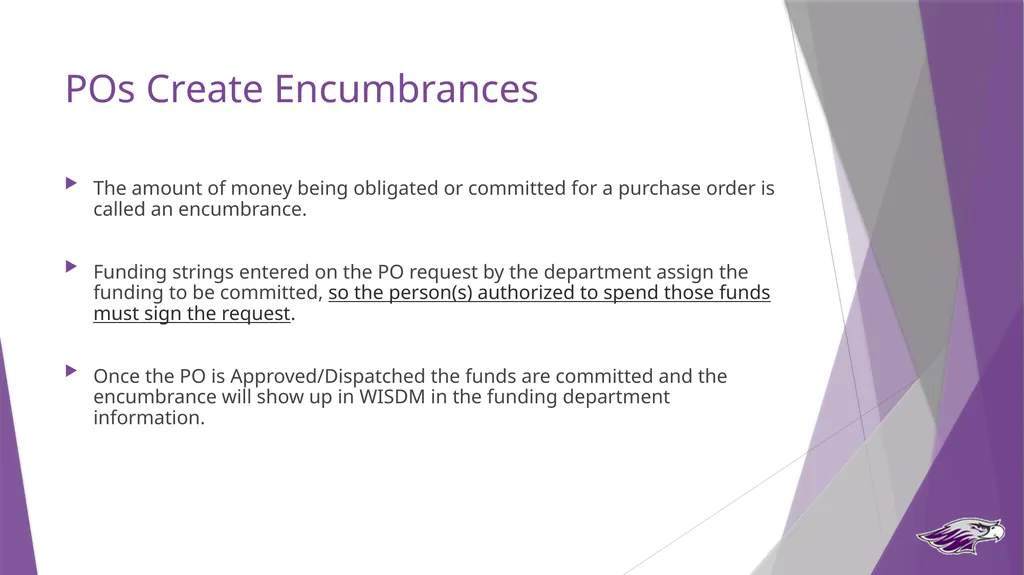
slide28. POs Create Encumbrances The amount of money being obligated or committed for a purchase order is called an encumbrance.
Funding strings entered on the PO request by the department assign the funding to be committed, so the person(s) authorized to spend those funds must sign the request.
Once the PO is Approved/Dispatched the funds are committed and the encumbrance will show up in WISDM in the funding department information.<br>
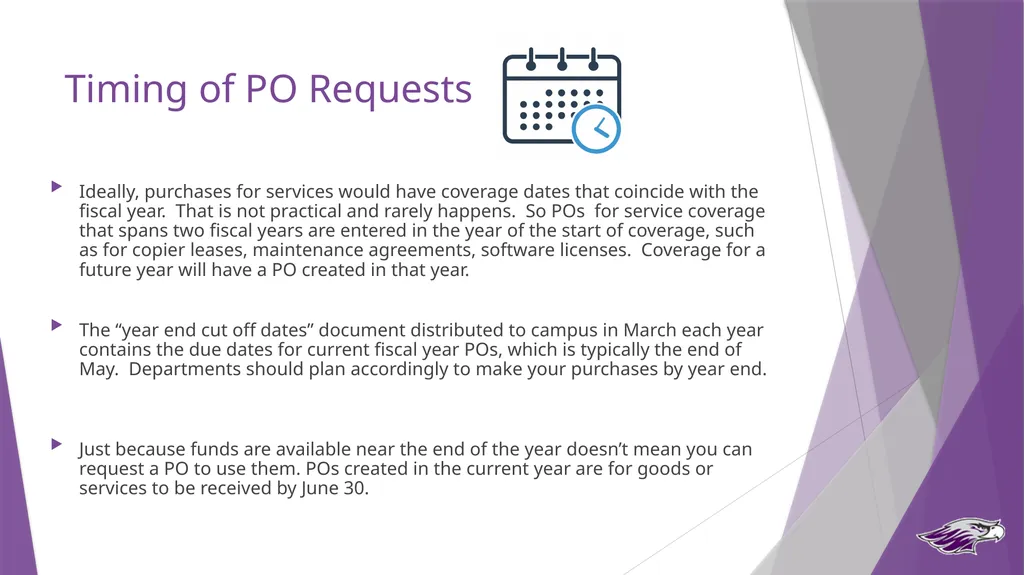
slide29. Timing of PO Requests Ideally, purchases for services would have coverage dates that coincide with the fiscal year. That is not practical and rarely happens. So POs for service coverage that spans two fiscal years are entered in the year of the start of coverage, such as for copier leases, maintenance agreements, software licenses. Coverage for a future year will have a PO created in that year.
The “year end cut off dates” document distributed to campus in March each year contains the due dates for current fiscal year POs, which is typically the end of May. Departments should plan accordingly to make your purchases by year end.
Just because funds are available near the end of the year doesn’t mean you can request a PO to use them. POs created in the current year are for goods or services to be received by June 30.<br>
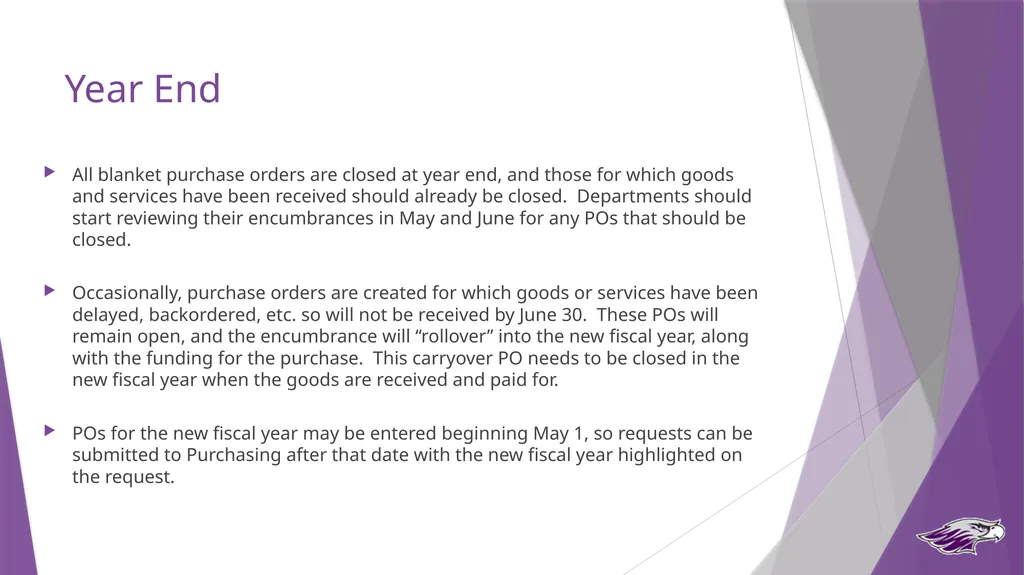
slide30. Year End All blanket purchase orders are closed at year end, and those for which goods and services have been received should already be closed. Departments should start reviewing their encumbrances in May and June for any POs that should be closed.
Occasionally, purchase orders are created for which goods or services have been delayed, backordered, etc. so will not be received by June 30. These POs will remain open, and the encumbrance will “rollover” into the new fiscal year, along with the funding for the purchase. This carryover PO needs to be closed in the new fiscal year when the goods are received and paid for.
POs for the new fiscal year may be entered beginning May 1, so requests can be submitted to Purchasing after that date with the new fiscal year highlighted on the request.<br>
slide31. Questions?<br>
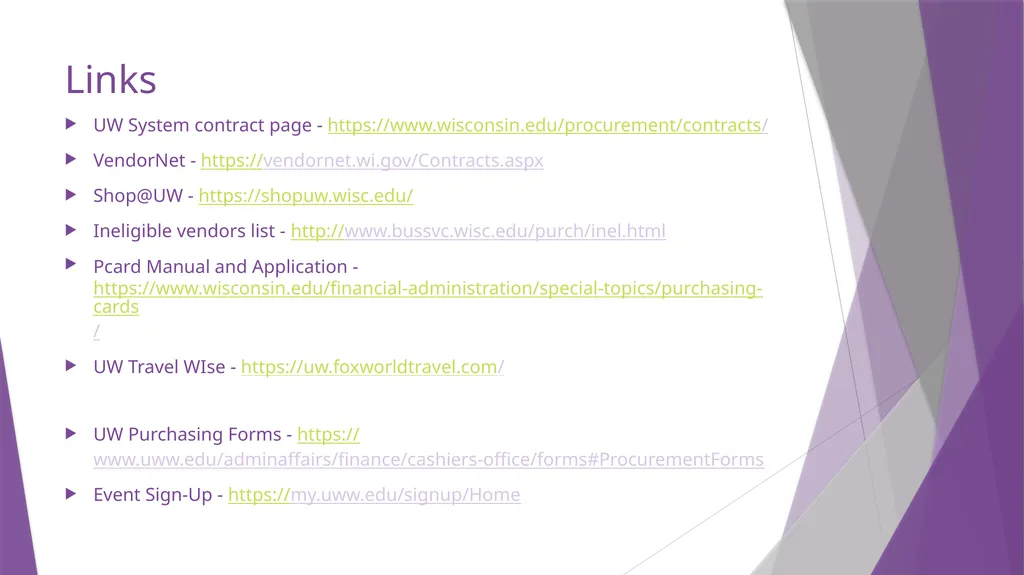
slide32. Links UW System contract page - https://www.wisconsin.edu/procurement/contracts/
VendorNet - https://vendornet.wi.gov/Contracts.aspx
Shop@UW - https://shopuw.wisc.edu/
Ineligible vendors list - http://www.bussvc.wisc.edu/purch/inel.html
Pcard Manual and Application - https://www.wisconsin.edu/financial-administration/special-topics/purchasing-cards/
UW Travel WIse - https://uw.foxworldtravel.com/
UW Purchasing Forms - https://www.uww.edu/adminaffairs/finance/cashiers-office/forms#ProcurementForms
Event Sign-Up - https://my.uww.edu/signup/Home<br>
slide2. State Purchasing Authority UW Institutions obtain goods and services through the purchasing process governed by the Department of Administration’s State Bureau of Procurement.
§16.71, Wis. Stats., provides that the Department of Administration (DOA) “shall purchase and may delegate to special designated agents the authority to purchase all necessary materials, supplies, equipment, all other permanent personal property and miscellaneous capital, and contractual services and all other expense of a consumable nature for all agencies.”
The Designated Agents are required to attend DOA provided training and submit a Delegation Application (PRO-A-3 per the State Procurement Manual) in order to be granted the full authority to purchase for their institution or agency.
The procurement concepts included in training provide the foundation for state procurement, competition, consistency, integrity and openness.<br>
slide3. Purchasing Delegation<br>
slide4. UW-W Purchasing Delegation At UW Whitewater, the Director of Procurement has been delegated the purchasing authority and has the responsibility to:
Review and approve all potential purchases greater than $5,000, and certain other purchases that require a PO.
Sign contracts
Run official sealed bids
Approve or deny any “sole source” request
Review activity on purchasing cards and Shop@UW for appropriateness.<br>
slide5. What That Means for Departments Purchases greater than $5,000, and those that require a purchase order, must be sent to the Purchasing Office for review and approval PRIOR to an order being placed or purchase being made.
The purchase order is the official “order” for the goods or services, so cannot be prepared until all requirements are met.
The Purchasing Office will help identify suppliers or develop bid specifications in order to ensure compliance with the appropriate procurement rules.<br>
slide6. Procurement Process Decision Tree Special Considerations and Requirements
Mandatory Contract?
Non-Mandatory Contract?
Procurement Process? <$5,000
Best Judgement/
P-Card/Shop@UW $5,000 to $50,000
Simplified Bid >$50,000
RFB/RFP<br>
slide7. Special Considerations and Requirements Examples of commodities and services with special considerations and requirements include:
Printing Services
Insurance
Vehicles
These types of purchases must be coordinated with the Purchasing Office regardless of purchase price<br>
slide8. Procurement Process Decision Tree Special Considerations and Requirements
Mandatory Contract?
Non-Mandatory Contract?
Procurement Process? <$5,000
Best Judgement/
P-Card/Shop@UW $5,000 to $50,000
Simplified Bid >$50,000
RFB/RFP<br>
slide9. Mandatory Contract (Examples) State and UW contracts exist for certain types of purchases, and MUST be used for those purchases. Examples include:
Office supplies
General Office Supplies and Toner
Pharmaceuticals
Influenza Vaccine and Pharmaceuticals and Biologicals
Furniture
Office Furniture
Personal computers, software, printers, copiers
Apple, IBM, HP Inc, Canon, Sharp, Konica Minolta and Ricoh
Travel Services
Travel agency
Printing Services
10 different contracts on Printing
Janitorial, Electrical, Plumbing Supplies
Cleaning, Maintenance Repair and Operating Supplies<br>
slide10. Procurement Process Decision Tree Special Considerations and Requirements
Mandatory Contract?
Non-Mandatory Contract?
Procurement Process? <$5,000
Best Judgement/
P-Card/Shop@UW $5,000 to $50,000
Simplified Bid >$50,000
RFB/RFP<br>
slide11. Non-Mandatory Contracts (Examples) Is what I need available on an existing contract or directly from another government entity?
UW-Madison contracts are sometimes available to other UW institutions – need to check the vendor requirements
Three bids still required for UW Whitewater
Piggybacking; the use of a contract from another WI state agency<br>
slide12. Procurement Process Decision Tree Special Considerations and Requirements
Mandatory Contract?
Non-Mandatory Contract?
Procurement Process? <$5,000
Best Judgement/
P-Card/Shop@UW $5,000 to $50,000
Simplified Bid >$50,000
RFB/RFP<br>
slide13. Best Judgement <$5,000
Does not apply to Printing Services
Obtain quotes to get the best price possible, and purchasing reserves the right to check for other sources.
Use MBE suppliers whenever possible
No PO is required – use the best payment method or as required by vendor – P-card or Quick order
If PO is required by vendor or paying with a quick order, and it is a new vendor, request W-9 from vendor and submit to purchasing<br>
slide14. P-Card What it IS:
A tool for department employees to use to make low-dollar purchases for official business needs
Authorized for purchases $1,500 and under
Can be temporarily increased if needed – contact purchasing
Email approved from supervisor that contains
Last four (4) digits of card being used
Credit increase being requested, not exceeding $5,000 or best judgement
Summary of what is being purchased and why needed
Expiration date of increase
Authorized for use with only certain categories of merchants and commodities
Serial Contracting/Purchasing is prohibited<br>
slide15. P-Card What it IS NOT:
A means to avoid appropriate procurement or payment procedures
A card to access cash or credit, or to purchase gift cards
For personal use<br>
slide16. P-Card Statement Verification-Purchasing Logs
Bi-weekly you will receive a statement from US Bank.
Check each transaction
Compare it to transaction on US Bank Statement
Resolve ALL inaccuracies and changes
Keep all credit card slips, cash receipts, packing slips, etc.
Reconcile your statement and sign. Must be sent to supervisor for signature/approval
Logs must be received into Purchasing within 60 days of receiving the statement from US Bank.<br>
slide17. Shop@UW Apply for an account if you are the buyer of supplies for your department
Used for office supplies, scientific lab supplies, electrical, plumbing
Most items are on-contract
Shop@UW is tied to your funding string when you submit your request for an account (eg 128-8-408530). If you change jobs, you need different account funding and supervisor.
Verification – Shop@UW Log
Monthly you will receive email from Purchasing Department(Example: July Shop@UW Report)
Check Each transaction
Compare it to transaction on report
Reconcile report and sign. MUST be sent to supervisor/approver for signature.approval.<br>
slide18. Procurement Process Decision Tree Special Considerations and Requirements
Mandatory Contract?
Non-Mandatory Contract?
Procurement Process? <$5,000
Best Judgement/
P-Card/Shop@UW $5,000 to $50,000
Simplified Bid >$50,000
RFB/RFP<br>
slide19. Simplified Bidding $5,000 through $50,000
Three quotes – in writing
Price lists, Quotes of File, Phone and Verbal Quotes (confirmed in writing) and Written Bids
MUST be Apples to Apples comparison
Purchasing reserves the right to check for other sources
Simplified Bid Summary Record
MUST be provided with PO Request
Identifies the specs you gave to suppliers to obtain quotes
Award to lowest responsible bidder
Serial or Split Transaction Contracting/Purchasing is prohibited<br>
slide20. Simplified Bid Record<br>
slide21. Sole Source $5,000 - $25,000
"Noncompetitive negotiation“ - this process may be used to purchase a product or service that can only be obtained from one source.
One or more of the following circumstances may be the basis for the request, but must be adequately justified:
The service is unique or of a proprietary nature available from only one source.
Grant monies are involved, that cannot qualify as an exemption, that require subcontracts and specify the contractor.
A public emergency exists where the urgency for the required service will not permit competitive solicitation.
Substantial time pressure exists beyond the agency's control. (This does not include administrative delays or confusions in processing the necessary paperwork for purchasing approval.)<br>
slide22. Sole Source- Continued Sole source waivers for purchases under $25,000 can be approved by your campus Director of Procurement.
Sole source waivers for purchases over $25,000 require the Governor's approval and must be submitted to UW System well in advance to be added to the waiver list for the next fiscal year.
The State Procurement Director or a specially designated procurement agent may approve sole source waivers at $25,000 or less.<br>
slide23. Procurement Process Decision Tree Special Considerations and Requirements
Mandatory Contract?
Non-Mandatory Contract?
Procurement Process? <$5,000
Best Judgement/
P-Card/Shop@UW $5,000 to $50,000
Simplified Bid >$50,000
RFB/RFP<br>
slide24. Request for Bid (RFB) vs. Request for Proposal (RFP) Factor
Spec/Reqs
Award Basis
Analysis
Suppliers
Timeframe to complete RFB
Detail Specs
Know what you need
Meet/don’t meet Specs
Lowest Cost
Purchasing Agent/User
Bidders
1 to 3 months
Depends on research time RFP
Reqs/Deliverables
Proposers to you “how”
Evaluation criteria
Cost is only one factor
Evaluation committee
Procurement acts as chair for committee
Proposers
3 to 6 months average
Extensive develop/ research<br>
slide25. UW-W Common Purchases and the Method Used to Purchase Computers
Apple or Vanguard, contact iCIT
Travel – Airfare
Mandatory contract with Fox World Travel or Concur
Office Furniture
Mandatory contract with BSI
Office Supplies
Use Shop@UW account to purchase from Staples
Copiers
State contracts with Ricoh, Rhyme, Gordon Flesch and others<br>
slide26. Purchase Order (PO) Requests Plan Ahead - The request for a purchase order occurs BEFORE a purchase is made. Departments should plan to include enough time for review of the request and supporting documents, the PO to be prepared and sent to the supplier, and the order to be processed and shipped by the supplier before the product or service is needed.
Request The PO – Submit the PO request form, quotes from selected suppliers (including the specifications sent to them), and the quote summary document (simplified bid record) showing the comparison of quotes to the Purchasing Office for review. Requests are sent to purchasing@uww.edu or Hyer Hall room 139.
Invoices do NOT accompany the PO request, as the order cannot be placed until the review has occurred and the PO is prepared.
Turnaround - Every effort is made to process complete PO requests within five (5) to seven (7) working days after being received in Purchasing.
Higher Level Review – All sole source purchases and those over $50,000 may require a higher level of review, so extra time should be allowed for review of these requests.<br>
slide27. Approved Purchase Orders Final Approval – When the review is complete and the Director of Procurement is satisfied we have complied with purchasing rules, he enters/approves the PO or sends it on if higher level approval is needed. He monitors to ensure the higher level approval is obtained.
Placing the Order - The approved PO is sent directly to the supplier to place the order, and the requestor is sent a copy of the PO.
Invoices – Invoices are sent to Accounts Payable directly by the supplier– wtwap@uww.edu or Hyer Hall room 110.
Payment - When the invoice is received, Accounts Payable will contact the department listed on the PO to ensure the goods have been received and that it is OK to pay the invoice. Accounts Payable will review the invoice to ensure it matches the PO for the purchase.<br>
slide28. POs Create Encumbrances The amount of money being obligated or committed for a purchase order is called an encumbrance.
Funding strings entered on the PO request by the department assign the funding to be committed, so the person(s) authorized to spend those funds must sign the request.
Once the PO is Approved/Dispatched the funds are committed and the encumbrance will show up in WISDM in the funding department information.<br>
slide29. Timing of PO Requests Ideally, purchases for services would have coverage dates that coincide with the fiscal year. That is not practical and rarely happens. So POs for service coverage that spans two fiscal years are entered in the year of the start of coverage, such as for copier leases, maintenance agreements, software licenses. Coverage for a future year will have a PO created in that year.
The “year end cut off dates” document distributed to campus in March each year contains the due dates for current fiscal year POs, which is typically the end of May. Departments should plan accordingly to make your purchases by year end.
Just because funds are available near the end of the year doesn’t mean you can request a PO to use them. POs created in the current year are for goods or services to be received by June 30.<br>
slide30. Year End All blanket purchase orders are closed at year end, and those for which goods and services have been received should already be closed. Departments should start reviewing their encumbrances in May and June for any POs that should be closed.
Occasionally, purchase orders are created for which goods or services have been delayed, backordered, etc. so will not be received by June 30. These POs will remain open, and the encumbrance will “rollover” into the new fiscal year, along with the funding for the purchase. This carryover PO needs to be closed in the new fiscal year when the goods are received and paid for.
POs for the new fiscal year may be entered beginning May 1, so requests can be submitted to Purchasing after that date with the new fiscal year highlighted on the request.<br>
slide31. Questions?<br>
slide32. Links UW System contract page - https://www.wisconsin.edu/procurement/contracts/
VendorNet - https://vendornet.wi.gov/Contracts.aspx
Shop@UW - https://shopuw.wisc.edu/
Ineligible vendors list - http://www.bussvc.wisc.edu/purch/inel.html
Pcard Manual and Application - https://www.wisconsin.edu/financial-administration/special-topics/purchasing-cards/
UW Travel WIse - https://uw.foxworldtravel.com/
UW Purchasing Forms - https://www.uww.edu/adminaffairs/finance/cashiers-office/forms#ProcurementForms
Event Sign-Up - https://my.uww.edu/signup/Home<br>