
Python Lists Chapter 8 Python for Everybody
MT
Published · 29 slides · 0 views
1 / 1


Description
Python Lists Chapter 8 Python for Everybody www.py4e.com Programming Algorithm - A set of rules or steps used to solve a problem Data Structure - A particular way of organizing data in a computer https:en.wikipedia.orgwikiAlgorithm
Related Topics
Share
Embed code
Download this presentation From Below
"Python Lists Chapter 8 Python for Everybody" is the property of its rightful owner. Permission is granted to download and print the materials on this website for personal, non-commercial use only, and to display it on your personal computer provided you do not modify the materials and that you retain all copyright notices contained in the materials. By downloading content from our website, you accept the terms of this agreement.
Presentation Transcript
01
Python Lists Chapter 8 Python for Everybody
www.py4e.com<br>
www.py4e.com<br>
02
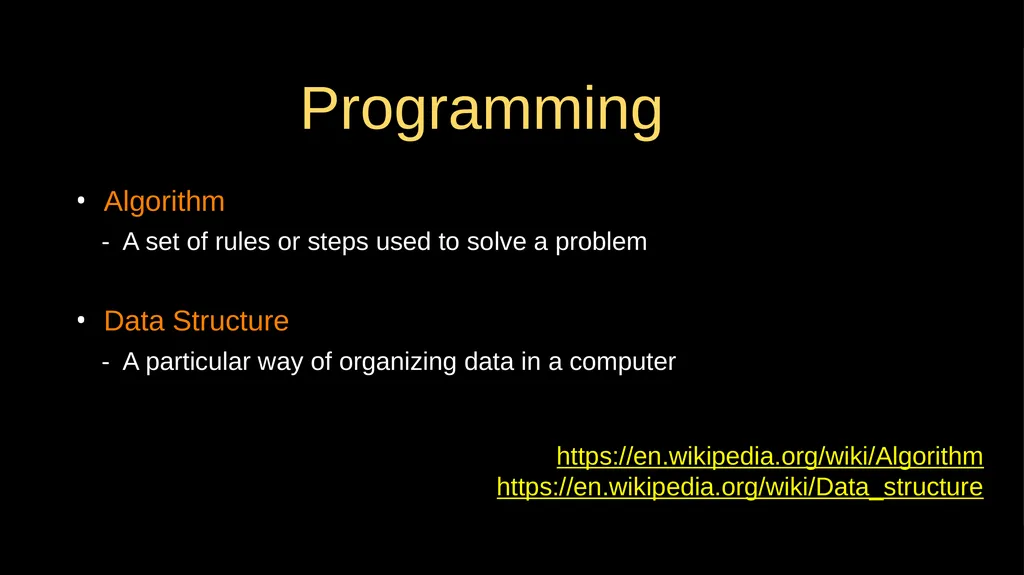
Programming Algorithm
- A set of rules or steps used to solve a problem
Data Structure
- A particular way of organizing data in a computer https://en.wikipedia.org/wiki/Algorithm
https://en.wikipedia.org/wiki/Data_structure<br>
- A set of rules or steps used to solve a problem
Data Structure
- A particular way of organizing data in a computer https://en.wikipedia.org/wiki/Algorithm
https://en.wikipedia.org/wiki/Data_structure<br>
03
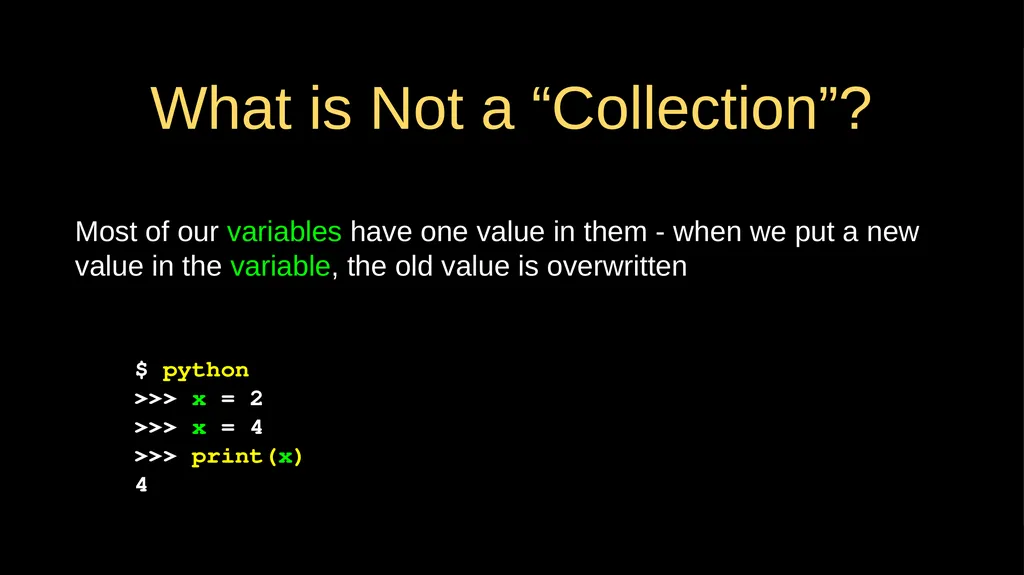
What is Not a “Collection”? Most of our variables have one value in them - when we put a new value in the variable, the old value is overwritten $ python
>>> x = 2
>>> x = 4
>>> print(x)
4<br>
>>> x = 2
>>> x = 4
>>> print(x)
4<br>
04
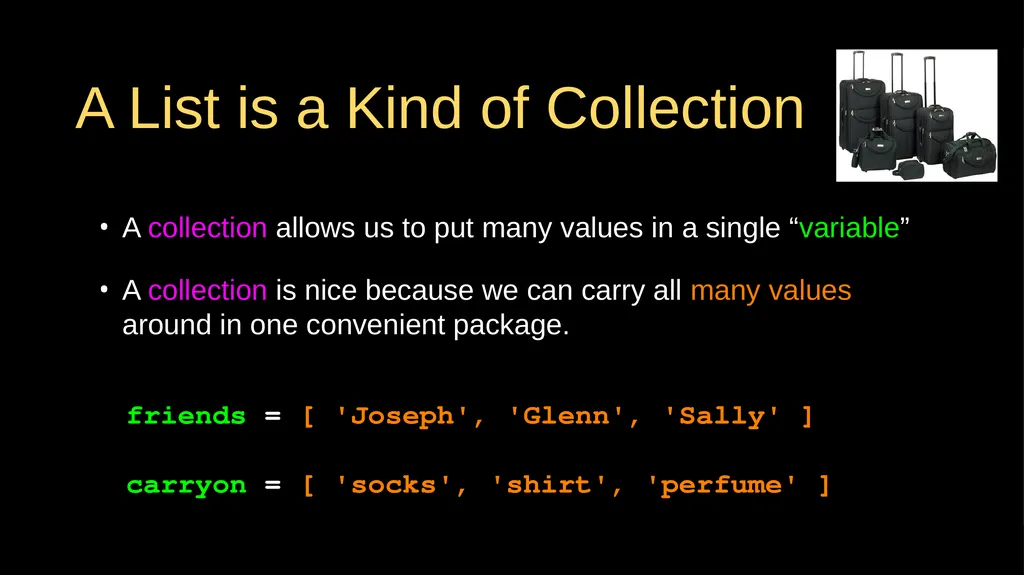
A List is a Kind of Collection A collection allows us to put many values in a single “variable”
A collection is nice because we can carry all many values around in one convenient package. friends = [ 'Joseph', 'Glenn', 'Sally' ]
carryon = [ 'socks', 'shirt', 'perfume' ]<br>
A collection is nice because we can carry all many values around in one convenient package. friends = [ 'Joseph', 'Glenn', 'Sally' ]
carryon = [ 'socks', 'shirt', 'perfume' ]<br>
05
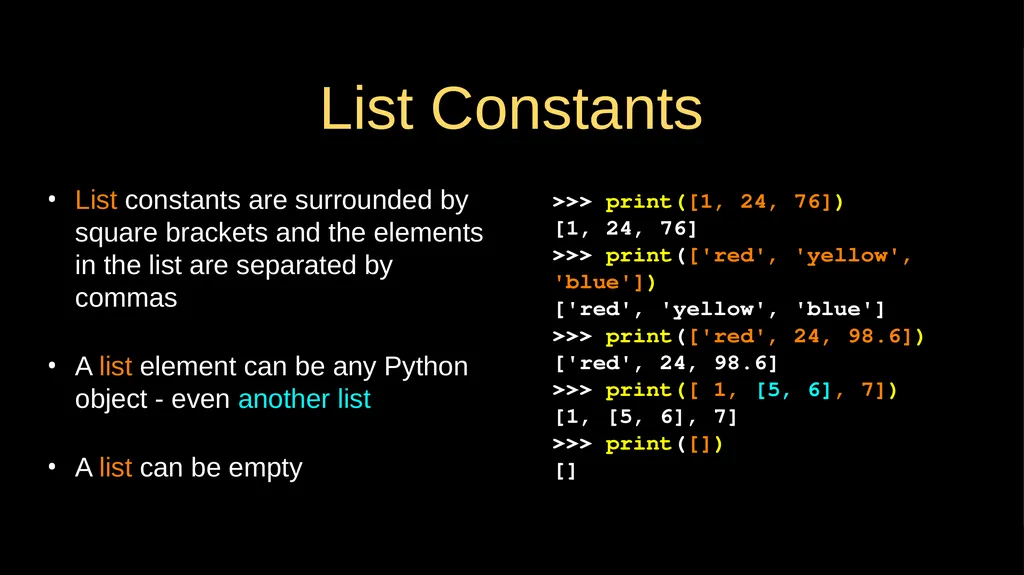
List Constants List constants are surrounded by square brackets and the elements in the list are separated by commas
A list element can be any Python object - even another list
A list can be empty >>> print([1, 24, 76])
[1, 24, 76]
>>> print(['red', 'yellow', 'blue'])
['red', 'yellow', 'blue']
>>> print(['red', 24, 98.6])
['red', 24, 98.6]
>>> print([ 1, [5, 6], 7])
[1, [5, 6], 7]
>>> print([])
[]<br>
A list element can be any Python object - even another list
A list can be empty >>> print([1, 24, 76])
[1, 24, 76]
>>> print(['red', 'yellow', 'blue'])
['red', 'yellow', 'blue']
>>> print(['red', 24, 98.6])
['red', 24, 98.6]
>>> print([ 1, [5, 6], 7])
[1, [5, 6], 7]
>>> print([])
[]<br>
06
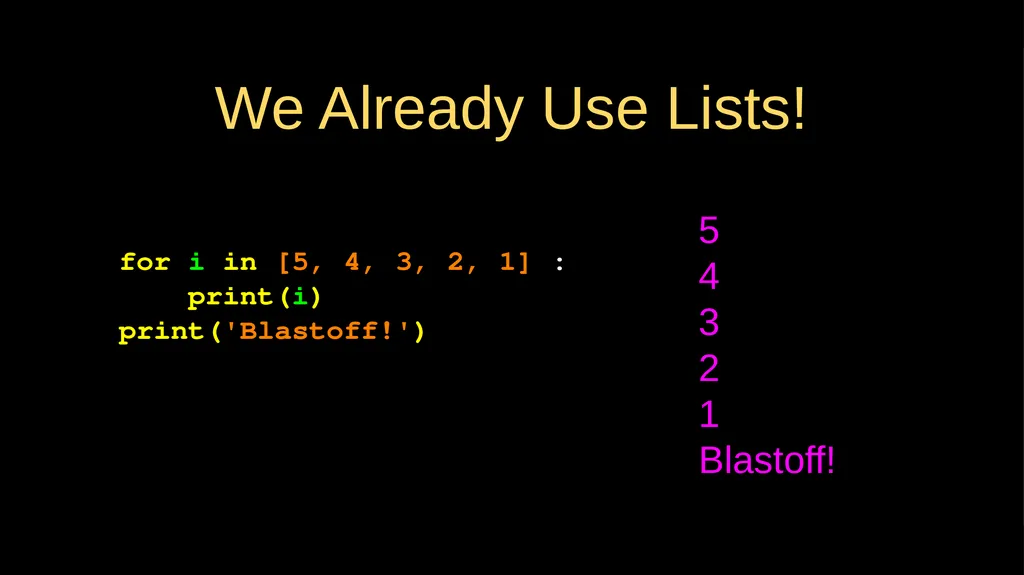
We Already Use Lists! for i in [5, 4, 3, 2, 1] :
print(i)
print('Blastoff!') 5
4
3
2
1
Blastoff!<br>
print(i)
print('Blastoff!') 5
4
3
2
1
Blastoff!<br>
07
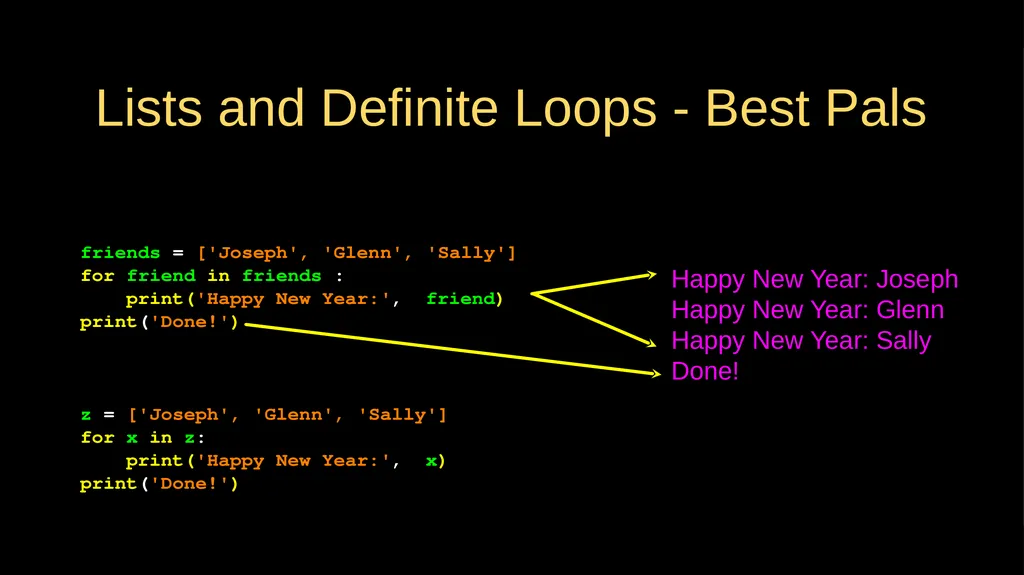
Lists and Definite Loops - Best Pals friends = ['Joseph', 'Glenn', 'Sally']
for friend in friends :
print('Happy New Year:', friend)
print('Done!') Happy New Year: Joseph
Happy New Year: Glenn
Happy New Year: Sally
Done! z = ['Joseph', 'Glenn', 'Sally']
for x in z:
print('Happy New Year:', x)
print('Done!')<br>
for friend in friends :
print('Happy New Year:', friend)
print('Done!') Happy New Year: Joseph
Happy New Year: Glenn
Happy New Year: Sally
Done! z = ['Joseph', 'Glenn', 'Sally']
for x in z:
print('Happy New Year:', x)
print('Done!')<br>
08
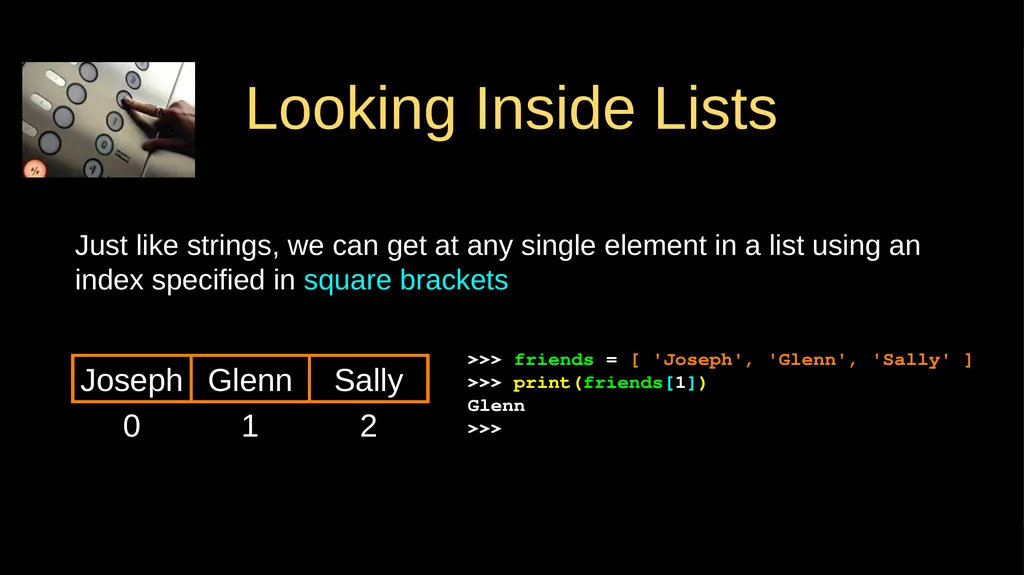
Looking Inside Lists Just like strings, we can get at any single element in a list using an index specified in square brackets 0 Joseph >>> friends = [ 'Joseph', 'Glenn', 'Sally' ]
>>> print(friends[1])
Glenn
>>> 1 Glenn 2 Sally<br>
>>> print(friends[1])
Glenn
>>> 1 Glenn 2 Sally<br>
09
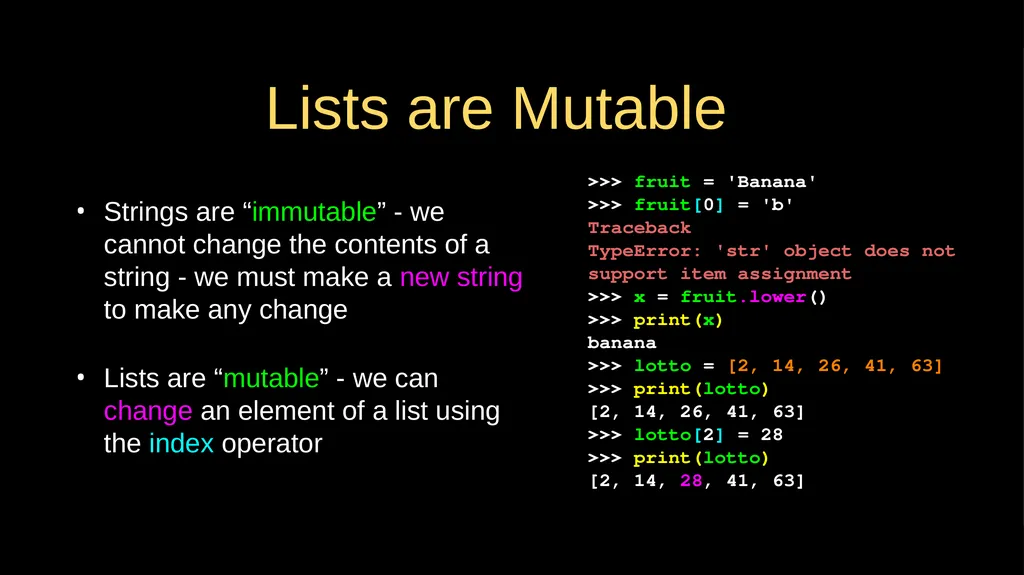
Lists are Mutable Strings are “immutable” - we cannot change the contents of a string - we must make a new string to make any change
Lists are “mutable” - we can change an element of a list using the index operator >>> fruit = 'Banana'
>>> fruit[0] = 'b'
Traceback
TypeError: 'str' object does not
support item assignment
>>> x = fruit.lower()
>>> print(x)
banana
>>> lotto = [2, 14, 26, 41, 63]
>>> print(lotto)
[2, 14, 26, 41, 63]
>>> lotto[2] = 28
>>> print(lotto)
[2, 14, 28, 41, 63]<br>
Lists are “mutable” - we can change an element of a list using the index operator >>> fruit = 'Banana'
>>> fruit[0] = 'b'
Traceback
TypeError: 'str' object does not
support item assignment
>>> x = fruit.lower()
>>> print(x)
banana
>>> lotto = [2, 14, 26, 41, 63]
>>> print(lotto)
[2, 14, 26, 41, 63]
>>> lotto[2] = 28
>>> print(lotto)
[2, 14, 28, 41, 63]<br>
10
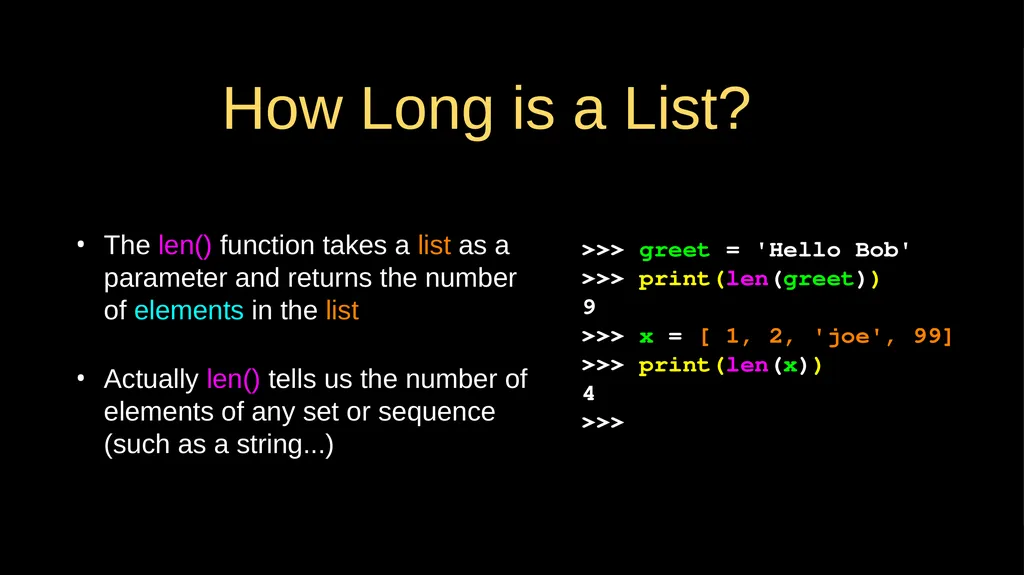
How Long is a List? The len() function takes a list as a parameter and returns the number of elements in the list
Actually len() tells us the number of elements of any set or sequence (such as a string...) >>> greet = 'Hello Bob'
>>> print(len(greet))
9
>>> x = [ 1, 2, 'joe', 99]
>>> print(len(x))
4
>>><br>
Actually len() tells us the number of elements of any set or sequence (such as a string...) >>> greet = 'Hello Bob'
>>> print(len(greet))
9
>>> x = [ 1, 2, 'joe', 99]
>>> print(len(x))
4
>>><br>
11
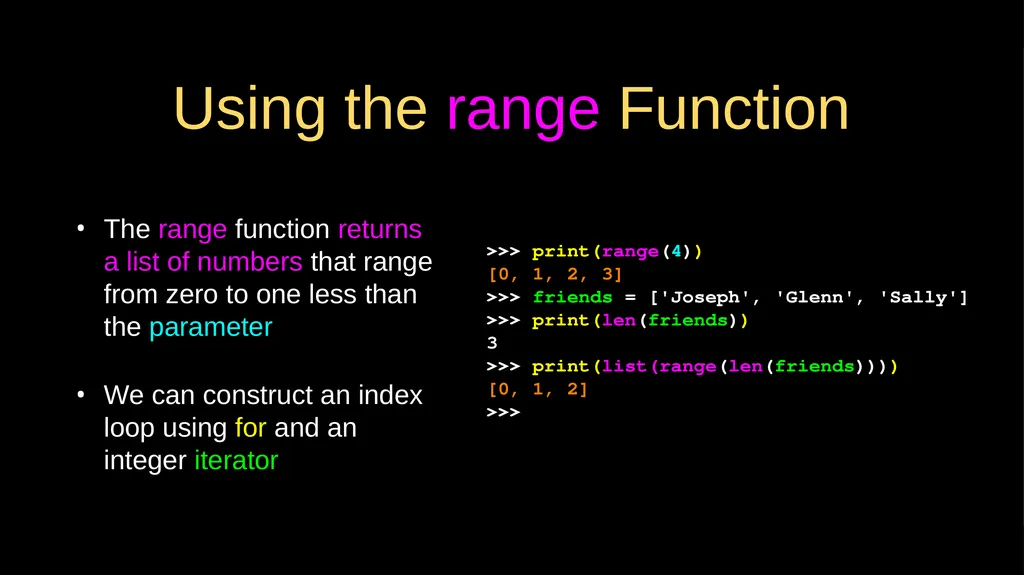
Using the range Function The range function returns a list of numbers that range from zero to one less than the parameter
We can construct an index loop using for and an integer iterator >>> print(range(4))
[0, 1, 2, 3]
>>> friends = ['Joseph', 'Glenn', 'Sally']
>>> print(len(friends))
3
>>> print(list(range(len(friends))))
[0, 1, 2]
>>><br>
We can construct an index loop using for and an integer iterator >>> print(range(4))
[0, 1, 2, 3]
>>> friends = ['Joseph', 'Glenn', 'Sally']
>>> print(len(friends))
3
>>> print(list(range(len(friends))))
[0, 1, 2]
>>><br>
12
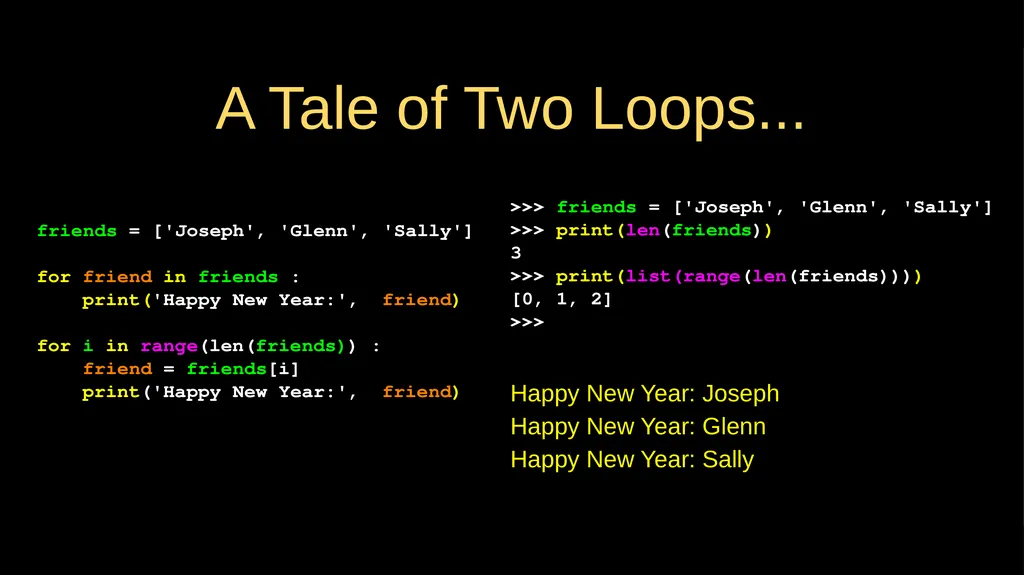
A Tale of Two Loops... friends = ['Joseph', 'Glenn', 'Sally']
for friend in friends :
print('Happy New Year:', friend)
for i in range(len(friends)) :
friend = friends[i]
print('Happy New Year:', friend) Happy New Year: Joseph
Happy New Year: Glenn
Happy New Year: Sally >>> friends = ['Joseph', 'Glenn', 'Sally']
>>> print(len(friends))
3
>>> print(list(range(len(friends))))
[0, 1, 2]
>>><br>
for friend in friends :
print('Happy New Year:', friend)
for i in range(len(friends)) :
friend = friends[i]
print('Happy New Year:', friend) Happy New Year: Joseph
Happy New Year: Glenn
Happy New Year: Sally >>> friends = ['Joseph', 'Glenn', 'Sally']
>>> print(len(friends))
3
>>> print(list(range(len(friends))))
[0, 1, 2]
>>><br>
13
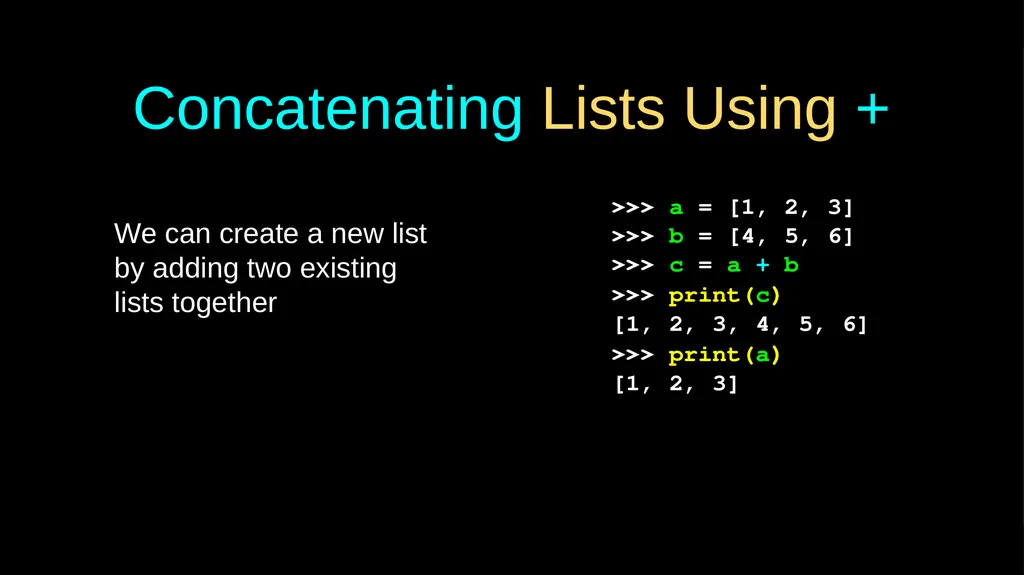
Concatenating Lists Using + We can create a new list by adding two existing lists together >>> a = [1, 2, 3]
>>> b = [4, 5, 6]
>>> c = a + b
>>> print(c)
[1, 2, 3, 4, 5, 6]
>>> print(a)
[1, 2, 3]<br>
>>> b = [4, 5, 6]
>>> c = a + b
>>> print(c)
[1, 2, 3, 4, 5, 6]
>>> print(a)
[1, 2, 3]<br>
14
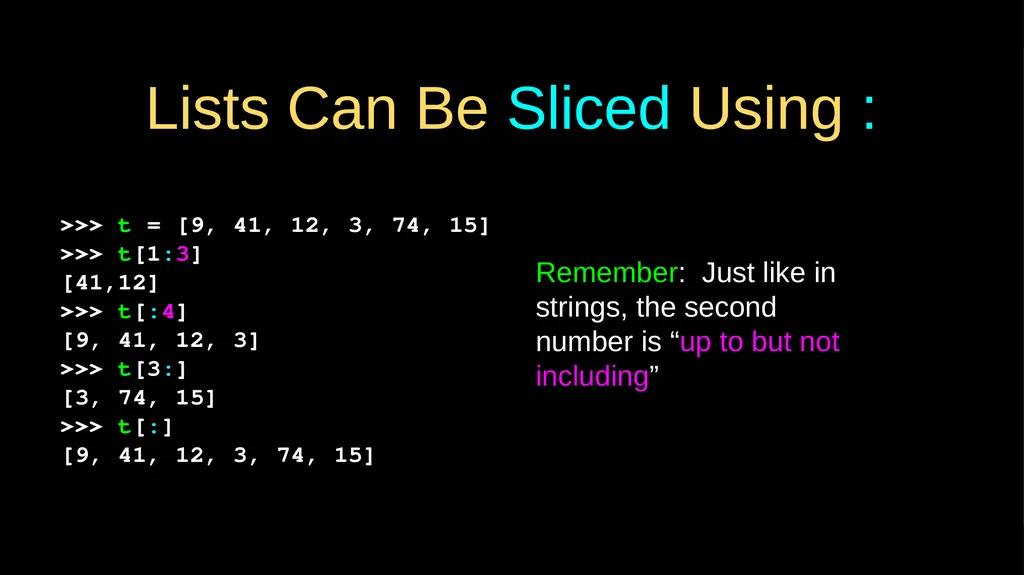
Lists Can Be Sliced Using : >>> t = [9, 41, 12, 3, 74, 15]
>>> t[1:3]
[41,12]
>>> t[:4]
[9, 41, 12, 3]
>>> t[3:]
[3, 74, 15]
>>> t[:]
[9, 41, 12, 3, 74, 15] Remember: Just like in strings, the second number is “up to but not including”<br>
>>> t[1:3]
[41,12]
>>> t[:4]
[9, 41, 12, 3]
>>> t[3:]
[3, 74, 15]
>>> t[:]
[9, 41, 12, 3, 74, 15] Remember: Just like in strings, the second number is “up to but not including”<br>
15
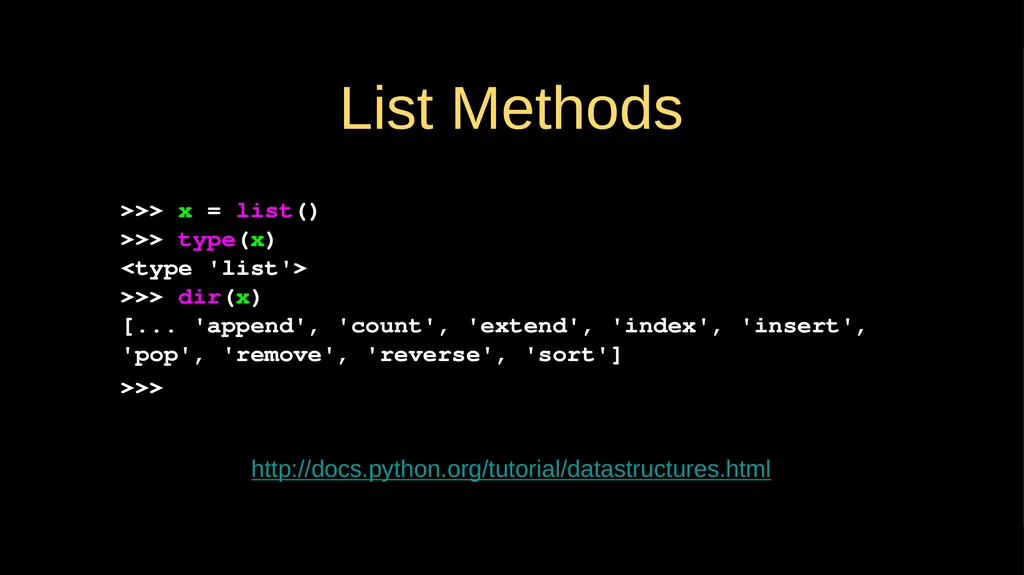
List Methods >>> x = list()
>>> type(x)
<type 'list'>
>>> dir(x)
[... 'append', 'count', 'extend', 'index', 'insert', 'pop', 'remove', 'reverse', 'sort']
>>> http://docs.python.org/tutorial/datastructures.html<br>
>>> type(x)
<type 'list'>
>>> dir(x)
[... 'append', 'count', 'extend', 'index', 'insert', 'pop', 'remove', 'reverse', 'sort']
>>> http://docs.python.org/tutorial/datastructures.html<br>
16
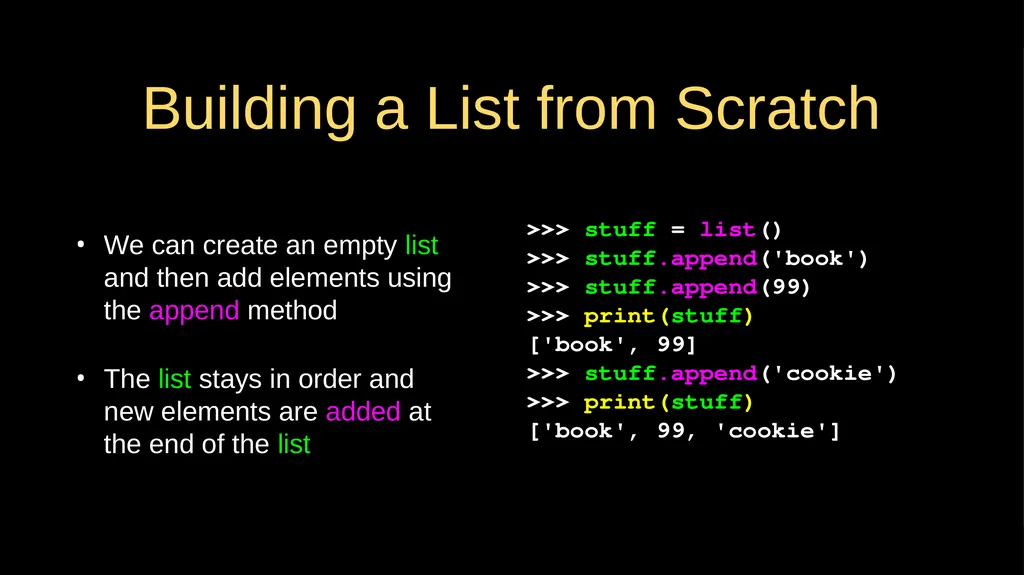
Building a List from Scratch We can create an empty list and then add elements using the append method
The list stays in order and new elements are added at the end of the list >>> stuff = list()
>>> stuff.append('book')
>>> stuff.append(99)
>>> print(stuff)
['book', 99]
>>> stuff.append('cookie')
>>> print(stuff)
['book', 99, 'cookie']<br>
The list stays in order and new elements are added at the end of the list >>> stuff = list()
>>> stuff.append('book')
>>> stuff.append(99)
>>> print(stuff)
['book', 99]
>>> stuff.append('cookie')
>>> print(stuff)
['book', 99, 'cookie']<br>
17
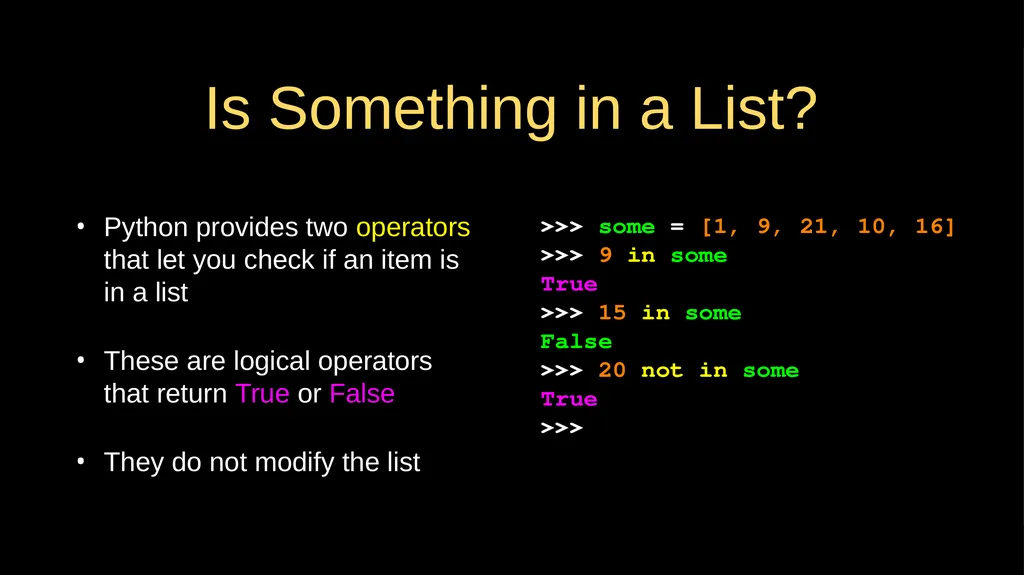
Is Something in a List? Python provides two operators that let you check if an item is in a list
These are logical operators that return True or False
They do not modify the list >>> some = [1, 9, 21, 10, 16]
>>> 9 in some
True
>>> 15 in some
False
>>> 20 not in some
True
>>><br>
These are logical operators that return True or False
They do not modify the list >>> some = [1, 9, 21, 10, 16]
>>> 9 in some
True
>>> 15 in some
False
>>> 20 not in some
True
>>><br>
18
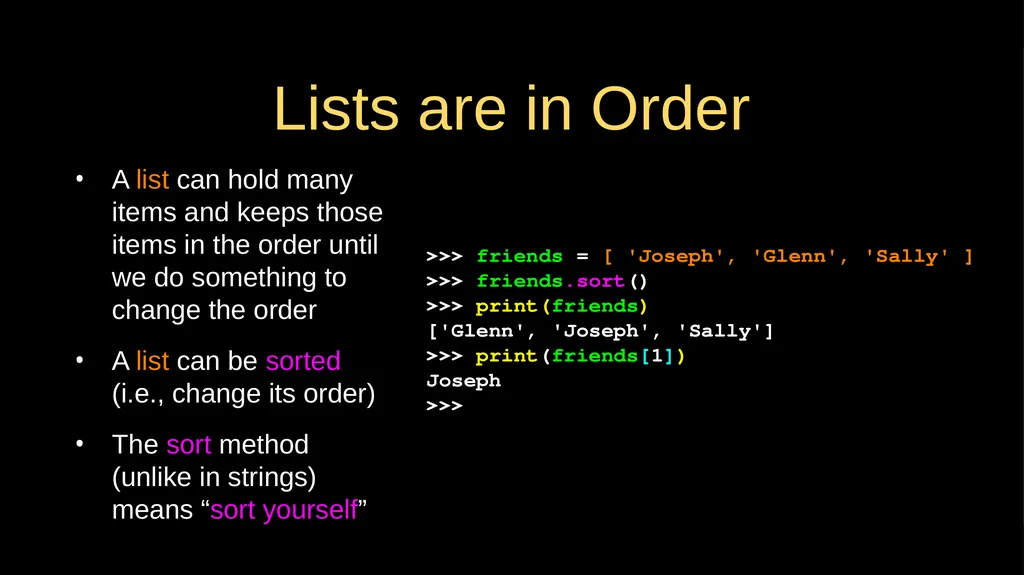
Lists are in Order A list can hold many items and keeps those items in the order until we do something to change the order
A list can be sorted (i.e., change its order)
The sort method (unlike in strings) means “sort yourself” >>> friends = [ 'Joseph', 'Glenn', 'Sally' ]
>>> friends.sort()
>>> print(friends)
['Glenn', 'Joseph', 'Sally']
>>> print(friends[1])
Joseph
>>><br>
A list can be sorted (i.e., change its order)
The sort method (unlike in strings) means “sort yourself” >>> friends = [ 'Joseph', 'Glenn', 'Sally' ]
>>> friends.sort()
>>> print(friends)
['Glenn', 'Joseph', 'Sally']
>>> print(friends[1])
Joseph
>>><br>
19
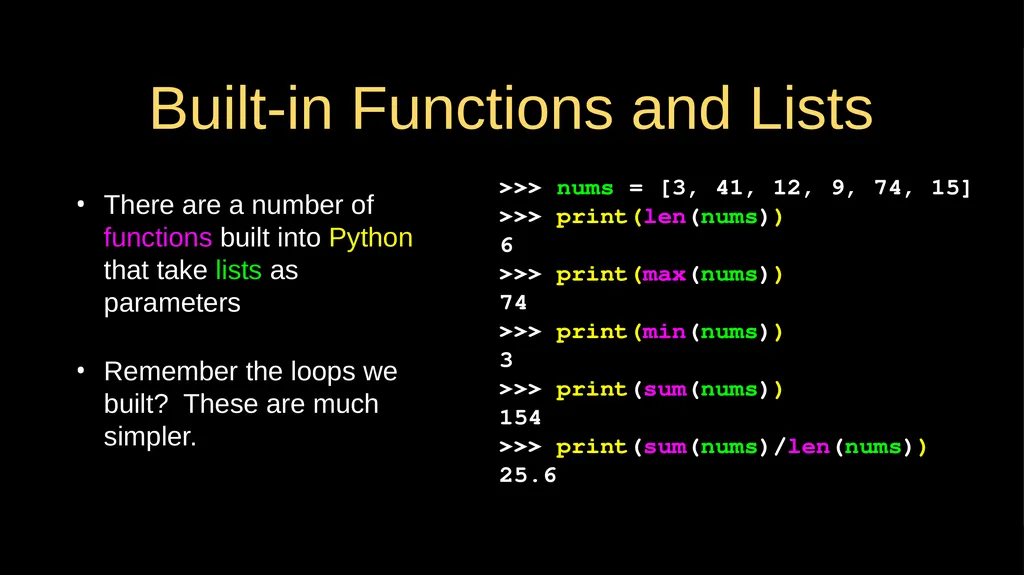
Built-in Functions and Lists There are a number of functions built into Python that take lists as parameters
Remember the loops we built? These are much simpler. >>> nums = [3, 41, 12, 9, 74, 15]
>>> print(len(nums))
6
>>> print(max(nums))
74
>>> print(min(nums))
3
>>> print(sum(nums))
154
>>> print(sum(nums)/len(nums))
25.6<br>
Remember the loops we built? These are much simpler. >>> nums = [3, 41, 12, 9, 74, 15]
>>> print(len(nums))
6
>>> print(max(nums))
74
>>> print(min(nums))
3
>>> print(sum(nums))
154
>>> print(sum(nums)/len(nums))
25.6<br>
20
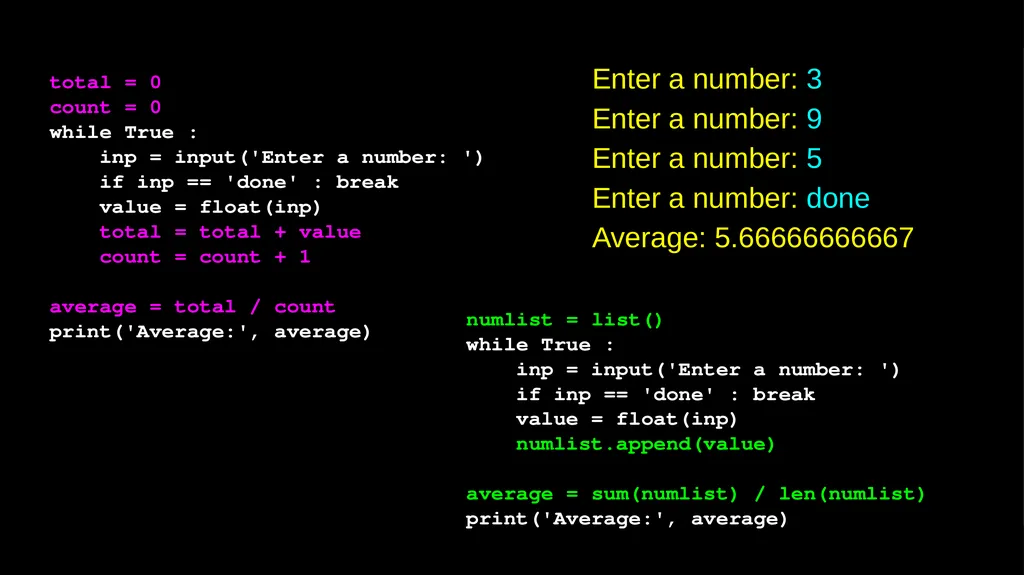
numlist = list()
while True :
inp = input('Enter a number: ')
if inp == 'done' : break
value = float(inp)
numlist.append(value)
average = sum(numlist) / len(numlist)
print('Average:', average) total = 0
count = 0
while True :
inp = input('Enter a number: ')
if inp == 'done' : break
value = float(inp)
total = total + value
count = count + 1
average = total / count
print('Average:', average) Enter a number: 3
Enter a number: 9
Enter a number: 5
Enter a number: done
Average: 5.66666666667<br>
while True :
inp = input('Enter a number: ')
if inp == 'done' : break
value = float(inp)
numlist.append(value)
average = sum(numlist) / len(numlist)
print('Average:', average) total = 0
count = 0
while True :
inp = input('Enter a number: ')
if inp == 'done' : break
value = float(inp)
total = total + value
count = count + 1
average = total / count
print('Average:', average) Enter a number: 3
Enter a number: 9
Enter a number: 5
Enter a number: done
Average: 5.66666666667<br>
21
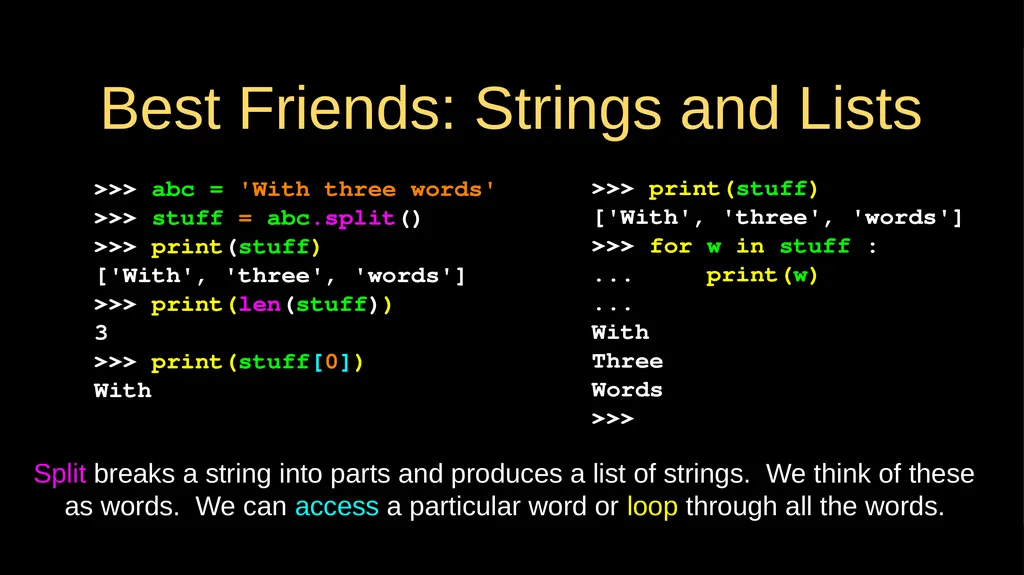
Best Friends: Strings and Lists >>> abc = 'With three words'
>>> stuff = abc.split()
>>> print(stuff)
['With', 'three', 'words']
>>> print(len(stuff))
3
>>> print(stuff[0])
With >>> print(stuff)
['With', 'three', 'words']
>>> for w in stuff :
... print(w)
...
With
Three
Words
>>> Split breaks a string into parts and produces a list of strings. We think of these as words. We can access a particular word or loop through all the words.<br>
>>> stuff = abc.split()
>>> print(stuff)
['With', 'three', 'words']
>>> print(len(stuff))
3
>>> print(stuff[0])
With >>> print(stuff)
['With', 'three', 'words']
>>> for w in stuff :
... print(w)
...
With
Three
Words
>>> Split breaks a string into parts and produces a list of strings. We think of these as words. We can access a particular word or loop through all the words.<br>
22
>>> line = 'A lot of spaces'
>>> etc = line.split()
>>> print(etc)
['A', 'lot', 'of', 'spaces']
>>>
>>> line = 'first;second;third'
>>> thing = line.split()
>>> print(thing)
['first;second;third']
>>> print(len(thing))
1
>>> thing = line.split(';')
>>> print(thing)
['first', 'second', 'third']
>>> print(len(thing))
3
>>> When you do not specify a delimiter, multiple spaces are treated like one delimiter
You can specify what delimiter character to use in the splitting<br>
>>> etc = line.split()
>>> print(etc)
['A', 'lot', 'of', 'spaces']
>>>
>>> line = 'first;second;third'
>>> thing = line.split()
>>> print(thing)
['first;second;third']
>>> print(len(thing))
1
>>> thing = line.split(';')
>>> print(thing)
['first', 'second', 'third']
>>> print(len(thing))
3
>>> When you do not specify a delimiter, multiple spaces are treated like one delimiter
You can specify what delimiter character to use in the splitting<br>
23
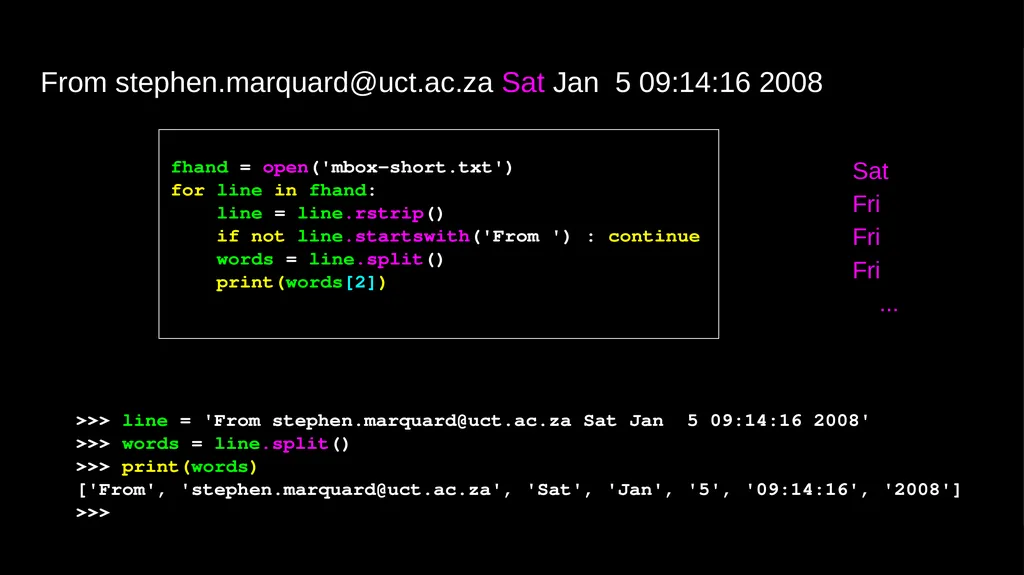
fhand = open('mbox-short.txt')
for line in fhand:
line = line.rstrip()
if not line.startswith('From ') : continue
words = line.split()
print(words[2]) Sat
Fri
Fri
Fri
... From stephen.marquard@uct.ac.za Sat Jan 5 09:14:16 2008 >>> line = 'From stephen.marquard@uct.ac.za Sat Jan 5 09:14:16 2008'
>>> words = line.split()
>>> print(words)
['From', 'stephen.marquard@uct.ac.za', 'Sat', 'Jan', '5', '09:14:16', '2008']
>>><br>
for line in fhand:
line = line.rstrip()
if not line.startswith('From ') : continue
words = line.split()
print(words[2]) Sat
Fri
Fri
Fri
... From stephen.marquard@uct.ac.za Sat Jan 5 09:14:16 2008 >>> line = 'From stephen.marquard@uct.ac.za Sat Jan 5 09:14:16 2008'
>>> words = line.split()
>>> print(words)
['From', 'stephen.marquard@uct.ac.za', 'Sat', 'Jan', '5', '09:14:16', '2008']
>>><br>
24
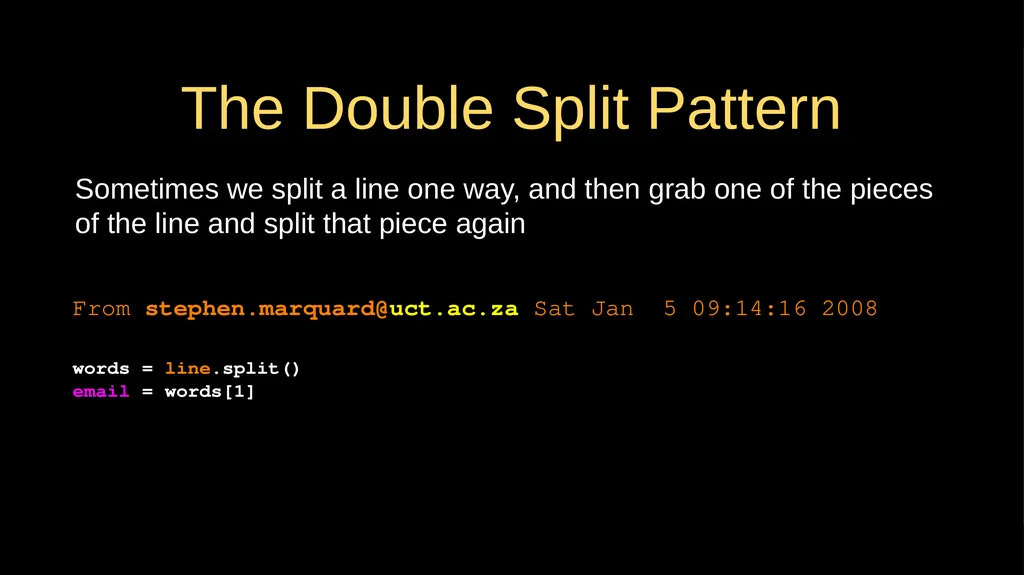
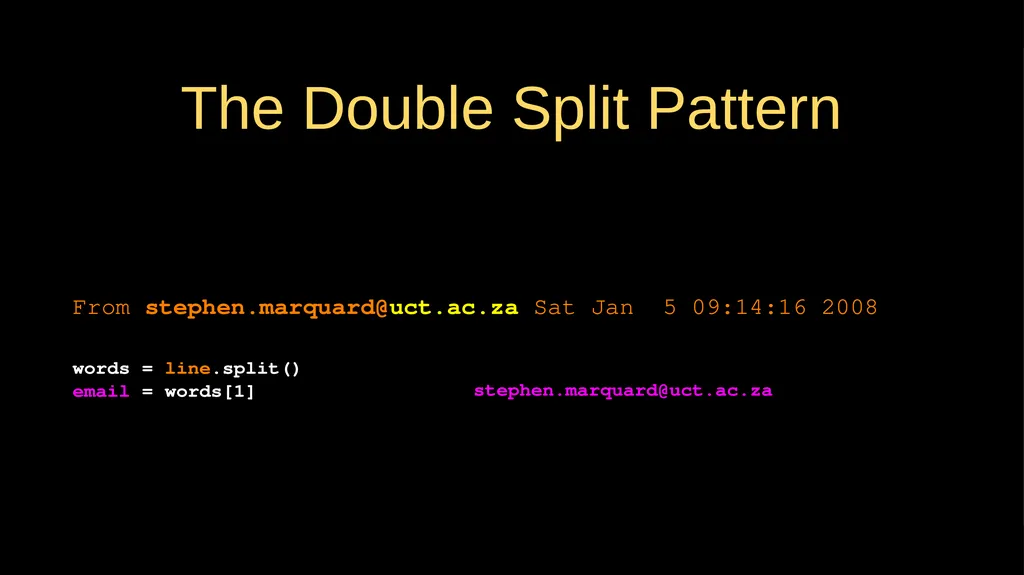
The Double Split Pattern Sometimes we split a line one way, and then grab one of the pieces of the line and split that piece again From stephen.marquard@uct.ac.za Sat Jan 5 09:14:16 2008 words = line.split()
email = words[1]
print pieces[1]<br>
email = words[1]
print pieces[1]<br>
25
The Double Split Pattern stephen.marquard@uct.ac.za From stephen.marquard@uct.ac.za Sat Jan 5 09:14:16 2008 words = line.split()
email = words[1]
print pieces[1]<br>
email = words[1]
print pieces[1]<br>
26
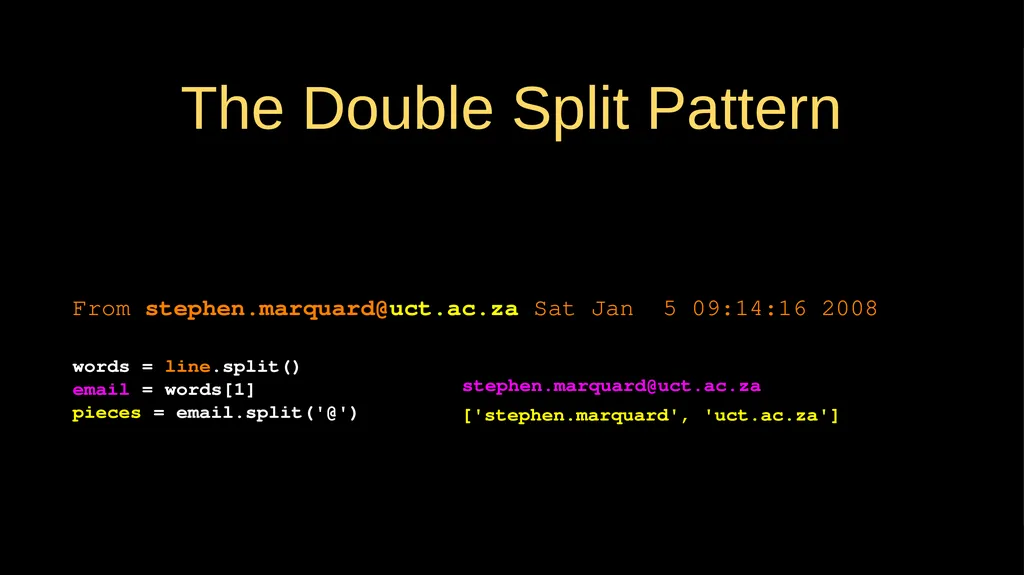
The Double Split Pattern ['stephen.marquard', 'uct.ac.za'] From stephen.marquard@uct.ac.za Sat Jan 5 09:14:16 2008 words = line.split()
email = words[1]
pieces = email.split('@')
print pieces[1] stephen.marquard@uct.ac.za<br>
email = words[1]
pieces = email.split('@')
print pieces[1] stephen.marquard@uct.ac.za<br>
27
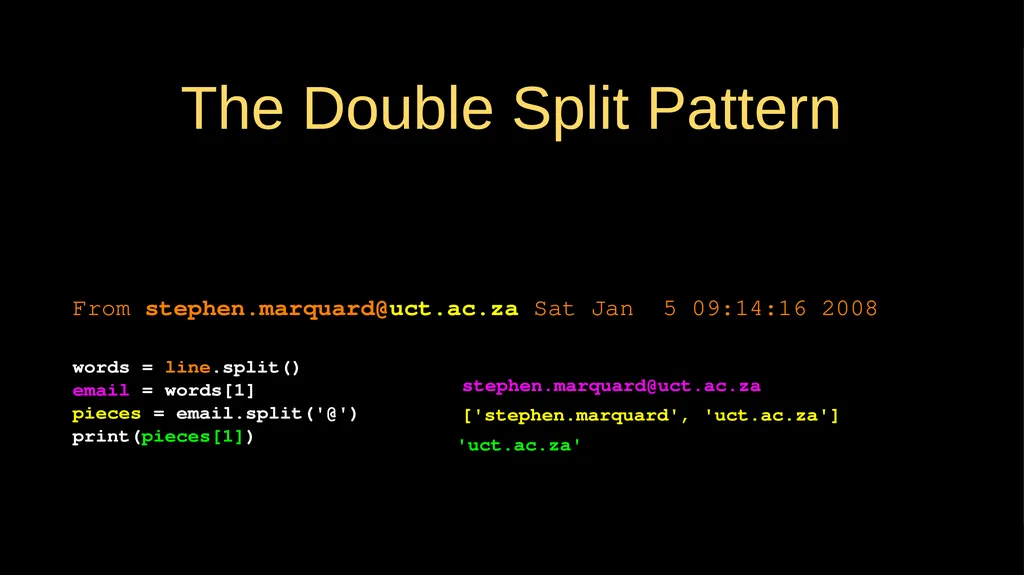
The Double Split Pattern ['stephen.marquard', 'uct.ac.za'] From stephen.marquard@uct.ac.za Sat Jan 5 09:14:16 2008 words = line.split()
email = words[1]
pieces = email.split('@')
print(pieces[1]) stephen.marquard@uct.ac.za 'uct.ac.za'<br>
email = words[1]
pieces = email.split('@')
print(pieces[1]) stephen.marquard@uct.ac.za 'uct.ac.za'<br>
28
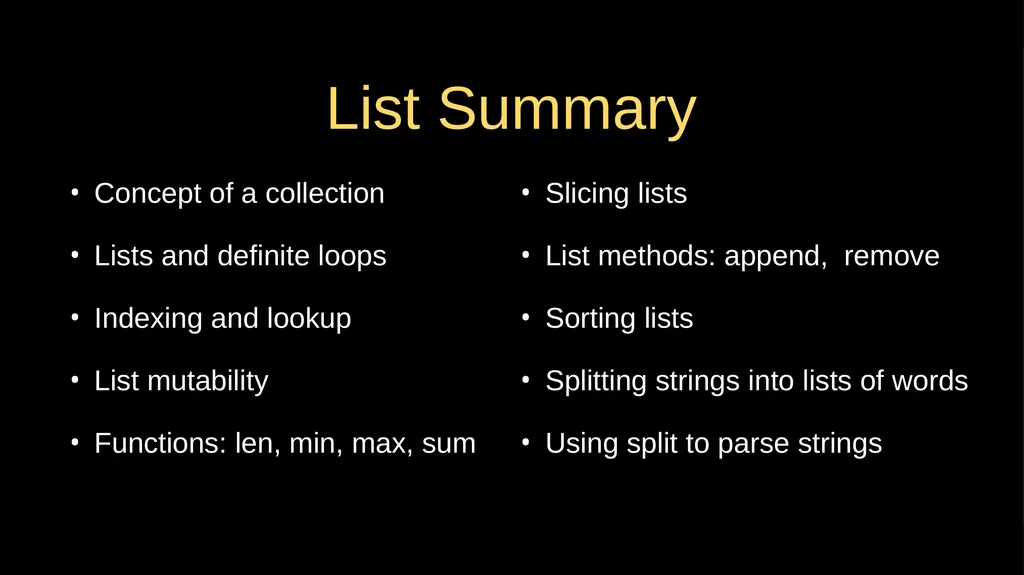
List Summary Concept of a collection
Lists and definite loops
Indexing and lookup
List mutability
Functions: len, min, max, sum Slicing lists
List methods: append, remove
Sorting lists
Splitting strings into lists of words
Using split to parse strings<br>
Lists and definite loops
Indexing and lookup
List mutability
Functions: len, min, max, sum Slicing lists
List methods: append, remove
Sorting lists
Splitting strings into lists of words
Using split to parse strings<br>
29
Acknowledgements / Contributions These slides are Copyright 2010- Charles R. Severance (www.dr-chuck.com) of the University of Michigan School of Information and open.umich.edu and made available under a Creative Commons Attribution 4.0 License. Please maintain this last slide in all copies of the document to comply with the attribution requirements of the license. If you make a change, feel free to add your name and organization to the list of contributors on this page as you republish the materials.
Initial Development: Charles Severance, University of Michigan School of Information
… Insert new Contributors and Translators here ...<br>
Initial Development: Charles Severance, University of Michigan School of Information
… Insert new Contributors and Translators here ...<br>