
References : 1-Security in Computing By Charless
PT
Published · 51 slides · 0 views
1 / 1

Description
References : 1-Security in Computing By Charless 2-Cryptography and Networks Security by W. STALLIN Computer and Information Security By DR Bashar M. Nema Chapter 1 1 In This Chapter The risks involved in computing The goal of secure
Related Topics
Share
Embed code
Download this presentation From Below
"References : 1-Security in Computing By Charless" is the property of its rightful owner. Permission is granted to download and print the materials on this website for personal, non-commercial use only, and to display it on your personal computer provided you do not modify the materials and that you retain all copyright notices contained in the materials. By downloading content from our website, you accept the terms of this agreement.
Presentation Transcript
01
References :
1-Security in Computing By Charless
2-Cryptography and Networks Security by W. STALLIN Computer and Information Security By
DR Bashar M. Nema<br>
DR Bashar M. Nema<br>
02
Chapter 1 1<br>
03
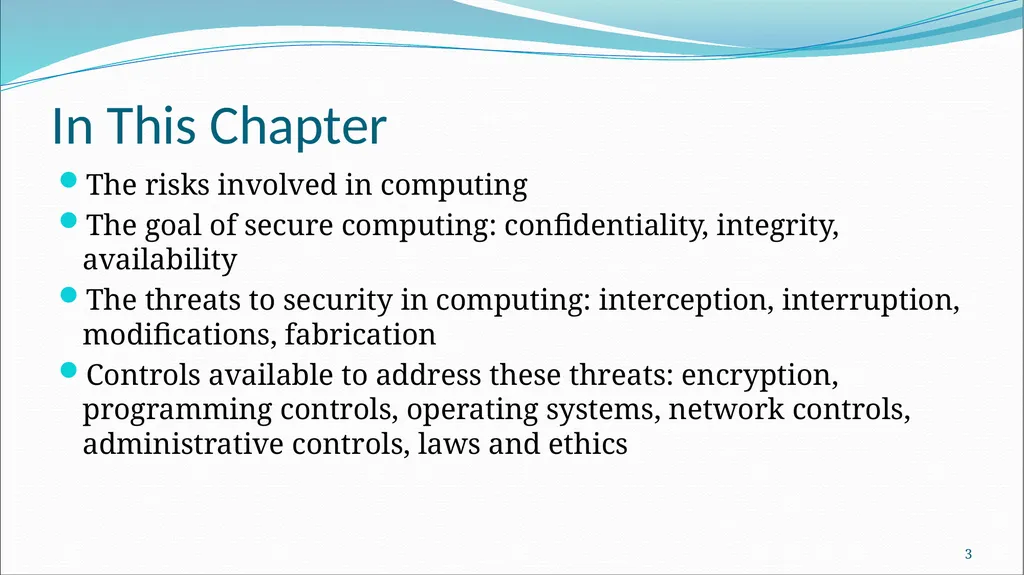
In This Chapter The risks involved in computing
The goal of secure computing: confidentiality, integrity, availability
The threats to security in computing: interception, interruption, modifications, fabrication
Controls available to address these threats: encryption, programming controls, operating systems, network controls, administrative controls, laws and ethics 2<br>
The goal of secure computing: confidentiality, integrity, availability
The threats to security in computing: interception, interruption, modifications, fabrication
Controls available to address these threats: encryption, programming controls, operating systems, network controls, administrative controls, laws and ethics 2<br>
04
Definitions Computing system is a collection of five things :
Hardware, Software, Storage media, Data, People/User
The major Assets of computing system are Hardware ,Software, and Data.
Principle of Easiest Penetration - An intruder must be expected to use any available means of penetration. Penetration may not necessarily be by the most obvious means, nor via the one we have the most defense against.
Consider all the means of penetration
Checked repeated times
Don’t underestimate the attacker/think like an attacker
Strengthening one thin might weaken another 3<br>
Hardware, Software, Storage media, Data, People/User
The major Assets of computing system are Hardware ,Software, and Data.
Principle of Easiest Penetration - An intruder must be expected to use any available means of penetration. Penetration may not necessarily be by the most obvious means, nor via the one we have the most defense against.
Consider all the means of penetration
Checked repeated times
Don’t underestimate the attacker/think like an attacker
Strengthening one thin might weaken another 3<br>
05
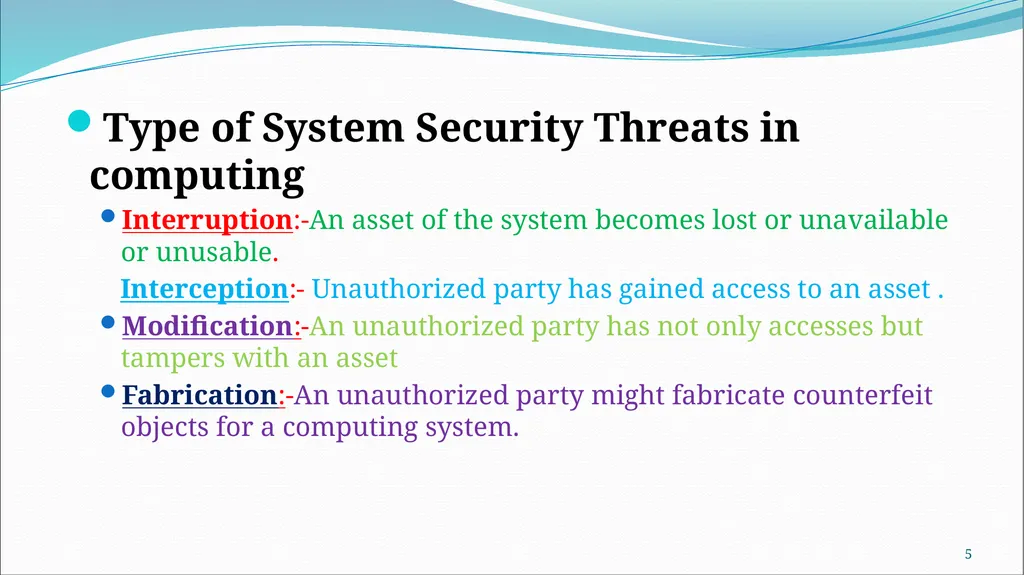
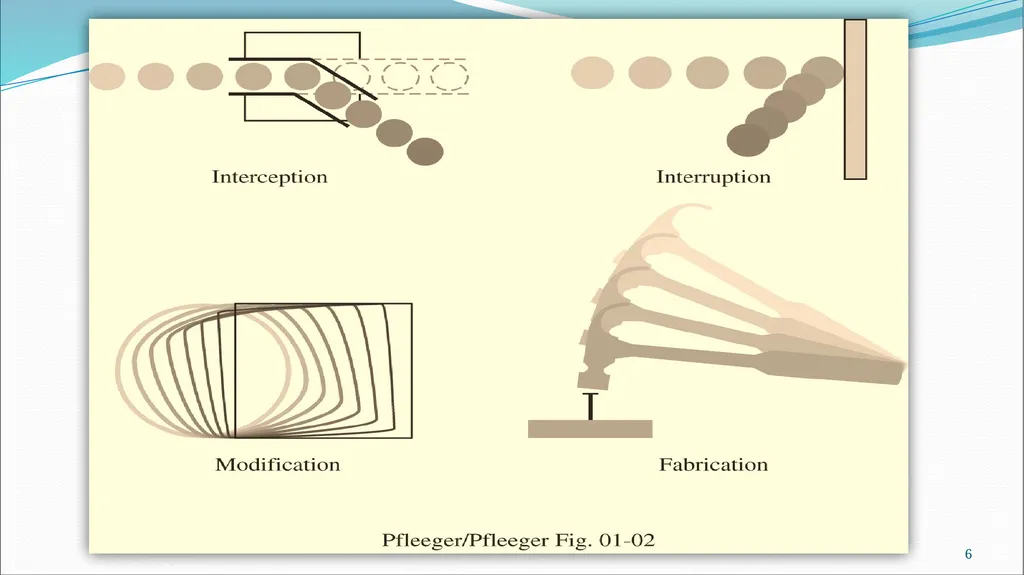
Type of System Security Threats in computing
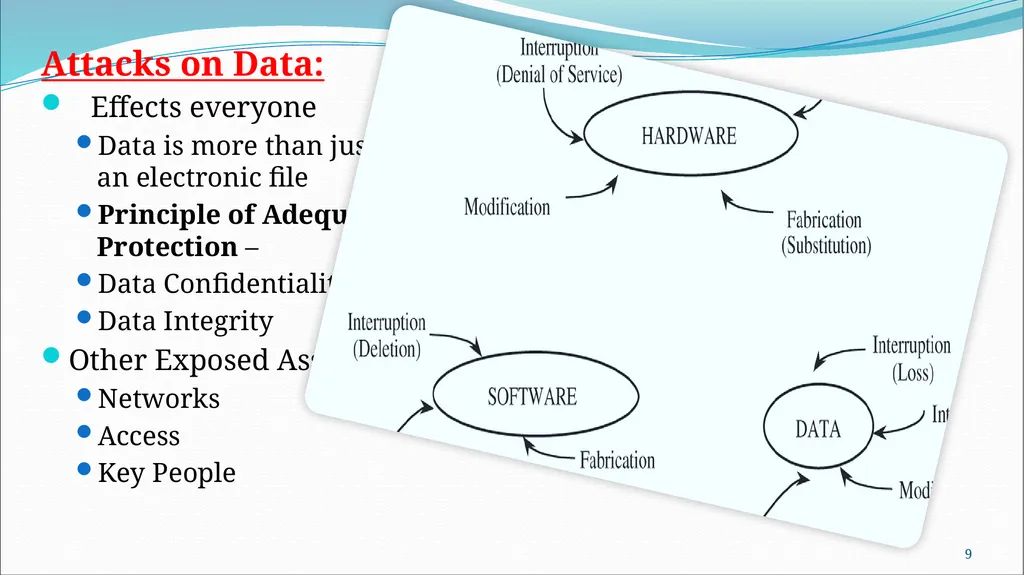
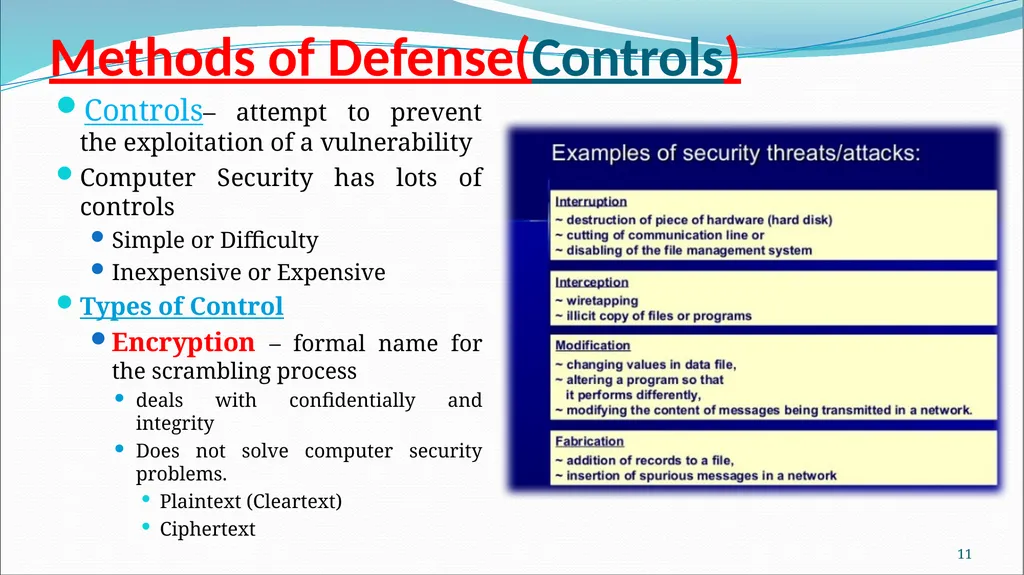
Interruption:-An asset of the system becomes lost or unavailable or unusable.
Interception:- Unauthorized party has gained access to an asset .
Modification:-An unauthorized party has not only accesses but tampers with an asset
Fabrication:-An unauthorized party might fabricate counterfeit objects for a computing system. 4<br>
Interruption:-An asset of the system becomes lost or unavailable or unusable.
Interception:- Unauthorized party has gained access to an asset .
Modification:-An unauthorized party has not only accesses but tampers with an asset
Fabrication:-An unauthorized party might fabricate counterfeit objects for a computing system. 4<br>
06
5<br>
07
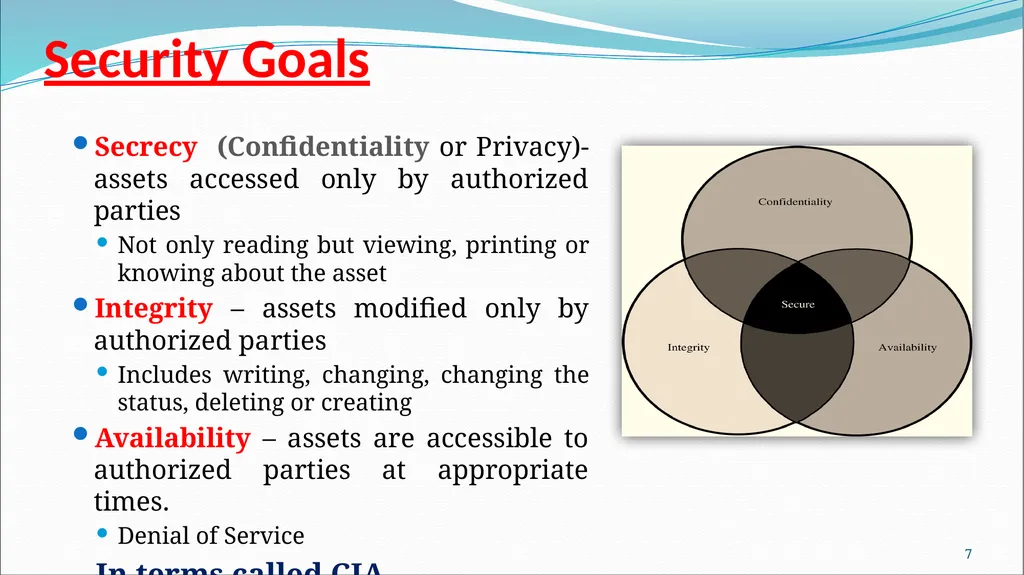
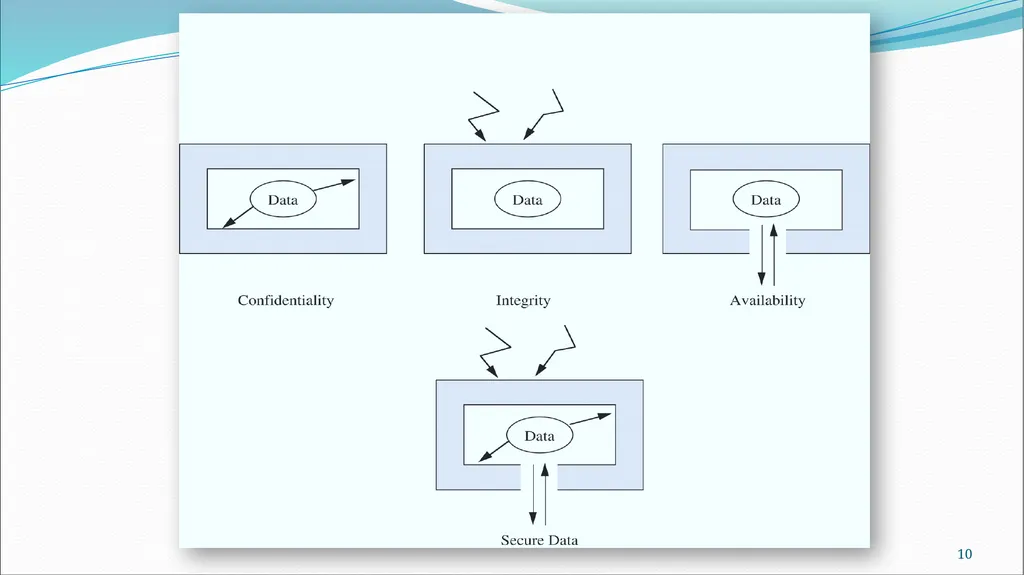
Security Goals Secrecy (Confidentiality or Privacy)- assets accessed only by authorized parties
Not only reading but viewing, printing or knowing about the asset
Integrity – assets modified only by authorized parties
Includes writing, changing, changing the status, deleting or creating
Availability – assets are accessible to authorized parties at appropriate times.
Denial of Service
In terms called CIA 6<br>
Not only reading but viewing, printing or knowing about the asset
Integrity – assets modified only by authorized parties
Includes writing, changing, changing the status, deleting or creating
Availability – assets are accessible to authorized parties at appropriate times.
Denial of Service
In terms called CIA 6<br>
08
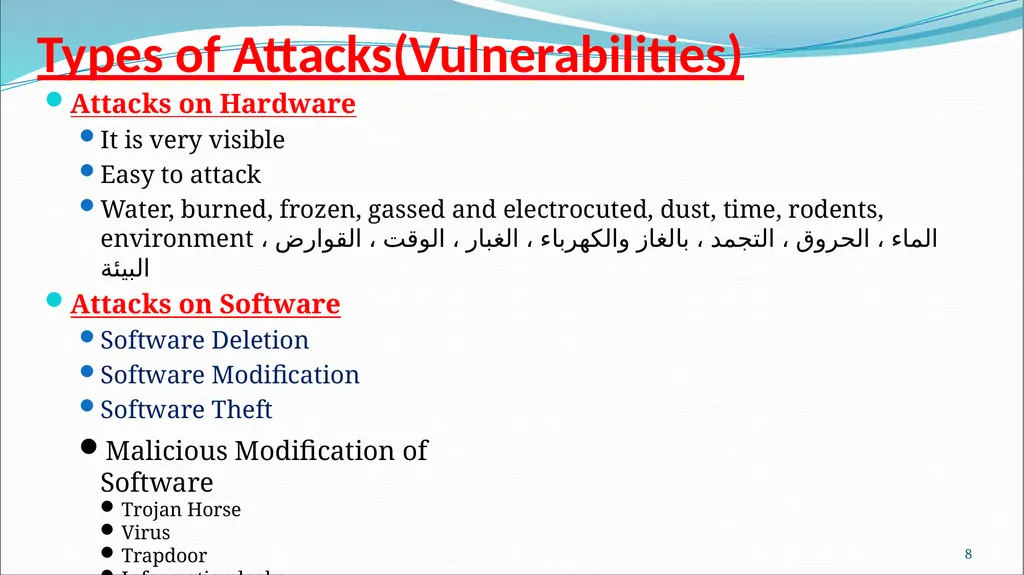
Types of Attacks(Vulnerabilities) Attacks on Hardware
It is very visible
Easy to attack
Water, burned, frozen, gassed and electrocuted, dust, time, rodents, environment الماء ، الحروق ، التجمد ، بالغاز والكهرباء ، الغبار ، الوقت ، القوارض ، البيئة
Attacks on Software
Software Deletion
Software Modification
Software Theft 7 Malicious Modification of Software
Trojan Horse
Virus
Trapdoor
Information leaks<br>
It is very visible
Easy to attack
Water, burned, frozen, gassed and electrocuted, dust, time, rodents, environment الماء ، الحروق ، التجمد ، بالغاز والكهرباء ، الغبار ، الوقت ، القوارض ، البيئة
Attacks on Software
Software Deletion
Software Modification
Software Theft 7 Malicious Modification of Software
Trojan Horse
Virus
Trapdoor
Information leaks<br>
09
Attacks on Data:
Effects everyone
Data is more than just an electronic file
Principle of Adequate Protection –
Data Confidentiality
Data Integrity
Other Exposed Assets
Networks
Access
Key People 8<br>
Effects everyone
Data is more than just an electronic file
Principle of Adequate Protection –
Data Confidentiality
Data Integrity
Other Exposed Assets
Networks
Access
Key People 8<br>
10
9<br>
11
Methods of Defense(Controls) Controls– attempt to prevent the exploitation of a vulnerability
Computer Security has lots of controls
Simple or Difficulty
Inexpensive or Expensive
Types of Control
Encryption – formal name for the scrambling process
deals with confidentially and integrity
Does not solve computer security problems.
Plaintext (Cleartext)
Ciphertext 10<br>
Computer Security has lots of controls
Simple or Difficulty
Inexpensive or Expensive
Types of Control
Encryption – formal name for the scrambling process
deals with confidentially and integrity
Does not solve computer security problems.
Plaintext (Cleartext)
Ciphertext 10<br>
12
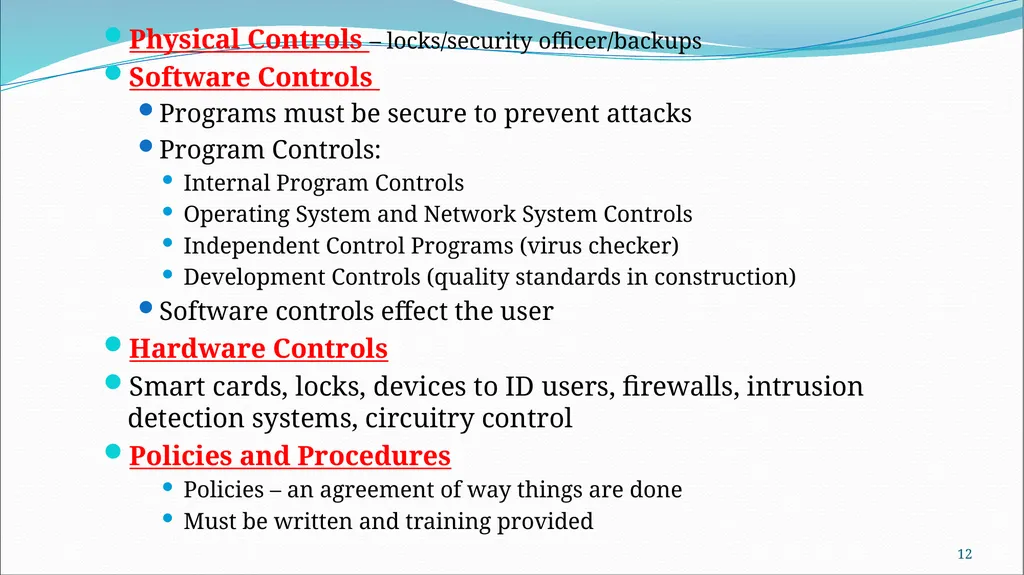
Physical Controls – locks/security officer/backups
Software Controls
Programs must be secure to prevent attacks
Program Controls:
Internal Program Controls
Operating System and Network System Controls
Independent Control Programs (virus checker)
Development Controls (quality standards in construction)
Software controls effect the user
Hardware Controls
Smart cards, locks, devices to ID users, firewalls, intrusion detection systems, circuitry control
Policies and Procedures
Policies – an agreement of way things are done
Must be written and training provided 11<br>
Software Controls
Programs must be secure to prevent attacks
Program Controls:
Internal Program Controls
Operating System and Network System Controls
Independent Control Programs (virus checker)
Development Controls (quality standards in construction)
Software controls effect the user
Hardware Controls
Smart cards, locks, devices to ID users, firewalls, intrusion detection systems, circuitry control
Policies and Procedures
Policies – an agreement of way things are done
Must be written and training provided 11<br>
13
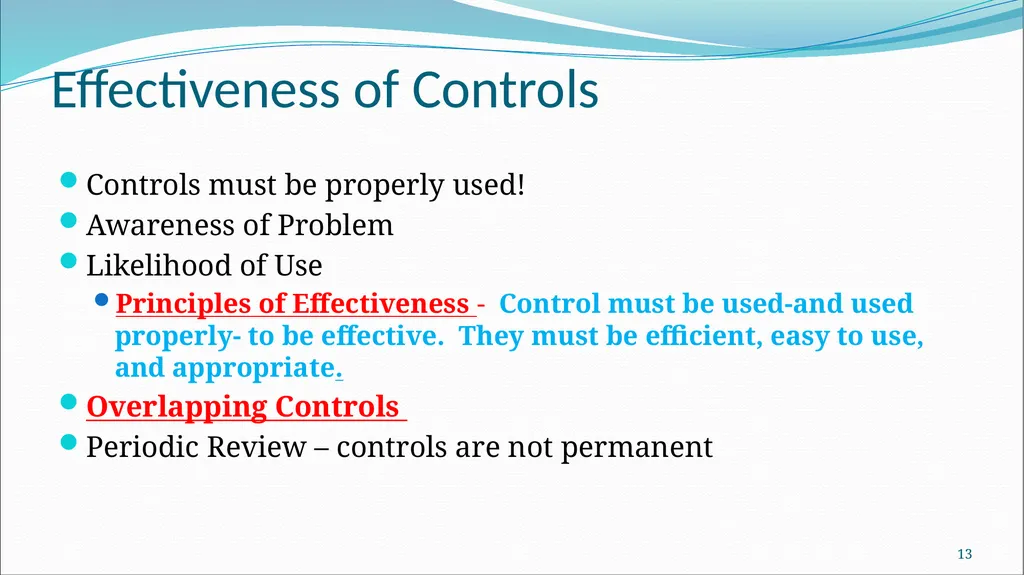
Effectiveness of Controls Controls must be properly used!
Awareness of Problem
Likelihood of Use
Principles of Effectiveness - Control must be used-and used properly- to be effective. They must be efficient, easy to use, and appropriate.
Overlapping Controls
Periodic Review – controls are not permanent 12<br>
Awareness of Problem
Likelihood of Use
Principles of Effectiveness - Control must be used-and used properly- to be effective. They must be efficient, easy to use, and appropriate.
Overlapping Controls
Periodic Review – controls are not permanent 12<br>
14
Chapter 2
Basic Encryption and Decryption 13<br>
Basic Encryption and Decryption 13<br>
15
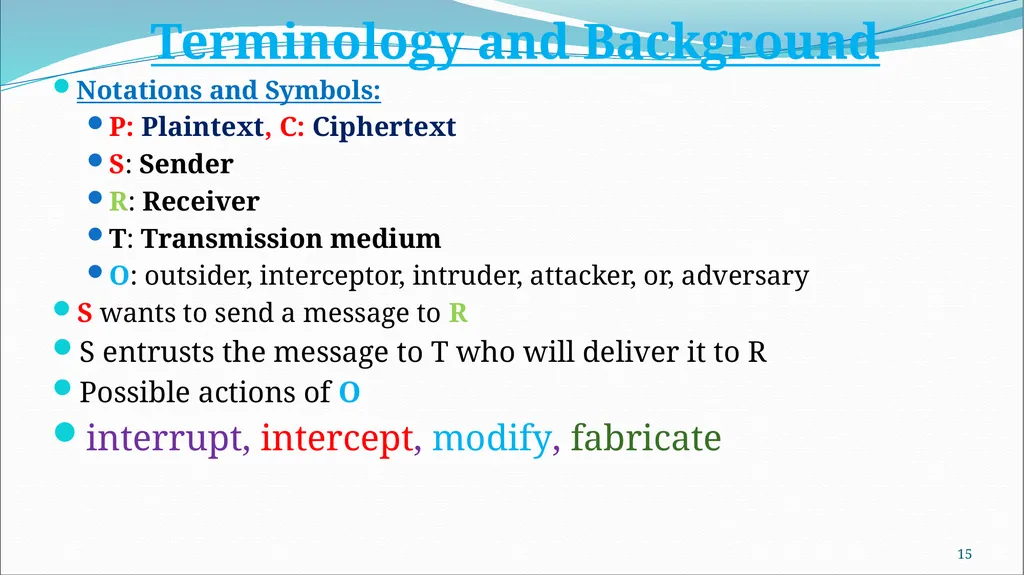
Terminology and Background
Notations and Symbols:
P: Plaintext, C: Ciphertext
S: Sender
R: Receiver
T: Transmission medium
O: outsider, interceptor, intruder, attacker, or, adversary
S wants to send a message to R
S entrusts the message to T who will deliver it to R
Possible actions of O
interrupt, intercept, modify, fabricate 14<br>
Notations and Symbols:
P: Plaintext, C: Ciphertext
S: Sender
R: Receiver
T: Transmission medium
O: outsider, interceptor, intruder, attacker, or, adversary
S wants to send a message to R
S entrusts the message to T who will deliver it to R
Possible actions of O
interrupt, intercept, modify, fabricate 14<br>
16
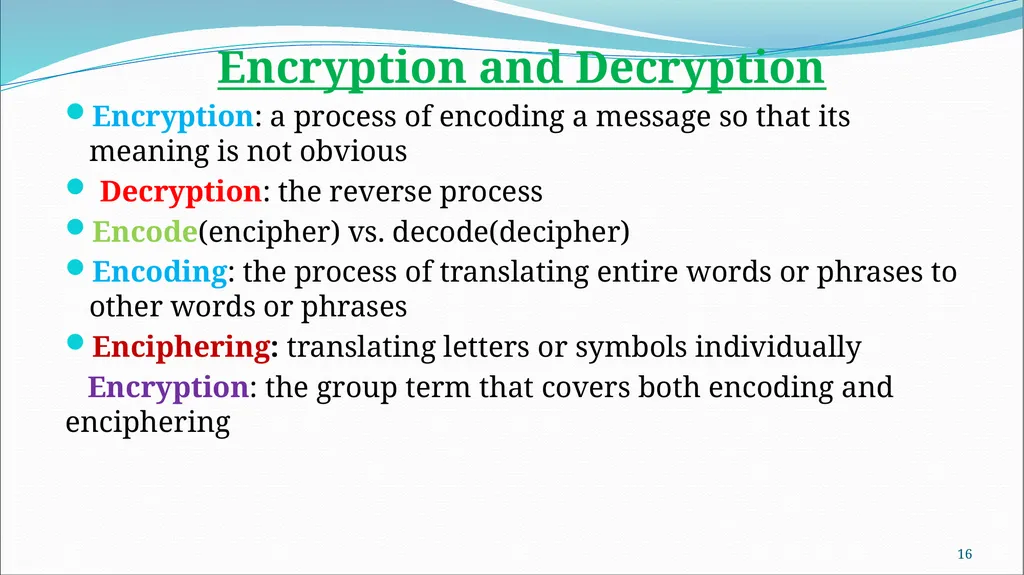
Encryption and Decryption
Encryption: a process of encoding a message so that its meaning is not obvious
Decryption: the reverse process
Encode(encipher) vs. decode(decipher)
Encoding: the process of translating entire words or phrases to other words or phrases
Enciphering: translating letters or symbols individually
Encryption: the group term that covers both encoding and enciphering 15<br>
Encryption: a process of encoding a message so that its meaning is not obvious
Decryption: the reverse process
Encode(encipher) vs. decode(decipher)
Encoding: the process of translating entire words or phrases to other words or phrases
Enciphering: translating letters or symbols individually
Encryption: the group term that covers both encoding and enciphering 15<br>
17
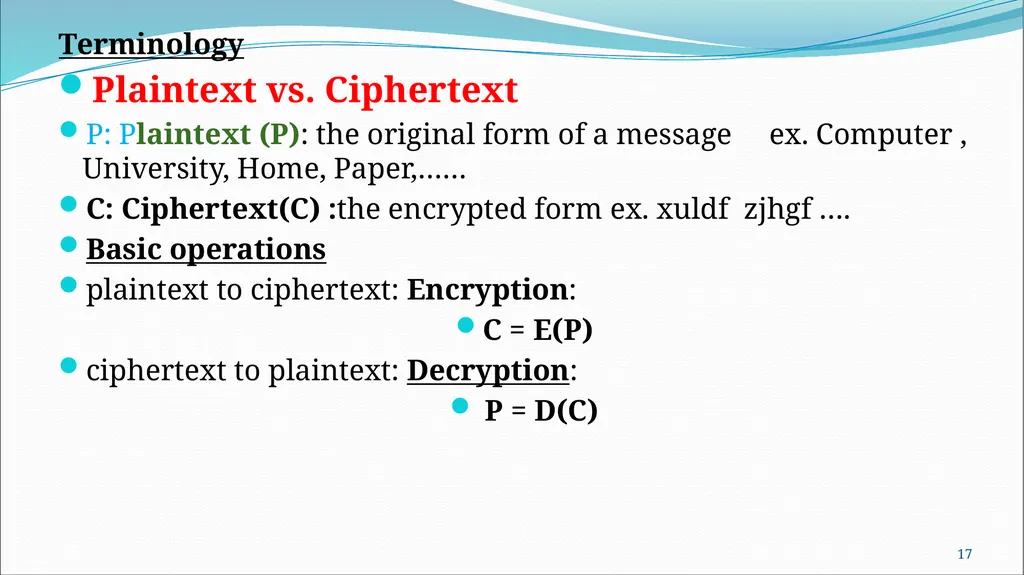
Terminology
Plaintext vs. Ciphertext
P: Plaintext (P): the original form of a message ex. Computer , University, Home, Paper,……
C: Ciphertext(C) :the encrypted form ex. xuldf zjhgf ….
Basic operations
plaintext to ciphertext: Encryption:
C = E(P)
ciphertext to plaintext: Decryption:
P = D(C) 16<br>
Plaintext vs. Ciphertext
P: Plaintext (P): the original form of a message ex. Computer , University, Home, Paper,……
C: Ciphertext(C) :the encrypted form ex. xuldf zjhgf ….
Basic operations
plaintext to ciphertext: Encryption:
C = E(P)
ciphertext to plaintext: Decryption:
P = D(C) 16<br>
18
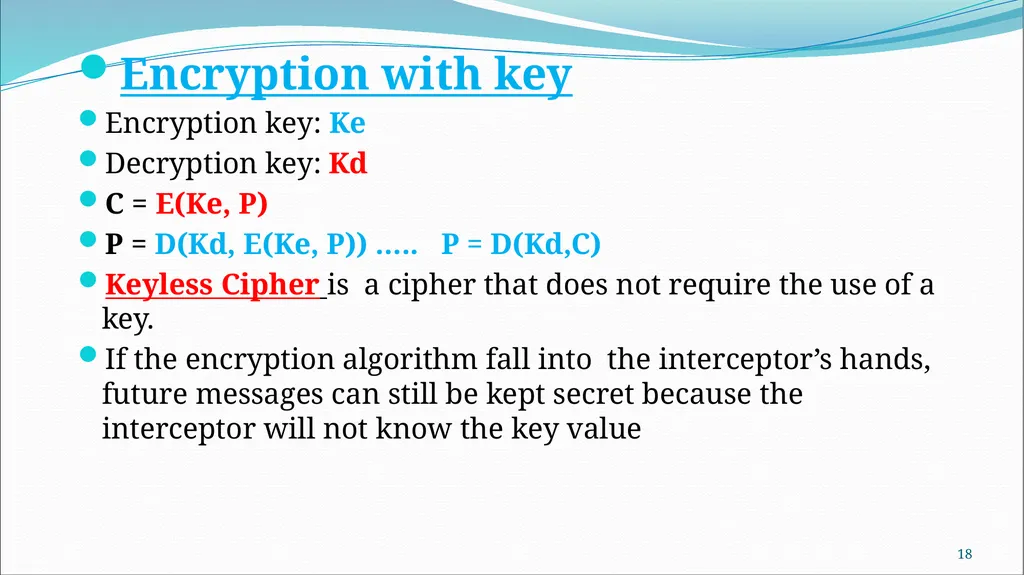
Encryption with key
Encryption key: Ke
Decryption key: Kd
C = E(Ke, P)
P = D(Kd, E(Ke, P)) ….. P = D(Kd,C)
Keyless Cipher is a cipher that does not require the use of a key.
If the encryption algorithm fall into the interceptor’s hands, future messages can still be kept secret because the interceptor will not know the key value 17<br>
Encryption key: Ke
Decryption key: Kd
C = E(Ke, P)
P = D(Kd, E(Ke, P)) ….. P = D(Kd,C)
Keyless Cipher is a cipher that does not require the use of a key.
If the encryption algorithm fall into the interceptor’s hands, future messages can still be kept secret because the interceptor will not know the key value 17<br>
19
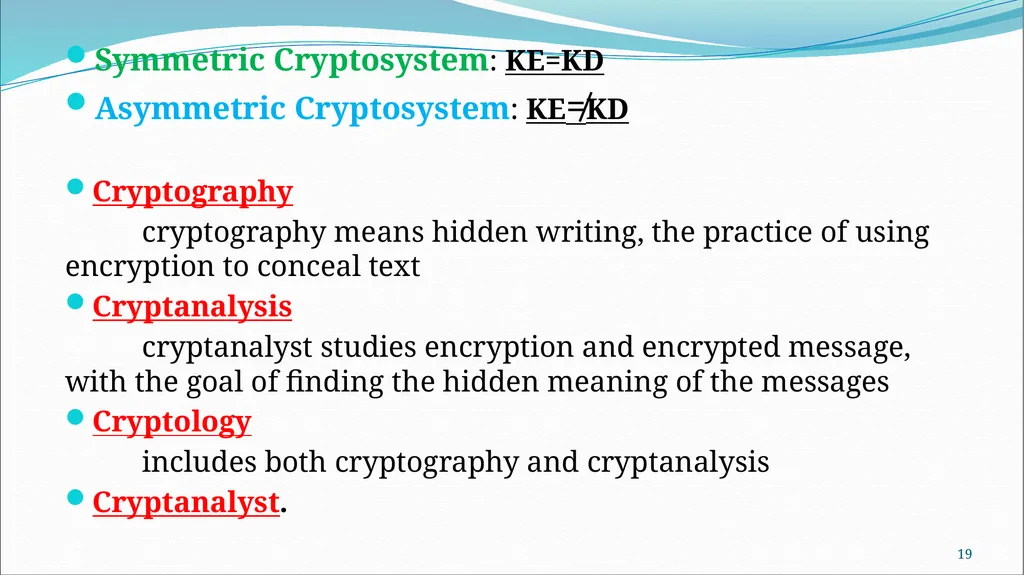
Symmetric Cryptosystem: KE=KD
Asymmetric Cryptosystem: KE≠KD
Cryptography
cryptography means hidden writing, the practice of using encryption to conceal text
Cryptanalysis
cryptanalyst studies encryption and encrypted message, with the goal of finding the hidden meaning of the messages
Cryptology
includes both cryptography and cryptanalysis
Cryptanalyst. 18<br>
Asymmetric Cryptosystem: KE≠KD
Cryptography
cryptography means hidden writing, the practice of using encryption to conceal text
Cryptanalysis
cryptanalyst studies encryption and encrypted message, with the goal of finding the hidden meaning of the messages
Cryptology
includes both cryptography and cryptanalysis
Cryptanalyst. 18<br>
20
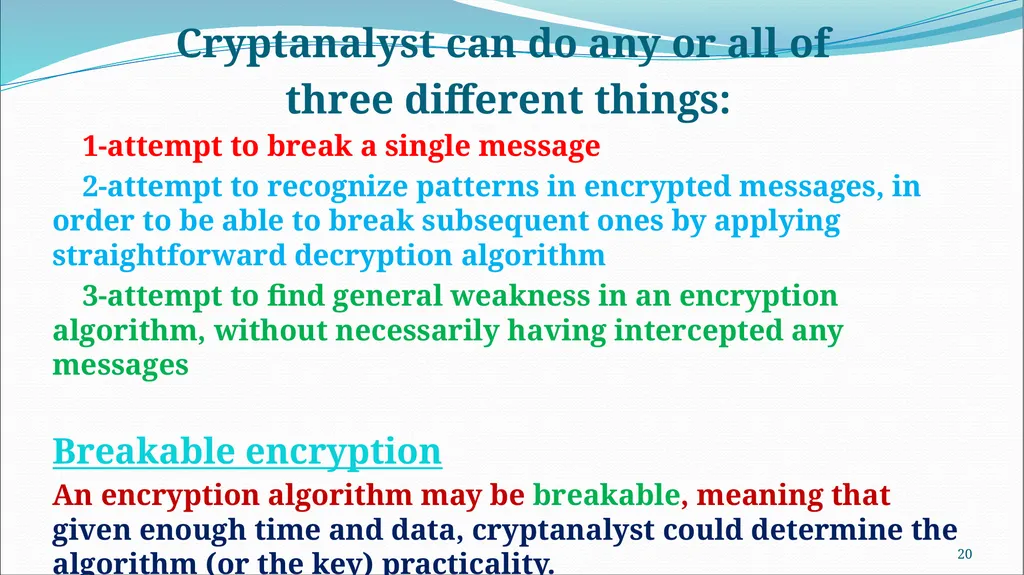
Cryptanalyst can do any or all of
three different things:
1-attempt to break a single message
2-attempt to recognize patterns in encrypted messages, in order to be able to break subsequent ones by applying straightforward decryption algorithm
3-attempt to find general weakness in an encryption algorithm, without necessarily having intercepted any messages
Breakable encryption
An encryption algorithm may be breakable, meaning that given enough time and data, cryptanalyst could determine the algorithm (or the key) practicality. 19<br>
three different things:
1-attempt to break a single message
2-attempt to recognize patterns in encrypted messages, in order to be able to break subsequent ones by applying straightforward decryption algorithm
3-attempt to find general weakness in an encryption algorithm, without necessarily having intercepted any messages
Breakable encryption
An encryption algorithm may be breakable, meaning that given enough time and data, cryptanalyst could determine the algorithm (or the key) practicality. 19<br>
21
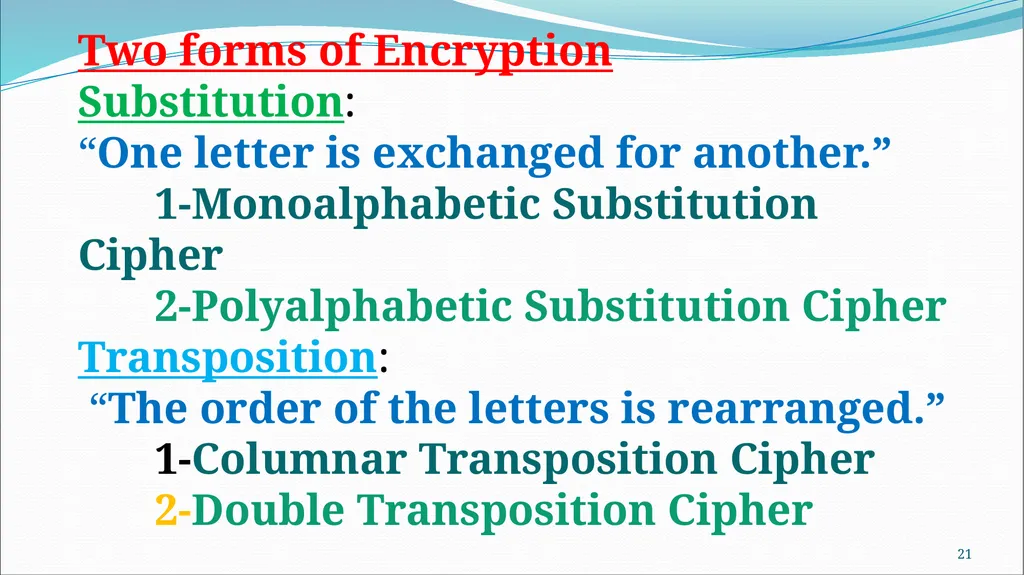
20 Two forms of Encryption
Substitution:
“One letter is exchanged for another.”
1-Monoalphabetic Substitution Cipher
2-Polyalphabetic Substitution Cipher
Transposition:
“The order of the letters is rearranged.”
1-Columnar Transposition Cipher
2-Double Transposition Cipher<br>
Substitution:
“One letter is exchanged for another.”
1-Monoalphabetic Substitution Cipher
2-Polyalphabetic Substitution Cipher
Transposition:
“The order of the letters is rearranged.”
1-Columnar Transposition Cipher
2-Double Transposition Cipher<br>
22
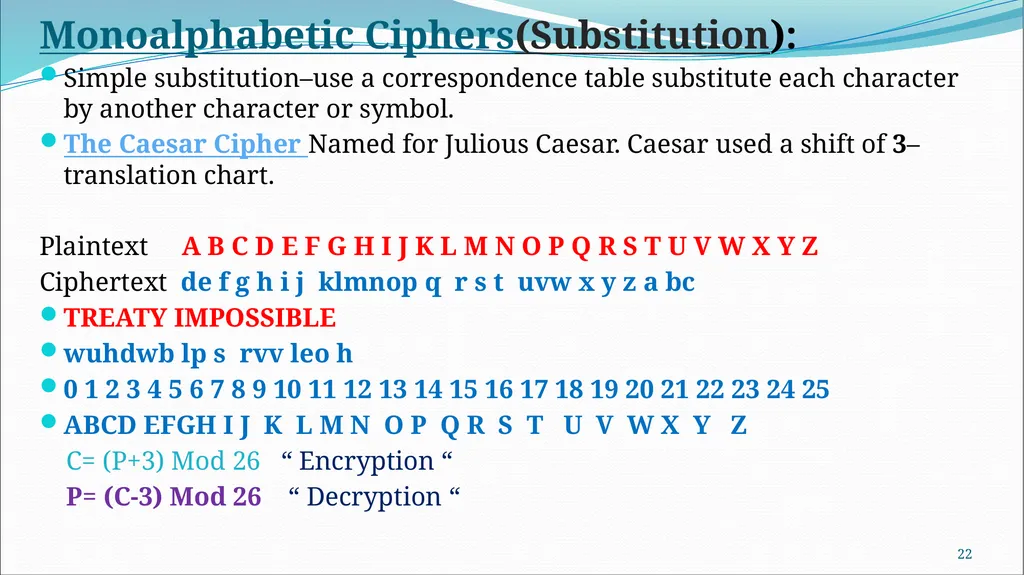
Monoalphabetic Ciphers(Substitution):
Simple substitution–use a correspondence table substitute each character by another character or symbol.
The Caesar Cipher Named for Julious Caesar. Caesar used a shift of 3–translation chart.
Plaintext A B C D E F G H I J K L M N O P Q R S T U V W X Y Z
Ciphertext de f g h i j klmnop q r s t uvw x y z a bc
TREATY IMPOSSIBLE
wuhdwb lp s rvv leo h
0 1 2 3 4 5 6 7 8 9 10 11 12 13 14 15 16 17 18 19 20 21 22 23 24 25
ABCD EFGH I J K L M N O P Q R S T U V W X Y Z
C= (P+3) Mod 26 “ Encryption “
P= (C-3) Mod 26 “ Decryption “ 21<br>
Simple substitution–use a correspondence table substitute each character by another character or symbol.
The Caesar Cipher Named for Julious Caesar. Caesar used a shift of 3–translation chart.
Plaintext A B C D E F G H I J K L M N O P Q R S T U V W X Y Z
Ciphertext de f g h i j klmnop q r s t uvw x y z a bc
TREATY IMPOSSIBLE
wuhdwb lp s rvv leo h
0 1 2 3 4 5 6 7 8 9 10 11 12 13 14 15 16 17 18 19 20 21 22 23 24 25
ABCD EFGH I J K L M N O P Q R S T U V W X Y Z
C= (P+3) Mod 26 “ Encryption “
P= (C-3) Mod 26 “ Decryption “ 21<br>
23
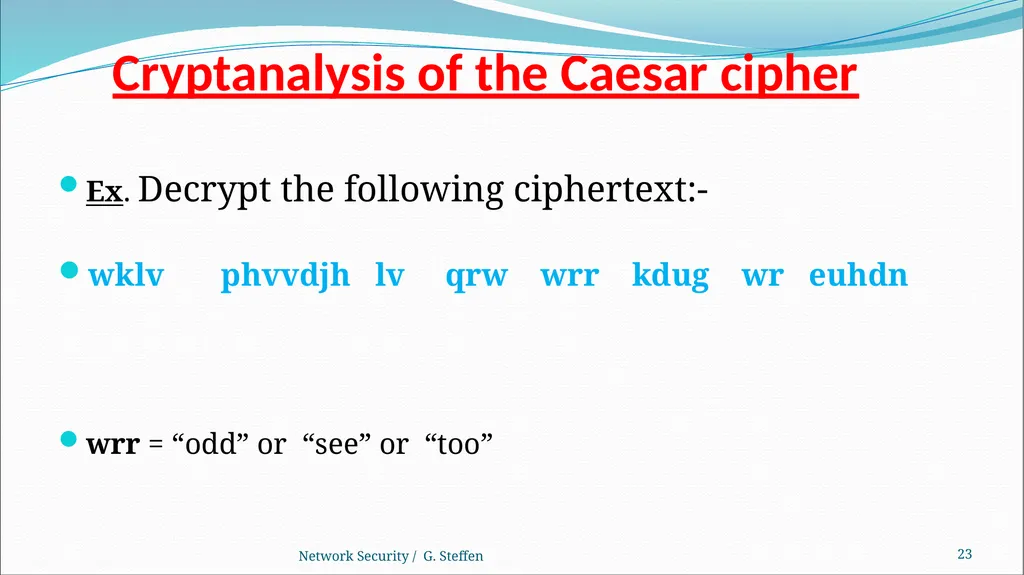
Cryptanalysis of the Caesar cipher Ex. Decrypt the following ciphertext:-
wklv phvvdjh lv qrw wrr kdug wr euhdn
wrr = “odd” or “see” or “too” Network Security / G. Steffen 22<br>
wklv phvvdjh lv qrw wrr kdug wr euhdn
wrr = “odd” or “see” or “too” Network Security / G. Steffen 22<br>
24
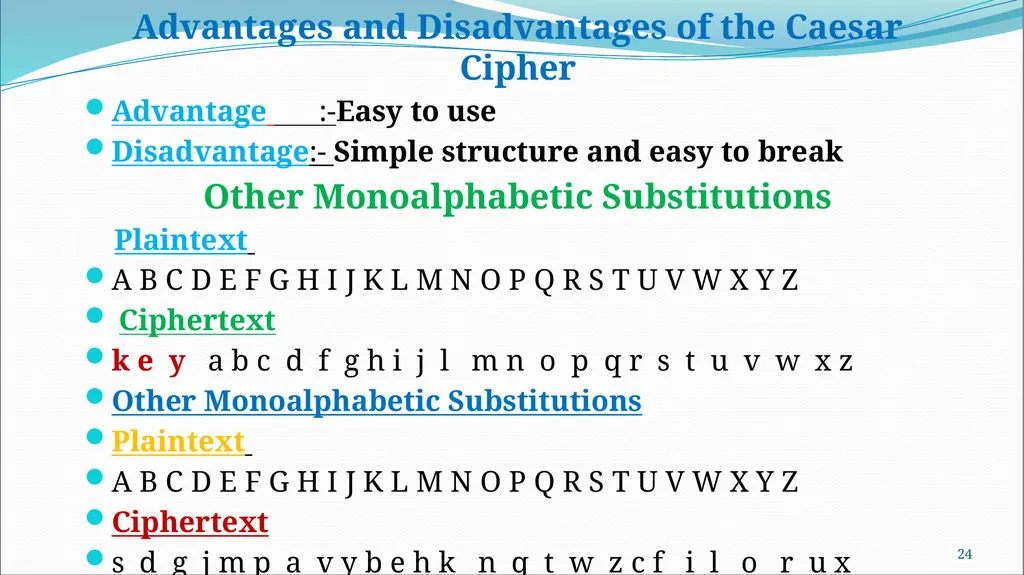
Advantages and Disadvantages of the Caesar Cipher
Advantage :-Easy to use
Disadvantage:- Simple structure and easy to break
Other Monoalphabetic Substitutions
Plaintext
A B C D E F G H I J K L M N O P Q R S T U V W X Y Z
Ciphertext
k e y a b c d f g h i j l m n o p q r s t u v w x z
Other Monoalphabetic Substitutions
Plaintext
A B C D E F G H I J K L M N O P Q R S T U V W X Y Z
Ciphertext
s d g j m p a v y b e h k n q t w z c f i l o r u x 23<br>
Advantage :-Easy to use
Disadvantage:- Simple structure and easy to break
Other Monoalphabetic Substitutions
Plaintext
A B C D E F G H I J K L M N O P Q R S T U V W X Y Z
Ciphertext
k e y a b c d f g h i j l m n o p q r s t u v w x z
Other Monoalphabetic Substitutions
Plaintext
A B C D E F G H I J K L M N O P Q R S T U V W X Y Z
Ciphertext
s d g j m p a v y b e h k n q t w z c f i l o r u x 23<br>
25
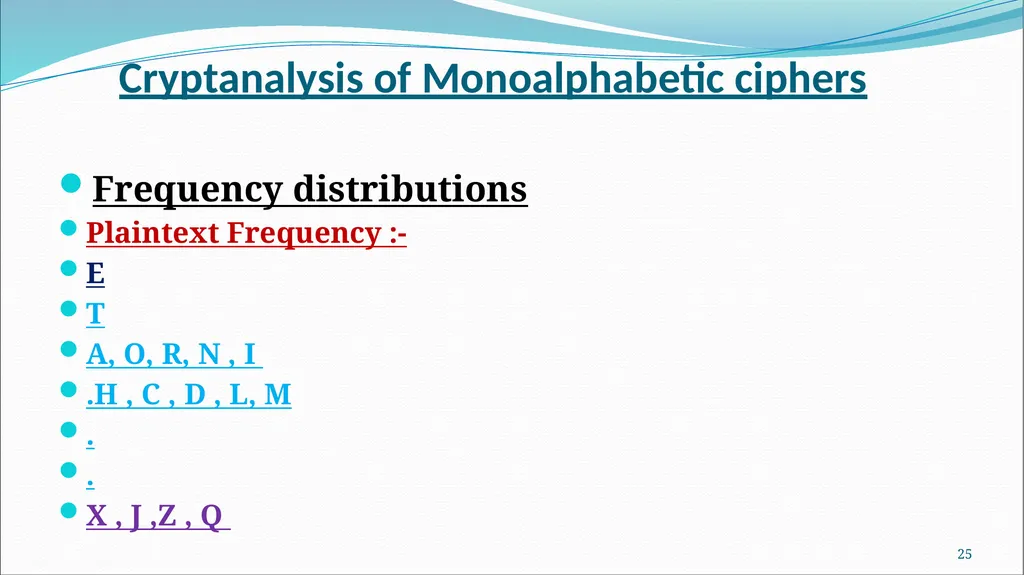
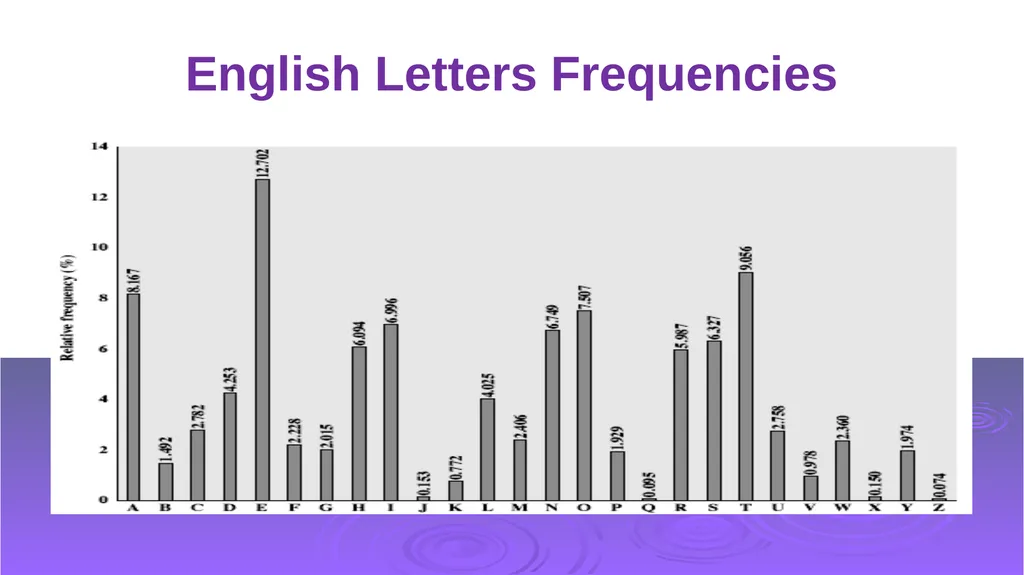
Cryptanalysis of Monoalphabetic ciphers Frequency distributions
Plaintext Frequency :-
E
T
A, O, R, N , I
.H , C , D , L, M
.
.
X , J ,Z , Q 24<br>
Plaintext Frequency :-
E
T
A, O, R, N , I
.H , C , D , L, M
.
.
X , J ,Z , Q 24<br>
26
English Letters Frequencies<br>
27
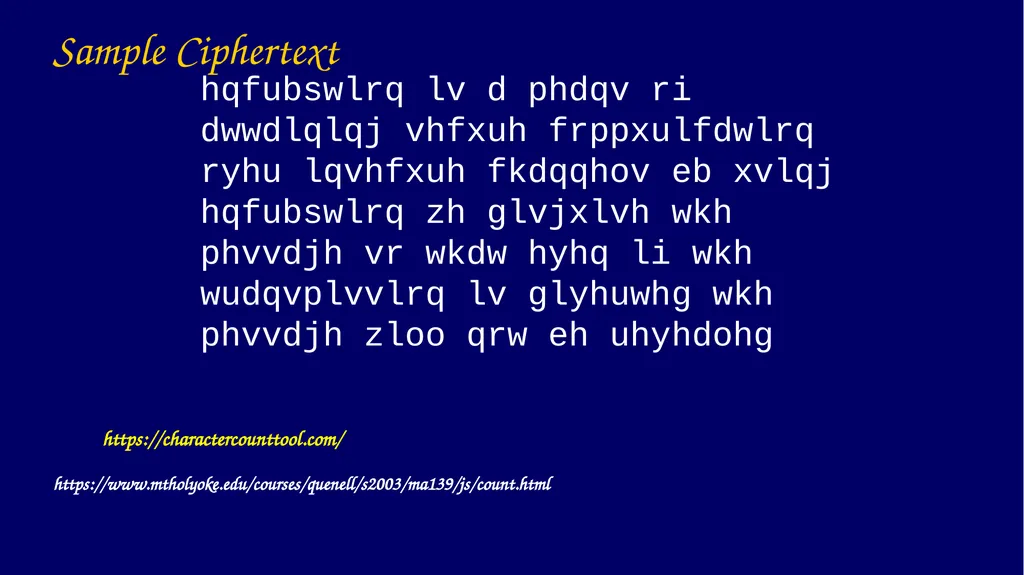
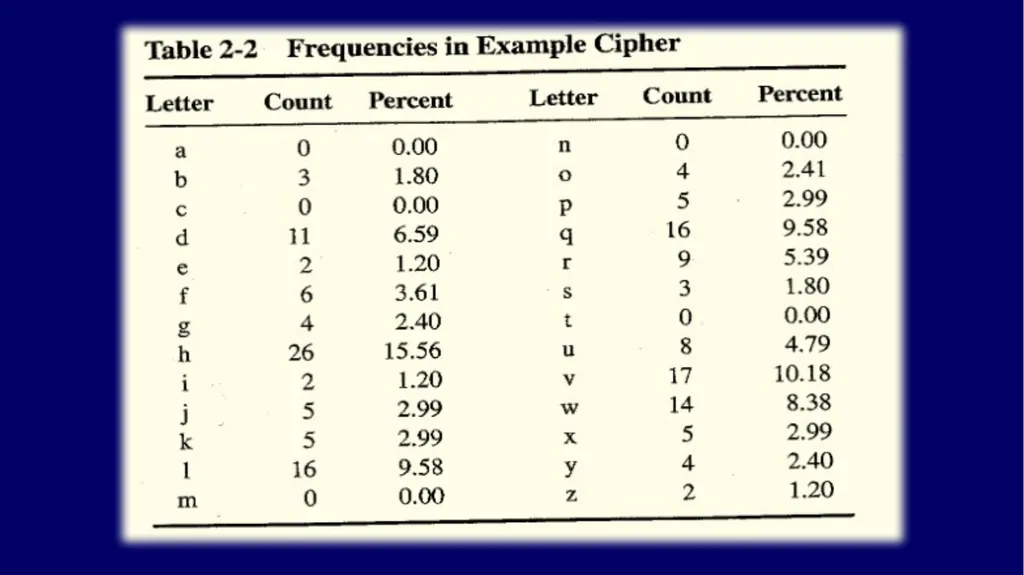
Sample Ciphertext hqfubswlrq lv d phdqv ri dwwdlqlqj vhfxuh frppxulfdwlrq ryhu lqvhfxuh fkdqqhov eb xvlqj hqfubswlrq zh glvjxlvh wkh phvvdjh vr wkdw hyhq li wkh wudqvplvvlrq lv glyhuwhg wkh phvvdjh zloo qrw eh uhyhdohg https://charactercounttool.com/ https://www.mtholyoke.edu/courses/quenell/s2003/ma139/js/count.html<br>
28
Note similarity of e and h.<br>
29
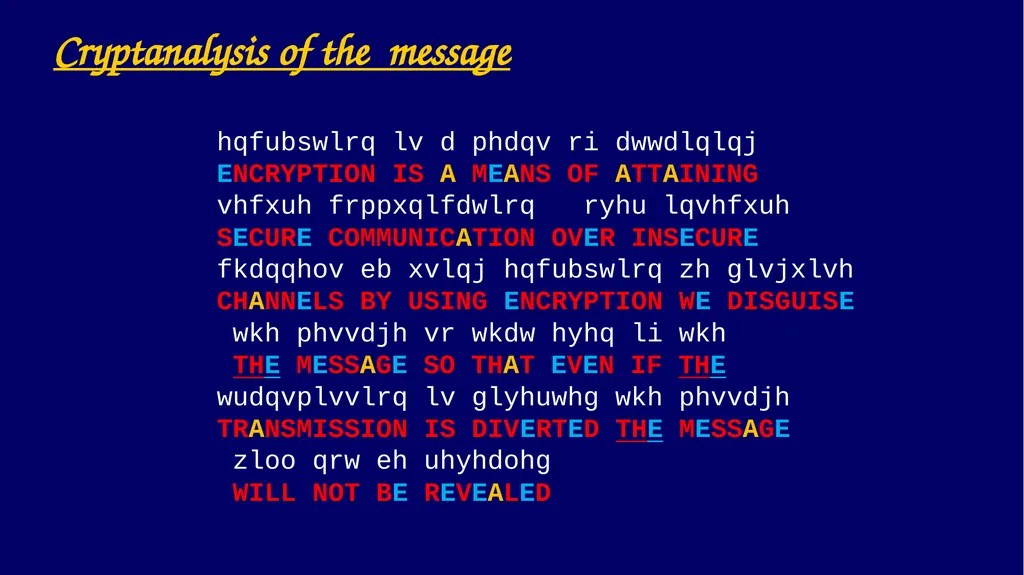
Cryptanalysis of the message hqfubswlrq lv d phdqv ri dwwdlqlqj
ENCRYPTION IS A MEANS OF ATTAINING
vhfxuh frppxqlfdwlrq ryhu lqvhfxuh
SECURE COMMUNICATION OVER INSECURE
fkdqqhov eb xvlqj hqfubswlrq zh glvjxlvh
CHANNELS BY USING ENCRYPTION WE DISGUISE
wkh phvvdjh vr wkdw hyhq li wkh
THE MESSAGE SO THAT EVEN IF THE
wudqvplvvlrq lv glyhuwhg wkh phvvdjh
TRANSMISSION IS DIVERTED THE MESSAGE
zloo qrw eh uhyhdohg
WILL NOT BE REVEALED<br>
ENCRYPTION IS A MEANS OF ATTAINING
vhfxuh frppxqlfdwlrq ryhu lqvhfxuh
SECURE COMMUNICATION OVER INSECURE
fkdqqhov eb xvlqj hqfubswlrq zh glvjxlvh
CHANNELS BY USING ENCRYPTION WE DISGUISE
wkh phvvdjh vr wkdw hyhq li wkh
THE MESSAGE SO THAT EVEN IF THE
wudqvplvvlrq lv glyhuwhg wkh phvvdjh
TRANSMISSION IS DIVERTED THE MESSAGE
zloo qrw eh uhyhdohg
WILL NOT BE REVEALED<br>
30
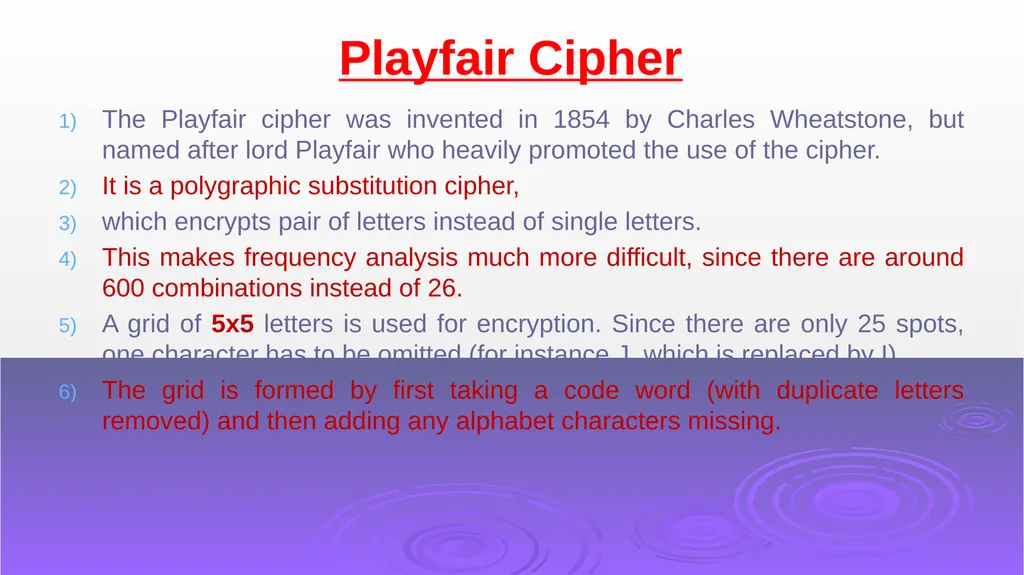
Playfair Cipher The Playfair cipher was invented in 1854 by Charles Wheatstone, but named after lord Playfair who heavily promoted the use of the cipher.
It is a polygraphic substitution cipher,
which encrypts pair of letters instead of single letters.
This makes frequency analysis much more difficult, since there are around 600 combinations instead of 26.
A grid of 5x5 letters is used for encryption. Since there are only 25 spots, one character has to be omitted (for instance J, which is replaced by I).
The grid is formed by first taking a code word (with duplicate letters removed) and then adding any alphabet characters missing.<br>
It is a polygraphic substitution cipher,
which encrypts pair of letters instead of single letters.
This makes frequency analysis much more difficult, since there are around 600 combinations instead of 26.
A grid of 5x5 letters is used for encryption. Since there are only 25 spots, one character has to be omitted (for instance J, which is replaced by I).
The grid is formed by first taking a code word (with duplicate letters removed) and then adding any alphabet characters missing.<br>
31
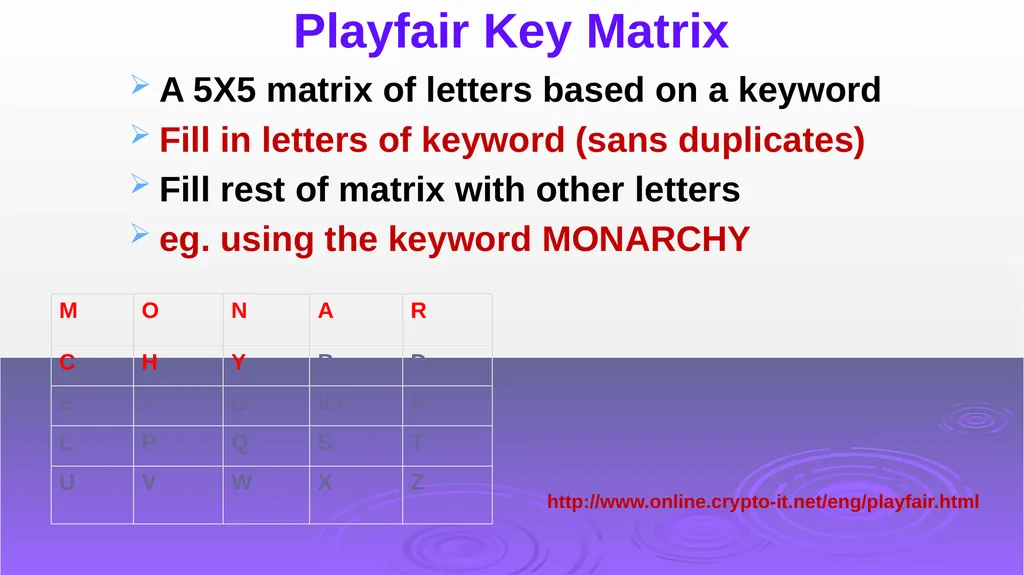
Playfair Key Matrix A 5X5 matrix of letters based on a keyword
Fill in letters of keyword (sans duplicates)
Fill rest of matrix with other letters
eg. using the keyword MONARCHY http://www.online.crypto-it.net/eng/playfair.html<br>
Fill in letters of keyword (sans duplicates)
Fill rest of matrix with other letters
eg. using the keyword MONARCHY http://www.online.crypto-it.net/eng/playfair.html<br>
32
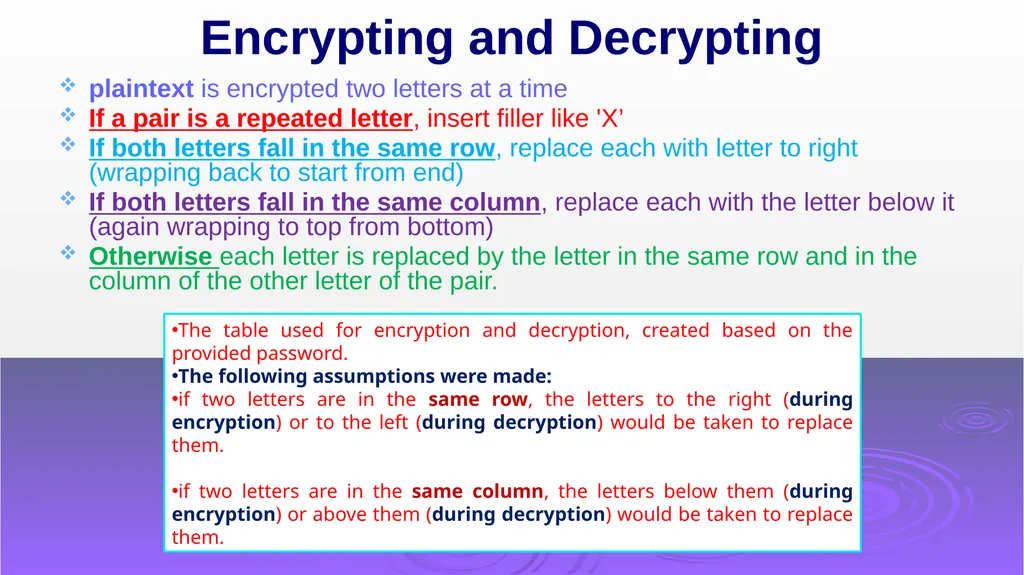
Encrypting and Decrypting plaintext is encrypted two letters at a time
If a pair is a repeated letter, insert filler like 'X’
If both letters fall in the same row, replace each with letter to right (wrapping back to start from end)
If both letters fall in the same column, replace each with the letter below it (again wrapping to top from bottom)
Otherwise each letter is replaced by the letter in the same row and in the column of the other letter of the pair. The table used for encryption and decryption, created based on the provided password.
The following assumptions were made:
if two letters are in the same row, the letters to the right (during encryption) or to the left (during decryption) would be taken to replace them.
if two letters are in the same column, the letters below them (during encryption) or above them (during decryption) would be taken to replace them.<br>
If a pair is a repeated letter, insert filler like 'X’
If both letters fall in the same row, replace each with letter to right (wrapping back to start from end)
If both letters fall in the same column, replace each with the letter below it (again wrapping to top from bottom)
Otherwise each letter is replaced by the letter in the same row and in the column of the other letter of the pair. The table used for encryption and decryption, created based on the provided password.
The following assumptions were made:
if two letters are in the same row, the letters to the right (during encryption) or to the left (during decryption) would be taken to replace them.
if two letters are in the same column, the letters below them (during encryption) or above them (during decryption) would be taken to replace them.<br>
33
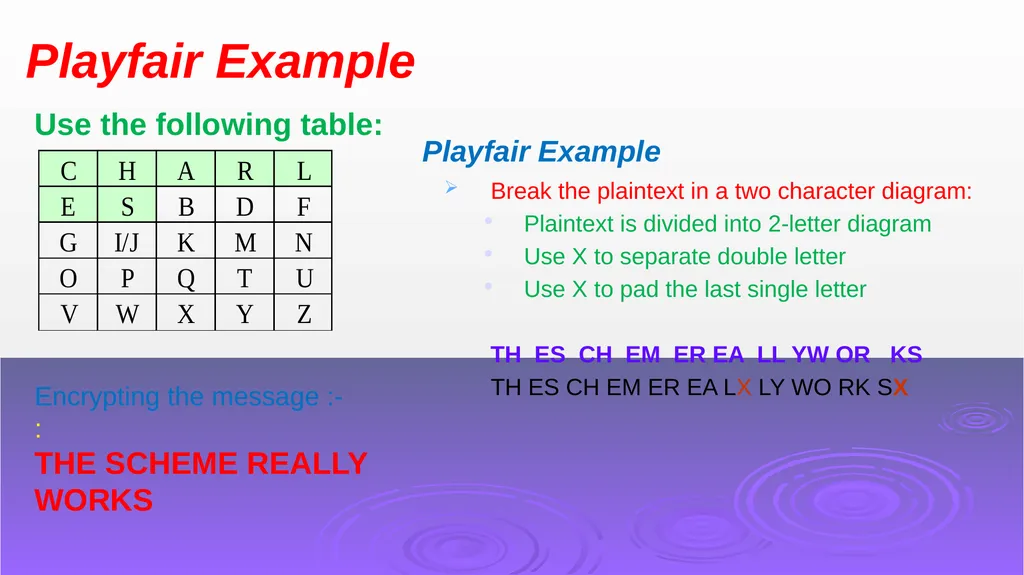
Playfair Example Use the following table: Encrypting the message :-
:
THE SCHEME REALLY WORKS Playfair Example Break the plaintext in a two character diagram:
Plaintext is divided into 2-letter diagram
Use X to separate double letter
Use X to pad the last single letter
TH ES CH EM ER EA LL YW OR KS
TH ES CH EM ER EA LX LY WO RK SX<br>
:
THE SCHEME REALLY WORKS Playfair Example Break the plaintext in a two character diagram:
Plaintext is divided into 2-letter diagram
Use X to separate double letter
Use X to pad the last single letter
TH ES CH EM ER EA LL YW OR KS
TH ES CH EM ER EA LX LY WO RK SX<br>
34
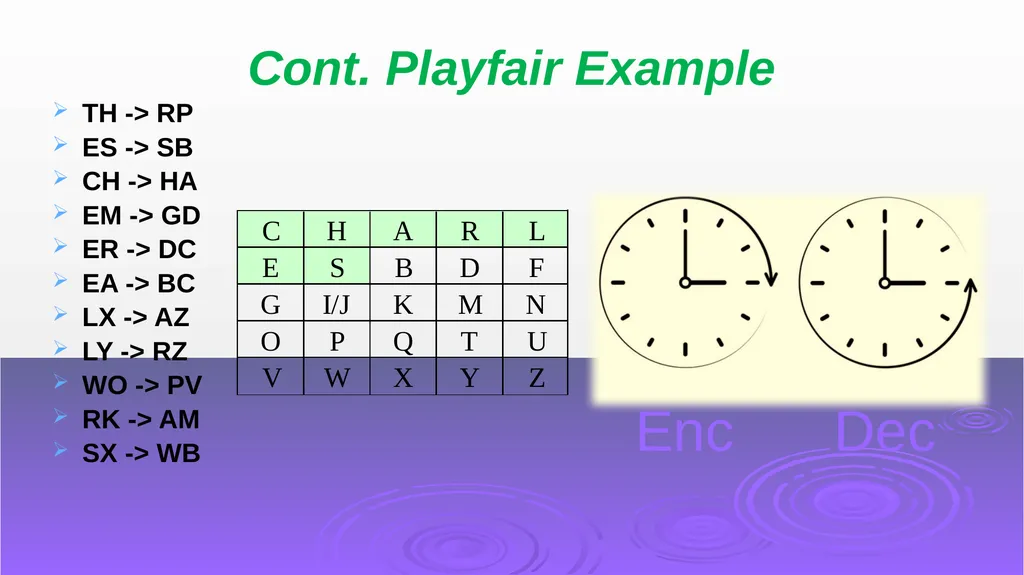
Cont. Playfair Example TH -> RP
ES -> SB
CH -> HA
EM -> GD
ER -> DC
EA -> BC
LX -> AZ
LY -> RZ
WO -> PV
RK -> AM
SX -> WB Enc Dec<br>
ES -> SB
CH -> HA
EM -> GD
ER -> DC
EA -> BC
LX -> AZ
LY -> RZ
WO -> PV
RK -> AM
SX -> WB Enc Dec<br>
35
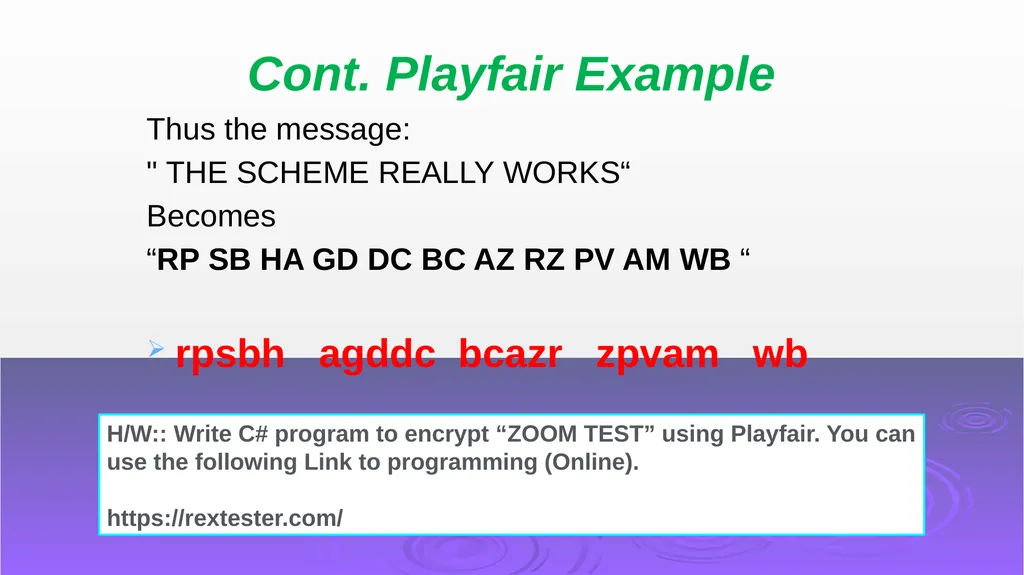
Cont. Playfair Example Thus the message:
" THE SCHEME REALLY WORKS“
Becomes
“RP SB HA GD DC BC AZ RZ PV AM WB “
rpsbh agddc bcazr zpvam wb H/W:: Write C# program to encrypt “ZOOM TEST” using Playfair. You can use the following Link to programming (Online).
https://rextester.com/<br>
" THE SCHEME REALLY WORKS“
Becomes
“RP SB HA GD DC BC AZ RZ PV AM WB “
rpsbh agddc bcazr zpvam wb H/W:: Write C# program to encrypt “ZOOM TEST” using Playfair. You can use the following Link to programming (Online).
https://rextester.com/<br>
36
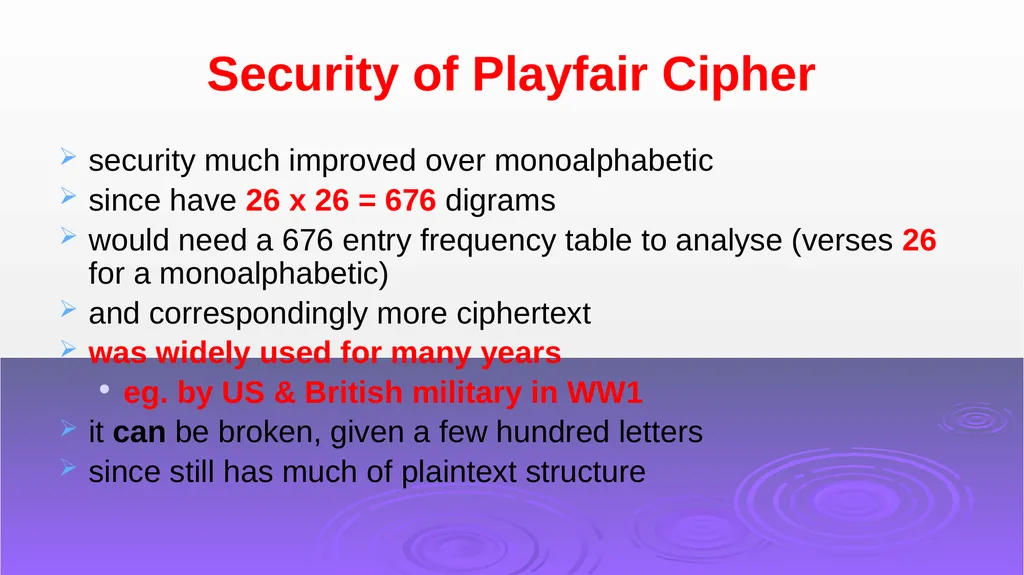
Security of Playfair Cipher security much improved over monoalphabetic
since have 26 x 26 = 676 digrams
would need a 676 entry frequency table to analyse (verses 26 for a monoalphabetic)
and correspondingly more ciphertext
was widely used for many years
eg. by US & British military in WW1
it can be broken, given a few hundred letters
since still has much of plaintext structure<br>
since have 26 x 26 = 676 digrams
would need a 676 entry frequency table to analyse (verses 26 for a monoalphabetic)
and correspondingly more ciphertext
was widely used for many years
eg. by US & British military in WW1
it can be broken, given a few hundred letters
since still has much of plaintext structure<br>
37
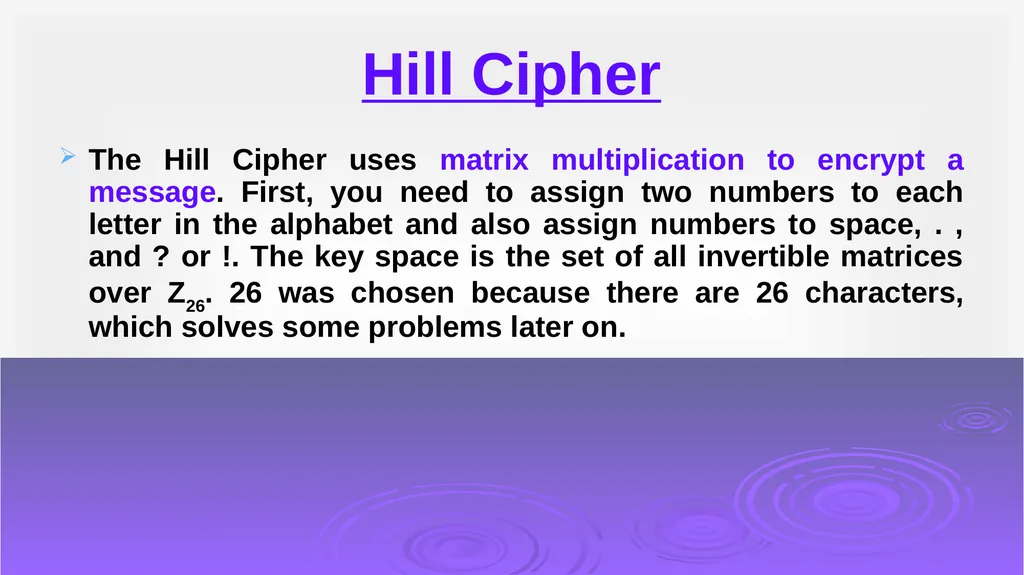
Hill Cipher The Hill Cipher uses matrix multiplication to encrypt a message. First, you need to assign two numbers to each letter in the alphabet and also assign numbers to space, . , and ? or !. The key space is the set of all invertible matrices over Z26. 26 was chosen because there are 26 characters, which solves some problems later on.<br>
38
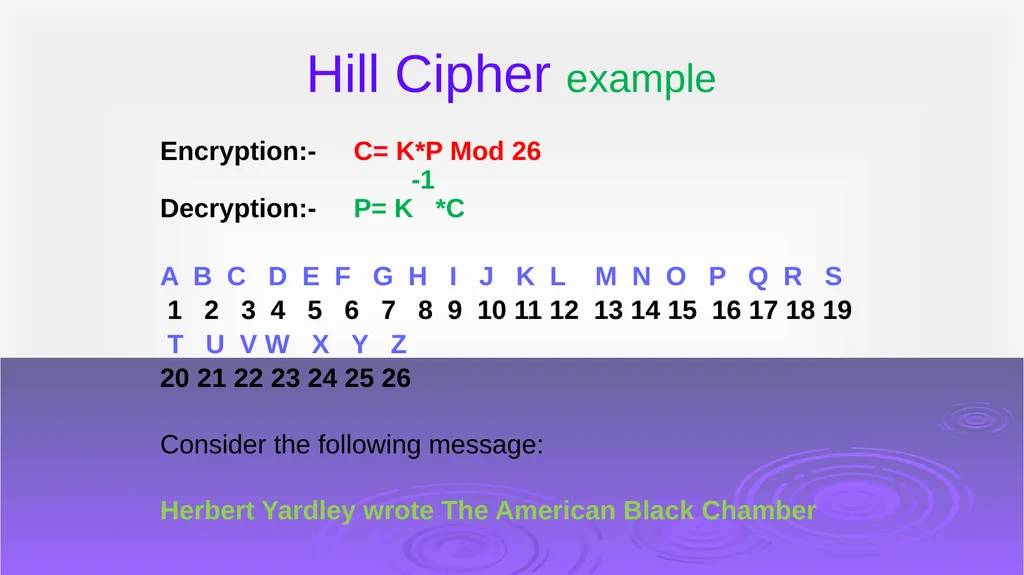
Hill Cipher example Encryption:- C= K*P Mod 26
-1
Decryption:- P= K *C
A B C D E F G H I J K L M N O P Q R S
1 2 3 4 5 6 7 8 9 10 11 12 13 14 15 16 17 18 19
T U V W X Y Z
20 21 22 23 24 25 26
Consider the following message:
Herbert Yardley wrote The American Black Chamber<br>
-1
Decryption:- P= K *C
A B C D E F G H I J K L M N O P Q R S
1 2 3 4 5 6 7 8 9 10 11 12 13 14 15 16 17 18 19
T U V W X Y Z
20 21 22 23 24 25 26
Consider the following message:
Herbert Yardley wrote The American Black Chamber<br>
39
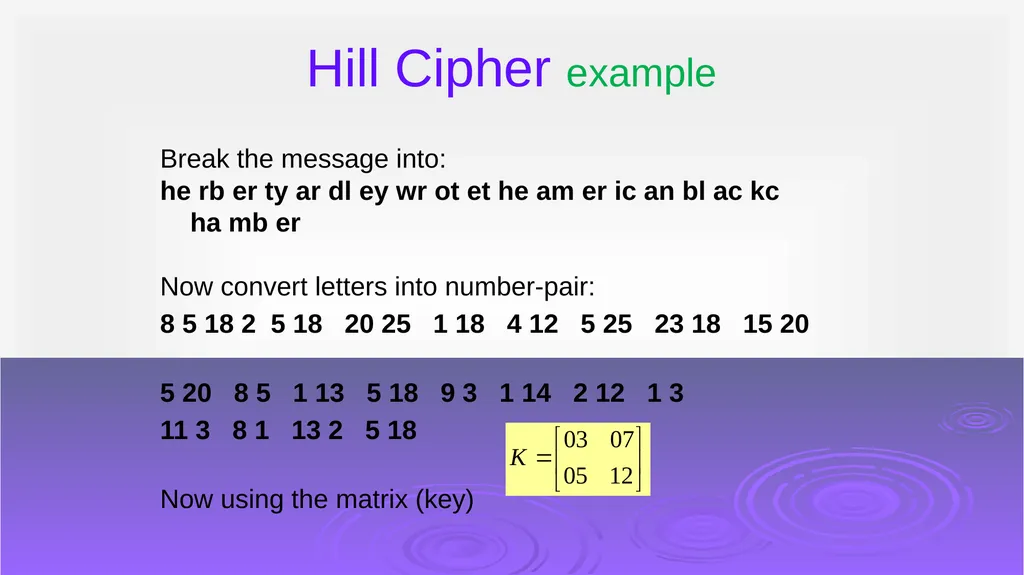
Hill Cipher example Break the message into:
he rb er ty ar dl ey wr ot et he am er ic an bl ac kc ha mb er
Now convert letters into number-pair:
8 5 18 2 5 18 20 25 1 18 4 12 5 25 23 18 15 20
5 20 8 5 1 13 5 18 9 3 1 14 2 12 1 3
11 3 8 1 13 2 5 18
Now using the matrix (key)<br>
he rb er ty ar dl ey wr ot et he am er ic an bl ac kc ha mb er
Now convert letters into number-pair:
8 5 18 2 5 18 20 25 1 18 4 12 5 25 23 18 15 20
5 20 8 5 1 13 5 18 9 3 1 14 2 12 1 3
11 3 8 1 13 2 5 18
Now using the matrix (key)<br>
40
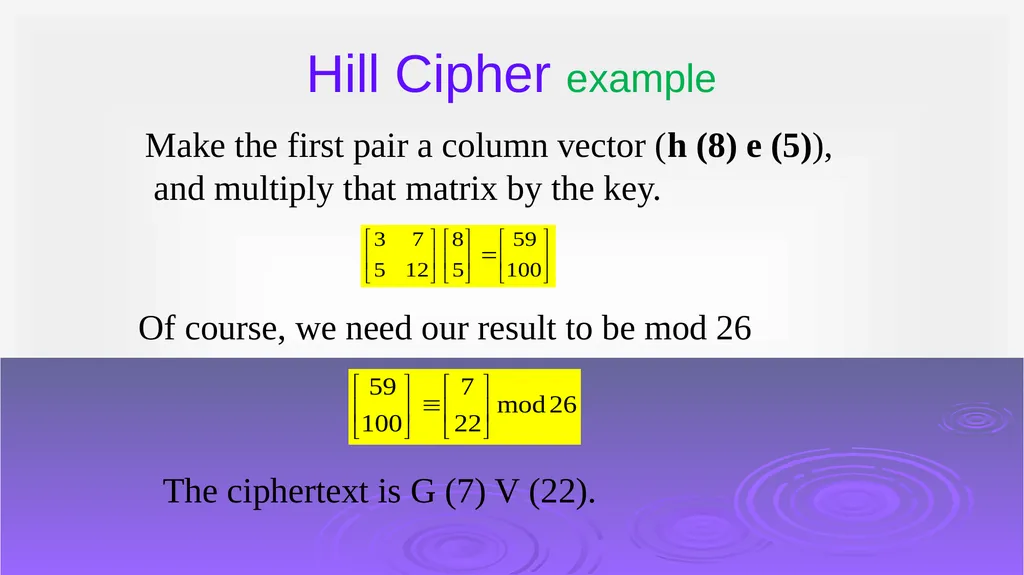
Hill Cipher example Make the first pair a column vector (h (8) e (5)),
and multiply that matrix by the key. Of course, we need our result to be mod 26 The ciphertext is G (7) V (22).<br>
and multiply that matrix by the key. Of course, we need our result to be mod 26 The ciphertext is G (7) V (22).<br>
41
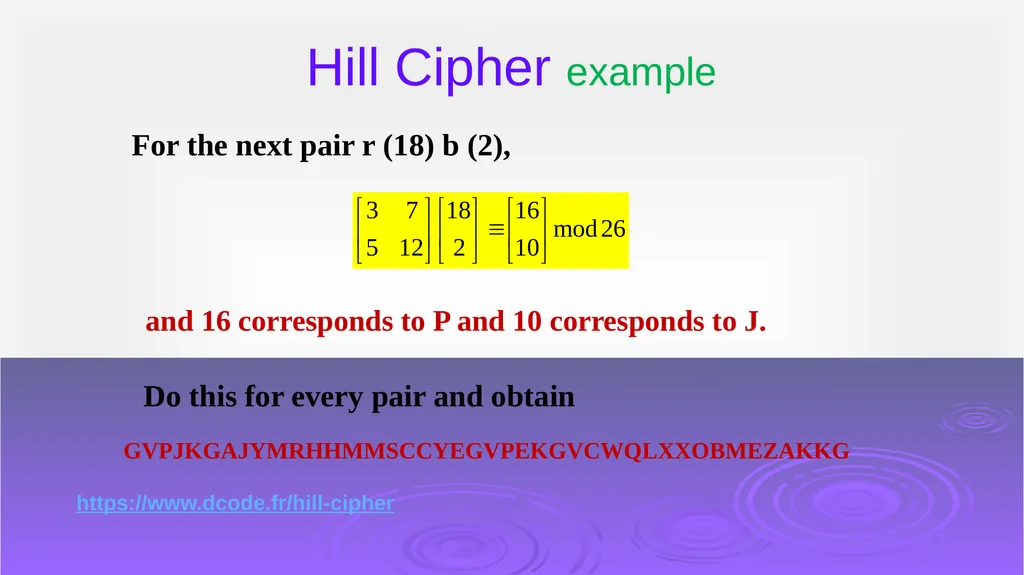
Hill Cipher example For the next pair r (18) b (2), and 16 corresponds to P and 10 corresponds to J. Do this for every pair and obtain GVPJKGAJYMRHHMMSCCYEGVPEKGVCWQLXXOBMEZAKKG https://www.dcode.fr/hill-cipher<br>
42
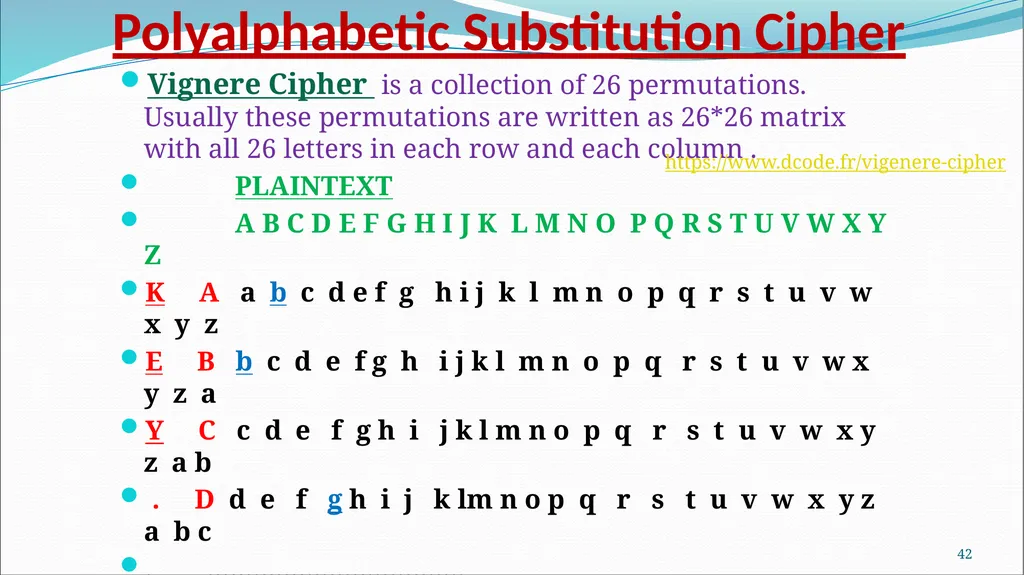
Polyalphabetic Substitution Cipher Vignere Cipher is a collection of 26 permutations. Usually these permutations are written as 26*26 matrix with all 26 letters in each row and each column .
PLAINTEXT
A B C D E F G H I J K L M N O P Q R S T U V W X Y Z
K A a b c d e f g h i j k l m n o p q r s t u v w x y z
E B b c d e f g h i j k l m n o p q r s t u v w x y z a
Y C c d e f g h i j k l m n o p q r s t u v w x y z a b
. D d e f g h i j k lm n o p q r s t u v w x y z a b c
. …………………………….…………………………………………………………..
. ……………………CIPHERTEXT…………………………………………......
Z z a b c d e f g h i j k l m n o p q r s t u v w x y z
If Pt= BAD & Key =ABD Then Ct = bbg 41 https://www.dcode.fr/vigenere-cipher<br>
PLAINTEXT
A B C D E F G H I J K L M N O P Q R S T U V W X Y Z
K A a b c d e f g h i j k l m n o p q r s t u v w x y z
E B b c d e f g h i j k l m n o p q r s t u v w x y z a
Y C c d e f g h i j k l m n o p q r s t u v w x y z a b
. D d e f g h i j k lm n o p q r s t u v w x y z a b c
. …………………………….…………………………………………………………..
. ……………………CIPHERTEXT…………………………………………......
Z z a b c d e f g h i j k l m n o p q r s t u v w x y z
If Pt= BAD & Key =ABD Then Ct = bbg 41 https://www.dcode.fr/vigenere-cipher<br>
43
Network Security / G. Steffen 42<br>
44
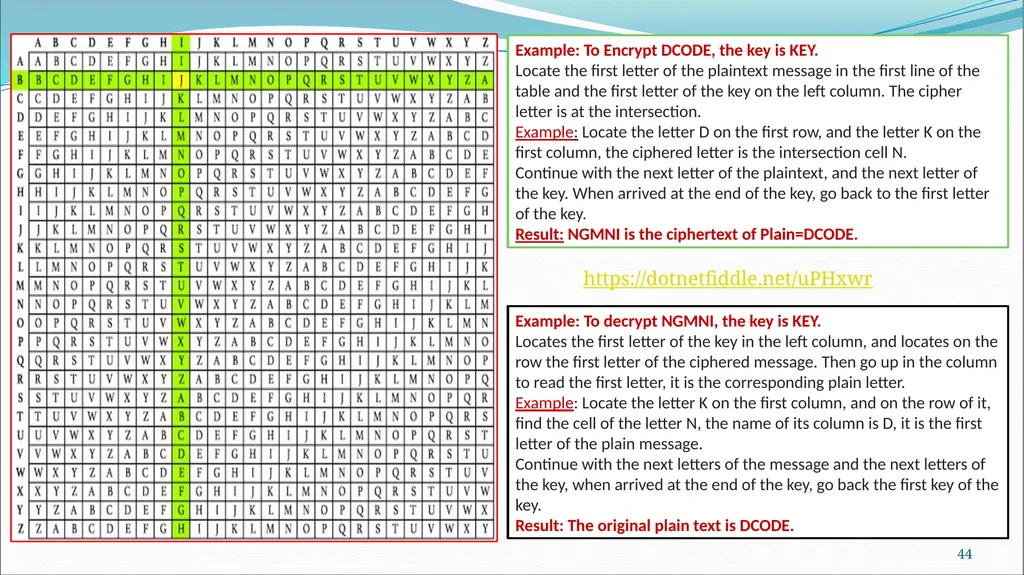
43 Example: To Encrypt DCODE, the key is KEY.
Locate the first letter of the plaintext message in the first line of the table and the first letter of the key on the left column. The cipher letter is at the intersection.
Example: Locate the letter D on the first row, and the letter K on the first column, the ciphered letter is the intersection cell N.
Continue with the next letter of the plaintext, and the next letter of the key. When arrived at the end of the key, go back to the first letter of the key.
Result: NGMNI is the ciphertext of Plain=DCODE. Example: To decrypt NGMNI, the key is KEY.
Locates the first letter of the key in the left column, and locates on the row the first letter of the ciphered message. Then go up in the column to read the first letter, it is the corresponding plain letter.
Example: Locate the letter K on the first column, and on the row of it, find the cell of the letter N, the name of its column is D, it is the first letter of the plain message.
Continue with the next letters of the message and the next letters of the key, when arrived at the end of the key, go back the first key of the key.
Result: The original plain text is DCODE. https://dotnetfiddle.net/uPHxwr<br>
Locate the first letter of the plaintext message in the first line of the table and the first letter of the key on the left column. The cipher letter is at the intersection.
Example: Locate the letter D on the first row, and the letter K on the first column, the ciphered letter is the intersection cell N.
Continue with the next letter of the plaintext, and the next letter of the key. When arrived at the end of the key, go back to the first letter of the key.
Result: NGMNI is the ciphertext of Plain=DCODE. Example: To decrypt NGMNI, the key is KEY.
Locates the first letter of the key in the left column, and locates on the row the first letter of the ciphered message. Then go up in the column to read the first letter, it is the corresponding plain letter.
Example: Locate the letter K on the first column, and on the row of it, find the cell of the letter N, the name of its column is D, it is the first letter of the plain message.
Continue with the next letters of the message and the next letters of the key, when arrived at the end of the key, go back the first key of the key.
Result: The original plain text is DCODE. https://dotnetfiddle.net/uPHxwr<br>
45
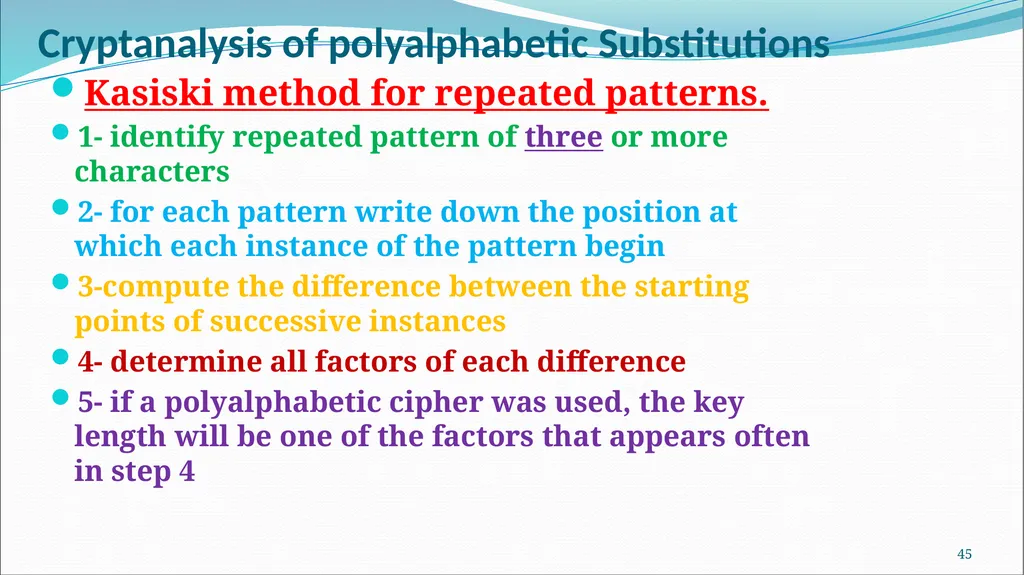
Cryptanalysis of polyalphabetic Substitutions Kasiski method for repeated patterns.
1- identify repeated pattern of three or more characters
2- for each pattern write down the position at which each instance of the pattern begin
3-compute the difference between the starting points of successive instances
4- determine all factors of each difference
5- if a polyalphabetic cipher was used, the key length will be one of the factors that appears often in step 4 44<br>
1- identify repeated pattern of three or more characters
2- for each pattern write down the position at which each instance of the pattern begin
3-compute the difference between the starting points of successive instances
4- determine all factors of each difference
5- if a polyalphabetic cipher was used, the key length will be one of the factors that appears often in step 4 44<br>
46
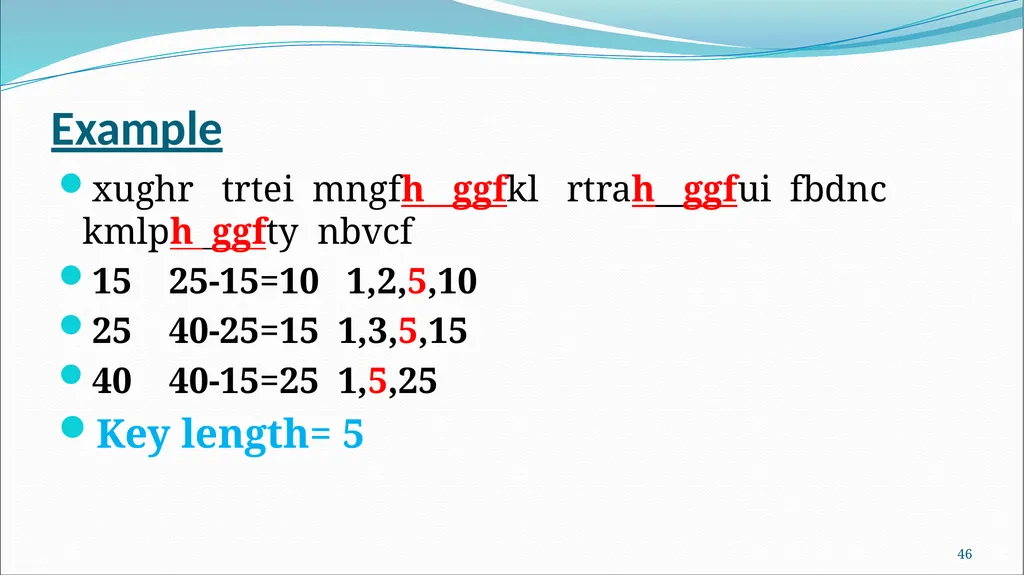
Example xughr trtei mngfh ggfkl rtrah ggfui fbdnc kmlph ggfty nbvcf
15 25-15=10 1,2,5,10
25 40-25=15 1,3,5,15
40 40-15=25 1,5,25
Key length= 5 45<br>
15 25-15=10 1,2,5,10
25 40-25=15 1,3,5,15
40 40-15=25 1,5,25
Key length= 5 45<br>
47
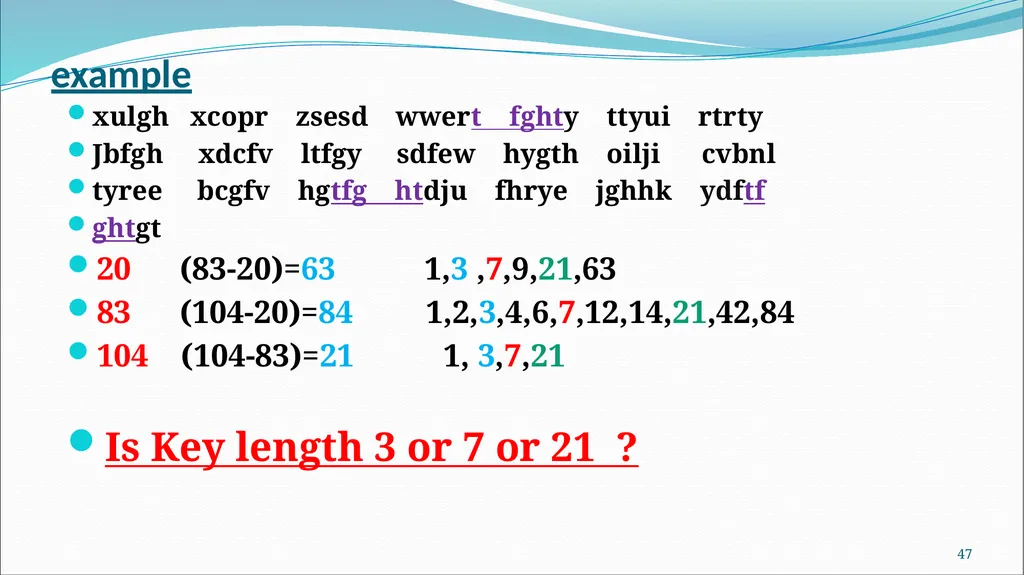
example xulgh xcopr zsesd wwert fghty ttyui rtrty
Jbfgh xdcfv ltfgy sdfew hygth oilji cvbnl
tyree bcgfv hgtfg htdju fhrye jghhk ydftf
ghtgt
20 (83-20)=63 1,3 ,7,9,21,63
83 (104-20)=84 1,2,3,4,6,7,12,14,21,42,84
104 (104-83)=21 1, 3,7,21
Is Key length 3 or 7 or 21 ? 46<br>
Jbfgh xdcfv ltfgy sdfew hygth oilji cvbnl
tyree bcgfv hgtfg htdju fhrye jghhk ydftf
ghtgt
20 (83-20)=63 1,3 ,7,9,21,63
83 (104-20)=84 1,2,3,4,6,7,12,14,21,42,84
104 (104-83)=21 1, 3,7,21
Is Key length 3 or 7 or 21 ? 46<br>
48
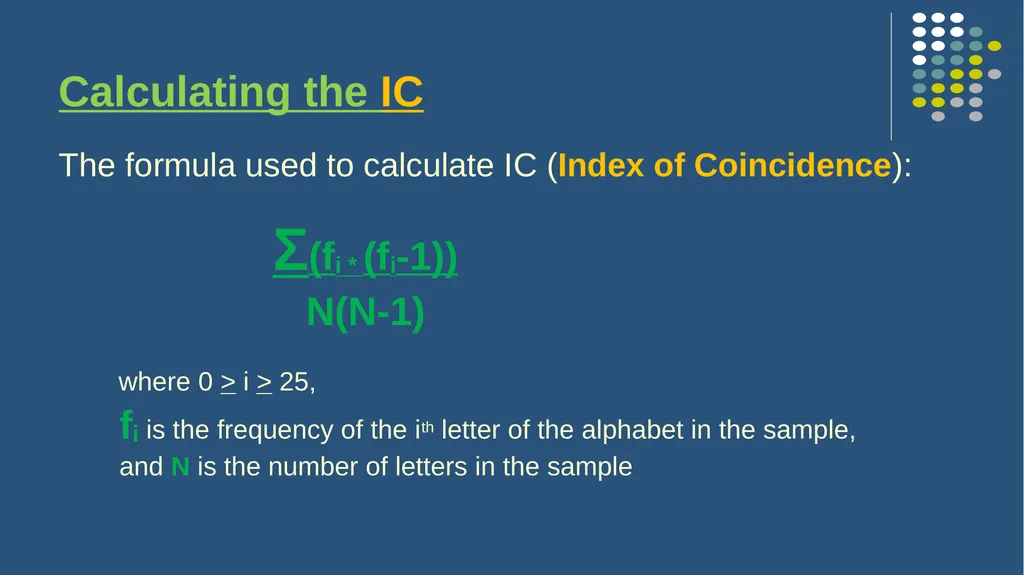
Calculating the IC The formula used to calculate IC (Index of Coincidence):
Σ(fi * (fi-1))
N(N-1)
where 0 > i > 25,
fi is the frequency of the ith letter of the alphabet in the sample,
and N is the number of letters in the sample<br>
Σ(fi * (fi-1))
N(N-1)
where 0 > i > 25,
fi is the frequency of the ith letter of the alphabet in the sample,
and N is the number of letters in the sample<br>
49
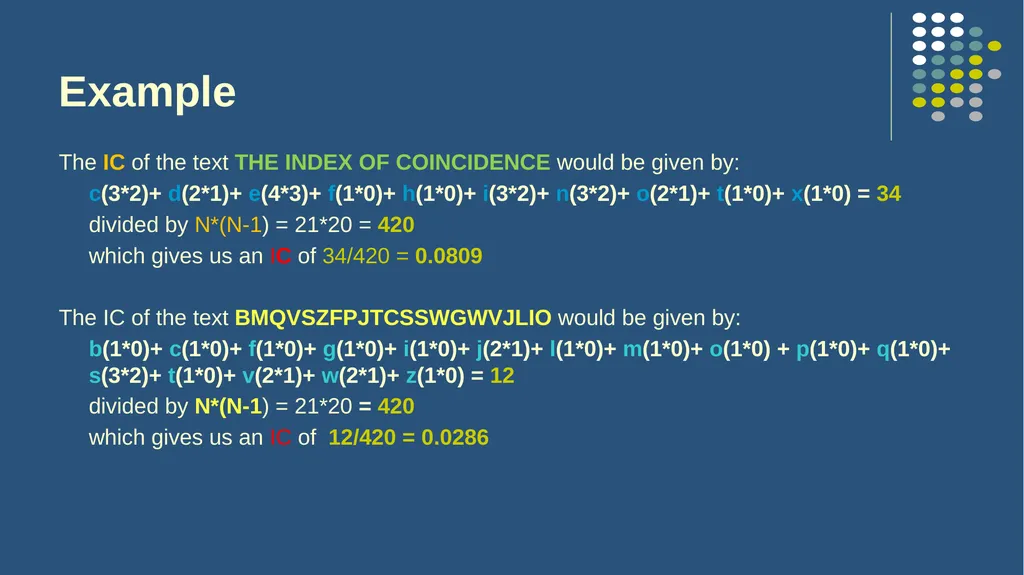
Example The IC of the text THE INDEX OF COINCIDENCE would be given by:
c(3*2)+ d(2*1)+ e(4*3)+ f(1*0)+ h(1*0)+ i(3*2)+ n(3*2)+ o(2*1)+ t(1*0)+ x(1*0) = 34
divided by N*(N-1) = 21*20 = 420
which gives us an IC of 34/420 = 0.0809
The IC of the text BMQVSZFPJTCSSWGWVJLIO would be given by:
b(1*0)+ c(1*0)+ f(1*0)+ g(1*0)+ i(1*0)+ j(2*1)+ l(1*0)+ m(1*0)+ o(1*0) + p(1*0)+ q(1*0)+ s(3*2)+ t(1*0)+ v(2*1)+ w(2*1)+ z(1*0) = 12
divided by N*(N-1) = 21*20 = 420
which gives us an IC of 12/420 = 0.0286<br>
c(3*2)+ d(2*1)+ e(4*3)+ f(1*0)+ h(1*0)+ i(3*2)+ n(3*2)+ o(2*1)+ t(1*0)+ x(1*0) = 34
divided by N*(N-1) = 21*20 = 420
which gives us an IC of 34/420 = 0.0809
The IC of the text BMQVSZFPJTCSSWGWVJLIO would be given by:
b(1*0)+ c(1*0)+ f(1*0)+ g(1*0)+ i(1*0)+ j(2*1)+ l(1*0)+ m(1*0)+ o(1*0) + p(1*0)+ q(1*0)+ s(3*2)+ t(1*0)+ v(2*1)+ w(2*1)+ z(1*0) = 12
divided by N*(N-1) = 21*20 = 420
which gives us an IC of 12/420 = 0.0286<br>
50
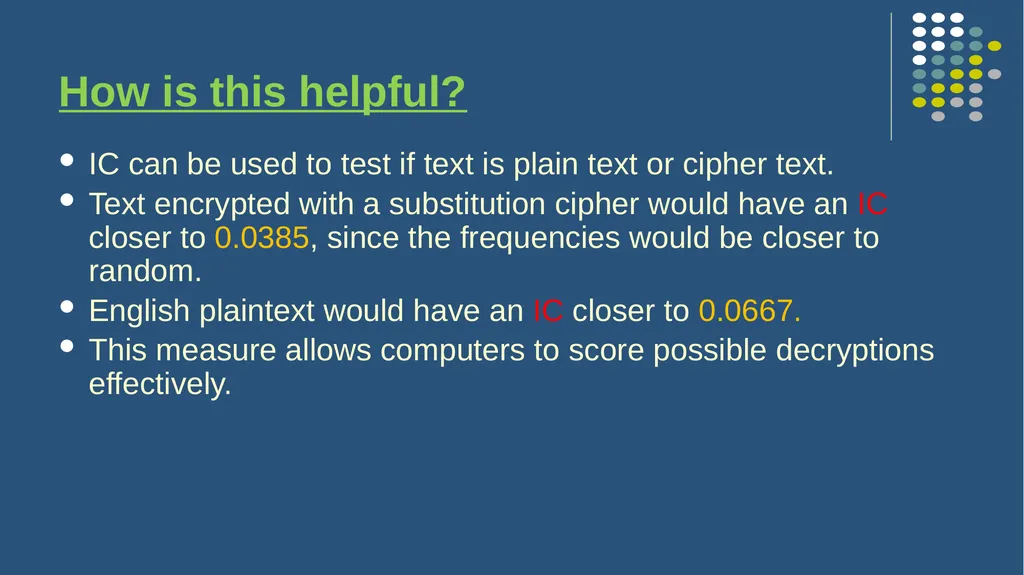
How is this helpful? IC can be used to test if text is plain text or cipher text.
Text encrypted with a substitution cipher would have an IC closer to 0.0385, since the frequencies would be closer to random.
English plaintext would have an IC closer to 0.0667.
This measure allows computers to score possible decryptions effectively.<br>
Text encrypted with a substitution cipher would have an IC closer to 0.0385, since the frequencies would be closer to random.
English plaintext would have an IC closer to 0.0667.
This measure allows computers to score possible decryptions effectively.<br>
51
Any Question ?<br>