
Reserved for Intro Picture Please contact Tim for




Description: Reserved for Intro Picture Please contact Tim for Assistance NAV Warehousing a 10,000 Foot View Kevin Fons Sr. Application Consultant kfonsinnovia.com John Grant Sr. Application Consultant jgrantinnvoia.com Picture Picture Attendee
Related Topics
Download Presentation
"Reserved for Intro Picture Please contact Tim for" is the property of its rightful owner. Permission is granted to download and print the materials on this website for personal, non-commercial use only, and to display it on your personal computer provided you do not modify the materials and that you retain all copyright notices contained in the materials. By downloading content from our website, you accept the terms of this agreement.
Presentation Transcript
slide1. Reserved for Intro Picture Please contact Tim for Assistance NAV Warehousing a 10,000 Foot View Kevin Fons
Sr. Application Consultant
kfons@innovia.com John Grant
Sr. Application Consultant
jgrant@innvoia.com Picture Picture<br>
slide2. Attendee Introductions Show of hands:
Classic vs RTC
Using Some Warehousing (Bins, some documents)
Using Directed Pick and Put-Away
Using Barcodes and Handhelds
Thinking of implementing Warehousing<br>
slide3. Agenda What is Warehousing and Why use it?
Basic Setup / Locations
Bins / Bin Mandatory
Require Pick / Require Shipment
Require Receive / Require Put Away
Directed Pick and Put-Away
Top Causes of Failures of Warehousing<br>
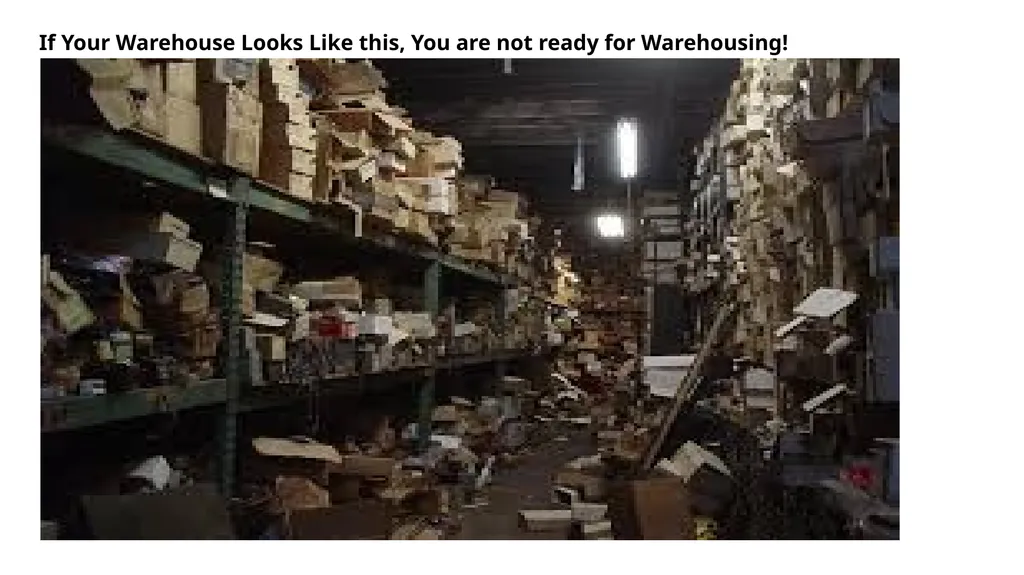
slide4. If Your Warehouse Looks Like this, You are not ready for Warehousing!<br>
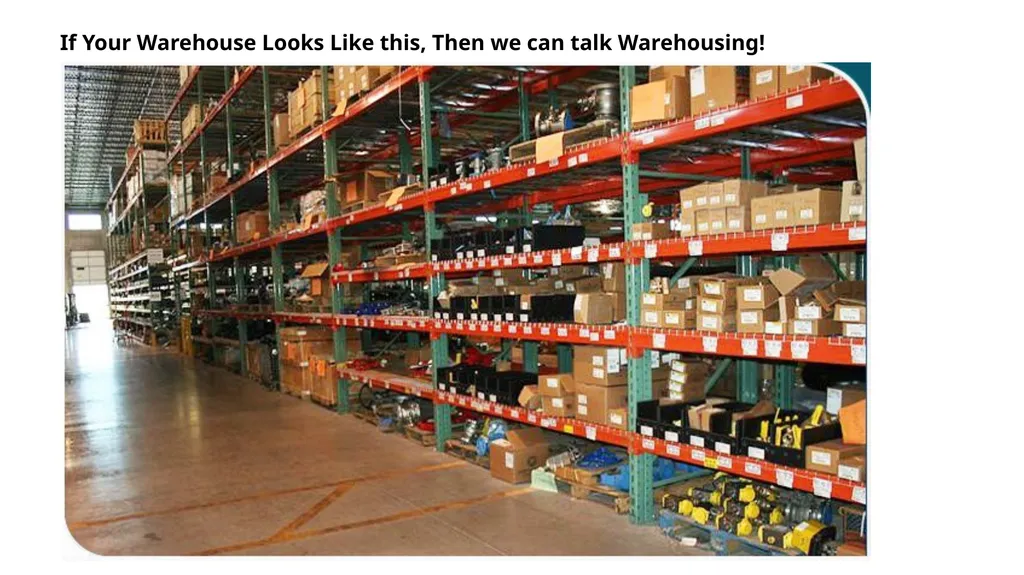
slide5. If Your Warehouse Looks Like this, Then we can talk Warehousing!<br>
slide6. What is Warehousing / What isn’t it NAV WMS will not organize your warehouse
Good processes and procedures must be in place
Forces discipline in system processes
Can’t find items, why is that?
Requires Accurate Inventory
Bins vs Shelf No<br>
slide7. Why Use Warehousing Improved efficiency of finding and putting inventory away, especially when you have items in multiple areas of the warehouse.
Improved efficiency in Handling
Decentralized processing – Use warehouse documents instead of Purchase Orders and Sales Orders for improved security and efficiency.
Split Transactions – receive and then Put-Away
Process Multiple orders at one time (Warehouse Receipt, Picks and Shipments)
Paper vs Paperless (processing with handhelds)<br>
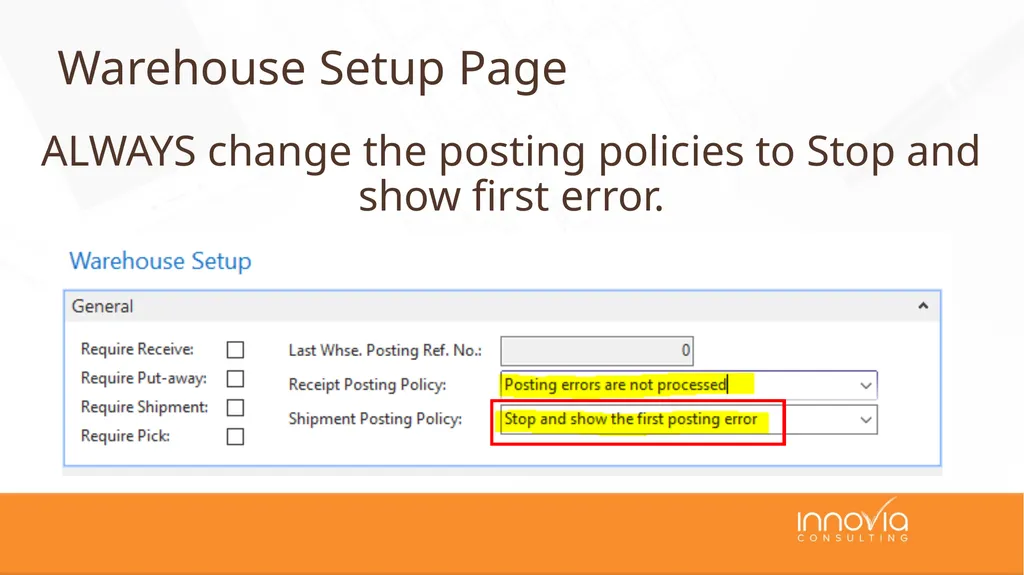
slide8. ALWAYS change the posting policies to Stop and show first error. Warehouse Setup Page<br>
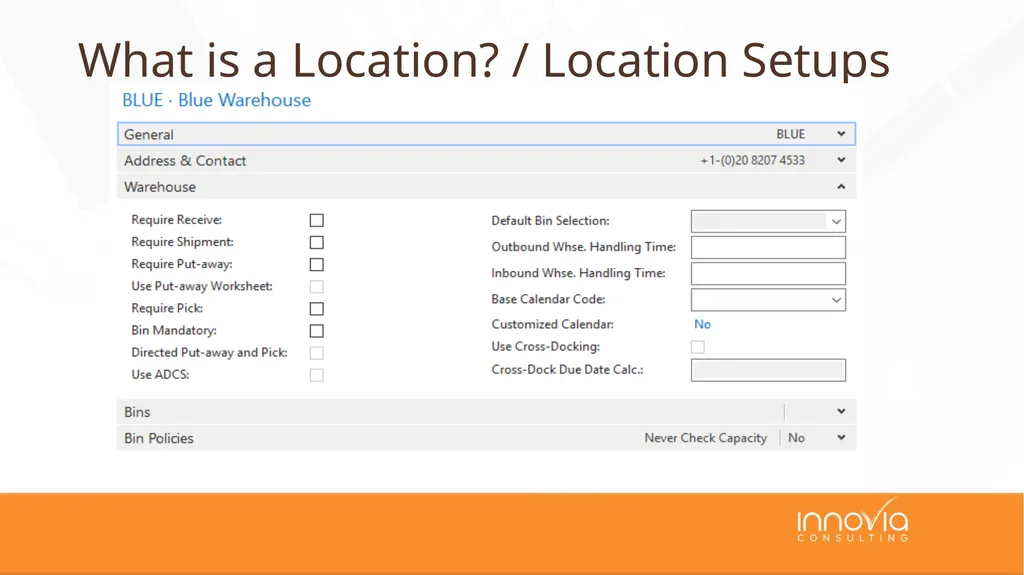
slide9. What is a Location? / Location Setups<br>
slide10. Shelf is the most basic, a Shelf 2 field is an easy addition when you may only have a couple areas where stock is kept
Bins –inventory by bin, what items and how many are in each bin.
Decision is between information (shelf) and control (bins) and transactions required to maintain. Bins / Bin Mandatory<br>
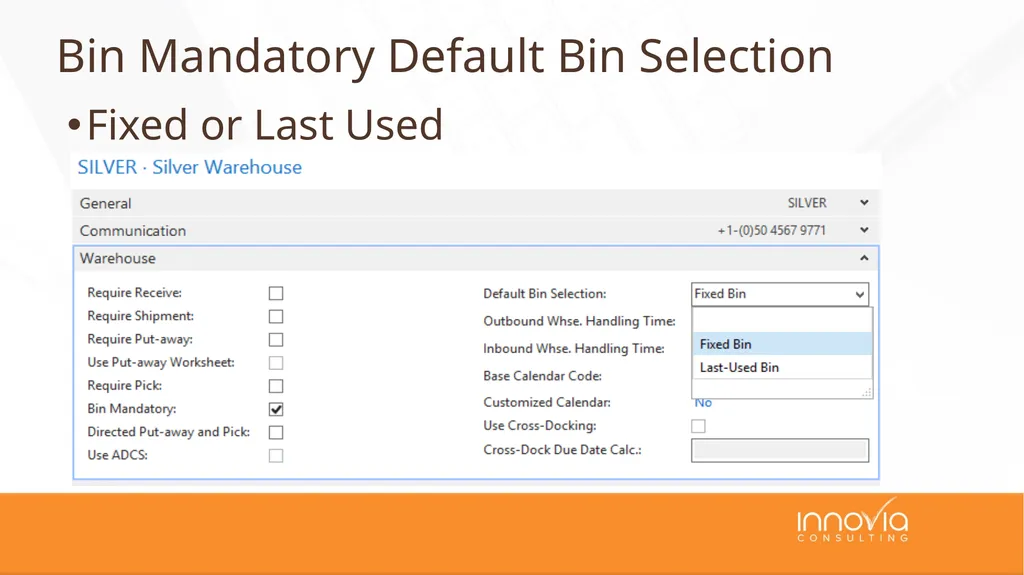
slide11. Fixed or Last Used Bin Mandatory Default Bin Selection<br>
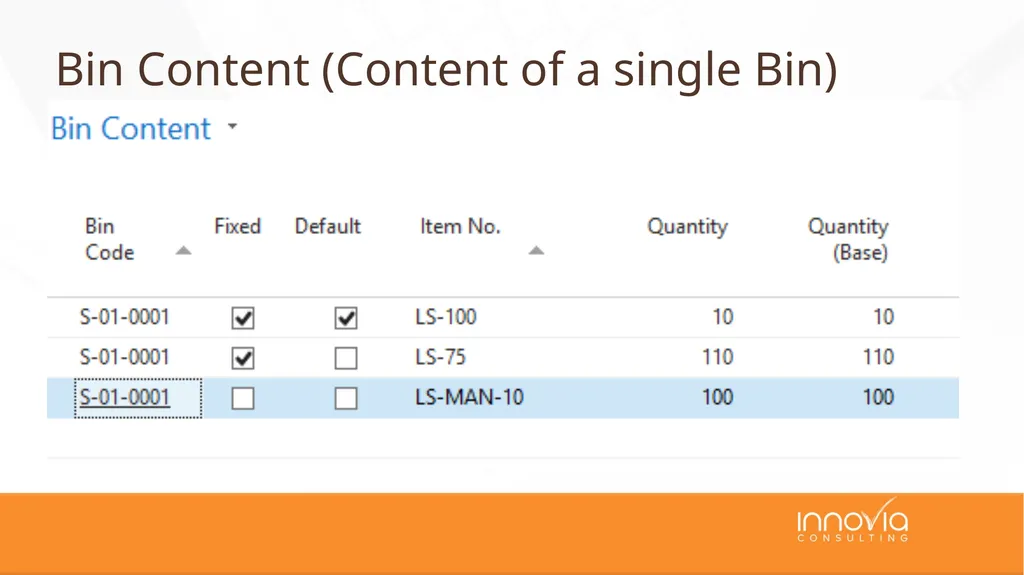
slide12. Bin Content (Content of a single Bin)<br>
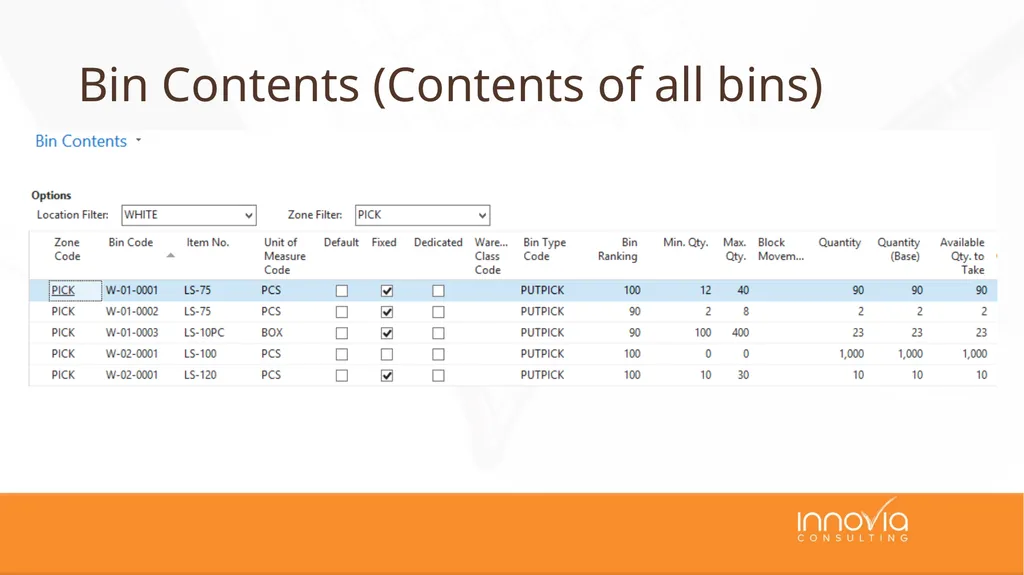
slide13. Bin Contents (Contents of all bins)<br>
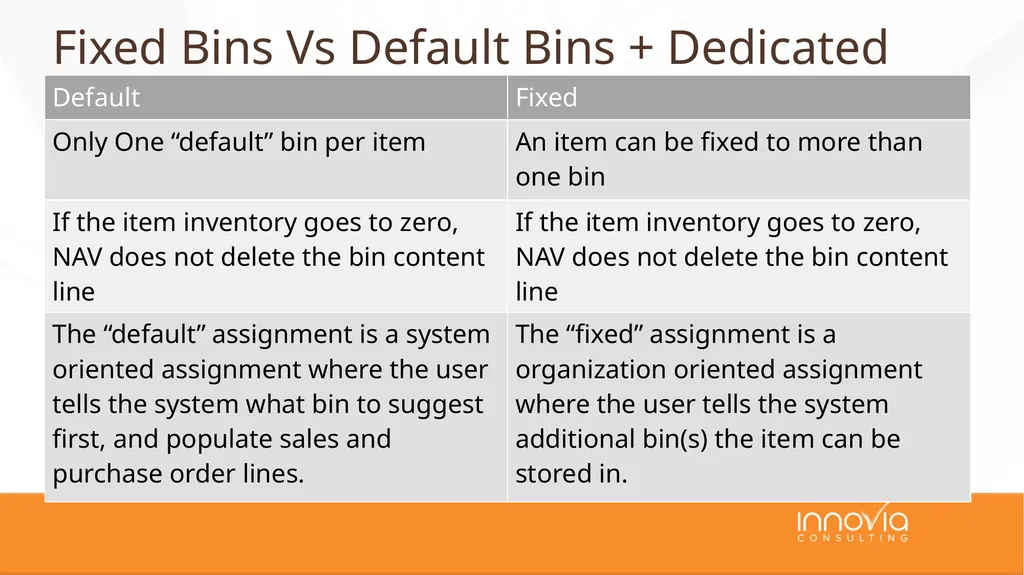
slide14. Fixed Bins Vs Default Bins + Dedicated<br>
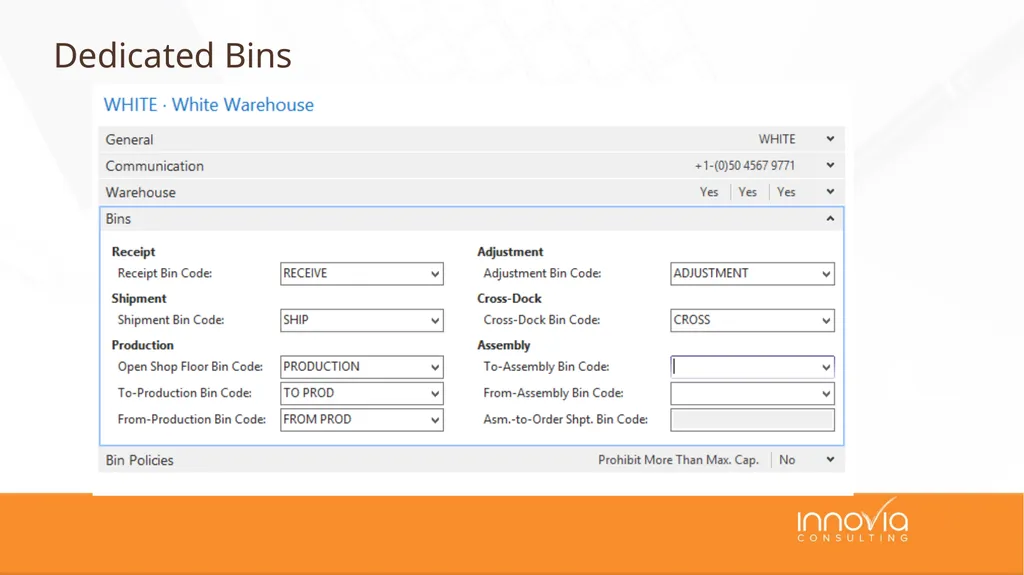
slide15. Dedicated Bins<br>
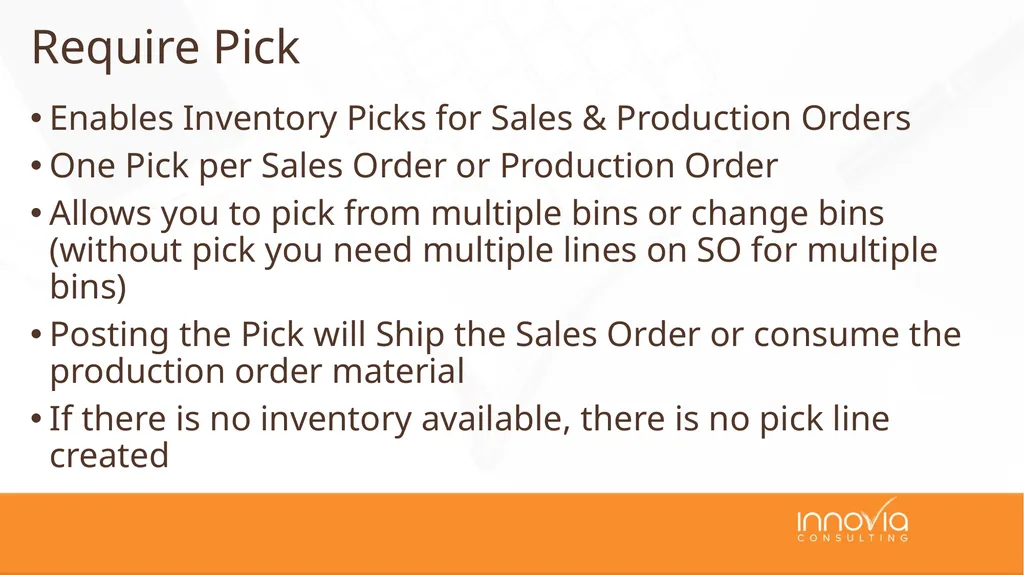
slide16. Enables Inventory Picks for Sales & Production Orders
One Pick per Sales Order or Production Order
Allows you to pick from multiple bins or change bins (without pick you need multiple lines on SO for multiple bins)
Posting the Pick will Ship the Sales Order or consume the production order material
If there is no inventory available, there is no pick line created Require Pick<br>
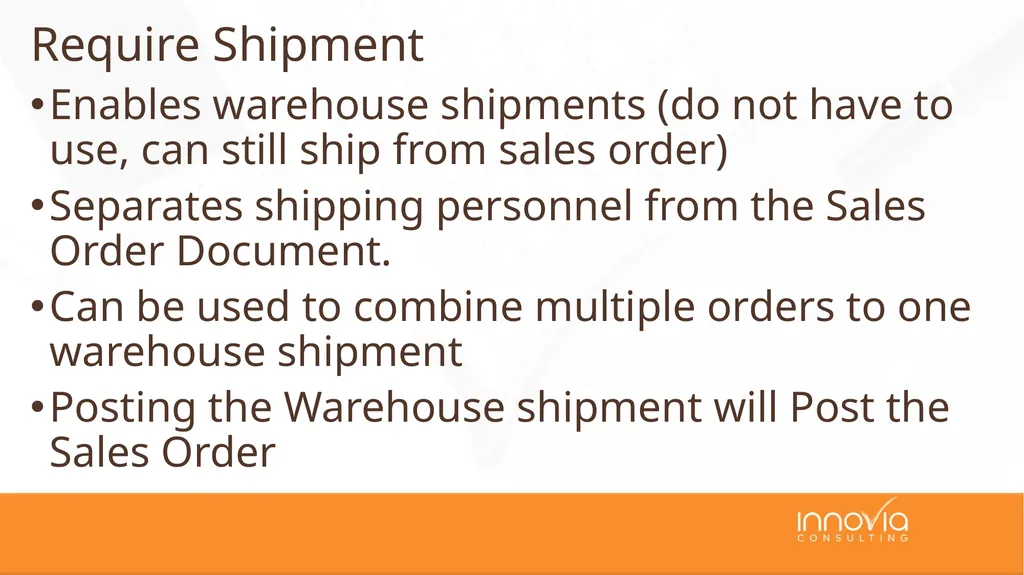
slide17. Enables warehouse shipments (do not have to use, can still ship from sales order)
Separates shipping personnel from the Sales Order Document.
Can be used to combine multiple orders to one warehouse shipment
Posting the Warehouse shipment will Post the Sales Order Require Shipment<br>
slide18. Enables warehouse shipments and Picks
Whse Ship and Pick become mandatory
Separate documents for Picking and shipping
Allows for picking multiple orders from multiple bins. Require Shipment + Require Pick<br>
slide19. The Pick moves the inventory from the stocking bin to the Dedicated Shipping Bin.
The Pick is Registered to pick the inventory from the stocking bin to the Shipping Bin
The Warehouse Shipment is Posted to ship the Sales Order from the Shipping Bin. Require Shipment + Require Pick<br>
slide20. Register is a warehouse only transaction (move from bin to bin)
Posting is a Financial Inventory Transaction i.e. shipping the sales order and decreasing inventory Register vs Post<br>
slide21. Enables warehouse receipts, separates receiving personnel from the Purchase Order Document.
Can be used to receive multiple PO’s on one receipt or split a PO into multiple receipts.
Used when you would post the receipt/PO when the material is received into the building, not when you put it away (receives direct to Bin)
Posting the receipt receives the PO Require Receive<br>
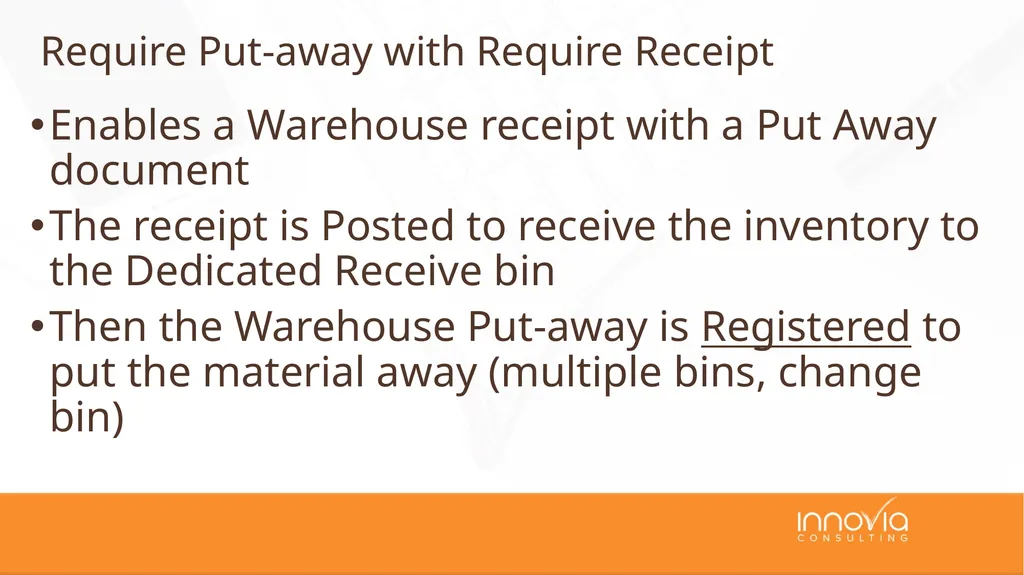
slide22. Enables a Warehouse receipt with a Put Away document
The receipt is Posted to receive the inventory to the Dedicated Receive bin
Then the Warehouse Put-away is Registered to put the material away (multiple bins, change bin) Require Put-away with Require Receipt<br>
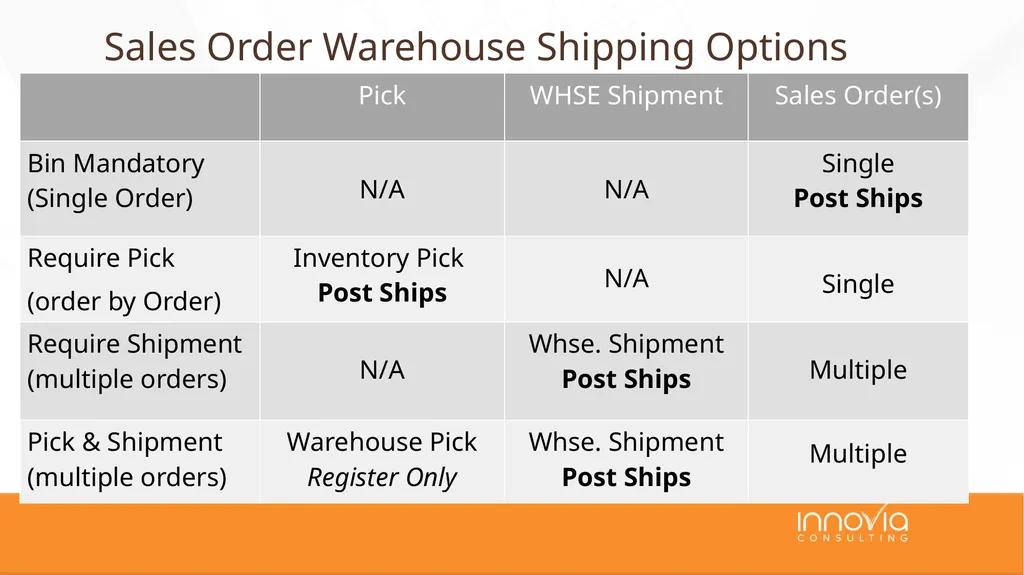
slide23. Sales Order Warehouse Shipping Options<br>
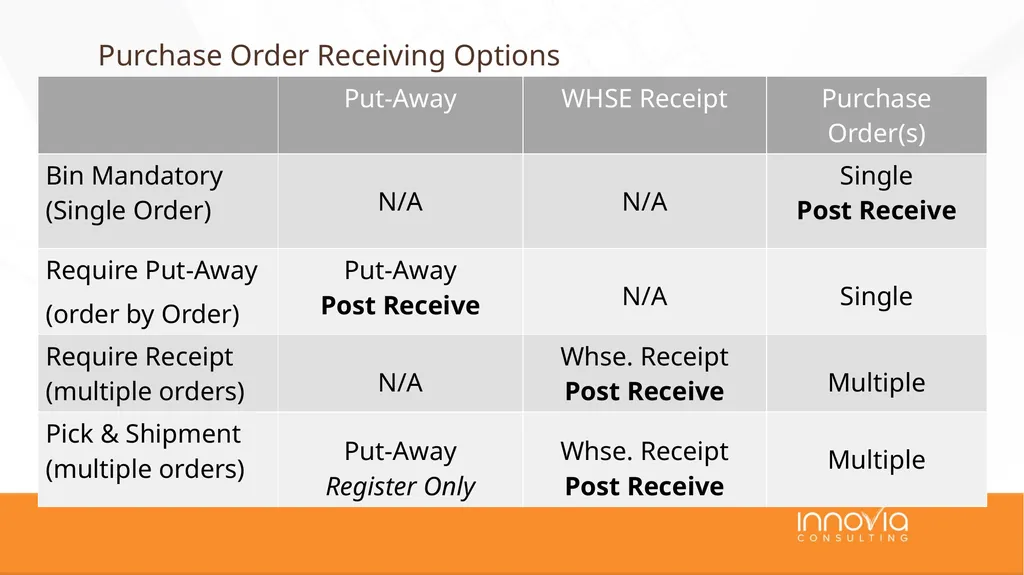
slide24. Purchase Order Receiving Options<br>
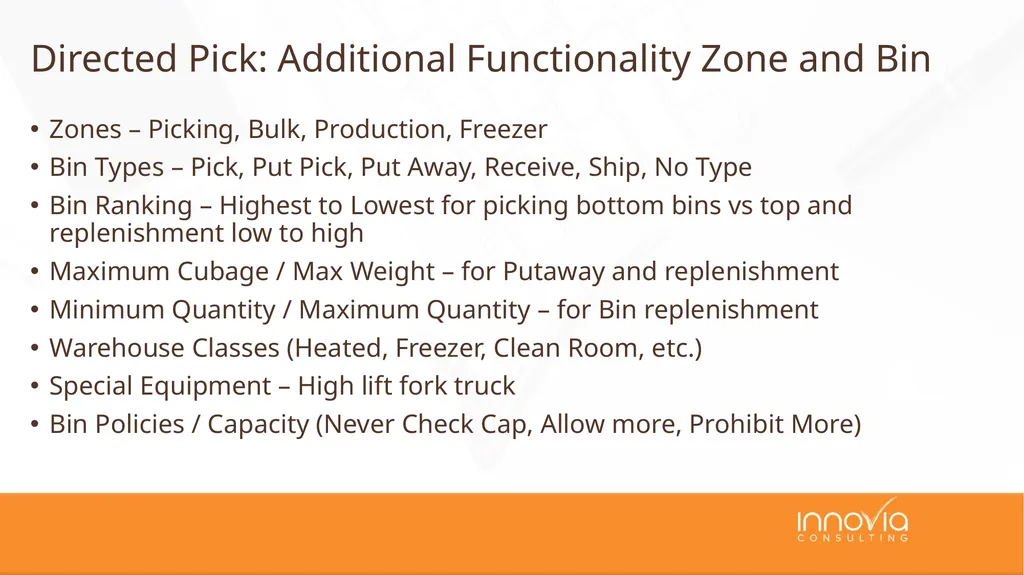
slide25. Zones – Picking, Bulk, Production, Freezer
Bin Types – Pick, Put Pick, Put Away, Receive, Ship, No Type
Bin Ranking – Highest to Lowest for picking bottom bins vs top and replenishment low to high
Maximum Cubage / Max Weight – for Putaway and replenishment
Minimum Quantity / Maximum Quantity – for Bin replenishment
Warehouse Classes (Heated, Freezer, Clean Room, etc.)
Special Equipment – High lift fork truck
Bin Policies / Capacity (Never Check Cap, Allow more, Prohibit More) Directed Pick: Additional Functionality Zone and Bin<br>
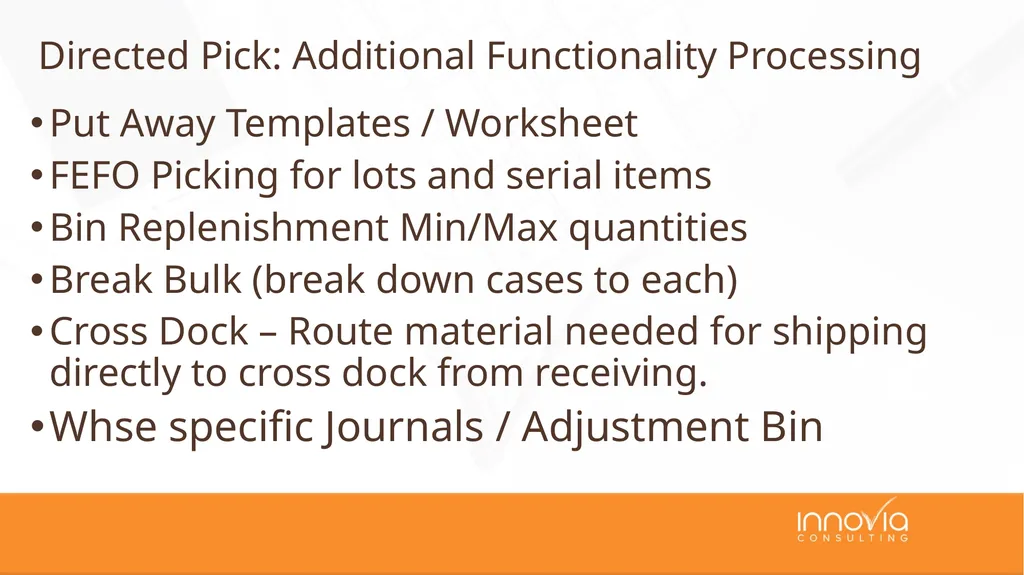
slide26. Put Away Templates / Worksheet
FEFO Picking for lots and serial items
Bin Replenishment Min/Max quantities
Break Bulk (break down cases to each)
Cross Dock – Route material needed for shipping directly to cross dock from receiving.
Whse specific Journals / Adjustment Bin Directed Pick: Additional Functionality Processing<br>
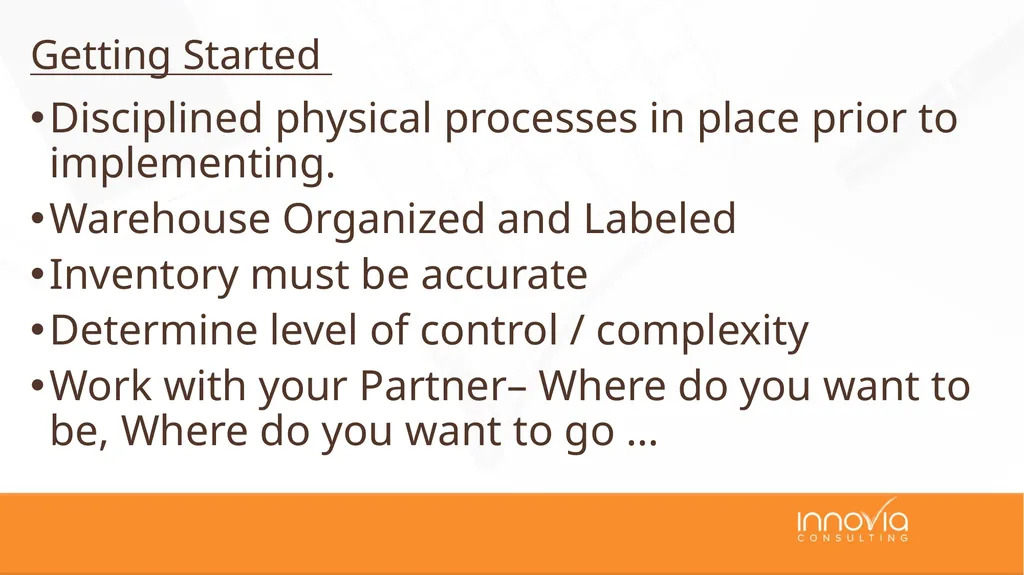
slide27. Disciplined physical processes in place prior to implementing.
Warehouse Organized and Labeled
Inventory must be accurate
Determine level of control / complexity
Work with your Partner– Where do you want to be, Where do you want to go … Getting Started<br>
slide28. Any Questions?<br>
slide29. Thank You for Attending!<br>
Sr. Application Consultant
kfons@innovia.com John Grant
Sr. Application Consultant
jgrant@innvoia.com Picture Picture<br>
slide2. Attendee Introductions Show of hands:
Classic vs RTC
Using Some Warehousing (Bins, some documents)
Using Directed Pick and Put-Away
Using Barcodes and Handhelds
Thinking of implementing Warehousing<br>
slide3. Agenda What is Warehousing and Why use it?
Basic Setup / Locations
Bins / Bin Mandatory
Require Pick / Require Shipment
Require Receive / Require Put Away
Directed Pick and Put-Away
Top Causes of Failures of Warehousing<br>
slide4. If Your Warehouse Looks Like this, You are not ready for Warehousing!<br>
slide5. If Your Warehouse Looks Like this, Then we can talk Warehousing!<br>
slide6. What is Warehousing / What isn’t it NAV WMS will not organize your warehouse
Good processes and procedures must be in place
Forces discipline in system processes
Can’t find items, why is that?
Requires Accurate Inventory
Bins vs Shelf No<br>
slide7. Why Use Warehousing Improved efficiency of finding and putting inventory away, especially when you have items in multiple areas of the warehouse.
Improved efficiency in Handling
Decentralized processing – Use warehouse documents instead of Purchase Orders and Sales Orders for improved security and efficiency.
Split Transactions – receive and then Put-Away
Process Multiple orders at one time (Warehouse Receipt, Picks and Shipments)
Paper vs Paperless (processing with handhelds)<br>
slide8. ALWAYS change the posting policies to Stop and show first error. Warehouse Setup Page<br>
slide9. What is a Location? / Location Setups<br>
slide10. Shelf is the most basic, a Shelf 2 field is an easy addition when you may only have a couple areas where stock is kept
Bins –inventory by bin, what items and how many are in each bin.
Decision is between information (shelf) and control (bins) and transactions required to maintain. Bins / Bin Mandatory<br>
slide11. Fixed or Last Used Bin Mandatory Default Bin Selection<br>
slide12. Bin Content (Content of a single Bin)<br>
slide13. Bin Contents (Contents of all bins)<br>
slide14. Fixed Bins Vs Default Bins + Dedicated<br>
slide15. Dedicated Bins<br>
slide16. Enables Inventory Picks for Sales & Production Orders
One Pick per Sales Order or Production Order
Allows you to pick from multiple bins or change bins (without pick you need multiple lines on SO for multiple bins)
Posting the Pick will Ship the Sales Order or consume the production order material
If there is no inventory available, there is no pick line created Require Pick<br>
slide17. Enables warehouse shipments (do not have to use, can still ship from sales order)
Separates shipping personnel from the Sales Order Document.
Can be used to combine multiple orders to one warehouse shipment
Posting the Warehouse shipment will Post the Sales Order Require Shipment<br>
slide18. Enables warehouse shipments and Picks
Whse Ship and Pick become mandatory
Separate documents for Picking and shipping
Allows for picking multiple orders from multiple bins. Require Shipment + Require Pick<br>
slide19. The Pick moves the inventory from the stocking bin to the Dedicated Shipping Bin.
The Pick is Registered to pick the inventory from the stocking bin to the Shipping Bin
The Warehouse Shipment is Posted to ship the Sales Order from the Shipping Bin. Require Shipment + Require Pick<br>
slide20. Register is a warehouse only transaction (move from bin to bin)
Posting is a Financial Inventory Transaction i.e. shipping the sales order and decreasing inventory Register vs Post<br>
slide21. Enables warehouse receipts, separates receiving personnel from the Purchase Order Document.
Can be used to receive multiple PO’s on one receipt or split a PO into multiple receipts.
Used when you would post the receipt/PO when the material is received into the building, not when you put it away (receives direct to Bin)
Posting the receipt receives the PO Require Receive<br>
slide22. Enables a Warehouse receipt with a Put Away document
The receipt is Posted to receive the inventory to the Dedicated Receive bin
Then the Warehouse Put-away is Registered to put the material away (multiple bins, change bin) Require Put-away with Require Receipt<br>
slide23. Sales Order Warehouse Shipping Options<br>
slide24. Purchase Order Receiving Options<br>
slide25. Zones – Picking, Bulk, Production, Freezer
Bin Types – Pick, Put Pick, Put Away, Receive, Ship, No Type
Bin Ranking – Highest to Lowest for picking bottom bins vs top and replenishment low to high
Maximum Cubage / Max Weight – for Putaway and replenishment
Minimum Quantity / Maximum Quantity – for Bin replenishment
Warehouse Classes (Heated, Freezer, Clean Room, etc.)
Special Equipment – High lift fork truck
Bin Policies / Capacity (Never Check Cap, Allow more, Prohibit More) Directed Pick: Additional Functionality Zone and Bin<br>
slide26. Put Away Templates / Worksheet
FEFO Picking for lots and serial items
Bin Replenishment Min/Max quantities
Break Bulk (break down cases to each)
Cross Dock – Route material needed for shipping directly to cross dock from receiving.
Whse specific Journals / Adjustment Bin Directed Pick: Additional Functionality Processing<br>
slide27. Disciplined physical processes in place prior to implementing.
Warehouse Organized and Labeled
Inventory must be accurate
Determine level of control / complexity
Work with your Partner– Where do you want to be, Where do you want to go … Getting Started<br>
slide28. Any Questions?<br>
slide29. Thank You for Attending!<br>