REST API basics Peter Larsson-Green Jönköping University Autumn 2018 Traditional web applications Client Server GET the-resource ... 200 OK htmlCode...html Displays the page, then user clicks on link. GET another-resource ... 200 OK
"REST API basics Peter Larsson-Green Jönköping" is the property of its rightful owner. Permission is granted to
download and print the materials on this website for personal, non-commercial use only, and to display it
on your personal computer provided you do not modify the materials and that you retain all copyright
notices contained in the materials. By downloading content from our website, you accept the terms of this
agreement.
Presentation Transcript
01
REST API basics Peter Larsson-Green
Jönköping University
Autumn 2018<br>
02
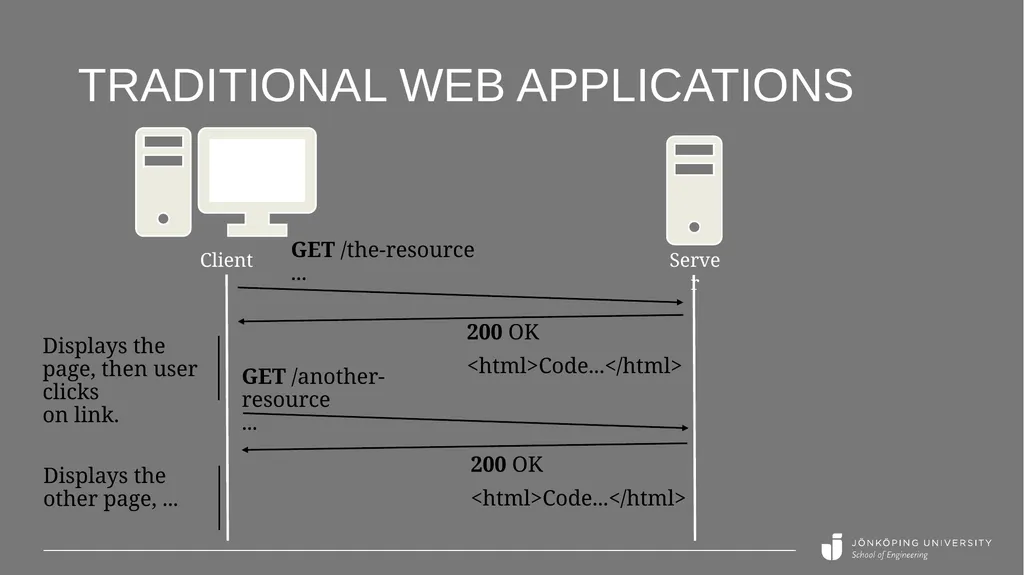
Traditional web applications Client Server GET /the-resource ... 200 OK
<html>Code...</html> Displays the page, then user clicks on link. GET /another-resource ... 200 OK
<html>Code...</html> Displays the other page, ...<br>
03
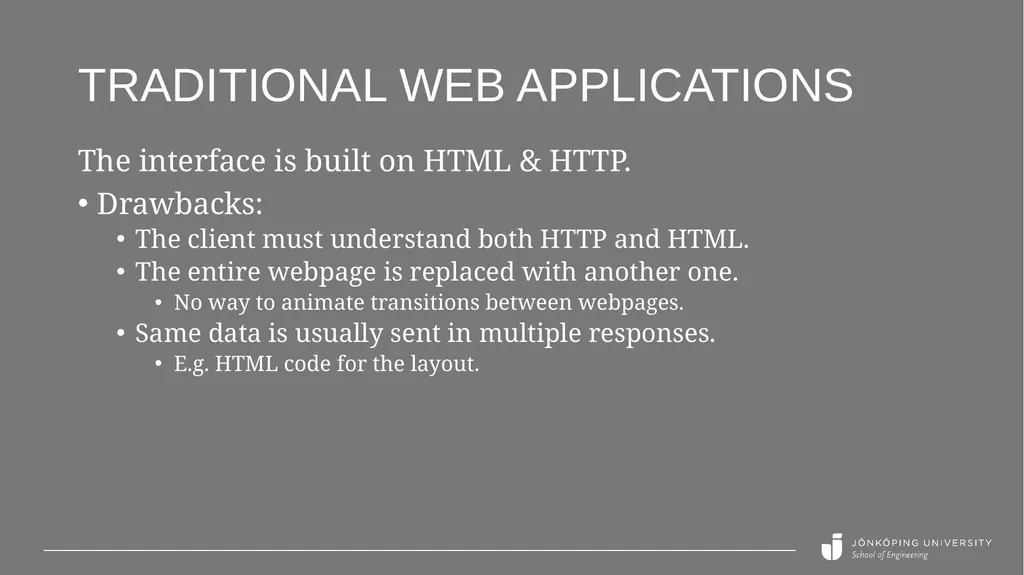
Traditional web applications The interface is built on HTML & HTTP.
Drawbacks:
The client must understand both HTTP and HTML.
The entire webpage is replaced with another one.
No way to animate transitions between webpages.
Same data is usually sent in multiple responses.
E.g. HTML code for the layout.<br>
04
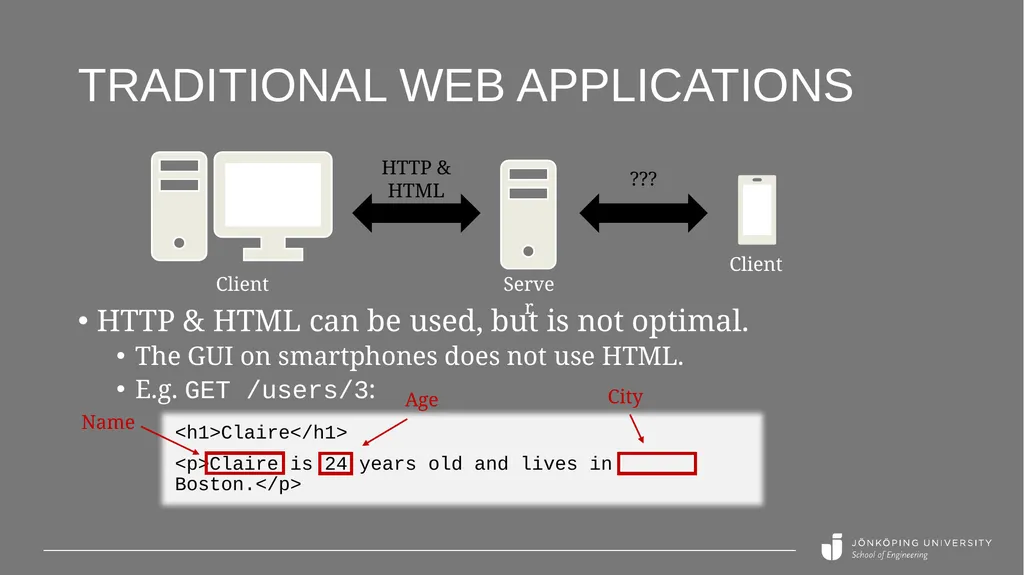
Traditional web applications Client Server HTTP & HTML Client ??? HTTP & HTML can be used, but is not optimal.
The GUI on smartphones does not use HTML.
E.g. GET /users/3: <h1>Claire</h1>
<p>Claire is 24 years old and lives in Boston.</p> Name Age City<br>
05
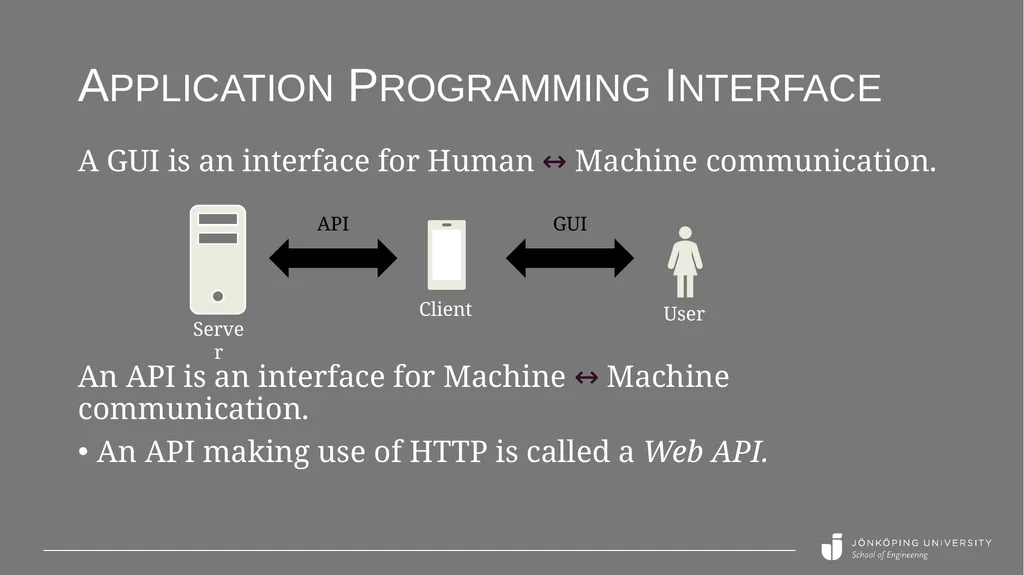
Application programming interface An API is an interface for Machine ↔ Machine communication.
An API making use of HTTP is called a Web API. A GUI is an interface for Human ↔ Machine communication. Server Client API GUI User<br>
06
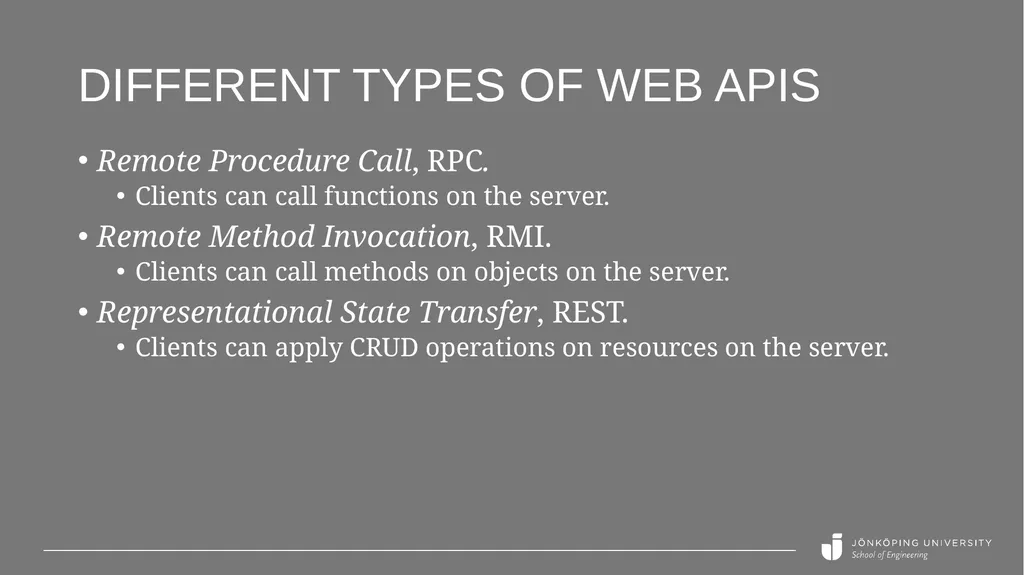
Different types of Web APIs Remote Procedure Call, RPC.
Clients can call functions on the server.
Remote Method Invocation, RMI.
Clients can call methods on objects on the server.
Representational State Transfer, REST.
Clients can apply CRUD operations on resources on the server.<br>
07
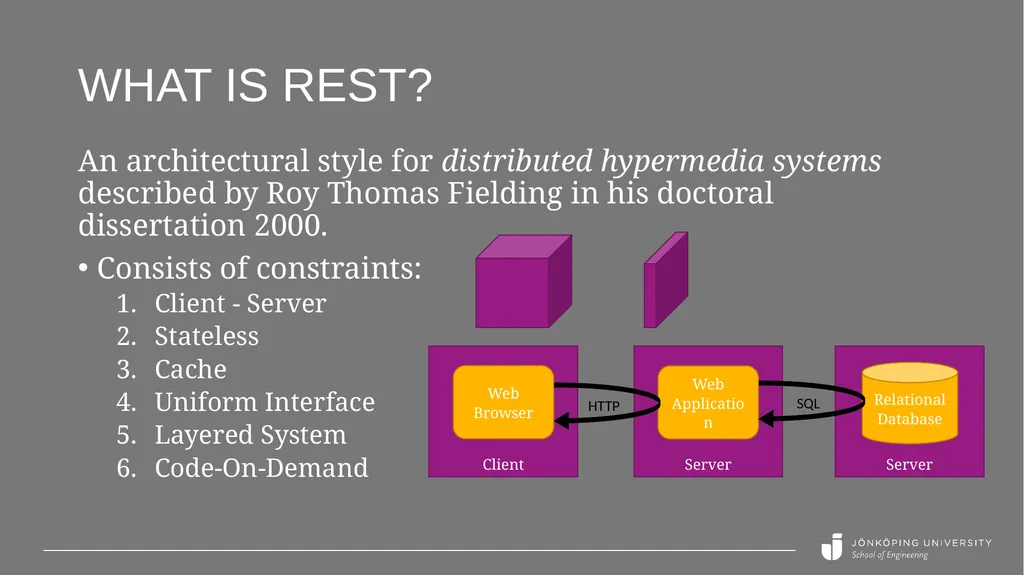
What is REST? An architectural style for distributed hypermedia systems described by Roy Thomas Fielding in his doctoral dissertation 2000.
Consists of constraints:
Client - Server
Stateless
Cache
Uniform Interface
Layered System
Code-On-Demand<br>
08
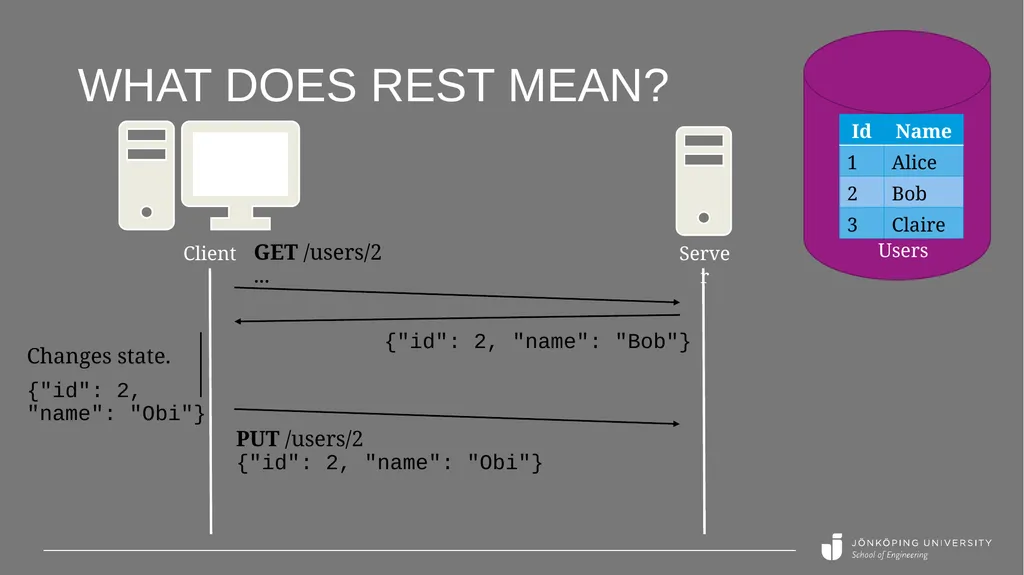
What does REST mean? The name "Representational State Transfer" is intended to evoke an image of how a well-designed Web application behaves: a network of web pages (a virtual state-machine), where the user progresses through the application by selecting links (state transitions), resulting in the next page (representing the next state of the application) being transferred to the user and rendered for their use.
From Roy's dissertation.<br>
09
What does REST mean? Server Users Client GET /users/2 ... {"id": 2, "name": "Bob"} Changes state.
{"id": 2, "name": "Obi"} PUT /users/2 {"id": 2, "name": "Obi"}<br>
10
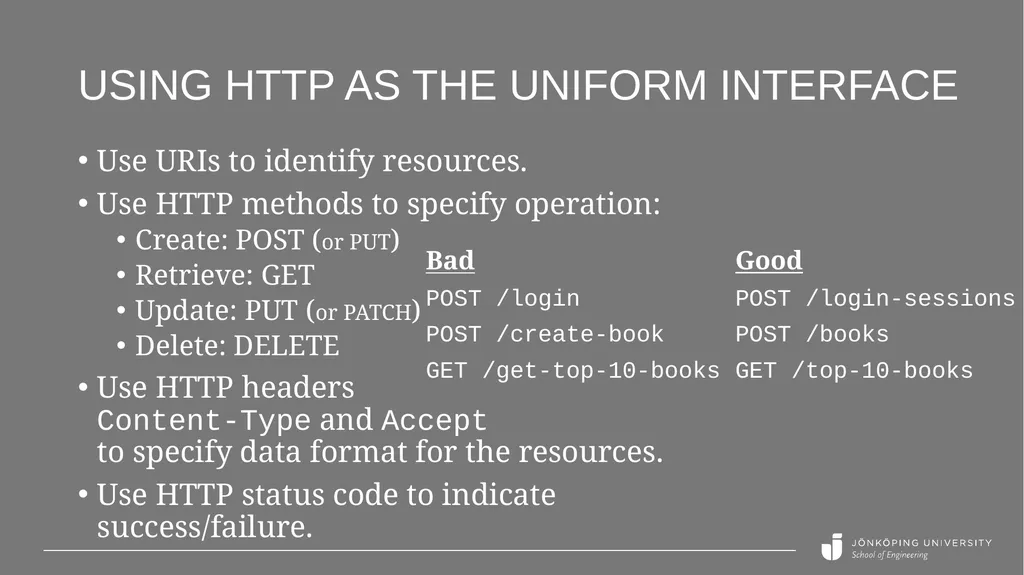
Using HTTP as the uniform interface Use URIs to identify resources.
Use HTTP methods to specify operation:
Create: POST (or PUT)
Retrieve: GET
Update: PUT (or PATCH)
Delete: DELETE
Use HTTP headers Content-Type and Accept to specify data format for the resources.
Use HTTP status code to indicate success/failure. Bad
POST /login
POST /create-book
GET /get-top-10-books Good
POST /login-sessions
POST /books
GET /top-10-books<br>
11
Using HTTP as the uniform interface REST is an architectural style, not a specification.
In practice, it can be used in many different ways.
But some are better than others.
Good recommendations:
Web API Design - Crafting Interfaces that Developers Love
https://pages.apigee.com/rs/apigee/images/api-design-ebook-2012-03.pdf<br>
12
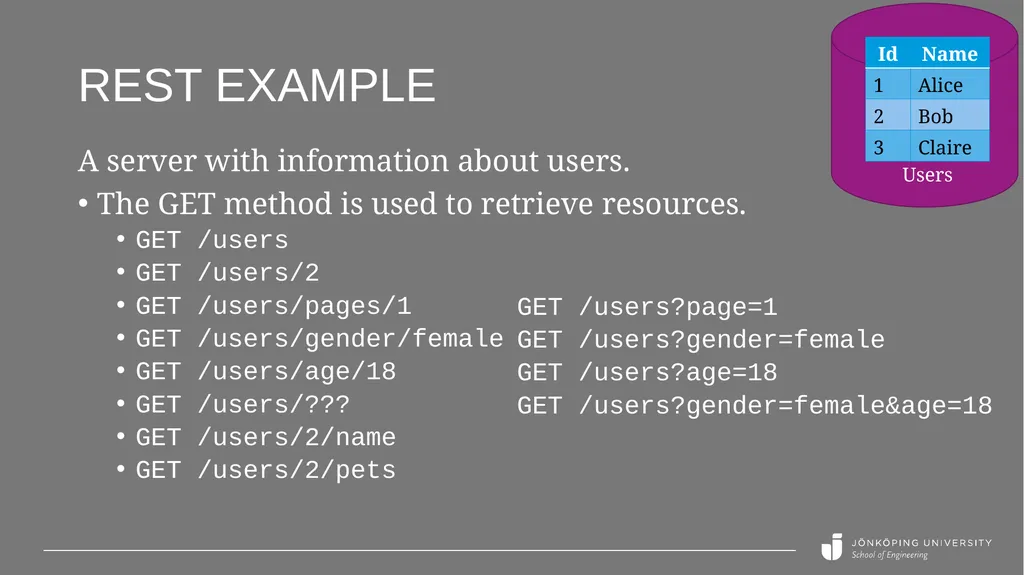
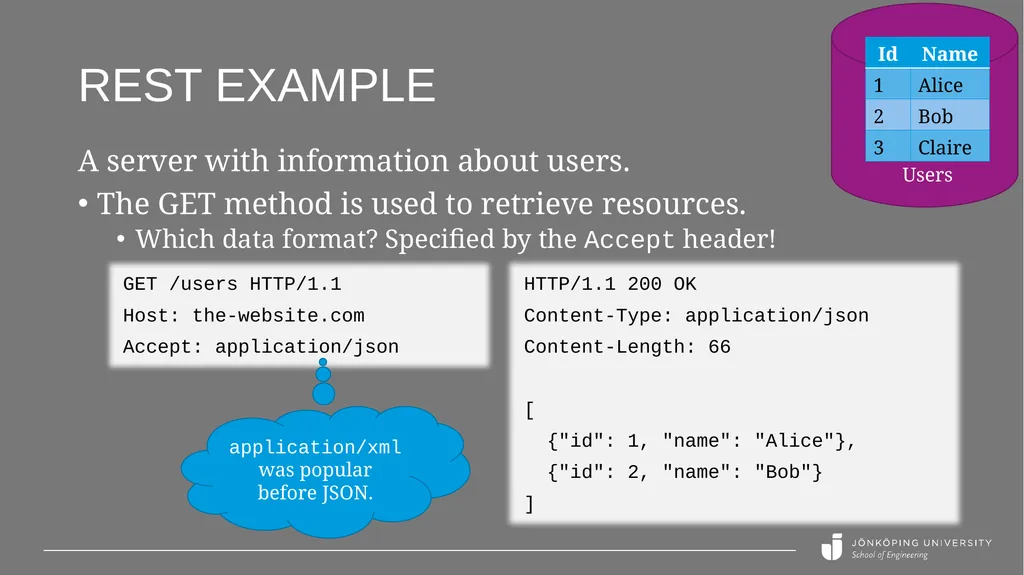
REST example A server with information about users.
The GET method is used to retrieve resources.
GET /users
GET /users/2
GET /users/pages/1
GET /users/gender/female
GET /users/age/18
GET /users/???
GET /users/2/name
GET /users/2/pets GET /users?page=1
GET /users?gender=female
GET /users?age=18
GET /users?gender=female&age=18 Users<br>
13
REST example A server with information about users.
The GET method is used to retrieve resources.
Which data format? Specified by the Accept header! GET /users HTTP/1.1
Host: the-website.com
Accept: application/json HTTP/1.1 200 OK
Content-Type: application/json
Content-Length: 66
[
{"id": 1, "name": "Alice"},
{"id": 2, "name": "Bob"}
] application/xml was popular before JSON. Users<br>
14
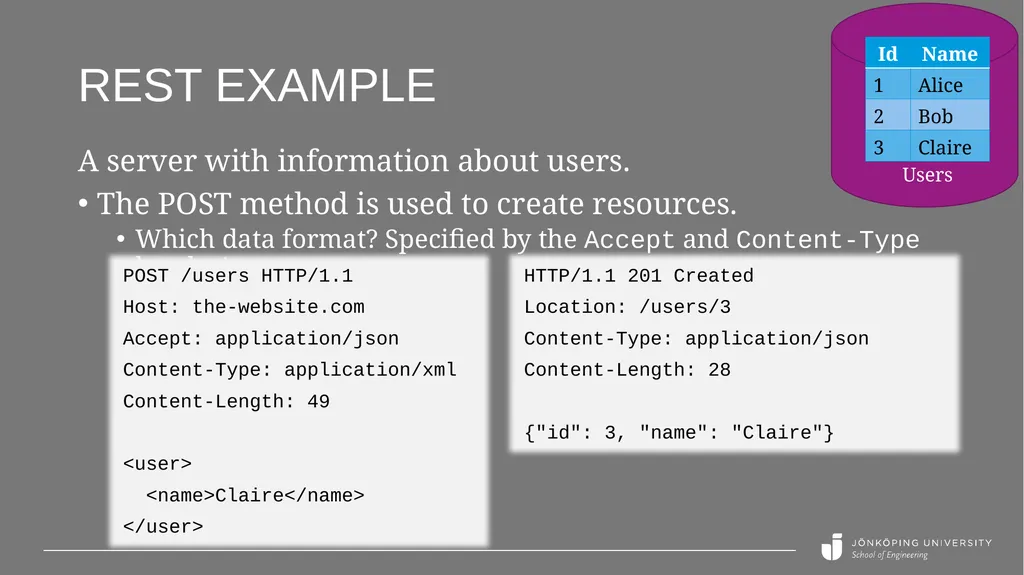
REST example A server with information about users.
The POST method is used to create resources.
Which data format? Specified by the Accept and Content-Type header! POST /users HTTP/1.1
Host: the-website.com
Accept: application/json
Content-Type: application/xml
Content-Length: 49
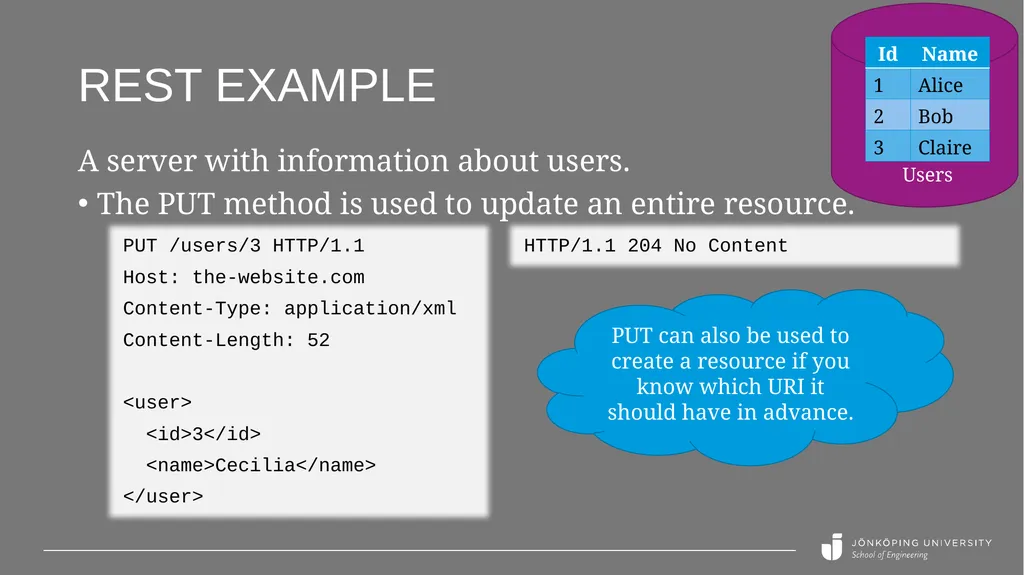
REST example A server with information about users.
The PUT method is used to update an entire resource. PUT /users/3 HTTP/1.1
Host: the-website.com
Content-Type: application/xml
Content-Length: 52
<user>
<id>3</id>
<name>Cecilia</name>
</user> HTTP/1.1 204 No Content PUT can also be used to create a resource if you know which URI it should have in advance. Users<br>
16
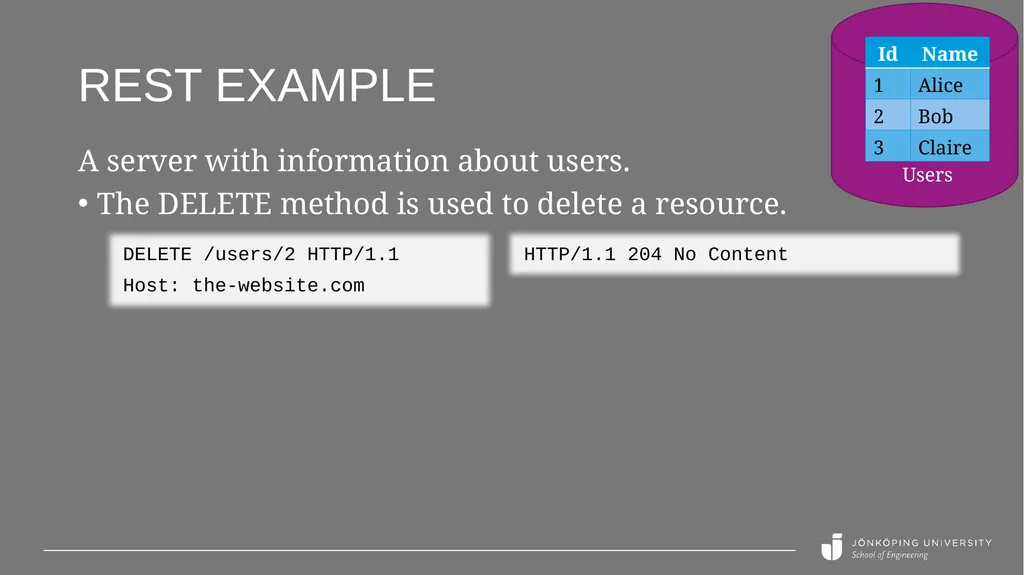
REST example A server with information about users.
The DELETE method is used to delete a resource. DELETE /users/2 HTTP/1.1
Host: the-website.com HTTP/1.1 204 No Content Users<br>
17
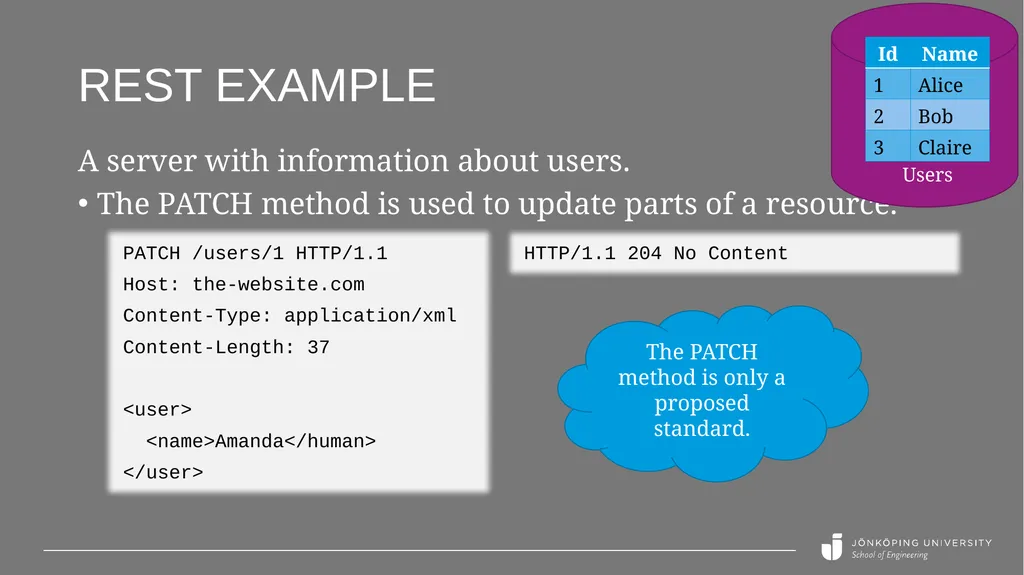
REST example A server with information about users.
The PATCH method is used to update parts of a resource. PATCH /users/1 HTTP/1.1
Host: the-website.com
Content-Type: application/xml
Content-Length: 37
<user>
<name>Amanda</human>
</user> HTTP/1.1 204 No Content The PATCH method is only a proposed standard. Users<br>
18
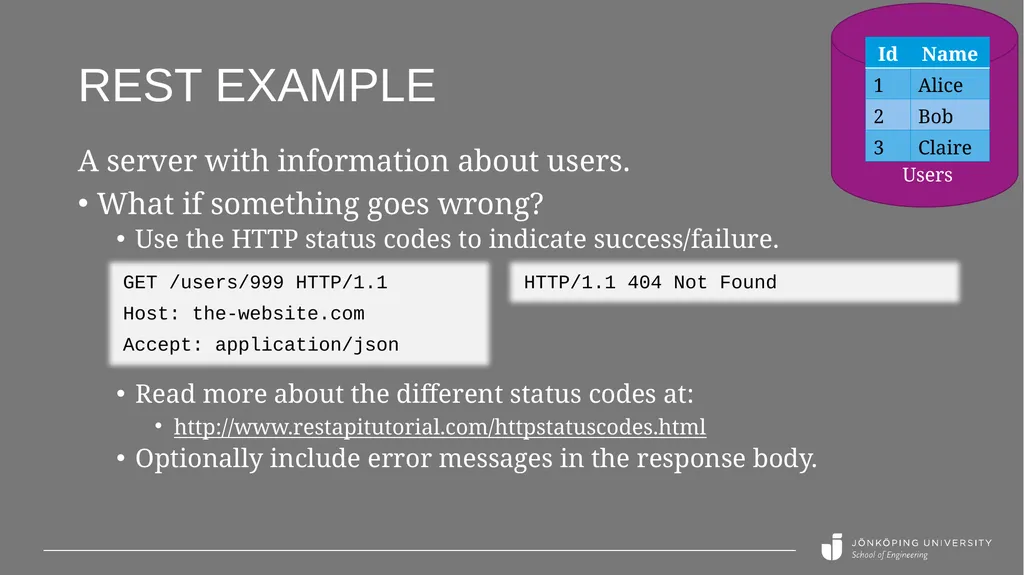
REST example A server with information about users.
What if something goes wrong?
Use the HTTP status codes to indicate success/failure. GET /users/999 HTTP/1.1
Host: the-website.com
Accept: application/json HTTP/1.1 404 Not Found Read more about the different status codes at:
http://www.restapitutorial.com/httpstatuscodes.html
Optionally include error messages in the response body. Users<br>
19
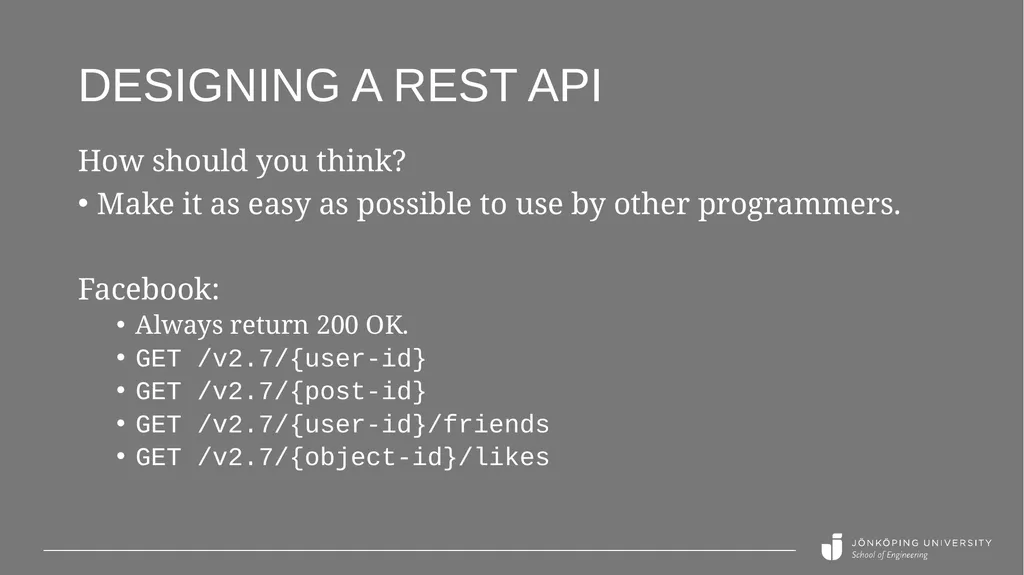
Designing a REST api How should you think?
Make it as easy as possible to use by other programmers.
Facebook:
Always return 200 OK.
GET /v2.7/{user-id}
GET /v2.7/{post-id}
GET /v2.7/{user-id}/friends
GET /v2.7/{object-id}/likes<br>
20
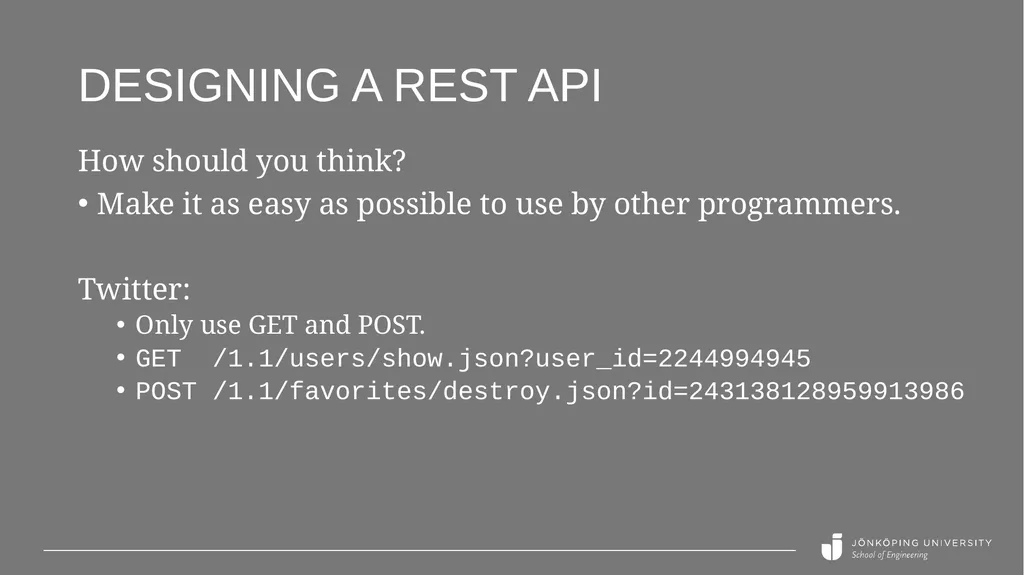
Designing a REST api How should you think?
Make it as easy as possible to use by other programmers.
Twitter:
Only use GET and POST.
GET /1.1/users/show.json?user_id=2244994945
POST /1.1/favorites/destroy.json?id=243138128959913986<br>