Scientific Posters REU, 2009 Scientific Posters
Description: Scientific Posters REU, 2009 Scientific Posters Significant contribution to a meeting Part of professional education Provides information Develops your experience Builds networks and contacts Source of feedback REU, 2009 What is a
Related Topics
Download Presentation
"Scientific Posters REU, 2009 Scientific Posters" is the property of its rightful owner. Permission is granted to download and print the materials on this website for personal, non-commercial use only, and to display it on your personal computer provided you do not modify the materials and that you retain all copyright notices contained in the materials. By downloading content from our website, you accept the terms of this agreement.
Presentation Transcript
slide1. Scientific Posters REU, 2009<br>
slide2. Scientific Posters Significant contribution to a meeting
Part of professional education
Provides information
Develops your experience
Builds networks and contacts
Source of feedback REU, 2009<br>
slide3. What is a scientific poster? A document used to communicate your research to a large group of people in intimate setting in 10 minutes or less.
Informative teaser that invites someone in…
You can get the purpose of the work in 20 seconds
Poster usually highlight the most interesting aspect of the work, not the entire piece of work REU, 2009<br>
slide4. Most people spend 90 seconds at a poster
People come close when the items they read from afar appeal to them
Crowded, disorganized posters are passed over
Posters normally draw those with real interest who want to discuss the work REU, 2009<br>
slide5. The Audience Who reads your poster?
Those who follow your work
Those in the same research area
Passers-by
Be ready to give a one - two minute introduction
Rehearse answers to common questions
Let the audience guide your discussion
Only 1-2 will come at a time REU, 2009<br>
slide6. Characteristics of effective presentations: Organized
Rehearsed
Visual appeal
Relevant to audience
Demonstrates enthusiasm REU, 2009<br>
slide7. Poster Components Title
Authors & lab affiliation
Funding sources
Light introduction
Materials & Methods
Results
Literature Cited
Further Information REU, 2009<br>
slide8. Title Catchy 1 -2 lines
Avoid the use of colons and cutesy / humorous terms
Short and succinct is best
Should allude to the research
Sentence Case (ALL CAPS IS BAD!) REU, 2009<br>
slide9. Authors & Affiliations List authors of the work which include PI and all other contributors
Order of authors is determined by PI – very important
Affiliation is the physical location where work was completed and the “home” of the PI
Gain permission form PI prior to submitting any work for poster, oral or written communication REU, 2009<br>
slide10. Funding You must list all funding sources for the work
For our purpose this year it is NSF-REU program for funding your stipend.
A grant program that is funding the actual research should also be listed (ask PI).
Normally research presented without a funding source is suspect. Peer review grants give the work credibility. REU, 2009<br>
slide11. Introduction Maximum of 200 words
Quickly place your issue in the context of published, primary literature; provide description and justification of general experimental approach, and hint at why your study organism is ideal for such research; give a clear hypothesis. REU, 2009<br>
slide12. Materials & Methods Max 200 words
Briefly describe unusual or unique materials or methods used in the research
Diagrams are best for instrumentation
Flow charts help with experimental details REU, 2009<br>
slide13. Results Unless the poster is about method creation, this will be the largest portion of the poster
Includes appropriate raw data, interpretation of that data
Be sure to address how this fits the hypothesis
Visual aids: tables, graphs, computer generated illustrations, structures REU, 2009<br>
slide14. Conclusions Frame the results in the context of the hypothesis
List challenges and major advancements
Connect to the literature
Outline future directions of the work REU, 2009<br>
slide15. Literature Citation Cite only references directly related to your work.
Usually 5 key citations
Use ACS Style for chemistry work or other appropriate citation format REU, 2009<br>
slide16. Miscellaneous Further Information: A URL that others can access for more information or perhaps a short handout; optional
Logos: You should include logos for the funding agencies and perhaps the institution for where the research took place
Acknowledgements: People who contributed to work, less than 40 words REU, 2009<br>
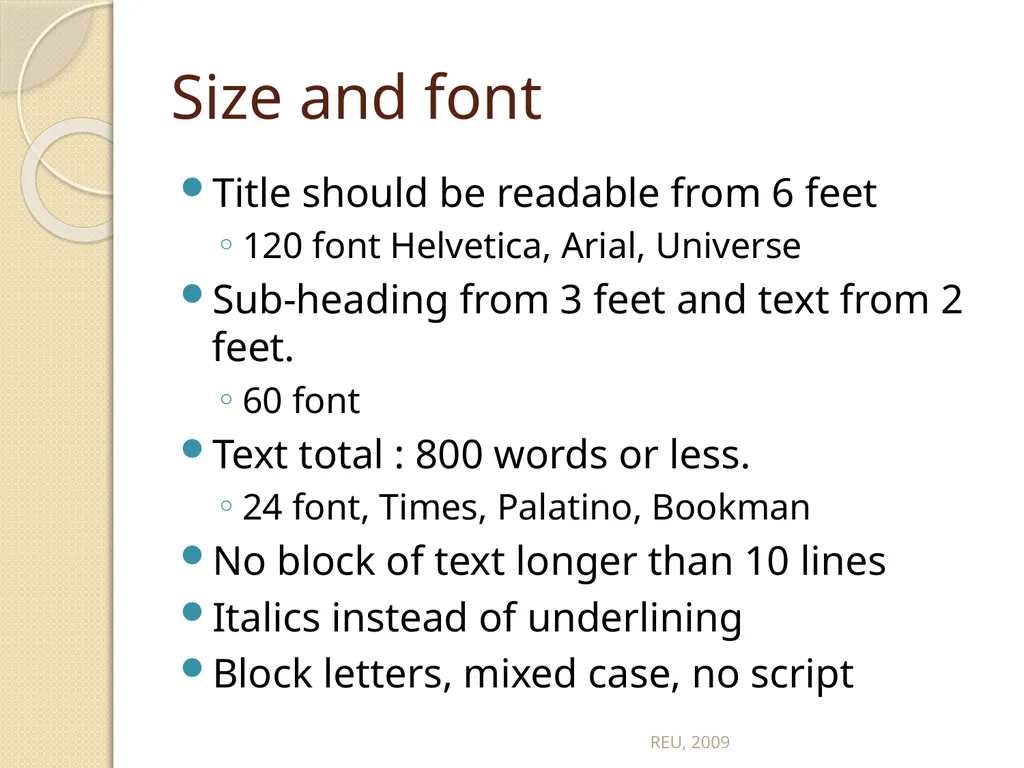
slide17. Size and font Title should be readable from 6 feet
120 font Helvetica, Arial, Universe
Sub-heading from 3 feet and text from 2 feet.
60 font
Text total : 800 words or less.
24 font, Times, Palatino, Bookman
No block of text longer than 10 lines
Italics instead of underlining
Block letters, mixed case, no script REU, 2009<br>
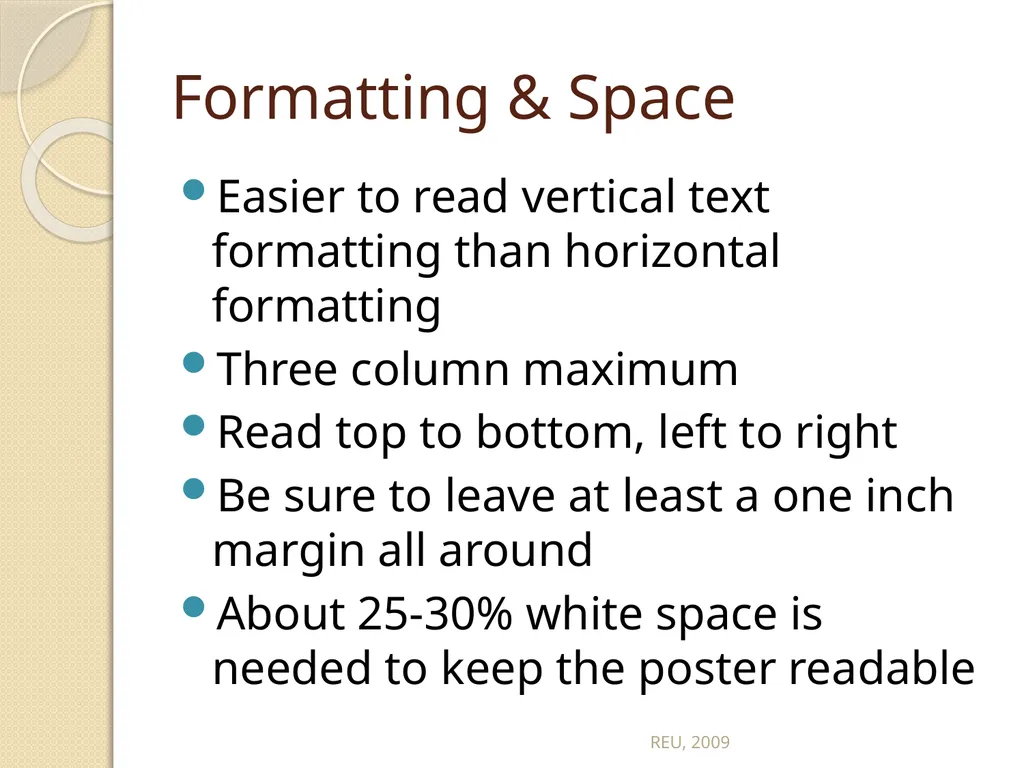
slide18. Formatting & Space Easier to read vertical text formatting than horizontal formatting
Three column maximum
Read top to bottom, left to right
Be sure to leave at least a one inch margin all around
About 25-30% white space is needed to keep the poster readable REU, 2009<br>
slide19. REU, 2009<br>
slide20. REU, 2009<br>
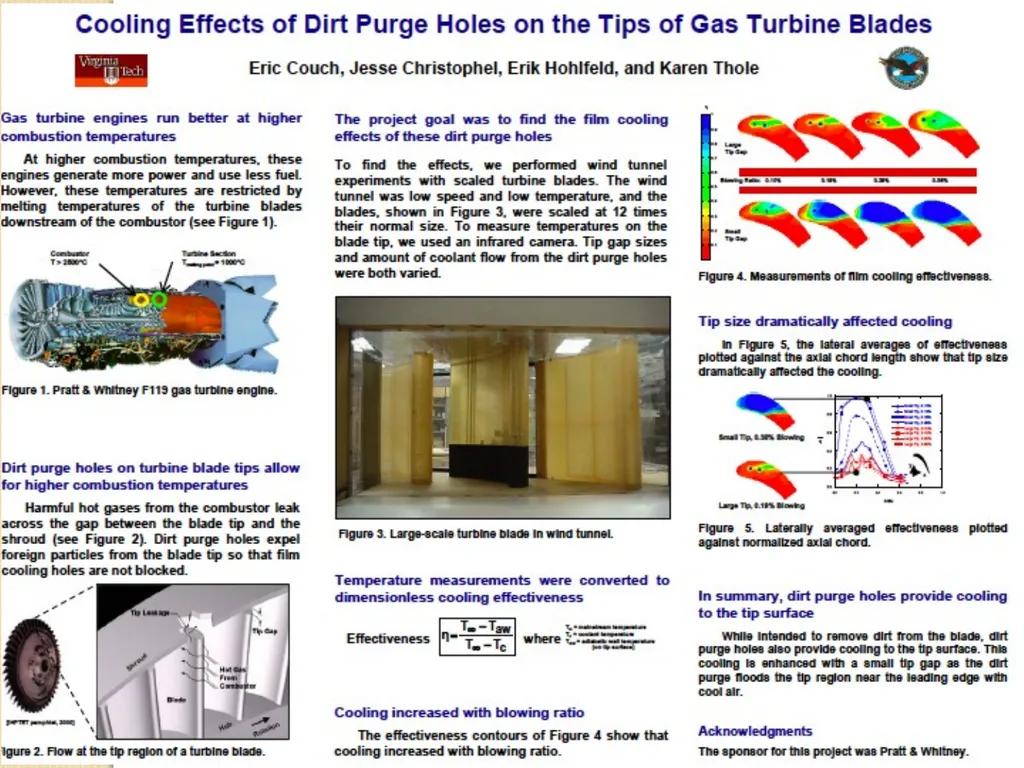
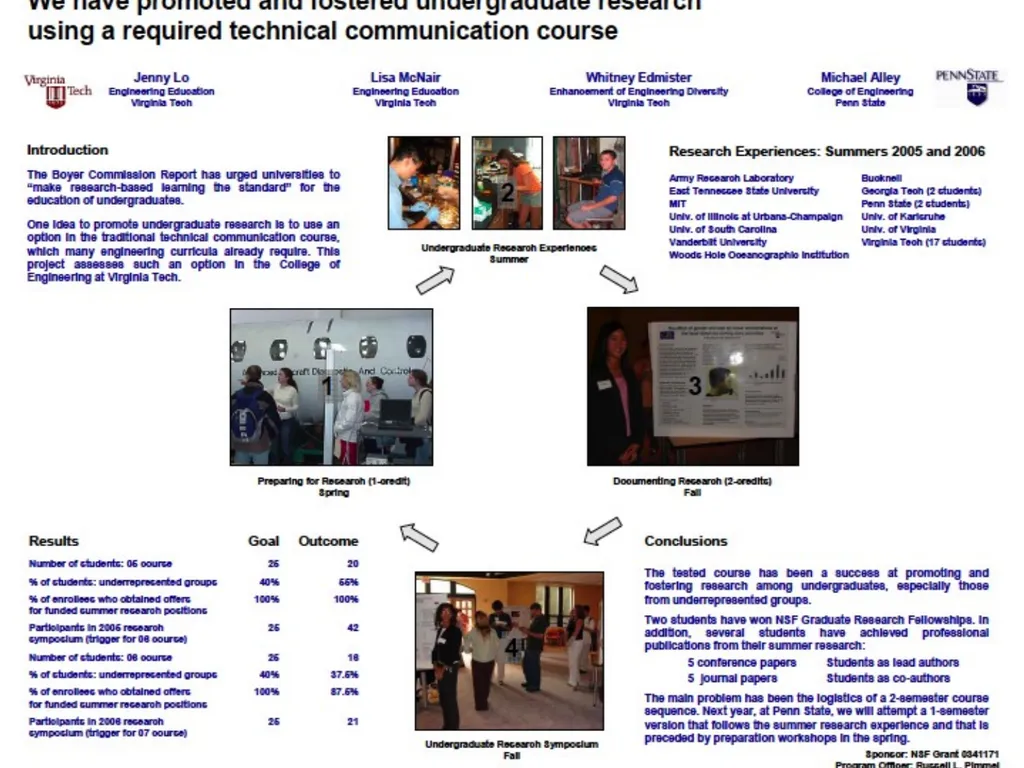
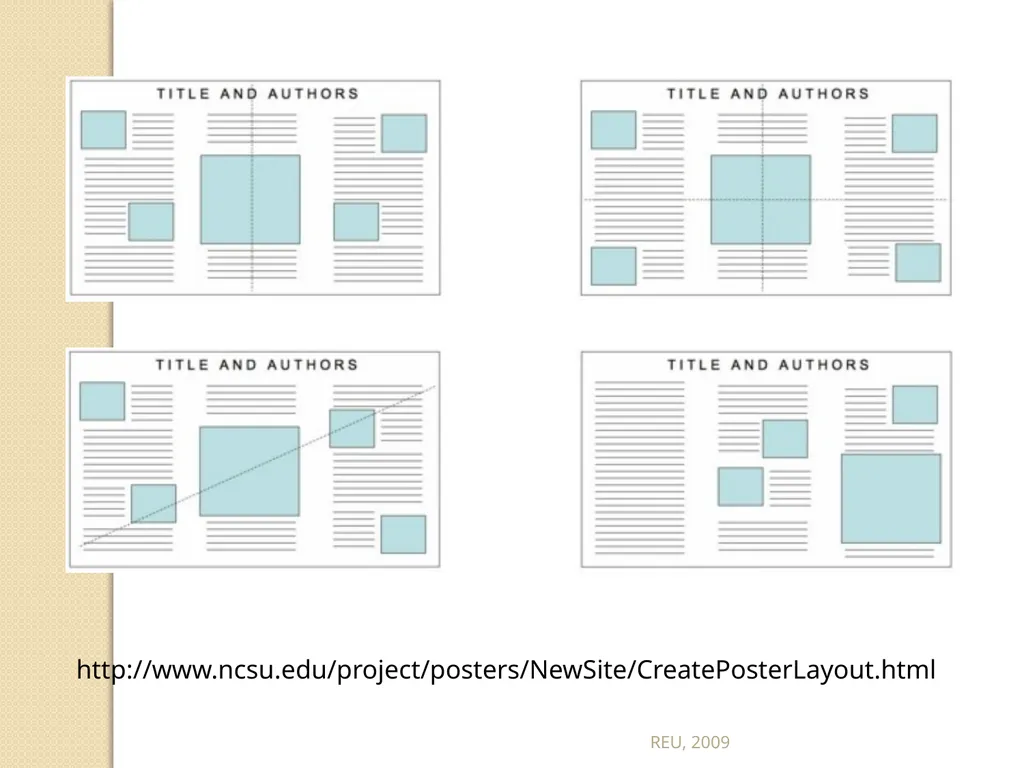
slide21. Visual Balance and Symmetry Your poster should have a good visual balance of figures and text, separated by white space. Balance occurs when images and text are reflected (at least approximately) across a central horizontal, vertical, or diagonal axis. This axis is know as the axis of symmetry REU, 2009<br>
slide22. http://www.ncsu.edu/project/posters/NewSite/CreatePosterLayout.html REU, 2009<br>
slide23. REU, 2009<br>
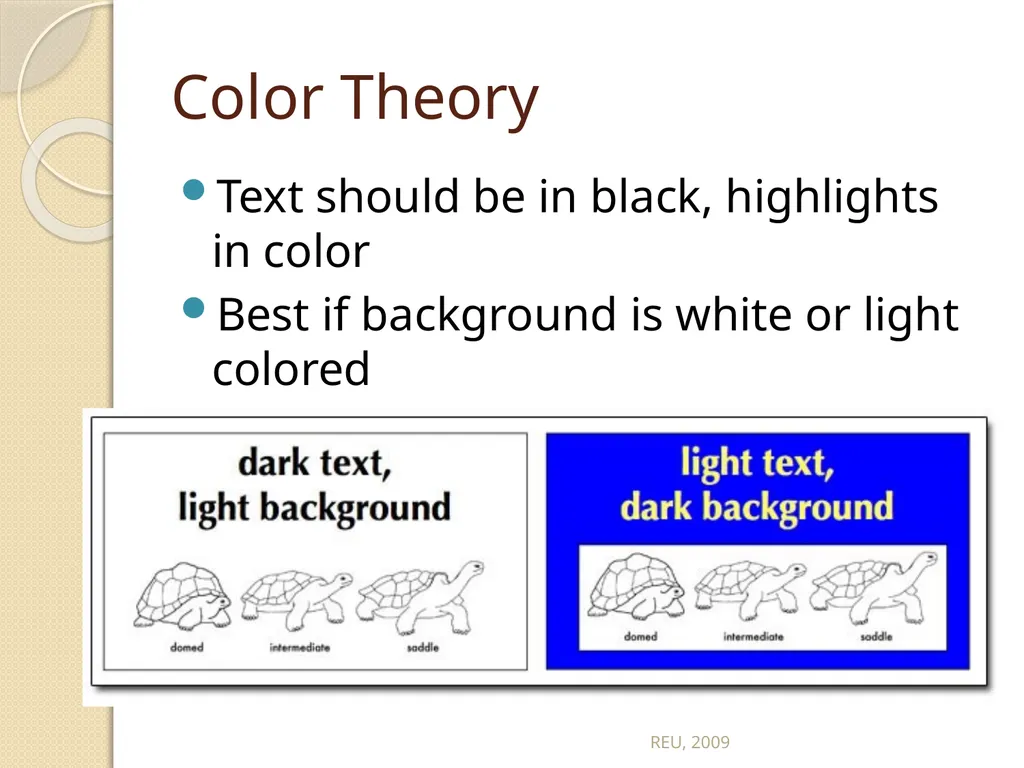
slide24. Color Theory Text should be in black, highlights in color
Best if background is white or light colored REU, 2009<br>
slide25. Color Theory Be careful of red-green colorblindness
Gratuitous use of color districts the reader
Keep headings and titles in the same color
Keep highlight colors to three
Pastels and yellow are not good for text or graphics especially in large rooms with poor lighting REU, 2009<br>
slide26. Graphs Do not use red-green color combo because of color blindness
Do not use yellow because it is unreadable from 3 feet and gets lost in fluorescent lighting
Line graphs only 3 lines
Bar graphs, no more than 6 bars
Avoid complex graphs- take too long to decipher REU, 2009<br>
slide27. http://www.ncsu.edu/project/posters/NewSite/CreatePosterGraphics.html REU, 2009<br>
slide28. Photos A thin black outline makes photos pop
Good quality, high-resolution photos only
At least 4x5 if you want to highlight details
Need resolution of at least 300 (dots per inch) for good resolution when printed REU, 2009<br>
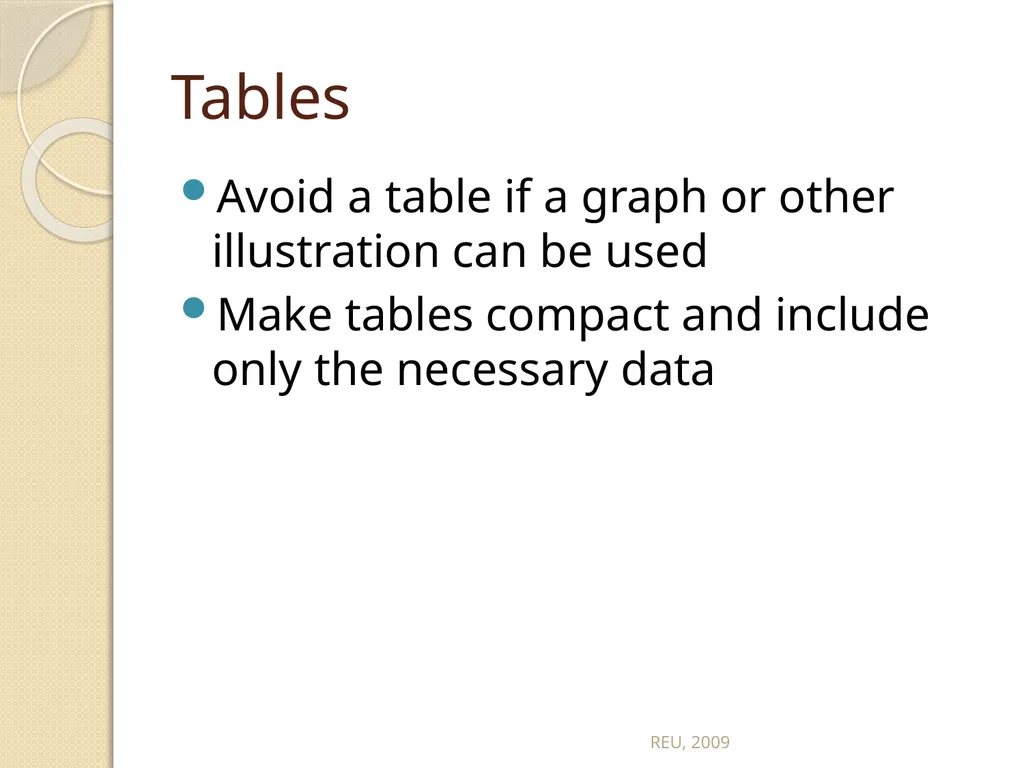
slide29. Tables Avoid a table if a graph or other illustration can be used
Make tables compact and include only the necessary data REU, 2009<br>
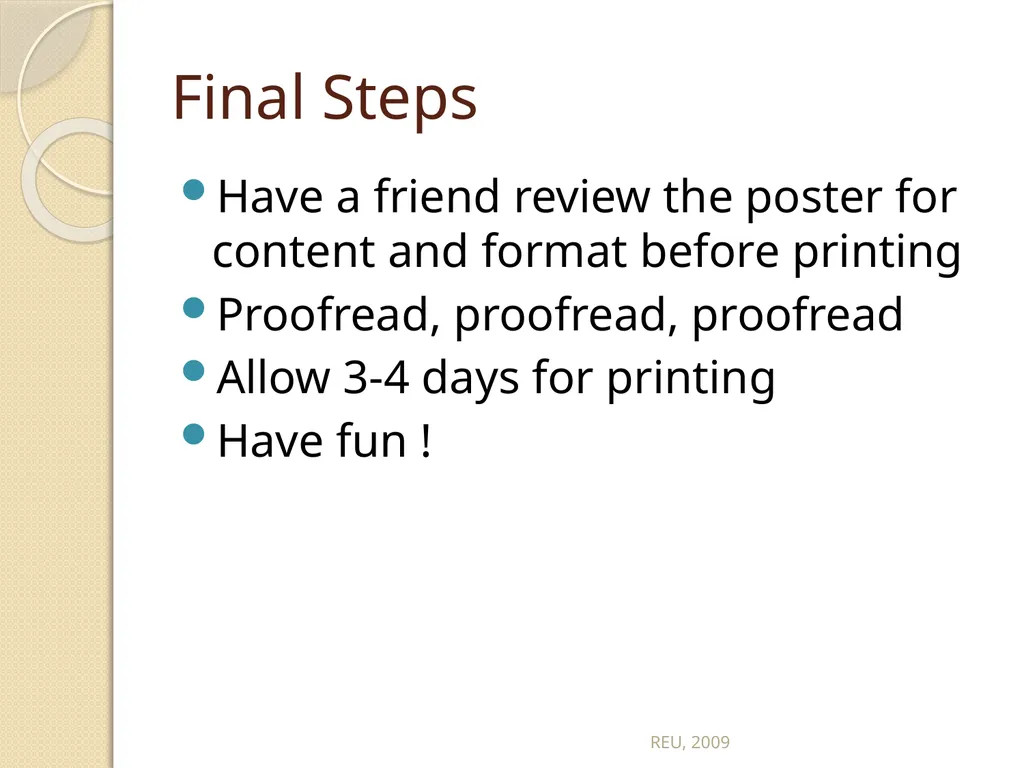
slide30. Final Steps Have a friend review the poster for content and format before printing
Proofread, proofread, proofread
Allow 3-4 days for printing
Have fun ! REU, 2009<br>
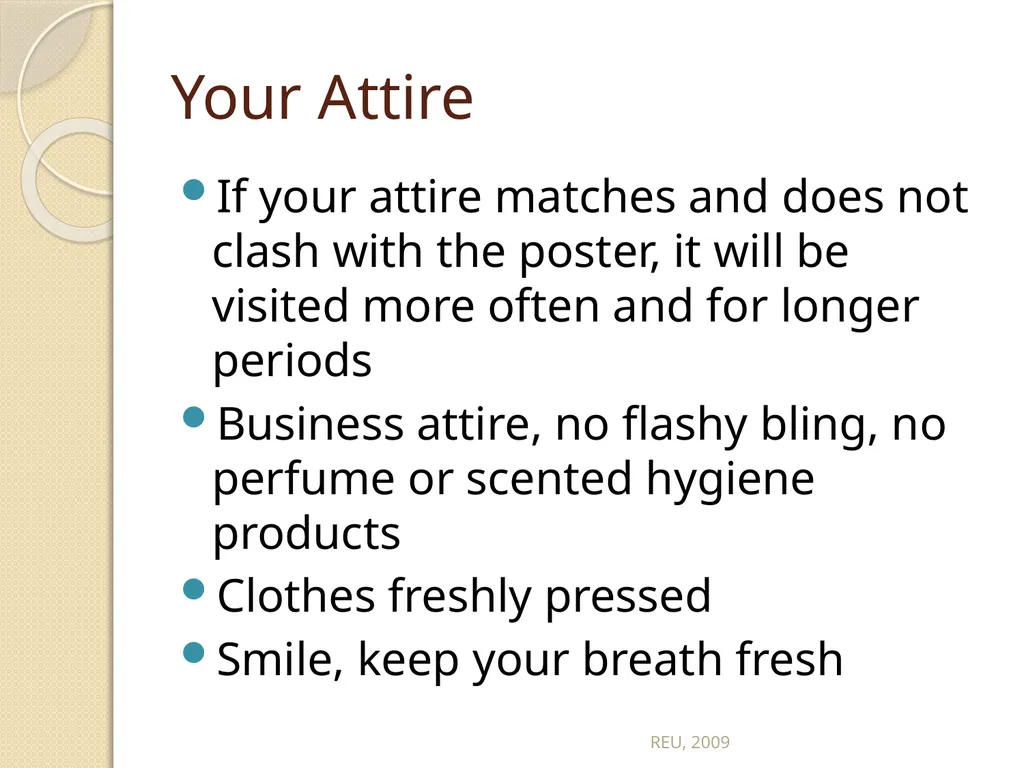
slide31. Your Attire If your attire matches and does not clash with the poster, it will be visited more often and for longer periods
Business attire, no flashy bling, no perfume or scented hygiene products
Clothes freshly pressed
Smile, keep your breath fresh REU, 2009<br>
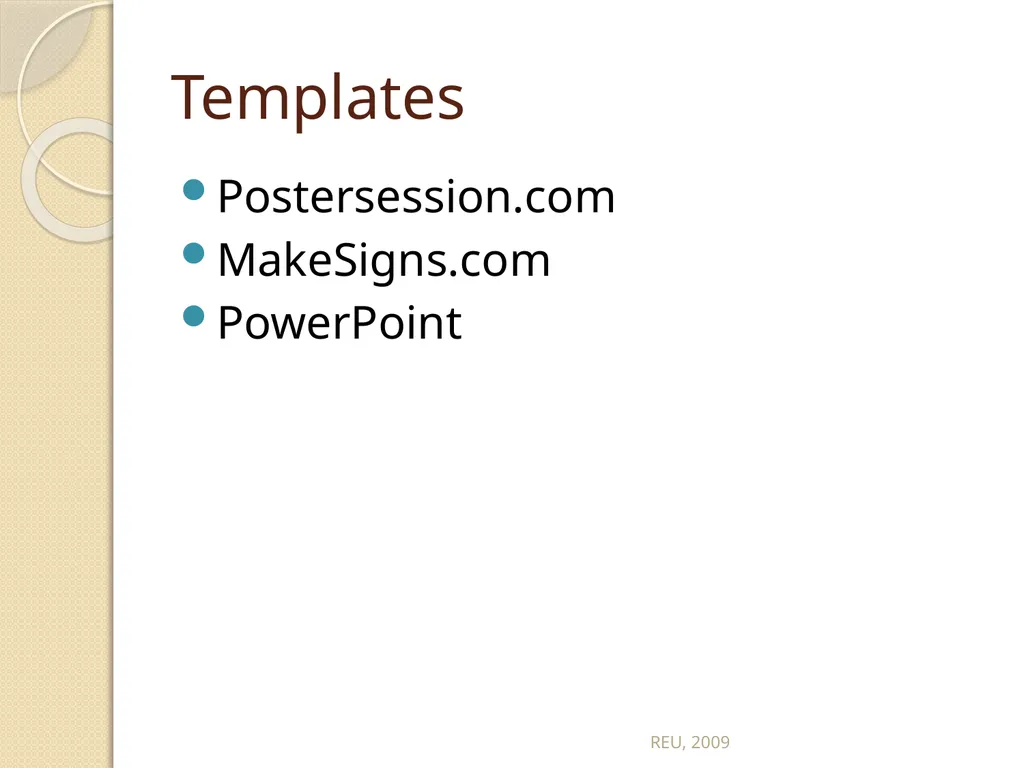
slide32. Templates Postersession.com
MakeSigns.com
PowerPoint REU, 2009<br>

slide2. Scientific Posters Significant contribution to a meeting
Part of professional education
Provides information
Develops your experience
Builds networks and contacts
Source of feedback REU, 2009<br>
slide3. What is a scientific poster? A document used to communicate your research to a large group of people in intimate setting in 10 minutes or less.
Informative teaser that invites someone in…
You can get the purpose of the work in 20 seconds
Poster usually highlight the most interesting aspect of the work, not the entire piece of work REU, 2009<br>
slide4. Most people spend 90 seconds at a poster
People come close when the items they read from afar appeal to them
Crowded, disorganized posters are passed over
Posters normally draw those with real interest who want to discuss the work REU, 2009<br>
slide5. The Audience Who reads your poster?
Those who follow your work
Those in the same research area
Passers-by
Be ready to give a one - two minute introduction
Rehearse answers to common questions
Let the audience guide your discussion
Only 1-2 will come at a time REU, 2009<br>
slide6. Characteristics of effective presentations: Organized
Rehearsed
Visual appeal
Relevant to audience
Demonstrates enthusiasm REU, 2009<br>
slide7. Poster Components Title
Authors & lab affiliation
Funding sources
Light introduction
Materials & Methods
Results
Literature Cited
Further Information REU, 2009<br>
slide8. Title Catchy 1 -2 lines
Avoid the use of colons and cutesy / humorous terms
Short and succinct is best
Should allude to the research
Sentence Case (ALL CAPS IS BAD!) REU, 2009<br>
slide9. Authors & Affiliations List authors of the work which include PI and all other contributors
Order of authors is determined by PI – very important
Affiliation is the physical location where work was completed and the “home” of the PI
Gain permission form PI prior to submitting any work for poster, oral or written communication REU, 2009<br>
slide10. Funding You must list all funding sources for the work
For our purpose this year it is NSF-REU program for funding your stipend.
A grant program that is funding the actual research should also be listed (ask PI).
Normally research presented without a funding source is suspect. Peer review grants give the work credibility. REU, 2009<br>
slide11. Introduction Maximum of 200 words
Quickly place your issue in the context of published, primary literature; provide description and justification of general experimental approach, and hint at why your study organism is ideal for such research; give a clear hypothesis. REU, 2009<br>
slide12. Materials & Methods Max 200 words
Briefly describe unusual or unique materials or methods used in the research
Diagrams are best for instrumentation
Flow charts help with experimental details REU, 2009<br>
slide13. Results Unless the poster is about method creation, this will be the largest portion of the poster
Includes appropriate raw data, interpretation of that data
Be sure to address how this fits the hypothesis
Visual aids: tables, graphs, computer generated illustrations, structures REU, 2009<br>
slide14. Conclusions Frame the results in the context of the hypothesis
List challenges and major advancements
Connect to the literature
Outline future directions of the work REU, 2009<br>
slide15. Literature Citation Cite only references directly related to your work.
Usually 5 key citations
Use ACS Style for chemistry work or other appropriate citation format REU, 2009<br>
slide16. Miscellaneous Further Information: A URL that others can access for more information or perhaps a short handout; optional
Logos: You should include logos for the funding agencies and perhaps the institution for where the research took place
Acknowledgements: People who contributed to work, less than 40 words REU, 2009<br>
slide17. Size and font Title should be readable from 6 feet
120 font Helvetica, Arial, Universe
Sub-heading from 3 feet and text from 2 feet.
60 font
Text total : 800 words or less.
24 font, Times, Palatino, Bookman
No block of text longer than 10 lines
Italics instead of underlining
Block letters, mixed case, no script REU, 2009<br>
slide18. Formatting & Space Easier to read vertical text formatting than horizontal formatting
Three column maximum
Read top to bottom, left to right
Be sure to leave at least a one inch margin all around
About 25-30% white space is needed to keep the poster readable REU, 2009<br>
slide19. REU, 2009<br>
slide20. REU, 2009<br>
slide21. Visual Balance and Symmetry Your poster should have a good visual balance of figures and text, separated by white space. Balance occurs when images and text are reflected (at least approximately) across a central horizontal, vertical, or diagonal axis. This axis is know as the axis of symmetry REU, 2009<br>
slide22. http://www.ncsu.edu/project/posters/NewSite/CreatePosterLayout.html REU, 2009<br>
slide23. REU, 2009<br>
slide24. Color Theory Text should be in black, highlights in color
Best if background is white or light colored REU, 2009<br>
slide25. Color Theory Be careful of red-green colorblindness
Gratuitous use of color districts the reader
Keep headings and titles in the same color
Keep highlight colors to three
Pastels and yellow are not good for text or graphics especially in large rooms with poor lighting REU, 2009<br>
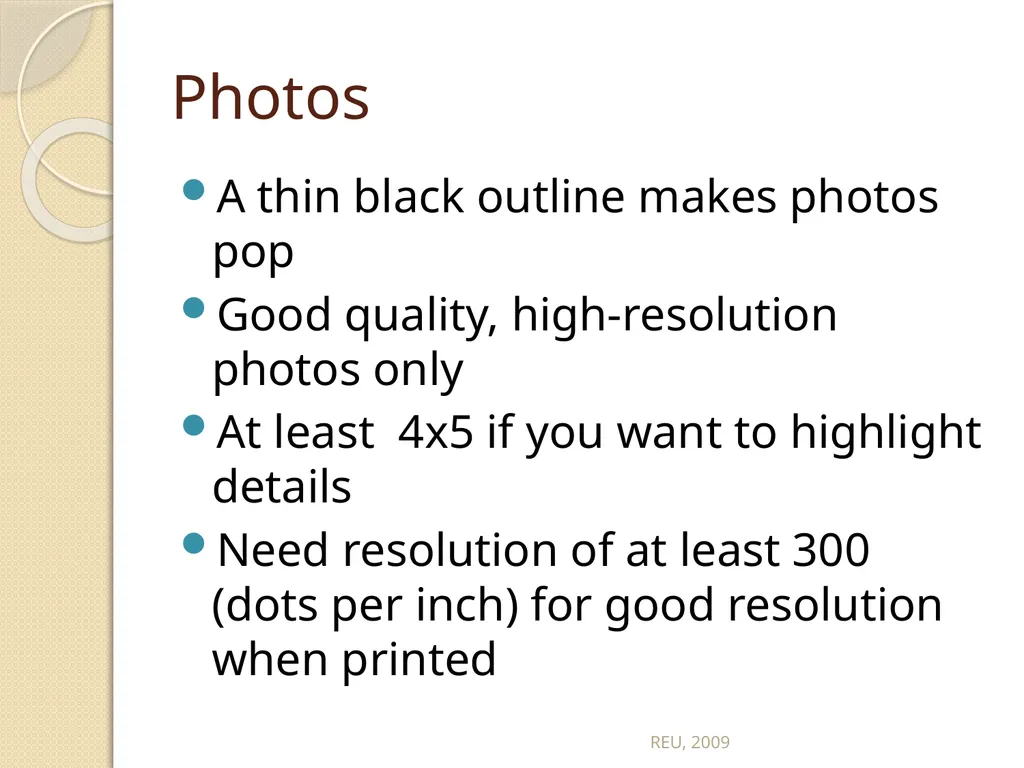
slide26. Graphs Do not use red-green color combo because of color blindness
Do not use yellow because it is unreadable from 3 feet and gets lost in fluorescent lighting
Line graphs only 3 lines
Bar graphs, no more than 6 bars
Avoid complex graphs- take too long to decipher REU, 2009<br>
slide27. http://www.ncsu.edu/project/posters/NewSite/CreatePosterGraphics.html REU, 2009<br>
slide28. Photos A thin black outline makes photos pop
Good quality, high-resolution photos only
At least 4x5 if you want to highlight details
Need resolution of at least 300 (dots per inch) for good resolution when printed REU, 2009<br>
slide29. Tables Avoid a table if a graph or other illustration can be used
Make tables compact and include only the necessary data REU, 2009<br>
slide30. Final Steps Have a friend review the poster for content and format before printing
Proofread, proofread, proofread
Allow 3-4 days for printing
Have fun ! REU, 2009<br>
slide31. Your Attire If your attire matches and does not clash with the poster, it will be visited more often and for longer periods
Business attire, no flashy bling, no perfume or scented hygiene products
Clothes freshly pressed
Smile, keep your breath fresh REU, 2009<br>
slide32. Templates Postersession.com
MakeSigns.com
PowerPoint REU, 2009<br>