
Solarwinds Integration with Dynatrace Use Case:

Published  . 0 views
↓ Download
Solarwinds Integration with Dynatrace Use Case:
1 / 1
Solarwinds Integration with Dynatrace Use Case: - slide 1 of 10 Solarwinds Integration with Dynatrace Use Case: - slide 2 of 10 Solarwinds Integration with Dynatrace Use Case: - slide 3 of 10 Solarwinds Integration with Dynatrace Use Case: - slide 4 of 10 Solarwinds Integration with Dynatrace Use Case: - slide 5 of 10 Solarwinds Integration with Dynatrace Use Case: - slide 6 of 10 Solarwinds Integration with Dynatrace Use Case: - slide 7 of 10 Solarwinds Integration with Dynatrace Use Case: - slide 8 of 10 Solarwinds Integration with Dynatrace Use Case: - slide 9 of 10 Solarwinds Integration with Dynatrace Use Case: - slide 10 of 10
Description: Solarwinds Integration with Dynatrace Use Case: Extract network device statusavailabilityperformance information from Solarwinds and publish to Dynatrace Steps Query Solarwinds for device availabilityperformance using API Publish metric

Related Topics

Download Presentation

"Solarwinds Integration with Dynatrace Use Case:" is the property of its rightful owner. Permission is granted to download and print the materials on this website for personal, non-commercial use only, and to display it on your personal computer provided you do not modify the materials and that you retain all copyright notices contained in the materials. By downloading content from our website, you accept the terms of this agreement.

Presentation Transcript

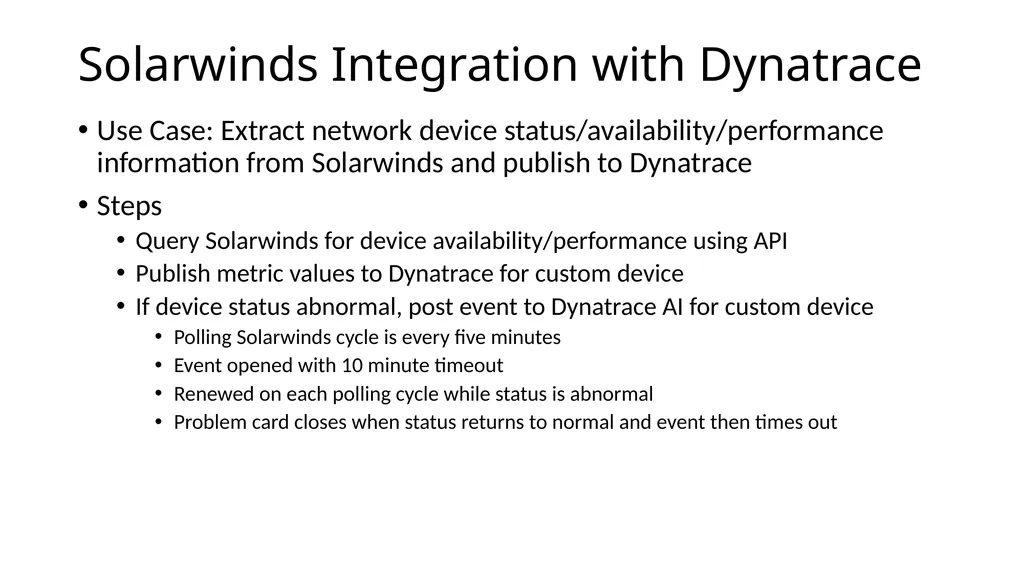
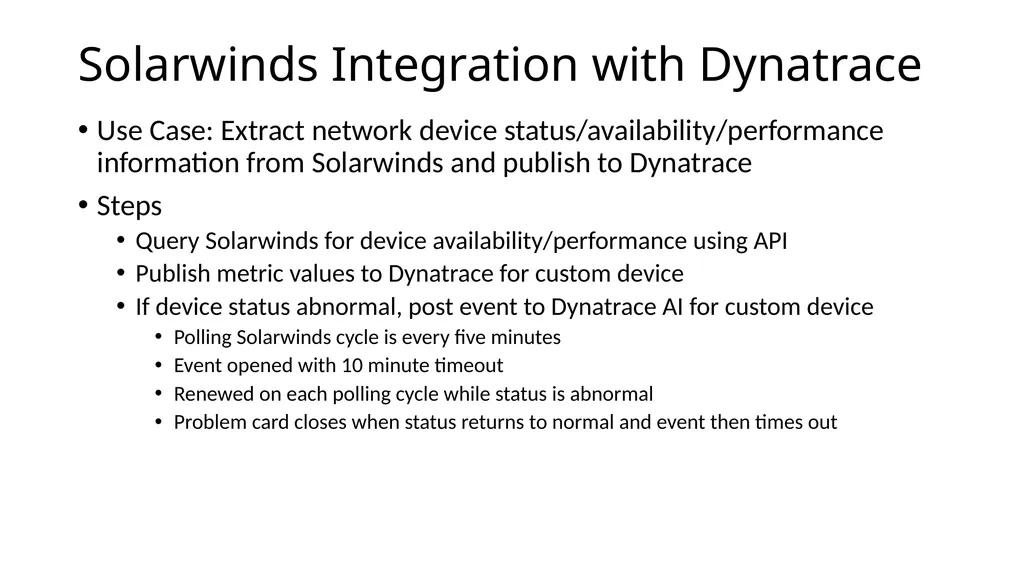
slide1. Solarwinds Integration with Dynatrace Use Case: Extract network device status/availability/performance information from Solarwinds and publish to Dynatrace
Steps
Query Solarwinds for device availability/performance using API
Publish metric values to Dynatrace for custom device
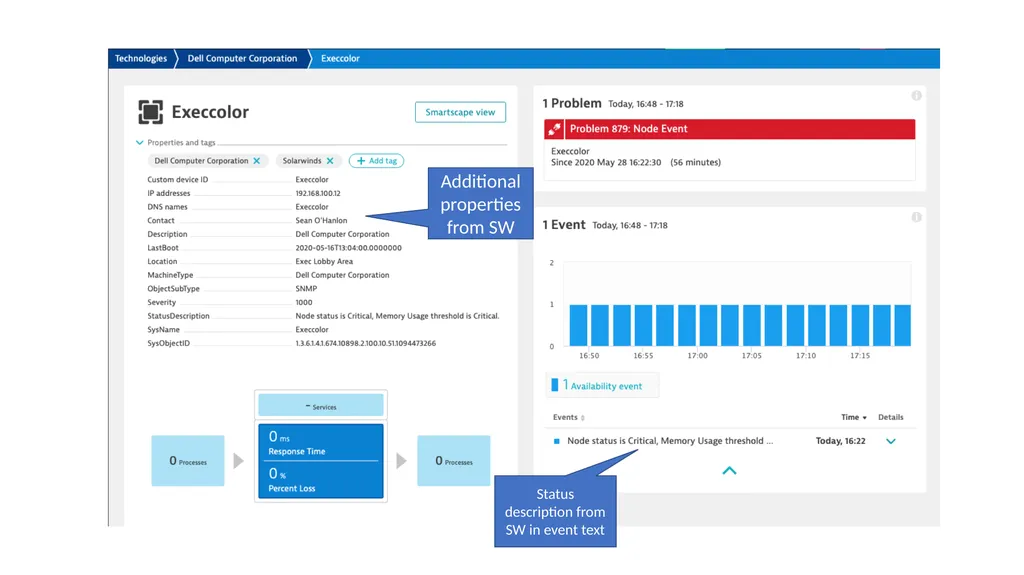
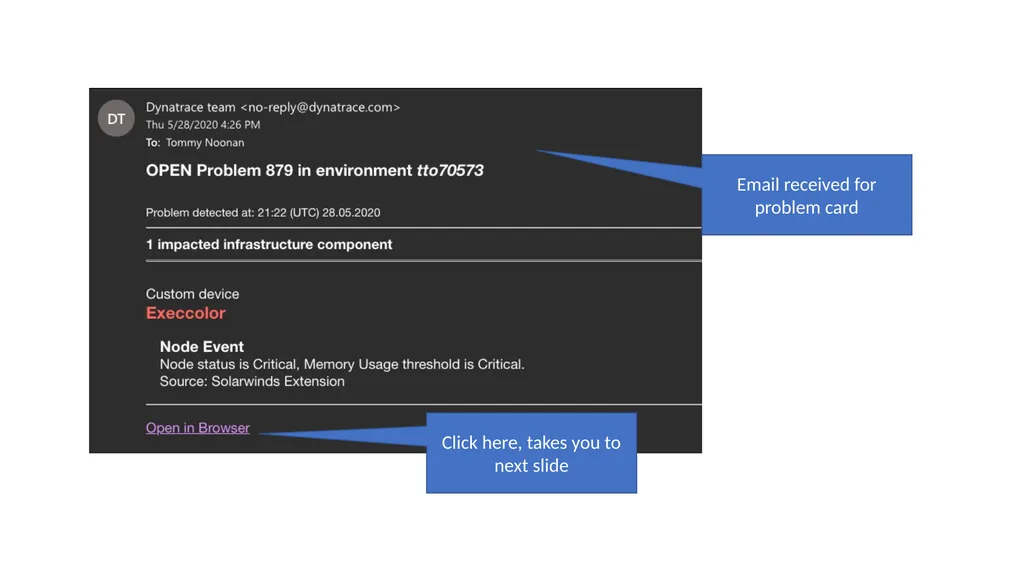
If device status abnormal, post event to Dynatrace AI for custom device
Polling Solarwinds cycle is every five minutes
Event opened with 10 minute timeout
Renewed on each polling cycle while status is abnormal
Problem card closes when status returns to normal and event then times out<br>
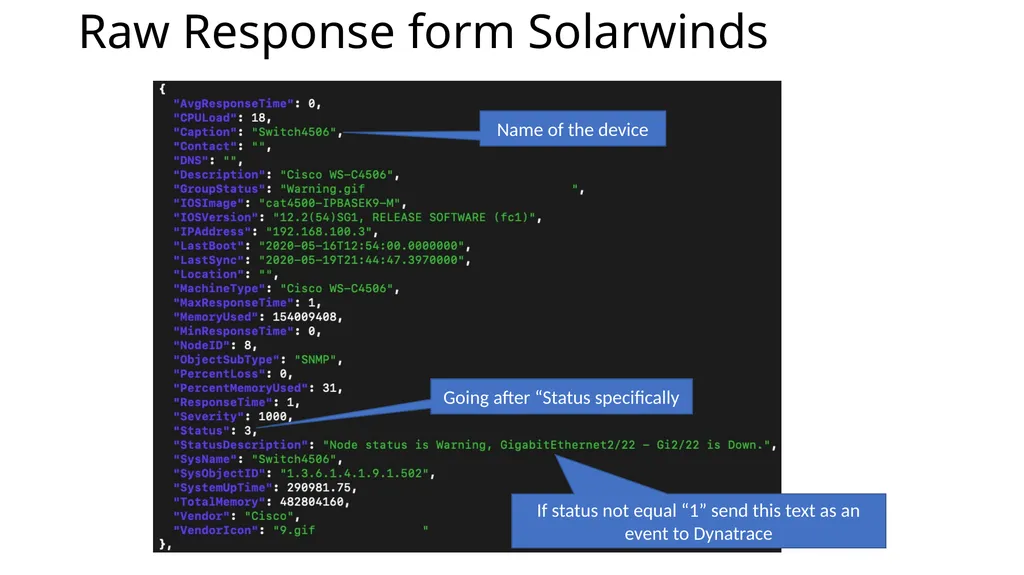
slide2. Raw Response form Solarwinds Going after “Status specifically Name of the device If status not equal “1” send this text as an event to Dynatrace<br>
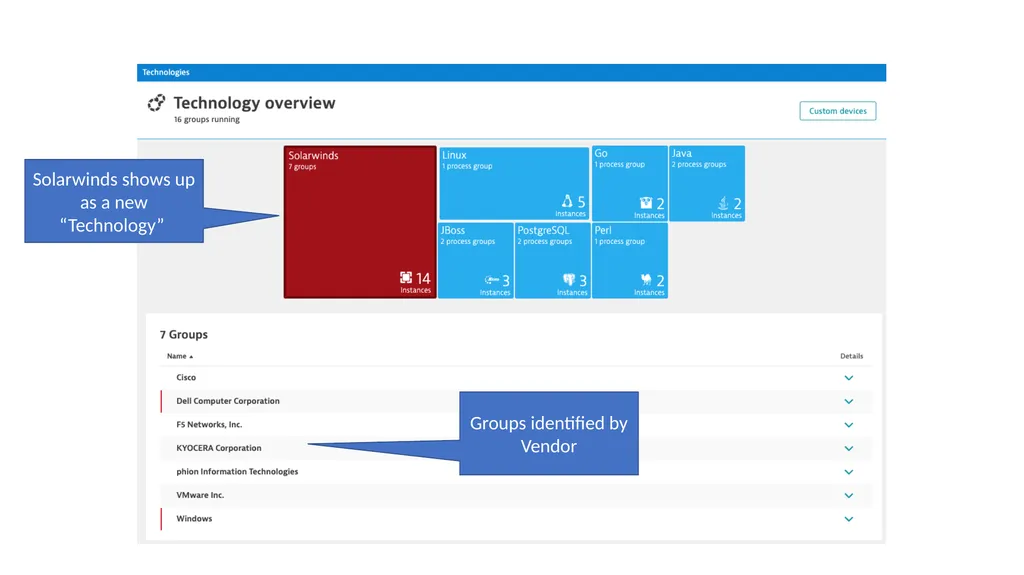
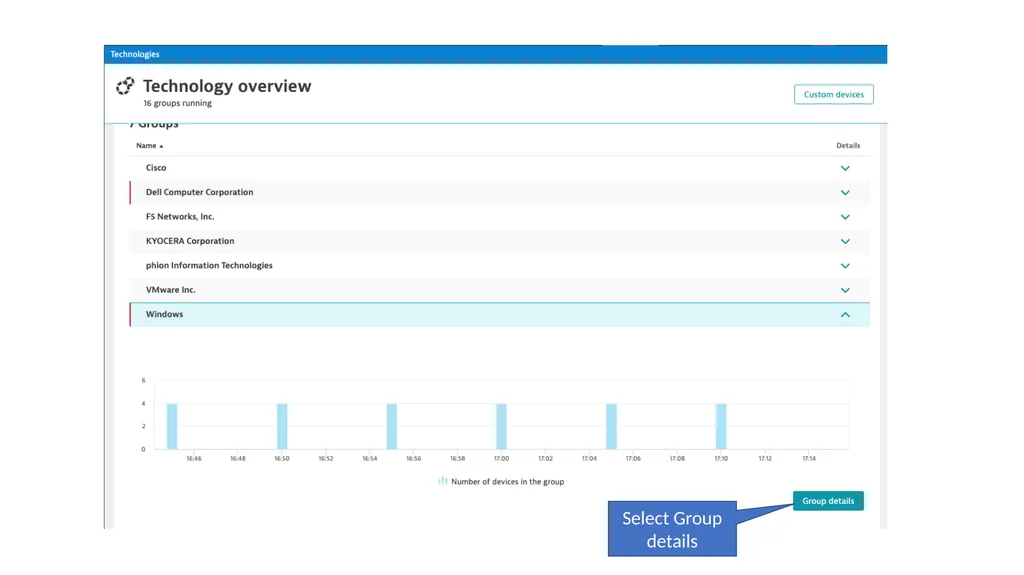
slide3. Solarwinds shows up as a new “Technology” Groups identified by Vendor<br>
slide4. Select Group details<br>
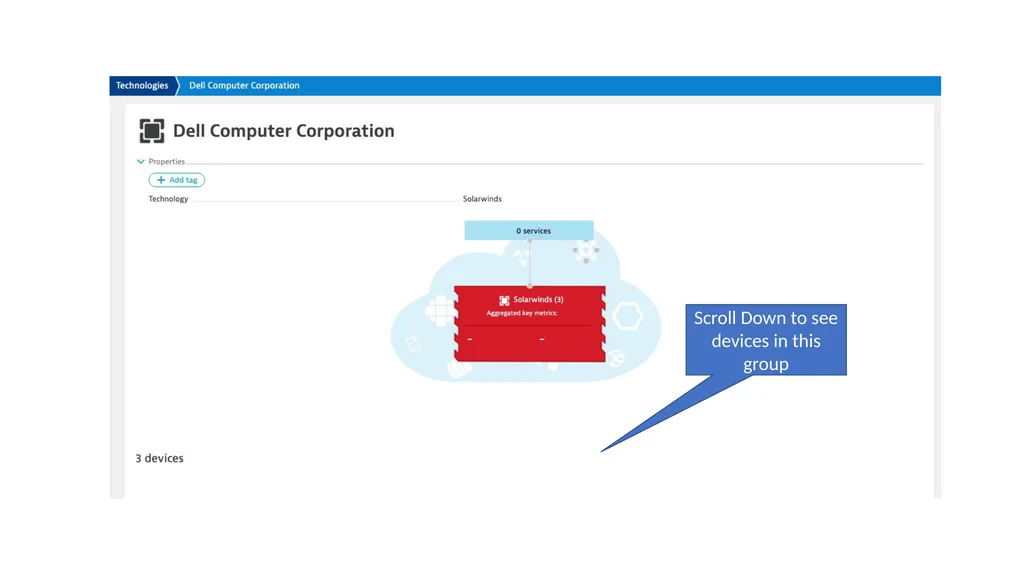
slide5. Scroll Down to see devices in this group<br>
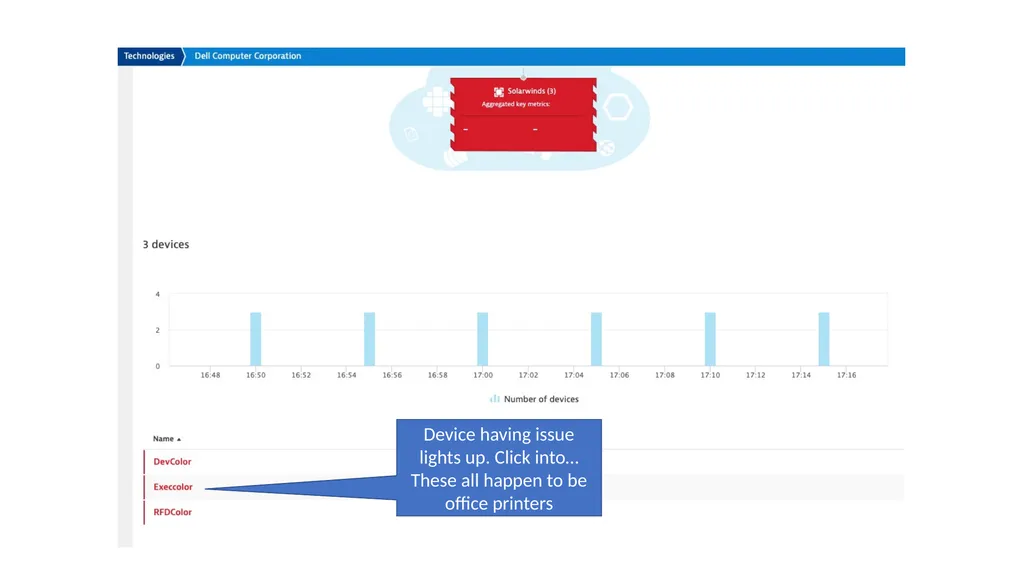
slide6. Device having issue lights up. Click into… These all happen to be office printers<br>
slide7. Additional properties from SW Status description from SW in event text<br>
slide8. Click here, takes you to next slide Email received for problem card<br>
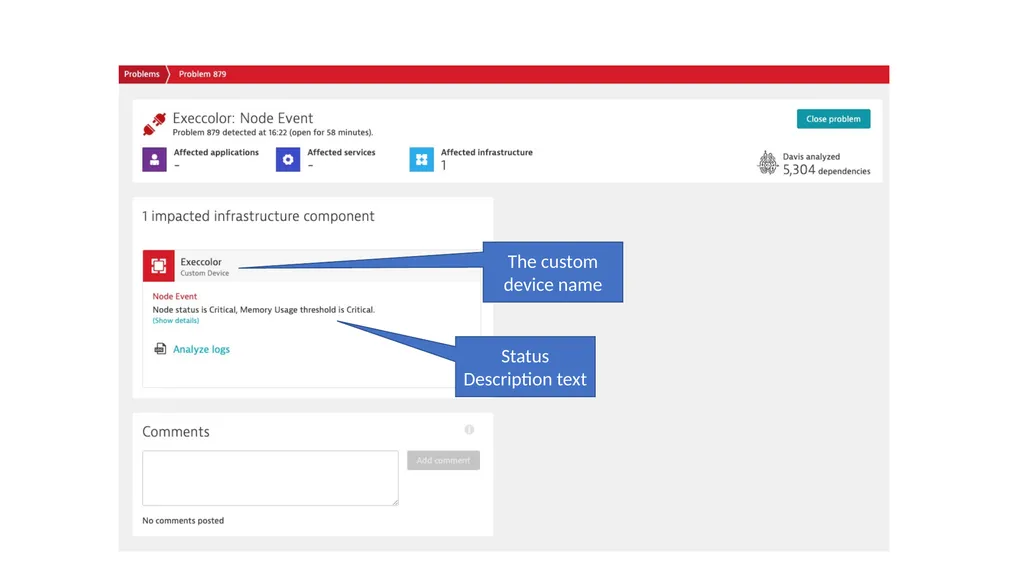
slide9. The custom device name Status Description text<br>
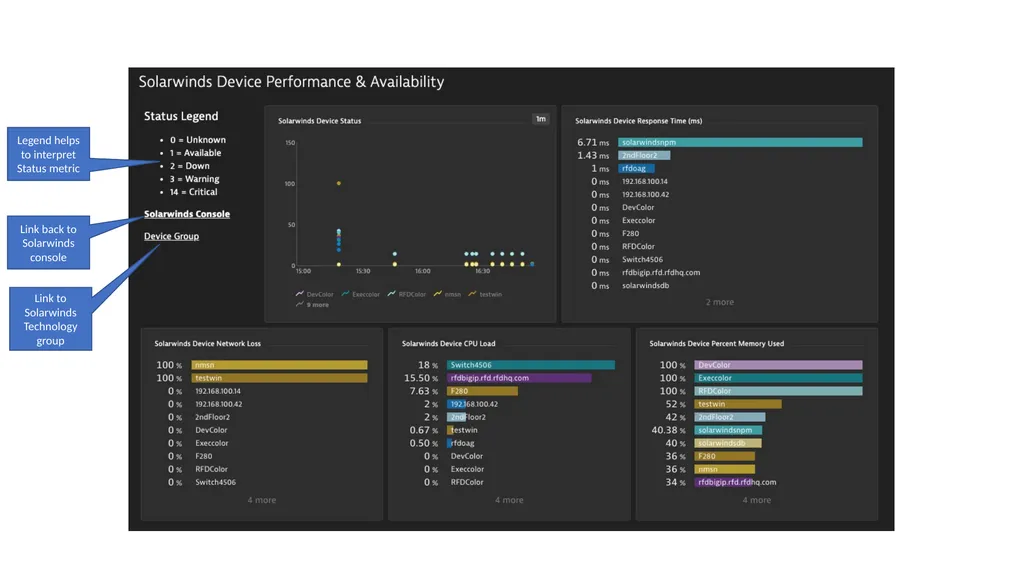
slide10. Link back to Solarwinds console Link to Solarwinds Technology group Legend helps to interpret Status metric<br>