
Spring/Summer 2024 Florida Statewide Assessments
BR
Published · 76 slides · 0 views

1 / 1


Description
SpringSummer 2024 Florida Statewide Assessments Training Materials for Test Administrators B.E.S.T. Writing Statewide Science FSA and FAST Retakes End-of-Course Assessments Florida Civic Literacy Exam Grades 310 FAST PM3 Overview These
Related Topics
Share
Embed code
Download this presentation From Below
"Spring/Summer 2024 Florida Statewide Assessments" is the property of its rightful owner. Permission is granted to download and print the materials on this website for personal, non-commercial use only, and to display it on your personal computer provided you do not modify the materials and that you retain all copyright notices contained in the materials. By downloading content from our website, you accept the terms of this agreement.
Presentation Transcript
01
Spring/Summer 2024
Florida Statewide Assessments
Training Materials
for Test Administrators B.E.S.T. Writing
Statewide Science
FSA and FAST Retakes End-of-Course Assessments
Florida Civic Literacy Exam Grades 3–10 FAST PM3<br>
Statewide Science
FSA and FAST Retakes End-of-Course Assessments
Florida Civic Literacy Exam Grades 3–10 FAST PM3<br>
02
Overview These training materials are based on the Spring/Summer 2024 Test Administration Manual (Spring/Summer 2024 Manual).
The manual is provided in an online format only and is posted to the Florida Statewide Assessments Portal.
This presentation is designed to highlight important information regarding test administration policies and procedures.
This presentation is not a replacement for reading the Spring/Summer 2024 Manual. 2<br>
The manual is provided in an online format only and is posted to the Florida Statewide Assessments Portal.
This presentation is designed to highlight important information regarding test administration policies and procedures.
This presentation is not a replacement for reading the Spring/Summer 2024 Manual. 2<br>
03
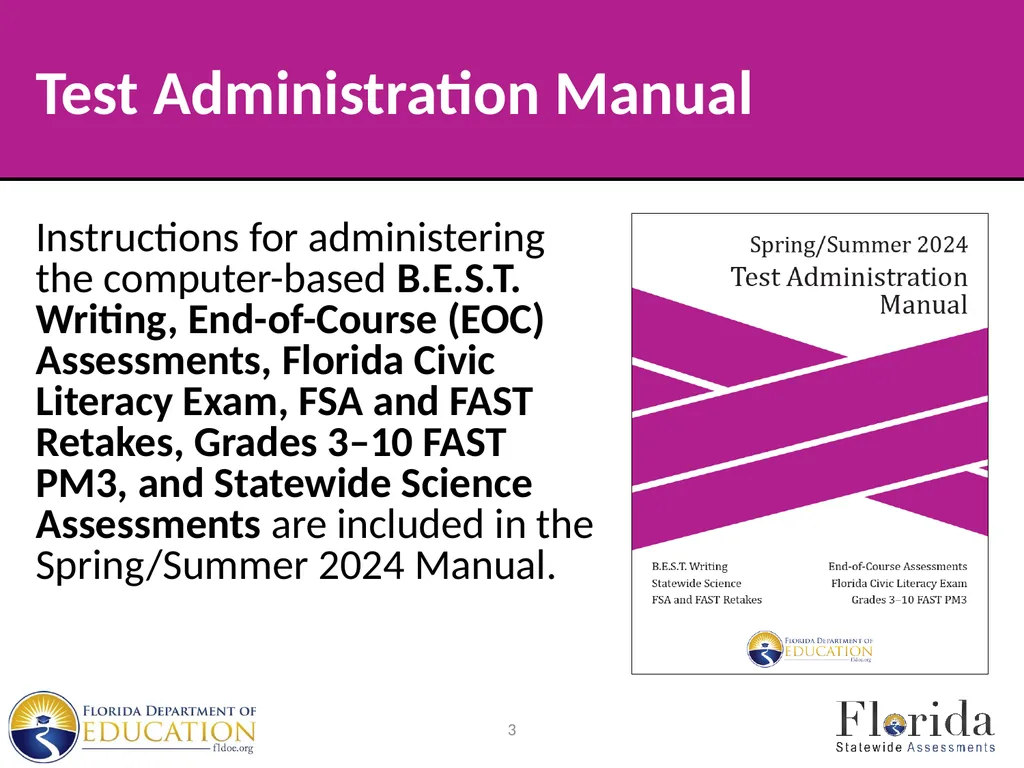
Test Administration Manual Instructions for administering the computer-based B.E.S.T. Writing, End-of-Course (EOC) Assessments, Florida Civic Literacy Exam, FSA and FAST Retakes, Grades 3–10 FAST PM3, and Statewide Science Assessments are included in the Spring/Summer 2024 Manual. 3<br>
04
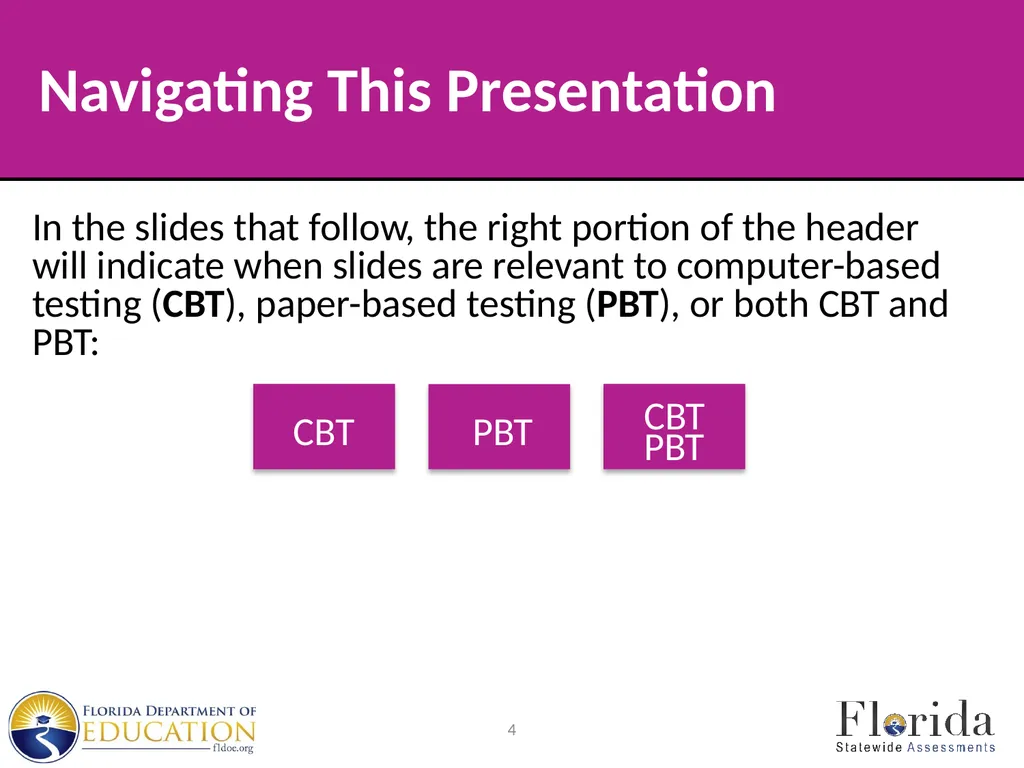
In the slides that follow, the right portion of the header will indicate when slides are relevant to computer-based testing (CBT), paper-based testing (PBT), or both CBT and PBT: 4 Navigating This Presentation<br>
05
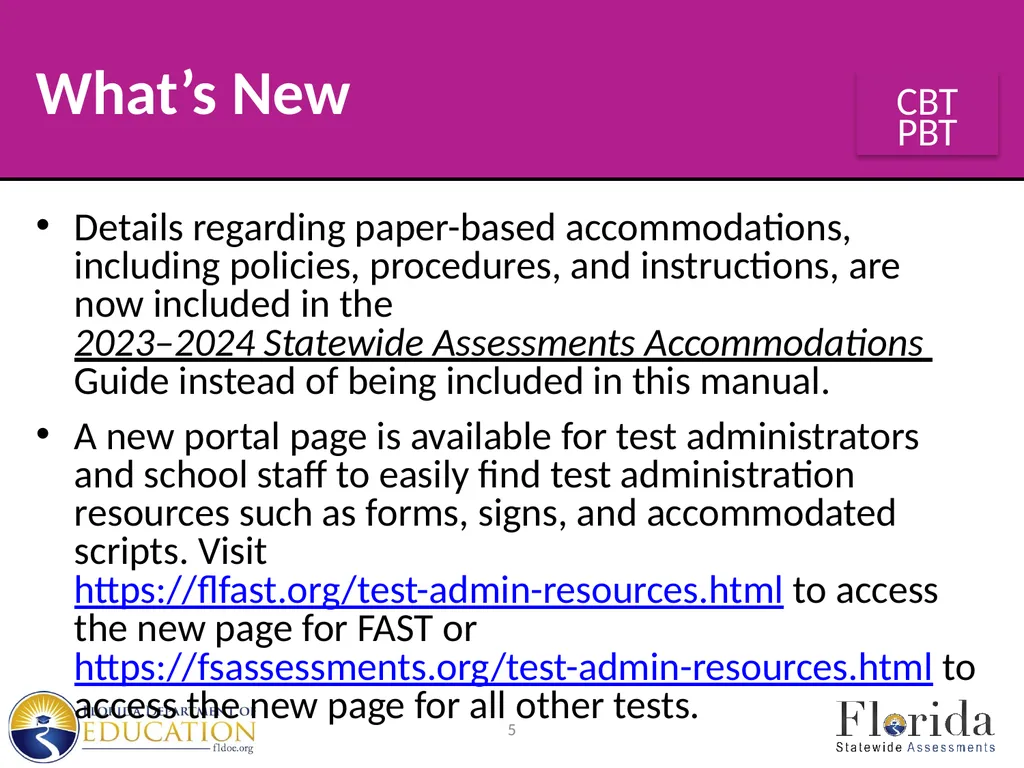
What’s New Details regarding paper-based accommodations, including policies, procedures, and instructions, are now included in the 2023–2024 Statewide Assessments Accommodations Guide instead of being included in this manual.
A new portal page is available for test administrators and school staff to easily find test administration resources such as forms, signs, and accommodated scripts. Visit https://flfast.org/test-admin-resources.html to access the new page for FAST or https://fsassessments.org/test-admin-resources.html to access the new page for all other tests. 5<br>
A new portal page is available for test administrators and school staff to easily find test administration resources such as forms, signs, and accommodated scripts. Visit https://flfast.org/test-admin-resources.html to access the new page for FAST or https://fsassessments.org/test-admin-resources.html to access the new page for all other tests. 5<br>
06
What’s New The Grades 5 and 8 Statewide Science Assessment has moved from a paper-based administration to a computer-based administration. Paper-based accommodations are available for eligible students with an Individual Education Plan (IEP) or Section 504 Plan.
Paper-based B.E.S.T. EOC and FAST Mathematics assessments no longer have response grids as these assessments are entered into the DEI instead of being scanned for scoring. To replace the grids, students will write responses for some items in a shaded response box. See the Paper-Based Sample Test Materials on the Florida Statewide Assessments Portal for more details. 6 PBT CBT<br>
Paper-based B.E.S.T. EOC and FAST Mathematics assessments no longer have response grids as these assessments are entered into the DEI instead of being scanned for scoring. To replace the grids, students will write responses for some items in a shaded response box. See the Paper-Based Sample Test Materials on the Florida Statewide Assessments Portal for more details. 6 PBT CBT<br>
07
What’s New Student responses for paper-based accommodations (regular print, large print, and one-item-per-page) for the FAST, Statewide Science, Biology 1, Civics, U.S. History, Benchmarks for Excellent Student Thinking (B.E.S.T.) End-of-Course (EOC) assessments, and the Florida Civic Literacy Exam (FCLE) will be entered by local personnel into the Data Entry Interface (DEI) for scoring.
Braille materials for these assessments may be entered locally into the DEI or may be returned to the contractor for transcription. 7<br>
Braille materials for these assessments may be entered locally into the DEI or may be returned to the contractor for transcription. 7<br>
08
Session Lengths by Subject
FSA ELA Retake
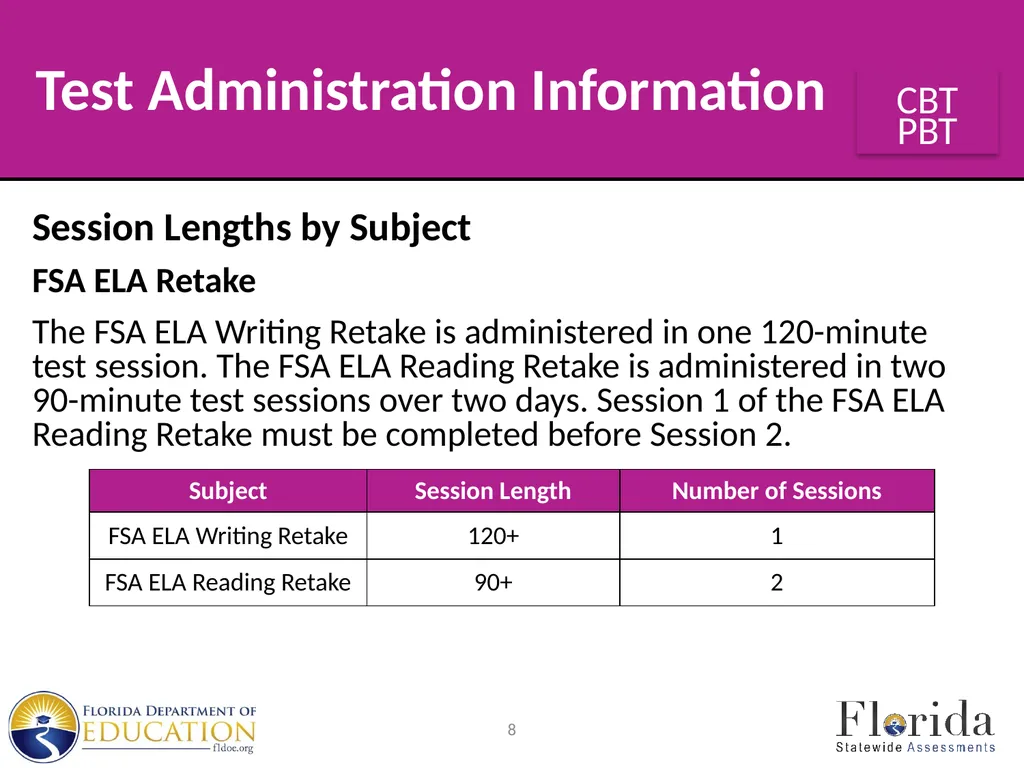
The FSA ELA Writing Retake is administered in one 120-minute test session. The FSA ELA Reading Retake is administered in two 90-minute test sessions over two days. Session 1 of the FSA ELA Reading Retake must be completed before Session 2. 8 Test Administration Information<br>
FSA ELA Retake
The FSA ELA Writing Retake is administered in one 120-minute test session. The FSA ELA Reading Retake is administered in two 90-minute test sessions over two days. Session 1 of the FSA ELA Reading Retake must be completed before Session 2. 8 Test Administration Information<br>
09
Session Lengths by Subject
FSA ELA Retake
For the ELA Writing Retake and ELA Reading Retake assessments, any student who has not completed a session by the end of the allotted time may continue working; however, each session may last no longer than half the length of a typical school day. 9 Test Administration Information<br>
FSA ELA Retake
For the ELA Writing Retake and ELA Reading Retake assessments, any student who has not completed a session by the end of the allotted time may continue working; however, each session may last no longer than half the length of a typical school day. 9 Test Administration Information<br>
10
Session Lengths by Subject
FSA Algebra 1 EOC Retake
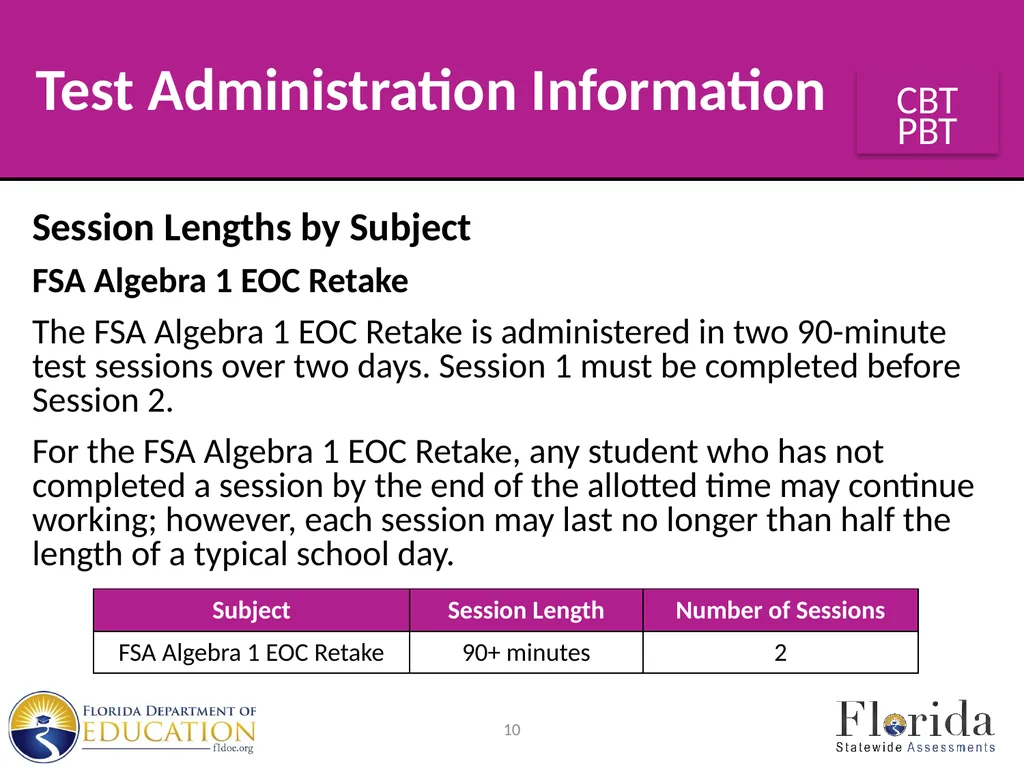
The FSA Algebra 1 EOC Retake is administered in two 90-minute test sessions over two days. Session 1 must be completed before Session 2.
For the FSA Algebra 1 EOC Retake, any student who has not completed a session by the end of the allotted time may continue working; however, each session may last no longer than half the length of a typical school day. 10 Test Administration Information<br>
FSA Algebra 1 EOC Retake
The FSA Algebra 1 EOC Retake is administered in two 90-minute test sessions over two days. Session 1 must be completed before Session 2.
For the FSA Algebra 1 EOC Retake, any student who has not completed a session by the end of the allotted time may continue working; however, each session may last no longer than half the length of a typical school day. 10 Test Administration Information<br>
11
Session Lengths by Subject
B.E.S.T. Writing
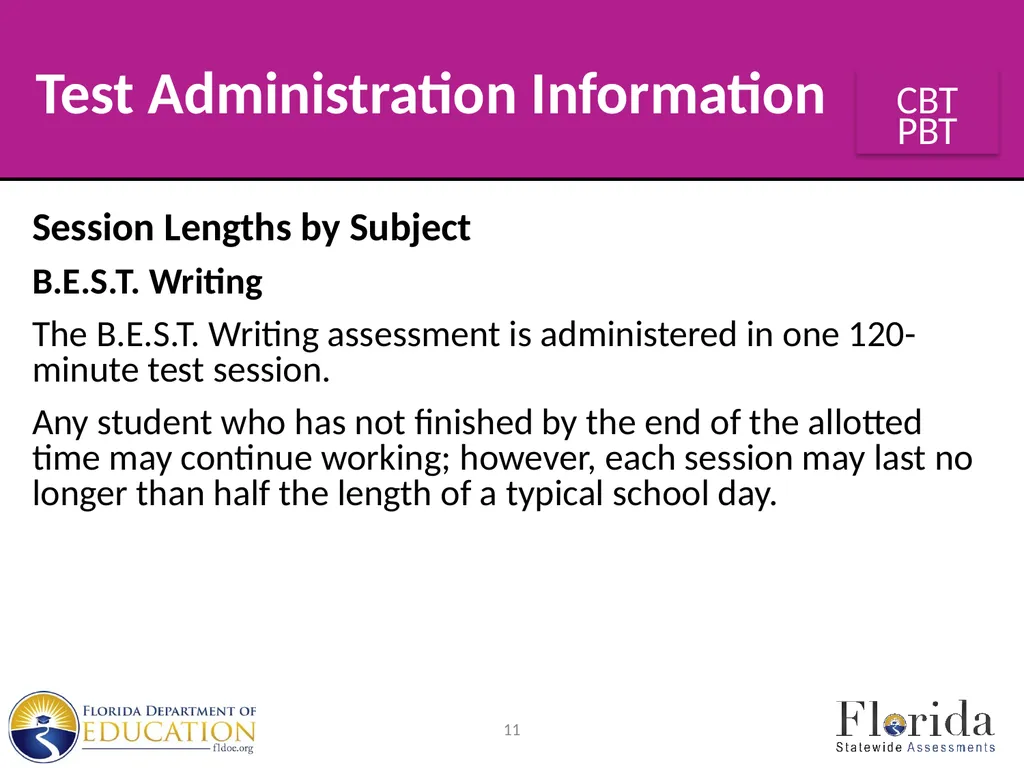
The B.E.S.T. Writing assessment is administered in one 120-minute test session.
Any student who has not finished by the end of the allotted time may continue working; however, each session may last no longer than half the length of a typical school day. 11 Test Administration Information<br>
B.E.S.T. Writing
The B.E.S.T. Writing assessment is administered in one 120-minute test session.
Any student who has not finished by the end of the allotted time may continue working; however, each session may last no longer than half the length of a typical school day. 11 Test Administration Information<br>
12
Session Lengths by Subject
B.E.S.T. Algebra 1 and Geometry EOC Assessments
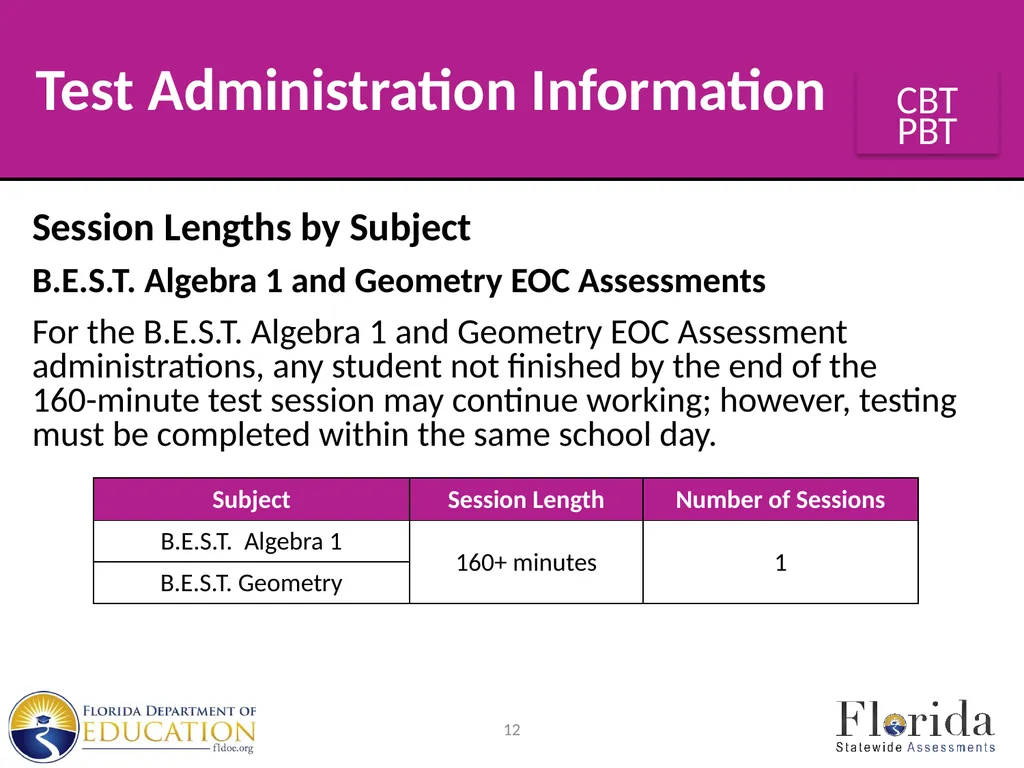
For the B.E.S.T. Algebra 1 and Geometry EOC Assessment administrations, any student not finished by the end of the 160-minute test session may continue working; however, testing must be completed within the same school day. 12 Test Administration Information<br>
B.E.S.T. Algebra 1 and Geometry EOC Assessments
For the B.E.S.T. Algebra 1 and Geometry EOC Assessment administrations, any student not finished by the end of the 160-minute test session may continue working; however, testing must be completed within the same school day. 12 Test Administration Information<br>
13
Session Lengths by Subject
Biology 1, Civics, and U.S. History EOC Assessments
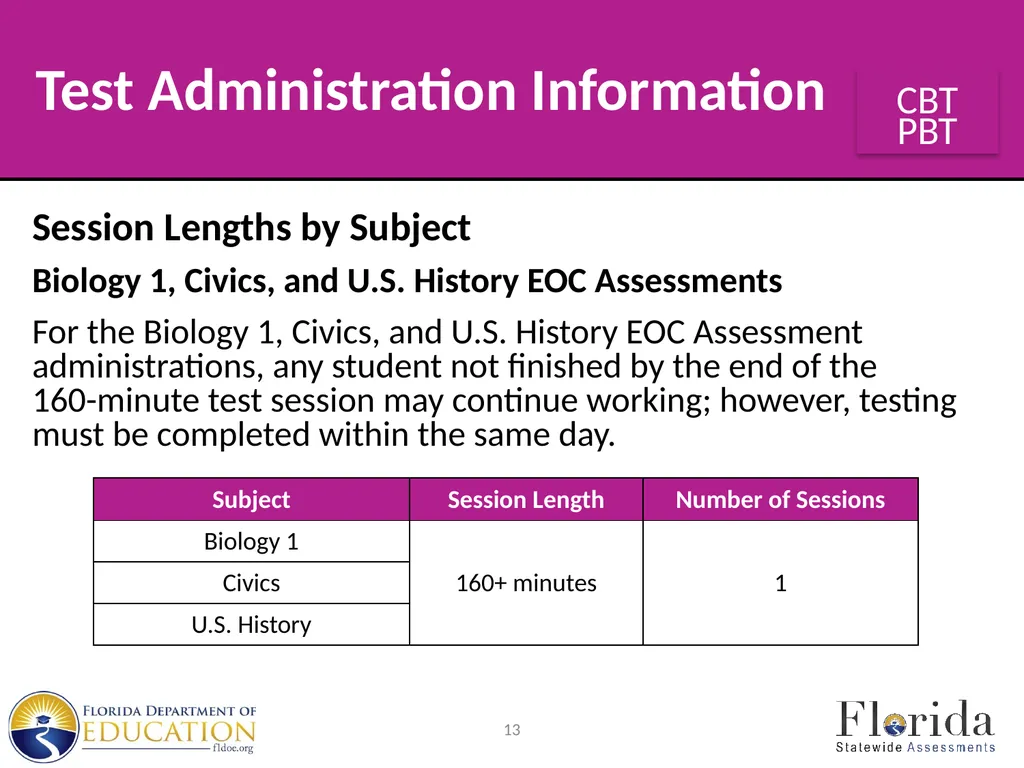
For the Biology 1, Civics, and U.S. History EOC Assessment administrations, any student not finished by the end of the 160-minute test session may continue working; however, testing must be completed within the same day. 13 Test Administration Information<br>
Biology 1, Civics, and U.S. History EOC Assessments
For the Biology 1, Civics, and U.S. History EOC Assessment administrations, any student not finished by the end of the 160-minute test session may continue working; however, testing must be completed within the same day. 13 Test Administration Information<br>
14
Session Lengths by Subject
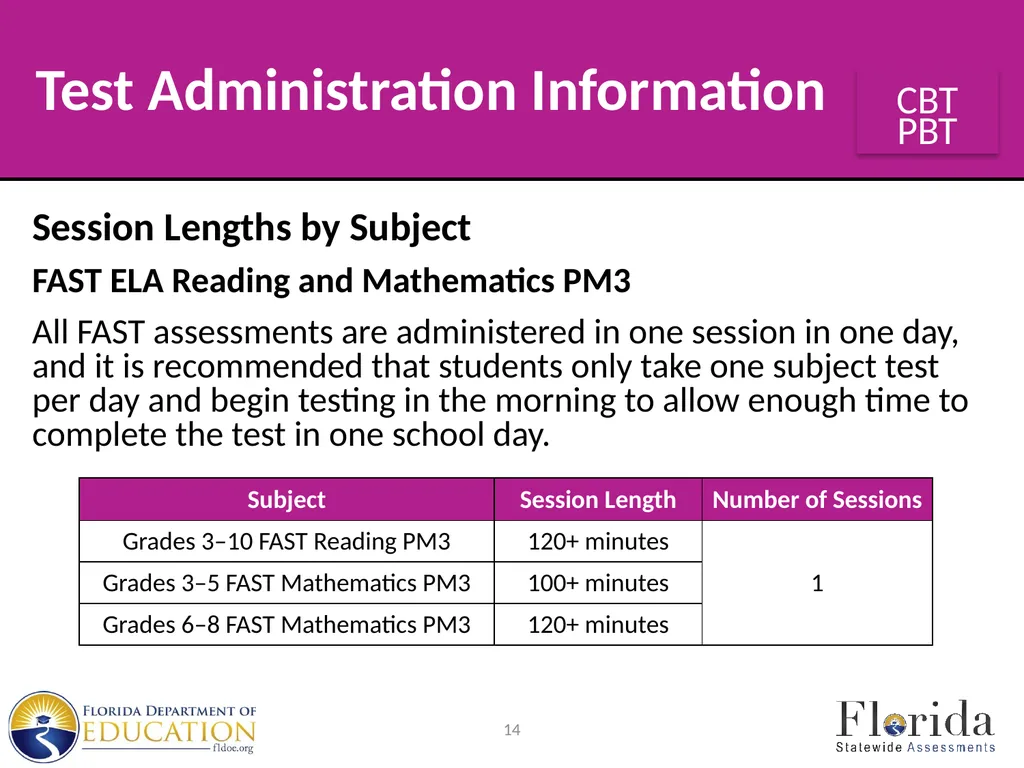
FAST ELA Reading and Mathematics PM3
All FAST assessments are administered in one session in one day, and it is recommended that students only take one subject test per day and begin testing in the morning to allow enough time to complete the test in one school day. 14 Test Administration Information<br>
FAST ELA Reading and Mathematics PM3
All FAST assessments are administered in one session in one day, and it is recommended that students only take one subject test per day and begin testing in the morning to allow enough time to complete the test in one school day. 14 Test Administration Information<br>
15
Session Lengths by Subject
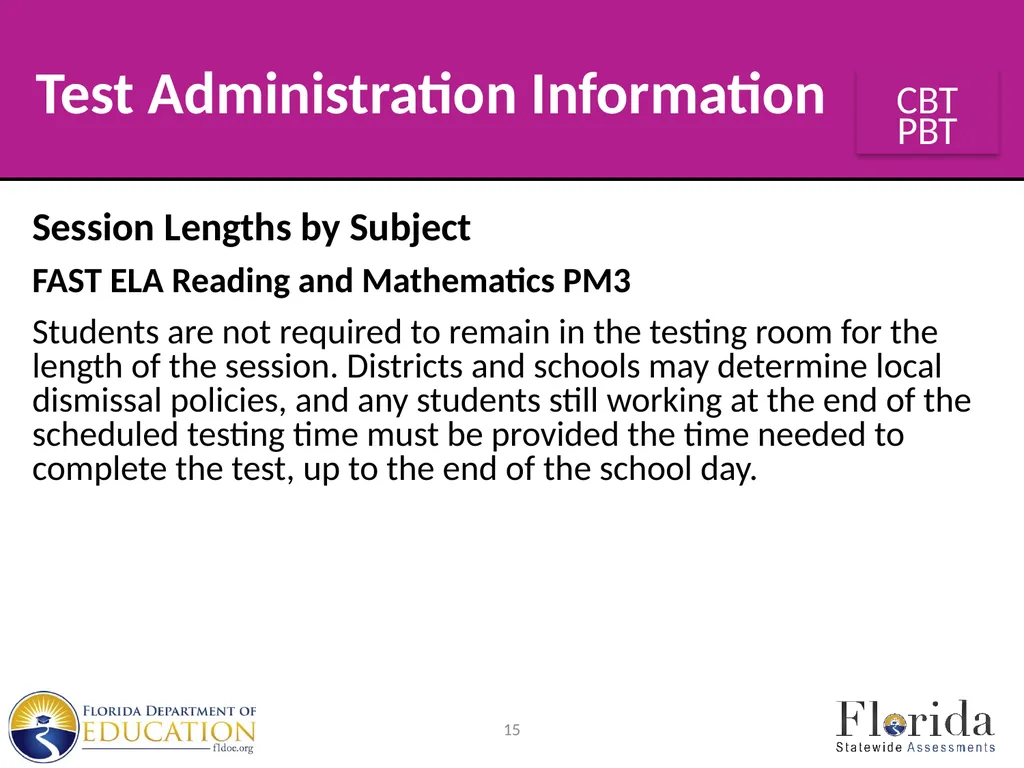
FAST ELA Reading and Mathematics PM3
Students are not required to remain in the testing room for the length of the session. Districts and schools may determine local dismissal policies, and any students still working at the end of the scheduled testing time must be provided the time needed to complete the test, up to the end of the school day. 15 Test Administration Information<br>
FAST ELA Reading and Mathematics PM3
Students are not required to remain in the testing room for the length of the session. Districts and schools may determine local dismissal policies, and any students still working at the end of the scheduled testing time must be provided the time needed to complete the test, up to the end of the school day. 15 Test Administration Information<br>
16
Session Lengths by Subject
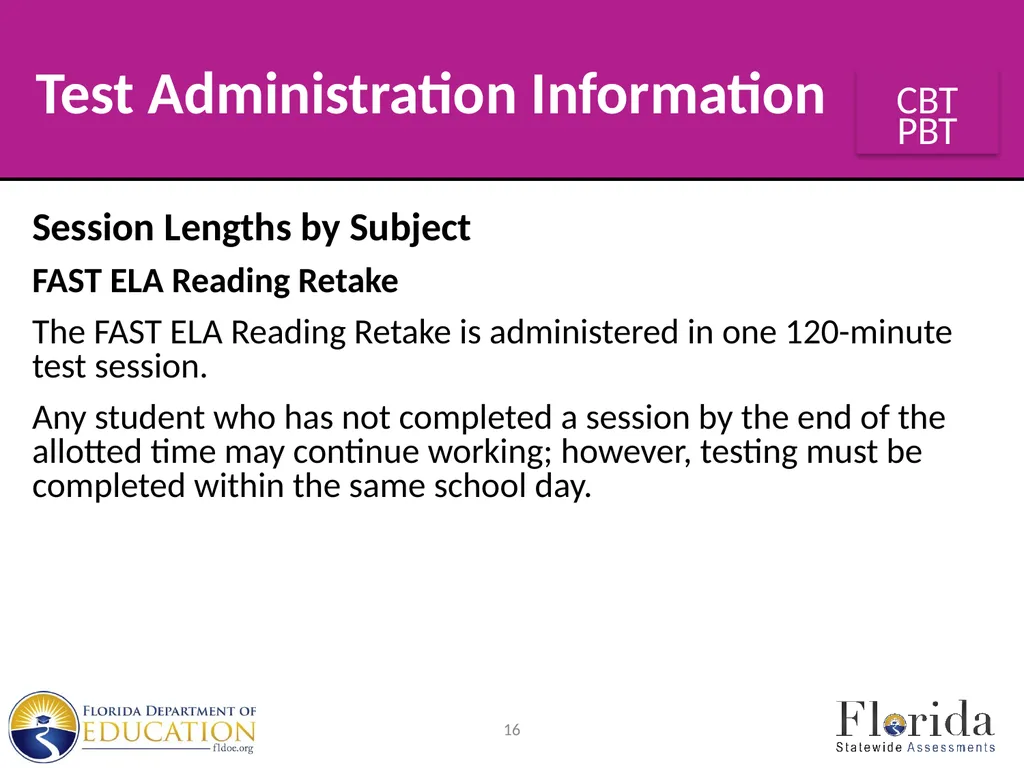
FAST ELA Reading Retake
The FAST ELA Reading Retake is administered in one 120-minute test session.
Any student who has not completed a session by the end of the allotted time may continue working; however, testing must be completed within the same school day. 16 Test Administration Information<br>
FAST ELA Reading Retake
The FAST ELA Reading Retake is administered in one 120-minute test session.
Any student who has not completed a session by the end of the allotted time may continue working; however, testing must be completed within the same school day. 16 Test Administration Information<br>
17
Session Lengths by Subject
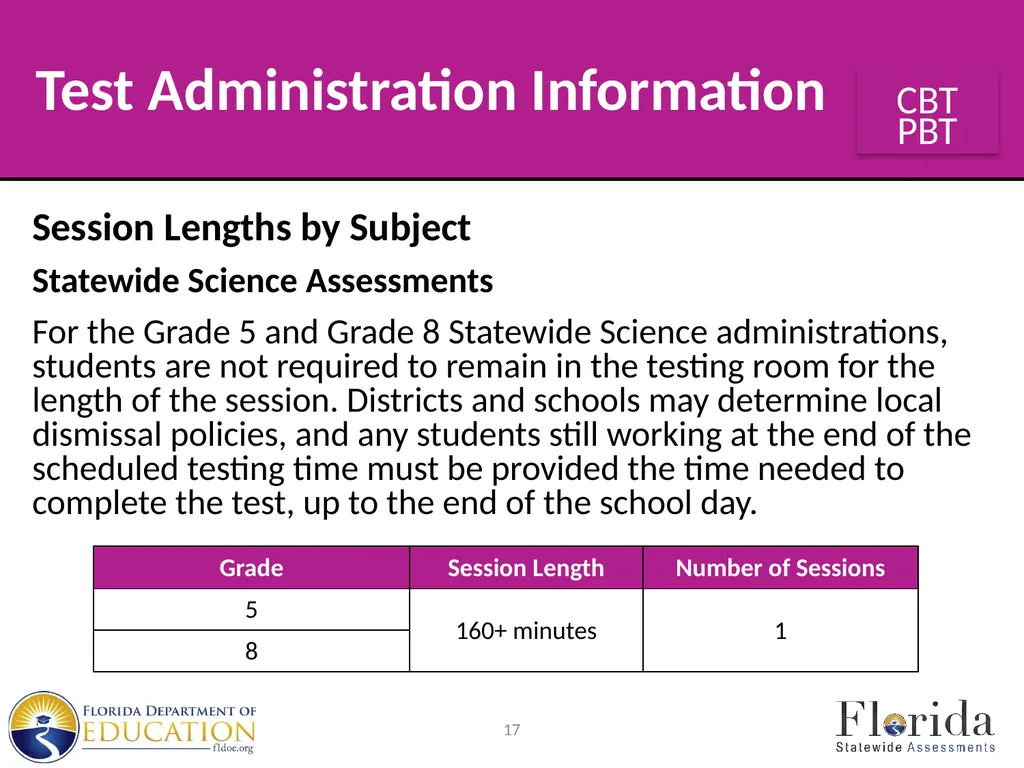
Statewide Science Assessments
For the Grade 5 and Grade 8 Statewide Science administrations, students are not required to remain in the testing room for the length of the session. Districts and schools may determine local dismissal policies, and any students still working at the end of the scheduled testing time must be provided the time needed to complete the test, up to the end of the school day. 17 Test Administration Information<br>
Statewide Science Assessments
For the Grade 5 and Grade 8 Statewide Science administrations, students are not required to remain in the testing room for the length of the session. Districts and schools may determine local dismissal policies, and any students still working at the end of the scheduled testing time must be provided the time needed to complete the test, up to the end of the school day. 17 Test Administration Information<br>
18
Session Lengths by Subject
Florida Civic Literacy Exam
For the Florida Civic Literacy Exam (FCLE) is administered in one 160-minute test session. Any student who has not finished by the end of the allotted time may continue working; however, each session may last no longer than half the length of a typical school day. 18 Test Administration Information<br>
Florida Civic Literacy Exam
For the Florida Civic Literacy Exam (FCLE) is administered in one 160-minute test session. Any student who has not finished by the end of the allotted time may continue working; however, each session may last no longer than half the length of a typical school day. 18 Test Administration Information<br>
19
General Information
about Accommodations The 2023–2024 Statewide Assessments Accommodations Guide provides information concerning allowable accommodations for students with disabilities and for students who are identified as ELLs or recently exited ELLs.
The test administrator and the school assessment coordinator are responsible for ensuring that arrangements for accommodations have been made prior to the test administration dates.
Refer to the 2023–2024 Statewide Assessments Accommodations Guide for information and instructions about accommodated paper-based assessments. 19<br>
The test administrator and the school assessment coordinator are responsible for ensuring that arrangements for accommodations have been made prior to the test administration dates.
Refer to the 2023–2024 Statewide Assessments Accommodations Guide for information and instructions about accommodated paper-based assessments. 19<br>
20
General Information
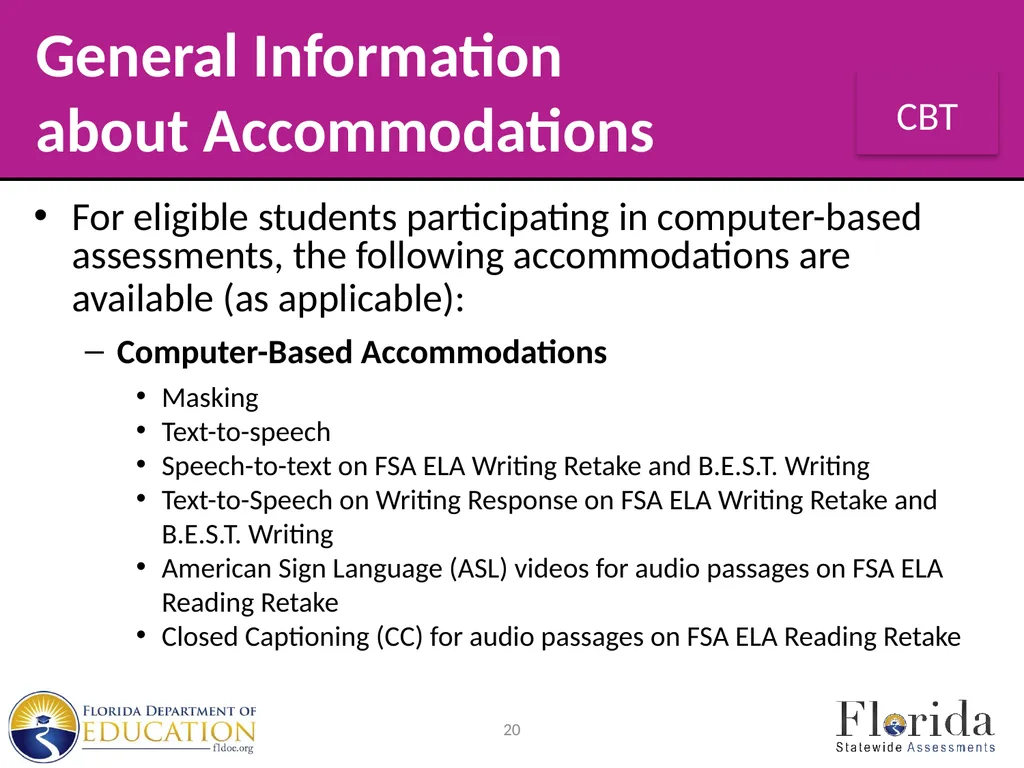
about Accommodations For eligible students participating in computer-based assessments, the following accommodations are available (as applicable):
Computer-Based Accommodations
Masking
Text-to-speech
Speech-to-text on FSA ELA Writing Retake and B.E.S.T. Writing
Text-to-Speech on Writing Response on FSA ELA Writing Retake and B.E.S.T. Writing
American Sign Language (ASL) videos for audio passages on FSA ELA Reading Retake
Closed Captioning (CC) for audio passages on FSA ELA Reading Retake 20<br>
Computer-Based Accommodations
Masking
Text-to-speech
Speech-to-text on FSA ELA Writing Retake and B.E.S.T. Writing
Text-to-Speech on Writing Response on FSA ELA Writing Retake and B.E.S.T. Writing
American Sign Language (ASL) videos for audio passages on FSA ELA Reading Retake
Closed Captioning (CC) for audio passages on FSA ELA Reading Retake 20<br>
21
General Information
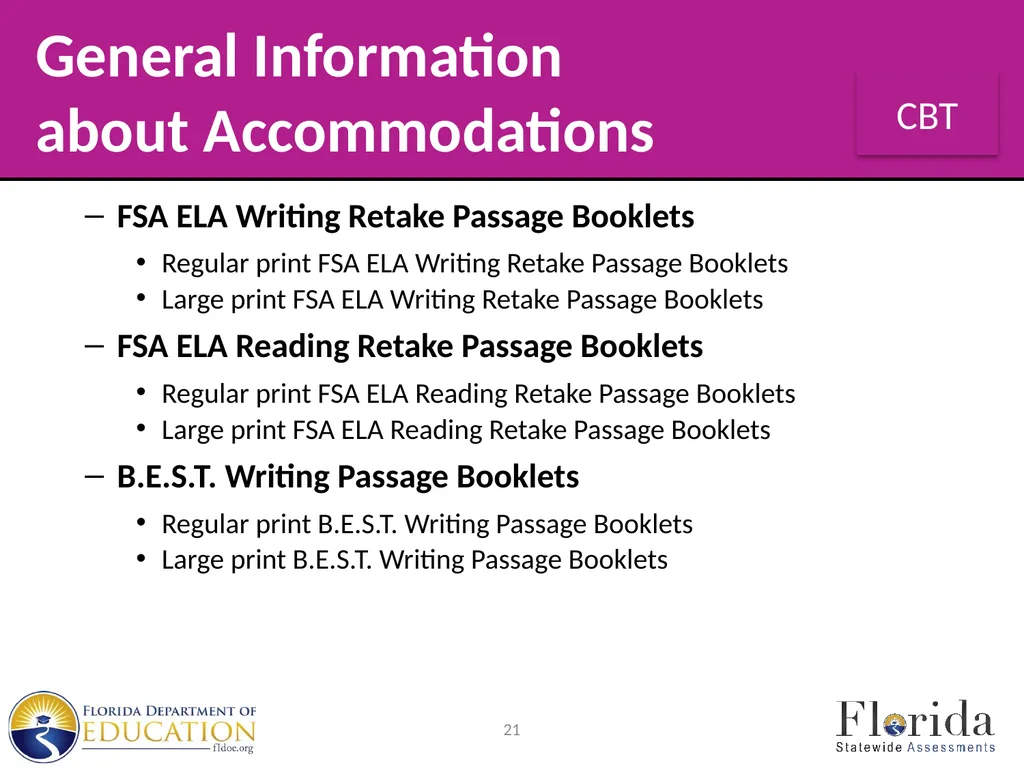
about Accommodations FSA ELA Writing Retake Passage Booklets
Regular print FSA ELA Writing Retake Passage Booklets
Large print FSA ELA Writing Retake Passage Booklets
FSA ELA Reading Retake Passage Booklets
Regular print FSA ELA Reading Retake Passage Booklets
Large print FSA ELA Reading Retake Passage Booklets
B.E.S.T. Writing Passage Booklets
Regular print B.E.S.T. Writing Passage Booklets
Large print B.E.S.T. Writing Passage Booklets 21<br>
Regular print FSA ELA Writing Retake Passage Booklets
Large print FSA ELA Writing Retake Passage Booklets
FSA ELA Reading Retake Passage Booklets
Regular print FSA ELA Reading Retake Passage Booklets
Large print FSA ELA Reading Retake Passage Booklets
B.E.S.T. Writing Passage Booklets
Regular print B.E.S.T. Writing Passage Booklets
Large print B.E.S.T. Writing Passage Booklets 21<br>
22
Make-Up Test
Administration Procedures All security and administration procedures must be followed while conducting make-up tests.
Please remember that after any administration, initial or make-up, secure materials must be returned immediately to the school assessment coordinator and placed in locked storage.
Secure materials must never remain in classrooms or be removed from the school’s campus overnight.
For FSA ELA Reading Retake and FSA Algebra 1 EOC Retake assessments, sessions must be completed in the designated order. Session 1 must be completed before Session 2. 22<br>
Please remember that after any administration, initial or make-up, secure materials must be returned immediately to the school assessment coordinator and placed in locked storage.
Secure materials must never remain in classrooms or be removed from the school’s campus overnight.
For FSA ELA Reading Retake and FSA Algebra 1 EOC Retake assessments, sessions must be completed in the designated order. Session 1 must be completed before Session 2. 22<br>
23
Test Materials Students participating in a CBT administration receive the following materials, as applicable:
Writing Planning Sheets
B.E.S.T. Writing, FSA ELA Writing Retake, and FSA ELA Reading Retake Passage Booklets
CBT Worksheets
CBT Work Folders
Scratch Paper
Audio Transcripts
For more information on these test materials, see pages 11–13 of the Spring/Summer 2024 Manual. 23<br>
Writing Planning Sheets
B.E.S.T. Writing, FSA ELA Writing Retake, and FSA ELA Reading Retake Passage Booklets
CBT Worksheets
CBT Work Folders
Scratch Paper
Audio Transcripts
For more information on these test materials, see pages 11–13 of the Spring/Summer 2024 Manual. 23<br>
24
Test Materials Secure Testing Materials
All materials used by students during testing, including planning sheets, passage booklets, worksheets, and work folders, must be collected and kept in a secure location after testing. 24<br>
All materials used by students during testing, including planning sheets, passage booklets, worksheets, and work folders, must be collected and kept in a secure location after testing. 24<br>
25
Calculators B.E.S.T. Algebra 1 and Geometry EOCs
The B.E.S.T. Algebra 1 and Geometry EOCs include a scientific calculator in the secure browser.
Handheld scientific calculators may be used by students.
Students who will test using paper-based accommodations must be provided approved handheld scientific calculators.
The Calculator and Reference Sheet Policies for Florida Statewide Assessments document includes a list of required and prohibited calculator functionalities as well as a list of FDOE-approved calculators. 25<br>
The B.E.S.T. Algebra 1 and Geometry EOCs include a scientific calculator in the secure browser.
Handheld scientific calculators may be used by students.
Students who will test using paper-based accommodations must be provided approved handheld scientific calculators.
The Calculator and Reference Sheet Policies for Florida Statewide Assessments document includes a list of required and prohibited calculator functionalities as well as a list of FDOE-approved calculators. 25<br>
26
Calculators FSA Algebra 1 EOC Retake
The FSA Algebra 1 EOC Retake assessment includes a scientific calculator in the secure browser. The scientific calculator is only available for Session 2.
Handheld scientific calculators may be use by students during Session 2 only.
Students who will test using paper-based accommodations must be provided approved handheld scientific calculators for Session 2.
The Calculator and Reference Sheet Policies for Florida Statewide Assessments document includes a list of required and prohibited calculator functionalities as well as a list of FDOE-approved calculators. 26<br>
The FSA Algebra 1 EOC Retake assessment includes a scientific calculator in the secure browser. The scientific calculator is only available for Session 2.
Handheld scientific calculators may be use by students during Session 2 only.
Students who will test using paper-based accommodations must be provided approved handheld scientific calculators for Session 2.
The Calculator and Reference Sheet Policies for Florida Statewide Assessments document includes a list of required and prohibited calculator functionalities as well as a list of FDOE-approved calculators. 26<br>
27
Calculators Biology 1 EOC, Grade 6 FAST Mathematics,
and Grade 8 Statewide Science
The Biology 1 EOC, Grade 6 FAST Mathematics, and Grade 8 Statewide Science assessments include a four-function calculator in the secure browser.
Handheld four-function calculators may be used by students.
Each district should have an adequate supply of handheld four-function calculators, and districts can order more calculators as needed to distribute to schools. 27<br>
The Biology 1 EOC, Grade 6 FAST Mathematics, and Grade 8 Statewide Science assessments include a four-function calculator in the secure browser.
Handheld four-function calculators may be used by students.
Each district should have an adequate supply of handheld four-function calculators, and districts can order more calculators as needed to distribute to schools. 27<br>
28
Calculators Biology 1 EOC, Grade 6 FAST Mathematics,
and Grade 8 Statewide Science (cont.)
Students who will test using paper-based accommodations must be provided approved handheld four-function calculators.
The Calculator and Reference Sheet Policies for Florida Statewide Assessments document includes a list of required and prohibited calculator functionalities as well as a list of FDOE-approved calculators. 28<br>
Students who will test using paper-based accommodations must be provided approved handheld four-function calculators.
The Calculator and Reference Sheet Policies for Florida Statewide Assessments document includes a list of required and prohibited calculator functionalities as well as a list of FDOE-approved calculators. 28<br>
29
Reference Sheets Reference sheets are provided for the B.E.S.T. Algebra 1 and Geometry EOC assessments, Grades 4–8 FAST Mathematics, and the FSA Algebra 1 EOC Retake in the secure browser for computer-based tests.
Schools may provide hard copy reference sheets to students.
Schools must ensure students taking the B.E.S.T. Algebra 1 EOC are provided the corresponding reference sheet and not the FSA Algebra 1 EOC reference sheet, or vice versa. Care must be taken to provide the correct reference sheet. Providing the incorrect reference sheet may result in invalidations.
For more information on reference sheets, see page 14 of the Spring/Summer 2024 Manual. 29<br>
Schools may provide hard copy reference sheets to students.
Schools must ensure students taking the B.E.S.T. Algebra 1 EOC are provided the corresponding reference sheet and not the FSA Algebra 1 EOC reference sheet, or vice versa. Care must be taken to provide the correct reference sheet. Providing the incorrect reference sheet may result in invalidations.
For more information on reference sheets, see page 14 of the Spring/Summer 2024 Manual. 29<br>
30
Periodic Table The Periodic Table of the Elements for the Biology 1 EOC and Grade 8 Statewide Science assessments is provided in an online format for computer-based testing. The periodic table is displayed in a pop-up window in the secure browser.
The periodic table is also provided in Appendix C of the Spring/Summer 2024 Manual and on the portal.
Schools may provide hard copy periodic tables to students taking the computer-based Biology 1 EOC and Grade 8 Statewide Science assessments.
Students who will test using a paper-based accommodation are provided paper copies from the contractor separate from their test and response book.
For more information on the periodic table, see pages 14–15 of the Spring/Summer 2024 Manual. 30<br>
The periodic table is also provided in Appendix C of the Spring/Summer 2024 Manual and on the portal.
Schools may provide hard copy periodic tables to students taking the computer-based Biology 1 EOC and Grade 8 Statewide Science assessments.
Students who will test using a paper-based accommodation are provided paper copies from the contractor separate from their test and response book.
For more information on the periodic table, see pages 14–15 of the Spring/Summer 2024 Manual. 30<br>
31
Test Materials Headphones/Earbuds
Students must have headphones or earbuds for both sessions of FSA ELA Reading Retake (including PBT accommodations).
While there are no technical specifications for headphones or earbuds, please check the Technology Guide for additional guidance.
Due to security concerns, bluetooth/wireless headphones are not permitted.
Plug headphones or earbuds in and adjust system volume prior to launching the secure browser on each day of testing.
For more information on headphones/earbuds, see page 15 of the Spring/Summer 2024 Manual. 31<br>
Students must have headphones or earbuds for both sessions of FSA ELA Reading Retake (including PBT accommodations).
While there are no technical specifications for headphones or earbuds, please check the Technology Guide for additional guidance.
Due to security concerns, bluetooth/wireless headphones are not permitted.
Plug headphones or earbuds in and adjust system volume prior to launching the secure browser on each day of testing.
For more information on headphones/earbuds, see page 15 of the Spring/Summer 2024 Manual. 31<br>
32
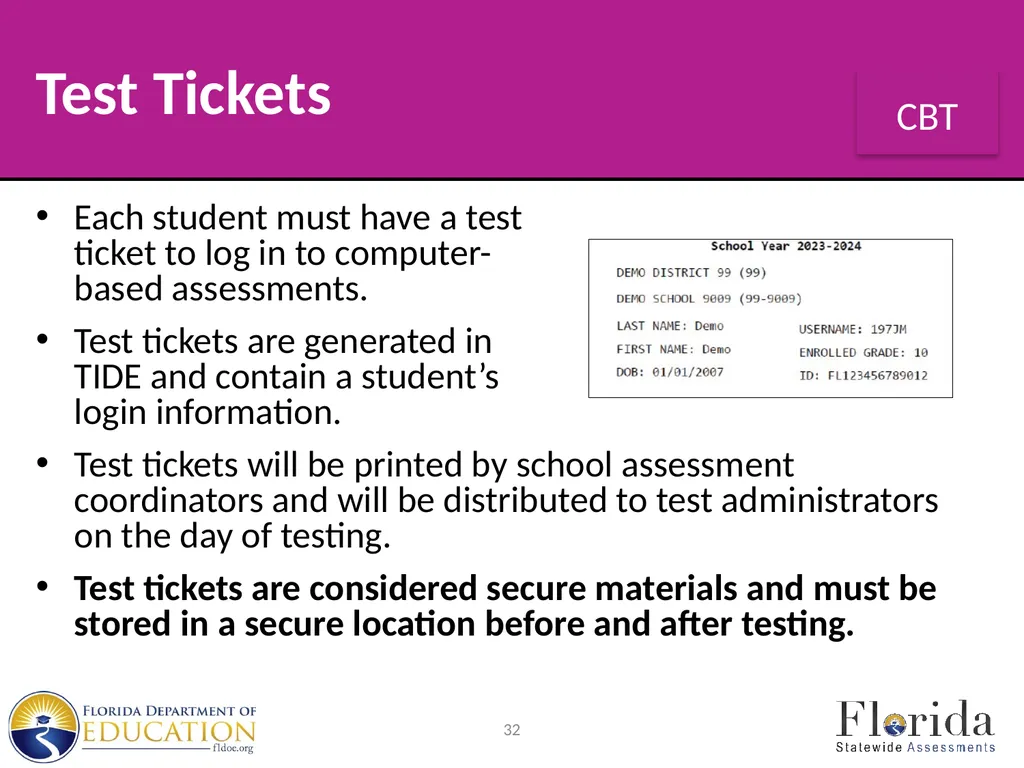
Test Tickets Each student must have a test
ticket to log in to computer-
based assessments.
Test tickets are generated in TIDE and contain a student’s login information.
Test tickets will be printed by school assessment coordinators and will be distributed to test administrators on the day of testing.
Test tickets are considered secure materials and must be stored in a secure location before and after testing. 32<br>
Test tickets are generated in TIDE and contain a student’s login information.
Test tickets will be printed by school assessment coordinators and will be distributed to test administrators on the day of testing.
Test tickets are considered secure materials and must be stored in a secure location before and after testing. 32<br>
33
Support During Testing During testing, a test administrator should not attempt to resolve technical issues if doing so would be disruptive to students. The test administrator must have a way to contact the school assessment coordinator or technology coordinator without leaving the room unattended.
If a student has difficulty logging in or is logged out of his or her test more than once, the student should not continue to attempt to log in until the issue is diagnosed and resolved.
The Florida Help Desk may be contacted at 866-815-7246 or at FloridaHelpDesk@CambiumAssessment.com.
Test administrators are encouraged to refer to the Test Administrator User Guide and other CBT resources available on the portal. 33<br>
If a student has difficulty logging in or is logged out of his or her test more than once, the student should not continue to attempt to log in until the issue is diagnosed and resolved.
The Florida Help Desk may be contacted at 866-815-7246 or at FloridaHelpDesk@CambiumAssessment.com.
Test administrators are encouraged to refer to the Test Administrator User Guide and other CBT resources available on the portal. 33<br>
34
Test Security
Policies and Procedures Florida State Board of Education Rule 6A-10.042, F.A.C., was developed to meet the requirements of the Test Security Statutes, s. 1008.23, F.S., and s. 1008.24, F.S., and applies to anyone involved in the administration of a statewide assessment.
The Rule prohibits activities that may threaten the integrity of the test.
See Appendix B in the Spring/Summer 2024 Manual for the full text of the Florida Test Security Statutes and State Board of Education Rule.
Please remember that inappropriate actions by school or district personnel can result in student or classroom invalidations, loss of teaching certification, and/or involvement of law enforcement. 34<br>
The Rule prohibits activities that may threaten the integrity of the test.
See Appendix B in the Spring/Summer 2024 Manual for the full text of the Florida Test Security Statutes and State Board of Education Rule.
Please remember that inappropriate actions by school or district personnel can result in student or classroom invalidations, loss of teaching certification, and/or involvement of law enforcement. 34<br>
35
Test Security
Policies and Procedures Examples of prohibited activities include the following:
Reading or viewing the passages or test items before, during, or after testing
Revealing the passages or test items
Copying the passages or test items
Explaining or reading the passages or test items for students
Changing or otherwise interfering with student responses to test items
Copying or reading student responses
Causing achievement of schools to be inaccurately measured or reported 35<br>
Reading or viewing the passages or test items before, during, or after testing
Revealing the passages or test items
Copying the passages or test items
Explaining or reading the passages or test items for students
Changing or otherwise interfering with student responses to test items
Copying or reading student responses
Causing achievement of schools to be inaccurately measured or reported 35<br>
36
Test Security
Policies and Procedures Secure materials must never be left unsecured and must not remain in classrooms or be taken off the school’s campus overnight.
Any monitoring software that would allow test content on student computers/devices to be viewed or recorded on another computer or device during testing must be turned off.
Test administrators must not administer tests to their family members. Students related to their assigned test administrator should be reassigned to an alternate test administrator.
In addition, a student’s parent/guardian should not be present in that student’s testing room. 36<br>
Any monitoring software that would allow test content on student computers/devices to be viewed or recorded on another computer or device during testing must be turned off.
Test administrators must not administer tests to their family members. Students related to their assigned test administrator should be reassigned to an alternate test administrator.
In addition, a student’s parent/guardian should not be present in that student’s testing room. 36<br>
37
Test Security
Policies and Procedures Admission of Students to Testing
Precautions must be taken at testing sites when students are unknown to the test administrator or other school staff. Ensure that school staff have checked identification for unfamiliar students prior to admitting them into your testing room.
Proctors
Proctors should be assigned to testing groups where possible to help reduce testing irregularities and aid in investigations, if necessary. 37<br>
Precautions must be taken at testing sites when students are unknown to the test administrator or other school staff. Ensure that school staff have checked identification for unfamiliar students prior to admitting them into your testing room.
Proctors
Proctors should be assigned to testing groups where possible to help reduce testing irregularities and aid in investigations, if necessary. 37<br>
38
Test Irregularities and
Security Breaches Test Irregularities
Test administrators should report any test irregularities (e.g., disruptive students, timing issues, loss of Internet connectivity) to the school assessment coordinator immediately.
A test irregularity may include testing that is interrupted for an extended period of time due to a local technical malfunction, severe weather, or an issue with an individual student’s test.
School assessment coordinators must notify district assessment coordinators of any test irregularities that are reported. 38<br>
Test administrators should report any test irregularities (e.g., disruptive students, timing issues, loss of Internet connectivity) to the school assessment coordinator immediately.
A test irregularity may include testing that is interrupted for an extended period of time due to a local technical malfunction, severe weather, or an issue with an individual student’s test.
School assessment coordinators must notify district assessment coordinators of any test irregularities that are reported. 38<br>
39
Test Irregularities and
Security Breaches Security Breaches
Test administrators should report possible breaches of test security (e.g., secure test content that has been lost, photographed, copied, or otherwise recorded) to the school assessment coordinator immediately.
If a security breach is identified, the school assessment coordinator must contact the district assessment coordinator.
For all security breaches, a written report must be submitted as indicated in the Spring/Summer 2024 Manual. 39<br>
Test administrators should report possible breaches of test security (e.g., secure test content that has been lost, photographed, copied, or otherwise recorded) to the school assessment coordinator immediately.
If a security breach is identified, the school assessment coordinator must contact the district assessment coordinator.
For all security breaches, a written report must be submitted as indicated in the Spring/Summer 2024 Manual. 39<br>
40
Test Invalidation
Policies and Procedures The main purpose of invalidation is to identify when the validity of test results has been compromised.
Test administrators should discuss any situation involving possible invalidation with the school assessment coordinator, and the situation should be investigated immediately.
For assistance identifying circumstances when invalidation is an appropriate course of action, review the guidelines in the Spring/Summer 2024 Manual. 40<br>
Test administrators should discuss any situation involving possible invalidation with the school assessment coordinator, and the situation should be investigated immediately.
For assistance identifying circumstances when invalidation is an appropriate course of action, review the guidelines in the Spring/Summer 2024 Manual. 40<br>
41
Test Administrator
Responsibilities Before Testing Please use the Test Administrator Checklist, located in Appendix C of the Spring/Summer 2024 Manual, before, during, and after testing.
Remember, prior to testing you must:
Read, sign, and return a 2023–2024 Test Administration and Security Agreement verifying that you have read the appropriate sections of the Spring/Summer 2024 Manual, are familiar with the test security statutes and security policies, and have received adequate training; and
Read, sign, and return a 2023–2024 Test Administrator Prohibited Activities Agreement.
Failure to comply with the policies and procedures as indicated in the agreements may result in the invalidation of student tests, local disciplinary action, and/or loss of teaching certification. 41<br>
Remember, prior to testing you must:
Read, sign, and return a 2023–2024 Test Administration and Security Agreement verifying that you have read the appropriate sections of the Spring/Summer 2024 Manual, are familiar with the test security statutes and security policies, and have received adequate training; and
Read, sign, and return a 2023–2024 Test Administrator Prohibited Activities Agreement.
Failure to comply with the policies and procedures as indicated in the agreements may result in the invalidation of student tests, local disciplinary action, and/or loss of teaching certification. 41<br>
42
Test Administrator
Responsibilities Before Testing Conduct CBT Practice Test
Prior to this test administration, you may conduct a practice test session based on instructions from your school assessment coordinator.
Students should practice on the type of computer or device they will use for testing (e.g., PC, tablet, laptop).
Students who will test using CBT accommodations (e.g., masking, text-to-speech, closed captioning) should practice using an accommodated practice test. 42<br>
Prior to this test administration, you may conduct a practice test session based on instructions from your school assessment coordinator.
Students should practice on the type of computer or device they will use for testing (e.g., PC, tablet, laptop).
Students who will test using CBT accommodations (e.g., masking, text-to-speech, closed captioning) should practice using an accommodated practice test. 42<br>
43
Test Administrator
Responsibilities Before Testing Prepare the Room for Testing
Remove or cover any references to the subject matter of the test being administered, such as word lists, informational charts, or posted assignments/classwork. Students may not have access to any unauthorized aids. Discuss any concerns with your school assessment coordinator.
Sufficient workspace should be provided for students to use their test materials (e.g., planning sheets, reference sheets, periodic tables, worksheets, work folders). 43<br>
Remove or cover any references to the subject matter of the test being administered, such as word lists, informational charts, or posted assignments/classwork. Students may not have access to any unauthorized aids. Discuss any concerns with your school assessment coordinator.
Sufficient workspace should be provided for students to use their test materials (e.g., planning sheets, reference sheets, periodic tables, worksheets, work folders). 43<br>
44
Test Administrator
Responsibilities Before Testing Prepare the Room for Testing (cont.)
Students must not be able to easily view other students’ computer or devices or test materials.
If administering a practice test, check the configuration of your testing room to make sure you will be able to provide a secure environment during testing.
When you arrive on the day of testing, open each student computer or device in the testing room to the student Please Sign In screen as indicated in the script, but do not log in for students. 44<br>
Students must not be able to easily view other students’ computer or devices or test materials.
If administering a practice test, check the configuration of your testing room to make sure you will be able to provide a secure environment during testing.
When you arrive on the day of testing, open each student computer or device in the testing room to the student Please Sign In screen as indicated in the script, but do not log in for students. 44<br>
45
Test Administrator
Responsibilities Before Testing Prepare the Room for Testing (cont.)
Outside each door to the testing room, post a sign that reads TESTING IN PROGRESS—Please Do Not Disturb.
Post the appropriate signs inside the testing room where they will be visible to all students.
Signs are provided in Appendix C of the Spring/Summer 2024 Manual.
For all test sessions, display starting and stopping times as instructed in the test administration script. 45<br>
Outside each door to the testing room, post a sign that reads TESTING IN PROGRESS—Please Do Not Disturb.
Post the appropriate signs inside the testing room where they will be visible to all students.
Signs are provided in Appendix C of the Spring/Summer 2024 Manual.
For all test sessions, display starting and stopping times as instructed in the test administration script. 45<br>
46
Test Administrator
Responsibilities Before Testing Record Required Administration Information
You are required to maintain the following information, as directed by your school assessment coordinator:
Students assigned to your testing room—provide student names and FLEIDs
Attendance information—P=Present, A=Absent, W=Withdrawn, and P/I=Present but Invalidated
Grade level
Session ID (generated in the TA Interface when a test session is created)
Test Group Code (paper-based administrations of FSA Retakes and B.E.S.T. Writing only) 46<br>
You are required to maintain the following information, as directed by your school assessment coordinator:
Students assigned to your testing room—provide student names and FLEIDs
Attendance information—P=Present, A=Absent, W=Withdrawn, and P/I=Present but Invalidated
Grade level
Session ID (generated in the TA Interface when a test session is created)
Test Group Code (paper-based administrations of FSA Retakes and B.E.S.T. Writing only) 46<br>
47
Test Administrator
Responsibilities Before Testing Record Required Administration Information (cont.)
Accommodations provided to students (codes provided on page 25 of the Spring/Summer 2024 Manual)
Accommodations used by students
Signatures of test administrator and school assessment coordinator
Unique security numbers of secure documents assigned to each student
Dates and times when secure materials are received and returned
Record this information according to your school assessment coordinator’s instructions. 47<br>
Accommodations provided to students (codes provided on page 25 of the Spring/Summer 2024 Manual)
Accommodations used by students
Signatures of test administrator and school assessment coordinator
Unique security numbers of secure documents assigned to each student
Dates and times when secure materials are received and returned
Record this information according to your school assessment coordinator’s instructions. 47<br>
48
Test Administrator
Responsibilities Before Testing Complete Seating Charts
You are required to maintain an accurate seating chart for your testing room. The chart should record the following:
Date
Your name
Room name/number
Subject
Student names and their locations in the room during testing
Direction each student is facing (using arrows to indicate direction) 48<br>
You are required to maintain an accurate seating chart for your testing room. The chart should record the following:
Date
Your name
Room name/number
Subject
Student names and their locations in the room during testing
Direction each student is facing (using arrows to indicate direction) 48<br>
49
Test Administrator
Responsibilities Before Testing Complete Seating Charts (cont.)
You are required to maintain an accurate seating chart for your testing room. The chart should record the following:
Starting and stopping times
Names of proctors (if applicable)
Session ID (generated in the TA Interface when a test session is created)
Test Group Code (paper-based administrations of FSA Retakes and B.E.S.T. Writing only)
Laptop/mobile device information (if there are technical issues) 49<br>
You are required to maintain an accurate seating chart for your testing room. The chart should record the following:
Starting and stopping times
Names of proctors (if applicable)
Session ID (generated in the TA Interface when a test session is created)
Test Group Code (paper-based administrations of FSA Retakes and B.E.S.T. Writing only)
Laptop/mobile device information (if there are technical issues) 49<br>
50
Test Administrator
Responsibilities Before Testing Complete Seating Charts (cont.)
All seating charts must indicate the front and back of the room. If students using extra time are moved to a new location or if the seating configuration changes during testing, a new seating chart must be created.
Remember to maintain a seating chart for each test session. Seating charts must be returned to your school assessment coordinator after testing.
If you are conducting testing on laptops or other mobile devices, identify and record the device on which each student is testing if there are technical issues. 50<br>
All seating charts must indicate the front and back of the room. If students using extra time are moved to a new location or if the seating configuration changes during testing, a new seating chart must be created.
Remember to maintain a seating chart for each test session. Seating charts must be returned to your school assessment coordinator after testing.
If you are conducting testing on laptops or other mobile devices, identify and record the device on which each student is testing if there are technical issues. 50<br>
51
Test Administrator
Responsibilities Before Testing Assemble Materials
The following materials are needed for administration of the assessment:
Test Administration Manual
Pencils/Pens
Computer or Mobile Device
Watch or Clock
Security Log
Signs
Additional information about using these materials can be found on pages 26–28 of the Spring/Summer 2024 Manual. 51<br>
The following materials are needed for administration of the assessment:
Test Administration Manual
Pencils/Pens
Computer or Mobile Device
Watch or Clock
Security Log
Signs
Additional information about using these materials can be found on pages 26–28 of the Spring/Summer 2024 Manual. 51<br>
52
Test Administrator
Responsibilities Before Testing Assemble Materials—Security Log
You are required to maintain an accurate Security Log for your testing room.
Anyone who enters a testing room for any length of time must sign the log for that testing room.
This applies to test administrators, proctors, and anyone who enters the room, regardless of how much time he or she spends in the testing room.
Access the Security Log in Appendix C of the Spring/Summer 2024 Manual and use it as required. This document can also be found on the portal. 52<br>
You are required to maintain an accurate Security Log for your testing room.
Anyone who enters a testing room for any length of time must sign the log for that testing room.
This applies to test administrators, proctors, and anyone who enters the room, regardless of how much time he or she spends in the testing room.
Access the Security Log in Appendix C of the Spring/Summer 2024 Manual and use it as required. This document can also be found on the portal. 52<br>
53
Test Administrator
Responsibilities Before Testing Receive Materials
Test Tickets
B.E.S.T. Writing and FSA ELA Writing Retake Passage Booklets
FSA ELA Reading Retake Passage Booklets
Writing Planning Sheets
CBT Work Folders
CBT Worksheets
Scratch Paper
Additional information can be found on pages 28–30 of the Spring/Summer 2024 Manual. 53 If applicable:
Calculators
Periodic Tables
Reference Sheets<br>
Test Tickets
B.E.S.T. Writing and FSA ELA Writing Retake Passage Booklets
FSA ELA Reading Retake Passage Booklets
Writing Planning Sheets
CBT Work Folders
CBT Worksheets
Scratch Paper
Additional information can be found on pages 28–30 of the Spring/Summer 2024 Manual. 53 If applicable:
Calculators
Periodic Tables
Reference Sheets<br>
54
Test Administrator
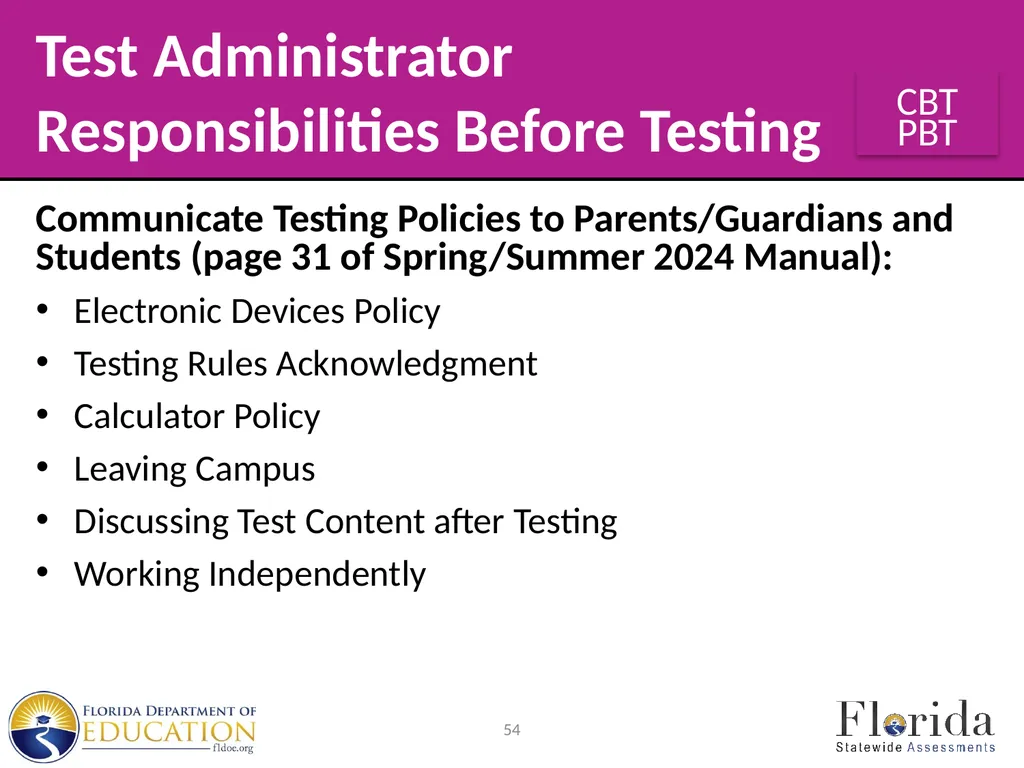
Responsibilities Before Testing Communicate Testing Policies to Parents/Guardians and Students (page 31 of Spring/Summer 2024 Manual):
Electronic Devices Policy
Testing Rules Acknowledgment
Calculator Policy
Leaving Campus
Discussing Test Content after Testing
Working Independently 54<br>
Electronic Devices Policy
Testing Rules Acknowledgment
Calculator Policy
Leaving Campus
Discussing Test Content after Testing
Working Independently 54<br>
55
Test Administrator
Responsibilities During Testing If a student starts a test session and leaves campus without finishing (e.g., for lunch, an appointment), he or she will not be allowed to return to that session.
If you have concerns that a student will be unable to finish the test, you should not allow the student to begin. Instead, arrange to administer the test to that student on a make-up day.
If you have concerns about the testing room, discuss them with your school assessment coordinator prior to testing. 55<br>
If you have concerns that a student will be unable to finish the test, you should not allow the student to begin. Instead, arrange to administer the test to that student on a make-up day.
If you have concerns about the testing room, discuss them with your school assessment coordinator prior to testing. 55<br>
56
Test Administrator
Responsibilities During Testing Prepare Student Computers and Devices
Before the test session begins, launch the secure browser on each student computer or device in the testing room as indicated in the script, but do not log in for students.
Ensure that you have a way to contact the technology coordinator or school assessment coordinator without leaving the room unattended.
If administering an FSA ELA Reading Retake or a test with text-to-speech accommodations, ensure that student headphones/earbuds are plugged in prior to starting the secure browser. 56<br>
Before the test session begins, launch the secure browser on each student computer or device in the testing room as indicated in the script, but do not log in for students.
Ensure that you have a way to contact the technology coordinator or school assessment coordinator without leaving the room unattended.
If administering an FSA ELA Reading Retake or a test with text-to-speech accommodations, ensure that student headphones/earbuds are plugged in prior to starting the secure browser. 56<br>
57
Test Administrator
Responsibilities During Testing Read Script
For non-accommodated CBT forms, use the scripts in the Spring/Summer 2024 Manual.
Read the administration script verbatim to all students. Note that optional words and phrases appear in italics and parentheses and may be read at your discretion. Please read the important information and adhere to the instructions between the SAY boxes as you read the script to students.
During a stretch break, you may repeat portions of the script to students as a reminder (e.g., “You may not have any electronic or recording devices.”).
The accommodated scripts are available on the portal. 57<br>
For non-accommodated CBT forms, use the scripts in the Spring/Summer 2024 Manual.
Read the administration script verbatim to all students. Note that optional words and phrases appear in italics and parentheses and may be read at your discretion. Please read the important information and adhere to the instructions between the SAY boxes as you read the script to students.
During a stretch break, you may repeat portions of the script to students as a reminder (e.g., “You may not have any electronic or recording devices.”).
The accommodated scripts are available on the portal. 57<br>
58
Test Administrator
Responsibilities During Testing Distribute Materials
After students are seated, ensure that each student has a pen or pencil.
Distribute calculators, planning sheets, work folders, reference sheets, periodic tables, and/or worksheets, as applicable, before testing begins.
Read the administration script and distribute test tickets and, if applicable, passage booklets when instructed to do so. 58<br>
After students are seated, ensure that each student has a pen or pencil.
Distribute calculators, planning sheets, work folders, reference sheets, periodic tables, and/or worksheets, as applicable, before testing begins.
Read the administration script and distribute test tickets and, if applicable, passage booklets when instructed to do so. 58<br>
59
Test Administrator
Responsibilities During Testing Read Testing Rules Acknowledgment
After you read the testing rules in the script, students will click a checkbox beside the Testing Rules Acknowledgment on the test screen.
As you read the portion of the script regarding the Testing Rules Acknowledgment, walk around the room and ensure that all students check the box next to the acknowledgment.
Students testing with paper-based accommodations will sign below the Testing Rules Acknowledgment in their test documents.
If a student in your testing room does not acknowledge the testing rules, contact your school assessment coordinator. 59<br>
After you read the testing rules in the script, students will click a checkbox beside the Testing Rules Acknowledgment on the test screen.
As you read the portion of the script regarding the Testing Rules Acknowledgment, walk around the room and ensure that all students check the box next to the acknowledgment.
Students testing with paper-based accommodations will sign below the Testing Rules Acknowledgment in their test documents.
If a student in your testing room does not acknowledge the testing rules, contact your school assessment coordinator. 59<br>
60
Test Administrator
Responsibilities During Testing Create, Start, Monitor, and Stop the Test Session
In the Test Administrator (TA) Interface, you will create, start, monitor, and stop the test session you are administering for all computer-based tests.
These instructions are included in the test administration script and the Test Administrator User Guide.
Ensure that you have test tickets, which contain the following student login information for all students in your testing room:
First Name as it appears in TIDE
Username provided in TIDE 60<br>
In the Test Administrator (TA) Interface, you will create, start, monitor, and stop the test session you are administering for all computer-based tests.
These instructions are included in the test administration script and the Test Administrator User Guide.
Ensure that you have test tickets, which contain the following student login information for all students in your testing room:
First Name as it appears in TIDE
Username provided in TIDE 60<br>
61
Test Administrator
Responsibilities During Testing Keep Time
Keep accurate time when administering a test session. Record starting and stopping times in the spaces provided in the script and also display these times for students.
Remember that failure to provide the correct amount of time will likely result in test invalidation.
For all FSA ELA Retake, FSA Algebra 1 EOC Retake, B.E.S.T. Writing, and FCLE test sessions, students may be provided up to half the length of a typical school day to complete the session. 61<br>
Keep accurate time when administering a test session. Record starting and stopping times in the spaces provided in the script and also display these times for students.
Remember that failure to provide the correct amount of time will likely result in test invalidation.
For all FSA ELA Retake, FSA Algebra 1 EOC Retake, B.E.S.T. Writing, and FCLE test sessions, students may be provided up to half the length of a typical school day to complete the session. 61<br>
62
Test Administrator
Responsibilities During Testing Keep Time (cont.)
For all FAST ELA Reading and Mathematics, Statewide Science, B.E.S.T. Algebra 1, Biology 1, Civics, B.E.S.T. Geometry, and U.S. History EOC assessments and FAST ELA Reading Retake, students may be provided additional time to complete the test, but tests must be completed within the same day.
Students are not required to have an extended time accommodation to receive additional testing time.
If a technical disruption occurs during testing, note the time of the disruption in order to provide students the appropriate amount of remaining time once testing resumes. 62<br>
For all FAST ELA Reading and Mathematics, Statewide Science, B.E.S.T. Algebra 1, Biology 1, Civics, B.E.S.T. Geometry, and U.S. History EOC assessments and FAST ELA Reading Retake, students may be provided additional time to complete the test, but tests must be completed within the same day.
Students are not required to have an extended time accommodation to receive additional testing time.
If a technical disruption occurs during testing, note the time of the disruption in order to provide students the appropriate amount of remaining time once testing resumes. 62<br>
63
Test Administrator
Responsibilities During Testing Maintain Test Security
Maintain test security at all times, and report violations or concerns to your school assessment coordinator immediately.
Adhere to the Test Security Policies and Procedures on pages 19–21 of the Spring/Summer 2024 Manual and the Statutes and Rule in Appendix B, and abide by the agreements that you signed prior to testing.
Maintain your required administration information, Security Log, and seating chart during testing. 63<br>
Maintain test security at all times, and report violations or concerns to your school assessment coordinator immediately.
Adhere to the Test Security Policies and Procedures on pages 19–21 of the Spring/Summer 2024 Manual and the Statutes and Rule in Appendix B, and abide by the agreements that you signed prior to testing.
Maintain your required administration information, Security Log, and seating chart during testing. 63<br>
64
Test Administrator
Responsibilities During Testing Maintain Test Security (cont.)
If students leave the room during a test session for short breaks (e.g., restroom), it is recommended that visual blocks be applied to students’ computer screens or devices (e.g., monitors turned off, folders taped to screens) instead of pausing students’ tests.
If a student's test is paused in the secure browser, that student must log back in and be approved in the TA Interface before he or she can continue testing. 64<br>
If students leave the room during a test session for short breaks (e.g., restroom), it is recommended that visual blocks be applied to students’ computer screens or devices (e.g., monitors turned off, folders taped to screens) instead of pausing students’ tests.
If a student's test is paused in the secure browser, that student must log back in and be approved in the TA Interface before he or she can continue testing. 64<br>
65
Test Administrator
Responsibilities During Testing Supervise Test Administration
Your full attention should be on students at all times during testing, and a testing room must never be left unattended.
If issues arise during testing, you may need to use your computer or phone to contact your school assessment coordinator; however, it is not appropriate to use a computer, device, or phone for unrelated activities (such as grading or personal communication) during a test session. 65<br>
Your full attention should be on students at all times during testing, and a testing room must never be left unattended.
If issues arise during testing, you may need to use your computer or phone to contact your school assessment coordinator; however, it is not appropriate to use a computer, device, or phone for unrelated activities (such as grading or personal communication) during a test session. 65<br>
66
Test Administrator
Responsibilities During Testing Supervise Test Administration (cont.)
While students are working, actively monitor the testing room to ensure the following:
students have cleared their desks or workstations of all materials except for the appropriate test materials
students do not have books, notes, scratch paper, or electronic devices of any kind during testing, even if they do not use them 66<br>
While students are working, actively monitor the testing room to ensure the following:
students have cleared their desks or workstations of all materials except for the appropriate test materials
students do not have books, notes, scratch paper, or electronic devices of any kind during testing, even if they do not use them 66<br>
67
Test Administrator
Responsibilities During Testing Supervise Test Administration (cont.)
While students are working, ensure the following:
students do not have a handheld calculator during Session 1 of an FSA Algebra 1 EOC Retake assessment
students do not talk to other students or make any disturbance
students are working independently 67<br>
While students are working, ensure the following:
students do not have a handheld calculator during Session 1 of an FSA Algebra 1 EOC Retake assessment
students do not talk to other students or make any disturbance
students are working independently 67<br>
68
Test Administrator
Responsibilities During Testing Discussing Test Content with Students
You may not talk with students about test items or passages or help them with their answers.
Any desktop-viewing programs or similar software that would enable you to view or record test content and student responses must be turned off during testing.
You may not provide students with any information or cues that would allow them to infer the correct answer, such as suggesting that they might want to check their work on specific items.
You may not read or comment on student responses or help students answer items. 68<br>
You may not talk with students about test items or passages or help them with their answers.
Any desktop-viewing programs or similar software that would enable you to view or record test content and student responses must be turned off during testing.
You may not provide students with any information or cues that would allow them to infer the correct answer, such as suggesting that they might want to check their work on specific items.
You may not read or comment on student responses or help students answer items. 68<br>
69
Test Administrator
Responsibilities During Testing Discussing Test Content with Students (cont.)
While you may prepare students for testing using strategies, such as underlining (PBT) or highlighting (CBT) key words in passages or items, you may not actively monitor them to ensure they are using certain strategies.
You may not offer incentives or rewards for using strategies during testing.
Once testing begins, students must work on their own with the understanding that they are being monitored for independent work only. 69<br>
While you may prepare students for testing using strategies, such as underlining (PBT) or highlighting (CBT) key words in passages or items, you may not actively monitor them to ensure they are using certain strategies.
You may not offer incentives or rewards for using strategies during testing.
Once testing begins, students must work on their own with the understanding that they are being monitored for independent work only. 69<br>
70
Test Administrator
Responsibilities During Testing Discussing Test Content with Students (cont.)
Further, you may not read planning sheets, scratch paper, worksheets, or work folders or check through test documents, return them to students after they have been collected, or discuss test content, even after all test materials have been returned and testing has been completed. 70<br>
Further, you may not read planning sheets, scratch paper, worksheets, or work folders or check through test documents, return them to students after they have been collected, or discuss test content, even after all test materials have been returned and testing has been completed. 70<br>
71
Test Administrator
Responsibilities During Testing Technical Issues
If a student’s computer or device is disconnected from his or her test, contact the technology coordinator to help diagnose any technical issues. Then assist the student with logging in again.
If a student still has difficulty logging in or is logged out of his or her test more than once, have the student refrain from logging in until the issue is diagnosed and resolved.
Additional troubleshooting information is available in the Test Administrator User Guide. 71<br>
If a student’s computer or device is disconnected from his or her test, contact the technology coordinator to help diagnose any technical issues. Then assist the student with logging in again.
If a student still has difficulty logging in or is logged out of his or her test more than once, have the student refrain from logging in until the issue is diagnosed and resolved.
Additional troubleshooting information is available in the Test Administrator User Guide. 71<br>
72
Test Administrator
Responsibilities During Testing After Testing Is Complete
If permitted by your school assessment coordinator, you may allow students to read after they have finished a session and their test materials have been collected.
While still in the testing room, students are not permitted to write or to use their computers or devices after they have finished a session, even after their test materials have been collected.
Test materials may not be returned to students once the materials have been collected. 72<br>
If permitted by your school assessment coordinator, you may allow students to read after they have finished a session and their test materials have been collected.
While still in the testing room, students are not permitted to write or to use their computers or devices after they have finished a session, even after their test materials have been collected.
Test materials may not be returned to students once the materials have been collected. 72<br>
73
Test Administrator
Responsibilities After Testing Return Materials to the School Assessment Coordinator
Complete the following steps after testing:
Verify that you have collected all required administration information (see page 25 of the Spring/Summer 2024 Manual).
Ensure that the accommodations provided to each student and the accommodations used by each student have been recorded with other required administration information.
Verify that your Security Log and seating chart have been completed correctly. 73<br>
Complete the following steps after testing:
Verify that you have collected all required administration information (see page 25 of the Spring/Summer 2024 Manual).
Ensure that the accommodations provided to each student and the accommodations used by each student have been recorded with other required administration information.
Verify that your Security Log and seating chart have been completed correctly. 73<br>
74
Test Administrator
Responsibilities After Testing Return Materials to the School Assessment Coordinator (cont.)
4. Return the following materials to your school assessment coordinator, as applicable:
Security Log
Seating chart
Test tickets
Required administration information
Calculators
Paper-based test materials
Notify the school assessment coordinator immediately if any of these items are missing. 74 Scratch paper
Used and unused CBT Work Folders
Used and unused CBT Worksheets
Used and unused Writing Planning Sheets
Used and unused reference sheets
Used and unused periodic tables
Passage Booklets<br>
4. Return the following materials to your school assessment coordinator, as applicable:
Security Log
Seating chart
Test tickets
Required administration information
Calculators
Paper-based test materials
Notify the school assessment coordinator immediately if any of these items are missing. 74 Scratch paper
Used and unused CBT Work Folders
Used and unused CBT Worksheets
Used and unused Writing Planning Sheets
Used and unused reference sheets
Used and unused periodic tables
Passage Booklets<br>
75
Appendices Appendices in the Spring/Summer 2024 Manual include:
Appendix A—Florida Help Desk
Appendix B—Florida Test Security Statutes and Rule
Appendix C—Forms and Signs
Appendix D—Change Log 75<br>
Appendix A—Florida Help Desk
Appendix B—Florida Test Security Statutes and Rule
Appendix C—Forms and Signs
Appendix D—Change Log 75<br>
76
Thank you for ensuring secure and successful
Spring/Summer 2024 test administrations!<br>
Spring/Summer 2024 test administrations!<br>