
Student Appropriations Committee (SAC) Training






Description: Student Appropriations Committee (SAC) Training for the Spring 2023 Grant Request Process What is SAC? Every semester, students pay segregated fees that fund different things on campus (the Union, Resource Centers, Green Fund, etc.)
Related Topics
Download Presentation
"Student Appropriations Committee (SAC) Training" is the property of its rightful owner. Permission is granted to download and print the materials on this website for personal, non-commercial use only, and to display it on your personal computer provided you do not modify the materials and that you retain all copyright notices contained in the materials. By downloading content from our website, you accept the terms of this agreement.
Presentation Transcript
slide1. Student Appropriations Committee (SAC) Training for the
Spring 2023 Grant Request Process<br>
slide2. What is SAC? Every semester, students pay segregated fees that fund different things on campus (the Union, Resource Centers, Green Fund, etc.) including SAC
This means that the SAC budget is dependent on a variety of factors, most notably how many students enroll and how much funding RSOs use from the prior semester
SAC is the committee, composed of Student Association representatives and RSO members, responsible for allocating funds to RSO's fairly & in accordance with policy
SAC is one place where students have a direct say in how their segregated fees are spent! 2<br>
slide3. About SAC Funds SAC is not and never has been intended to be the SOLE source
of funding for student organizations.
Your organization is not guaranteed to receive the full amount you request or even the amount voted on in the hearing.
Your group, even if requesting SAC grants, should continue to pursue and maximize sponsorships and other fundraising opportunities.
Your Student Involvement liaison and faculty/staff advisor can be great resources to help with securing additional funding. 3<br>
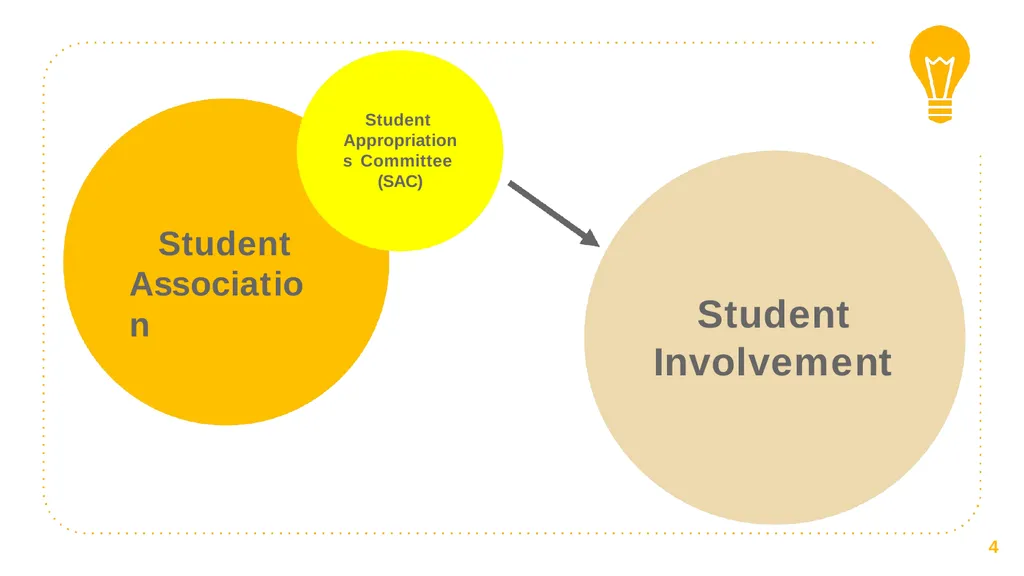
slide4. Student Association 4 Student Appropriations Committee (SAC) Student Involvement<br>
slide5. SAC funds are regulated by state policy. 5 This means that there are rules and procedures that the committee (& RSOs!) have to follow throughout the grant process.<br>
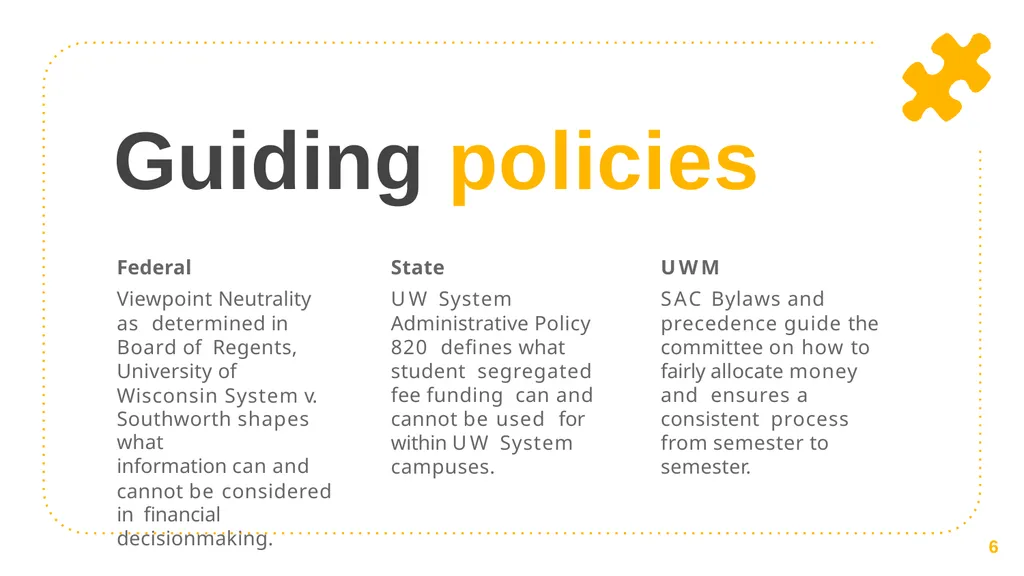
slide6. Guiding policies Federal
Viewpoint Neutrality as determined in Board of Regents, University of Wisconsin System v.
Southworth shapes what
information can and
cannot be considered in financial decisionmaking. State
UW System Administrative Policy 820 defines what student segregated fee funding can and cannot be used for within UW System campuses. UWM
SAC Bylaws and precedence guide the committee on how to fairly allocate money and ensures a consistent process from semester to semester. 6<br>
slide7. Grants 101 1<br>
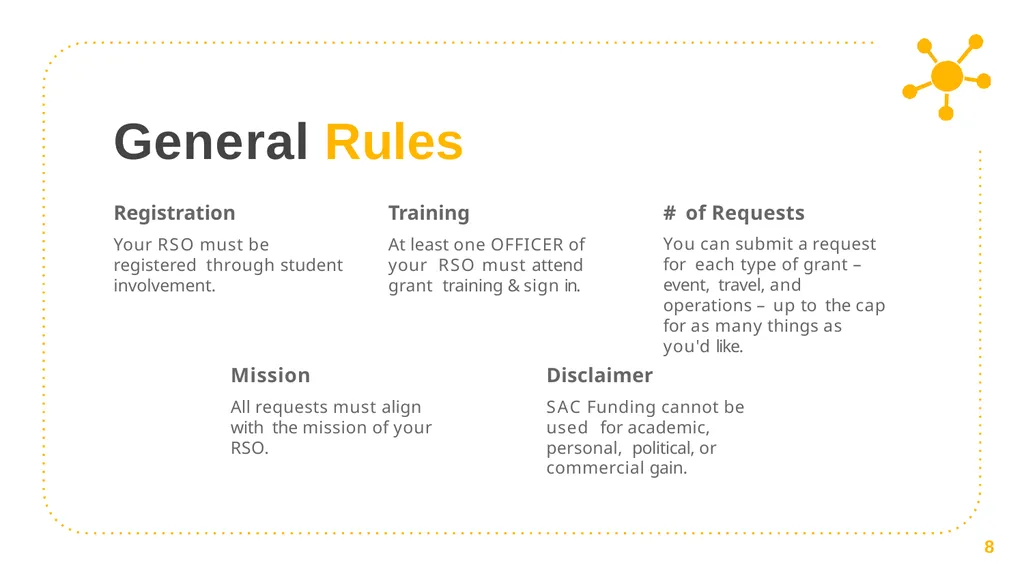
slide8. General Rules Registration
Your RSO must be registered through student involvement. Training
At least one OFFICER of your RSO must attend grant training & sign in. # of Requests
You can submit a request for each type of grant – event, travel, and operations – up to the cap for as many things as you'd like. Mission
All requests must align with the mission of your RSO. Disclaimer
SAC Funding cannot be used for academic, personal, political, or commercial gain. 8<br>
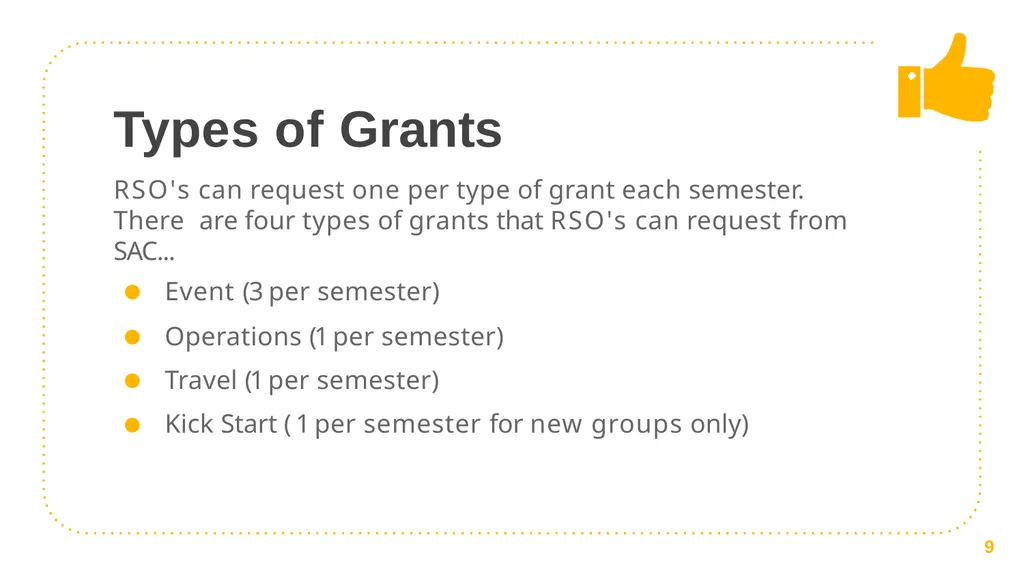
slide9. Types of Grants RSO's can request one per type of grant each semester. There are four types of grants that RSO's can request from SAC...
Event (3 per semester)
Operations (1 per semester)
Travel (1 per semester)
Kick Start ( 1 per semester for new groups only) 9<br>
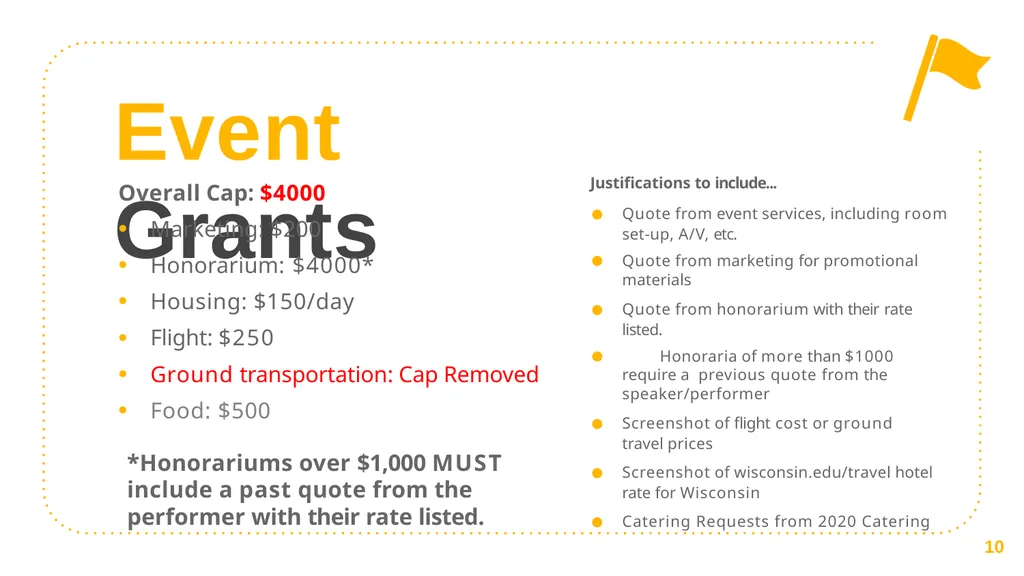
slide10. Event Grants Justifications to include...
Quote from event services, including room set-up, A/V, etc.
Quote from marketing for promotional materials
Quote from honorarium with their rate listed.
Honoraria of more than $1000 require a previous quote from the speaker/performer
Screenshot of flight cost or ground travel prices
Screenshot of wisconsin.edu/travel hotel rate for Wisconsin
Catering Requests from 2020 Catering Overall Cap: $4000
Marketing: $200
Honorarium: $4000*
Housing: $150/day
Flight: $250
Ground transportation: Cap Removed
Food: $500 10 *Honorariums over $1,000 MUST include a past quote from the performer with their rate listed.<br>
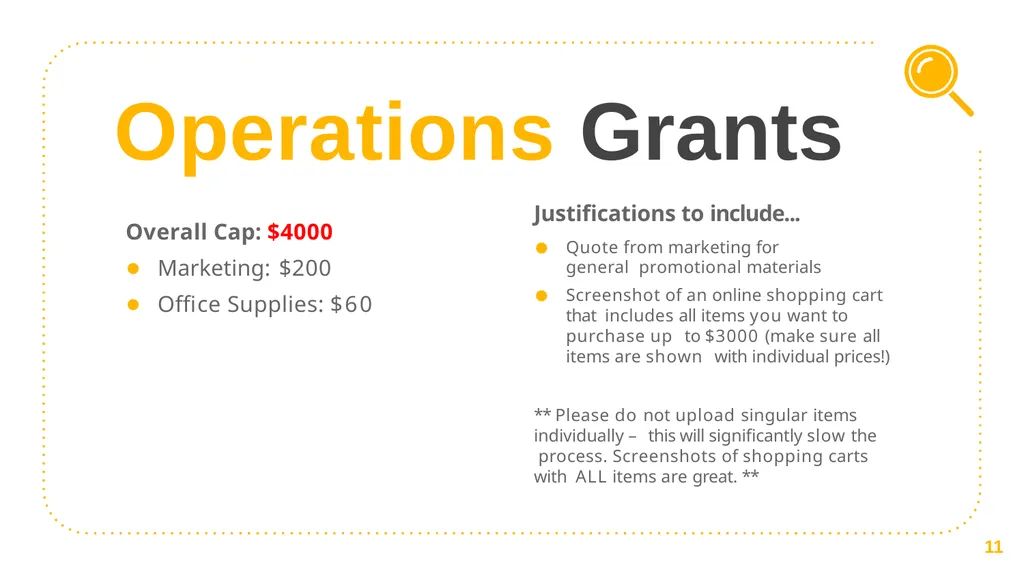
slide11. Operations Grants Justifications to include...
Quote from marketing for general promotional materials
Screenshot of an online shopping cart that includes all items you want to purchase up to $3000 (make sure all items are shown with individual prices!)
** Please do not upload singular items individually – this will significantly slow the process. Screenshots of shopping carts with ALL items are great. ** Overall Cap: $4000
Marketing: $200
Office Supplies: $60 11<br>
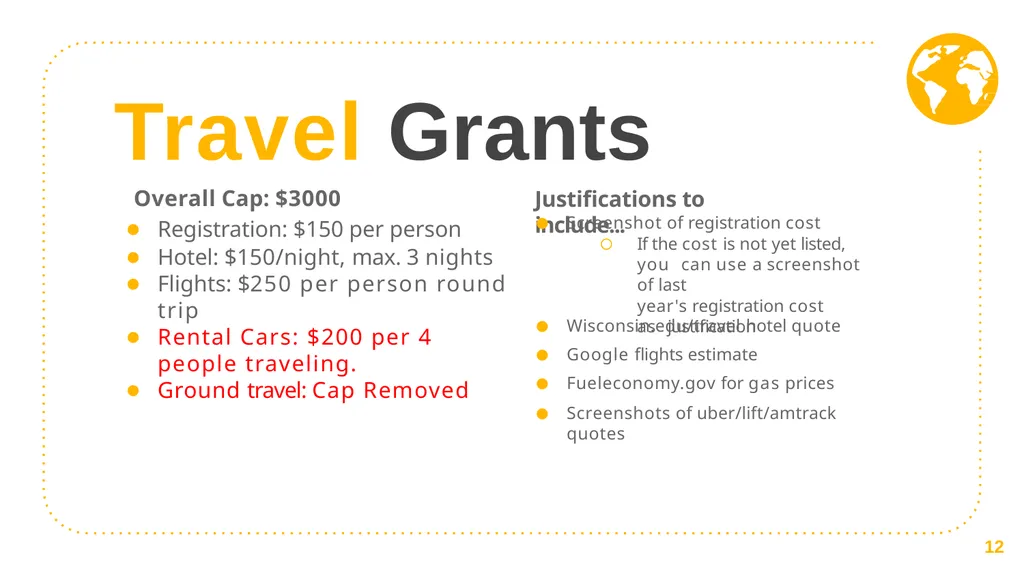
slide12. Travel Grants Justifications to include... Screenshot of registration cost
If the cost is not yet listed, you can use a screenshot of last
year's registration cost as justification Wisconsin.edu/travel hotel quote
Google flights estimate
Fueleconomy.gov for gas prices
Screenshots of uber/lift/amtrack quotes Overall Cap: $3000 Registration: $150 per person
Hotel: $150/night, max. 3 nights
Flights: $250 per person round trip
Rental Cars: $200 per 4 people traveling.
Ground travel: Cap Removed 12<br>
slide13. For new RSOs or RSOs that did not partake in last semester’s grant process Kick Start Grants Consider requesting for... Event: Small event to raise awareness on
campus
Operations: General marketing to assist with recruitment
Travel: Funding for a virtual conference Overall Cap: $1500*
Caps from the relevant grant type still apply (for example,
$150 for marketing) These grants can be submitted after the deadline and are open until the last grant hearing date. Funds will be made available following the subsequent student senate meeting.
Please note that these grants are contingent upon SAC having enough members to
vote. Without enough members, Kick Start grants cannot be allocated. 13<br>
slide14. “ SAC cannot fund... Decorations
Prizes
Helium tanks
Honorarium with a conflict of interest
Gifts for UWM faculty or staff
Individual membership dues
Improvement of spaces (ie. Furniture, cleaning products, appliances)
Personal items (t-shirts, business cards, uniforms) Anything that has a free alternative on campus
Off-campus facilities (unless the group has confirmed with Student Involvement that there are no adequate on-campus spaces for an event)
Old quotes from performers, Event Services, Marketing, etc. The only exception is for Travel Grants, in which you can use last year's conference price as registration justification<br>
slide15. Filling out your grants
Step by Step. 2<br>
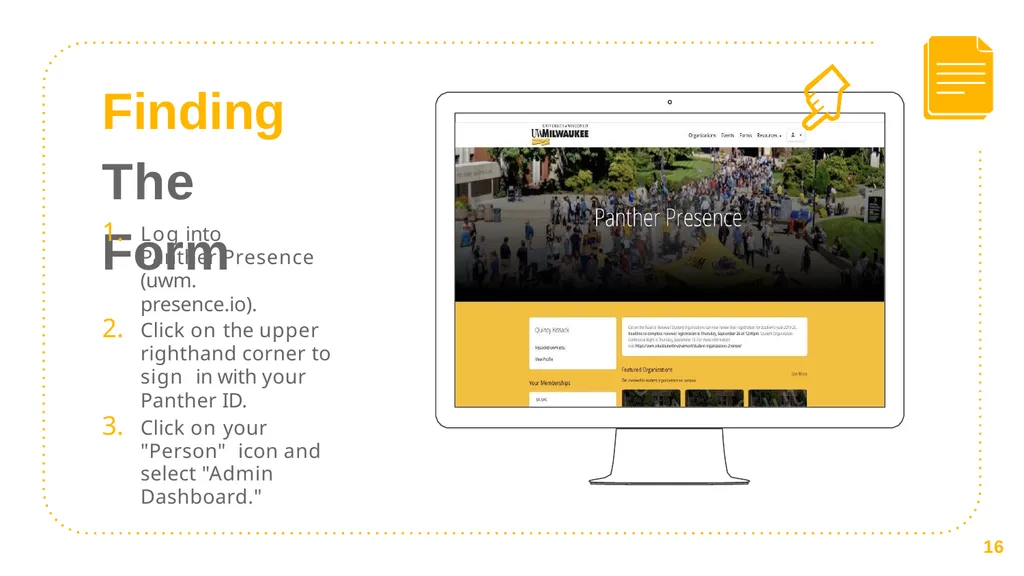
slide16. Finding The Form Log into
Panther Presence (uwm.
presence.io).
Click on the upper righthand corner to sign in with your Panther ID.
Click on your "Person" icon and select "Admin Dashboard." 16<br>
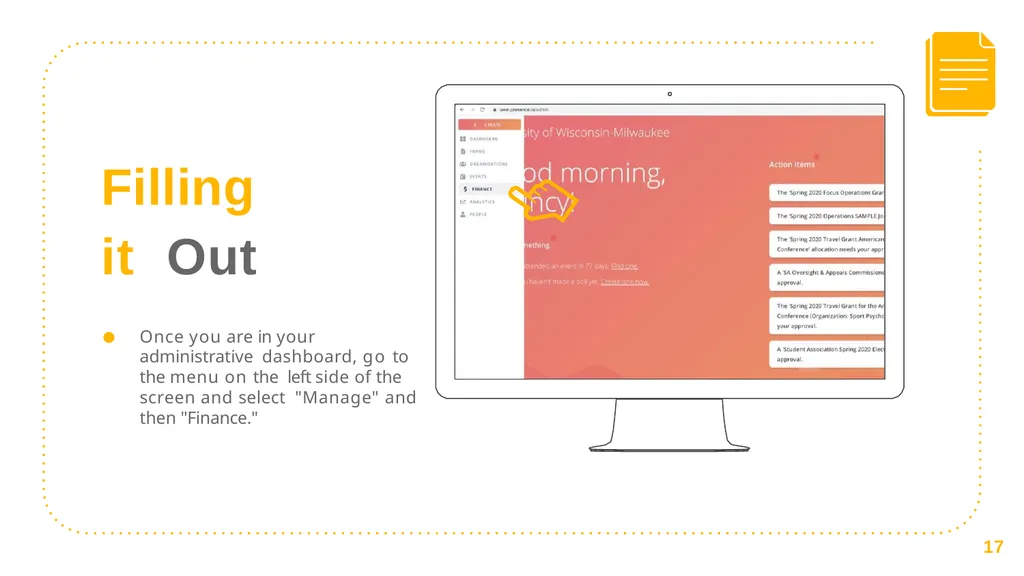
slide17. Filling it Out Once you are in your administrative dashboard, go to the menu on the left side of the screen and select "Manage" and then "Finance." 17<br>
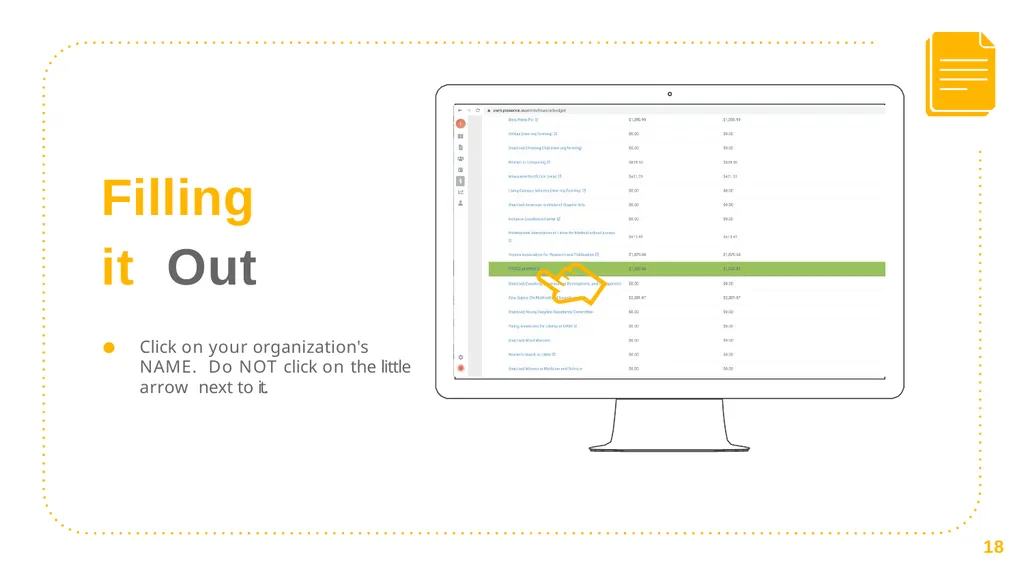
slide18. Filling it Out Click on your organization's NAME. Do NOT click on the little arrow next to it. 18<br>
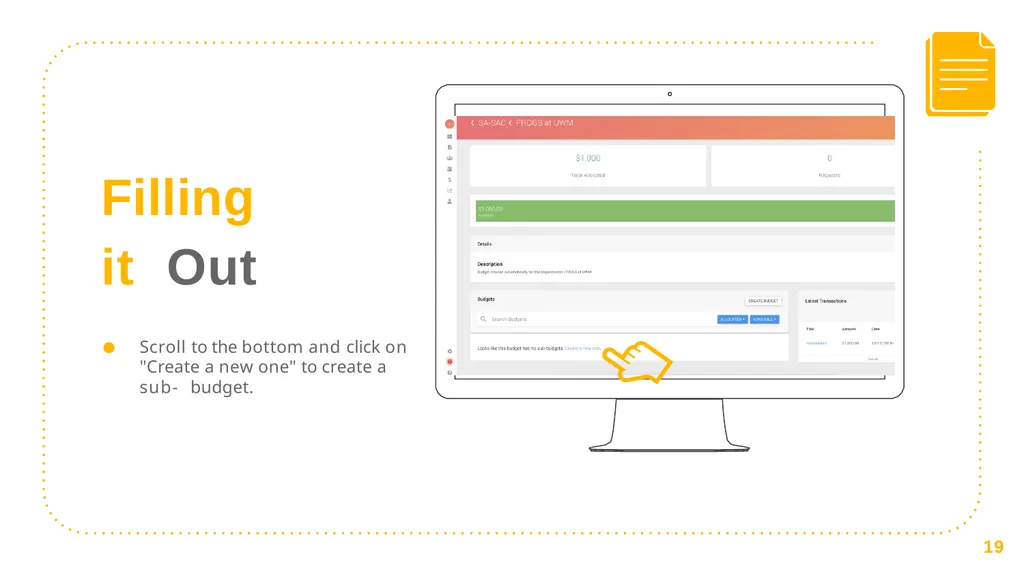
slide19. Filling it Out Scroll to the bottom and click on "Create a new one" to create a sub- budget. 19<br>
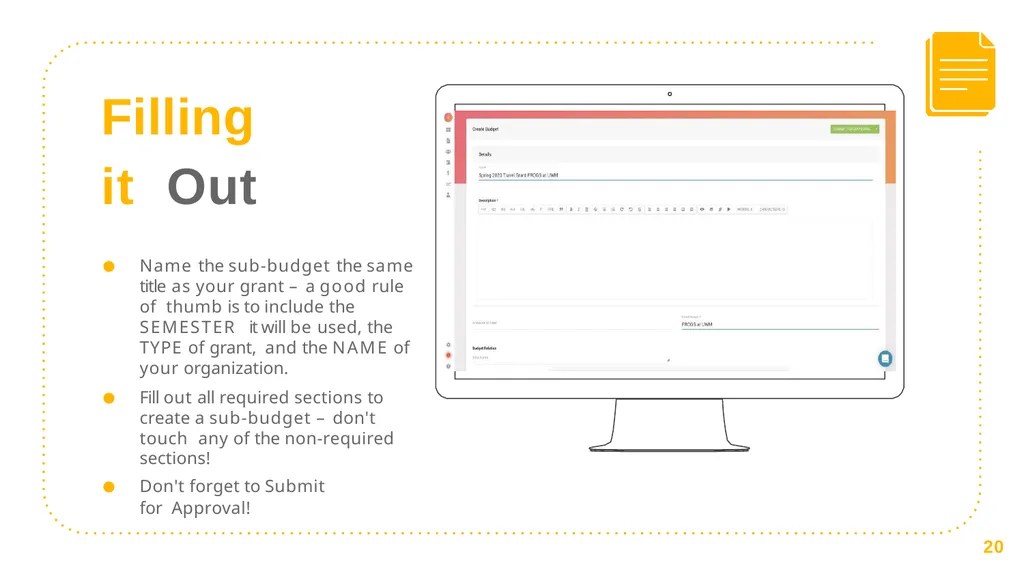
slide20. Filling it Out Name the sub-budget the same title as your grant – a good rule of thumb is to include the SEMESTER it will be used, the TYPE of grant, and the NAME of your organization.
Fill out all required sections to create a sub-budget – don't touch any of the non-required sections!
Don't forget to Submit for Approval! 20<br>
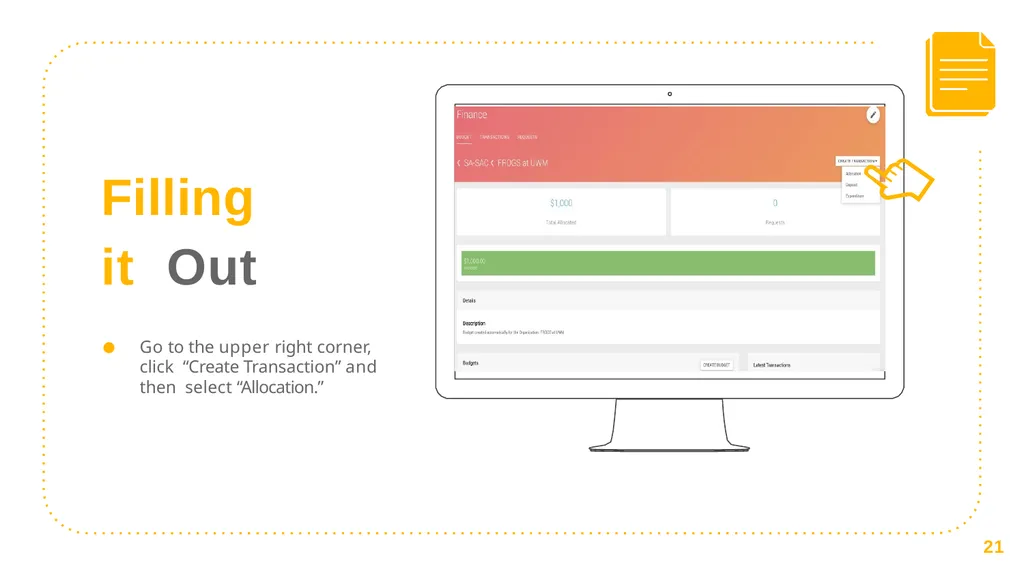
slide21. Filling it Out Go to the upper right corner, click “Create Transaction” and then select “Allocation.” 21<br>
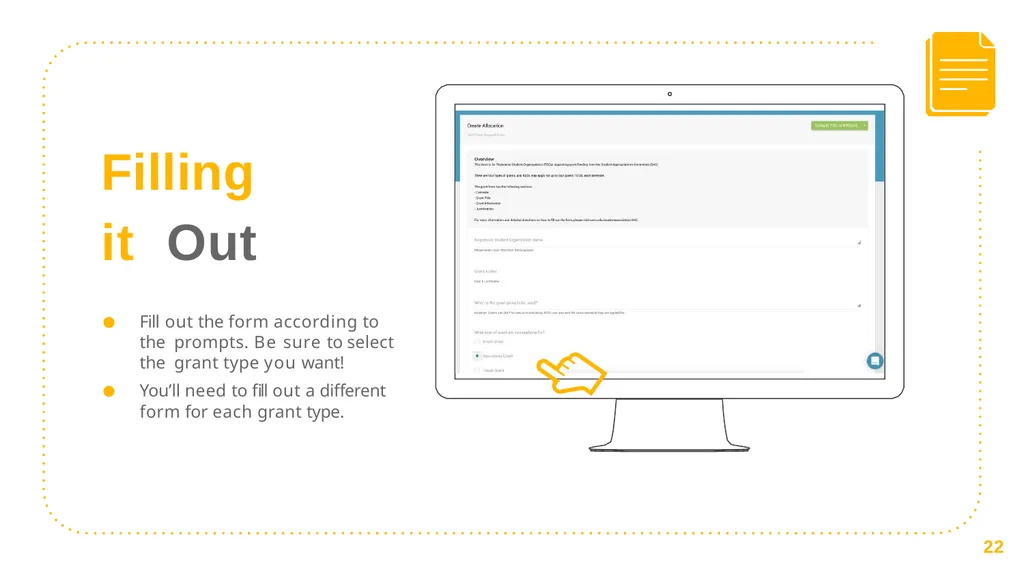
slide22. Filling it Out Fill out the form according to the prompts. Be sure to select the grant type you want!
You’ll need to fill out a different
form for each grant type. 22<br>
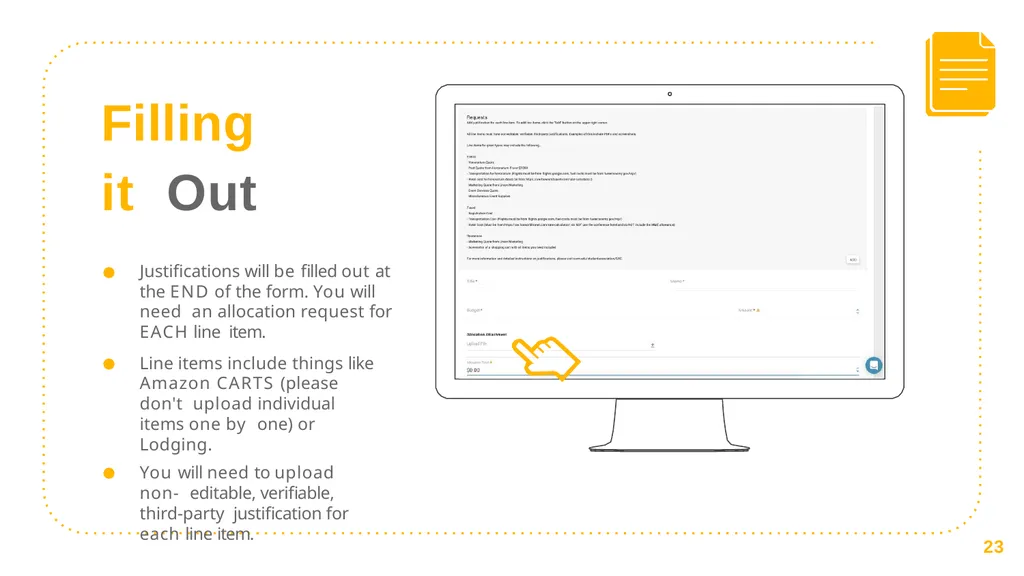
slide23. Filling it Out Justifications will be filled out at the END of the form. You will need an allocation request for EACH line item.
Line items include things like Amazon CARTS (please don't upload individual items one by one) or Lodging.
You will need to upload non- editable, verifiable, third-party justification for each line item. 23<br>
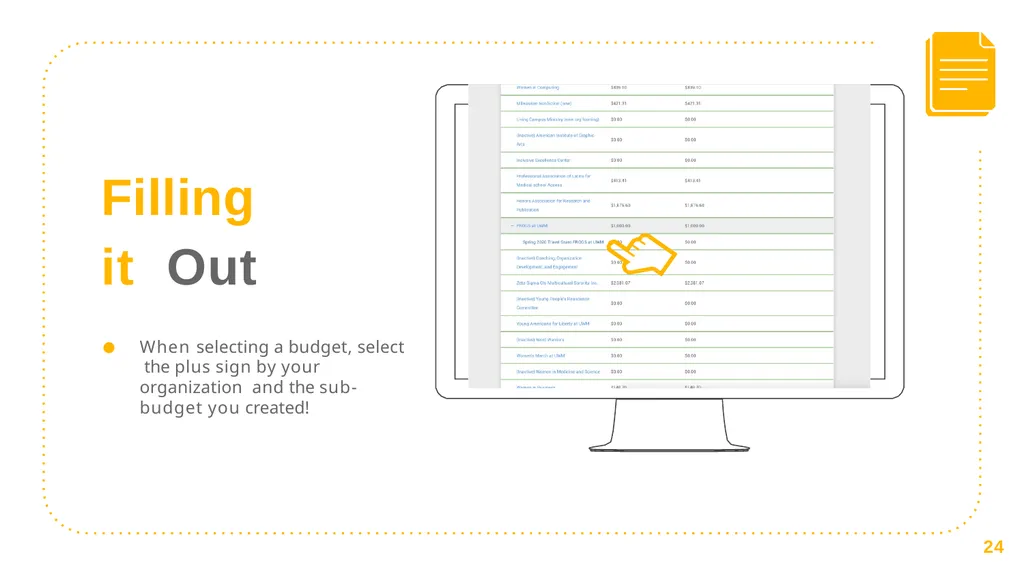
slide24. Filling it Out When selecting a budget, select the plus sign by your organization and the sub-budget you created! 24<br>
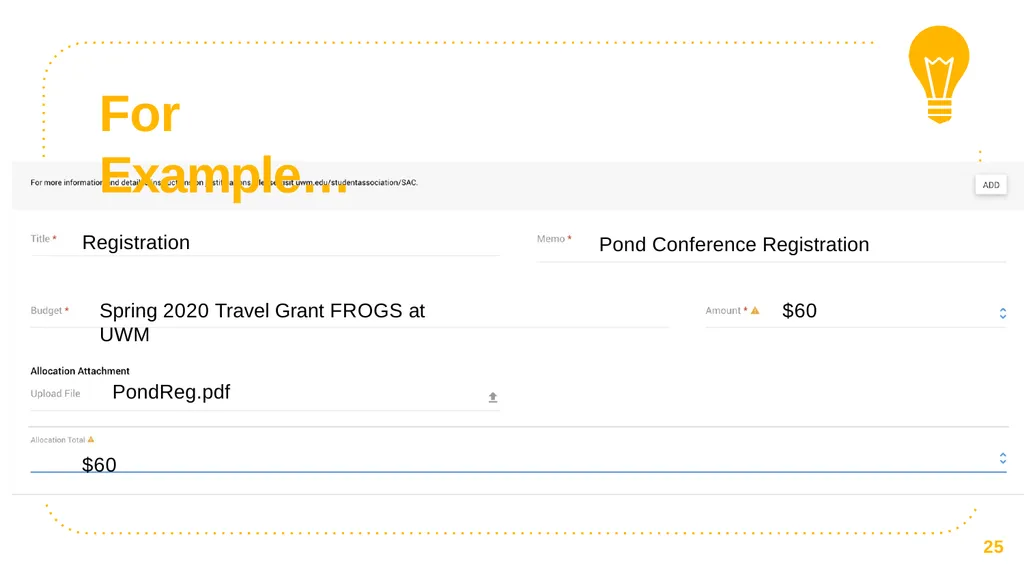
slide25. For Example… Registration Pond Conference Registration Spring 2020 Travel Grant FROGS at UWM $60 PondReg.pdf
$60 25<br>
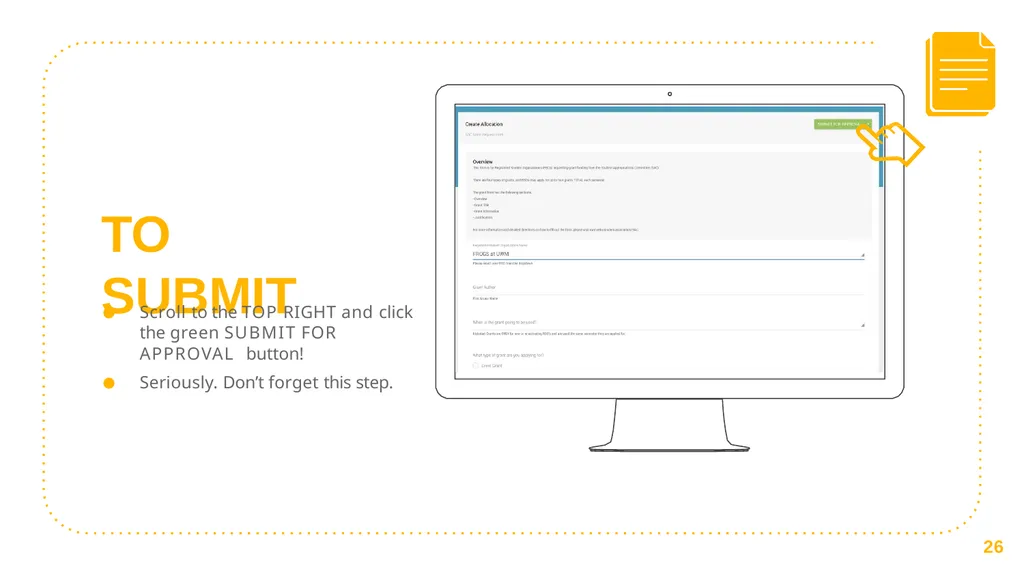
slide26. TO SUBMIT Scroll to the TOP RIGHT and click the green SUBMIT FOR APPROVAL button!
Seriously. Don’t forget this step. 26<br>
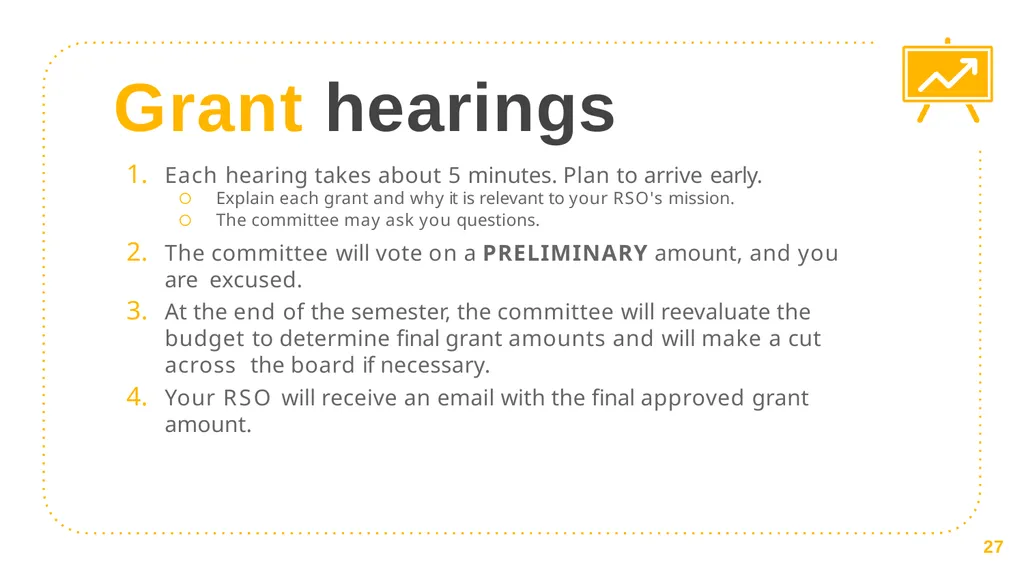
slide27. Grant hearings Each hearing takes about 5 minutes. Plan to arrive early.
Explain each grant and why it is relevant to your RSO's mission.
The committee may ask you questions.
The committee will vote on a PRELIMINARY amount, and you are excused.
At the end of the semester, the committee will reevaluate the budget to determine final grant amounts and will make a cut across the board if necessary.
Your RSO will receive an email with the final approved grant amount. 27<br>
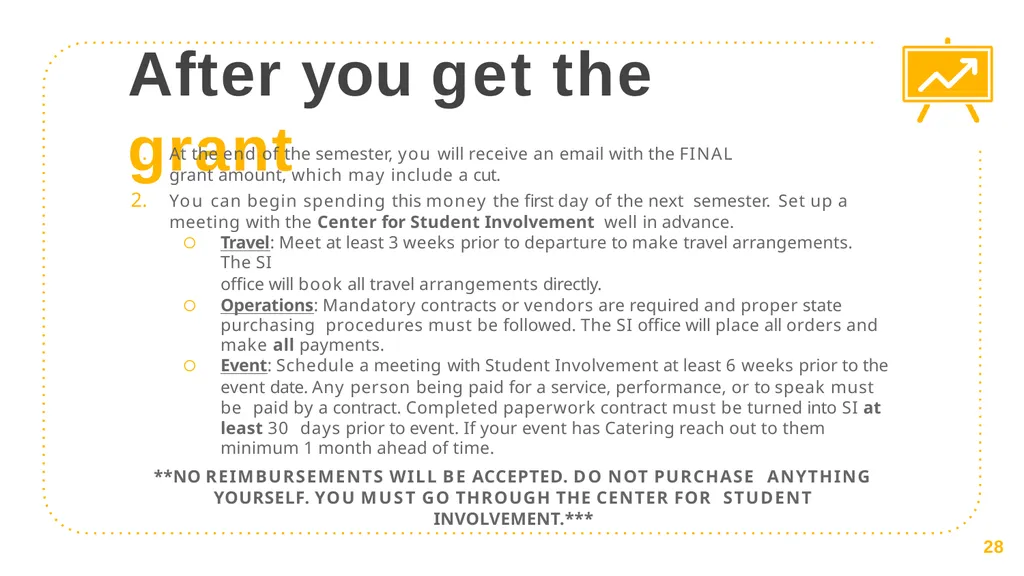
slide28. After you get the grant At the end of the semester, you will receive an email with the FINAL
grant amount, which may include a cut.
You can begin spending this money the first day of the next semester. Set up a meeting with the Center for Student Involvement well in advance.
Travel: Meet at least 3 weeks prior to departure to make travel arrangements. The SI
office will book all travel arrangements directly.
Operations: Mandatory contracts or vendors are required and proper state purchasing procedures must be followed. The SI office will place all orders and
make all payments.
Event: Schedule a meeting with Student Involvement at least 6 weeks prior to the
event date. Any person being paid for a service, performance, or to speak must be paid by a contract. Completed paperwork contract must be turned into SI at least 30 days prior to event. If your event has Catering reach out to them minimum 1 month ahead of time.
**NO REIMBURSEMENTS WILL BE ACCEPTED. DO NOT PURCHASE ANYTHING YOURSELF. YOU MUST GO THROUGH THE CENTER FOR STUDENT INVOLVEMENT.*** 28<br>
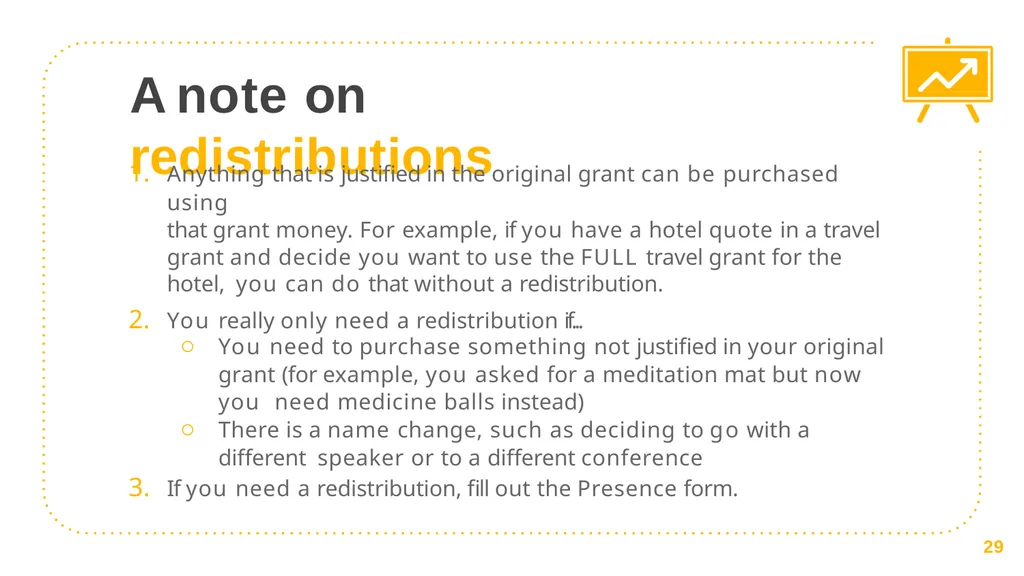
slide29. A note on redistributions Anything that is justified in the original grant can be purchased using
that grant money. For example, if you have a hotel quote in a travel
grant and decide you want to use the FULL travel grant for the hotel, you can do that without a redistribution.
You really only need a redistribution if...
You need to purchase something not justified in your original
grant (for example, you asked for a meditation mat but now you need medicine balls instead)
There is a name change, such as deciding to go with a different speaker or to a different conference
If you need a redistribution, fill out the Presence form. 29<br>
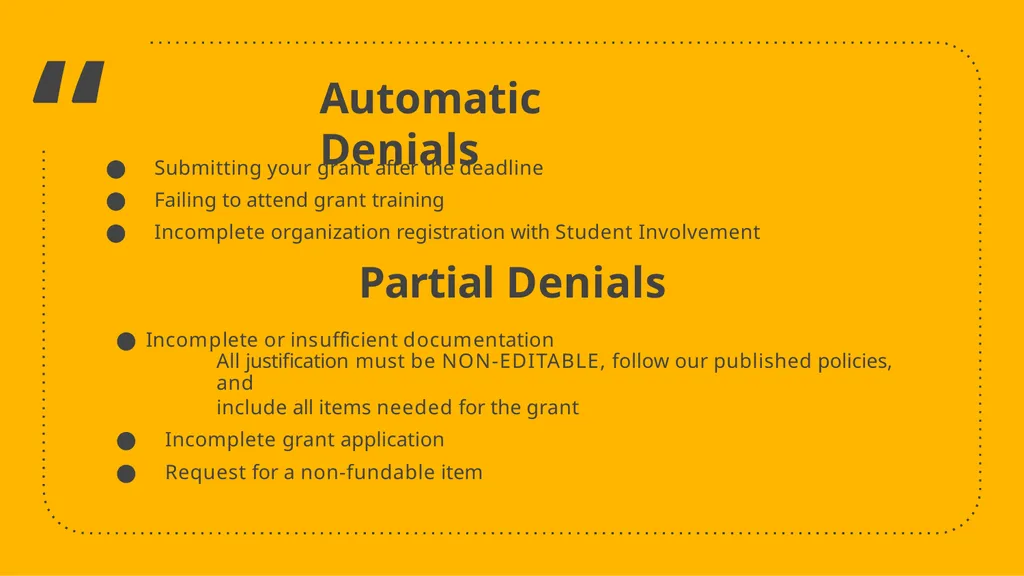
slide30. “ Automatic Denials Submitting your grant after the deadline
Failing to attend grant training
Incomplete organization registration with Student Involvement
Partial Denials
Incomplete or insufficient documentation
All justification must be NON-EDITABLE, follow our published policies, and
include all items needed for the grant
Incomplete grant application
Request for a non-fundable item<br>
slide31. Justifications
Show us where your money is going. 3<br>
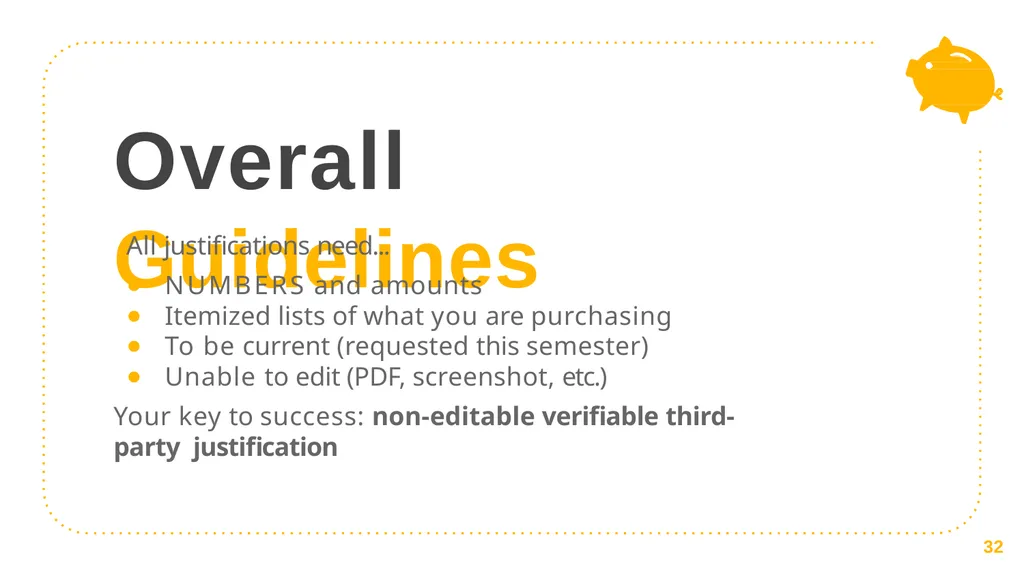
slide32. Overall Guidelines All justifications need...
NUMBERS and amounts
Itemized lists of what you are purchasing
To be current (requested this semester)
Unable to edit (PDF, screenshot, etc.)
Your key to success: non-editable verifiable third-party justification 32<br>
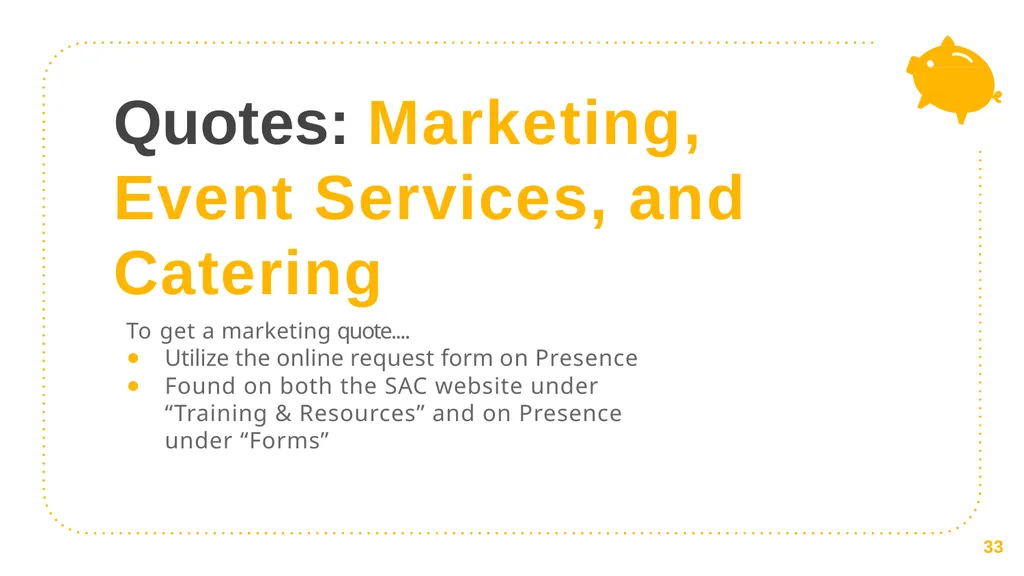
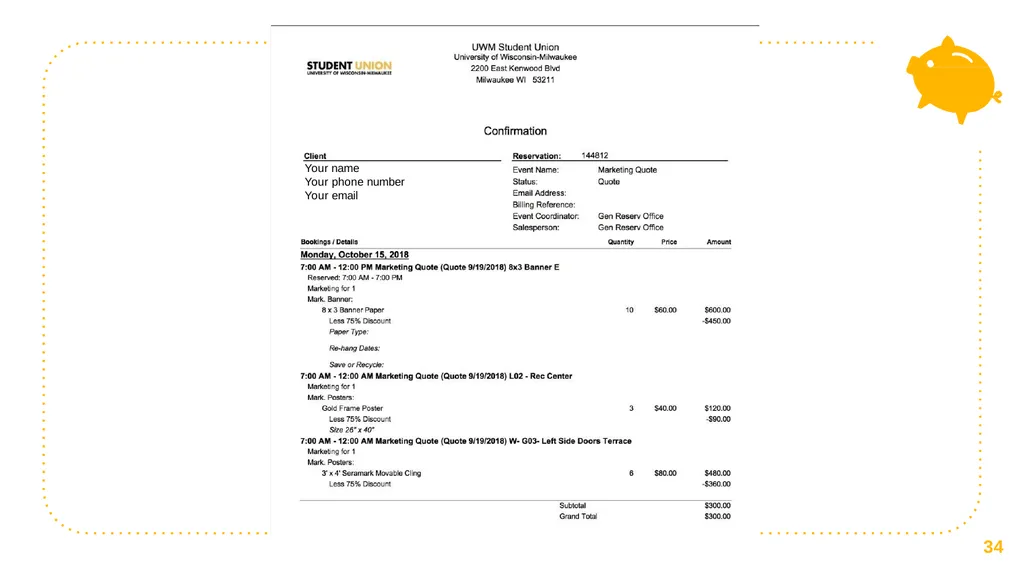
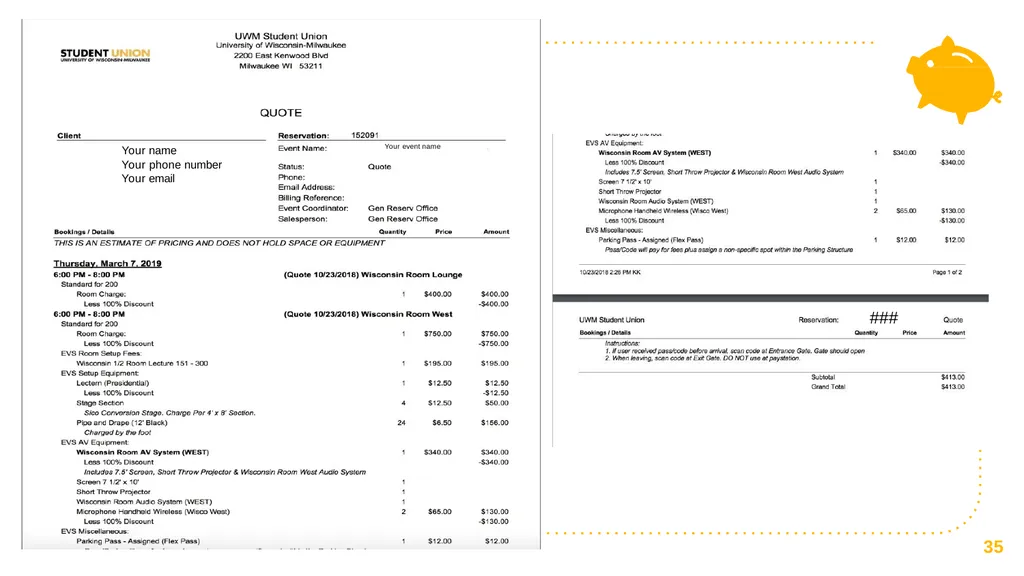
slide33. Quotes: Marketing, Event Services, and Catering To get a marketing quote....
Utilize the online request form on Presence
Found on both the SAC website under “Training & Resources” and on Presence under “Forms” 33<br>
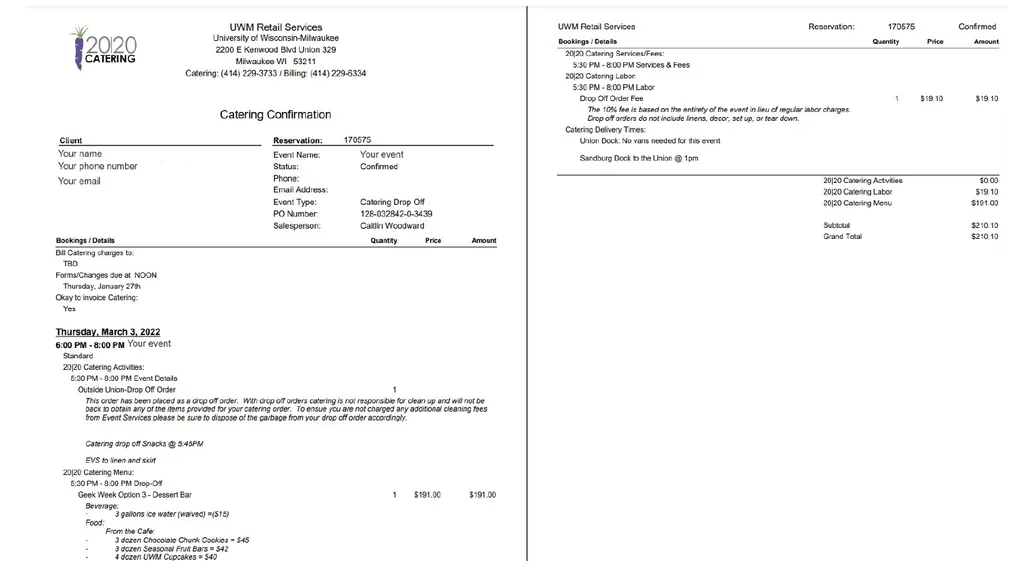
slide34. Your name
Your phone number
Your email 34<br>
slide35. ### Your name 35 Your phone number
Your email Your event name<br>
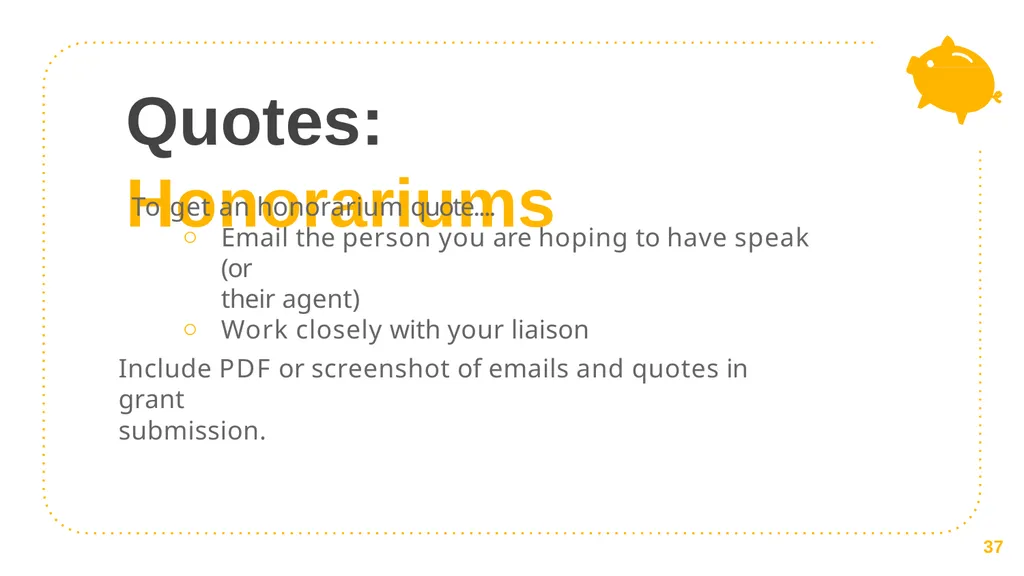
slide37. Quotes: Honorariums To get an honorarium quote....
Email the person you are hoping to have speak (or
their agent)
Work closely with your liaison
Include PDF or screenshot of emails and quotes in grant
submission. 37<br>
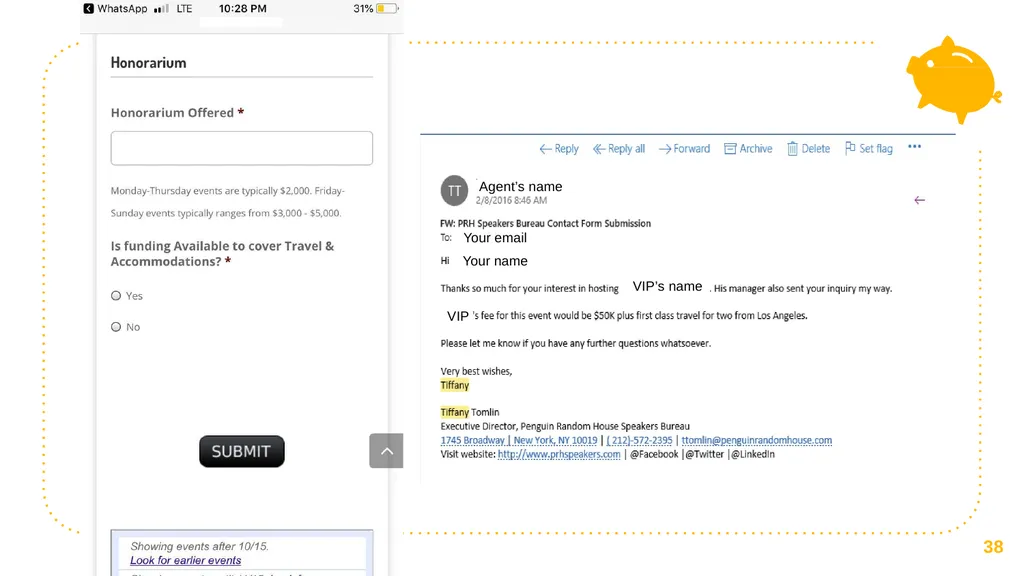
slide38. Agent’s name
Agent’s contact information Agent’s name
Your email Your name VIP’s name VIP 38<br>
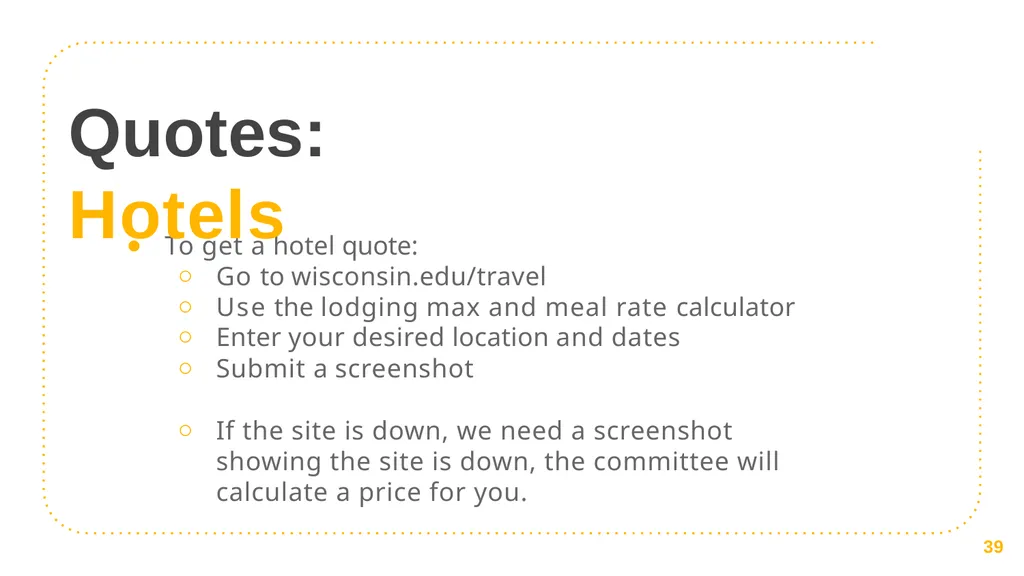
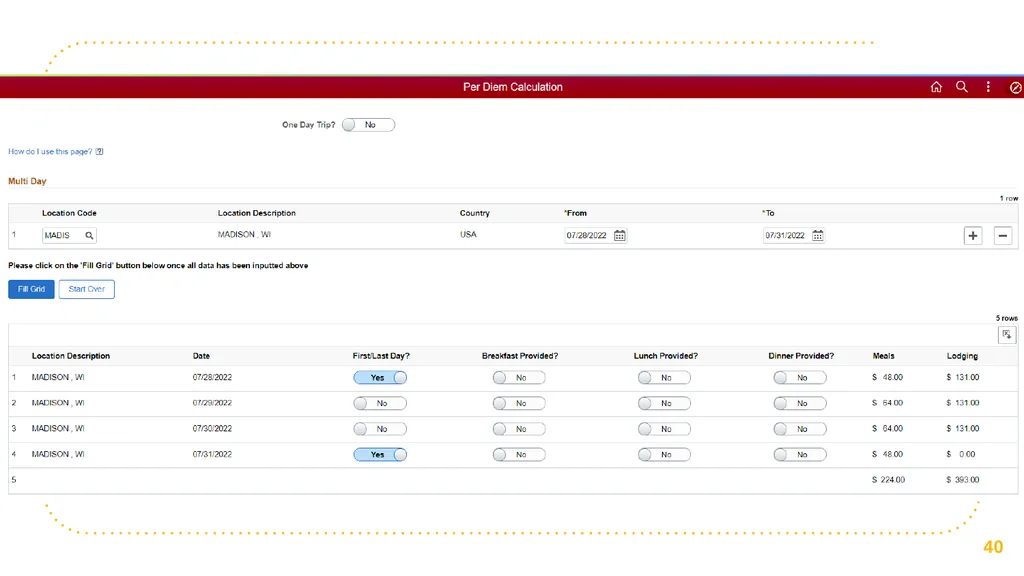
slide39. To get a hotel quote:
Go to wisconsin.edu/travel
Use the lodging max and meal rate calculator
Enter your desired location and dates
Submit a screenshot
If the site is down, we need a screenshot showing the site is down, the committee will calculate a price for you. 39 Quotes: Hotels<br>
slide40. 40<br>
slide41. “ Important Deadlines **All Marketing, Event Services, and Catering Quotes are due February 24th at noon.**
**OVERALL GRANT DEADLINE IS Friday, March 3rd at noon**
No late submissions accepted.<br>
slide42. “ Contact Information Student Appropriations Committee: sa-sac@uwm.edu
Student Involvement: si-busoffice@uwm.edu
Union Marketing: markdesk@uwm.edu
Catering: 2020-catering@uwm.edu
Event Services: reservat@uwm.edu
**General questions? Email sa-sac@uwm.edu**<br>
slide43. 51 Thanks! Any questions?
Email us at sa-sac@uwm.edu!<br>
Spring 2023 Grant Request Process<br>
slide2. What is SAC? Every semester, students pay segregated fees that fund different things on campus (the Union, Resource Centers, Green Fund, etc.) including SAC
This means that the SAC budget is dependent on a variety of factors, most notably how many students enroll and how much funding RSOs use from the prior semester
SAC is the committee, composed of Student Association representatives and RSO members, responsible for allocating funds to RSO's fairly & in accordance with policy
SAC is one place where students have a direct say in how their segregated fees are spent! 2<br>
slide3. About SAC Funds SAC is not and never has been intended to be the SOLE source
of funding for student organizations.
Your organization is not guaranteed to receive the full amount you request or even the amount voted on in the hearing.
Your group, even if requesting SAC grants, should continue to pursue and maximize sponsorships and other fundraising opportunities.
Your Student Involvement liaison and faculty/staff advisor can be great resources to help with securing additional funding. 3<br>
slide4. Student Association 4 Student Appropriations Committee (SAC) Student Involvement<br>
slide5. SAC funds are regulated by state policy. 5 This means that there are rules and procedures that the committee (& RSOs!) have to follow throughout the grant process.<br>
slide6. Guiding policies Federal
Viewpoint Neutrality as determined in Board of Regents, University of Wisconsin System v.
Southworth shapes what
information can and
cannot be considered in financial decisionmaking. State
UW System Administrative Policy 820 defines what student segregated fee funding can and cannot be used for within UW System campuses. UWM
SAC Bylaws and precedence guide the committee on how to fairly allocate money and ensures a consistent process from semester to semester. 6<br>
slide7. Grants 101 1<br>
slide8. General Rules Registration
Your RSO must be registered through student involvement. Training
At least one OFFICER of your RSO must attend grant training & sign in. # of Requests
You can submit a request for each type of grant – event, travel, and operations – up to the cap for as many things as you'd like. Mission
All requests must align with the mission of your RSO. Disclaimer
SAC Funding cannot be used for academic, personal, political, or commercial gain. 8<br>
slide9. Types of Grants RSO's can request one per type of grant each semester. There are four types of grants that RSO's can request from SAC...
Event (3 per semester)
Operations (1 per semester)
Travel (1 per semester)
Kick Start ( 1 per semester for new groups only) 9<br>
slide10. Event Grants Justifications to include...
Quote from event services, including room set-up, A/V, etc.
Quote from marketing for promotional materials
Quote from honorarium with their rate listed.
Honoraria of more than $1000 require a previous quote from the speaker/performer
Screenshot of flight cost or ground travel prices
Screenshot of wisconsin.edu/travel hotel rate for Wisconsin
Catering Requests from 2020 Catering Overall Cap: $4000
Marketing: $200
Honorarium: $4000*
Housing: $150/day
Flight: $250
Ground transportation: Cap Removed
Food: $500 10 *Honorariums over $1,000 MUST include a past quote from the performer with their rate listed.<br>
slide11. Operations Grants Justifications to include...
Quote from marketing for general promotional materials
Screenshot of an online shopping cart that includes all items you want to purchase up to $3000 (make sure all items are shown with individual prices!)
** Please do not upload singular items individually – this will significantly slow the process. Screenshots of shopping carts with ALL items are great. ** Overall Cap: $4000
Marketing: $200
Office Supplies: $60 11<br>
slide12. Travel Grants Justifications to include... Screenshot of registration cost
If the cost is not yet listed, you can use a screenshot of last
year's registration cost as justification Wisconsin.edu/travel hotel quote
Google flights estimate
Fueleconomy.gov for gas prices
Screenshots of uber/lift/amtrack quotes Overall Cap: $3000 Registration: $150 per person
Hotel: $150/night, max. 3 nights
Flights: $250 per person round trip
Rental Cars: $200 per 4 people traveling.
Ground travel: Cap Removed 12<br>
slide13. For new RSOs or RSOs that did not partake in last semester’s grant process Kick Start Grants Consider requesting for... Event: Small event to raise awareness on
campus
Operations: General marketing to assist with recruitment
Travel: Funding for a virtual conference Overall Cap: $1500*
Caps from the relevant grant type still apply (for example,
$150 for marketing) These grants can be submitted after the deadline and are open until the last grant hearing date. Funds will be made available following the subsequent student senate meeting.
Please note that these grants are contingent upon SAC having enough members to
vote. Without enough members, Kick Start grants cannot be allocated. 13<br>
slide14. “ SAC cannot fund... Decorations
Prizes
Helium tanks
Honorarium with a conflict of interest
Gifts for UWM faculty or staff
Individual membership dues
Improvement of spaces (ie. Furniture, cleaning products, appliances)
Personal items (t-shirts, business cards, uniforms) Anything that has a free alternative on campus
Off-campus facilities (unless the group has confirmed with Student Involvement that there are no adequate on-campus spaces for an event)
Old quotes from performers, Event Services, Marketing, etc. The only exception is for Travel Grants, in which you can use last year's conference price as registration justification<br>
slide15. Filling out your grants
Step by Step. 2<br>
slide16. Finding The Form Log into
Panther Presence (uwm.
presence.io).
Click on the upper righthand corner to sign in with your Panther ID.
Click on your "Person" icon and select "Admin Dashboard." 16<br>
slide17. Filling it Out Once you are in your administrative dashboard, go to the menu on the left side of the screen and select "Manage" and then "Finance." 17<br>
slide18. Filling it Out Click on your organization's NAME. Do NOT click on the little arrow next to it. 18<br>
slide19. Filling it Out Scroll to the bottom and click on "Create a new one" to create a sub- budget. 19<br>
slide20. Filling it Out Name the sub-budget the same title as your grant – a good rule of thumb is to include the SEMESTER it will be used, the TYPE of grant, and the NAME of your organization.
Fill out all required sections to create a sub-budget – don't touch any of the non-required sections!
Don't forget to Submit for Approval! 20<br>
slide21. Filling it Out Go to the upper right corner, click “Create Transaction” and then select “Allocation.” 21<br>
slide22. Filling it Out Fill out the form according to the prompts. Be sure to select the grant type you want!
You’ll need to fill out a different
form for each grant type. 22<br>
slide23. Filling it Out Justifications will be filled out at the END of the form. You will need an allocation request for EACH line item.
Line items include things like Amazon CARTS (please don't upload individual items one by one) or Lodging.
You will need to upload non- editable, verifiable, third-party justification for each line item. 23<br>
slide24. Filling it Out When selecting a budget, select the plus sign by your organization and the sub-budget you created! 24<br>
slide25. For Example… Registration Pond Conference Registration Spring 2020 Travel Grant FROGS at UWM $60 PondReg.pdf
$60 25<br>
slide26. TO SUBMIT Scroll to the TOP RIGHT and click the green SUBMIT FOR APPROVAL button!
Seriously. Don’t forget this step. 26<br>
slide27. Grant hearings Each hearing takes about 5 minutes. Plan to arrive early.
Explain each grant and why it is relevant to your RSO's mission.
The committee may ask you questions.
The committee will vote on a PRELIMINARY amount, and you are excused.
At the end of the semester, the committee will reevaluate the budget to determine final grant amounts and will make a cut across the board if necessary.
Your RSO will receive an email with the final approved grant amount. 27<br>
slide28. After you get the grant At the end of the semester, you will receive an email with the FINAL
grant amount, which may include a cut.
You can begin spending this money the first day of the next semester. Set up a meeting with the Center for Student Involvement well in advance.
Travel: Meet at least 3 weeks prior to departure to make travel arrangements. The SI
office will book all travel arrangements directly.
Operations: Mandatory contracts or vendors are required and proper state purchasing procedures must be followed. The SI office will place all orders and
make all payments.
Event: Schedule a meeting with Student Involvement at least 6 weeks prior to the
event date. Any person being paid for a service, performance, or to speak must be paid by a contract. Completed paperwork contract must be turned into SI at least 30 days prior to event. If your event has Catering reach out to them minimum 1 month ahead of time.
**NO REIMBURSEMENTS WILL BE ACCEPTED. DO NOT PURCHASE ANYTHING YOURSELF. YOU MUST GO THROUGH THE CENTER FOR STUDENT INVOLVEMENT.*** 28<br>
slide29. A note on redistributions Anything that is justified in the original grant can be purchased using
that grant money. For example, if you have a hotel quote in a travel
grant and decide you want to use the FULL travel grant for the hotel, you can do that without a redistribution.
You really only need a redistribution if...
You need to purchase something not justified in your original
grant (for example, you asked for a meditation mat but now you need medicine balls instead)
There is a name change, such as deciding to go with a different speaker or to a different conference
If you need a redistribution, fill out the Presence form. 29<br>
slide30. “ Automatic Denials Submitting your grant after the deadline
Failing to attend grant training
Incomplete organization registration with Student Involvement
Partial Denials
Incomplete or insufficient documentation
All justification must be NON-EDITABLE, follow our published policies, and
include all items needed for the grant
Incomplete grant application
Request for a non-fundable item<br>
slide31. Justifications
Show us where your money is going. 3<br>
slide32. Overall Guidelines All justifications need...
NUMBERS and amounts
Itemized lists of what you are purchasing
To be current (requested this semester)
Unable to edit (PDF, screenshot, etc.)
Your key to success: non-editable verifiable third-party justification 32<br>
slide33. Quotes: Marketing, Event Services, and Catering To get a marketing quote....
Utilize the online request form on Presence
Found on both the SAC website under “Training & Resources” and on Presence under “Forms” 33<br>
slide34. Your name
Your phone number
Your email 34<br>
slide35. ### Your name 35 Your phone number
Your email Your event name<br>
slide37. Quotes: Honorariums To get an honorarium quote....
Email the person you are hoping to have speak (or
their agent)
Work closely with your liaison
Include PDF or screenshot of emails and quotes in grant
submission. 37<br>
slide38. Agent’s name
Agent’s contact information Agent’s name
Your email Your name VIP’s name VIP 38<br>
slide39. To get a hotel quote:
Go to wisconsin.edu/travel
Use the lodging max and meal rate calculator
Enter your desired location and dates
Submit a screenshot
If the site is down, we need a screenshot showing the site is down, the committee will calculate a price for you. 39 Quotes: Hotels<br>
slide40. 40<br>
slide41. “ Important Deadlines **All Marketing, Event Services, and Catering Quotes are due February 24th at noon.**
**OVERALL GRANT DEADLINE IS Friday, March 3rd at noon**
No late submissions accepted.<br>
slide42. “ Contact Information Student Appropriations Committee: sa-sac@uwm.edu
Student Involvement: si-busoffice@uwm.edu
Union Marketing: markdesk@uwm.edu
Catering: 2020-catering@uwm.edu
Event Services: reservat@uwm.edu
**General questions? Email sa-sac@uwm.edu**<br>
slide43. 51 Thanks! Any questions?
Email us at sa-sac@uwm.edu!<br>