
Tech Theatre Tool Kit Introduction and Slide



Description: Tech Theatre Tool Kit Introduction and Slide Master Designed and Created by Brandon Goodman Houston Texas brandonkgoodmankatyisd.org Unit 1- Introduction TECHNICAL THEATRE WEEK 1 Day 1 Set up Google Slides TIP: Once you have collected
Related Topics
Download Presentation
"Tech Theatre Tool Kit Introduction and Slide" is the property of its rightful owner. Permission is granted to download and print the materials on this website for personal, non-commercial use only, and to display it on your personal computer provided you do not modify the materials and that you retain all copyright notices contained in the materials. By downloading content from our website, you accept the terms of this agreement.
Presentation Transcript
slide1. Tech Theatre Tool Kit Introduction and Slide Master<br>
slide2. Designed and Created by Brandon Goodman
Houston Texas brandonkgoodman@katyisd.org<br>
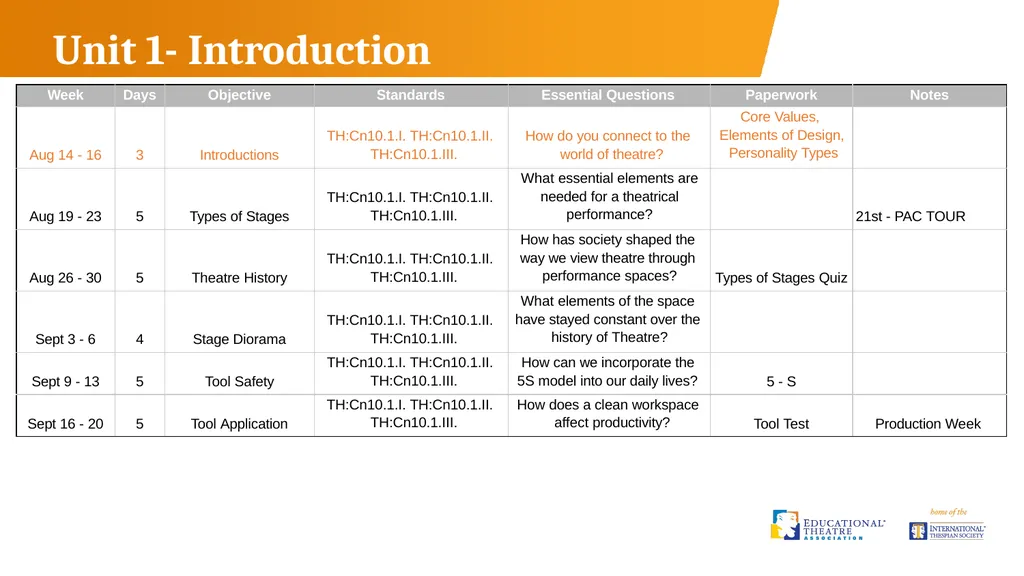
slide3. Unit 1- Introduction<br>
slide4. TECHNICAL THEATRE WEEK 1<br>
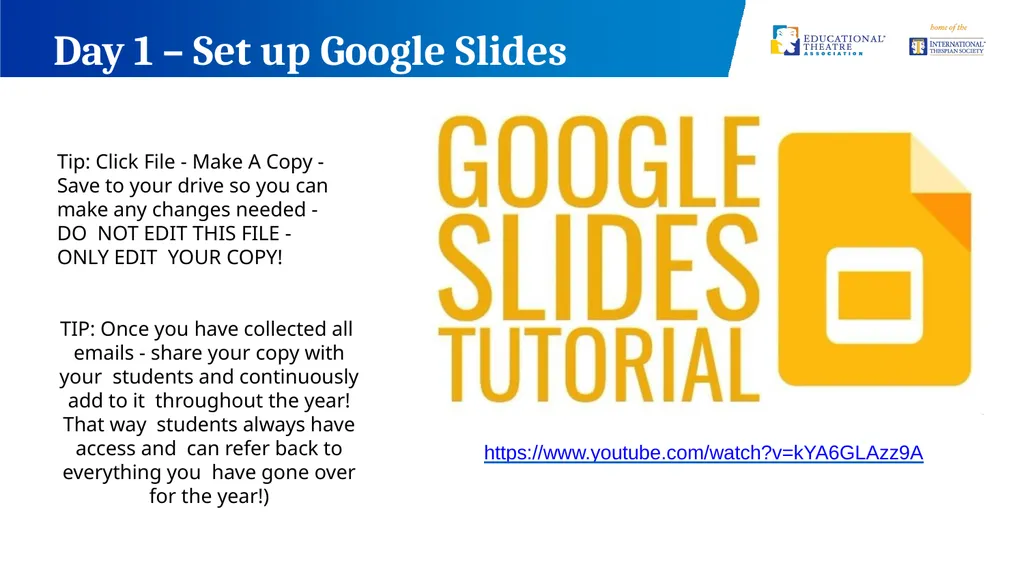
slide5. Day 1 – Set up Google Slides TIP: Once you have collected all emails - share your copy with your students and continuously add to it throughout the year! That way students always have access and can refer back to everything you have gone over for the year!) Tip: Click File - Make A Copy - Save to your drive so you can make any changes needed - DO NOT EDIT THIS FILE - ONLY EDIT YOUR COPY! https://www.youtube.com/watch?v=kYA6GLAzz9A<br>
slide6. Next slides are blank for your use in setting up your own introduction to tech theatre PowerPoint<br>
slide7. Welcome To Stagecraft Add Your Logo Here<br>
slide8. What is Stagecraft? * Stagecraft is the creation of technical elements used in a theatrical production.
Stagecraft covers several different areas of a theatrical production.<br>
slide9. Art Form - Theatre
Place - theater
Think of it as an action! What is Theatre? Theatre - is an art form concerned almost exclusively with live performances in which the action is precisely planned to create a coherent and significant sense of drama.<br>
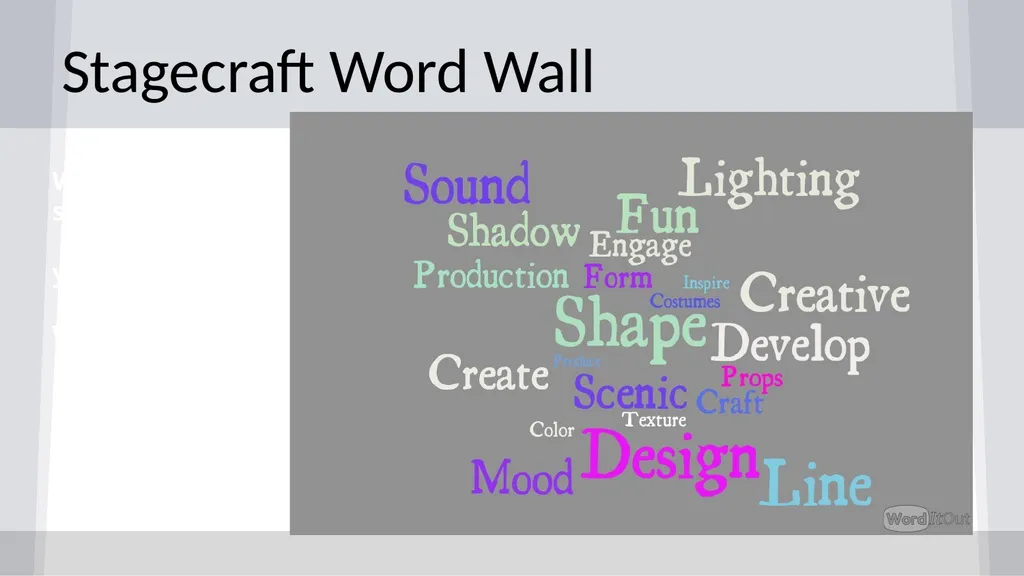
slide10. Stagecraft Word Wall W
s y
W<br>
slide11. Technical Theatre What we will cover…<br>
slide12. Scenic Design Add Photo Add Photo Add Photo<br>
slide13. Scenic Design Set Construction - Building
Rigging - Counterweight System Painting Techniques
Scale Model
Diorama Add Photo<br>
slide14. Lighting - Add Photo Add Photo Add Photo<br>
slide15. Lighting Color Theory
Hang and Focus
Gobos and Gels Light plot rendering Specialty Lighting - Moving Lights
Light Board Operation Add Photo<br>
slide16. Sound - Add Photo Add Photo Add Photo<br>
slide17. Sound Microphones
Sound Design
Special Effect Sounds
Soundboard Operation Add Photo<br>
slide18. Costumes - Add Photo Add Photo Add Photo<br>
slide19. Costumes Costume Design - Renderings
Costume Construction - Sewing Add Photo Add Photo<br>
slide20. Props Add Photo Add Photo Add Photo<br>
slide21. Props Prop Design
Prop Construction Add Photo Add Photo<br>
slide22. Hair and Makeup Add Photo Add Photo Add Photo<br>
slide23. Hair and Makeup Hair and Makeup Renderings
Hair and Makeup Application Add Photo Add Photo<br>
slide24. 2019-2020 Productions Add Photo Add Photo Add Photo Add Photo<br>
slide25. Stagecraft is for everyone If you are interested in working with an award winning program and like getting your hands dirty, you have come to the right place.<br>
slide26. About Me…. (Insert Teacher Name)
Add more slides with images that reflect your teaching style - refrain from overly personal images or text.
Let them see your passion for learning and theatre<br>
slide27. Remind 101 - Use for class communication and updates Student Email Access - get from your AP or registrar
- Have students either access or set up an email account Google Drive -
- Have students log in and create a google drive account (free) Remind 101
Text 81010 @ MY EMAIL ADDRESS: (Once you have set up your google slide - share with my email.
Save your slide presentation as Firstname.lastname.classperiod)<br>
slide29. course? (Insert your **website or Google drive here)
We will be using this website all year!
** Weebly is a very easy website developer to use click below to see the website we use
www.Mavericktheatrecompany.org<br>
slide30. Teamwork makes the Dreamwork Personality Quiz Link (QR CODE)
(Add results to shared google slide)<br>
slide31. What did you learn about yourself in these fun quizzes?
Did you agree?<br>
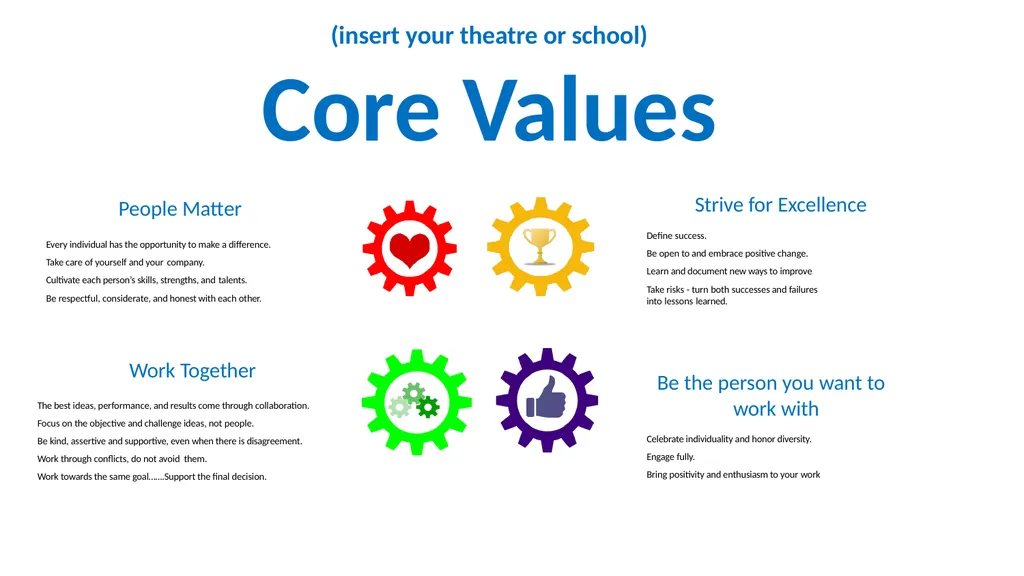
slide32. Every individual has the opportunity to make a difference. Take care of yourself and your company.
Cultivate each person’s skills, strengths, and talents.
Be respectful, considerate, and honest with each other. People Matter Work Together
The best ideas, performance, and results come through collaboration. Focus on the objective and challenge ideas, not people.
Be kind, assertive and supportive, even when there is disagreement. Work through conflicts, do not avoid them.
Work towards the same goal…….Support the final decision. Be the person you want to work with
Celebrate individuality and honor diversity. Engage fully.
Bring positivity and enthusiasm to your work Strive for Excellence
Define success.
Be open to and embrace positive change. Learn and document new ways to improve
Take risks - turn both successes and failures into lessons learned. (insert your theatre or school)
Core Values<br>
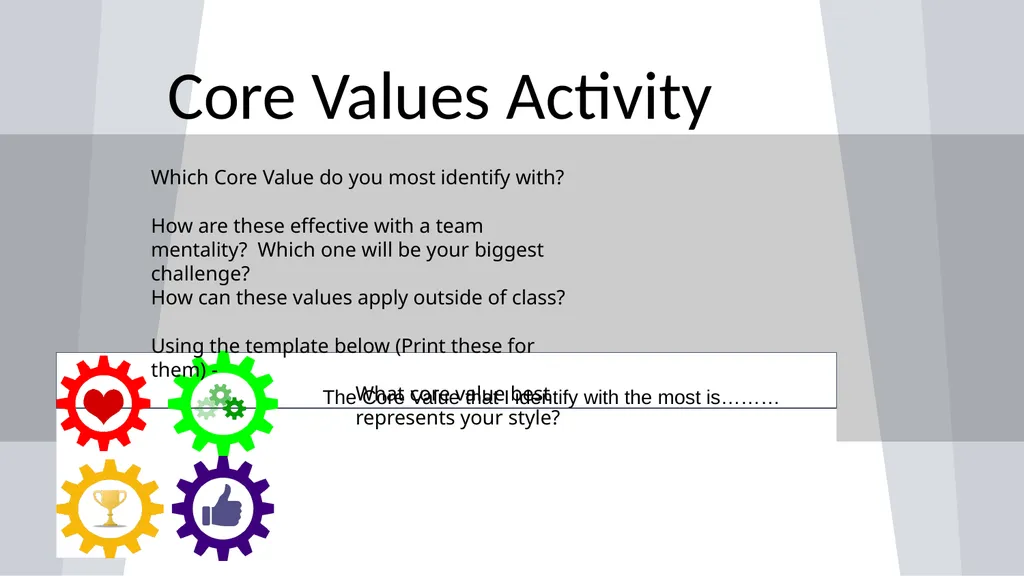
slide33. Core Values Activity The Core Value that I identify with the most is……… Which Core Value do you most identify with?
How are these effective with a team mentality? Which one will be your biggest challenge?
How can these values apply outside of class?
Using the template below (Print these for them) -
What core value best represents your style?<br>
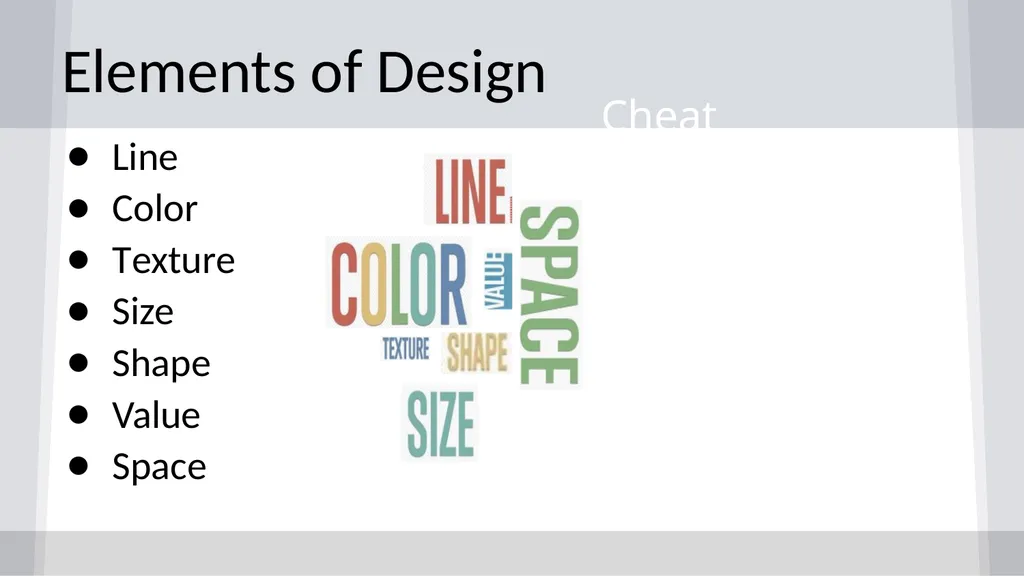
slide34. Elements of Design Line
Color
Texture
Size
Shape
Value
Space Cheat Sheet:<br>
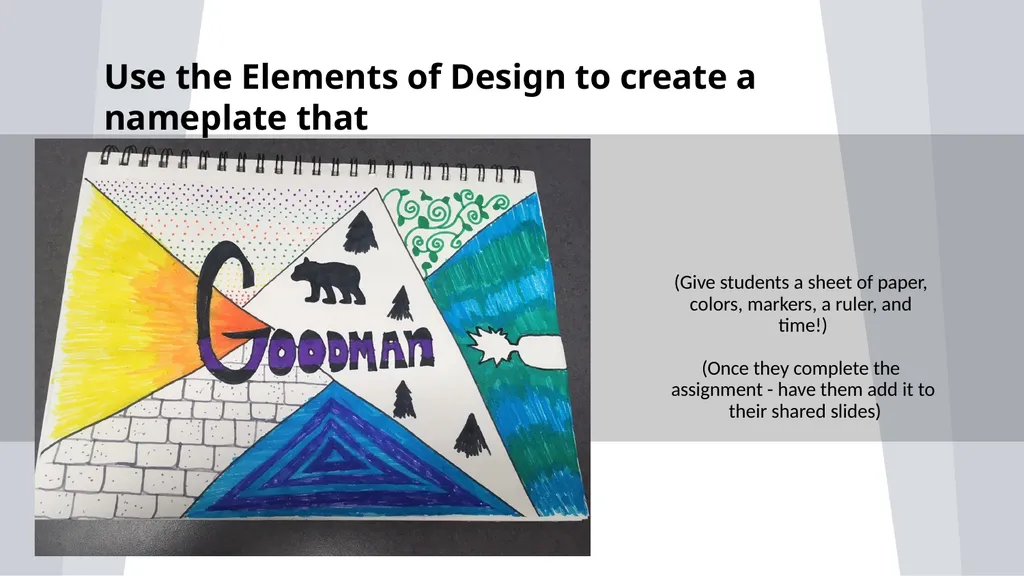
slide35. (Give students a sheet of paper, colors, markers, a ruler, and time!)
(Once they complete the assignment - have them add it to their shared slides) Use the Elements of Design to create a nameplate that<br>
slide36. About Me Presentation Present your Design Nameplate
Share your Pottermore House (Who else is one?)
Personality Type - Did you agree with this? Why or Why
not?
What are you looking forward to the most this year<br>
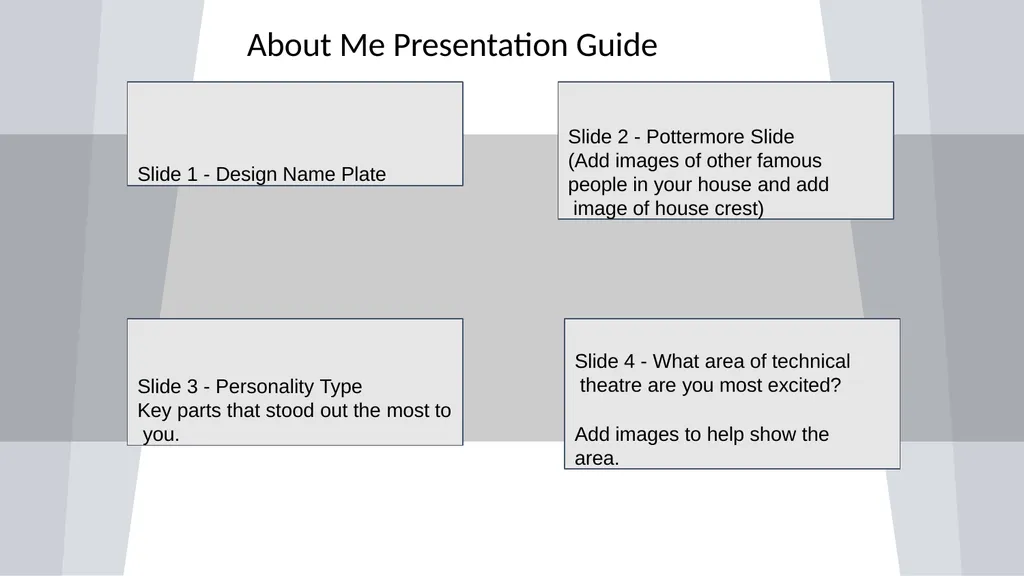
slide37. About Me Presentation Guide Slide 1 - Design Name Plate Slide 2 - Pottermore Slide (Add images of other famous people in your house and add image of house crest) Slide 3 - Personality Type
Key parts that stood out the most to you. Slide 4 - What area of technical theatre are you most excited?
Add images to help show the area.<br>
slide2. Designed and Created by Brandon Goodman
Houston Texas brandonkgoodman@katyisd.org<br>
slide3. Unit 1- Introduction<br>
slide4. TECHNICAL THEATRE WEEK 1<br>
slide5. Day 1 – Set up Google Slides TIP: Once you have collected all emails - share your copy with your students and continuously add to it throughout the year! That way students always have access and can refer back to everything you have gone over for the year!) Tip: Click File - Make A Copy - Save to your drive so you can make any changes needed - DO NOT EDIT THIS FILE - ONLY EDIT YOUR COPY! https://www.youtube.com/watch?v=kYA6GLAzz9A<br>
slide6. Next slides are blank for your use in setting up your own introduction to tech theatre PowerPoint<br>
slide7. Welcome To Stagecraft Add Your Logo Here<br>
slide8. What is Stagecraft? * Stagecraft is the creation of technical elements used in a theatrical production.
Stagecraft covers several different areas of a theatrical production.<br>
slide9. Art Form - Theatre
Place - theater
Think of it as an action! What is Theatre? Theatre - is an art form concerned almost exclusively with live performances in which the action is precisely planned to create a coherent and significant sense of drama.<br>
slide10. Stagecraft Word Wall W
s y
W<br>
slide11. Technical Theatre What we will cover…<br>
slide12. Scenic Design Add Photo Add Photo Add Photo<br>
slide13. Scenic Design Set Construction - Building
Rigging - Counterweight System Painting Techniques
Scale Model
Diorama Add Photo<br>
slide14. Lighting - Add Photo Add Photo Add Photo<br>
slide15. Lighting Color Theory
Hang and Focus
Gobos and Gels Light plot rendering Specialty Lighting - Moving Lights
Light Board Operation Add Photo<br>
slide16. Sound - Add Photo Add Photo Add Photo<br>
slide17. Sound Microphones
Sound Design
Special Effect Sounds
Soundboard Operation Add Photo<br>
slide18. Costumes - Add Photo Add Photo Add Photo<br>
slide19. Costumes Costume Design - Renderings
Costume Construction - Sewing Add Photo Add Photo<br>
slide20. Props Add Photo Add Photo Add Photo<br>
slide21. Props Prop Design
Prop Construction Add Photo Add Photo<br>
slide22. Hair and Makeup Add Photo Add Photo Add Photo<br>
slide23. Hair and Makeup Hair and Makeup Renderings
Hair and Makeup Application Add Photo Add Photo<br>
slide24. 2019-2020 Productions Add Photo Add Photo Add Photo Add Photo<br>
slide25. Stagecraft is for everyone If you are interested in working with an award winning program and like getting your hands dirty, you have come to the right place.<br>
slide26. About Me…. (Insert Teacher Name)
Add more slides with images that reflect your teaching style - refrain from overly personal images or text.
Let them see your passion for learning and theatre<br>
slide27. Remind 101 - Use for class communication and updates Student Email Access - get from your AP or registrar
- Have students either access or set up an email account Google Drive -
- Have students log in and create a google drive account (free) Remind 101
Text 81010 @ MY EMAIL ADDRESS: (Once you have set up your google slide - share with my email.
Save your slide presentation as Firstname.lastname.classperiod)<br>
slide29. course? (Insert your **website or Google drive here)
We will be using this website all year!
** Weebly is a very easy website developer to use click below to see the website we use
www.Mavericktheatrecompany.org<br>
slide30. Teamwork makes the Dreamwork Personality Quiz Link (QR CODE)
(Add results to shared google slide)<br>
slide31. What did you learn about yourself in these fun quizzes?
Did you agree?<br>
slide32. Every individual has the opportunity to make a difference. Take care of yourself and your company.
Cultivate each person’s skills, strengths, and talents.
Be respectful, considerate, and honest with each other. People Matter Work Together
The best ideas, performance, and results come through collaboration. Focus on the objective and challenge ideas, not people.
Be kind, assertive and supportive, even when there is disagreement. Work through conflicts, do not avoid them.
Work towards the same goal…….Support the final decision. Be the person you want to work with
Celebrate individuality and honor diversity. Engage fully.
Bring positivity and enthusiasm to your work Strive for Excellence
Define success.
Be open to and embrace positive change. Learn and document new ways to improve
Take risks - turn both successes and failures into lessons learned. (insert your theatre or school)
Core Values<br>
slide33. Core Values Activity The Core Value that I identify with the most is……… Which Core Value do you most identify with?
How are these effective with a team mentality? Which one will be your biggest challenge?
How can these values apply outside of class?
Using the template below (Print these for them) -
What core value best represents your style?<br>
slide34. Elements of Design Line
Color
Texture
Size
Shape
Value
Space Cheat Sheet:<br>
slide35. (Give students a sheet of paper, colors, markers, a ruler, and time!)
(Once they complete the assignment - have them add it to their shared slides) Use the Elements of Design to create a nameplate that<br>
slide36. About Me Presentation Present your Design Nameplate
Share your Pottermore House (Who else is one?)
Personality Type - Did you agree with this? Why or Why
not?
What are you looking forward to the most this year<br>
slide37. About Me Presentation Guide Slide 1 - Design Name Plate Slide 2 - Pottermore Slide (Add images of other famous people in your house and add image of house crest) Slide 3 - Personality Type
Key parts that stood out the most to you. Slide 4 - What area of technical theatre are you most excited?
Add images to help show the area.<br>